• Regeln für den Video-Bereich:

    In den Börsenbereich gehören nur Angebote die bereits den Allgemeinen Regeln entsprechen.

    Einteilung

    - Folgende Formate gehören in die angegeben Bereiche:
    - Filme: Encodierte Filme von BluRay, DVD, R5, TV, Screener sowie Telesyncs im Format DivX, XviD und x264.
    - DVD: Filme im Format DVD5, DVD9 und HD2DVD.
    - HD: Encodierte Filme mit der Auflösung 720p oder darüber von BluRay, DVD, R5, TV, Screener sowie Telesyncs im Format x264.
    - 3D: Encodierte Filme von BluRay, die in einem 3D Format vorliegen. Dies gilt auch für Dokus, Animation usw.
    - Serien: Cartoon/Zeichentrick, Anime, Tutorials, Dokumentationen, Konzerte/Musik, Sonstiges sind demnach in die entsprechenden Bereiche einzuordnen, auch wenn sie beispielsweise im High Definition-Format oder als DVD5/DVD9/HD2DVD vorliegen. Ausnahme 3D.
    - Bereich Englisch: Englische Releases gehören immer in diesen Bereich.
    - Bereich Talk: Der Bereich, in dem über die Releases diskutiert werden kann, darf, soll und erwünscht ist.


    Angebot/Beitrag erstellen

    - Ein Beitrag darf erst dann erstellt werden, wenn der Upload bei mindestens einem OCH komplett ist. Platzhalter sind untersagt.
    - Bei einem Scenerelease hat der Threadtitel ausschließlich aus dem originalen, unveränderten Releasenamen zu bestehen. Es dürfen keine Veränderungen wie z.B. Sterne, kleine Buchstaben o.ä. vorgenommen werden. Ausnahme Serienbörse:
    - Bei einem Sammelthread für eine Staffel entfällt aus dem Releasename natürlich der Name der Folge. Beispiel: Die Simpsons S21 German DVDRip XviD - ITG
    - Dementsprechend sind also u.a. verboten: Erweiterungen wie "Tipp", "empfehlenswert", "only", "reup", usw. / jegliche andere Zusatzinformation oder Ergänzung, welche nicht in obiger Beschreibung zu finden ist.

    Aufbau des Angebots und Threadtitel

    Der Titel nach folgendem Muster erstellt zu werden. <Name> [3D] [Staffel] [German] <Jahr> <Tonspur> [DL] [Auflösung] <Quelle> <Codec> - <Group>
    Beispiel: The Dark Knight German 2008 AC3 DVDRip XviD - iND
    Beispiel: The Dark Knight 2008 DTS DL BDRip x264 - iND
    Beispiel: The Dark Knight 2008 AC3 DL BDRip XviD - iND
    Beispiel: The Dark Knight German 2008 AC3 720p BluRay x264 iND
    Beispiel: The Dark Knight 2008 DTS DL 1080p BluRay x264 iND
    Beispiel: Die Simpsons S01 German AC3 DVDRip XviD iND
    Beispiel: Die Simpsons S20 German AC3 720p BluRay x264 iND
    Beispiel: Sword Art Online II Ger Sub 2014 AAC 1080p WEBRip x264 - peppermint
    Entsprechend sind also u.a. verboten: Sonderzeichen wie Klammern, Sterne, Ausrufezeichen, Unterstriche, Anführungszeichen / Erweiterungen wie "Tipp", "empfehlenswert", "only", "reup", usw. / jegliche andere Zusatzinformation oder Ergänzung, welche nicht in obiger Beschreibung zu finden ist
    Ausnahmen hiervon können in den Bereichen geregelt sein.

    Die Beiträge sollen wie folgt aufgebaut werden:
    Überschrift entspricht dem Threadtitel
    Cover
    kurze Inhaltsbeschreibung
    Format, Größe, Dauer sind gut lesbar für Downloader außerhalb des Spoilers zu vermerken
    Nfo sind immer Anzugeben und selbige immer im Spoiler in Textform.
    Sind keine Nfo vorhanden z.B. Eigenpublikationen, sind im Spoiler folgende Dateiinformationen zusätzlich anzugeben :
    Quelle
    Video (Auflösung und Bitrate)
    Ton (Sprache, Format und Bitrate der einzelnen Spuren)
    Untertitel (sofern vorhanden)
    Hosterangabe in Textform außerhalb eines Spoiler mit allen enthaltenen Hostern.
    Bei SD kann auf diese zusätzlichen Dateiinformationen verzichtet werden.

    Alle benötigten Passwörter sind, sofern vorhanden, in Textform im Angebot anzugeben.
    Spoiler im Spoiler mit Kommentaren :"Schon Bedankt?" sind unerwünscht.


    Releases

    - Sind Retail-Release verfügbar, sind alle anderen Variationen untersagt. Ausnahmen: Alle deutschen Retail-Release sind CUT, in diesem Fall sind dubbed UNCUT-Release zulässig.
    - Im Serien-Bereich gilt speziell: Wenn ein Retail vor Abschluss einer laufenden Staffel erscheint, darf diese Staffel noch zu Ende gebracht werden.62
    - Gleiche Releases sind unbedingt zusammenzufassen. Das bedeutet, es ist zwingend erforderlich, vor dem Erstellen eines Themas per Suchfunktion zu überprüfen, ob bereits ein Beitrag mit demselben Release besteht. Ist dies der Fall, ist der bereits vorhandene Beitrag zu verwenden.
    - P2P und Scene Releases dürfen nicht verändert oder gar unter einem iND Tag eingestellt werden.


    Support, Diskussionen und Suche

    - Supportanfragen sind entweder per PN oder im Bereich Talk zu stellen.
    - Diskussionen und Bewertungen sind im Talk Bereich zu führen. Fragen an die Uploader haben ausschließlich via PN zu erfolgen, und sind in den Angeboten untersagt.
    - Anfragen zu Upload-Wünschen sind nur im Bereich Suche Video erlaubt. Antworten dürfen nur auf Angebote von MyBoerse.bz verlinkt werden.


    Verbote

    - Untersagt sind mehrere Formate in einem einzigen Angebotsthread, wie beispielsweise das gleichzeitige Anbieten von DivX/XviD, 720p und 1080p in einem Thread. Pro Format, Release und Auflösung ist ein eigener Thread zu eröffnen.
    - Grundsätzlich ebenso verboten sind Dupes. Uploader haben sich an geeigneter Stelle darüber zu informieren, ob es sich bei einem Release um ein Dupe handelt.
    - Gefakte, nur teilweise lauffähige oder unvollständige Angebote sind untersagt. Dies gilt auch für eigene Publikationen, die augenscheinlich nicht selbst von z.B. einer DVD gerippt wurden. Laufende Serien, bei denen noch nicht alle Folgen verfügbar sind, dürfen erstellt und regelmäßig geupdatet werden.
    - Untersagt sind Angebote, welche nur und ausschließlich in einer anderen Sprache als deutsch oder englisch vorliegen. Ausnahmen sind VORHER mit den Moderatoren zu klären.


    Verstoß gegen die Regeln

    - Angebote oder Beiträge, die gegen die Forenregeln verstoßen, sind über den "Melden"-Button im Beitrag zu melden.
  • Bitte registriere dich zunächst um Beiträge zu verfassen und externe Links aufzurufen.

*** Bestes IPTV *** bester Preis *** gratis Test ***


Englische Tutorials

008e396d-medium.jpg

Learn Dart 2.16.1+ Functions
Published 04/2022
MP4 | Video: h264, 1280x720 | Audio: AAC, 44.1 KHz, 2 Ch
Genre: eLearning | Language: English + srt | Duration: 25 lectures (2h 13m) | Size: 763 MB


Understanding Dart Functions
What you'll learn
How to create dart functions
Why flutter use Dart language
Acquiring foundation to tackle simple dart problems
Dart strengths over other programming language
Why Dart is perfect language compared to Javascript
Requirements
No programming experience is need, but if you know other programming language like C and Java, you will find this course easy to follow
Only your computer and Internet are enough!
Eager and keen to learn new things
Basics of Dart Programming
Description
Welcome all to this beginner course on learning Dart 2.16.1 Functions!
Dart is an open-source general-purpose programming language. It is originally developed by Google and later approved as a standard by ECMA. Dart is a new programming language meant for the server as well as the browser. Introduced by Google, the Dart SDK ships with its compiler - the Dart VM. The SDK also includes a utility -dart2js, a transpiler that generates JavaScript equivalent of a Dart Script.
What makes Dart special?
Unlike many languages, Dart was designed with the goal of making the development process as comfortable and fast as possible for developers. So it comes with a fairly extensive set of built-in tools such as its own package manager, various compilers / transpilers, a parser and formatter. Also, the Dart virtual machine and Just-in-Time build make code changes immediately executable.
Once in production, the code can be compiled in native language, so no special environment is required to run. In case of web development, Dart is transpiled into JavaScript.
As for the syntax, Dart's is very similar to languages like JavaScript, Java and C ++, so learning Dart by knowing one of these languages is a matter of hours.
In addition, Dart has great support for asynchrony, and working with generators and iterables is extremely easy.
Where can I use Dart?
Dart is a general-purpose language, and you can use it for almost anything
In web applications, using the art library: html and the transpiler to transform the Dart code into JavaScript, or using frameworks like AngularDart.
On servers, using the art:http and art: io libraries. There are also several frameworks that can be used, such as Aqueduct.
In console applications.
In mobile applications thanks to Flutter.
The Dart language is at the core of the Flutter framework. A modern framework such as Flutter requires a high-level modern language so that it can provide the best experience to the developer, as well as make it possible to create awesome mobile applications.
Understanding Dart is fundamental to working with Flutter; developers need to know the origins of the Dart language, how the community is working on it, its strengths, and why it is the chosen programming language for Flutter.
=======
In this course you will learn the following things
Introduction to Functions
Function Parameters
Anonymous Functions
Arrow Function
Conclusion
=========
This course is one of courses in series of learning Dart and Flutter program courses, more course will be release as parts of this series.
Who this course is for
Any one wants to learn Dart Programming
Software Developer
Web Developer who wants to try Dart Programming
Flutter Developer who needs a refresher training in Dart Programming
Homepage



 
e5964f48-ede4-4f9e-8cb4-0aa74fb143d1.png

Learn Professional Trading with Abundant Wealth Elite Trader
Published 04/2022
MP4 | Video: h264, 1280x720 | Audio: AAC, 44.1 KHz, 2 Ch
Genre: eLearning | Language: English + srt | Duration: 9 lectures (1h 34m) | Size: 1 GB


Build wealth as a Trader
What you'll learn
Basics to forex and trading
A simple but Valuable trading strategy
How to manage trading funds without losing them all to your broker
Analyze Forex charts and any other financial assets of your choice like a Professional
Requirements
No Trading experience this course has everything you need to know about being a professional trader.
Description
This is a short reliable course that can teach any beginner trader the basics of the most versatile skill trading. Trading is a skill that can be learned by walking in the footsteps of someone who already has a proven winning strategy. In this course you find one of the most reliable strategy in trading: The Abundant Wealth Trading Strategy. This strategy has been tested for a period of 2 years on currencies, indices and synthetics and has proven to be a profitable trading strategy for anyone who is willing to learn. The is a lot more to learn on trading other than a strategy itself, because trading is 10% skill and 90% patience and consistency. Anyone can learn this skill, but being profitable lies on weather you are disciplined enough to be consistent on your trading strategy or not.
In this course you will find
Basics to forex
Chart analysis foundation
Abundant wealth strategy
Application of AW strategy
The duration of this course might be 1hr 34 min, but this doesn't mean that one can master the strategy in such a small period of time. It is going to take hard work, repetition and consistency for an individual to fully master this strategy, so brace yourself because this will not be an easy road. "A fool with a map is more likely to arrive at his destination than a genius without a map", this course is like your map and you only have to use it the right way in order to reach your destination. With that said enjoy the course, good luck and happy trading.
Who this course is for
Beginner traders who wish to know more about trading forex and becoming a professional trader
People who are looking for a side hustle to boost their financial stability
Homepage


bb2de781-4723-4808-9fb3-916744b5b679.png

Predictive Customer Analytics (2022)
Released 04/2022
MP4 | Video: h264, 1280x720 | Audio: AAC, 44.1 KHz, 2 Ch
Skill Level: Intermediate | Genre: eLearning | Language: English + srt | Duration: 1h 36m | Size: 212.8 MB

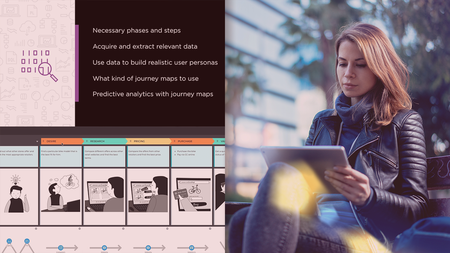
Use big data to tell your customer's story, with predictive analytics. In this course, instructor Kumaran Ponnambalam teaches you about the customer life cycle and how predictive analytics can help improve every step of the customer journey.
Start off by learning about the various phases in a customer's life cycle. Explore the data generated inside and outside your business, and ways the data can be collected and aggregated within your organization. Then review multiple use cases for predictive analytics in each phase of the customer's life cycle, including acquisition, upsell, service, and retention. For each phase, you also build one predictive analytics solution in Python. In the final videos, Kumaran introduces best practices for creating a customer analytics process from the ground up.
Homepage


9923eb10-91da-47d7-a4db-4595c7c767b4.png

Zero to Hero Bootstrap5 Mastery Course
Genre: eLearning | MP4 | Video: h264, 1280x720 | Audio: AAC, 44.1 KHz
Language: English | Size: 1.45 GB | Duration: 2h 26m
Learn to develop exciting websites using HTML and Bootstarp5

What you'll learn
You will learn about the new features and concepts that Bootstarp5 has bought for us.
You will learn how to use CDN links of CSS and Javascript and Bootstarp.
In this course you will learn how Bootstrap5 has removed JQuery and replaced it with Javascript.
You will learn how we can make fully responsive websites with bootstarp5 logics.
Your will learn about Gutters, Scrollspy and toasts concepts
You will learn to use Google fonts and Font Awesome icons in this course
Requirements
Basics of HTML
Description
In this course, you will learn to develop any kind of website using HTML and Bootstrap. We will start the course by learning about some new features of Bootstrap5 and with that we will start making our website. First, we will add the CDN link for CSS and Javascript then we will see that how Bootstrap5 has removed JQuery and replaced it with Javascript. Then start making our different sections of the website, firstly we will make the NavBar then a beautifull Carosel section, then we will head on to make the About Us section, My journey Section using different card logic from Bootstrap5, then Services Section, Gallery Section, Offers Section, Contact Us Section and lastly Footer Section. In this video we will learn about the new concepts of Bootstrap5 like Gutters, Tooltip, Scrollspy, Grid system. And at he end we will also have a overview of all the components that we have build and check if our website is fully responsive or not. And Also we will see the use of Javascript logic that wil make our components dynamically accepting values. We will also learn to make a single page for a component and keep the contents in their respective links.
Who this course is for
Anyone who wants to become a frontend developer by learning HTML and Bootstarp5
Screenshots


334c0161-bcd2-4054-9d86-e7b17ec7b58b.png

[NEW] Amazon Virtual Private Cloud (AWS VPC) compact course
Published 04/2022
MP4 | Video: h264, 1280x720 | Audio: AAC, 44.1 KHz, 2 Ch
Genre: eLearning | Language: English + srt | Duration: 39 lectures (3h 24m) | Size: 2.43 GB


Learn all the key components in the AWS VPC in a short amount of time, on-point and hands-on
What you'll learn
Network basics such as CIDR blocks
All major VPC components for a cloud-native setup
Create a production-ready VPC architecture
Security in the VPC
Monitoring of the VPC
Connect public AWS service endpoints to your VPC's private subnet
Requirements
AWS Account
Basic IT understanding
Interest in networking
Xh free time
Description
What is this course about?
In this course, we will work together to create a production-ready, cloud-native VPC setup. By the end of this course, you will know all the important VPC components needed to run pure cloud applications. The course is designed to give you on-point practical knowledge as quickly as possible. It also covers all the relevant network topics for the AWS Solutions Architect Associate exam.
To achieve the goal, we build it up step by step. The theoretical basics are cleverly embedded in the practical process. The content consists of a complete set of slides, hands-on video material, some intermediate tests and a big final test.
Contents
Introduction
VPC Definition
Manage resources
Pricing
Prepare the AWS Account
Create an IAM user
Assign IAM Permissions
AWS Command Line Interface (CLI)
Default VPC
Helicopter View
Overview of automatically created components
Limits of the Default VPC
Non-Default VPC
Advantages of the Non-Default VPC
Classless Inter-Domain Routing (CIDR)
Specify network size
Create a Non-Default VPC
Subnets - public
Overview
Public IP Addresses
Elastic IP Addresses
Create Public Subnets
EC2 instances in the public subnet
Internet Gateway (IGW)
Route Tables
Establish internet access
Subnets - private
Overview
Private IP Addresses
Basics NAT Gateway
Create NAT Gateway
Public vs. Private Subnet
Bastion Host
Security
Introduction
Network Access Control List (NACL)
Security Group
Network Firewall
Monitoring
Flow Logs
Connectivity I - Endpoints
Interface Endpoints
Gateway Endpoints
Connectivity II - Advanced
VPC Peering
VPC Transit Gateway
VPN Subnet
Outro
Sounds exciting? Sign up quickly. Looking forward to networking with you a bit.
What is this course not about?
If you're looking for specific answers about hybrid clouds, this course most likely won't really help you. We focus here on the pure cloud side and only briefly touch on the topic of on-premises data center integration.
About the instructor
Philipp is the founder of decentnodes, AWS Solutions Architect Associate and has several years of professional experience as a cloud engineer. He has already taught over 1400 participants and has an average rating of 4.3 stars here on Udemy.
Who this course is for
if you are interested in networking
if you are preparing for the AWS Certified Solutions Architect Associate Exam
if you are already working with the AWS Cloud, but your servers are only running in the default public subnet so far
Homepage


4641898-752b.jpg

3ds Max 2023 for Beginners
Published 04/2022
MP4 | Video: h264, 1280x720 | Audio: AAC, 44.1 KHz, 2 Ch
Genre: eLearning | Language: English + srt | Duration: 38 lectures (17h 22m) | Size: 12.8 GB


This course is for complete beginners interested in learning Autodesk 3ds Max
What you'll learn
Modelling a Vehicle
Unwrap and Texturing
Lighting and Scene Setup
Render Using Arnold Renderer
Requirements
You should have Autodesk 3ds Max version 2023 or above installed on your computer.
Description
Do you want to know 3ds max and create your 3d models with this powerful tool?
Then I welcome you to Nexttut education's Autodesk 3ds Max for Beginners.
WHY SHOULD YOU LEARN FROM ME
My name is Hamid Reza Afshari and I'll be your instructor in Autodesk 3ds Max for Beginners course
BENEFITS : By the end of this course
You'll be able to Work with Autodesk 3ds Max
Make various 3d contents
Render using Arnold renderer
WHAT WILL I LEARN
Autodesk 3ds Max interface and navigation
Making complex shapes inside Autodesk 3ds Max
Render using Arnold renderer
COURSE PROJECTS
We will start by knowing the Autodesk 3ds Max UI and navigation.
In chapter two, We will start making our model using basic box modelling Techniques.
In chapter three. we will be using more advanced box modelling Techniques.
In chapter four, we learn how to use Boolean for modelling.
In chapter five, we learn how to use splines inside 3ds Max.
In chapter six, we learn how to unwrap using two Techniques.
Finally, In chapter seven, we learn how to make materials, lights and render the scene.
IS THIS COURSE RIGHT FOR ME
This course is designed for absolute Autodesk 3ds Max beginners,
WHAT SHOULD I KNOW OR HAVE FOR THE COURSE
You should have Autodesk 3ds Max version 2023 or above installed on your computer.
JOIN ME NOW
Join me and learn how to use Autodesk 3ds Max and make awesome 3d assets.
Who this course is for
This course is designed for absolute Autodesk 3ds Max beginners.
Homepage


ab4a8e1c-3c8c-45cb-9fb6-b84770d571c7.png

A Career in Code: Your Career Path as a Software Developer
Released 04/2022
MP4 | Video: h264, 1280x720 | Audio: AAC, 44.1 KHz, 2 Ch
Skill Level: General | Genre: eLearning | Language: English + srt | Duration: 2h 1m | Size: 712.5 MB

Do you work in software development, but don't know quite how to develop your own career? Whether you're just starting out or looking to advance in the field, it can feel overwhelming when you're trying to figure out what to focus on and learn at each stage of your career. There are many paths to take, and it's easy to feel lost along the way. In this course, Kevin Bowersox shares a playbook for new or existing developers to build a strategic path for their career trajectory with effective education and career development activities. He gives you strategies that will help you land that first position and the next steps you can take to transition into more senior roles. Wherever you are on your career path, check out this course to see if Kevin can help you better navigate your journey as a software developer.
Homepage


268e529a-31f6-4f6a-ba1d-854f86ae7859.png

ABAP on HANA Training Tutorial A to Z concepts
MP4 | Video: h264, 1280x720 | Audio: AAC, 44.1 KHz
Language: English | Size: 2.77 GB | Duration: 6h 24m
Hand-on Training based on ABPAP on HANA with content like NATIVE HANA, HANA MODELLING, CDS VIEWS, AMDP, ADBC, ALV IDA​

What you'll learn
NATIVE HANA
HANA MODELLING
AMDP
ADBC
CDS VIEWS
ALV IDA
Requirements
Knowledge of normal abap and OOPS will add an advantage
Description
ABAP on HANA Training Tutorial A to Z concepts
ABAP (development) for SAP HANA refers to all developments which leverage the power of SAP HANA within ABAP-based applications. In this context, the SAP HANA platform is the primary database underlying the ABAP platform. This system deployment option is supported with AS ABAP 7.4 onwards.
If you are already well versed with Normal ABAP programming, you need to understand the power of SAP HANA[High-performance ANalytic Appliance] before proceeding further.
ABAP Core Data Service (CDS)
CDS represents SAP's next generation of data definition and access for database-centric applications. Technically, CDS uses and extends SQL to capture the business intent.
ABAP Managed Database Procedures (AMDP) for SAP HANA
AMDP provide a class-based framework for creating and calling SAP HANA database procedures and functions from the ABAP environment - i.e. AMDP procedures and AMDP functions. The ABAP platform is the sole master regarding the lifecycle management (creation, update, deletion and transport) of such SAP HANA entities.
ADBC
ADBC is an API for the Native SQL interface of the AS ABAP that is based on ABAP Objects. The ADBC methods can be used to pass Native SQL statements to the database interface. The make it possible to
send database-specific SQL commands to a database system and process the result
establish and administer database connections.
ALV with IDA
ALV with IDA (SAP List Viewer with Integrated Data Access) helps tables that contain very large quantities of data to be displayed on the UI.
DATABASE OBJECTS DEVELOPMENT
Tables, views, sequences, synonyms, procedures, functions, constraints, indexes, arrays etc...
Objectives
1. Insights on ABAP Development Tools
2. Gain knowledge on Database Independent Code-to-data
3. Understand SQL and SQLScript Basics for SAP HANA
4. Learn Reading data from a table or view
5. Gain knowledge Sorting and limiting data result sets
6. Understand the concept of detecting and analyzing the performance of your ABAP Database Connectivity (ADBC)
7. Learn how to debug ABAP-Managed Database Procedures
8. Understand how to implement SAP HANA Full-Text Search in ABAP
Pre-requisites
It is recommended that the trainee should have the following
1. Basic Knowledge of ABAP Programming
2. Basic Programming skills
3. Knowledge of Open SQL
4. A general understanding of SAP HANA would be beneficial
Who should attend this Training?
1. ABAP Application Developers
2. ABAP Development Consultants
3. ABAP Development Architects
Who this course is for
For the ABAP consultants only
Screenshots


b857506a-dc8b-42d1-804e-69c03cba4b98.png

Adobe Premiere Pro CC Masterclass: Video Editing in Premiere
MP4 | Video: h264, 1280x720 | Audio: AAC, 44.1 KHz
Language: English | Size: 17.3 GB | Duration: 24h 47m
Learn Beginner-Advanced Adobe Premiere Pro Video Editing, Audio Editing, Color Grading, Motion Graphics, Green Screen+​

What you'll learn
Master Premiere Pro and be CONFIDENT Editing Your Own Videos
Edit an entire video from beginning to end, using professional and efficient techniques.
By the end of the course, you'll have edited your promo video with the supplied footage (video clips, photos, graphics, music, etc.), or your own footage!
Start a project with the right settings for any type of video, from any camera.
Export and save your videos for 4K & High Definition playback.
Edit your videos, and make them more dynamic with cutaway footage and photos.
Design clean and professional titles for you videos.
Add motion to your titles, photos, and videos... making them more visually interesting.
Color correct your video to fix issues with white balance and exposure.
Add a feeling to your video with color grading.
Apply visual effects such as stabilizing shaky video, removing grain, and making video more cinematic with overlays.
Edit green screen footage and, add backgrounds that actually look good.
Requirements
Students should have Adobe Premiere Pro installed on their computers to follow along. There are A LOT OF PRACTICE EXERCISES throughout this course with downloadable practice clips. We want you to follow along.
We teach this course using the Adobe Premiere Pro CC (creative cloud) versions, so it would be best if you're using CC. But you can still learn using CS6, CS5, CS4, or even CS3!
Description
Start editing your video professionally with Adobe Premiere Pro CC!
If you are looking for a video editing application that will allow you to edit videos however you want them, Adobe Premiere Pro is the best answer. Premiere Pro is used by professionals across the world for every type of production from business & marketing videos, music videos to documentaries, feature films. This full course is the best way to jump right in and start editing.
Make videos the way you imagine them!
Practice editing while you learn. This course includes practice video files so you can follow along and actually learn by doing.
By the end of the course, you'll have edited a 1-minute documentary with the supplied footage.
I'll be teaching the course using the creative cloud version, but if you have a previous version (Mac or PC), you can still learn to edit like a pro.
What makes me qualified to teach you?
My name is Phil and I've been editing videos with Adobe Premiere Pro for over a decade. Plus I'm the creator of some of the world's most popular video editing courses - with over 3,000,000 students and thousands of 5-star reviews like these from the Adobe Premiere Pro course
Truly gives you a great hands on training so that you can actually edit video on premiere. Great course. - Jeff Gilbert
Awesome course, easy to follow! - Tim Clark
Your course is amazing, so I can say that I am learning a lot. Your English is very easy to understand ( I'm from Brazil). Thanks for sharing your amazing knowledge. - Jerilson Duarte
My Promise to You
I'm a full time video editor and online teacher. I'll be here for you every step of the way. If you have any questions about the course content or anything related to this topic, you can always post a question in the course or send me a direct message.
What is this Adobe Premiere Pro course all about?
In this complete guide to Adobe Premiere Pro video editing course, you'll not only learn all of the editing tools available in Premiere Pro, but also how to edit with the mindset of a professional editor.
This course will cover everything you need to know to start video editing, including
Starting a project
Editing your videos
Adding video and audio transitions
Adding professional and modern titles (even some with motion)
Improving audio and finding great free music for your projects
Correcting and grading the color of your video to give it a great style
Adding visual effects to your projects
Editing green screen (chroma key) footage
Exporting your video for high-quality playback on any device
Advanced editing skills
Advanced color grading
Advanced efficiency tips
So much more!
Learn from someone who is currently working in the industry, who knows the most current editing techniques, and who has a Bachelor of Arts in Film and Television Production from one of the country's top film schools.
BONUS: As a bonus, you'll receive supplemental video and audio clips to practice with while I teach you with.
By the end of this course, your confidence as a video editor will soar You'll have a thorough understanding of how to use Adobe Premiere Pro for fun or as a career opportunity.
Go ahead and click the enroll button, and I'll see you in lesson 1!
Cheers,
Phil
Who this course is for
You are a video creator (or want to make videos), and are wanting to edit videos with THE BEST video editing application today.
You might know how to edit with Final Cut, iMovie, Sony Vegas, Premiere Elements, Windows Movie Maker, Camtasia, Screenflow, etc. But you want to transition to editing with Premiere Pro.
You are a complete beginner who has never opened Premiere Pro (or have never learned how to use it properly).
You have played around with Premiere Pro, but need some help becoming a more efficient editor.
Screenshots


4641160-e9c5.jpg

Arduino firebase Communication
Published 04/2022
MP4 | Video: h264, 1280x720 | Audio: AAC, 44.1 KHz, 2 Ch
Genre: eLearning | Language: English + srt | Duration: 6 lectures (32m) | Size: 311.5 MB


This course will teach you how to use Arduino to communicate with a Firebase database
What you'll learn
You will learn how to store and retrieve data from a Firebase database
You will learn how to use the Arduino Ethernet Shield to communicate with a Firebase database
You will learn how to use the Arduino WiFi Shield to communicate with a Firebase database
Learn how to use Arduino to communicate with a firebase database
Requirements
Arduino Uno
Arduino Uno or Mega 2560 board
laptpop or desktop
INTERNET
Description
Introduction
In today's era of technology, it has become increasingly important to be able to communicate with other devices and applications. In this article, we will be discussing the basics of Arduino Firebase communication, which is a course that can help you learn how to create your own interfaces and applications with Google's Firebase platform. Arduino is a popular platform for making interactive projects. The Arduino Firebase Communication course teaches you how to create simple applications that send and receive data using the Firebase platform. This course is perfect for anyone who wants to learn how to use Firebase or build more advanced applications with it.
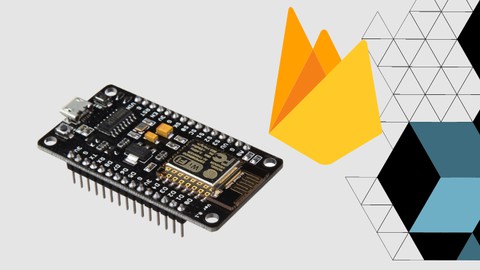
In this tutorial, you'll learn how to use an Arduino UNO and an ESP8266 module to upload and retrieve data to and from a Firebase database.
Storing data (such as sensor data) in a database that can be accessed via the internet from anywhere could be very valuable. Data storage and retrieval are simple with Firebase.
What is Arduino?
An Arduino Firebase Communication course will teach you how to use the popular messaging platform, Firebase, with your Arduino board. You'll learn how to create simple projects that communicate with the Google Cloud Platform, and even send and receive SMS messages.
What you'll learn In this course,
you'll learn how to connect to the Firebase cloud with your Arduino board.
You'll learn how to create and send messages on the Firebase platform.
This course will teach you how to use Arduino to interact with a firebase database
You will learn how to retrieve data from a firebase database
You will learn how to use Arduino to control LEDs
Gain a strong understanding of the principles behind Internet of Things (IoT) technology
Know how to create, read, update, and delete data from a Firebase database using Arduino
How to Create a Firebase Database
How to use Firebase to upload (or download) data
How to link an Arduino to a Firebase server using an ESP8266
What is Firebase?
Firebase is a cloud-based application platform that helps you develop, host, manage, and secure real-time apps. Create rich web and mobile experiences on any device with no code required. What will I learn?
Firebase is a mobile and online application development platform that was founded in 2011 by Firebase, Inc. and bought by Google in 2014. As of October 2018, the Firebase platform had 18 products, with 1.5 million apps using them.
The following are some of the services provided by Firebase
Firebase Analytics is a free app measurement service that gives you insight into how your app is being used and how engaged your users are with it.
As of 2016, Firebase Cloud Messaging (FCM) is a free cross-platform solution for messaging and notifications for Android, iOS, and web applications.
Firebase Auth is a service that allows users to be authenticated using solely client-side code. It works with Facebook, GitHub, Twitter, and Google as social login providers (and Google Play Games). It also features a user management mechanism that allows developers to enable or disable users.
How to Arduino and Firebase can communicate?
How to create simple projects that communicate with the Google Cloud Platform? How to send and receive SMS messages? What are the requirements? What do I need to bring?
Connection Arduino to Firebase methods
This course is based on the popular Arduino platform and includes learning how to program the Arduino board using an inbuilt programming language called Processing. The Arduino board is a microcontroller board, which has been designed to facilitate the development of interactive projects and devices that use computer hardware.
To begin, you must first establish a Firebase account. Create an account by going to "firebase. google . com," clicking Console, signing in with your Google account, and then creating a new project. After you've created a new project, give it a name and turn on the test mode. In the real-time database section, you can manually add some data. By appending ".json" to the end of the database URL, you can get your data in JSON format.
Arduino and ESP8266 can read and send data from your database. Your firebase project's Hostname and Auth key are required. The code should then be uploaded after you've included the Firebase Arduino library. If this is your first time using an Arduino board.
Arduino is based on a free open-source programming language called Processing. This programming language is developed by the Wiring Studio, which is an app available for iOS and Android devices. It allows you to write computer programs using visual analogies similar to those of drawing or painting.
The Arduino board is a microcontroller board, which has been designed to facilitate the development of interactive projects and devices that use computer hardware. It is based on a free open-source programming language called Processing.
Who this course is for
anoyone who is a hobyist about arduino
Future and present engineers
anyone who wants to learn about arduino
anyone who are working in arduino
Homepage


d18e4392-5b62-411e-a616-79fe803598f5.png

Build your own NFT Candy Machine on the Solana Blockchain
Instructors: Pierric Maillard
6 sections • 22 lectures • 1h 27m total length
Video: MP4 1280x720 44 KHz | English + Sub
Updated 4/2022 | Size: 579 MB​

Sell your NFTs via your own Website!
What you'll learn
Learn how to create and manage Solana wallets using command line tools
Use metaplex to upload your NFT collection on the Solana blockchain
Use Metaplex to verify on-chain data
Build a Front End UI for your NFT marketplace
Upload your project as a new Github repository
Use github pages to deploy your live minting website
Check the outcome of a transaction on the Solana Blockchain using Solscan
Requirements
Basic programming skillsBasic understanding of blockchain technology
Description
In this course, we will cover the basics such as creating Solana wallets using command line tools, installing a Phantom Wallet on your browser and airdrop SOL to a devnet wallet.
We will then see how to upload your NFT collection on the Solana Blockchain using the Metaplex suite of tools. We will also use Metaplex to verify or even modify on-chain data, namely the configuration of your NFT minting process.
With the lessons covered in this course you will also be able to develop your own User Interface in order to sell your NFT collection using your own minting website. For this part we will use the React javascript environment to create a web application that you will be able to customize easily, and reuse for all your subsequent NFT projects.
Lastly, you will get some insights on the next steps you will need to take in order to create a successful NFT project.
This includes ideas on how to make your project more value-adding for your holders, and a list of Solana NFT calendars where you should aim at getting listed in order to draw more attention to your project.You will be able to send me messages at any point during the course if you can't get past a certain point without running into a myriad of bugs.
Who this course is for:Artists looking for ways to leverage the blockchain technology to sell their creationsNFT creators looking to sell their project on their own Minting websitePeople generally curious about NFTs and looking for a fun way to get startedBlockchain enthusiasts looking for ways to market their projects to a wider audience
Homepage
Screenshots


4468542-31cc-2.jpg

Coding Masterclass - Learn Great Coding
Published 04/2022
MP4 | Video: h264, 1280x720 | Audio: AAC, 44.1 KHz, 2 Ch
Genre: eLearning | Language: English + srt | Duration: 14 lectures (1h 56m) | Size: 1.22 GB


The Coding Course Which Covers Game Development with Scratch 3.0, Kodu Game Lab and Coding Fundamentals
What you'll learn
You will learn how to create programs, make games and solve programming problems.
Understand all the fundamental programming principles.
Understand complex programming topics.
Learn to use coding to develop games!
Requirements
You will not need any any prior knowledge - so get started now!
You should be committed to run through the course and become knowledgeable about the magic world of coding.
Nothing else! It's just you, your computer and your hunger to get started today!
Description
* THIS COURSE COVERS GAME DEVELOPMENT IN SCRATCH 3.0, KODU AND CODING PRINCIPLES TO FILL THE GAP BETWEEN SCRATCH 3.0 AND REAL CODING *
In this course you will be able to develop games in Scratch 3.0 programming language and 3D games in Kodu Game Lab. For the development of these games, is used Scratch 3.0 and Kodu Game Lab because they are educational programming environments that have an easy graphical interface that it will allow us to drag and drop the right blocks of coding.
I promise you that it will be a funny and exciting course that it will motivate you to learn coding in more depth.
Scratch 3.0 is a free programming language and online community where you can create your own interactive stories, games, and animations. Using Scratch, users can create online projects and develop them into almost anything by using a simple block-like interface. When they are ready, they then share, and also discuss their creations with each other. Scratch 3.0 was developed by the Lifelong Kindergarten group at the MIT Media Lab. Scratch 3.0 is designed to help children (ages 8 and up) learn to utilize their imaginations, practice common sense, and, most importantly, to interact with computers.
From Game Development with Scratch and Kodu Game Lab to Real coding with Python
Block #1: Basic Concepts
Objectives covered by the block
fundamental concepts: interpreting and the interpreter, compilation and the compiler, language elements, lexis, syntax and semantics, Python keywords, instructions, indenting
literals: Boolean, integer, floating-point numbers, scientific notation, strings
comments
the print() function
the input() function
numeral systems (binary, octal, decimal, hexadecimal)
numeric operators: ** * / % // + -
string operators: * +
assignments and shortcut operators
Block #2: Data Types, Evaluations, and Basic I/O Operations
Objectives covered by the block
operators: unary and binary, priorities and binding
bitwise operators: ~ & ^ | << >>
Boolean operators: not and or
Boolean expressions
relational operators ( == != > >= < <= ), building complex Boolean expressions
accuracy of floating-point numbers
basic input and output operations using the input(), print(), int(), float(), str(), len() functions
formatting print() output with end= and sep= arguments
type casting
basic calculations
simple strings: constructing, assigning, indexing, immutability
Block #3: Flow Control - loops and conditional blocks
Objectives covered by the block
conditional statements: if, if-else, if-elif, if-elif-else
multiple conditional statements
the pass instruction
building loops: while, for, range(), in
iterating through sequences
expanding loops: while-else, for-else
nesting loops and conditional statements
controlling loop execution: break, continue
Block #4: Data Collections - Lists, Tuples, and Dictionaries
Objectives covered by the block (7 items)
simple lists: constructing vectors, indexing and slicing, the len() function
lists in detail: indexing, slicing, basic methods (append(), insert(), index()) and functions (len(), sorted(), etc.), del instruction, iterating lists with the for loop, initializing, in and not in operators, list comprehension, copying and cloning
lists in lists: matrices and cubes
tuples: indexing, slicing, building, immutability
tuples vs. lists: similarities and differences, lists inside tuples and tuples inside lists
dictionaries: building, indexing, adding and removing keys, iterating through dictionaries as well as their keys and values, checking key existence, keys(), items() and values() methods
strings in detail: escaping using the \ character, s and apostrophes inside strings, multiline strings, basic string functions.
Block #5: Functions (20%)
Objectives covered by the block (6 items)
defining and invoking your own functions and generators
return and yield keywords, returning results,
the None keyword,
recursion
parameters vs. arguments,
positional keyword and mixed argument passing,
default parameter values
converting generator objects into lists using the list() function
name scopes, name hiding (shadowing), the global keyword
So What Are You Waiting For?
Enroll Today!
Who this course is for
Anyone who wants to learn to code easily by creating a game.
Beginners who have never programmed before in Scratch.
Students that want to learn difficult programming concepts by having fun using their creativity.
Homepage


Zurück
Oben Unten