• Regeln für den Video-Bereich:

    In den Börsenbereich gehören nur Angebote die bereits den Allgemeinen Regeln entsprechen.

    Einteilung

    - Folgende Formate gehören in die angegeben Bereiche:
    - Filme: Encodierte Filme von BluRay, DVD, R5, TV, Screener sowie Telesyncs im Format DivX, XviD und x264.
    - DVD: Filme im Format DVD5, DVD9 und HD2DVD.
    - HD: Encodierte Filme mit der Auflösung 720p oder darüber von BluRay, DVD, R5, TV, Screener sowie Telesyncs im Format x264.
    - 3D: Encodierte Filme von BluRay, die in einem 3D Format vorliegen. Dies gilt auch für Dokus, Animation usw.
    - Serien: Cartoon/Zeichentrick, Anime, Tutorials, Dokumentationen, Konzerte/Musik, Sonstiges sind demnach in die entsprechenden Bereiche einzuordnen, auch wenn sie beispielsweise im High Definition-Format oder als DVD5/DVD9/HD2DVD vorliegen. Ausnahme 3D.
    - Bereich Englisch: Englische Releases gehören immer in diesen Bereich.
    - Bereich Talk: Der Bereich, in dem über die Releases diskutiert werden kann, darf, soll und erwünscht ist.


    Angebot/Beitrag erstellen

    - Ein Beitrag darf erst dann erstellt werden, wenn der Upload bei mindestens einem OCH komplett ist. Platzhalter sind untersagt.
    - Bei einem Scenerelease hat der Threadtitel ausschließlich aus dem originalen, unveränderten Releasenamen zu bestehen. Es dürfen keine Veränderungen wie z.B. Sterne, kleine Buchstaben o.ä. vorgenommen werden. Ausnahme Serienbörse:
    - Bei einem Sammelthread für eine Staffel entfällt aus dem Releasename natürlich der Name der Folge. Beispiel: Die Simpsons S21 German DVDRip XviD - ITG
    - Dementsprechend sind also u.a. verboten: Erweiterungen wie "Tipp", "empfehlenswert", "only", "reup", usw. / jegliche andere Zusatzinformation oder Ergänzung, welche nicht in obiger Beschreibung zu finden ist.

    Aufbau des Angebots und Threadtitel

    Der Titel nach folgendem Muster erstellt zu werden. <Name> [3D] [Staffel] [German] <Jahr> <Tonspur> [DL] [Auflösung] <Quelle> <Codec> - <Group>
    Beispiel: The Dark Knight German 2008 AC3 DVDRip XviD - iND
    Beispiel: The Dark Knight 2008 DTS DL BDRip x264 - iND
    Beispiel: The Dark Knight 2008 AC3 DL BDRip XviD - iND
    Beispiel: The Dark Knight German 2008 AC3 720p BluRay x264 iND
    Beispiel: The Dark Knight 2008 DTS DL 1080p BluRay x264 iND
    Beispiel: Die Simpsons S01 German AC3 DVDRip XviD iND
    Beispiel: Die Simpsons S20 German AC3 720p BluRay x264 iND
    Beispiel: Sword Art Online II Ger Sub 2014 AAC 1080p WEBRip x264 - peppermint
    Entsprechend sind also u.a. verboten: Sonderzeichen wie Klammern, Sterne, Ausrufezeichen, Unterstriche, Anführungszeichen / Erweiterungen wie "Tipp", "empfehlenswert", "only", "reup", usw. / jegliche andere Zusatzinformation oder Ergänzung, welche nicht in obiger Beschreibung zu finden ist
    Ausnahmen hiervon können in den Bereichen geregelt sein.

    Die Beiträge sollen wie folgt aufgebaut werden:
    Überschrift entspricht dem Threadtitel
    Cover
    kurze Inhaltsbeschreibung
    Format, Größe, Dauer sind gut lesbar für Downloader außerhalb des Spoilers zu vermerken
    Nfo sind immer Anzugeben und selbige immer im Spoiler in Textform.
    Sind keine Nfo vorhanden z.B. Eigenpublikationen, sind im Spoiler folgende Dateiinformationen zusätzlich anzugeben :
    Quelle
    Video (Auflösung und Bitrate)
    Ton (Sprache, Format und Bitrate der einzelnen Spuren)
    Untertitel (sofern vorhanden)
    Hosterangabe in Textform außerhalb eines Spoiler mit allen enthaltenen Hostern.
    Bei SD kann auf diese zusätzlichen Dateiinformationen verzichtet werden.

    Alle benötigten Passwörter sind, sofern vorhanden, in Textform im Angebot anzugeben.
    Spoiler im Spoiler mit Kommentaren :"Schon Bedankt?" sind unerwünscht.


    Releases

    - Sind Retail-Release verfügbar, sind alle anderen Variationen untersagt. Ausnahmen: Alle deutschen Retail-Release sind CUT, in diesem Fall sind dubbed UNCUT-Release zulässig.
    - Im Serien-Bereich gilt speziell: Wenn ein Retail vor Abschluss einer laufenden Staffel erscheint, darf diese Staffel noch zu Ende gebracht werden.62
    - Gleiche Releases sind unbedingt zusammenzufassen. Das bedeutet, es ist zwingend erforderlich, vor dem Erstellen eines Themas per Suchfunktion zu überprüfen, ob bereits ein Beitrag mit demselben Release besteht. Ist dies der Fall, ist der bereits vorhandene Beitrag zu verwenden.
    - P2P und Scene Releases dürfen nicht verändert oder gar unter einem iND Tag eingestellt werden.


    Support, Diskussionen und Suche

    - Supportanfragen sind entweder per PN oder im Bereich Talk zu stellen.
    - Diskussionen und Bewertungen sind im Talk Bereich zu führen. Fragen an die Uploader haben ausschließlich via PN zu erfolgen, und sind in den Angeboten untersagt.
    - Anfragen zu Upload-Wünschen sind nur im Bereich Suche Video erlaubt. Antworten dürfen nur auf Angebote von MyBoerse.bz verlinkt werden.


    Verbote

    - Untersagt sind mehrere Formate in einem einzigen Angebotsthread, wie beispielsweise das gleichzeitige Anbieten von DivX/XviD, 720p und 1080p in einem Thread. Pro Format, Release und Auflösung ist ein eigener Thread zu eröffnen.
    - Grundsätzlich ebenso verboten sind Dupes. Uploader haben sich an geeigneter Stelle darüber zu informieren, ob es sich bei einem Release um ein Dupe handelt.
    - Gefakte, nur teilweise lauffähige oder unvollständige Angebote sind untersagt. Dies gilt auch für eigene Publikationen, die augenscheinlich nicht selbst von z.B. einer DVD gerippt wurden. Laufende Serien, bei denen noch nicht alle Folgen verfügbar sind, dürfen erstellt und regelmäßig geupdatet werden.
    - Untersagt sind Angebote, welche nur und ausschließlich in einer anderen Sprache als deutsch oder englisch vorliegen. Ausnahmen sind VORHER mit den Moderatoren zu klären.


    Verstoß gegen die Regeln

    - Angebote oder Beiträge, die gegen die Forenregeln verstoßen, sind über den "Melden"-Button im Beitrag zu melden.
  • Bitte registriere dich zunächst um Beiträge zu verfassen und externe Links aufzurufen.

*** Bestes IPTV *** bester Preis *** gratis Test ***


Englische Tutorials

0e2aee1d-54f4-40a5-a192-18ccbdd1e4cf.png

Learn JAVA Programming For Android Development In [ 2022 ]
MP4 | Video: h264, 1280x720 | Audio: AAC, 44.1 KHz
Language: English | Size: 408 MB | Duration: 1h 21m​

In this Skillshare class, you will about Java Programming from the very basics to an intermediate level
Throughout the class, we will create different programs to understand Java Programming
Why Learn Java?
One of the most significant advantages of Java is its ability to move easily from one computer system to another. The ability to run the same program on many different systems is crucial to World Wide Web software, and Java succeeds at this by being platform-independent at both the source and binary levels.
Screenshots


008adaf1_medium.jpg

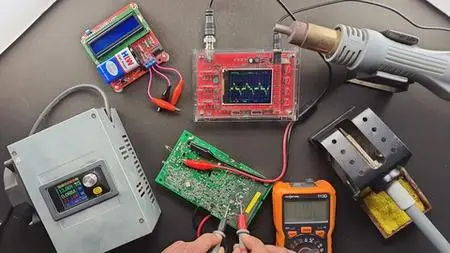
Learn to Repair & Troubleshoot Electronics 2022
MP4 | Video: h264, 1280x720 | Audio: AAC, 44.1 KHz
Language: English | Size: 2.19 GB | Duration: 3h 48m
An ultimate guide to electronics Repair & Troubleshoot
What you'll learn​

Understanding Digital Multimeter
Describe the electrical characteristics of common electronic components like resistor, capacitor, diode,..etc.
Resistance and Resistors
Resistor Colour Code Calculation
Continuity Test
Testing Resistor
How To Perform Current Test
How To Test AC/DC Voltage
Testing Variable Resistor
Continuity Test
Testing Coil/Inductor
Identifying faulty diode
Testing Switches
Testing Bridge Rectifier
Testing Light Emitting Diode (LED)
Testing Zener Diode
Testing Linear Transformer
Testing Capacitor
Testing Transistor
Testing Transformer
Testing computer power supply
Symptom of faulty personal computer power supply
At the end there is practical troubleshooting practice
Requirements
No previous electronics skill is needed. You will learn everything you need to know.
Description
Learn to Repair & Troubleshoot Electronics course, is designed for everybody. The course is designed to fit all level of trainees like beginners, hobbyist, technical college and university students, Scientist and Engineers of other field of study can take the course without any challenge. I have spent countless hours in teaching, testing and analyzing electronic components and found out the right and accurate ways to design the course. This course have worked for thousands of others and can work for you too.
To be an electronics technician, You Don't Even Need A Certificate, Diploma Or A Degree In Electronic Engineering, In Order To Start Troubleshooting and Repair Electronics Equipment's! It's So Simple And Everyone Can Follow My lecture and Tips Of Troubleshooting! The Good News Is Once You Have Completed this course lectures And Start Practicing From The Information, I Can Guarantee You Will Be Far Better than A Degree Holder engineers! Even if it doesn't require degree or diploma, as everybody knows electronic repair can be an extremely confusing thing, specially if you don't have someone to hold you by the hand through the whole process. If you have expertise like me, the last things you want to worry about are all the tiny details that go along with electronics repair. That's why I know you're going to be delighted after you read this page, because there's finally a resource that will guide you every step of the way.
The course will teach you theoretical and practical part of basic electronics troubleshooting and repair, after completing this course everybody will be equipped with electronics repairing and troubleshooting knowledge and skill. I can guarantee you, you will be better than Bachelor degree graduate in troubleshooting and repair, otherwise there is a one month money back, If you are not happy or if the course can not add any value on you, no problem I Will refund you with in one moth.
In this course, I included all important point that help you to understand the theory and practical concept of troubleshooting and repairing. For example you'll learn the theoretical background of common electronics components, you will learn about testing and identify bad; diode, transistor, resistor, capacitor, transformer, fuses, bulbs, switches and everything about electronic and electrical devices.
If you are interested in electronics, this is the right track, get enrolled in this course, Never MISS this course.
This course transform everybody to high level, if the course dose not change you, I grantee you, I will refund your money with in a Month.
Who this course is for
The course is designed for everybody! Specially for those who want to repair the electronics devices this course is ideal.
Screenshots


d12c58ee-0a2a-4f69-b867-95d22460d18d.png

Primavera P6 Project Management Bootcamp
MP4 | Video: h264, 1280x720 | Audio: AAC, 44.1 KHz
Language: English | Size: 6.11 GB | Duration: 14h 7m​

You want to learn how to use the Primavera P6 Professional Project Management Software, right?
Start using the Primavera P6 Professional to create, manage, control and monitor your project schedules likes a pro today!
Either you're completely brand new, or you've played around with the Primavera P6 but want to get more comfortable with Primavera P6 Project Management Software. Either way, this course will be great for you.
Primavera P6 is the world's #1 project schedule management software application and this full course is the best way to learn how to use it.
Create, and plan your project schedules the way you expect them!
Get Instant access to
14+ hours of easy-to-watch video lessons
Easy to follow project example to get along with the lessons
Lifetime updates to Primavera P6 Professional course updates
In this course, you'll gain access to premium video lessons that break down the core concepts behind the most popular project schedule management software. These lessons are designed for all type of learners, and they're comprehensive enough to leave you with a full understanding of each topic.
These lessons are detailed, which means you'll get a chance to practice everything you learn and build your concepts even as you're getting to grips with Primavera P6 Professional Project Management software.
Download and Install Primavera P6 Professional software. Within the course, you'll be presented with the instructions to download and install the Primavera P6 professional software (trial version) so that you can practice and learn as needed!
I'll be teaching the course using the latest Primavera P6 professional software version, but if you have a previous version, you can still learn to create your project schedules like a pro.
I want to make this the best course on how to use the Primavera P6 Professional project management software for your projects. So if there is any way I can improve this course, just let me know and I'll try to make it happen.
What is this Primavera P6 course all about?
In this complete training to the Primavera P6 project management software, you'll not only learn most of the tools available in Primavera P6, but also learn how to plan, schedule, monitor and control your projects, within your organization, industry or service sector you are currently working with.
This course will cover everything you need to know to start, including
Primavera P6 core concepts
Getting started with Primavera P6 Professional
Navigating and customizing the workspace
Understanding the Primavera P6 main menu
Carry out regular project planning and scheduling tasks faster
Learn to build a complete project schedule from scratch
Updating and maintaining schedule
Monitoring and controlling project schedules
Projects performance monitoring - printing reports, and much more .
Key course topics
This course may be designed for all levels but it's also designed to leave you equipped with pro-level techniques and the confidence to apply them while managing your projects. Throughout this course, you'll learn how to work with and master the following topics
Enterprise Project Structure (EPS)
Organization Break Down Structure (OBS)
Work Break Down Structure (WBS)
Activities and Relationships
Activity Codes
Calendars
Constraints
Roles and Resources
Cost
Baselines
Project status update
Earned Value Management (EVM)
Earned Value Analysis (EVA)
S Curves
Risk Management
Project Reports
By the end of this course, I am sure your confidence as a Primavera P6 Professional software user will soar. You'll have a thorough understanding of how to use the Primavera P6 Professional for your projects planning and scheduling, or as a career opportunity as well.
Master the most powerful and robust Primavera P6 Project Management software today!
Primavera P6 is a powerful project planning and scheduling tool that you can start mastering today with the help of this course. With lessons - you'll soon be on your way to creating incredible project schedules using the Primavera P6 Professional software.
So Go ahead and click the enroll button, and I'll see you in class, today!
Good luck,
Basharat
Screenshots


cc0a4993-8791-4c54-8970-baea3579bfc8.png

Solana Smart Contracts - Solana Programs in Rust, Typescript, Es6, crypto, programming
MP4 | Video: h264, 1280x720 | Audio: AAC, 44.1 KHz
Language: English | Size: 303 MB | Duration: 45m​

Learn how Smart Contracts in Solana Work how to write your first Solana Program and Send Serialized Data so you can communicate by storing data in the on-chain and being able to read it with any type of client: a video game, and app, a web browser.
It's recommended for this class that you know a little bit of Rust.
Code for the class
Screenshots


c22f797f-311f-4c3a-9a25-562110b7c89d.png

The 2022 Microsoft Teams Calling and Phone System Course
MP4 | Video: h264, 1280x720 | Audio: AAC, 44.1 KHz
Language: English | Size: 527 MB | Duration: 1h 20m
Learn and Master the Microsoft Teams Calling and PSTN Calling system and tools!
What you'll learn​

Microsoft Teams Calling and Phone System Technologies in a Professional Context
Learn to use the full functionality of Microsoft Teams Calling Features
Make Calls, Receive Calls, Transfer Calls, and Manage Your Phone System like a Pro
Advanced Features to set you ahead of the curve on the Phone System in Microsoft Teams
Requirements
No requirements necessary!
Description
Immerse yourself in our complete and instructional video series that will take your skill level from beginner to pro in 2022 with our new Microsoft Teams Claling and Phone System Course. This course has been completely updated for 2022 and has all of the new features and functions that you'll need to know. Whether you work as a corporate/business professional, or in a CAll Center, this series is for you!
This video series includes ALL of the new features available in 2021. We have structured this course into 8 Sections which houses over 45 bite sized videos, facilitating a self-paced learning experience.
We pride ourselves on our Corporate Training & Adoption experience, and now you can access our professional level of training in the comfort of your own home, or office, and at your own pace.
This course covers all aspects of the Microsoft Teams Calling and Phone System Features, and is separated into helpful sections to help you gradually improve. Are you ready to begin your journey with Microsoft Teams Calling?
The Sections are
1. Introduction
2. Calls Application View
3. Placing and Receiving Calls in Teams
4. In Calls Controls
5. Customizing Your Teams Calling Features
6. Your Voicemail Options
7. Teams Calling Delegate
8. Calls Queues and Reporting
9. Conclusions
At Competitive Computing Consultants Inc., we didn't get here alone, and neither will you. We look forward to answering any questions you have or helping in any way that we can. If you have any questions, message us through the Udemy App once the course has been purchased, and we will be more than happy to help you with your specific use case, or issue that you have.
Who this course is for
Microsoft Teams Users
Anyone who needs to use the Phone System in Microsoft Teams
Screenshots


3fc0fc8d-c44c-4b9b-a9d7-5d1a890b74b4.png

The Ultimate Agile Leader Certification Training
MP4 | Video: h264, 1280x720 | Audio: AAC, 44.1 KHz
Language: English | Size: 3.49 GB | Duration: 4h 0m
[Unofficial] A Complete Preparation For An Agile Leader Certification
What you'll learn​

[Up-To-Date Content] Master Agile Leadership & The Scrum Framework
[Downloadable] Recap Of Key Concepts - PDF (46 pages) and Audio (mp3) files
Discover The Top 4 Behaviors Of The Agile Leader
Create An Environment Where People Can Thrive
Understand Empiricism & The 3 Pillars That Uphold Scrum
How To Navigate Conflicts Within An Agile Team
How To Increase The Motivation Of An Agile Team
Traditional Management Concepts That Agile Leaders Do Not Do
The Difference Between Adaptive and Predictive Approach To Development
The Concepts of Iterative and Incremental Development
The Velocity Metric And Its Relation To Value
Characteristics Of The Scrum Master, Product Owner, and The Developers
Characteristics Of The Scrum Events
Characteristics Of The Scrum Artifacts & Their Commitments
Requirements
No previous Scrum and Agile knowledge needed.
Description
IMPORTANT: "Professional Agile Leadership" and "PAL I" are registered trademarks of Advanced Development Methods (Scrum .org) and this course is not licensed, endorsed, or affiliated with Advanced Development Methods (Scrum .org) in any way. This course and practice exams are neither endorsed by, nor in partnership, nor affiliated with (Scrum .org) or any other organizations.
If you've been desperately looking for Agile Leader Certification Training And Practice Exam Questions, then you know that such video courses are extremely rare. You do not need to search anymore. I spent the last several months building a program that will help you level up your Agile Leadership knowledge. So, enrolling and completing this program might be one of the best career decisions you've made this year.
...and before I tell you why let me first introduce myself...
Hi,
My name is Vladimir Raykov and I'm a certified Agile Leader, Scrum Master, and Product Owner who works in a software development company.
I'd love to share my experience and knowledge so you can achieve even better results.
Currently, I teach over 102,967 students and have received over 12,738 positive reviews.
My courses helped hundreds of students pass Scrum exams. And I'd love to help you too.
Who Is This Course For?
I designed this course for people who want to...
Add an Agile Leader Certification to their CV.
Master the Scrum Framework(TM).
Develop an Agile Mindset.
The course is complete and It leaves no room for failure. By the end of it, you will feel confident in your Agile Leadership knowledge.
How Is This Course Organized?
Section 1 - Introduction & Exam Details
Roadmap To Success
Agile Leader Exam Details
Immediately Downloadable Resources
Action Items (a PDF file) (Links to Whitepapers, Articles, Videos, and Blog Posts)
The 8 Tips To Help You Pass Exams (a PDF file)
Recap Slides - (a 46-page PDF file)
Recaps - Audio Files (5 mp3 files)
Section 2 - Agile Principles & Scrum Overview
Top benefits of being Agile
What Agile Teams must focus on
The difference between Agile & Waterfall
Agile Planning vs Waterfall Planning
The concepts of Iterative & Incremental Development
Section 3 - The Scrum Team (3 Sets Of Accountabilities)
The concepts of Cross-Functionality & Self-Management
Characteristics of The Scrum Master, The Product Owner, and The Developers.
The most misunderstood Scrum value - Commitment
Section 4 - The Scrum Events
The Sprint and its main purpose
Sprint Planning and answering the three questions - why what & how
Daily Scrum (a key inspect & adapt event for the Developers)
Sprint Review and why feedback is critically important
Sprint Retrospective (the driver of continuous improvement)
Section 5 - The Scrum Artifacts & Their Commitments
The Product Backlog (the single source of work undertaken by the Scrum Team)
The Sprint Backlog (when does it emerge, who is accountable for it, what happens with the PBIs that are not complete)
The Increment (the relationship between the Increment and the Product Backlog, who decides to release it, in what condition should it be)
The Product Goal (the long-term objective for the Scrum Team)
The Sprint Goal (the objective for the Sprint)
The Definition Of Done (who crafts it and why, is it mandatory, can it change)
Section 6 - Agile Leadership
The top 4 behaviors of the Agile Leader
How to create an environment where people can thrive
The importance of working empirically (the best way to fight complexity)
How to navigate conflicts and deal with complains
The difference between intrinsic and extrinsic motivation
How to increase intrinsic motivation for long-term success.
The 4 stages Agile Teams go through.
Concepts from traditional management that hurt Agility.
Section 7 - How To Approach The Exam
Discover My Top 8 Tips
Free Resources & Recommendations Outside This Course[Plus More Practice Exam Questions]
Section 8 - Practice Exam
[Unofficial] Practice Exam #1 (36 Questions - 60 minutes - Passing Score 85%)
Do I Get A Guarantee?
You can enroll now 100% risk-free because you receive 30 days, unconditional money-back guarantee.
If for any reason you are not satisfied (and that might be something as simple as you don't like my accent) - no problem, you are one click away from a refund.
No hassle, no hard feelings!
Go ahead and click the "Buy Now" button right now and let's awaken the Agile Leader within you almost instantly!
-------------------------------------------------------------------------
A DISCLAIMER STATEMENT
The statements made and opinions expressed herein belong exclusively to the creator of this course and are not shared by or represent the viewpoint of Scrum dot org. This training does not constitute an endorsement of any product, service, or point of view. Scrum dot org makes no representations, warranties, or assurances of any kind, express or implied, as to the completeness, accuracy, reliability, suitability, availability, or currency of the content contained in this presentation or any material related to this presentation. In no event shall Scrum dot org, its agents, officers, employees, licensees, or affiliates be liable for any damages whatsoever (including, without limitation, damages for loss of profits, business information, loss of information) arising out of the information or statements contained in the training. Any reliance you place on such content is strictly at your own risk.
A TRADEMARK NOTICE STATEMENT
Scrum dot org, Professional Agile Leadership, Professional Scrum Master (TM), Professional Scrum Product Owner, PAL I, PSM, PSM I, PSM 1, PSPO, PSPO I, PSPO 1, PSPO II, PSPO 2 are trademarks of Scrum dot org and may be registered in the United States Patent and Trademark Office and in other countries.
ATTRIBUTION AND USE FOR THE SCRUM GUIDE(TM) AND NEXUS GUIDE(TM)
This course uses screenshots from the Scrum Guide (TM), Nexus Guide (TM), and Evidence-Based Management Guide™ to point the attention of the student to important concepts, ideas, rules, and practices.
The authors of the Scrum Guide (TM) are Ken Schwaber and Jeff Sutherland.
The Nexus Guide (TM) is developed and sustained by Ken Schwaber and Scrum dot org
Evidence-Based Management (TM) was collaboratively developed by Scrum .org (TM), the Professional Scrum Trainer Community, Ken Schwaber, and Christina Schwaber.
No changes have been made to the content of the Scrum Guide (TM), Nexus Guide (TM), and Evidence-Based Management Guide (TM)
Licence: Attribution Share-Alike license of Creative Commons
Who this course is for
People who want to develop an Agile Mindset and become Agile Leaders
People who want to master the Scrum Framework
People who want to align their Scrum Knowledge with the latest changes.
Screenshots









 
9f98a4b2-bd9c-40df-9c37-35e9a6414bac.png

Trending Tools and Technologies for Teachers and Students
MP4 | Video: h264, 1280x720 | Audio: AAC, 44.1 KHz
Language: English | Size: 4.56 GB | Duration: 9h 45m
Google Classroom and Workspace, Office Sway, OneNote Online, Prezi, Powerpoint, Publisher, Keynote, Nearpod, Text Blaze​

What you'll learn
Make learning interactive and collaborative, design attractive and interactive presentations, take visually clear, concise, organized, and structured notes
Google Workspace (G Suite): Google Slides, Google Sheets, Google Docs, Google Drive, Google Drawings, Google Forms, and relevant techniques.
Google Classroom: You will learn how to manage, measure, and enrich learning experiences using the all-in-one place for teaching and learning.
OneNote Online: Information gathering and multi-user collaboration.
Microsoft Sway: create and share interactive reports, personal stories, presentations, and more.
Keynote: easily add beautiful charts, edit photos, and incorporate cinematic effects.
Publisher: You will learn the basics of this publishing application that helps you create visually rich, professional-looking publications.
PowerPoint: PowerPoint usage, add-ins, time-bar tutorials, slideshow tutorials, PowerPoint shortcuts, 3D models and 3D animation, and many more topics.
Microsoft Forms
Prezi: The presentation software that uses motion, zoom, and spatial relationships to bring your ideas to life and make you a great presenter.
Google Jamboard: Digital interactive whiteboard used for online collaboration using Google Workspace.
Nearpod
Google Keep, Microsoft To Do, Text Blaze
Requirements
You will learn everything you need to know.
Description
The effective use of digital learning tools in classrooms can increase student engagement, help teachers improve their lesson plans, and facilitate personalized learning. It also helps students build essential 21st-century skills.
This course will help teachers and students
Make learning interactive and collaborative and differentiate assignments, include videos and web pages into lessons, and create collaborative group assignments.
Use advanced tools and technologies to design attractive and interactive presentations enriched with visual designs. 10+ premium PowerPoint templates with stunning infographics and slides included for download.
Take visually clear, concise, organized, and structured notes so that they are easy to read and make sense to you later.
Use the trending Microsoft, Google, and Apple tools and technologies to foster their creativity in the academic environment.
In this course you will learn
------------------------------
A) Presentation, Collaboration, Creativity Tools
Microsoft Sway: Sway is a new app from Microsoft Office that makes it easy to create and share interactive reports, personal stories, presentations, and more.
Keynote: Keynote sets the stage for an impressive presentation. A simple, intuitive interface puts important tools front and center, so everyone on your team can easily add beautiful charts, edit photos, and incorporate cinematic effects.
PowerPoint: Microsoft PowerPoint empowers you to create clean slideshow presentations and intricate pitch decks and gives you a powerful presentation maker. You will learn PowerPoint usage, add-ins, time-bar tutorials, slideshow tutorials, PowerPoint shortcuts, 3D models and 3D animation, and many more topics. 10+ premium PowerPoint templates with infographics and stunning slides provided to students.
Publisher: You will learn the basics of this publishing application that helps you create visually rich, professional-looking publications.
Microsoft Forms: You will learn to easily create surveys and polls to collect students' feedback, measure satisfaction, and organize team events.
Prezi: The presentation software that uses motion, zoom, and spatial relationships to bring your ideas to life and make you a great presenter.
Nearpod: an interactive classroom tool to engage students by adding interactive activities to your lessons like polls, collaboration boards, and game-based quizzes.
Google Jamboard: Digital interactive whiteboard used for online collaboration using Google Workspace.
B) Google Classroom and Google Workspace
Google Workspace (G Suite): You will learn the collection of Google cloud-based productivity and collaboration tools including Google Slides, Google Sheets, Google Docs, Google Drive, Google Drawings, Google Forms, and relevant techniques.
Google Classroom: You will learn how to manage, measure, and enrich learning experiences using the all-in-one place for teaching and learning. Bring all your learning tools together and manage multiple classes in one central destination, work simultaneously in the same document with the whole class or connect face-to-face with Google Meet, and empower teaching and learning from anywhere, on any device, and give your class more flexibility and mobility.
C) Note-taking tools
OneNote Online: Information gathering and multi-user collaboration. Gather your notes, drawings, screen clippings, and audio commentaries and share them with other users over the Internet or a network.
Google Keep: Connect and sync your notes to other Google Workspace programs like Google Docs and Google Calendar.
Microsoft To-Do: Easily create and sync your task lists across multiple devices so you have your to-do list available whether you are on your desktop, phone, or tablet.
Text Blaze: Create smart text expansions to get more done and streamline your work with students by automation and save billions of keystrokes.
Who this course is for
Teachers
Students
Presenters
Lecturers
Business communicators
Screenshots


Y9M2S15E1WKD0ZiYfQkanqKe6HAUerEp.jpg

Angular Practicals
Genre: eLearning | MP4 | Video: h264, 1280x720 | Audio: AAC, 48.0 KHz
Language: English | Size: 1.39 GB | Duration: 2h 42m
Practical Problems and Soultions in Angular

What you'll learn
Practical scenario in Angular
Command concepts in Angular
Design Patterns in Angular
Improve coding in Angular
Requirements
Prior knowledge of Angular required
Description
Practical and trainings are two different aspects. It requires deep understandings when we apply our knowledge with real problems. I am into Angular since its inception and almost familiar with all the practical problems a newbie can face. Often as a new developer we focus on delivery of task on time rather than quality of code which results in technical debt or code smell.
As an interviewer I observed that many candidates succumb to scenario questions and the reason is they just mug up the things without digging deep. I've gone through many courses and often they teach the happy path and not the practical one. So I decided to give it a try.
In this course we will understand what real challenges we face in real world Angular projects and how to solve them. We will clear our basics first and then move to complex problems. A solid foundation will lead to better and cleaner code that's why we will focus on "What and Why" first before "How". A few concepts are Angular specific and a few others are General design/programming concepts which are language agnostic. This is mix and match of both.
I hope we will learn from each other in this Journey.
Who this course is for
Professional Angular developers
Screenshots


VL0ZhfGq5kYjFNwqT5gsnpNXGjR2ZLBA.jpg

Ansible For Kubernetes By Examples
Genre: eLearning | MP4 | Video: h264, 1280x720 | Audio: AAC, 44.1 KHz
Language: English | Size: 895 MB | Duration: 2h 11m
10+ Automation Examples To Automate Kubernetes and OpenShift

What you'll learn
Ansible code by modules
Automate Containers with Ansible
Automate Kubernetes with Ansible
Automate OpenShift with Ansible
Requirements
Ansible Code For Kubernetes
Ansible Code For OpenShift
Description
Save time managing Containers with Ansible automation technology with some real-life examples.
Every successful IT department needs automation nowadays for bare metal servers, virtual machines, could, containers, and edge computing. Automate your IT journey with Ansible automation technology.
I'm going to teach you example by example how to accomplish the most common Containers and System Administrator tasks.
You are going to start with the installation of Ansible in RedHat Enterprise Linux, Ubuntu, and macOS using the most command package manager and archives.
Each of the 10+ lessons summarizes a module: from the most important parameter to some live demo of code and real-life usage. Each code is battle proved in the real life. Console interaction and verification are included in every video. You are going to save tons of time automating the container management automating with some lines of code and these are only some of the long lists included in the course. Simplify your system administrator journey with Docker, podman, and Kubernetes tools. These are technologies very requested in the market nowadays.
There are some Ansible codes usable in all the Linux systems, some specific for RedHat-like, Debian-like, and Windows systems.
Are you ready to automate your day with Ansible?
Who this course is for
DevOps
Automation Engineer
IT Professional
Screenshots


ITVXmygUShmk2bmPXqIhHPxzNKkpiau9.jpg

Getting Started with Blockchain Solidity and Smart Contracts
Genre: eLearning | MP4 | Video: h264, 1280x720 | Audio: AAC, 44.1 KHz
Language: English | Size: 834 MB | Duration: 1h 23m
What is Blockchain, DLT, Smart Contracts? How to Code Build & Deploy Smart Contracts on Blockchain Network with Solidity

What you'll learn
You will learn about Blockchain and How it differs from Regular Web
You will learn about Features of Blockchain
You will learn about Smart Contracts and The Blockchain Application Development Lifecycle
You will learn about Solidity Programming Language
You will learn to Write Smart Contracts with Solidity and Compile and Deploy them on Blockchain Network
Requirements
Basics of Any Programming Language
Description
This is a course for beginners who have no idea about what is Blockchain and Distributed Ledger Technology, and they want to learn about this technology and get started with programming Smart Contracts with Solidity Programming language and then compile and deploy it to live Blockchain network for free.
You will learn the following
You will learn about Blockchain and How it differs from Regular Web
You will learn about the Features of Blockchain and Distributed Ledger Technology
You will learn about Smart Contracts and The Blockchain Application Development Lifecycle
You will learn about Solidity Programming Language
You will learn to Write Smart Contracts with Solidity and Compile and Deploy them on Blockchain Network
The only prerequisite is that you must have basic knowledge of any Programming Language
After this course, you will understand the basics of blockchain and wants to become a blockchain application developer
The following topics will be covered
2-Why do we need Blockchain
3-What is Blockchain
4-Features of a Blockchain
5-EVM (Ethereum Virtual Machine) Solidity Smart Contracts
6-Environment Setup and Data Types in Solidity
7-String Arrays Compiling and Executing our first Smart Contract on Blockchain Network
8-Custom Data Type and Functions and Comments in Solidity
9-Address and Mapping type in Solidity
We will also see how to compile and deploy the smart contract. After that, we will call the smart contract and get the output.
Who this course is for
Anyone who wants to understand the basics of blockchain and wants to become a blockchain application developer
Screenshots


N6JoEJ07nCvfyjvONEJff5VlNgSMGlAc.jpg

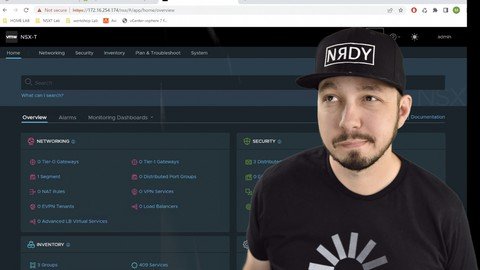
NSX-T for Complete Beginners (VCTA-NV 2022)
Genre: eLearning | MP4 | Video: h264, 1280x720 | Audio: AAC, 48.0 KHz
Language: English | Size: 2.52 GB | Duration: 3h 29m
Need a SIMPLE introduction to VMware NSX-T that isn't confusing? This is YOUR course!

What you'll learn
What benefits NSX-T brings to the datacenter
How NSX-T can secure a datacenter
Why Disaster Recovery is easier with NSX-T
How to confidently discuss the overall architecture of NSX-T
Requirements
No prior experience required
Description
WHO THIS COURSE IS FOR: This course is designed specifically to not be highly technical. The aim of this course is to teach the basics of NSX-T - why you would use it, what the benefits are, etc. If you are looking for a technical course, take a look at my other NSX-T course. This course is for someone who wants to learn enough about NSX-T to feel comfortable with the architecture, and know the most important features of the solution - but doesn't need to learn how to set it up just yet!
Are you looking for a SIMPLE introduction to NSX-T?
Are you preparing for the VCTA-NV?
Are you a sales rep/account executive or presales engineer?
If you answered "YES" to any of the above, this is YOUR course! I've taught over 10,000 students NSX-T. The most common thing I have heard, is that NSX-T is so different than anything they've seen - it can be a little overwhelming.
So in this course, we'll stick to the basics - we'll discuss things like
Why should you implement NSX-T
What are the basic components of an NSX deployment
What are transport nodes, transport zones, and more
How does the distributed firewall help secure an environment?
How do I plan security policy in NSX-T?
..and a lot more.
My name is Mike Ghazaleh, and I have been teaching NSX-T for several years, and have done it now to students in over 130+ countries! This is what I love to do, and I think you will see that through this (and my other) courses! I strongly believe that these courses should be simple, interesting, and most importantly - useful! You should learn what you need without spending hours staring at powerpoint slides.
So that said, I hope you give this course a try - I'll see you there!
Who this course is for
Sales Engineers
Presales Engineers
Virtualization adminstrators/engineers
Network Engineers wanting a simple overview of NSX-T
Anyone wanting to know more about NSX-T but not ready to dive into the technical details
Screenshots


LkqcNttuw1VdMNTCRKcT9EU6SrHlKjeo.jpg

Real Estate 101: Capitalizing On Equity In Your Home
MP4 | Video: h264, 1280x720 | Audio: AAC, 44.1 KHz
Language: English | Size: 437 MB | Duration: 37m
Real Estate Investing/Understanding the Numbers
What you'll learn​

Understand different loan types under 20% down
Private Mortgage Insurance
How can you benefit from less money down?
Example of how to increase home equity
Why does increasing your home equity matter? Becoming financially free doing this process.
Estimating Home Repairs
Closing Costs when Buying and Selling
Determining After Repair Value
Requirements
No experience necessary. A want to learn about advantages of owning real estate.
Description
Want to buy or sell a home, want to know how to use one of the most commonly used strategies to become a multi-millionaire through real estate? This is the course for you. No experience necessary. Simplified and, easy instruction for all!
Welcome to my course on Capitalizing On Equity In Your Home, in this course you will learn about how you may not have to put that 20% traditional down payment on a home or investment property. We will go through the following topics
1. Loan Types with less than 20% down payment
2. PMI
3. How can you benefit from less money down?
4. Example of how to increase your home equity
5. Why does increasing your home equity matter? How to become financially free doing this process?
This process can be used by anyone looking to buy, sell or invest in real estate. Previously I worked as a special education teacher in Chicagoland area, and currently I am a realtor in the Chicagoland area for Real Broker and Inspire Partners. I have planned rehabs for investors, crunched numbers on 1,000's of Single Family, Rentals, Multi-Family properties.
Course material is meant to brief and to the point. Time is precious, and I want my content to be able to take advantage of the time you have.
Who this course is for
Beginner Real Estate Investor
1st Time Home Buyer
Anyone who owns real estate
Real Estate Investing
Screenshots


Zurück
Oben Unten