• Regeln für den Video-Bereich:

    In den Börsenbereich gehören nur Angebote die bereits den Allgemeinen Regeln entsprechen.

    Einteilung

    - Folgende Formate gehören in die angegeben Bereiche:
    - Filme: Encodierte Filme von BluRay, DVD, R5, TV, Screener sowie Telesyncs im Format DivX, XviD und x264.
    - DVD: Filme im Format DVD5, DVD9 und HD2DVD.
    - HD: Encodierte Filme mit der Auflösung 720p oder darüber von BluRay, DVD, R5, TV, Screener sowie Telesyncs im Format x264.
    - 3D: Encodierte Filme von BluRay, die in einem 3D Format vorliegen. Dies gilt auch für Dokus, Animation usw.
    - Serien: Cartoon/Zeichentrick, Anime, Tutorials, Dokumentationen, Konzerte/Musik, Sonstiges sind demnach in die entsprechenden Bereiche einzuordnen, auch wenn sie beispielsweise im High Definition-Format oder als DVD5/DVD9/HD2DVD vorliegen. Ausnahme 3D.
    - Bereich Englisch: Englische Releases gehören immer in diesen Bereich.
    - Bereich Talk: Der Bereich, in dem über die Releases diskutiert werden kann, darf, soll und erwünscht ist.


    Angebot/Beitrag erstellen

    - Ein Beitrag darf erst dann erstellt werden, wenn der Upload bei mindestens einem OCH komplett ist. Platzhalter sind untersagt.
    - Bei einem Scenerelease hat der Threadtitel ausschließlich aus dem originalen, unveränderten Releasenamen zu bestehen. Es dürfen keine Veränderungen wie z.B. Sterne, kleine Buchstaben o.ä. vorgenommen werden. Ausnahme Serienbörse:
    - Bei einem Sammelthread für eine Staffel entfällt aus dem Releasename natürlich der Name der Folge. Beispiel: Die Simpsons S21 German DVDRip XviD - ITG
    - Dementsprechend sind also u.a. verboten: Erweiterungen wie "Tipp", "empfehlenswert", "only", "reup", usw. / jegliche andere Zusatzinformation oder Ergänzung, welche nicht in obiger Beschreibung zu finden ist.

    Aufbau des Angebots und Threadtitel

    Der Titel nach folgendem Muster erstellt zu werden. <Name> [3D] [Staffel] [German] <Jahr> <Tonspur> [DL] [Auflösung] <Quelle> <Codec> - <Group>
    Beispiel: The Dark Knight German 2008 AC3 DVDRip XviD - iND
    Beispiel: The Dark Knight 2008 DTS DL BDRip x264 - iND
    Beispiel: The Dark Knight 2008 AC3 DL BDRip XviD - iND
    Beispiel: The Dark Knight German 2008 AC3 720p BluRay x264 iND
    Beispiel: The Dark Knight 2008 DTS DL 1080p BluRay x264 iND
    Beispiel: Die Simpsons S01 German AC3 DVDRip XviD iND
    Beispiel: Die Simpsons S20 German AC3 720p BluRay x264 iND
    Beispiel: Sword Art Online II Ger Sub 2014 AAC 1080p WEBRip x264 - peppermint
    Entsprechend sind also u.a. verboten: Sonderzeichen wie Klammern, Sterne, Ausrufezeichen, Unterstriche, Anführungszeichen / Erweiterungen wie "Tipp", "empfehlenswert", "only", "reup", usw. / jegliche andere Zusatzinformation oder Ergänzung, welche nicht in obiger Beschreibung zu finden ist
    Ausnahmen hiervon können in den Bereichen geregelt sein.

    Die Beiträge sollen wie folgt aufgebaut werden:
    Überschrift entspricht dem Threadtitel
    Cover
    kurze Inhaltsbeschreibung
    Format, Größe, Dauer sind gut lesbar für Downloader außerhalb des Spoilers zu vermerken
    Nfo sind immer Anzugeben und selbige immer im Spoiler in Textform.
    Sind keine Nfo vorhanden z.B. Eigenpublikationen, sind im Spoiler folgende Dateiinformationen zusätzlich anzugeben :
    Quelle
    Video (Auflösung und Bitrate)
    Ton (Sprache, Format und Bitrate der einzelnen Spuren)
    Untertitel (sofern vorhanden)
    Hosterangabe in Textform außerhalb eines Spoiler mit allen enthaltenen Hostern.
    Bei SD kann auf diese zusätzlichen Dateiinformationen verzichtet werden.

    Alle benötigten Passwörter sind, sofern vorhanden, in Textform im Angebot anzugeben.
    Spoiler im Spoiler mit Kommentaren :"Schon Bedankt?" sind unerwünscht.


    Releases

    - Sind Retail-Release verfügbar, sind alle anderen Variationen untersagt. Ausnahmen: Alle deutschen Retail-Release sind CUT, in diesem Fall sind dubbed UNCUT-Release zulässig.
    - Im Serien-Bereich gilt speziell: Wenn ein Retail vor Abschluss einer laufenden Staffel erscheint, darf diese Staffel noch zu Ende gebracht werden.62
    - Gleiche Releases sind unbedingt zusammenzufassen. Das bedeutet, es ist zwingend erforderlich, vor dem Erstellen eines Themas per Suchfunktion zu überprüfen, ob bereits ein Beitrag mit demselben Release besteht. Ist dies der Fall, ist der bereits vorhandene Beitrag zu verwenden.
    - P2P und Scene Releases dürfen nicht verändert oder gar unter einem iND Tag eingestellt werden.


    Support, Diskussionen und Suche

    - Supportanfragen sind entweder per PN oder im Bereich Talk zu stellen.
    - Diskussionen und Bewertungen sind im Talk Bereich zu führen. Fragen an die Uploader haben ausschließlich via PN zu erfolgen, und sind in den Angeboten untersagt.
    - Anfragen zu Upload-Wünschen sind nur im Bereich Suche Video erlaubt. Antworten dürfen nur auf Angebote von MyBoerse.bz verlinkt werden.


    Verbote

    - Untersagt sind mehrere Formate in einem einzigen Angebotsthread, wie beispielsweise das gleichzeitige Anbieten von DivX/XviD, 720p und 1080p in einem Thread. Pro Format, Release und Auflösung ist ein eigener Thread zu eröffnen.
    - Grundsätzlich ebenso verboten sind Dupes. Uploader haben sich an geeigneter Stelle darüber zu informieren, ob es sich bei einem Release um ein Dupe handelt.
    - Gefakte, nur teilweise lauffähige oder unvollständige Angebote sind untersagt. Dies gilt auch für eigene Publikationen, die augenscheinlich nicht selbst von z.B. einer DVD gerippt wurden. Laufende Serien, bei denen noch nicht alle Folgen verfügbar sind, dürfen erstellt und regelmäßig geupdatet werden.
    - Untersagt sind Angebote, welche nur und ausschließlich in einer anderen Sprache als deutsch oder englisch vorliegen. Ausnahmen sind VORHER mit den Moderatoren zu klären.


    Verstoß gegen die Regeln

    - Angebote oder Beiträge, die gegen die Forenregeln verstoßen, sind über den "Melden"-Button im Beitrag zu melden.
  • Bitte registriere dich zunächst um Beiträge zu verfassen und externe Links aufzurufen.

*** Bestes IPTV *** bester Preis *** gratis Test ***


Englische Tutorials

ed303b6c-a667-4520-ac52-68ed09894756.png

C# and .NET Essential Training
MP4 | Video: h264, 1280x720 | Audio: AAC, 44.1 KHz, 2 Ch
Skill Level: Intermediate | Genre: eLearning | Language: English + srt | Duration: 2h 19m | Size: 455.7 MB

Microsoft .NET is a modern, cross-platform framework for developing applications for the web, desktop, and mobile devices. This course gives an introduction to some of the features of .NET that makes building applications easier, more performant, and more productive. Veteran technologist Joe Marini demonstrates how to use built-in capabilities of .NET such as string processing, data collection types, number and date formatting, reading and writing files, and even working with regular expressions. By using these built-in features, developers can focus on their core application logic and less on having to build common capabilities from scratch.
Homepage


42ab4ede-219a-4102-8b4d-042761f19150.png

C++ Programming - Beginner to Advance | The Complete Course
MP4 | Video: h264, 1280x720 | Audio: AAC, 44.1 KHz, 2 Ch
Genre: eLearning | Language: English + srt | Duration: 70 lectures (5h 24m) | Size: 2.45 GB

C++ Programming - The Complete Course | Learn C++ Programming -Beginner to Advance
What you'll learn
This course covers all the basics of programming with C++, like A-Z topic from C++
Object-Oriented Programming has also covered in this course
Function , Classes, and other C++ advance topics has also covered in this course
No Programming background preferred before taking this course
Requirements
No, programming background is recommeneded before taking this course
Regular Computer (Laptop, PC)
Even you can do programming by using Mobile Phone, you should have zeel to learn anything
Description
This course covers all the very basic to more advanced features.
Concepts of C++ programming are made very simple and easy.
Every topic has been covered with very basics detail.
You will be learning concepts perfectly and also will learn how to perfectly utilize features of C++. you will be confident to develop any type of Application using C++ concepts.
Just Need a computer or laptop or mobile phone (you can do code by using online IDE ) to do Programming or coding.
What will I learn in this course?
The course assumes no previous experience with C++ (or even programming in general), and you will end up with the skills to create your own programs in C++.
Key topics covered include.
* installation of IDE (code block and also we can use online IDE )
* Compiler
* Syntax explanation - iostream, namespaces, int, void, main, cout
* Data Types of Variables
* Variables
* Rules of Variables
* Multiple Variables
* Constant, Identifiers
* input
* comments
* Operators -arithmetic, assignment, comparison, logical
* Concatenation- Different method
* Statements -if , if-else, if-else-if-else, nested-if
* switch
* Looping with while, do/while, For Loop
* Break and continue
* Array
* References
* Memory address
* Pointers
* function
* Parameters- parameters with arguments, default parameter, multiple parameter, return value, pass-by-references
* Function Overloading
* OOPS
* Classes and objects
* Syntax explanation
* Class Method
* Constructors -default, parametrized, copy
*Access Specifier- public, protected
* Encapsulation
* Inheritance- single, multiple, multilevel, hierarchical, hybrid
* Polymorphism- function overloading, operator overloading, overriding, virtual function
* Files
* Exception Handling
What do I get out of learning C++?
More career options for one! C++ is one of the most popular programming languages used in games development. It's also heavily used in embedded applications. Your investment in time in learning C++ will reward you time and time again with more pay, and more opportunities, and frankly, more fun!
Who this course is for
Anyone, Who is interested to learn the basics of C++
Even after learning this, you can easily learn any another language
Homepage


b396f4d2-ed0e-41e8-976f-67606e13695b.png

Cisco Certified DevNet Associate Course - Part 1 - NetDevOPs
MP4 | Video: h264, 1280x720 | Audio: AAC, 44.1 KHz, 2 Ch
Genre: eLearning | Language: English + srt | Duration: 116 lectures (9h 19m) | Size: 5.6 GB

Cisco Certified DevNet Associate Course - Part 1: Developing Applications and Automating Workflows using Cisco Platforms
What you'll learn
You will learn Python basics, linux basics, Mac Os and Windows basics that are relevant to Networking and Network Programming
You will learn and Understand Application Programming Interface (RESTful APIs and RPC) with practical sessions using Postman, Curl and Python
You will learn Software Development and Design including how to develop and maintain applications built on Cisco platforms using DevOps tools like git
You will learn about application development and security in DevOps environment using Docker.
You will learn about infrastructure and automation with automation tools such as Ansible
You will learn how to work with data structures such as XML, JSON, YAML and on API CRUD actions using HTTP requests and Responses
Requirements
Basic Computing Skills
Basic Networking skills at Cisco CCT level preferred
A lot of Interest in the subject matter
Description
Python, Linux & NetDevOps Toolset for Network Automation and Programmability
This course gives you the foundational skills and knowledge you need for network automation and programmability. The course focuses on key tools and practices in NetDevOps. You will learn how to install and use Linux operating system and the Python programming language for network programming and automation.
The foundation to becoming a DevOps Engineer is learning python programming in a Linux environment and building on that by learning DevOps tools such as Docker, Postman, Git, and Jenkins among others. In this course, we will cover the following topics among others
Main Topics
· Setting and using a virtual development environment.
· Linux and basic Linux commands and operations.
· Python programming for Network Engineers
· Version Control with Git and Github.
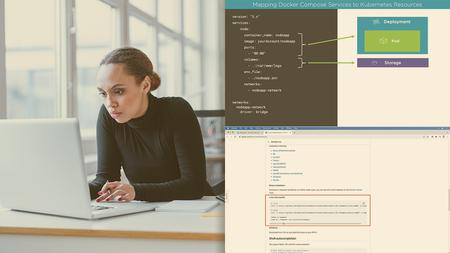
· Container Technology with Docker.
· Software Engineering for Network Engineers.
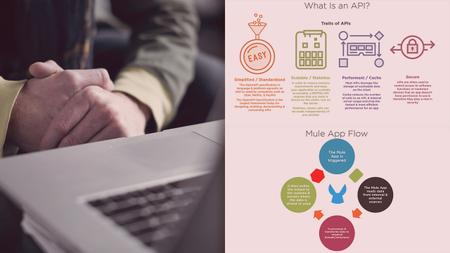
· Understanding and using Application Programming Interface.
· Working with API Documentation.
· Continuous Integration - Continuous Delivery (CI-CD).
· Jenkins - Building a CI-CD Pipeline Using Jenkins.
After the training in Linux and Python, the course delves into the practical use of various NetDevOps tools and platforms such as Git/Github, Docker, Postman and Jenkins. Furthermore, the course will also guide you systematically on how you can use the Application Programming Interface (API) and data structures for secure remote communications between various platforms. You will learn how to work with XML, JSON and YAML. You will also practically learn how to access, configure and manage various network devices using protocols such as NETCONF and RESTCONF.
The conventional methods of accessing and configuring network devices are with the Simple Network Management Protocol and the command-line interface. These methods are manual and require the intervention of a network support engineer or technician. The necessity to physically access devices and to manually manage or configure them delays resolving critical network issues and configurations. Some network issues, such as security breaches, require immediate redress because significant delays can interfere with or affect critical business processes. They may also have adverse effects if the network supports critical services.
Modern cultural practices involve remote support, work from home, and distributed responsibilities. Automation of most network tasks, such as device configuration, management, security, and monitoring, is essential in that kind of environment. This course equips you with the skills you can use to leverage the capabilities of modern networking devices because they are developed with their programmability in mind.
While developing software for automating devices. Network engineers should embrace a DevOps approach. DevOps stands for Development and Operations and is a practice that calls for automation of the software development process using various automation tools. The approach also requires collaboration between development and operation teams in iterative software development, testing, and deployment process. The practice of employing DevOps for network automation and programming is referred to as NetDevOps.
In NetDevOps, standardized network device APIs and software automation tools are used to configure, manage and monitor network devices. NetDevOps workflows use Open Source, standards, and Python scripts alongside commercial devices and tools to deliver flexible, secure, and fast-responsive networks. NetDevOps brings the culture, tools, technical methods, and best practices from DevOps to Networks.
It combines the culture, tools, best practices, and ideas from DevOps with network engineering; and is about automation, configuration management, monitoring, Continuous Integration - Continuous Delivery, ChatOps, and so much more.
Who this course is for
Those interested in starting a career in Network Engineering
People with Cisco CCT skills
People with Cisco CCNA skills
Beginners interested in a learning modern technologies and practices in ICT
Homepage












 
a583c3dc-e0cb-42c4-b857-c40e2c9c0e59.png

Cooking Cookies: 3 Types to Satisfy Your Sweet Tooth
MP4 | Video: h264, 1280x720 | Audio: AAC, 44.1 KHz, 2 Ch
Genre: eLearning | Language: English + srt | Duration: 14 lectures (1h 27m) | Size: 1.84 GB

Classic Cookie Recipes to Enjoy While You Relax!
What you'll learn
Learn to bake Thumbprint Cookies.
Learn to bake Snickerdoodle Cookies.
Learn to bake Classic Chocolate Chip Cookies.
Feeling more comfortable baking a recipe in the kitchen.
Requirements
No baking experience needed. You will learn everything you need to know.
Basic Tool List: Large Mixing Bowl, Large Rubber Spatula, Measuring Cup, Measuring Spoons, Spoons, Medium Sized Bowl, Large Cookie Sheet, Parchment Paper, Cooling Rack, and Plate for Serving
Thumbprint Cookies Ingredient List: Salted Butter, Powdered Sugar, Pure Vanilla Extract, Salt, All Purpose Flour, and Fruit Filling (jam, preserves, ect.)
Snickerdoodle Cookies Ingredient List: Salted Butter, Sugar, Brown Sugar, Eggs, Pure Vanilla Extract, All Purpose Flour, Baking Soda, Salt, Cream of Tartar, and Cinnamon
Chocolate Chip Cookies Ingredient List: Salted Butter, Sugar, Brown Sugar, Eggs, Pure Vanilla Extract, All Purpose Flour, Baking Soda, Salt, and Chocolate Chips
Description
Learn to make Thumbprint, Snickerdoodle, and Chocolate Chip Cookies to satisfy any desire for some sweet treats you may have.
These Thumbprint Cookies are a small shortbread style cookie with a dent in the center filled with jam and covered with powdered sugar.
These Snickerdoodle Cookies are a cinnamon sugar flavored cookie that is wonderfully soft and chewy.
These Chocolate Chip Cookies are a classic cookie with a buttery flavor and texture.
All of these cookies are a magnificent addition to any snack time and make any relaxation time more cozy.
Come join me. Bring a drink and your desire to create as we dive into this cookie adventure. Become more comfortable with baking as you follow along with me through this video course. Bake these cookies for any number of events from snack time to party time. You can't go wrong with these classic cookies.
Be The Super Star by doubling or even tripling the recipes and bringing the cookies to potlucks, church gatherings, bake sales, fundraisers, and the many other events you may enjoy. Or stay at home with a drink and some entertainment while you enjoy your cookies.
Complete this course and feel satisfied with the creations you have made.
See you in class!
Who this course is for
Beginner Bakers looking to add something sweet to their life in the form of cookies.
People who live alone wanting to enjoy fresh baked cookies.
College Students wanting to bake some cookies for a sweet treat.
Moms who want to have cookies with less preservatives than store bought ones for their ****.
Dads who want to have cookies with less preservatives than store bought ones for their ****.
Homepage


fa53c630-1e3a-4c2c-931d-7e292f3820a1.png

Create Easter Clip Art and a Word Search Puzzle in Procreate
Duration: 38m | Video: .MP4, 1280x720, 30 fps | Audio: AAC, 48 kHz, 2ch | Size: 467 MB
Genre: eLearning | Language: English​

In this class, you will learn how to create a Chocolate Easter Bunny, a Marshmallow Easter Bunny and an Easter Egg. You will also learn how to create an Easter*Word Search Puzzle so you an incorporate and use your new Easter Clip Art.
First you will learn how to create a Chocolate Easter Bunny, by using Procreate supplied brushes for highlights and shadows, along with clipping masks.
We will move on to the Marshmallow Easter Bunny where we will focus on more highlights and shadows along with the Sprinkles Brush used for the sugar sprinkles. This brush is supplied as a free resource for this class.
We will also create a fast and easy Easter Egg. You can create this Easter Egg in no time and quickly change the colors as well as add designs fast with any pattern brush.
After our Easter Clip Art are created, we will be ready to create our Word Search Puzzle.
We will create a quick background, add our word search grid (supplied as a free resource) and start adding your words and fill it in with letters.
We will complete the Puzzle with adding our newly created Clip Art.
I will be using the following
iPad
Procreate App
Apple Pencil
This is beginner friendly.
This is definitely for you if
You are new to creating clip art and word search puzzles in Procreate.
You would love to create and use Easter Clip Art.
You always wanted to create a Word Search Puzzle for others to have fun in solving it.
You absolutely love Easter!
Music by ZakharValaha from Pixabay
Ambient Piano & Strings
Homepage
Screenshots


8DUu3fxMEEYpMeZ9OMubcCkEsB80TWs0.jpg

Creating Micro-Animation Buttons in Figma - Beginners Course
MP4 | Video: h264, 1280x720 | Audio: AAC, 44.1 KHz
Language: English | Size: 87.8 MB | Duration: 17m​

Figma is one of the industries most powerful UX design softwares which enables users to create mobile, desktop and software application prototypes. In this class we are going to go through the basics behind micro-animations and understand how they are created using the intuitive tools in Figma.
We will look at creating two button types
Hamburger Menu Icon which smart animates into a circule cross.
A On and Off slider button which functions with a moving round button.
Screenshots


366a231c-d104-484d-a751-229e0572ee9f.png

Excel formulas ,Functions, VBA and Macros for beginners
MP4 | Video: h264, 1280x720 | Audio: AAC, 44.1 KHz, 2 Ch
Genre: eLearning | Language: English + srt | Duration: 21 lectures (1h 37m) | Size: 543.6 MB

Create formulas ,functions and macros with Excel
What you'll learn
Activating Macros and VBA Tools
Create formulas for arithmetic tasks
Re-using formulas
Calculating YTD Profits
Calculating Percentage Change
Calculate Relative and absolute reference
Using Rank Function
Create and edit macros
Saving a worksheet with a macro
Requirements
Basic knowledge of excel advised.
Description
Microsoft Excel is the go-to tool for working with data. There are probably a handful of people who haven't used Excel, given its immense popularity. Excel is a widely used software application in industries today, built to generate reports and business insights. Excel supports several in-built applications that make it easier to use.
One such feature that allows Excel to stand out is - Excel formulas. in this course you will learn the various Microsoft Excel functions and formulas. These formulas and functions enable you to perform calculations and data analysis faster. Here, we will look into the top 25 Excel formulas that one must know while working on Excel.
What is Excel Formula?
In Microsoft Excel, a formula is an expression that operates on values in a range of cells. These formulas return a result, even when it is an error. Excel formulas enable you to perform calculations such as addition, subtraction, multiplication, and division. In addition to these, you can find out averages and calculate percentages in excel for a range of cells, manipulate date and time values, and do a lot more.
There is another term that is very familiar to Excel formulas, and that is "function". The two words, "formulas" and "functions" are sometimes interchangeable. They are closely related, but yet different. A formula begins with an equal sign. Meanwhile, functions are used to perform complex calculations that cannot be done manually. Functions in excel have names that reflect their intended use.
Who this course is for
Beginners to excel who want to learn more advanced excel skills
Homepage


30b9ba38-5695-4d6b-9b25-7bc03dfe0d35.png

Future Skills (Holistic Skills Development for Future Human)
Instructors: Noble Arya
11 sections • 11 lectures • 1h 16m
Video: MP4 1280x720 44 KHz | English + Sub
Updated 12/2021 | Size: 1 GB​

How to become holistic being with real problem solving and critical thinking skills with future deep skills
What you'll learn
What are the critical thinking skills and how to apply in real life
What are problem solving skill and how to apply
How to apply creativity & innovation skills
How to how to improve creativity skills
What are sustaining vs disruptive innovation and how to apply the skills
How knowledge is born and how to apply it in projects and in life
How to learn any language and language learning skills strategies
What are emotional intelligence skills and how to apply
How to approaches real problem sloving and understand deeply how to solve any problem in life
Requirements
No prior experience is needed to join in this course.
You can study anywhere this master class with a stable internet connection.
Students are advised to take notes for self-reflection purposes.
Description
Hello, I'm Noble.
Let me share my journey as Global Future Skills & Computer Science - Artificial Intelligence Expert. We have Served 6000+ Students and 500+ Teachers. I have done Global Future Skills Implementation and Future Skills Research for last 15 Years. I am Lifelong Lerner of Future Skills, Future Technologies. I am Self Taught Computer - Artificial Intelligence Scientist and Super Pure Consciousness Expert.
Value Spent on Skills
I have Spent 75000+ USD on 1. Digital Skills 2. Future Skills 3. Freedom and Transformation Skills 4.Technologies Skills 5.Soft Skills and I have done 500+ global digital and future skills trainings.
I have done 100+ Project with these Skills with over 15 years
1. GE.
2. Wipro Technologies.
3. Himalayan Institute of Alternatives Ladakh.
4. Teach for India.
5. Harvard Medical School.
6. Toastmasters International.
Skills Research
Digital and Future Skills Research for last 15 Years and also have done Implementation real projects.
I am Lifelong Learner of all thses skills.
Skills Training Conducted
I have been conducting trainings for 7 years.
I have been training professionals how to file Ideas, Kaizen, Innovative Ideas, Creativity, and Problem-Solving skills.
I have been training CEOs of Fortune 500 companies, Contract Managers, Automobile Project Managers, Project Managers Executives, Teachers, Students, Collage Students, and Universities on Future Skills, Project Management, Future Technologies, Total Quality Management
I do Running training daily as an athlete, I have been participating in WIPRO Runs and other marathons for the last 10 years
Deep Pursuits
I have been doing deep Meditation ( have done 9 courses (10 days) & (served 10 days courses) from 2016.
Teaching methodology is super simple
Super Simplicity
Step to Step Process
Simple Theory
Simple Model
Simple Implementation
No Complexity
Super Clarity.
You Will Learn
What are the critical thinking skills and how to apply in real life
What are problem solving skill and how to apply
How to apply creativity & innovation skills
How to how to improve creativity skills
What are sustaining vs disruptive innovation and how to apply the skills
How knowledge is born and how to apply it in projects and in life
How to learn any language and language learning skills strategies
What are emotional intelligence skills and how to apply
How to approaches real problem sloving and understand deeply how to solve any problem in life
How to use creativity to solve problmes
How to use emotions, ritical thinking skills innovations and creativity to solve real life and project problems
Who this course is for
Anyone who is wants real growth and freedom in life and any project with simplicity and step to step process
Screenshots


image.png

Hand Sewing Basics: Work Wonders with Fabric, Needle & Thread
Duration: 1h 9m | Video: .MP4, 1280x720, 30 fps | Audio: AAC, 48 kHz, 2ch | Size: 882 MB
Genre: eLearning | Language: English​

If you think you can't sew, think again! Join*dress historian and YouTube star Bernadette Banner for a crash course in sewing by hand-all you need is a needle and thread.
Step into Bernadette's studio and discover just how simple, soothing, and creative hand sewing can be. Drawing from her background as a dress historian, Bernadette breaks down the basic sewing techniques you need for mending or sewing garments by hand, from threading your needle to stitching fabric and sewing on buttons. By mastering just a few basic sewing skills, you'll unlock the ability to create beautiful, long-lasting pieces from the comfort of your home or on the go.
Beginner sewists and sewing machine loyalists alike will learn something from hands-on lessons in
Choosing the right materials for your project
Starting and stopping your stitches cleanly
Deciding which stitch to use when, and why
Mixing and matching sewing techniques with ease
Plus, unleash your imagination with tips, tricks, and examples from Bernadette's history-inspired DIY wardrobe.
Whatever you dream of creating, Bernadette's warm, welcoming teaching style will empower you to make it a reality. Whether you're an aspiring fashion designer or a hobbyist on a budget, by the end of this class you'll have the tools, fluency and confidence to hand sew like a pro!
________
This is a class for all levels, especially beginner sewists. To follow along, you'll need some basic sewing supplies: a needle, sewing thread, scissors and practice fabric.
Homepage
Screenshots


a5da6ca2-4839-49c7-a102-d7bd1fe9179b.png

Harbor - Trusted Cloud Native Repository for Kubernetes
MP4 | Video: h264, 1280x720 | Audio: AAC, 44.1 KHz, 2 Ch
Genre: eLearning | Language: English + srt | Duration: 21 lectures (2h) | Size: 731.3 MB

Installation, configuration and administration of Harbor and managing trusted cloud native repository for Kubernetes
What you'll learn
Install and use cloud native repository Kubernetes
Harbor administration like managing users and settings
Working with Projects and Project configuration in Harbor
Working with Images, Tags and Helm Charts in Harbor
Requirements
Understanding of Kubernetes and its concepts
Concept of Containers, Images and Registry
Description
Understand the need and purpose of having a registry that can secure the artifacts in the Kubernetes environment. Introduction to Harbor and its role in providing an open-source registry to secure artifacts with policies and role-based access control.
This course has the following major sections
Introduction to Kubernetes ecosystem and role of Harbor within it
System requirement and system setup for Harbor installation
Installation and configuration of Harbor
Administration of Harbor
Working with Harbor projects
System setup for Harbor installation
Verify and decide the Harbor system requirements
Choosing the EC2 Instance image
Configure AWS EC2 security and authentication
Setup and login to AWS EC2 instances
Installation of Docker Compose
Downloading and installation of Harbor
Learn how to install and configure Harbor in Kubernetes environment with Docker support
Check the prerequisites and setup the installer script
Run the installer script
Verify installation with and without Notary, Trivy, and Chart repository service.
Administration of Harbor
WebUI Overview of Harbor administration screen
Creating new project
Push a sample Image to work with images
Configure Harbor and user settings
Managing users
Configure project quotas
Vulnerability Scanning in artifacts
Uses of robotic accounts
Working with Projects
Learn to create new projects in Harbor
Create project configuration
Create a custom docker image
Managing labels
Delete and Detag artifacts
Creating Tag retention rules
Manage Helm charts within projects
Manage tag immutability rules
Managing Tag retention and Immutability together in a project
Introduction to Preheat images
Pulling and Pushing Images in Docker Client
Who this course is for
Developers who wants to use secure registry
Sysops administrator who wants to deploy secure registry
Security administrators who wants to enforce role-based access control on secure registry
Homepage


b52e2fe3-d72c-448d-ae69-4d05a8e1590c.png

How to Build a Personal Portfolio Website
LinkedIn Learning
Duration: 43m | .MP4 1280x720, 30 fps(r) | AAC, 48000 Hz, 2ch | 359 MB
Genre: eLearning | Language: English​

In this class, you will learn how to create a personal portfolio*website. I will show you how to get a domain name and web hosting*and set up your WordPress website.
After that, you will learn how to import a pre-made template and customize it with your own images and text. Lastly, I will show you how to import your portfolio.
What You Will Learn In This Class
How to get a domain and hosting
The skills to use WordPress
How to customize*your website
Uploading your portfolio to your website
Creating a website logo
After you have applied*all of the knowledge within this class you will have your*own professional website that will allow you to represent*yourself online.
Why Should You Choose This Class
This class will allow beginners to create their first personal website. In addition to that, you'll be able to create and customize a wide variety of different websites with the knowledge you gain from this class.
Furthermore, you learn from someone with over 5 years of web design experience. I have included all of the most important WordPress design skills within this class, summarized in a simple-to-digest format.
This Class Is For You If
You are looking to create a personal website for your business (show people*examples of your previous work or your products)
You want to create a portfolio website to land your dream job (show your accomplishments)
You are a public figure and you want to give people more information*about yourself
These Things Will Be Needed For The Class
Domain and web hosting (You will learn how to get these in the class)
It's best to use a laptop or desktop computer in order to build your website
Link To The Web Host Mentioned In The Class
Get Bluehost Web Hosting Here (Domain Included)
Homepage
Screenshots


image.png

Illustrated Environments: Draw a Stylised Landscape Scene in Procreate
Duration: 1h 28m | Video: .MP4, 1280x720, 30 fps | Audio: AAC, 48 kHz, 2ch | Size: 1.04 GB
Genre: eLearning | Language: English​

In this class you'll learn how to*design and illustrate stylised landscape environments to create compelling scenery and backgrounds.
I'll be using my iPad Pro with Procreate in my demonstrations but feel free to use your preferred drawing tools.
Illustrating environments can provide quite a technical challenge as there are a lot of aspects we have to consider at once, such as composition, perspective, colour, and lighting, not to mention coming up with creative ideas and conveying mood and story. But don't worry, because in this class I break all these aspects down into easy-to-follow lessons and exercises so that when it comes to drawing our scenes, you can spend less time worrying about these challenges and more time conveying atmosphere and imagination.
Throughout the class*we'll*cover
Achieving*a sense of depth and perspective in your scenes
Accentuating a focal point within your composition
Stylising your elements using shape language
Bringing your scene to life with*lighting and atmospheric effects
Illustrating a landscape scene from start to finish
I'll be*guiding*you step-by-step through these techniques*for*creating immersive compositions so that by*the end of this class you'll be fully equipped to create your own striking landscape.
Whether you're a beginner*who enjoys drawing individual objects or characters but have never composed a scene before, or you're an experienced illustrator just looking to improve your skills in this area, this class is packed full of tips and tricks that will be useful to all levels.
And while I'll be showing you some handy tips for stylising your individual elements, we*won't be going into too much detail on how to draw these from scratch, so some basic drawing skills will be helpful in following along.
So if you're ready to make some gorgeous scenes, I'll see you in the class!
Homepage
Screenshots


Zurück
Oben Unten