• Regeln für den Video-Bereich:

    In den Börsenbereich gehören nur Angebote die bereits den Allgemeinen Regeln entsprechen.

    Einteilung

    - Folgende Formate gehören in die angegeben Bereiche:
    - Filme: Encodierte Filme von BluRay, DVD, R5, TV, Screener sowie Telesyncs im Format DivX, XviD und x264.
    - DVD: Filme im Format DVD5, DVD9 und HD2DVD.
    - HD: Encodierte Filme mit der Auflösung 720p oder darüber von BluRay, DVD, R5, TV, Screener sowie Telesyncs im Format x264.
    - 3D: Encodierte Filme von BluRay, die in einem 3D Format vorliegen. Dies gilt auch für Dokus, Animation usw.
    - Serien: Cartoon/Zeichentrick, Anime, Tutorials, Dokumentationen, Konzerte/Musik, Sonstiges sind demnach in die entsprechenden Bereiche einzuordnen, auch wenn sie beispielsweise im High Definition-Format oder als DVD5/DVD9/HD2DVD vorliegen. Ausnahme 3D.
    - Bereich Englisch: Englische Releases gehören immer in diesen Bereich.
    - Bereich Talk: Der Bereich, in dem über die Releases diskutiert werden kann, darf, soll und erwünscht ist.


    Angebot/Beitrag erstellen

    - Ein Beitrag darf erst dann erstellt werden, wenn der Upload bei mindestens einem OCH komplett ist. Platzhalter sind untersagt.
    - Bei einem Scenerelease hat der Threadtitel ausschließlich aus dem originalen, unveränderten Releasenamen zu bestehen. Es dürfen keine Veränderungen wie z.B. Sterne, kleine Buchstaben o.ä. vorgenommen werden. Ausnahme Serienbörse:
    - Bei einem Sammelthread für eine Staffel entfällt aus dem Releasename natürlich der Name der Folge. Beispiel: Die Simpsons S21 German DVDRip XviD - ITG
    - Dementsprechend sind also u.a. verboten: Erweiterungen wie "Tipp", "empfehlenswert", "only", "reup", usw. / jegliche andere Zusatzinformation oder Ergänzung, welche nicht in obiger Beschreibung zu finden ist.

    Aufbau des Angebots und Threadtitel

    Der Titel nach folgendem Muster erstellt zu werden. <Name> [3D] [Staffel] [German] <Jahr> <Tonspur> [DL] [Auflösung] <Quelle> <Codec> - <Group>
    Beispiel: The Dark Knight German 2008 AC3 DVDRip XviD - iND
    Beispiel: The Dark Knight 2008 DTS DL BDRip x264 - iND
    Beispiel: The Dark Knight 2008 AC3 DL BDRip XviD - iND
    Beispiel: The Dark Knight German 2008 AC3 720p BluRay x264 iND
    Beispiel: The Dark Knight 2008 DTS DL 1080p BluRay x264 iND
    Beispiel: Die Simpsons S01 German AC3 DVDRip XviD iND
    Beispiel: Die Simpsons S20 German AC3 720p BluRay x264 iND
    Beispiel: Sword Art Online II Ger Sub 2014 AAC 1080p WEBRip x264 - peppermint
    Entsprechend sind also u.a. verboten: Sonderzeichen wie Klammern, Sterne, Ausrufezeichen, Unterstriche, Anführungszeichen / Erweiterungen wie "Tipp", "empfehlenswert", "only", "reup", usw. / jegliche andere Zusatzinformation oder Ergänzung, welche nicht in obiger Beschreibung zu finden ist
    Ausnahmen hiervon können in den Bereichen geregelt sein.

    Die Beiträge sollen wie folgt aufgebaut werden:
    Überschrift entspricht dem Threadtitel
    Cover
    kurze Inhaltsbeschreibung
    Format, Größe, Dauer sind gut lesbar für Downloader außerhalb des Spoilers zu vermerken
    Nfo sind immer Anzugeben und selbige immer im Spoiler in Textform.
    Sind keine Nfo vorhanden z.B. Eigenpublikationen, sind im Spoiler folgende Dateiinformationen zusätzlich anzugeben :
    Quelle
    Video (Auflösung und Bitrate)
    Ton (Sprache, Format und Bitrate der einzelnen Spuren)
    Untertitel (sofern vorhanden)
    Hosterangabe in Textform außerhalb eines Spoiler mit allen enthaltenen Hostern.
    Bei SD kann auf diese zusätzlichen Dateiinformationen verzichtet werden.

    Alle benötigten Passwörter sind, sofern vorhanden, in Textform im Angebot anzugeben.
    Spoiler im Spoiler mit Kommentaren :"Schon Bedankt?" sind unerwünscht.


    Releases

    - Sind Retail-Release verfügbar, sind alle anderen Variationen untersagt. Ausnahmen: Alle deutschen Retail-Release sind CUT, in diesem Fall sind dubbed UNCUT-Release zulässig.
    - Im Serien-Bereich gilt speziell: Wenn ein Retail vor Abschluss einer laufenden Staffel erscheint, darf diese Staffel noch zu Ende gebracht werden.62
    - Gleiche Releases sind unbedingt zusammenzufassen. Das bedeutet, es ist zwingend erforderlich, vor dem Erstellen eines Themas per Suchfunktion zu überprüfen, ob bereits ein Beitrag mit demselben Release besteht. Ist dies der Fall, ist der bereits vorhandene Beitrag zu verwenden.
    - P2P und Scene Releases dürfen nicht verändert oder gar unter einem iND Tag eingestellt werden.


    Support, Diskussionen und Suche

    - Supportanfragen sind entweder per PN oder im Bereich Talk zu stellen.
    - Diskussionen und Bewertungen sind im Talk Bereich zu führen. Fragen an die Uploader haben ausschließlich via PN zu erfolgen, und sind in den Angeboten untersagt.
    - Anfragen zu Upload-Wünschen sind nur im Bereich Suche Video erlaubt. Antworten dürfen nur auf Angebote von MyBoerse.bz verlinkt werden.


    Verbote

    - Untersagt sind mehrere Formate in einem einzigen Angebotsthread, wie beispielsweise das gleichzeitige Anbieten von DivX/XviD, 720p und 1080p in einem Thread. Pro Format, Release und Auflösung ist ein eigener Thread zu eröffnen.
    - Grundsätzlich ebenso verboten sind Dupes. Uploader haben sich an geeigneter Stelle darüber zu informieren, ob es sich bei einem Release um ein Dupe handelt.
    - Gefakte, nur teilweise lauffähige oder unvollständige Angebote sind untersagt. Dies gilt auch für eigene Publikationen, die augenscheinlich nicht selbst von z.B. einer DVD gerippt wurden. Laufende Serien, bei denen noch nicht alle Folgen verfügbar sind, dürfen erstellt und regelmäßig geupdatet werden.
    - Untersagt sind Angebote, welche nur und ausschließlich in einer anderen Sprache als deutsch oder englisch vorliegen. Ausnahmen sind VORHER mit den Moderatoren zu klären.


    Verstoß gegen die Regeln

    - Angebote oder Beiträge, die gegen die Forenregeln verstoßen, sind über den "Melden"-Button im Beitrag zu melden.
  • Bitte registriere dich zunächst um Beiträge zu verfassen und externe Links aufzurufen.

*** Bestes IPTV *** bester Preis *** gratis Test ***


Englische Tutorials

023c5dfc-07e5-4e2e-90f1-5def24b845f4.png

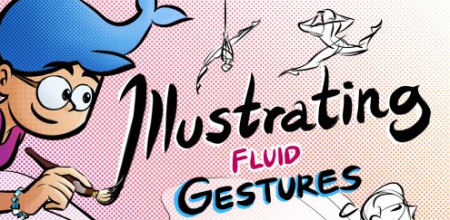
Characters in Motion 101: Illustrating Fluid Gestures
Duration: 1h 51m | Video: .MP4, 1280x720, 30 fps | Audio: AAC, 48 kHz, 2ch | Size: 1.33 GB
Genre: eLearning | Language: English​

Do your characters pose like robots? Turn them human by learning*gesture drawing!
Here's*a quick definition so we're all clear: A gesture refers to the movement of the human body. A gesture drawing is a quick, simple sketch that captures the motion of a person.
Whether you're drawing an*illustration,*a comic,*storyboard or painting, how good the end result looks heavily relies on how well the*original gesture looks in your draft.*To give a character life, you have to*show them doing a variety of*motions from all sides and angles.
Throughout the lessons,*we'll learn what principles we need to draw fluid gestures, and practice sketching them using a timer.
More specifically,*you'll*learn how to
Identify the main movement in a reference
Simplify*each gesture to its 3 key elements
Create visual contrast in a gesture
Draw quickly using a timer
Pick and draw keyframes from*video references
Analyse and draw body language
Simplify and exaggerate your gestures
All you'll need to take this class is a pencil and paper, or any digital drawing program you prefer. We will also cover how to use different references like videos, movie stills and illustrations by other artists to learn from!
This class is for anyone who wants to*develop or refresh their gesture drawing skills, especially for those who want to push their art to look more expressive and fluid.
By the end of it, you'll understand how to draw fluid gestures and be able to express the motion and personality of the characters you draw. Most importantly, you'll be able to create beautiful art with your newfound gesture drawing skills!
Homepage
Screenshots


63f7331e-001b-4cd2-8079-54a772b639d5.png

Complete SEO training 2022 + SEO For The WordPress Website
Last Update: 4/2022
Duration: 1h 39m | Video: .MP4, 1280x720 30 fps | Audio: AAC, 48 kHz, 2ch | Size: 495 MB
Genre: eLearning | Language: English​

SEO Training From An SEO Expert : SEO your WordPress Blog including Keyword research, Backlinks Strategy ,Google Ranking
What you'll learn:
Learn about SEO and understand how it all works
The fastest way to implement SEO on your Website.
You will have a complete overview of SEO so you will understand and feel confident during the whole process.
Optimize your website's SEO using the best free plugins.
Optimize your website speed for SEO.
How to see all the keywords your competitors are targeting
How to find the best keywords to target for your website
How to deal with a negative SEO attack
Find out how I used internal links to rank on page 1 for a MASSIVE keyword
Learn SEO secrets and advanced strategies that no one talks about
Save thousands of dollars on hiring SEO consultants or agencies
hite Hat SEO Strategies to Make Your SEO Fully Compliant with Google Quality Guidelines. Learn SEO for Voice & Video Search & Gain a Vital Edge for Business.
You will learn actionable strategies to quickly improve your website's ranking
You will learn the proper backlinking strategy that works today
You will learn the best ways to Rank #1 in Google Search
Requirements
No prior knowledge of SEO or Digital Marketing is required
You should have an existing website or plans to build a website for implementing these SEO techniques
Be excited about using today's smartest SEO strategies to grow your business.
Description
Description
This Complete SEO training 2022 + SEO For The WordPress Website is all about 50+ Search Engine Optimization factors on how to reach top spot on search engines like Google and Bing.
SEO is a process of improving
1. Traffic of your site from search engines
2. User experience of your site
3. Improving the relevancy of your site's content to the keywords users search for
4. Improving the authority of the pages in your site
SEO is about how search engines work - what algorithms are the defining factors in ranking a website on the search engine result pages (SERPs).
This online SEO training is a complete beginner's guide to search engine optimization with proven white hat SEO techniques as per official Google search central guidelines.
In this course we discuss about several SEO factors and each SEO factor is explained in the following ways
1. How and Why a particular factor affects your search ranking?
2. TREND ANALYSIS for that SEO factor in the recent years
3. LIVE EXAMPLE of how that SEO factor delivers results
4. When and HOW to / NOT to USE those SEO factors?
This course will help you to learn
1. Keyword Research in SEO - Get targeted traffic to your site, by using the chosen transactional / informative long tail keywords
2. Content Relevance SEO - Optimize your content for easy readability and make it answer most of the visitor's queries, make it more relevant to the search terms
3. Technical SEO - Resolve all the technical mistakes which prevent your sites from ranking higher
4. Page speed SEO - Make your website load in less than a second. The interesting part of this section is, your page speed insights score will up to 100 /100 for desktop and 100 / 100 for mobile
5. Get indexed by search engines faster
6. Implement the best User experience for your visitors / customers - The future SEO factor. Reduce user abandonment rate and increase user's time spent on your site
7. All backlink myths demystified - Learn the important attributes of backlinks and ignore the ones that don't work anymore
8. Protect your website against Negative SEO - It's not a black hat SEO. This is your line of defense against negative SEO attacks
TOOLS USED IN THE COURSE
· Google Keyword Tool
· Google Analytics
· Google Search Console
· Yoast SEO for WordPress SEO and blogger SEO
· A number of 3rd party Google research tools including tools to research competition
Learn everything about search engine optimization, master them and implement on your website to get top ranking in search engines.
Though SEO is not a rocket science. It's not that easy to grasp the impact of various terminologies used in SEO like Doorway pages, keyword stuffing, bounce rate etc.
That's why, for each and every lecture hours of motion graphics and visual animations are used to help you learn easily and keep you engaged till the end.
I've also given justification, several examples, the proof and demonstrated 'how to implement it' on your website.
Negative SEO is a must know section for every WordPress owner, because you may rank #1 in top pages of Google search, for your popular keywords now.
1. What if, Google penalizes your website and you lose ranking for your popular keywords
2. What if, your invisible / unknown competitor attacks your website with Negative SEO
We have covered everything regarding Negative SEO attack, how to recover from it etc., in this course.
This complete SEO training course is not just a collection of information, it's highly efficient, streamlined and it will give you the solid results, you have expected.
If you have ever dreamed of getting to top #1 position in Google search results, then you've come to the right course.
Once you rank on Google
1. Your brand name will be popular
2. You will be invited for exclusive product releases in your niche
3. Your business / ad revenue will grow 2X to 100X based on your current position
4. Your unique visitors per day, subscribers will increase
5. And Much more
MONEY-BACK GUARANTEE
Before we go any further, let us just say, I don't want you to be disappointed.If you don't like this course for any reason, you can get a full refund in the first 30 days, which is backed by Udemy's 30-day guarantee, with no questions asked!This is not just a guarantee, it's my personal promise to you that I will go out of my way to help you succeed.
Knowledge is power. Invest today and never look back!
Enroll now.
Who this course is for
Anyone who wants to learn about SEO
SEO Beginners/ Experts
Entrepreneurs, bloggers and website owners who want to grow through SEO
If you're a Content Creator, looking to increase your subscribe base and struggling to get new visitors from organic search
Website owners, who want to get to rank #1 in Google with SEO 2022 Training for WordPress
Homepage
Screenshots




 
4624540-c275-2.jpg

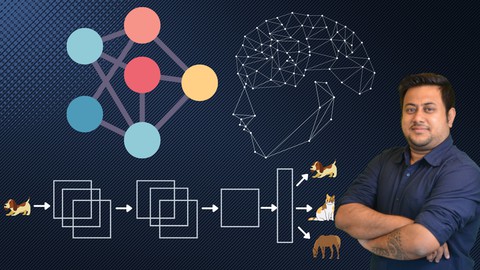
Everything about Convolutional Neural Networks [2022]
MP4 | Video: h264, 1280x720 | Audio: AAC, 44.1 KHz, 2 Ch
Genre: eLearning | Language: English + srt | Duration: 20 lectures (3h 15m) | Size: 2.7 GB

Understand everything about CNN (Convolutional Neural Networks) from scratch
What you'll learn
Get a solid understanding of Convolutional Neural Networks (CNN) and Deep Learning
Learn the various Neural Network concepts including Forward Pass, Back propagation, Activation functions etc.
Learn usage of Keras and Tensorflow libraries
Build an end-to-end Image Classification project in Python
Use Pandas DataFrames to manipulate data and make statistical computations.
Completely beginner friendly
Requirements
No prior knowledge on Deep Learning is required, but basic understanding of Machine Learning concepts is preferred, however the lectures are completely beginner friendly.
Python installation is a pre-requisite
Description
You're looking for a complete Convolutional Neural Network (CNN) course that teaches you everything you need to create an Image Classification model in Python, right?
You've found the right Convolutional Neural Networks course!
After completing this course you will be able to
Identify the Image Classification problems which can be solved using CNN Models.
Create CNN models in Python using Keras and Tensorflow libraries and analyze their results.
Confidently practice, discuss and understand Deep Learning concepts
Have a clear understanding of how Neural Networks work internally, and what are various concepts related to this niche.
How this course will help you?
A Verifiable Certificate of Completion is presented to all students who undertake this Convolutional Neural networks course.
If you are an Analyst or an ML scientist, or a student who wants to learn and apply Deep learning in Real world image recognition problems, this course will give you a solid base for that by teaching you some of the most advanced concepts of Deep Learning and their implementation in Python without getting too Mathematical.
Why should you choose this course?
This course covers all the steps that one should take to create an image classification model using Convolutional Neural Networks.
Most courses only focus on teaching how to run the analysis but we believe that having a strong theoretical understanding of the concepts enables us to create a good model . And after running the analysis, one should be able to judge how good the model is and interpret the results to actually be able to help the business.
Download Practice files
With each lecture, there are class notes attached for you to follow along. There is a final practical assignment for you to practically implement your learning.
What is covered in this course?
Understanding Deep Learning
Activation Functions
How Neural Network works & learns
Gradient Descent vs Stochastic Gradient Descent
CNN - Building & Evaluating a model
Hands-on Project
Go ahead and click the enroll button, and I'll see you in lesson 1!
Who this course is for
Complete Beginners to the field of Deep Learning
Homepage

[2022].part1.rar.html
[2022].part2.rar.html
[2022].part3.rar.html


3620770-d01e.jpg

How To Create A Nice Looking Sales Website In 1 Hour Or Less
MP4 | Video: h264, 1280x720 | Audio: AAC, 44.1 KHz, 2 Ch
Genre: eLearning | Language: English + srt | Duration: 16 lectures (2h 27m) | Size: 1.21 GB

Website Creation
What you'll learn
Discover how you can create a website in one hour or less.
Create a website using your smartphone.
Requirements
Devices such as laptops and mobile phones are needed.
Description
How To Create A Nice Looking Sales Website In 1 Hour Or Less Using Drag & Drop Tools + Live Demo
Description
Whether you want to create websites without coding, or you need to learn WordPress so you can update existing websites at your job, I've got you covered.
In this brisk but thorough course, we build a sales website together step-by-step, and along the way, you organically absorb and master drag and drop tools. I'm all about having you follow along with me and I always encourage experimentation over memorization.
This is a comprehensive Course, exclusively built to teach how a nice looking website can be created. In less than 1 hour of video, you will be able to gain more knowledge on
Main ways to create a website.
Stages of using website for sales.
Tools for designing a website.
Also you will learn from live demos which will help in aiding your practices. Here you will learn how to
Create your project pages.
Create your intro videos.
Input product pages.
Create product pages.
Build the landing page.
Input the slides.
Create the Product offer page and,
Setting up delivery pages and finalising it.
There is no prerequisite knowledge required and you do not need an existing website or web hosting account.
Who this course is for
Business Owners
Digital Marketing Enthusiasts
Homepage


61797db0-e74c-4a03-95ee-c7ca9ed4bad1.png

Instagram Story and Reels a Marketing Master Course
Duration: 4h 5m | Video: .MP4, 1280x720, 30 fps | Audio: AAC, 48 kHz, 2ch | Size: 2.25 GB
Genre: eLearning | Language: English​

Learn Instagram Marketing and how to create Stories and Reels.
Do you want more followers, more interactions on your content, sell more, and go viral with your Reels?
Then this course is for you.
What will you learn in this course?
You will learn everything about Instagram marketing and how to create stories and reels and all the features that drives traffic, get more followers, get more interactions on your content, sell more, and how to go viral with Reels in the shortest time possible.
Take your Instagram to the next level!
If you want to grow on Instagram, you have to start with the basics! You have to know how the tools and the features works to be able to create the content that will get you the new followers, get you those sales.
Because if you don't know how to actually create stories and reels and what features and functions that will drive traffic for you, you will never start to grow, no marketing strategy will help you then, that's why you need to start with the basics.And that's what you will learn in my Story and Reels Crash Course, you will learn from the beginning how the Instagram algorithm works and how to create stories and reels. How all the features and functions work so you can create stories and reels like a pro!
Overview of some of the things that you will learn.
You will learn what the Instagram algorithm is and how it works and how Instagram marketing works and what you have to think about when you are creating content. We are looking at Hook - Story - Call to Action, what it is and how to think when creating it.
Of course, you will learn all the features in stories that drive traffic, getting you new followers and more reach with your content. You will create story highlights and highlight cover templates, you will learn everything about hashtags and how to use them. Then we are looking at the reels algorithm and how that works and what you have to think about when it comes to reels.
You will learn how to create different types of reels and all the features there are. You will learn how to create reels cover templates with Canva that also fits in the feed. What, how much, and when to post. What apps to use when creating, and how to come up with new ideas when you are creating content and you will learn what type of equipment you are going to need and how you can take much better product pictures if you set up a small studio and a lot more.
Instagram Marketing
You will learn what the algorithm is and how the algorithm works. What is most important when we post content and how you can make Instagram push your content the most. How to create content and what you need to think about when it comes to content creation. What Hook - Story - Call to Action is and how to use it. When to post and how much you should post every week for Instagram to push your content the most. What you should do after you have posted something. And a lot more.
Instagram Stories
You will learn how to create stories and all the features that will drive traffic and reach. How to share a post as a story. How to change background and foreground colors in a story. What the difference is between background and foreground objects. How to link to a product, product collection in an Instagram shop. How you can use the link sticker to be able to link to your web page or webshop, other reels, or posts. Add music and get rid of the cover. Insert multiple images. Use all the question stickers and why you should use them a lot. You are going to learn all the stickers and how they work and how they will give you interactions.
You are going to create story highlights and why you should, and you are also going to create highlight cover templates. And how you can share stories as a post and why this is good to do. How to create a VIP list is another thing that you will learn, and a lot more.
Instagram Reels
Here you will learn about the reels algorithm and how that works and what you have to think about when it comes to reels and the reels rules. What interactions is and why it is so important.
You will learn how to create different type of reels and all the features there is, set a timer and record, how to use the align tool, how to create and sync captions to the music, how to create transitions, how to create automatic and manual captions and much more.
How to use Hook - Story - Call to Action and why you must use it in all your content. You will learn how to create reels cover templates with Canva that also fits in the feed. What, how much, and when to post. How to get access to all the popular music, how to edit, download and find trendy music. How you can link to products or collections in your Instagram shop. Learn about reels ads and a lot more.
Instagram Hashtags
Here you will learn how to search for hashtags and to select the right ones of the right size for your account. You will create hashtags collections and how you can copy and why you should randomize your hashtags. You will learn what banned and spam hashtags are and why you should not use them. Then you will be able to create a hashtags strategy that can increase your reach by up to 40% and more.
Instagram Account Audit Checklist
Get your Free Instagram Account Audit Checklist, with tips and tricks on how you can optimize your bio, account, and feed. So you can see what you are doing right and wrong with your Instagram account and get it up to date.
Homepage
Screenshots


56c13b8f-047f-4e6e-b02e-873e2b08b583.png

MBTI Personality types:The correct way of typing
MP4 | Video: h264, 1280x720 | Audio: AAC, 44.1 KHz
Language: English | Size: 997 MB | Duration: 1h 33m​

Advanced MBTI typing using cognitive functions
What you'll learn
Define personnality types with high precision
Discover cognitive functions
healthy practice of MBTI
Road to become an expert
relationships compatibility
typing by observing
differences between same types
Requirements
This course doesnt require any pre-knowledge
Description
This course will help you put your MBTI knowledge in order,and use it correctly,also it's made basically for beginners especially those who want to have a good start with MBTI.
In this course i ll show you the fastest way and the road to make you become an expert ,You will be introduced to cognitive functions,explained with a simplify way,the meaning of the 4 letters of each type and also the correct way to type people.
Also i will explain the correct way to find relationships partners using MBTI (i do not recommend you to be 100% based on MBTI to make those kind of choices,but it still an important factor in your choices)
An introduction to MBTI community in social media and how to enjoy interacting with types in facebook,and learn things with them.This course is made to prepare you for this interaction with the community,and have the immunity to face all mistaken ideas about MBTI in the net.
It will be more courses in the future treating some unavailable subjects in the platform about MBTI,made especially for those who participated in this course.
This course contains following chapters
1- Introduction.
2- MBTI Letters the meaning of the each letter.
3- Cognitive functions.
4- whats next?
Who this course is for
leaders
psychologist
self developement coachs
human ressource
MBTI community
ENTJ
Screenshots


c2c9ed98-ff28-4014-b5e6-6c6bd7cfe8d3.png

Making a Still Life with Stamp Brushes in Procreate
Duration: 1h | Video: .MP4, 1280x720, 30 fps | Audio: AAC, 48 kHz, 2ch | Size: 599 MB
Genre: eLearning | Language: English​

Create Your Own Stamp Brushes in ProcreateWhat are stamp brushes? They are individual, reusable shapes that you can use over and over again in your illustrations. Learn to make them from scratch, while we create our own still life illustration with our stamp brushes.
Why?
Save time and effort, so you can focus on making the art you want to make
Create consistent work; develop your style with recurring elements and favourite bits
Gain confidence in creating and using the Brush Studio in Procreate
What you'll make Make your own collection of stamp brushes and put them to practice right away. After completing the class, you will have a collection of your own stamp brushes that will be ready to use in your future illustrations, plus a beautiful still life with patterns and elements that you can reuse.
What we'll be covering
The basics of the Brush Studio in Procreate
How to make your stamp brush from scratch, with different adjustments
Colour dynamics, shape editor adjustments and other attributes in the brush studio
Building up your still life illustration from start to finish
My process of building an illustration with stamp brushes
Procreate tips to speed up your workflow
How to save your settings, sign your brush and export your brush set
Techniques you can apply to future projects
We're going to start with the basics of brushes in Procreate, so you can easily take this class as a beginner. If you're already familiar with stamp brushes, you can follow along with me and create a still life illustration using your own collection of brushes.If you're looking to develop your own style or if you're just looking for a fun project, this is the class for you. Enjoy!
Link To The Downloads & Resources
Find me here: Website, Newsletter, Instagram
Homepage
Screenshots


d6824ff2-61f2-40a1-a0b4-a46f690f23ce.png

Portrait Retouching in Photoshop. Simple and Professional Technique
Duration: 25m | Video: .MP4, 1280x720, 30 fps | Audio: AAC, 48 kHz, 2ch | Size: 214 MB
Genre: eLearning | Language: English​

In this retouching class I am going to show You how to do professional*non-destructive portrait retouching techniques in Photoshop.*From start to finish.
I'll show you how to turn an ordinary portrait into a dramatic moody portrait.*With color correction in a minute, I will turn green foliage into dramatic blue foliage.
Course subjects
RAW conversion
Color grading
Cleaning background
Non-destructive Dodge & Burn retouching
Working with masks
Add Volume
Enjoy the course! Good Luck!
Homepage
Screenshots


IBILMU1-Od5oo-Ks8uih-SQH4b-T2-Gf-TKr-GJ.jpg

Python Testing 101
Genre: eLearning | MP4 | Video: h264, 1280x720 | Audio: AAC, 48.0 KHz
Language: English | Size: 2.36 GB | Duration: 4h 23m
UnitTesting Python with Unittest Framework||White Box Testing||Mocks & Parameterized Tests||Pytest, Jenkins & More...

What you'll learn
Unit testing with Python 'unittest' framework
Fundamentals of Unit Testing or White box testing in Python
Writing and executing Testcases in Python
Execute Unit Tests in CI/CD server Jenkins
Using Mock or Test Double in Python Unittesting
Test execution and Reporting with Pytest framework with Jenkins
Parameterized Testing with Parameterized Package
Code collaboration and run tests from Code repo like GitHub
Using Git for code version control
Requirements
Python 3.6+ installed in the PC
Basic familarity with Python fundamentals
Know how to install application software in Windows10
Description
Hi! Welcome to Python Testing 101 - Unit Testing Python code with unittest framework.
This course will help you master the fundamentals of Unit testing Python code. It teaches you various techniques for writing unit tests in Python and how to execute them efficiently, and find the bugs before your users do!
We will be using Python unittest framework which comes with Python standard library and it assumes that you have minimal prior experience with Python coding.
You'll learn how to assert parts of your tests, how to discover the tests, and make tests easier to read and manage. Throughout the course you will see lots of unit test code examples in Python.
Some of the interesting topics covered in the course are
Create Project in Pycharm with Virtual Env
Unittest Fixtures & Test Discovery
Using Mock and Test Doubles
Pytest as Test Runner and generating nice reports
Jenkins to run and share the test reports
Parameterized Tests
Writing unittest for a Real, Working Application
Thank you and see you in this course.
Who this course is for
Developers who want to start writing unit tests for their Python project
QA engineers who want to learn Unit testing or White Box Testing
Anyone who wants to learn testing and automation
Anyone who wants to use Jenkins to execute Python tests
Anyone who wants to learn about CI/CD with Python projects
Anyone who wants to learn Pytest for running Python Tests
Screenshots


d0db17d1-57a9-429d-a1e7-0c2b0023831b.png

Simple Watercolor Techniques: Loosen Up and Have Fun!
Duration: 48m | Video: .MP4, 1280x720, 30 fps | Audio: AAC, 48 kHz, 2ch | Size: 630 MB
Genre: eLearning | Language: English​

This class is about learning to paint with watercolor in a loose and slightly abstract way. We will experiment with a few techniques that let the paint and water do most of the work with little manipulation from us.
This class is well suited for those just learning watercolor and those with experience that want to try a loose and more painterly approach to watercolor.
At the conclusion of the class, you will have completed two small works of art that bear resemblance to flowers and leaves. You will learn the skills to complete several more, each one being unique.
Few supplies are required, and a full list of the supplies will be provided. I will demonstrate that with an inexpensive set of watercolor paints along with watercolor paper and a few brushes you can achieve beautiful results.
I love to paint anything botanical from realistic to slightly abstract and loose. A loose and abstract approach I find to be less restricting and more relaxing. Ready to relax and have fun? Let's get started!
Homepage
Screenshots


642cf137-4dd6-4662-bf96-50968dcd6d27.png

Stroke Style Logos | Simple Animations in Adobe After Effects
Duration: 49m | Video: .MP4, 1280x720, 30 fps | Audio: AAC, 48 kHz, 2ch | Size: 387 MB
Genre: eLearning | Language: English​

Hello creative people, My name is Adam and in this class you will learn to create amazing yet simple stroke style logos animations in After Effect.
We will have 2 logos to animate but with 3 different techniques a logotype and a minimal stroke logo, this time we will dive straight into the techniques, I'm not covering any theories because I already cover those on my 1st logo animation class for beginners.
So, for this class you will need
Adobe After Effects latest version if possible or any CC version.
Basic knowledge of after effects, it is a class meant for beginners, but basic knowledge of the program can't hurt.
Ease Copy script
Duik Bassel animation script
So why learn Logo Animation in the 1st place logo animation is Important because it helps people connect more with the brad studies have shown that people are more likely to engage with videos than images so if you are ready to learn new animation techniques to amaze your friends see you in the 1st lesson.
Homepage
Screenshots


4615562-e91a.jpg

The Ultimate Authentication Course with Java and Angular
MP4 | Video: h264, 1280x720 | Audio: AAC, 44.1 KHz, 2 Ch
Genre: eLearning | Language: English + srt | Duration: 82 lectures (9h 12m) | Size: 3.97 GB

Authenticate with Access & Refresh Tokens, 2FA, Social Authentication with Google etc
What you'll learn
Use Spring Boot Framework
Connect Spring Boot with H2 Database
Use Access & Refresh Tokens
Use HttpOnly Cookies
Send Emails
Login using 2 Factor Authentication (2FA) with Google Authenticator
Social Authentication using your Google Account
Use Angular CLI
Use Event Emitters
Requirements
Javascript Knowledge
Java Knowledge
Description
Welcome to this course where you will learn everything you need to know to secure your Angular and Spring Boot app.
In Java you will learn
Use Spring Boot Framework
Connect Spring Boot with H2 Database
Use Access & Refresh Tokens
Use HttpOnly Cookies
Send Emails
Login using 2 Factor Authentication (2FA) with Google Authenticator
Social Authentication using your Google Account
In Angular you will learn
Use Angular CLI
Create components and routes
Consume API calls
Use Event Emitters
Create QRCodes
Social Authentication using your Google Account
If these are what you are looking for then this course is for you.
I'm a FullStack Developer with 10+ years of experience. I'm obsessed with clean code and I try my best that my courses have the cleanest code possible.
My teaching style is very straightforward, I will not waste too much time explaining all the ways you can create something or other unnecessary information to increase the length of my lectures. If you want to learn things rapidly then this course is for you.
If you have any coding problems I will offer my support within 12 hours when you post the question. I'm very active when trying to help my students.
So what are you waiting for, give this course a try and you won't get disappointed.
Who this course is for
Javascript Developers
Java Developers
Homepage


Zurück
Oben Unten