• Regeln für den Video-Bereich:

    In den Börsenbereich gehören nur Angebote die bereits den Allgemeinen Regeln entsprechen.

    Einteilung

    - Folgende Formate gehören in die angegeben Bereiche:
    - Filme: Encodierte Filme von BluRay, DVD, R5, TV, Screener sowie Telesyncs im Format DivX, XviD und x264.
    - DVD: Filme im Format DVD5, DVD9 und HD2DVD.
    - HD: Encodierte Filme mit der Auflösung 720p oder darüber von BluRay, DVD, R5, TV, Screener sowie Telesyncs im Format x264.
    - 3D: Encodierte Filme von BluRay, die in einem 3D Format vorliegen. Dies gilt auch für Dokus, Animation usw.
    - Serien: Cartoon/Zeichentrick, Anime, Tutorials, Dokumentationen, Konzerte/Musik, Sonstiges sind demnach in die entsprechenden Bereiche einzuordnen, auch wenn sie beispielsweise im High Definition-Format oder als DVD5/DVD9/HD2DVD vorliegen. Ausnahme 3D.
    - Bereich Englisch: Englische Releases gehören immer in diesen Bereich.
    - Bereich Talk: Der Bereich, in dem über die Releases diskutiert werden kann, darf, soll und erwünscht ist.


    Angebot/Beitrag erstellen

    - Ein Beitrag darf erst dann erstellt werden, wenn der Upload bei mindestens einem OCH komplett ist. Platzhalter sind untersagt.
    - Bei einem Scenerelease hat der Threadtitel ausschließlich aus dem originalen, unveränderten Releasenamen zu bestehen. Es dürfen keine Veränderungen wie z.B. Sterne, kleine Buchstaben o.ä. vorgenommen werden. Ausnahme Serienbörse:
    - Bei einem Sammelthread für eine Staffel entfällt aus dem Releasename natürlich der Name der Folge. Beispiel: Die Simpsons S21 German DVDRip XviD - ITG
    - Dementsprechend sind also u.a. verboten: Erweiterungen wie "Tipp", "empfehlenswert", "only", "reup", usw. / jegliche andere Zusatzinformation oder Ergänzung, welche nicht in obiger Beschreibung zu finden ist.

    Aufbau des Angebots und Threadtitel

    Der Titel nach folgendem Muster erstellt zu werden. <Name> [3D] [Staffel] [German] <Jahr> <Tonspur> [DL] [Auflösung] <Quelle> <Codec> - <Group>
    Beispiel: The Dark Knight German 2008 AC3 DVDRip XviD - iND
    Beispiel: The Dark Knight 2008 DTS DL BDRip x264 - iND
    Beispiel: The Dark Knight 2008 AC3 DL BDRip XviD - iND
    Beispiel: The Dark Knight German 2008 AC3 720p BluRay x264 iND
    Beispiel: The Dark Knight 2008 DTS DL 1080p BluRay x264 iND
    Beispiel: Die Simpsons S01 German AC3 DVDRip XviD iND
    Beispiel: Die Simpsons S20 German AC3 720p BluRay x264 iND
    Beispiel: Sword Art Online II Ger Sub 2014 AAC 1080p WEBRip x264 - peppermint
    Entsprechend sind also u.a. verboten: Sonderzeichen wie Klammern, Sterne, Ausrufezeichen, Unterstriche, Anführungszeichen / Erweiterungen wie "Tipp", "empfehlenswert", "only", "reup", usw. / jegliche andere Zusatzinformation oder Ergänzung, welche nicht in obiger Beschreibung zu finden ist
    Ausnahmen hiervon können in den Bereichen geregelt sein.

    Die Beiträge sollen wie folgt aufgebaut werden:
    Überschrift entspricht dem Threadtitel
    Cover
    kurze Inhaltsbeschreibung
    Format, Größe, Dauer sind gut lesbar für Downloader außerhalb des Spoilers zu vermerken
    Nfo sind immer Anzugeben und selbige immer im Spoiler in Textform.
    Sind keine Nfo vorhanden z.B. Eigenpublikationen, sind im Spoiler folgende Dateiinformationen zusätzlich anzugeben :
    Quelle
    Video (Auflösung und Bitrate)
    Ton (Sprache, Format und Bitrate der einzelnen Spuren)
    Untertitel (sofern vorhanden)
    Hosterangabe in Textform außerhalb eines Spoiler mit allen enthaltenen Hostern.
    Bei SD kann auf diese zusätzlichen Dateiinformationen verzichtet werden.

    Alle benötigten Passwörter sind, sofern vorhanden, in Textform im Angebot anzugeben.
    Spoiler im Spoiler mit Kommentaren :"Schon Bedankt?" sind unerwünscht.


    Releases

    - Sind Retail-Release verfügbar, sind alle anderen Variationen untersagt. Ausnahmen: Alle deutschen Retail-Release sind CUT, in diesem Fall sind dubbed UNCUT-Release zulässig.
    - Im Serien-Bereich gilt speziell: Wenn ein Retail vor Abschluss einer laufenden Staffel erscheint, darf diese Staffel noch zu Ende gebracht werden.62
    - Gleiche Releases sind unbedingt zusammenzufassen. Das bedeutet, es ist zwingend erforderlich, vor dem Erstellen eines Themas per Suchfunktion zu überprüfen, ob bereits ein Beitrag mit demselben Release besteht. Ist dies der Fall, ist der bereits vorhandene Beitrag zu verwenden.
    - P2P und Scene Releases dürfen nicht verändert oder gar unter einem iND Tag eingestellt werden.


    Support, Diskussionen und Suche

    - Supportanfragen sind entweder per PN oder im Bereich Talk zu stellen.
    - Diskussionen und Bewertungen sind im Talk Bereich zu führen. Fragen an die Uploader haben ausschließlich via PN zu erfolgen, und sind in den Angeboten untersagt.
    - Anfragen zu Upload-Wünschen sind nur im Bereich Suche Video erlaubt. Antworten dürfen nur auf Angebote von MyBoerse.bz verlinkt werden.


    Verbote

    - Untersagt sind mehrere Formate in einem einzigen Angebotsthread, wie beispielsweise das gleichzeitige Anbieten von DivX/XviD, 720p und 1080p in einem Thread. Pro Format, Release und Auflösung ist ein eigener Thread zu eröffnen.
    - Grundsätzlich ebenso verboten sind Dupes. Uploader haben sich an geeigneter Stelle darüber zu informieren, ob es sich bei einem Release um ein Dupe handelt.
    - Gefakte, nur teilweise lauffähige oder unvollständige Angebote sind untersagt. Dies gilt auch für eigene Publikationen, die augenscheinlich nicht selbst von z.B. einer DVD gerippt wurden. Laufende Serien, bei denen noch nicht alle Folgen verfügbar sind, dürfen erstellt und regelmäßig geupdatet werden.
    - Untersagt sind Angebote, welche nur und ausschließlich in einer anderen Sprache als deutsch oder englisch vorliegen. Ausnahmen sind VORHER mit den Moderatoren zu klären.


    Verstoß gegen die Regeln

    - Angebote oder Beiträge, die gegen die Forenregeln verstoßen, sind über den "Melden"-Button im Beitrag zu melden.
  • Bitte registriere dich zunächst um Beiträge zu verfassen und externe Links aufzurufen.

*** Bestes IPTV *** bester Preis *** gratis Test ***


Englische Tutorials

a306cd15-ab04-4d68-aeba-e34ae547b528.png

Mac & MacOS X Complete Basics Tutorial for Beginners
Instructors: Studyopedia Trainings
11 sections • 54 lectures • 1h 58m
Video: MP4 1280x720 44 KHz | English + Sub
Updated 1/2022 | Size: 1.3 GB​

Learn Mac and MacOS in 2022 on your Apple Macbook and iMac - Complete Tutorial to Switch from Windows to Mac OS X
What you'll learn
Get hands-on Mac OS in 2022
Learn how to switch from Windows to Mac
Organize your MacOS easily
Learn to play with the tools provided by Mac
Practice and become an expert in using Mac, just like Windows
Requirements
An Apple Macbook or iMac
We will cover the basics, therefore, you should just know how to switch on/ off the Mac.
Description
Welcome to our Mac and MacOS Tutorial. We are assuming that you have just bought a Macbook or iMac and are facing troubles in understanding the basic usage and workflow. Well, do not worry, we faced the same situation. It took us days to understand how to navigate through Mac, operating mouse, trackpad, installing software, updating, etc.
We structured the course with all the basics to make Mac environment and usage far better than Windows. Beginners and Intermediate users of Mac should definitely refer to this free Tutorial to enhance their Mac experience and start loving it.
It's a myth that using Mac is hectic and confusing. Well, Mac is far easier than Windows usage and definitely a better choice. After completing this course, you will become an expert in mac from Beginner to Intermediate to Advanced in no time.
We have discussed the basics as minor as changing wallpaper, dock size, adding widgets, new region, installing any software, enabling accessibility, turning on the firewall, etc.
The MacOS Big Sur is discussed here in the tutorial, beginning with how to update your Mac to the latest MacOS version. We have discussed the best practices of Mac usage, with all possible tips and tricks.
Who this course is for
Present-day new users of MacOS
Those who switched from Windows to Mac
Screenshots




 
4624056-0881.jpg

Metaverse Masterclass: Best Metaverse Course for Newbies
MP4 | Video: h264, 1280x720 | Audio: AAC, 44.1 KHz, 2 Ch
Genre: eLearning | Language: English + srt | Duration: 25 lectures (4h 51m) | Size: 3.54 GB

Complete Metaverse Course with AR, VR, NFTs and Metaverse Research and Investing
What you'll learn
What is a Metaverse?
Why Metaverse has got all the intention
What is AR and VR in metaverse
How to create a Metaverse of your own within minutes?
How Metaverse and NFTs and related?
How to buy and sell Metaverse Investments in easy steps
How to do your 5 step Metaverse Investment Research
How to create Metaverse and build your own virtual world with Decentraland and Roblox
Requirements
No prior experience is required just the curiosity to learn about Metaverse is needed
Description
Welcome to the Metaverse Masterclass...... Welcome to the new you and world where you and I will have avatars doing all the work for us.
We can dance, walk, talk, sing and interact with one another without even moving an inch from our home,
Not only that, but you and I can be in Paris in one moment and in the Bahamas the other moment and in Texas the other moment just in one simple click.
All of this was too good to be true in the '90s but now in 2022 everything is getting real and real and we are getting the opportunity to experience all of that from the comforts of our homes.
Yes, we are in the Web 3.0 world,
The Metaverse World.....
In this Metaverse Masterclass, I will walk you through all the exciting stuff from the world of Metaverse and how you and I can use this stuff to get the most vivid and real experience.
The course includes everything about Metaverse like -
What is a Metaverse
Why we need a Metaverse
How can our lives be changed by Metaverse
How AI and Metaverse and related
What is AR
What is VR
How is AR different from VR
How to use AR and VR in Metaverse
What tools do we need in Metaverse
Why some big tech giants are using and investing in Metaverse
How Metaverse and NFTs are related
Why NFTs and Cryptos align with Metaverse
How to invest in Metaverse
How to do your due diligence and research for Metaverse
How Web 3.0 will affect your life in longer terms
What are NFTs
How to use NFTs
How to create Metaverse for yourself
Which platforms support Metaverse
How to create a virtual land in under 20 minutes for Free
How to buy, sell, and trade in virtual estate and land
What is Virtual Estate
How to have a virtual estate
How a Real estate is different from Virtual estate
How will Metaverse and Cryptos and Web 3.0 change everything?
I can write a lot about it but that will not help you. All you need to do is just join this course and I will make sure you learn everything about Metaverse from scratch.
No prior experience is required, anyone can learn everything about Metaverse from this course...
So, what's next.
Start the course and I will see you on the other side.
Your #1 fan,
Manas
Who this course is for
People interested in Metaverse and Web 3.0
Beginner NFT (Non Fungible Tokens) artists and collectors
Web 3.0 Investors and Traders
Gamers and Developers who want to make a living from Metaverse
Metaverse Enthusiasts who want to create a virtual world for themselves
Homepage


0f11aa60-12cd-4bc3-b1fe-cbb0a706c10f.png

NetSuite Basics
MP4 | Video: h264, 1280x720 | Audio: AAC, 44.1 KHz, 2 Ch
Genre: eLearning | Language: English + srt | Duration: 5 lectures (1h 46m) | Size: 1.1 GB

Learn Oracle NetSuite and Became a NetSuite Professional
What you'll learn
Navigating the NetSuite Application and NetSuite Users and Roles
Understanding Customer Records and Understanding Vendor Records
Understanding Partners Records and Understanding Employees Records
Understanding Contacts Records
Requirements
Computer knowledge, Basic Accounting
What is NetSuite and History of NetSuite
Description
Highlights
The main objective of the course is to make aspirants understand the fundamentals of NetSuite, its capabilities, Navigating the NetSuite Application, NetSuite Users and Roles, Understanding Entity Records (Customer, Vendor, Partners, Employees, Contacts).
It will be beneficial for Functional Consultant, NetSuite Administrator, Finance Professional, Account Professional in understanding masters in NetSuite, Its Capability, Navigation and providing access in NetSuite. It will help NetSuite Technical Consultant and NetSuite developer in building their logic for scripts.
If you are Software Engineers, IT Professionals, Cloud Developer, ERP domain, Business Analyst and Fresher, this course will help you to become NetSuite Professional.
About Course
Topics Covered
Navigating the NetSuite Application
NetSuite Users and Roles
Understanding Customer Records
Understanding Vendor Records
Understanding Partners Records
Understanding Employees Records
Understanding Contacts Records
NetSuite Account Types
Production Account​
Release Preview Account​
Sandbox Account​
Development Account
Production Account​
The production (or live) account is where you do the daily work necessary to run your business. ​
Users access their production account by opening a browser window.
Sandbox Account​
A NetSuite sandbox is a safe and isolated account where you can develop new processes and applications. ​
The data in the sandbox is a copy of your production data. ​
The sandbox can be refreshed from production, bringing in new data and customizations​
Development Account​
The development account provides an improved experience for developing NetSuite customizations. ​
NetSuite development accounts never contain production data. ​
Development accounts prevents in-progress customizations from being overwritten by by refreshes.​
Using Create New Menu​
This menu includes links to create new instances of different types of records. Each link in the menu represents a type of record related to the record or transaction. ​
The Create New menu customizable , we can add any record link in menu by clicking on Personalize​
Who this course is for
If you are Software Engineers, IT Professionals, Cloud Developer, ERP domain, Business Analyst and Fresher, this course will help you to become NetSuite Professional.
Homepage


7bbab898-e6f6-4a73-8a7c-314a9908d1ae.png

Overview of Supply Chain Metrics-Beginner level
Instructors: Pattabhi Raman
1 section • 9 lectures • 1h 57m total length
Video: MP4 1280x720 44 KHz | English + Sub
Updated 3/2022 | Size: 777 MB​

Supply Chain Metrics
What you'll learn
Improvement is possible only when you are able to measure the right metrics
Keys to efficiency in supply chain execution include how well and cost-effectively companies drive the flow of materials from procurement to delivery, including
Supply Chain Metrics, Inventory Turnover
Cash to cash, On Time Delivery performance etc..
Requirements
Basic knowledge about Supply Chain functions
Description
What Are Supply Chain Metrics?
Supply chain metrics are the numbers and ratios a company tracks to measure how efficiently it delivers goods to customers. Keys to efficiency in supply chain execution include how well and cost-effectively companies drive the flow of materials from procurement to delivery, including activities like production, warehousing and transportation.
The right metrics shed light on where to invest to achieve maximum returns.
Key Takeaways
It's vital to employ metrics and KPIs to assess how your supply chain is performing.
Important KPIs for finance include cash-to-cash cycle times and gross margin return on investments.
Inventory turnover ratios and inventory velocity are two central gauges of how well your company manages its intake and outflow of goods.
A central KPI dashboard accessible to all stakeholders helps leaders stay on the same page and prioritize resources.
What is supply chain KPIs?
Supply chain key performance indicators (KPIs) quantify how well a supply chain is performing. Leaders need to decide which KPIs are most important to track.
Because there are many metrics that can add value, we often advise companies to divide supply chain KPIs into tiers based on functions. A company may decide on a bucket of top metrics that are most important to its business KPIs occasionally.
Who this course is for
Supply Chain Professionals, at all levels
Screenshots


4499476-3492.jpg

Power BI Interview Questions and Answers
MP4 | Video: h264, 1280x720 | Audio: AAC, 44.1 KHz, 2 Ch
Genre: eLearning | Language: English | Duration: 6 lectures (3h 24m) | Size: 1.36 GB

Power BI Interview Questions and Answers
What you'll learn
Understand what kind of Questions are asked in Power BI and how to answer the same.
Covers Power BI questions around Calculated columns,Calculate measures , M Codes , Power Query, Parameters , Power BI gateway, visual level vs page level vs rep
How to tackle Power BI Interview Questions around All vs All Except ,What IF , Grouping in power BI , Distinct vs Values.
How to confidently answer questions around Sum vs Sumx , Query vs Direct Query
Requirements
Basic SQL Server knowledge.
Description
Covers Calculated Columns, Measures, Power Query, Data Gateway & Parameters :-
Question 01 :- What are Calculated columns ?
Question 02 :- Where can calculated columns be created in Power BI?
Question 03 :- What are calculated measures in Power BI?
Question 04 :- Where can calculated measures be created in Power BI?
Question 05 :- Difference between Calculated Column and Measure in Power BI?
Question 06 :- What are M codes in power bi & Where Can You Write Power Query M Code?
Question 07 :- What are Parameters in Power BI?
Question 08 :- What is Power BI data gateway?
Question 09 :- Do we need data gateway for schedule refresh in Power BI?
Question 10 :- What is Query Folding in Power BI?
Question 11 :- What is the use of Split function in Power BI?
Question 12 :- Difference between visual level, page level and report level filters in Power BI?
Questions on ALL & ALL EXCEPT functions, Grouping , what if parameter, Distinct :-
Question 13:- Difference between ALL and ALL EXCEPT functions?
Question 14:- What is "What if" parameter in Power BI?
Question 15:- How to keep or remove specific rows in Power BI?
Question 16: What is grouping in power bi and how to use it?
Question 17:- Difference between Distinct and Values in Power BI?
Important questions on DAX, DAX Function, Power Query, Power BI Reports :-
Question 18:-What is DAX and most common DAX functions used?
Question 19:- What is Power Query?
Question 20:- What are different types of Filters in Power BI Reports?
Differentiating between sum vs sumx and Direct Query vs Import Query :-
Question 21 :- Difference between sum and sumx in power bi?
Question 22 :- Import Query vs Direct Query in power bi?
Append Query vs Merge Query and different types of Power BI Joins :-
Question 23 - Append Query VS Merge Query in Power BI ?
Question 24 - Types of Join and Types of Join kind in Power BI ?
Who this course is for
Power BI Developers who are looking for cracking interview.
Homepage


4596416-b620-2.jpg

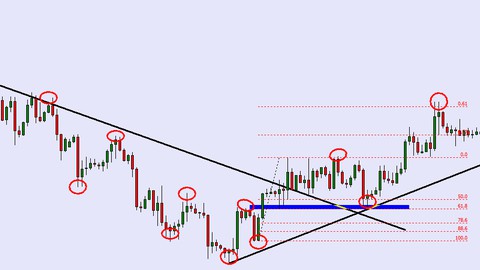
Price Action Forex Trend Training For Beginners
MP4 | Video: h264, 1280x720 | Audio: AAC, 44.1 KHz, 2 Ch
Genre: eLearning | Language: English + srt | Duration: 28 lectures (5h 38m) | Size: 2.2 GB

Understanding Market Direction
What you'll learn
How The Forex Market Moves
Know The Direction Of Any Forex Pair Easily
Meaning Of Trendline, How To Draw Your Trendline Properly
How To Know When The Forex Market Is Changing Direction
How To Draw Your Support And Resistance Easily
Know when Support has change to Resistance
Know When Resistance has changed To Support
E.T.C
Requirements
A Computer Or Phone With Internet Connection
Zeal and Willingness to Learn And Practice what you Have Learnt
Description
Do you want to know how prices move in the forex market?
Do you want to finally become a successful trader?
What if I told you that you can learn an easy way to view the market and understand the direction.
Would you take the opportunity to improve your trading skill and change your life?
Welcome to price action forex Trend Training For Beginners.
Unlike most courses that I have taken on forex trading, the tutors or instructor don't go in depth on how the market moves. They just tell you that the market moves either up, down or sideways. This course provides an in depth look on forex Trends. How they form, how they move and how they end.
My aim is to teach you the basics on how the forex trend behaves. This will improve your understanding of the market and also increase your edge in the market.
You will learn who is in control of the market.
Look for trend, wait for pullback, look for the trade, Take the trade.
Learn a simple but yet effective way to see the market between major zones building more confidence while learning the ability to hold in one of the most powerful markets in the world.
Requirements: There is no requirements for price action forex trend training, it works with all good trading strategies.
What this price action forex trend training does is give a major edge in understanding how micro and major trends works. This knowledge therefore is extremely valuable for a trader.
Now you have all the tools to understand the forex market trend, signing up for this course alone will not help you to become a better trader, what will help you become a better trader is to learn and put into practice, what you learnt in this training.
Are you ready to take this opportunity?
See you at the Top 
Who this course is for
Beginners
Homepage


be4e33c9-667c-4592-9d1e-f2129ce913b8.png

Python programming 36 coding challenges with video solutions
MP4 | Video: h264, 1280x720 | Audio: AAC, 44.1 KHz, 2 Ch
Genre: eLearning | Language: English + srt | Duration: 38 lectures (1h 25m) | Size: 576 MB

With weekly updates(More Challenges to be added on weekly basis)
What you'll learn
You will be able to master the logic behind a particular problem as the challenges have a wide range and are solved in the most comprehensive way
You will be feel the need to come out of your comfort zone to solve each challenge &that will make most of your coding fears go away
You will be able to understand your coding style& your comfort zone more after solving these challenges
You will get the confidence that is needed to become a good programmer
Requirements
Beginners with Basic Python skills and Anyone who loves to take challenges
Description
Hello programmer,
Software programming is all about problem solving skills combined with common sense that is applied in different scenarios to get our work done through machines such as our computer.A language is used as a tool so that we can communicate with the machine or our computer.Thus, language plays an important part & if we are comforatbly able to talk to our computers or machines then we will also be able to get our work done more easily& efficiently. I, personally found Python to be one such language which is easy& efficient enough to learn and apply.Python is a very powerful language and It is easy as well.Some amount of work in our behalf makes us proficient enough in this language.
What amount & how much work we should do with this language.
Here comes our course comprising 36 coding challenges.
These challenges are ranged from basic to advanced level(not very advanced) and these will test your metal to solve any problem.
What you need to solve these challenges?
The answer is some basic Python stuff & common sense.
How to break a particular challenge?
The answer is we should take a copy and pen and start writing the pseudo code first. Pseudo code is the code that is basically written to break the challenge. So that its solving approach be known. Once we are aware of the approach, we should reach to our IDE'S and start playing with it in a very calm way. We should check the process by debugging the entire code. Debugging gives us the idea about how& what things are missing or wrongly applied in a particular scenario.
Finally, we will solve the problem & our programs will be bug free also.
I am a self taught programmer & I am very passionate about programming.
I will be trying to add more challenges with every passing week as I love coding and it has become my passion also.
Once again it is good to have you in this journey!
Happy Coding!
Who this course is for
Beginners with some basic python knowledge and Anyone with a zeal to evolve as a programmer
Homepage


00834a7a-5911-4cb4-85d8-5d14af4c8949.png

React Native + Expo: From Beginner to Expert [2022]
MP4 | Video: h264, 1280x720 | Audio: AAC, 44.1 KHz, 2 Ch
Genre: eLearning | Language: English + srt | Duration: 22 lectures (8h 24m) | Size: 7.65 GB

Learn how to build apps using React Native. Push notifications, navigation, Hooks, AppState, and more.
What you'll learn
Learn everything you need to know to be a React Native developer.
Learn navigation, push notifications, text inputs, hooks, and more.
Learn UX/UI app design principles.
Build a complete note-taking app that you could publish to the Apple or Google app store.
Requirements
No React Native experience needed. You will learn all you need to know about React Native from this course.
You should have some basic knowledge of HTML, CSS, JavaScript, and React.
Description
In this course, you'll learn everything you need to know to be a React Native developer. You'll also learn about app UX/UI design principles. By the end of this course, you'll not only know how to build React Native apps, but also how to design React Native apps well.
In this course you will build a fully functioning React Native note-taking app. You'll be able to create, edit, and delete notes. Your note files will save automatically to your device's local storage so the notes will still be in your app if you close your app and return to your app later.
You'll learn about push notifications, navigation, Hooks, AppState, Local Storage, and more.
Here is an overview of the course
Installing Node.js and React Native Expo CLI
React Native Environment Explained
App File Structure
Hooks, Global AppState, & Props
React Navigation
Styling Setup
Push Notifications
Passing Down Props
Styling Essentials; Building the Header and Footer
Vector Icons, Text Fonts, Text Components, Text Styling
ScrollViews
TextInputs
AsyncStorage; Buttons (TouchableOpacity); More on TextInputs
useEffect; Spread Operators in Hooks; Creating the Note Saving Functionality
useIsFocused
Keyboard Events; KeyboardAvoidingView
App Icons & Splash Screens; Editing Notes; More Styling
Deleting Notes; splice function; forceUpdate function
Conditional (Ternary) Operator in Styling; Footer Styling
Build App files; Alert Component
By the end of this course, you will go from beginner to pro!
Who this course is for
Everyone who wants to become a React Native developer.
React developers who want to learn React Native.
Homepage


71287048-fbc1-460f-ac80-e0e0e7d15cb0.png

Udemy - Business Resilience
Instructors: Abdullah Ali-Ahmadi
1 section • 5 lectures • 1h 24m total length
Video: MP4 1280x720 44 KHz | English + Sub
Updated 3/2022 | Size: 455 MB​

Recession And Pandemic Proof Your Business
What you'll learn
Understand Business Resilience
Recognise Riskes and Risk Management
Crisis Management and contingency plans
Recession and Pandemic proof your business
Requirements
Understanding and involvement in business or organisations
Description
Understand the differences in Risks Management, Crisis Management and Business Resilience. Businesses likely to face uncertain times, it is important that people managing businesses and organisations are ready for any unexpected threats and opportunities. There are huge lessons to be learned from recent covid pandemic and the past recessions.
The course equip you in 3 levels
1. Risk Management
Managing Risks happens at the operational levels that covers a five point plan, including
a. Risk analysis ( Anticipation),
b. Risk Avoidance ( Safeguarding),
c. Risk Contingency ( Precaution),
d. Risk Insurances ( Protection)
e. Risk Monitoring ( Evaluation).
2. Crisis & Disaster Management
Business likely to face unexpected or surprise that can cause a lot of problem for the businesses. Crisis management likely to happen spontaneously and be reaction to disaster that has happened.
To be get ready immediately follow the follow the 4Rs
Read , React, Respond and Recover.
There are times that businesses or organisations face some kind of unexpected disasters. Understand 7 major threats to your business or organisation's survival. The Business Resilience course outlines steps to deal with the sudden and unexpected disaster and create a disaster management strategy, which include
a. Crisis Management Function: Establishing a structure, levels of authority and budget
b. Crisis Management Team: Covering Roles, Responsibilities and Resources
c. Crisis Audit: Resources, Stakeholders, Information, equipment
d. Crisis Management Planning: Goals, Strategies and Actions
3. Business Resilience
Understand what is meant by Business Resilience. Devise an ongoing Business Resilience Strategy that encompasses 4 key Plans
a. A Business Continuity Plan - To ensure long-term success
b. A Disaster Recovery Plan - To react to unexpected situations and bounce back immediately
c. A Value Protection Plan - To safeguard Reputation, brand image and customer loyalty
d. An Exploitation Plan - To explore opportunities arising from disaster, looking for diversification, expansion, consolidation and growth potentials
Learn how to create Business Resilience and ensure the chances of not only surviving adverse events but to but prospering in the long run by following these simple steps
- Keep an eye on cashflow, reduce debtors and increase creditors.
- Market Effectively: Promote and Sell Smarter
- Increase your Skills and excel in Customer Service
- Capitalise on Technology and Digital Marketing
- Stay Focused, ensure survival and continuity at all times
Who this course is for
Employees, Managers, owner-managers, directors and CEOs
Screenshots


0f11aa60-12cd-4bc3-b1fe-cbb0a706c10f.png

Udemy - Introduction to Genetic Engineering
Instructors: Abhinav Raj
2 sections • 12 lectures • 33m total length
Video: MP4 1280x720 44 KHz | English + Sub
Updated 1/2022 | Size: 354.453 MB​

Genetic engineering basics with key terms and visual examples.
What you'll learn
Genetic Engineering Overview
Genetic Engineering Key terms
Genetic Engineering illustrations and visualizations
Genetic Engineering and molecular Biology .
Requirements
Beginner-friendly
Description
Genetics is a branch of biology concerned with the study of genes, genetic variation, and heredity in organisms.
Genetic processes work in combination with an organism's environment and experiences to influence development and behavior, often referred to as nature versus nurture. The intracellular or extracellular environment of a living cell or organism may switch gene transcription on or off. A classic example is two seeds of genetically identical corn, one placed in a temperate climate and one in an arid climate (lacking sufficient waterfall or rain). While the average height of the two corn stalks may be genetically determined to be equal, the one in the arid climate only grows to half the height of the one in the temperate climate due to lack of water and nutrients in its environment.
Molecular genetics
DNA, the molecular basis for biological inheritance. Each strand of DNA is a chain of nucleotides, matching each other in the center to form what look like rungs on a twisted ladder.
Although genes were known to exist on chromosomes, chromosomes are composed of both protein and DNA, and scientists did not know which of the two is responsible for inheritance. In 1928, Frederick Griffith discovered the phenomenon of transformation (see Griffith's experiment): dead bacteria could transfer genetic material to "transform" other still-living bacteria. Sixteen years later, in 1944, the Avery-MacLeod-McCarty experiment identified DNA as the molecule responsible for transformation.The role of the nucleus as the repository of genetic information in eukaryotes had been established by Hämmerling in 1943 in his work on the single celled alga Acetabularia.The Hershey-Chase experiment in 1952 confirmed that DNA (rather than protein) is the genetic material of the viruses that infect bacteria, providing further evidence that DNA is the molecule responsible for inheritance.
James Watson and Francis Crick determined the structure of DNA in 1953, using the X-ray crystallography work of Rosalind Franklin and Maurice Wilkins that indicated DNA has a helical structure (i.e., shaped like a corkscrew).Their double-helix model had two strands of DNA with the nucleotides pointing inward, each matching a complementary nucleotide on the other strand to form what look like rungs on a twisted ladder.
Who this course is for
Open-learning students
Course cont
Screenshots


da062da9-1913-4708-a105-d08fb4c30b1a.png

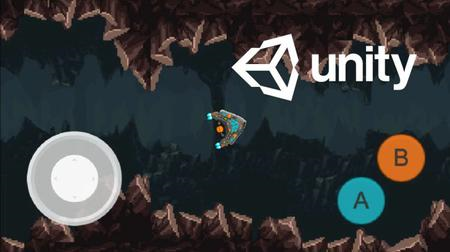
Unity 3D Mobile Game Development - Make iOS & Android Games
MP4 | Video: h264, 1280x720 | Audio: AAC, 44.1 KHz, 2 Ch
Genre: eLearning | Language: English + srt | Duration: 26 lectures (3h 20m) | Size: 2.3 GB

Build 3D Car Racing Game like Asphalt 9 Legends | Real Racing 3 Simulator Game Clone with Unity Game Engine Full Course
What you'll learn
Mobile 3D Game Development
Android 3D Game Development
iOS 3D Game Development
How to make 3d Mobile iOS & Android Games with Unity Game Engine
Player Mobile Controllers System
Racing Car Mobile Controllers System
Racing Cars Mobile Breaks & Gear System
and much more.
Requirements
you must have some basic knowledge of C# Programming Language
you must have some basic knowledge of Unity Game Engine
Description
In this course you will learn how to develop 3d mobile games using unity game engine. In this course you will learn and develop 3d car racing game using unity 3d game engine for mobile phones.
Racing games are a video game genre in which the player participates in a racing competition. They may be based on anything from real-world racing leagues to fantastical settings. They are distributed along a spectrum between more realistic racing simulations and more fantastical arcade-style racing games.
Unity is a cross-platform game engine developed by Unity Technologies, first announced and released in June 2005 at Apple Inc.'s Worldwide Developers Conference as a Mac OS X-exclusive game engine. The first use case is that Unity makes iOS, Android app development quicker and easier in many situations. For example, Unity lets you use C# rather than Java or Kotlin. While C# isn't to everyone's tastes, it is generally considered a little simpler to get to grips with versus Java. You can simultaneously and effortlessly build for iOS and Android (and other platforms) in the cloud. And since Cloud Build is integrated with Collaborate, it works seamlessly for your entire team. Unity is a multi-platform environment and works great for creating cross-platform AR/VR applications, mobile games, console games, due to the possibility to create 3D graphics with a relatively small amount of work in a very easy way without extensive programming knowledge needed.
Who this course is for
Anyone who wants to become a professional 3D Mobile Game Developer
Anyone who wants to learn and build their own 3D Mobile Games
Homepage


5cf40480-10b8-4c81-8c41-353139f1d855.png

Unity Mobile Development - Create Your First Mobile Game!
MP4 | Video: h264, 1280x720 | Audio: AAC, 44.1 KHz, 2 Ch
Genre: eLearning | Language: English + srt | Duration: 21 lectures (3h 24m) | Size: 1.31 GB

Learn the fundamentals of Unity, C# and mobile game development, and introduce yourself to the world of programming!
What you'll learn
How to create and build your very first mobile game from scratch, while learning the fundamentals of coding and game development.
The basics of how to design and publish games using the Unity Game Engine and the C# programming language!
Mobile game development strategies and techniques from an experienced mobile developer!
Principal concepts of mobile game design, such as game feedback and monetization strategy implementation!!
Requirements
No programming or development experience needed! You will learn everything you need to know!
Description
Hey there, and welcome to my course on creating your first-ever mobile game!
In this course, we will be creating our very own, fun-to-play, monetisable mobile game from scratch! We'll be using Unity and C# to develop our game, and will be covering everything mobile game related, from the basics of coding to all the specifics of our game engine.
Over the last few years, I have created and released 4 mobile games, entirely on my own, and they are all currently available to download on Google Play. Now, using the skills I acquired, I have created this course, in the hopes that I could spread this knowledge and help you create your very first game.
When I was building my mobile games, I ran into many, many issues, and as a result, spent hours or sometimes even days searching the web for simple ways to overcome them. In this course, I will cover everything I wish I had known when I started out developing mobile games, and explain the entire process of creating mobile games from start to finish, through easy-to-follow video tutorials. After completing this course, you will have gained all the Unity and C# knowledge you need to begin creating your very own games and apps by yourself!
Creating a mobile game from scratch can be a tricky task, but with the help of this course, you'll be learning what has proved to me to be the easiest and most efficient way to develop mobile games in Unity.
If you choose to enrol, you'll be making a wise decision, learning a valuable and in-demand skill, and having fun while doing so. I hope I get the privilege of teaching you.
Have a great day! :)
Who this course is for
Those looking to enter the exciting world of mobile game development!
Game artists or musicians wanting to learn how to create a game on their own!
Those wanting to learn Unity and C# for the first time!
Novice programmers looking to enter a new field!
Homepage


Zurück
Oben Unten