• Regeln für den Video-Bereich:

    In den Börsenbereich gehören nur Angebote die bereits den Allgemeinen Regeln entsprechen.

    Einteilung

    - Folgende Formate gehören in die angegeben Bereiche:
    - Filme: Encodierte Filme von BluRay, DVD, R5, TV, Screener sowie Telesyncs im Format DivX, XviD und x264.
    - DVD: Filme im Format DVD5, DVD9 und HD2DVD.
    - HD: Encodierte Filme mit der Auflösung 720p oder darüber von BluRay, DVD, R5, TV, Screener sowie Telesyncs im Format x264.
    - 3D: Encodierte Filme von BluRay, die in einem 3D Format vorliegen. Dies gilt auch für Dokus, Animation usw.
    - Serien: Cartoon/Zeichentrick, Anime, Tutorials, Dokumentationen, Konzerte/Musik, Sonstiges sind demnach in die entsprechenden Bereiche einzuordnen, auch wenn sie beispielsweise im High Definition-Format oder als DVD5/DVD9/HD2DVD vorliegen. Ausnahme 3D.
    - Bereich Englisch: Englische Releases gehören immer in diesen Bereich.
    - Bereich Talk: Der Bereich, in dem über die Releases diskutiert werden kann, darf, soll und erwünscht ist.


    Angebot/Beitrag erstellen

    - Ein Beitrag darf erst dann erstellt werden, wenn der Upload bei mindestens einem OCH komplett ist. Platzhalter sind untersagt.
    - Bei einem Scenerelease hat der Threadtitel ausschließlich aus dem originalen, unveränderten Releasenamen zu bestehen. Es dürfen keine Veränderungen wie z.B. Sterne, kleine Buchstaben o.ä. vorgenommen werden. Ausnahme Serienbörse:
    - Bei einem Sammelthread für eine Staffel entfällt aus dem Releasename natürlich der Name der Folge. Beispiel: Die Simpsons S21 German DVDRip XviD - ITG
    - Dementsprechend sind also u.a. verboten: Erweiterungen wie "Tipp", "empfehlenswert", "only", "reup", usw. / jegliche andere Zusatzinformation oder Ergänzung, welche nicht in obiger Beschreibung zu finden ist.

    Aufbau des Angebots und Threadtitel

    Der Titel nach folgendem Muster erstellt zu werden. <Name> [3D] [Staffel] [German] <Jahr> <Tonspur> [DL] [Auflösung] <Quelle> <Codec> - <Group>
    Beispiel: The Dark Knight German 2008 AC3 DVDRip XviD - iND
    Beispiel: The Dark Knight 2008 DTS DL BDRip x264 - iND
    Beispiel: The Dark Knight 2008 AC3 DL BDRip XviD - iND
    Beispiel: The Dark Knight German 2008 AC3 720p BluRay x264 iND
    Beispiel: The Dark Knight 2008 DTS DL 1080p BluRay x264 iND
    Beispiel: Die Simpsons S01 German AC3 DVDRip XviD iND
    Beispiel: Die Simpsons S20 German AC3 720p BluRay x264 iND
    Beispiel: Sword Art Online II Ger Sub 2014 AAC 1080p WEBRip x264 - peppermint
    Entsprechend sind also u.a. verboten: Sonderzeichen wie Klammern, Sterne, Ausrufezeichen, Unterstriche, Anführungszeichen / Erweiterungen wie "Tipp", "empfehlenswert", "only", "reup", usw. / jegliche andere Zusatzinformation oder Ergänzung, welche nicht in obiger Beschreibung zu finden ist
    Ausnahmen hiervon können in den Bereichen geregelt sein.

    Die Beiträge sollen wie folgt aufgebaut werden:
    Überschrift entspricht dem Threadtitel
    Cover
    kurze Inhaltsbeschreibung
    Format, Größe, Dauer sind gut lesbar für Downloader außerhalb des Spoilers zu vermerken
    Nfo sind immer Anzugeben und selbige immer im Spoiler in Textform.
    Sind keine Nfo vorhanden z.B. Eigenpublikationen, sind im Spoiler folgende Dateiinformationen zusätzlich anzugeben :
    Quelle
    Video (Auflösung und Bitrate)
    Ton (Sprache, Format und Bitrate der einzelnen Spuren)
    Untertitel (sofern vorhanden)
    Hosterangabe in Textform außerhalb eines Spoiler mit allen enthaltenen Hostern.
    Bei SD kann auf diese zusätzlichen Dateiinformationen verzichtet werden.

    Alle benötigten Passwörter sind, sofern vorhanden, in Textform im Angebot anzugeben.
    Spoiler im Spoiler mit Kommentaren :"Schon Bedankt?" sind unerwünscht.


    Releases

    - Sind Retail-Release verfügbar, sind alle anderen Variationen untersagt. Ausnahmen: Alle deutschen Retail-Release sind CUT, in diesem Fall sind dubbed UNCUT-Release zulässig.
    - Im Serien-Bereich gilt speziell: Wenn ein Retail vor Abschluss einer laufenden Staffel erscheint, darf diese Staffel noch zu Ende gebracht werden.62
    - Gleiche Releases sind unbedingt zusammenzufassen. Das bedeutet, es ist zwingend erforderlich, vor dem Erstellen eines Themas per Suchfunktion zu überprüfen, ob bereits ein Beitrag mit demselben Release besteht. Ist dies der Fall, ist der bereits vorhandene Beitrag zu verwenden.
    - P2P und Scene Releases dürfen nicht verändert oder gar unter einem iND Tag eingestellt werden.


    Support, Diskussionen und Suche

    - Supportanfragen sind entweder per PN oder im Bereich Talk zu stellen.
    - Diskussionen und Bewertungen sind im Talk Bereich zu führen. Fragen an die Uploader haben ausschließlich via PN zu erfolgen, und sind in den Angeboten untersagt.
    - Anfragen zu Upload-Wünschen sind nur im Bereich Suche Video erlaubt. Antworten dürfen nur auf Angebote von MyBoerse.bz verlinkt werden.


    Verbote

    - Untersagt sind mehrere Formate in einem einzigen Angebotsthread, wie beispielsweise das gleichzeitige Anbieten von DivX/XviD, 720p und 1080p in einem Thread. Pro Format, Release und Auflösung ist ein eigener Thread zu eröffnen.
    - Grundsätzlich ebenso verboten sind Dupes. Uploader haben sich an geeigneter Stelle darüber zu informieren, ob es sich bei einem Release um ein Dupe handelt.
    - Gefakte, nur teilweise lauffähige oder unvollständige Angebote sind untersagt. Dies gilt auch für eigene Publikationen, die augenscheinlich nicht selbst von z.B. einer DVD gerippt wurden. Laufende Serien, bei denen noch nicht alle Folgen verfügbar sind, dürfen erstellt und regelmäßig geupdatet werden.
    - Untersagt sind Angebote, welche nur und ausschließlich in einer anderen Sprache als deutsch oder englisch vorliegen. Ausnahmen sind VORHER mit den Moderatoren zu klären.


    Verstoß gegen die Regeln

    - Angebote oder Beiträge, die gegen die Forenregeln verstoßen, sind über den "Melden"-Button im Beitrag zu melden.
  • Bitte registriere dich zunächst um Beiträge zu verfassen und externe Links aufzurufen.

*** Bestes IPTV *** bester Preis *** gratis Test ***


Englische Tutorials

168a7cfd-441f-4c46-935b-e9fbef1409c8.png

Build Mobile Apps With Only HTML, CSS and JavaScript
Duration: 45m | Video: .MP4, 1280x720, 30 fps | Audio: AAC, 48 kHz, 2ch | Size: 260 MB
Genre: eLearning | Language: English​

In this*class I'll teach you how to build mobile apps with HTML, CSS and JavaScript. We'll be working with Dexie.js and IndexedDb for offline storage, and Google Workbox for generating our service worker. This is an easy-to-understand project-based course.
Homepage
Screenshots


c26f704007ddcecb9276209dd016c4e5.jpg

Create Memorable Home Experiences
Instructors: Ana Marcu
1 section • 9 lectures • 34m
Video: MP4 1280x720 44 KHz | English + Sub
Updated 3/2022 | Size: 646 MB​

Interior Design for Momen
What you'll learn
1. How experience design is used in the setting of interior design
2. How to identify the current strengths and weaknesses of your home
3. How to identify the values and needs that matter to you at home
4. How to identify the moments that matter to you
5. How to create spaces that support those moments
6. What lies behind the moments that we picked
Requirements
Have a floor-plan of your home.
Description
Start your home (re-)design project the right way by identifying the moments that matter to you and your family and creating spaces that support them.
This class is a reflection exercise with the help of the attached workbook and your home floor plan.
In this class you will learn
How experience design is used in the setting of interior design
How to identify the current strengths and weaknesses of your home
How to identify the values and needs that matter to you at home
How to identify the moments that matter to you
How to create spaces that support those moments
What lies behind the moments that we picked
Who is this class for?
Screenshots


9ef0c094-ec0d-4768-b1cd-0f8194f0c029.png

Graphic design with canva: beginner to pro
Genre: eLearning | MP4 | Video: h264, 1280x720 | Audio: AAC, 44.1 KHz
Language: English | Size: 2.10 GB | Duration: 3h 50m
Become a Pro in Graphic Design Using Canva

What you'll learn
Graphic design with canva. Have you tried producing your own graphic designs that just don't look professional? Students will learn how to design as a pro.
In this course, you'll learn how to design responsive, clickable and interactive website using Canva without purchasing any hosting or domain
In this course, I'll show you how to design eye-catching 3D Book Cover using Canva in less than 30 minutes Doing-It-Yourself.
Want to get started in graphic design but have no formal design training and don't know where to start? You will learn this and more.
Requirements
You will need an account at Canva (FREE or PAID) to create your graphics
You should know how to use a PC at a beginner level
Description
Have you tried producing your own graphic designs that just don't look professional?
Have you been outsourcing your graphic design work, paying a lot of money while not getting designs you're completely happy with?
Want to get started in graphic design but have no formal design training and don't know where to start?
If yes, then tis course is for you. In this course you will learn how to create amazing, beautiful, professional graphic designs inside Canva, one of the world's leading free graphic design applications.
Canva is amazing, and is much easier to learn than other expensive graphic design software. You can achieve excellent results, and because Canva is free to use, you can save huge amounts of money on design outsourcing or software fees. I have used Canva for many design projects, and always come up with fantastic end results!
WHAT YOU'LL LEARN
1. How to design Responsive Website Using Canva
In this lecture you'll learn how to design responsive, clickable and interactive website using Canva without purchasing any hosting or domain.
2. How to Create Facebook Video Ads with Canva
In this video, I'll show you how to create videos Facebook Video Ads with Canva. I'll use a Smart watch product as a case study, showing its features and functions
3. How to Create a Professional Email Signature in Canva with Clickable Social Media Icons (for FREE)
In this video, I will show you how to create a Professional Email Signature in #Canva with Clickable Social Media Icons and also show you how to connect it to Gmail for FREE.
Your email signature is your Digital business card, it gives you the perfect opportunity to brand any message/mail you send out. It also makes it easy to connect and reach you because it contains relevant links and contact information.
Using an Email signature shows professionalism when sending out emails and will definitely leave a lasting first impression that will WOW anyone you send the email to.
4. How To Design Eye-catching 3D Book Cover
In this video lecture, I'll show you how to design eye-catching 3D Book Cover using Canva in less than 30 minutes Doing-It-Yourself without the need to spend money hiring a designer.
You don't need prior design skills to do this, you'll leverage readily available FREE Resources.
5. How to add a White Silhouette to your photos in Canva
In this Video, you'll learn how to add a White Silhouette to your photos in Canva.
6. How to make Drip Effect in Canva | Canva Drip Effect Tutorial
In this tutorial, I'll show you how to make Drip Effect in Canva
7. 25 Time-saving Canva Shortcut Keys To Design Faster in 2022[For Beginners And Pro]
In this lecture video you'll learn 25 Time-saving Canva Shortcut Keys that will help you design Faster in 2021, speed your design workflow and also boost your productivity.
8. How to create a cool Profile Picture that stands out in Canva for FREE
in this lecture I'll show you how to create a cool and memorable profile picture that stands out in Canva.
This will make your profile pop out on various social media such as Facebook, Instagram, Twitter, LinkedIn, Clubhouse etc.
It will also help you build strong perception and Consistency across this various social media platforms.
9. How to make a YouTube Intro in Canva for FREE
In this lecture, you'll learn how to make a YouTube Intro in Canva for FREE
10. How to create a Digital Flipbook | Create Interactive PDF in Canva | Protect PDF File with password
In this video, you'll learn how to create a digital flipbook, create interactive PDF in canva and also how to protect PDF file with password. I'll also show you how to create this flipbook using Canva and Heyzin. Embed videos, links, pictures to your ebook, links, and pictures on your flipbook, too
11. How To Edit PDF Documents in Canva
In this video, you'll learn how to import and edit PDF Documents in Canva for FREE.
Some Canva Features
Photo straightener
Image cropper
Add text to photos
Speech and thought bubble creator
Image editing, transparency, straightening and enhancing
Photo Enhancer
Thousands of templates for all possible types of marketing collateral, ranging from social media posts to business cards
Photo Blur
Photo vignette
Grids to ensure straight, balanced designs
Free icons
Photo and image frames
Web wireframe
Stickers for websites
Badges for websites
Add Texture
This course is for anyone who wants to become a Pro in Graphic Design using Canva, which is one of the best graphic design tools.
And, anyone who wants to create stunning graphic designs, quickly and easily
Who this course is for
Anyone who wants to do graphic design but you have ZERO talent (yes, it's that easy)
Anyone who wants to create stunning graphic designs, quickly and easily
Anyone with a product to sell
Anyone who wants to make some extra income online quickly
Online Marketers
Lifestyle Marketers
Graphic Designers
Freelancers
Screenshots








 
61a63804-cb96-468f-9ef0-95cf634cedd5.png

Informatics Literacy on the Basis of Security
Instructors: Hakan Koray Tutkun
8 sections • 19 lectures • 2h 36m
Video: MP4 1280x720 44 KHz | English + Sub
Updated 3/2022 | Size: 1.4 GB​

What you'll learn
In today's world, it has become important to be an information literate.
In order to be an information literate, it is necessary to know the information technologies.
It is also important to take the time to learn about information and communication technologies.
Learning is one of the necessities of achieving perfect and enjoyable results for being an information literate.
Requirements
No experience required.
The slides shown in the lectures have been turned into pdf documents so that you can take notes and attached to each presentations. In this way, if you want, you can take your notes and then develop your own content with these notes you add from different sources.
Description
In addition to the life we ​​have in the real world, a new life begins to form in the virtual world. Until yesterday, we used to go out to the streets and face to face with real people in physical places, but today we carry out almost all our transactions in front of a computer screen or smart phone, but from homes or offices. We are starting to use online programs such as internet banking transactions that we have perhaps never used before, and virtual business meeting rooms. While doing all these interactions, perhaps we do not know exactly what we are doing, and we cannot understand what our mistakes will cause. Because of such concerns, we don't want to use the internet and related technologies.
However, day by day, real world and virtual world operations are being done together so they are related each other. While we buy real products using cryptocurrencies such as Bitcoin, we are starting to take places in the virtual world using digital money. May be we find ourselves in the scenes that we have seen in movies before.
In order not to encounter problems in the virtual world, we need to know some rules and concepts, just like in the real world. We need to be a good information literate in order to learn the information technologies that surround us more and more day by day. For this purpose, I recommend this informative study to those who want to take the first step but cannot motivate themselves yet.
People are afraid what they don't know, but when they have problems with a subject they know, they will find their way.
Let your fears are unfounded and your connection uninterrupted. Have fun in both worlds.
Who this course is for
The world has changed and develops very fast, for this case learning information technologies becomes mandatory. The first step is important and here is the briefing for those who are looking for an excuse to take the first step!
Screenshots


ad772a2db604ea560de34d55228a7a4e.jpg

Learning Outcomes in Higher Education
Instructors: Pulikkotil Shaju Jacob
3 sections • 6 lectures • 43m
Video: MP4 1280x720 44 KHz | English + Sub
Updated 3/2022 | Size: 197 MB​

What you'll learn
Be able to develop course learning outcomes for an undergraduate curriculum.
Be able to identify assessment methods appropriate for the learning outcomes
Be able to identify learning activities appropriate for the learning outcomes
Be able to differentiate the learning outcomes on the different learning domains
Requirements
Be able to understand the basics of learning and education.
Description
The short course will jumpstart you in understanding the basics of developing appropriate learning outcomes in higher education. Learning outcomes are the basic structure of a curriculum based on Outcome-based Education (OBE). The outcomes provide clear content, structure, and direction to the learning by the students. The outcomes are essential to developing good constructively aligned learning activities and assessments.
The course is designed with examples from the higher education curriculum and was supported due to my background in higher dental education. The course can be used by an educator in any discipline as the basic principles are the same and can use their own examples to learn. Bloom's taxonomy is the basis for the development of the learning outcomes in this course. The taxonomy provides an excellent method and resource for developing learning outcomes.
The lessons are specific to learning with relevant examples. There are relevant examples to self-assess your learning. Successful completion of the course will able you to write SMART learning outcomes that will aid in content delivery and assessment in a valid and reliable manner. With the learning from the course, you should be able to develop the bu
Screenshots


0eb76af7-3676-4215-a53c-9bf705d3de60.png

Master NFT -Buy, Create and Sell NFTs
MP4 | Video: h264, 1280x720 | Audio: AAC, 44.1 KHz
Language: English | Size: 791 MB | Duration: 1h 39m​

You will learn how to create, sell and buy NFTs. You will have the complete knowledge for NFTs. You will learn everything from basic to advanced concepts. You will be able to understand the what are the NFTs and how to use them. You will have a project at end of the course which will help you to apply the knowledge what you have obtained.
This course will help you understand NFTs, and how to Buy, Create and Sell your own NFTs without wasting unnecessary time and money (or rather Ether and cryptocurrency) through trial and error.
You'll learn the key aspects around NFTs, including
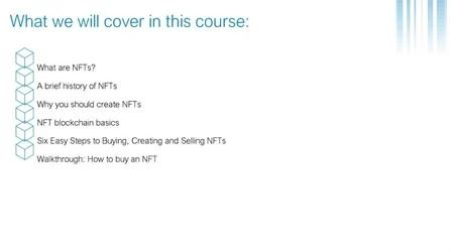
What are NFTs?
A brief history of NFTs
Why you should create NFTs
NFT blockchain basics
A six step, easy to follow formula for buying, creating and selling an NFT
Video "walkthroughs" of how to buy, create and sell NFTs
Screenshots


729c0aa2-3f87-491f-8fbb-9062413e23bd.png

Real Python - Python Basics: Code Your First Python Program
MP4 | Video: h264, 1920x1080 | Audio: AAC, 44.1 KHz, 2 Ch
Genre: eLearning | Language: English | Duration: 6 Lessons (33m) | Size: 115.2 MB

In the previous Python Basics video course, you set up Python on your computer. With Python installed, you're ready ready to start coding!
In this video course, you'll
Write your first Python program
Learn what happens when you run a program with an error
Learn how to declare a variable and inspect its value
Learn how to write comments
This course can be enjoyed alone or as an accompaniment to Python Basics: A Practical Introduction to Python 3.
Ready to begin your Python journey? Let's go!
Homepage


c1c4cf1e-bda7-4178-b8ad-eee2adadb40a.png

Sketchbook 101: Start a Sketchbook
Duration: 1h 34m | Video: .MP4, 1280x720, 30 fps | Audio: AAC, 48 kHz, 2ch | Size: 546 MB
Genre: eLearning | Language: English​

If you have ever struggled to start and maintain a sketchbook practice then this class is for you. My hope is that my very simple and straightforward approach to sketchbooking will help you all get going with a really fulfilling sketchbook practice. I struggled to figure out how to use a sketchbook myself for many year. I would pick up a sketcbhook on and off but never really committed to it or understood its importance. But now I have finally at least cracked the code for how I personally like to work. Maybe my process will inspire you as well :) In this 3 part sketchbook series I am going to be breaking down my process of using a sketchbook to better my illustration skills, play and develop ideas.

In this first part we will start with the basics of drawing objects and the starting points of character development.
WHO IS THIS COURSE FOR?
All*illustrators, artists or surface designers of any level who*would like to*develop a sketchbook practice.
WHAT YOU'LL NEED
Supplies you will need to create the class project
A sketchbook and drawing supplies such as a pencil.
WHAT YOU'LL LEARN
In this class I will be sharing*my process for*starting up a sketchbook practice.
We will cover the following
How and why to start with simple objects.
How to interpret inspiration.
How to create libraries of reference images in your sketchbook.
How to develop your character style.
Tips for creating unique characters.
How to keep going with your sketchbook practice.
Homepage
Screenshots


06616866-2f0f-43ed-9f71-089ccef0b728.png

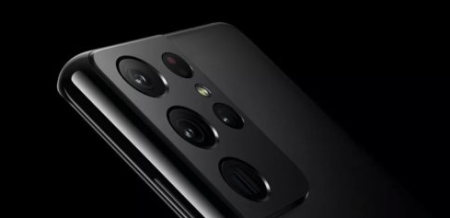
Stunning Mobile Photography Techniques (Samsung Ultra)
MP4 | Video: h264, 1280x720 | Audio: AAC, 44.1 KHz
Language: English | Size: 1.58 GB | Duration: 1h 47m​

This practical mobile photography course will teach you how to take stunning photos with your Samsung Galaxy phone using step-by-step direct camera screen recordings.
We'll go over many excellent composition techniques that will help you take better photos and look at how light affects your photos. We will also explore how to look for subjects and use your lenses in different situations. By the end of the class, you'll be taking stunning photos that you'll be proud to share with your friends and family.
What You Will Learn:
How to take stunning photos with your mobile phone
How to create more depth and feeling in your shots
The core principles of excellent photography
Many powerful composition techniques for taking better photos
How to use understand and use light to your advantage
How to find and frame subjects
How to use Angles for more compelling Photos
How to create more depth and feeling in your shots
How to use different lenses and Samsung Galaxy Ultra camera features
Some classic Creative composition techniques
How to take stunning landscape photos
Why You Should Take This Class:
If you're looking to take mobile phone photography to the next level, this is the perfect class for you.
Not only that, but you'll also learn the core principles of photography that will help you take even better photos with any mobile device or camera.
Who This Class is For
This mobile photography class is designed for anyone who wants to take great photos with their mobile phone. You don't need any prior experience, and you don't need to bring anything except your mobile phone and a willingness to learn.
By the end of this class, you'll be able to take amazing photos with your mobile phone that will impress your friends and family. You'll also have the skills to continue learning about mobile photography on your own.
So what are you waiting for? Enroll today and start taking stunning mobile photos!
Why You Should Take This Class:
It's more important than ever to learn how to take great photos with your mobile phone because mobile phone cameras are now the most popular way people take photos
Reasons To Improve Your Photography Skills
Finally, Utilize Your Mobile Phone To the Full Extent
Take Photos That Your Friends and Family Adore
Post Stunning Photos To Your Instagram
Build Your Photography Skills For Life
Use Better Photos For Your Blog or Business
Monetize and Sell Your Photos Online For Income
Become A Professional Photographer
Screenshots


1bc885f4-867f-41dc-b742-e2d954c21f18.png

The complete introduction to cryptocurrencies trading
Last Update: 3/2022
Duration: 4h 37m | Video: .MP4, 1280x720 30 fps | Audio: AAC, 48 kHz, 2ch | Size: 4.6 GB
Genre: eLearning | Language: English​

Learn everything around cryptocurrency trading| Crypto investing | various Cryptocurrency trading strategies
What you'll learn:
Understanding what are cryptocurrencies
Learn different trading strategies
Be able to invest in various cryptocurrencies
Understand everything around crypto trading
Requirements
Having a computer
Having an interest for cryptocurrencies
Want to learn how to trade
Description
Cryptocurrencies trading and investing can sometimes be very hard to learn especially if you have no experience in this field. But, this course have everything that you need to be able to start your trading journey with more risky financial assets that are cryptocurrencies by learning the basis of this type of this financial product If you
- Are in school and want to learn how to trade properly
- Need to learn what are cryptocurrencies
- Want to start your trding journey and are interested to trade crypto
- simply want to learn a new skill
Then you will love this course. Not only you will have by the end of the course a very solid understand of what are cryptocurrencies but you will also be able to trade all of them with various trading strategies.
The structure of the course
The way the course is made is really done to help you learn all the basics of tading. From understanding what is a cryptocurrency and how you can start your trading journey in the crypto market in no time. Indeed, not only you will learn how to trade properly but you will have a complete understanding of these financial products and all the different types of cryptoscurrencies that exist.
Also, this course has been built on a concept of learning by practice. In other words, the first part of the course will be about the theory around cryptocurrencies this way you will understand what exactly it is and how it works. Then, we are going to learn various trading strategies that can be used to trade not only crypto but any other financial product no matter what it is.
For who is this course designed
There are many crypto trading courses out there, but this one is different. Indeed, this cryptocurrency trading course will teach you by example all the basics of various trading strategies. Also, since this course is an introduction it can be great for people who have never traded or worked before with cryptocurrencies. Indeed, even if you never traded in your life this course will give you a solid basis about how to properly work with cryptocurrencies. The goal of this course is teaching you how to properly invest and trade cryptocurrencies.
Why should I take this course
If you want to learn how to trade cryptocurrencies then you should definitely take the course. Not only you will learn all the theory around cryptocurrencies, you will also be able to trade them as well as any other financial product.
There is no risk involved in taking this course
This course comes with a 100% satisfaction guarantee, this means that if your are not happy with what you have learned, you have 30 days ​to get a complete refund with no questions asked. Also, if there is any concept that you find complicated or you are just not able to understand, you can directly contact me and it will be my pleasure to support you in your learning.
This means that you can either learn amazing skills that can be very useful in your professional or everyday life or you can simply try the course and if you don't like it for any reason ask for a refund.
You can't lose with this type of offer !!
ENROL NOW and start learning today :)
Who this course is for
People interested in trading
People wanting to learn about cryptocurrencies
People interested in in investing in more risky financial assets
Homepage
Screenshots


abce655b-d1c1-4e56-b2bc-69bb6a29b387.png

Ultimate Guide to Drone Applications-Construction Industry-1
MP4 | Video: h264, 1280x720 | Audio: AAC, 44.1 KHz, 2 Ch
Genre: eLearning | Language: English + srt | Duration: 22 lectures (1h 25m) | Size: 429.5 MB

Master all the techniques and software to use drone data and enhance productivity in each stage of Construction!
What you'll learn
Understand the entire construction lifecycle
Understand how the drone data outputs can be used for the first 5 stages in the construction life cycle
Use drones to make site purchase decisions
Use drones to conduct land survey
Use drone survey outputs for site layout and architecture design
Use drone survey outputs for earthwork estimation
Use drones to inspect site activities
Requirements
Basic understanding of the construction industry and/or basic knowledge of drone technology
Description
This course is the first part of the course series Ultimate Guide to Drone Applications-Construction Industry
Part 1 goes into complete detail into how you, as an employee or employer of a construction company, project management company, real estate company or a drone service providing company can use drones to increase accuracy, maximize your efficiency and cost savings in the first 5 stages of a construction project.
We have explained how you can use drones to collect data and use it for the following purposes -
Using drones to make site purchase decisions
Using drones to conduct land survey
Using drone survey outputs for site layout and architecture design
Using drone survey outputs for earthwork estimation
Using drones to inspect site activities
Our previous course series The Ultimate Guide for Land Surveying with Drones has been a best seller on Udemy with more than 4000 enrollments from across 114 countries.
Reviews
"Superb. This course is very useful for anyone who is even remotely interested about drones. This shows us all the technical possibilities with drones and how to build a high value business out of it - much beyond aerial videos and photos."
"This course opens up a new perspective for the usage of drones in a construction site."
"Brilliant! Perhaps the best information available anywhere about usage of drones for construction industry."
"The depth of explanation in this course is absolute! It would be very helpful for all civil engineers like me. Thanks for creating this course."
"Fabulous course! All the details needed for.application of drones in.construction industry are in.the. course. highly recommended."
Who this course is for
Anyone from construction sector who want to incorporate drones into their operations
Anyone who wants to start a drone service business in the construction sector
Anyone who is passionate about drone applications!
Homepage


bf38c328d46d20eb6d22b92a1826df56.jpg

Food Recipes App in SwiftUI 3 & iOS 15 with Lottie Animation
MP4 | Video: h264, 1280x720 | Audio: AAC, 44.1 KHz, 2 Ch
Genre: eLearning | Language: English + srt | Duration: 16 lectures (1h 51m) | Size: 884.2 MB

Build complete app from start to finish with generic json decoder in SwiftUI
What you'll learn
Practical SwiftUI App Development using SwiftUI 3
JSON Parsing via Generics
SwiftUI View Composition
SwiftUI 3 and iOS 15 features
Requirements
Knowledge of Swift
Knowledge of iOS
Knowledge of App Development
Description
In this video course, we will build Food Recipe app from scratch in SwiftUI 3. We will learn to build view components to create final view and along the way discuss challenges that you will be solving to make app better. We will also look at the ways to parse JSON with the help of generics so your JSON parser can parse any JSON file for any types. You will learn about features introduced in SwiftUI 3 and how to include them to build a pleasant user interface. We will also be using Lottie animation and build out a generic app onboarding experience which will be launched as the first entry point for the user coming onboard to use the app. We will see how you can configure each step for app onboarding along with the ways to include animation file for each onboarding step. You will learn to use newly introduced materials for views to give cool glassy effect for your screens. We will build our own search functionality to show how easy it is to include search bar for your list and use that with our list of recipes to filter search recipes. This video is for anyone who knows their way around SwiftUI app development but also wants to learn to build entire app from start to finish.
Who this course is for
Students who wants to learn app development using SwiftUI 3
Homepage


Zurück
Oben Unten