• Regeln für den Video-Bereich:

    In den Börsenbereich gehören nur Angebote die bereits den Allgemeinen Regeln entsprechen.

    Einteilung

    - Folgende Formate gehören in die angegeben Bereiche:
    - Filme: Encodierte Filme von BluRay, DVD, R5, TV, Screener sowie Telesyncs im Format DivX, XviD und x264.
    - DVD: Filme im Format DVD5, DVD9 und HD2DVD.
    - HD: Encodierte Filme mit der Auflösung 720p oder darüber von BluRay, DVD, R5, TV, Screener sowie Telesyncs im Format x264.
    - 3D: Encodierte Filme von BluRay, die in einem 3D Format vorliegen. Dies gilt auch für Dokus, Animation usw.
    - Serien: Cartoon/Zeichentrick, Anime, Tutorials, Dokumentationen, Konzerte/Musik, Sonstiges sind demnach in die entsprechenden Bereiche einzuordnen, auch wenn sie beispielsweise im High Definition-Format oder als DVD5/DVD9/HD2DVD vorliegen. Ausnahme 3D.
    - Bereich Englisch: Englische Releases gehören immer in diesen Bereich.
    - Bereich Talk: Der Bereich, in dem über die Releases diskutiert werden kann, darf, soll und erwünscht ist.


    Angebot/Beitrag erstellen

    - Ein Beitrag darf erst dann erstellt werden, wenn der Upload bei mindestens einem OCH komplett ist. Platzhalter sind untersagt.
    - Bei einem Scenerelease hat der Threadtitel ausschließlich aus dem originalen, unveränderten Releasenamen zu bestehen. Es dürfen keine Veränderungen wie z.B. Sterne, kleine Buchstaben o.ä. vorgenommen werden. Ausnahme Serienbörse:
    - Bei einem Sammelthread für eine Staffel entfällt aus dem Releasename natürlich der Name der Folge. Beispiel: Die Simpsons S21 German DVDRip XviD - ITG
    - Dementsprechend sind also u.a. verboten: Erweiterungen wie "Tipp", "empfehlenswert", "only", "reup", usw. / jegliche andere Zusatzinformation oder Ergänzung, welche nicht in obiger Beschreibung zu finden ist.

    Aufbau des Angebots und Threadtitel

    Der Titel nach folgendem Muster erstellt zu werden. <Name> [3D] [Staffel] [German] <Jahr> <Tonspur> [DL] [Auflösung] <Quelle> <Codec> - <Group>
    Beispiel: The Dark Knight German 2008 AC3 DVDRip XviD - iND
    Beispiel: The Dark Knight 2008 DTS DL BDRip x264 - iND
    Beispiel: The Dark Knight 2008 AC3 DL BDRip XviD - iND
    Beispiel: The Dark Knight German 2008 AC3 720p BluRay x264 iND
    Beispiel: The Dark Knight 2008 DTS DL 1080p BluRay x264 iND
    Beispiel: Die Simpsons S01 German AC3 DVDRip XviD iND
    Beispiel: Die Simpsons S20 German AC3 720p BluRay x264 iND
    Beispiel: Sword Art Online II Ger Sub 2014 AAC 1080p WEBRip x264 - peppermint
    Entsprechend sind also u.a. verboten: Sonderzeichen wie Klammern, Sterne, Ausrufezeichen, Unterstriche, Anführungszeichen / Erweiterungen wie "Tipp", "empfehlenswert", "only", "reup", usw. / jegliche andere Zusatzinformation oder Ergänzung, welche nicht in obiger Beschreibung zu finden ist
    Ausnahmen hiervon können in den Bereichen geregelt sein.

    Die Beiträge sollen wie folgt aufgebaut werden:
    Überschrift entspricht dem Threadtitel
    Cover
    kurze Inhaltsbeschreibung
    Format, Größe, Dauer sind gut lesbar für Downloader außerhalb des Spoilers zu vermerken
    Nfo sind immer Anzugeben und selbige immer im Spoiler in Textform.
    Sind keine Nfo vorhanden z.B. Eigenpublikationen, sind im Spoiler folgende Dateiinformationen zusätzlich anzugeben :
    Quelle
    Video (Auflösung und Bitrate)
    Ton (Sprache, Format und Bitrate der einzelnen Spuren)
    Untertitel (sofern vorhanden)
    Hosterangabe in Textform außerhalb eines Spoiler mit allen enthaltenen Hostern.
    Bei SD kann auf diese zusätzlichen Dateiinformationen verzichtet werden.

    Alle benötigten Passwörter sind, sofern vorhanden, in Textform im Angebot anzugeben.
    Spoiler im Spoiler mit Kommentaren :"Schon Bedankt?" sind unerwünscht.


    Releases

    - Sind Retail-Release verfügbar, sind alle anderen Variationen untersagt. Ausnahmen: Alle deutschen Retail-Release sind CUT, in diesem Fall sind dubbed UNCUT-Release zulässig.
    - Im Serien-Bereich gilt speziell: Wenn ein Retail vor Abschluss einer laufenden Staffel erscheint, darf diese Staffel noch zu Ende gebracht werden.62
    - Gleiche Releases sind unbedingt zusammenzufassen. Das bedeutet, es ist zwingend erforderlich, vor dem Erstellen eines Themas per Suchfunktion zu überprüfen, ob bereits ein Beitrag mit demselben Release besteht. Ist dies der Fall, ist der bereits vorhandene Beitrag zu verwenden.
    - P2P und Scene Releases dürfen nicht verändert oder gar unter einem iND Tag eingestellt werden.


    Support, Diskussionen und Suche

    - Supportanfragen sind entweder per PN oder im Bereich Talk zu stellen.
    - Diskussionen und Bewertungen sind im Talk Bereich zu führen. Fragen an die Uploader haben ausschließlich via PN zu erfolgen, und sind in den Angeboten untersagt.
    - Anfragen zu Upload-Wünschen sind nur im Bereich Suche Video erlaubt. Antworten dürfen nur auf Angebote von MyBoerse.bz verlinkt werden.


    Verbote

    - Untersagt sind mehrere Formate in einem einzigen Angebotsthread, wie beispielsweise das gleichzeitige Anbieten von DivX/XviD, 720p und 1080p in einem Thread. Pro Format, Release und Auflösung ist ein eigener Thread zu eröffnen.
    - Grundsätzlich ebenso verboten sind Dupes. Uploader haben sich an geeigneter Stelle darüber zu informieren, ob es sich bei einem Release um ein Dupe handelt.
    - Gefakte, nur teilweise lauffähige oder unvollständige Angebote sind untersagt. Dies gilt auch für eigene Publikationen, die augenscheinlich nicht selbst von z.B. einer DVD gerippt wurden. Laufende Serien, bei denen noch nicht alle Folgen verfügbar sind, dürfen erstellt und regelmäßig geupdatet werden.
    - Untersagt sind Angebote, welche nur und ausschließlich in einer anderen Sprache als deutsch oder englisch vorliegen. Ausnahmen sind VORHER mit den Moderatoren zu klären.


    Verstoß gegen die Regeln

    - Angebote oder Beiträge, die gegen die Forenregeln verstoßen, sind über den "Melden"-Button im Beitrag zu melden.
  • Bitte registriere dich zunächst um Beiträge zu verfassen und externe Links aufzurufen.

*** Bestes IPTV *** bester Preis *** gratis Test ***


Englische Tutorials

1b065927-a283-42f4-95fb-88339d1584c8.png

German Nominative Articles & Nouns | Frau Hannah
MP4 | Video: h264, 1280x720 | Audio: AAC, 44.1 KHz
Language: English | Size: 55.0 MB | Duration: 14m​

I am Frau Hannah, your German language instructor!
In this class, we will cover the German Nominative Pronouns. In this lesson, we will define the nominative case as well as articles and nouns. You will be introduced to the nominative definite, indefinite, and negative articles, and from there we will learn some animal nouns and use these nouns when practicing with the articles.
After class, there is a project that is designed for individual practice. It builds on the information learned in class and test writing and reading skills. You will find it and all the details in the Project & Resource section below.
The only material needed for this course is you!
This class is perfect for beginner learners of all ages, and would also be a good refresher of foundational concepts for intermediate and advanced learners.
I look forward to communicating and connecting with you all!
Continue learning with me! ↓Links below↓


6a1bc6c6-4f09-4c31-99be-4de73353018e.png

HVAC Chilled Water Pipe Design and Pump Selection Course
MP4 | Video: h264, 1280x720 | Audio: AAC, 44.1 KHz, 2 Ch
Genre: eLearning | Language: English + srt | Duration: 6 lectures (2h 30m) | Size: 960.2 MB

Complete Project on Chilled Water Pipe Design, Pump Head Calculation and Pump Selection
What you'll learn
Learn Chilled Water Pipe Design
Learn Pump Head Calculation
Learn Pump Selection Direct Method
Learn Pump Selection Advanced Method using Catalogue
Learn to read and understand charts and tables provided by manufacturer
Requirements
No requirements
Description
A Master course on a complete project on chilled water pipe design and pump selection.
Without the exact understanding of each step in HVAC design, it is difficult to execute projects.
Once you do a complete project, you shall have detailed understanding of
What are important charts and tables to be used
where to get them
how to read them
what mistakes to avoid
methods of pipe designing for complete layout
methods of pump selection (basic and advanced)
how to read manufacturers catalog
determine critical path
how to read P&ID of chiller piping layout
pump head calculation and many more......
The solution to all the above problems is included in this course on Complete Project on chilled water pipe design and pump selection.
What else you get
30+ downloadable material used in HVAC industry
Excel Sheet for Primary Pump Head Calculation
Excel Sheet for Secondary Pump Head Calculation
Excel Sheet for Condenser Water Pump Head Calculation
After the completion of the course, you can easily work on complete projects on chilled water pipe design and pump selection.
I guarantee that ANYONE can benefit from taking this course, whether it's earning extra money, changing your career, accelerating your career, or a quick refresher.
Go ahead and take the course and make your professional life better and easier.
About Us
Here at Augmintech, we coach engineering students and working professionals for better career opportunities. Our trainers have experience teaching students from more than one hundred countries. They understand the needs of different students whether it is pace, comfort, mindset, etc. They are the best creators from designing courses to final delivery. We design all our courses keeping in mind the comfort of both Online and Offline Learners. Our support team makes sure that you get your doubts clarified as soon as we receive them. WE are on a mission to train Engineers in the most attractive and easiest way and make them FIELD READY. This HVAC course is the first we have launched, and we intend to deliver all that an Engineer would require. So, you can also post what next course you would like us to launch.
Enroll Now and Welcome to Augmintech !!!
Who this course is for
HVAC Engineers looking to perform complete project on Chilled Water Pipe Design
HVAC Engineers looking to perform complete project on Pump Selection
MEP Engineers to perform calculation on complete project
Mechanical Engineers
Plumbing Designer
Piping Designer
Fire Fighting Designer
Pumping Engineer
Homepage


01e594ac-b670-4de9-886c-cf6688f747ce.png

Re-New You - How to Renew, Regenerate and Redesign your life
MP4 | Video: h264, 1280x720 | Audio: AAC, 44.1 KHz, 2 Ch
Genre: eLearning | Language: English + srt | Duration: 29 lectures (3h 28m) | Size: 4.44 GB

Re-write your life script and live life to the max
What you'll learn
Would you like a renewed sense of purpose & direction in YOUR life so that you are the master of your DESTINY?
Would you like to learn the secrets to do, be, have and create whatever you want in life?
Would you like to improve your Self Image so the you can actually achieve your heart's desire?
Would you like to know what has stopped you in the past so that you can live your life to the max?
Would you like to create a roadmap to live the life of your dreams? If so you're at the right place!
Requirements
have a printer to print workbook
notebook
pens
a desire and a mind ready for growth and change
an open mind and a thirst to learn
Description
Do you want to learn how to do, be, have and create anything that you want from your time here on this beautiful planet?
Then this course is for you.
Re-New You is one of the best personal development and goal setting programs in the market today. The ideas, philosophies, concepts and laws that we cover in this program are universal. They will work for you if you put them into action and stick to it.
We have taken the best from the greatest personal development mentors in history and coupled this with our learnings, research and experience over the last 30 years to give what we think is the most comprehensive product available.
Re-New You will result in a NEW, IMPROVED and MOTIVATED YOU. It is designed to help you reclaim your life so that you can bridge the gap which lies between where you are right now in your life and where you truly want to be.
You are here because you are supposed to be here. It is not a coincidence. We are here to give you exactly what you need right now - if you are ready for it. You can do, be have and MOST importantly CREATE the things you want, all of them and you will have them when you fully understand and apply each section of this program.
Who this course is for
People looking to take control of their destiny
people looking to improve their situation and themselves
people who are feeling helpless - particularly in this interesting and challenging environment
people looking to invest in themselves
Homepage


6123adf4b087dc38e9181c69eacbd599.jpg

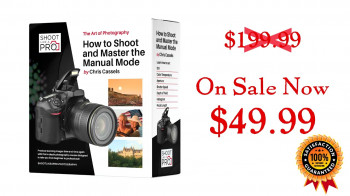
Shoot Like The Pros - Master Manual Photography
MP4 | Video: h264, 1280x720 | Audio: AAC, 44.1 KHz, 2 Ch
Genre: eLearning | Language: English + srt | Duration: 36 lectures (5h 37m) | Size: 5.14 GB

Master Manual Mode Photography
What you'll learn
Master Manual Mode photography - shutter speed, aperture, ISO controls, lighting, focus, and more
Learn to confidently "get the shot" - every time
Fill your walls with your own photography, which you are proud to showcase, and if you want, pursue making a profit with your photos
Proven step-by-step system of training to get fantastic results "in camera", that will have you shooting like a pro, every time, in a very short period of time!
Bonus: Specific recipes for photographing individuals, couples, groups, fast motion with back button focus, long exposures, sunrises and sunsets, and more!
Requirements
No experience needed. Requirements: a camera capable of shooting in Manual Mode, and a burning desire to get great photographs!
Description
You want to finally learn how to control your camera in manual mode and shoot like the pros do.
Here is what you do not need - more information!
If that's all it took, librarians with cameras would be the best photographers out there.
Here is what you do need - a Teacher.
It's not about X hours of video, Y number of PDF's, etc.
You need the right teacher, who will speak clearly and demonstrate the simple concepts that have been under your nose for years (hint, they are fairly simple, they are just usually not taught that well, or comprehensively).
That's where I come in. I have taught hundreds of people my style of Manual Mode professional photography over the years, and have even helped launch some professional careers (in addition, I am a professional photographer who has made my living completely from photography-related ventures for over 20 years). Now, I'm taking that same teaching and applying it in an online course, so I can teach people anywhere in the world, in less than 30 days, how to shoot like a pro!
I teach photography nuts to completely control their camera, get the shot every time, fill their walls with their photos, and/or make a profit from photography. I will teach you as well, in less than 30 days if you wish! Join me :)
Who this course is for
You have a passion for photography
You want to get much better - fast!
You don't want to waste time fixing photos in the computer any more than you have to
You are interested in making money from photography (not a required desire, but this course will help with making money)
You are more of a visual learner than a book learner
You have "the eye" - you have an obvious taste for composition that you and/or others have noticed, and get great joy from being creative
Homepage


0477d2a2-15cc-419e-acb3-296cd3ce940d.png

7 Chakras : The Complete Guide to Your Energy Body
Last Update: 3/2022
Duration: 39m | Video: .MP4, 1280x720 30 fps | Audio: AAC, 48 kHz, 2ch | Size: 854 MB
Genre: eLearning | Language: English​

Understand Your Chakras, Your Energy Body, and Heal the Areas of your life that need it!
What you'll learn:
Hand Mudra Yoga to Balance Chakras
7 chakras and how to balance them
Energy Channels
Full chakra meditation cycle
Requirements
Desire for better life
Description
Chakras are the energy centers of the body. They are located in the astral body, along the spine, starting at its base and running upwards to the crown of the head. The astral body is the energy body residing inside our physical body. Each physical body part has a corresponding astral body part. The astral body cannot be seen or touched. This is also a reason why we cannot see the chakras.
In Sanskrit, the word "chakra" means "disk" or "wheel" and refers to the energy centers in your body. These wheels or disks of spinning energy each correspond to certain nerve bundles and major organs.
To function at their best, your chakras need to stay open, or balanced. If they get blocked, you may experience physical or emotional symptoms related to a particular chakra.
There are seven main chakras that run along your spine. They start at the root, or base, of your spine and extend to the crown of your head. That said, some people believe you have at least 114 different chakras in the body. Depending on whether these energy centers are healthy or blocked, you may experience different attributes of your physical, mental, and emotional health.
Who this course is for
At the end of the course you will be a certified Chakra Healing Practitioner
Homepage
Screenshots


c9a2ba23-8160-406b-bcb0-14d5e31cd452.png

CCSP Cert Prep: 2 Data Security (2022)
MP4 | Video: h264, 1280x720 | Audio: AAC, 44.1 KHz, 2 Ch
Skill Level: Intermediate | Genre: eLearning | Language: English + srt | Duration: 2h 8m | Size: 312.6 MB

Are you a cybersecurity or cloud computing professional preparing for the Cloud Data Security domain of the CCSP exam? In this course, Mike Chapple presents the detailed information you need, using the objectives that will be reflected in the August 2022 exam release. This course covers the second domain of the CCSP exam: Cloud Data Security. Mike discusses cloud data storage and shows you how the cloud data lifecycle guides security efforts in the cloud. He explains encryption, key management, the infrastructure of public keys, and cryptographic applications like TLS, SSL, IPsec, and more. Mike dives into data protection and effective information management. Plus, he goes over the key principles of making your data events auditable in the cloud.
Homepage


0ddd77a1-d5bb-4c4a-8421-f0263e4a2c40.png

Canva: Web and Digital Design Projects
MP4 | Video: h264, 1280x720 | Audio: AAC, 44.1 KHz, 2 Ch
Skill Level: Beginner | Genre: eLearning | Language: English + srt | Duration: 1h 36m | Size: 294.7 MB

Did you know that you can create professional graphics without having any graphic design experience? Canva is an easy-to-use, cloud-based design platform-the perfect companion for your web and digital design projects. In this course, instructor Heather Severino shows you how to create lightweight, rapid graphics and share social media and online marketing content with Canva.
Discover the flexible Canva user interface for design projects in personal and team-based workspaces. Learn how to craft, customize, and publish social media content, designing from scratch or with built-in Canva templates and sharing posts on your preferred platforms. Explore your options for logo design, presentations, file sharing, and collaborative editing to drive marketing for your brand. Along the way, Heather gives you pointers for creating graphics that can help make your web and digital design projects really shine.
Homepage


10198a69-8593-4e57-9c7c-b6f53b705cf9.png

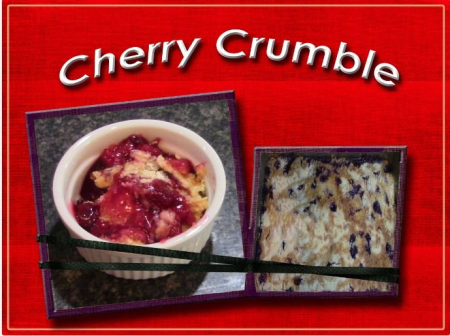
Cherry Crumble
MP4 | Video: h264, 1280x720 | Audio: AAC, 44.1 KHz
Language: English | Size: 265 MB | Duration: 17m​

This is an easy yet delicious dessert for any occasion. We will start our class with making the crumble that goes on top of our cherries. Then we will assemble our crumble with three layers. The Cherries, the crumble, and the butter. Next we will bake the cobbler. Once it is baked it will be ready to be served by itself or with ice cream. Enjoy.
Screenshots


eefd95b9-3f97-4113-8c27-5cc2583aa0f9.png

Into the Ocean: Character Animation Essentials in Blender 3D
MP4 | Video: h264, 1280x720 | Audio: AAC, 44.1 KHz
Language: English | Size: 2.78 GB | Duration: 3h 59m​

Seeing your own characters come to life through animation is a magical experience. This class will teach you the essential 3D character animation skills you need to get started.
In this class I shall first demonstrate how to build a 3D character rig in Blender. This rig contains all the controls which are essential to be able to successfully animate your character.
Once the rig is complete, we will go on to analyse how a fish swims, using that information to help create a simple looping animation cycle.
Finally, I will show you how to make use of that cycle as an element within a longer animation which will truly bring your character to life.
Whilst this class builds upon the previous classes in the series, it also functions as a standalone class. If you'd simply like to learn about character rigging or character animation, you are free to follow along using the provided models as a starting point.
If, however, you have already taken the earlier classes in the series, you will be able to apply everything that I demonstrate to bring your own character model to life.
By the end of this class, you will have all the skills necessary to both rig and animate simple characters of your own, giving you everything required to start bringing your characters to life.
What you will learn
How to create a simple armature and control its influence using weight painting.
How to analyse reference footage for animation.
How to create a perfectly looping animation cycle.
How to use the Non-Linear Animation editor to manipulate animation.
How to control animation along a path.
How to break up a cycle to make it believable.
How to render your final animation.
What you will create
By following along with the class, you will first build a character rig for your own character or the provided model.
You will then go on to create a fully rendered 3D character animation of a swimming fish.
Good to know
This is a beginner level class using the free 3D software application Blender.
This class was created in Blender 3.0 and is fully compatible with Blender 3.1.
No prior character rigging or character animation experience is required but a familiarity of Blender's interface would be very helpful.
If you are new to Blender, I would recommend starting out with my Into Animation: Blender 3D Essentials for Animators class which will provide a solid foundation to build on.
If you would like to rig and animate a character based upon your own design, consider starting out with my Into the Ocean: Character Design Essentials and Into the Ocean: Character Modeling Essentials in Blender 3D classes.
The Blender software application can be downloaded for free from: blender.org
By the end of this class, you will have the essential rigging and animation skills required to bring appealing characters to life for your own 3D animation projects.
Let's get started!
Once you have finished this class, don't forget to check out the other animation classes here on Skillshare.
Screenshots


f9f25dd7-30bb-47ae-be60-08b858cbc51e.png

Managing Resources with Azure Policy
MP4 | Video: h264, 1280x720 | Audio: AAC, 44.1 KHz, 2 Ch
Skill Level: Beginner | Genre: eLearning | Language: English + srt | Duration: 1h 1m | Size: 133.3 MB

Azure Policy is a governance and compliance tool that helps to enforce organizational standards and to assess compliance at-scale. In this course, instructor James Millar shows how Azure Policy can be used to take governance and compliance into consideration early on when designing a cloud strategy. He begins by explaining governance and its importance, then dives deeper into how to build governance considerations into your design. Utilizing several hands-on demos, he shows how to successfully create and manage your policies.
Homepage


30a03739-27f2-4656-bb98-755a85fc4abc.png

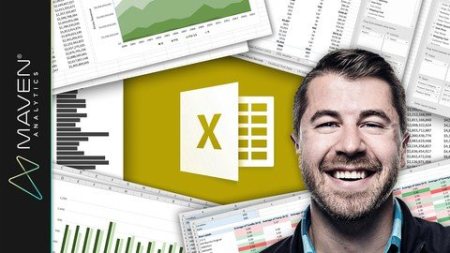
Microsoft Excel: Business Intelligence w/ Power Query & DAX
MP4 | Video: h264, 1280x720 | Audio: AAC, 44.1 KHz
Language: English | Size: 2.16 GB | Duration: 7h 14m​

Learn advanced Excel for data analysis & business intelligence (Power Query, Power Pivot & DAX language. Excel 2013+)
What you'll learn
Get up & running with Excel's game changing data modeling & business intelligence tools
Learn how to use Power Query, Power Pivot & DAX to absolutely revolutionize your workflow in Excel
Master unique tips, tools and case studies that you won't find in ANY other course, guaranteed
Explore fun, interactive, and highly effective lessons from a best-selling Excel instructor
Get LIFETIME access to project files, quizzes and homework exercises, and 1-on-1 expert support
Build pro-quality business intelligence solutions to blend and analyze data from multiple sources
Requirements
IMPORTANT: You need a version of Excel that is compatible with Power Pivot (Excel 2013/2016/2019 Standalone, Office 365, Enterprise E3/E5, Office Professional 2016, etc.)
This course is designed for PC users (Power Pivot is currently NOT available for Mac)
Experience with Excel PivotTables and formulas & functions is strongly recommended
Description
This course introduces Microsoft Excel's powerful data modeling and business intelligence tools: Power Query, Power Pivot, and Data Analysis Expressions (DAX).
If you're looking to become a power Excel user and absolutely supercharge your Excel analytics game, this course is the A-Z guide that you're looking for. I'll introduce the "Power Excel" landscape, and explore what these Excel tools are all about and why they are changing the world of self-service business intelligence.
Together, we'll walk through the Excel BI workflow, and build an entire Excel data model from scratch
First we'll get hands-on with Power Query; a tool to extract, transform, and load data into Excel from flat files, folders, databases, API services and more. We'll practice shaping, blending and exploring our project files in Excel's query editor, and create completely automated loading procedures inside of Excel with only a few clicks.
From there we'll dive into Data Modeling 101, and cover the fundamentals of database design and normalization (including table relationships, cardinality, hierarchies and more). We'll take a tour through the Excel data model interface, introduce some best practices and pro tips, and then create our own relational database to analyze throughout the course.
Finally, we'll use Power Pivot and DAX to explore and analyze our Excel data model. Unlike traditional Excel Pivot Tables, Power Pivot allows you to analyze hundreds of millions of rows across multiple data tables (inside of Excel!), and create supercharged calculated fields using a formula language called Data Analysis Expressions (or "DAX" for short). We'll cover basic DAX syntax, then introduce some of the most powerful and commonly-used functions -- CALCULATE, FILTER, SUMX and more.
If you're ready to take your Excel game to new heights and join the leading edge of analytics & business intelligence, this course is for you. It's time to stop fighting with tedious, manual tasks and struggling with "old-school" Excel; join me on this journey and emerge a certified excel analytics NINJA.
See you in there!
-Chris (Founder, Excel Maven & Maven Analytics)
IMPORTANT: Power Query and Power Pivot are currently NOT available in Excel for Mac. You'll need a PC version of Excel that is compatible with Power Pivot (Excel 2010 with plug-in, Excel 2013, Excel 2016, or Excel 2019 Standalone, Office 365 Pro Plus, Enterprise E3/E5, Office Professional 2016, etc.)
__________
Looking for the full business intelligence stack? Search for "Maven Analytics" to browse our full course library, including Excel, Power BI, MySQL, and Tableau courses!
Hear why this is one of the TOP-RATED Excel courses on Udemy, and the #1 Excel Power Query + Excel Power Pivot course
"I am a self-taught Excel Power Query user and it took me a while to understand what each tool does and how it interacts with others. Thanks to your introduction I finally nailed it in a very clear, unambiguous way. You helped me build a method that I can confidently apply to my data in Excel. Thank you so much!"
-Francesca C.
"I'm less of an expert at breathing than Chris is at Excel. This course is thorough and well-planned, and he presents in a manner that simplifies the complicated. Well worth your time if you want to master Excel power query and power pivot!"
-Tim B.
"I'm geeking out, this is so cool. Where has this been all my life???"
-Karen P.
*** This course includes Excel project files, quizzes & homework exercises, 1-on-1 instructor support, LIFETIME access and a 100% money-back guarantee! ***
Who this course is for
Excel users who want to learn advanced data modeling & business intelligence tools
Students looking for a comprehensive, engaging, and highly interactive approach to Excel training
Anyone looking to become an Excel POWER USER and supercharge their analytics skillset
Students looking to pursue a career in data analysis or business intelligence
Screenshots








 
d69ae49b-128f-4c02-a8c0-35420cb42a17.png

Outlook Essential Training (Microsoft 365) (2022)
MP4 | Video: h264, 1280x720 | Audio: AAC, 44.1 KHz, 2 Ch
Skill Level: Beginner + Intermediate | Genre: eLearning | Language: English + srt | Duration: 2h 18m | Size: 364 MB

Microsoft Outlook-one of the most widely used email and calendaring apps in the world-boasts tools that can help you work as a team, track assignments, and collaborate more effectively. In this course, learn how to set up and manage email, calendars, and contacts in the Microsoft 365 version of Outlook. This beginner-level course with instructor Jess Stratton begins with a tour of the interface and shows how to connect a wide variety of email accounts to Outlook. Jess then shows how to quickly create, send, and read email and reduce your inbox clutter, create and share contacts, and stay on schedule with calendars and tasks. Also, find out how to make the most of Outlook's accessibility features, including features for users with disabilities as well as tools to help ensure accessibility in your emails and calendar invites.
Homepage


Zurück
Oben Unten