• Regeln für den Video-Bereich:

    In den Börsenbereich gehören nur Angebote die bereits den Allgemeinen Regeln entsprechen.

    Einteilung

    - Folgende Formate gehören in die angegeben Bereiche:
    - Filme: Encodierte Filme von BluRay, DVD, R5, TV, Screener sowie Telesyncs im Format DivX, XviD und x264.
    - DVD: Filme im Format DVD5, DVD9 und HD2DVD.
    - HD: Encodierte Filme mit der Auflösung 720p oder darüber von BluRay, DVD, R5, TV, Screener sowie Telesyncs im Format x264.
    - 3D: Encodierte Filme von BluRay, die in einem 3D Format vorliegen. Dies gilt auch für Dokus, Animation usw.
    - Serien: Cartoon/Zeichentrick, Anime, Tutorials, Dokumentationen, Konzerte/Musik, Sonstiges sind demnach in die entsprechenden Bereiche einzuordnen, auch wenn sie beispielsweise im High Definition-Format oder als DVD5/DVD9/HD2DVD vorliegen. Ausnahme 3D.
    - Bereich Englisch: Englische Releases gehören immer in diesen Bereich.
    - Bereich Talk: Der Bereich, in dem über die Releases diskutiert werden kann, darf, soll und erwünscht ist.


    Angebot/Beitrag erstellen

    - Ein Beitrag darf erst dann erstellt werden, wenn der Upload bei mindestens einem OCH komplett ist. Platzhalter sind untersagt.
    - Bei einem Scenerelease hat der Threadtitel ausschließlich aus dem originalen, unveränderten Releasenamen zu bestehen. Es dürfen keine Veränderungen wie z.B. Sterne, kleine Buchstaben o.ä. vorgenommen werden. Ausnahme Serienbörse:
    - Bei einem Sammelthread für eine Staffel entfällt aus dem Releasename natürlich der Name der Folge. Beispiel: Die Simpsons S21 German DVDRip XviD - ITG
    - Dementsprechend sind also u.a. verboten: Erweiterungen wie "Tipp", "empfehlenswert", "only", "reup", usw. / jegliche andere Zusatzinformation oder Ergänzung, welche nicht in obiger Beschreibung zu finden ist.

    Aufbau des Angebots und Threadtitel

    Der Titel nach folgendem Muster erstellt zu werden. <Name> [3D] [Staffel] [German] <Jahr> <Tonspur> [DL] [Auflösung] <Quelle> <Codec> - <Group>
    Beispiel: The Dark Knight German 2008 AC3 DVDRip XviD - iND
    Beispiel: The Dark Knight 2008 DTS DL BDRip x264 - iND
    Beispiel: The Dark Knight 2008 AC3 DL BDRip XviD - iND
    Beispiel: The Dark Knight German 2008 AC3 720p BluRay x264 iND
    Beispiel: The Dark Knight 2008 DTS DL 1080p BluRay x264 iND
    Beispiel: Die Simpsons S01 German AC3 DVDRip XviD iND
    Beispiel: Die Simpsons S20 German AC3 720p BluRay x264 iND
    Beispiel: Sword Art Online II Ger Sub 2014 AAC 1080p WEBRip x264 - peppermint
    Entsprechend sind also u.a. verboten: Sonderzeichen wie Klammern, Sterne, Ausrufezeichen, Unterstriche, Anführungszeichen / Erweiterungen wie "Tipp", "empfehlenswert", "only", "reup", usw. / jegliche andere Zusatzinformation oder Ergänzung, welche nicht in obiger Beschreibung zu finden ist
    Ausnahmen hiervon können in den Bereichen geregelt sein.

    Die Beiträge sollen wie folgt aufgebaut werden:
    Überschrift entspricht dem Threadtitel
    Cover
    kurze Inhaltsbeschreibung
    Format, Größe, Dauer sind gut lesbar für Downloader außerhalb des Spoilers zu vermerken
    Nfo sind immer Anzugeben und selbige immer im Spoiler in Textform.
    Sind keine Nfo vorhanden z.B. Eigenpublikationen, sind im Spoiler folgende Dateiinformationen zusätzlich anzugeben :
    Quelle
    Video (Auflösung und Bitrate)
    Ton (Sprache, Format und Bitrate der einzelnen Spuren)
    Untertitel (sofern vorhanden)
    Hosterangabe in Textform außerhalb eines Spoiler mit allen enthaltenen Hostern.
    Bei SD kann auf diese zusätzlichen Dateiinformationen verzichtet werden.

    Alle benötigten Passwörter sind, sofern vorhanden, in Textform im Angebot anzugeben.
    Spoiler im Spoiler mit Kommentaren :"Schon Bedankt?" sind unerwünscht.


    Releases

    - Sind Retail-Release verfügbar, sind alle anderen Variationen untersagt. Ausnahmen: Alle deutschen Retail-Release sind CUT, in diesem Fall sind dubbed UNCUT-Release zulässig.
    - Im Serien-Bereich gilt speziell: Wenn ein Retail vor Abschluss einer laufenden Staffel erscheint, darf diese Staffel noch zu Ende gebracht werden.62
    - Gleiche Releases sind unbedingt zusammenzufassen. Das bedeutet, es ist zwingend erforderlich, vor dem Erstellen eines Themas per Suchfunktion zu überprüfen, ob bereits ein Beitrag mit demselben Release besteht. Ist dies der Fall, ist der bereits vorhandene Beitrag zu verwenden.
    - P2P und Scene Releases dürfen nicht verändert oder gar unter einem iND Tag eingestellt werden.


    Support, Diskussionen und Suche

    - Supportanfragen sind entweder per PN oder im Bereich Talk zu stellen.
    - Diskussionen und Bewertungen sind im Talk Bereich zu führen. Fragen an die Uploader haben ausschließlich via PN zu erfolgen, und sind in den Angeboten untersagt.
    - Anfragen zu Upload-Wünschen sind nur im Bereich Suche Video erlaubt. Antworten dürfen nur auf Angebote von MyBoerse.bz verlinkt werden.


    Verbote

    - Untersagt sind mehrere Formate in einem einzigen Angebotsthread, wie beispielsweise das gleichzeitige Anbieten von DivX/XviD, 720p und 1080p in einem Thread. Pro Format, Release und Auflösung ist ein eigener Thread zu eröffnen.
    - Grundsätzlich ebenso verboten sind Dupes. Uploader haben sich an geeigneter Stelle darüber zu informieren, ob es sich bei einem Release um ein Dupe handelt.
    - Gefakte, nur teilweise lauffähige oder unvollständige Angebote sind untersagt. Dies gilt auch für eigene Publikationen, die augenscheinlich nicht selbst von z.B. einer DVD gerippt wurden. Laufende Serien, bei denen noch nicht alle Folgen verfügbar sind, dürfen erstellt und regelmäßig geupdatet werden.
    - Untersagt sind Angebote, welche nur und ausschließlich in einer anderen Sprache als deutsch oder englisch vorliegen. Ausnahmen sind VORHER mit den Moderatoren zu klären.


    Verstoß gegen die Regeln

    - Angebote oder Beiträge, die gegen die Forenregeln verstoßen, sind über den "Melden"-Button im Beitrag zu melden.
  • Bitte registriere dich zunächst um Beiträge zu verfassen und externe Links aufzurufen.

*** Bestes IPTV *** bester Preis *** gratis Test ***


Englische Tutorials

ea72756e74a8c5f5653f7f51af925ba6.jpg

The Gnomon Workshop - Creating High-Resolution Custom Trees Using SpeedTree
Video: h264, 1920x1080, 59.94 fps | Audio: aac, 48000 Hz, stereo
Genre: eLearning | Duration: 212 Minutes | Language: English | File size: 3.9 GB​

Discover how to generate complex-looking trees using SpeedTree and Houdini, with this intermediate-level tutorial by Jean-Michel Bihorel. Starting from simple generating rules before deep-diving into more advanced areas of tree generation in SpeedTree and Houdini, Jean-Michel teaches every step needed to generate a hero tree asset - perfect for use in a cinematic.
Screenshots

Throughout the workshop, Jean-Michel shares how to create a mixture of hand-drawn branches extended by procedural generators, as well as how to use the mesh forces for realistic results. He also reveals how to set up and export a leaf as a point cloud in Houdini in order to manage a more optimized setup, as well as great procedural control over the leaf geometry generation and placement based on the direction of the sun.
For those that don't want to export their tree assets to Houdini, Jean-Michel also provides guidance for exporting your trees into other software - in this case, Maya - along with advice for how to get your shaders working in other software packages.
By the end of this tutorial, you should feel comfortable generating a variety of trees growing from any surface, including growing a variety of other vegetation from trees as well. You will also develop a solid understanding of how to deal with importing and exporting your assets between software.
While this is not an introductory-level tutorial, you are not required to be a SpeedTree expert in order to follow along.
Homepage


af9b62a2bb5bdb35376963d95875e896.jpeg

Udemy - Fundamentals of Physics
Instructors: Omkareshwar Jha
5 sections • 41 lectures • 1h 50m
Video: MP4 1280x720 44 KHz | English + Sub
Updated 1/2022 | Size: 2.4 GB​

Learn Physics
What you'll learn
Motion and Rest
Average and Instantaneous rates
Graphs of Motion and rest and its analysis
One dimensional motion
Two dimensional motion (Parabola)
Gravitation and motion of satellites
Requirements
Internet connection
Description
Do you want to learn Physics?
Welcome dear friend,
Pour up your emotions because this is Physics in motion. In this course we're gonna learn comprehensive ways of Physics from scratch.
Step by Step we are going to explore all the fundamental and key concepts that become the basis of Physics.
After teaching 100's of students successfully in my Offline classes i decided to share this knowledge with the world.
In this course we're going to learn
1. Motion & Rest
2. One dimensional motion
3. Graphs
4. Laws of motion
5. Gravitation
"In the 1st section we're going to learn absolute and relative rest and motion.
Difference b/w Distance & Displacement.
Rate that tells Speed & Velocity and finally rate of velocity which is Acceleration. In this section we will learn and get clear about Rest & Motion and all the basics you're gonna need to start understanding stop and moving."
"In section 2 We're going to learn One dimensional motion in which we will explore all the equations of motion that will take our knowledge to the next level. We are going to learn its derivation & its practical application that you're going to solve with me.."
"In 3rd Section we will explore Graphs.
Increasing, decreasing, uniform, Non- uniform motions. We're gonna see slope and area of the graphs. We're gonna see displacement time, velocity time and acceleration time graph & to represent motion and rest by graphs. So there's a lot to grasp and that much fun"
"In Section 4 we're going to see the Laws of Motion and meet with great minds.. Galileo, Kepler, Aristotle & Our Friend Newton. We're going to learn Parabola and Trajectory path and its motion and after this you will able to calculate and understand what actually happen when a ball is thrown up and horizontal (2 dimensionally) and finally we will learn all the 3 most famous laws of motion gave by Newton. This section has packed fun that is waiting to unwrap by you"
"In Section 5 we're going to learn Gravitation one of the greatest discovery in Mankind. Its understanding started with ground and take off to the launching of Satellites and Rockets. In this section we're going to explore all this amazing science. So join now and master the art of Physics"
With 100's of practice problem with solution will going to endorse your journey in learning Physics. Give that your best effort and make it a reality that Physics is not any difficult subject for you anymore.
With section wise breakup & indepth lessons that make it interactive & easy to learn. Awareness quiz to check your attention with quick notes & practice mcq questions with solutions.
If you tired of resources and still cant start your Physics journey. This is perfect place to start with. You will feel like you are creating Physics. I am gonna update this course even further..
Feel it!
Who this course is for
Those who want to start learning Physics or want to advance their knowledge in Physics and world around.
Screenshots


259ac68c-fc43-45fe-a9f6-1522e0bd871e.png

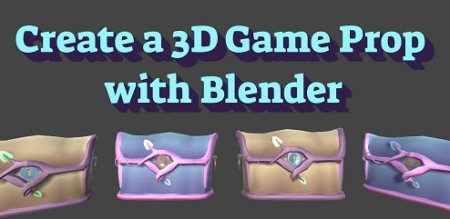
Intro to 3D Modeling: Make a 3D Game Prop in Blender
Instructors: Alyssa Blackwell
Duration: 2h 40m • 16 Lessons
Video: MP4 1280x720 44 KHz | English
Level: Beginner | Size: 984 MB​

In this class you will learn how to use Blender 3D software to create a 3D model object for use in a game engine such as Unity.
You will learn
How to use Blender
The process for building a 3D model
How to add a color or texture to that model
Export it from Blender
Import into the Unity game engine
You will also learn a technique for texturing models that does not require hand painting, so it greatly speeds up the process for individual developers or very small teams, called Lazy UV unwrapping.
You will need a computer to complete this course, but any major platform (Windows, Mac or Linux) will work, and a laptop should work as well, though it may be difficult on older laptops with poor graphics processing.
By the end of this course you will have the skills to create game props for your own indie game!
Screenshots


4544694-137b.jpg

Orchestration Masterclass, Part 1: The Strings and The Winds
MP4 | Video: h264, 1280x720 | Audio: AAC, 44.1 KHz, 2 Ch
Genre: eLearning | Language: English + srt | Duration: 62 lectures (4h 49m) | Size: 5.26 GB

Every aspect of composing for the orchestra whether you are working with real players or sampled orchestra libraries
What you'll learn
Compose music for the strings and for the winds
The unique properties of every instrument in the orchestra
How writing for the orchestra works, including scores, parts, shared parts, and more.
Making your synthesized orchestrations sounds great!
Requirements
Understanding how to read music, or the basic principals of notated music will be helpful but is not required.
Description
100% Answer Rate! Every single question posted to this class is answered within 24 hours by the instructor.
Are you a music maker, performer, composer, or aspiring songwriter looking to up your game? This is the place to start.
It's time to learn orchestration to give your music the power, the passion, and the prodigiousness that it deserves.
Orchestration is the study of each instrument in the orchestra, how they work, how to write for them, and how each instrument collides with the others to make new sounds. Think of it like painting: The orchestra is your palette of colors. But you don't want to just mix them all together. You need to understand some principles of mixing those colors together before you put your brush on canvas.
In this series of classes we are going to work on three things:
Instrumentation: Knowing how all of the instruments in the orchestra work, and how to write for them in an idiomatic way.
Composition: Using the orchestra to write powerful music. Learning how to blend the different sounds of the orchestra to make a new, unique, sound.
Synthestration: Using common production software (Ableton Live, FL Studio, Logic Pro, Pro Tools, Cubase, etc.) to create a realistic orchestra sound using sample libraries.
In this first class, "Part 1: The Strings and The Winds" we are going to focus entirely on instrumentation - learning how to write for the strings (violin, viola, cello, bass/contrabass) and the winds (flute, oboe, clarinet, bassoon, and saxophone).
If you don't know me, I've published a lot of classes here. Those classes have been really successful (top sellers, in fact!), and this has been one of the most requested class that my students (over 1,000,000 of them) have asked for. I'm really excited to finally be able to bring this to you.
Here is a list of some of the topics we will cover
Transposition
Score Order
Tips for Reading Scores
Preparing Parts for Players
Page Turns and Cues
Bowing
Pizzicato
Double Stops
The Violin
The Viola
The Cello
The Bass
String Effects
Harmonics
Col Legno
Ponticello
Glissando
Vibrato
Scordatura
The Winds
Sustained Tones and Breathing
Tonguing and Rhythm
Types of Flutes
Types of Oboes
Types of Clarinets
The Break in the Clarinet
Types of Bassoons
Types of Saxophones
Alto Saxophone, Tenor Saxophone, Bari Saxophone, and Soprano Saxophone
Woodwind Effects
Multiphonics
And Much, Much, More!
My Promise to You
I am a full-time Music composer and Educator. If you have any questions please post them in the class or send me a direct message. I will respond within 24 hours. And if you find this class isn't for you, I am more than happy for you to take advantage of the 30-day money-back guarantee. No questions asked.
What makes me qualified to teach you?
In addition to being a composer and educator, I also have a Ph.D. in music, I am a university music professor, and have a long list of awards for teaching.
But more importantly: I use this stuff every day. I write music professionally, I am an active guitarist, and I stay on top of all the latest production techniques, workflows, and styles. As you will see in this class, I just love this stuff. And I love teaching it.
Let's get started!
See you in lesson 1.
All best,
Jason (but call me Jay...)
Who this course is for
Anyone who wants to compose music for the orchestra
Anyone who wants to learn instrumentation and orchestration
Producers of any genre interested in getting the sound of a sampled orchestra into their music.
Musicians interested in how the orchestra works.
Homepage


4544694-137b.jpg

Orchestration Masterclass, Part 2: Brass, Voice, & Guitar
MP4 | Video: h264, 1280x720 | Audio: AAC, 44.1 KHz, 2 Ch
Genre: eLearning | Language: English + srt | Duration: 47 lectures (3h 17m) | Size: 3.3 GB

Every aspect of composing for the orchestra whether you are working with real players or sampled orchestra libraries
What you'll learn
Compose music for the voice, guitar, brass, and percussion instruments
The unique properties of every instrument in the orchestra
How writing for the orchestra works, including scores, parts, shared parts, and more.
Making your synthesized orchestrations sounds great!
How to write music for brass.
How to write music for voice and choir
How to write music for guitar
How to write music for harp
Requirements
Understanding how to read music, or the basic principals of notated music will be helpful but is not required.
Orchestration Masterclass, Part 1: The Strings and The Winds is very helpful to have completed prior to this course, but is not required.
Description
100% Answer Rate! Every single question posted to this class is answered within 24 hours by the instructor.
Are you a music maker, performer, composer, or aspiring songwriter looking to up your game? This is the place to start.
It's time to learn orchestration to give your music the power, the passion, and the prodigiousness that it deserves.
Orchestration is the study of each instrument in the orchestra, how they work, how to write for them, and how each instrument collides with the others to make new sounds. Think of it like painting: The orchestra is your palette of colors. But you don't want to just mix them all together. You need to understand some principles of mixing those colors together before you put your brush on canvas.
In this series of classes we are going to work on three things:
Instrumentation: Knowing how all of the instruments in the orchestra work, and how to write for them in an idiomatic way.
Composition: Using the orchestra to write powerful music. Learning how to blend the different sounds of the orchestra to make a new, unique, sound.
Synthestration: Using common production software (Ableton Live, FL Studio, Logic Pro, Pro Tools, Cubase, etc.) to create a realistic orchestra sound using sample libraries.
In this class, "Part 2: Brass, Voice, and Guitar" we are going to focus entirely on instrumentation - learning how to write for the brass (trumpet, trombone, french horns, and tuba) the voice (soprano, mezzo-soprano, alto, counter-tenor, tenor, baritone, bass), percussion, guitar and other fretted instruments, piano, accordion, and more.
If you don't know me, I've published a lot of classes here. Those classes have been really successful (top sellers, in fact!), and this has been one of the most requested class that my students (over 1,000,000 of them) have asked for. I'm really excited to finally be able to bring this to you.
Here is a list of some of the topics we will cover
How Brass instruments make sound
Dynamics in Brass
Breathing
Brass articulations
Types of trumpets
Types of trombones
Types of tubas
Types of horns (or French Horns)
Brass mutes
Brass forces in an orchestra
The pitched and unpitched percussion
Rolls and strokes
Bowed percussion
Percussion notation issues
Drum Kit
Tessitura and Range of the Voice
The soprano range and color
The alto range and color
The mezzo-soprano range and color
The counter-tenor range and color
The tenor range color
The baritone range and color
The bass voice range and color
Writing for the piano
Writing for the harpsichord, toy piano, and other keyboard instruments
Writing for the harp
Writing for the organ
Writing for the guitar
Writing for other fretted instruments
Dynamic issues with the guitar
Guitar and tablature
Writing for accordian
And Much, Much, More!
My Promise to You
I am a full-time Music composer and Educator. If you have any questions please post them in the class or send me a direct message. I will respond within 24 hours. And if you find this class isn't for you, I am more than happy for you to take advantage of the 30-day money-back guarantee. No questions asked.
What makes me qualified to teach you?
In addition to being a composer and educator, I also have a Ph.D. in music, I am a university music professor, and have a long list of awards for teaching.
But more importantly: I use this stuff every day. I write music professionally, I am an active guitarist, and I stay on top of all the latest production techniques, workflows, and styles. As you will see in this class, I just love this stuff. And I love teaching it.
Let's get started!
See you in lesson 1.
All best,
Jason (but call me Jay...)
Who this course is for
Anyone who wants to compose music for the orchestra
Anyone who wants to learn instrumentation and orchestration
Producers of any genre interested in getting the sound of a sampled orchestra into their music.
Musicians interested in how the orchestra works.
Anyone who wants to improve their tracks with brass.
Homepage









 
4598218-4b97.jpg

Photography Masterclass: Concept And Photoshop Retouching
MP4 | Video: h264, 1280x720 | Audio: AAC, 44.1 KHz, 2 Ch
Genre: eLearning | Language: English + srt | Duration: 16 lectures (4h 46m) | Size: 4.86 GB

How to become a concept photographer? Everyone can! Become a Better Photographer
What you'll learn
Remove the barriers of fear from a person that nothing will work out
You will know how to take amazing photos
Get a ready-made algorithm for coming up with ideas and concepts
Create personal photo projects
Learn the theory of light, color and all the intricacies of photography
Express your personality through photo projects
Learn photo retouching in photoshop
Requirements
Desire and readiness to learn, any camera, computer with Photoshop
Description
This course is addressed to all photographers who dream of creating concepts, but so far they have not succeeded.
My course is to remove the barriers of fear from a person and teach, in concrete steps, how to create personal photo projects, how to express your personality through photo projects.
In this course, I told everything that I have learned in 30 years of my life. All my life experience and skills that were useful to me in order to learn how to create conceptual photography in order to express my thoughts visually. This is a kind of art therapy for disturbing thoughts or a way to share joy or any information that worries you.
I am convinced that no matter what camera you shoot, your photography skills are not as important as ideas are. Idea is the key to creating stunning photographs. The skill of filming can be developed simply over time, and learning to come up with ideas is a truly valuable gift.
With the help of these very steps, I have been creating my art for over 6 years. My photographs are sold on book covers all over the world and are bought by collectors in the form of limited edition prints, and I am also represented by several international galleries.
This course includes
4,5 hours video
1 downloadable resource
Lifetime Access
Beginner and above
Who this course is for
Photographers, who want to realize themselves as creators and artists, who want to create art, not ordinary photographs.
Brave, outstanding people, who want to realize themselves through visual art.
Photographers who are tired of taking the same photos and want to try concept photography.
People who like what I do and the result I came to as a photographer.
It is enough to have basic photography skills with any camera and have basic skills in Photoshop.
Homepage


4570068-a49e-2.jpg

Stock Trading: A to Z Technical Analysis Course+ STRATEGIES
MP4 | Video: h264, 1280x720 | Audio: AAC, 44.1 KHz, 2 Ch
Genre: eLearning | Language: English + srt | Duration: 51 lectures (7h 51m) | Size: 7.5 GB

Technical Analysis: Price Action From scratch to advance, Indicators, 5 SNIPER SHOT Strategy, Psychology, LIVE Example
What you'll learn
Technical Analysis
Candle Stick starting from ZERO and then slowly we will go to Advance level.
Support, and Resistance Concept, Trendline, first you will learn the theory then we will see the Live Market example.
Chart Patterns, How to use those Chart Patterns to make Consistent Money.
Breakout, Reversal, Retest, Live Example, and Complete Theory as well.
False Breakout identification, Loss saviour.
Where 99% Trader will Lose Money you will use Bear Trap and Bull Trap to make money.
EACH AND EVERY INDICATOR WILL BE TAUGHT and WE WILL LEARN HOW WE CAN USE that CONCEPT in our ADVANTAGE WITH LIVE EXAMPLES .
STRATEGIES
15 Minute Time Frame Strategy.
GAP Strategy.
OH, OL, PDH, PDL Strategy.
FNE Strategy.
30 Minute Strategy.
Proper Risk Management & Money Management tactics.
Trading Plan and Trading Setup.
PSYCHOLOGY ( THE MOST IMPORTANT concept you should learn to decide what should be your approach AGGRESSIVE/ DEFENSIVE).
In this course, every concept will be taught first then a live market experience will be given for each concept, as only theory does not work .
Requirements
PC or Laptop
Internet
You do not have to buy any software, only laptop and internet connection is enough, Rest we will work a little more smartly and without investing we will do Technical Analysis. You don't have to buy Trading View paid website
Description
If you have patience then only take the course, otherwise don't waste your money.
This is the only Stock Trading Course on this platform that covers EVERYTHING, Literally Everything.
It Includes
Candle Stick starting from ZERO and then slowly we will go to Advance level.
Support, and Resistance Concept, Trendline, first you will learn the theory then we will see the Live Market example.
Chart Patterns, How to use those Chart Patterns to make Consistent Money.
Breakout, Reversal, Retest, Live Example, and Complete Theory as well.
False Breakout identification, Loss savior.
Where 99% Trader will Lose Money you will use Bear Trap and Bull Trap to make money.
Indicators
Volume Indicator, Relative Strength Index (RSI), RSI Divergence, Average Directional Index (ADX), Bollinger Bands, Exponential Moving Average (EMA), Vwap, Fibonacci Retracement.
EACH AND EVERY INDICATOR WILL BE TAUGHT THEN WE WILL GO TO LIVE MARKET and WE WILL LEARN HOW WE CAN USE that CONCEPT in our ADVANTAGE. Because I truly BELIEVE ONLY THEORY CONCEPT HAS NO USE.
Sniper Shot Strategies
15 Minute Time Frame Strategy.
GAP Strategy.
OH, OL, PDH, PDL Strategy.
FNE Strategy.
30 Minute Strategy.
Proper Risk Management & Money Management tactics.
Trading Plan and Trading Setup.
PSYCHOLOGY ( THE MOST IMPORTANT concept you should learn to decide what should be your approach AGGRESSIVE/ DEFENSIVE).
In this course, every concept will be taught first then a live market experience will be given for each and every concept, as only theory does not work in the financial market, so you will see everything LIVE how it looks like, how you can use it, etc.
The main problem in stock trading is people learn indicators first then candle then chart patterns which is why they lose money here we will go by proper step by step.
Here we will use our time, as every second is crucial so we will work only on those concepts which actually work.
You will get to know how actually fund managers work, how they think, how they manage their risk, what kind of psychology they have, what is Law of Random Distribution, how they win in the stock market, what is the difference between a retail trader and a professional trader or fund manager.
Who this course is for
All level students who want to learn about stock market.
Those students who are interested in Technical Analysis
All level students who want readily made strategies
Homepage


4602322-cbc1-3.jpg

Tokenization: Bringing Crypto to the Real World
Instructors: Sam Ghosh
15 sections • 47 lectures • 1h 9m
Video: MP4 1280x720 44 KHz | English + Sub
Published 3/2022 | Size: 922.229 MB​

Security Tokens, Tokenized Assets, Synthetic Assets, and much more
What you'll learn
Fundamentals of Tokenization
Types of Tokenization: Security Tokens and Tokenized Assets
Financial and Capital Market concepts related to Tokenization
Blockchain concepts related to Tokenization
Security Tokens: What are Security Tokens? How do they work? Types?
Comparison of Security Token Offering with IPOs and ICOs
Tokenized Assets: What are Tokenized Assets? How do they work? Types?
Regulation of Security Tokens and Tokenized Assets
Examples of platforms facilitating Tokenization
Securitization and Tokenization
Impact of Tokenization on Capital Markets
Choices and Challenges in Tokenization
Future prospects of Tokenization
Requirements
No coding experience needed. Some basic understanding of blockchain concepts may be helpful but not mandatory.
Description
Trillions of dollars in crypto assets may seem a lot but still, most of the world's securities and assets are off-chain i.e. are not on blockchains.
The market value of the global equity market stood at 120 trillion USD as of November 2021 and the global bond market is also around that size or a little bigger. Apart from that real estate, commodities, etc add hundreds of trillion dollars in market value.
Why am I saying all this?
A new wave of growth for the web3 industry is likely to come by bringing traditional securities and assets on blockchain networks. Ho
Screenshots


Otr9mrC6dnSbpOpfH3If0saAh3YDVChF.jpg

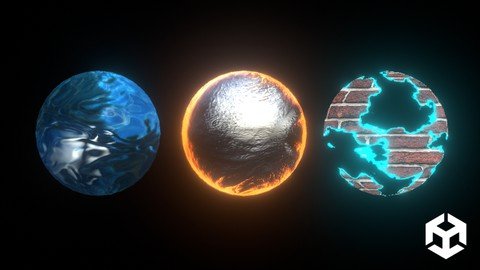
Unity CG Shader Development - 2D & 3D Shaders
Genre: eLearning | MP4 | Video: h264, 1280x720 | Audio: AAC, 48.0 KHz
Language: English | Size: 3.95 GB | Duration: 5h 57m
Dive deep into learning how to write optimal shader code in Unity, from scratch!

What you'll learn
Be proficient at writing CG shaders using Unity
Understand, design and create your own shaders to create any effect you can imagine
Write optimal code usable in professional game development companies
Create unique effects with a deep understanding of CG code as your foundation
Combine imagination and shader code
Unboxing the black box, that is custom shaders
Requirements
Basic understanding of Unity
Description
Have you ever wanted to write your own CG/HLSL shader code from scratch? Do you need help with understanding the intricate details of what happens on the back end? Learn to write shaders without the help of the material editor, and rather use the material editor as a prototyping tool?
In this Unity CG course, I will be teaching you the fundamentals of shader code so that you can write, create and develop unique looks that not only look amazing but run optimally too.
These techniques can be used for personal game development, and I will also go over best practices that can be used on the job in larger game companies.
My name is Benjamin Swee, your course instructor. I have been working at various game companies and been a Lead Rendering Engineer on popular titles such as Marvel Contest of Champions, Fast and the Furious games, & a few Lineage titles.
My role was often solo, as such I would create complete in-house rendering systems.
In this course, I not only want to bring you creative thinking when it comes to rendering, but also real-world industry experience, and the best practices that are used in titles that are launched today.
Shaders are a black box to many, I aim to unbox it
Note that this course is a work in progress. I plan on continually updating it. Let me know in the course messages, what moreyou want to see!
Who this course is for
Beginner programmers
New Game developers
Developers who think CG shading in Unity is a black box
Screenshots


4604634-17b2-2.jpg

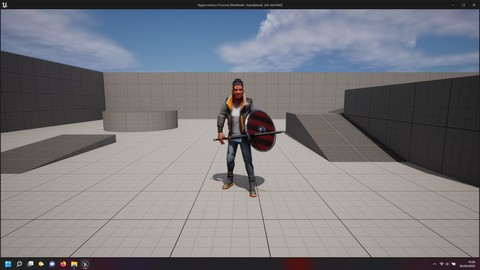
Unreal engine 5 rpg inventory
MP4 | Video: h264, 1280x720 | Audio: AAC, 44.1 KHz, 2 Ch
Genre: eLearning | Language: English + srt | Duration: 13 lectures (5h 38m) | Size: 3.81 GB

Rpg game inventory
What you'll learn
In this course you will learn the basics of a rpg inventory.
how to equip or unequip items such as sword, shield , chest and etc.
how setup modular character.
how to use interfaces in order to speed up your game.
Requirements
you will need unreal engine 5 also works for unreal engine 4.
Description
In this course you will learn how to create a unreal engine rpg inventory, where you can equip your modular character with different body parts such as hairs, chest ,legs weapons and shield using blueprints, blueprint interface, actor blueprint component for better performace and understanding, also you will be introduced to dynamic objects tnteraction for example how to get items from the floor and have a inventory widget and blueprint component acess and display those items and manage using a context menu this menu will be useful for actions such as how to drop those items back in the world map, delete inventory items, equip and unequip items from the inventory we going to create from scratch the configuration variables for the inventory system using structures, data tables, enumeration complete logic how to find a item, remove, select from the datatable the information, you will learn how to setup a player controller, game instance, player pawn i am goin to teach how setup a modular character body parts using unreal engine free assets, of the source code will be avaliable on my github link for free so if you not sure about the course you can download the entire project.
Who this course is for
Unreal engine beginner curious about creating a inventory system where you can get a a item from the floor and use that item and equip to the player.
Homepage


331f525f6e31d6bf156af553ad40a539.png

100% Rye Bread (The secret recipe)
Duration: 19m | Video: .MP4, 1280x720, 30 fps | Audio: AAC, 48 kHz, 2ch | Size: 237 MB
Genre: eLearning | Language: English​

Secret rye bread recipe (Ragnar) i guess its not a secret anymore, in this class we are going to make a 100% rye bread with grains and barley malt. This rye bread won a bronze medal at the world bread awards, and it is named after the viking Ragnar Lodbrok.
I have attached a pdf with the recipe, enjoy the class.
Charles.
Homepage
Screenshots


e9b82ca9-add3-4bd7-ae63-bcf9121a01c7.png

Azure Data Fundamentals (DP-900) Cert Prep: Core Data Concepts
MP4 | Video: h264, 1280x720 | Audio: AAC, 44.1 KHz, 2 Ch
Skill Level: Beginner | Genre: eLearning | Language: English + srt | Duration: 53m | Size: 104.8 MB

The word is data. It's all around you. You can try to avoid it, but no matter where you go, data is always there, right behind you. Because let's face it: in today's world, if you want to understand your customers and competitors and make better decisions for your business, you can't do it alone-you need data, and lots of it, to create lasting transformation.
In this course, instructor Gregor Suttie goes over the core data concepts on the DP-900 Microsoft Azure Data Fundamentals certification exam. He covers data types, data analysis techniques, and how to work with relational and nonrelational data. Find out more about managing data analytics workloads, using built-in tools within Azure, creating visualizations, and processing datasets so you can get ready to tackle the exam.
Homepage


Zurück
Oben Unten