• Regeln für den Video-Bereich:

    In den Börsenbereich gehören nur Angebote die bereits den Allgemeinen Regeln entsprechen.

    Einteilung

    - Folgende Formate gehören in die angegeben Bereiche:
    - Filme: Encodierte Filme von BluRay, DVD, R5, TV, Screener sowie Telesyncs im Format DivX, XviD und x264.
    - DVD: Filme im Format DVD5, DVD9 und HD2DVD.
    - HD: Encodierte Filme mit der Auflösung 720p oder darüber von BluRay, DVD, R5, TV, Screener sowie Telesyncs im Format x264.
    - 3D: Encodierte Filme von BluRay, die in einem 3D Format vorliegen. Dies gilt auch für Dokus, Animation usw.
    - Serien: Cartoon/Zeichentrick, Anime, Tutorials, Dokumentationen, Konzerte/Musik, Sonstiges sind demnach in die entsprechenden Bereiche einzuordnen, auch wenn sie beispielsweise im High Definition-Format oder als DVD5/DVD9/HD2DVD vorliegen. Ausnahme 3D.
    - Bereich Englisch: Englische Releases gehören immer in diesen Bereich.
    - Bereich Talk: Der Bereich, in dem über die Releases diskutiert werden kann, darf, soll und erwünscht ist.


    Angebot/Beitrag erstellen

    - Ein Beitrag darf erst dann erstellt werden, wenn der Upload bei mindestens einem OCH komplett ist. Platzhalter sind untersagt.
    - Bei einem Scenerelease hat der Threadtitel ausschließlich aus dem originalen, unveränderten Releasenamen zu bestehen. Es dürfen keine Veränderungen wie z.B. Sterne, kleine Buchstaben o.ä. vorgenommen werden. Ausnahme Serienbörse:
    - Bei einem Sammelthread für eine Staffel entfällt aus dem Releasename natürlich der Name der Folge. Beispiel: Die Simpsons S21 German DVDRip XviD - ITG
    - Dementsprechend sind also u.a. verboten: Erweiterungen wie "Tipp", "empfehlenswert", "only", "reup", usw. / jegliche andere Zusatzinformation oder Ergänzung, welche nicht in obiger Beschreibung zu finden ist.

    Aufbau des Angebots und Threadtitel

    Der Titel nach folgendem Muster erstellt zu werden. <Name> [3D] [Staffel] [German] <Jahr> <Tonspur> [DL] [Auflösung] <Quelle> <Codec> - <Group>
    Beispiel: The Dark Knight German 2008 AC3 DVDRip XviD - iND
    Beispiel: The Dark Knight 2008 DTS DL BDRip x264 - iND
    Beispiel: The Dark Knight 2008 AC3 DL BDRip XviD - iND
    Beispiel: The Dark Knight German 2008 AC3 720p BluRay x264 iND
    Beispiel: The Dark Knight 2008 DTS DL 1080p BluRay x264 iND
    Beispiel: Die Simpsons S01 German AC3 DVDRip XviD iND
    Beispiel: Die Simpsons S20 German AC3 720p BluRay x264 iND
    Beispiel: Sword Art Online II Ger Sub 2014 AAC 1080p WEBRip x264 - peppermint
    Entsprechend sind also u.a. verboten: Sonderzeichen wie Klammern, Sterne, Ausrufezeichen, Unterstriche, Anführungszeichen / Erweiterungen wie "Tipp", "empfehlenswert", "only", "reup", usw. / jegliche andere Zusatzinformation oder Ergänzung, welche nicht in obiger Beschreibung zu finden ist
    Ausnahmen hiervon können in den Bereichen geregelt sein.

    Die Beiträge sollen wie folgt aufgebaut werden:
    Überschrift entspricht dem Threadtitel
    Cover
    kurze Inhaltsbeschreibung
    Format, Größe, Dauer sind gut lesbar für Downloader außerhalb des Spoilers zu vermerken
    Nfo sind immer Anzugeben und selbige immer im Spoiler in Textform.
    Sind keine Nfo vorhanden z.B. Eigenpublikationen, sind im Spoiler folgende Dateiinformationen zusätzlich anzugeben :
    Quelle
    Video (Auflösung und Bitrate)
    Ton (Sprache, Format und Bitrate der einzelnen Spuren)
    Untertitel (sofern vorhanden)
    Hosterangabe in Textform außerhalb eines Spoiler mit allen enthaltenen Hostern.
    Bei SD kann auf diese zusätzlichen Dateiinformationen verzichtet werden.

    Alle benötigten Passwörter sind, sofern vorhanden, in Textform im Angebot anzugeben.
    Spoiler im Spoiler mit Kommentaren :"Schon Bedankt?" sind unerwünscht.


    Releases

    - Sind Retail-Release verfügbar, sind alle anderen Variationen untersagt. Ausnahmen: Alle deutschen Retail-Release sind CUT, in diesem Fall sind dubbed UNCUT-Release zulässig.
    - Im Serien-Bereich gilt speziell: Wenn ein Retail vor Abschluss einer laufenden Staffel erscheint, darf diese Staffel noch zu Ende gebracht werden.62
    - Gleiche Releases sind unbedingt zusammenzufassen. Das bedeutet, es ist zwingend erforderlich, vor dem Erstellen eines Themas per Suchfunktion zu überprüfen, ob bereits ein Beitrag mit demselben Release besteht. Ist dies der Fall, ist der bereits vorhandene Beitrag zu verwenden.
    - P2P und Scene Releases dürfen nicht verändert oder gar unter einem iND Tag eingestellt werden.


    Support, Diskussionen und Suche

    - Supportanfragen sind entweder per PN oder im Bereich Talk zu stellen.
    - Diskussionen und Bewertungen sind im Talk Bereich zu führen. Fragen an die Uploader haben ausschließlich via PN zu erfolgen, und sind in den Angeboten untersagt.
    - Anfragen zu Upload-Wünschen sind nur im Bereich Suche Video erlaubt. Antworten dürfen nur auf Angebote von MyBoerse.bz verlinkt werden.


    Verbote

    - Untersagt sind mehrere Formate in einem einzigen Angebotsthread, wie beispielsweise das gleichzeitige Anbieten von DivX/XviD, 720p und 1080p in einem Thread. Pro Format, Release und Auflösung ist ein eigener Thread zu eröffnen.
    - Grundsätzlich ebenso verboten sind Dupes. Uploader haben sich an geeigneter Stelle darüber zu informieren, ob es sich bei einem Release um ein Dupe handelt.
    - Gefakte, nur teilweise lauffähige oder unvollständige Angebote sind untersagt. Dies gilt auch für eigene Publikationen, die augenscheinlich nicht selbst von z.B. einer DVD gerippt wurden. Laufende Serien, bei denen noch nicht alle Folgen verfügbar sind, dürfen erstellt und regelmäßig geupdatet werden.
    - Untersagt sind Angebote, welche nur und ausschließlich in einer anderen Sprache als deutsch oder englisch vorliegen. Ausnahmen sind VORHER mit den Moderatoren zu klären.


    Verstoß gegen die Regeln

    - Angebote oder Beiträge, die gegen die Forenregeln verstoßen, sind über den "Melden"-Button im Beitrag zu melden.
  • Bitte registriere dich zunächst um Beiträge zu verfassen und externe Links aufzurufen.

*** Bestes IPTV *** bester Preis *** gratis Test ***


Englische Tutorials

2b9f3b11-ece2-41fe-afa0-ed34afc54479.png

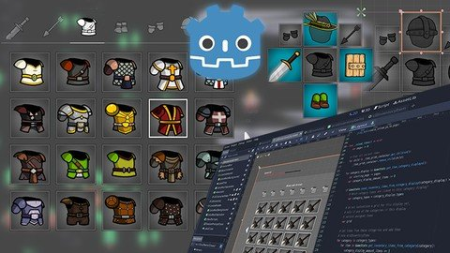
Godot Engine The Ultimate Inventory System and UI Course
Genre: eLearning | MP4 | Video: h264, 1280x720 | Audio: AAC, 48.0 KHz
Language: English | Size: 4.22 GB | Duration: 10h 3m
Learn to create extensive user interfaces and dynamic data systems with Godot by building an Inventory Screen!

What you'll learn
How to implement an inventory and character system and UI from scratch
Complex user interfaces with Godot, EVERYTHING about making user interfaces with Godot
Advanced interface programming with GDScript
Godot Nodes and Scenes fundamentals. Understand what are Godot's Game Objects and Components in depth.
Godot Control Nodes and UI fundamentals including margins, anchors, layouts, responsive layouts, aspect ratios and more
How to create an infinite scrolling grid of items, how to split it by pages and how to animate it dynamically
How to structure the Data Model of an inventory and equipment system, separating items by categories and creating groups of categories,
How to understand Godot's Container Nodes, Automatic UI Placement and Size Flags
ow to create Equippable Item slots that accept configurable categories of items and show the items equipped in these slots
How to create and expand custom Scriptable Objects (Custom Godot's Resources) with different attributes for items and equipment
Godot's scripting language, GDScript, including the Observer pattern with GDScript's Signals in details, with a sample Traffic Light project
How to handle and sync One Handed and Two Handed items, while automatically unequipping items if both hands are equipped
How to create pickable items, dynamically add them to the inventory and list them in the inventory screen, in the correct category
Requirements
At least Godot 3.4.3
Basic Programming Logic and Fundamentals (Control Flow, Variables, etc)
No prior experience with Godot, everything about Godot is taught in this course
Description
In this game development course with 98 byte sized videos, with a total of 10 hours of video content, you'll learn how to use the Godot Engine and Editor to create an Inventory System and Inventory UI (User Interface) that is fully dynamic, with scriptable object items and a central database of items (using Godot's Resources). The inventory system has support for multiple item categories, category groups, dynamic scrolling animations, equippable slots (example: main hand and off hand) and more.
The inventory system you are going to create is inspired by the Zelda Breath of the Wild inventory screen, and can be used in RPG, FPS, Adventure, Point-and-Click games and more, basically, any games where the player can acquire and keep track of items in different categories.
This is a MASTERCLASS about creating User Interfaces, Custom Systems, Custom Dynamic Data and Dynamic Interfaces with Godot. Not only data, it's a masterclass about Godot's Resource system.
This course gives you all the knowledge and the power to build responsive user interfaces with Godot, you will also learn how to make Dynamic Systems that use Dynamic Data using your own Data Model and Scriptable Objects.
You are also going to learn how to create your own extendable and expandable Godot's Game Objects and Components with custom Nodes, Scenes and Scripts. You are going to learn how to create custom Godot's Resources and how to mix and match Dynamic and Static data.
In a single paragraph
You are going to learn EVERYTHING there is about creating complex User Interfaces with Godot, from scratch, as well as coding and adding behavior to those interfaces, creating truly dynamic UI screens and components.
(Almost) everything that you are going to learn
Godot Nodes and Scenes fundamentals. Understand what are Godot's Game Objects and Components in depth.
Godot Control Nodes and UI fundamentals including margins, anchors, layouts, responsive layouts, aspect ratios and more
How to understand Godot's Container Nodes, Automatic UI Placement and Size Flags
How to create Big User Interface Screens with Godot that are also responsive for different screen sizes and aspect ratios.
How to create your own custom UI widgets, expand and inherit them (custom Control Nodes and Scenes)
How to create an infinite scrolling container and grids of items, how to split it by pages and how to animate it dynamically
How to structure the Data Model of an inventory and equipment system, separating items by categories and creating groups of categories, for example, listing One Handed Weapons and Two Handed Weapons under a Weapons group, while keeping the One and Two Handed classifications
How to have and list multiple pages of items under the same category
How to create User Interface that uses both Dynamic and Static data
How to create Equippable Item slots that accept configurable categories of items and show the items equipped in these slots
How to display item and equipment attributes
How to create and expand custom Scriptable Objects (Custom Godot's Resources) with different attributes for items and equipment
Godot's scripting language, GDScript, including the Observer pattern with GDScript's Signals in details, with a sample Traffic Light project
How to write custom GDScript Signals, connect to them and emit them
Advanced user interface coding with GDScript
How to handle and sync One Handed and Two Handed items, while automatically unequipping items if both hands are equipped
How to create pickable items, dynamically add them to the inventory and list them in the inventory screen, in the correct category
And more!
Course Structure
This course is divided as
98 byte sized videos, 10 hours in total
Godot fundamentals
Creating the user interface with the Godot Editor
Planning the inventory system data model
GDScript Crash Course
Programming everything with GDScript
In the programming section, I explain the reasoning behind each line of code, so expect lots of drawings.
Godot Version
This course uses Godot 3.4.3. Since Godot 4 builds upon the fundamentals of Godot 3, this course is long lasting, you are not going to get something that will get deprecated. All of the knowledge is transferable, especially on how to build UIs and structure the data models.
Godot 4 is still too unstable and susceptible for breaking changes. When Godot 4 stable release comes out, I'll record upgrade and migration videos, this way you are going to learn twice as much.
Target Audience
This course is intended for all audiences, the only requirement is to know a bit of programming logic. You don't need to know Godot before starting this course.
Trailer music from ZapSplat
Who this course is for
People interested in getting started with Godot from scratch, and that want to go beyond the basics
Godot users that want to get better with making UI and screens with Godot
Developers that want to make Complex and Dynamic User Intefaces
Godot users that want to learn about Scriptable Objects and Resources in depth
Godot users that want to learn how to make advanced game systems with dynamic data
Users from other engines that want to get started with Godot
Game developers that need to learn how to create inventory systems
Godot users that want to learn how to create custom Scenes and Nodes in depth
Godot users that want to learn GDScript in-depth
Screenshots









 
4597318-d0d9.jpg

To Hell With Cell 2022 iPad / iPhone Edition (PART TWO)
MP4 | Video: h264, 1280x720 | Audio: AAC, 44.1 KHz, 2 Ch
Genre: eLearning | Language: English + srt | Duration: 13 lectures (2h 25m) | Size: 948.5 MB

Creating Your Personalized iPad Command Station
What you'll learn
Designing Your Personalized iPad Wi-Fi Phone System
What and Where to Purchase Your Device and Accessories
Expanding Your Wi-Fi Phone to Be Your Personalized Command Station
Securing Unlimited Domestic Cell Phone Service for $5 a year to Make Urgent Calls when Wi-Fi is Unavailable
Installing Additional Apps to Effectively Manage Your Life
Organizing the Today View Area on Your iPad
Organizing the Docking Station on Your iPad
Organizing the Various Pages on Your iPad
Using Your iPad Command Station
A Review of the Entire iPad Command Station
Requirements
Highly Suggest Completing PART ONE of To Hell With Cell PRIOR to taking this Course.
Description
What if I can show you a way to eliminate your monthly cellphone bill forever, would that interest you?
Good, because I can.
Introducing To Hell With Cell 2022 iPad / iPhone Edition, Eliminating Your Cell Phone Bill Forever, Building a New Life of Freedom & Prosperity
PARTS ONE & TWO of this course are a blueprint that lays out the exact free Wi-Fi phone system that I have created for myself so I know it works. And, I haven't paid a cell phone bill in over 3 years!
By setting up your own Wi-Fi phone system, you will benefit for years to come.
FREE DOMESTIC PHONE CALLS
INEXPENSIVE INTERNATIONAL CALLS
FREE VOICE MAIL,
FREE TEXT MESSAGES,
FREE EMAIL MESSAGES,
FREE VIDEO CONFERENCING CALLS
FREE GPS NAVIGATION
FREE CLOUD STORAGE
FREE HOTSPOTS
To Hell With Cell was Made in the USA, for the USA, as you must be physically located in the United States at the time of setting up your free Wi-Fi phone system, and once you do, you can use it anywhere in the world.
My name is Bo Lockwood and I will be leading you through this course.
I have created an amazing free Wi-Fi phone system with integrated cellular service back-up on my iPad. I use the cellular service for urgent calls that must be made during times when Wi-Fi is unavailable. And you can, too.
It took me countless hours to create this wonderful new Wi-Fi phone system. And by doing it on an iPad, I find to be way more useful than using a smaller smartphone.
I manage my entire life through my iPad, as I've made it my personal command station, with everything that I need at my fingertips.
I will even teach you how to convert your iPad to a mini-laptop computer with plenty of storage. I only use two devices. my iPad and my iMac desktop. No need for a laptop.
If what I am saying is intriguing to you, then invest a few minutes to gain a more in-depth understanding by watching the Introduction, Course Context, and Course Overview videos prior to enrolling in this course, as they are free previews.
The Introduction video provides the reasoning for migration from a cellular phone to a Wi-Fi phone for everyday use.
The Context video reveals the 11 Key Discoveries about why making the change from cellular to Wi-Fi is timely and necessary.
And the Course Overview video provides a thorough understanding of the course itself.
I highly suggest you watch these three videos PRIOR to registering and investing in this course. Clarity is key.
And just so you know, this migration to Wi-Fi phones isn't going to happen. IT'S ALREADY HAPPENING, the similar to the migration to electric and driverless vehicles.
Contribute to the momentum of this technological migration.
BE A CHANGE MAKER.
And, then set up your family, friends, and even customers too.
I have spoke with many people about converting to a Wi-Fi phone, and the common response I hear is.
"Sounds great, but I have no idea how to do it." Admittedly, it is easier said than done, which is I have decided to build this course.
If you are ready to get started, then take action now! And know that I will be with you every step of the way.
Who this course is for
Those wanting to save money by eliminating their monthly cell phone bill, replacing it with a FREE Wi-Fi phone system using an iPad or iPhone
Those wanting greater privacy, freedom, and prosperity
Homepage


ede5ce45-b314-4074-b320-f7cced863586.png

Learn Python Intermediate Features
MP4 | Video: h264, 1280x720 | Audio: AAC, 44.1 KHz, 2 Ch
Genre: eLearning | Language: English + srt | Duration: 45 lectures (4h 38m) | Size: 1.93 GB

The Complete python intermediate course
What you'll learn
Decorators
Context-managers
lambdas
generators
regex
Lambda Function
Map Function
Filter Function
Reduce Function
Map-Filter-Reduce
Requirements
The knowledge of python basics is a plus but doesn't stop you from understanding this course.
Description
This course is designed for an absolute beginner.
It is the most comprehensive and modern course on Python development language, that focus on what you need to learn without wasting your time. The course takes you from basics to an advanced level within the dedicated section of intensively practical learning.
Whether you are a total beginner looking for a full packaged Python development course, or you are a web developer/programmer looking to improve your Python intermediate programming skills, or maybe a designer looking to learn how to code in Python, this course takes you step-by-step through all the required skills you need to start working professionally as a Python developer or Data Scientist. The course is based on a practical teaching method with a solid theoretical explanation. It's both a complete guide, starting with the core basics of the language, as well as an extensive reference of the Python technology language and environment, ensuring that both beginners, as well as experienced Python developers, get a lot out of this course!
The fundamental is not the end of every programming course, of course, it is very important but not enough to feel confident using the programming language. Therefore, the major role of this module is to teach you about python's core capabilities to become more sorted after Python Software Developers. During this module, you will be exposed to operations on data set, exceptions, lambda expression, decorator, map function, filter, reduce, context-manager, regular expressions and much more.
Who this course is for
Beginner Python developers curious to become more advance Software Developer.
Homepage


da2bb55a-d171-411f-b942-b24e57b1809d.png

Certified Blockchain Developer Hyperledger (CBDH) (2022)
MP4 | Video: h264, 1280x720 | Audio: AAC, 44.1 KHz, 2 Ch
Genre: eLearning | Language: English + srt | Duration: 51 lectures (3h 6m) | Size: 1.51 GB

In this course, we will provide an exam overview of the Blockchain Training Alliance Certification, Certified Blockchain
What you'll learn
Plan and prepare production-ready applications for the Hyperledger blockchain
Write, test, and deploy secure chain code
Understand how to use Hyperledger Composer to rapidly build Hyperledger applications
Write chain code using either Go or NodeJS
Understand the objectives for the Certified Blockchain Developer - Hyperledger Exam
Requirements
1 Year Development Experience
3 Months Hyperledger Experience
Description
Blockchain technologies are now more than just a trial run. They are starting to go from a Proof of Concept to a Production use case. As a developer or software engineer knowing how to develop blockchain applications is an in-demand career.
Welcome to the Certified Blockchain Developer - Hyperledger Course. This course is ideal for technology-focused engineers, application developers, software engineers, or anyone wanting to obtain the Blockchain Training Alliance Certified Blockchain Developer - Hyperledger Certification.
In this course, we will provide an exam overview of the Blockchain Training Alliance Certification, Certified Blockchain Developer - Hyperledger (CBDH).
What is a CBDH? A person who holds this certification demonstrates their ability to
Plan and prepare production-ready applications for the Hyperledger blockchain
Write, test, and deploy secure chain code
Understand how to use Hyperledger Composer to rapidly build Hyperledger applications
Write chain code using either Go or NodeJS
What we will cover to get you enabled
Understand the objectives for the Certified Blockchain Developer - Hyperledger Exam
The main objectives are
Create a Hyperledger model
Build proper access controls for blockchain assets via .acl
Implement a Hyperledger ".bna" banana
Write and compile smart contracts as chain code
Deploy smart contracts on channels in the private network
Resources to help study for the exam
This training course is for you because...
You are a developer or software engineer and want to understand the materials to study for the CBDH certification exam.
Prerequisites
1 Year Development Experience
3 Months Hyperledger Experience
Who this course is for
You are a developer or software engineer and want to understand the materials to study for the CBDH certification exam.
Homepage


27673af6-9466-4085-a85b-53b5a337db98.png

The WebSpeech API
MP4 | Video: h264, 1280x720 | Audio: AAC, 44.1 KHz, 2 Ch
Genre: eLearning | Language: English + srt | Duration: 5 lectures (1h 4m) | Size: 429.1 MB

Speech recognition & Speech synthesis
What you'll learn
Learn how to use the WebSpeech API
Learn how to use Speech Recognition
Learn how to use Speech Synthesis
Build a fantastic, dynamic website with speech recognition and speech synthesis
Requirements
You will need to know some basic HTML/CSS/JS/jQuery.
You should have Google Chrome installed
Description
Did you even want to build your own personal assistant ? Work with speech recognition or speech synthesis ?
Well.. then here is your chance !
In this course you will learn how to use the WebSpeech API, hosted by Modzilla, but freely available in Chrome, without any extra installation. (Use of the API is also 100% FREE !)
You will learn how to make your computer listen to voice commands, or transform spoken text to written text and vice versa.
You will learn how to create a personal assistant, much like Alexa or Siri.
In the end we will also create a little tool that will take your text and generate a sound clip with spoken word.
This is a hands-on course that can be done in any editor. It is -however- recommended that you install Google Chrome. The API just works best with Chrome.
Most of the programming will be done in HTML / CSS / JS / jQuery. So a little basic knowledge in that area will be very helpful.
Only the basics are taught. So from here on it's up to you to extend the app we've been creating in class.
I can't wait to see what you guys come up with !
I've seen students take off with this and build the most amazing apps and websites !
I hope to see you soon !
Who this course is for
Beginner / intermediate / experienced Javascript developers.
Homepage


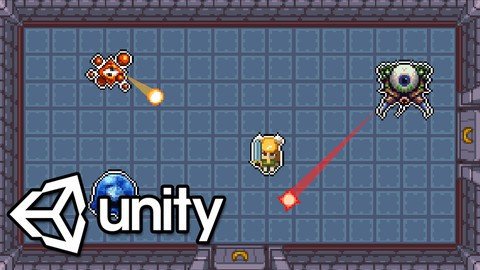
Learn To Create An Action RPG Game In Unity

rhv2vqwnueetqpyesqvt2fcj1o.jpg


Learn To Create An Action RPG Game In Unity
MP4 | Video: h264, 1280x720 | Audio: AAC, 44.1 KHz
Language: English | Size: 6.68 GB | Duration: 12h 9m

Game development made easy. Learn C# using Unity and create your very own action RPG!


What you'll learn
Learn C#, a modern versatile programming language.
Understand the capabilities of 2D development in Unity.
Develop strong and transferrable problem solving skills.
Gain an understanding of the game development process.
Learn how object oriented programming works in practice.

Requirements
Mac or PC capable of running Unity 3D
A copy of Unity 2019 or newer

Description
Learn how to create and program your very own action RPG game using Unity, an industry-standard game development program used by many large gaming studios and indie developers across the world.

In this course you won't just be learning programming concepts, but tying these concepts to real game development uses. You will have access to a course forum where you can discuss the topics covered in the course as well as the next steps to take once the course is complete.

This course has been designed to be easily understandable to everyone, so whether you're a complete beginner, an artist looking to expand their game development range or a programmer interested in understanding game design, this course will help you gain a greater understanding of development.

At the end of this course you will have developed the ability to create such game elements as

Full top-down character movement

Creating tile-based maps in Unity

A full dialog system

Stat-tracking & upgrading

Dungeon Room Navigation

A Simple & Easy Shop system

Action combat systems

Boss Battles

Progression Management

Interactive Menus

and much more...

Start learning today and let me help you become a game developer!

Who this course is for
Anyone who wants to make their own 2D games.
People who want to create and publish their own games.
Complete beginners with an interest in learning game development.
Developers who want to re-skill across to game development.
People interested in working in the game design industy.
Competent and confident with using a computer.

Homepage


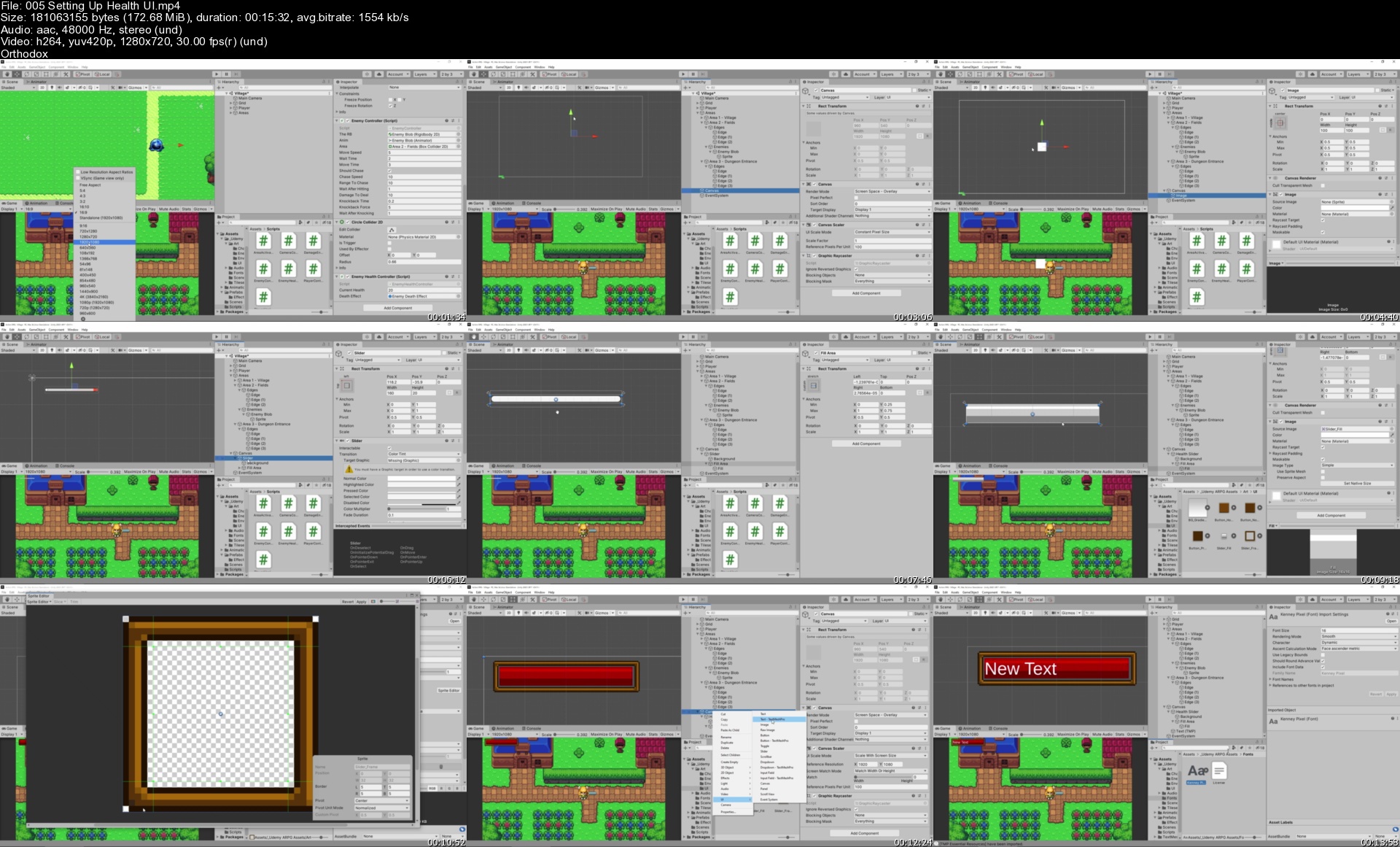
005settinguphealthuis0pk6m.jpg


00578fec_medium.jpg

2022 Mind Mapping Course - Learn Essential Mind Map Methods
MP4 | Video: h264, 1280x720 | Audio: AAC, 44.1 KHz, 2 Ch
Genre: eLearning | Language: English + srt | Duration: 14 lectures (1h 19m) | Size: 1.71 GB

Organize Your Thinking, Visualize Your Thoughts, & Understand Information Faster with Mind Mapping
What you'll learn
Understand Information Faster
Outline Ideas on Any Subject
Visually Communicate Ideas to Others
Organize Your Thoughts
Improve Your Memory and Recall
Take Better Notes
And, Study More Effectively
Requirements
No special skills are required to succeed in this course
Come with a learner's mindset
Have a willingness to learn and try something new
For both the beginner and well-practiced mind mapping student
Description
Effective mind mapping doesn't have to be difficult. In fact, increasing note-taking skills, brainstorming new ideas, and captivating audience attention with storytelling methods can easily be achieved by learning how to increase your mind mapping skills. Learning specific mind mapping techniques - such as note-taking, brainstorming strategies, and how to get your message across with effective storytelling is not only possible but probable when you take this course and effectively apply the mind mapping methods inside of it.
In this mind mapping course, I teach you effective mind mapping tools you can quickly implement immediately into your life so that you can rapidly master the fine art of getting stuff done (aka. personal productivity).
Mind mapping is for those who want to
Learn Effective Note Taking
Quickly Brainstorm New Ideas
Captivate Audience's Attention with Essential Storytelling Methods
Increase Memory with mind mapping
Take Your Note-Taking to a Whole New Level with mind mapping
Shorten the Time it Takes You to Learn New Topics with mind mapping
Be a Better Communicator with mind mapping
Improve your Productivity and Lessen the Learning Curve with mind mapping
Learn Faster and Be More Productive at Work with mind mapping
And Increase Creativity through Proven Brainstorming Techniques with mind mapping
This course is specifically designed to help you enjoy the many benefits of mind mapping
Use Mind Mapping to Stay engaged
Increase learning
Improve recall
Be more creative in your thinking
And more!
Each lecture will give you an in-depth, example-filled, highly instructional, comprehensive, immersive experience into the world of Mind Mapping so that you can immediately start reaping the benefits from this powerful tool known as mind mapping.
_______
"Mind mapping is a technique based on memory and creativity and comprehension and understanding, so when the student or a child uses the mind map, they are using their brain in the way their brain was designed to be used, and so the mind helps them in all learning and cognitive skills. It simply helps them in what the brain does naturally." ~ TONY BUZAN / Inventor of Modern Mind Mapping
Who this course is for
Beginning mind mapping students
Established mind mappers wanting to improve techniques
Professionals looking to increase business communication
Students wanting to be more effective at note taking
Anyone needing to expand their memory and learning strategies
Homepage


4b1394b718bfcc863895a56e27d3a392.jpg

30 Days of Photoshop
Instructors: DAVE CROSS
Duration: 33h 33m • 45 Lessons
Video: MP4 1280x720 44 KHz | English
Level: Beginner | Size: 13.13 GB​

Photoshop is an essential tool for all working professionals, no matter what industry. Join legendary Photoshop pro Dave Cross for an intensive 30-day series on everything you need to know about this unparalleled - and often overwhelming - program. Dave will teach one hour every day for 30 days, covering everything from setting goals to expert retouching strategies. Taught in bite-size chunks, this series will help you improve your skills, efficiency, and creative ability. At the end of this intensive series, you will understand basic techniques for every photo editing task, innovative hacks to improve your workflow, and which tools to use (and which ones you never have to learn). In addition, you learn how incorporating a non-destructive workflow will boost both your productivity and creativity. This is not just a passive, sit-back-and-watch class: you will be encouraged to actively take part by completing assignments and participating in live Q&A and feedback sessions. If you want to take your Photoshop skills to the next level, join Dave for 30 Days of Photoshop.
DAVE CROSS
For 25 years, Dave Cross has been helping photographers and creative professionals get the most out of their Adobe® software. Since 1987, Dave has taught Adobe® Photoshop®, Adobe® Illustrator® and Adobe® InDesign® to thousands of users around the world. He has a Bachelor of Education, is an Adobe® Certified Instructor in Adobe® Photoshop® CS6 and is a Certified Technical Trainer. Dave has taught for Adobe®, at Photoshop World, the Texas School of Photography, the Santa Fe Workshops, Imaging USA and at numerous corporate locations. Dave has written many articles and several books, co-hosted Photoshop User TV and has appeared in many DVDs and online courses for Kelby Training and udemy.com. He runs Dave Cross Workshops in his own studio/workshop space in Tampa, FL. Over the last 13 years, Dave has taught Adobe® Photoshop® in every state in the United States, throughout Canada and in Europe, consistently earning rave reviews. Dave is well-known for his engaging style, his humor and his ability to make complex topics easy to understand. In 2009 Dave was inducted into the Photoshop Hall of Fame.
Screenshots


4452780-ff2a-4.jpg

Advanced TCP/IP Socket Programming in C/C++ ( Posix )
MP4 | Video: h264, 1280x720 | Audio: AAC, 44.1 KHz, 2 Ch
Genre: eLearning | Language: English + srt | Duration: 9 lectures (51m) | Size: 374.3 MB

TCP/IP Socket Programming, C/C++ Project, Multi-Threading, POSIX, Network Systems Programming, Linux OS based
What you'll learn
Advanced TCP Socket Programming
Building Circular Byte Buffers
Defining TCP Message Boundaries
Creating Multi-Threaded TCP Clients
Develop TCP Server Socket Library in C++
Requirements
Knowledge of Basic Socket Programming
Basic Multi-threading Concepts
C or C++ in preferable, but if your fav language is any other mainstream language then also it is ok. Borrow the concepts and implement it in your fav language.
Github Account
Zeal to learn and excel - beyond what Crowd is doing ( DS/ALGO/CP ) basic Data structures such as Linked-List.
Description
Welcome to this Course on TCP/IP Socket Programming. Unlike other Courses, this is Advanced Course on Socket Programming. This course assumes that you are already familiar with Socket Programming basics and now want to take it to the next level. This course is about how TCP/IP Socket Programming is deployed in the industry to solve complex networking problems.
We will go beyond simple implementation of client/servers programs present all over the internet ( Advanced Course )
Course objective: Learn how to implement a typical complex Socket based Programs , closely tied to thread management
In this Course, we will going to build the Complete TcpServer Program in which we will cover
How to manage Multiple Clients through Multiplexing
Creating Multi-Threaded Clients
Forcefully disconnecting the client
Gracefully Shutting down TCP Server
Notifying events to application
Client new connection
Client disconnection
Client msg recvd
Detecting connection live-ness using Keep Alive msgs
Handling Concurrency using locks
Maintaining statistics per client connection
Client Migration from Multiplexed to Multi-Threaded ( Or Vice Versa )
Building Socket Programming C++ Library over Posix
Pre-requisites
1. Basic knowledge of TCP/IP Socket Programming through C/C++
2. C/C++ programming ( Intermediate Level )
3. Multi-Threading Basic Concepts ( creating a thread, Cancelling a thread, Producer/Consumer Pattern, Binary and Zero Semaphores )
4. Zeal to learn, explore and do research
5. Linux based Course, should be done on Linux/MAC-OS only. No Windows Pls.
6. You should have a github account.
This Course is not a
1. Teaching basic Socket Programming and fundamentals
2. C/C++ programming language tutorial
3. Data Structure or Algorithm Course
4. Multithreading Tutorial
* We don't use any third party library. Everything is build up from scratch.
* This Course is protected by full-refund policy with-in 30 days of purchase
* The Emphasis of this course is on Logistics & Concepts, rather than Programming Language. You should be able to do this Course in a programming language of your choice - Java/Python etc.
Who this course is for
Warning : Not for Absolute beginners in Programming
Who want to take their programming Skills from Beginner to Professional Level
Final year students looking to crack the Interview Questions on OS, Multithreading Concepts
Homepage


e9b82ca9-add3-4bd7-ae63-bcf9121a01c7.png

Amazon KDP for Beginners: How to Generate Passive Income
Instructors: Nathan Gartland, PharmD
11 sections • 50 lectures • 3h 20m
Video: MP4 1280x720 44 KHz | English + Sub
Updated 3/2022 | Size: 1.777 GB​

Learn How To Create High Content And Low Content Books That Generate Monthly Income At No Cost
What you'll learn
Learn how to navigate Amazon KDP platform and self-publish quality books.
Develop strategies to generate passive income through direct publishing of paperbacks, Ebooks, Hardcovers, and ACX Audiobooks.
Understand niche topic research and appreciate the complexity of building a keyword masterplan.
Follow real-time examples with step by step instructions to generate visually appealing book covers.
Requirements
Internet access and a computer.
No design, writing, or business experience needed. This is truly for beginners!
An understanding that the harder you work on this project, the more revenue you will generate.
Description
Creating a source of PASSIVE INCOME is the key to achieving financial freedom! Successful people generate content or products that continue to make them money even after they have stop working on it. Making money online has never been easier and everything you need is right at your fingertips through Amazon KDP.
If you are looking at this course right now I want to congratulate you on already taking the first steps on your journey towards generating passive income. Even as a medical student I have found ways to generate side income to help supplement my daily living expenses, and SO CAN YOU! This course will teach you how to use FREE resources to create hundreds of income generating books that your future readers will not only buy but enjoy.
The success of this strategy MULTIPLIES with the amount of effort you are willing to put in! We will cover low content book creation and HIGH CONTENT BOOK, although the course will focus more on the later. My rationale for this decision stems from the ability to generate higher returns on your investment with high content books and the diminishing returns of low content book creation thanks to an oversaturated market.
Don't think you have the time? Save this course for later and come back when your schedule opens up! However, you will never make a dime if you keep pushing it off. The sooner you create a book the more sales you can generate and the more customer reviews you can receive. Your goal should be to enter this course with the ambition to publish within a month. If I can find time to create content for Amazon KDP while in medical school, SO CAN YOU!
The Honest Truth
You probably won't retire off publishing on Amazon KDP, but that doesn't mean it won't afford you a new car or additional beach vacation trip.
If you don't work hard, invest some time, and do diligent research (as seen in the course), you won't get the results you want! Generating passive income comes at a cost upfront, but the investment will come to fruition in time.
You won't regret creating content, even if you it doesn't sell to your expectations. Working on a passion project and bringing something you care about to the market will always be worth the time!
Welcome to the small cohort of creators and digital entrepreneurs who work for themselves, and not just an employers paycheck!
I hope you enjoy the course and I am always looking for constructive criticism. Please don't hesitate to leave comments and reviews!
Welcome to "Amazon KDP for Beginners: How to Generate Passive Income."
Who this course is for
College students looking to create additional cashflow while in school.
Adults looking to supplement their household income with an easy side-hustle.
For professionals who lack the adequate time to research each individual concept and are looking for a quick and simple resource to make money!
Anyone who has struggled to make money on Amazon KDP in the past.
Screenshots


Lf44s4-Fjwi3-Ycz8-Marxzl9-Mus-Mr2-RDXF.jpg

Apache Superset for Data Engineers (Hands On)
Genre: eLearning | MP4 | Video: h264, 1280x720 | Audio: AAC, 44.1 KHz
Language: English | Size: 1.74 GB | Duration: 4h 16m
Learn everything about Apache Superset a modern, enterprise-ready business intelligence web application.

What you'll learn
Understanding of basic architecture of Apache Superset
Installing and Configuring Apache Superset
Connecting to Database
Install Database Drivers
Access Database table in Apache Superset (MySQL)
Enabling Upload a CSV
Obtaining & loading data
Table Visualization
Creating Chart and Dashboard (30+ Charts)
Frequently asked Questions
Requirements
Basic knowledge of Data Analytics is appreciated but if you don't have any knowledge on Data Analytics its fine.
Description
Apache Superset is a modern data exploration and visualization platform. Apache Superset is a modern, enterprise-ready business intelligence web application. It is fast, lightweight, intuitive, and loaded with options that make it easy for users of all skill sets to explore and visualize their data, from simple pie charts to highly detailed geospatial charts.
One of the most valuable technology skills is the ability to analyze huge data sets, and this course is specifically designed to bring you up to speed on one of the best technologies for this task, Apache Superset! The top technology companies like Google, Facebook, Netflix, Airbnb, Amazon, NASA, and more are all using Apache Superset!
Introduction
Apache Superset
Apache Superset Architecture
Installation
Ubuntu (Linux)
Connecting to Database
Install Database Drivers
Database Connection String
Access Database table in Apache Superset (MySQL)
Enabling Upload a CSV
Obtaining & loading data
Table Visualization
Creating Chart and Dashboard
Line Chart
Bar Chart
Area Chart
Time Series Bar Chart
Pie Chart
And many more charts
Frequently asked Questions
FAQS for Apache Superset
Superset provides
An intuitive interface for visualizing datasets and crafting interactive dashboards
A wide array of beautiful visualizations to showcase your data
Code-free visualization builder to extract and present datasets
A world-class SQL IDE for preparing data for visualization, including a rich metadata browser
A lightweight semantic layer which empowers data analysts to quickly define custom dimensions and metrics
Out-of-the-box support for most SQL-speaking databases
Seamless, in-memory asynchronous caching and queries
An extensible security model that allows configuration of very intricate rules on who can access which product features and datasets.
Integration with major authentication backends (database, OpenID, LDAP, OAuth, REMOTE_USER, etc)
The ability to add custom visualization plugins
An API for programmatic customization
A cloud-native architecture designed from the ground up for scale
Who this course is for
Business analyst, BI Developer, Big Data Engineer, Data Engineer, Data Analyst, Data Scientist, Machine Learning Engineer
You should take this course if want to learn Apache Superset completely from scratch
Screenshots


7fa74de1363f4123325aff84eb375a40.jpeg

Autodesk PowerMILL Essential Training
Genre: eLearning | MP4 | Video: h264, 1280x720 | Audio: AAC, 44.1 KHz
Language: English | Size: 4.48 GB | Duration: 6h 3m
Powermill - Expert high-speed and 3-axis machining software for manufacturing

What you'll learn
You will understand CAM concept and the most used operation of Powermill.
Work independently on any Part in any version of Powermill.
Make any toolpath for any complex part easily using a Powermill operations as shown in Examples & Exercises.
How to import the part file from any CAD software.
How to create toolpath and CNC programming for it.
Define new tools for operation and its uses.
VMC program for plastic injection mould (core & cavity)
Toolpath Generation & Verification Programming
Requirements
NX CAD OR ANY CAD SOFTWARE
Be able to design using any CAD Software
Description
PowerMill provides comprehensive milling strategies for high-speed and 3-axis machining, providing you with the tools you need for manufacturing molds, dies, and highly complex parts. In this class, we will take a look at using PowerMill to program a variety of different milling parts. While this class is meant to familiarize you with the details of programming parts in PowerMill, the main objective of this class is to teach you the workflow of programming parts in PowerMill. Focusing on the workflow as opposed to specific tools and details in the software will ensure the smoothest possible transition between programming parts in this class, and confidently taking what you've learned into your shop.
In this "Autodesk PowerMILL" program you will experience a unique successful method with hands on for practice.
This course is designed for individuals who are new to Autodesk PowerMILL as well as working in any company who had learned Delcam PowerMILL long time ago and just want a brush up on the tools and operation quickly and use in their projects immediately.
This course introduces all the operations (milling and drilling) of Autodesk PowerMILL in a step by step process which will enable you to clearly understand the CAM.
Once you have completed this computer based training course, you will be fully capable of using these tools and operation to create CNC program for drilling and Milling (3Axis).
Major Highlights of The Course
All the Parts practiced in the Lectures are included in this course for download.
This course has been Designed using Autodesk PowerMILL 2020 version but is equally good for any version of PowerMILL.
A beginner can start practicing the Autodesk PowerMILL right from lecture one.
A Professional brushing up Autodesk PowerMILL can easily directly jump to the section of their choice.
This course has been designed such that you can create CNC program for any type of part.
Modules Covered in this course
3D Area clearance
Curve Machining
Feature Machining
Finishing
Drilling
Tool Library
Verification & Simulate Machine
Who this course is for
Mechanical Engineer
Production engineer
Person of Working on CNC Machine
Industry Person
Person of Working on the Manufacturing process
Screenshots


Zurück
Oben Unten