• Regeln für den Video-Bereich:

    In den Börsenbereich gehören nur Angebote die bereits den Allgemeinen Regeln entsprechen.

    Einteilung

    - Folgende Formate gehören in die angegeben Bereiche:
    - Filme: Encodierte Filme von BluRay, DVD, R5, TV, Screener sowie Telesyncs im Format DivX, XviD und x264.
    - DVD: Filme im Format DVD5, DVD9 und HD2DVD.
    - HD: Encodierte Filme mit der Auflösung 720p oder darüber von BluRay, DVD, R5, TV, Screener sowie Telesyncs im Format x264.
    - 3D: Encodierte Filme von BluRay, die in einem 3D Format vorliegen. Dies gilt auch für Dokus, Animation usw.
    - Serien: Cartoon/Zeichentrick, Anime, Tutorials, Dokumentationen, Konzerte/Musik, Sonstiges sind demnach in die entsprechenden Bereiche einzuordnen, auch wenn sie beispielsweise im High Definition-Format oder als DVD5/DVD9/HD2DVD vorliegen. Ausnahme 3D.
    - Bereich Englisch: Englische Releases gehören immer in diesen Bereich.
    - Bereich Talk: Der Bereich, in dem über die Releases diskutiert werden kann, darf, soll und erwünscht ist.


    Angebot/Beitrag erstellen

    - Ein Beitrag darf erst dann erstellt werden, wenn der Upload bei mindestens einem OCH komplett ist. Platzhalter sind untersagt.
    - Bei einem Scenerelease hat der Threadtitel ausschließlich aus dem originalen, unveränderten Releasenamen zu bestehen. Es dürfen keine Veränderungen wie z.B. Sterne, kleine Buchstaben o.ä. vorgenommen werden. Ausnahme Serienbörse:
    - Bei einem Sammelthread für eine Staffel entfällt aus dem Releasename natürlich der Name der Folge. Beispiel: Die Simpsons S21 German DVDRip XviD - ITG
    - Dementsprechend sind also u.a. verboten: Erweiterungen wie "Tipp", "empfehlenswert", "only", "reup", usw. / jegliche andere Zusatzinformation oder Ergänzung, welche nicht in obiger Beschreibung zu finden ist.

    Aufbau des Angebots und Threadtitel

    Der Titel nach folgendem Muster erstellt zu werden. <Name> [3D] [Staffel] [German] <Jahr> <Tonspur> [DL] [Auflösung] <Quelle> <Codec> - <Group>
    Beispiel: The Dark Knight German 2008 AC3 DVDRip XviD - iND
    Beispiel: The Dark Knight 2008 DTS DL BDRip x264 - iND
    Beispiel: The Dark Knight 2008 AC3 DL BDRip XviD - iND
    Beispiel: The Dark Knight German 2008 AC3 720p BluRay x264 iND
    Beispiel: The Dark Knight 2008 DTS DL 1080p BluRay x264 iND
    Beispiel: Die Simpsons S01 German AC3 DVDRip XviD iND
    Beispiel: Die Simpsons S20 German AC3 720p BluRay x264 iND
    Beispiel: Sword Art Online II Ger Sub 2014 AAC 1080p WEBRip x264 - peppermint
    Entsprechend sind also u.a. verboten: Sonderzeichen wie Klammern, Sterne, Ausrufezeichen, Unterstriche, Anführungszeichen / Erweiterungen wie "Tipp", "empfehlenswert", "only", "reup", usw. / jegliche andere Zusatzinformation oder Ergänzung, welche nicht in obiger Beschreibung zu finden ist
    Ausnahmen hiervon können in den Bereichen geregelt sein.

    Die Beiträge sollen wie folgt aufgebaut werden:
    Überschrift entspricht dem Threadtitel
    Cover
    kurze Inhaltsbeschreibung
    Format, Größe, Dauer sind gut lesbar für Downloader außerhalb des Spoilers zu vermerken
    Nfo sind immer Anzugeben und selbige immer im Spoiler in Textform.
    Sind keine Nfo vorhanden z.B. Eigenpublikationen, sind im Spoiler folgende Dateiinformationen zusätzlich anzugeben :
    Quelle
    Video (Auflösung und Bitrate)
    Ton (Sprache, Format und Bitrate der einzelnen Spuren)
    Untertitel (sofern vorhanden)
    Hosterangabe in Textform außerhalb eines Spoiler mit allen enthaltenen Hostern.
    Bei SD kann auf diese zusätzlichen Dateiinformationen verzichtet werden.

    Alle benötigten Passwörter sind, sofern vorhanden, in Textform im Angebot anzugeben.
    Spoiler im Spoiler mit Kommentaren :"Schon Bedankt?" sind unerwünscht.


    Releases

    - Sind Retail-Release verfügbar, sind alle anderen Variationen untersagt. Ausnahmen: Alle deutschen Retail-Release sind CUT, in diesem Fall sind dubbed UNCUT-Release zulässig.
    - Im Serien-Bereich gilt speziell: Wenn ein Retail vor Abschluss einer laufenden Staffel erscheint, darf diese Staffel noch zu Ende gebracht werden.62
    - Gleiche Releases sind unbedingt zusammenzufassen. Das bedeutet, es ist zwingend erforderlich, vor dem Erstellen eines Themas per Suchfunktion zu überprüfen, ob bereits ein Beitrag mit demselben Release besteht. Ist dies der Fall, ist der bereits vorhandene Beitrag zu verwenden.
    - P2P und Scene Releases dürfen nicht verändert oder gar unter einem iND Tag eingestellt werden.


    Support, Diskussionen und Suche

    - Supportanfragen sind entweder per PN oder im Bereich Talk zu stellen.
    - Diskussionen und Bewertungen sind im Talk Bereich zu führen. Fragen an die Uploader haben ausschließlich via PN zu erfolgen, und sind in den Angeboten untersagt.
    - Anfragen zu Upload-Wünschen sind nur im Bereich Suche Video erlaubt. Antworten dürfen nur auf Angebote von MyBoerse.bz verlinkt werden.


    Verbote

    - Untersagt sind mehrere Formate in einem einzigen Angebotsthread, wie beispielsweise das gleichzeitige Anbieten von DivX/XviD, 720p und 1080p in einem Thread. Pro Format, Release und Auflösung ist ein eigener Thread zu eröffnen.
    - Grundsätzlich ebenso verboten sind Dupes. Uploader haben sich an geeigneter Stelle darüber zu informieren, ob es sich bei einem Release um ein Dupe handelt.
    - Gefakte, nur teilweise lauffähige oder unvollständige Angebote sind untersagt. Dies gilt auch für eigene Publikationen, die augenscheinlich nicht selbst von z.B. einer DVD gerippt wurden. Laufende Serien, bei denen noch nicht alle Folgen verfügbar sind, dürfen erstellt und regelmäßig geupdatet werden.
    - Untersagt sind Angebote, welche nur und ausschließlich in einer anderen Sprache als deutsch oder englisch vorliegen. Ausnahmen sind VORHER mit den Moderatoren zu klären.


    Verstoß gegen die Regeln

    - Angebote oder Beiträge, die gegen die Forenregeln verstoßen, sind über den "Melden"-Button im Beitrag zu melden.
  • Bitte registriere dich zunächst um Beiträge zu verfassen und externe Links aufzurufen.

*** Bestes IPTV *** bester Preis *** gratis Test ***


Englische Tutorials

b6402cf1-9902-4138-a713-c16868092fab.png

HVAC System and Equipment's
MP4 | Video: h264, 1280x720 | Audio: AAC, 44.1 KHz, 2 Ch
Genre: eLearning | Language: English + srt | Duration: 21 lectures (1h 3m) | Size: 410.3 MB

HVAC
What you'll learn
understand HVAC system
know the use of Equipment
working principles of HVAC devices
system sizing
Requirements
mechanical, civil or electrical Engineering or experience in HVAC
Description
In this course you can learn about different systems and Equipment related to HVAC . there are different types of HVAC systems in this course we can discuss all of them
The basic components or equipment of an HVAC system that delivers conditioned air to satisfy thermal comfort of space and occupants and the achieve the indoor air quality are listed below .so we discuss all Equipment used in HVAC system there working principe
All-air systems
The thermal energy transfer medium through the building delivery systems is air. All-air systems can be sub-classified based on the zone as single zone and multizone, airflow rate for each zone as constant air volume and variable air volume, terminal reheat, and dual duct
Single zone
Multi-zone
Terminal reheat
Dual duct
Variable air volume
All-water systems
An all-water system, heated and cooled water is distributed from a central system to conditioned spaces . This type of system is relatively small compared to other types because the use of pipes as distribution containers and the water has higher heat capacity and density than air, which requires the lower volume to transfer heat.
Fan-coil units
Air-water systems
Fan-coil units
we discuss following Equipment
Mixed-air plenum and outdoor air control
Air filter
Supply fan
Air handling units
some Devices
Exhaust or relief fans and an air outlet
Outdoor air intake
Ducts
Terminal devices
Return air system
Heating and cooling coils
Self-contained heating or cooling unit
Cooling tower
air cooled chillers
absorption chillers
centrifugal chillers
Control
Water chiller
Humidification
dehumidification equipment
After this course you are able to study all system and learn all system and there use
Who this course is for
mechanical, civil or electrical Engineering or experience in HVAC
Homepage


5129612c-739b-4100-a583-0dae66f1a0a2.png

High-end Headphones Product Shoot
Karl Taylor Education
Duration: 1h 36m • 1 Lessons
Video: MP4 1920x1080 44 KHz | English
Size: 2.6 GB​

In this photography workshop Karl undertakes a product shoot of a pair of headphones on a white background.
This technically challenging advertising-style shot presented a myriad of challenges, including positioning the product to find the best composition, creating a white background without introducing flare, lighting both matte and reflective surfaces, controlling shadows and balancing multiple lights.
Karl details the step-by-step process of creating this shot, explaining his creative decisions, how he plans to overcome each challenge and the lighting setup. He also shares the post production work required to reach the final image so that members can see the complete start to finish process.
In this product photography workshop we cover the following
How to photograph a pair of headphones
Photographing products on a white background
How to light and photograph matte and reflective surfaces
How to create gradient lighting
Using ND and polarising gels for product photography
Controlling shadows
If you have any questions about this show, please use the comment section below.
Screenshots


49eb18ee-7037-42c7-aefc-bcf44c6168bb.png

PyQt5 Essentials: Build real Applications with Python
MP4 | Video: h264, 1280x720 | Audio: AAC, 44.1 KHz, 2 Ch
Genre: eLearning | Language: English + srt | Duration: 27 lectures (4h 26m) | Size: 2.1 GB

Python GUI application Development with PyQt5 for Beginners
What you'll learn
Responsive GUI Application Development
Developing database, based applications
Learn how to use Advanced and basic python functions when coding
use of Sqlite3
Requirements
Python basic knowledge
Windows/mac os/linux
Description
Hello Everyone, Welcome to PyQt5 Essentials Course. This course is for beginners and beginners alone. With this course, We're going to cover all the essential concepts and topics necessary for you to gain confidence when coding your first application in the real world using PytQt5 with Python Programming Language. The world has become equipped with a lot of Technological advancements which include software and you can be part of software developers and contribute to the global community also. If you want to take your career to the next level by working with PyQt5 in decision making and problem-solving; This is the right course for you.
PyQt is a Python binding of the cross-platform GUI toolkit Qt, implemented as a Python plug-in. PyQt is free software developed by the British firm Riverbank Computing. PyQt5 is a comprehensive set of Python bindings for Qt v5. It is implemented as more than 35 extension modules and enables Python to be used. with PyQt5 you can create a lot of GUI applications very fast and effective. This course is suitable for those who wish to focus on developing a desktop application.
What you will learn
Use of Basic and Advanced Widgets
Combining widgets in developing a user-friendly program
GUI development
Sqlite3 database connection to your application
Are there any course requirements or prerequisites?
Windows/macOS/Linux computer
Who this course is for
No skill required
Who this course is for
Beginner in PyQt5
Learners who are curious about PyQt5 and wish to learn
Homepage


02ddf516-420e-45ad-b2bf-9741bb0ce6d7.png

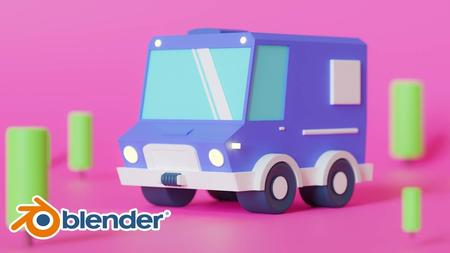
Complete Blender Creator: Learn 3D Modelling for Beginners (2022)
MP4 | Video: h264, 1280x720 | Audio: AAC, 44.1 KHz, 2 Ch
Genre: eLearning | Language: English | Duration: 9 lectures (1h 22m) | Size: 1.32 GB

Use Blender 3.1 to Create 3D models for Video Games, 3D Printing & More. Beginners & intermediate Level Course
What you'll learn
Use Blender 3.0 and understand it's interface
Modeling tips and trick for making a low poly game assets
How to Create PBR materials
Learn UV maping and unwraping your models & how to Texture them
Learn how to animate the camera and manipulate its setting
Render setting and how to take a simple render animation
All the project file are included
Requirements
Download Blender 3.1
Description
Hello friends!
In this course I will teach you how to model low poly game assets inside the blender 3.1 which is new released version. This tutorial is around 2 hours and if you like be sure to check out our other courses.
Here in first step we will discuss about tools and techniques for modeling and in general how to use blender for creating your desired 3D model and you will learn how to use proportional editing for adding more interest to your model.
In the second part i will explain the right way of UV Unwrapping and how to texture your model using PBR material.
And the third part i am going to teach you what is shadow catcher and how it works and we speak about cycle engine and camera setting. In here we will learn how to us HDRI for lighting our scene.
In the last part we will go further and talk about texturing a bit more and how to set up a camera for taking a render animation.
What Topics are Covered?
3D Modeling
You will learn about Modifiers, which are special modeling effects that you can use for complex modeling tasks.
We will create PBR Materials.
How to illuminate the scene using Easy-HDRI add-on (free).
Learn how to animate the camera in a easy and professional way.
Get introduced to Cycles
3D Modeling
You will learn about Modifiers, which are special modeling effects that you can use for complex modeling tasks.
We will create PBR Materials.
How to illuminate the scene using Easy-HDRI add-on (free).
Learn how to animate the camera in a easy and professional way.
Get introduced to Cycles
So I hope to see you in there.
Who this course is for
Anyone interested in learning how to model game assets, or switching from another 3D software to Blender
Game Developers who wish to expand their Skill Set.
Complete beginners who are willing to work hard
Homepage


03d34ab1-7738-41c7-ba62-d15946ec865c.png

Computer Organization and Architecture Masterclass 2022
Published: 3/2022
Duration: 12h 21m | Video: .MP4, 1280x720 30 fps | Audio: AAC, 48 kHz, 2ch | Size: 5.83 GB
Genre: eLearning | Language: English​

Professional Certification Course 2022: Packaged Everything You Need to Know in Computer Architecture and Organization
What you'll learn:
Formulate A+ grade answers for your Computer Architecture and Organization exams
Analyse computer systems critically and select the best system for a specific need
Write assembly language code with the deeper understanding on Fetch - Decode - Execute cyle
Learn all topics under Computer Organization and Architecture subject in a single course, with simple to understand examples and simulations
Requirements
No prior requirement for taking the course. Everything is explained from the very basic level to advance level
Description
Why should you consider enrolling on this course?
The course instructor is a lecturer teaching Computer Organization and Computer Architecture subjects for 3+ years.
This course is designed in 2022 with the latest Computer Organization and Computer Architecture lessons, examples and activities.
This course covers everything you need to master the subject without enrolling with other parts/courses related to the topic.
This course includes lecture notes/slides as downloadable materials.
You will be part of over 4000+ student communities already in one of my courses.
I invite you to check the free provided videos and course outline. Then, if you are happy, enrol with this latest and best Computer Organization and Architecture course.
All-in-one Complete Computer Organization and Architecture Course Outline
Chapter 01: Introduction
1.1 Introduction to Computer Organization and Architecture
1.2 Computer Level Hierarchy
Chapter 02: Fetch - Decode - Execute Cycle
2.1 Fetch Decode Execute Cycle Explained Part 1
2.2 Fetch Decode Execute Cycle Explained Part 2
Chapter 03: Assembly Language Programming with the Little Man Computer
3.1 What is the Little Man Computer
3.2 Programming the Little Man Computer
3.3 Fetch Decode Execute Cycle Explained using the Little Man Computer
3.4 Writing Assembly Language Code
Chapter 04: Instruction Set Architecture (ISA)
4.1 Introduction to ISA
4.2 CISC and RISC
4.3 Instructions
4.4 Number of Addressing
4.5 Addressing Modes
Chapter 05: CPU Benchmarking
5.1 Introduction to CPU Benchmarking
5.2 Calculating CPU Time
5.3 Understanding CPU Clock
5.4 Calculating CPU Time
5.5 Exercise - Solving CPU Time Calculations
5.6 Exercise - Solving CPI Calculations
Chapter 06: CPU Organization and Structure
6.1 Introduction to CPU Structure
6.2 Registers in CPU
6.3 Understanding CPU Interruptions
6.4 Techniques to Improve CPU Performance
Chapter 07: CPU Pipelining
7.1 What is CPU Pipelining
7.2 Resource Hazards
7.3 Data Hazards
7.4 Control Hazards and Branch Prediction
7.5 Branch Prediction Strategies
7.6 Practical Example for Pipelining - Intel 80486
7.7 CPU Overclocking
Chapter 08: Input-Output Organization
8.1 Introduction to I/O
8.2 I/O Mapping
8.3 Asynchronous Data Transfer
8.4 Modes of Data Transfer
Chapter 09: Memory Organization
9.1 Introduction to Memory Hierarchy
9.2 Deep dive into Computer Memory Hierarchy
9.3 The Principal of Locality
9.4 Memory HIT rate and MISS rate
9.5 Cache Performance and Optimization
9.6 Exercise - Calculating Miss Rate
9.7 Memory Technology
9.8 DRAM Technology
9.9 How a DRAM Works
9.10 DRAM Read Cycle Deeply Explained Step by Step
9.11 SDRAM and DDR SDRAM Explained
Chapter 10: Hierarchical Bus Organization
10.1 Introduction to Hierarchical Bus Structures
10.2 Single and Multiple Bus Implementations and Examples
10.3 Bus Types, Timing, and Additional Details
Chapter 11: Conclusion
11.1 SummaryWho this course is for:Students who are doing a bachelors degree in Computer Science or Information Technology related fieldResearch students who are interested in Computer Organization and ArchitectureLecturers and Teachers who are teaching Computer Hardware or Computer Organization and Architecture subjectsAnyone who is curious to know how a computer system works in much more deeper level
Who this course is for
Students who are doing a bachelors degree in Computer Science or Information Technology related field
Research students who are interested in Computer Organization and Architecture
Lecturers and Teachers who are teaching Computer Hardware or Computer Organization and Architecture subjects
Anyone who is curious to know how a computer system works in much more deeper level
Homepage
Screenshots












 
b3ce75fa-0b0a-4b12-8e88-9b2931b3b496.png

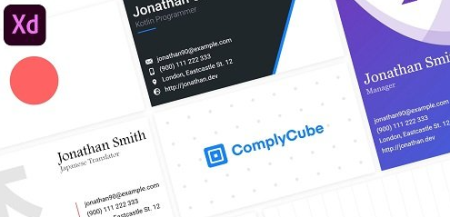
Design Awesome Business Cards with Adobe Xd
Instructors: Art Design
Duration: 1h 25m • 9 Lessons
Video: MP4 1280x720 44 KHz | English
Level: Beginner | Size: 397.793 MB​

In this class I'm going to teach you how to create beautiful designs for business cards.
We are going to use one of the most popular vector tools called Adobe Xd.
In this class you will learn everything about Adobe Xd, it's interface, tools and features
You will learn everything you need, to get started and practice on your own.
I'm going to share with you all the tips and tricks I use on daily basis, the shortcuts
that can help you improve the workflow, and the secret resources I use all the time,
to help me create beautiful designs.
One more thing, the knowledge you gather from this course, about Adobe Xd, can also be
applied to UX/UI design, Web design, Mobile apps design, Logo design, Banner design and
and more!
Bottom line, I'm sure you'll learn a lot from me in this class.
So what are you waiting for, let's get started!
Screenshots


ba93c2a5-53f5-40e2-a5f0-fb636d08d3c2.png

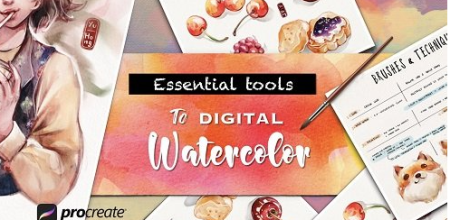
Essential Tools to Digital Watercolors in Procreate
Instructors: Yu Hong
Duration: 59m • 8 Lessons
Video: MP4 1280x720 44 KHz | English
Level: Beginner | Size: 737 MB​

Do you love how loosely watercolor is, or the sensation of dipping brush into paper and watching colors dancing all over the place? - I do.
There was a time when I was so obsessed with watercolor that I used most of my free time just to explore painting colors with many types of paper and ended up broke... No, I'm kidding, but I did really spend a lot at that time on this habit. ^ ^ But now, we can also create all the beautiful watercolor-like paintings digitally in Procreate. I will show you how through this class.
In this class you will learn the essential tools for painting digital watercolor in Procreate, creating a watercolor illustration as the final class project.
I will show you the essential tools in Procreate to create digital watercolor painting through many paintings' demonstrations. You'll have a pre-made assignments file for you to practice as well!
You will also be guided to explore the brushes and combine techniques to achieve your own preferences in watercolor.
A strategic approach that should help you to enjoy the process of doing a project. A lot of class references I made to help you start learning and practicing quickly and easily.
The class is for everyone who is interested in watercolors, in how to create a digital watercolor illustration in Procreate.
Even if you are new to Procreate or not so confident about your sketches to painting, don't worry! The class is exclusive for painting techniques and I also have prepared references and pre-sketch lines for you to work on - just follow the video lessons.
The moodboard I made is close to the project contents and is easy to work with. You can use it to sketch for your own illustration. (If you think you need more references, here are some of my Pinterest Food & characters boards for you to explore and choose references to custom your moodboard for the project instead of using mine)
I choose food because it's an easy and attractive subject. As the final project, you may have a pretty cool gift for your friends or family.
You will need an iPad with access to Procreate and the Apple Pencil to work with.
Some of the brushes that I used in the class are not free. However, I will list them for you to check & buy if you'd like to use them to practice exercises (they have some certain cool effects that are really worth exploring ). If you don't want to invest yet, I included the free brush set for you to use as an option!
Screenshots


dfb7b286-7f3f-48be-9829-41500eb0617b.png

Hand Lettering Practice: 3 Easy Steps to Explore New Typography Styles
Instructors: Vinitha Mammen
Duration: 1h 2m • 10 Lessons
Video: MP4 1280x720 44 KHz | English
Level: Beginner | Size: 511.115 MB​

Letters are just like us. They come in all sorts of shapes, forms and even personalities!
What if I told you that you have the ability to develop your own unique lettering styles from scratch through practice and exploration?
In this class, I teach you how to develop lettering styles through a structured approach using my 3-step process of building letters. I'll take you through these steps in detail and show you exactly how I put them to use to develop multiple styles of a single letter.
All you need to do is use this formula I teach you to practice and develop your own unique typography styles, one character at a time.
e84129a8.jpg
Daily focused practice is the one thing that will take you to a new level in your lettering journey. In my opinion, no amount of tips and tricks will replace what practice can do for your skills. However, it can be overwhelming to know how to approach your practice sessions so that you can make the most of them. And that's what this class solves for you.
In this class you will learn
What a 'lettering style' actually means.
How to practice developing letters in an organized and structured approach.
How to break down your lettering development into the following bite-sized steps
Proportions
Shapes
Details
How guides of different proportions affect typefaces, and how to take advantage of that in your exploration.
Best practices and tips for creating visually balanced letters and numbers.
Besides, you'll build a big library of your own lettering styles that you can refer to for future projects. Plus, you get to watch my entire process of developing nine different variations of a single letter from start to finish. It'll be like you're sitting right next to me in my studio as I get lost in my letters!
This class is for you if
You want to level up your lettering game.
You're an aspiring lettering artist looking for a way to start a structured daily lettering practice.
You love looking at all the creative styles that other lettering artists arrive at, but feel lost when you try to develop your own.
You're an experienced lettering artist who feels stuck creating the same styles and want to introduce some authentic variety in your work.
Students at any skill level are welcome to take this class. Beginners who have no idea where to begin get a step-by-step roadmap towards practicing and honing their skills, while Intermediate to Advanced level lettering artists will discover new ideas and methods to push their creative limits.
What you will need
A sketching medium of your choice.
Template files (available for download from the Resources section)
Screenshots


9d7ab1fc-885b-41f2-94c7-74d1e22e4102.png

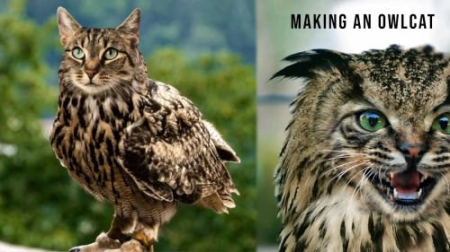
How to make an Owlcat in Adobe Photoshop
Duration: 35m | Video: .MP4, 1280x720, 30 fps | Audio: AAC, 48 kHz, 2ch | Size: 409 MB
Genre: eLearning | Language: English​

In this course I will be teaching you the very handy skill of turning your cat into an Owlcat. It might seem like a meaningless skill, but it is actually a fun way of helping you practice composite skills in Adobe Photoshop.
Homepage
Screenshots


21043e52-89ec-4b34-a641-465a7ca5e54c.png

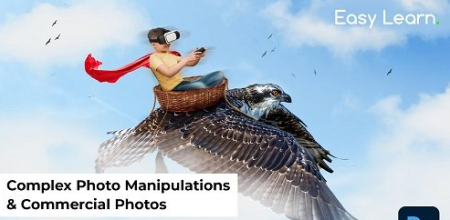
Photoshop Composite Easy Class: Create Complex Photo Manipulations & Commercial Photos
Duration: 28m | Video: .MP4, 1280x720, 30 fps | Audio: AAC, 48 kHz, 2ch | Size: 405 MB
Genre: eLearning | Language: English
In this class,​

I will teach you basic techniques and the process of creating complex photo manipulations very easily. and a streamlined workflow for photo manipulations.
Programs needed: Adobe Photoshop
The skill required: Beginner & intermediate photoshop skills
What You'll Learn*In this class I am revealing my secret to recreating and manipulating images into surreal artworks' for commercial and artistic purposes. I created a very easy technique to create this kind of digital photo realistic artwork in photoshop, without any professional skill requirements, the class is divided into a few parts from the introduction - Crafting Artwork - Applying Melting Surreal Effect - Final Touches,
you will learn
Creation of Commercial graphics
Photo Manipulation
Basic drawing understanding
A creative heck to speed up the workflow of Digital Photomanipulation
Use of advanced photoshop tools ( masking, custom brushes, environment creation, photoshop filters, etc.
A Speedy Workflow of Creating Graphics in a short time
Cloud Brushes
By the end, you'll have*enough art skills you can use for any number of projects, such as art exhibits, posters, album arts, and for commercial use
Homepage
Screenshots


55e42e67-e41b-4f53-b138-2451a669705e.png

Practical Git & Github Bootcamp for Developers
Published 3/2022
Duration: 1h 29m | Video: .MP4, 1280x720 30 fps | Audio: AAC, 48 kHz, 2ch | Size: 793 MB
Genre: eLearning | Language: English​

Learn how developers share code in project using version control system like Git/Github following Continuous Integration
What you'll learn:
You will learn about Importance of using Version Control System(VCS)
You will learn about the most popular VCS - Git/Github
You will learn to use Git commands from Git bash & Terminal
You will learn to use Git commands from Visual Studio Code editor
You will learn to use Git commands from Intellij editor
You will learn the branching strategy and pull request process
You will learn how Continuous Integration process works in a project in IT industry
You will learn about different best practices than a developer should follow while working in a project
Requirements
Knowledge of any programming language
Description
This course will tell you how the Continuous Integration process works in a project in the IT industry using tools like git and github.
How different developers work in a team in a project and share code with each other for integration and deployment.
You will learn about the various branching strategy and git flow process and the pull request process that gets followed in companies.
Next we will learn how to create the repository and how to connect from our local laptop to github with a secured token and perform various git operations.
We will also learn the different best practices that a developer should follow while working on any project.
You will learn about Importance of using Version Control System(VCS)
You will learn about the most popular VCS - Git/Github
You will learn to use Git commands from Git bash & Terminal
You will learn to use Git commands from Visual Studio Code editor
You will learn to use Git commands from Intellij editor
You will learn the branching strategy and pull request process
You will learn how Continuous Integration process works in a project in IT industry
You will learn about different best practices than a developer should follow while working in a project
We will also learn about different git operations by doing them some of them include
Git clone
Git branch
Git status
Git merge
Git stash
Git resolve
Git commit
Git push
Git revert
Git history
Git tag
Git revert
much more
Who this course is for
Anyone who wants to learn how to use Git and Github for sharing code project with other developers
Homepage
Screenshots


051ece2c-aa39-4605-9739-40b254b44c4e.png

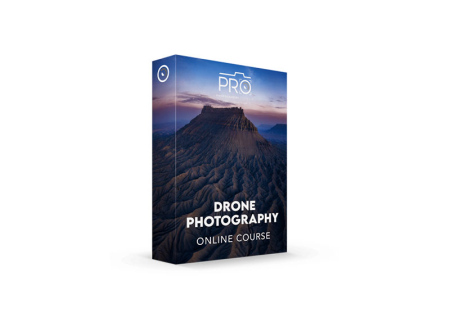
Weatherby Photography - Drone Photography
Weatherby Photography
Instructors: John Weatherby
Duration: 1H 14M • 5 Lessons
Video: MP4 1920x1200 44 KHz | English
Size: 2.020 GB​

In this course I go over how to create stunning drone photography. We will touch on the proper settings and techniques to capture images from the air, as well as how to compose and shoot a drone panorama manually. Full start to finish in field shooting and then processing.
Screenshots


Zurück
Oben Unten