




• Regeln für den Video-Bereich:

    In den Börsenbereich gehören nur Angebote die bereits den Allgemeinen Regeln entsprechen.

    Einteilung

    - Folgende Formate gehören in die angegeben Bereiche:
    - Filme: Encodierte Filme von BluRay, DVD, R5, TV, Screener sowie Telesyncs im Format DivX, XviD und x264.
    - DVD: Filme im Format DVD5, DVD9 und HD2DVD.
    - HD: Encodierte Filme mit der Auflösung 720p oder darüber von BluRay, DVD, R5, TV, Screener sowie Telesyncs im Format x264.
    - 3D: Encodierte Filme von BluRay, die in einem 3D Format vorliegen. Dies gilt auch für Dokus, Animation usw.
    - Serien: Cartoon/Zeichentrick, Anime, Tutorials, Dokumentationen, Konzerte/Musik, Sonstiges sind demnach in die entsprechenden Bereiche einzuordnen, auch wenn sie beispielsweise im High Definition-Format oder als DVD5/DVD9/HD2DVD vorliegen. Ausnahme 3D.
    - Bereich Englisch: Englische Releases gehören immer in diesen Bereich.
    - Bereich Talk: Der Bereich, in dem über die Releases diskutiert werden kann, darf, soll und erwünscht ist.


    Angebot/Beitrag erstellen

    - Ein Beitrag darf erst dann erstellt werden, wenn der Upload bei mindestens einem OCH komplett ist. Platzhalter sind untersagt.
    - Bei einem Scenerelease hat der Threadtitel ausschließlich aus dem originalen, unveränderten Releasenamen zu bestehen. Es dürfen keine Veränderungen wie z.B. Sterne, kleine Buchstaben o.ä. vorgenommen werden. Ausnahme Serienbörse:
    - Bei einem Sammelthread für eine Staffel entfällt aus dem Releasename natürlich der Name der Folge. Beispiel: Die Simpsons S21 German DVDRip XviD - ITG
    - Dementsprechend sind also u.a. verboten: Erweiterungen wie "Tipp", "empfehlenswert", "only", "reup", usw. / jegliche andere Zusatzinformation oder Ergänzung, welche nicht in obiger Beschreibung zu finden ist.

    Aufbau des Angebots und Threadtitel

    Der Titel nach folgendem Muster erstellt zu werden. <Name> [3D] [Staffel] [German] <Jahr> <Tonspur> [DL] [Auflösung] <Quelle> <Codec> - <Group>
    Beispiel: The Dark Knight German 2008 AC3 DVDRip XviD - iND
    Beispiel: The Dark Knight 2008 DTS DL BDRip x264 - iND
    Beispiel: The Dark Knight 2008 AC3 DL BDRip XviD - iND
    Beispiel: The Dark Knight German 2008 AC3 720p BluRay x264 iND
    Beispiel: The Dark Knight 2008 DTS DL 1080p BluRay x264 iND
    Beispiel: Die Simpsons S01 German AC3 DVDRip XviD iND
    Beispiel: Die Simpsons S20 German AC3 720p BluRay x264 iND
    Beispiel: Sword Art Online II Ger Sub 2014 AAC 1080p WEBRip x264 - peppermint
    Entsprechend sind also u.a. verboten: Sonderzeichen wie Klammern, Sterne, Ausrufezeichen, Unterstriche, Anführungszeichen / Erweiterungen wie "Tipp", "empfehlenswert", "only", "reup", usw. / jegliche andere Zusatzinformation oder Ergänzung, welche nicht in obiger Beschreibung zu finden ist
    Ausnahmen hiervon können in den Bereichen geregelt sein.

    Die Beiträge sollen wie folgt aufgebaut werden:
    Überschrift entspricht dem Threadtitel
    Cover
    kurze Inhaltsbeschreibung
    Format, Größe, Dauer sind gut lesbar für Downloader außerhalb des Spoilers zu vermerken
    Nfo sind immer Anzugeben und selbige immer im Spoiler in Textform.
    Sind keine Nfo vorhanden z.B. Eigenpublikationen, sind im Spoiler folgende Dateiinformationen zusätzlich anzugeben :
    Quelle
    Video (Auflösung und Bitrate)
    Ton (Sprache, Format und Bitrate der einzelnen Spuren)
    Untertitel (sofern vorhanden)
    Hosterangabe in Textform außerhalb eines Spoiler mit allen enthaltenen Hostern.
    Bei SD kann auf diese zusätzlichen Dateiinformationen verzichtet werden.

    Alle benötigten Passwörter sind, sofern vorhanden, in Textform im Angebot anzugeben.
    Spoiler im Spoiler mit Kommentaren :"Schon Bedankt?" sind unerwünscht.


    Releases

    - Sind Retail-Release verfügbar, sind alle anderen Variationen untersagt. Ausnahmen: Alle deutschen Retail-Release sind CUT, in diesem Fall sind dubbed UNCUT-Release zulässig.
    - Im Serien-Bereich gilt speziell: Wenn ein Retail vor Abschluss einer laufenden Staffel erscheint, darf diese Staffel noch zu Ende gebracht werden.62
    - Gleiche Releases sind unbedingt zusammenzufassen. Das bedeutet, es ist zwingend erforderlich, vor dem Erstellen eines Themas per Suchfunktion zu überprüfen, ob bereits ein Beitrag mit demselben Release besteht. Ist dies der Fall, ist der bereits vorhandene Beitrag zu verwenden.
    - P2P und Scene Releases dürfen nicht verändert oder gar unter einem iND Tag eingestellt werden.


    Support, Diskussionen und Suche

    - Supportanfragen sind entweder per PN oder im Bereich Talk zu stellen.
    - Diskussionen und Bewertungen sind im Talk Bereich zu führen. Fragen an die Uploader haben ausschließlich via PN zu erfolgen, und sind in den Angeboten untersagt.
    - Anfragen zu Upload-Wünschen sind nur im Bereich Suche Video erlaubt. Antworten dürfen nur auf Angebote von MyBoerse.bz verlinkt werden.


    Verbote

    - Untersagt sind mehrere Formate in einem einzigen Angebotsthread, wie beispielsweise das gleichzeitige Anbieten von DivX/XviD, 720p und 1080p in einem Thread. Pro Format, Release und Auflösung ist ein eigener Thread zu eröffnen.
    - Grundsätzlich ebenso verboten sind Dupes. Uploader haben sich an geeigneter Stelle darüber zu informieren, ob es sich bei einem Release um ein Dupe handelt.
    - Gefakte, nur teilweise lauffähige oder unvollständige Angebote sind untersagt. Dies gilt auch für eigene Publikationen, die augenscheinlich nicht selbst von z.B. einer DVD gerippt wurden. Laufende Serien, bei denen noch nicht alle Folgen verfügbar sind, dürfen erstellt und regelmäßig geupdatet werden.
    - Untersagt sind Angebote, welche nur und ausschließlich in einer anderen Sprache als deutsch oder englisch vorliegen. Ausnahmen sind VORHER mit den Moderatoren zu klären.


    Verstoß gegen die Regeln

    - Angebote oder Beiträge, die gegen die Forenregeln verstoßen, sind über den "Melden"-Button im Beitrag zu melden.
  • Bitte registriere dich zunächst um Beiträge zu verfassen und externe Links aufzurufen.

*** Bestes IPTV *** bester Preis *** gratis Test ***


Englische Tutorials

65e47c78-8ebb-4562-a129-676a23ffd0fb.png

Mastering Stock, Futures & Forex Trading With Chart Patterns
MP4 | Video: h264, 1280x720 | Audio: AAC, 44.1 KHz, 2 Ch
Genre: eLearning | Language: English + srt | Duration: 34 lectures (12h 15m) | Size: 4.9 GB

Skills for Success, Confidence and Consistency! AB=CD, Gartley 222, Powerful Butterfly Reversal, 3 Drive Pattern
What you'll learn
12 Hours of video lessons methodically and comprehensively teaching a process of learning chart patterns for trading.
This course is all about learning and building trading skills for your trading success
I guide you step by step as I share my 24 years of experience in this course.
Trading patterns exist because of harmonics and repetitive swings. I teach you these concepts.
4 trading patterns for all markets and time frames: AB=CD, Gartley 222, Butterfly reversal, 3 Drives pattern
6 sections on the AB=CD pattern because it is the most important and root of the other patterns.
Master Chart Tips from my live charts
Keys to confidence and consistency with simple metrics
How to create a trading plan with a download guide
Mindset tips to help you manage emotions trading
Trade management IS the engine to trading
Learn simple metrics to boost your trading results
Forex, Nifty Fifty, Bitcoin Traders can apply this course to your markets. No special course needed!
Free PDF copy of Essentials of Trading, It's Not What You Think, It's HOW You Think
Requirements
Basic understanding of price charts helpful but not required
Desire to succeed and learn a process to build trading skills
Description
Hello and welcome!
I am a Chartered Market Technician and hold the CMT designation, the gold standard for technical analysts around the globe.
I have over 24 years of experience in the financial markets developing trading methods with harmonic and classic technical analysis chart patterns. I can teach you how to trade these patterns!
I've authored the best selling book, 'Trade What You See, How to Profit from Pattern Recognition' along with Larry Pesavento who introduced Fibonacci ratios combined with many of the patterns you will learn here.
Are you one of those traders trying to crack the code and learn how to trade with confidence? Are you trying to master the chart patterns and gain the skills to apply them in the market you trade?
You will learn the keys to confidence and consistency in trading.
Start your journey today!
With over 24 years of experience in the financial markets, creating powerful trading methods with harmonic and classic technical analysis chart patterns, I am here to show you everything you need to make an informed decision.
This course is created for traders by traders.
No matter whether you've been around the block a couple of times or are dipping your toes into the market, this course is for you. Investing in Stocks, Futures, Forex, Nifty Fifty or Bitcoin? You don't need a special course to apply this method to your markets. Gain valuable information from this course and use that unparalleled knowledge in any market or time frame. Anyone can take this course to supercharge their skills! Apply the skills you learn from this method to day trading, swing trading, or long-term investment. Even if you are an index trader or a stock trader, you will be able to master these concepts seamlessly. No more wasting time and money on those "advanced" patterns, there are no "advanced" patterns, just patterns - I make everything simple and easy to understand! All you need to do is recognize the patterns I am going to teach you about.
What we are going to do in this course is build your confidence to help you gain consistent returns. After all, confidence and consistency are keys when trading.
Getting Started
Before we run, we need to LEARN how to walk. So before we jump right in putting your hard-earned dollars into the market, we need to build a foundation of pattern recognition, a method to trade and a trading plan that includes
1. Trade setups using 4 chart patterns that have been proven through trial by fire
2. Entry and profit taking plan
3. Risk management skills
4. Combine method and mindset, cannot have one without the other. Trading psychology matters! It is the most important element once you master a method. I help traders develop this psychology as they are learning the method.
Step 1 - Building Our Foundation
The pyramids weren't built in a day. It was a process. And the process started by building a strong foundation that would support each new layer. That's what we're going to do in this section. In this section of the course, I'm going to teach you a brief history of Fibonacci ratios. I'll cover what they are and where they came from and show you how to use them with each pattern along with a few other trading tips and tricks.
A lot of people have been teaching these chart patterns, but the problem is, they do not have years of experience, skills, and depth of knowledge. It is important to delve deeper into the intricacies of the patterns, and it takes years to master this skill. I have been doing it for years, so I know how to teach others and make the concepts clear and easy so that anyone can understand it.
I will also cover Harmonic and repetitive swings. These swings are the basis of many trading patterns. Trading patterns exist because of these swings which are universal to all markets. By the end of this section, traders will have a strong foundation and a deep understanding of how to apply the simple method to identify these swings which will form the trading setup in any market. Even if you're already familiar with these patterns, this course will strengthen your understanding.
Step 2 - Building skills, correct pattern structure identification and application
In this part of the course, I am going to teach you how to calculate and apply the Fibonacci ratios and extension ratios you need for successful trades.
AB=CD Buy and Sell Pattern: We have 6 units on this chapter because it is the most important of the bunch. This pattern is the root of all other patterns. This is the true base of the pyramid. We will cover its variations and nuances so you can avoid difficulties when we start to build on it with other patterns.
Gartley 222 Buy and Sell Pattern: There is so much misinformation regarding this pattern. A lot of so-called experts make the whole thing really complex and challenging and don't know the history of this classic pattern. I will make everything easy-to-understand and straightforward. I will show you how it works, where it came from, and more. This is a classic pattern used by many traders and I'm going to show you how to use it.
The Powerful Butterfly Reversal Pattern: This trade setup has been one of the keys to my trading success. I'm also going to give you my personal mental tricks for mastering the mental side of this trade setup.
Three Ways to Use the 3 Drive pattern: This pattern, often left out of technical analysis discussion, is an underrated and highly valuable pattern to add to your skills. It's both a reversal and continuation pattern that could supercharge your results.
Step 3 - Master Chart Tips
We will go over real-world examples on my live charts, demonstrating all of the topics we've covered. I'll show you exactly what to look for and what to avoid when analyzing these patterns and trade setups.
Bonus Section
The course doesn't end there. I want to see you succeed using these methods. That's why we're going to cover why traders succeed (or fail). I'm going to give you some trading DO's and DON'Ts and show exactly why some traders are successful with these methods and where the folks who weren't as successful went wrong. We will also cover the basics of building a trading plan. I'm going to help you start to get your own plan together and get you on the path towards securing returns for yourself.
You will receive a 'Trade Plan Guide' as part of your course materials and a free PDF copy of my book, 'Essentials of Trading, It's Not What You Think, It's HOW You Think'. An inspirational compilation of articles by myself and Larry Pesavento.
Trade Management: The Engine That Fuels The Patterns!
Trade management is the key to your success. By tapping into the right ways to trade, planning your entry and exit at the right time, placing your stop losses, and understanding other basic metrics will take your trading game to a whole new level, and that is what I am here to teach you!
With my remarkable trade setups, intuitive exercises, chart tips, stop loss placements, and more, you will be able to master the trading plan components, build a right mindset, and create a plan that works for you!
No More Misinformation!
I believe it is important to address the misconceptions around these patterns and what it takes to become a major player in the industry. One of the largest issues is that of improper pattern structure and application. Techniques that simply don't work when implemented!
This course will help you understand the correct structure of each pattern. I take my business very seriously and truly want to help you find your way into the trade. I will only teach you the most efficient and correct structures as well as the specific details that made them effective. This course is fit for those with no previous knowledge and even those who are already familiar with the patterns. A strong foundation can help even the most experienced trader.
It is the right time to supercharge your skills and boost your trading game.
Get Started Today!
Thank you for joining me in these courses!
Best wishes for successful trading,
Leslie Jouflas, CMT
Who this course is for
Beginning to experienced traders
Traders wanting to learn a professional process of trading
All skill levels will benefit with this step by step course
Day traders, swing traders and long term investors will benefit with this course
Traders seeking confidence and consistency in trading
Traders wanting to learn how to develop a trading plan. This step can be the difference between success and failure!
Traders wanting to learn trade management and money management techniques
Forex, Nifty Fifty and Bitcoin traders looking for a solid trading method
Homepage









 
FStEVawcXMrQSbsQFPOHUtfEaz0kitxF.jpg

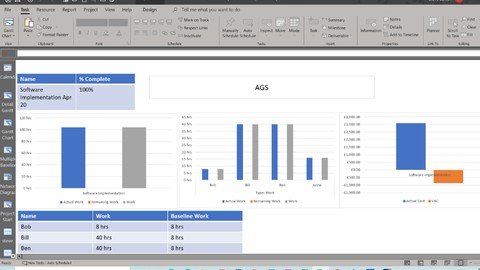
Microsoft Project Master Class 2022
Genre: eLearning | MP4 | Video: h264, 1280x720 | Audio: AAC, 44.1 KHz
Language: English | Size: 2.73 GB | Duration: 4h 22m
In this course you will learn all the main elements of Microsoft Project

What you'll learn
Learn how to use Microsoft Project - Beginner to Advanced
Project managers and Project users
Learn all the main elements of Microsoft Project
Learn how to add a resource, set overtime, working hours for resources and all about task types
Requirements
No prerequisites or previous skills are required
Description
In this course you will learn all the main elements of Microsoft Project.
In the first section you will learn how to create tasks and all about the opening screen.
The second section you will learn how to format the Gannt charts, use the calendar, use filters, embed documents, like Excel and Word.
In the third section you will learn how to link tasks together.
Then it is time for resources in the forth and fifth sections, you will learn how to add a resource, set overtime, working hours for resources and all about task types.
The next section you will focus on the different views in Microsoft Project.
The following section is all about saving baselines, running and creating reports.
Next comes customisation of Project, using functions, drop down lists and how to create your own tables.
The last section before the recap is about automation, how to export to Excel using the wizard.
Finally, how to create a macro to automate your processes.
This course is best suited to project managers and project workers that require to monitor, track and report on their projects progress.
Objectives
• Learn how to use Microsoft Project - Beginner to Advanced
• Project managers and Project users
Who this course is for
This course is best suited to project managers and project workers that require to monitor, track and report on their projects progress.
Screenshots


95305d7643826cecf15d381a4b663fe4.jpg

One Light Wonder
Duration: 4h 58m | Video: 1280x720 30fps | Audio: AAC, 48 kHz, 2ch | Size: 3.8 GB
Genre: eLearning | Language: English​

We only have one sun, so why should we need more than one light? In this course, celebrity portrait photographer Clay Patrick McBride will dive into lighting with intention. Through a variety of live shoots, he'll demonstrate how to incorporate lighting diagrams into your workflow so you can create setups that you can use again and again.
He'll cover
How to control your light
Creating hard or soft light
The importance of documenting your setups
Sculpting with Light
Removing and creating shadows with intention
By the end of this class, you will be able to create incredible images with confidence and the use of only one light.
Screenshots


c5a967ee3f75d5faf9d108fb10ca4161.jpg

Play by ear any song on guitar/piano (or other instrument)
MP4 | Video: h264, 1280x720 | Audio: AAC, 44.1 KHz, 2 Ch
Genre: eLearning | Language: English + srt | Duration: 54 lectures (4h 37m) | Size: 2.98 GB

Learn to play basic guitar or piano for beginners (play by ear) / Learn to play by ear (also more advanced musicians)
What you'll learn
Be able to accompany on the guitar (for example a singer (or yourself), another instrument or even a whole band)
Be able to accompany on the piano (for example a singer (or yourself), another instrument or even a whole band)
Determine the key, extract chords and melody from your favorite songs
And finally: play any song you want by ear!
Requirements
No musical experience required, suitable for beginners
For guitar players: a guitar tuner (downloadable for free on your phone)
Description
FINALLY A COURSE THAT WILL ENABLE YOU TO PLAY ANY SONG BY EAR AND TO PLAY BASIC GUITAR OR PIANO (EVEN FOR TOTAL BEGINNERS)
Imagine being able to just play a song you hear, without even having any sheet music, notes or chords. The techniques taught in this course will tell you exactly how to achieve that.
Never played any instrument before? No problem! After this course, you will be able to play basic guitar or piano (or both, if you want ? ), just by ear!
VERY QUICKLY, YOU WILL BE ABLE TO PLAY ANY SONG ON YOUR INSTRUMENT BY EAR
Detailed explanation by an experienced teacher (25+ years of teaching experience) and lots of additional material will let you quickly advance and let you exactly understand everything in detail.
THIS COURSE WILL MAKE YOUR MUSICAL DREAMS COME TRUE
Lots of examples, exercises and very clear diagrams and animations make it a pleasure to learn and therefore advance quickly so that you will be mastering the techniques taught in this course with ease.
About this course
It is important to realize that this course mainly focuses on 2 types of musicians
1. Total beginners who want to start to play guitar or piano.
This course can be used as a guitar or piano course (or both if you want!), where you will learn the basics of guitar or piano as a total beginner. After this course, you will be able to accompany a singer (or yourself), another instrument or even a whole band, just by playing chords and even by just playing by ear (or also from a chord sheet, if you have one). Be aware that this course teaches you the basics of guitar/piano playing. For a detailed and complete guitar/piano course you need of course a much longer course, because it would not be possible to teach all the ins and outs of guitar/piano playing in just a few hours. But still, after this course you will be able to start accompanying yourself/others/a band. And that's still what most people want!
2. (More) advanced musicians that already play an instrument
(can be guitar/piano or any other instrument) and that want to master techniques to play by ear. This means playing any song on your instrument just by ear. So, without having any sheet music/notes or chords, just by only listening to the song. If you belong to this group, you would typically skip the beginning sections of the course and start directly the 'playing by ear'-section.
This course starts after a short introduction section with triads and chords, which are the basic 'building blocks' of every song.
You will understand what chords are, how they are formed and how they are played on guitar and piano.
Also, in those 'chord-sections', you will find exercises to do to make yourself familiar with playing chords on your instrument.
The last (and longest) section is the section 'Playing by ear'. In this section, you will start with a bit of theory (could eventually be skipped) after which you will finally start to learn the techniques of how to play by ear.
By listening carefully to a song, you will learn how to extract chords and melody and I will also show you some ways of how to play it on guitar/piano.
After several songs where I show how to apply the techniques of extracting chords and melody from a song, you will finally apply them yourself on the last 2 songs in this section.
This course consists of the following 4 sections
· Introduction
· How to form basic chords (triads)
· 7th chords
· Playing by ear
Course characteristics
Clear explanations by an experienced teacher with
· lots of chords with detailed PDF's with chord diagrams and photos
· lots of exercises
· several songs to practice with
Some of the topics covered in this course
How to tune a guitar
The notes on a guitar
The notes on a piano
Major triads (on guitar and piano)
Minor triads (on guitar and piano)
Dominant 7th chords (on guitar and piano)
Minor 7th chords (on guitar and piano)
The key of a song
Diatonic chords
Determine the root movement
Determine the chord progression
Determine the melody
Diatonic chords in a minor key
Analyze songs to be able to play them by ear
Who this course is for
For total beginners who want to start to learn the guitar or piano
Also for more advanced musicians who want to learn to play any song they want on their instrument by ear
Homepage


44BFOB6VxV79eEBocz4qJiGJhpSzFz0z.jpg

Practical Data Engineering in GCP: Beginner to Advanced
Genre: eLearning | MP4 | Video: h264, 1280x720 | Audio: AAC, 44.1 KHz
Language: English | Size: 2.19 GB | Duration: 4h 37m
Step by step guide to building four data pipelines in Google Cloud using DataStream, Data Fusion, DataPrep, DataFlow etc

What you'll learn
How to build No Code/Codeless data pipelines in Google Cloud
You will learn to build real-world data pipelines usings tools like Data Fusion, DataPrep and Dataflow
You will learn to transform data using Data Fusion
You will acquire good data engineering skills in Google Cloud
Working with Big Query Data warehouse in Google Cloud
Requirements
Basic understanding of cloud computing
An active google account
basic understanding of what a data lake and data warehouse are is essential but not required
Description
In this course, we will be creating a data lake using Google Cloud Storage and bring data warehouse capabilites to the data lake to form the lakehouse architecture using Google BigQuery. We will be building four no code data pipelines using services such as DataStream, Dataflow, DataPrep, Pub/Sub, Data Fusion, Cloud Storage, BigQuery etc.
The course will follow a logical progression of a real world project implementation with hands on experience of setting up a data lake, creating data pipelines for ingestion and transforming your data in preparation for analytics and reporting.
Chapter 1
We will setup a project in Google Cloud
Introduction to Google Cloud Storage
Introduction to Google BigQuery
Chapter 2 - Data Pipeline 1
We will create a cloud SQL database and populate with data before we start performing complex ETL jobs.
Use DataStream Change Data Capture for streaming data from our Cloud SQL Database into our Data lake built with Cloud Storage
Add a pub/sub notification to our bucket
Create a Dataflow Pipeline for streaming jobs into BigQuery
Chapter 3 - Data Pipeline 2
Introduce Google Data Fusion
Author and monitor ETL jobs for tranforming our data and moving them between different zone of our data lake
We will explore the use of Wrangler in Data Fusion for profiling and understanding our data before we starting performing complex ETL jobs.
Clean and normalise data
Discover and govern data using metadata in Data Fusion
Chapter 4 - Data Pipeline 3
Introduction to Google Pub/Sub
Building a .Net application for publishing data to a Pub/Sub topic
Building a realtime data pipeline for streaming messages to BigQuery
Chapter 5 - Data Pipeline 4
Introduction to Cloud DataPrep
Profile, Author and monitor ETL jobs for tranforming our data using DataPrep
Who this course is for
Data Engineers
Data Architects looking to architect data integration solutions in Google Cloud
Data Scientist, Data Analyts and Database Administrators
Anyone looking to start a career as an Google Cloud Data Engineer
Screenshots


image.png

The Business of Volume School Photography
Duration: 3h 57m | Video: 1280x720 30fps | Audio: AAC, 48 kHz, 2ch | Size: 2.53 GB
Genre: eLearning | Language: English​

We've all had our annual school portrait taken over the years. Of course you didn't think about the hard work and organization that it took for the photographer to get hundreds of images taken during that day, but volume school portrait photography is a great way for photographers to add additional income to their business. Matthew "The Body" Kemmetmueller has broken into that competitive market and wants to share his knowledge of that industry with you.
Screenshots


UVSsS1IXzPAp2OfU4hvbroh4TzxrbPq1.jpg

Videoscribe Whiteboard Animations MasterClass
Genre: eLearning | MP4 | Video: h264, 1280x720 | Audio: AAC, 48.0 KHz
Language: English | Size: 810 MB | Duration: 1h 52m
Top hints and tips to quickly learn how easy it is to create engaging whiteboard animation videos using VideoScribe

What you'll learn
Use Sparkol Videoscribe software
Create whiteboard animations from scratch
Import your own images into Videoscribe
Use thousands of already created images that come with Videoscribe
Develop your creative storytelling abilities
How to incorporate music into your animations
Step by step instructions on how to create your own video animation
Requirements
No prerequisites or previous skills are required
Description
Welcome to our Videoscribe Whiteboard Animations: MasterClass With Project course!
My name is Chetan Pujari. I've been creating videos and teaching courses on how to get the most out of VideoScribe for over 5 years.
In this course, I've captured our top hints and tips so you can quickly learn how easy it is to create engaging whiteboard animation videos using VideoScribe.
Videoscribe is the most used program for creating whiteboard animations because of its intuitiveness, image library, and low cost.
Whether you are an artist or have no drawing skills, this course will teach you how to create captivating whiteboard animations from scratch! Videoscribe includes thousands of ready-to-use images to choose from and to use in your whiteboard animation videos.
Thanks to VideoScribe you will be able to start your YouTube channel without all of the fancy stuff. What you need is whiteboard animation! There are plenty of whiteboard animation softwares out there. I will use Videoscribe in this series: Videoscribe is a premium software, so if you are interested make sure to purchase this course!
This course is designed for VideoScribe v3.7. To ensure you are using the most up-to-date version, we recommend you updating your app from your Sparkol account page.
Who this course is for
Anyone interested in Videoscribe. Anyone interested in creating Whiteboard Animations. Anyone who is creative and a storyteller. Anyone who creates videos.
Screenshots


3736042-aa39-40.jpg

The Art Of Drawing Cartoon Comic Strips [NEW]
Genre: eLearning | MP4 | Video: h264, 1280x720 | Audio: AAC, 48.0 KHz
Language: English | Size: 11.8 GB | Duration: 14 hours​

Learn to Draw Colored Cartoon Character Comic Strips and Express your Ideas with Cartoons.

What you'll learn
How to draw different cartoon characters
How to edit cartoon characters
How to create Cartoon Comic strips
How to design Titles for Cartoon Comic strips
How to Color Cartoon Characters using Adode Photoshop
Beginners will learn how to draw and create Cartoon Comic strips from their own imagination
How to express their ideas and stories visually

Requirements
Passion to Learn
Adobe Photoshop
Windows Paint Software
Ball point Pen (Black)
A Scanner
A4 Papers

Description
NOW IS THE MOMENT

Updated - 18/10/2021

Do You Want To Be a Creative?

Join Thousands of students learn how to Draw & Create cartoon Comic Strips.

This Masterclass is the Compilation 0f 13 years of my Life's Learning & Pesronal experience on the Subject of Drawing Cartoons.

Do You want to learn how to draw Professsional cartoon characters that will enable you create amazing comic strips?

In this very in-depth Course, I want to share my (over 13years of Experience) Cartoon Comic Strip Creation process with You. I will take You through the very basics in Drawing Cartoon Characters so that You can start creating Your own Cartoon Characters straight from your imagination.

My Name is T.S Amachree, ever since i was a kid, I've been passionate about Drawing and Scribbling Cartoon Characters. Its one thing I am really good at; and over the years, I've been privileged to have Great Teachers that Inspired and guided me along the path in making Great Cartoon Comic strips.

You will learn how to Draw and Create Cartoon Comic Strips. Each lesson is made super Easy; Step- by - step Guide in Real Time.

With a Cartoon Comic Strip Examples; featuring some of my best Cartoon Characters.

From Sketching Your Ideas on Paper, Drawing the Cartoon Characters to Coloring & Texting the final Project on Photoshop.


Everything You'd need to know about Creating Your Own Cartoon Comic Strips; Straight from your ideas and imagination.

The Best Part is; It Doesn't Matter If You Do Not Know How To Draw; This course is made Super Easy. Starting with the Very First Principle of Drawing Cartoon Character.

You don't need to use a Graphic tabs, Artist Pencil or Special Brush for this Course.

All you need is the super affordable, simple a Ball Point Pen (BIC Biro).

This Course will teach You new skills and further expand your knowledge in Drawing Cartoon Characters and Creating Cartoon Comic Strips.

You can Start making Cartoon Comic Strips for Newspapers, Magazines, websites, social media and even earn more money through ads.

I even use comic strips to draw up Story block ideas for videos for some of my clients; it helps to communicate a perfect visual understanding of the Proposed Video.

Enroll now; and Enjoy a lifetime and instant access to the entire course.

a 30 Day Money Back Guarantee.

Never Despise or undervalue your own Creative expressions or Art form.

The goal is not to draw something perect but to create Consistency.

Don't Wait Sign up Now - Take Action.

(G)

Who this course is for:
Beginner Artists
Cartoon Artists
Graphics Designers
Anyone with basic drawing Skills
Cartoon Comic strip Artists
Anyone who desires to Draw

[NEW].part01.rar.html
[NEW].part02.rar.html
[NEW].part03.rar.html
[NEW].part04.rar.html
[NEW].part05.rar.html
[NEW].part06.rar.html
[NEW].part07.rar.html
[NEW].part08.rar.html
[NEW].part09.rar.html
[NEW].part10.rar.html
[NEW].part11.rar.html
[NEW].part12.rar.html
[NEW].part13.rar.html
[NEW].part14.rar.html


4237998-729e-2.jpg

Elm - The Complete Guide (includes ports, design and more)
Genre: eLearning | MP4 | Video: h264, 1280x720 | Audio: AAC, 48.0 KHz
Language: English | Size: 15.9 GB | Duration: 21 hours​

Learn the language of the future for web development and increase your productivity and fun using Elm, Elm UI and others

What you'll learn
Build modern web apps using Elm
Create your own web site with a high quality long term foundation
Fix an old chaotic legacy web app moving to the solid Elm architecture
Learn all about Elm, including visual design, business rules modeling and browser integration using ports

Requirements
Basics of HTML
No jаvascript experience is required

Description
Create great web sites using this new cool language called Elm, join us and learn how to develop professional nice looking web apps for your blog, your company or your next own startup.


The class is a hands on with practice videos you can follow at your own pace, the reference code is at GitHub for every step of the class. Optionally you can just jump to the last lecture of each section to get the complete code and advance quicker if you feel like to.


We are going to learn how to:


Setup a productive and fast development cycle using Elm Live

Create great visual user interfaces using Elm UI

Display powerful statistics graphs using Elm Charts

Develop solid business logic with The Elm Architecture

Use HTTP API remote calls with Elm JSON

Debug an Elm web application using the Elm Debugger

Design responsive web pages using Elm UI metrics

Make our web sites better using Accessibility with Elm

Draw animations using SVG and Elm SVG

Deploy to production using JAMStack

The teacher has vast experience from real battles developing big systems including HTTP JSON APIs, Thrift APIs, databases, the cloud, mobile and web apps.

Come and join us for learning Elm together, one of the most valuable pieces for developing successful professional web sites today.

Who this course is for:
Developers that want to learn to create how to create modern web apps
Frontend developers looking for a better good alternative to jаvascript and old traditional frameworks
Backend developers that want to become full-stack developers without drowning on the whole jаvascript nightmare
If you are overwhelmed by the spaghetti configuration style with jаvascript projects you may found a refreshing better way using Elm


4570218-3ba6-2.jpg

Complete Filmora (9, X & 11) Megacourse: Beginner to Expert
Genre: eLearning | MP4 | Video: h264, 1280x720 | Audio: AAC, 48.0 KHz
Language: English | Size: 6.17 GB | Duration: 8.5 hours​

Learn how to create and edit videos like a pro with this step-by-step course!

What you'll learn
How to use Filmora 11 and all its elements
What is the difference between the different Filmora versions and how to use them
The principles of video editing in Filmora
The different features in different versions of Filmora
How to do video effects
How to use stock footage
How to do flawless transitions
The principles behind green screens and blending
How to do audio effects and take your audio design to the next level
Color Grading
The principles behind masking and motion tracking
The most useful shortcuts/hotkeys
How to include graphics in your videos
The theory behind your creative choices

Requirements
No previous knowledge of Filmora required!
A desire to learn!
A positive attitude!

Description
Learn video editing with Filmora!

Edit like a pro!

Have you ever wanted to edit your own videos but were too intimidated by all the editing programs out there? There are plenty of programs to choose from, but hardly any of them make editing easier for beginners. With Filmora, you can easily edit your clips with minimal effort. The program is designed for everyone, meaning that you can use it even if you have no knowledge about video editing! With instant templates, your videos are just a few clicks away from being perfect! By providing both basic and advanced tools, Filmora is the perfect place to start if you're looking to become an editor!

In this course, we're going to go through this amazing program and learn about every part of it. From audio design to cinematic color grading, you'll learn everything about professional editing and with some practice you'll become an editor too!

Our instructor has years of experience not only in video editing, but also in teaching, and the expertly-crafted syllabus is designed to be easy to follow and thorough. You will learn how to make your videos great with on screen examples and resources for you to follow and improve. That's why this is the only Filmora course you'll ever need to create professional and great looking videos!

Start creating and editing your own videos today!

Who this course is for:
Anyone who wants to learn to edit videos - no experience needed!
Video editors who want to learn new styles and basics of a new platform
Anyone with specialised needs (video editors, graphic designers, videographers)

Complete Filmora (9, X & 11) Megacourse: Beginner to Expert


13a0acd5-82c4-42c3-8fdc-0e759b033171.png

ChIP Next Generation Sequencing Analysis: Complete A to Z
MP4 | Video: h264, 1280x720 | Audio: AAC, 44.1 KHz, 2 Ch
Genre: eLearning | Language: English + srt | Duration: 134 lectures (8h 29m) | Size: 6 GB

ChIPseq Analysis - Bioinformatics - RStudio - Miniconda - Docker - Linux - Epigenomics - Epigenetics
What you'll learn
You'll be able to undertake a ChIPseq analysis pipeline in Linux and R environment
You'll be given a FREE access to ChIPseq-analysis-ready Docker containers
You'll be given a FREE access to a whole chapter from a review paper worth $31.50
You'll be able to set up ChIPseq analysis Docker container
You'll be able to setup ChIPseq analysis conda virtual environment
You'll be able to manage the working environment of your ChIPseq projects
You'll be able to evaluate the quality of ChIPseq sequencing data using FastQC
You'll be able to perform alignment of reads to the genome using Bowtie2
You'll be able to filter aligned reads based on criteria of your own choosing
You'll be able to run MACS3 peak calling algorithm
You'll be able to use your epigenetic knowledge in order to aid interpretation of ChIP data
You'll be able to use the principles of functional studies and epigenetic lab techniques
You'll understand the full ChIPseq analysis workflow
You'll learn about relationship between epigenetics and environment
Requirements
Exposure to R programming language is required but you don't have to be an R developer!
Familiarity with UNIX command line, conda and docker containers will be advantageous but not necessary
You'll need 80GB of available disc space or access to external hard drive or cloud storage to comfortably do all the ChIPseq analyses
Having an basic understanding of central dogma of molecular biology
Being open-minded and ready to learn!
Description
Did you know that chromatin immunoprecipitation (ChIP) is one of the most commonly used techniques when assessing the effect of epigenetic modifications on gene expression and hence cell identity? Traditionally ChIP was combined with polymerase chain reaction (PCR), but with the advent of next-generation sequencing (NGS), a far more powerful way to study epigenetic modifications on a genome-wide level is through ChIP followed by sequencing (ChIPseq) which this course is about.
I'm Alexander Abdulkader Kheirallah, PhD and I'll be your instructor in this course. I have a doctorate in bioinformatics and my project involved analysis of many ChIPseq datasets. My bioinformatic work has been published in peer-reviewed journals. I have worked as a bioinformatician at University of Cambridge and I am also a data scientist. After the success of my first course on RNAseq differential gene expression analysis, I've decided to take it further by condensing years of my experience in the form of a concise and practical course about epigenomics and ChIPseq data analysis. The ability to analyse big genomic data gives you a lot of opportunities at the intersection of biology, medicine and computer science.
What makes this course unique is that it combines thorough study of epigenetic biology with deep and practical analytical capabilities.
Not only you'll gain epigenetic knowledge to aid your ChIPseq analysis endeavors but also you'll be able to effectively manage your projects, assess their quality, and analyse. You'll be provided with NGS ChIPseq data and I'll walk you through the ChIPseq analysis step-by-step.
--- --- --- --- --- --- --- --- ---
The course is split into 11 sections culminating with a capstone project that you can add to your portfolio
Introduction to the course
Epigenetics of gene expression: a thorough view of biology - Part 1
Epigenetics of gene expression: a thorough view of biology - Part 2
Epigenetics and environment
Laboratory techniques of epigenetics and introduction to functional studies
Canonical ChIPseq analysis workflow
Environment setup and ChIPseq project management
Quality assessment with FastQC
Alignment
Filtering
Peak calling
Your capstone project
By the end of this course you will
Be able to manage the working environment of your ChIPseq projects
You'll be given a FREE access to ChIPseq-analysis-ready Docker containers
You'll be given a FREE access to a whole chapter from a review paper worth $31.50
Be able to evaluate the quality of ChIPseq sequencing data using FastQC
Be able to perform alignment of reads to the genome using Bowtie2
Be able to filter aligned reads based on criteria of your own choosing
Be able to run MACS3 peak calling algorithm
Understand the full ChIPseq analysis workflow
Be able to use your epigenetic knowledge in order to aid interpretation of ChIP data
Be able to use the principles of functional studies and epigenetic lab techniques
Be able to explain the relationship between epigenetics and environment
Who this course is for
STEM graduates that aspire to become bioinformaticians specialising in the study of epigenetic control of gene expression and ChIPseq
Curious learners that want to gauge the subject of epigenomics and ChIPseq
Individuals seeking an opportunity for a hands on ChIPseq analysis experience
Individuals wanting to learn about epigenomics and epigenetics
Doctoral or post-doctoral researchers who need to expand their ChIPseq experience
Students who want to start a higher degree (Bachelor, Masters or PhD) project related to epigenetics and regulation of gene expression
Homepage


5ce73678-017e-4ec5-99ee-ec7a1ab85428.png

Efficient Techniques for Building 3D Environments
Instructors: JAMES A.J. MILLER
Duration: 186 Minutes • 8 Lessons
Video: MP4 1920x1080 44 KHz | English
Size: 11.11 GB​

TIPS FOR NUKE, CLARISSE, HOUDINI, SPEEDTREE, MAYA & MORE WITH JAMES A.J. MILLER
Efficient Techniques for Building 3D Environments
Tips For Nuke, Clarisse, Houdini, SpeedTree, Maya & More With James A.J. Miller
Learn a variety of efficient industry-proven techniques for creating a range of 3D environment styles in this 3-hour workshop by James A.J. Miller, Environment Artist at DreamWorks Animation.
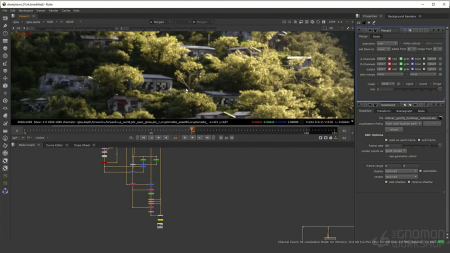
The workshop begins with a demonstration of a large 3D city environment in a desert setting. This type of scene offers a great opportunity for James to cover the importance of Triplanar materials, take a look at Houdini's Terrain tools, look at modeling to shot requirements, as well as scattering in Clarisse. This then sets things up perfectly to lead into AOVs in Nuke, where James dives into an explanation about what they are, and how artists can use them to their advantage. He demonstrates how to install Gizmos as well as his best practices for when to use AOVs in Nuke before returning back to a shot and finishing off a composite.
The proceeding section takes a break from shot work to introduce the topic of photogrammetry in 3D environment building, and how to use it effectively. This demonstration walks through an environment scan using Agisoft Metashape.
Up next, James opens up SpeedTree to walk through his "Mothertree" shot, which makes use of the new SpeedTree for Clarisse plug-in. He additionally animates atmosphere using Houdini, which can be taken back into the scene in Clarisse for added impact and realism.
Moving on, the workshop details some of James's top tips, tricks, and shortcuts that he uses regularly in production to speed up the modeling and texturing, particularly for city environments, with the end goal being to build a scene that utilizes all of the assets with textures applied in Clarisse. This project is then used as a launching point for James's final shot: "The Squatter Village."
This workshop offers a great opportunity to learn how to create AOVs and even write your own, using Light Path Expressions. The closing chapter looks at how to deal with heavy renders, as well as how to use different projection techniques to help avoid rendering more than you need to in 3D.
Project files are included with this workshop.
Screenshots


Zurück
Oben Unten