• Regeln für den Video-Bereich:

    In den Börsenbereich gehören nur Angebote die bereits den Allgemeinen Regeln entsprechen.

    Einteilung

    - Folgende Formate gehören in die angegeben Bereiche:
    - Filme: Encodierte Filme von BluRay, DVD, R5, TV, Screener sowie Telesyncs im Format DivX, XviD und x264.
    - DVD: Filme im Format DVD5, DVD9 und HD2DVD.
    - HD: Encodierte Filme mit der Auflösung 720p oder darüber von BluRay, DVD, R5, TV, Screener sowie Telesyncs im Format x264.
    - 3D: Encodierte Filme von BluRay, die in einem 3D Format vorliegen. Dies gilt auch für Dokus, Animation usw.
    - Serien: Cartoon/Zeichentrick, Anime, Tutorials, Dokumentationen, Konzerte/Musik, Sonstiges sind demnach in die entsprechenden Bereiche einzuordnen, auch wenn sie beispielsweise im High Definition-Format oder als DVD5/DVD9/HD2DVD vorliegen. Ausnahme 3D.
    - Bereich Englisch: Englische Releases gehören immer in diesen Bereich.
    - Bereich Talk: Der Bereich, in dem über die Releases diskutiert werden kann, darf, soll und erwünscht ist.


    Angebot/Beitrag erstellen

    - Ein Beitrag darf erst dann erstellt werden, wenn der Upload bei mindestens einem OCH komplett ist. Platzhalter sind untersagt.
    - Bei einem Scenerelease hat der Threadtitel ausschließlich aus dem originalen, unveränderten Releasenamen zu bestehen. Es dürfen keine Veränderungen wie z.B. Sterne, kleine Buchstaben o.ä. vorgenommen werden. Ausnahme Serienbörse:
    - Bei einem Sammelthread für eine Staffel entfällt aus dem Releasename natürlich der Name der Folge. Beispiel: Die Simpsons S21 German DVDRip XviD - ITG
    - Dementsprechend sind also u.a. verboten: Erweiterungen wie "Tipp", "empfehlenswert", "only", "reup", usw. / jegliche andere Zusatzinformation oder Ergänzung, welche nicht in obiger Beschreibung zu finden ist.

    Aufbau des Angebots und Threadtitel

    Der Titel nach folgendem Muster erstellt zu werden. <Name> [3D] [Staffel] [German] <Jahr> <Tonspur> [DL] [Auflösung] <Quelle> <Codec> - <Group>
    Beispiel: The Dark Knight German 2008 AC3 DVDRip XviD - iND
    Beispiel: The Dark Knight 2008 DTS DL BDRip x264 - iND
    Beispiel: The Dark Knight 2008 AC3 DL BDRip XviD - iND
    Beispiel: The Dark Knight German 2008 AC3 720p BluRay x264 iND
    Beispiel: The Dark Knight 2008 DTS DL 1080p BluRay x264 iND
    Beispiel: Die Simpsons S01 German AC3 DVDRip XviD iND
    Beispiel: Die Simpsons S20 German AC3 720p BluRay x264 iND
    Beispiel: Sword Art Online II Ger Sub 2014 AAC 1080p WEBRip x264 - peppermint
    Entsprechend sind also u.a. verboten: Sonderzeichen wie Klammern, Sterne, Ausrufezeichen, Unterstriche, Anführungszeichen / Erweiterungen wie "Tipp", "empfehlenswert", "only", "reup", usw. / jegliche andere Zusatzinformation oder Ergänzung, welche nicht in obiger Beschreibung zu finden ist
    Ausnahmen hiervon können in den Bereichen geregelt sein.

    Die Beiträge sollen wie folgt aufgebaut werden:
    Überschrift entspricht dem Threadtitel
    Cover
    kurze Inhaltsbeschreibung
    Format, Größe, Dauer sind gut lesbar für Downloader außerhalb des Spoilers zu vermerken
    Nfo sind immer Anzugeben und selbige immer im Spoiler in Textform.
    Sind keine Nfo vorhanden z.B. Eigenpublikationen, sind im Spoiler folgende Dateiinformationen zusätzlich anzugeben :
    Quelle
    Video (Auflösung und Bitrate)
    Ton (Sprache, Format und Bitrate der einzelnen Spuren)
    Untertitel (sofern vorhanden)
    Hosterangabe in Textform außerhalb eines Spoiler mit allen enthaltenen Hostern.
    Bei SD kann auf diese zusätzlichen Dateiinformationen verzichtet werden.

    Alle benötigten Passwörter sind, sofern vorhanden, in Textform im Angebot anzugeben.
    Spoiler im Spoiler mit Kommentaren :"Schon Bedankt?" sind unerwünscht.


    Releases

    - Sind Retail-Release verfügbar, sind alle anderen Variationen untersagt. Ausnahmen: Alle deutschen Retail-Release sind CUT, in diesem Fall sind dubbed UNCUT-Release zulässig.
    - Im Serien-Bereich gilt speziell: Wenn ein Retail vor Abschluss einer laufenden Staffel erscheint, darf diese Staffel noch zu Ende gebracht werden.62
    - Gleiche Releases sind unbedingt zusammenzufassen. Das bedeutet, es ist zwingend erforderlich, vor dem Erstellen eines Themas per Suchfunktion zu überprüfen, ob bereits ein Beitrag mit demselben Release besteht. Ist dies der Fall, ist der bereits vorhandene Beitrag zu verwenden.
    - P2P und Scene Releases dürfen nicht verändert oder gar unter einem iND Tag eingestellt werden.


    Support, Diskussionen und Suche

    - Supportanfragen sind entweder per PN oder im Bereich Talk zu stellen.
    - Diskussionen und Bewertungen sind im Talk Bereich zu führen. Fragen an die Uploader haben ausschließlich via PN zu erfolgen, und sind in den Angeboten untersagt.
    - Anfragen zu Upload-Wünschen sind nur im Bereich Suche Video erlaubt. Antworten dürfen nur auf Angebote von MyBoerse.bz verlinkt werden.


    Verbote

    - Untersagt sind mehrere Formate in einem einzigen Angebotsthread, wie beispielsweise das gleichzeitige Anbieten von DivX/XviD, 720p und 1080p in einem Thread. Pro Format, Release und Auflösung ist ein eigener Thread zu eröffnen.
    - Grundsätzlich ebenso verboten sind Dupes. Uploader haben sich an geeigneter Stelle darüber zu informieren, ob es sich bei einem Release um ein Dupe handelt.
    - Gefakte, nur teilweise lauffähige oder unvollständige Angebote sind untersagt. Dies gilt auch für eigene Publikationen, die augenscheinlich nicht selbst von z.B. einer DVD gerippt wurden. Laufende Serien, bei denen noch nicht alle Folgen verfügbar sind, dürfen erstellt und regelmäßig geupdatet werden.
    - Untersagt sind Angebote, welche nur und ausschließlich in einer anderen Sprache als deutsch oder englisch vorliegen. Ausnahmen sind VORHER mit den Moderatoren zu klären.


    Verstoß gegen die Regeln

    - Angebote oder Beiträge, die gegen die Forenregeln verstoßen, sind über den "Melden"-Button im Beitrag zu melden.
  • Bitte registriere dich zunächst um Beiträge zu verfassen und externe Links aufzurufen.

*** Bestes IPTV *** bester Preis *** gratis Test ***


Englische Tutorials

69a8d2ff-4ab5-48d6-b7b0-fa3fae33e062.png

Nano Tips for Using Microsoft Office with Mike Tholfsen
MP4 | Video: h264, 720x1080 | Audio: AAC, 44.1 KHz, 2 Ch
Skill Level: Beginner | Genre: eLearning | Language: English + srt | Duration: 15m | Size: 76.8 MB

Welcome to our Nano Tips series, where LinkedIn Learning creators deliver impactful lessons in literally seconds.
Do you need to increase your mastery of Microsoft Office, in as little time as possible? Experienced product leader Mike Tholfsen has you covered with useful tips and tricks for Excel, Outlook, PowerPoint, Word, OneNote, and Teams. Topics include using SEQUENCE in Excel, Mike's career saver rule in Outlook, using Designer in PowerPoint, using Editor in Word, and much more. Each video is less than a minute long, so you can make learning fit into even your busiest days.
Homepage


01e594ac-b670-4de9-886c-cf6688f747ce.png

Penetration Testing Active Directory
MP4 | Video: h264, 1280x720 | Audio: AAC, 44.1 KHz, 2 Ch
Skill Level: Beginner | Genre: eLearning | Language: English + srt | Duration: 1h 18m | Size:200.5 MB

As a security professional, one of your most important jobs is to make sure that only authorized users have access to your system. Most often, this is achieved via credential-based access control, where credentials are stored in central directories like Microsoft Active Directory (AD). But are you really ready to handle an unexpected cyberattack?
In this course, instructor Malcolm Shore gives you an overview of Active Directory, including how to enumerate it and validate its security with penetration testing. Explore the core concepts of penetration testing and why it's so important for enterprise security management. Learn how AD interacts with identity providers and how you interact with it at the command line using LDAP protocol as well as through Powerpoint. Malcolm teaches you some key tricks and gives you examples of how to get the most out of your audits by understanding and utilizing spray attacks, hash extractions, impacket libraries, and brute force attacks.
Homepage


181a0bdb-061c-4fee-8399-f5ba9a6830a7.png

Real Python - Sorting Data in Python With Pandas
MP4 | Video: h264, 1920x1080 | Audio: AAC, 44.1 KHz, 2 Ch
Genre: eLearning | Language: English | Duration: 9 Lessons (26m) | Size: 108.3 MB

Learning pandas sort methods is a great way to start with or practice doing basic data analysis using Python. Most commonly, data analysis is done with spreadsheets, SQL, or pandas. One of the great things about using pandas is that it can handle a large amount of data and offers highly performant data manipulation capabilities.
In this video course, you'll learn how to use .sort_values() and .sort_index(), which will enable you to sort data efficiently in a DataFrame.
By the end of this video course, you'll know how to
Sort a pandas DataFrame by the values of one or more columns
Use the ascending parameter to change the sort order
Sort a DataFrame by its index using .sort_index()
Organize missing data while sorting values
Sort a DataFrame in-place using inplace set to True
Homepage


1daf89d2-4fba-4dba-a98a-8d8e274e73d9.png

Become Proficient in Auto CAD : Basic Level
MP4 | Video: h264, 1280x720 | Audio: AAC, 44.1 KHz, 2 Ch
Genre: eLearning | Language: English + srt | Duration: 22 lectures (4h 47m) | Size: 1.94 GB

Auto CAD for Drafting & Designing
What you'll learn
Drafting in Auto CAD for Beginners
Basic understanding of Auto CAD for Civil Engineers
Become master in Auto CAD
Drafting and Designing in Auto CAD
Requirements
Basic knowledge of computers, geometry, trigonometry
Description
Auto CAD is a computer aided design and drafting software. It is used by civil engineers, mechanical engineers, architects, project managers, interior designers for different engineering works like drafting or drawing of different machines, buildings, sites, layouts etc.
This course is a basic course of AutoCAD suitable for beginners, students and professionals. This course consist concepts related to two dimensional drawing and drafting of parts, machines, machine elements, buildings, layouts. The learners can easily understand the concepts like layers, units, coordinate system, different commands, drafting settings, text style, dimension style, dimension settings etc. in this course.
Key Features of Course
The main features of the course are
Prepare drawing, plans, Layouts with Auto CAD.
Complete knowledge of basic commands of Auto CAD with examples.
Learners can easily understand the working of tools and their application.
Users are able to prepare drawings of different structures with different commands and tools.
Users able to understand the how to solve drafting and designing problems.
Beneficial for beginners to take entry level job in design field and also beneficial for working professional to revise the concepts.
Targeted Audience
1. Civil Engineering students
2. Mechanical Engineering students
3. Professionals of Civil & Mechanical Engineering
4. Interior Designers
5. Architects
6. Persons who involve in construction and design fields
Who this course is for
Civil Engineers, Mechanical Engineers, Interior Designers
Homepage









 
bc7bde58-6578-4551-919d-890b6ab143b7.png

CBTNuggets - HTML, CSS, and JS for Web Developers Online Training
MP4 | Video: h264, 1280x720 | Audio: AAC, 44.1 KHz, 2 Ch
Genre: eLearning | Language: English | Duration: 52 Lessons (7h) | Size: 2.6 GB

HTML, CSS, and JS for Web Developers Online Training
This entry-level None HTML, CSS, and JS for Web Developers prepares front end developers to write in HTML, CSS and JavaScript fluently to write, develop and edit web pages, websites, user interfaces and more, anywhere online.
HTML, CSS, and JS for Web Developers: What You Need to Know
This HTML, CSS, and JS for Web Developers training covers HTML, CSS, and JavaScript topics including
Who Should Take HTML, CSS, and JS for Web Developers Training?
This HTML, CSS, and JS for Web Developers training is considered associate-level None training, which means it was designed for front end developers. This HTML, CSS, and JavaScript skills course is valuable for new IT professionals with at least a year of experience with front end languages and experienced front end developers looking to validate their None skills.
New or aspiring front end developers. So you want to make websites. You want to build webpages that interest and excite a visitor. You want to develop forms, landing pages, and sites that do all sorts of interesting stuff with videos, images and background images. Without HTML, CSS and JavaScript fluency, you're not going to manage any of it. After this training, though, you'll be developing in no time.
Experienced front end developers. If you've been developing for a few years already, you probably have a working understanding of HTML, CSS and JavaScript. But have you ever struggled with pulling apart someone else's code to make changes? Or have you ever tried to duplicate a really great page only to discover you didn't understand how it was doing that cool scroll effect? Mastering HTML, CSS and JavaScript with this training means you'll have professional control of the languages that make the Internet run, and you can make webpages and sites that do whatever you want them to.
Homepage


a25b71feef7f90b7022a3b7e554a6935.jpg

Critical skills for New Managers
Instructors: Srinivasachar Mulugund
5 sections • 5 lectures • 40m total length
Video: MP4 1280x720 44 KHz | English + Sub
Updated 3/2022 | Size: 898.989 MB​

Unique understanding what it takes to be a Effective Manager
What you'll learn
Mindset required for a manager
Initial plan of action to set yourself for success
Identify the skills required to be effective Manager
Start your journey to become an effective manager
Requirements
No Managerial experience required.
Description
Most of us spend several years in the corporate world and we hardly know what it takes to get promoted or what it takes to become a manager. It is crucial to understand what it takes to become be an effective and successful manager. There are mindsets and skill sets required, in addition the with the right competencies one can definitely succeed as a manager or become a manager. There are several challenges one faces once you become a manager most common challenges to know the expectation from the management accurately. The ability to manage people and display authority becomes challenge for most managers on the one hand and on the other hand we need to build competencies to be an effective manager. These competencies can be explained under self-management, team management and Business management. As a manager you are not only responsibility for your performance but also the performance of team hence managing all the stakeholders, motivating others, managing performance and accountability becomes crucial. In addition, manager needs to be role model and hence need to coach, develop and mentor his team members. If one does not understand this one may have to stay in the organisation for several years to get promoted or may end up not being promoted. This course can help to understand what exactly it takes to be an effective manager.
Who this course is for
Any one who has become an manager or aspiring to become a Manager
Any one who wish to get promoted to next level in their corporate life.
Screenshots


bfa624d1-de91-40fe-9bf5-5a3eecb298bc.png

Figma Prototyping & Animations: Design Interactive Prototypes
Instructors: Tetiana G
Duration: 43m • 11 Lessons
Video: MP4 1280x720 44 KHz | English
Level: All levels | Size: 309.903 MB​

Did you know that knowing how to prototype is an essential skill that every UI/UX Designer should have?
With interactive prototypes, you can communicate better with your clients or developers about how the user should interact with your web or mobile app in real life. Clickable prototypes let you gather feedback fast and make design changes before handing off your designs to developers.
In this class, you'll learn the main prototyping techniques in Figma that you can later apply to your own projects.
From the basics of prototyping to interactive components, we'll cover different types of animations and interactions that are crucial for creating a successful product. We will also apply these interactions in a few small projects (mobile and web screens) that you can use for your portfolio.
This class is suitable for ALL LEVELS.
Key topics include
Basics of prototyping in Figma
Animation types
Smart animate
Horizontal & vertical scrolling
On drag animation
and more
Are you ready to level up your interactive prototyping skills in Figma? See you in the class!
Screenshots


9d8d89843c3a1281236d92001725e4b8.png

Focus Stacking Time Blend
ProPhoto
Instructors: John Weatherby
Duration: 1H 14M • 5 Lessons
Video: MP4 3824x2160 44 KHz | English
Updated 15/3/2022 | Size: 1.7777 GB​

In this course I teach how to focus stack a scene to get sharpness from the front to the back. I then go over how to take photos at different times of one scene and blend them to create a surreal and eye catching time blend. Full start to finish in field shooting and then processing.
Screenshots


8ea373d1-6647-4501-a1dd-c9f389bd642b.png

Introduction to Pyro FX in Houdini - Volume 2
Instructors: ALASGAR HASANOV
Duration: 307 Minutes • 8 Lessons
Video: MP4 1920x1080 44 KHz | English
SOFTWARE: Houdini | Size: 1.8989 GB​

FROM LARGE SCALE PYRO PLUMES TO EXPLOSIONS WITH ALASGAR HASANOV
In Volume 2 of Alasgar Hasanov's FX workshop, things get explosive. Learn how to leverage the fast and efficient tools in Houdini 18.5 to create a large-scale fire with thick smoke that matches a real-world reference, plus master your own realistic explosions. Helpful tips and tricks for lighting and rendering your pyro FX shots are also included in this final volume of our two-part series.
Alasgar Hasanov is a Senior FX Artist with over 6 years of experience working with Houdini. Building upon the knowledge taught in Volume 1, this in-depth overview covers the new Pyro Source nodes in Houdini 18.5 used for explosions, including Pyro Burst Source and Pyro Trail Source, and shows how to create different types of explosions as well as how to use the Pyro Shader along with some efficient pyro-rendering workflows.
The workshop concludes with some effective pyro lighting and rendering techniques, sharing how to shade, light, and render a variety of pyro simulations. Alasgar includes how to use interactive lighting as well as some of his tried-and-trusted advanced shading methods.
For an introduction to creating smoke and small-scale fire simulations, watch Introduction to Pyro FX in Houdini: Volume 1.
Screenshots


235b8173-6d36-40d0-8002-08f817348e5c.png

Pet Portraits: Capture Studio-Quality Photos of Your Pet
Instructors: Tabitha Park
Duration: 57m • 87 Lessons
Video: MP4 1280x720 44 KHz | English
Level: Intermediate | Size: 838 MB​

Create a beautiful, high-contrast portrait of your cat or dog using a window and a black backdrop in this DIY studio photography class.
We'll cover
How to best utilize window light
Positioning and adjusting your backdrop setup
Camera settings for success
Keeping your cat or dog's attention
Working quickly to capture several great shots
Editing adjustments to add drama and contrast
I'll be photographing 2 cats and 1 dog in two different homes so you can see how this setup might work in your space.
c04450ec
If the thought of taking your cat to the Target Portrait Studio sounds like the start of a really rough day, stick around because I'm here to help you create that High-Quality, dramatic glamour shot of your dreams from the comfort of your own home.
Screenshots


5e9ac654-3b5e-4a71-89c4-289036e91c40.png

Advertising Photography Tutorial: Shampoo and Soap Bubbles
Photigy
Duration: 1h 56m • 4 Lessons
Video: MP4 1280x720 44 KHz | English
Level: Beginner | Size: 727 MB​

This is a product photography tutorial for Pro Club Interactive Education Program, Workshop #36
The Most Advanced techniques. Participate in the assignment and get a personal feedback from the instructor!
An integral part of product photography, especially small products such as jewelry, is using the right prop. The right prop not only enhances the shot but also adds that little bit of magic which brings the whole shot together. Yes, of course, the product is the focus of the image, but the props assume a place of importance too in the whole scheme of things.
If you follow along with Alex Koloskov and he's team, you probably will end as a famous Product and Commercial Photographer.
We do our best to provide you with the knowledge and help along the way for you to reach you're maximum potential.
In our workshop series you get to know some secrets, some good quality work.
This might set your brain of fire and give you endless posibilites to achieve what you want when you want!
Pro Club tutorials cover the most interesting and creative techniques. Rember to check out reviews from instructors and lets grow togheter
Make sure you check out our previous workshops and stay tuned for the next one
Screenshots


65ac1b93-eebe-416f-a384-089474b3da32.png

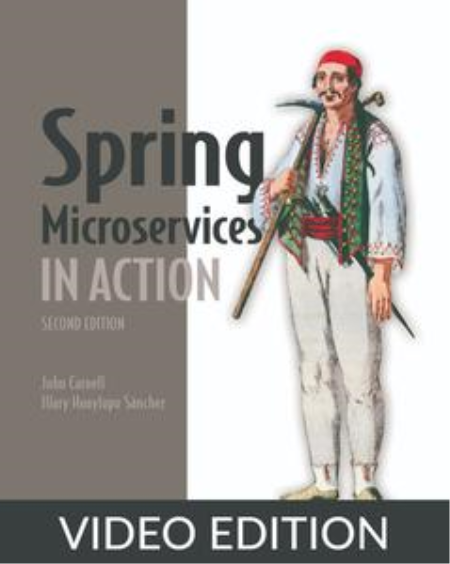
Spring Microservices in Action, Second Edition, Video Edition
MP4 | Video: h264, 1280x720 | Audio: AAC, 44.1 KHz, 2 Ch
Genre: eLearning | Language: English | Duration: 60 Lessons (11h 29m) | Size: 913.3 MB

A must-have for any professional Spring microservice developer's bookshelf!
By dividing large applications into separate self-contained units, Microservices are a great step toward reducing complexity and increasing flexibility. Spring Microservices in Action, Second Edition teaches you how to build microservice-based applications using Java and the Spring platform. This second edition is fully updated for the latest version of Spring, with expanded coverage of API routing with Spring Cloud Gateway, logging with the ELK stack, metrics with Prometheus and Grafana, security with the Hashicorp Vault, and modern deployment practices with Kubernetes and Istio.
about the technology
Building and deploying microservices can be easy in Spring! Libraries like Spring Boot, Spring Cloud, and Spring Cloud Gateway reduce the boilerplate code in REST-based services. They provide an effective toolbox to get your microservices up and running on both public and private clouds.
about the book
Spring Microservices in Action, Second Edition teaches you to build microservice-based applications using Java and Spring. You'll start by creating basic services, then move to efficient logging and monitoring. Learn to refactor Java applications with Spring's intuitive tooling, and master API management with Spring Cloud Gateway. You'll even deploy Spring Cloud applications with AWS and Kubernetes.
what's inside
Microservice design principles and best practices
Configuration with Spring Cloud Config and Hashicorp Vault
Client-side resiliency with Resilience4j, and Spring Cloud Load Balancer
Metrics monitoring with Prometheus and Grafana
Distributed tracing with Spring Cloud Sleuth, Zipkin, and ELK Stack
about the audience
For experienced Java and Spring developers.
Screenshots


Zurück
Oben Unten