• Regeln für den Video-Bereich:

    In den Börsenbereich gehören nur Angebote die bereits den Allgemeinen Regeln entsprechen.

    Einteilung

    - Folgende Formate gehören in die angegeben Bereiche:
    - Filme: Encodierte Filme von BluRay, DVD, R5, TV, Screener sowie Telesyncs im Format DivX, XviD und x264.
    - DVD: Filme im Format DVD5, DVD9 und HD2DVD.
    - HD: Encodierte Filme mit der Auflösung 720p oder darüber von BluRay, DVD, R5, TV, Screener sowie Telesyncs im Format x264.
    - 3D: Encodierte Filme von BluRay, die in einem 3D Format vorliegen. Dies gilt auch für Dokus, Animation usw.
    - Serien: Cartoon/Zeichentrick, Anime, Tutorials, Dokumentationen, Konzerte/Musik, Sonstiges sind demnach in die entsprechenden Bereiche einzuordnen, auch wenn sie beispielsweise im High Definition-Format oder als DVD5/DVD9/HD2DVD vorliegen. Ausnahme 3D.
    - Bereich Englisch: Englische Releases gehören immer in diesen Bereich.
    - Bereich Talk: Der Bereich, in dem über die Releases diskutiert werden kann, darf, soll und erwünscht ist.


    Angebot/Beitrag erstellen

    - Ein Beitrag darf erst dann erstellt werden, wenn der Upload bei mindestens einem OCH komplett ist. Platzhalter sind untersagt.
    - Bei einem Scenerelease hat der Threadtitel ausschließlich aus dem originalen, unveränderten Releasenamen zu bestehen. Es dürfen keine Veränderungen wie z.B. Sterne, kleine Buchstaben o.ä. vorgenommen werden. Ausnahme Serienbörse:
    - Bei einem Sammelthread für eine Staffel entfällt aus dem Releasename natürlich der Name der Folge. Beispiel: Die Simpsons S21 German DVDRip XviD - ITG
    - Dementsprechend sind also u.a. verboten: Erweiterungen wie "Tipp", "empfehlenswert", "only", "reup", usw. / jegliche andere Zusatzinformation oder Ergänzung, welche nicht in obiger Beschreibung zu finden ist.

    Aufbau des Angebots und Threadtitel

    Der Titel nach folgendem Muster erstellt zu werden. <Name> [3D] [Staffel] [German] <Jahr> <Tonspur> [DL] [Auflösung] <Quelle> <Codec> - <Group>
    Beispiel: The Dark Knight German 2008 AC3 DVDRip XviD - iND
    Beispiel: The Dark Knight 2008 DTS DL BDRip x264 - iND
    Beispiel: The Dark Knight 2008 AC3 DL BDRip XviD - iND
    Beispiel: The Dark Knight German 2008 AC3 720p BluRay x264 iND
    Beispiel: The Dark Knight 2008 DTS DL 1080p BluRay x264 iND
    Beispiel: Die Simpsons S01 German AC3 DVDRip XviD iND
    Beispiel: Die Simpsons S20 German AC3 720p BluRay x264 iND
    Beispiel: Sword Art Online II Ger Sub 2014 AAC 1080p WEBRip x264 - peppermint
    Entsprechend sind also u.a. verboten: Sonderzeichen wie Klammern, Sterne, Ausrufezeichen, Unterstriche, Anführungszeichen / Erweiterungen wie "Tipp", "empfehlenswert", "only", "reup", usw. / jegliche andere Zusatzinformation oder Ergänzung, welche nicht in obiger Beschreibung zu finden ist
    Ausnahmen hiervon können in den Bereichen geregelt sein.

    Die Beiträge sollen wie folgt aufgebaut werden:
    Überschrift entspricht dem Threadtitel
    Cover
    kurze Inhaltsbeschreibung
    Format, Größe, Dauer sind gut lesbar für Downloader außerhalb des Spoilers zu vermerken
    Nfo sind immer Anzugeben und selbige immer im Spoiler in Textform.
    Sind keine Nfo vorhanden z.B. Eigenpublikationen, sind im Spoiler folgende Dateiinformationen zusätzlich anzugeben :
    Quelle
    Video (Auflösung und Bitrate)
    Ton (Sprache, Format und Bitrate der einzelnen Spuren)
    Untertitel (sofern vorhanden)
    Hosterangabe in Textform außerhalb eines Spoiler mit allen enthaltenen Hostern.
    Bei SD kann auf diese zusätzlichen Dateiinformationen verzichtet werden.

    Alle benötigten Passwörter sind, sofern vorhanden, in Textform im Angebot anzugeben.
    Spoiler im Spoiler mit Kommentaren :"Schon Bedankt?" sind unerwünscht.


    Releases

    - Sind Retail-Release verfügbar, sind alle anderen Variationen untersagt. Ausnahmen: Alle deutschen Retail-Release sind CUT, in diesem Fall sind dubbed UNCUT-Release zulässig.
    - Im Serien-Bereich gilt speziell: Wenn ein Retail vor Abschluss einer laufenden Staffel erscheint, darf diese Staffel noch zu Ende gebracht werden.62
    - Gleiche Releases sind unbedingt zusammenzufassen. Das bedeutet, es ist zwingend erforderlich, vor dem Erstellen eines Themas per Suchfunktion zu überprüfen, ob bereits ein Beitrag mit demselben Release besteht. Ist dies der Fall, ist der bereits vorhandene Beitrag zu verwenden.
    - P2P und Scene Releases dürfen nicht verändert oder gar unter einem iND Tag eingestellt werden.


    Support, Diskussionen und Suche

    - Supportanfragen sind entweder per PN oder im Bereich Talk zu stellen.
    - Diskussionen und Bewertungen sind im Talk Bereich zu führen. Fragen an die Uploader haben ausschließlich via PN zu erfolgen, und sind in den Angeboten untersagt.
    - Anfragen zu Upload-Wünschen sind nur im Bereich Suche Video erlaubt. Antworten dürfen nur auf Angebote von MyBoerse.bz verlinkt werden.


    Verbote

    - Untersagt sind mehrere Formate in einem einzigen Angebotsthread, wie beispielsweise das gleichzeitige Anbieten von DivX/XviD, 720p und 1080p in einem Thread. Pro Format, Release und Auflösung ist ein eigener Thread zu eröffnen.
    - Grundsätzlich ebenso verboten sind Dupes. Uploader haben sich an geeigneter Stelle darüber zu informieren, ob es sich bei einem Release um ein Dupe handelt.
    - Gefakte, nur teilweise lauffähige oder unvollständige Angebote sind untersagt. Dies gilt auch für eigene Publikationen, die augenscheinlich nicht selbst von z.B. einer DVD gerippt wurden. Laufende Serien, bei denen noch nicht alle Folgen verfügbar sind, dürfen erstellt und regelmäßig geupdatet werden.
    - Untersagt sind Angebote, welche nur und ausschließlich in einer anderen Sprache als deutsch oder englisch vorliegen. Ausnahmen sind VORHER mit den Moderatoren zu klären.


    Verstoß gegen die Regeln

    - Angebote oder Beiträge, die gegen die Forenregeln verstoßen, sind über den "Melden"-Button im Beitrag zu melden.
  • Bitte registriere dich zunächst um Beiträge zu verfassen und externe Links aufzurufen.

*** Bestes IPTV *** bester Preis *** gratis Test ***


Englische Tutorials

How to Make Video Games: The Smarter, Faster Way

371751832028wuko0.jpg


How to Make Video Games: The Smarter, Faster Way
MP4 | Video: h264, 1280x720 | Audio: AAC, 44.1 KHz, 2 Ch
Genre: eLearning | Language: English + srt | Duration: 171 lectures (19h 4m) | Size: 9.35 GB

Learn to Design and Develop 3 Games From Scratch (no experience needed)


What you'll learn
How to Create Awesome Characters
How to Use GameMakerStudio 2
Video Game Programming
Basic 2D Animation
How to Find and Fix Bugs
How to Storyboard Your Game
Where to Get Game Assets (for free)
How to Add Sound Effects
How to Develop Your Game Ideas
Game Design Mechanics
How to Make Fun Levels
How to Set Game Difficulty
How to Add Visual Effects
How to Use a Game Design Document
How to Create a Points System
How to Stay Focused and Motivated
Requirements
GameMaker Studio
PC running Windows XP, Vista, 7, or later
A DirectX 9 (or later) compatible graphics card with at least 32MB of memory
A screen resolution of at least 1024x768 and 65536 (16-bit) colours (but preferably 32-bit true colour)
Description
In this course, we'll teach you the exact process needed to create as many video games as you want. All with NO EXPERIENCE or coding knowledge required.
Why GameMaker Studio?
Game Maker Studio is one of the most popular engines for 2D top-down or side-view games. GameMaker Studio 2 is a fantastic option for those just beginning their journey.
One of the things that GMS spearheaded, is game creation with minimal coding skills.
Where Do You Start?
There's so much information available that it can seem overwhelming. That's why we built this course. We've broken down and organized everything you NEED to know and removed all that you don't.
No more wasting time ...
looking through support doc's
trying to teach yourself to code
reading forum threads
watching old youtube videos
We'll hold your hand and walk you through every step of the process.
Who Should Take This Course?
If you've been dreaming of making your own video games but held back because you didn't know how to start, then this course is for you!
What's Included
Everything you'll need to make awesome video games will be included in this course.
The GameMaker Studios Software and the asset programs you'll use are free to start.
Also included are
Hours of fun, over-the-shoulder video tutorials.
Access to all course materials from ANYWHERE in the world.
100% ownership of your game and intellectual property.
What You'll Learn
We've broken down this course into easy-to-understand modules and lessons that you can revisit as many times as you'd like.
Learn the ins and outs of what goes into making a character. The character is the most important part of a video game, so we'll want to spend plenty of time learning how to create great characters. Explore all the options GameMaker Studio 2 has to offer to get our character moving around. By the end of this module, we'll have a character running and jumping around.
We'll also spend some time learning how to create animations (like fireballs) for our character.
Now that we have a character moving around the screen, let's build some spaces for them to move around in!
We'll go over how to create level layouts and add some fun mechanics to our environment.
Every game needs a title screen, and we can create ours using GameMaker Studio 2!
We'll also use GameMaker to save and load game data.
Giving the player goals is a crucial part of any game, so let's explore a few ways to do that in our games!
You'll learn all about collectibles, enemies, and creating big boss battles.
The difference between a good game and a great game is its audio. You'll learn how to implement great sound, and we'll go over the best ways to add sound effects and music to add life to your game.
Much like sound effects, adding visual effects to our game makes the overall experience much better. Even tiny visual effects can make a feature of the game come to life!
By the end of this course, you'll learn to add effects and animations your players will love.
Frequently Asked Questions
When does the course start and finish?
The course starts now and never ends! It is a completely self-paced online course - you decide when you start and when you finish.
What if I am unhappy with the course?
We want you to be satisfied, so all eligible courses purchased on Udemy can be refunded within 30 days. For whatever reason, if you are unhappy with a course, you can request a refund, provided the request meets the guidelines in The Udemy refund policy.
Do I need to know how to code?
Nope! This course is for anyone, including beginners with no experience.
Who this course is for
Beginner


previewalternative1imjti.png


Download from RapidGator


Download from NitroFlare


Ultimate Service 3.0

3vjeihs9tklh.jpg


Ultimate Service 3.0
MP4 | Video: h264, 3840x2160 | Audio: AAC, 44.1 KHz, 2 Ch
Genre: eLearning | Language: English | Duration: 80 Lessons (13h 33m) | Size: 12 GB

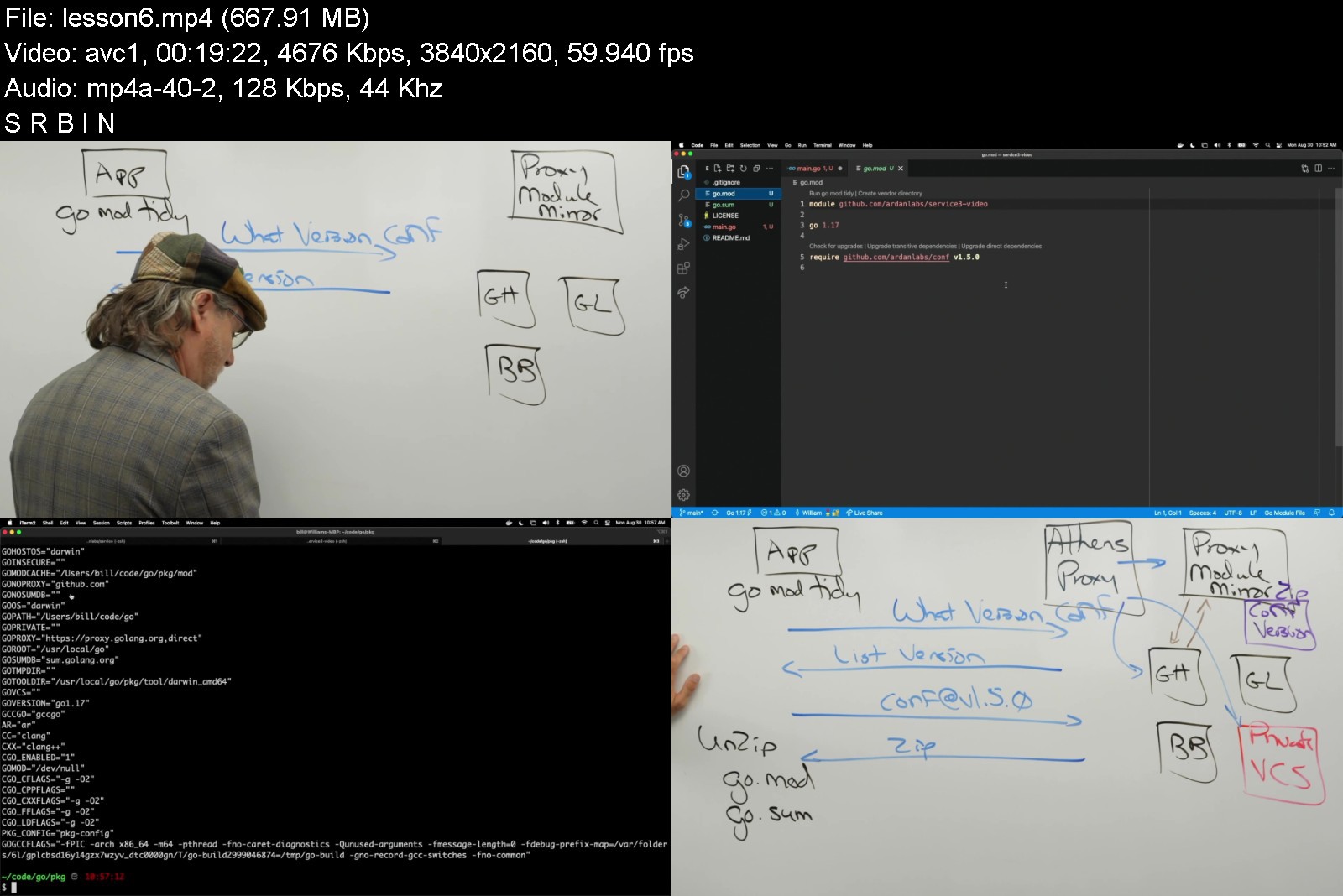
This course takes a step-by-step approach to building production-level services in Go with a focus on macro-level engineering decisions. Perfect for anyone looking to build fast, scalable, and highly concurrent web services in Golang.
From the beginning you will pair program with the instructor, walking through the design philosophies and guidelines used to engineer the code. With each new feature, you will learn more about the transition from programming to engineering and the points of refactoring required to write production-level applications.
The class goes beyond just the use of thehttp package and focuses on building CRUD based services with logging, observability, and debugging. You'll also learn about POD architectures, Docker and cloud deployment.


ultimateservice3.0m4jgc.jpg


Download from RapidGator


Download from NitroFlare


Be Aware of Data Science

3576551318deej4w.jpg


Be Aware of Data Science
MP4 | Video: h264, 1280x720 | Audio: AAC, 44.1 KHz, 2 Ch
Genre: eLearning | Language: English + srt | Duration: 59 lectures (6h 3m) | Size: 5.67 GB

Take the first step into the world of Data Science with Data Science experts

What you'll learn
Learn how data science turns data into valuable information.
Understand what cognitive biases are and how data science helps us fight them.
Know what spurious correlation is and how we can avoid it.
Learn how to conduct a data-driven business experiment that verifies whether a change creates a positive impact.
Realize how Big Data brings unpurposed data collections and how we need to address these.
Make decisions about which of the four essential data science approaches to utilize.
Discover who data scientists are and what it would take for you to become one.
Recognize how Data Science creates scientific models through experimentation and observation.
Remember basic methods of data science such as descriptive statistics of correlation measure.
Obtain a strong intuition behind what a Machine Learning model does.
Discover why a data science model simplifies human decision-making.
Requirements
Just a motivation to learn new concepts. This course is really meant for anyone, even if you are an absolute beginner to the topic of Data Science.
Description
Understanding how we can derive valuable information from the data has become an everyday expectation. Previously, organizations looked up to data scientists. Nowadays, organizations liberate data science. Everyone can contribute to the efforts of turning data into valuable information. Thus, even if your aspirations are not to be a data scientist, open yourself the door to these projects by gaining so-necessary intuitive understanding. With this course, you can take the first step into the world of data science! This course will explain how data science models create value from the absolute basics even if you feel like a complete beginner to the topic.
Three data scientists deliver the course, with cumulative 15 years of professional and academic experience. Hence, we won't repeat the textbooks. We will uncover a valuable bit of this lucrative field with every lecture and take you closer to your desired future role around data science projects. We do not teach programming aspects of the field. Instead, we entirely focus on data science's conceptual understanding. As practice shows, real-world projects tremendously benefit by incorporating practitioners with thorough, intuitive knowledge.
Over 6 hours of content, consisting of top-notch video lectures, state-of-the-art assignments, and intuitive learning stories from the real world. The narrative will be straightforward to consume. Instead of boring you with lengthy definitions, the course will enlighten you through dozens of relatable examples. We will put ourselves in the shoes of ice cream vendors, environmentalists examining deer migrations, researchers wondering whether storks bring babies, and much more! After the course, you will be aware of the basic principles, approaches, and methods that allow organizations to turn their datasets into valuable and actionable knowledge!
The course structure follows an intuitive learning path! Here is an outline of chapters and a showcase of questions that we will answer
Chapter 1: "Defining data science". We start our journey by defining data science from multiple perspectives. Why are data so valuable? What is the goal of data science? In which ways can a data science model be biased?
Chapter 2: "Disciplines of Data Science". We continue by exploring individual disciplines that together create data science - such as statistics, big data, or machine learning. What is the difference between artificial intelligence and machine learning? Who is a data scientist, and what skills does s/he need? Why do data science use cases appear so complex?
Chapter 3: "Describing and exploring data". We tackle descriptive and exploratory data science approaches and discover how these can create valuable information. What is a correlation, and when is it spurious? What are outliers, and why can they bias our perceptions? Why should we always study measures of spread?
Section 4: "Inference and predictive models". Herein, we focus on inferential and predictive approaches. Is Machine Learning our only option when creating a predictive model? How can we verify whether a new sales campaign is successful using statistical inference?
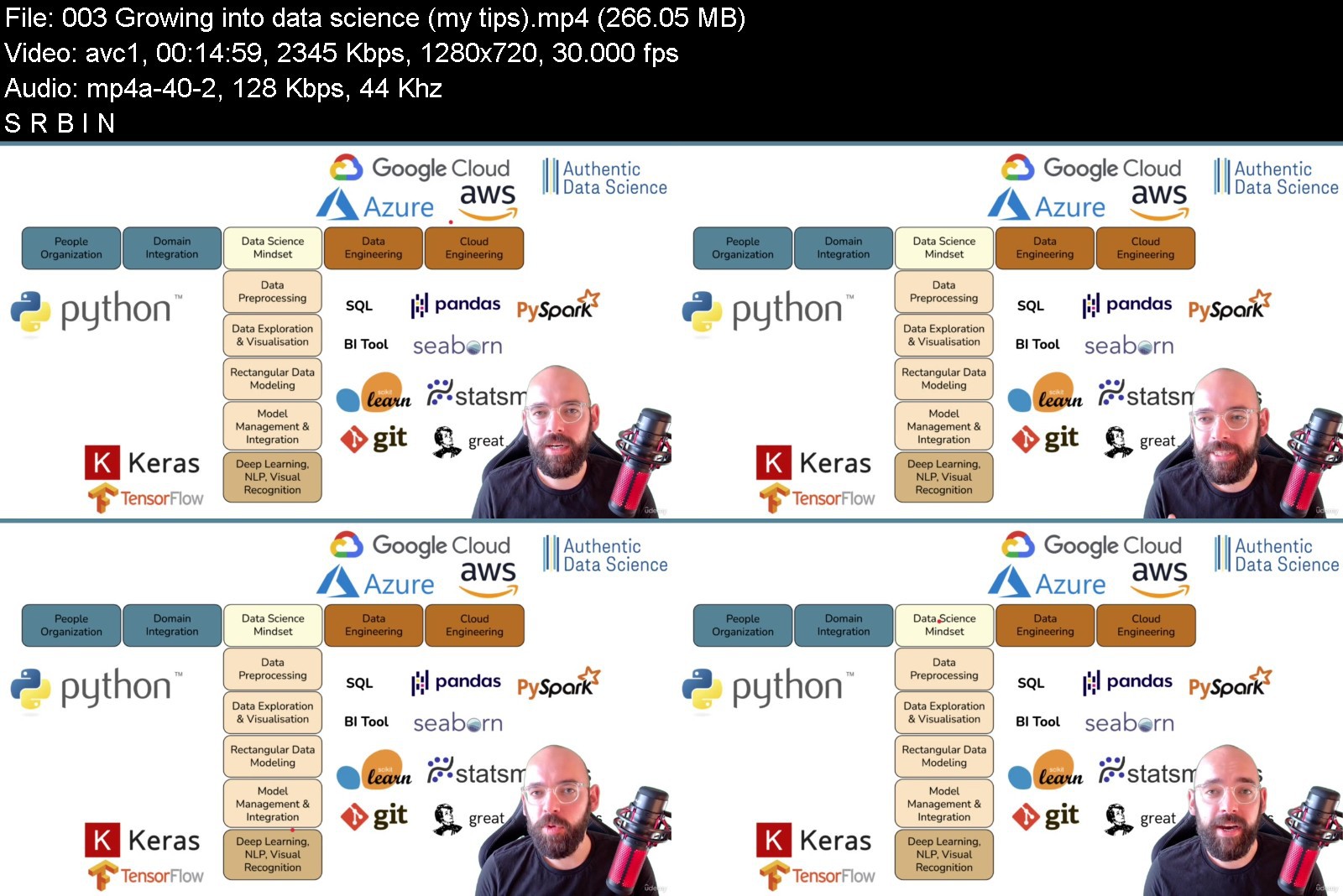
Section 5: "Bonus section". We provide personal tips on growing into data science, recommended reading lists, and more!
We bring real-life examples through easy-to-consume narratives instead of boring definitions. These stories cover the most critical learnings in the course, and the story-like description will make it easier to remember and take away. Example
"Do storks bring babies?" story will teach us a key difference among correlation, causation, and spurious correlation.
"Are we seeing a dog or a wolf?" story will explain why it is crucial to not blindly trust a Machine Learning model as it might learn unfortunate patterns.
"Is the mushroom edible?" case will show a project that might be a complete failure simply because of a biased dataset that we use.
"Which house is the right one?" story will explain why we frequently want to rely on Machine Learning if we want to discover some complex, multi-dimensional patterns in our data.
"I love the yellow walkman!" is a case from 20 years ago, when a large manufacturer was considering launching a new product. If they relied on what people say instead of what data say, they would have a distorted view of reality!
"Don't trust the HIPPO!" is a showcase of what is, unfortunately, happening in many organizations worldwide. People tend to trust the Highest Paid Person's Opinion instead of trusting what the data says.
The course is interactive! Here is what you will meet
Assignments in which you can practice the learned concepts and apply your creative and critical thinking.
Quizzes on which you can demonstrate that you have gained the knowledge from the course.
You can take away many handouts and even print them for your future reference!
Shareable materials that you can use in your daily work to convey a vital Data Science message.
Reference and valuable links to valuable materials and powerful examples of Data Science in action.
Important reminder: This course does not teach the programming aspects of the field. Instead, it covers the conceptual and business learnings.
Who this course is for
Anyone interested in data science.
Students at college who want to pursue a career in data science.
Technical professionals from data-related disciplines who feel like they lack formal education in data science.
Software engineers, BI specialists and reporting analysts who are considering a switch in their career towards data science.
Anyone preparing for a job interview to a department that works a lot with the data.
Anyone who would like to implement data science more in their daily operations.


beawareofdatasciencegdklg.jpg


Download from RapidGator

Download from NitroFlare
 
Zuletzt bearbeitet:
Circuit Design, Simulation and PCB Fabrication Bundle

21724583cec3tksy.jpg


Circuit Design, Simulation and PCB Fabrication Bundle
Last Update: 1/2022
Duration: 25h 45m | Video: .MP4, 1280x720 30 fps | Audio: AAC, 44.1kHz, 2ch | Size: 17.7 GB
Genre: eLearning | Language: English

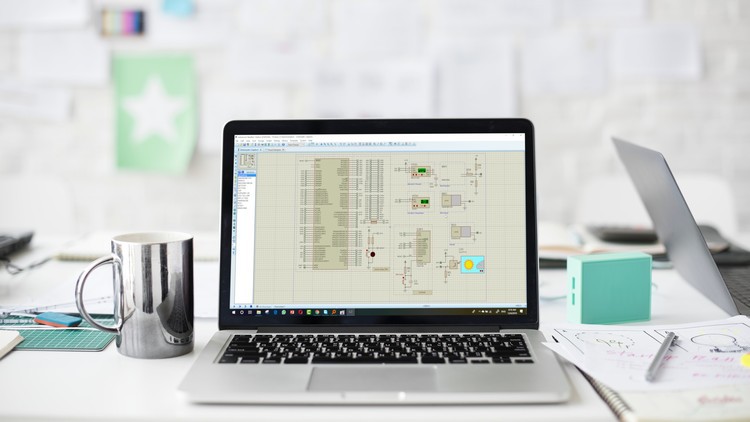
Everything there is to know about how to Design, Simulate Electronic Circuits, Microcontrollers, Arduino and Make a PCB


What you'll learn
Make PCB with Zero Experience in Electronics
Learn basic to advance PCB design
Draw a schematic of your circuit in few simple steps
Create your own custom Printed Circuit Board (PCB).
Connect a Breadboard of your circuit in few simple steps
Auto Route to speed up the routing process
Make A PCB in the shortest possible time
Route Printed Circuit Board (PCB)
Prototype your kickstarter idea
Get a job in PCB design
Master Designing electronic circuits
Simulate and test your circuit before actually making it
Make a professional Printed Circuit electronic board PCB for your circuit.
Track you errors in seconds
Use Proteus Software which is one of the best electronic software ever
Simulate and design 3D Electronic Circuits
Program 3D PIC microcontroller using Flow-charting
Simulate 3D PCB
Simulate 3D mechanisms
Simulate 3D Measurements
Choose the right soldering Iron
Choose the right tools you need to have to keep yourself safe while soldering and solder the right way
Choose the best solder out there, and why it is the best
Clean your soldering Iron
Change the soldering Iron tip head
Extend soldering Iron life span
Get your own Soldering tools that are right for you
Solder Correctly following The right steps to an excellent soldering
Set the right heat, solder and tools to be a soldering professional
Differentiate between good soldering and bad soldering with real life examples
Test your codes and schematics for PIC Microcontroller without the risk of burning your board. No More bad connections or wrong codes.
Do realtime Simulation of PIC Microcontroller using development boards with integrated debugger or using any code that you have in hand.
Save money, since this software is for FREE, you won't have to pay anything, you don't even have to buy any components before testing your code, write the code, upload it to the software, test it then you are good to go.
Simulate PIC16F84, PIC16F628 or PIC16F648, PIC16F777, PIC16F877A, PIC18F452, PIC18F4520, PIC18F4550 or PIC18F4620, ATMEGA328 Microcontrollers
Save Circuit design and Simulation Time, since you will be able to simulate using a real-life board that is designed to meet all your needs
Debug and track signals and data memory in Real-time
Simulate Labtools development board McLab1 Board
Simulate Labtools development board McLab2 Board
Simulate Microgenius development board PICGenios Board
Simulate Arduino Uno development board
Write codes and test them without having a PIC Microcontroller
Test Codes without having a real physical electronic components
Make your Own Training Kit
Design and Manufacture any PCB that comes in your mind
Design any Microcontroller module
Simulate Arduino UNO Boards
Simulate Arduino Mega Boards
Simulate Arduino nano Boards
Write codes and test them without having an Arduino Board
Test Codes without having a real physical an Arduino Board
Create and design a custom Arduino Nano in Altium Designer
Draw schematic of an Arduino Nano and wire components
Create your own custom components and component library
Compile design detect and eliminate design errors
Define board shape and size
Auto route to speed up the routing process
Route Printed Circuit Board (PCB)
Eliminate errors and reduce manufacturing board iterations by Using design rule checker
Make your own Pinguino (PIC Microcontroller Based Arduino) Board
Bootload Your Pinguino (PIC Microcontroller Based Arduino)
Know what is the actual brain of Pinguino (PIC Microcontroller Based Arduino)


Description
This Bundle Consists of 136 Lecture with more than 12.5 hours of HD Video Content and supplementary material in which we cover more than four different software used to design, simulate and fabricate circuits, I can assure you that after this course you will be a professional in Circuit design and fabrication.

Why you should take this course?
The course includes everything you need to know about the electronics design process
Learn how to Design, Simulate Electronic Circuits, Microcontrollers, Arduino and Make a PCB
Learn the science of electric circuits
Programming knowledge
You will learn about Fritzing Software and Proteus Software
Get access to all instructional videos

You will get the chance to learn
PCB Design and Fabrication using Fritzing Software
PCB Design: Master Designing Printed Circuit Board using Proteus Software
PCB Design: Make Arduino Nano using Altium Designer
3D Simulation: Microcontrollers, Electronics, Mechanism, PCB using Yenka Software
Soldering Electronic Components Like A Professional
Microcontroller Circuit Design and Simulation
Arduino Circuit Design and Simulation
Let's talk in more details about each Section

PCB Design and Fabrication For Everyone
Learn Printed Circuit Board (PCB) design from Scratch With Zero Experience in Electronics, No Effort and a Free Software
>>> This course is a first of its kind in which you will learn from start to finish on how to design your own Printed Circuit Board (PCB) with Zero Experience in Electronics and Circuit Design, YES, you did hear me, No experience is required at all. <<<
Welcome to this course.
This course will help you to gain PCB design skills which will help you to get started freelancing or to get a job in PCB design with a Free Software being one of the top PCB design tools used around the world, so you won't have to pay anything for the software and it has tons of library for almost every component in electronics industry.
Printed Circuit Board design is very interesting for any electronics geek, microcontroller programmers anyone wishing to build his own PCB by themselves. It is very simple and easy to understand for beginners.
No Previous Experience + Free Software + Time Saving Techniques = Perfect PCB Design
This is available for your in this course + Bonuses and additional Material + PCB Design Software.
----------------------
PCB Design: Master Designing Printed Circuit Board
A-Z Guide to designing, testing and Manufacturing any electronic circuit, using the most popular electronic software.
>>> A-Z Guide to designing, drawing and testing any electronic circuit that comes in hand, using one of the most popular software in the electronics industry, after this course you will be a master at making your own electric circuit board. <<<
Welcome to this course.
You will become professional in making your own electronics circuits, you will even be able to master mass producing any electronics circuit that you find useful.
Video and Text lectures are included along with the software package that will be used in this course.
The course begins with introducing electronic circuit design then lessons for beginners to allow you become an expert, then at the end we will make a more advanced circuit and prepare it for mass production like professional.
All what you need for this course is your laptop and headphones.
This course is open for comments and suggestions.
Why you should take this course, well, because you will learn by doing not by listening and you will become an expert in making your own circuits.
--------------------------
3D Simulation: Microcontrollers, Electronics, Mechanism, PCB
Enter the world of 3D simulation and have fun learning and teaching Microcontroller Electronics, Mechanical and PCB
>>> 3D simulators nowadays are covering all aspects of the electronic design process, in 3D. In this course you will get the chance to explore the wonders of 3D simulation of a limitless range of circuit boards, a 2D circuit design tools, and also PIC microcontroller simulation, testing and programming. <<<

Welcome to this course.
You will get the chance to learn
3D Electronic simulation and design
PIC microcontroller programming
Flowcharting
3D PCB simulation
3D mechanisms
Measurement
What You Will learn in This Course
What is Crocodile Technology
Why it is helpful to simulate and design in 3D
Download and Install the Software
User Interface Introduction
Design and Simulate ON/OFF Switches Circuits
Design and Simulate Microcontroller Systems
Flowcharting.
Design and Simulate Simple Led On/Off Circuits
Design and Simulate Simple Led Flasher Circuits
Design and Simulate Simple 7 Segment Circuits
Design and Simulate Counter using 7 Segment Circuits
Design and Simulate Motors
This will be a journey of a life time for everyone looking for a new vision in Engineering Simulation, easy to use and really helpful software will be introduced.

------------------------------------------
How to Solder Electronic Components Like A Professional
In this Course you will learn how to Master Soldering in no Time
>>> In this Course you will learn how to Master Soldering in no Time <<<
Welcome to this course.
1.5 Hour of HD Content | 1 Hour of Practical Videos | 1500 Students
STOP Wasting Time, Money and Effort on Bad Soldered boards, Start Solder correctly to have a long lasting Fully functional Board.
Ever Wondered Which Soldering Iron is right for you?
Did you ask Yourself why My soldering doesn't look or feel like a professionally soldered board like you see in most online videos and images or even in boards that you purchase?
This Course Have all the answers for you
You will learn how to master soldering, and use the right tools for the job
You can count on these results
Learn how to choose the right soldering Iron
Learn how to change the soldering Iron tip head
Learn what is the best solder out there, and why it is the best
Learn how to clean your soldering Iron
Learn how to extend soldering Iron life span
Learn what are the right tools you need to have to keep yourself safe while soldering and solder the right way
Learn the difference between good soldering and bad soldering with real life examples
Basic soldering is a skill that's easy to learn and not hard to master.
It just takes practice!
There is a huge range of soldered situations out there, from tiny chip resistors on circuit boards to large UHF connectors.
There is also a large variety of irons, tips and solder to choose from, and it certainly does help to have the right tool for the job.
Good luck, and remember....
Good soldering takes practice!
Warning :You are working with HOT liquid metal, it is a matter of time before you will get burned.

Be careful!
Contents that will be introduced in this Course
•Soldering Tools
•Soldering Accessories
•Step 1: Preparation
•Step 2: Tinning
•Step 3: Soldering
•Cleaning
•Tips and Tricks

----------------------------------------------

PIC Microcontroller Simulation: Unleash the power of Code
Stop Wasting Time Start working with different PIC Microcontroller and start unleashing the power of code in Simulation
Start your PIC Microcontroller Simulation Journey by working with different PICMicrocontroller without buying them. Unleash the power of code in Simulation
>> PIC Microcontroller is an easy-to-use Microcontroller. Sensing the environment by receiving inputs from many sensors. PIC Microcontroller affects its surroundings by controlling lights, motors, and a number of other accessories. It's intended for anyone making interactive hardware projects and in this course, we will make it easy for you to Code and Simulate PIC Microcontroller and Start Testing Your Codes Freely. <<<
Welcome to PIC Microcontroller Simulation Course.
In this course, you will learn how to real-time Simulation of PIC Microcontroller using different Boards and Schematics in A Professional Simulation Environment. It will help you unleash your full coding potential without buying any of the Training boards, you just need to write your code and upload the hex file to the Simulation Software.
This course will help you test your codes and schematics for PIC Microcontroller without the risk of burning your board. No More bad connections or wrong codes.
Be sure that you will learn a lot from this course and it will help you advance your Microcontroller Career. As a result, you will save Money and Time when simulating Microcontrollers
Contents and Overview This course is designed for anyone interested in learning PIC Microcontroller and Simulate different type of it with different components without buying any of them and for FREE. You don't need to have any previous experience, and all you need is a computer. The Simulation Software is FREE

Why You Should Take This Course?
Save Circuit design and Simulation Time, since you will be able to simulate using a real-life board that is designed to meet all your needs
You don't need to hock or connect any wire, write the code and uploads it to the free simulation software.
Save money, since this software is for FREE, you won't have to pay anything, you don't even have to buy any components before testing your code, write the code, upload it to the software, test it then you are good to go.
Real-time debugging and tracking of signals and data memory.
Proteus Simulation software cost around 450$ and another cost up to 1000$. The software that I will teach you how to use it for free.
You won't have to pay anything, download and install then you are good to go. Start using it in no time.
PIC Microcontrollers that you will be able to Simulate.
PIC16F84, PIC16F628 or PIC16F648, PIC16F777, PIC16F877A, PIC18F452, PIC18F4520, PIC18F4550 or PIC18F4620, ATMEGA328
Boards that you will be able to Simulate
Labtools development board McLab1, Labtools development board McLab2, Microgenius development board PICGenios, Arduino Uno development board
--------------------------------
PIC Microcontrollers: Design & Manufacture Your Training Kit
A-Z Guide that allows you to make a factory quality training kits that meet your exact needs.
>>> A-Z Guide to designing, drawing and testing different training kit circuit that comes in hand, using one of the most popular software in the electronics industry, after this course, you will be a master at making PIC Microcontrollers Training Kit instead of buying it. <<<

Welcome to Make PIC Microcontrollers Training Kit course.
There are many reasons Why You Should Take this course
Commercial Training Kits have many functions that you might never use and add an additional cost which makes the overall cost of a kit very high.
There is no chance that you will find a kit that matches your exact needs.
Making things with your own hands will give you a very good understanding of how electronic boards are made and will help you be a professional in making permanent Printed circuit boards.
You can easily adjust the items of the kit and make many copies at your home at a very low price.
You will get to practice playing with electronics.
So Make PIC Microcontrollers Training Kit course will offer you
A-Z Guide to designing, drawing and testing different training kit circuit that comes in hand, using one of the most popular software in the electronics industry, after this course, you will be a master at making your own training kit instead of buying it.
You will become professional in making your own circuits, you will even be able to master mass producing an electronic module for Microcontroller that you find useful.
Video and Text lectures are included along with the software package that will be used in this course.
All that you need for this course is your laptop and headphones.
This course is open for comments and suggestions.
Another reason Why you should take this course, well, because you will learn by doing not by listening and you will become an expert in making your own circuits.
---------------------------------------------------------------------------------
Design and Simulate Arduino Boards and Test Your Code
Start working with different Arduino boards without buying them and start unleashing the power of code in Simulation
>>> The Arduino is an open-source electronics platform based on easy-to-use hardware and software. Sensing the environment by receiving inputs from many sensors, Arduino affects its surroundings by controlling lights, motors, and a number of other accessories. It's intended for anyone making interactive hardware projects and in this course, we will make it easy for you to Design and Simulate Arduino Boards and Start Testing Your Codes Freely. <<<
Welcome to Design and Simulate Arduino Boards and Test Your Code course.
In this course, you will learn how to Simulate different Arduino Boards in A Professional Simulation Environment. It will help you unleash your full coding potential without buying any of the Arduino boards.
This course will help you test your codes and schematics for Arduino without the risk of burning your board. No More bad connections or wrong codes.
Contents and Overview This course is designed for anyone interested in learning electronic design. You don't need to have any previous experience, and all you need is a computer.
Boards that can be Simulated: Arduino Uno, Mega, Nano, zero and others
---------------------------------------------------------------
PCB Design: Make Arduino Nano using Altium Designer
Learn Printed Circuit Board design by Making Arduino Nano in Altium Designer Software.
>>> Learn Printed Circuit Board design by Making Arduino Nano in Altium Designer Software. <<<
Welcome to this course.
What is this course about
In This course you will learn from start to finish, from zero to production ready on how to design custom Arduino Nano Printed Circuit Board . It will help you to improve your PCB design skills which will help you to get started freelancing or to get a job in PCB design with Altium Designer since it's the most used PCB design tools
---------------------------------------------------------------------
What you should expect after taking this course
Get started PCB design using Altium Designer.
Download and install Altium designer.
Create your own component library so that you can create your own components that you don't have a library for which will help you freelance online since many jobs ask to create component libraries.
Create the Arduino Nano Schematic in Altium designer.
Wiring components in Schematic view.
Transfer schematic into PCB.
Place components on board.
Create a multilayer board.
Route layers and place components on board.
Autoroute to save time.
Eliminate design errors.
Create Gerber files for your manufacturer.
----------------------------------------------------

Make PIC microcontroller based Arduino Development Board
This guild will help you know how to make PIC Microcontroller Based Arduino Like board at home Step by Step
>>> This Course will show you in a step by step manner, how to make your very own PIC Microcontroller USB Enabled Training Board (Just like the Arduino Board) <<<
Welcome to this course.
Have you ever wanted to try a Code on your PIC Microcontroller, but didn't have the programmer?
Do you wish to have your very own Arduino Like PIC Microcontroller Board that you can easily plug via USB and start coding your projects?
Are you tired from the process of removing a Microcontroller from the board to reprogram it for development, testing and improving your projects?
The Solution is here >> Our Brand New Course
This Course will show you in a step by step manner, how to make your very own PIC Microcontroller USB Enabled Training Board (Just like the Arduino Board)
All that you need to do is plug the USB Cable and start writing your code to PIC Microcontroller in no time and see the results without having to remove anything, a healthy helpful testing, and development environment of your own creation.
This is available for your in this course + Bonuses and additional Material + Breadboard and PCB Design if you just want to try things out before mass production
This guild will help you know how to make PIC Microcontroller Based Arduino Like board at home Step by Step
This tutorial shows you how to build a PIC Microcontroller compatible board, it will take you in a step by step manner to know what each component inside the Arduino board is, and what it does and how to wire it up
You will know what is the actual brain in Pinguino board and what you can do with it and how to interface it with your own PC and send codes freely, you will no longer burn a code to a board that you know nothing about it's hardware.
After this course you will be able to make your own board on a breadboard or PCB the choice is yours to make since all connections are explained in details.W

Who this course is for
Circuit Designers
PCB Designers
Electronics Geeks
Circuits Creators
Everyone who's interested in Electronics
School Students who want's to learn more about electronics in simple ways
Teachers who are looking for ways to make learning more fun and interactive
Anyone Interested in Learning The right way to solder
PIC Microcontroller Geeks
Anyone looking to learn PIC Microcontroller but don't want to buy the Microcontrollers or Electronic Components
Anyone looking to learn PIC Microcontroller without spending any money buying Programming and Simulation Software
Anyone starting their journey in PIC Microcontroller
Anyone looking for a free software to Simulate PIC Microcontroller
Anyone looking to unleash the power of coding using Simulation
Newbies looking to enhanse there Circuit design skills and make great PCBs and training kits in not time
Arduino Geeks
Anyone looking to learn Arduino but don't want to buy the boards
Anyone looking to learn Arduino without spending any money buying different boards
Anyone starting their journey in Microcontrollers
Anyone who Want to get a job in PCB design
Anyone who Want to learn Altium Designer in the shortest possible time.
Anyone who Want to get started creating cool gadgets
Anyone Interested in Learning New Things about Pinguino (PIC Microcontroller Based Arduino)
Anyone Interested in Knowing how Pinguino (PIC Microcontroller Based Arduino) board actually works
Anyone Interested in Knowing what each component inside Pinguino (PIC Microcontroller Based Arduino) does

Homepage

18.pcbboardcleaningans5jcp.jpg


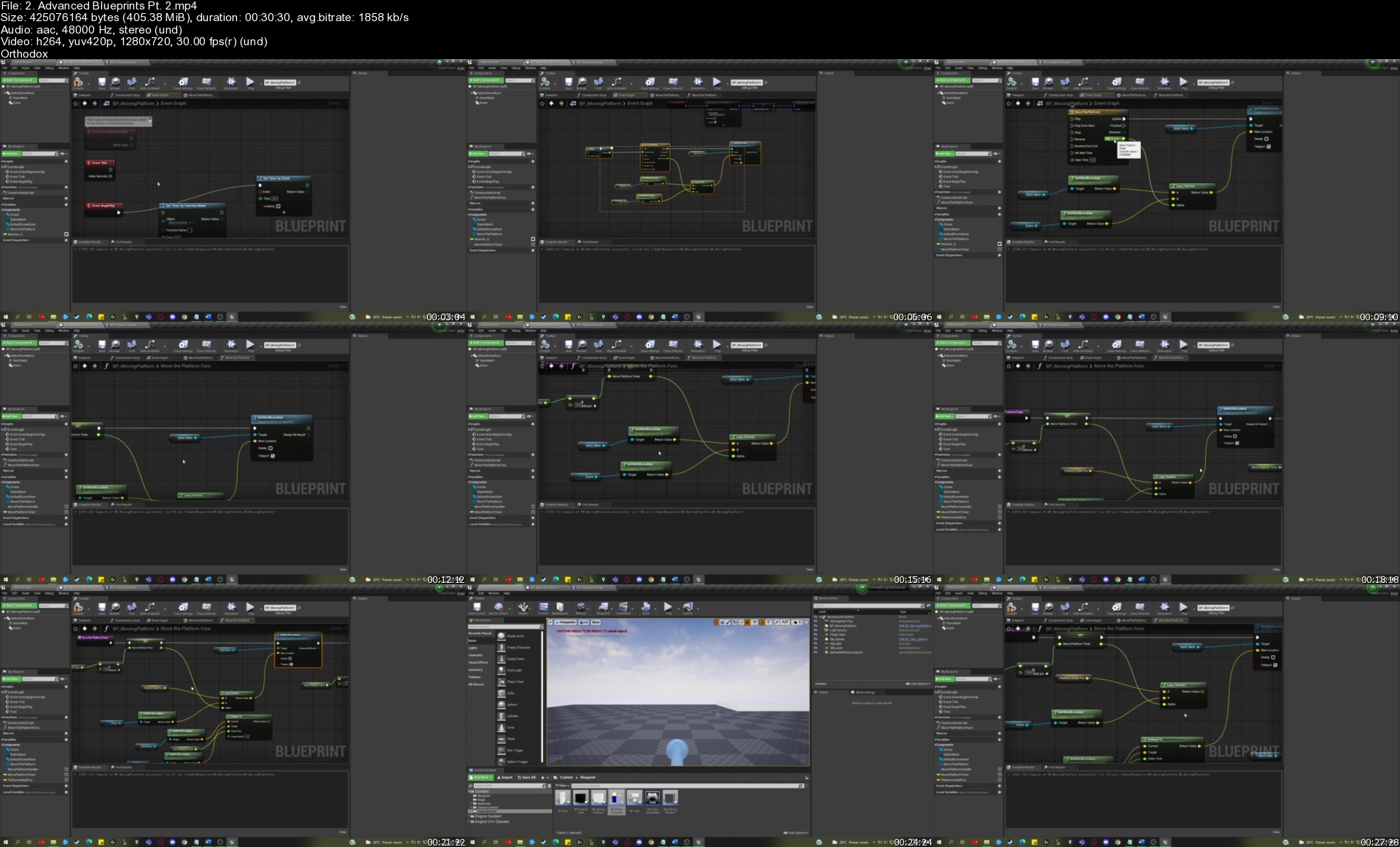
Complete Unreal Engine Megacourse: Beginner to Expert

owuz6il721lypdggetnxwtnk3h.jpg


Complete Unreal Engine Megacourse: Beginner to Expert
Genre: eLearning | MP4 | Video: h264, 1280x720 | Audio: AAC, 48.0 KHz
Language: English | Size: 29 GB | Duration: 16h 0m

Learn how to develop games and design like a pro with this step-by-step course!


What you'll learn
How to use the Unreal Engine and its elements
The principles of video game mechanics
The principles of BSP geometry
The principles of blueprint scripting
How to design, develop and script your level to replicate your favourite games


Description
Learn games development with Unreal Engine 4!

Develop like a pro!

Have you ever wanted to create your own games? In the era of digital technology, videogames are bigger than they have ever been. Maybe you want to recreate a mechanic you've seen in a video game and show it off on social media, or perhaps you want to recreate a level you've played recently in your favourite video game. Whether you're new to the games development scene or hoping to make a career out of it, making video games isn't only for the pros. We're here to teach you how.

In this course, you're going to learn everything about game development in Unreal Engine, from learning BSP geometry to creating your own levels, learning blueprint scripting and finally adding a player that can move within your world. You'll even learn how to recreate specific mechanics from your favourite videogames.

Our instructors have years of experience not only in games design, but also in teaching, and the expertly-crafted syllabus is designed to be easy to follow and thorough. We've even included plenty of examples designed on-screen for you to study. That's why this is the only Unreal Engine Blueprints course you'll ever need to develop game levels and design like a pro!

Start developing your game today!

Who this course is for
Anyone who wants to learn to develop games - no experience needed!
Game developers/designers who want to learn new styles
Anybody with an interest in games development blueprints

Homepage


2.advancedblueprintspz1j5x.jpg


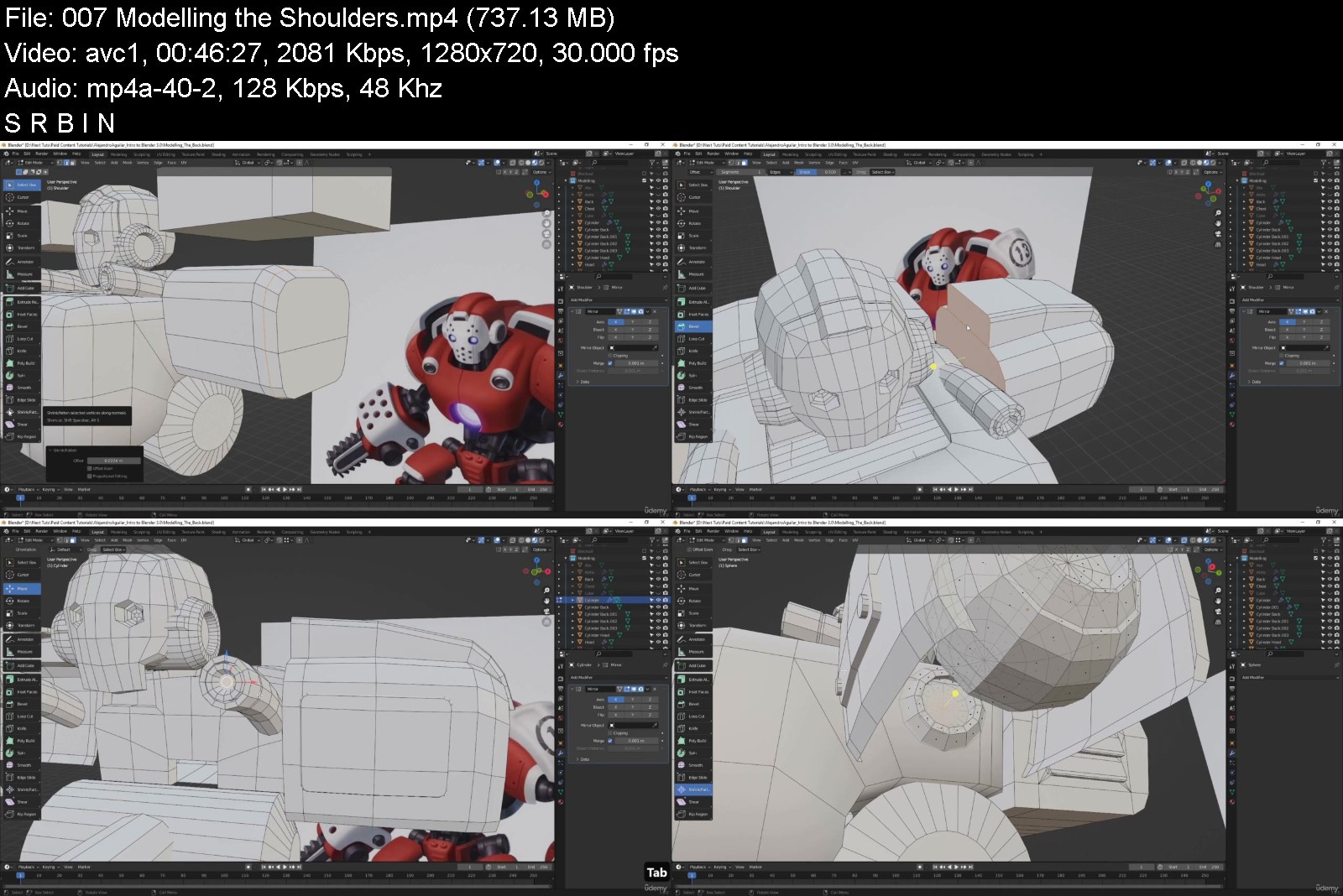
Blender 3.0 Modelling Course for Beginners

44761747dd13u4jly.jpg


Blender 3.0 Modelling Course for Beginners
MP4 | Video: h264, 1280x720 | Audio: AAC, 44.1 KHz, 2 Ch
Genre: eLearning | Language: English + srt | Duration: 46 lectures (17h 18m) | Size: 16.5 GB

Learn to model hard surface robot characters in Blender


What you'll learn
Blender Modelling Tools
Blender Hard Surface Character Modelling
UV Unwrapping Robotic Characters
How to render within Blender
Requirements
You should have Blender 3.0 installed on your computer.
Description
Have you wanted to learn Blender and not know where to start?
Then I welcome you to Nexttut's Blender 3.0 Modelling Course for Beginners.
WHY SHOULD YOU LEARN FROM ME
My name is Alejandro Aguilar, and I have been working in 3D art for about 7 years. I have worked on numerous projects, from mobile games to video production. My area of work focuses on understanding 3D at a technical level, so that I can then teach you in an easy-to-understand way.
BENEFITS
By the end of this course you will be able to model hard surface robot type characters in Blender.
WHAT WILL I LEARN
● Blender Hard Surface Character Modelling.
● UV Unwrapping Robotic Characters
● How to render within Blender.
COURSE PROJECTS
In this course we will be making a robotic character. We will start by opening Blender and discussing what we will be working on for the course. Next we will block out the shapes that we need in order to create our character and go over the tools and model out each piece in detail. Then, we will finalise the modelling, fixing anything that needs a second pass, and prepare to unwrap our prop. We'll begin going over how to unwrap our model and discuss the importance of unwrapping. After this we will go over how to create textures and apply materials to our robot. Afterwards, we will use modifiers to push our character to a more high poly finish in a non-destructive manner. By the end of the course, we will have our robot fully modelled, textured, and rendered within Blender. We'll make a render of the character and finish the course.
IS THIS COURSE RIGHT FOR ME
This course is for you if you are a blender beginner and want to learn Blender modelling to model simple hard surface robotic kind of characters rather than complex organic characters.
WHO IS NOT THE IDEAL STUDENT
This course is not for advanced blender users, or who want to learn organic modelling.
WHAT SHOULD I KNOW OR HAVE FOR THE COURSE
● A basic understanding of computers and know how to open a 3D Program.
● You should have Blender 3.0 installed on your computer.
JOIN ME NOW
If you want to learn how to use Blender 3.0, join me now and take your skills to the next level. Don't forget that investing in yourself will benefit you for the rest of your life! Hope to see you in the course!
Who this course is for
This course is for you if you are a blender beginner and want to learn Blender modelling to model simple hard surface robotic kind of characters rather than complex organic characters


blender3.0modellingcoijkl1.jpg


Download from RapidGator


Download from NitroFlare


Become a Game Designer the Complete Series Coding to Design

b5ddoeqx7f1ujps63w0pe0rjlo.jpg


Become a Game Designer the Complete Series Coding to Design
MP4 | Video: h264, 1280x720 | Audio: AAC, 44.1 KHz
Language: English | Size: 40.2 GB | Duration: 84h 54m

Master Unity, 3D game design, 2D game design, coding, C#, game development, 3D animation, programming, level design...


What you'll learn
Create advanced 2D/3D games and applications
Develop for Nintendo, Xbox, PS4, PC, Mac, iPhone, Android
Have an expert understanding of the Unity game engine
Have an expert understanding of Maya, 3DS MAX and Mudbox
Have an expert understanding of digital painting in Photoshop
Work in game design, film, or software development
Build and publish your own games and apps

Requirements
General computer skills
A 3 button mouse will be usefull for moving around 3D space but is not required.

Description
If you are serious about becoming a game designer, then you already know that you need the most current and complete game design training possible. To succeed in this competitive industry it is essential to have an expert knowledge of the entire game development pipeline. Whether it's your goal to work for a major game studio, or to develop and publish your own indie games, one thing is clear, you will need to be well trained as both a programmer and an artist.

Throughout this extensive training series you will learn beginner to expert level techniques in the areas of 3D game development (Unity), computer animation, digital painting, and programming.

You will be learning expert techniques and workflows from veterans who have been working in the game industry for over 15 years and have a passion for making great games.

You will be extensively trained on programs like Unity, Maya, 3DS Max, Mudbox, and Photoshop. Learning powerful tools like these are made easy with fun projects that are designed to take the fear out of learning such advanced software like Unity3D.

Your training will start with Unity, which is a powerful game engine that has been used by countless studios and indie developers all over the world to build some amazing games. Unity's intuitive and user friendly interface is an excellent place to start your path to becoming a game designer. You will start by learning the fundamentals of Unity, giving you a great foundation for you to get excited and confident to move on to more advanced Unity projects which will have you building incredible worlds. In addition to mastering the Unity interface you will be learning how to code in the c# programming language, letting you create any 2D or 3D your imagination can come up with.

After you have mastered the Unity game engine it is time to move on and learn how to create your own game assets.

You will be using programs like Maya and 3DS Max to model, texture, animate, and render complex 3D models and scenes. And once again you will start of with the basics learning how to create simple low poly models before moving on to advanced digital sculpting techniques in programs like Mudbox. You will then learn how to transfer your 3D models and animations into Unity for game assembly.

Finally, you will be moving on to the digital painting section of this master series, where you learn how to digitally paint fantasy worlds, creatures, and characters. And just like all of our previous sections in this master series, you will start off by learning the basics with fun project based lessons, before moving on to more intermediate and advanced digital painting. Even if you feel you don't possess any kind of drawing skills, you need not to fear as this digital painting portion of your training is designed to once again take you from absolute beginner all the way to an advanced level.

You have a lot of exciting things to start learning and we are excited to be your guides along the way!

Who this course is for
All skill levels
People interested in working in the game design industy
Please who want to create and publish their own games

Homepage


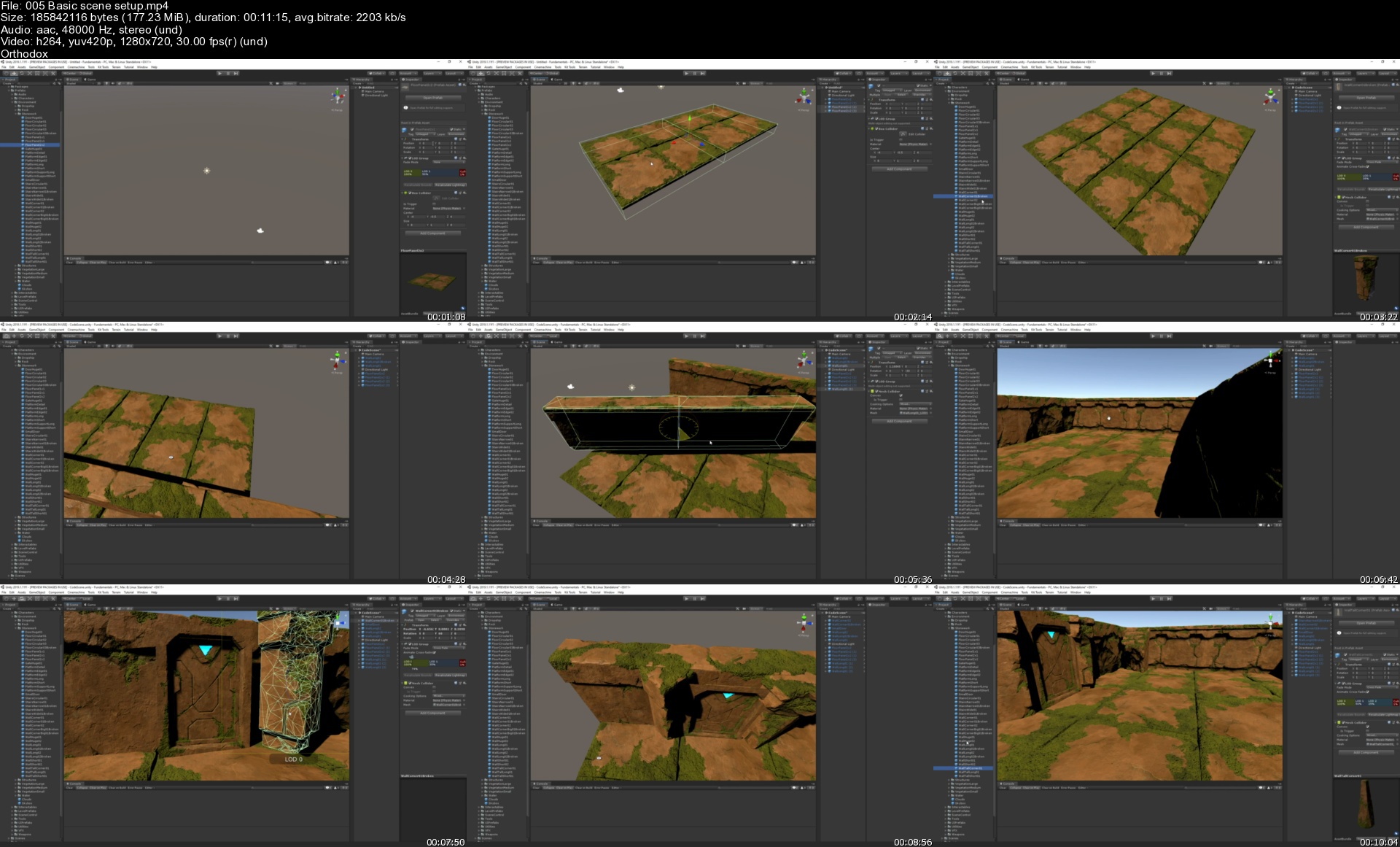
005basicscenesetups1qj2b.jpg


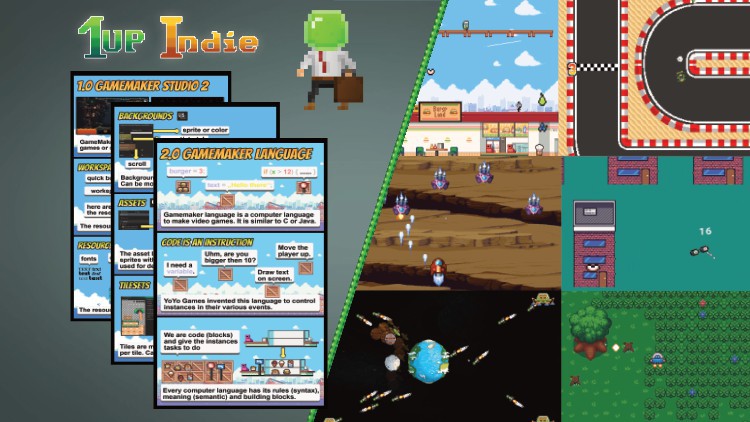
Become a video game developer with Gamemaker Studio 2.3

353627075012v8jkb.jpg


Become a video game developer with Gamemaker Studio 2.3
MP4 | Video: h264, 1280x720 | Audio: AAC, 44.1 KHz, 2 Ch
Genre: eLearning | Language: English + srt | Duration: 142 lectures (17h 40m) | Size: 10.5 GB

The all you need to know course for beginners


What you'll learn
What is the indie gaming (development)
Is making video games for you?
What roles can you have as a developer?
A quick overview of the gaming industry
An Introduction into GameMaker Studio 2.3 (with a comic)
Make 6 short video games in GameMaker Studio 2
Roleplay like an indie developer
Understand how programming and game design work
Structure you own video game from scratch
Requirements
GameMaker Studio 2, ( free trail also possible)
No futher skills needed
Description
This Udemy course is geared towards beginners and gives you all the informations needed to make good decisions when starting as an indie developer or even when joining the industry as a contractor or employee.
The course is split into 3 parts
The gaming industry - how does it look like and what kind of role can you have in there.
GameMaker Studio 2.3 - Essentail guide how to use effectivly the programm and programming basics
Make six games - This part is where we together make small video games with GameMaker Studio 2. After these games you can call yourself an indie devloper because making games should feel at that point natural to you. The endgoal is that you see the whole process of making video games and what kind of role you think suits your needs the best.
Who this course is for
Beginners who like to see how making video games is like
People who would like start as an solo developer, be part of an indie developement team or want to join the gaming industry
Everybody who wants to enter the video gaming industry
Everybody who wants to learn GameMaker language
Everybody who wants sell their games


becomeavideogamedevelk0jyv.jpg


Download from RapidGator


Download from NitroFlare


17cbb95d-2aa7-41a6-977b-1a209582dbf9.png

808 Deep Dive Masterclass
Slate Digital | Duration: 0h 32m | Video: H264 1920x1080 | Audio: AAC 48 kHz 2ch | 1,3 GB | Language: English​

• Get 60 incredible custom 808s, plus 3 Raw TR-808 samples to create your own 808 samples
• Learn the tricks to getting massive low end in your beats without overloading your mix
• We'll show you how to find kicks & 808s that create clean, massive low end
• Learn tips on EQ, compression, arrangement and more-all in less than 30 minutes
• Learn pro sound design techniques to create your own 808s and signature beats.
Homepage


749df6d6-4d87-4dd0-9a33-f0d99d91e7e9.png

Build Instagram Clone with Jetpack Compose & Firebase
MP4 | Video: h264, 1920x1080 | Audio: AAC, 44 KHz
Language: English | Duration: 1h40m | Size: 478 MB
Hands-on Class Project​

Project Description
In this class project you will be given the task of developing the profile screen for the Instagram Clone app.
You can find the screen shot for profile screen in the attachments.
So for this project you would need to apply all the techniques that you learned in this class , and you will also have to think of something from yourself, to completely build this screen because the profile screen is quite different from screens that we have developed so far , but the basic principle is same and for the grid of photos , you can use Lazy Grid to build the Grid.
So that's all the maximum help & hint, i can give right now, because if i give all the help for this screen, then there is no point of this project.
The objective of this project is , that the students can use technique that they have already learned and at the same develop their own technique so that they can become good at problem solving skills.
After all software development is all about solving problems whether they are big or small.
If you run in some problems than you can submit your problems via below google form link.
Google Form for Q & A
Homepage
Screenshots


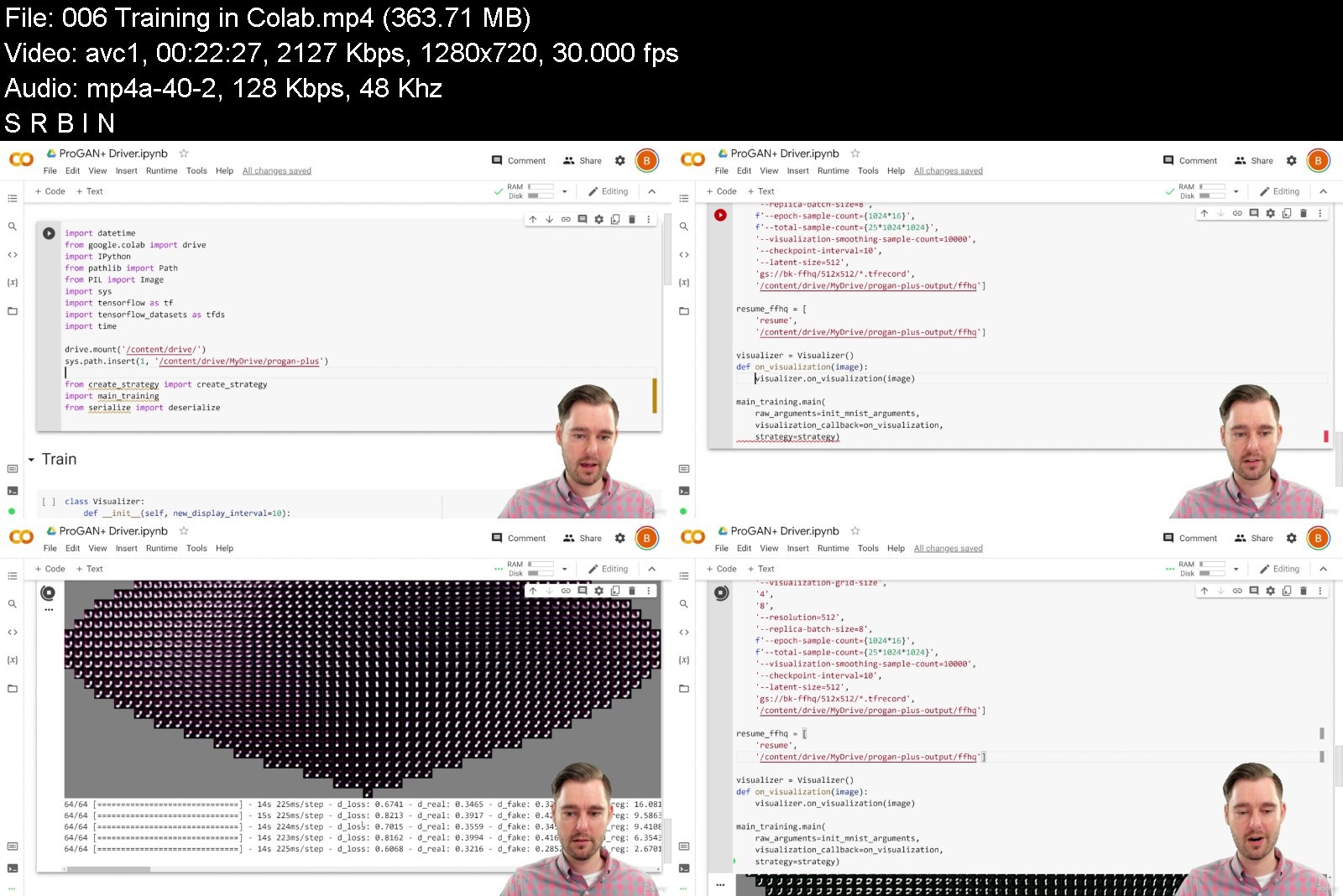
High Resolution Generative Adversarial Networks

44786927a042qqjz7.jpg


High Resolution Generative Adversarial Networks
MP4 | Video: h264, 1280x720 | Audio: AAC, 44.1 KHz, 2 Ch
Genre: eLearning | Language: English + srt | Duration: 55 lectures (7h 26m) | Size: 6.7 GB

Photorealistic image generation with Python and TensorFlow 2.0


What you'll learn
Create a GAN capable of generating high resolution images using TensorFlow 2.0
Distribute training on a TPU or multiple GPUS
Implement the R2 loss function
Implement a scaled convolutional layer
Implement up-sampling and down-sampling layers
Implement mini-batch standard deviation to capture dataset variation
Generate infinite random images from a trained generator
Apply a perceptual path length filter to generated images
Generate interpolations between two different generated images
Requirements
Basic python experience
Convolutional neural network experience (suggested)
TensorFlow experience (suggested)
Description
This course covers the fundamentals necessary for a state-of-the-art GAN. Anyone who experimented with GANs on their own knows that it's easy to throw together a GAN that spits out MNIST digits, but it's another level of difficulty entirely to produce photorealistic images at a resolution higher than a thumbnail.
This course comprehensively bridges the gap between MNIST digits and high-definition faces. You'll create and train a GAN that can be used in real-world applications.
And because training high-resolution networks of any kind is computationally expensively, you'll also learn how to distribute your training across multiple GPUs or TPUs. Then for training, we'll leverage Google's TPU hardware for free in Google Colab. This allows students to train generators up to 512x512 resolution with no hardware costs at all.
The material for this course was pulled from the ProGAN, StyleGAN, and StyleGAN 2 papers which have produced ground-breaking and awe-inspiring results. We'll even use the same Flicker Faces HD dataset to replicate their results.
Finally, what GAN course would be complete without having some fun with the generator? Students will learn not only how to generate an infinite quantity of unique images, but also how to filter them to the highest-quality images by using a perceptual path length filter. You'll even learn how to generate smooth interpolations between two generated images, which make for some really interesting visuals.
Who this course is for
Machine learning developers who want to create high resolution images with GANs


highresolutiongenerat15kf4.jpg


Download from RapidGator


Download from NitroFlare


7c20edfb-ae60-45e1-9db5-41fbe9f7161d.png

CBTNuggets - Microsoft Windows 11 End User
MP4 | Video: h264, 1920x1080 | Audio: AAC, 44.1 KHz, 2 Ch
Genre: eLearning | Language: English | Duration: 13 Lessons (1h 38m) | Size: 647.1 MB

Microsoft Windows 11 End User Online Training
This foundational Microsoft Windows 11 End User training prepares anyone to use Microsoft's newest update to Windows: Windows 11 - navigate it without getting lost and find all the applications and features you're used to.
Microsoft Windows 11 End User: What You Need to Know
This Microsoft Windows 11 End User training has videos that cover topics including
Who Should Take Microsoft Windows 11 End User Training?
This Microsoft Windows 11 End User training is considered foundational-level Microsoft training, which means it was designed for anyone looking to learn Windows 11.
Microsoft operating systems user training. Companies will usually give on-the-job training when you have to use specialized software, but just assume that Windows is familiar to employees. And if you ever get lost or confused, it's up to you to figure it out. This course is perfect for non-technical professionals who need a simple and clear explanation of how Windows 11 looks and works and how to use it in their daily work.
New or aspiring IT professionals. Many companies have contracts with Microsoft that automatically rolls them over to the newest version of the operating system. After this course, you'll be able to effortlessly use the OS on your first day - maybe even before your more experienced colleagues. If you're hoping to start your career soon, you should plan on taking this course.
Homepage


Zurück
Oben Unten