• Regeln für den Video-Bereich:

    In den Börsenbereich gehören nur Angebote die bereits den Allgemeinen Regeln entsprechen.

    Einteilung

    - Folgende Formate gehören in die angegeben Bereiche:
    - Filme: Encodierte Filme von BluRay, DVD, R5, TV, Screener sowie Telesyncs im Format DivX, XviD und x264.
    - DVD: Filme im Format DVD5, DVD9 und HD2DVD.
    - HD: Encodierte Filme mit der Auflösung 720p oder darüber von BluRay, DVD, R5, TV, Screener sowie Telesyncs im Format x264.
    - 3D: Encodierte Filme von BluRay, die in einem 3D Format vorliegen. Dies gilt auch für Dokus, Animation usw.
    - Serien: Cartoon/Zeichentrick, Anime, Tutorials, Dokumentationen, Konzerte/Musik, Sonstiges sind demnach in die entsprechenden Bereiche einzuordnen, auch wenn sie beispielsweise im High Definition-Format oder als DVD5/DVD9/HD2DVD vorliegen. Ausnahme 3D.
    - Bereich Englisch: Englische Releases gehören immer in diesen Bereich.
    - Bereich Talk: Der Bereich, in dem über die Releases diskutiert werden kann, darf, soll und erwünscht ist.


    Angebot/Beitrag erstellen

    - Ein Beitrag darf erst dann erstellt werden, wenn der Upload bei mindestens einem OCH komplett ist. Platzhalter sind untersagt.
    - Bei einem Scenerelease hat der Threadtitel ausschließlich aus dem originalen, unveränderten Releasenamen zu bestehen. Es dürfen keine Veränderungen wie z.B. Sterne, kleine Buchstaben o.ä. vorgenommen werden. Ausnahme Serienbörse:
    - Bei einem Sammelthread für eine Staffel entfällt aus dem Releasename natürlich der Name der Folge. Beispiel: Die Simpsons S21 German DVDRip XviD - ITG
    - Dementsprechend sind also u.a. verboten: Erweiterungen wie "Tipp", "empfehlenswert", "only", "reup", usw. / jegliche andere Zusatzinformation oder Ergänzung, welche nicht in obiger Beschreibung zu finden ist.

    Aufbau des Angebots und Threadtitel

    Der Titel nach folgendem Muster erstellt zu werden. <Name> [3D] [Staffel] [German] <Jahr> <Tonspur> [DL] [Auflösung] <Quelle> <Codec> - <Group>
    Beispiel: The Dark Knight German 2008 AC3 DVDRip XviD - iND
    Beispiel: The Dark Knight 2008 DTS DL BDRip x264 - iND
    Beispiel: The Dark Knight 2008 AC3 DL BDRip XviD - iND
    Beispiel: The Dark Knight German 2008 AC3 720p BluRay x264 iND
    Beispiel: The Dark Knight 2008 DTS DL 1080p BluRay x264 iND
    Beispiel: Die Simpsons S01 German AC3 DVDRip XviD iND
    Beispiel: Die Simpsons S20 German AC3 720p BluRay x264 iND
    Beispiel: Sword Art Online II Ger Sub 2014 AAC 1080p WEBRip x264 - peppermint
    Entsprechend sind also u.a. verboten: Sonderzeichen wie Klammern, Sterne, Ausrufezeichen, Unterstriche, Anführungszeichen / Erweiterungen wie "Tipp", "empfehlenswert", "only", "reup", usw. / jegliche andere Zusatzinformation oder Ergänzung, welche nicht in obiger Beschreibung zu finden ist
    Ausnahmen hiervon können in den Bereichen geregelt sein.

    Die Beiträge sollen wie folgt aufgebaut werden:
    Überschrift entspricht dem Threadtitel
    Cover
    kurze Inhaltsbeschreibung
    Format, Größe, Dauer sind gut lesbar für Downloader außerhalb des Spoilers zu vermerken
    Nfo sind immer Anzugeben und selbige immer im Spoiler in Textform.
    Sind keine Nfo vorhanden z.B. Eigenpublikationen, sind im Spoiler folgende Dateiinformationen zusätzlich anzugeben :
    Quelle
    Video (Auflösung und Bitrate)
    Ton (Sprache, Format und Bitrate der einzelnen Spuren)
    Untertitel (sofern vorhanden)
    Hosterangabe in Textform außerhalb eines Spoiler mit allen enthaltenen Hostern.
    Bei SD kann auf diese zusätzlichen Dateiinformationen verzichtet werden.

    Alle benötigten Passwörter sind, sofern vorhanden, in Textform im Angebot anzugeben.
    Spoiler im Spoiler mit Kommentaren :"Schon Bedankt?" sind unerwünscht.


    Releases

    - Sind Retail-Release verfügbar, sind alle anderen Variationen untersagt. Ausnahmen: Alle deutschen Retail-Release sind CUT, in diesem Fall sind dubbed UNCUT-Release zulässig.
    - Im Serien-Bereich gilt speziell: Wenn ein Retail vor Abschluss einer laufenden Staffel erscheint, darf diese Staffel noch zu Ende gebracht werden.62
    - Gleiche Releases sind unbedingt zusammenzufassen. Das bedeutet, es ist zwingend erforderlich, vor dem Erstellen eines Themas per Suchfunktion zu überprüfen, ob bereits ein Beitrag mit demselben Release besteht. Ist dies der Fall, ist der bereits vorhandene Beitrag zu verwenden.
    - P2P und Scene Releases dürfen nicht verändert oder gar unter einem iND Tag eingestellt werden.


    Support, Diskussionen und Suche

    - Supportanfragen sind entweder per PN oder im Bereich Talk zu stellen.
    - Diskussionen und Bewertungen sind im Talk Bereich zu führen. Fragen an die Uploader haben ausschließlich via PN zu erfolgen, und sind in den Angeboten untersagt.
    - Anfragen zu Upload-Wünschen sind nur im Bereich Suche Video erlaubt. Antworten dürfen nur auf Angebote von MyBoerse.bz verlinkt werden.


    Verbote

    - Untersagt sind mehrere Formate in einem einzigen Angebotsthread, wie beispielsweise das gleichzeitige Anbieten von DivX/XviD, 720p und 1080p in einem Thread. Pro Format, Release und Auflösung ist ein eigener Thread zu eröffnen.
    - Grundsätzlich ebenso verboten sind Dupes. Uploader haben sich an geeigneter Stelle darüber zu informieren, ob es sich bei einem Release um ein Dupe handelt.
    - Gefakte, nur teilweise lauffähige oder unvollständige Angebote sind untersagt. Dies gilt auch für eigene Publikationen, die augenscheinlich nicht selbst von z.B. einer DVD gerippt wurden. Laufende Serien, bei denen noch nicht alle Folgen verfügbar sind, dürfen erstellt und regelmäßig geupdatet werden.
    - Untersagt sind Angebote, welche nur und ausschließlich in einer anderen Sprache als deutsch oder englisch vorliegen. Ausnahmen sind VORHER mit den Moderatoren zu klären.


    Verstoß gegen die Regeln

    - Angebote oder Beiträge, die gegen die Forenregeln verstoßen, sind über den "Melden"-Button im Beitrag zu melden.
  • Bitte registriere dich zunächst um Beiträge zu verfassen und externe Links aufzurufen.

*** Bestes IPTV *** bester Preis *** gratis Test ***


Englische Tutorials

47246441-6f2f-4dec-97f4-f2a42999786e.png

The CEO Time Management Blueprint (2022)
MP4 | Video: h264, 1280x720 | Audio: AAC, 44.1 KHzLanguage: English | Size: 781 MB | Duration: 43m​

Learn how Elon Musk & Tim Cook (and more) use organisation, scheduling & management to get more done in less !

What you'll learn
How to plan your day and manage your life like a Fortune 500 CEO.
How to create the perfect morning routine.
The art of prioritisation and how to focus on the important areas of your life.
How to get 80% of your results from just 20% of your efforts.
And much, much more...
Requirements
A hunger to be superbly organised like the top 1% performers in the world
Description
How do CEO's get so much done
How does Elon musk run three multi-million dollar companies at the same
How does Tim Cook manage a trillion dollar company like Apple, and still make for the gym
The secret isn't that they have more than 24 hours in a day.
They have the same amount as you and me.
But the difference is how they spend those 24 hours.
And the leverage they create each and every day that helps them win!
This course has been created to help those who want to learn how to get more done in less .
How to manage effectively.
Mastering the day.
Staying ahead instead of trying to catch up.
This course will give you the blueprint to mastering your .
Every step of building a set of p habits to help you maximise your efficiency is inside this very program.
We cover everything in-depth and leave nothing out.
This is an all in course for anyone who wants to take their management to the next level.
We use examples of many Fortune 500 CEOS and also teachings from productivity experts to help create a unique blueprint for anyone looking to maximise their productivity and make more free to enjoy themselves and their life.
So if you're ambitious and want to be a top 1% performer, I'll see you inside the program.
Who this course is for
Anyone wanting to take their life to the next level and get more done in less .
Someone who is highly ambitious and want to achieve great things in life.
Someone who wants to use management to perform like the top 1% in the world.


 
db3b7deb-2097-4ca8-8bb0-10e985bf667a.png

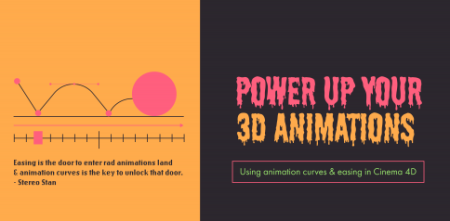
Power Up Your 3D Animations: Using Animation Curves in Cinema 4D
File Size :576MB​


Throughout this class, you will learn how to create the following 3D animations:

3D animations that lack quality easing and attention to animation curves can somes feel dull. We will utilize animation curves in Cinema 4D to add exaggerated easing and give the animations a fun cartoon style.

The skills in this class can be applied to other types of animation programs like After Effects or really any type of animation program that uses keyframes and animation curves.

Basic knowledge of the Cinema 4D interface is helpful. I am using Cinema 4D R25 but you could use any version to complete this course, keeping in mind the interface will look slightly different.


1469f532-3aff-4848-b0b4-26487f455aeb.png

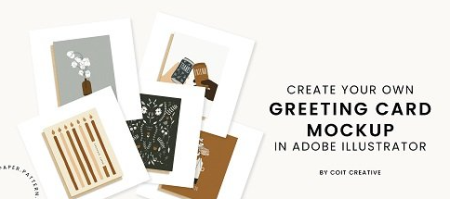
Create Your Own Greeting Card Mockup in Adobe Illustrator
File Size :178MB​

Learn howto create your ownlisting photograph, orgreeting card mockup image, to use in your catalogs, website, online shops, and even share with retailers (if you sell wholesale). Join me in a concise video walking you through the steps inAdobe Illustrator, showing you my process in creating a template file you can use over and over again for any greeting card.

As a stationery designer and small business, I know how important it is to easily (and professionally) add new products to a wholesale or retail line. Rather than relying on photographers schedules for every single new listing, I am putting together a 3-part series of classes to learn how to make your own greeting card mockups! This class is step 2; learning how to make your own listing photo mockup to use in catalogs and online shops in Adobe Illustrator.


71939816-29d8-4db5-845c-caac21f0195f.png

Create Stunning Podcast Cover Art Design In Photoshop
File Size :580MB​

Podcasts are becoming very popular nowadays and everyone is going into having a podcast or Podcast episode so if you're wondering and you're getting on this course to know how to create podcast cover art or podcast artwork then this is for you!

In this podcast cover design course, I will be showing you how to create different styles of podcast covers art because you want to always know how to create it for yourself to save a lot of effort and all, yes I'm going to be showing you my step process by which are used to create each and every one of my podcast cover artwork. I have been in the podcast design industry for a while now having over 100 plus podcast covers designed for clients so I'm definitely experienced when it comes to creating podcast designs. If this is something you are interested in, you just enrolled in the right course I will advise you to watch every single lecture in this course and there will be a bonus lecture where I show you how to make 3D podcast cover art for your podcast to stand out among others. So what are you waiting for I'll see you in the course.


64045804-6fe7-4c34-bf98-86e45cd92623.png

CreativeLive - How to Get More Done
File Size :2.8 GB​

Stop fretting over the limited number of hours in a day and get to work the smart way! In How to Get More Done, Tara Swiger will lay out a simple action plan that will help you manage your , your business, and your family life more efficiently. When Tara's online yarn shop replaced her day job, she fielded a lot of questions about the secret to her success. One thing led to another and now she is devoted, full-, to helping other crafty entrepreneurs realize their dreams. In this class, shell help you take control of your calendar and build your business.


4b507e2a-6e85-4daa-a319-810ec0d04ff4.png

CreativeLive - Etsy 101: Launch Your Handmade Shop
File Size :1.3 GB​

Etsy is a great way for crafters to sell goods online without having to navigate the complexities of building their own e-commerce site. Learn the absolute best way to set up your own successful shop in Etsy 101: Launch your Handmade Shop with Marlo Miyashiro.

Marlo has been making and selling her goods for more than 20 years. She has a deep knowledge of the Etsy platform and in this class shell coach you through every aspect of getting started. Youll learn how to navigate the Etsy interface and get a complete guide to setting up your shop. Marlo will offer insights on important Etsy policies and protocol so you dont unwittingly violate Etsys rules and shell tell you everything you need to know so your store thrives.


5eedec1c-ae8a-4760-9531-ba8035b226a2.png

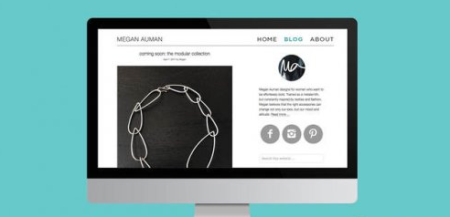
CreativeLive - Blogging to Sell Your Products
File Size :2.8GB​

In Blogging to Sell Your Products, Megan Auman will walk you through her process of crafting blog content that will inspire product purchases.

You will learn to do the following:

Set up your blog using the right platform
Craft a blog post in less than an hour
Promote your blog and create posts that encourage sharing
Boost your Google page rankings using SEO blogging techniques
Choose a product-based blogging approach
In today's saturated craft marketplace its getting harder and harder to make sales. And, its also becoming difficult to get accepted into craft shows. In Blogging to Sell Your Products, you will learn to use your blog to set yourself apart from the crowd.

Content Source :


7a5df075-3663-43e1-846a-89dd74f508a6.png

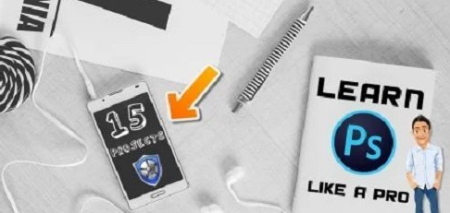
Learn Adobe Photoshop Techniques Like a PRO - 15 Real-Time Projects
File Size :1.4GB​

01. No need of Prior Knowledge or Experience in Photoshop. you can take this class now.

02. All classes are Level zero to Finished ones.

03. Stock Images are included with this class - you can work along with me. Practise makes the best things.

04. 15 Classes + Bonus Content of Class makes you better comfort.

05. Work with the Project and please don't forget to submit to show your creativity.

06. Don't Forget to review our class after you finished these classes. it motivates me to create future classes.

For the Working Files of PSD finished ones

Due to File size, this link Processed from google drive link.


30ae250d-be83-4a05-b44d-a22c8c19ca6a.png

CreativeLive - Creating a Portfolio That Works by Ben Hartley
File Size :1.3GB​


Your portfolio is the body of work that most defines you as a photographer. It showcases your creativity and helps to convert potential clients to paying clients. The selection process, however, can be daunting! In this course, wedding photographer and educator Ben Hartley walks through how to make all the uncomfortable decisions easier. He'll discuss how many images you should display, which ones have the most impact and the best way to showcase your work. He'll take you step by step through the process of locking in your ideal selection of portfolio images and provide creative ideas on how to best show off your talent to get the jobs you want.


01165006-d298-49cd-96cd-2238c2e8a4b5.png

Adobe Photoshop Techniques for Graphic Designers - Top Notch Examples
Instructors: Maac Desmond
Duration: 2h 35m • 18 Lessons
Video: MP4 1280x720 44 KHz | English
Level: All levels | Size: 1.4 GB​

Welcome Everyone, Happy to see you all here.
Adobe Photoshop - Advanced Classes - Learn the Unknown Techniques Right now
This Class is about how to Learn the Techniques of the Photoshop-like a Professional. All techniques are very useful in your Workflow.
01. No need of Prior Knowledge or Experience in Photoshop. you can take this class now.
02. All classes are Level zero to Finished ones.
03. Stock Images are included with this class - you can work along with me. Practise makes the best things.
04. 15 Classes + Bonus Content of Class makes you better comfort.
05. Work with the Project and please don't forget to submit to show your creativity.
06. Don't Forget to review our class after you finished these classes. it motivates me to create future classes.
Screenshots


03ed3131-8f82-438d-ab87-7d665feacc6d.png

Altium Course Learn Altium Designer today
MP4 | Video: h264, 1280x720 | Audio: AAC, 44.1 KHz, 2 Ch
Genre: eLearning | Language: English + srt | Duration: 84 lectures (2h 7m) | Size: 800 MB

Take your PCB design skills to the next level
What you'll learn
Learn how to use Altium software to create professional PCB designs
Gain an edge in your industry and increase your income.
You will learn a lot about PCB design and get the skills you need to create your own PCBs.
Become the best PCB designer in your company or start your own business as a freelancer.
Requirements
knows PCB design
willingness to learn
Description
Introduction
The Altium Designer Circuit Board Design Course is an online, self-paced course that teaches you how to design PCBs using Altium Designer. In this course Learn everything you must know about Altium. The course covers everything from basic to advanced PCB design topics and includes over 10 hours of video tutorials and hands-on labs.
Altium Limited is a publicly-traded company that provides PC-based electronics design software for engineers who design printed circuit boards. Founded as Protel Systems Pty Ltd in Australia in 1985, the company has offices in the United States, Australia, China, Europe, and Japan. Altium is a PCB design software that is used by many professionals in the industry. it is has a free trial version that can be used to learn the software. The company offers different courses that teach you how to use the software. The course is very comprehensive and covers all aspects of PCB design. If you are looking to learn Altium, I would highly recommend taking one of their courses.
What is Altium Designer
Altium Designer is a PCB design software used by engineers all over the world. The software has a steep learning curve, but a great online course can teach you everything you need to know. The course is offered by Altium, and covers the basics of PCB design all the way up to more advanced topics. The course is free, so you can't go wrong?
Why you should take this course?
Learn how to use the software for advanced design tasks, including 3D printing
Discover tips and tricks to improve your workflow and get the most out of the software
Get a practical experience with real-world projects from different industries
Take your designs to production, with manufacturing outputs and report generation
Create schematic designs and PCB layouts for single- and multi-board projects
Understand best practices for Altium design, to help you create high-quality PCBs
The course also includes a detailed guide to the Altium Designer software, so you can start designing your own PCBs right away.
Advantage after learning from this course
Create more efficient designs
Develop your skills in a fun and interactive way
Gain a strong understanding of the software and its capabilities
Get ahead of the competition
Gain confidence in your ability to design and create electronic circuits
Sign up for the Altium Course NOW and take your career to the next level!
Who this course is for
If you have ever wondered how to design a PCB, this course is for you
Anyone who has interest in electrical engineering
This course is designed for beginners
as well as people who've been doing PCB design for many years.
Homepage


af18033f-be66-4130-b279-c0b6784c7ffb.png

Complete Modeling & Animating a Drone in Blender 3.0
MP4 | Video: h264, 1280x720 | Audio: AAC, 44.1 KHz, 2 Ch
Genre: eLearning | Language: English + srt | Duration: 44 lectures (7h) | Size: 6.33 GB

Create a Drone and animate it from start to finish
What you'll learn
Learn fundamental 3D modelling techniques including loop cuts, mirror modifier, destructive modelling, subdivision and more.
All the essential tools for 3D modeling, and rendering
Animation deeply and easily explanation
How to use HDRI for lighting our scene
How to add multiple camera and render an animation out of them
Requirements
Absolutely no experience with 3D or Blender is necessary.
Blender is an Open Source and completely free 3D package.
Information on how to download and install Blender is contained at the start of this course
Description
Halo guys!
we are back with another very interesting Drone modeling an animation course. As you might know, modeling and animating a character or object is one of the most popular profession in the world.
So if you are looking for a good job with High salaries and benefits, then I recommend you to learn modeling and animating. Because with that, you can find job and earn money in all over the world.
On the other hand you can start learning with a free software called blender as you may have heart. Blender is perfect for anyone interested in learning 3D. If you are new to 3d entirely, this course will take you through the fundamental step by step. You'll learn both how to do things, and why things should be done certain ways.
In almost all my blender courses, I have talked about modeling and animating, which is very useful for you, and if you like, you can see it in Motion Guru udemy page.
But in this Drone course, after you are familiar with the blender interface and some of its short cuts, we will enter the modeling section and learn modeling very easily.
In the modeling section, you will get acquainted with useful tools and learn how to use them professionally while doing work.
After completing all the steps of modeling the drone, we will move on animating, lighting and adding materials to the drone.
In the animation section, we will deal with the two sections of timeline and graphic editor. Most of our work is with the Graph Editor section. There I tried to introduce you to keyframes and handles and how to rotate and move very simply.
Finally, we will adjust the rendering and composite settings and get an animation rendering from our drone, which you can see in the demo.
What Topics are Covered?
This course covers a wide range of topics like
3D Modeling and the most common tools such as subdividing, extruding.
You will learn about Modifiers, which are special modeling effects that you can use for complex modeling tasks.
We will create Materials.
How to illuminate thescene using Easy-HDRI add-on (free).
Learn how to animate the Drone in a easy and professional way.
Learn how to position your multiple Camera in your scene and animate them for making an animation of your scene.
Get introduced to two different Render Engines, Cycles and Eevee, which are used to process your scene into an animation render.
This course has everything you need to get a strong start with Blender and 3D, so I hope to see you in there!
Who this course is for
Anyone interested in learning computer graphics, or switching from another 3D software to Blender
This course can be your expanded version of the Blender manual.
Homepage


Zurück
Oben Unten