• Regeln für den Video-Bereich:

    In den Börsenbereich gehören nur Angebote die bereits den Allgemeinen Regeln entsprechen.

    Einteilung

    - Folgende Formate gehören in die angegeben Bereiche:
    - Filme: Encodierte Filme von BluRay, DVD, R5, TV, Screener sowie Telesyncs im Format DivX, XviD und x264.
    - DVD: Filme im Format DVD5, DVD9 und HD2DVD.
    - HD: Encodierte Filme mit der Auflösung 720p oder darüber von BluRay, DVD, R5, TV, Screener sowie Telesyncs im Format x264.
    - 3D: Encodierte Filme von BluRay, die in einem 3D Format vorliegen. Dies gilt auch für Dokus, Animation usw.
    - Serien: Cartoon/Zeichentrick, Anime, Tutorials, Dokumentationen, Konzerte/Musik, Sonstiges sind demnach in die entsprechenden Bereiche einzuordnen, auch wenn sie beispielsweise im High Definition-Format oder als DVD5/DVD9/HD2DVD vorliegen. Ausnahme 3D.
    - Bereich Englisch: Englische Releases gehören immer in diesen Bereich.
    - Bereich Talk: Der Bereich, in dem über die Releases diskutiert werden kann, darf, soll und erwünscht ist.


    Angebot/Beitrag erstellen

    - Ein Beitrag darf erst dann erstellt werden, wenn der Upload bei mindestens einem OCH komplett ist. Platzhalter sind untersagt.
    - Bei einem Scenerelease hat der Threadtitel ausschließlich aus dem originalen, unveränderten Releasenamen zu bestehen. Es dürfen keine Veränderungen wie z.B. Sterne, kleine Buchstaben o.ä. vorgenommen werden. Ausnahme Serienbörse:
    - Bei einem Sammelthread für eine Staffel entfällt aus dem Releasename natürlich der Name der Folge. Beispiel: Die Simpsons S21 German DVDRip XviD - ITG
    - Dementsprechend sind also u.a. verboten: Erweiterungen wie "Tipp", "empfehlenswert", "only", "reup", usw. / jegliche andere Zusatzinformation oder Ergänzung, welche nicht in obiger Beschreibung zu finden ist.

    Aufbau des Angebots und Threadtitel

    Der Titel nach folgendem Muster erstellt zu werden. <Name> [3D] [Staffel] [German] <Jahr> <Tonspur> [DL] [Auflösung] <Quelle> <Codec> - <Group>
    Beispiel: The Dark Knight German 2008 AC3 DVDRip XviD - iND
    Beispiel: The Dark Knight 2008 DTS DL BDRip x264 - iND
    Beispiel: The Dark Knight 2008 AC3 DL BDRip XviD - iND
    Beispiel: The Dark Knight German 2008 AC3 720p BluRay x264 iND
    Beispiel: The Dark Knight 2008 DTS DL 1080p BluRay x264 iND
    Beispiel: Die Simpsons S01 German AC3 DVDRip XviD iND
    Beispiel: Die Simpsons S20 German AC3 720p BluRay x264 iND
    Beispiel: Sword Art Online II Ger Sub 2014 AAC 1080p WEBRip x264 - peppermint
    Entsprechend sind also u.a. verboten: Sonderzeichen wie Klammern, Sterne, Ausrufezeichen, Unterstriche, Anführungszeichen / Erweiterungen wie "Tipp", "empfehlenswert", "only", "reup", usw. / jegliche andere Zusatzinformation oder Ergänzung, welche nicht in obiger Beschreibung zu finden ist
    Ausnahmen hiervon können in den Bereichen geregelt sein.

    Die Beiträge sollen wie folgt aufgebaut werden:
    Überschrift entspricht dem Threadtitel
    Cover
    kurze Inhaltsbeschreibung
    Format, Größe, Dauer sind gut lesbar für Downloader außerhalb des Spoilers zu vermerken
    Nfo sind immer Anzugeben und selbige immer im Spoiler in Textform.
    Sind keine Nfo vorhanden z.B. Eigenpublikationen, sind im Spoiler folgende Dateiinformationen zusätzlich anzugeben :
    Quelle
    Video (Auflösung und Bitrate)
    Ton (Sprache, Format und Bitrate der einzelnen Spuren)
    Untertitel (sofern vorhanden)
    Hosterangabe in Textform außerhalb eines Spoiler mit allen enthaltenen Hostern.
    Bei SD kann auf diese zusätzlichen Dateiinformationen verzichtet werden.

    Alle benötigten Passwörter sind, sofern vorhanden, in Textform im Angebot anzugeben.
    Spoiler im Spoiler mit Kommentaren :"Schon Bedankt?" sind unerwünscht.


    Releases

    - Sind Retail-Release verfügbar, sind alle anderen Variationen untersagt. Ausnahmen: Alle deutschen Retail-Release sind CUT, in diesem Fall sind dubbed UNCUT-Release zulässig.
    - Im Serien-Bereich gilt speziell: Wenn ein Retail vor Abschluss einer laufenden Staffel erscheint, darf diese Staffel noch zu Ende gebracht werden.62
    - Gleiche Releases sind unbedingt zusammenzufassen. Das bedeutet, es ist zwingend erforderlich, vor dem Erstellen eines Themas per Suchfunktion zu überprüfen, ob bereits ein Beitrag mit demselben Release besteht. Ist dies der Fall, ist der bereits vorhandene Beitrag zu verwenden.
    - P2P und Scene Releases dürfen nicht verändert oder gar unter einem iND Tag eingestellt werden.


    Support, Diskussionen und Suche

    - Supportanfragen sind entweder per PN oder im Bereich Talk zu stellen.
    - Diskussionen und Bewertungen sind im Talk Bereich zu führen. Fragen an die Uploader haben ausschließlich via PN zu erfolgen, und sind in den Angeboten untersagt.
    - Anfragen zu Upload-Wünschen sind nur im Bereich Suche Video erlaubt. Antworten dürfen nur auf Angebote von MyBoerse.bz verlinkt werden.


    Verbote

    - Untersagt sind mehrere Formate in einem einzigen Angebotsthread, wie beispielsweise das gleichzeitige Anbieten von DivX/XviD, 720p und 1080p in einem Thread. Pro Format, Release und Auflösung ist ein eigener Thread zu eröffnen.
    - Grundsätzlich ebenso verboten sind Dupes. Uploader haben sich an geeigneter Stelle darüber zu informieren, ob es sich bei einem Release um ein Dupe handelt.
    - Gefakte, nur teilweise lauffähige oder unvollständige Angebote sind untersagt. Dies gilt auch für eigene Publikationen, die augenscheinlich nicht selbst von z.B. einer DVD gerippt wurden. Laufende Serien, bei denen noch nicht alle Folgen verfügbar sind, dürfen erstellt und regelmäßig geupdatet werden.
    - Untersagt sind Angebote, welche nur und ausschließlich in einer anderen Sprache als deutsch oder englisch vorliegen. Ausnahmen sind VORHER mit den Moderatoren zu klären.


    Verstoß gegen die Regeln

    - Angebote oder Beiträge, die gegen die Forenregeln verstoßen, sind über den "Melden"-Button im Beitrag zu melden.
  • Bitte registriere dich zunächst um Beiträge zu verfassen und externe Links aufzurufen.

*** Bestes IPTV *** bester Preis *** gratis Test ***


Englische Tutorials

7a57bdd9-5f97-4471-8b85-b0e98f3f878a.png

Time Management for Personal & Professional Productivity
MP4 | Video: h264, 1280x720 | Audio: AAC, 44.1 KHz
Language: English | Size: 766 MB | Duration: 2h 42m
Work Smarter, Not Harder: BEST Time Management Course
What you'll learn


Time Management
Setting Goals
Task Management
Schedule Management
Managing Daily Tasks
Deadline Management
Overcoming Obstacles to Productivity
Measuring Your Time Management Skills
Requirements
No requirements or prerequisites
Description
Hi ! I'm Pradeep Prajapati, your Instructor for this course. I know you are facing problems in your life for managing the most valuable asset of your life, and that asset is your time. In this course you will learn
This course lays a common frame of understanding by exploring what people believe about time management, enumerating the benefits of time management, formally defining the term time management, briefly going over the history of time management, and showing how time management can lead to success.
I will also teach you about Setting Goals, which will help you in setting a clear direction by establishing values, visions, and goals. When values, visions, goals, and actions are congruent, the results will be in line with expectations
Task Management, is the cornerstone of time management. Earl Nightingale said that time cannot be managed except through the control of activities. I have created a separate section for task management which will shows you how activities can be managed by making lists, prioritizing, and pruning. This section also shows how dependent actions and sequences of actions can be managed together.
We will also cover the biggest problem of human life Managing Daily Tasks , this section will shows you how to manage the day's activities. It is important to know how much time is available and how long any task will take in order to make a realistic list of tasks for the day. This sets achievable expectations.
Deadline Management, focuses on getting things done on time. deadline management ensures that you do something by a given time. Deadline management addresses issues and obstacles that prevent on time completion of tasks. These issues include Parkinson's Law, procrastination, Murphy's Law, and risks.
Section 7, Overcoming Obstacles to Productivity, covers tactics to get work done quickly and with fewest errors. This includes dealing with interruptions and distractions. It also covers areas of self-discipline such as preparation, organization, delegation, and accepting responsibility.
Section 8, Measuring Your Time Management Skills, shows how to measure the effectiveness of time management. It is said that if you cannot measure it you cannot manage it. The metrics covered in this chapter show productivity, effectiveness, efficiency, and quality. Metrics boost self image and allow you to take pride in your achievements.
I guarantee you. This is the only course you need to become super productive. If you feel that you have not learned a valuable skill in this course then you can take your money back because this course comes with a 30 days money back guarantee. See you in the course.
Who this course is for
This course is best for the person, who wants to learn how to save time.
Screenshots




 
c6f22532-4faa-4377-ad64-cec58bdb7af7.png

Tropical Birds In Procreate
Duration: 1h 22m | Video: .MP4, 1280x720, 30 fps | Audio: AAC, 48 kHz, 2ch | Size: 683 MB
Genre: eLearning | Language: English


This class is about illustrating following 3 Tropical Birds in your drawing app Procreate
1. Sun Conure
2. Flamingo
3. Kingfisher
These bird illustrations can be used as an element in many ways, following are few examples
1. Surface Pattern Designs
2. Art Prints
3. Stickers
In this class you'll learn how to
- Illustrate 3 Tropical birds in Procreate
- Work on bigger canvas with minimum layers
-*Use reference image to add details to the birds
- Techniques you can apply while illustrating any bird of your choice!
Who this class is for
Intermediate Level: Anyone who knows the basics of Procreate
You'll need
An iPad
The drawing app, Procreate
An Apple Pencil or other stylus
By the end of this class, you'll have created a professional-quality illustration of birds that you can use to upload to print-on-demand sites or license out to earn income with your art.
Homepage
Screenshots


eabeb149-82f4-478d-adbb-a2658a1da672.png

Watercolor Landscape Painting : How To Paint Using A Reference Photo
Duration: 43m | Video: .MP4, 1280x720, 30 fps | Audio: AAC, 48 kHz, 2ch | Size: 592 MB
Genre: eLearning | Language: English


In this class, I will be teaching you how to paint a Loose Watercolor Landscape Painting using a reference photo,!*I will show you basic watercolor techniques and teach you how to paint quick, keeping tips in mind using the wet-on -wet technique.*Great for sketchbook practice.*This class is*great*for*all levels.
A former art teacher and now an independent full-time artist, I am so excited to be teaching on Skillshare and I truly hope you find this corner of*your*space comforting, inspiring, and encouraging! Can't wait to connect with you all!
TAKE MY MOST POPULAR CLASS! (Watercolor Landscape) -
TOPICS I COVER
Prepping your paper and materials*- I will show you how to prep your paper before painting and all the brushes and paints you will need for this project.
Warm up exercises*- I will go through exercises and cover basic techniques, layering, washes, and brushstroke practice.
Painting process and details*- We will go through a couple of layers, keeping our exercises in mind.
Final Touches*- This step will teach you how you can be more expressive by mark making with highlights and shadows.
MATERIALS I USED*(but use whatever you have*available.)
1) Paints
Arteza Watercolor half pans-*

- deep ocean blue, indigo, sunburst yellow, yellow ochre, burnt sienna, sepia brown, black, spring green, fern green, white acrylic
2) Brushes:*

3)*Arteza*Watercolor Paper 140 lbs -*

4)*Washi tape
5) Bowl for water
6) Paper towel / rag
*Disclosure: Some of the links above are affiliate links, meaning, at no extra cost to you, I will make a commission, if you click through*and make a purchase. I only recommend products that I genuinely use on a regular basis!
SOCIALS
Instagram*- get latest updates!
W e b s i t e (Shop Art & Merch) -*

Art Facebook group*(Paint With Me)*- share your work, connect with art lovers, & monthly giveaways!
Youtube*- more art inspo
ETSY SHOP*-*☆ Join my newsletter for 10% off -*

Homepage
Screenshots


58baa32a-4bcc-4476-ae2a-4d6dfec47944.png

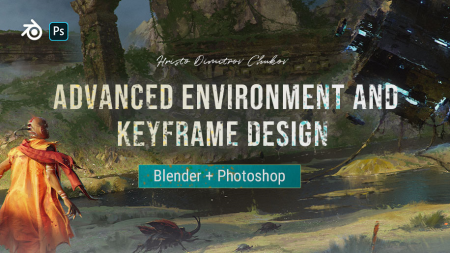
Wingfox - Advanced Environment and Keyframe Design with Hristo Dimitrov Chukov
Video: MPEG4 Video (H264) 1920x1080 30fps 276kbps | Audio: AAC 48000Hz stereo 132kbps
Genre: eLearning | Duration: 8hrs+ | Language: English | File size: 3.7 GB​

In this tutorial, I will teach you the techniques I use for creating environments, keyframes, and illustrations for the entertainment industry - Movies and Games. We will start with basic but very important concepts for Value, Color, Light, and composition that are often overlooked even by professionals. We will continue with my sketching process - value and color. After that, we will jump into Blender to build the base of our scene and even do a cloth simulation. In the end, but Most Importantly I will show you my techniques and painting process in Photoshop and take the image to final quality.
Screenshots


5eedec1c-ae8a-4760-9531-ba8035b226a2.png

CreativeLive - Blogging to Sell Your Products
File Size :2.8GB​


In Blogging to Sell Your Products, Megan Auman will walk you through her process of crafting blog content that will inspire product purchases.

You will learn to do the following:

Set up your blog using the right platform
Craft a blog post in less than an hour
Promote your blog and create posts that encourage sharing
Boost your Google page rankings using SEO blogging techniques
Choose a product-based blogging approach
In today's saturated craft marketplace its getting harder and harder to make sales. And, its also becoming difficult to get accepted into craft shows. In Blogging to Sell Your Products, you will learn to use your blog to set yourself apart from the crowd.


3155afbc-3b1a-421d-9736-8f835441812c.png

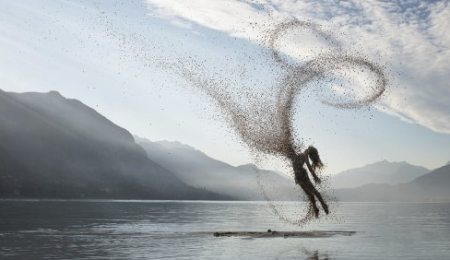
Phlearn Pro - How to Create a Dispersion Effect in Photoshop
File Size :1.2GB​

The definitive guide to one of the most popular special effects in Photoshop, follow along as we create a photo-realistic dispersion effect from scratch.

Best of all, we include 6 custom Photoshop Brushes that you can use to create your own splatter, particle and dispersion effects on your own photos!


30ae250d-be83-4a05-b44d-a22c8c19ca6a.png

CreativeLive - Creating a Portfolio That Works by Ben Hartley
File Size :1.3GB​

Your portfolio is the body of work that most defines you as a photographer. It showcases your creativity and helps to convert potential clients to paying clients. The selection process, however, can be daunting! In this course, wedding photographer and educator Ben Hartley walks through how to make all the uncomfortable decisions easier. He'll discuss how many images you should display, which ones have the most impact and the best way to showcase your work. He'll take you step by step through the process of locking in your ideal selection of portfolio images and provide creative ideas on how to best show off your talent to get the jobs you want.


7a5df075-3663-43e1-846a-89dd74f508a6.png

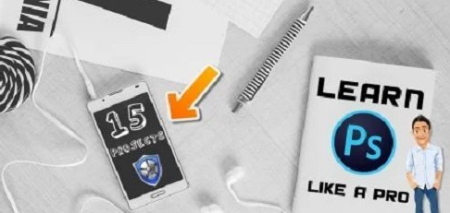
Learn Adobe Photoshop Techniques Like a PRO - 15 Real-Time Projects
File Size :1.4GB​

01. No need of Prior Knowledge or Experience in Photoshop. you can take this class now.

02. All classes are Level zero to Finished ones.

03. Stock Images are included with this class - you can work along with me. Practise makes the best things.

04. 15 Classes + Bonus Content of Class makes you better comfort.

05. Work with the Project and please don't forget to submit to show your creativity.

06. Don't Forget to review our class after you finished these classes. it motivates me to create future classes.

For the Working Files of PSD finished ones

Due to File size, this link Processed from google drive link.

Content Source :


1c3a0ec4-f793-4d02-8f62-c61ea2a22dd4.png

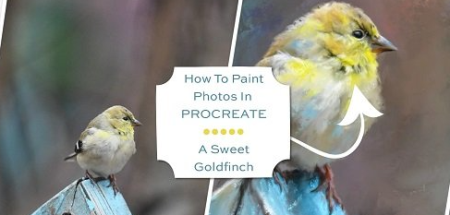
How To Paint Photos In Procreate: A Sweet Goldfinch
File Size :910MB​

Hello, and welcome to my class! If you love to take photos and have been searching for ways to transform your photos into works of fine art, you're in the right place!

In this class we will be taking a cute, but somewhat bland songbird photo, and we will paint the photo into a vibrant and colorful work of unique bird art using Procreate on the iPad. And we will do it all using just one brush, which I have provided to you in the class resources. You can choose to paint my Goldfinch photo I've provided you with, or you can choose to paint one of your own favorite bird photos if you desire.


e5c7c419-c545-4228-b8c4-dd6d3468c382.png

Time Management for Personal & Professional Productivity
MP4 | Video: h264, 1280x720 | Audio: AAC, 44.1 KHzLanguage: English | Size: 766 MB | Duration: 2h 42m​

Work Smarter, Not Harder: BEST Management Course
What you'll learn
Management
Setting Goals
Task Management
Schedule Management
Managing Daily Tasks
Deadline Management
Overcoming Obstacles to Productivity
Measuring Your Management Skills
Requirements
No requirements or prerequisites
Description
Hi !

I'm Pradeep Prajapati, your Instructor for this course. I know you are facing problems in your life for managing the most valuable asset of your life, and that asset is your . In this course you will learn
This course lays a common frame of understanding by exploring what people believe about management, enumerating the benefits of management, formally defining the term management, briefly going over the history of management, and showing how management can lead to success.
I will also teach you about Setting Goals, which will help you in setting a clear direction by establishing values, visions, and goals. When values, visions, goals, and actions are congruent, the results will be in line with expectations
Task Management, is the cornerstone of management. Earl Nightingale said that cannot be managed except through the control of activities. I have created a separate section for task management which will shows you how activities can be managed by making lists, prioritizing, and pruning. This section also shows how dependent actions and sequences of actions can be managed together.
We will also cover the biggest problem of human life Managing Daily Tasks , this section will shows you how to manage the day's activities. It is important to know how much is available and how long any task will take in order to make a realistic list of tasks for the day. This sets achievable expectations.
Deadline Management, focuses on getting things done on . deadline management ensures that you do something by a given . Deadline management addresses issues and obstacles that prevent on completion of tasks. These issues include Parkinson's Law, procrastination, Murphy's Law, and risks.
Section 7, Overcoming Obstacles to Productivity, covers tactics to get work done quickly and with fewest errors. This includes dealing with interruptions and distractions. It also covers areas of self-discipline such as preparation, organization, delegation, and accepting responsibility.
Section 8, Measuring Your Management Skills, shows how to measure the effectiveness of management. It is said that if you cannot measure it you cannot manage it. The metrics covered in this chapter show productivity, effectiveness, efficiency, and quality. Metrics boost self image and allow you to take pride in your achievements.
I guarantee you. This is the only course you need to become super productive. If you feel that you have not learned a valuable skill in this course then you can take your money back because this course comes with a 30 days money back guarantee. See you in the course.
Who this course is for
This course is best for the person, who wants to learn how to save .


Zurück
Oben Unten