• Regeln für den Video-Bereich:

    In den Börsenbereich gehören nur Angebote die bereits den Allgemeinen Regeln entsprechen.

    Einteilung

    - Folgende Formate gehören in die angegeben Bereiche:
    - Filme: Encodierte Filme von BluRay, DVD, R5, TV, Screener sowie Telesyncs im Format DivX, XviD und x264.
    - DVD: Filme im Format DVD5, DVD9 und HD2DVD.
    - HD: Encodierte Filme mit der Auflösung 720p oder darüber von BluRay, DVD, R5, TV, Screener sowie Telesyncs im Format x264.
    - 3D: Encodierte Filme von BluRay, die in einem 3D Format vorliegen. Dies gilt auch für Dokus, Animation usw.
    - Serien: Cartoon/Zeichentrick, Anime, Tutorials, Dokumentationen, Konzerte/Musik, Sonstiges sind demnach in die entsprechenden Bereiche einzuordnen, auch wenn sie beispielsweise im High Definition-Format oder als DVD5/DVD9/HD2DVD vorliegen. Ausnahme 3D.
    - Bereich Englisch: Englische Releases gehören immer in diesen Bereich.
    - Bereich Talk: Der Bereich, in dem über die Releases diskutiert werden kann, darf, soll und erwünscht ist.


    Angebot/Beitrag erstellen

    - Ein Beitrag darf erst dann erstellt werden, wenn der Upload bei mindestens einem OCH komplett ist. Platzhalter sind untersagt.
    - Bei einem Scenerelease hat der Threadtitel ausschließlich aus dem originalen, unveränderten Releasenamen zu bestehen. Es dürfen keine Veränderungen wie z.B. Sterne, kleine Buchstaben o.ä. vorgenommen werden. Ausnahme Serienbörse:
    - Bei einem Sammelthread für eine Staffel entfällt aus dem Releasename natürlich der Name der Folge. Beispiel: Die Simpsons S21 German DVDRip XviD - ITG
    - Dementsprechend sind also u.a. verboten: Erweiterungen wie "Tipp", "empfehlenswert", "only", "reup", usw. / jegliche andere Zusatzinformation oder Ergänzung, welche nicht in obiger Beschreibung zu finden ist.

    Aufbau des Angebots und Threadtitel

    Der Titel nach folgendem Muster erstellt zu werden. <Name> [3D] [Staffel] [German] <Jahr> <Tonspur> [DL] [Auflösung] <Quelle> <Codec> - <Group>
    Beispiel: The Dark Knight German 2008 AC3 DVDRip XviD - iND
    Beispiel: The Dark Knight 2008 DTS DL BDRip x264 - iND
    Beispiel: The Dark Knight 2008 AC3 DL BDRip XviD - iND
    Beispiel: The Dark Knight German 2008 AC3 720p BluRay x264 iND
    Beispiel: The Dark Knight 2008 DTS DL 1080p BluRay x264 iND
    Beispiel: Die Simpsons S01 German AC3 DVDRip XviD iND
    Beispiel: Die Simpsons S20 German AC3 720p BluRay x264 iND
    Beispiel: Sword Art Online II Ger Sub 2014 AAC 1080p WEBRip x264 - peppermint
    Entsprechend sind also u.a. verboten: Sonderzeichen wie Klammern, Sterne, Ausrufezeichen, Unterstriche, Anführungszeichen / Erweiterungen wie "Tipp", "empfehlenswert", "only", "reup", usw. / jegliche andere Zusatzinformation oder Ergänzung, welche nicht in obiger Beschreibung zu finden ist
    Ausnahmen hiervon können in den Bereichen geregelt sein.

    Die Beiträge sollen wie folgt aufgebaut werden:
    Überschrift entspricht dem Threadtitel
    Cover
    kurze Inhaltsbeschreibung
    Format, Größe, Dauer sind gut lesbar für Downloader außerhalb des Spoilers zu vermerken
    Nfo sind immer Anzugeben und selbige immer im Spoiler in Textform.
    Sind keine Nfo vorhanden z.B. Eigenpublikationen, sind im Spoiler folgende Dateiinformationen zusätzlich anzugeben :
    Quelle
    Video (Auflösung und Bitrate)
    Ton (Sprache, Format und Bitrate der einzelnen Spuren)
    Untertitel (sofern vorhanden)
    Hosterangabe in Textform außerhalb eines Spoiler mit allen enthaltenen Hostern.
    Bei SD kann auf diese zusätzlichen Dateiinformationen verzichtet werden.

    Alle benötigten Passwörter sind, sofern vorhanden, in Textform im Angebot anzugeben.
    Spoiler im Spoiler mit Kommentaren :"Schon Bedankt?" sind unerwünscht.


    Releases

    - Sind Retail-Release verfügbar, sind alle anderen Variationen untersagt. Ausnahmen: Alle deutschen Retail-Release sind CUT, in diesem Fall sind dubbed UNCUT-Release zulässig.
    - Im Serien-Bereich gilt speziell: Wenn ein Retail vor Abschluss einer laufenden Staffel erscheint, darf diese Staffel noch zu Ende gebracht werden.62
    - Gleiche Releases sind unbedingt zusammenzufassen. Das bedeutet, es ist zwingend erforderlich, vor dem Erstellen eines Themas per Suchfunktion zu überprüfen, ob bereits ein Beitrag mit demselben Release besteht. Ist dies der Fall, ist der bereits vorhandene Beitrag zu verwenden.
    - P2P und Scene Releases dürfen nicht verändert oder gar unter einem iND Tag eingestellt werden.


    Support, Diskussionen und Suche

    - Supportanfragen sind entweder per PN oder im Bereich Talk zu stellen.
    - Diskussionen und Bewertungen sind im Talk Bereich zu führen. Fragen an die Uploader haben ausschließlich via PN zu erfolgen, und sind in den Angeboten untersagt.
    - Anfragen zu Upload-Wünschen sind nur im Bereich Suche Video erlaubt. Antworten dürfen nur auf Angebote von MyBoerse.bz verlinkt werden.


    Verbote

    - Untersagt sind mehrere Formate in einem einzigen Angebotsthread, wie beispielsweise das gleichzeitige Anbieten von DivX/XviD, 720p und 1080p in einem Thread. Pro Format, Release und Auflösung ist ein eigener Thread zu eröffnen.
    - Grundsätzlich ebenso verboten sind Dupes. Uploader haben sich an geeigneter Stelle darüber zu informieren, ob es sich bei einem Release um ein Dupe handelt.
    - Gefakte, nur teilweise lauffähige oder unvollständige Angebote sind untersagt. Dies gilt auch für eigene Publikationen, die augenscheinlich nicht selbst von z.B. einer DVD gerippt wurden. Laufende Serien, bei denen noch nicht alle Folgen verfügbar sind, dürfen erstellt und regelmäßig geupdatet werden.
    - Untersagt sind Angebote, welche nur und ausschließlich in einer anderen Sprache als deutsch oder englisch vorliegen. Ausnahmen sind VORHER mit den Moderatoren zu klären.


    Verstoß gegen die Regeln

    - Angebote oder Beiträge, die gegen die Forenregeln verstoßen, sind über den "Melden"-Button im Beitrag zu melden.
  • Bitte registriere dich zunächst um Beiträge zu verfassen und externe Links aufzurufen.

*** Bestes IPTV *** bester Preis *** gratis Test ***


Englische Tutorials

VqGVB7ueU1LfjxhNHwClPX9Y5093txdp.jpg

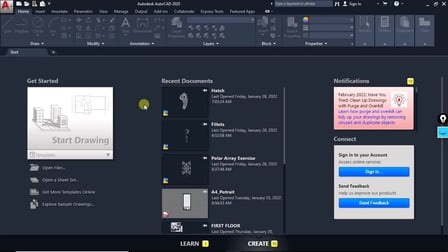
AutoCAD Beginner's Start Up Course: Chapter 1.
MP4 | Video: h264, 1280x720 | Audio: AAC, 44.1 KHz
Language: English | Size: 189 MB | Duration: 30m​

This is a full-length course on AutoCAD. This course will take you from nothing to a certified AutoCAD Designer. We have tried to make this course so comprehensive that you can get almost all demanding topics necessary in industries.
--------------------------------------------------------------------------------------------------------------------------------------
Why you should take this course?
Firstly this course is made by the professional expert, who has more than 5 years of teaching experience and he knows how to make student understand every tools and topics.
This Course is made using AutoCAD 2020 version but you can able to work on any version of AutoCAD.
We are always there to help you, just ask your doubts, we will clear them as soon as possible.
This course doesn't require any particular degree. Anyone who is enthusiastic about designing can learn this course.
Topics that we cover in this course.
2D Drafting: AutoCAD is popular for its 2D Drafting, It provides very flexible tools that makes the job easy. We will be spending a lot of time in this section and we will be covering all the basic shapes tools, like Line, Circle, Rectangle, Polygon, etc.
Overview of What you will learn?
Brief understanding of the interface of AutoCAD.
How to set up the Units.
We will learn our first tool that is line,
We will cover all the important properties of Line.
We will look for that mistakes that people usually do in beginning.
How to use different kinds of circle commands, like 2-Point, Tan Tan Radius Circle and all.
How to create Rectangles with and without dimensions.
We will be looking for Ortho Command from Status bar, that restricts the motion of the cursor.
We will learn to use Trim Command, with it's different properties, this is one of the most important editing tool.
We will learn some more tools of Status Bar, Like Ortho Mode, which helps in snapping different objects properties.
Screenshots


Cu3FZd91SNrwpE72FLyfoY4NTLGOAxAU.jpg

Build and Deploy a ML model to Production with AWS and React
Genre: eLearning | MP4 | Video: h264, 1280x720 | Audio: AAC, 44.1 KHz
Language: English | Size: 2.36 GB | Duration: 5h 44m
Build a Scalable and Secure, Machine Learning Image Classifier with SageMaker, Next.js, Node.js, MongoDB & DigitalOcean

What you'll learn
Deploy a production ready robust, scalable, secure Machine Learning application
Set up Hyperparameter Tuning in AWS
Find the best Hyperparameters with Bayesian search
Use Matplotlib, Numpy, Pandas, Seaborn in SageMaker
Use AutoScaling for our deploy Endpoints in AWS
Use multi-instance GPU instance for training in AWS
Learn how to use SageMaker Notebooks for any Machine Learning task in AWS
Set up AWS API Gateway to deploy our model to the internet
Secure AWS Endpoints with limited IP address access
Use any custom dataset for training
Set up IAM policies in AWS
Set up Lambda concurrency in AWS
Data Visualization in SageMaker
Learn how to do MLOps in AWS
Build and deploy a MongoDB, Express, Nodejs, React/nextjs application to DigitalOcean
Create an end to end machine learning pipeline all the way from gathering data to deployment
File Mode vs Pipe Mode when training deep learning models on AWS
Use AWS' built in Image Classifier
Create deep learning models with AWS SageMaker
Learn how to access any AWS built in algorithm from AWS ECR
Use CloudWatch logs to monitor training jobs and inferences
Analyze machine learning models with Confusion matrix, F1 score, Recall, and Precision
Access AWS endpoint through a deployed MERN web application running on DigitalOcean
Build a beautiful web application
Learn how to combine AI and Machine Learning with Healthcare
Set up Data Augmentation in AWS
Requirements
Any laptop
Some Python and Machine Learning Knowledge
about 15-40 dollars for using AWS resources(Optional, only applies if you follow along with me)
Description
In this course we are going to use AWS Sagemaker, AWS API Gateway, Lambda, React.js, Node.js, Express.js MongoDB and DigitalOcean to create a secure, scalable, and robust production ready enterprise level image classifier. We will be using best practices and setting up IAM policies to first create a secure environment in AWS. Then we will be using AWS' built in SageMaker Studio Notebooks where I am going to show you guys how you can use any custom dataset you want. We will perfrom Exploratory data analysis on our dataset with Matplotlib, Seaborn, Pandas and Numpy. After getting insightful information about dataset we will set up our Hyperparameter Tuning Job in AWS where I will show you guys how to use GPU instances to speed up training and I will even show you guys how to use multi GPU instance training. We will then evaluate our training jobs, and look at some metrics such as Precision, Recall and F1 Score. Upon evaluation we will deploy our deep learning model on AWS with the help of AWS API Gateway and Lambda functions. We will then test our API with Postman, and see if we get inference results. After that is completed we will secure our endpoints and set up autoscaling to prevent latency issues. Finally we will build our web application which will have access to the AWS API. After that we will deploy our web application to DigitalOcean.
Who this course is for
Those with some ML experience who are hoping to take their skills to the next step by being able to deploy their deep learning models to production
Screenshots


yWPYXvCvyvxwW0JcWWliQXWc8WCfOChl.jpg

C Programming Hands On Complete
MP4 | Video: h264, 1280x720 | Audio: AAC, 44.1 KHz
Language: English | Size: 2.16 GB | Duration: 9h 1m
500 Working Programs​

What you'll learn
All aspects of C programming. From your first program to advanced concepts.
Requirements
Desire to code. The course will show you how to put a Web-based C compiler to immediate use.
Description
This course presents C using over 500 programs you can cut and paste into your compiler and put to immediate use.
The course starts with the basics. You will create your first C program and have it running in only a few minutes. From there, you will learn every aspect of C programming. You will learn also learn advanced concepts such as pointers, command-line processing, input/output redirection, files, and data structures.
Every concept is presented with ready-to-run programs you can test and edit to make your own.
There is no better way to learn C.
To create C programs, programmers normally install a C compiler on their system. This course will also show you how to use Web-based C compilers so you can write and run programs from any computer at any time!
Coders code! This course will give you hundreds of applications that let you do just that.
Items covered
Getting started
Types and variables
Using printf
Conditional (if-else) processing
Iterative (looping) processing
Constants and macros
Creating and calling functions
The Standard C library
Using Character Strings
Building Your Own String Library
Pointers (to variables, structures, and even functions)
File operations
Command-line processing
I/O redirection
Structures
Searching and sorting
Dynamic memory allocation and data structures (linked lists, doubly-linked lists, and binary trees)
So get ready to have fun and learn everything you need to know about C programming.
Who this course is for
C programmers at all levels
Screenshots


EuiqXYiFZdJEZ7XaJQKHGq5qFGho2Ie3.jpg

Certified Dance Therapy & English Lessons Drama Storytelling
MP4 | Video: h264, 1280x720 | Audio: AAC, 44.1 KHz
Language: English | Size: 1.62 GB | Duration: 59m​

Dance Therapy Class Lessons Exercise Workout Fitness Recorded Lessons Online And English Lessons
What you'll learn
Dance Therapy
Story Drama
English Lessons
Exercise
Requirements
Good net connection
Description
This is a trilingual dance musical and drama based therapy course.
English lessons are also part of this Dual Certificate Course.
English is the primary language for instruction.
Tamil/Malayalam and Hindi form a part of the dance therapy drama and music lessons.
Captions in English are enabled to allow the student to grasp the words in English format also
English language lessons also in mixed topics for better communication skills form a part of this dual benefits course.
Story and drama theme Dance therapy video lessons and miscellaneous topics for spoken English comprehensive coverage of daily vocabulary, pronounciation and grammar lessons are included.
Lessons are easy to follow and do and suitable for nondancers, as well.
All age groups will be able to do these simple movement Therapy and expressive arts lessons.
Follow with the steps and also learn or improve on your English communication skills, as well.
A double advantage of this course is both English and Dance online class is there.
Simultaneously, you will be learning both.
Fiction, story, self help, individuals can join benefit immensely and can later teach face to face as an in-person physical class also for their local groups, or online students, as a cohesive unit and learn from these and avail of the certificate on completion too.
It is a teacher oriented course for students who wish to learn, teach and earn later.
Who this course is for
Beginners to advanced
Screenshots


g3DuoJCZ53EWI45aikFZ9t3L16xLV4EQ.jpg

DevOps get started
MP4 | Video: h264, 1280x720 | Audio: AAC, 44.1 KHz
Language: English | Size: 178 MB | Duration: 32m
Set of hands-on tasks to get experience with real-live DevOps activities and tools
What you'll learn​

Get familiar with DevOps Day-to-Day tasks
Create and run and upgrade Docker containers
Set up Jenkins server and create CI\CD pipelines
Understand Kubernates basics
Learn Microsoft Azure services like Azure SQL, Storage, Load Balancer, Azure Kubernetes service etc.
Deploy Helm pachage to AKS using Azure DevOps build and release pipelines
Requirements
Some experience with System Administration or Programming will help but not required
Description
This is a self-study \ self-learning DevOps course that will help you get familiar with technologies like Docker, Azure, Linux, Azure DevOps, Kubernetes, Azure Kubernetes Service, regular expressions, etc. through real-life scenarios.
The course is designed that way that you have a set of DevOps tasks starting from simple and adding complexity through progressions of the course. Information in the course might not be enough and you should be able to find information and solutions by yourself.
The goal of this course is to provide a set of complex real-world DevOps tasks that will help get hands-on experience with DevOps tools.
This is not a step-by-step guide where you can just click it over without even learning anything. This is a self-study course and you have to find a solution by yourself.
You will set up your learning environment in Microsoft Azure public cloud
Topics Covered In This Course
Microsoft Azure
Docker
Regular expressions
Jenkins
Azure SQL DB
Azure Load Balancer
Azure Storage Account
Azure DevOps
Kubernetes
Azure Kubernetes Service
Helm
Continuous integration
Continuous delivery
Who This Course Is For?
Those who interested in CI\CD with Jenkins and Azure DevOps
Who wants to know more about Azure Public cloud
System administrators who want to have more DevOps task exposure
DevOps\System engineers who want to challenge themselves with cool scenarios
More Reasons To Take This Course
You like to learn by yourself without going through annoying classical lectures
You like to challenge yourself with real-world scenarios
Who this course is for
Those who interested in CI\CD with Jenkins and Azure DevOps
Who wants to know more about Azure Public cloud
System administrator who wants to have more DevOps task exposure
DevOps\System engineers who wants to challenge themselves with cool scenarios
Screenshots


0c9e9d6954ecfb102c605b3ca629af84.png

Domestika - Low Poly Set Modeling for Video Games by Daniel Gutiérrez
Video: MPEG4 Video (H264) 1920x1080 25fps | Audio: AAC 44100Hz stereo 130kbps
Genre: eLearning | Duration: 1h 44m | Language: Spanish (No Subs) | File size: 564 MB
Learn to create polygonal-style backgrounds with Blender and Unity​


In a video game you can build worlds that invite you to live unique experiences, paying attention from the global vision of space to the smallest details to add sensations. Daniel Gutierrez - art director and 3D modeling specialist - has extensive experience designing scenarios for independent video games, which you can enjoy on platforms such as Xbox, PlayStation 4 and Nintendo Switch.
In this course, Daniel will teach you how to design, 3D modeling and texturing in Blender a stage with style low poly and then integrate it into Unity, one of the most famous video game development platforms in the world.
If in your first course at Domestika Modeling of low poly characters for video games , you already created characters low poly , now you can create the entire universe where your creations come alive.
Homepage


P0tQ2UAVUu7uQmmGWAcp9QlnBGOE8qZM.jpg

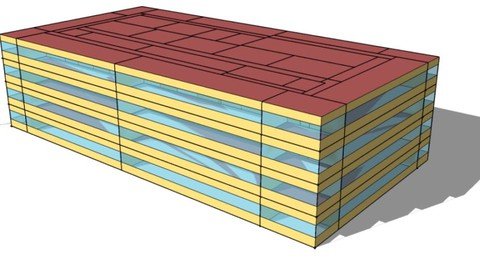
Energy Modelling in EnergyPlus and OpenStudio (Module 8)
MP4 | Video: h264, 1280x720 | Audio: AAC, 44.1 KHz
Language: English | Size: 227 MB | Duration: 30m
Building Energy Modelling / Building Simulation /Energy Plus using OpenStudio / Learn Energy Modelling/DOE software​

What you'll learn
Energy Modelling
Building Modelling
Energy Simulation
Energy Uses and Thermal Loads
Some engineering knowledge is beneficial, but lessons are explained in depth to allow students to build their knowledge from the ground up.
Requirements
A desire to learn.
A background in engineering / Architect would have added advantage
Basic knowledge of Computer
Some engineering knowledge is beneficial, but lessons are explained in depth to allow students to build their knowledge from the ground up.
Description
Energy Plus is a whole building energy simulation program that engineers, architects, and researchers use to model both energy consumption for heating, cooling, ventilation, lighting and plug and process loads and water use in buildings. OpenStudio is an open-source software development kit (SDK) for building energy modeling (BEM). The OpenStudio project includes a graphical application for creating and editing models, running simulations, and viewing results.
Total Seven Module course is about Energy Modelling using OpenStudio interface of Energy Plus software.
Module 1
Building Envelope Design
Creating OpenStudio Model and adding weather data file, Adding material and importing from BCL, Making Construction and construction set, Creating geometry, Running Energy simulation, Reading Output files
Module 2
Defining Energy Uses & Spaces
Defining and assigning space type, creating schedule and schedule sets, Defining load, Ideal Air load, Running Energy simulation, Reading Output files
Module 3
Sample Model creation of primary school with all exercise like defining geometry, Adding thermal zone, schedules, space, load, ideal air load and performing simulation, report generation and review of report
Module 4 and 5
HVAC Systems
Zoning, Zone HVAC equipment, Air loop and plant loop system, Add template, Auto sizing HVAC system, Design Day files
Advanced HVAC System, Air loop sizing, control and simulation, Plant loop sizing, control and simulation, Zone equipment sizing, control and simulation, Water equipment, performing simulation, report generation and review of report
Module 6
OpenStudio Measures
OpenStudio Measures, accessing and using measures, applying measures,
Module 7
Parametric analysis
Parametric analysis, managing measures in PAT, Algorithms in PAT, Running analysis in PAT, Output in PAT
Module 8 (Present Course)
Daylighting
Daylighting Controls, Illuminance Maps, Advanced daylighting objects
Who this course is for
Engineers
Consultants
Energy consultants
Sustainability Engineers
architect
Screenshots


a7rPjdmDWMb9dEo0kwbykUEsNHjv8Kcw.jpg

Fortigate Firewall - Admin Crash Course - Udemy
MP4 | Video: h264, 1280x720 | Audio: AAC, 44.1 KHz
Language: English | Size: 948 MB | Duration: 3h 0m​


Learn to administrate your fortigate Firewall in both NAT and Transparent Mode
What you'll learn
Students will learn to administrate their fortinet fortigate firewall BGFW
Requirements
Understand basic TCP and IPV4 concepts
Description
Fortigate Firewall training - Admin Crash Course is the First course in Udemy , that teaches you to administrate your fortigate FW , from the very start.
In this course , you will learn how to set up
Different admin profiles
Operate your fortigate in NAT and Transparent mode
Virtual WirePair
Forward Domains
Mac Table
Create Vlan's
Create firewall policies
Understand relevant Network Topologies to your FW
Configure VPN's ( ipsec and ssl VPN )
Understand Network address translation techniques
Nat Overload
Virtual IP
Ip Pools
Central NAT
Understand Routing
Create static routes
Set Up Interfaces in different Modes and Services
Check System Status
Back up your configuration
Master the CLI syntax
Understand policy routes
AND Much Much More ...
this course is all hands-on, no fancy slides, only admin page and many CLI commands
This Course is being instructed by A fortinet Certified Trainer ( FCT )
Who this course is for
Beginners to network security, and professionals who have experience with checkpoint, palo alto and other vendors FW and want to get to know Fortigate FW
Screenshots


YSyQXdL0TAkw8q0O1vuAHUfTCvQ1DEEh.jpg

Hydrualic System Modelling with Matlab and System Dynamics
MP4 | Video: h264, 1280x720 | Audio: AAC, 44.1 KHz
Language: English | Size: 1.06 GB | Duration: 2h 43m​

You'll learn how to model a Hydrualic System Model System in Matlab/Simulink environment using System Dynamics methods!
What you'll learn
Hydrualic Model
System Dynamic Structure
Fluid System
Fluid Dynamics
System Control
Signals and System
Robotic System
Requirements
Basic Math Knowledge
Basic Physic Knowledge
Basic Matlab Knowledge
Description
In this course, how to create system dynamics models, which are one of the basic areas of mechatronic systems and which are actively used in mathematical modeling applications, are explained. The use of analogy models and its relationship with energy principles in an active form are given in this course.
The problem of transforming theory into practice or transferring the theory to a simulation environment, which is one of the biggest problems of engineering students, will be tried to be overcome with MATLAB applications. The SIMULINK interface has been actively preferred in the Matlab application. In this program, it is aimed to model the systems in real time / iterative and to get time responses. In addition, the input values ​​given to the system and the effect of these values ​​on the result are discussed.
In order to realize the system modeling, especially the equations of motion have been tried to be implemented by Transfer Function and State-Space Model. The main purpose of the system modeling applications given on the frequency base is to obtain the characteristics of linear systems and to create an interface for the development of tools to be used in control problems. In the State-Space model, it is shown how the system can be modeled even in a nonlinear state. The active use of "Matlab Function" expressions in MATLAB/SIMULINK program especially for Script Application is one of the contents of this course.
In addition, as another problem, how the system parameters that need to be transferred to real life are equated in theory and turned into design parameters is one of the active outputs of this course. It is aimed to clarify the designs in a time-dependent model, especially with the understanding of Hydrualic System Modelling and obtaining the material selection / design parameters in 3-Dimensional space.
I hope our lesson will be useful for you :)
Who this course is for
Engineering Students
People Interested in the Software Design
People who want to Modelling/Control Applications
Screenshots


NPauNeeiidbMaUubBoG85s1RfnUUSS3x.jpg

Intune Training (Microsoft)
MP4 | Video: h264, 1280x720 | Audio: AAC, 44.1 KHz
Language: English | Size: 2.95 GB | Duration: 6h 31m​

Microsoft Intune Training For Beginners, Professionals & Students To Manage Devices And Applications In Organization
What you'll learn
What Is Microsoft Intune?
Microsoft Intune Training For Beginners
How To Manage Mobile Device (MDM)?
How To Manage Applications (MAM)?
How To Manage Workplace Devices Using Microsoft Intune?
How To Protect Company's Data Using Microsoft Intune?
Planning & Implementation Of Microsoft Intune
How To Enroll Different Kinds Of Devices Into Intune?
Enrollment Of MAC, IOS, Android, Windows
How To Send Notifications To Non-Compliant Devices
How to Create And Assign An App Protection Policy?
How To Use Auto-Pilot To Enroll Windows Devices?
How To Manage Windows Holographic?
How To Set MDM Authority?
How To Troubleshoot Device Enrollment?
How To Do Application Deployment On Different Devices And Users?
Microsoft Intune Device Management
How To Manage Workforce Mobile Applications?
How To Ensure Devices And Applications Are Compliant With Company Security Requirements?
How To Create Azure Active Directory Joined Device?
How To Create Azure Active Directory Registered Device?
How To Enroll Your Own Device Into Intune?
How To Create Azure Active Directory Users Group?
How To Create Azure Active Directory Devices Group?
How To Create Device Compliance Policy?
How To Add & Assign An Application For Devices And Users?
How To Protect Email On Intune Managed Devices?
What Is Device Life Cycle?
What Is Application Protection Policy?
What Is Work Profile?
What Is Windows Information Protection Settings?
What Are Device Management Capabilities?
How To Manage Applications With Company Portal?
How To Create Intune Windows Applications Automatically?
How To Sync Windows Store For Business With Intune?
How To Create Windows Store Applications Using Intune?
How To Deploy Windows Store Applications Using Intune?
How To Uninstall Applications Using Intune?
How To Install Company Portal Application Using Intune?
Requirements
Should Have Basic Knowledge Of Computer And Networking
Should Have Basic Knowledge Of Microsoft Servers
Should Have Basic Knowledge Of Android Device
Should Have Basic Knowledge Of IOS Device
Should Have Basic Knowledge Of MAC Device
Should Have Basic Knowledge Of Windows Device
Should Have Basic Knowledge Of Windows Operating System
Description
Microsoft Intune is a cloud-based enterprise mobility management tool that aims to help organizations manage the devices employees use to access corporate data and applications, such as email. It helps your organization to be productive while keeping their data protected. Microsoft Intune is also available in the Azure portal.
With Intune, you can
You can protect on-premises email and data including Office 365 mail and data
Mobile devices can safely access email and data
Intune app also helps organizations issue corporate-owned phones
Manages the mobile devices and PCs your organization uses to access company data.
Manages the mobile applications your organizations uses
Protects your company information by helping to control the way your organization accesses and shares it
Ensures devices and apps are compliant with company security requirements
Features of Microsoft Intune
?️Data encryption enforcement
?️Remote data wiping
?Device tracking
?App distribution
?Password enforcement
?Device inventory
1. Intune solves the problem of your employees being able to securely access on-premise email and data.
2. Intune solves the problem of ensuring secure access to email and data through Office 365.
3. Intune can help issue corporate-owned phones to your workforce.
4. Don't want to use corporate devices? Intune helps you secure Bring-Your-Own-Device (BYOD) programs for your employees.
5. Intune lets you issue limited-use shared tablets with your employees.
6. With Intune, you can limit employee access to corporate data only to devices that you control.
Who this course is for
Beginner For Microsoft Intune
Beginner For Microsoft System Center Configuration Manager
Beginner For Microsoft SCCM
Beginner For Intune
Developers
Students
Java Students
Intune Students
SCCM Students
SCCM Aspirants
Intune Aspirants
Beginner Configuration Manager
Intune Manager
Expert SCCM
Expert Intune
Expert Microsoft System Center Configuration Manager
Expert Configuration Manager
Screenshots










 
O4Tagh9NkTw51ezjNzrIJaggOK4ZqaLD.jpg

JIRA Software Basics (Cloud Instance) - Project Management
MP4 | Video: h264, 1280x720 | Audio: AAC, 44.1 KHz
Language: English | Size: 1.12 GB | Duration: 2h 24m
Learn basics concepts of Jira Software Cloud and Get Started
What you'll learn​

Basic Concepts in about JIRA Software
How to operate JIRA and Manage Tasks
How to manage a Scrum Project and Sprints
Requirements
Basic knowledge of Agile is added advantage
Description
This series of tutorials will guide a learner to learn about basic Jira concepts using Jira Cloud instance which will help them to get started, organize and manage a project using Jira.
Jira Software is part of a family of products designed to help teams of all types manage work. Originally, Jira was designed as a bug and issue tracker. But today, Jira has evolved into a powerful work management tool for all kinds of use cases, from requirements and test case management to agile software development. In this guide, you'll learn which features and functionalities of Jira can help your team with your unique needs.
An increasing number of teams today are developing more iteratively, and Jira Software is the central hub for the coding, collaboration, and release stages. For test management, Jira integrates with a variety of add-ons so the QA's testing slides seamlessly into the software development cycle. Teams can test effectively and iteratively. QA teams use Jira issues, customized screens, fields, and workflows to manage manual and automated tests.
For teams who practice agile methodologies, Jira Software provides scrum and kanban boards out-of-the-box. Boards are task management hubs, where tasks are mapped to customizable workflows. Boards provide transparency across teamwork and visibility into the status of every work item. Time tracking capabilities and real-time performance reports (burn-up/down charts, sprint reports, velocity charts) enable teams to closely monitor their productivity over time. Find your agile boards in Jira Software Cloud classic projects.
Who this course is for
Any individual with any background who wants to learn Jira
Screenshots


VXFCEkKP0EIPhLfeMYMoEJBgxwqP54r5.jpg

Learn ASP. Net & VB. Net Database Programming
Genre: eLearning | MP4 | Video: h264, 1280x720 | Audio: AAC, 44.1 KHz
Language: English | Size: 2.44 GB | Duration: 4h 56m
How to build a database application in ASP.NET and VB. Net

What you'll learn
Introduction to database design and implementation of a simple database program in VB .NET
Students will learn step by step how to build a second complete application in ASP. Net
Learning what is the ADO. NET technology with examples
An explanation of third complete database application in VB. Net with source code fully explained
Students will be able to understand the coding required to build this awesome application
Requirements
Know how to use the basic tools in Visual Studio and program in Visual Basic programming language
Be aware of the basic SQL language and understand the basic concepts of a database design
Know basic programming in vb. net like variables, loops, if..then..else statements
Description
Before i start to speak for the specific course, as a quick reference you will learn among other things the following
1. How to create a progress bar with percentage indicator.
2. How to create a login Form and authenticate users.
3. How to create an Adrotator tool
4. How to perform calculations in a Datagrid tool
5. How to implement the SitemapDataSource component which displays the Navigation path of the page.
6. How to use Regular Expressions to Validate that the data a user entered is correct.
7. How to implement a menu bar
.... and much more !
Dear Students welcome to my course.
We will start in the first section to refresh your knowledge in Database programming issues and a good introduction in ADO. net technology which will help you to understand how to program in Visual Basic programming language.
We will build a simple database application in Visual Studio and all the steps will be explained in detail.
In the second section, we will start working with ASP. Net various features
This course will give you the necessary knowledge to advance your skills in web programming and we will focus mainly in database design.
The only requirement from your side is to have a basic knowledge of using Visual Studio like loading an existing project, use the toolbox that consists of various useful components that are essential to help us build the project plus a beginner's knowledge of Visual Basic programming language.
In this course we will build step by step a second application which will have access to a database consisting of Customers placing Orders and Performing transactions.
This is an intermediary level course so the student that will choose this course must have a basic knowledge of Visual Basic Programming and how to use Visual Studio tools in general.
Through this course i will describe all the web pages that the application consists off and the programming code that is behind each page.
The code is very well commented so that the student will understand the logic.
The application will be presented to you step by step in run mode to see how it works.
Each lecture consists of a video tutorial that describes every web page in design mode. Last chapter will demonstrate in a video lecture how the whole program works both in design and later in running mode.
Finally, from Lecture 9 i will demonstrate a complete database application in VB. Net which consist of many sub-forms and demonstrates the 1 to many relations.
It is a stock management system and every main from will be presented and the code will be explained step by step with video lectures.
At the programs will be available to you so that you can open each form and view it in design view and in running mode.
All source code is also available for you to and all the main parts are commented.
I am sure that you will like my tutorial and you will be able to gain much programming experience in both ASP.NET and VB .NET
Your Instructor
Stelios Michaelides
Who this course is for
Students who wish to learn how to program in ASP. NET and VB. NET (we will focus in database design)
From Beginners to High Level skills in both ASP. NET & VB. NET
Screenshots


Zurück
Oben Unten