• Regeln für den Video-Bereich:

    In den Börsenbereich gehören nur Angebote die bereits den Allgemeinen Regeln entsprechen.

    Einteilung

    - Folgende Formate gehören in die angegeben Bereiche:
    - Filme: Encodierte Filme von BluRay, DVD, R5, TV, Screener sowie Telesyncs im Format DivX, XviD und x264.
    - DVD: Filme im Format DVD5, DVD9 und HD2DVD.
    - HD: Encodierte Filme mit der Auflösung 720p oder darüber von BluRay, DVD, R5, TV, Screener sowie Telesyncs im Format x264.
    - 3D: Encodierte Filme von BluRay, die in einem 3D Format vorliegen. Dies gilt auch für Dokus, Animation usw.
    - Serien: Cartoon/Zeichentrick, Anime, Tutorials, Dokumentationen, Konzerte/Musik, Sonstiges sind demnach in die entsprechenden Bereiche einzuordnen, auch wenn sie beispielsweise im High Definition-Format oder als DVD5/DVD9/HD2DVD vorliegen. Ausnahme 3D.
    - Bereich Englisch: Englische Releases gehören immer in diesen Bereich.
    - Bereich Talk: Der Bereich, in dem über die Releases diskutiert werden kann, darf, soll und erwünscht ist.


    Angebot/Beitrag erstellen

    - Ein Beitrag darf erst dann erstellt werden, wenn der Upload bei mindestens einem OCH komplett ist. Platzhalter sind untersagt.
    - Bei einem Scenerelease hat der Threadtitel ausschließlich aus dem originalen, unveränderten Releasenamen zu bestehen. Es dürfen keine Veränderungen wie z.B. Sterne, kleine Buchstaben o.ä. vorgenommen werden. Ausnahme Serienbörse:
    - Bei einem Sammelthread für eine Staffel entfällt aus dem Releasename natürlich der Name der Folge. Beispiel: Die Simpsons S21 German DVDRip XviD - ITG
    - Dementsprechend sind also u.a. verboten: Erweiterungen wie "Tipp", "empfehlenswert", "only", "reup", usw. / jegliche andere Zusatzinformation oder Ergänzung, welche nicht in obiger Beschreibung zu finden ist.

    Aufbau des Angebots und Threadtitel

    Der Titel nach folgendem Muster erstellt zu werden. <Name> [3D] [Staffel] [German] <Jahr> <Tonspur> [DL] [Auflösung] <Quelle> <Codec> - <Group>
    Beispiel: The Dark Knight German 2008 AC3 DVDRip XviD - iND
    Beispiel: The Dark Knight 2008 DTS DL BDRip x264 - iND
    Beispiel: The Dark Knight 2008 AC3 DL BDRip XviD - iND
    Beispiel: The Dark Knight German 2008 AC3 720p BluRay x264 iND
    Beispiel: The Dark Knight 2008 DTS DL 1080p BluRay x264 iND
    Beispiel: Die Simpsons S01 German AC3 DVDRip XviD iND
    Beispiel: Die Simpsons S20 German AC3 720p BluRay x264 iND
    Beispiel: Sword Art Online II Ger Sub 2014 AAC 1080p WEBRip x264 - peppermint
    Entsprechend sind also u.a. verboten: Sonderzeichen wie Klammern, Sterne, Ausrufezeichen, Unterstriche, Anführungszeichen / Erweiterungen wie "Tipp", "empfehlenswert", "only", "reup", usw. / jegliche andere Zusatzinformation oder Ergänzung, welche nicht in obiger Beschreibung zu finden ist
    Ausnahmen hiervon können in den Bereichen geregelt sein.

    Die Beiträge sollen wie folgt aufgebaut werden:
    Überschrift entspricht dem Threadtitel
    Cover
    kurze Inhaltsbeschreibung
    Format, Größe, Dauer sind gut lesbar für Downloader außerhalb des Spoilers zu vermerken
    Nfo sind immer Anzugeben und selbige immer im Spoiler in Textform.
    Sind keine Nfo vorhanden z.B. Eigenpublikationen, sind im Spoiler folgende Dateiinformationen zusätzlich anzugeben :
    Quelle
    Video (Auflösung und Bitrate)
    Ton (Sprache, Format und Bitrate der einzelnen Spuren)
    Untertitel (sofern vorhanden)
    Hosterangabe in Textform außerhalb eines Spoiler mit allen enthaltenen Hostern.
    Bei SD kann auf diese zusätzlichen Dateiinformationen verzichtet werden.

    Alle benötigten Passwörter sind, sofern vorhanden, in Textform im Angebot anzugeben.
    Spoiler im Spoiler mit Kommentaren :"Schon Bedankt?" sind unerwünscht.


    Releases

    - Sind Retail-Release verfügbar, sind alle anderen Variationen untersagt. Ausnahmen: Alle deutschen Retail-Release sind CUT, in diesem Fall sind dubbed UNCUT-Release zulässig.
    - Im Serien-Bereich gilt speziell: Wenn ein Retail vor Abschluss einer laufenden Staffel erscheint, darf diese Staffel noch zu Ende gebracht werden.62
    - Gleiche Releases sind unbedingt zusammenzufassen. Das bedeutet, es ist zwingend erforderlich, vor dem Erstellen eines Themas per Suchfunktion zu überprüfen, ob bereits ein Beitrag mit demselben Release besteht. Ist dies der Fall, ist der bereits vorhandene Beitrag zu verwenden.
    - P2P und Scene Releases dürfen nicht verändert oder gar unter einem iND Tag eingestellt werden.


    Support, Diskussionen und Suche

    - Supportanfragen sind entweder per PN oder im Bereich Talk zu stellen.
    - Diskussionen und Bewertungen sind im Talk Bereich zu führen. Fragen an die Uploader haben ausschließlich via PN zu erfolgen, und sind in den Angeboten untersagt.
    - Anfragen zu Upload-Wünschen sind nur im Bereich Suche Video erlaubt. Antworten dürfen nur auf Angebote von MyBoerse.bz verlinkt werden.


    Verbote

    - Untersagt sind mehrere Formate in einem einzigen Angebotsthread, wie beispielsweise das gleichzeitige Anbieten von DivX/XviD, 720p und 1080p in einem Thread. Pro Format, Release und Auflösung ist ein eigener Thread zu eröffnen.
    - Grundsätzlich ebenso verboten sind Dupes. Uploader haben sich an geeigneter Stelle darüber zu informieren, ob es sich bei einem Release um ein Dupe handelt.
    - Gefakte, nur teilweise lauffähige oder unvollständige Angebote sind untersagt. Dies gilt auch für eigene Publikationen, die augenscheinlich nicht selbst von z.B. einer DVD gerippt wurden. Laufende Serien, bei denen noch nicht alle Folgen verfügbar sind, dürfen erstellt und regelmäßig geupdatet werden.
    - Untersagt sind Angebote, welche nur und ausschließlich in einer anderen Sprache als deutsch oder englisch vorliegen. Ausnahmen sind VORHER mit den Moderatoren zu klären.


    Verstoß gegen die Regeln

    - Angebote oder Beiträge, die gegen die Forenregeln verstoßen, sind über den "Melden"-Button im Beitrag zu melden.
  • Bitte registriere dich zunächst um Beiträge zu verfassen und externe Links aufzurufen.

*** Bestes IPTV *** bester Preis *** gratis Test ***


Englische Tutorials

11f4e78e-766e-4e6a-a64f-d4772cbf537d.png

Learn PHP CRUD operation-Create,Read,Update and Delete
MP4 | Video: h264, 1280x720 | Audio: AAC, 44.1 KHz, 2 Ch
Genre: eLearning | Language: English | Duration: 17 lectures (2h 13m) | Size: 931.6 MB

Creating Database and Tables,Inserting data ,Reading data from table,Updating and Deleting data from table
What you'll learn
Students will be familiar with PHP CRUD operation. If they complete this project they will find similar patterns in every projects of PHP.
Students will learn Installation process of XAMPP control panel and Vs code editor.
Students will be able to make their own simple applications,which can have all this operations- Creating and Reading users,Updating and Deleting users.
Students will become confident in PHP CRUD operations,as this pattern is used in E-commerce website as well,for inserting products,updating products,etc..
Students will learn creating databases,creating tables inside database and giving proper structure to table.
Students will be able to perform all operations.
Requirements
No programming experience needed for this course. I will make this project completely from the scratch.
We will be using basic HTML tags,basic Bootstrap and PHP.
This project is for complete beginners,those want to get started with PHP CRUD operation.
Description
CRUD is an acronym for Create, Read, Update, and Delete.
We'll create a simple PHP application to perform all these 4 operations on a MySQL database table.
Once you get to know this concept ,then you can create PHP applications which performs all this operation.
What we will be using
1)HTML
2)Bootstrap
3)PHP
** If you are a complete beginner and have no idea on PHP,then this is the project for you **
->You will learn this project completely from the scratch.
->You will learn the procedure of installing XAMPP control panel.
->You will learn how to create database,how to connect to it and perform all this operation.
->You will learn how to add basic validation to form.
->You will learn how to do password hashing and storing encypted password inside the database table.
->You will learn how to check whether same data is already present inside the database.
If you make this practice this project,then you will find almost similar patterns in all the projects of PHP,this CRUD operation is
very useful for any beginner to get started with PHP projects.
->At the end of this project ,you will be more confident of PHP CRUD operation and will be ready to make similar PHP applications.
Who this course is for
Beginner PHP CRUD operation
PHP CRUD operation for complete beginners
PHP CRUD operation
Homepage




 
ClU6PX342AGeuSPuMESvMnfAxYl6L4Vg.jpg

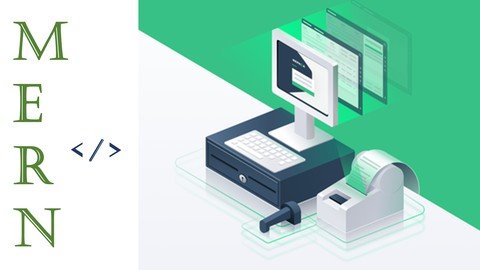
MERN Stack Retail Store POS Application
Genre: eLearning | MP4 | Video: h264, 1280x720 | Audio: AAC, 44.1 KHz
Language: English | Size: 3.51 GB | Duration: 6h 32m
Build a Full Stack Point Of Sales Application for Retail Stores with React , Node , Express , Mongo DB


What you'll learn
React
Node
Mongo
Redux
Requirements
React Basics
Javascript Basics
Description
Hello , Welcome To The Course MERN Stack Retail Store POS Application.
First of all....
What is POS ?
A point of sale (POS) is a place where a customer executes the payment for goods or services and where sales taxes may become payable. A POS transaction may occur in person or online, with receipts generated either in print or electronically.
So in this course we will teach you how to build a POS application using React , Redux , Node , Node , Mongo.
It is almost similar to an ecommerce application but here we don't have any user dashboards or user screens. We will have everything related to the Stores / Malls / Hotels etc.
We will cover the following features / concepts in this MERN Stack POS Application.
React / UI
What is POS
Difference Between POS / Ecommerce Application
React topics like routing , states , props , components , storage etc.
Redux for State Management
We will make all the API calls without redux only , We just use redux for cart functionality , So you need not to be a pro in Redux.
For Building UI we will use the Ant Design Library. It is the world most second popular UI framework for React.
For normal styling we will use bootstrap classes to speedup our development process.
One of the best part about the UI in this application is you can also generate / print a bill with the items and amount for a customer.
Node / Express / Mongo
Working with node with the combination of express and mongo DB.
Making complex schemas , models in Mongo DB.
Creating Rest Full API's .
Deploying the app to heroku
MERN Stack: MERN Stack is a JavaScript Stack that is used for easier and faster deployment of full-stack web applications. MERN Stack comprises of 4 technologies namely: MongoDB, Express, React and Node.js. It is designed to make the development process smoother and easier.
Each of these 4 powerful technologies provides an end-to-end framework for the developers to work in and each of these technologies play a big part in the development of web applications.
Pre Requisites
-------------------------------------------------------------------------------
React
React is a free and open-source front-end JavaScript library for building user interfaces based on UI components. It is maintained by Meta and a community of individual developers and companies. React can be used as a base in the development of single-page or mobile applications
Redux
Redux is an open-source JavaScript library for managing and centralizing application state. It is most commonly used with libraries such as React or Angular for building user interfaces. Similar to Facebook's Flux architecture, it was created by Dan Abramov and Andrew Clark.
Node
Node.js is an open-source, cross-platform, back-end JavaScript runtime environment that runs on the V8 engine and executes JavaScript code outside a web browser.
Express
Express.js, or simply Express, is a back end web application framework for Node.js, released as free and open-source software under the MIT License. It is designed for building web applications and APIs. It has been called the de facto standard server framework for Node.js.
Mongo DB
MongoDB is a source-available cross-platform document-oriented database program. Classified as a NoSQL database program, MongoDB uses JSON-like documents with optional schemas. MongoDB is developed by MongoDB Inc. and licensed under the Server Side Public License.
Who this course is for
Fullstack Developers
MERN Stack Developers
Screenshots


63bf0d9e-49c2-4cb9-8f9d-2c28ff65d31a.png

Mixing for Music Producers
Instructors: Dylan Bowes
11 sections • 47 lectures • 6h 39m
Video: MP4 1280x720 44 KHz | English + Sub
Updated 9/2021 | Size: 2.2 GB​

Get your tracks radio-ready with this comprehensive guide to mixing for producers.
What you'll learn
Mix a song in any genre
Export a production session for mixdown
Prepare a mix session with naming, organization, and color coding
Set up submix routing
Achieve a static mix with fader balancing
Shape tone with EQ and avoid frequency masking
Apply compression for dynamic balance
Choose and apply plugins for maximum impact
Use automation to create a dynamic mix
Prepare a mix for mastering
Requirements
Any Digital Audio Workstation (DAW)
Description
This course is a comprehensive guide to mixing for music producers.
At the end of this course, your tracks will be transformed into radio-ready, commercial quality songs which you can pitch to labels, contests, or simply release for your fans.
I created this course because I wish someone had taught me these principles when I was just getting started producing music. I had spent all of my time learning about synthesizers, recording live instruments, drum programming, and audio unit processing. I had a pretty good knack for making cool sounds and composing songs, but once all of the elements were piled together, more often than not it sounded like a jumbled mess. It was nowhere near the clarity and punch I heard on the radio or professional tracks that I loved.
It was at that point I realized that I needed to develop my mixing skills in order to be a truly good producer.
That's why I created this course -- to save you the trouble and headache I experienced when trying to produce music without a good foundation in the principles of mixing.
This course will take you from a good producer to a great one.
It is true that the roles of mix engineer and producer are different. However, in these days of home recording and DAW-based music production, these roles will often overlap significantly.
In this course I will teach you all of the tools and tricks of professional mix engineers so that you can make your tracks shine with the commercial punch and clarity labels and fans want to hear.
We'll cover every aspect of mixing including: room acoustics, monitoring, mix preparation, equalization, compression, audio time and pitch editing, automation, plugin processing, return effects, and everything else in between.
Using 45 high definition video lectures, I'll walk you through the entire process of mixing from exporting your tracks all the way down to the exporting for mastering stage.
We'll be using Logic Pro X in this course. What if you use a different DAW? Well, this course is all about the theory, practice, and process of mixing. I teach you how to listen to your tracks, what to listen for, and how to creatively solve problems that may come up. Obviously, users of Logic will have a slight advantage since many of the tools we use will most likely be familiar. However, the concepts and techniques apply to every DAW so don't dismay if you are not a Logic user.
Even if you're sending off your tracks to a mix engineer, you don't want him or her to make all of your creative decisions. Being fluent in the language and technique of mixing will make you a vastly better producer.
Sign up for this course today and transform your productions into the commercial quality you've been aiming for.
Who this course is for
Music Producers
DJs
Songwriters
Screenshots


b45ee0b8-bcfc-451f-84b6-181118775a88.png

Power Of Confidence - Full Course(2022)
Instructors: Naveen Kumar
6 sections • 11 lectures • 31m total length
Video: MP4 1280x720 44 KHz | English + Sub
Published 2/2022 | Size: 613 MB​

Handle Fear of Rejection, Learn Powerful Body Language, Build Strong Confident Personality
What you'll learn
Learn Powerful Strategies for Building Self Confidence
Develop a Powerful and Confident Body Language
Increase Your Level of Confidence
Destroy the Fear of Rejection
How to destroy Negative thoughts
Destroy Hesitation
Build strong mind-set
Requirements
Positive Mind-set
Willingness to Implement the solutions outlined in the course
Description
In this you will get learn the power of Confidence and How you can make your personality more strong and powerful. This course focuses on the benefits of strong and consequences of low confidence.
In this course I will share with you some of my best strategies for becoming more confident. The great thing about this course is that you can complete it in 30 minutes and most of the strategies I discuss can be implemented straight away. You will see some results, there is no doubt about.
You may know exactly what you need to do, but you are simply afraid. First of all, there is nothing to be ashamed of. Actually, most people struggle with confidence to some extent and I used to be one of them. The good news is that being confident is just another skill you can learn.
Here the things that you will learn in this particular course
1. Value of Positivity
2. Benefits of Positive personality
3. Consequences of Low Confidence
4. Roll of Confidence in Daily lifestyle
5. Life without confidence
6. How to tackle things with good confidence
7. How to achieve your goal with confident mindset
8. How only a strong confident can make you A Hero of your life
9. How people will see you when you are Confident
So go and enroll into the course and be the Best version of Yourself
Who this course is for
Anyone who wants to Improve their level of confidence
Anyone who wants to Improve their Personality
Anyone who wants to Be Mentally Strong
Screenshots


7a7840871a8c9873233fade61fbe899b.jpg

Sound Design with Massive
Instructors: Dylan Bowes
9 sections • 46 lectures • 7h 24m
Video: MP4 1280x720 44 KHz | English + Sub
Updated 11/2021 | Size: 3.3 GB​

Learn the principles of sound design and synthesis by mastering Native Instruments' Massive
What you'll learn
Understand the inherent capabilities of Massive
Navigate the VST components
Understand LFOs, Oscillators, Filters, Performers, and Effects
Create 100% unique synths, basses, hits, and FX
Become a professional sound designer
Understand synthesis and how to synthesize any sound
Requirements
It'll be useful to have a DAW such as Logic, Cubase, FL Studio, etc. But it's not necessary
Description
Here's what some students are saying about this course:
"This course is amazing. I've tried to learn Massive through tons of Youtube videos and other sources previously. This course taught me so much more in the first couple of sections than all of my previous efforts combined. Dylan takes time and goes through every single slider, knob, and setting and describes it's function and usefullness. I'm about half-way through the lectures, and I can't wait to get to Section 8 where the knowledge is applied."
- J. DiPalmo
"Dylan's experience on the topic and his ability to analyze and simplify complex materials, compounded with solid presentation skills, rich articulation and enthusiasm throughout this lecture series, resulted in a 5-star winner product."
- A. Stergiopoulos
"Great intro to sound design using massive.. Dylan does a great job explaining the concepts without drowning you in a sea of technical information."
- F. Carvalho
"I am new with sound production and this course inspired me to keep learning. Mr Bowes knows his stuff and he teach based on his own experience instead of just following the course outline. Thanks man."
- Akmal
This course is a comprehensive training course in the popular and powerful "Massive" VST plug-in from Native Instruments. Using 100% high-definition screencasts, you will learn the ins and outs of this software.
After taking this course, you will be able to create huge, earth-shaking basses, lush pads, screaming leads, and even some crazy FX presets.
I created this course because learning the principles of true sound design opened up a world of possibilities for my productions. Massive helped get me there. Now I want to show you how to get there too.
You'll get access to 52 video tutorials. That's over 10 hours of content. Plus I include all of the preset files that we build in the course for free. All for a really great price with a 30 day money-back guarantee. You can't beat that.
You know that you're sick of being a preset-picker. Learn sound design and get over that production plateau that has been making you hate your mediocre mixes.
You will become a master of Massive.
--
A few words about the methodology of this course. The first third of the course features lectures that describe elements of the software including the user interface, navigating presets, and how to control parameters. The middle portion of the course delves into sound design techniques and modulation assignments. The last third features in-depth tutorials about building specific sounds. If you already have a pretty good handle on Massive (or other soft synths) then you may want to skip the introductory portions. I designed this course to take the student from complete novice to expert. In other words, I wanted a student who has no experience with sound design or synthesizers to feel comfortable. However, I also provide lots of deep content for more experienced users. Plus, if you're like me, hearing someone else explain what I thought I already knew is still very helpful. All that to say, feel free to jump around in the chronology of the course. But don't take the fundamentals for granted.
--
Who this course is for
Anyone who wants to learn synthesis from a non-nerd
Beginning to experienced music producers
Screenshots


a2575009b9322efd4e0875cc69f8a487.png

Sound Design with Sylenth
Instructors: Dylan Bowes
7 sections • 55 lectures • 8h 7m
Video: MP4 1280x720 44 KHz | English + Sub
Updated 9/2021 | Size: 2.3 GB​

Create your own sounds by mastering the art and science of subtractive synthesis with Lennar Digital's Sylenth!
What you'll learn
Design and build your own sounds from scratch
Learn the fundamental principles of subtractive synthesis
Create unique leads, basses, pads, and fx
Learn advanced analog synthesis techniques and apply those techniques to other soft synths
Break free from the endless preset-picking slump
Navigate the interface of Sylenth like a pro
Requirements
Lennar Digital Sylenth1 Software
Some kind of host DAW (digital audio workstation) such as Logic Pro, FL Studio, Cubase, etc.
Description
Don't be a "preset-picker" anymore!
You get frustrated with your productions because you are constantly scrolling through factory presets of your synthesizers. You look at the user interface of Sylenth and think to yourself, "I'll never know how to use this thing. It's too complicated. It's for professionals." You try to mess with some of the controls, but give up because it takes too long. Then you return to scrolling through presets again and sticking to stock sounds for your mixes.
I'm here to change all that.
You can master the principles of subtractive synthesis--even if you don't know what that means. You can design your own sounds from scratch. You can learn how to imagine a sound and then build it from the ground up using Sylenth.
After taking this course, you will be able to dream up a sound, determine the right building blocks for that sound, and design it inside Sylenth--and quickly. I will teach you the fundamental principles of subtractive synthesis, walk you through every single nook and cranny of the software, and show you exactly how to create your very own sounds from scratch.
I created this course to be comprehensive--if you are new to sound design or synthesis, you will not be left behind. If you are somewhat familiar with using synthesizers, I promise you will learn new valuable techniques for your productions.
Using 55 high definition screencasts, I'll teach you everything you need to know about Lennar Digital's Sylenth software. We leave no knob unturned or LFO un-cycled. We will walk through every aspect of the software methodically, and then use a cookbook approach to building our own sounds. I'll also include my own presets used in the course for you to download for your own reference.
You will leave this course a master of Sylenth.
--
Lennar Digital's "Sylenth" is a powerful, versatile, and all-around awesome sounding soft synth.
Highly regarded among producers and DJs as the only virtual synthesizer which truly emulates the warmth and clarity of analog hardware synths, Sylenth is the pri**** tool for many electronic and pop music producers. In this course, you will learn every aspect of this very powerful virtual synthesizer.
Using 100% high definition video tutorials, you will learn how to navigate the software, how the audio signal path works, and how to design sounds from scratch--from screaming leads to fat basses, weird fx patches, lush pads, and even drum loops!
All you need is the Sylenth VST and a host DAW (digital audio workstation) of some kind. I'll show you the rest. We will walk through the entire architecture of the software, from oscillators to filters to modulation routing to effects processing. Everything you need to create unique, stunning sounds is contained within this course.
Even if you have no prior knowledge of sound design, analog synthesis, or music theory, by the end of this course you will be creating your own sound patches with confidence and creativity. In the process, you will develop skills in analog synthesis which you can translate to many other synths such as Native Instruments' Massive, Rob Papen's Predator, and just about any other virtual analog synthesizers.
You will also learn how to design specific sounds for specific genres. Are you tired of sifting through presets, unhappy with your choices? Learn how to translate the sounds in your head into powerful, rich, and warm patches which you can save in your own soundbank.
Don't be a preset picker! Learning how to design your own sounds will take your productions to the next level. It will help you be more musical and will make your mixes unique.
Join us and become a master of Sylenth.
Who this course is for
Music Producers
DJs
Singer-Songwriters
Home-recording enthusiasts
Songwriters
Screenshots


ce96eda1-b8d5-413f-b846-55506b7dd292.png

Strawberry Farming
MP4 | Video: h264, 1280x720 | Audio: AAC, 44.1 KHz, 2 Ch
Genre: eLearning | Language: English + srt | Duration: 15 lectures (2h 37m) | Size: 3.31 GB

Learn how to grow strawberries and run a profitable farm!
What you'll learn
Learn about proper growing regions, farm set-up and seed selection.
Understand proper land set-up and management to ensure maximum growth.
Learn about the various development stages (transplanting to harvest), crop care and proper management practices to ensure maximum output.
Understand the economics and cash needs of the business and how to prepare to source a reliable market.
Requirements
No experience needed, just a willingness to learn new things!
Description
At the end of this course, you will understand the basics of strawberry farming and be ready to grow or improve your farm!
In this course, you will learn the essential knowledge of growing strawberries. We will look at the health benefits of this crop, seed production/selection, watering, land preparation, mulching, management at the starting stage, management at the vegetative stage, management at the flowering stage, and management at the fruiting stage.
What will you learn?
THE BASICS - Learn about proper growing regions, farm setup and seed selection.
LAND PREPARATION - Understand proper land setup and management to ensure maximum growth.
STRAWBERRY DEVELOPMENT STAGES - Learn about the various development stages (transplanting to harvest), crop care and proper management practices to ensure maximum output.
ECONOMICS & MARKETS - Understand the economics and cash needs of the business and how to prepare to source a reliable market.
Lessons Include
Course Outline
Introduction
Water Requirements & Seed Selection
Land Preparation x 2
Starting Stage x 3
Vegetative + Flower + Fruiting
Harvesting Stage x 3
Harvesting Process & Storage
Market Options & Crop Rotation
Economics of Production
Student Testimonials
"I once planted strawberries, but they did not do well. Now, after the course, l have known the mistakes l made. l believe the next season l plant they will do very well."
Jessica - Kenya
"The courses are great, and the deliveries are excellent. The facilitators are wonderful, and I can't wait to apply the knowledge to improve my farm."
Onakoya - Nigeria
Who this course is for
You are dreaming of having a strawberry farm but don't know where to start.
You are a soon-to-be strawberry farmer who wants to get things done right the first time.
You are an existing strawberry farmer who wants to improve and make more money.
Homepage


6de853e9-9582-4ecb-8c0b-05cf22e1013c.png

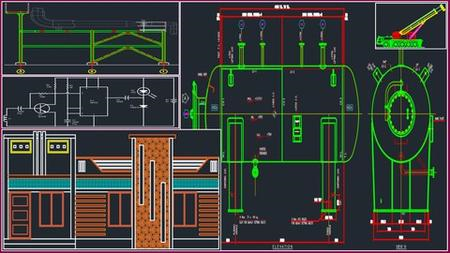
Tekla Structure 2021 RCC Basic + Advanced Level Course
MP4 | Video: h264, 1280x720 | Audio: AAC, 44.1 KHz, 2 Ch
Genre: eLearning | Language: English | Duration: 138 lectures (13h 23m) | Size: 5.66 GB


Tekla Structure 2021 Reinforced Concrete Basic + Advanced Level Training Course
What you'll learn
To learn all basic toolbars and advanced level BIM environment & concept about tekla structure
To learn basic and advanced concepts about reinforced concrete building in tekla structure
To learn 3d model and connections for various structures in tekla structure
To learn work with various units
To learn Concrete Footing, Column, Beam, Slab, Wall etc..
To learn reports in tekla structure
To learn new profile and material in tekla structure
To learn templates how to use user field in tekla structure
To learn Concrete Staircase and its reinforcement
To learn Various types of Rebar creation
To learn GA & Cast unit drawing creation
To learn Contextual Toolbar & Direct Modification
To learn Phase Manager and it's application
To learn Surface treatment and it's application
To learn Proper Numbering
To learn Clash Check Manager
To learn various types of Points
Requirements
Basic Knowledge of Engineeering
Laptop / Computer (With Tekla Structure 2021 Software)
Description
Tekla Structure world No:1 Building Information Modeling (BIM) Software.
In this Software you can Create accurate 3D Model with all engineering data it can built any kind of structures
You will Learn Tekla structure 2021 Basic + Advanced Level Training in RCC. In this Course you will get master knowledge in Tekla
Structure Concrete.
You will learn to work with various units
You will learn to create Various types of grid
You will learn Navigation Tool in Tekla structure
You will learn to create any type of Reinforced Concrete Structure 3D model with Footing, Column, Beam, Slab, Panel, walls etc.
You will learn to create Staircase
You will learn to create Various types of Reinforced Components
You will learn to create Rebar Group & Rebar Splice
You will learn to Various types of measuring tools in Tekla Modeling
You will learn to Various types Work plane
You will learn to Various types Contextual Toolbar & Direct Modification
You will learn to use Phase Manager
You will learn to use Surface treatment
You will learn to Control Material Catalogue
You will learn to Control Profile Catalogue
You will learn to do Clash Check and solve the clashes
You will learn to Create Proper Numbering
You will learn to create GA & Cast Unit Shop Drawings and Editing as per industry Standard
You will learn to create Various types of reports
You will learn to create Various Types of Templates and Layouts in this course
You will learn to create accurate output files for Project Execution
After this course you will get knowledge to handle Any kind of RCC Structural work
Don't wait, Let's Start your good Steps in your life
Best of Luck
Who this course is for
Tekla structure beginners
Tekla structure advanced learners
Structural Modeller
Structural Detailer
Structural Designer
Structural Draftsman
Civil Draftsman
Civil Engineers
Mechanical Engineers
Design Engineers
Anyone interested in Tekla structure
Anyone interested in Oil & Gas Structure
Anyone interested in Process plant structure
Anyone interested in Boiler Structure
Anyone interested in Steel Structure
Pre-Engineering Building (PEB) Designer
Cad Operator
Cad Supervisor
Structural Fabricator
Welder
Structural Supervisor
Steel Fabricator
Anyone interested in Concrete Building Design
Anyone interested in RCC
Anyone interested in Reinforced concrete
Anyone interested in reinforcement
Anyone interested in rebar detailing
Anyone interested in Concrete
Homepage


442e1ba2-9af8-4b1b-8c4f-195bee0ecf5a.png

The Complete Revit Door Guide
MP4 | Video: h264, 1280x720 | Audio: AAC, 44.1 KHz, 2 Ch
Genre: eLearning | Language: English | Duration: 65 lectures (2h 52m) | Size: 1.57 GB

Master creating custom doors in your BIM project
What you'll learn
How to create and edit Revit Door families
How to develop Revit family plan, elevation and 3d views
How to add door plan swing and detail looks
How to add door hardware to Revit Families
How to create curtain wall doors
How to create double and sliding doors
How to create in place component doors
Requirements
Basic knowledge of Revit
Description
The Complete Revit Door Guide helps you master creating and editing custom doors in Revit. It helps beginners and intermediate learners alike with the skills and workflows to get the door design you like functioning and in your project.
In this course, I teach you with the basics of how to use Revit families, looking at each element important to making doors with easy to follow exercises and tutorial. We will setup each door design in an efficient workflow that captures the best setup to save time later, with error checking and good parametric structure to avoid problems later on.
What you will learn
How to add and edit door families
How to add in place component doors
How to make custom parametric door profiles
How to add multi layered extrusion and sweeps
How to make curtain wall doors
How to make double doors, sliding doors
How to develop 2D and elevation door symbols
How to refine door families in model
How to integrate door materials
After this course, you should be set to create and edit any Revit project door to your specification and design.
If you want to be comprehensive in door design for your Revit projects, then this is the course for you, see you in the course!
Who this course is for
Beginners and intermediate designers in Revit
Homepage


85cb1c69513c3f9cfb5f8328637710f9.png

TikTok Marketing Masterclass 2022 CPA marketing using TikTok
Instructors: MOUNIR BOUTAIB
5 sections • 34 lectures • 5h 39m
Video: MP4 1280x720 44 KHz | English + Sub
Updated 2/2022 | Size: 2.9 GB​

The Ultimate TikTok 2022 Course with Practical Examples and Hands-On Training & Extra ( Facebook ADS marketing )
What you'll learn
How TikTok Works and How You Can Use It for Your Business
Create a Facebook Page for a Business, Brand, Community, Service or Other
Step-by-Step Introduction to TikTok for Business
Appreciate how Important Facebook is in Advertising Today
Marketer's Guide to Advertising on Tiktok
Requirements
The only thing that you'll need to take action on what you learn in this course is some money to run Facebook ads. You could start wtih as little as $5.00 to $10 per day.
There are no prerequisites for this course I will explain everything from the ground up
Description
This Complete TikTok Marketing Training reveals all important aspects of TikTok Marketing Strategies for Business and how TikTok Works and How You Can Use It for Your Business. This course also answers the question: Should TikTok be part of your video marketing strategy moving forward.
Imagine going to bed and waking up to the excitement of finding a new Offer Conversion in your inbox the next morning!
Whether you are enjoying a meal with your loved ones, hanging out with your friends, travelling or sleeping, you could be making money even while you're away from your computer.
'TikTok Affiliate Marketing - Make Money Without A Website' will teach you exactly how you can make this a reality for yourself!
YOU can. And I am here to help you.
The training goes deep into the tactics and strategies of what makes a campaign successful. It focuses heavily on those problem areas of choosing winning niches, and Facebook targeting. Many people struggle with finding successful niches and designs. My methods make it easy so you can tip more campaigns.
This course is an intensive, fast paced, online video training program. Just watch me complete each simple task on my computer screen, pause the video, then do it yourself. I purposely kept each video short, most are around 7 minutes. This is so you'll have an easy reference should you go back and review a specific task. The video lessons are very easy to follow and understand. There is no technical talk.
This is a self-study course that does not include coaching or consulting; however, if you do happen to see something in one of the lessons that you don't quite understand I would be happy to clarify it for you.
If you're a business owner, pay special attention to our TikTok for business sections. They'll teach you everything you need to grow your customer base, including how to create profitable ads on a modest budget.
As well as listening to us, you'll also learn from some of TikTok's brightest stars. See how one singer pushed his track to the top of the charts with nothing but the app. Or dive into the innovative sales strategies used by fast food companies and beauty brands.
Who this course is for
Entrepreneurs
Those Looking to Build an Online Income
Location Independent Entrepreneurs
Location Independent Freelancers
Business Owners
Digital Advertisers
Screenshots


5b352472e70696e92a5b47eea4f491fb.jpg

UcanBitcoin: Financial sovereignty by digital store of value
MP4 | Video: h264, 1280x720 | Audio: AAC, 44.1 KHz, 2 Ch
Genre: eLearning | Language: English | Duration: 66 lectures (2h 11m) | Size: 1.87 GB

Learn how bitcoin works, access the network, and save value. Claim financial sovereignty on the bitcoin standard
What you'll learn
How bitcoin and blockchains function
Best practices for obtaining and storing bitcoin and cryptocurrencies
Ways to join the network and become a financial sovereign
How to find fellow bitcoiners and network participants
Requirements
A basic knowledge of computers and the internet
Description
Are you watching your local currency lose purchasing power year-to-year and month-to-month? Wishing there was a currency that wasn't controlled by anyone and didn't not favor any particular party? Do you think cryptocurrencies have the potential to allow people to save the value they make by working in the economy and transact with each other without censorship? But is it overwhelming to try to understand how the blockchain technology works?
If you answered yes to any of the above questions then this course is for you. This is your chance to understand how Bitcoin works a technical level, why it was designed, and how it is creating freedom and opportunity for those that come to adopt it. Bitcoin is revolutionary and the term is a bit confusing because it refers to many aspects of the technology, including the network, the protocol, the currency, and the community of participants, but we will learn how all of those fit together and create an unstoppable force.
This course will start with a section on the technical foundations of bitcoin, such as data hashing, cryptographic key pairs, and proof-of-work. Then we will show how the network processes transaction information for a consensus on ownership and transactions. The third section will get into the monetary implications of bitcoin, and the new monetary standard that is coming about. The next section will address limitations in bitcoin, and how these are being actively addressed. A final section will go into advanced topics, so we can be bitcoin super users.
Who this course is for
Beginner to intermediate bitcoiners
Homepage


5eb4cf01-2e31-4fdb-bdf3-f874fe40b4ab.png

Udemy - Wordpress Made Easy
Instructors: Onutochukwu Uche
2 sections • 11 lectures • 1h 26m
Video: MP4 1280x720 44 KHz | English + Sub
Updated 2/2022 | Size: 668 MB​

An introduction to website design using wordpress
What you'll learn
Download and install xampp
Download and install Wordpress
Understand wordpress admin area
Learn how to add and edit posts
Learn how to create pages and menus
Learn how to install elementor and templately plugins
Set a wordpress website to display a static home page
Requirements
A good personal computer or a laptop
No programming experience needed.
Internet access
Description
In this course, you will learn how to set-up a website or a blog using the Wordpress Technology.
This technology makes things easier for in that you don't need to spend so much time and energy learning how to write codes.
You just click the mouse, write your texts and inserts the images in such a way that creates an eye-catchy, professionally looking website or blog
In the first lesson, we are going to see how to set up our work environment by downloading and installing XAMPP server solution. This will enable us to design our website locally on our computer before launching it online.
In the second lesson, we learn how to download and install wordpress locally on our computer.
Once we are done with installing wordpress, we will then login to the Admin area where we can start working on the website. Here we can create new pages, create new posts, and add new themes and plugins.
This website design skill can be very useful in so many ways. You can save some money if you know how to design and launch your own website by yourself. Also you can boost whatever business you are doing by reaching out to more audience online through your website.
Who this course is for
Beginners in website development curious about leaning wordpress
Screenshots


Zurück
Oben Unten