• Regeln für den Video-Bereich:

    In den Börsenbereich gehören nur Angebote die bereits den Allgemeinen Regeln entsprechen.

    Einteilung

    - Folgende Formate gehören in die angegeben Bereiche:
    - Filme: Encodierte Filme von BluRay, DVD, R5, TV, Screener sowie Telesyncs im Format DivX, XviD und x264.
    - DVD: Filme im Format DVD5, DVD9 und HD2DVD.
    - HD: Encodierte Filme mit der Auflösung 720p oder darüber von BluRay, DVD, R5, TV, Screener sowie Telesyncs im Format x264.
    - 3D: Encodierte Filme von BluRay, die in einem 3D Format vorliegen. Dies gilt auch für Dokus, Animation usw.
    - Serien: Cartoon/Zeichentrick, Anime, Tutorials, Dokumentationen, Konzerte/Musik, Sonstiges sind demnach in die entsprechenden Bereiche einzuordnen, auch wenn sie beispielsweise im High Definition-Format oder als DVD5/DVD9/HD2DVD vorliegen. Ausnahme 3D.
    - Bereich Englisch: Englische Releases gehören immer in diesen Bereich.
    - Bereich Talk: Der Bereich, in dem über die Releases diskutiert werden kann, darf, soll und erwünscht ist.


    Angebot/Beitrag erstellen

    - Ein Beitrag darf erst dann erstellt werden, wenn der Upload bei mindestens einem OCH komplett ist. Platzhalter sind untersagt.
    - Bei einem Scenerelease hat der Threadtitel ausschließlich aus dem originalen, unveränderten Releasenamen zu bestehen. Es dürfen keine Veränderungen wie z.B. Sterne, kleine Buchstaben o.ä. vorgenommen werden. Ausnahme Serienbörse:
    - Bei einem Sammelthread für eine Staffel entfällt aus dem Releasename natürlich der Name der Folge. Beispiel: Die Simpsons S21 German DVDRip XviD - ITG
    - Dementsprechend sind also u.a. verboten: Erweiterungen wie "Tipp", "empfehlenswert", "only", "reup", usw. / jegliche andere Zusatzinformation oder Ergänzung, welche nicht in obiger Beschreibung zu finden ist.

    Aufbau des Angebots und Threadtitel

    Der Titel nach folgendem Muster erstellt zu werden. <Name> [3D] [Staffel] [German] <Jahr> <Tonspur> [DL] [Auflösung] <Quelle> <Codec> - <Group>
    Beispiel: The Dark Knight German 2008 AC3 DVDRip XviD - iND
    Beispiel: The Dark Knight 2008 DTS DL BDRip x264 - iND
    Beispiel: The Dark Knight 2008 AC3 DL BDRip XviD - iND
    Beispiel: The Dark Knight German 2008 AC3 720p BluRay x264 iND
    Beispiel: The Dark Knight 2008 DTS DL 1080p BluRay x264 iND
    Beispiel: Die Simpsons S01 German AC3 DVDRip XviD iND
    Beispiel: Die Simpsons S20 German AC3 720p BluRay x264 iND
    Beispiel: Sword Art Online II Ger Sub 2014 AAC 1080p WEBRip x264 - peppermint
    Entsprechend sind also u.a. verboten: Sonderzeichen wie Klammern, Sterne, Ausrufezeichen, Unterstriche, Anführungszeichen / Erweiterungen wie "Tipp", "empfehlenswert", "only", "reup", usw. / jegliche andere Zusatzinformation oder Ergänzung, welche nicht in obiger Beschreibung zu finden ist
    Ausnahmen hiervon können in den Bereichen geregelt sein.

    Die Beiträge sollen wie folgt aufgebaut werden:
    Überschrift entspricht dem Threadtitel
    Cover
    kurze Inhaltsbeschreibung
    Format, Größe, Dauer sind gut lesbar für Downloader außerhalb des Spoilers zu vermerken
    Nfo sind immer Anzugeben und selbige immer im Spoiler in Textform.
    Sind keine Nfo vorhanden z.B. Eigenpublikationen, sind im Spoiler folgende Dateiinformationen zusätzlich anzugeben :
    Quelle
    Video (Auflösung und Bitrate)
    Ton (Sprache, Format und Bitrate der einzelnen Spuren)
    Untertitel (sofern vorhanden)
    Hosterangabe in Textform außerhalb eines Spoiler mit allen enthaltenen Hostern.
    Bei SD kann auf diese zusätzlichen Dateiinformationen verzichtet werden.

    Alle benötigten Passwörter sind, sofern vorhanden, in Textform im Angebot anzugeben.
    Spoiler im Spoiler mit Kommentaren :"Schon Bedankt?" sind unerwünscht.


    Releases

    - Sind Retail-Release verfügbar, sind alle anderen Variationen untersagt. Ausnahmen: Alle deutschen Retail-Release sind CUT, in diesem Fall sind dubbed UNCUT-Release zulässig.
    - Im Serien-Bereich gilt speziell: Wenn ein Retail vor Abschluss einer laufenden Staffel erscheint, darf diese Staffel noch zu Ende gebracht werden.62
    - Gleiche Releases sind unbedingt zusammenzufassen. Das bedeutet, es ist zwingend erforderlich, vor dem Erstellen eines Themas per Suchfunktion zu überprüfen, ob bereits ein Beitrag mit demselben Release besteht. Ist dies der Fall, ist der bereits vorhandene Beitrag zu verwenden.
    - P2P und Scene Releases dürfen nicht verändert oder gar unter einem iND Tag eingestellt werden.


    Support, Diskussionen und Suche

    - Supportanfragen sind entweder per PN oder im Bereich Talk zu stellen.
    - Diskussionen und Bewertungen sind im Talk Bereich zu führen. Fragen an die Uploader haben ausschließlich via PN zu erfolgen, und sind in den Angeboten untersagt.
    - Anfragen zu Upload-Wünschen sind nur im Bereich Suche Video erlaubt. Antworten dürfen nur auf Angebote von MyBoerse.bz verlinkt werden.


    Verbote

    - Untersagt sind mehrere Formate in einem einzigen Angebotsthread, wie beispielsweise das gleichzeitige Anbieten von DivX/XviD, 720p und 1080p in einem Thread. Pro Format, Release und Auflösung ist ein eigener Thread zu eröffnen.
    - Grundsätzlich ebenso verboten sind Dupes. Uploader haben sich an geeigneter Stelle darüber zu informieren, ob es sich bei einem Release um ein Dupe handelt.
    - Gefakte, nur teilweise lauffähige oder unvollständige Angebote sind untersagt. Dies gilt auch für eigene Publikationen, die augenscheinlich nicht selbst von z.B. einer DVD gerippt wurden. Laufende Serien, bei denen noch nicht alle Folgen verfügbar sind, dürfen erstellt und regelmäßig geupdatet werden.
    - Untersagt sind Angebote, welche nur und ausschließlich in einer anderen Sprache als deutsch oder englisch vorliegen. Ausnahmen sind VORHER mit den Moderatoren zu klären.


    Verstoß gegen die Regeln

    - Angebote oder Beiträge, die gegen die Forenregeln verstoßen, sind über den "Melden"-Button im Beitrag zu melden.
  • Bitte registriere dich zunächst um Beiträge zu verfassen und externe Links aufzurufen.

*** Bestes IPTV *** bester Preis *** gratis Test ***


Englische Tutorials

UzKOiB2oCt6dg6gqgFJZP2KJHxz4Xgu5.jpg

Strategy mastery to start Amazon FBA selling 100 usd
MP4 | Video: h264, 1280x720 | Audio: AAC, 44.1 KHz
Language: English | Size: 884 MB | Duration: 1h 54m
FREE only for now, enroll quick give honest feedback--start less than 100. Best work from home online commerce business​

What you'll learn
How to really make profit on Amazon selling with less than 100 USD
How to choose 5 times margin products with FREE Amazon ranking
How to start Amazon FBA with less than 100 USD
How to find suppliers that help you earn money
Requirements
For beinners, no any requirement to study this course
Description
There is 3 wrong Impression about selling on Amazon
1, I need to have a company to be Amazon seller-as person is fine
2, I need to pay high fee to Amazon every month to keep your seller account-individual selling plan 0 fee (pro selling plan 39.9/M)
3, I need to purchase a lot of inventory upfront to put in Amazon warehouse to start selling-light duty way to manage FBA inventory
Here is what you will learn from this course
Section 1: There is 3 wrong Impression about selling on Amazon
need company, need high fee, need lot of stock upfront
Section 2: Deep understanding Amazon
how to manage Amazon FBA inventory LIGHT DUTY
Section 3: Product choosing Step 1: Choose niches by
SMALL LIGHT CHEAP HIGH principle
Section 4: Product choosing Step 2: Choose competitor to learn to inspire
Section 5: How to find suppliers who can meet above principle
Section 6: What to do next
Key priciples
Niches with SMALL SIZE LIGHT WEIGHT
(to save shipping cost at least for 2 trips)
Niches with CHEAP cost
Niches can sell HIGH margin(5+ times)
Other product choosing principles
1, high quality - review/account health/
2, sustainable supply--without MOQ and product time (stock) / shipping time
3, keep it simple not over built
4, vast target audience
5, you need to compete with Chinese sellers
6, light customization-print on demand
7, keep away from infringing
8, Keep aways from: sensitive products: liquid, powder, battery
9, Keep away from highly restricted by law category
Beauty category: some need FDA
Children toys:Consumer Product Safety Improvement Act (CPSIA)
Who this course is for
Anyone who want to start Amaon selling or earn money but dont have budget
Screenshots


th_8Bi6iLbcDnVlsdkUe4u4Hxq68j2PRnPQ.jpg

Succeeding in Software Testing
LinkedIn Learning
Duration: 56m 8s | .MP4 1280x720, 30 fps(r) | AAC, 48000 Hz, 2ch | 679 MB
Genre: eLearning | Language: English​

Testing is an integral part of creating quality software, but exactly how does one become a successful software tester? Software testing is an odd position in the development world, in that there's not really a formal path or set of credentials that necessarily qualify you as a software tester. In this course, engineering manager Ash Coleman-who herself swapped out a career as a chef for a quality-control leadership role-details the various career paths and trajectories of software testers, from the wide variety of backgrounds they come from to the different specializations they can pursue. Whether you're currently a software tester wondering where your career might go, or in a completely unrelated field and looking to get into software testing, this course can be your baseline guide as you navigate your options.
Homepage
Screenshots


558a7a29-3b1d-48e3-acdf-33e530e27d5b.png

TTC - 12 Women Who Shaped America: 1619 to 1920
MP4 | Video: h264, 1280x720 | Audio: AAC, 44.1 KHz, 2 Ch
Genre: eLearning | Language: English | Duration: 12 Lessons (5h 37m) | Size: 4.62 GB

History all too often overlooks the invaluable contributions of women, and US history is certainly no exception to this pattern. Museums, documentaries, historical sites, and even textbooks omit essential parts of the whole picture because they leave out her story. Join historian Professor Allison K. Lange, of the Wentworth Institute of Technology, as she guides you through the fascinating lives of 12 early Americans, all of them women, and all of them crucial to a better understanding of American history. With a deft talent for bringing history to life, Allison explores the complex and often controversial lives of these American women who dedicated themselves to living beyond the constraints of their time and place.
In the eye-opening lectures of 12 Women Who Shaped America: 1619 to 1920, you will meet a dozen influential women with astonishing life stories, each of whom found a way to break away from the constrictive social and familial norms of their day. A popular adage says that "well-behaved women seldom make history," and that is true. From the earliest days of the Republic through much of the early 20th century, American women were expected to lead private lives of modesty and obedience. Although some of the women explored in this course valued the more traditional feminine roles expected of them, none of these women allowed those expectations to limit their lives or their ambitions. If they had, not only would we not know their stories, but the history of the United States would have been quite different.
Breaking from Tradition
The education of women has not been a priority for much of history. The United States was no exception in the early 19th century, when Catharine Beecher advocated for female education, but she was indeed exceptional. Beecher devoted herself to gaining equal access to education for women, as she saw this access to knowledge as an opportunity to ensure their success as wives and mothers, and as the pri**** educators of children. Despite her devotion to tradition, she remained unmarried and without children, which allowed her to focus on writing, lecturing, and opening schools for women.
And then there were women like poet Phillis Wheatly Peters and photographer Frances Benjamin Johnston, who led wildly unconventional lives as artists, as well as women like Isabella Stewart Gardner, who collected art from all over the world and founded a museum to make it accessible to Americans.
Traverse the fascinating history of the controversial Victoria Woodhull, the first woman to run for the office of President of the United States. She was well-known for resisting traditional women's roles in nearly every aspect of her life. Often donning traditional masculine attire-even sitting for portraits in a top hat and bowtie-Woodhull knew how to push back against the rigid gender expectations of her day. As the first woman stockbroker, newspaper editor, and presidential candidate, she made choices that raised the ire of polite American society, even lending vocal support to the controversial free love movement. She once wrote to her contemporary, Lucretia Mott, "We have had women enough sacrifice to this sentimental, hypocritical prating about purity. This is one of man's most effective engines for our division and subjugation." She was unquestionably a woman ahead of her time.
Even the iconic Martha Washington, the first woman to hold the position of First Lady of the United States, lived a life that by all accounts broke away from tradition. A young widow and the mother of young children, then known by her first married name, Martha Custis, she ran Mount Vernon and managed her estate with considerable savvy. When her second husband, George Washington, became the first President of the United States, Martha knew that her choices as First Lady would be important to the women of America. She set out to intentionally represent appropriate and admirable womanhood. Although she was the soul of modesty and accommodation, she enjoyed unprecedented access to many of the most powerful men in the world, and these connections helped her shape early political conventions and facilitate vital political relationships.
And while some women chose to reject the conventional societal limitations of their gender, or to attempt to work within them, others had to face difficult and dangerous circumstances beyond their control. Certain brave women rose to directly challenge oppression by becoming the leaders of social movements. When you delve into the histories of formerly enslaved people such as **** Church Terrell and Sojourner T****, you will see how they worked to forge a path forward for all American women, despite often being excluded from the larger women's movements of the time.
An Imperfect Union
Not everyone who fought for the rights of women agreed about the universal need for other human rights. While you will meet many women of color who dedicated themselves to securing the rights of both women and other minorities, that was not always the case for white women in the movement for women's suffrage. Today, most people understand how human rights are interconnected and recognize that supporting the rights of other oppressed peoples moves everyone forward together, but racism and deeply ingrained social biases often undermined this vision of universal human rights in the 19th century and beyond.
Suffragists like Alice Paul and ***** B. Anthony worried that any focus outside of the singular mission to gain the vote for women could be a distraction and potentially undermine their cause. They sadly believed that if their movement included women of color, the white communities whose support they needed for suffrage might turn against them-one of many ways deeply held biases in society could turn women against each other and prevent their success as a united coalition fighting the same battle. In some cases, their racial bias was so great that suffragists like Anthony protested the 15th Amendment-which effectively granted Black men the vote-because it didn't include women.
Like any historical figure, each of these women had their flaws as well as their strengths. By examining their failures as well as their successes, you will be able to get a more well-rounded look at the influential but imperfect people who made a major impact on the United States as we know it today. You will also see how the "progress" of history is often much less smooth and straightforward than many simplified narratives would have you believe.
T**** in the Eye of the Beholder
While it is important to view any historical figure within their context, the division between women in the realm of human rights caused more than just conflict during the time of the suffragists. Women of color have been particularly underrepresented throughout history, even when compared to women in a more general sense; their exclusion from the reform movements of the past has carried forward into the historical narratives of the present. And when they are not being excluded or minimized, they are often mythologized, serving as token representatives for their people rather than being discussed as the whole and complex individuals that they were. Too often, our myths about these women tell us more about the status of race relations and American cultural norms than about the lives and work of the women themselves. Luckily, that doesn't have to be all that you know.
Though many of these women were severely limited by their circumstances, each left behind some record of her actual experience. While some of the women featured in 12 Women Who Shaped America: 1619 to 1920 left only the words of the white men with whom they worked, contemporary women have left us lectures, articles, commentary, even photographs that tell their stories more fully. Allison explores the real lives of these and other influential women of color in American history, including Sacagawea, Sojourner T****, and Harriet Tubman.
Many of the women whose lives and contributions you will uncover in this course were advocates of what we would call "respectability politics" today. Women like **** Church Terrell believed that if they presented themselves as refined and respectable in every other way, their ideas espousing gender and racial equity might be seen in the most favorable possible light by people in power. This type of political presentation did not directly change laws, but many women knew how to use their images in the service of civil rights activism. Numerous Black reformers were especially cognizant of how to use social bias in their own favor to gain the trust of those who would otherwise look down on them.
Little-Known Contemporaries
Perhaps the most fascinating aspect of 12 Women Who Shaped America: 1619 to 1920 is the inclusion of contemporaries of the famous figures we may already recognize. While Allison covers the lives and work of very famous women of the era, like Sacagawea, ***** B. Anthony, Sojourner T****, and Harriet Tubman, she also includes lesser-known greats such as **** Church Terrell and Frances Benjamin Johnston.
In each illuminating lesson, Allison shares stories and connections to other women of the era. Learn about Virginia Minor, who attempted to vote in Virginia in 1872. The case that went to the Supreme Court, Minor v. Happersett, determined that voting was not a right of citizenship and so not necessarily a right of female citizens. Discover Lucretia Mott, the Quaker anti-slavery activist that helped coordinate the famous women's rights convention at Seneca Falls in 1848. Meet Ida B. Wells-Barnett, author and anti-lynching activist, and witness her essential friendship with **** Church Terrell and others in the National Association of Colored Women. These women, and dozens more like them, shouldered the weight of a nation that could not always see their genius.
Lives in Visual Representation
Although each woman in this course has her unique story, the women are united by their belief in the value of women and the importance of using public image to advance new ideas about women's leadership and roles in society. Each woman employed portraiture-first paintings and engravings, and eventually photography-to capture the spirit of who she was and what she represented.
The original images of the women discussed in this course are undeniably fascinating. The ways in which these portraits tell stories, both intentional and unintentional, provide new insights into methods that women could use to help shape their public image. See each woman through her own eyes-how she wanted to be seen by a wider public with preconceived notions about what a woman "should" be-while also getting invaluable context and the perspective of the original audience. Uncover how each of these women sought to secure new rights and opportunities for women across the social and political spectrum and defined her image to her advantage.
These stories, accompanied by a rich trove of historical images, give us unprecedented insight into the lives and careers of the women who shaped America well into the 20th century. Get an invaluable glimpse into the critical intersection of culture, politics, public image, and the fight for gender and racial equality, which will in turn give you a new and broader understanding of influential women in early American history.
What Will You Learn?

Learn about the lives and the impact of some of the most influential-and sometimes controversial-women in US history
Consider the intersection of race, gender, and politics in early America as you examine the lives of 12 women who shaped US history
Expose the controversial ideas, disappointing limitations, and brilliant strategy and vision of early reformers
Understand relationships among women and across generations that finally won the respect of a nation
See the actual portraits and photographs of women reformers, famous and infamous
Homepage


qgdDAHFfmH6IvRUmQHFBDlxYcZLxsFut.jpg

Tally Prime Ultimate Course 2022
MP4 | Video: h264, 1280x720 | Audio: AAC, 44.1 KHz
Language: English | Size: 715 MB | Duration: 1h 54m
Tally Prime Ultimate Course 2022 Take Your Tally ERP Skills to the Next Level
What you'll learn​

You will learn how to independently manage Company Accounting in Tally Prime
You will learn how to manage salary with PF, ESI, EPF and legal payments
How to manage Ledgers , Reports and Transactions in Tally Prime
You will learn how to create MIS reports for executive level
Dealing with Inventory and GoDowns In Tally
Install Tally Prime Software and Create and Change Company
Dealing With Payroll in Tally
Dealing With Tally GST
Dealing With Banking in Tally
Requirements
No Prior Knowledge Required
Description
By registering for this course, you will learn
Bookkeeping basics like bills and credits to help you understand and confidently issue records.
Learn how to transfer account information from physical books to Tally.
Customize inventory details and filter reports such as availability of specific inventory with specific functionality.
Bank reconciliation - Compare bank statement entries with your bank records.
Find out more about applying important and advanced topics to GST, such as GST interception, chargebacks, shipping agents, and how to enter appropriate entries in the calculation diary.
Learn about full payroll (employee attendance) arrangements according to government. specified reduction rate.
Find out about manufacturing processes that allow you to determine the price of the items you manufacture from the cost of the various parts/components used to assemble the product.
And among them, you will learn to customize the format of the sales invoice number, which looks something like this - BN / 001 / 19-20 and more.
Learn the above topics in a maximum of 8 hours, as opposed to short courses that teach at the basic level or long courses which take longer than necessary.
In addition to learning to use Tally, consider maintaining consistent accounting practices.
What you can expect from this course
This is a basic guide for Tally, which means you will learn all the basic and basic concepts that are used every day.
Think of this course as a solid foundation for counting.
You will be able to study advanced topics independently and easily.
Notes
This course is for educational purposes and is not intended to provide advice on corporate accounting/compliance.
I hope you have benefited from the insights you have gained in this course.
Who this course is for
Anyone Related to Accounts Who Wants to Gain Knowledge in Most Useful Accounting Softwares
Screenshots


QaHdKbbWBYQim0IucOxCLaV4FsZgx7Y7.jpg

Team Collaboration in Google Workspace
MP4 | Video: h264, 1280x720 | Audio: AAC, 44.1 KHz, 2 Ch
Skill Level: Beginner | Genre: eLearning | Language: English + srt | Duration: 50m | Size: 136.1 MB

Google Workspace (formerly G Suite) was designed with collaboration in mind. In this course, learn how to fully leverage the collaboration features offered in this popular cloud-based productivity platform. Dan Gookin offers tips for maximum team productivity using the Google Workspace apps, explaining how to partner with colleagues on documents, manage files and folders as a team on Google Drive, and use Google Meet to get together and share ideas. Plus, he demonstrates how to create a shared schedule, use Google Sites to create webpages for sharing documents, use Google Slides to give presentations, and more.
Homepage


26ba5482-aaa0-4a6f-92b5-0d2b1eb8bc07.png

Tiktok shop selling mastery-Tiktok marketing-Real shop
Instructors: Billy School
2 sections • 15 lectures • 1h 41m
Video: MP4 1280x720 44 KHz | English + Sub
Updated 2/2022 | Size: 818 MB​

How to open tiktok shop/ upload products / invite creators influence to market your proucts. ways to benefit on Tiktok
What you'll learn
Douyin Shop and live stream blooming sales success in China
Different ways to benefit from Tiktok as CREATOR(creator fund and marketplace)
Different ways to benefit from Tiktok RELATED TO BUSINESS (affiliate marketing, drop shipping, Tiktok shop seller)
Something about Tiktok shop
Requirements
Not requirement like education background, or business experience. It is for beginners.
Description
Tiktok is going to be big and huge ! Douyin shop success has proved this, it is called"interest e commerce", which is going to get alot of market share of the traditional emmerce such as Amazon Ebay.
We are from BillySchool, our mission is to help people grow and make moeny on Tiktok and ecommerce. We have opened TK shop UK and TK shop Indonesia, which both doing great.
To help more people, we make this course, teaching you step by step, tutorial by tutorial how to sell on Tiktok shop.
Background of this course
Tiktok now is about Douyin 5years ago
What is blooming in Douyin, will happen in Tiktok
Tik Tok team is pushing hard to make it not just an entertainment platform, but also e-com / business platform
I wish to bring you knowledge modestly to help you seize the chance of Tiktok
Apart from Tiktok shop, you will also learn other ways to make money on Tiktok , such as:Benefit from TikTok Creator Fund
Tiktok Creator Fund is very direct, simple.
Requirement
Are at least 18 years old
Are based in the United States, France, Germany, Italy, Spain or the UK.
Have at least 10K followers with over 100K video views in the 30 days prior to applying.
Have an account that meets the TikTok community guidelines.
How to win: views/ completed view rate/ like / followers/ comments/ forward, as many as possible
Not about your account personality, but about contents value
According to experience of some of my students
They push a lot of contents, some get good result, actually some contents are from Douyin
Conclusions: This is a good way to let TK to pay for the cost for your account growth (growth for e-com, where there is a bigger money)Not main stream of income, but a backup.
Also such as : Tiktok creator marketplace
Where creator meet brands and you paid by brands
Who this course is for
Anyone who want to learn how to benefit from Tiktok
Anyone interested in passive income, work from home
Anyone who want to act as a creator
Anyone who want act as a Tiktok shop seller
Screenshots


400e353c-d3cb-4f54-b807-081c308d12aa.png

Time & Task Management for Creative Freelancers
Duration: 41m | Video: .MP4, 1280x720, 30 fps | Audio: AAC, 48 kHz, 2ch | Size: 355 MB
Genre: eLearning | Language: English​

If you are a creative freelancer, or are thinking about becoming one, then you're going to need an organization system to help*your business run smoothly! From planning and managing clients and projects, to shifting your overall mindset -I'm here to help you gain control of your creative business, speed up your productivity, and*find a healthy, positive balance in your life.
I'm a freelance character animator, motion designer, motion design teaching assistant, and digital painter, living in the Pacific Northwest. Other than my animation work, my clients know me best for my speed, communication, and organization, and I've had numerous freelance jobs in the past 13 years that helped me build up these skills.*From sales and project management, to VFX coordinating -I've been able to design a time and task management system for myself that keeps me feeling confident, in control, and ready to take on any obstacle. Now I want to share what I know and help more creative freelancers do the same!
In this class you'll learn how to
Build better,*SMARTER goals
Create the ULTIMATE spreadsheet for tracking clients, reach out emails, and referrals
MASTER your daily/weekly to-do lists
Design*your "Work/Life Balance" that we hear so much about
Win the battle over your Imposter Syndrome
And more!
All you need is access to a digital calendar (or a paper*calendar with colored markers), Excel or Google Sheets, and a place to track your goals and daily to-lists (I use the Notes app).
Homepage
Screenshots


xkKBElfBmxqWZLjbNUK4rsvrzbcwmw59.jpg

Time Management Masterclass
MP4 | Video: h264, 1280x720 | Audio: AAC, 44.1 KHz
Language: English | Size: 1.02 GB | Duration: 2h 10m
How to Use Toggl Track to Manage Your Time Like a Pro!
What you'll learn​

In this course, students will learn how to use Toggl Track (a free app) to improve time and priority management skills.
Requirements
No prerequisites
Description
Do you struggle with time management? Does it feel like there's never enough time to get everything checked off your to-do list? Do you get to the end of the week only to ask yourself "Where did this week go?"
If you answered 'Yes' to any of the questions, this is the course for you! In Time Management Masterclass, you're going to work on improving your time and priority management skills using a free app called Toggl Track.
If you're tired of feeling like you never get enough done, like there's never enough time, and wonder where do entire days, weeks, and months go?
Are you ready to learn how to to experience time freedom and work/life harmony by managing your time in a more intentional way?
By the end of this class, you'll learn the how to use Toggl Track to manage your time like a pro!
In this course, you're going to learn
What keeps us from managing time well
The difference between time and priority management
Why time management matters
How to use Toggl Track
Why Toggl Track improves productivity
How to create weekly rituals that support time management mastery
and much, much more!
Remember that watching the video series is not enough. To get your best results, you'll want to take action on everything you're learning in this course.
Enroll now and develop solid time management skills!
Who this course is for
Students interested in improving their time and priority management skills
Screenshots


Jk2lrNQPiREOngD0BLGE789Z36BZAeu1.jpg

UI design 101 By Irina Nik
Genre: eLearning | MP4 | Video: h264, 1280x720 | Audio: AAC, 48.0 KHz
Language: English | Size: 2.61 GB | Duration: 3h 56m
Full course on UI design for beginners

What you'll learn
Make several UI projects for your portfolio
Go through the full UI design process
Prototype in Figma
Work with a design system
Work with typography and colors
Build a good visual hierarchy
Prepare the layouts
Requirements
The course is suitable for absolute beginners
Description
Do you want to start a career in UI design? Being able to create web and mobile interfaces?
This UI design course is great for people with absolutely no design experience and for self-taught designers who want to close the gaps in their fundamental knowledge and learn how to design more consciously.
You will learn such fundamental things as composition, colors, and typography
You will learn about accessible design and usability. Things that define a modern high-quality interface
At the end of the course, you'll be able to build a visual hierarchy, work with a design system, make interfaces in Figma
You'll also get a lot of useful resources for UI design
The course is based on practice: you will create a landing page for your portfolio. We will go through all stages of UI design: from the brief and paper prototypes to preparing the layouts for development.
The knowledge from this course will remain relevant even after many years when all the tools and trends have already changed several times. Here you will learn design, not just the design tools.
My name is Irina Nik. I'm a product designer and an author at UX Collective
I can't wait to share with you the design knowledge that I gained in 5 years of work experience and in 7 years of university studies in the design field.
Are you ready? Let's go!
Who this course is for
For those who want to become UI/UX designers, but don't know where to start
For those who wants to design consciously and not just pushing pixels
For those who want to prepare themselves for a freelance work or a first design job
Screenshots


H0QoNl34OQv9sUclU5gnyqHxPmRHFhuX.jpg

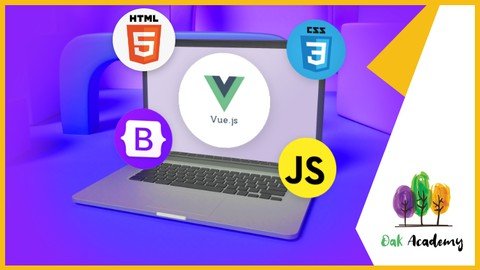
Vue Complete Course with Javascipt, HTML, CSS, BOOTSTRAP
Genre: eLearning | MP4 | Video: h264, 1280x720 | Audio: AAC, 48.0 KHz
Language: English | Size: 6.52 GB | Duration: 20h 16m
Vue Js and Javascript with real Vuejs projects. Learn Vue.js with JS and Frontend Web Development | HTML, CSS, BOOTSTRAP

What you'll learn
How to create Web Application with Vue, Vue JS.
Vue, vue js, vuejs, nuxt, vue .js, vue 3, nuxt js, vuex.
What is Vue JS?
Most important Vuejs topics.
How to create multi-page web app with vue-router in vue js.
How to manage the data of our application with the vuex.
How to easily build the largest and most advanced applications using vue and vuex.
Whether you're building a full single-page application or merely add interactivity to your existing app, Vue js has a spectrum of tools to help you.
If you're looking for a JavaScript web framework that isn't going to drown you in complexity, take a look at Vue js.
Vuejs takes what other frameworks have done before, but does it in a way that's fresh and easy-to-use
What are Javascript variables, why are they used
What is Javascript Boolean Logic
How to include JS File in HTML CSS Javascript
What is conditional statements (if else, switch case, ternary operator), how to use in Javascript
How to write Javascript Functions, what are the differences between Function Decleration and Function Expression
What is Javascript loops (for loops, while loops, continue and break statements), how to use them
How to create Javascript Arrays, Array methods (push, pop, shift, unshift ...), Array iteration
How to create Javascript objects, how to update them, object methods
What is DOM, how to manipulate DOM in Javascript
JavaScript is a text-based computer programming language used to make dynamic web pages.
What is JavaScript? JavaScript is a curly-braced, dynamically typed, prototype-based, object-oriented programming language.
JavaScript is the programming language that allows users to interact with the websites that they're visiting, making it a very important language for webdevelop
What are the main uses of JavaScript? JavaScript is a text-based programming language used for client- and server-side development.
React vs. Angular vs. Vue: what is the best JavaScript framework? Choosing the best JavaScript framework for your web project depends on what you are lookingfor
What is JSON and what is it used for? Because of the evolution of the JavaScript language, JavaScript has a variety of techniques for creating objects.
With all of the different JavaScript IDEs available, the best option depends on how you intend to use it, along with your personal preferences.
Learn Bootstrap 4 and UIs from scratch
Learn to use the latest HTML5 and CSS3 to add unique styling to Bootstrap
Learn and create amazing high quality Bootstrap 4 themes and UIs from scratch
Master every single Bootstrap component
Learn to compile Sass in the easiest way possible using a GUI
Get a crash course of the Bootstrap Grid System with the theme layout
Learn how to add Website Scrolling Animation to any Bootstrap Component or HTML Element
HTML & CSS
Learn to create static HTML sites
We will improve our knowledge step by step by learning the basics of CSS
We will learn to place pages in the easiest way by talking about all layout models in CSS
Create a beautiful, responsive landing page for any one
It will be much easier to prepare web pages with Grid CSS and Flexbox features
You will learn to use basic tags which are used commonly
You will be able to prepare lists in different formats
Learn the difference in usage between block level and inline elements in HTML
By learning the use of HTML table, you will be able to create different designs of your own
You will be able to create commonly used user login and registration pages by learning the form structure.
In the developing world, we will talk about all the details about web design compatible with different screens.
As with all of our courses, you will learn by doing too many hands-on examples.
Bootstrap is a free frontend web development framework for creating responsive websites.
Bootstrap promotes a mobile-first approach to web design, offering a suite of templates and components that automatically render for use on any device.
HTML, or hypertext markup language, is computer code used to create web pages and emails. Web developers, email marketers, web writers, and many others use HTML
HTML stands for hyper-text markup language. Whether on a mobile device or a computer, every website that you browse is designed with HTML.
HTML is a formatting language, not a programming language. Javascript is often necessary to make HTML "dynamic."
Learning how to code HTML without also learning CSS is like learning how to read but not write.
What is Cascading Style Sheets (CSS)? CSS or Cascading Style Sheets is a style sheet language used to style markup language.
CSS applies to any career that involves web development. Web designers create the templates, mockups, and styles for a website using HTML and CSS
Requirements
How to easily build the largest and most advanced applications using vue, vue js and vuex.
Desire to learn about vue, vue js, vuejs, nuxt, vue .js, vue 3, nuxt js, vuex.
Desire to learn Javascript and Javascript Projects.
Desire to build web site with html css bootstrap.
This course will take you from scratch to the advanced level.
Watching the lecture videos completely, to the end and in order.
Determination and patience to learn.
Willingness and Motivation to successfully complete the training
Desire to learn Modern Javascipt.
Desire to learn javascript libraries; React, Angular, NodeJS.
Desire to learn Bootstrap 4 and develop bootstrap 4 projects
Desire to learn Javascript Apps
No prior Bootstrap, HTML CSS knowledge needed
You will be learning bootstrap from scratch
Desire to learn HTML, CSS, Bootstrap
Computer with access to the internet
Nothing else! It's just you, your computer and your ambition to get started today.
Description
Vue, vue js, vuejs, nuxt, vue.js, vue 3, nuxt js, veux, javascript, javascript projects, front end web development,
bootstrap, bootstrap 4, bootstrap project, html, css, full stack web development, full stack development, web development,
Hello,
Welcome to the " Vue from Scratch with Real Life Vue JS Web Applications " course.
Vue with basic Vue js applications. Vue.js is a popular frontend JavaScript Framework. Learn vuejs, become vue developer.
Vue (pronounced like view) is a frontend development framework for JavaScript (JS) that you can use to build web-based user interfaces. You can also use vue js to create one-page applications and handle animations, interactive elements, and graphics. Generating projects is also possible with the user-built presets, which is commonly applicable for coders working in enterprise environments. Because vuejs is based on JavaScript, you can easily integrate Vue into an existing JS project.
Whether you're trying to build a full single-page application or merely add a bit of interactivity to your existing app, Vue.js has a spectrum of tools to help you get your job done, and that course can help you get up and running quickly.
If you're looking for a JavaScript web framework that isn't going to drown you in complexity, take a look at Vue.js. Vue.js takes what other frameworks have done before, but does it in a way that's fresh and easy-to-use. Using Vue.js lets you focus your application rather than on your framework.
JavaScript is a very important programming language for internet applications.
Here's how a JavaScript code works, not just how it works. Because in today's JavaScript world, besides writing a code, you need to know how to debug this topic and be able to read every written JavaScript code.
Join more than 12 million learners and train up on JavaScript on Udemy. Choose from a wide range of top-rated JavaScript courses. From back-end development to app or website building, we've got you covered. Our real-world experts can lead you through hands-on projects to apply your skills.
JavaScript is a text-based computer programming language used to make dynamic web pages. A must-learn for aspiring web developers or programmers, JavaScript can be used for features like image carousels, displaying countdowns and timers, and playing media on a webpage. With JavaScript online classes, you can learn to build interactive web applications, choose the best framework, and work with other programming languages like HTML and CSS.
JavaScript is a curly-braced, dynamically typed, prototype-based, object-oriented programming language. It started as the programming language for the web and is one of the three layers of standard web technologies - the other two being HTML and CSS. JavaScript allows you to create and control content dynamically on a web page without requiring a page reload.
Whether you're interested in mastering responsive web design, creating WordPress templates using Bootstrap, or integrating Bootstrap with HTML5, and CSS3, Oak Academy has a top-rated course to help you achieve your goals.
Bootstrap is a free frontend web development framework for creating responsive websites. Bootstrap promotes a mobile-first approach to web design, offering a suite of templates and components that automatically render for use on any device.
HTML, or hypertext markup language, is computer code used to create web pages and emails. Web developers, email marketers, web writers, and many others use HTML. Whether on a mobile device or a computer, every website that you browse is designed with HTML.
HTML isn't a "programming language," but rather a "formatting language." It tells a browser how to display text, images, and other media elements.
Learning how to code HTML without also learning CSS is like learning how to read but not write. All of your hard web development work is lost if you don't optimize it for different screen sizes. Udemy has top-rated courses to show you how CSS helps you do just that.
Consider the devices that you use to access the internet on a daily basis. You'll notice that there isn't a standard screen size. Without CSS, rendering a website's text, layout, and design for these discrepancies in screens would be impossible. CSS is the backbone of all website styling work, and is rightfully considered a cornerstone of internet technology.
CSS or Cascading Style Sheets is a style sheet language used to style markup language. Markup languages include HTML, XHML, XML, and other XML-based languages. The most common use of CSS is to style HTML web pages. Although HTML doesn't need CSS to function, every web page would look the same without it. With CSS, you can target specific elements in a web page and change the look and arrangement on the page. CSS can make an embedded image small or cover the entire webpage as a background. You can enlarge a heading and apply a specific font to stand out from the rest of the page.
In this course you will learn to develop web applications with Vue JS, Vuex from scratch.
If you are thinking to realize your dream web application, this course is for you.
We have explained Vue and Vuex from beginner to all levels. We have explained all the topics as simple as possible with examples, slides, and diagrams.
We have created a lot of projects while explaining the subjects. Because we believe that applied educations are much more useful than other teaching methods.
We explained all the subjects with simple examples and applications, and explanatory diagrams in a way that the student can understand at all levels.
In this tutorial you will learn;
How to create Web Application with Vue JS.
Most important Vue JS topics.
How to create multi-page web app with vue-router.
How to manage the data of our application with the vuex.
How to easily build the largest and most advanced applications using vue and vuex.
How you can operate on variables in javascript,
Boolean logic in javascript,
How to create a conditional statement in javascript,
How you can perform transactions with Loops in javascript,
How a function is created and why it needs arguments in javascript,
How Arrays and Objects, which are basic data structures, are created in javascript,
How DOM Manipulation is done in javascript,
You will have learned and have the opportunity to test what you have learned with the code quizzes in our course.
Learn to use the latest HTML5 and CSS3 to add unique styling to Bootstrap
Learn and create amazing high-quality Bootstrap 4 themes and UIs from scratch
Master every single Bootstrap component
Learn to compile Sass in the easiest way possible using a GUI
Get a crash course of the Bootstrap Grid System with the theme layout
Learn how to add Website Scrolling Animation to any Bootstrap Component or HTML Element
What is Vue JS?
Vue (pronounced like view) is a frontend development framework for JavaScript (JS) that you can use to build web-based user interfaces. You can also use it to create one-page applications and handle animations, interactive elements, and graphics. Generating projects is also possible with the user-built presets, which is commonly applicable for coders working in enterprise environments. Because it is based on JavaScript, you can easily integrate Vue into an existing JS project. Vue uses the traditional Model-View-Controller (MVC) architecture, which means that the core library of Vue.js focuses on the view layer by default. It enforces a one-way data flow between components. This also makes it easy for you to integrate with other libraries or existing projects. Vue also uses virtual DOM (Document Object Model), which makes it faster than regular DOM. Instead of re-rendering the whole page, Vue only updates the objects that you change.
What is the difference between Vue and React?
Although Vue has an MVC architecture, you cannot use it with a different architectural approach, which differs from the Component Based Architecture (CBA) used in React. They also differ in how they optimize data. When a component's state changes in React, it triggers the re-render of the entire component sub-tree, starting at that component as the root. Vue automatically tracks a component's dependencies during its render, so the system knows which components actually need to re-render when the state changes. In React, everything is in JavaScript. Vue, on the other hand, embraces web technologies like HTML, CSS, and JavaScript and allows you to build off of them. Another difference between these frameworks is how you can scale up your projects. React only offers a single template that assumes you're building a single-page application, while Vue offers several default options for multiple purposes and build systems.
Is Vue JS easy to learn?
Vue JS can be easy to learn. Unlike other frontend technologies, Vue doesn't require in-depth knowledge of libraries. If you want to start learning Vue, all you need to have is basic knowledge of HTML, CSS, and JavaScript. Compared to other coding technologies, developers typically classify Vue.js as having an easy learning curve. This is due largely in part to Vue's reputation for having an elegant programming style and patterns. Because Vue is a progressive framework, it makes it easy for you to use it to integrate into an existing project. Because of its familiar templating syntax and use of components, you may find that integrating or migrating existing projects to Vue is fairly straightforward. Vue is known for offering a vast ecosystem of tools and companion libraries, making it a simple framework that you can use to respond to the complex needs of enterprise-grade applications.
What is Vuex used for?
Vuex is a state management pattern + library for Vue. js applications. It serves as a centralized store for all the components in an application, with rules ensuring that the state can only be mutated in a predictable fashion.
What is difference between Vue and Vuex?
Vue is a progressive Javascript framework and Vuex is the state management tool. We can use redux or flux inside Vue, But Vuex is native to the Vue.
Why do I need Vuex?
Vuex is a popular way to handle a complex app's authentication in Vue. With Vuex, you're able to handle the token's availability and access controls and route blocks throughout your app. Mutations, getters, and setters assist with this task.
How does Vuex store work?
It works by having a central store for shared state, and providing methods to allow any component in your application to access that state. In essence, Vuex ensures your views remain consistent with your application data, regardless of which function triggers a change to your application data.
When Should I Use It?
Vuex helps us deal with shared state management with the cost of more concepts and boilerplate. It's a trade-off between short term and long term productivity.
If you've never built a large-scale SPA and jump right into Vuex, it may feel verbose and daunting. That's perfectly normal- if your app is simple, you will most likely be fine without Vuex. A simple store pattern (opens new window)may be all you need. But if you are building a medium-to-large-scale SPA, chances are you have run into situations that make you think about how to better handle state outside of your Vue components, and Vuex will be the natural next step for you.
What is JavaScript?
JavaScript is a curly-braced, dynamically typed, prototype-based, object-oriented programming language. It started as the programming language for the web and is one of the three layers of standard web technologies - the other two being HTML and CSS. JavaScript allows you to create and control content dynamically on a web page without requiring a page reload. Web browsers are able to interpret it, and when triggered by events, modify the HTML and CSS of a web page with dynamic updates. JavaScript also uses asynchronous calls to fetch data from web services in the background. Although it was initially only used in web browsers, JavaScript engines have since been put to use as servers with Node.js, included in desktop application frameworks like Electron, and embedded in phone frameworks like Apache Cordova.
Why is JavaScript important?
JavaScript is the programming language that allows users to interact with the websites that they're visiting, making it a very important language for web developers to know. In the past, most developers focused on the backend; JavaScript was only relevant when they needed to use visual effects. As web development evolved and the focus shifted towards user experience, programmers started to rely on JavaScript for their frontend code heavily. Today, most sites use JavaScript to fetch and submit data, use logic, and generate HTML in browsers. JavaScript can also communicate asynchronously with data servers in the background without interrupting the user interaction in the foreground. These features make JavaScript not only an important language but a necessary language for modern web development.
What are the main uses of JavaScript?
JavaScript is a text-based programming language used for client- and server-side development. Web developers have used JavaScript since its inception to add simple interactivity to web pages like modals, animated elements, or image slideshows. While that is still one of its pri**** uses, Javascript has evolved to building complete web applications. SPAs, or single page applications, depend on JavaScript-based frameworks like React, Angular, and Vue to bring a desktop-like application experience to the browser. However, it's important to note that web browsers aren't places that make good use of the programming language. Javascript is also popular for building web services and back-end infrastructure with Node.js. React Native, Xamarin, Ionic, and NativeScript frameworks use JavaScript for developing phone apps as well.
React vs. Angular vs. Vue: what is the best JavaScript framework?
Choosing the best JavaScript framework for your web project depends on what you are looking for. React is a popular framework, which means you will find a lot of community support if you need help. It is also considered relatively easy to learn but is being developed at a rapid pace. Angular is a framework that makes data binding easy so that you can template an application faster. It also uses the RxJS library to simplify asynchronous programming and Typescript (which compiles to JavaScript) for a cleaner, less error-prone development process. Some cons of Angular are that it can have a steep learning curve and can be complex. Vue is a lightweight framework, so it is easy to learn, very performant, and flexible. Some cons of Vue are limited plugins, and its flexibility can lead to irregular code.
What is JSON and what is it used for?
Because of the evolution of the JavaScript language, JavaScript has a variety of techniques for creating objects. But, ultimately in the background, JavaScript is using a syntax called JSON. JSON stands for JavaScript Object Notation and is a standard text-based format used to represent objects in JavaScript. The same basic types of data represented in Javascript can also be represented in JSON, including strings, numbers, arrays, booleans, and JavaScript objects. Although JSON is based on the JavaScript object, it is not just used in JavaScript. It is also used as a format to transfer data from a web browser to a server and vice versa because of the format's simplicity and small size. The JSON format is used in REST APIs for this purpose and has replaced XML as the standard format for many APIs. Because of this, just about any language you use will have a method of converting data into JSON to interact with REST APIs.
What is AJAX and what is it used for?
AJAX stands for Asynchronous JavaScript and XML. AJAX is a technology that developers use to create better, faster and more interactive web applications. AJAX uses XHTML for content, CSS to style the page, and JavaScript for controlling content dynamically. AJAX allows you to update a web page without reloading the page (this technique is called a "SPA" or Single Page Application), request data for the page after it has loaded, receive data after the page has loaded, and send data to the server in the background. Despite XML being part of the acronym that makes up AJAX, AJAX can send and receive data in any format, including JSON or plain text. While traditional web applications use synchronous methods to send and receive information from a web server, AJAX can use asynchronous API calls in the background without blocking activity in the browser. AJAX is a data-driven rather than a page-driven technology.
How can I teach myself Javascript?
One of the best ways to learn to write code is through an online course that teaches you how to write JavaScript with an instructor that will explain the code, what versions you should use, and why. Learning to develop a real-world application, with an instructor explaining in a step-by-step fashion, will teach you modern code techniques.
What is the best IDE for Javascript?
With all of the different JavaScript IDEs available, the best option depends on how you intend to use it, along with your personal preferences. Webstorm is a popular JavaScript IDE from JetBrains. It provides fast static code analysis, integrated testing, local history, code refactoring, and debugging. While the IDE requires a paid subscription, many developers swear by it because of its compatibility with JavaScript, HTML, and CSS. Those searching for a free option might prefer VS Code. This general-purpose, open-source IDE comes with IntelliSense, Git integration, and debugging features built-in. Many third-party extensions are available to add new language and programming features, making it one of the more flexible choices. Atom is another general-purpose IDE that is popular with JavaScript developers. It is also free, open-source, and has third-party extensions to add functionality.
What is HTML and why is it important?
HTML stands for a hyper-text markup language. Whether on a mobile device or a computer, every website that you browse is designed with HTML. HTML isn't a "programming language," but rather a "formatting language." It tells a browser how to display text, images, and other media elements. When HTML was first developed, it was fairly simple. For example, the text on a page could be bolded, italicized, or underlined, and images could be resized and aligned. Today, HTML is much more complex and dynamic, allowing front-end developers to create any layout or setup they desire.
Why is CSS and Javascript important for HTML?
HTML is a formatting language, not a programming language. Javascript is often necessary to make HTML "dynamic." While HTML can make it so that text is displayed on the screen, Javascript can update this text or make it move. Javascript is used for both front-end and back-end development, hand-in-hand with HTML, to create complex and attractive web designs. Meanwhile, CSS (Cascading Style Sheets) are used to organize the look and feel of a website and make the website easier to update and manipulate. Today, HTML, CSS, and Javascript are frequently used to develop responsive web designs - designs that react to a user's environment for a better user experience.
What is an HTML element and why is it important?
HTML is designed on a modular basis, meaning every part of the web page has a specific "place." An HTML element is a part of the page. Common HTML elements include "<p>" for a "paragraph" and "<title>" for the "title" of the page. In fact, the entirety of the HTML page is within the "<html>" element. Elements are begun and ended with tags, so a title would be written: "<title>This is the Title to the page.</title>" Organizing code this way makes it easier to reference and control. Each element may also have characteristics. For instance, the "<p>" (paragraph) tag can be aligned in a certain direction. These are the basic building blocks of HTML and what most designers should learn first.
Is HTML a programming language?
HTML is not considered a programming language but rather a markup or formatting language. This is an important distinction. Formatting languages merely control how things are displayed on a visual level, whereas programming languages are more dynamic; they use logic gates to determine the behavior of a program. But there is some crossover. "DHTML," for instance, refers to Dynamic HTML. It is a type of HTML augmented by Javascript to make it easier to adjust on the fly. Because HTML, Javascript, and CSS are so frequently used together, they can often be folded together, which can contribute to some confusion regarding whether HTML is a programming language.
Is HTML hard to learn?
HTML is known as one of the easiest languages to learn. It's also one of the most ubiquitous. Many individuals interested in front-end, back-end, or full-stack development will learn HTML first. While HTML is largely intended for websites as a language, it is also used in many other programs. For example, when you create an email signature, you will usually be using HTML. Emails themselves use a combination of HTML and CSS. An advantage (and an occasional double-edged sword) to HTML is that it is very forgiving. You can get some HTML wrong, and your page will still be displayed, if not exactly how you want it to be.
What jobs use HTML?
Nearly any development or design job will require a cursory understanding of HTML. HTML has also evolved dramatically since it was originally developed; it is far more complex and standardized than before. Because of this, even those who have been experts in HTML during their career may need to undergo an HTML refresher periodically. Most jobs that require HTML will involve web design, web development, or layout and design. For example, someone who manages a content management system such as WordPress may not need to know any other programming languages but should still know HTML basics. Similarly, someone who formats online newsletters or an online magazine in an administrative capacity may not need to be a web designer or web developer but might need to understand the principles of HTML.
What is responsive design?
Responsive design is a new type of design intended to respond to the platform and environment that a user is on. When HTML was created, most people used PCs. Today, people can browse a website on a PC, phone, tablet, or even a game console. In the past, developers created separate sites for "desktop" and "mobile." While it worked, it wasn't easy to maintain. Rather than creating separate sites, responsive design generates the site based on the environment it detects. This greatly reduces the amount of development and maintenance for the site. Responsive design is generally achieved with a combination of HTML, CSS, and Javascript.
What is Cascading Style Sheets (CSS)?
CSS or Cascading Style Sheets is a style sheet language used to style markup language. Markup languages include HTML, XHML, XML, and other XML-based languages. The most common use of CSS is to style HTML web pages. Although HTML doesn't need CSS to function, every web page would look the same without it. With CSS, you can target specific elements in a web page and change the look and arrangement on the page. CSS can make an embedded image small or cover the entire webpage as a background. You can enlarge a heading and apply a specific font to stand out from the rest of the page. Other things you can do with CSS include changing the color of elements, making elements float to one side of the page, and the list goes on. Every web page uses HTML, and every web page that has its unique look uses CSS.
What careers use CSS?
CSS applies to any career that involves web development. Web designers create the templates, mockups, and styles for a website using HTML and CSS that web developers use to build websites. Front-end web developers use CSS with HTML and JavaScript to build front-end web applications that run in the browser. Fullstack web developers create both the part of a web application that runs in the browser and on the server and need to know CSS to make the front-end look good. Content managers may need to know CSS to apply custom styles to articles they publish through a content management system like WordPress. Other job titles that may require you to know CSS include junior web developer, social media manager, website editor, content editor, website project manager, website support specialist, and webmaster.
What skills should I have before learning CSS?
Before learning CSS, you should know the basics of using a computer and how to use a text editor because that is where you will be writing CSS. You should also be familiar with web browsers for browsing the web because it will inform your use of CSS. Since you may end up using specialized tools to write CSS, you should know how to install software on your computer and create and manage files and folders on your computer so you can create a CSS project. Once you have those skills down, the next thing to learn is HTML; after all, CSS is nothing without an HTML page to apply styles. That should be the basics you need to know to get started with CSS.
Fresh Content
It's no secret how technology is advancing at a rapid rate. New tools are released every day, Vue updates its system, and it's crucial to stay on top of the latest knowledge. With this course, you will always have a chance to follow the latest trends.
Video and Audio Production Quality
All our content is created/produced as high-quality video/audio to provide you with the best learning experience.
You will be,
· Seeing clearly
· Hearing clearly
· Moving through the course without distractions
You'll also get
Lifetime Access to The Cours
Fast & Friendly Support in the Q&A section
Udemy Certificate of Completion Ready for Download
Dive in now into;
" Vue Complete Course with Javascipt, HTML, CSS, BOOTSTRAP
Vue Js and Javascript with real Vuejs projects. Learn Vue.js with JS and Frontend Web Development | HTML, CSS, BOOTSTRAP. "
We offer full support, answering any questions.
See you on the other side!
Who this course is for
Who wants to learn Vue with Vue js applications from scratch.
Who wants to learn Vue, vue js, vuejs, nuxt, vue .js, vue 3, nuxt js, vuex.
Who wants to learn how to create websites with Vue
Anyone who trying to learn JavaScript but: 1) still don't really understand JavaScript, or 2) still don't feel confident to code real apps
Who wants to learn today's most popular front-end architectures and take their Web development skills to the next level and learn a future-oriented technology.
Take this course if you want to gain a true and deep understanding of JavaScript
If you're interested in using a library/framework like React, Angular, Vue or Node in the future
Those who want to learn the basics of JavaScript, the world's most popular programming language
If you want to get started with programming: JavaScript is a great first language!
People who want to learn Javascript projects
People who want to learn javascript libraries; react, angular, nodejs
People who want to learn javascript project, react node project, node js projects
If you want to learn HTML 5 and CSS 3, Bootstrap 4 the first step in web development, completely and easily, you are at the right place.
If you want to learn to build beautiful responsive websites with the latest Bootstrap version, Flexbox, HTML5, and CSS3!
People who are willing to make a career in the Web Development
If you want to building your own website, you should enroll
Anyone who want to learn html css bootstrap
Anyone who develop front end web development by using bootstrap
People who want to develop html, css, bootstrap 4 projects
Screenshots












gwk6tdYaoVtADaJGtq8gA3Tj1a69LrUR.jpg

X86 Assembly Programming
Genre: eLearning | MP4 | Video: h264, 1280x720 | Audio: AAC, 48.0 KHz
Language: English | Size: 933 MB | Duration: 1h 35m
Learn How to Master Assembly Language

What you'll learn
X86 Assembly Language
Intel 8086 and 80386 Architectures
Stack Overflow Attacks
Requirements
Linux Command Line
Description
During this class you will learn X86 Assembly Language, the 8086 and 80386 Intel Architectures, and everything you need to know about the Stack: What is the Stack ? What are procedure calls and how procedure Calls are using the Stack to operate? How to allocate C data structures in Memory ? And How Hackers use code vulnerabilities to operate Stack Overflow Exploits and how to protect your code against such attacks. What are SSE Instructions and how to use them ? This is the ideal class to start learning X86 Assembly, understand how compilation works and how your computer compiles and executes C code. During the class we will also review multiple code examples and debug them using Gnu Debugger GDB debugging tool. The compilation process will be reviewed and we will go in details into the disassembled code to see how it works. All major X86 Instructions types will be explained, as for example: jump instructions, arithmetic instructions, mov instructions and more. The end of the class will be dedicated to stack overflow attacks, and how to prevent vulnerable code to be exploited by attackers. Requirements for the class is a working linux system. We will go through the steps of how to install gdb and start turning C code into assembly code for debugging. All major GDB commands will be listed so that a comprehensive view of GDB is given.
Who this course is for
Electrical Engineering students
Computer Science students
Anyone who wants to learn about Assembly Programing and Intel Architectures
Screenshots


th_nrCmaOippV93xpWYgz7HOHSK2kNdczCq.jpg

Xcode 13 Essential Training
LinkedIn Learning
Duration: 1h 45m | .MP4 1280x720, 30 fps(r) | AAC, 48000 Hz, 2ch | 916 MB
Genre: eLearning | Language: English​

Have you ever wanted to dive into Apple platform development, but didn't know where to start? In this beginner-friendly course, senior iOS app developer Todd Perkins teaches you everything you need to know about Xcode, ramping up your technical skill set to start writing and editing Xcode in as little as a few hours.
Explore the major features of Xcode 13, the integrated development environment for developers of macOS, iOS, watchOS, and tvOS apps. Get tips on setup and configuration, efficient coding with SwiftUI, prototyping, source control, and more. Unlock the power of Xcode Interface Builder, the intuitive built-in app that allows you to create and customize user interfaces in storyboards of your own design. Along the way, Todd shows you how to compile, debug, and test your app so you can fix errors in your code as you go.
Homepage
Screenshots


Zurück
Oben Unten