• Regeln für den Video-Bereich:

    In den Börsenbereich gehören nur Angebote die bereits den Allgemeinen Regeln entsprechen.

    Einteilung

    - Folgende Formate gehören in die angegeben Bereiche:
    - Filme: Encodierte Filme von BluRay, DVD, R5, TV, Screener sowie Telesyncs im Format DivX, XviD und x264.
    - DVD: Filme im Format DVD5, DVD9 und HD2DVD.
    - HD: Encodierte Filme mit der Auflösung 720p oder darüber von BluRay, DVD, R5, TV, Screener sowie Telesyncs im Format x264.
    - 3D: Encodierte Filme von BluRay, die in einem 3D Format vorliegen. Dies gilt auch für Dokus, Animation usw.
    - Serien: Cartoon/Zeichentrick, Anime, Tutorials, Dokumentationen, Konzerte/Musik, Sonstiges sind demnach in die entsprechenden Bereiche einzuordnen, auch wenn sie beispielsweise im High Definition-Format oder als DVD5/DVD9/HD2DVD vorliegen. Ausnahme 3D.
    - Bereich Englisch: Englische Releases gehören immer in diesen Bereich.
    - Bereich Talk: Der Bereich, in dem über die Releases diskutiert werden kann, darf, soll und erwünscht ist.


    Angebot/Beitrag erstellen

    - Ein Beitrag darf erst dann erstellt werden, wenn der Upload bei mindestens einem OCH komplett ist. Platzhalter sind untersagt.
    - Bei einem Scenerelease hat der Threadtitel ausschließlich aus dem originalen, unveränderten Releasenamen zu bestehen. Es dürfen keine Veränderungen wie z.B. Sterne, kleine Buchstaben o.ä. vorgenommen werden. Ausnahme Serienbörse:
    - Bei einem Sammelthread für eine Staffel entfällt aus dem Releasename natürlich der Name der Folge. Beispiel: Die Simpsons S21 German DVDRip XviD - ITG
    - Dementsprechend sind also u.a. verboten: Erweiterungen wie "Tipp", "empfehlenswert", "only", "reup", usw. / jegliche andere Zusatzinformation oder Ergänzung, welche nicht in obiger Beschreibung zu finden ist.

    Aufbau des Angebots und Threadtitel

    Der Titel nach folgendem Muster erstellt zu werden. <Name> [3D] [Staffel] [German] <Jahr> <Tonspur> [DL] [Auflösung] <Quelle> <Codec> - <Group>
    Beispiel: The Dark Knight German 2008 AC3 DVDRip XviD - iND
    Beispiel: The Dark Knight 2008 DTS DL BDRip x264 - iND
    Beispiel: The Dark Knight 2008 AC3 DL BDRip XviD - iND
    Beispiel: The Dark Knight German 2008 AC3 720p BluRay x264 iND
    Beispiel: The Dark Knight 2008 DTS DL 1080p BluRay x264 iND
    Beispiel: Die Simpsons S01 German AC3 DVDRip XviD iND
    Beispiel: Die Simpsons S20 German AC3 720p BluRay x264 iND
    Beispiel: Sword Art Online II Ger Sub 2014 AAC 1080p WEBRip x264 - peppermint
    Entsprechend sind also u.a. verboten: Sonderzeichen wie Klammern, Sterne, Ausrufezeichen, Unterstriche, Anführungszeichen / Erweiterungen wie "Tipp", "empfehlenswert", "only", "reup", usw. / jegliche andere Zusatzinformation oder Ergänzung, welche nicht in obiger Beschreibung zu finden ist
    Ausnahmen hiervon können in den Bereichen geregelt sein.

    Die Beiträge sollen wie folgt aufgebaut werden:
    Überschrift entspricht dem Threadtitel
    Cover
    kurze Inhaltsbeschreibung
    Format, Größe, Dauer sind gut lesbar für Downloader außerhalb des Spoilers zu vermerken
    Nfo sind immer Anzugeben und selbige immer im Spoiler in Textform.
    Sind keine Nfo vorhanden z.B. Eigenpublikationen, sind im Spoiler folgende Dateiinformationen zusätzlich anzugeben :
    Quelle
    Video (Auflösung und Bitrate)
    Ton (Sprache, Format und Bitrate der einzelnen Spuren)
    Untertitel (sofern vorhanden)
    Hosterangabe in Textform außerhalb eines Spoiler mit allen enthaltenen Hostern.
    Bei SD kann auf diese zusätzlichen Dateiinformationen verzichtet werden.

    Alle benötigten Passwörter sind, sofern vorhanden, in Textform im Angebot anzugeben.
    Spoiler im Spoiler mit Kommentaren :"Schon Bedankt?" sind unerwünscht.


    Releases

    - Sind Retail-Release verfügbar, sind alle anderen Variationen untersagt. Ausnahmen: Alle deutschen Retail-Release sind CUT, in diesem Fall sind dubbed UNCUT-Release zulässig.
    - Im Serien-Bereich gilt speziell: Wenn ein Retail vor Abschluss einer laufenden Staffel erscheint, darf diese Staffel noch zu Ende gebracht werden.62
    - Gleiche Releases sind unbedingt zusammenzufassen. Das bedeutet, es ist zwingend erforderlich, vor dem Erstellen eines Themas per Suchfunktion zu überprüfen, ob bereits ein Beitrag mit demselben Release besteht. Ist dies der Fall, ist der bereits vorhandene Beitrag zu verwenden.
    - P2P und Scene Releases dürfen nicht verändert oder gar unter einem iND Tag eingestellt werden.


    Support, Diskussionen und Suche

    - Supportanfragen sind entweder per PN oder im Bereich Talk zu stellen.
    - Diskussionen und Bewertungen sind im Talk Bereich zu führen. Fragen an die Uploader haben ausschließlich via PN zu erfolgen, und sind in den Angeboten untersagt.
    - Anfragen zu Upload-Wünschen sind nur im Bereich Suche Video erlaubt. Antworten dürfen nur auf Angebote von MyBoerse.bz verlinkt werden.


    Verbote

    - Untersagt sind mehrere Formate in einem einzigen Angebotsthread, wie beispielsweise das gleichzeitige Anbieten von DivX/XviD, 720p und 1080p in einem Thread. Pro Format, Release und Auflösung ist ein eigener Thread zu eröffnen.
    - Grundsätzlich ebenso verboten sind Dupes. Uploader haben sich an geeigneter Stelle darüber zu informieren, ob es sich bei einem Release um ein Dupe handelt.
    - Gefakte, nur teilweise lauffähige oder unvollständige Angebote sind untersagt. Dies gilt auch für eigene Publikationen, die augenscheinlich nicht selbst von z.B. einer DVD gerippt wurden. Laufende Serien, bei denen noch nicht alle Folgen verfügbar sind, dürfen erstellt und regelmäßig geupdatet werden.
    - Untersagt sind Angebote, welche nur und ausschließlich in einer anderen Sprache als deutsch oder englisch vorliegen. Ausnahmen sind VORHER mit den Moderatoren zu klären.


    Verstoß gegen die Regeln

    - Angebote oder Beiträge, die gegen die Forenregeln verstoßen, sind über den "Melden"-Button im Beitrag zu melden.
  • Bitte registriere dich zunächst um Beiträge zu verfassen und externe Links aufzurufen.

*** Bestes IPTV *** bester Preis *** gratis Test ***


Englische Tutorials

9f07a306-b873-4ea3-b5e8-26f77b66cccb.png

Learn how to extract data from webpages using Python
Instructors: Bluelime Learning Solutions
3 sections • 22 lectures • 1h 51m total length
Video: MP4 1280x720 44 KHz | English + Sub
Updated 2/2022 | Size: 496 MB​

Automatically Extract and Scrape Data From Webpages Using Python Script
What you'll learn
Setup a Python Environment
Create and activate a virtual environment
Build Python Script
Prototype Python Script
Extract data from webpage with Python Script
Automatically save extracted data
Screenshots


kdl2KYRZpqdBleV73Sj90NMOjaenHhes.jpg

Learn the basics of CSS | Web Development Ninja | part 2
MP4 | Video: h264, 1280x720 | Audio: AAC, 44.1 KHz
Language: English | Size: 320 MB | Duration: 47m
In this course you will learn about CSS which stands for Cascading Style Sheet.
This course is the part 2 of web development ninja course.
Topics which is covered in this course are​

1. Introduction to CSS
2. CSS syntax
3. Using CSS in HTML file
4. CSS selectors
5. Colors in CSS
6. CSS comments
7. CSS background
8. CSS Box model
9. CSS borders and border-radius
10. Margins and Padding in CSS
11. CSS height and width
12. CSS hover effects
After that we will create a small project in which we will style a button using CSS
13. CSS position(absolute and relative)
14. CSS floats
After that we will create a navbar using HTML and CSS
Screenshots


SGRUjG83CdKo8ig3StG9O9Oflo1sfbfJ.jpg

Let's Create a Sudoku Game
Genre: eLearning | MP4 | Video: h264, 1280x720 | Audio: AAC, 44.1 KHz
Language: English | Size: 1.24 GB | Duration: 2h 12m
Create a web application from scratch

What you'll learn
Develop a game's logic in Javascript.
Develop a user interface for a game in html and css.
Managing game'f flow and difficulty levels.
Uploading the application to the cloud.
Requirements
Programming experience in Javascript.
Programming in html and css.
Description
Hi guys!
I want to take you on a programming journey that's truly useful but that's also really fun. And it starts with a game. sudoku!
I love playing sudoku. I play it while I'm at the bus stop or waiting to pick up my **** from school. really, whenever I have some dead time.
I also love to program. And the more I play sudoku, the more I start to think about how a sudoku program really works.
So naturally, I want to try it myself. and I want you to join me! Let's work this out together.
I've created this course to show you how to write a sudoku web app. from the absolute start to a finished application.
I'll show you how to develop a real medium-scale application, using a repeatable, reliable development process that you can apply to your own projects. We'll learn the things to consider during planning, design the solution, and build every stage by hand, learning how to both code and test efficiently and effectively.
I'll even show you how to upload the application to the cloud for the entire world to see!
If you are a computing science undergraduate or software engineer - if you're making your first steps in the tech world after a bootcamp or some courses - you're going to learn a ton from this real-world example.
If you are a developer who has never written web applications, you'll find this course very valuable and efficient.
In fact, every developer who wants to know how to handle a medium-sized project on the web will enjoy this course.
So if you've already learned javascript, html and css. Let's create a sudoku game
A quick note about coding!
When you'll see me coding during the course, it won't be the first time I've written those lines of code. So although you'll see me code things and -abracadabra! - everything works like magic, you know that that's not how things work in the real world.
You've probably already experienced the lengthy process of trial and error and debugging before we reach a final product. To maximize your time, I don't ask you to watch the full-length, real-time debugging experience.
But I do recommend that, after each module you've seen me code, you take the time to try to replicate the code by yourself, or maybe take my code and add some improvements of your own. This way you will really understand what you are doing and more important - how to solve problems and bugs when you encounter them.
Happy coding!
Who this course is for
Software developers who want to learn new skills.
Developers who want to learn how to develop an end-to-end web application.
Developers who want to show their products to the world via the cloud.
Screenshots


007f081a_medium.jpg

Maintainable Code with Java Examples
MP4 | Video: h264, 1280x720 | Audio: AAC, 44.1 KHz, 2 Ch
Genre: eLearning | Language: English + srt | Duration: 49 lectures (1h 29m) | Size: 487.1 MB

How to write easy to maintain and extend code with Java Examples
What you'll learn
How to write maintainable code - code that is easy to maintain and extend
Core concepts related to code maintainability like: indirection, extract method, beautify code
How things like SOLID, Objects Calisthenics, Language speed and Architecture affect code maintainability
Which concepts related to Inheritance can help you and which stand in the way of writing easy to maintain code
How programming patterns affect Code Maintainability
In what ways you can write maintainable code, like TDD, High Level First, Continuous refactoring
Complementary concepts to programming that can help keep your code easy to maintain, like YAGNI, DRY, KISS, FOP
Requirements
You need to already know how to write code in Java
Description
I talk about a number of concepts in this course that should make your code easier to maintain.
You might want to use some of these concepts and you might want to ignore others.
But if you know what is going on, you are not developing in the dark.
In programming, unlike photography, this is not something you should do.
The course is split into seven sections.
The first section is the introduction.
In the second section I talk about close to the code concepts, like indirections, small functions and beautify code.
In the third section I talk about larger groups of concepts and how they relate to maintainability.
I present things like SOLID programming, Object Calisthenics and language speed through the code maintainability lenses.
In the fourth section I talk about how Inheritance affects maintainability.
I explain things like why Encapsulation and Modeling will help you and why you should be careful when using inheritance and polymorphism.
In the fifth section I talk about how programming patterns relate to maintainability.
I try bring attention to pattern types and I recommend using the simple ones and staying away from the complex ones.
In the sixth section I talk about ways of writing maintainable code.
I describe and recommend things like Test Driven Development, High Level First and Continuous Refactoring.
In the seventh section I talk about concepts complementary to programming that can help you write maintainable code, like Yagni, Dry, Kiss and Fop.
Here is a more in-depth list of things you will learn about in each lecture
Small everything - The most important principle of maintainable code is to work with small units of code: small methods and small classes.
Indirection - In this lecture I talk about indirection, a very useful principle that stands at the core of maintainable code together with Small everything. From indirection we can deduce useful principles and refactoring techniques like beautify code and extract method.
Extract method and extract class - Extract method and Extract class are the most important refactoring techniques you need to know.
Beautify Code - Make code easier to read and understand using indirection.
Naming things to express intent - Names are our tool to express almost with free speech what we are doing in our code.
Less parameters is better than more parameters - I talk about how the number of parameters is important and how you can bring that number down.
Single responsibility principle extended - I talk about the most important concept in SOLID programming, SRP and how it can be extended as a concept even to row level.
One to One principle - A lot of good programming principles seem to have one thing in common: they can be represented as one to one relationships.
Low coupling High Cohesion - I talk about how it's good to keep you classes and methods decoupled but with high cohesion.
Command and query separation - You can separate your methods in two types: commands and queries. I talk about how to make this separation and what are the benefits.
Tell don't ask - Tell your objects what to do, don't ask what their state is.
The law of Demeter - Only use objects that were available when your method started.
Coding good practices - Close to the code practices that help keep your code maintainable.
Code Smells - A code smell indicates that something is wrong in your code. Some of them repeat themselves often and have names.
If and Boolean functions - "If" and "Boolean functions" deserve special attention when talking about maintainable code.
Programming languages particular features are dubious - There is something common in programming languages. Some sort of common programming language. I think this commonality is good and should be used a lot at the expense of particular language features.
SOLID programming - In this lecture I discuss SOLID programming and which principles I think are good and important and which not so much.
Objects Calisthenics - Object calisthenics are a set of strict programming principles created by Jeff Bay, that might help your code be more maintainable.
Optimization, language speed and maintainable code - I explain why language speed is not important for most projects.
Maintainability scarcity - Time is expensive. Here I explain why and a bit how to focus refactoring on the areas of the project where it will bring the most benefit.
Maintainability architecture - I am in favor of writing code, building unit tests and refactoring over upfront architecture.
Encapsulation is a friend - Objects should keep their internals to themselves.
Abstraction (modeling) is a friend - Taking entities from the real world and abstracting them into classes makes it easier for the mind to understand what is going on in code.
Composition is a friend, inheritance is not - Classes should use other classes, not inherit them, to avoid complex entangling.
Polymorphism - it's complicated - I recommend staying away from polymorphism, due to the complexity it ads, because of it's magic nature.
Data classes are a thing and they are OK - Data objects are useful just as they are, they don't need to pretend to be classical oop objects.
Know the pattern types - There are different pattern types and I think that this is important.
Use Simple patterns - It's good to know and use simple programming patterns.
Stay away from Complex patterns - Complex and hard to understand patterns are not something you want to use.
Maintainability through tests - Tests, especially unit tests, are a core pillar for writing maintainable code.
TDD - Test Driven Development is takes time and patience but is rewarding.
High Level First - I like to write code by first writing method calls to methods that don't exist yet. This way I lay out the entire high level algorithm just with method names. After that I finish up by writing the body of the methods.
Refactoring - Refactoring is an important pillar in keeping the code maintainable.
Continuous refactoring - Always refactor when going through code.
Refactor for simplicity - A special type of refactoring that I like is to refactor the code to make less complex.
Big refactoring - Care must be taken when doing big refactoring.
Complementary concepts - Concepts that are not necessary closely related to writing code.
Yagni - You ain't gonna need it.
Focus on the present (FOt6P) - Focus on the present is a good mindset when deciding what functionality to implement.
Dry - Don't repeat yourself to avoid WET - wasting everyone's time.
Kiss - Keep it simple stupid.
The 80/20 rule - 80% of effects come from 20% of causes.
Worse is better - A worse, simpler, product might be more useful than a more complex one.
Who this course is for
Senior developers who already understand the importance of writing easy to maintain code
Intermediate developers. They will benefit a lot from learning these concepts
Beginner programmers might have issues with some of the concepts but will benefit from being exposed to them
Homepage





 
th_rmSSV4BLRYRfdYLCTBEhE7kK6exm5Yzd.jpg

Making Your C# Code More Object-oriented
Zoran Horvat | Duration: 7h 04m | Video: H264 1280x720 | Audio: AAC 44,1 kHz 2ch | 1,25 GB | Language: English​

This course will help leverage your conceptual understanding to produce proper object-oriented code, where objects will completely replace procedural code for the sake of flexibility and maintainability.
Programmers do have conceptual understanding of OO concepts, but often fail to turn that into a proper object-oriented code. In this course, Making Your C# Code More Object-oriented, you'll learn how to create proper object-oriented code. First, you'll learn how to avoid branching and looping. Next, you'll learn how to avoid Boolean expressions. Finally, you'll learn how to make domain logic implementation dynamic and configurable. By the end of this course, you'll be able to recognize your own error of the past and build more correct coding style.
Homepage


CFgjfgyBiMo5q9Y6T0dFiqgSXACH0lSi.jpg

Microsoft Power Automate for beginners
MP4 | Video: h264, 1280x720 | Audio: AAC, 44.1 KHz
Language: English | Size: 397 MB | Duration: 1h 12m
Automate repetitive tasks by Creating automated workflows with Microsoft Power Automate
What you'll learn​

Learn what Power Automate is and how it can be used
Create a flow that automatically adds data from another data source.
Learn how to create a button flow to send yourself a reminder
Create a flow that runs on a schedule
Create a flow to send push notification when files are added to a location,
Share a flow that your team can use
Import and export flows
Requirements
Signed up for Power Automate
Have a OneDrive for Business account
Description
Power Automate is an online workflow service that automates actions across
the most common apps and services. For example, you can create a flow that
adds a lead to Microsoft Dynamics 365 and a record in MailChimp whenever
someone with more than 100 followers tweets about your company.
When you sign up, you can connect to more than 500 services, and can
manage data either in the cloud or in on-premises sources like SharePoint and Microsoft SQL Server.
What can you do with Power Automate?
You can use Power Automate to automate workflows between your favourite applications and services, sync files, get notifications, collect data, and much more.
For example, you can automate these tasks
Instantly respond to high-priority notifications or emails.
Capture, track, and follow up with new sales leads.
Copy all email attachments to your OneDrive for Business account.
Collect data about your business, and share that information with your team.
Automate approval workflows.
A common use of Power Automate is to receive notifications. For example,
you can instantly receive an email or a push notification on your
phone whenever a sales lead is added to Dynamics 365 or Salesforce.
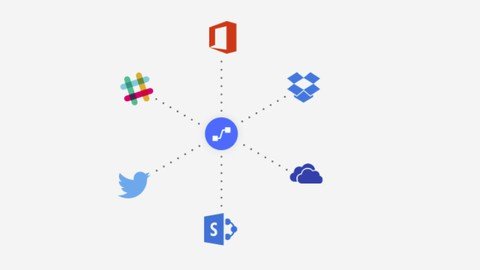
You can also use Power Automate to copy files. For example, you can ensure that any file that's added to Dropbox is automatically copied to SharePoint, where your team can find it.
Who this course is for
Beginners to Microsoft Power Automate
Screenshots


243e7cea-30c0-4a53-a42b-0c944d916047.png

Microsoft SQL Server for Beginners 2022
Instructors: Bluelime Learning Solutions
2 sections • 17 lectures • 1h 56m total length
Video: MP4 1280x720 44 KHz | English + Sub
Updated 2/2022 | Size: 589 MB​

SQL Server fundamentals
What you'll learn
Learn how to install Microsoft SQL Server
Create databases
Create tables
Insert data into database
Query database
Import data
Requirements
Basic knowledge of database concepts or Microsoft excel advised.
Description
SQL Server is a relational database management system, or RDBMS, developed and marketed by Microsoft.
Similar to other RDBMS software, SQL Server is built on top of SQL, a standard programming language for interacting with the relational databases. SQL server is tied to Transact-SQL, or T-SQL, the Microsoft's implementation of SQL that adds a set of proprietary programming constructs.
Database Engine
The core component of the SQL Server is the Database Engine. The Database Engine consists of a relational engine that processes queries and a storage engine that manages database files, pages, pages, index, etc. The database objects such as stored procedures, views, and triggers are also created and executed by the Database Engine.
Relational Engine
The Relational Engine contains the components that determine the best way to execute a query. The relational engine is also known as the query processor. The relational engine requests data from the storage engine based on the input query and processed the results.
Some tasks of the relational engine include querying processing, memory management, thread and task management, buffer management, and distributed query processing.
SQL Server has four pri**** editions that have different bundled services and tools. Two editions are available free of charge
SQL Server Developer edition for use in database development and testing.
SQL Server Expression for small databases with the size up to 10 GB of disk storage capacity.
For larger and more critical applications, SQL Server offers the Enterprise edition that includes all SQL server's features.
SQL Server Standard Edition has partial feature sets of the Enterprise Edition and limits on the Server regarding the numbers of processor core and memory that can be configured.
Who this course is for
Beginners to Microsoft SQL Server
Screenshots


ZXjjDOp0EdDSUUWCitsjXQjlcEExJV4S.jpg

Microsoft SharePoint for beginners
MP4 | Video: h264, 1280x720 | Audio: AAC, 44.1 KHz
Language: English | Size: 610 MB | Duration: 1h 44m
Build Websites with SharePoint online
What you'll learn​

Create a Sharepoint Site
Create a Sharepoint List
Create a Sharepoint Document Library
Create a Sharepoint Page
Create Sharepoint News Post
Create Sharepoint Spaces
Add Microsoft Planner to SharePoint Site
Requirements
No SharePoint experience required.
Description
SharePoint is a web-based collaborative platform that integrates with Microsoft Office. Launched in 2001, SharePoint is primarily sold as a document management and storage system, but the product is highly configurable and its usage varies substantially among organizations.
Organizations use SharePoint to create websites. In Microsoft 365, you can create a site from the SharePoint start page. You also get a SharePoint team site whenever you create a Microsoft 365 group in Outlook Online or Microsoft 365. If you're in SharePoint Server, you can create a team or a number of other types of sites. You can use the sites as a secure place to store, organize, share, and access information from any device. All you need is a web browser, such as Microsoft Edge, Internet Explorer, Google Chrome, or Mozilla Firefox. Get the SharePoint mobile app to stay connected from your mobile devices.
SharePoint in Microsoft 365 A cloud-based service, hosted by Microsoft, for businesses of all sizes. Instead of installing and deploying SharePoint Server on-premises, any business can subscribe to a Microsoft 365 plan or to the standalone SharePoint Online service. Your employees can create sites to share documents and information with colleagues, partners, and customers.
SharePoint Server Organizations can deploy and manage SharePoint Server on-premises or with an Office 365 Enterprise subscription to take advantage of all the latest features. And it offers additional features and capabilities, such as modern site pages, modern web parts and authoring, modern lists and libraries, modern search, integration with PowerApps, Power BI and MS Flow, and SharePoint home page.
SharePoint Designer is a free program used to build powerful, workflow-enabled solutions. And used to edit external content types for an external data solution based on Business Connectivity Services.
Who this course is for
Beginners to Sharepoint
Screenshots


559b19fd-3d7c-49cd-9d79-cdb68542e8c9.png

Moralis.io - Master DeFi in 2022
MP4 | Video: h264, 1920x1080 | Audio: AAC, 44.1 KHz, 2 Ch
Genre: eLearning | Language: English | Duration: 28 Lessons (4h 36m) | Size: 5 GB

The financial revolution is here. Learn the true power of Decentralized Finance, how it works, and how to unlock its potential.
Crypto is more than trading. DeFi allows anyone to earn financial returns on tokens through yield farming, staking, and more. Experts Josh and Amadeo will walk you through everything, from how DeFi works, to assessing and using DeFi products to understanding and managing any potential risks.
Homepage


1123a968-3a0e-49f2-b0ec-e9f54dd48c24.png

Moralis.io - Moralis Web3 dApp Programming
MP4 | Video: h264, 1280x720 | Audio: AAC, 44.1 KHz, 2 Ch
Genre: eLearning | Language: English | Duration: 29 Lessons (6h 42m) | Size: 2.6 GB

Do you want to develop dApps with JavaScript only? In this course we will teach you how to do that step by step using Moralis.
The goal of this course is to allow you to build Web3 dApps with Web2 programming tools. After it you will be able to develop dApps like DEXs, NFT marketplaces, and more. Perfect course for a building Web3 developer's portfolio and CV.
Homepage


m60OsRuXjPQNk2gkXK18KTZAGLnxFEuv.jpg

MySQL Workbench for beginners
MP4 | Video: h264, 1280x720 | Audio: AAC, 44.1 KHz
Language: English | Size: 620 MB | Duration: 1h 52m
Perform Data Modelling with MySQL Workbench
What you'll learn​

Install MySQL and MySQL Workbench
Configure MySQL Workbench
Create Models
Perform Data Modelling
Explore and Configure Preferences
Requirements
No experience of MySQL Workbench required
Description
MySQL Workbench is a Visual database designing and modeling access tool for MySQL server relational database. It facilitates creation of new physical data models and modification of existing MySQL databases with reverse/forward engineering and change management functions. The purpose of MySQL workbench is to provide the interface to work with databases more easily and in a more structured way.
MySQL workbench has tools that allow developers and database administrators visually create physical database design models that can be easily translated into MySQL databases using forward engineering.
MySQL workbench supports creation of multiple models in the same environment.
It supports all objects such as tables, views, stored procedures, triggers, etc. that make up a database.
MySQL workbench has a built in model validating utility that reports any issues that might be found to the data modeler.
It also allows for different modelling notations and can be extended by using LUA a scripting language.
MySQL workbench, has built in SQL visual editor. The Visual SQL editor allows developers to build, edit and run queries against MySQL server databases. It has utilities for viewing data and exporting it. The syntax color highlighters help developers easily write and debug SQL statements.
Multiple queries can be run and results automatically displayed in different tabs. The queries are also saved in the history panel for later retrieval and running.
Who this course is for
Beginners to MySQL Workbench
Screenshots


bBnsALIhm4lBnJL1VS2ys32aOiS1gtcU.jpg

NodeJs: Beginner Practical Guide - E-Commerce Web API [2022]
MP4 | Video: h264, 1280x720 | Audio: AAC, 44.1 KHz
Language: English | Size: 2.52 GB | Duration: 5h 45m​

With Express and MongoDB Cloud Version (Atlas), Build a Full E-Shop from Setup to Production
What you'll learn
Real World Backend RESTful API For E-Commerce Platform Ready for Mobile or Web E-Shop Application
Interactive course like real-world job by assigning tasks and reviewing them with Pull Requests
Express & Mongoose Middleware
Advanced Mongoose Queries and Relationships Between Database Collections
Login & Register Users - JWT/Cookie Authentication
File Upload & Multiple File Upload
API Security (XSS protection, Rate Limiting)
Store and retrieve complex data in MongoDB
Use MongoDB in Cloud
Use modern JavaScript features (ES6, ES7)
Full E-Commerce project to add to your portfolio
Requirements
Basic familiarity with JavaScript
Basic knowledge with NodeJs Basics
Description
What is Node.js?
Node.js, or Node, is a runtime environment for executing JavaScript code outside of a browser. It is ideal for building highly-scalable, data-intensive backend services (APIs) that power your client's apps (web or mobile apps).
Why Should learn Node?
Node is great for prototyping and agile development as well as building super fast and highly scalable apps; Companies like Uber and PayPal use Node in production to build applications because it requires fewer people and less code. Plus, Node has the largest ecosystem of open-source libraries, so you don't have to build everything from scratch.
You learn in this course how to use MongoDB without installing extra tools, MongoDB is now on the cloud, so you will store your database in a safe place!
This is not a reading documentation course. You have here a real-world project to learn from, and you will see the exact place of every feature of every technology used in this course.
What you'll get when you sign up for this course
5 hours of HD videos, complete with exercises and solutions
A real-world project: you'll build the back-end for an E-Shop, not a dummy to-do app!
No more wasted time on lengthy courses or out-of-date tutorials
Up-to-date and practical information and solutions (no fluff!)
The opportunity to learn at your own pace - lifetime access - so take your time if you prefer
Expert tips to become a Node rockstar
The best practices and common pitfalls to avoid
Watch on any device
Certificate of completion to present to your employer
You'll learn to
Confidently build RESTful services (APIs) using Node.js, Express.js, and MongoDB Atlas
Employ the best practices for Node.js
Avoid common mistakes
What we'll cover
Node module system
Node Package Manager (NPM)
Asynchronous JavaScript
Useful ES6+ features
Implementing CRUD operations
Storing complex data in MongoDB
Data Validation
Authentication and authorization
User Roles
Handling and logging errors the right way
Deployment
Note
This course is including the building of the Backend API and all operations on the database, we are not doing frontend here
Check out my other courses to connect these API's and build the frontend of the E-Shop with frontend technologies
This course is for you if
You're a back-end developer and want to add new technology to your stack.
You're a front-end developer and want to transition to full-stack development.
You've tried other Node.js tutorials and found them to be too slow, out-of-date, and boring!
Having Node.js on your resume helps you find more jobs and make more money.
And not only this, you will have optional tasks to do and we can review them for you! Just pick up one task from the board and create the pull request to get the review, to be like in a real-world experience!
Who this course is for
You're a backend developer familiar with backend development
You're a front-end developer and want to transition to full-stack development.
Having Node on your resume helps you find more jobs and make more money.
Having a big API project to add to your profile
Screenshots


[2022].part3.rar.html
[2022].part2.rar.html
[2022].part1.rar.html


Zurück
Oben Unten