• Regeln für den Video-Bereich:

    In den Börsenbereich gehören nur Angebote die bereits den Allgemeinen Regeln entsprechen.

    Einteilung

    - Folgende Formate gehören in die angegeben Bereiche:
    - Filme: Encodierte Filme von BluRay, DVD, R5, TV, Screener sowie Telesyncs im Format DivX, XviD und x264.
    - DVD: Filme im Format DVD5, DVD9 und HD2DVD.
    - HD: Encodierte Filme mit der Auflösung 720p oder darüber von BluRay, DVD, R5, TV, Screener sowie Telesyncs im Format x264.
    - 3D: Encodierte Filme von BluRay, die in einem 3D Format vorliegen. Dies gilt auch für Dokus, Animation usw.
    - Serien: Cartoon/Zeichentrick, Anime, Tutorials, Dokumentationen, Konzerte/Musik, Sonstiges sind demnach in die entsprechenden Bereiche einzuordnen, auch wenn sie beispielsweise im High Definition-Format oder als DVD5/DVD9/HD2DVD vorliegen. Ausnahme 3D.
    - Bereich Englisch: Englische Releases gehören immer in diesen Bereich.
    - Bereich Talk: Der Bereich, in dem über die Releases diskutiert werden kann, darf, soll und erwünscht ist.


    Angebot/Beitrag erstellen

    - Ein Beitrag darf erst dann erstellt werden, wenn der Upload bei mindestens einem OCH komplett ist. Platzhalter sind untersagt.
    - Bei einem Scenerelease hat der Threadtitel ausschließlich aus dem originalen, unveränderten Releasenamen zu bestehen. Es dürfen keine Veränderungen wie z.B. Sterne, kleine Buchstaben o.ä. vorgenommen werden. Ausnahme Serienbörse:
    - Bei einem Sammelthread für eine Staffel entfällt aus dem Releasename natürlich der Name der Folge. Beispiel: Die Simpsons S21 German DVDRip XviD - ITG
    - Dementsprechend sind also u.a. verboten: Erweiterungen wie "Tipp", "empfehlenswert", "only", "reup", usw. / jegliche andere Zusatzinformation oder Ergänzung, welche nicht in obiger Beschreibung zu finden ist.

    Aufbau des Angebots und Threadtitel

    Der Titel nach folgendem Muster erstellt zu werden. <Name> [3D] [Staffel] [German] <Jahr> <Tonspur> [DL] [Auflösung] <Quelle> <Codec> - <Group>
    Beispiel: The Dark Knight German 2008 AC3 DVDRip XviD - iND
    Beispiel: The Dark Knight 2008 DTS DL BDRip x264 - iND
    Beispiel: The Dark Knight 2008 AC3 DL BDRip XviD - iND
    Beispiel: The Dark Knight German 2008 AC3 720p BluRay x264 iND
    Beispiel: The Dark Knight 2008 DTS DL 1080p BluRay x264 iND
    Beispiel: Die Simpsons S01 German AC3 DVDRip XviD iND
    Beispiel: Die Simpsons S20 German AC3 720p BluRay x264 iND
    Beispiel: Sword Art Online II Ger Sub 2014 AAC 1080p WEBRip x264 - peppermint
    Entsprechend sind also u.a. verboten: Sonderzeichen wie Klammern, Sterne, Ausrufezeichen, Unterstriche, Anführungszeichen / Erweiterungen wie "Tipp", "empfehlenswert", "only", "reup", usw. / jegliche andere Zusatzinformation oder Ergänzung, welche nicht in obiger Beschreibung zu finden ist
    Ausnahmen hiervon können in den Bereichen geregelt sein.

    Die Beiträge sollen wie folgt aufgebaut werden:
    Überschrift entspricht dem Threadtitel
    Cover
    kurze Inhaltsbeschreibung
    Format, Größe, Dauer sind gut lesbar für Downloader außerhalb des Spoilers zu vermerken
    Nfo sind immer Anzugeben und selbige immer im Spoiler in Textform.
    Sind keine Nfo vorhanden z.B. Eigenpublikationen, sind im Spoiler folgende Dateiinformationen zusätzlich anzugeben :
    Quelle
    Video (Auflösung und Bitrate)
    Ton (Sprache, Format und Bitrate der einzelnen Spuren)
    Untertitel (sofern vorhanden)
    Hosterangabe in Textform außerhalb eines Spoiler mit allen enthaltenen Hostern.
    Bei SD kann auf diese zusätzlichen Dateiinformationen verzichtet werden.

    Alle benötigten Passwörter sind, sofern vorhanden, in Textform im Angebot anzugeben.
    Spoiler im Spoiler mit Kommentaren :"Schon Bedankt?" sind unerwünscht.


    Releases

    - Sind Retail-Release verfügbar, sind alle anderen Variationen untersagt. Ausnahmen: Alle deutschen Retail-Release sind CUT, in diesem Fall sind dubbed UNCUT-Release zulässig.
    - Im Serien-Bereich gilt speziell: Wenn ein Retail vor Abschluss einer laufenden Staffel erscheint, darf diese Staffel noch zu Ende gebracht werden.62
    - Gleiche Releases sind unbedingt zusammenzufassen. Das bedeutet, es ist zwingend erforderlich, vor dem Erstellen eines Themas per Suchfunktion zu überprüfen, ob bereits ein Beitrag mit demselben Release besteht. Ist dies der Fall, ist der bereits vorhandene Beitrag zu verwenden.
    - P2P und Scene Releases dürfen nicht verändert oder gar unter einem iND Tag eingestellt werden.


    Support, Diskussionen und Suche

    - Supportanfragen sind entweder per PN oder im Bereich Talk zu stellen.
    - Diskussionen und Bewertungen sind im Talk Bereich zu führen. Fragen an die Uploader haben ausschließlich via PN zu erfolgen, und sind in den Angeboten untersagt.
    - Anfragen zu Upload-Wünschen sind nur im Bereich Suche Video erlaubt. Antworten dürfen nur auf Angebote von MyBoerse.bz verlinkt werden.


    Verbote

    - Untersagt sind mehrere Formate in einem einzigen Angebotsthread, wie beispielsweise das gleichzeitige Anbieten von DivX/XviD, 720p und 1080p in einem Thread. Pro Format, Release und Auflösung ist ein eigener Thread zu eröffnen.
    - Grundsätzlich ebenso verboten sind Dupes. Uploader haben sich an geeigneter Stelle darüber zu informieren, ob es sich bei einem Release um ein Dupe handelt.
    - Gefakte, nur teilweise lauffähige oder unvollständige Angebote sind untersagt. Dies gilt auch für eigene Publikationen, die augenscheinlich nicht selbst von z.B. einer DVD gerippt wurden. Laufende Serien, bei denen noch nicht alle Folgen verfügbar sind, dürfen erstellt und regelmäßig geupdatet werden.
    - Untersagt sind Angebote, welche nur und ausschließlich in einer anderen Sprache als deutsch oder englisch vorliegen. Ausnahmen sind VORHER mit den Moderatoren zu klären.


    Verstoß gegen die Regeln

    - Angebote oder Beiträge, die gegen die Forenregeln verstoßen, sind über den "Melden"-Button im Beitrag zu melden.
  • Bitte registriere dich zunächst um Beiträge zu verfassen und externe Links aufzurufen.

*** Bestes IPTV *** bester Preis *** gratis Test ***


Englische Tutorials

78311f04-58b7-43a5-a26a-45467d56a216.png

What's New in C++20
Duration: 2h 3m | Video: .MP4, 1280x720 30 fps | Audio: AAC, 48 kHz, 2ch | Size: 270 MB
Genre: eLearning | Language: English​

This course will teach you what has been added to C++20, and what these new features offer you.
What you'll learn
In this course, What's New in C++20, you'll learn to decide about using new C++20 features. First, you'll explore backward compatibility and how to migrate to the latest compiler settings. Next, you'll discover major additions to the language and library, such as ranges, coroutines, and modules. Finally, you'll learn how to take advantage of many smaller additions to the library and language. When you're finished with this course, you'll have the skills and knowledge of C++20 needed to decide whether to use these new features in your C++ development.
Screenshots


c8033779-2453-4c9e-b420-bda76d980fe8.png

What's New in Office 2021
Duration: 1h 36m | Video: .MP4, 1280x720 30 fps | Audio: AAC, 48 kHz, 2ch | Size: 304 MB
Genre: eLearning | Language: English​

In this course, What's New in Office 2021, you will learn about new features and feature enhancements in the Office 2021.
What you'll learn
In this course, What's New in Office 2021, you will learn about new features and feature enhancements in the Office 2021.


IrvXDWr5LS0EoHcQOTPPQEOE77xN3zXR.jpg

10 Creative and Beautiful Web Projects with HTML and CSS
Genre: eLearning | MP4 | Video: h264, 1280x720 | Audio: AAC, 44.1 KHz
Language: English | Size: 0.99 GB | Duration: 1h 58m
HTML and CSS. Build 10 Creative, Modern and Beautiful Web Projects with HTML and CSS


What you'll learn
Modern CSS Techniques and Tricks
Modern HTML5 and CSS3 Features
CSS3 Animations, Transforms, and Transitions
Modern 3D Effects
Requirements
Text Editor
Modern Web Browser
Basic knowledge of HTML and CSS
Description
Welcome to the brand new course, where you can learn about how to build creative and beautiful web projects, we will build together 10 different creative web projects with pure HTML and CSS.
If you have some basic knowledge of these technologies and still you have some trouble creating your own web projects, or if you want to level up your developer and designer skills, then you come to the right place.
Hi, I'm George and this is Lasha.
We are code and create with a couple of years of experience in web development and web design.
We are authors of several best-selling courses on Udemy with thousands of happy students.
We created this course in order to give students the best experience in HTML and CSS and allow them to build beautiful creative projects.
We will build 10 different web projects and they will be full of modern, nice, and beautiful effects and designs.
We will start with relatively simple projects and we will go through some advanced ones as well.
We can guarantee you that you will gain solid experience and knowledge in creating really nice and cool effects after completing this course.
Using this course, you can get the inspirations that will help you to enhance your projects and customize your portfolio.
Mastering just these core technologies of Front-end web development, you can create awesome and modern themes and simply get hired.
PROJECTS
1. Jumping Square
2. Landing Page
3. Ball Animation
4. Animated Earth
5. Flower
6. Atom Animation
7. Helicopter
8. Bicycle
9. 3D Room
10. 3D Swing
JOIN US!
Who this course is for
Students who want to practice in HTML and CSS
Students who have the basic knowledge of Front End Web Development and want to develop their skills
Students who want develop Web Design skills
Screenshots


979e114d-6482-4e20-8f72-e7062e501abe.png

10 MORE Easy Things to Draw in Adobe Illustrator Graphic Design Course
Duration: 1h 36m | Video: .MP4, 1280x720, 30 fps | Audio: AAC, 48 kHz, 2ch | Size: 632 MB
Genre: eLearning | Language: English​


Do you feel intimidated by Adobe Illustrator? I know I was overwhelmed when I first started out!
My goal is to get you more comfortable with Illustrator through creating 10 easy designs, without knowing anything at all about the program - I'll walk you through how to create each one, step by step. Then we'll add a few "extras" to make the designs 'pop' and look more interesting and professional.
You'll learn how to
• Use multiple shapes and combine them to achieve specific results with the Shape Builder tool
• Choose the correct tool for a design segment, adding efficiency to your workflow
• Work with color and shadow to create depth and interest
• Incorporate keyboard shortcuts to speed up your workflow
By the end of the class, you'll know how to create 10 professional icons that you can use in your own projects. More importantly, you'll become more knowledgeable in Illustrator and more comfortable vectorizing your own designs!
Adobe Illustrator and Adobe Photoshop are either registered trademarks or trademarks of Adobe in the United States and/or other countries.
Homepage
Screenshots


c0a6dcae-a721-4d04-9ede-b7ade2e4c609.png

Animated Whiteboard Explainer Videos: Create Your First Video on Youtube
Duration: 60m | Video: .MP4, 1280x720, 30 fps | Audio: AAC, 48 kHz, 2ch | Size: 469 MB
Genre: eLearning | Language: English​

Want to get started on YouTube but terrified of being on camera yourself? Then this could be the perfect answer for you.
Animated whiteboard explainer videos are a great skill to learn if you are planning on creating a new YouTube channel, or want to incorporate some new techniques for an existing one.
Here's some of the things you will learn
How to create professional animated videos quickly and easily
Why people love animated whiteboard explainer videos
Example YouTube channels that use this technique
What makes a great animated whiteboard explainer video
How to structure your videos
How to master whiteboard video software even if you've no experience
How to choose your theme and style
How to effectively use images and text
How to add music and voiceovers
How to add motion and movement
This course was designed for
Beginners with little to no experience in creating animated videos, but are willing to learn
Experienced Video Creators who want to develop a new technique to enhance their creative talents
Anyone who wants to improve their knowledge of animated whiteboard explainer videos in order to create content they are proud of
This course is packed full of interesting lessons that uncover all of the skills and techniques you need to go from a blank canvas to your very own animated explainer video.
There are many applications that you can use but for me the best is Videoscribe. Whilst this is a paid application, you can get a 7-day free trial, which allows you ample time to run through this class.
For me, Videoscribe is perfect for beginners. It is uncomplicated and effective, we just need to master the basics which is why this class will help you.
All you need to do is follow along, ask questions if you are stuck, and you will soon realise how simple it is and wish you had started earlier!
Are you ready to start creating your own videos? Great! Let's do this!
Homepage
Screenshots


ba14e57e-f2d3-4d11-8a2f-d1822b3d0195.png

Become a Digital Trust & Safety Leader
LinkedIn Learning
Duration: 1h 30m | .MP4 1280x720, 30 fps(r) | AAC, 48000 Hz, 2ch | 1.06 GB
Genre: eLearning | Language: English​

Trust and Safety (T&S) is quickly becoming a priority for all digital platforms and brands. A lack of T&S measures can lead to online toxicity, which can damage users' digital wellness, brands' reputation, and platforms' ability to acquire, retain, and engage users. Companies seek out T&S leaders and operators to minimize such damages. However, the supply of T&S professionals falls short of the rapidly rising demand. In this first-of-its-kind course, instructor Tiffany Xingyu Wang provides a concrete pathway for T&S leaders to grow, and for aspiring ones to enter the field. Tiffany takes you through the benefits of investing in trust and safety, as well as ways to build internal visibility and alignment. She covers privacy and sustainability concerns, ways to drive safety by design, and techniques to scan challenges you may face. Plus, Tiffany steps you through building a T&S department and getting your organization's C-suite on board with T&S.
The following course contains references to sensitive issues dealing with online behavior which may not be suitable for all audiences.
Homepage
Screenshots


7459d9bb-6881-4c26-91f6-798b7b7ceb02.png

Complete Photo Manipulation Workflow in Photoshop
Duration: 1h 26m | Video: .MP4, 1280x720, 30 fps | Audio: AAC, 48 kHz, 2ch | Size: 839 MB
Genre: eLearning | Language: English​

Learn the*complete*photomanipulation workflow I use in Photoshop. I've been developing this way of working for 10 years when I took my first steps into the world of Photoshop photo editing.
Who is this class for?
Photoshop users who want to improve their photo manipulation skills
Most of the*Photoshop techniques*shown in this class are advanced so you will need at least basic skills and knowledge about the fundamentals of Photoshop like how to work with layers, masking, selections, etc.
Materials | Resources needed
This artwork was made using Photoshop CC 2021 but any CC version is ok.
With this class is included a folder with the stock images you need in order to follow along.
Graphics tablet: not mandatory but highly useful, especially on part 4 when you will learn*an easy technique to paint hair using a custom made brush
This class covers the following topics
Basic composition to create the main visual structure of the artwork
Pupper Warp editing
Using painted hair stock
Painting your own hair using a simple brushing technique
Advanced hair masking using channels
Basic shading
Camera RAW editing to create the final color and contrast effects
Homepage
Screenshots


2f626912-dea6-4ff5-a225-ec9c39c59a2d.png

Create Pizza Restaurant Website Using PHP
MP4 | Video: h264, 1280x720 | Audio: AAC, 44.1 KHz, 2 Ch
Genre: eLearning | Language: English | Duration: 55 lectures (3h 28m) | Size: 2.27 GB


Build Pizza Restaurant Website Using PHP
What you'll learn
Create Pizza Restaurant Website Using PHP
Setting up PHP environment
Working on the user-interface
How to create a database
How to get meals from database
How to add meals to cart
How to remove meals from cart
How to increase and decrease meal quantity
How to make an order and checkout
How to integrate Paypal payment system
How to let customers pay using Paypal
How to verify Payment
Requirements
Good Knowledge in PHP
Computer with Windows or MAC
Internet connection
Description
This courses will teach you how to create pizza restaurant website using PHP.
In this course you will learn how to build pizza restaurant website using PHP. Learning how to build an e-commerce website that lets customers order from you will give you the opportunity to build a real-world, in-demand project and will open up the door of opportunity for you to become a professional Full-Stack developer.
First, you will learn how to install PHP environment, then you will learn how to incorporate an HTML & CSS pizza restaurant template. Then you will be taught the most important parts of this projects such as creating a cart and letting customers checkout. Thereafter, you will be taught how to integrate Paypal Payment system so that customers will pay you.
You will also learn how to integrate PayPal correctly so that you receive money for your meals. PayPal is one of the most powerful payment systems. By integrating PayPal into your PHP website you will learn a very important skill that is indispensable these days in any website.
By the end of this course you will have built a project using PHP that is capable of letting customers buy meals online while you have a control over the business and the website.
Why should you take this course?
There are many reasons why this course is extremely important.
1. You will build a real-world web app, rather than building unrealistic project.
2. I will teach you the "how-to" rather than concepts that you will end up abandoning.
3. You will learn HTML, CSS, PHP & MYSql and how they can work together.
4. You will learn Full-Stack development and become a professional one having build a complete e-commerce website.
Some of What You Will Learn in This Course
1. Install project environment & create project.
2. Run PHP project files.
3. Structure your project.
4. How to add a complete HTML & CSS pizza restaurant template.
5. Logic behind building complete pizza ordering website.
6. How to let customers add meals to cart.
7. How to let customers make orders and checkout.
8. How to integrate Paypal Payment System.
9. How to manage your database.
10. Best practices and techniques.
11. Organize your project.
12. Much much more...
Wish you an incredible learning journey.
Who this course is for
PHP developers
Web developers
Programmers & developers
Homepage








 
04a6328e-64d0-4eb2-892e-c9e99beedb15.png

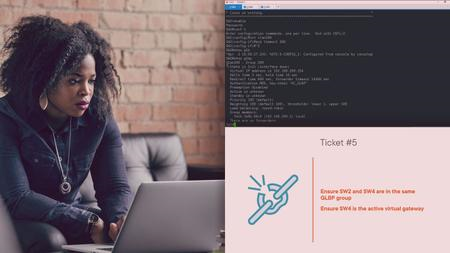
Creating Positive Conversations with Challenging Customers (2022)
LinkedIn Learning
Duration: 30m 18s | .MP4 1280x720, 30 fps(r) | AAC, 48000 Hz, 2ch | 368 MB
Genre: eLearning | Language: English​

What do you do when faced with a customer who's fuming over a delay, cancellation, or objection to a policy? How can you adequately address their issue when your interaction starts off on such a sour note? In this course, Myra Golden shares approaches that can help you reframe such conversations, and use your words and actions to put a positive slant on an otherwise negative situation. Learn how to use empathy and pacing to foster a sense of connection with customers. Discover the words and phrases to avoid in customer service, how to use partnership language to leave people feeling heard and satisfied, and how to properly apologize. Plus, learn how to approach real-world situations, such as billing issues, positioning controversial policies, and how to politely distance from hot-button issues like religion and politics to maintain a professional position.
Homepage
Screenshots


6806a9d0-c256-48ac-9a0a-34f47ee556e1.png

Data Science Foundations: Python Scientific Stack (2022)
LinkedIn Learning
Duration: 2h 21m | .MP4 1280x720, 30 fps(r) | AAC, 48000 Hz, 2ch | 1.21 GB
Genre: eLearning | Language: English​

Data science provides organizations with striking-and extremely valuable-insights into human behavior. While data mining can seem a bit daunting, you don't need to be a highly skilled programmer to process your own data. In this new hands-on course, instructor Miki Tebeka shows you how to use the Python scientific stack to complete common data science tasks.
Learn about the basic tools and core concepts to effectively process data with the Python scientific stack, including how to work with Visual Studio Code for documentation, NumPy for numeric computation, Pandas for data crunching, scikit-learn for data modeling, madplotlib for data visualization, and more. Upon completing this course, you'll have the skills you need to load and analyze data, run models, solve complex problems, and display results for your team.
Homepage
Screenshots


08143fde-838c-4544-bbf1-2822d3aeea79.png

Hacking the Periodic Table I - Inorganic Chemistry
Last Update: 2/2022
Duration: 3h 59m | Video: .MP4, 1280x720 30 fps | Audio: AAC, 48 kHz, 2ch | Size: 1.83 GB
Genre: eLearning | Language: English​

Chemistry in Everyday Life, Industry and Science
What you'll learn:
You will learn how to use concepts to understand applications
Understand how you can use your chemistry knowledge to think outside the box
Know how our description of atoms evolved from an atomic pudding to quantum mechanical models in just 29 years
Understand how electrons like to arranged themselves around the atomic nucleus
Know which state of matter is the rarest
Know which elements like to take on or give up an electron to be more stable
Learn why hydrogen is an important educt in chemical industry
Understand why hydrogen can "hide" in metals and how this property can be used
Study when asymmetry can be helpful to (dis)solve things
Learn what industry can make with you table salt
Understand how lithium can help you to store energy
Know which industry is responsible for 8% of the global CO2 emissions and why
Learn why people measure the hardness of water
Grasp how a very reactive element can be used for cooking
Learn why silicon likes to form networks and is very creative with it
Requirements
A desire to think outside the box and towards material application
Basic nomenclature of chemistry (helpful but not required)
Description
You are a professional, a student, a teacher or just interested in general trends, reactions and applications of chemistry? Then this is the right course for you!
In this course, we will cover various concepts, reactions and applications of chemistry which you might meet in your everyday life or use unknowingly come into contact with. Chemistry infuses our lives on so many levels that it is an essential but demanding task to understand it in depth.
The concept of this course is not to only give textbook explanations to things, explain models. Instead it aims at using your knowledge to understand the bigger picture and apply the knowledge you gained.
To provide an appealing curriculum we combined the three big pillars of chemistry which is scientific research, application in industry and you as a student. By this we want to give scientific explanations to industrially relevant topics and show you how often you might meet certain elements without realizing it.
This curriculum of this course will cover atomic concepts as a foundation to gain an understanding for the reactivity and behavior of elements as well as trends of the periodic table. Subsequently, we will have an in-depth look at the elements of main group 1 to 4 and their most interesting applications.
In this first part of the course we will cover the basics of the atom concept and cover the main group elements of group 1 to 4.
Who this course is for
Anyone who is interested in basic concepts of chemistry
Anyone who wants to gain a broader understanding of trends and applied chemistry
Anyone who aims to review material chemistry knowledge of the first university years
Homepage
Screenshots


319a242b9d510cbab226b3b32f339bea.png

Into the Ocean: Character Modeling Essentials in Blender 3D
Duration: 3h 12m | Video: .MP4, 1280x720, 30 fps | Audio: AAC, 48 kHz, 2ch | Size: 1.49 GB
Genre: eLearning | Language: English​

The best 3D character animation starts with an appealing model. This class will teach you the essential 3D modeling skills required to bring simple character designs to life in 3D.
Character Modeling for animation can be time consuming and take many years to master. By starting out with simple characters, you can quickly learn the essential modeling skills which will provide a foundation for all your future projects.
During this class I will share my approach to modeling, texturing, shading and lighting a character based on one of the designs from my Into the Ocean: Character Design Essentials class. We will also go on to place this character into a simple underwater environment.
You are free to follow along using the provided design or, if you have already followed my character design class, you may wish to use one of your own designs.
By following along with the class, you will gain valuable skills which can be applied to modeling many other simple character designs.
What you will learn
By the end of this class, you will have all the skills necessary to model simple characters of your own.
You will also be ready to move forward into my next class (Publishing*in March 2022) where you will learn to add controls in the form of a character rig and fully animate your character.
What you will create
By following along with the class, you will create a 3D character model and a final, fully rendered, image.
Good to know
This is a beginner level class using the free 3D software application Blender.
No prior character modelling experience is required but a familiarity of Blender's interface would be very helpful.
If you are new to Blender, I would recommend starting out with my Into Animation: Blender 3D Essentials for Animators class which will provide a solid foundation to build on.
If you would like to model a character based upon your own design, consider starting out with my Into the Ocean: Character Design Essentials class.
The Blender software application can be downloaded for free from: blender.org
By the end of this class, you will have the essential character modeling skills required to bring appealing characters to life for your own 3d illustration or animation projects.
Let's get started!
Once you have finished this class, don't forget to check out the*other animation classes*here on Skillshare.
Homepage
Screenshots


Zurück
Oben Unten