• Regeln für den Video-Bereich:

    In den Börsenbereich gehören nur Angebote die bereits den Allgemeinen Regeln entsprechen.

    Einteilung

    - Folgende Formate gehören in die angegeben Bereiche:
    - Filme: Encodierte Filme von BluRay, DVD, R5, TV, Screener sowie Telesyncs im Format DivX, XviD und x264.
    - DVD: Filme im Format DVD5, DVD9 und HD2DVD.
    - HD: Encodierte Filme mit der Auflösung 720p oder darüber von BluRay, DVD, R5, TV, Screener sowie Telesyncs im Format x264.
    - 3D: Encodierte Filme von BluRay, die in einem 3D Format vorliegen. Dies gilt auch für Dokus, Animation usw.
    - Serien: Cartoon/Zeichentrick, Anime, Tutorials, Dokumentationen, Konzerte/Musik, Sonstiges sind demnach in die entsprechenden Bereiche einzuordnen, auch wenn sie beispielsweise im High Definition-Format oder als DVD5/DVD9/HD2DVD vorliegen. Ausnahme 3D.
    - Bereich Englisch: Englische Releases gehören immer in diesen Bereich.
    - Bereich Talk: Der Bereich, in dem über die Releases diskutiert werden kann, darf, soll und erwünscht ist.


    Angebot/Beitrag erstellen

    - Ein Beitrag darf erst dann erstellt werden, wenn der Upload bei mindestens einem OCH komplett ist. Platzhalter sind untersagt.
    - Bei einem Scenerelease hat der Threadtitel ausschließlich aus dem originalen, unveränderten Releasenamen zu bestehen. Es dürfen keine Veränderungen wie z.B. Sterne, kleine Buchstaben o.ä. vorgenommen werden. Ausnahme Serienbörse:
    - Bei einem Sammelthread für eine Staffel entfällt aus dem Releasename natürlich der Name der Folge. Beispiel: Die Simpsons S21 German DVDRip XviD - ITG
    - Dementsprechend sind also u.a. verboten: Erweiterungen wie "Tipp", "empfehlenswert", "only", "reup", usw. / jegliche andere Zusatzinformation oder Ergänzung, welche nicht in obiger Beschreibung zu finden ist.

    Aufbau des Angebots und Threadtitel

    Der Titel nach folgendem Muster erstellt zu werden. <Name> [3D] [Staffel] [German] <Jahr> <Tonspur> [DL] [Auflösung] <Quelle> <Codec> - <Group>
    Beispiel: The Dark Knight German 2008 AC3 DVDRip XviD - iND
    Beispiel: The Dark Knight 2008 DTS DL BDRip x264 - iND
    Beispiel: The Dark Knight 2008 AC3 DL BDRip XviD - iND
    Beispiel: The Dark Knight German 2008 AC3 720p BluRay x264 iND
    Beispiel: The Dark Knight 2008 DTS DL 1080p BluRay x264 iND
    Beispiel: Die Simpsons S01 German AC3 DVDRip XviD iND
    Beispiel: Die Simpsons S20 German AC3 720p BluRay x264 iND
    Beispiel: Sword Art Online II Ger Sub 2014 AAC 1080p WEBRip x264 - peppermint
    Entsprechend sind also u.a. verboten: Sonderzeichen wie Klammern, Sterne, Ausrufezeichen, Unterstriche, Anführungszeichen / Erweiterungen wie "Tipp", "empfehlenswert", "only", "reup", usw. / jegliche andere Zusatzinformation oder Ergänzung, welche nicht in obiger Beschreibung zu finden ist
    Ausnahmen hiervon können in den Bereichen geregelt sein.

    Die Beiträge sollen wie folgt aufgebaut werden:
    Überschrift entspricht dem Threadtitel
    Cover
    kurze Inhaltsbeschreibung
    Format, Größe, Dauer sind gut lesbar für Downloader außerhalb des Spoilers zu vermerken
    Nfo sind immer Anzugeben und selbige immer im Spoiler in Textform.
    Sind keine Nfo vorhanden z.B. Eigenpublikationen, sind im Spoiler folgende Dateiinformationen zusätzlich anzugeben :
    Quelle
    Video (Auflösung und Bitrate)
    Ton (Sprache, Format und Bitrate der einzelnen Spuren)
    Untertitel (sofern vorhanden)
    Hosterangabe in Textform außerhalb eines Spoiler mit allen enthaltenen Hostern.
    Bei SD kann auf diese zusätzlichen Dateiinformationen verzichtet werden.

    Alle benötigten Passwörter sind, sofern vorhanden, in Textform im Angebot anzugeben.
    Spoiler im Spoiler mit Kommentaren :"Schon Bedankt?" sind unerwünscht.


    Releases

    - Sind Retail-Release verfügbar, sind alle anderen Variationen untersagt. Ausnahmen: Alle deutschen Retail-Release sind CUT, in diesem Fall sind dubbed UNCUT-Release zulässig.
    - Im Serien-Bereich gilt speziell: Wenn ein Retail vor Abschluss einer laufenden Staffel erscheint, darf diese Staffel noch zu Ende gebracht werden.62
    - Gleiche Releases sind unbedingt zusammenzufassen. Das bedeutet, es ist zwingend erforderlich, vor dem Erstellen eines Themas per Suchfunktion zu überprüfen, ob bereits ein Beitrag mit demselben Release besteht. Ist dies der Fall, ist der bereits vorhandene Beitrag zu verwenden.
    - P2P und Scene Releases dürfen nicht verändert oder gar unter einem iND Tag eingestellt werden.


    Support, Diskussionen und Suche

    - Supportanfragen sind entweder per PN oder im Bereich Talk zu stellen.
    - Diskussionen und Bewertungen sind im Talk Bereich zu führen. Fragen an die Uploader haben ausschließlich via PN zu erfolgen, und sind in den Angeboten untersagt.
    - Anfragen zu Upload-Wünschen sind nur im Bereich Suche Video erlaubt. Antworten dürfen nur auf Angebote von MyBoerse.bz verlinkt werden.


    Verbote

    - Untersagt sind mehrere Formate in einem einzigen Angebotsthread, wie beispielsweise das gleichzeitige Anbieten von DivX/XviD, 720p und 1080p in einem Thread. Pro Format, Release und Auflösung ist ein eigener Thread zu eröffnen.
    - Grundsätzlich ebenso verboten sind Dupes. Uploader haben sich an geeigneter Stelle darüber zu informieren, ob es sich bei einem Release um ein Dupe handelt.
    - Gefakte, nur teilweise lauffähige oder unvollständige Angebote sind untersagt. Dies gilt auch für eigene Publikationen, die augenscheinlich nicht selbst von z.B. einer DVD gerippt wurden. Laufende Serien, bei denen noch nicht alle Folgen verfügbar sind, dürfen erstellt und regelmäßig geupdatet werden.
    - Untersagt sind Angebote, welche nur und ausschließlich in einer anderen Sprache als deutsch oder englisch vorliegen. Ausnahmen sind VORHER mit den Moderatoren zu klären.


    Verstoß gegen die Regeln

    - Angebote oder Beiträge, die gegen die Forenregeln verstoßen, sind über den "Melden"-Button im Beitrag zu melden.
  • Bitte registriere dich zunächst um Beiträge zu verfassen und externe Links aufzurufen.

*** Bestes IPTV *** bester Preis *** gratis Test ***


Englische Tutorials

3c528223-e6da-4fb0-a689-c244a8f3876d.png

LINUX Mint 20 For Beginners - Start Using Linux Today - easy
MP4 | Video: h264, 1280x720 | Audio: AAC, 44.1 KHz, 2 Ch
Genre: eLearning | Language: English + srt | Duration: 92 lectures (3h 37m) | Size: 1.5 GB

Start using Linux Mint in 2022 - No Prior Linux Experience Required - get a stable, easy-to-use, free Operating System
What you'll learn
install Linux Mint on your own hardware
configure and manage your own Linux Mint installation
use Linux Mint as a realiable, free OS on a daily basis
keeping your system up to date in a very easy way
Requirements
some basic computing skills
a computer or laptop to install Linux Mint on
you want to discover an open, well designed, stable, free OS
Description
Are you tired of Windows? Do you think there must be more? And that it can be easy, sexy and secure at the same time? Great! Because that's true for the beginner friendly Linux Mint.
In this course I will show you how you can easily install and configure this operating system.
We will start at a very basic level. No prior Linux knowledge is required.
First you will learn how to prepare for the installation, doing this like creating a bootable USB stick and checking the system requirements.
Then you will dive in with the live system. It allows you to run Linux without installing it. This way you can have a look around as long as you want.
And from there it's also really easy to actually install the system.
Once rebooted and logged in, we will do some basic configuration. You will see that all this can be pretty easy - compared to other operating systems.
And then you will make yourself feel at home by setting themes and appearance the way you want.
And the good things don't end here: The system comes with a great amount of common programs installed, such as drivers for most devices, a complete office suite equivalent to Microsoft Office, and much, much more.
Sure, there are a few things to get used to: The file system works differently and permissions are important to understand. But don't worry. We will go that way together!
You will also learn how to manage programs on your new machine easily. The software manager takes charge of updating the system components and most of the applications, that can be installed. And there is a wide variety of applications available for Linux Mint: almost 60.000 are in the official repositories. This includes nearly any type of software you can imagine.
Then I will also help you making your transition from Windows to Linux easier: We will look at common programs and their alternatives under Linux Mint.
And if you want to dive deeper: no problem. There is also a section on the Linux terminal that will help you make your first steps with it.
Last but not least you will find a section with useful tips and tricks for common tasks, that you will be doing on your new operating system Linux Mint.
What are you waiting for? Enroll now!
Who this course is for
anybody with NO prior Linux experience
people looking for a real alternative for Windows
people looking for a real alternative for MacOS
Homepage




 
mendeley-for-reference-management-77-320.jpg

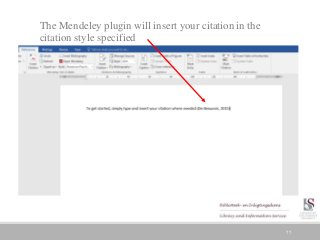
Mendeley Made Easy 2022 - Never Manually Reference Again!
Last Update: 2/2022
Duration: 49m | Video: .MP4, 1280x720 30 fps | Audio: AAC, 48 kHz, 2ch | Size: 336 MB
Genre: eLearning | Language: English​

One Click Referencing (Harvard, IEEE, APA, MLA). Learn How To Collect, Organise and Generate Your References & Save Time
What you'll learn:
Create a Mendeley account
Download Mendeley desktop software
Use the Mendeley Web Importer
Add a reference from Google Scholar, databases, ebooks, journal articles, websites and YouTube video with one click into your library
Manually create a citation
Add existing references to your Mendeley library
Organise your reference library using folders
Read and annotate documents in your library
Share papers and collaborate with other researchers
Generate in-text citations in Microsoft Word in the referencing style of your choice
Generate your bibliography in Microsoft Word in the referencing style of your choice
Requirements
An eagerness to learn and a strong desire to save time by learning how to use Mendeley Reference Manager effectively is all that we ask!
A PC or laptop capable of running Mendeley Reference Manager and an internet connection.
Description
Learn the secrets of never manually creating a reference or in-text citation again, with Mendeley Reference Manager and take your research paper writing to the next level!
Have you spent countless hours trying to cite in the right referencing style only to discover that you had done it all wrong and lost marks on your paper?
Have you been manually creating your references?
Do you write a lot of research papers and have to cite a range of sources often?
Do you want to save time when referencing your academic work?
Have you wondered if there is a tool that can help you? Then let's make Referencing Easy with this course designed just for you!
What is reference management software and why should you use it?
Reference management software allows you to collect, store and organise your references, and insert them into your documents quickly and easily.Once you have stored a reference, you can use it over and over again in your reference list or bibliography. This can save you a lot of time, as you don't have to manually type a reference each time you cite a particular source.
Content and Overview
This brand-new course will take you from the very basics of how to download and install Mendeley, all the way to generating in-text citations and compiling your reference list or bibliography for your research in the referencing style of your choice.We pretty much cover it all so that the next time you are researching and writing your assignment or paper, you have the knowledge and practical skills you need when it comes to the dreaded referencing.
We are going to teach you the skills that will allow you spend less time worrying about referencing and more time writing up your research.
I designed this course to be easily understood by everyone, there are no requirements to join the course, we only ask that you come open minded and ready to learn.
By the end of this course, you'll know how to use Mendeley to help you become a productive and successful researcher.
See you inside the course!
Who this course is for
Students at school, college or university who no longer want to spend hours manually referencing their research.
Academics looking to improve their research workflow and save time.
Academics looking to publish articles to journals which require different referencing styles for submission of their paper.
Librarians and information professionals with an interest in reference management software.
Teachers who want to learn about the tool and teach to their students.
Homepage
Screenshots


9a9e4f90-bab9-4d11-95e8-6bdf1f6f266c.png

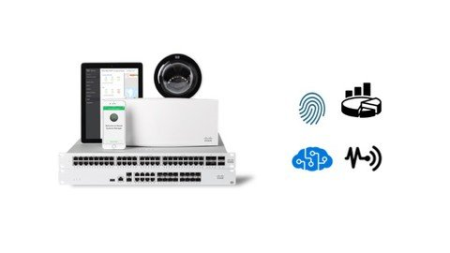
Meraki's platform deployment best practice
MP4 | Video: h264, 1280x720 | Audio: AAC, 44.1 KHz
Language: English | Size: 1.14 GB | Duration: 2h 9m​

Changes in IT industry, best practices of Meraki deployment, SDWAN and BGP, The power of API, AI based reporting
What you'll learn
RADIUS configuration with Meraki wireless and switches
The use of Templates
Control the guest access and best practices
Get started with Systems Manager
Enable SDWAN and the difference between policy and performance based routing
Utilise BGP to integrate with third party networks
The power of API and how to configure scanning and dashboard APIs
Creating Webex Bots and enable it with Meraki's platform
Requirements
No prerequisites required
Description
This training includes five lessons designed to build your knowledge around the Meraki platform. The content focused on best practices and the integration with other systems like NAC servers and Bots.
Here is a short snapshot of the lessons
Introduction
We took a step back to understand the industry's shift and how modern networks' expectations changed. Then, we dived into how to construct a solution with Meraki's platform.
Get Started - Building a Meraki platform
In this part of the training, I started to get into the details of configuring the different parts of every network needs. Basically, I am covering the foundations here.
SDWAN and Dynamic routing (BGP)
Modern networks based on SDWAN, and in this section, I covered how to configure SDWAN using Meraki's platform. Using dynamic routing is critical when you gradually move from one platform to another or integrate third-party networks; I will walk you through configuring BGP and exchanging routes from Meraki to Non-Meraki networks.
Network as a Sensor
Nowadays, businesses expect the network to deliver a lot of insights that help improve the operations and offer business intelligence to make critical decisions. I will walk you through some examples of how to use the Meraki platform to deliver those outcomes.
Platform Efficiency
Intent-based networking is the future, and in this section, I will walk you through that concept and how it can be implemented with the Meraki platform.
Who this course is for
Beginner with Meraki
New to IT
Beginner with API and programmability
Interested in SDWAN
Want to learn about the Meraki best practices
Screenshots


3170f88a-1b11-4548-87d4-7a6c0f90ff37.png

MLAG and EVPN-VXLAN Technology in ARISTA
MP4 | Video: h264, 1280x720 | Audio: AAC, 44.1 KHz
Language: English | Size: 2.66 GB | Duration: 3h 25m
with Configuration Samples in LAB Topology
What you'll learn​

Leaf and Spine Architecture of Next Generation Network Design
MLAG Technology
VARP Feature of Arista for First Hop Redundancy Protocol
ECMP Feature in Arista
VXLAN Overview
EVPN-VXLAN Technology
and Configuration Steps in LAB
Requirements
Dynamic Routing and Fundemental Network Knowledge
Description
In this course, we are going to learn advanced technologies of Arista Networks. These technologies are actually open-standard and you are going to improve your network design and configuration ability in your career. We are going to teach MLAG,LEAF-SPINE, ECMP and EVPN-VXLAN technologies here. You are going to see all configuration statement in this course with LAB environment. Also, there will be some troubleshoot steps to help you.
For details of cource, in first section, we are going to give brief introduction. Secon section is going to teach LEAF-SPINE architecture and difference from classic network desing. Later, we are going to continue with LAYER2 redundancy MLAG. Also, we are going to talk about Layer3 redundancy with VARP feature of Arista and ECMP method to loadbalance traffic.
In final section, we are going to build large topology and underlay protocol is going to be configured and last we are going to create EVPN-VXLAN.Customer device will ping each other in same broadcast domain over Layer3 network and this will be Vlan-Based extensin of Vlans with VNI by using EVPN-VXLAN technology.
In addition, you can contact me for any question about network tehcnologies . Whenever you need help, you can contact me.
Regards,
Who this course is for
Network Engineers
Screenshots


ZreUbvpWiNQhXgJJ7UR9wVrzsSFModYs.jpg

NFT Crypto Master Course Buy, Sell & Create NFT's (Sinhala)
Genre: eLearning | MP4 | Video: h264, 1280x720 | Audio: AAC, 44.1 KHz
Language: English | Size: 3.42 GB | Duration: 7h 2m
Learn about NFT use cases, NFT Smart Contracts, NFT Minting, Crypto Exchange , Investing, Selling NFTs and NFT Security

What you'll learn
Identify about the NFT & Crypto
Identify Major NFT's Sells Network
Identify Main Block chine and Manage Crypto Volet
Identify NFT's Buying , Selling and Create Process Properly
Requirements
Basic knowledge about the computer operates and online business
Description
Hello there! Do you want to make money from the NFT Crypto market? This is the right Non-Fungible Tokens course for you!
In this lesson, you can learn how to buy, sell and create NFTs. What are smart contracts and what's the blockchain? How to use Metamask? What are the main NFT marketplaces? How to identify NFT scams? How to evaluate projects? And much more!
I'm going to guide you step by step and show you how easy it is to buy, sell and create an NFT.
Anybody can create an NFT, but there are some important steps, and you need to understand the technologies behind it, its features, and constraints.
I will guide you through the steps and good practices to create an NFT so that you can be confident that you also do the right steps when you create your first NFT.
You don't need any coding skills to create an NFT, but you need to follow some steps, have a wallet, buy some crypto for gas and sign the transaction.
In this course, you will learn
What is the NFT's?
NFT's Market Real Situation / Real behavior
Type of Crypto wallet
How to Create MetaMask Wallet ?
Most Popular NFT's Selling Platform
How the Buy, sell and Create NFT's
What are the Gas Fees
How to find Future NFTs Project
Design, Generate and Upload 10000 NFT's
Design NFTs Layers
How to Generate 10000 NFTs without carding knowledge
How to Upload 10000 NFTs to the opensea automatically
How to withdraw Crypto to the Bank
Another special benefit for students
Lifetime personal support for becoming successful with NFTs marketplace
100% practical course with experience
practical proof for becoming successful with NFTs Market
privet Facebook group for "NFT Crypto Master Course: Buy, Sell & Create NFT's (Sinhala)" course students
Direct Whatapp support, if have any problem with freelancing
Able to work with Several NFTs Market place
As well as this course was mainly created to, one who uses the Sinhala language for communication around the world, and my main purpose is to educate the Sri Lanak Peoples to become successful online Businessmen, another hand side I'm always trying to be educated, what is the Right ways to work online and how to become a success within Online
Finally, I want to say Like this "Please, Lean this course carefully and achieve your life goals
INSTRUCTOR BACKGROUND
I'm a Business Management and Software engineering degree holder and Professional for Online workers. also, I'm a Self-employer for more than 10+ years and I would like to share my knowledge around the world. so in that situation, I desired to conduct lessons on Udemy like that.
Invest in your future. Enroll in this NFT Crypto Master Course: Buy, Sell & Create NFT's (Sinhala) now, and turn it into a sustainable business.
Are there any course requirements or prerequisites?
Personal desktop/laptop computer
Stable internet connection
Basic knowledge of operating computer
Self-confidence
Who this course is for
Beginner of NFTs / Crypto Market
Anyone who, Find the opportunity to make money online
MONEY-BACK GUARANTEE
ThisNFT Crypto Master Course: Buy, Sell & Create NFT's (Sinhala) comes with an unconditional, Udemy-backed, 30-day money-back guarantee. This is not just a guarantee, it's my personal promise to you that I will go out of my way to help you succeed just like I've done for thousands of my other students.
Who this course is for
Interested peoples about the "Self-employer" or Make Money Online
Begginer of the NFT selling and Crypto Investing
Screenshots


0079fe60_medium.jpg

Professional PowerPoint Presentations / 2022
MP4 | Video: h264, 1280x720 | Audio: AAC, 44.1 KHz, 2 Ch
Genre: eLearning | Language: English + srt | Duration: 38 lectures (2h 32m) | Size: 1.84 GB

Win any audience with your stunning presentations | Tricks & many examples for effective and visually appealing slides
What you'll learn
Acquire presentation skills
Create slide decks that will impress your boss
Make presentations faster and better
Win any audience with your presentations
Become master of presentations
Requirements
Basic experience in PowerPoint
Description
In this course you will learn to create presentations quickly and to make them effective, aesthetic and modern.
This course is for all managers and employees of small, medium, and large companies who want to
Create professional business presentations
Create slide decks that they will be proud of
Create PowerPoint presentations quickly and efficiently
Improve their presentation skills to accelerate their career
You will learn
how to create visually appealing slides
how to make them faster
how to win just any audience with your stunning presentations
how to impress your boss with simple tricks in PowerPoint
I will show you simple tricks to accelerate your work and wow your boss and clients. It will be practical knowledge demonstrated with specific examples and in the simplest possible manner. I use these tricks to create presentations for my clients such us: McDonald's, HSBC, Nestle, Leroy Merlin, Toyota and many others.
Piotr Garlej, author of the course and CEO of a presentation design agency, SlideFormation
The course contains 5 themes
Rules for creating a presentation
Crucial PowerPoint features and tricks
Visualizations in presentations
Data visualization
Inspirations
- No more long, unproductive hours spent in PowerPoint
- No more bored or disappointed audience
- No more unsuccessful pitches
We will focus on acquiring above-standard results with the help of very simple PowerPoint functions.
The course itself is not limited to a strictly technical software suite training. It offers a dose of practical knowledge developed by a practitioner, so that you can create your presentations faster and with more interesting visual effect.
Who this course is for
For all managers and employees of small, medium, and large companies who want to
Create professional business presentations
Create slide decks that they will be proud of
Create PowerPoint presentations quickly and efficiently
Improve their presentation skills to accelerate their career
Homepage


df58d8b6-d17e-404b-90e0-66c1ae2a0125.png

Python neural networks from scratch. Build them step by step
MP4 | Video: h264, 1280x720 | Audio: AAC, 44.1 KHz, 2 Ch
Genre: eLearning | Language: English + srt | Duration: 20 lectures (3h 10m) | Size: 594.1 MB


Understand linear regression, gradient descent and many more by building neural networks without libraries or frameworks
What you'll learn
Understand the ideas behind neural networks.
Learn how to use plain Python to create neural networks.
Learn concepts like feed forward, backward propagation, gradient descent, regression step by step.
Understand how Softmax, ReLU and Sigmoid allow you to approximate complex non-linear prediction functions.
Realise that neural networks are not magic and can be implemented without using libraries, in any language you desire.
Requirements
You have an interest in neural networks.
You have some programming experience in Python or another language.
There will be no exercises in this course. Feel free to write along with the code examples.
Description
My name is Loek van den Ouweland, a senior software engineer with 25 years of experience. I am the creator of Wunderlist for windows, Microsoft To-do and Mahjong for Windows and I love to teach software engineering!
In this course you will learn how to build Neural Networks with plain Python. Without the need for any library, you will see how a simple neural network from 4 lines of code, evolves in a network that is able to recognise handwritten digits. In this process, you will learn concepts like: Feed forward, Cost, Back propagation, Hidden layers, Linear regression, Gradient descent and Matrix multiplication.
The topics of the course are
Linear regression
Cost functions
Bias
Multiple inputs
Norma****tion
Gradient descent
Classification
Activation
Multi-class classification
Non-linear data
Hidden layers
Every topic is a continuation of a previous example. This way, you will learn neural networks from the ground up.
Why is this course different than others?
Many tutorials claim to start from scratch, but import external libraries or rapidly type in code and before executing even once, you are looking at 50 lines of code. When finally the code is run, you are totally lost and still stuck trying to understand line 3.
It is my goal to start with the absolute beginning. That means an empty python file, and no libraries imported. There are many steps we need to make before we reach the goal. But that does not have to be a problem as long as we take them one step at the time!
The feedback I get from my students is that after this course, they understand how to design their software in a way that protects them from requirement changes!
Who this course is for
Developers who want to learn how to build neural networks from scratch, step by step, without the use of any library.
Homepage


b70867e2-d0f9-4433-bb40-60848b8185d1.png

Quick Start Guide to SQL
MP4 | Video: h264, 1280x720 | Audio: AAC, 44.1 KHz, 2 Ch
Skill Level: Beginner | Genre: eLearning | Language: English + srt | Duration: 1h 18m | Size: 158.2 MB

Are you looking to take a deeper dive into the fundamentals of structured query language (SQL)? This short, beginner-friendly course is just the place to start. Join instructor Deepa Maddala as she walks you through the basics of SQL and how to make it work seamlessly with large Oracle datasets.
Learn about relational database management systems, SQL, and how it works. Explore strategies that you can put to use fetching data from tables, filtering data, and manipulating data with single-row and multiple-row functions, as well as joins and subqueries. By the end of this course, you'll not only have a deeper understanding of the basic concepts of SQL-you'll also be ready to get started working on real-time business scenarios.
Homepage


nGhy7aMmZqJurDUGViQLDPIIqJtu8zNe.jpg

React Native Course - Build a House Listing Application
Genre: eLearning | MP4 | Video: h264, 1280x720 | Audio: AAC, 44.1 KHz
Language: English | Size: 373 MB | Duration: 37m
With Styled Components and Expo cli

What you'll learn
React Developers looking to learn React Native
JavaScript Developers looking to learn React Native
Anyone else looking to learn React Native
Python Developers looking to learn React Native
Requirements
Some knowledge of React reccomended.
Description
In this video I show an example application and go over react native installation and react native create project with the expo cli. Also the basics of react-navigation are taught.
In this course I make an application that is suitable for Listing Houses. This application is made with React Navigation and Styled Components. The Expo cli will be used for displaying the app in the browser.
I also use Styled Components with React Native. This makes the UI look great. Also there is a much needed skill with React Native and I hope your able to learn well.
This is an important in demand skill for now-a-days considering how Mobile Apps are a very needed technology. React Native allows one to make Mobile Apps with React. The expo cli allows one to deploy apps to the app stores. This is for both iOS and Android App Stores.
I hope you enjoy this course as it was a joy to teach. I believe one is a step closer on their journey to become a React Native Developer or a Mobile App Developer with this course.
If you have any questions please feel free to reach out to my Udemy Channel through direct message. If you have any bugs you can reach out through Udemy as well or refer to your nearest search engine.
I enjoyed teaching this course because it was fun and refreshing. I hope the same applies to your learning!
Who this course is for
Beginner to advanced React Developers.
Screenshots


bcb30ac0-e68f-43fb-9aec-56b312e0281d.png

Reactive Programming with SwiftUI and Combine Framework: Declarative Programming for Apple Development
MP4 | Video: h264, 1920x1080 | Audio: AAC, 44.1 KHz, 2 Ch
Genre: eLearning | Language: English | Duration: 10 Lessons (1h 16m) | Size: 3.61 GB

Use a declarative approach to build UIs for iOS and macOS. Start with a review of what declarative programming is by building with SwiftUI. We will review all the basic SwiftUI components needed for a modern iOS app. Once we have a solid understanding of SwiftUI, we will cover reactive programming with the Combine framework. Understanding these components will allow us to incorporate SwiftUI with the Combine framework and make a fully declarative/reactive (MVVM) application.
The goal is not to make you an expert but build a solid foundation of knowledge and instill the confidence to keep exploring these new technologies. With SwiftUI and the Combine framework, you can take a step closer to a Functional Reactive Programming development process.
What You'll Learn
Understand the relevant architectures and underlying components of Swift
Work with SwiftUI to build basic UIs
Build a full app with SwiftUI and the Combine framework
Who This Video Is For
Developers working on iOS or macOS apps. Familiarity with Swift is beneficial.
Screenshots


th_b2DOhiOo2t9Pv7SV8TERPVLCgbNcjRXV.jpg

Sales Forecasting (2022)
LinkedIn Learning
Duration: 49m 50s | .MP4 1280x720, 30 fps(r) | AAC, 48000 Hz, 2ch | 604 MB
Genre: eLearning | Language: English​

Sales forecasting is crucial for almost any business, because it affects sales deployment, financial planning, budgeting, operations planning, and marketing planning. Since sales forecasts have far-reaching impact, it's critical that the forecast information is as accurate as possible. In this course, sales and marketing professor Drew Boyd shares a step-by-step process for creating and managing effective sales forecasts. He takes you through how to define your market category, create the right processes, select the right forecasting technique, and collect data. In addition, he reveals how to use both qualitative and quantitative forecasting methods.
Homepage
Screenshots


8830ad5d-15cc-4ea0-8fdb-c670ce6e2b9d.png

SQL for Healthcare
MP4 | Video: h264, 1280x720 | Audio: AAC, 44.1 KHz, 2 Ch
Genre: eLearning | Language: English + srt | Duration: 10 lectures (3h 43m) | Size: 2.7 GB

Let's Learn SQL and Healthcare Analytics Concepts Together
What you'll learn
Using SQL to answer questions in healthcare
Reading SQL
Writing SQL
Navigating a data enviornment
Requirements
Excel and familiarity with data analysis and tools will help but isn't a requirement
Description
SQL for Healthcare looks to provide students a single course to learn SQL and United States Healthcare concepts together. Through the use of MySQL (an open source and free tool) we will explore various use cases like patient volumes, emergency room throughput, and procedures to learn new SQL and healthcare analytics skills. I will be taking an approach of presenting healthcare topics briefly before diving into working examples using SQL. My intent is to help us apply technical concepts of the SQL language while at the same time learning new healthcare knowledge. Following each lecture, there will be an assignment for students to really apply and grow beyond what we cover over video content. I have found this approach really helps with long term retainment of skills. This course is great for anyone new to healthcare and/or SQL and is meant to help others jump start a career in healthcare analytics.
This course was created by me - Mark Connolly, MEng. I'm currently a Business Intelligence Lead and co-lead for the virtual Tableau Healthcare User Group. I have almost 10 years of experience in the healthcare analytics space in general. I have used SQL heavily in my most recent role to answer many healthcare clinical analytics questions.
Beyond my experience working directly with SQL, I have also developed internal Tableau training programs and provided 100's (if not 1000's) of hours of training support to analysts both at his current organization and externally. I am also the creator for the strongly reviewed Tableau for Healthcare course on Udemy.
Please note that this course utilizes training data and is not reflective of any current or past performance or clinical data for any patient, health system, insurance provider, or any other entity. All data is fake and made available for educational purposes only.
Who this course is for
Beginner or Inspiring to be Healthcare Analysts
Homepage


Zurück
Oben Unten