• Regeln für den Video-Bereich:

    In den Börsenbereich gehören nur Angebote die bereits den Allgemeinen Regeln entsprechen.

    Einteilung

    - Folgende Formate gehören in die angegeben Bereiche:
    - Filme: Encodierte Filme von BluRay, DVD, R5, TV, Screener sowie Telesyncs im Format DivX, XviD und x264.
    - DVD: Filme im Format DVD5, DVD9 und HD2DVD.
    - HD: Encodierte Filme mit der Auflösung 720p oder darüber von BluRay, DVD, R5, TV, Screener sowie Telesyncs im Format x264.
    - 3D: Encodierte Filme von BluRay, die in einem 3D Format vorliegen. Dies gilt auch für Dokus, Animation usw.
    - Serien: Cartoon/Zeichentrick, Anime, Tutorials, Dokumentationen, Konzerte/Musik, Sonstiges sind demnach in die entsprechenden Bereiche einzuordnen, auch wenn sie beispielsweise im High Definition-Format oder als DVD5/DVD9/HD2DVD vorliegen. Ausnahme 3D.
    - Bereich Englisch: Englische Releases gehören immer in diesen Bereich.
    - Bereich Talk: Der Bereich, in dem über die Releases diskutiert werden kann, darf, soll und erwünscht ist.


    Angebot/Beitrag erstellen

    - Ein Beitrag darf erst dann erstellt werden, wenn der Upload bei mindestens einem OCH komplett ist. Platzhalter sind untersagt.
    - Bei einem Scenerelease hat der Threadtitel ausschließlich aus dem originalen, unveränderten Releasenamen zu bestehen. Es dürfen keine Veränderungen wie z.B. Sterne, kleine Buchstaben o.ä. vorgenommen werden. Ausnahme Serienbörse:
    - Bei einem Sammelthread für eine Staffel entfällt aus dem Releasename natürlich der Name der Folge. Beispiel: Die Simpsons S21 German DVDRip XviD - ITG
    - Dementsprechend sind also u.a. verboten: Erweiterungen wie "Tipp", "empfehlenswert", "only", "reup", usw. / jegliche andere Zusatzinformation oder Ergänzung, welche nicht in obiger Beschreibung zu finden ist.

    Aufbau des Angebots und Threadtitel

    Der Titel nach folgendem Muster erstellt zu werden. <Name> [3D] [Staffel] [German] <Jahr> <Tonspur> [DL] [Auflösung] <Quelle> <Codec> - <Group>
    Beispiel: The Dark Knight German 2008 AC3 DVDRip XviD - iND
    Beispiel: The Dark Knight 2008 DTS DL BDRip x264 - iND
    Beispiel: The Dark Knight 2008 AC3 DL BDRip XviD - iND
    Beispiel: The Dark Knight German 2008 AC3 720p BluRay x264 iND
    Beispiel: The Dark Knight 2008 DTS DL 1080p BluRay x264 iND
    Beispiel: Die Simpsons S01 German AC3 DVDRip XviD iND
    Beispiel: Die Simpsons S20 German AC3 720p BluRay x264 iND
    Beispiel: Sword Art Online II Ger Sub 2014 AAC 1080p WEBRip x264 - peppermint
    Entsprechend sind also u.a. verboten: Sonderzeichen wie Klammern, Sterne, Ausrufezeichen, Unterstriche, Anführungszeichen / Erweiterungen wie "Tipp", "empfehlenswert", "only", "reup", usw. / jegliche andere Zusatzinformation oder Ergänzung, welche nicht in obiger Beschreibung zu finden ist
    Ausnahmen hiervon können in den Bereichen geregelt sein.

    Die Beiträge sollen wie folgt aufgebaut werden:
    Überschrift entspricht dem Threadtitel
    Cover
    kurze Inhaltsbeschreibung
    Format, Größe, Dauer sind gut lesbar für Downloader außerhalb des Spoilers zu vermerken
    Nfo sind immer Anzugeben und selbige immer im Spoiler in Textform.
    Sind keine Nfo vorhanden z.B. Eigenpublikationen, sind im Spoiler folgende Dateiinformationen zusätzlich anzugeben :
    Quelle
    Video (Auflösung und Bitrate)
    Ton (Sprache, Format und Bitrate der einzelnen Spuren)
    Untertitel (sofern vorhanden)
    Hosterangabe in Textform außerhalb eines Spoiler mit allen enthaltenen Hostern.
    Bei SD kann auf diese zusätzlichen Dateiinformationen verzichtet werden.

    Alle benötigten Passwörter sind, sofern vorhanden, in Textform im Angebot anzugeben.
    Spoiler im Spoiler mit Kommentaren :"Schon Bedankt?" sind unerwünscht.


    Releases

    - Sind Retail-Release verfügbar, sind alle anderen Variationen untersagt. Ausnahmen: Alle deutschen Retail-Release sind CUT, in diesem Fall sind dubbed UNCUT-Release zulässig.
    - Im Serien-Bereich gilt speziell: Wenn ein Retail vor Abschluss einer laufenden Staffel erscheint, darf diese Staffel noch zu Ende gebracht werden.62
    - Gleiche Releases sind unbedingt zusammenzufassen. Das bedeutet, es ist zwingend erforderlich, vor dem Erstellen eines Themas per Suchfunktion zu überprüfen, ob bereits ein Beitrag mit demselben Release besteht. Ist dies der Fall, ist der bereits vorhandene Beitrag zu verwenden.
    - P2P und Scene Releases dürfen nicht verändert oder gar unter einem iND Tag eingestellt werden.


    Support, Diskussionen und Suche

    - Supportanfragen sind entweder per PN oder im Bereich Talk zu stellen.
    - Diskussionen und Bewertungen sind im Talk Bereich zu führen. Fragen an die Uploader haben ausschließlich via PN zu erfolgen, und sind in den Angeboten untersagt.
    - Anfragen zu Upload-Wünschen sind nur im Bereich Suche Video erlaubt. Antworten dürfen nur auf Angebote von MyBoerse.bz verlinkt werden.


    Verbote

    - Untersagt sind mehrere Formate in einem einzigen Angebotsthread, wie beispielsweise das gleichzeitige Anbieten von DivX/XviD, 720p und 1080p in einem Thread. Pro Format, Release und Auflösung ist ein eigener Thread zu eröffnen.
    - Grundsätzlich ebenso verboten sind Dupes. Uploader haben sich an geeigneter Stelle darüber zu informieren, ob es sich bei einem Release um ein Dupe handelt.
    - Gefakte, nur teilweise lauffähige oder unvollständige Angebote sind untersagt. Dies gilt auch für eigene Publikationen, die augenscheinlich nicht selbst von z.B. einer DVD gerippt wurden. Laufende Serien, bei denen noch nicht alle Folgen verfügbar sind, dürfen erstellt und regelmäßig geupdatet werden.
    - Untersagt sind Angebote, welche nur und ausschließlich in einer anderen Sprache als deutsch oder englisch vorliegen. Ausnahmen sind VORHER mit den Moderatoren zu klären.


    Verstoß gegen die Regeln

    - Angebote oder Beiträge, die gegen die Forenregeln verstoßen, sind über den "Melden"-Button im Beitrag zu melden.
  • Bitte registriere dich zunächst um Beiträge zu verfassen und externe Links aufzurufen.

*** Bestes IPTV *** bester Preis *** gratis Test ***


Englische Tutorials

b6e6b750-282e-4ad0-9af6-e53a8eed653a.png

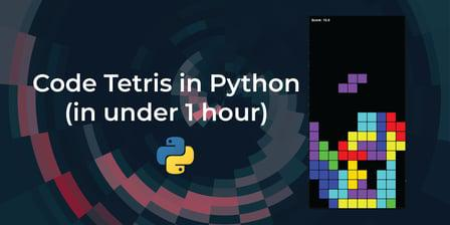
Code the classic game Tetris in Python - Programming for beginners
Duration: 1h 10m | Video: .MP4, 1280x720, 30 fps | Audio: AAC, 48 kHz, 2ch | Size: 821 MB
Genre: eLearning | Language: English​

In this class, you will use your basic Python skills to program the classic game Tetris. Using the Pygame library, you will create the classes and functions that will implement the game logic.
In this class you will practice all the basic Python concepts you have learned in other courses:- Classes- Functions- Data structures- Strings- Etc.
and you will learn how to apply them to a real project.
This class is perfect if you have taken a Python course before but feel you need more practice to get the concepts down.
Homepage
Screenshots


d6670ccc-5826-4eee-97be-d98478ed9f09.png

Complete Networking Course - with Practice File and Manual
MP4 | Video: h264, 1280x720 | Audio: AAC, 44.1 KHz, 2 Ch
Genre: eLearning | Language: English + srt | Duration: 7 lectures (56m) | Size: 481.4 MB

Basics to Advanced
What you'll learn
Build simple LANs, perform basic configurations for routers and switches, and implement IPv4 and IPv6 addressing schemes.
Configure routers, switches, and end devices to provide access to local and remote network resources and to enable end-to-end connectivity between remote devi
Develop critical thinking and problem-solving skills using real equipment and Cisco Packet Tracer.
Configure and troubleshoot connectivity a small network using security best practices.
Requirements
Basics of Computers
Description
Hello Learners
In this course you will get introduction about the Computer Network and it's different operations. First we will start with the basics of computer network and then we will focus on the practical.
In Computer Networking, practical knowledge is very much important. You must be very clear and quick for the any examination of the Networking like CCNA, CCNP. So to be quick and clear about the fundamental of the practical, you must have done lots of practice. Here in this course I have focused on the same and for that I have given practical practice files in the material.
You will get practice lab manual and simulation files, which are very good for the practice purpose. You can also do self assessment by this interactive lab manual file.
This course more about the practical and practice to make job oriented outcome. It will include all basic requirement of practice and then slowly, we will move towards the difficult part. If you are doing more practice with basic command then surely you can do more complex and difficult lab very easily.
You'll even get the chance to build simple local area networks (LANs). Developing a working knowledge of IP addressing schemes, foundational network security, you'll be able to perform basic configurations for routers and switches. No prerequisites required.
You'll Learn These Core Skills
Build simple LANs, perform basic configurations for routers and switches, and implement IPv4 and IPv6 addressing schemes.
Configure routers, switches, and end devices to provide access to local and remote network resources and to enable end-to-end connectivity between remote devices.
Develop critical thinking and problem-solving skills using real equipment and Cisco Packet Tracer.
Configure and troubleshoot connectivity a small network using security best practices.
Who this course is for
Beginner Networking
Beginner Cyber Security for Networks
Homepage


00820c71_medium.jpg

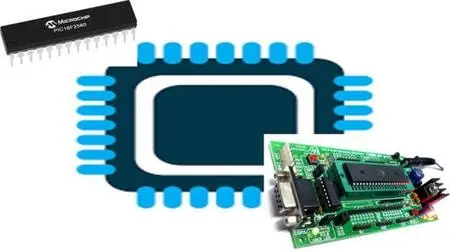
Complete PIC Microcontroller course (Hi-Tech C Compiler)
MP4 | Video: h264, 1280x720 | Audio: AAC, 44.1 KHz, 2 Ch
Genre: eLearning | Language: English + srt | Duration: 42 lectures (6h) | Size: 2.58 GB

Using Hitech C Compiler Deep dive into 8-Bit PIC16F microcontroller programming by reading the datasheet
What you'll learn
Programming PIC microcontroller in MPLABIDE with Hitech C Compiler
You will learn how to program a PIC Microcontroller from scratch with datasheet approach
Build your own projects with the PIC microcontroller.
You will be learning all the peripherals programming from scratch no libraries used in MPLAB IDE
The class starts from the basics of setting up a microcontroller programming and hardware environment.
Requirements
Basic knowledge on electronics components
Basic knowledge on C programming
Download and Install Proteus Professional all other software links are provided
Basic circuit building skills from schematics
Description
Over a 40+ lecture videos, 6+ Hours of Full HD Content that will take you in an interactive learning to not only master the coding of PIC Microcontroller, but also learn the very basics of PIC Microcontroller internal structure and hardware schematics required for building your own products out of PIC microcontroller, how it really works, it's parts and how your code is working inside the CPU of a Microcontroller.
Hi, welcome you all to this course on Programming on PIC16F877A microcontroller From Scratch.
The course is structured for the need of learners to understand microcontrollers from scratch till you master your skills. This course is the outcome of the experience I gained after training many of graduate students and working professionals in person, and with my expertise in the field of embedded systems. Few basic Embedded C concepts are also covered.
SM Training Academy invites you all to enroll in this course and explore the world of embedded systems with step by step guidance by own expert trainers to excel in their career. There is no better way to master and understand the PIC microcontroller than joining this course. Whatever you want to learn is available in this course and also we will be updating the course with new lectures in a periodical manner. So join the course and enjoy learning.
Who this course is for
Anyone with a curiosity for making electronics
People with some experience in electronics
People with an beginner knowledge of embedded systems
Homepage


5f61061a-2737-48ee-84d1-751821efe661.png

Complete Wordpress course for beginners in 2022
MP4 | Video: h264, 1280x720 | Audio: AAC, 44.1 KHz, 2 Ch
Genre: eLearning | Language: English + srt | Duration: 56 lectures (7h 34m) | Size: 7.25 GB

Create your own Agency website using Wordpress. Even if you never made any website before!
What you'll learn
Wordpress basic A2Z | Everything i show in this course
About Elementor Free and Elementor Pro A2Z
How to install Themes and Plugins
How to design Proparly
How to get free domain and Hosting
Many More
Requirements
Nothing need i will show you everything
Just Need Internet and a Computer.
Description
Welcome To My WordPress Elementor Course. I am Md Azizul from Expert Azi.CEO And Founder of getwpexpert.com.Last 5 years I am working on youtube and taught People about web design and development. Last 3 years I am working on Fiverr and Upwork as a freelance web developer. I finish A lot of projects Online and Offline.
In this course, I will teach you. how you can create a website from scratch using WordPress and we will use a free theme and some free plugins, and Elementor Page Builder. Even if you are new to WordPress, if you complete the course you will learn many things and you will get confidence. You will be able to redesign or recreate any kind of Responsive website.
Benefits
you and me. we will design this full website from scratch.
give you all the files and source code.
Unlimited support.
Share with you Premium Plugins and software.
If you want to do freelance then we will help you and give proper guidance.
Basically, we directly focus on practical work. Firstly we show you some basics then we start designing the full website.
We are targeting beginners .who want to start WordPress.who want to make their own website and want to earn money.
Who this course is for
Complete wordpress course for beginners
Homepage


gzXZy32KkCdLARYsm3KLUll3jp97paVV.jpg

Computer Vision and Deep Learning A-Z: Opencv Pytorch python
Genre: eLearning | MP4 | Video: h264, 1280x720 | Audio: AAC, 48.0 KHz
Language: English | Size: 400 MB | Duration: 1h 0m
Become a Master in all latest Computer Vision tools and technique. Build the powerfull apps in computer vision.

What you'll learn
One who want to start their carrier in computer vision.
Students in college who want to get a jump start on their computer vision research
Anyone interested in using Deep Learning for Computer Vision should join on.
Software developers and engineers that wish to learn more about computer vision
Requirements
Must know basic python
Description
What you'll learn
This new era is being revolutionized by computer you can see around yourself and have a look. How fast the things are changing I am here to tech you the computer vision from very basic to very advance. This journey will be mostly project basis. I mean that we will learn the concept and will see how to utilize these concept to build the amazing application.
As an instructor I want you to write the code buy your self rather than copy paste from the given one this will give you addition confidence in writing the code.
In this course we will work on things are remote heart rate measurement, iris tracking, sudoko solver, Face-recognition system, ANPR(Automatic number-plate recognition) I will try my best to cover most of the technique we can use to solve the given problem and your suggestions will be always welcomed you me.
We will also cover the deep Learning and machine learning to solve the given problem.
Are there any course requirements or prerequisites?
Must know basic python
Who this course is for
If you want to learn more about Computer Vision and Deep Learning, Or are you already a seasoned pro. Regardless of your skill level.
Amar Jeet Kushwaha
Who this course is for
If you want to learn more about Computer Vision and Deep Learning, Or are you already a seasoned pro. Regardless of your skill level.
Screenshots


1ae8a75e-2a2a-4cd0-b858-73dbb1cbf1ed.png

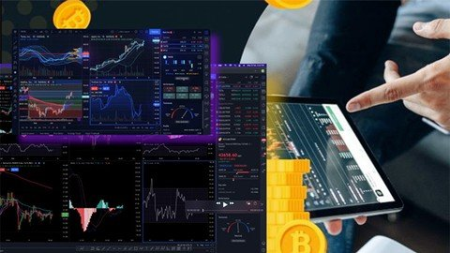
Cryptocurrency Trading 2022 Hands-On Crypto Trading Course
Genre: eLearning | MP4 | Video: h264, 1280x720 | Audio: AAC, 48.0 KHz
Language: English | Size: 2.74 GB | Duration: 3h 57m
Become a Full Time Cryptocurrency Trader

What you'll learn
Basic through advanced cryptocurrency trading course with trading strategy
Perform In Depth Technical Analysis Using Elliot Wave & Smart Money Trading Strategy
Learn my own cryptocurrency trading strategy that has surprisingly high risk to reward and success rate
Know when is the right time to trade a coin and when to exit the trade by understanding the trading cycle
trade confidently regardless of market going up or down
See my live trade examples so you can see how I use the trading strategy to take profitable trades
Get access to monthly market scan and latest technical analysis with live trade recordings to enhance your learning
Search best crypto projects to trade
Requirements
No prior trading experience is required. You only need a laptop and internet connection to practice the trades
Description
Would you like to learn cryptocurrency trading & become an expert in technical analysis? If so, you will this crypto trading course will be the only course you ever need.
I am Faiz, An Engineer by professional but chose crypto trading as a full-time job. After one year of struggle, I managed to develop a very comprehensive and profitable crypto trading strategy and I am very excited to share the same with you.
In this cryptocurrency trading course, you'll learn the lifecycle of bitcoin and altcoins. You'll learn how smart money (big banks and institutions) invest and how we can follow in their footsteps to make profitable trades with high risk to reward ratios.
You'll learn how to scan the market and choose coins that are best to trade. I'll teach you how to Elliot Wave technique and confidently take long or short positions by using my crypto trading technique.
I'll share my complete crypto trading strategy step by step with live trade examples. I have also added a section of live trading that will be updated every month with the latest market analysis and live trade examples.
So if you are excited to start cryptocurrency trading like a pro. Let's get started.
Who this course is for
If you are interested in learning how to trade crypto like a professional trader, then this course is for you. The trading strategy you'll learn is not a retail trader's strategy, You'll not learn how to draw resistance, Support or trendlines. Rather you'll learn smart money trading using Elliot wave technique. After attending the course you'll be able to trade in both bull and bear markets
Screenshots


382706eb-866e-41a2-9a51-9051329edd26.png

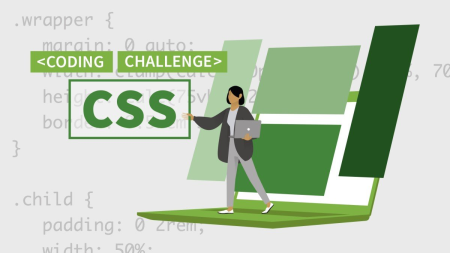
CSS Layout Code Challenges
LinkedIn Learning
Duration: 1h 17m | .MP4 1280x720, 30 fps(r) | AAC, 48000 Hz, 2ch | 455 MB
Genre: eLearning | Language: English​

This course with Morten Rand-Hendriksen tests your knowledge with 15 CSS layout challenges exploring the opportunities and intricacies presented by modern CSS layout modules. Challenges range in scope from component-level layouts like horizontal menus to sitewide layouts and responsive layouts across multiple viewport widths. If you want to see how your skills stack up or just learn something new, join Morten for this course.
Homepage
Screenshots


ad7a62fa-f106-4a1c-b51b-f19b8184eed3.png

Cut Paper Crossover: Add Analog Details to Your Digital Procreate Art
Duration: 1h 21m | Video: .MP4, 1280x720, 30 fps | Audio: AAC, 48 kHz, 2ch | Size: 760 MB
Genre: eLearning | Language: English​

Let's bring another dimension to your digital art!
As an artist, working digitally can be a dream but I have to admit that I do occasionally miss the tactile joys of working with paper. There's just something magical about transforming a blank sheet of paper into something new and uniquely yours.
In this class, we're going to bring a bit of that magic into our world of digital drawing.
First, I'm going to guide you through the process of drawing a whimsical greenhouse illustration in Procreate.
Then we're going to crossover from digital art to analog art and I'll show you how to make the illustration literally pop off the page by incorporating cut paper details.
This class is ideal for digital artists who want to experiment with more tactile techniques or traditional illustrators who want to explore this fun way of adding another layer of dimension to their work.
I can't wait to get started. See you in class!
Homepage
Screenshots


5e61bbc4-54b2-4d07-9209-efa25514ca20.png

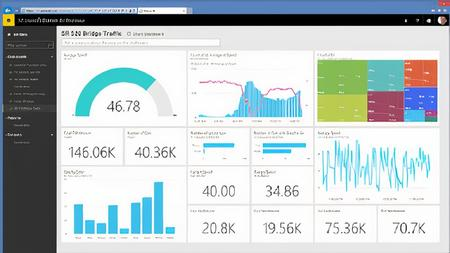
Data Storytelling with Power BI by Ahmad Chamy
MP4 | Video: h264, 1280x720 | Audio: AAC, 44.1 KHz, 2 Ch
Genre: eLearning | Language: English + srt | Duration: 12 lectures (4h 1m) | Size: 3.72 GB

Become a master data visualizer
What you'll learn
Learn how to create 25+ types of visuals essential for any dashboard builder!
Complete a Final Project Dashboard to add to your Portfolio
Learn how to create dashboards that are a union of utility, usability, and beauty.
Apply the Guided Analytics Framework to your Dashboard development
Requirements
Students are expected to have previous Power BI Desktop experience
Description
Course Information
10 Modules
30 Demos
FREE Dashboard Development Resources
100+ Slides of Content Self-Paced and On Demand Online Course
Key Topics
Guided Analytics Framework
Agile Dashboard Methodology
Step by Step guide for building Self-Serve Dashboards
Dashboard UX/UI Design Best Practices
The Hierarchy of Granularity: Dashboards that every level of your organization can consume
Consumer-Driven Data Visualization Framework
How to create & format 25+ types of charts in Power BI
Using Figma to create stunning High-Res Dashboard Layout Templates
FREE Resources
Checklist for Properly Formatting all Major Type of Charts
Dashboard Development Roadmap + Step by Step Guide for Analytics Managers to Succeed at any Dashboard Creation Project
Dashboard Requirement Gathering Framework + Priority Quadrant
Power BI Report Layout Templates
About the Instructor
Microsoft Certified Data Analyst & Microsoft Certified Trainer
CEO, Founder- D Cubed Analytics
Power BI Instructor at British Columbia Institute of Technology
Trained 100+ Analysts from over a dozen countries
Who is this course for
BI Developers, Data Analysts, Technical Business Analysts, Analytics Managers & Analytics Consultants
Possess a foundational level of understanding building reports in Power BI Desktop
Section 1: Consumer-Driven Data Visualization Framework
This module is all about providing you with a roadmap that you can leverage for your dashboard development projects. In addition to this, we will introduce you to the Guided Analytics Framework, a methodology that is essential for delivering dashboards that your consumers will love to use in their decision making.
In this Module's demos we will walk you through how to use Figma to create custom Power BI Report Page Templates that we will leverage later in the course.
Section 2: Foundations of Data Storytelling
We will cover the Foundations of Data Storytelling in this module, this will help you better understand your end-user's needs, and make your dashboards union of utility, usability, and beauty.
Our demo will walk you through how to create a Custom Power BI theme that you can use to align the designs of your dashboards.
Section 3: Data Visualization Selection Process
Understanding the different types of data and how they impact your selection of visualization is a necessary skill every analyst must posses. This module will take the guess work out of visual selection, and you will have a clear framework to select the right visualization for your data.
Section 4: Formatting Tables & Matrix Visuals
Every dashboard will have at least one table/matrix in it, in this module we will provide you with a 7-step process that you can follow to ensure your tables/matrixes are formatted appropriately every time.
Section 5: Formatting Bar Charts
In this module you will get access to the 8-point checklist that you can apply to any bar chart and ensure they are always formatted correctly. We will also explain how to create more advanced bar charts such as bullet, paired bar, and deviation charts.
Section 6: Formatting Line & Area Charts
You'll learn about the 5 formatting rules you need to follow with Line & Area Charts. This module is all about knowing which type of line/area chart is best for your data.
Section 7: Single Value Visualizations
This module will teach you about the 4 formatting rules you need to follow when visualizing KPIs. As well as provide you with a 5-step process to create custom KPI visuals.
Section 8: Thematic Maps
What are the 5 types of maps every dashboard builder should master? In this module we will explain how to create stunning but simple maps that will captivate your audiences.
Section 9: Visualization Mistakes to Avoid
This module is going teach you what visualizations you should avoid in your dashboards.
Section 10: Creating Self Service Dashboards
The conclusion to this course will focus on how to make your dashboards self-serve for your consumers.
Who this course is for
This course is ideal for BI Developers, Data Analysts, Technical Business Analysts, Analytics Managers & Analytics Consultants
Homepage









 
b1af866b-0347-4eec-bfe2-bb43c8669f28.png

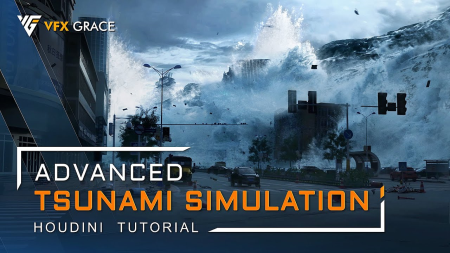
VFX Grace - Advanced Tsunami Simulation - Houdini Tutorial
Video: MPEG4 Video (H264) 1920x1080 30fps 577kbps | Audio: AAC 48000Hz stereo 128kbps
Genre: eLearning | Duration: 8hrs+ | Language: English | File size: 4.9 GB​


This is a large-scale tsunami scene tutorial in Houdini, a comprehensive big case with a lot of FX elements. It tackles fluid simulation, RBD simulation, SBD simulation, etc., and is suitable for intermediate and advanced FX artists. Starting off with the animation of the tsunami mesh, I'll walk you through the simulations of splashes, mist, building destruction, the dynamics of smaller elements, all the way to materials, rendering and final compositing.
Screenshots

For the fluid simulation, apart from FLIP and whitewater, I'll also use POP to serve as particle sources and mist, which greatly relieves the calculation load. At the same time, I'll introduce multiple approaches of source creation, and a bunch of particle optimization methods. Regarding FLIP, POP, and whitewater simulations, I'm gonna talk about basic parameters simulation ideas, and practical tips for using varied forces, fields, and attributes. In terms of the RBD simulation, I'll show you the basic workflow of building destruction, and the solutions to some common issues. For the rendering part, I'll share useful techniques to optimize the scene, and explain Mantra parameters and channel customization. Finally, in the compositing part, through useful color-grading tricks, the multi-channel compositing workflow, and the functions of data channels, I'll create a realistic CG environment step-by-step, bringing you a clear and complete composting process. This tutorial also provides dozens of handy tips, like different ways for batch simulation, shortcuts to create deforming animation, What's more, there will be experiences from my years of career, such as how to work in high efficiency, how to stay on track to your targets, and how to minimize the possibility of reworking. You'll find this tutorial extremely rewarding. After it, you'll be able to handle splashes and mist from collisions, and building destruction on your own.
Under the inspirations of this tutorial, you'll reap valuable production ideas and problem-solving abilities, thus becoming more confident to take on large-scale fluid projects. Wanna better understand and master fluid and destruction techniques in Houdini? This tutorial is just for you. Join us now.
Contents
01_Tsunami Animation
02_Main Splashes_Source
03_Main Splashes_FLIP
04_Main Splashes_Whitewater and Mist
05_Main Splashes_Subsequent Simulations
06_Splash Collision_1
07_Building Destruction_1
08_Building Destruction_2
09_Splash Collision_2
10_Tsunami-Building Interaction
11_Mist over the Crests
12_Dynamics of Small Elements
13_Car Crash Simulation
14_Materials and Rendering
15_Compositing
Homepage


1b27d6ac-ec11-4ee5-bb4a-f8b607a9b704.png

The Collective Yoga - Fundamental Flow
MP4 | Video: h264, 1920x1080 | Audio: AAC, 44.1 KHz, 2 Ch
Power Level 2-3 | Genre: eLearning | Language: English | Duration: 30m 26s | Size: 471.3 MB

Teacher: Denise Antoine
Learn (or revisit) some fundamental asanas that will lay a solid foundation for growth in your practice. This class is a moderately paced flow textured with opportunities to explore your edge. You choose how far you want to go!
Props needed: 2 Blocks & Strap
Homepage


e28fdcb1-da25-4830-8549-f59c252d41a6.png

The Collective Yoga - Expert Flow
MP4 | Video: h264, 1920x1080 | Audio: AAC, 44.1 KHz, 2 Ch
Power Level 3 | Genre: eLearning | Language: English | Duration: 32m 22s | Size: 648.2 MB

Teacher: Denise Antoine
This advanced practice focuses on consistency of breath as you a make your way through this challenging "Expert Flow." Prepare for an exhilarating adventure of Lizard variations, Tree Plank, Eka Pada Koundinyasana 2, and Firefly.
Props needed: 2 Blocks & Strap
Homepage


Zurück
Oben Unten