• Regeln für den Video-Bereich:

    In den Börsenbereich gehören nur Angebote die bereits den Allgemeinen Regeln entsprechen.

    Einteilung

    - Folgende Formate gehören in die angegeben Bereiche:
    - Filme: Encodierte Filme von BluRay, DVD, R5, TV, Screener sowie Telesyncs im Format DivX, XviD und x264.
    - DVD: Filme im Format DVD5, DVD9 und HD2DVD.
    - HD: Encodierte Filme mit der Auflösung 720p oder darüber von BluRay, DVD, R5, TV, Screener sowie Telesyncs im Format x264.
    - 3D: Encodierte Filme von BluRay, die in einem 3D Format vorliegen. Dies gilt auch für Dokus, Animation usw.
    - Serien: Cartoon/Zeichentrick, Anime, Tutorials, Dokumentationen, Konzerte/Musik, Sonstiges sind demnach in die entsprechenden Bereiche einzuordnen, auch wenn sie beispielsweise im High Definition-Format oder als DVD5/DVD9/HD2DVD vorliegen. Ausnahme 3D.
    - Bereich Englisch: Englische Releases gehören immer in diesen Bereich.
    - Bereich Talk: Der Bereich, in dem über die Releases diskutiert werden kann, darf, soll und erwünscht ist.


    Angebot/Beitrag erstellen

    - Ein Beitrag darf erst dann erstellt werden, wenn der Upload bei mindestens einem OCH komplett ist. Platzhalter sind untersagt.
    - Bei einem Scenerelease hat der Threadtitel ausschließlich aus dem originalen, unveränderten Releasenamen zu bestehen. Es dürfen keine Veränderungen wie z.B. Sterne, kleine Buchstaben o.ä. vorgenommen werden. Ausnahme Serienbörse:
    - Bei einem Sammelthread für eine Staffel entfällt aus dem Releasename natürlich der Name der Folge. Beispiel: Die Simpsons S21 German DVDRip XviD - ITG
    - Dementsprechend sind also u.a. verboten: Erweiterungen wie "Tipp", "empfehlenswert", "only", "reup", usw. / jegliche andere Zusatzinformation oder Ergänzung, welche nicht in obiger Beschreibung zu finden ist.

    Aufbau des Angebots und Threadtitel

    Der Titel nach folgendem Muster erstellt zu werden. <Name> [3D] [Staffel] [German] <Jahr> <Tonspur> [DL] [Auflösung] <Quelle> <Codec> - <Group>
    Beispiel: The Dark Knight German 2008 AC3 DVDRip XviD - iND
    Beispiel: The Dark Knight 2008 DTS DL BDRip x264 - iND
    Beispiel: The Dark Knight 2008 AC3 DL BDRip XviD - iND
    Beispiel: The Dark Knight German 2008 AC3 720p BluRay x264 iND
    Beispiel: The Dark Knight 2008 DTS DL 1080p BluRay x264 iND
    Beispiel: Die Simpsons S01 German AC3 DVDRip XviD iND
    Beispiel: Die Simpsons S20 German AC3 720p BluRay x264 iND
    Beispiel: Sword Art Online II Ger Sub 2014 AAC 1080p WEBRip x264 - peppermint
    Entsprechend sind also u.a. verboten: Sonderzeichen wie Klammern, Sterne, Ausrufezeichen, Unterstriche, Anführungszeichen / Erweiterungen wie "Tipp", "empfehlenswert", "only", "reup", usw. / jegliche andere Zusatzinformation oder Ergänzung, welche nicht in obiger Beschreibung zu finden ist
    Ausnahmen hiervon können in den Bereichen geregelt sein.

    Die Beiträge sollen wie folgt aufgebaut werden:
    Überschrift entspricht dem Threadtitel
    Cover
    kurze Inhaltsbeschreibung
    Format, Größe, Dauer sind gut lesbar für Downloader außerhalb des Spoilers zu vermerken
    Nfo sind immer Anzugeben und selbige immer im Spoiler in Textform.
    Sind keine Nfo vorhanden z.B. Eigenpublikationen, sind im Spoiler folgende Dateiinformationen zusätzlich anzugeben :
    Quelle
    Video (Auflösung und Bitrate)
    Ton (Sprache, Format und Bitrate der einzelnen Spuren)
    Untertitel (sofern vorhanden)
    Hosterangabe in Textform außerhalb eines Spoiler mit allen enthaltenen Hostern.
    Bei SD kann auf diese zusätzlichen Dateiinformationen verzichtet werden.

    Alle benötigten Passwörter sind, sofern vorhanden, in Textform im Angebot anzugeben.
    Spoiler im Spoiler mit Kommentaren :"Schon Bedankt?" sind unerwünscht.


    Releases

    - Sind Retail-Release verfügbar, sind alle anderen Variationen untersagt. Ausnahmen: Alle deutschen Retail-Release sind CUT, in diesem Fall sind dubbed UNCUT-Release zulässig.
    - Im Serien-Bereich gilt speziell: Wenn ein Retail vor Abschluss einer laufenden Staffel erscheint, darf diese Staffel noch zu Ende gebracht werden.62
    - Gleiche Releases sind unbedingt zusammenzufassen. Das bedeutet, es ist zwingend erforderlich, vor dem Erstellen eines Themas per Suchfunktion zu überprüfen, ob bereits ein Beitrag mit demselben Release besteht. Ist dies der Fall, ist der bereits vorhandene Beitrag zu verwenden.
    - P2P und Scene Releases dürfen nicht verändert oder gar unter einem iND Tag eingestellt werden.


    Support, Diskussionen und Suche

    - Supportanfragen sind entweder per PN oder im Bereich Talk zu stellen.
    - Diskussionen und Bewertungen sind im Talk Bereich zu führen. Fragen an die Uploader haben ausschließlich via PN zu erfolgen, und sind in den Angeboten untersagt.
    - Anfragen zu Upload-Wünschen sind nur im Bereich Suche Video erlaubt. Antworten dürfen nur auf Angebote von MyBoerse.bz verlinkt werden.


    Verbote

    - Untersagt sind mehrere Formate in einem einzigen Angebotsthread, wie beispielsweise das gleichzeitige Anbieten von DivX/XviD, 720p und 1080p in einem Thread. Pro Format, Release und Auflösung ist ein eigener Thread zu eröffnen.
    - Grundsätzlich ebenso verboten sind Dupes. Uploader haben sich an geeigneter Stelle darüber zu informieren, ob es sich bei einem Release um ein Dupe handelt.
    - Gefakte, nur teilweise lauffähige oder unvollständige Angebote sind untersagt. Dies gilt auch für eigene Publikationen, die augenscheinlich nicht selbst von z.B. einer DVD gerippt wurden. Laufende Serien, bei denen noch nicht alle Folgen verfügbar sind, dürfen erstellt und regelmäßig geupdatet werden.
    - Untersagt sind Angebote, welche nur und ausschließlich in einer anderen Sprache als deutsch oder englisch vorliegen. Ausnahmen sind VORHER mit den Moderatoren zu klären.


    Verstoß gegen die Regeln

    - Angebote oder Beiträge, die gegen die Forenregeln verstoßen, sind über den "Melden"-Button im Beitrag zu melden.
  • Bitte registriere dich zunächst um Beiträge zu verfassen und externe Links aufzurufen.

*** Bestes IPTV *** bester Preis *** gratis Test ***


Englische Tutorials

f1ab724b-93a9-4ccc-a8d3-e5b3d34e1fb7.png

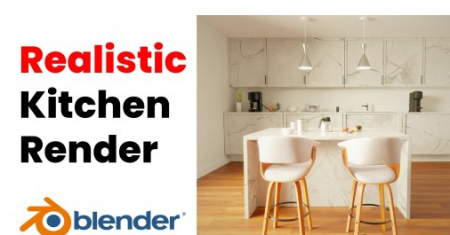
Blender 3D: Easy Realistic Kitchen Scene
Duration: 1h 18m | Video: .MP4, 1280x720, 30 fps | Audio: AAC, 48 kHz, 2ch | Size: 884 MB
Genre: eLearning | Language: English​

What's up nerds?
Welcome to my brand new blender tutorial in which we will learn how to create this Amazing Indoor Kitchen scene. Now this tutorial is extremely easy and is made for blender beginners who have very little experience.
However, you will be expected to know the basics like navigating the viewport, moving, rotating and scaling stuff, using the edit mode etc.
In this tutorial, we're gonna be covering the basics of Modelling, Texturing, Lighting and Rendering in Blender so you can take your 3d art skills to the next level.
The good thing about this class is that this class will show you the raw process of a 3D artist in creating art. we will be solving all problems and making all creative decisions together!
So what are you waiting for? Just start this class today and take your blender skills to a whole new level!
Homepage
Screenshots


Screenshot-3.png

Adobe Illustrator CC: From Beginner to PRO
Duration: 16h 40m | Video: .MP4, 1280x720, 30 fps | Audio: AAC, 48 kHz, 2ch | Size: 9.72 GB
Genre: eLearning | Language: English​

Learn how to create illustrations, logos, icons, posters, or sketch in Adobe Illustrator, the number one software used by designers world-wide to create graphics. This course offers easy to follow, step by step instructions and tutorials. No matter if you are a beginner or a designer trying to improve your techniques, this course will help take your work to the next level.
Some of the things you will learn in this course
Understanding the program's interface and shortcuts.
Creating icons and logos.
Using the pen tool.
Working with layers.
Rendering techniques for creating vector graphics by tracing images.
Working with gradients to create a 3D result.
Saving time by creating brushes and patterns.
The Advantages of working with Symbols.
Sketching versus using the Pen tool.
And much more.
Homepage
Screenshots


maxresdefault.jpg

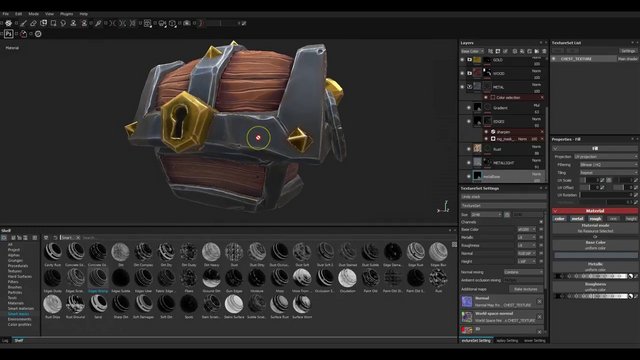
Texturing in Substance Painter by CJ
Duration: 2h | Video: .MP4, 1280x720, 30 fps | Audio: AAC, 48 kHz, 2ch | Size: 616 MB
Genre: eLearning | Language: English​

Welcome
To my course, Texturing in Substance Painter. In this course, you'll learn how to use substance painter to quickly and easily to texture your model, more stylize and hand painted way.
What is your benefit to choose this course ?
Some of the key takeways from watching this course include learning how to use substance painter interface utilize elements of your highpoly model to quickly add detail to your texture...
By the end of the training you will be able to quickly texture a handpainted model without ever having to load photoshop .. Or get lost on a confusing UV map.
Things you learn here.......
You'll explore the different tools that can be utilized for good texturing.
Learn how to create baking in substance painter and also how to use different brushes.
You will be familier with various types or material, masks, alphas etc.
You'll discover new skills and increase your changes for new opportunities in industry.
Students who is Ideal for this course
3D Artist, 3d Texturing Artist.
Software required:*Substance Painter.
Still thinking abut taking this course ?
Go ahead and click the enroll button, and can't wait to see you in this course.
Please leave your comment.
Good luck.
Cheers.
Homepage
Screenshots


0086eeb6_medium.jpg

Blender Modeling from scratch
MP4 | Video: h264, 1280x720 | Audio: AAC, 44.1 KHz, 2 Ch
Genre: eLearning | Language: English + srt | Duration: 32 lectures (5h 2m) | Size: 3.81 GB

Take your first step to be the 3D modeler
What you'll learn
How to start with Blender?
How does Blender interface work?
How to make some basic adjustments on you Blender UI ?
Basic Blender tools and Hotkeys
How to start with modeling Lowpoly?
How to start modeling Highpoly?
What is UV-unwrapping and how does it work?
What is texturing?
How does lighting work inside blender?
How to take some awesome renders with Blender Cyles?
How does Composition works in Blender ?
Requirements
You just need a PC and a piece of software named "Blender",That's all for a good start for a modeller.
Description
Hello everyone, by the time you are here, you might have read/viewed my intro and got interested in this course. This course is made for absolute beginners who want to learn 3D modeling in Blender.
Blender is totally free and open-source software and currently, they are upgrading themselves with a lot of love and supports from many artists.
I used Blender 3.0.0.
If you want to build your career with blender 3D modeling and make a career for 3D modeling, then this can be the 1st step.
Also if you have a desire to work as a game industry 3D modeler, then you can be benefited from some of my tricks on how I made 3D low poly models here in this course.
Also those who want to shine their texturing and UV unwrapping skill,I tried to make things as easier as possible so when you finish the course, you can make similar objects like me,with better and clean topology.
Here I also explained how to create materials and I crushed every topic as much as possible :)
Hope you won't be disappointed after buying the course.
You will be getting My mail address and a Facebook close group access to ask all your questions and I will be there to guide you to any problems you face :)
Thanks .
Who this course is for
Complete beginners who want to make their career on 3D modeling
Patient and hard working who want to see his future on 3D art
Who wants to learn Blender step by step
Any artist who want their Arts to be live
Any game artist who wants to start creating gaming objects in 3D
Homepage


35dd2c1f-faa8-467c-b04c-26b8544d4578.png

Bread Baking 102: Master Sandwich Breads, Ciabatta & Bagels
Duration: 2h 43m | Video: .MP4, 1280x720, 30 fps | Audio: AAC, 48 kHz, 2ch | Size: 1.89 GB
Genre: eLearning | Language: English​

Behind Every Delicious Sandwich Bread there is a Freshly Baked Homemade Bread. This Class aims to guide you through complete steps and techniques to make Artisan Sandwich Breads and Sandwiches at Home
It combines simple ingredients through techniques and precision and enables us to make something really beautiful for the ones we love. The satisfaction of making beautiful breads is so satisfying.This course is designed for you to learn and understand concepts like dough temperature, dough percentage, role of yeast, fermentation process etc and apply them to take your skills to the next level.
This course covers the essential techniques used in Sandwich Breads and also covers how to make Sandwiches with these Breads
This is a Course suitable for students just starting out in their baking adventure or have experience and want to improve their Bread Baking skills. In this course I have put together all aspects and steps in baking a New York Style Bagel,
We will be making all the recipes from scratch and we will follow the step by step directions of the whole process together. I will also explain everything about the ingredients we are using.
The course will help everyone from complete BEGINNERs who have never baked before to PROFESSIONALS who bake in professional bakeries.
The course will also make an amazing gift to your friend or a family relative who are aspiring bakers and want to pursue to become professionals or just want to have fun baking
Some skills you will learn
Understand the Tools required in Baking Bread
Understanding Ingredients and their role in Bread Baking
Essential Concepts to Build a Strong Foundation such as Dough Temperature, Fermentation etc
Techniques used in Making Different Breads
How to Measure Ingredients and prepare before Baking
How to Make A New York Style Bagel and Salmon and Cream Cheese Sandwich
How to Make Japanese Milk Bread
How to Make French Brioche
How to Make An Italian Ciabatta
Master Concepts such as Folding,Shaping,proofing and Baking
Who this course is for
"Bread Baking 102- Master Sandwich Breads" is a Class is for people passionate about Baking Bread
Beginners who havent baked before but aspire to learn how to bake at home
Seasoned Bakers who want to improve their skill
This Course makes an excellent gift as well for your friends
Homepage
Screenshots


0ce6e6d3-52c3-4856-8258-c435ba162f43.png

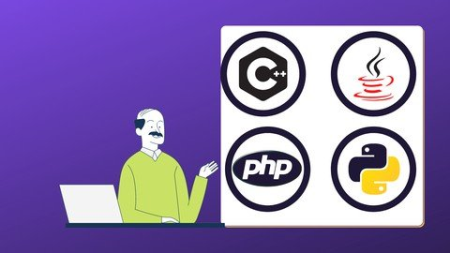
C++, Java And Python And PHP Programming All Complete Course
Genre: eLearning | MP4 | Video: h264, 1280x720 | Audio: AAC, 44.1 KHz
Language: English | Size: 4.37 GB | Duration: 11h 32m
Learn 4 Programming languages in One Complete Course, Learn All In C++, Java, Python And PHP Complete Course

What you'll learn
Introduction to C++ And Java Programming And Python Programming And PHP programming In general
Practical demonstrations of C++ And Java And Python And PHP Concepts
Learn about C++ And Java programming and Python programming the software's interface
Learn C++ And java Arrays, Lists and Structured Data Class ,Java: Discovering its Power Class
Learn java operators, java datatypes and java conditional statements
Learn Python operators, Python datatypes and Python functional statements
PHP Introduction Basic Syntax
PHP Arrays, Lists and Structured Data Class
PHP Operators, PHP conditional statements, PHP loops
Requirements
Basic Computer Knowledge
No programming knowledge required to learn C++ And java and python, and PHP programming.
Description
C++ And Java And Python And PHP Complete Training Course For Beginners
Why This Course
12 hours of Applied Learning
Hands-on coding and implementation of each tutorial
Lifetime access to self-paced learning
Flexibility to choose careers in C++, Java.And Python And PHP
1) C++ Complete Course
This course is an introduction to the C++ programming language and its subset, the C++ programming language. Program structure, block, storage types, console and file I/O, functions, arrays, strings, pointers, call-by-reference, call-by-value, and dynamic memory allocation will be discussed. The concept and use of classes will be covered in some detail. The differences between C++ will also be discussed.
Course Rationale: This course is designed to teach students the C++ programming language and introductory and intermediate programming concepts with examples and applications using the C++ language. The course builds and extends topics covered in the prerequisite course, COSC 1315 and prepares students for more advanced programming courses such as ITSE 2431 (Advanced C++ Programming) and COSC 2415 (Data Structures) as well as for entry level programming employment. The course is required for an Associate Degree in several Computer Information Systems and Computer Science degree areas.
STUDENT LEARNING OUTCOMES/LEARNING OBJECTIVES
Course Objectives/Learning Outcomes
Demonstrate a thorough understanding of modular programming by designing programs that require the use of programmer-defined functions.
Demonstrate a thorough understanding of arrays by designing and implementing programs that search and sort arrays.
Demonstrate a thorough understanding of the object-oriented programming concepts of encapsulation, data abstraction and composition by designing and implementing classes including the use of overloaded functions and constructors.
Demonstrate a thorough understanding of the concept of pointers and dynamic memory allocation by designing and implementing programs using pointers and dynamic memory allocation.
Demonstrate a thorough understanding of the implementation of programmer-defined functions and classes by writing code, performing unit testing and debugging of multiple complex programs.
Demonstrate good documentation style in all of the programs written in this course.
Demonstrate proficiency in implementing data validation code, performing unit testing, and developing test plans while implementing robust solutions to the assignments in this course.
Demonstrate a thorough understanding of stream input/output for both console and files.
Demonstrate an understanding of the differences between C++ in the areas of strings, pass by reference/passing pointers, and structs by designing and implementing programs that use C++ strings, C++ language structs and classes.
Learn in this Course
To learn the fundamental programming concepts and methodologies which are essential to building good C++ programs.
To practice the fundamental programming methodologies in the C++ programming language via laboratory experiences. ...
To code, document, test, and implement a well-structured, robust computer program using the /C++ programming language.
2) Java Complete Course
This advanced Java Certification Training is designed to guide you through the concepts of Java from introductory techniques to advanced programming skills. This Java course will also provide you with the knowledge of Core Java 8, operators, arrays, loops, methods, and constructors while giving you hands-on experience In java programming language.
In this course, students will learn fundamentals of Java programming. Using the Java Developmental Kit (JDK 6 SE), students will learn basic object-oriented formatting so they can move on to more advanced classes.
The curriculum for this course covers Java Remote Method Invocation (RMI), socket-based network programming, I/O files, serialization and the Java runtime environment. Students in this class also practice native methods, thread handling and synchronization.
The purpose of this course is teach students how to write programs in Java that will solve real world issues. After this course, students should be able to design software that solves problems on a scalable level.
This class furthers students' knowledge of Java programming. Those enrolled will learn to manipulate and read data with more complex structure.
* Why This Course
6 hours of Applied Learning
Hands-on coding and implementation of each tutorial
Lifetime access to self-paced learning
Flexibility to choose careers in java.
* Java Course Contents
Introduction To Java Programming
Identifier rules
Naming variables, constants (final) and references
Primitive data types
Arithmetic Operators
Assignment Operators
Relational and Logical Operators.
3) python programming language.
Python is a language with a simple syntax, and a powerful set of libraries. It is an interpreted language, with a rich programming environment, including a robust debugger and profiler. While it is easy for beginners to learn, it is widely used in many scientific areas for data exploration. This course section provides an introduction to programming and the python language. students are introduced to core python programming concepts like conditionals, loops, variables, and functions. this section includes an overview of the various python aspects. It also provides hands-on coding exercises using commonly used writing custom functions, and reading and writing to files. this section or whole course may be more robust than some other courses, as it delves deeper into certain essential programming topics.
what you will learn in this section
Identify core aspects of programming and features of the Python language
Understand and apply core programming concepts like conditionals, loops, variables, and functions
Use different ways for writing and running Python code
Design and write fully-functional Python programs using commonly used data structures, custom functions, and reading and writing to files
and more..
4) PHP Programming
Introduction To PHP Programming
This section will learn the basic structure of a web application and how a web browser interacts with a web server. You'll be introduced to the request/response cycle, including GET/POST/Redirect. You'll also gain an introductory understanding of Hypertext Markup Language (HTML), as well as the basic syntax and data structures of the PHP language, variables, logic, iteration, arrays, error handling, and superglobal variables, among other elements.
syllabus
Web concepts of Php
basic syntax
Arithmetic Operators
Assignment Operators
New php-7 features scalar type declaration
Class and objects
inheritance
Thank you and see you inside the course.
Who this course is for
For People New to C++ And Java, Python,and PHP
Who want to learn C++ And Java, Python And PHP Fundamentals and later Transition into software development
Screenshots











 
4c86f02e-af4b-4958-be34-8e932eb05fd4.png

C and Embedded C Programming
MP4 | Video: h264, 1280x720 | Audio: AAC, 44.1 KHz, 2 Ch
Genre: eLearning | Language: English | Duration: 14 lectures (10h) | Size: 2.68 GB


Learn C Programming for Embedded Systems. Take a deep-dive into C language and learn how to apply it to Embedded Systems
What you'll learn
C for Embedded Systems - introduction & basic data types
Learn basic concepts of E and Embedded C programming
Deep-dive into C programming
Deep-dive into Embedded C programming
Understand Embedded C preprocessing
Define C Traps & Pitfalls
Discover the secrets of printf in C
Learn standard C and Embedded C libraries
Requirements
Enthusiasm and determination to make your mark on the world!
Description
A warm welcome to the C and Embedded C Programming course by Uplatz
The C Standards Committee created the Embedded C as a collection of language extensions for the C programming language to address commonality concerns that emerge with C extensions for various embedded systems. It's used to create microcontroller programming software Fixed-point arithmetic, named address spaces, and essential I/O hardware addressing are all characteristics not accessible in normal C. In simple words, Embedded C is a set of language extensions for the C programming language by the C Standards Committee to address commonality issues that exist between C extensions for different embedded systems.
C is a general-purpose programming language that is frequently used to create desktop programs of all types. Dennis Ritchie created it to design the operating system as a system programming language. Low-level memory access, a basic set of keywords, and a clean style are all properties of the C programming language that make it suited for system programming such as OS or compiler development. In its natural state, it employs a native platform development strategy, meaning that the application's development is platform-dependent and limited to a single platform. Embedded C is a microcontroller-based programming language that is an extension of the C language. I/O Hardware Addressing, fixed-point arithmetic operations, accessing address spaces, and other features distinguish the Embedded C language from traditional C programming. The Basic Structures of an Embedded C Program are organized in five tiers.
Embedded C is unarguably the most popular languages among Embedded Programmers for programming Embedded Systems. There are many popular programming languages like Assembly, BASIC, C++, Python etc. that are often used for developing Embedded Systems but Embedded C remains popular due to its efficiency, less development time and portability.
An Embedded System can be best described as a system which has both the hardware and software and is designed to do a specific task. Some examples of the embedded systems in a modern-age car are Anti-lock Braking System (ABS), Temperature Monitoring System, Automatic Climate Control, Tire Pressure Monitoring System, Engine Oil Level Monitor, etc.
Embedded Systems consists of both hardware and software. If we consider a simple Embedded System, the pri**** hardware module is the Processor. The Processor is the heart of the Embedded System and it can be anything like a Microprocessor, Microcontroller, DSP, CPLD (Complex Programmable Logic Device) or an FPGA (Field Programmable Gated Array). All these devices have one thing in common: they are programmable i.e., we can write a program (which is the software part of the Embedded System) to define how the device actually works.
Embedded software/program allows hardware to monitor external events (Inputs / Sensors) and control external devices (outputs) accordingly. During this process, the program for an embedded system may have to directly manipulate the internal architecture of the embedded hardware (usually the processor) such as Timers, Serial Communications Interface, Interrupt Handling, and I/O Ports etc.
It is obvious that the software component of an embedded system is more or at least equally important as the hardware part. There is no point in having advanced hardware components with poorly written programs (software) since otherwise you won't be able to optimize your hardware to the effect you want.
There are many programming languages that are used for Embedded Systems like Assembly (low-level Programming Language), C, C++, JAVA (high-level programming languages), Visual Basic, JavaScript (Application level Programming Languages), etc. In the process of making a better embedded system, the programming of the system plays a vital role and hence, the selection of the programming language is very important.
Key advantages of choosing C as the preferred language of programming for embedded systems
It is significantly easy to write code in C
Fast execution
High performance
Maintenance of code is very simple
Make use of rich library functions to reduce the complexity of the main code
Versatility - can easily port the code to other architecture with very little modifications
Robustness and scalability
Difference between C and Embedded C
There is actually not much difference between C and Embedded C apart from few extensions and the operating environment. Both C and Embedded C are ISO Standards that have almost same syntax, datatypes, functions, etc. Embedded C is basically an extension to the Standard C Programming Language with additional features like Addressing I/O, multiple memory addressing and fixed-point arithmetic, etc. C Programming Language is generally used for developing desktop applications, while Embedded C is used in the development of Microcontroller based applications.
This course on C and Embedded C Programming explains how to use C in embedded systems. This course teaches delegates how to program a contemporary embedded microcontroller utilizing real-time development tools, in addition to providing them a thorough understanding of the C programming language. The C Programming for Embedded Systems course is designed to provide you with real-world coding experience as well as hands-on project work using ARM-based microcontrollers. You'll learn how to create embedded software applications and handle software configuration management. This C and Embedded C programming course is for everyone, whether you're a student or a working professional wishing to change careers.
The Embedded C course gives a step-by-step approach to mastering the C programming language for novices. By studying c in a methodical manner, you may fine-tune your coding abilities and turn your ideas into applications, laying a solid basis for embedded systems and more sophisticated electronics systems.
Course Objectives
Develop C/Embedded C programs in a systematic manner
Create applications based on the fundamental notions
Develop your coding abilities. in an expert manner
Get a thorough understanding of C/Embedded C by starting with the basics
Develop your debugging abilities and find solutions to your code's problems
Construct a foundation for future programming languages and embedded programming
C and Embedded C Programming - Course Syllabus
Introduction to Embedded C
Deep-dive into C Programming
Embedded C - Practice
Embedded C - Preprocessing
C Traps and Pitfalls
Secrets of printf in C
Standard C Library
Who this course is for
Embedded Electronics Engineers C/C++
Embedded Software Engineers C/C++
Anyone aspiring for a career in C and Embedded C programming
Beginners & newbies interested in C programming for embedded systems
Embedded C Engineers
Software Engineers Embedded C / C++ Linux
Firmware Engineers - Embedded C
Electronic & Electrical Engineers
Software Developers
Application Developers
Software Testing Specialists - Microcontrollers, PLCs, hand-held devices
Homepage


e931eb73-8922-443d-a67f-fc4e6276a730.png

Cinematic look with Blender 3.0 - 8+ hours MASTER tutorial
MP4 | Video: h264, 1280x720 | Audio: AAC, 44.1 KHz, 2 Ch
Genre: eLearning | Language: English + srt | Duration: 30 lectures (8h 21m) | Size: 6.5 GB

Three tutorials in one
What you'll learn
You will learn how to model in Blender
You will learn how to create more complex textures in Blender
You will learn how to create a scene, set up a camera and lighting
You will learn the basics of animation in Blender
You will be taught how to do post-processing in Blender and After Effects
You will be taught how to achieve a cinematic look
Requirements
It's good to have a little experience with Blender
Description
Learn how to make a realistic and cinematic scene in Blender in three separate courses for the price of one. Each course lasts about 3 hours, learn how to model in Blender, how to create realistic materials, and set up lighting. You can also learn something about animation in Blender. Finally, we will do post-processing in Blender Composer and After Effects.
TUTORIAL 1 - Old Apple Macintosh Cinematic Look Tutorial - 2 Hours 40 Min
Part 1 - Old Apple - Modeling Macintosh SE 30 - 36min
- Import and modeling with blueprints
- Learning modeling techniques in Blender
- Learning shortcuts in Blender
Part 2 - Old Apple computer - Keyboard and mouse modeling - 32 min
- Learning modeling techniques in Blender
- Learning shortcuts in Blender
- Modeling Apple Macintosh SE 30 keyboard and mouse
Part 3 - Old Apple - Texturing screen and computer - 36 min
- Learn to texture in Blender
- Create advance screen material
- Create material with 3 levels of bump
- Create complex material with lots of imperfections
Part 4 - Old Apple - Finish texturing and adding details - 28 min
- Continue texturing and adding details
Part 5 - Old Apple - Lighting, Compositing, After Effects post-processing - 16 min
- Lighting in Blender
- Camera setup
- Post-processing in After Effects
TUTORIAL 2 - Cinematic Look With Blender 3.0 - Step By Step Tutorial, 2h 50 Min
PART 1 - 28 min
- Setting the scene
- Import reference images
- Modeling shells using subdivision surface and proportional editing
- Create shell material and UV project
PART 2 - 21 min
- Modeling another shell
- Learning shortcuts keys and modeling process
PART 3 - 20 min
- Modeling cutting board
- Placing camera
- Camera setup, depth and field
- Placing shells and working on composition
- Lighting
PART 4 - 22 min
- Creating details (salt, parsley, sprigs of rose****)
- Creating tablecloth material
PART 5 - 25 min
- Creating bokeh in the background
- Creating more details in the background
PART 6 - 24 min
- Creating animated fire in the background
- Creating fireplace in background
- Compositing in Blender
- Create vignette effect with objects
PART 7 - 26 min
- Exporting passes from Blender
- After Effects post-processing
TUTORIAL 3 - Creating A Movie Scene In Blender - 3 Hours Tutorial
PART 1 - CG scene created in Blender and After Effects - 33 min
- work with reference images
- creating and setting up a blender file
- electrical outlet modeling - blender shortcuts
PART 2 - Modeling Ethernet cable - 39 min
- modeling Ethernet cable
- blender shortcuts - blender modifiers
PART 3 - Ethernet cable scene - Modeling outlet - 34 min
- create materials in Blender
- blender nodes - lighting in Blender - camera setup
PART 4 - Texturing - 24 min
- Import shaders in Blender
- nodes and materials - creating a spider web in a Blender
PART 5 - Compositing and animating in Blender - 25 min
- compositing in Blender
- animating in Blender - shape Keys
PART 6 - After Effects post-processing - 27 min
- post-processing in After Effects
Who this course is for
People who love 3d and who are interested in how to achieve realism or a cinematic look
Homepage


6c9d77e2-ae4f-4a3c-a698-15e44a312a7b.png

Cisco ACI (Application Centric Infrastructure) for Beginners
MP4 | Video: h264, 1280x720 | Audio: AAC, 44.1 KHz
Language: English | Size: 3.11 GB | Duration: 7h 32m​

Gain overview and understanding of Cisco ACI and Nexus 9K devices with step by step approach.
What you'll learn
Students will get good overview of ACI Infrastructure which includes Nexus 9000 Series Leaf and Spine Devices.
Requirements
Students should have prior understanding of Cisco Nexus Devices and NXOS Environment
Description
ACI is known as Cisco's approach towards SDN. It is one of the most popular topics in Networking to learn at the present times. I will take you through the implementation of an ACI infrastructure from a real-world perspective. You will learn most of the terminology associated with Cisco's ACI, as well as the basic networking constructs such as Bridge Domains and contexts aka VRFs.
Initially I will give you overview of Nexus 9K hardware and devices and then will take you towards ACI.
You will learn below topics
1. Hardware Specifications for ACI and Nexus 9K
2. Leaf and Spine Switches
3. APIC Controllers
4. Tenants
5. Contexts
6. Bridge Domains
and many more!
This is a basic course and short course at this moment so that you don't have to worry about studying complete advanced course. You will see lot of new content being updated with every week. If you don't like my course, then can apply for full refund within 30 days.
Happy Learning!
Who this course is for
Students who are already working in Datacenter and who are willing to learn ACI.
Screenshots


8d26a9b6-9a56-4e68-933e-31d7a195bffa.png

Cisco ACI DCACI - (300-620) Certification Course
MP4 | Video: h264, 1280x720 | Audio: AAC, 44.1 KHz
Language: English | Size: 2.89 GB | Duration: 6h 27m
Learn to deploy, configure and manage Cisco ACI Nexus 9000 series switches in Cisco Application Infrastructure mode.​

What you'll learn
Students will have very clear understanding on Cisco ACI fundamentals , requirements to setup and configure it in various data
Requirements
Student should be well versed with Layer 2 Switching, L3 Routing and good background in Cisco Nexus 2K,5K and 7K Series Switches.
Description
This course will help you preparing for the exam "300-620 Implementing Cisco Application centric infrastructure (DCACI)".
You will learn to connect the Cisco ACI fabric to external networks and services, manage, configure and deploy Cisco Nexus 9000 series switches in ACI mode. You will learn the fundamental, components and capabilities such as policies, fabric discovery, traffic flow, Tenants, VRFs, Bridge Domain etc of Cisco nexus 9000 series switches in ACI mode.
ACI is known as Cisco's approach towards SDN. It is one of the most popular topics in Networking to learn at the present times. I will take you through the implementation of an ACI infrastructure from a real-world perspective. You will learn most of the terminology associated with Cisco ACI.
You will gain knowledge of below topics,
What is Cisco ACI?
Cisco ACI Hardware & Protocols
Event, Fault, Audit log & Health Score
APIC GUI and Switch Walkthrough
Initial Setup of controller
Cisco ACI Fabric & Access Policies
Tenant, VRF & Bridge Domain
Adding Subnets in Bridge Domain
Interface Policy
Interface Profile
Interface Policy Group
Switch Profile
VLAN Pools and Domain
AAEP
App profile, Endpoint & EPG
Contracts, Subjects & Filters
Intra EPG Layer 3 connectivity
Inter EPG Layer 3 connectivity
Out of Band Addressing
NTP setup in fabric
vPC in Cisco ACI
External L2 Domain
Interview questions of Cisco ACI
Pending
External L3 Domain
Integration with VMM
Few more videos
If you have any questions, write it in Q&A section or send me a text message, I will try to jump on it as soon as possible. If you feel that this course does not best suit your requirement, then 30 days refund policy is applicable.
Who this course is for
Students who are working in Data centres or looking to learn Cisco ACI for office requirements.
Screenshots


4c58e530-3828-4c22-b09c-a75e628bbf5e.png

Cisco CCNP - IP Multicast course
MP4 | Video: h264, 1280x720 | Audio: AAC, 44.1 KHz
Language: English | Size: 2.76 GB | Duration: 7h 6m​

You will learn concepts of IP Multicast, IGMP, IGMP Snooping, PIM, PIM Sparse Dense , RP, AutoRP & Labs for Cisco CCNP.
What you'll learn
You will learn the concept of IP Multicast such as IGMP, IGMP Snooping, PIM , Dense & Sparse Modes and many more
You will also learn about Rendezvous Points , Static RP, AutoRP, BootStrap Router.
Requirements
Student should have good understanding of Routing and Routing Protocols.
Description
This is a topic on IP Multicast which everyone wants to learn and grasp to be able use it in enterprise environment. However, there aren't many courses in the world due to it's complexity.
This course teaches you the fundamentals of IP multicasting, including multicast applications, sources, receivers, group management, and IP multicast routing protocols such as Protocol Independent Multicast (PIM) used in the environment.
I have recorded this course for every networking students keeping in mind the requirements of setting Multicast in LAN & WAN.
Post this course, students will have confidence in this important topic which is often termed as very tough to understand & implement in the environment.
The course reviews the configuration and troubleshooting guidelines for implementation of IP multicast on Cisco routers on GNS3 Virtual environment.
Course Detail :-
Introduction to Multicast
IP and Mac Addressing in Multicast
IGMP and Versions
Labs on Version 1, 2 , 3
Lab IGMP Filter
Lab IGMP Snooping
Multicast Routing Overview
Lab PIM Dense Mode
Lab PIM Sparse Mode
Multicast PIM AutoRP
Lab PIM Sparse-Dense Mode
PIM BSR Overview
Lab PIM BSR
Lab PIM DR Router
Lab PIM Assert Mechanism
RPF Lab
RPF Tunnel Lab
PIM Anycast using MSDP
PIM Bidirectional
If you want to know more about how I teach, please go through the courses and review/ratings to know what people are talking about me and my courses.
You can always refund if you think that this purchase was not fit for you as per 30 days policy.
Who this course is for
Students who are dealing in WAN , Routing in their respective organizations and students of Networking CCNA, CCNP
Screenshots


a6fdf605-3718-4ab4-b589-59e3f0ed757a.png

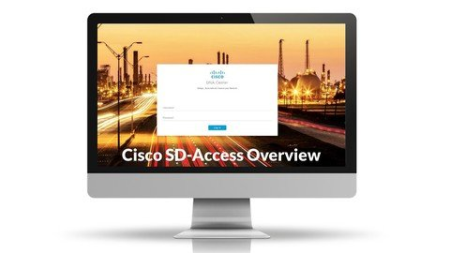
Cisco SD-Access "Software-Defined Access" Overview
MP4 | Video: h264, 1280x720 | Audio: AAC, 44.1 KHz
Language: English | Size: 1.19 GB | Duration: 2h 53m
Cisco DNA Center (Theory / No hands On)​

What you'll learn
Cisco SD-Access "Software-Defined Access", Cisco DNA Center, Cisco ISE, VRF, LISP, VXLAN, TrustSec, SGT, Automation, Underlay & Overlay Network. "Theory, No hands on in this video /// full hands will be available in the next CD"
Requirements
Basic networking skills "routing, Switching, Security, BGP"
Description
an overview for Cisco SD-Access "Software-Defined Access", which explains all Fabric and SD-Access Fundamentals and it's components.
Briefly explaining all the SD-Access and Fabric from A to Z. Fabric Edge, Control Plane, Border, Fabric WLC, ISE, DNAC, Underlay, Overlay, LISP, VXLAN, TrustSec, Packet Flow, Virtual Network, VRF, Scalable Group - SGT, AnyCast Gateway, Assurance Analytics
Who this course is for
Network Engineer, Account Manager, Network Administrator, NOC Engineer, Deployment Engineer, Network Consultant, Network Architect, Solutions Architect
Screenshots


Zurück
Oben Unten