• Regeln für den Video-Bereich:

    In den Börsenbereich gehören nur Angebote die bereits den Allgemeinen Regeln entsprechen.

    Einteilung

    - Folgende Formate gehören in die angegeben Bereiche:
    - Filme: Encodierte Filme von BluRay, DVD, R5, TV, Screener sowie Telesyncs im Format DivX, XviD und x264.
    - DVD: Filme im Format DVD5, DVD9 und HD2DVD.
    - HD: Encodierte Filme mit der Auflösung 720p oder darüber von BluRay, DVD, R5, TV, Screener sowie Telesyncs im Format x264.
    - 3D: Encodierte Filme von BluRay, die in einem 3D Format vorliegen. Dies gilt auch für Dokus, Animation usw.
    - Serien: Cartoon/Zeichentrick, Anime, Tutorials, Dokumentationen, Konzerte/Musik, Sonstiges sind demnach in die entsprechenden Bereiche einzuordnen, auch wenn sie beispielsweise im High Definition-Format oder als DVD5/DVD9/HD2DVD vorliegen. Ausnahme 3D.
    - Bereich Englisch: Englische Releases gehören immer in diesen Bereich.
    - Bereich Talk: Der Bereich, in dem über die Releases diskutiert werden kann, darf, soll und erwünscht ist.


    Angebot/Beitrag erstellen

    - Ein Beitrag darf erst dann erstellt werden, wenn der Upload bei mindestens einem OCH komplett ist. Platzhalter sind untersagt.
    - Bei einem Scenerelease hat der Threadtitel ausschließlich aus dem originalen, unveränderten Releasenamen zu bestehen. Es dürfen keine Veränderungen wie z.B. Sterne, kleine Buchstaben o.ä. vorgenommen werden. Ausnahme Serienbörse:
    - Bei einem Sammelthread für eine Staffel entfällt aus dem Releasename natürlich der Name der Folge. Beispiel: Die Simpsons S21 German DVDRip XviD - ITG
    - Dementsprechend sind also u.a. verboten: Erweiterungen wie "Tipp", "empfehlenswert", "only", "reup", usw. / jegliche andere Zusatzinformation oder Ergänzung, welche nicht in obiger Beschreibung zu finden ist.

    Aufbau des Angebots und Threadtitel

    Der Titel nach folgendem Muster erstellt zu werden. <Name> [3D] [Staffel] [German] <Jahr> <Tonspur> [DL] [Auflösung] <Quelle> <Codec> - <Group>
    Beispiel: The Dark Knight German 2008 AC3 DVDRip XviD - iND
    Beispiel: The Dark Knight 2008 DTS DL BDRip x264 - iND
    Beispiel: The Dark Knight 2008 AC3 DL BDRip XviD - iND
    Beispiel: The Dark Knight German 2008 AC3 720p BluRay x264 iND
    Beispiel: The Dark Knight 2008 DTS DL 1080p BluRay x264 iND
    Beispiel: Die Simpsons S01 German AC3 DVDRip XviD iND
    Beispiel: Die Simpsons S20 German AC3 720p BluRay x264 iND
    Beispiel: Sword Art Online II Ger Sub 2014 AAC 1080p WEBRip x264 - peppermint
    Entsprechend sind also u.a. verboten: Sonderzeichen wie Klammern, Sterne, Ausrufezeichen, Unterstriche, Anführungszeichen / Erweiterungen wie "Tipp", "empfehlenswert", "only", "reup", usw. / jegliche andere Zusatzinformation oder Ergänzung, welche nicht in obiger Beschreibung zu finden ist
    Ausnahmen hiervon können in den Bereichen geregelt sein.

    Die Beiträge sollen wie folgt aufgebaut werden:
    Überschrift entspricht dem Threadtitel
    Cover
    kurze Inhaltsbeschreibung
    Format, Größe, Dauer sind gut lesbar für Downloader außerhalb des Spoilers zu vermerken
    Nfo sind immer Anzugeben und selbige immer im Spoiler in Textform.
    Sind keine Nfo vorhanden z.B. Eigenpublikationen, sind im Spoiler folgende Dateiinformationen zusätzlich anzugeben :
    Quelle
    Video (Auflösung und Bitrate)
    Ton (Sprache, Format und Bitrate der einzelnen Spuren)
    Untertitel (sofern vorhanden)
    Hosterangabe in Textform außerhalb eines Spoiler mit allen enthaltenen Hostern.
    Bei SD kann auf diese zusätzlichen Dateiinformationen verzichtet werden.

    Alle benötigten Passwörter sind, sofern vorhanden, in Textform im Angebot anzugeben.
    Spoiler im Spoiler mit Kommentaren :"Schon Bedankt?" sind unerwünscht.


    Releases

    - Sind Retail-Release verfügbar, sind alle anderen Variationen untersagt. Ausnahmen: Alle deutschen Retail-Release sind CUT, in diesem Fall sind dubbed UNCUT-Release zulässig.
    - Im Serien-Bereich gilt speziell: Wenn ein Retail vor Abschluss einer laufenden Staffel erscheint, darf diese Staffel noch zu Ende gebracht werden.62
    - Gleiche Releases sind unbedingt zusammenzufassen. Das bedeutet, es ist zwingend erforderlich, vor dem Erstellen eines Themas per Suchfunktion zu überprüfen, ob bereits ein Beitrag mit demselben Release besteht. Ist dies der Fall, ist der bereits vorhandene Beitrag zu verwenden.
    - P2P und Scene Releases dürfen nicht verändert oder gar unter einem iND Tag eingestellt werden.


    Support, Diskussionen und Suche

    - Supportanfragen sind entweder per PN oder im Bereich Talk zu stellen.
    - Diskussionen und Bewertungen sind im Talk Bereich zu führen. Fragen an die Uploader haben ausschließlich via PN zu erfolgen, und sind in den Angeboten untersagt.
    - Anfragen zu Upload-Wünschen sind nur im Bereich Suche Video erlaubt. Antworten dürfen nur auf Angebote von MyBoerse.bz verlinkt werden.


    Verbote

    - Untersagt sind mehrere Formate in einem einzigen Angebotsthread, wie beispielsweise das gleichzeitige Anbieten von DivX/XviD, 720p und 1080p in einem Thread. Pro Format, Release und Auflösung ist ein eigener Thread zu eröffnen.
    - Grundsätzlich ebenso verboten sind Dupes. Uploader haben sich an geeigneter Stelle darüber zu informieren, ob es sich bei einem Release um ein Dupe handelt.
    - Gefakte, nur teilweise lauffähige oder unvollständige Angebote sind untersagt. Dies gilt auch für eigene Publikationen, die augenscheinlich nicht selbst von z.B. einer DVD gerippt wurden. Laufende Serien, bei denen noch nicht alle Folgen verfügbar sind, dürfen erstellt und regelmäßig geupdatet werden.
    - Untersagt sind Angebote, welche nur und ausschließlich in einer anderen Sprache als deutsch oder englisch vorliegen. Ausnahmen sind VORHER mit den Moderatoren zu klären.


    Verstoß gegen die Regeln

    - Angebote oder Beiträge, die gegen die Forenregeln verstoßen, sind über den "Melden"-Button im Beitrag zu melden.
  • Bitte registriere dich zunächst um Beiträge zu verfassen und externe Links aufzurufen.

*** Bestes IPTV *** bester Preis *** gratis Test ***


Englische Tutorials

f6dcf208-f3ea-4858-ab4a-4359713ebc0d.png

Cyber security in 2022: threats, trend and prevention
MP4 | Video: h264, 1280x720 | Audio: AAC, 44.1 KHz, 2 Ch
Genre: eLearning | Language: English + srt | Duration: 30 lectures (45m) | Size: 251 MB

Learn about how to protect your digital devices: phone, laptop and elementary rules of using everything is called digital
What you'll learn
Define the risks of cyber crimes
How to protect personal phone and PC devices
How to manage e-mail security settings
Secure messages apps
To know about trends in cyber
Rules of using internet and personal devices
Requirements
No experince necessary
Description
Our life is very connected with everything from digital and a digital knowledge is mandatory. Even elementary explanations about how to use a SIM card or phone, to create an e-mail with a strong password. I will try to give some cyber security advices how protect your personal devices, phones and your personal computer. Is important to know how cyber criminals are infecting with viruses and get personal information from devices. Also to know which benefits cyber criminals are looking for. Basic advices to maintain your digital knowledge updated. It is good to know about the importance of your e-mail address together with a string password - instrument to secure private data in digital. How to communicate secure via apps because not all of them gives 100% privacy. Phone settings against cyber criminals. Computer security rules for using. All of mentioned course description will show you another point of view about security data protection. Why is important to meet all requirements in virtual life, they are very simple but not clear why forgotten to be applied in our daily business activities. Hope this course will motivate you to apply them and to see how is simple to be prepared against cyber-attacks.
Who this course is for
Phone and PC users
Homepage




 
a211bca4-54ff-4d16-98b7-621f0895876d.png

Executive Coaching Mastery: Coaching Program for Managers
Published 2/2022
Duration: 45m | Video: .MP4, 1280x720 30 fps | Audio: AAC, 48 kHz, 2ch | Size: 692 MB
Genre: eLearning | Language: English​

Executive Coaching Masterclass, CTO Leadership, and Leadership Coach
What you'll learn:
Understanding Executive Coaching Principles
The Average Salary and Job Market for Executive Coaches
Executive Coaching Requires Emotional Intelligence
Executive Coaching as a Process
Requirements
There are no prerequisites for this position. You will be taught all you need to know
Description
One of the most effective ways for senior executives to improve their leadership skills is through executive coaching.
In a supportive and demanding atmosphere, leaders can improve their performance by working one-on-one with a professional coach on their goals and challenges. Executive coaching aids individuals in identifying the resources they require to create long-term improvements. It differs from mentoring, consulting, and training in this way. The core concepts of executive coaching will be covered in this course. You'll also learn how to get certified as an executive coach.
Finally, you'll learn how to use the most successful strategies for this job.
Coaching is a critical responsibility for any people manager, but many people lack the training necessary to advance from excellent to outstanding coach, and exceptional coaches may make all the difference in terms of productivity, job satisfaction, succession planning, and more. The development of this course is based on developmental change research. With expert guidance and hands-on help, you'll discover how to maximize individual potential and increase organizational performance. Learn the skills and knowledge you'll need to share your management and leadership experience with others.
You'll be able to help others achieve better personal and professional outcomes as you develop your executive coaching skills.Executive coaching is the foundation for all company and personal success. It's the first step toward a broader cultural impact and professional advancement. We adopt a holistic approach to coaching that includes much more than just offering answers.
Who this course is for
Those that desire to create their own company
Entrepreneurs that want to increase their sales A coach who wants to grow in his or her career.
Those on the lookout for a new job
Businesses who wish to expand and sell more products
Homepage
Screenshots


4c777da0-ed37-4020-aba6-d3b735de8353.png

Fundamentals of MPLS in Juniper
Genre: eLearning | MP4 | Video: h264, 1280x720 | Audio: AAC, 48.0 KHz
Language: English | Size: 5.29 GB | Duration: 7h 17m
with Configuration Samples in LAB Topology

What you'll learn
Juniper MPLS Fundementals
Labelled Packet Forwarding Mechanism
LDP
RSVP
Traffic Engineering
MPLS L3VPN
VPLS
Requirements
Fundemental Network Knowledge,Dynamic Routing Protocols
Description
In this course, you are going to learn details of MPLS technologies and how to configure MPLS in Juniper.
MPLS is really important technology which is used in wide area of Service Providers and even in some enterprises. Actually, it is seen with multi-brunches customers to connect their network to central. But, as a network engineer, you have to know background of this technology even if you are not in service provider team.
This course starts with labeling mechanism and will continue with labeling signalling protocols such as LDP and RSVP. RSVP has more complexity comparison to LDP and you will learn all details of them.
We will build together large MPLS topology and configure all router by starting IGP protocol OSPF and advertise routes of loopbacks.
Then we will enable MPLS and try to communicate customer end sider in MPLS L3VPN. In last chapter, we will touch on VPLS also.
VPLS provides you point-to-multipoint communication as if your clients in same broadcast LAN network. We will work VPLS using BGP and VPLS using LDP configuration. Also we will mention about their difference and why we use for which reason.
I will add some small quiz for you in order to make you understand concept of technology
I hope this course will help you and you will like it.
Have an enjoy!
Regards,
Who this course is for
Network Engineers
Screenshots


bd91c124-7ef7-412b-8b0d-231a121d582b.png

Google Sites for 2022
MP4 | Video: h264, 1280x720 | Audio: AAC, 44.1 KHz, 2 Ch
Genre: eLearning | Language: English + srt | Duration: 22 lectures (1h 44m) | Size: 1.48 GB

Tips & Tutorials for beginners and professionals to create a successful free website with Google Sites
What you'll learn
Build a great Google Site
Learn pro tips for making the most out of Google Sites
Know what designs are trending this year
Learn the principals of web-design
Requirements
Google Account
Description
Welcome,
Are you ready to create an amazing website using the Google Sites platform?
This course gives you tips and tutorials during every stage of your first website build. Google Sites is a great choice for your website, it's a clean, easy to use platform that creates simple and functional websites.
I'll be showing you some pro tips for making the most out of Google Sites. You won't believe what all is possible... let's get started!
We will start with the basics and as the course progresses we will dive deeper into Google Sites to learn the possibilities and potential of this powerful platform.
For beginners we will cover how to get started by choosing a template and designing a theme that works. Additionally, you will learn some basic web design principles to keep in mind as you build your website.
After the early stages, we will look at making sure our websites will be successful by including proper SEO (Search Engine Optimization) practices, as well as optimising and organising our webpages.
Finally, we will cover some more advanced features. Google Sites may be a easy platform to use, but it's still capable of integrating some powerful tools. We will learn how to run promotions, sell products, add custom maps and one that everyone seems to be excited about - collect passive income.
So, it doesn't matter if this is your first website or if you've been making websites for a while. Google Sites makes it easy and in this course you will learn the tips and tricks you need to make your Google Site shine above the rest.
I hope you enjoy this course as much as I enjoyed making it.
Who this course is for
Anyone interested in building a website with Google Sites
Beginner building your first website
Businesses needing a website
Artists needing an online portfolio
Teachers needing a teaching portal
Homepage


ielts-complete-preparation-for-academic-n-general.jpg

IELTS Complete Preparation for (Academic & General)
Genre: eLearning | MP4 | Video: h264, 1280x720 | Audio: AAC, 48.0 KHz
Language: English | Size: 10.6 GB | Duration: 18h 27m
Are you taking the IELTS TEST? Then this is the only video course you need*we cover Reading,Writing,Listening & Speaking

What you'll learn
This video course is for students taking the Academic or General IELTS test.
This video is a complete IELTS Full Preparation video course.
As this IELTS video is the newest to be added to UDEMY, you will be learning the most up to date Tips & Techniques.
You can add me and contact me on Instagram: English_grammar_vocab_ielts If you have any questions or want to practice a Speaking test.
You will learn everything there is to know about each section of the test starting with Speaking part 1, 2 and then 3.
There is one video for each part of the Speaking test. You will learn impressive vocabulary, linking words and grammar structures which you can use in the test.
You will learn everything there is to know about IELTS Writing. I have created one structure which you can use for almost all writing structures.
Writing includes: Part 1 academic, all 6 writing types including the Pie chart, Bar chart, Line graph, Process, Map & Table. (You can follow my one structure)
Writing: Academic & General Essay. 3 Essay types. ( remember I have created one structure you can copy )
Writing General: Formal & Informal letter.
You will learn everything there is to know about the IELTS listening test, including tips & how to approach this section. .
You be given a real practice listening test to do which has been used in the past.
You will also be given a video which help with your listening as we do a spelling test and you will need to listen out for names, dates & places.
You will learn everything there is to know about the IELTS Reading test.
You will be given advice on what to do on the day of your test and what not to do. This is inorder to make you more confident.
Requirements
No prior experience needed, you will learn everything you need to know in this video course.
You should practice everything you learn in this course.
Description
This is the newest complete IELTS preparation course for anyone taking the Academic or General IELTS test. You will learn the most up to date tips / techniques and learn from real IELTS materials. My video course is the most recent to be added to UDEMY so please learn form the newest material and the latest tips. The old videos on UDEMY are most likely outdated and have old information.
In this IELTS full preparation course you will learn everything about each part of the IELTS test along with impressive vocabulary, linking words and must know tips. Together we will begin with Speaking part 1, 2 and then 3. You will learn many things including how you can continue speaking even if you have nothing left to talk about. I promise you are learning from the best. I have been teaching IELTS & English since 2008, which means I have a lot of experience. In addition, (which means AND) I have a large Instagram following where I not only do Zoom lessons but also post some useful English phrases and expressions. Once you join my video course you can contact me anytime for help and also a practice speaking test, if you like. My ID: English_Grammar_vocab_ielts
After the Speaking video lesson we will move on to Writing where you will learn part 1 & 2. I have made this section much easier for you, so you can use my one structure for almost all of the different types of writing. By following my structure, your writing will sound more formal and help you to achieve your IELTS band score.
Following the writing we will go through listening where you will learn how they try to trick you, in this section of the test. Did you know that sometimes the answer is not what they say in the recording but what they DO NOT say. (I will talk about this in much more detail in the course) After you learn how to approach the listening section you will get the chance to try a full IELTS listening test, which is a real test that has been used in the past.
Finally we will finish with the Reading section, where you will learn about the 15 different question types. I have made it easier for you and combined the 15 questions into only 6 main question types. You will also learn tips for the reading such as, which questions ALWAYS go in order to the reading and which NEVER go in order. This can be very helpful to know, so that it saves you time in the reading test.
I will also provide some advice for you on what you should do on the day of your test as well as things you should not be doing. I have worked extremely hard creating this IELTS FULL PREPARATION video course so that you don't have to. In my video course it has only what you must know and no extra information that is not needed. Too many teacher give students too many paper handouts and too much unhelpful information.
Enroll in my video course and lets do this together step by step. I will be with you all of the way and when you finish your test, I want you to message me on Instagram to let me know the good news.
Who this course is for
Anyone who is taking the IELTS Academic or General test.
Anyone who wants to improve their speaking, listening, reading & writing of an essay, letter or to analyse a chart.
Screenshots


4661136e-5cd6-40ad-8ff8-8caf926221ef.png

iMovie Mac - Basic to Advance Video Editing iMovie Guide
MP4 | Video: h264, 1280x720 | Audio: AAC, 44.1 KHz, 2 Ch
Genre: eLearning | Language: English + srt | Duration: 24 lectures (1h 42m) | Size: 1.31 GB

Learn everything about iMovie and WOW your friends and family with your video editing talents and with your cool movies!
What you'll learn
Basic to Advance Video Editing iMovie Guide
Use iMovie to create a movie that they can be proud to show their family and friends
Use iMovie to Edit and enhance movies before uploading them to Facebook or Youtube.
Export movies in different file formats.
Be comfortable with all elements in iMovie
Colour correct your video to fix issues with white balance and more.
Improve audio quality with audio effects, background noise removal and more.
Apply visual effects such as stabilizing shaky video.
Edit an entire video from beginning to end, using professional and efficient techniques.
Everything iMovie has to offer
Basic editing, Adding music, Editing audio
How to use all of iMovie's tools and effects
How to tell a compelling story using footage in iMovie No prerequisites
Requirements
No prerequisites
You must own a Mac
Description
In this course, iMovie Mac - Basic to Advance Video Editing iMovie Guide.
You're here because you want to learn video editing with iMovie, right?
This is the perfect place to start. This complete course is designed for beginners who want to learn how to edit amazing videos with iMovie.
iMovie is the ideal application for beginners, it's very user friendly so whether you want to create an epic travel video, a birthday video, promote a product for work or even edit your own online course, then iMovie is the right way to do it.
While the word "video editing" might sound scary for many of you who have never opened up a video editing application before, but once you get started, it's fairly intuitive. Everything from importing media to color grading, then actually exporting your videos can be learned in this course.
With this course, you don't need to actually have ready videos for editing. Once you have enrolled in this course a link will be given to you with all the practice videos that we're going to use during the course and more than that.
Why learn from me?
I've been editing videos for years. Just like you, there has been a time where I was a complete newbie to video editing! I had no idea how to edit videos. Yet today, video editing is like second nature. Although I currently use a more professional editing software, '(Final Cut Pro X) for most of my work. I still remember what it is like start out with iMovie, and I've kept that in mind while creating this entire course. I walk you through every process step-by-step to make sure you understand things clearly. And if there is ever anything that is confusing, just let me know and I'll create more lessons that explain or walk you through myself.
MY GOAL WITH THIS COURSE
No matter what you intend to do with iMovie, I want to make sure you're able to do that. My goal is to be your guide along the way and get you editing in iMovie as soon as possible, that's why all the lessons in this course are short and straight to the point creating an easy learning experience.
With our 30-day 100% money-back guarantee, there's no reason to hesitate. Enroll now, try it out, and see if you like the course!
I can't wait to help you edit your own videos with iMovie.
Enroll inside this course, iMovie Mac - Basic to Advance Video Editing iMovie Guide.
Enroll Now
Cheers,
Who this course is for
Anyone who wants to learn how to use iMovie
Someone that is new to video editing and would like to learn how to use iMovie
Anyone who wants to learn how to edit videos
Homepage


7ecc0e21-6360-4d4f-bad4-b5c3845343c6.png

IT Cyber Security NIST Risk Management Framework
Genre: eLearning | MP4 | Video: h264, 1280x720 | Audio: AAC, 44.1 KHz
Language: English | Size: 1.83 GB | Duration: 2h 40m
Implementing NIST SP 800-37R2 Risk Management Framework (RMF) and NIST SP 800-53R5 Security and Privacy Controls

What you'll learn
Take a risk-based approach developing such as a Risk Mangment program
Understand the key components of a NIST RMF
Develop required security policies, standards, and guidelines
Understand the key NIST security controls and countermeasures, how and when to apply them, and under which state condition
Understand information risk management and compliance
Apply appropriate risk-management techniques and models including risk scenarios.
Align cyber security and enterprise risk management with NIST RMF
Manage and monitor the status of risk-management strategies and plans
Design and use effective techniques to communicate Cybersecurity risks to stakeholders in a clear manner.
Select and tailor NIST secuirty and privacy controls
Requirements
Basic Cybersecurity Knowledge
Description
If your job requires you to manage cyber security risks in the high-stakes world of enterprise IT, this course is for you. You'll examine risks, threats, opportunities, and vulnerabilities at the strategic and operational levels. This includes Cybersecurity IT value generation for the business, and the IT NIST Risk Management Framework (RMF).
You'll also explore risk appetite, risk tolerance, and mitigation strategies, selecting, implementing, tailoring, assessing, and monitoring NIST security controls. The course case study will highlight issues related to legal and regulatory compliance and stakeholder communication.
By the end of this course, you will be able to
Understand the seven-step NIST Risk management and compliance
Apply appropriate risk-management techniques and models including risk scenarios.
Conduct risk analysis and assessment
Align cyber security and enterprise risk management.
Manage and monitor the status of NIST risk-management strategies and plans.
Provide oversight of related legal and regulatory compliance such as HIPPA and credit card regulation PCI DSS
Design and use effective techniques to communicate Cybersecurity risks to stakeholders in a clear manner
Select and tailor the proper NIST security and privacy controls
Understand the difference between IT audit and assessment.
Track risks and create cyber security performance indicators
The course will provide you with a foundational understanding of risk and how to identify, assess, and mitigate risk. You will become familiar with the concepts, tools, and techniques used to develop a risk management process. You will also learn how to use these tools and techniques to effectively manage risk using the NIST seven-step approach along with security and privacy controls.
Who this course is for
Cyber Security Professionals who want to dive in depth in NIST Risk Management Framework
Screenshots


183e1fed-494e-4b9f-b36b-e8f12358018f.png

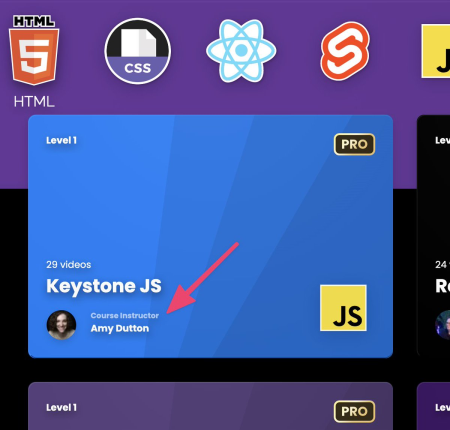
LevelupTutorials - Keystone JS
MP4 | Video: h264, 1920x1080 | Audio: AAC, 44.1 KHz, 2 Ch
Genre: eLearning | Language: English | Duration: 29 Lessons (6h 22m) | Size: 1.88 GB

Node JS

Hyper JS

React

Apollo

VS code

ES7 React

ESLint

Errorlens

Tailwind

Figma Assessment link

Files and PDF's

Homepage
https://leveluptutorials.com/tutorials/keystone-js/introduction]https://anonymz.com/?
https://leveluptutorials.com/tutorials/keystone-js/introduction[/url]
Screenshots


10cd541b-85af-4ae6-83fa-b14860fd6a95.png

Learn Codeigniter Step by Step Beginners Guide
Genre: eLearning | MP4 | Video: h264, 1280x720 | Audio: AAC, 44.1 KHz
Language: English | Size: 4.66 GB | Duration: 11h 36m
Learn Php Codeigniter and understand working with MVC and HMVC

What you'll learn
Learn Codeigniter Basics
Learn to work with MVC
Learn to Manage Layouts
Learn Migrations
Learn Codeigniter Customization
Learn Advance Concepts
Learn to work with HMVC
Learn to DRY up your code
Learn to write reusable code
Learn the difference between MVC and HMVC
Learn to create a project by using all the knowledge gained in the course
Requirements
basic knowledge of html, css, javascript, php and some basic understanding of programming
Description
This course is focused on teaching the most useful aspects of Codeigniter a well known php framework. This course not only teaches the basics but also teaches the advance concepts used by developers to make your php application development rapid in a professional manner.
It also teaches you the difference between concepts like MVC and HMVC and how to use both of them for application development.
Apart from that this course is also loaded with many techniques and methods that can help you write reusable code and DRY( Don't Repeat Yourself ) up your programs.
And to bring it all together there is a project section in which the student will learn to build a project using the knowledge gained in the course.
So this course is suited for any type of student, doesn't matter if you are a beginner or an intermediate developer or an experienced campaigner you still can pick up the course and can make gains in your knowledge.
Who this course is for
beginners, intermediate level students(developers) and even advance students can take this course
Screenshots


b48f0b0c-27dd-4e03-ba50-d0c711d368e8.png

Learn NestJS from Scratch
Genre: eLearning | MP4 | Video: h264, 1280x720 | Audio: AAC, 44.1 KHz
Language: English | Size: 1.73 GB | Duration: 3h 22m
NestJS zero to hero

What you'll learn
Build real project with NestJS
Write high quality code in NestJS
Create reusable modules and services in NestJS
Developing robust REST APIs
Enterprise Grade Node programming using Nest
Testing with Unit & End to End Tests
Robust Development Workflow using Docker
NestJs Deep Dive - Modules, Controllers, Services, Pipes, Middleware, Guards, etc
Complete NestJs / MongoDB CRUD example
NestJs Design Patterns - Controllers and Repositories
NestJs RBAC Authorization (Role-Based Access Control)
Authentication in NestJs with JSON Web Tokens (JWT)
Requirements
A computer on which you can install software (Windows, MacOS, or Linux)
Javascript knowledge is required
Description
In this course we will build a Medium clone API using NestJS, Typescript, Typeorm and PostgreSQL. This course is fully focused on fast and deep dive into creation of API for real application with NestJS. We will start from scratch and step by step you will get close to finished real application. You will deeply understand how to structure your application, build reusable and understandable modules and services and split code into smaller chunks of code. We will write code together in efficient way to make it pure and avoid data complexity.
For each lesson you'll get source code of the lesson, so it's easy to see the progress and get a working app on any lesson you want.
What you will learn in this course
Structure and configure project
Write high quality code with NestJS on real project
Create reusable modules, controllers and services
Implementing authentication
Deeply understand NestJS design patterns
No prior knowledge except of Javascript is needed (because I will teach you everything from basics) but if you have experience with any of this (Angular/NodeJS/Express/Typescript/Typeorm/PostgreSQL) it will be easier for you to go through this course.
If you are feeling like you learned NodeJS but you still still missing knowledge of how to build your own real application this course is what you need. This course is fully focused on creating the application without getting deep into basic knowledge of NodeJS!....................
Who this course is for
This course is for you if you want to develop API for real project from beginning to the end
This course is for everyone who is interested in learning developing with NestJS
This course is for you if you want to improve you knowledge of NestJS or backend development
Intermediate JavaScript developers wanting to learn back end development
Node developers wanting to improve their productivity
Web Developers in general, looking for a detailed guide to the NestJs framework
Screenshots


744ba3be-5803-4ec9-b250-9dbb692455af.png

Monte Carlo and Snowflake Fundamentals
Genre: eLearning | MP4 | Video: h264, 1280x720 | Audio: AAC, 48.0 KHz
Language: English | Size: 3.45 GB | Duration: 4h 42m
Start Monitoring Snowflake Data and Set Up Customizable Data Alerts

What you'll learn
Connect Monte Carlo to Snowflake
Monitor Data Anomalies in Monte Carlo
Configure Customizable Data Notifications
Custom SQL Data Monitors
Field Health Monitors
JSON Schema Monitors
Volume and Freshness Monitors
Infrastructure as Code
Github Actions for CI/CD
Useful Snowflake Monitors for All Organizations
Requirements
SQL
git
Ability to work in the command line
Description
Background
Monte Carlo is an incredibly powerful Data Observability tool for your data stack that monitors and alerts for data issues across your data warehouses, data lakes, ETL, and business intelligence. The platform uses machine learning to infer and learn your data, proactively identify data issues, assess their impact, and notify those who need to know. Beyond their ML monitoring, Monte Carlo offers robust customizable data monitoring and alerting so you can set up all types of data alerts for your organization - whether they are for data issues that need to be addressed, or simply for alerts that a specific metric has reached a certain threshold.
What you'll learn
By the end of the class, you'll have completely connected your own Monte Carlo and Snowflake accounts following best practices, and you'll be able to monitor and set up alerts on your Snowflake objects. Some of these skills you'll gain include
Configuring customizable monitors based on any data in your warehouse
Ensuring your data pipelines remain fresh with monitoring and alerting
Setting up useful Snowflake monitors to enhance the monitoring of your Snowflake
Configuring notifications through Slack or email
Managing all of the monitoring infrastructure through code
Setting up github actions to preview the infrastructure changes before deployment, and automatically deploy on merge requests
Why you should use Monte Carlo to monitor your Snowflake account
Snowflake is an incredible data warehouse critical to thousands of organizations. But effectively monitoring Snowflake at scale has been difficult, until we start taking advantage of Monte Carlo.
Some of the benefits of using Monte Carlo with Snowflake include
Automatically monitoring all relevant data with Monte Carlo's ML monitoring
Detect data quality issues in your pipeline before they reach downstream reports
Identify and manage data anomalies by assigning an owner to each data incident that needs investigation
Essentially, Monte Carlo allows you to use Infrastructure as Code to have full control over monitoring your Snowflake account. By establishing a process for identifying and triaging data incidents, you can efficiently manage your Snowflake account knowing that you have the monitors and alerts in place to let you know about any issues.
About Monte Carlo
Monte Carlo lets you monitor other platforms as well including other Data Warehouses, Data Lakes, and even BI Tools like Tableau. They're working to reduce data downtime for organizations and are continually pushing to help data teams measure the health of their applications.
Who this course is for
Data Analysts and Engineers looking to monitor their data in Snowflake
Data Analysts and Engineers looking to set up custom data notifications
Screenshots


932a9553-7401-4a92-b4c9-4f4f479971b9.png

Work the Room: Networking in the era of COVID
Last Update: 2/2022
Duration: 1h 1m | Video: .MP4, 1280x720 30 fps | Audio: AAC, 48 kHz, 2ch | Size: 1.48 GB
Genre: eLearning | Language: English​

How to get people to introduce you to their network!
What you'll learn:
Give course participants tangible (quantitative) tools to networking both offline and online
Give participants the knowledge they need to research existing and potential connections
Explain the process of 'asks' from a network connection (both warm leads and cold leads just met)
Review networking etiquette and give tools to nurture and grow a business network
Requirements
No requirements for this course - just a willingness to network needed.
Description
Objective: Students will learn how to network proficiently not only in an online setting but also in an offline setting. They will be able to connect people to their network and they will see the power of networking effects take place with quantitative tools to show direct connections and how people are interconnected.
How to ensure you aren't a slimy networker
The power of giving first in connecting
The difference in networking for an investor or for a customer
Key Results
How to get started building your professional network.
Tools in keeping track of connections made and given to others
Generating revenue for your business through the power of networking
Start with a giving mentality - "How can I help you this next week?"
Make sure to give connections freely, karma has a way of coming back to bite you ? in a good way this time.
Don't forget to map out your connections. Doesn't have to be a sophisticated system, but something that gives you more tangible definition about who to reach out to directly, who to connect with next, and who you need to check in on to ensure that you can keep them as a warm lead moving forward.
Most importantly - follow through. If you can't at the time, be direct and give a reason why. Even if it's embarrassing ("I forgot, but let me take care of it right now for you. I'll set a reminder for later this week to check in and make sure the connection was smooth.")
Who this course is for
Individuals looking to leverage their personal/professional network to achieve big, hairy, audacious goals.
Homepage
Screenshots


Zurück
Oben Unten