• Regeln für den Video-Bereich:

    In den Börsenbereich gehören nur Angebote die bereits den Allgemeinen Regeln entsprechen.

    Einteilung

    - Folgende Formate gehören in die angegeben Bereiche:
    - Filme: Encodierte Filme von BluRay, DVD, R5, TV, Screener sowie Telesyncs im Format DivX, XviD und x264.
    - DVD: Filme im Format DVD5, DVD9 und HD2DVD.
    - HD: Encodierte Filme mit der Auflösung 720p oder darüber von BluRay, DVD, R5, TV, Screener sowie Telesyncs im Format x264.
    - 3D: Encodierte Filme von BluRay, die in einem 3D Format vorliegen. Dies gilt auch für Dokus, Animation usw.
    - Serien: Cartoon/Zeichentrick, Anime, Tutorials, Dokumentationen, Konzerte/Musik, Sonstiges sind demnach in die entsprechenden Bereiche einzuordnen, auch wenn sie beispielsweise im High Definition-Format oder als DVD5/DVD9/HD2DVD vorliegen. Ausnahme 3D.
    - Bereich Englisch: Englische Releases gehören immer in diesen Bereich.
    - Bereich Talk: Der Bereich, in dem über die Releases diskutiert werden kann, darf, soll und erwünscht ist.


    Angebot/Beitrag erstellen

    - Ein Beitrag darf erst dann erstellt werden, wenn der Upload bei mindestens einem OCH komplett ist. Platzhalter sind untersagt.
    - Bei einem Scenerelease hat der Threadtitel ausschließlich aus dem originalen, unveränderten Releasenamen zu bestehen. Es dürfen keine Veränderungen wie z.B. Sterne, kleine Buchstaben o.ä. vorgenommen werden. Ausnahme Serienbörse:
    - Bei einem Sammelthread für eine Staffel entfällt aus dem Releasename natürlich der Name der Folge. Beispiel: Die Simpsons S21 German DVDRip XviD - ITG
    - Dementsprechend sind also u.a. verboten: Erweiterungen wie "Tipp", "empfehlenswert", "only", "reup", usw. / jegliche andere Zusatzinformation oder Ergänzung, welche nicht in obiger Beschreibung zu finden ist.

    Aufbau des Angebots und Threadtitel

    Der Titel nach folgendem Muster erstellt zu werden. <Name> [3D] [Staffel] [German] <Jahr> <Tonspur> [DL] [Auflösung] <Quelle> <Codec> - <Group>
    Beispiel: The Dark Knight German 2008 AC3 DVDRip XviD - iND
    Beispiel: The Dark Knight 2008 DTS DL BDRip x264 - iND
    Beispiel: The Dark Knight 2008 AC3 DL BDRip XviD - iND
    Beispiel: The Dark Knight German 2008 AC3 720p BluRay x264 iND
    Beispiel: The Dark Knight 2008 DTS DL 1080p BluRay x264 iND
    Beispiel: Die Simpsons S01 German AC3 DVDRip XviD iND
    Beispiel: Die Simpsons S20 German AC3 720p BluRay x264 iND
    Beispiel: Sword Art Online II Ger Sub 2014 AAC 1080p WEBRip x264 - peppermint
    Entsprechend sind also u.a. verboten: Sonderzeichen wie Klammern, Sterne, Ausrufezeichen, Unterstriche, Anführungszeichen / Erweiterungen wie "Tipp", "empfehlenswert", "only", "reup", usw. / jegliche andere Zusatzinformation oder Ergänzung, welche nicht in obiger Beschreibung zu finden ist
    Ausnahmen hiervon können in den Bereichen geregelt sein.

    Die Beiträge sollen wie folgt aufgebaut werden:
    Überschrift entspricht dem Threadtitel
    Cover
    kurze Inhaltsbeschreibung
    Format, Größe, Dauer sind gut lesbar für Downloader außerhalb des Spoilers zu vermerken
    Nfo sind immer Anzugeben und selbige immer im Spoiler in Textform.
    Sind keine Nfo vorhanden z.B. Eigenpublikationen, sind im Spoiler folgende Dateiinformationen zusätzlich anzugeben :
    Quelle
    Video (Auflösung und Bitrate)
    Ton (Sprache, Format und Bitrate der einzelnen Spuren)
    Untertitel (sofern vorhanden)
    Hosterangabe in Textform außerhalb eines Spoiler mit allen enthaltenen Hostern.
    Bei SD kann auf diese zusätzlichen Dateiinformationen verzichtet werden.

    Alle benötigten Passwörter sind, sofern vorhanden, in Textform im Angebot anzugeben.
    Spoiler im Spoiler mit Kommentaren :"Schon Bedankt?" sind unerwünscht.


    Releases

    - Sind Retail-Release verfügbar, sind alle anderen Variationen untersagt. Ausnahmen: Alle deutschen Retail-Release sind CUT, in diesem Fall sind dubbed UNCUT-Release zulässig.
    - Im Serien-Bereich gilt speziell: Wenn ein Retail vor Abschluss einer laufenden Staffel erscheint, darf diese Staffel noch zu Ende gebracht werden.62
    - Gleiche Releases sind unbedingt zusammenzufassen. Das bedeutet, es ist zwingend erforderlich, vor dem Erstellen eines Themas per Suchfunktion zu überprüfen, ob bereits ein Beitrag mit demselben Release besteht. Ist dies der Fall, ist der bereits vorhandene Beitrag zu verwenden.
    - P2P und Scene Releases dürfen nicht verändert oder gar unter einem iND Tag eingestellt werden.


    Support, Diskussionen und Suche

    - Supportanfragen sind entweder per PN oder im Bereich Talk zu stellen.
    - Diskussionen und Bewertungen sind im Talk Bereich zu führen. Fragen an die Uploader haben ausschließlich via PN zu erfolgen, und sind in den Angeboten untersagt.
    - Anfragen zu Upload-Wünschen sind nur im Bereich Suche Video erlaubt. Antworten dürfen nur auf Angebote von MyBoerse.bz verlinkt werden.


    Verbote

    - Untersagt sind mehrere Formate in einem einzigen Angebotsthread, wie beispielsweise das gleichzeitige Anbieten von DivX/XviD, 720p und 1080p in einem Thread. Pro Format, Release und Auflösung ist ein eigener Thread zu eröffnen.
    - Grundsätzlich ebenso verboten sind Dupes. Uploader haben sich an geeigneter Stelle darüber zu informieren, ob es sich bei einem Release um ein Dupe handelt.
    - Gefakte, nur teilweise lauffähige oder unvollständige Angebote sind untersagt. Dies gilt auch für eigene Publikationen, die augenscheinlich nicht selbst von z.B. einer DVD gerippt wurden. Laufende Serien, bei denen noch nicht alle Folgen verfügbar sind, dürfen erstellt und regelmäßig geupdatet werden.
    - Untersagt sind Angebote, welche nur und ausschließlich in einer anderen Sprache als deutsch oder englisch vorliegen. Ausnahmen sind VORHER mit den Moderatoren zu klären.


    Verstoß gegen die Regeln

    - Angebote oder Beiträge, die gegen die Forenregeln verstoßen, sind über den "Melden"-Button im Beitrag zu melden.
  • Bitte registriere dich zunächst um Beiträge zu verfassen und externe Links aufzurufen.

*** Bestes IPTV *** bester Preis *** gratis Test ***


Englische Tutorials

6eb91471-f194-4916-b9b1-a359c2f6f8ef.png

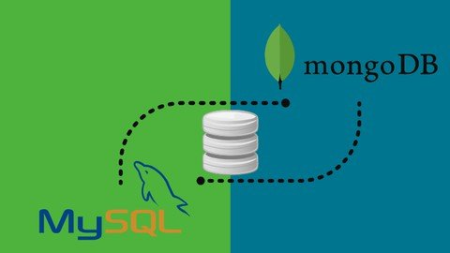
Practical Database Guide with RDBMS(MySQL) & NoSQL(MongoDB)
Genre: eLearning | MP4 | Video: h264, 1280x720 | Audio: AAC, 48.0 KHz
Language: English | Size: 2.44 GB | Duration: 7h 16m
Data Types, Functions, Operators, JOINS, Store Procedures, Indexing with real-world interview questions, assignments...

What you'll learn
Best of both database types - RDBMS(MySQL) & NoSQL(MongoDB)
Basic to advanced SQL queries with complex data-structures
NoSQL database structure designing using MongoDB
Practical hands-on assignments with their solutions
Database Indexing, Stored Procedures & Transactions.
Prepare for real- world interview questions
Requirements
As such this is for programmers but there are no prerequisites.
Description
Whether you are a full-stack, mobile, or even an AI developer - storing and managing DATA is the KEY!
Why am I mentioning these three types of developers?
Because there are tremendous job opportunities in these skill-sets and knowing RDBMS and NoSQL is a compulsion nowadays for these developers.
There is a shortage of hands-on talent (I am in this industry for the past 25 years and I know what talent pool is required to fulfill such said jobs).
Gone are those days when companies used to hire professionals on just one skill-set. Nowadays corporations are looking for multi-dimensional individuals who can perform a bunch of work together.
That's the reason this course is designed and delivered in such a way that you get a 360-degree view of the development community especially when it comes to the database part i.e., MySQL as the medium to learn RDBMS concepts and MongoDB to learn about NoSQL concepts.
Once you go through this course, I am pretty sure you won't have to refer to any further material to get to know about RDBMS and NoSQL.
It is totally up to you whether you want to learn just one of them or both. This is a comprehensive and progressive course that covers both the concepts in detail along with questions asked in real-world interviews. The practical assignments are those coding exercises that are asked by tech teams of top IT companies and which you need to learn in day-to-day programming.
This is a hands-on course and we'll work on a wide variety of assignments so that you know how the data is dealt with in real-world scenarios.
By the end of this course, I am confident that you'll have all the knowledge that you need to work with MySQL & MongoDB for your next projects!
Who this course is for
Anyone who wants to learn databases
Developers who are working with databases(or plan to work in the future)
Application, web and mobile app developers
Screenshots





 
ee965cf5-fbb7-45f1-a706-83309d8727d4.png

Python for webscraping, scheduling & automation (Selenium)
Genre: eLearning | MP4 | Video: h264, 1280x720 | Audio: AAC, 48.0 KHz
Language: English | Size: 5.0 GB | Duration: 6h 44m
Scrap any website online, schedule and automate complex Python scripts and create web apps with Selenium and Flask

What you'll learn
Using Python for sending emails and text messages
Scrapping content on websites like Linkedin, Instagram, Google, ...
Scheduling & automating Python scripts
Setting up a server to host a Python application
Connecting a Python app to databases
Using Python to automate tasks
Requirements
Python language or familiar with other programming languages
Description
Even though low-code and no-code technologies are becoming more and more popular, scraping any website and automating any task can still be difficult. This course gives you the tools so that you can use Python to automate any task on a browser, like creating a Linkedin or Instagram bot.
This course offers practical solutions to the most challenging problems that you will meet while trying to retrieve data from websites during your growth hacking journey: scraping email addresses, creating an Instagram bot, ... With this course, you will understand how you can automate any Python script to perform actions online. You will learn how to connect your application to databases and how to put it to production. This course is broken into 23 chapters that address all the subjects that you need to understand to build any automation or web scraping tool. You will learn
- How to modify files with Python
- How to scrap data from any website (Linkedin, Instagram, etc)
- How to send emails & text messages with Python
- How to connect your application to databases (MySQL, PostgreSQL, MongoDB)
- How to automate & schedule Python scripts
- How to put your application to production with different providers
I have intentionally designed this course so that you can come back any time and find what you need in separate videos and course chapters. This course is part on an ongoing Python's series including
- Python for web development
- Python for web scrapping, scheduling & automation (this course)
- Python for mobile app backends & APIs
Who this course is for
Python and full-stack developers, engineering students, self-taught developers
Screenshots


a23c122d-d5c4-4483-a556-5bd8bc0fe14f.png

Qi Gong Seated Workout w Lee Holden (Chair Exercise) 2021
MP4 | Video: h264, 1280x720 | Audio: AAC, 44.1 KHz, 2 Ch
Genre: eLearning | Language: English + srt | Duration: 5 lectures (1h 2m) | Size: 1.36 GB

How to awaken your Qi (life-force energy) using easy-to-follow, effortless movements you can do while seated/lying down
What you'll learn
Learn easy to follow qigong seated workout with Master Lee Holden (as seen on PBS).
Sitting whole-body exercise.
Requirements
Beginner-friendly, easy to follow.
Description
Qi Gong: the Seated Workout. Follow-along workout options.
Qi Gong is called the "art of effortless power." It has been practiced for over 4,000 years in China to activate healing energy in the body. As your "Qi" or "life-force energy" releases and flows freely through your body, you'll feel a natural sense of calm and peace.
This routine activates your body's natural healing abilities, clears stress and tension, strengthens the lower legs, and uses slow, graceful flows to create deep relaxation all from a seated position.Â
In the Qi Gong: The Seated Workout, Master Teacher Lee Holden guides you through an energizing seated Qi Gong routine. You can do this while lying in a hospital bed healing from surgery, seated in a wheelchair, or in any chair at work or home.
Learn
• How to awaken your Qi (life-force energy) using easy-to-follow, effortless movements you can do while seated or lying down.
• To release tension, tightness, and pent-up stress throughout your entire body, so you have more energy and heal faster.
Easy exercises you can do while seated to help strengthen and stretch your body.
Qigong Master Lee Holden studied with Master Mantak Chia, worked on staff with Deepak Chopra, and later attended Five Branches University in Santa Cruz earning a degree as doctor of Chinese medicine, and is now owner of the Santa Cruz Chi Institute.
Executive Producer: Lee Holden, Ben Cox
Director: Daniel Todd Villegas
Editor: Daniel Todd Villegas
Videography: Teresa Chu
DVD Authoring/Streaming: Ocean Silver
Music: Dean Evenson
Package Design: Axie Breen
Photos: Daniel Todd Villegas
© 2020 Lee Holden
Many more streaming titles available from the YMAA website. Visit Holden Qigong website for dozen of more programs.
Who this course is for
Anyone interested in mind/body exercise in a seated position.
Homepage


6851bd2f-8598-49a4-92d3-c450481bef81.png

Wondershare Filmora X Complete Video Editing Course For 2022
Genre: eLearning | MP4 | Video: h264, 1280x720 | Audio: AAC, 44.1 KHz
Language: English | Size: 2.16 GB | Duration: 2h 18m
Learn Video Editing Step By Step From Zero & Become Expert Video Editor In No Time

What you'll learn
Students will learn how to edit their videos professionally
Students will learn how to use Wondershare Filmora X for editing
Students will learn how to edit videos faster & make them viral
Students will learn how to color grade their videos
Requirements
Students must have a laptop/desktop with Wondershare Filmora X installed
Students must have a learning mindset
Description
Do you want to learn how to edit videos like a pro? If so, then this course is for you. This course will teach you how to edit videos, with tutorials on things like audio, graphics, transitions, titles, and more.
The course will also teach you how to find the best free video editing software, and how to use it.
If you want to be able to edit videos like a pro, then this course is for you. This course will teach you how to edit videos, with tutorials on things like audio, graphics, transitions, titles, and more. The course will also teach you how to find the best free video editing software, and how to use it.
The Video Editing Course is a step-by-step course that teaches you how to edit video, the most in-demand job skill of the 21st century. It will teach you how to edit videos, use tools, and create your own style. It also includes video tutorials, demonstrations, and examples. The course covers everything from learning how to use Wondershare Filmora X to understanding sound design, to editing with a client in mind. The Video Editing Course is a comprehensive video editing course for beginners. The course teaches you how to edit video, the most in-demand job skill of the 21st century.
It will teach you how to edit videos, use tools, and create your own style. It also includes video tutorials, demonstrations, and examples.
The course covers everything from learning how to use Adobe Premiere Pro, to understanding sound design, to editing with a client in mind. It's perfect for people who want to learn video editing but don't know where to start. It's also great for people who are looking for a new career or just want to update their skillset. The Video Editing Course is a step-by-step course that teaches you how to edit video, the most in-demand job skill of the 21st century.
It will teach you how to edit videos, use tools, and create your own style. It also includes video tutorials, demonstrations, and examples. The course covers everything from learning how to use Wondershare Filmora X, to understanding sound design, to editing with a client in mind. It's perfect for people who want to learn video editing but don't know where to start. It's also great for people who are looking for a new career or just want to update their skillset.
Enroll This Course Now
Who this course is for
Anyone who is trying to learn how to edit videos
Content creators who are trying to make professional videos on Youtube or Instagram
Media Agency
Screenshots


cfbf0852-a3de-4aba-8a4b-3af56e3b6336.png

Udemy - Android App Development Masterclass using Kotlin
Genre: eLearning | MP4 | Video: h264, 1280x720 | Audio: AAC, 44.1 KHz
Language: English | Size: 704 MB | Duration: 1h 46m
Android App Development for complete beginners using kotlin, Become an Android Developer and make professional apps

What you'll learn
Android App Development and Become a professional Android developer
Learn how to develop android apps using kotlin
Learn how to make real working android apps that work properly, looks great and upto date
Learn the core Android App Development Skills
Learn how to use kotlin to develop android apps
Requirements
Windows or Mac PC
No programming - Complete beginner friendly
Basic computer understanding is an added advantage
Description
Android App Development Master using Kotlin, Move from a complete beginner and start making professional and beautiful Android Apps.
This course will take you from installing android studio to building real apps that are useful and look great.
You will gain a deep understanding of the core important aspects of android app development.
This course will help open many doors for you since android is the most popular operating system in the world.
Whether you are a complete beginner or are switching from another language this course will give your core to android apps development that you require.
You may have a lot of ideas for android apps but you don't know where to start. With this course, you will be able to understand everything from installing android studio which is used to develop android apps to deploying your Android app.
No prior programming knowledge is needed, this android development course is designed with beginners' minds.
Why you should take this course
You are interested in making android apps.
The course is designed with a beginner's mind - no prior programming skills are needed.
You are interested in becoming a self-employed android developer.
Once you understand the basics of Android development, you will able able to develop any type of android app.
Here you will get basics even if you have no prior knowledge of developing android applications.
Become an android developer to do and unleash the great ideas you have been having.
Let's meet inside the course
Who this course is for
Anyone who want to become android apps developer
Someone who wants deep understanding on Android Apps Development
Complete beginner to Android Apps Development with no Prior programming skills
Screenshots


6f16144c-c8ce-46f6-952f-65af4feca2bd.png

Apache Flink Basics Learn From Scratch
Genre: eLearning | MP4 | Video: h264, 1280x720 | Audio: AAC, 48.0 KHz
Language: English | Size: 273 MB | Duration: 52m
Learn The Basics Easily

What you'll learn
Learning about Apache Flink.
Getting basic knowledge on Apache Flink.
Learning tips to study better.
Apache Flink Relevant knowledge.
Requirements
Computer and speakers.
Description
Do you like Apache Flink and want to get the basics? You are into Apache Flink and would like to give the first steps? Then, THIS IS THE COURSE FOR YOU! It does help that you are as motivated as you can since this is going to be an introduction to the world of Apache Flink in an easy way.
It is all right if you do not have any knowledge in general because this course is made for dummies that have no experience at all in the world of Apache Flink. At the end of the day, you are learning so you do need to be improving and going forward as much as you can. There are plenty of things that you can do when it comes to the world of Apache Flink so it does really help to study often.
Here you will understand basic information regarding to the world of Apache and informatics so that you can advance a bit. Also, remember that there will be a section with tips and ideas so that you can study better. The more you learn, the better for you, that is what we say here and we want you to be as good as you can when it comes to the world of Apache Flink.
Keep it going on and keep learning, this is a never ending topic so you have to start somewhere. see you in the videos and do a great effort!
Who this course is for
Anybody who wants to learn Apache Flink.
Screenshots


d6eb9564-9010-4773-becd-f52a220b2336.png

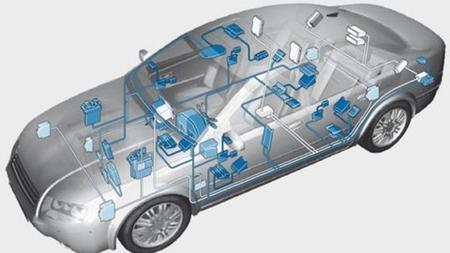
Automotive CAN Mega Course 2022: Vector Canoe Canalyzer CAPL
MP4 | Video: h264, 1280x720 | Audio: AAC, 44.1 KHz, 2 Ch
Genre: eLearning | Language: English + srt | Duration: 31 lectures (3h 42m) | Size: 1.31 GB

Workshops on CAN network protocol & practice: Vector CANoe,CANalyzer, CAPL, CANdb++, VN hardware for network simulation
What you'll learn
Learn the general network communication principles
· Basics of the OSI layer
· Learn in detail the CAN OSI physical layer
· Analyze the real CAN network in real vehicles
· Learn in detail the Vector CANOE software
· Learn in detail the CAPL language to stimulate CAN messages on a real CAN Network
· Learn the CAN transceiver function with the related electronic circuit
CAN network database ( CAN DB + +)
Define CAN nodes
Define CAN Messages
Define CAN signals
Assign value tables to CAN signals
CAN interactive generator block
CAN Replay block
Take a CAN log acquisition
Fields of the CAN trace window
Requirements
No programming or testing experience needed, basic electronic knowledge is welcome
Description
· Learn the general network communication principles
· Have an Idea of the OSI layer
· Learn in detail the CAN OSI physical layer
· Analyze the real CAN network in real vehicles
· Be able to face with an automotive harness issue
· Learn in detail the Vector CANOE software
· Learn in detail the CAPL language to stimulate CAN messages on a real CAN Network
· Learn the CAN transceiver function with the related electronic circuit
· Learn all the Vector CANOE software add on components
CAN network database ( CAN DB + +)
Define CAN nodes
Define CAN Messages
Define CAN signals
Assign value tables to CAN signals
Define the relevant value attributes to run properly the CAN simulation
CAN interactive generator block
CAN Replay block
Take a CAN log acquisition
Fields of the CAN trace window
Visual panel programming ( switch on a virtual car engine , virtual acceleration and deceleration , showing of the engine speed on an analog gauge)
·Integral videos, in my workshops you will see what is happening in real time , I do not cut and paste the video recordings
Continue troubleshooting Vector CANOE run time errors and compilation
· No required previous knowledge is required,
· I will explain step by step what you need for to pass from Beginner to Advanced Automotive Expert
Apply immediately for automotive programming/ testing positions!
Who this course is for
Electrical Engineers
Electrical Technicians
Electrical Tech or Engineering Students
Process Control Technicians and Engineers
Process Automation Engineers
Automotive Programmers working in the Process Automation field
Automotive Engineers
Automotive Technicians
Junior testing engineer curious about vehicle CAN network
Homepage


523b397c-f66c-4dbd-8d50-9c5cf0c871cc.png

Binance Is Easy The Videocourse
Genre: eLearning | MP4 | Video: h264, 1280x720 | Audio: AAC, 48.0 KHz
Language: English | Size: 221 MB | Duration: 51m
Learning From Zero

What you'll learn
Leanring about Binance at basic level.
Getting knowledge on cryptocurrency.
Improving at Binance.
Learning useful tips.
Description
Do you like Binance and want to get the basics? You are into cryptocurrency and would like to give the first steps? Then, THIS IS THE COURSE FOR YOU! It does help that you are as motivated as you can since this is going to be an introduction to the world of Binance in an easy way.
It is all right if you do not have any knowledge in general because this course is made for dummies that have no experience at all in the world of bitcoin and crypto. At the end of the day, you are learning so you do need to be improving and going forward as much as you can. There are plenty of things that you can do when it comes to the world of Binance like trading, earning, learning about finances and more.
Here you will understand basic information regarding to the world of Binance and cryptocurrency so that you can advance a bit. Also, remember that there will be a section with tips and ideas so that you can study better. The more you learn, the better for you, that is what we say here and we want you to be as good as you can when it comes to the world of cryptocurrencies.
Keep it going on and keep learning, this is a never ending topic so you have to start somewhere. see you in the videos and do a great effort!
Who this course is for
Anybody who wants to learn about Binance.
Screenshots


cd3fae66-979f-4910-aa88-38486e7b26d9.png

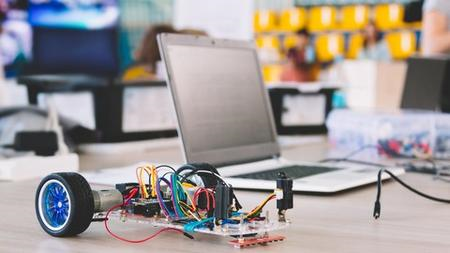
Build Otto Cardy, your Cardboard Robot
MP4 | Video: h264, 1280x720 | Audio: AAC, 44.1 KHz, 2 Ch
Genre: eLearning | Language: English + srt | Duration: 35 lectures (1h 5m) | Size: 1.31 GB

A comprehensive guide to building a Walking Cardboard Robot!
What you'll learn
Making a cardboard robot from a technical drawing using Arduino Nano
The basics of Otto Bockly a Free Open Source visual programming language based on Blockly from Google & MIT
How to calibrate the servo motors
Using the robot at school to teach coding and STEAM
Build an #OttoRemix Robot
Improving Logical and Sequential Thinking Skills on child and students
Requirements
A list of all required parts is available in Introduction chapter.
Arduino Nano, Nano Shield I/O, Micro servo MG90, Ultrasonic sensor, Buzzer, AA Battery, Cardboard sheet A4 2mm, Bag Sealing Clip PC Windows, Linux or Mac with Otto Blockly software (gratis)
PC Windows, Linux or Mac with Otto Blockly software (gratis)
Basic tools like scissors, glue, cutter and jumper wires
No prior Technical and Electronics Knowledge is required
Description
This course was designed with the absolute beginner and children (both girls and boys) in mind.
This course guides you through the tools and techniques you will need to get started building, step-by-step, a cardboard Otto Cardy Robot, which is a Remix of the OttoDIY an Open Source project for building a robot with a 3D printer. Using cardboard instead of 3D printed components allows everyone to create a walking robot programmed with coding.
All the more detailed information on the operation of OttoDIY and the OttoBlickly software to be used are available free of charge on the website of OttoDIY.
Starting from two technical drawings in A4 format to be glued on cardboard, the various pieces are cut out and then glued to create the body, legs and feet of the robot. All the instructions are very detailed and clear and allow even the **** who have no knowledge of manipulating cardboard and electronic components, to build their own walking robot.
At the end of the course you will have created an Arduino walking robot able to move avoiding obstacles identified with the ultrasonic sensor and emit sounds and music with the buzzer.
For teachers it is an excellent experience to be offered in the classroom in analyzing problems, designing solutions, developing Tinkering and creativity skills and increasing the ability to work in a Team.
63 pages Manual
This course also provides a 63 pages Manual containing more detailed information on Otto Cardy and the construction phases
Also, attached to the tutorial, the following Didactic Worksheet are provided
Worksheet 1: #8 guided exercises to learn the how to use block coding to control the movement and sounds of the Otto Cardy robot.
Worksheet 2: Synthetic planning of the path with specified aims, times and activities to be carried out;
Worksheet 3: Evaluation Grid of group work to evaluate the skills acquired within a group work with gdescription of the Indicators for 4 levels of achievement.
Worksheet 4: Individual self-assessment of students that has a goal to empower students to measure the skills that they've acquired.
Since it's cardboard, it's easy to change the colours and create outfits using fabric or paper depending on the stories you can make up. I also suggested some ideas for parents and teachers to develop projects after completing the robot to stimulate and interest the ****.
Ideas for Future development projects
The evolution of the project may consist in the personal and creative application created with OttoBlockly to perform movements, sounds or gestures of the robot.
Who this course is for
Arduino Makers looking for a fun and innovative project that can entertain and involve children
Parent and teachers who want to introduce children and teens to the fantastic world of robots with a simple and fun project.
To the curious who are interested in starting to Learn about and Tinkering with Robotics, the technology of the future
Makers who want to build an #OttoRemix robot made of cardboard
Homepage


e4e0d0f7-e7c6-4cc3-a947-554742ca12e2.png

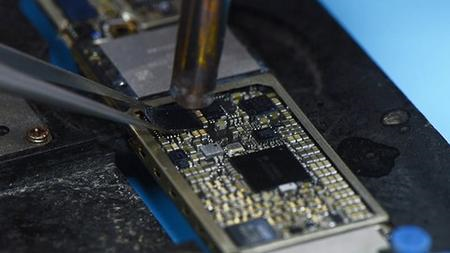
Cell Phone Motherboard Repair course for beginners - mobile
MP4 | Video: h264, 1280x720 | Audio: AAC, 44.1 KHz, 2 Ch
Genre: eLearning | Language: English + srt | Duration: 14 lectures (1h 14m) | Size: 1.62 GB

Cell Phone Repairing, mobile phone repair, motherboard phone repair, repair mobile cell phone basics, iPhone repair, IT
What you'll learn
Learn cell phone repairing basics;
Learn Cell phone architecture;
Understand Smartphone circuits;
Learn how to troubleshoot diagnose and repair cell phones;
Learn how to check ICs;
Learn how test and check smartphone components using multimeter and much more.
Requirements
No experience needed. I will teach you everything you need to know;
Description
Constant updates.
14 Reasons why you should choose this course
The course will teach you Everything about Cell Phone Motherboard Repairing.
The course is created with perfect care by a computer engineer;
One-On-One Support;
The course is not long, so you can complete it in a short time, and then enjoy your new experiences;
Your inquiries will be answered in a short time with a full explanation of any question;
Constant updates.
Simple and easy-to-understand explanation with examples;
A certificate will be provided upon completion of the course;
You going to understand Cell Phone Motherboard circuits;
You will learn how to follow and track signals in the Cell Phone motherboard;
You going to learn mobile phone architecture;
you going to learn how to check and test cell phone connectors;
You will learn and master all cell phone motherboard components symbols
This course will transform you from a beginner to a Pro.
Topics that we will be discussing in this course are
Cell Phone Motherboard Architecture;
Cell Phone Motherboard Parts and Components;
Cell Phone Motherboard Common Faults;
How to check switches serviceability;
How to check ICs serviceability on a mobile cell phone;
How to replace failed components in cell phone motherboard;
Cell phone motherboard connectors studying;
Cell phone motherboard Buses and tracking signals analysis;
Learn how to check and test motherboard components;
Learn how to diagnose cell phone motherboard;
Learn Cell Phone motherboard components symbols.
You will also learn many tips and tricks that will make you hardware professional and have a deep understanding of Mobile Cell Phone motherboard repairing.
I will guide you step by step with an easy explanation along this course.
If you are interested in one of the points we talked about before, then this course is for you.
What are you waiting for?
Enroll now,
And let's get started.
Who this course is for
Anyone who want to master cell phone repairing
Homepage


e45b7ff3-878e-436a-8962-6c65ba1b17dc.png

CNC Lathe Programming Using Fanuc G-Coding & M-Coding
Genre: eLearning | MP4 | Video: h264, 1280x720 | Audio: AAC, 44.1 KHz
Language: English | Size: 893 MB | Duration: 1h 30m
Learn to program CNC Lathes that use FANUC G-Codes.

What you'll learn
Be able to read FANUC programs
Manually input programs without CAM-Software
Canned Cycles Explained
Program basic parts on a CNC Lathe
Description
Hi my name is Chris and welcome to CNC Lathe programming tutorial.
This course serves as a springboard into CNC Lathe machining . whether you are looking to increase your hourly rate or looking for a career in CNC Lathe machining then this course is perfect for you!
Rather than relying on CAD/CAM to produce yout parts, I will teach you how to manually input codes and breakdown cycles giving you a clear understanding of G-codes, M-codes & canned cycles. With written program examples to make learning to program easy.
In these series of lessons i'm going to teach you how to program a CNC Lathe using fanuc G-codes & M-codes.
Once we have covered the basics we will then move on to teaching more about the canned cycles we use like
G71 stock removal cycle
G70 finish pass cycle
G83 peck drilling cycle
G72 facing cycle
G75 grooving cycle
G75 part-off cycle
I will explain in detail about each cycle breaking down every part of the program
You will find the videos in the course specially created for making you understand these.
If your unsure about something or have a question then please get untouch I will explain more for you and make updates to the course if needed.
Hope to see you on the course.
Screenshots


69e6db16-bfc6-41d1-bb47-8cfcde70efcd.png

Construction Templets to Record, Monitor and Control Project
MP4 | Video: h264, 1280x720 | Audio: AAC, 44.1 KHz, 2 Ch
Genre: eLearning | Language: English + srt | Duration: 10 lectures (2h 49m) | Size: 1.63 GB

Construction project template for the effective management and control of the Project
What you'll learn
Reveal the inside procedure used by construction companies on real world projects
Interim Payment Application Excel Templet
Construction Payment back up Excel template for Building
Construction Payment back up Excel template for Infrastructure
Excel Template for Variation Orders
Excel Template Store material incoming and managing
Template to control Material requirement and order Request on weekly basis
Excel Template to show the comparison between different offers with respect to various Suppliers
Payment records as Payment Application; Payment Certificate; Payment Received
Template for Advance payment and Advance payment Recovery system
Powerful Template for daily report on - going activity, Manpower Monitoring and Tools and Machinery Record
Requirements
Basic Knowledge of Excel
Description
Welcome to The practical project-based training for Construction Templates to record, Monitor, and Control project. In this course you will learn the role of a quantity surveyor you will be able to effectively use construction templates in your Project. My Name is Asad Ali Khan. I am a professional quantity surveyor having more than ten years of experience as a quantity surveyor in multinational firms.
Let me tell you this is the only course you will find anywhere on the internet. Under Five sections and ten lectures I deep down to every topic for better understanding. I design this course for anyone who wants to become an effective quantity surveyor in the future. By the end of the course, you will find enough support to equip yourself to manage project.
In this course, you can consider the five most important divisions. Firstly, introduction and complete explanation and templete for all kind of payments, Secondly, Template to Control Variation Orders with one click to access Documents, Thirdly, Material Procurement and Control incomings, Material Requirements. Lastly, Daily and weekly Reports to monitor project mentoring for planning.
So, what you are waiting for grab this only opportunity that is available on any plate form and creates the difference. I look forward to seeing you in the course.
Who this course is for
Quantity Surveyors, Engineers, Project Managers, Store Keepers, Engineers Students, Construction Professional
Homepage


Zurück
Oben Unten