• Regeln für den Video-Bereich:

    In den Börsenbereich gehören nur Angebote die bereits den Allgemeinen Regeln entsprechen.

    Einteilung

    - Folgende Formate gehören in die angegeben Bereiche:
    - Filme: Encodierte Filme von BluRay, DVD, R5, TV, Screener sowie Telesyncs im Format DivX, XviD und x264.
    - DVD: Filme im Format DVD5, DVD9 und HD2DVD.
    - HD: Encodierte Filme mit der Auflösung 720p oder darüber von BluRay, DVD, R5, TV, Screener sowie Telesyncs im Format x264.
    - 3D: Encodierte Filme von BluRay, die in einem 3D Format vorliegen. Dies gilt auch für Dokus, Animation usw.
    - Serien: Cartoon/Zeichentrick, Anime, Tutorials, Dokumentationen, Konzerte/Musik, Sonstiges sind demnach in die entsprechenden Bereiche einzuordnen, auch wenn sie beispielsweise im High Definition-Format oder als DVD5/DVD9/HD2DVD vorliegen. Ausnahme 3D.
    - Bereich Englisch: Englische Releases gehören immer in diesen Bereich.
    - Bereich Talk: Der Bereich, in dem über die Releases diskutiert werden kann, darf, soll und erwünscht ist.


    Angebot/Beitrag erstellen

    - Ein Beitrag darf erst dann erstellt werden, wenn der Upload bei mindestens einem OCH komplett ist. Platzhalter sind untersagt.
    - Bei einem Scenerelease hat der Threadtitel ausschließlich aus dem originalen, unveränderten Releasenamen zu bestehen. Es dürfen keine Veränderungen wie z.B. Sterne, kleine Buchstaben o.ä. vorgenommen werden. Ausnahme Serienbörse:
    - Bei einem Sammelthread für eine Staffel entfällt aus dem Releasename natürlich der Name der Folge. Beispiel: Die Simpsons S21 German DVDRip XviD - ITG
    - Dementsprechend sind also u.a. verboten: Erweiterungen wie "Tipp", "empfehlenswert", "only", "reup", usw. / jegliche andere Zusatzinformation oder Ergänzung, welche nicht in obiger Beschreibung zu finden ist.

    Aufbau des Angebots und Threadtitel

    Der Titel nach folgendem Muster erstellt zu werden. <Name> [3D] [Staffel] [German] <Jahr> <Tonspur> [DL] [Auflösung] <Quelle> <Codec> - <Group>
    Beispiel: The Dark Knight German 2008 AC3 DVDRip XviD - iND
    Beispiel: The Dark Knight 2008 DTS DL BDRip x264 - iND
    Beispiel: The Dark Knight 2008 AC3 DL BDRip XviD - iND
    Beispiel: The Dark Knight German 2008 AC3 720p BluRay x264 iND
    Beispiel: The Dark Knight 2008 DTS DL 1080p BluRay x264 iND
    Beispiel: Die Simpsons S01 German AC3 DVDRip XviD iND
    Beispiel: Die Simpsons S20 German AC3 720p BluRay x264 iND
    Beispiel: Sword Art Online II Ger Sub 2014 AAC 1080p WEBRip x264 - peppermint
    Entsprechend sind also u.a. verboten: Sonderzeichen wie Klammern, Sterne, Ausrufezeichen, Unterstriche, Anführungszeichen / Erweiterungen wie "Tipp", "empfehlenswert", "only", "reup", usw. / jegliche andere Zusatzinformation oder Ergänzung, welche nicht in obiger Beschreibung zu finden ist
    Ausnahmen hiervon können in den Bereichen geregelt sein.

    Die Beiträge sollen wie folgt aufgebaut werden:
    Überschrift entspricht dem Threadtitel
    Cover
    kurze Inhaltsbeschreibung
    Format, Größe, Dauer sind gut lesbar für Downloader außerhalb des Spoilers zu vermerken
    Nfo sind immer Anzugeben und selbige immer im Spoiler in Textform.
    Sind keine Nfo vorhanden z.B. Eigenpublikationen, sind im Spoiler folgende Dateiinformationen zusätzlich anzugeben :
    Quelle
    Video (Auflösung und Bitrate)
    Ton (Sprache, Format und Bitrate der einzelnen Spuren)
    Untertitel (sofern vorhanden)
    Hosterangabe in Textform außerhalb eines Spoiler mit allen enthaltenen Hostern.
    Bei SD kann auf diese zusätzlichen Dateiinformationen verzichtet werden.

    Alle benötigten Passwörter sind, sofern vorhanden, in Textform im Angebot anzugeben.
    Spoiler im Spoiler mit Kommentaren :"Schon Bedankt?" sind unerwünscht.


    Releases

    - Sind Retail-Release verfügbar, sind alle anderen Variationen untersagt. Ausnahmen: Alle deutschen Retail-Release sind CUT, in diesem Fall sind dubbed UNCUT-Release zulässig.
    - Im Serien-Bereich gilt speziell: Wenn ein Retail vor Abschluss einer laufenden Staffel erscheint, darf diese Staffel noch zu Ende gebracht werden.62
    - Gleiche Releases sind unbedingt zusammenzufassen. Das bedeutet, es ist zwingend erforderlich, vor dem Erstellen eines Themas per Suchfunktion zu überprüfen, ob bereits ein Beitrag mit demselben Release besteht. Ist dies der Fall, ist der bereits vorhandene Beitrag zu verwenden.
    - P2P und Scene Releases dürfen nicht verändert oder gar unter einem iND Tag eingestellt werden.


    Support, Diskussionen und Suche

    - Supportanfragen sind entweder per PN oder im Bereich Talk zu stellen.
    - Diskussionen und Bewertungen sind im Talk Bereich zu führen. Fragen an die Uploader haben ausschließlich via PN zu erfolgen, und sind in den Angeboten untersagt.
    - Anfragen zu Upload-Wünschen sind nur im Bereich Suche Video erlaubt. Antworten dürfen nur auf Angebote von MyBoerse.bz verlinkt werden.


    Verbote

    - Untersagt sind mehrere Formate in einem einzigen Angebotsthread, wie beispielsweise das gleichzeitige Anbieten von DivX/XviD, 720p und 1080p in einem Thread. Pro Format, Release und Auflösung ist ein eigener Thread zu eröffnen.
    - Grundsätzlich ebenso verboten sind Dupes. Uploader haben sich an geeigneter Stelle darüber zu informieren, ob es sich bei einem Release um ein Dupe handelt.
    - Gefakte, nur teilweise lauffähige oder unvollständige Angebote sind untersagt. Dies gilt auch für eigene Publikationen, die augenscheinlich nicht selbst von z.B. einer DVD gerippt wurden. Laufende Serien, bei denen noch nicht alle Folgen verfügbar sind, dürfen erstellt und regelmäßig geupdatet werden.
    - Untersagt sind Angebote, welche nur und ausschließlich in einer anderen Sprache als deutsch oder englisch vorliegen. Ausnahmen sind VORHER mit den Moderatoren zu klären.


    Verstoß gegen die Regeln

    - Angebote oder Beiträge, die gegen die Forenregeln verstoßen, sind über den "Melden"-Button im Beitrag zu melden.
  • Bitte registriere dich zunächst um Beiträge zu verfassen und externe Links aufzurufen.

*** Bestes IPTV *** bester Preis *** gratis Test ***


Englische Tutorials

962f9da4-973c-410a-936b-2225eeae64e1.png

Write Like a Boss -Business Writing Skills for Corporates
Instructors: eGukulhub Learning
1 section • 9 lectures • 53m total length
Video: MP4 1280x720 44 KHz | English + Sub
Updated 2/2022 | Size: 296 MB​

Boost Your Career by Effective, Persuasive, Clear and Poweful Business Writing Skills
What you'll learn
Types of Business Writings in the Professional World
Principles of Clear Writing
Modes of Persuasion
Business and Client Correspondence Tips
Online Business Writing Tips
Requirements
An Open Mind and Willingness to Learn New Skills.
Description
The term business writing refers to memorandums, reports, proposals, emails, and other forms of writing used in organizations to communicate with internal or external audiences. • Business writers write to get work done. Writing like a boss means writing like a leader. Companies want leaders with power skills like written communication, email writing techniques and persuasion -- and these are the skills you'll learn about in this course!
Good writing skills in business have always been important, but in today's age of technology, they are even more so. Being able to accurately and succinctly convey what you are trying to say is an invaluable skill, especially when your audience is busy and has limited time.
So if you are someone who wants to
Write emails that demonstrate your Professionalism and Understanding.
Write emails that get responses
Persuade different audiences with research-proven strategies
Write clear, concise, and persuasive words that will achieve your objectives.
Write effective business emails, memos, and letters
Impress colleagues and/or professors with your writing
Create documents that stand out among peers
Design messages that people actually want to read
Then this course is for you!
The course focuses on the timeless principles that you can use to produce clear, powerful, persuasive writing and Achieve Your Objectives through Effective Writing.
Who this course is for
Anyone who would like to Improve their Professional Writing Skills.
Screenshots


3c0eda5d-82f8-4a44-9b65-7af261ab5d59.png

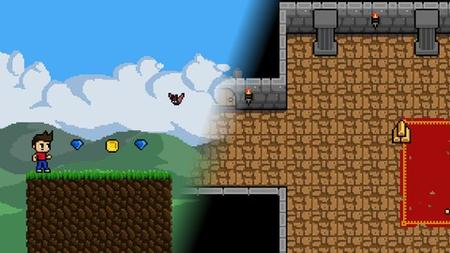
Tileset in pixel art for beginners
MP4 | Video: h264, 1280x720 | Audio: AAC, 44.1 KHz, 2 Ch
Genre: eLearning | Language: English + srt | Duration: 26 lectures (3h 59m) | Size: 2.35 GB

Learn how to make amazing pixel art tilesets with Aseprite
What you'll learn
Learning the fundamentals of pixel art for games in aseprite
Creation of platformer tilesets
Creation of simple backgrounds for the tilesets
Creation of bridges, chests and vegetation in pixel art
Requirements
You will need to have a computer and a pixel art program for this course.
Description
This course will teach you how to form tilesets for your own pixel art game. In the beginning, I'll give you an introdutcion to Aseprite, since this is the program we will use in this course. After that, we will start with a basic 8x8 pixel tileset and then go on with a more complex 32x32 pixel castle tileset. Right there, you will learn about the full process I use to create pixel art tilesets. Later, we will design one more 32x32 pixel tileset with a grass theme, as well as objects for the tilesets (just like a chest, bridges etc.), a water tile and backgrounds. In the end of this course you will be able to create some amazing tilesets for your game - with bridges, chests and much more.
This course is designed for beginners,but I´m sure, if you have some experience in pixel art, you can get some knowlage out of this course too!
No matter if you just started with pixel art, or you are a programmer and want to create art for your own game - or you are just intrested in pixel art - this course is for you!
I hope you will enjoy my pixel art course. But for sure you will be able to make some amazing tilesets!
Who this course is for
Beginner pixel artists or programmer, who want to design their own games
Homepage


4430e2ed-e8da-46f3-b694-724854456b86.png

WordPress Express
Instructors: Stephanie LaTorre
4 sections • 19 lectures • 1h 20m total length
Video: MP4 1280x720 44 KHz | English + Sub
Published 2/2022 | Size: 620 MB​

Everything you need to DIY your WordPress website
What you'll learn
Learn how to create your content and branding for your website
Learn how to set up WordPress and hosting
Learn how to install themes and plugins
Learn how to design your pages and launch your website
Requirements
No experience needed
Description
With over 10 years of web design experience, I'm sharing all my secrets with you!
Here's the thing. I've worked on all the platforms. I've seen all the coding. You don't need the coding. You just need a simple, easy-to-follow guide to help you get your website up and running in no time at all!
So I've put together everything I use to build beautiful websites for my own clients and created a step by step easy to follow the process that will have everything thing your website was done by a professional!
Because I believe everyone should have a beautiful website. Technology today has made it so easy for anyone to build the beautiful website of their dreams and have it up and running in no time.
I'm soo excited to introduce: WordPress Express
This 3 module course includes step-by-step tutorials, checklists, worksheets for your content and branding, a website planning guide, 17 plug-and-play Elementor templates, assistance with your theme and plugins, and so much more! I've made sure this course gives you everything you need to create your own DIY website with WordPress that you will love sending people to!
Here's what you'll get when you buy
01
Planning Module
In this module, I make sure that you have all your content, branding, information, website purpose, and more ready to go so when it's time to start building you have all the ingredients.
02
WordPress Set-Up Module
No more fumbling with domains and hosting and nameservers. I've created step-by-step instructions on how you can get your website set up and ready for your content.
03
Web Design Module
I took the guesswork out of what goes where and why on your website. With my custom templates, I've made it a 1 click install and copy your content situation for you.
Who this course is for
Beginner Entrepreneurs
Screenshots


e37c21ee-de8f-46b4-877c-e19d3707d3d8.png

Email Studio in Salesforce Marketing Cloud
.MP4, AVC, 1280x720, 30 fps | AAC, 2 Ch | 45m | 105 MB
Genre: eLearning | Language: English​

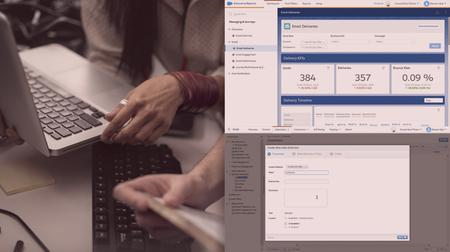
Email Studio is a powerful tool that allows you to build and send personalized emails. This course will teach you how to configure admin settings and manage data, in order to run smart and efficient marketing campaigns in Salesforce Marketing Cloud.
Email Studio in Marketing Cloud is a powerful tool, but it has lots of moving parts that you'll need to master before you can build and send personalized emails. In this course, Email Studio in Salesforce Marketing Cloud, you'll learn to configure Email Studio, manage data, and send your first email. First, you'll explore the Admin settings to set up sender and reply information. Next, you'll discover how to create and filter data extensions and lists in Email Studio. Finally, you'll learn how to build, send, and track an email. When you're finished with this course, you'll have the skills and knowledge of Email Studio needed to run smart and efficient email marketing campaigns.
Screenshots


09da0ab3-bf61-4b84-827e-7cbc1c88d77c.png

Revit Panelling 2: Organic Curved Adaptive Components
MP4 | Video: h264, 1280x720 | Audio: AAC, 44.1 KHz, 2 Ch
Genre: eLearning | Language: English + srt | Duration: 21 lectures (4h 6m) | Size: 3.36 GB

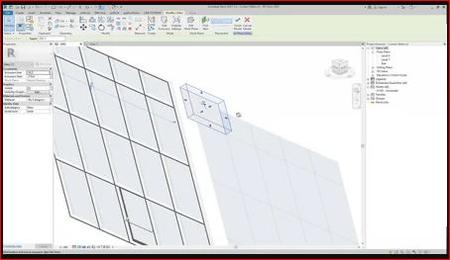
Learn how to create the curved facade (with curved panels) of Emporia shopping mall in Revit
What you'll learn
Using Adaptive components and the Massing Environment for Panelling in Autodesk Revit
Creating Organic Geometry
Creating advanced Adaptive components
Using The Repeater tool
Requirements
Access to a Computer with a full version of Revit installed (Revit LT won't work, but Educational versions are fine)
Some experience in Revit - you need to be familiar with Revit's user interface and have a general understanding of how the program works
Description
This course will teach you how to model a façade resembling the curved façade of the Emporia shopping mall in Malmo.
Learning how to model that you will learn a lot about
Modelling organic geometry in Revit
Using detailed adaptive components in Revit
Using Repeaters
During the course, we will explore the traditional modelling techniques that Revit offers. This means: no code, no scripting, no Dynamo or plugins - just pure Revit.
The model we get at the end has the perfect amount of detail for an architectural project: enough to show the design intentions, but not too much to cluster the project. The course is not about the manufacturing of façade panels (which is typically done by façade engineering teams in different programs)
Ideally, you'd have some experience using Revit already, but it's fine if you're not that experienced as long as you want to learn and try doing everything in the videos first and only then resort to the sample files.
The project files you receive are in Revit 2021. You can follow along with older or newer versions. My advice is always to try to replicate the shown yourself. View every lecture as an assignment.
Note! Revit LT doesn't support massing and adaptive components, but The educational versions have it and are totally fine to use for this course.
Who this course is for
Revit users who want to learn panelling techniques
Revit users interesting in understanding the techniques to make the most out of Adaptive components
Architectural students who work in Revit
Architects working in Revit
Anybody interested in Architectural modelling techniques in Revit
Homepage


85420f5c-df93-4770-916c-ca10fa52d7c2.png

Your One-Stop Shop to Learn Webflow in 2022
MP4 | Video: h264, 1280x720 | Audio: AAC, 44.1 KHz, 2 Ch
Genre: eLearning | Language: English + srt | Duration: 59 lectures (25h 27m) | Size: 11.8 GB

Look no further. Learn all you need to know about Webflow in an all-in-one single course with 25 hours of rich content
What you'll learn
Learn the ins and outs of Webflow Designer
Add and style Webflow elements and layouts
Add different types of animations and interactions to elements
Learn proper techniques to make a responsive website
Build an outstanding responsive portfolio website in Webflow
Connect Webflow website to a custom domain
How to take advantage of Webflow paid plans
Requirements
No prior experience with Webflow is needed. You will learn everything you need to know.
Basic knowledge of html and css can help with the learning process, but definitely not required.
Description
Whether you are just thinking about starting to learn web development or you have already built many websites, whether you are a designer who wants to design and build eye-catching websites on a single platform, or if you want to build websites as a freelancer quickly and efficiently, this course is all you need. In this course, you will learn
Webflow Basics such as how to set up your account, create projects, and share them
All you need to know about Webflow Designer and Webflow Editor
Adding custom fonts
Setting up forms with reCAPTCHA
Adding Google Maps to a website
All you need to know about interactions and animations in Webflow
Mouse hover and click effects
Scroll based animations
Creating custom cursors
Horizontal scrolling inside a webpage
Customizing interactions for touch screens
Build a production-ready website
Add custom domains, Google Analytics
How to take advantage of Webflow CMS in your projects
Adding Lottie animations to a website
Making your Website responsive (Webflow limitations and how to fix them)
TWO BIG PROJECTS to put all you have learned into practice
A multi-page landing website for a mobile application
An outstanding professional personal portfolio to showcase all your work to help you land more jobs as a freelancer
A supplemental section on how to integrate custom code in a Webflow website
Add custom CSS and Javascript code to facilitate transitions, effects, etc. on a website
Export all the HTML, CSS, and Javascript code
How to use Webflow as a tool to help design and develop websites outside Webflow
Use exported code from Webflow to host your Website on Github Pages
Who this course is for
Anyone (including Non-programmers) who are looking for a career change to web design and development
Everyone who is interested in learning Webflow for personal and professional gains
Anyone who is interested in starting a freelancing career to build websites quickly and efficiently
Business owners who want to make a landing website for their business quickly with minimal costs
Designers who want to expand their area of expertise in the development field as well
Homepage


0cfaf870-85ab-4ec7-a05c-92c8d121299e.png

Python for Deep Learning: Build Neural Networks in Python
Instructors: Meta Brains
10 sections • 58 lectures • 2h 4m
Video: MP4 1280x720 44 KHz | English + Sub
Updated 1/2022 | Size: 656 MB​

Complete Deep Learning Course to Master Data science, Tensorflow, Artificial Intelligence, and Neural Networks
What you'll learn
Learn the fundamentals of the Deep Learning theory
Learn how to use Deep Learning in Python
Learn how to use different frameworks in Python to solve real-world problems using deep learning and artificial intelligence
Make predictions using linear regression, polynomial regression, and multivariate regression
Build artificial neural networks with Tensorflow and Keras
Requirements
Experience with the basics of coding in Python
Basic mathematical skills
Readiness, flexibility, and passion for learning
Description
Python is famed as one of the best programming languages for its flexibility. It works in almost all fields, from web development to developing financial applications. However, it's no secret that Python's best application is in deep learning and artificial intelligence tasks.
While Python makes deep learning easy, it will still be quite frustrating for someone with no knowledge of how machine learning works in the first place.
If you know the basics of Python and you have a drive for deep learning, this course is designed for you. This course will help you learn how to create programs that take data input and automate feature extraction, simplifying real-world tasks for humans.
There are hundreds of machine learning resources available on the internet. However, you're at risk of learning unnecessary lessons if you don't filter what you learn. While creating this course, we've helped with filtering to isolate the essential basics you'll need in your deep learning journey.
It is a fundamentals course that's great for both beginners and experts alike. If you're on the lookout for a course that starts from the basics and works up to the advanced topics, this is the best course for you.
It only teaches what you need to get started in deep learning with no fluff. While this helps to keep the course pretty concise, it's about everything you need to get started with the topic.
Who this course is for
Programmers who are looking to add deep learning to their skillset
Professional mathematicians willing to learn how to analyze data programmatically
Any Python programming enthusiast willing to add deep learning proficiency to their portfolio
Screenshots


ba3ad4fa-3f62-48de-96bb-6309fdc320a5.png

Cybrary - CompTIA Network+ (N10-008)
MP4 | Video: h264, 1920x1080 | Audio: AAC, 44.1 KHz, 2 Ch
Genre: eLearning | Language: English | Duration: 92 Lessons (9h 42m) | Size: 1.95 GB

Eager to learn basic networking concepts and pass the CompTIA Network+ (N10-008) exam? Cybrary's Network+ training course provides you with the knowledge to prepare for the exam and perform entry-level networking tasks such as troubleshooting, routing, and intrusion detection
Each module of the Network+ training course addresses a particular area of expertise necessary to succeed as a network technician or administrator.
Kelly Handerhan kicks off the course to discuss prerequisites, target audiences, and how the updated CompTIA Network+ (N10-008) exam compares with the previous N10-007 exam. Module 1, "Networking Concepts," defines key terms technicians are expected to know and understand, as well as examining common protocols and their use. In Module 2, IP Addressing is covered by exploring IPv4, IPv6, and an in-depth discussion on subnetting. Module 3's "Network Infrastructure" explores media and network connectivity devices, primarily focusing on switches, routers, VLANs and firewalls, while examining both placement and function.
Module 4, "Virtualization, Cloud Computing and the Internet of Things (IoT)" Introduces technologies that are rapidly evolving and creating new solutions every day. Module 5 looks at "Network Operations" and the day-to-day operations necessary to maintain a successful networking environment. Topics include policies and procedures, network monitoring, fault tolerance and business continuity. Module 6 introduces Network Security topics, examining physical security and network authentication. Kerberos, SAML, and other single sign-on topics will be introduced. Module 7 details the troubleshooting process for most areas of operation. Module 8 wraps up the course with Risk Management and Emerging Technologies content that is exclusive to the N10-008 exam, including risk management, cloud security, virtualization, and cellular technology topics. Both hardware and software tools will be examined.
CompTIA Network+ certification provides you with the education to begin a career in network administration. This online course teaches the skills needed to create, configure, manage, and troubleshoot wireless and wired networks.
In addition to building your networking skill set, this course is also designed to prepare you for the Network+ certification exam, a distinction that can open a myriad of job opportunities from major companies.
Welcome to the CompTIA Network+ online course
The number one benefit of information technology is that it empowers people to do what they want to do... It lets people learn things they didn't think they could learn before, and so in a sense, it is all about potential. -Steve Ballmer
Like the A+, the Network+ training provides entry-level skills that provide the foundation to a career in network administration. The Network+ is recognized by employers globally as a statement that an individual has a core set of skills required for most entry-level IT jobs everywhere. Everyone deserves a chance to begin or advance in their IT career.
About the CompTIA Network+ Certification Training
This Network+ course is recommended for individuals who work in, or are looking to get into networking, cabling and systems administration, prior experience is not required. In addition to building one's networking skill set, this course is also designed to prepare an individual for the CompTIA Network+ (N10-008) exam, a distinction that can open a myriad of job opportunities from major companies.
The IT industry is a stable and rapidly growing field and the demand for network professionals is continuing to grow. This certification is a valuable credential to help start or enhance your future networking career.
If you enjoy this course, be sure to check out the Cisco CCNA training class next!
About the CompTIA Network+ Exam
In order to earn the official certification for CompTIA Network+, you must take one required exam. Test-takers must score a 720/900 on the 90-minute, 100-question exam. The exam may be taken at any Pearson VUE testing center globally.
Certifications are valid for three years. Reestablishing your certification status requires certain guidelines to be met. For more information on maintaining the CompTIA Network+ certification, visit CompTIA's website.
What is Involved in the CompTIA Network+ Course?
The curriculum for this online training covers a wide range of network skills and knowledge. You will learn technologies for wired and wireless networks, media and network topologies, installation and configuration, management and security best practices. Additionally, the course covers internet utilities, ports and protocols, connection devices, network models, TCP/IP, DNS and URLs, and network troubleshooting. Upon completing Cybrary's Network+ training, you will have the knowledge and tools to identify different types of networks, distinguish the features of VPN and VLAN, differentiate and implement wiring standards, and identify basic network attack types. This course will prepare you to successfully complete your Network+ certification. CompTIA Network+ has 31 hrs., 52 mins. of total clock time.
Who Should Take the CompTIA Network+ Online Course?
The CompTIA Network+ training is designed for individuals who are looking to enter the IT industry in the networking, cabling and systems administration industry. The course is ideal for people who are already working in the field, but who are not yet certified. However, it is also a good fit for individuals who have no prior experience but want to get started in networking.
Why Should I Get Network+ Certified?
Passing the CompTIA Network+ exam and earning a certification shows prospective employers that you have the ability and knowledge to oversee important and proprietary networks in light of current best practices. Network+ certification is a vendor-neutral credential that is recognized and preferred worldwide, and it will provide you with access to career opportunities that you won't have without it. Certification demonstrates dedication, industry-recognized proof of achievement, and provides added opportunities for career advancement.
How Long Does It Take to Get a Network Plus Certification?
A CompTIA certification is well-known and globally recognized in 120 countries. When you have a Network+ certification from CompTIA, your credentials will be among the most sought-after all around the world. It's a certification that greatly enhances career opportunities for anyone who holds it. That's why it's important that you thoroughly prepare for the certification exam. Studying hard and taking a Network+ training course will ensure that you have the knowledge and know the concepts needed to pass the exam with flying colors. How long exam prep takes varies depending on each individual. Some of the factors that affect the timing are
how long you have been working with networks
how much network experience you have
how much time you have to study daily or weekly
how long your network training course is
For most Network+ exam takers, the length of time spent taking an online training course, studying, and completing practice exams, averaged at about 12 weeks. However, that timeframe can vary widely. For example, someone who has been working with networking concepts and technologies for an extended amount of time but hasn't yet taken the certification exam may only need a month or so to brush up and study the latest technologies. For someone who has worked in the industry for less than a year, it may take significantly longer.
While much of the Network+ exam is multiple-choice questions, there are also performance-based questions that require you to perform a specific task or solve a specific problem in a simulated environment. You can see why someone with more work experience may not need to study for as long as someone with less. The important thing to make sure of before you sit the exam is that you are able to complete practice exams within the allotted time period of 90 minutes, and that you score 90% or higher. Then, when you actually take the Network+ exam, you won't have any difficulty earning a passing score (720 out of 100-900).
What is Involved in the CompTIA Network+ Exam?
Testing for the CompTIA Network+ certification exam (N10-008) covers configuring, managing, and troubleshooting wired and wireless network devices. Additionally, new technologies like unified communications, cloud, mobile, virtual, and wireless technologies are covered.
The CompTIA Network+ exam is made up of 90 questions and includes multiple-choice, drag and drop, and performance-based problems. You will have up to 90 minutes to complete the exam. To successfully pass the certification exam, you have to score 720 out of 900.
It is recommended that you have completed CompTIA A+ certification and that you have at least nine months of networking experience before taking the CompTIA Network+ exam, but it is not required.
Your certification will be valid for three years, at which time you will have to renew. Contact CompTIA for more information on this and other certifications.
What Types of Jobs Will CompTIA Network+ Certification Prepare Me For?
Network+ certification can open the doors for a wide range of in-demand IT business opportunities. Becoming Network+ certified is a step in the right direction for a career in either networking or telecommunications. Many reputable corporations require that job candidates are Network+ certified professionals, including Apple, Cisco, Dell, Hewlett-Packard, Intel, and Novell, and Microsoft includes Network+ certification in their Microsoft Certified Systems Administrator (MCSA) certification program, which offers an advantage in the current job market.
Certification in Network+ will prepare you for positions such as network field technician, network field engineer, network administrator, help desk technician, network support specialist, network security specialist, network analyst, network designer, and many more jobs in network operations.
Additionally, U.S. Department of Defense (DoD) IT positions are open to Network+ certified applicants, as the certification meets the DoD directive requirements.
What Jobs Can I Get with a Network Plus Certification?
Once you have successfully completed your CompTIA Network Plus certification, received your certificate and card with your CompTIA certification number on it, you're ready to strike out and find a job that will utilize your new credentials. What's great about the Network+ certification is that it's not vendor-specific, so it allows you to search for jobs that use most any type of network - increasing your options greatly. As a certified Network+ professional, there are many positions that are open to you, and many career paths you can take. Don't let the idea that this certification is entry level dissuade you from looking for various types of IT positions. Consider some of the following jobs as you begin your search
Technician - As a technician, your role will generally be troubleshooting network problems, much like the problems on the certification exam. You will also likely be responsible for installing network equipment. The technician position is the most obvious and it leaves a lot of room and opportunity for advancement.
Administrator - Although some further training may be needed to become an Administrator, there are organizations that will look at other previous work experience you have, and using that along with Network+ certification, consider you for the position. As an Administrator, your role would be managing network issues day-to-day, troubleshooting problems, reducing any network downtime, and other network operations.
Security Specialist - In the IT industry, cybersecurity is the field that is growing the fastest. Networking is the most crucial aspect of IT security positions, so it is typically required that candidates seeking employment in this area have a Network+ certification.
Teaching and Training - Of course, anytime you receive a certification, it almost always means that you are qualified to teach others in the field or on your team. You now have the knowledge and skills to seek a position as a teacher or trainer for the Network+ students of the future.
Other Paths - Besides the above, which are the most common, there are other tracks that utilize Network+ certified professionals. Some of those positions include network forensics specialist, network systems development specialist, systems analyst, networking equipment purchasing or sales specialist, and network analyst.
The important thing to remember is that while the Network+ certification may be among the first certifications you sought to complete because it provides you with the fundamentals in networking concepts, it is an extremely valuable one that will help you as you start or continue your IT career.
Homepage









 
b7da1a9f-a61e-4a3e-9334-aa992561985e.png

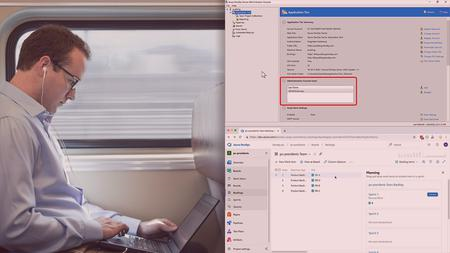
Azure DevOps Server 2020 Fundamentals
.MP4, AVC, 1280x720, 30 fps | AAC, 2 Ch | 5h 40m | 753 MB
Genre: eLearning | Language: English​

Azure DevOps Server 2020 helps you to manage and streamline the development and delivery of complex software projects. This course will show you how to get started and covers the typical tasks that you'd use Azure DevOps for.
How do you manage and streamline the development and delivery of a complex software project? In this course, Azure DevOps Server 2020 Fundamentals, you'll learn how to use Azure DevOps to help develop and deliver great, working software. First, you'll see how to manage code using Git and TFVC version control. Next, you'll explore automated builds and automated deployment of your software. Finally, you'll discover how to manage your projects using Scrum and Kanban along with how to manage the QA testing effort of your software project. When you're finished with this course, you'll have a foundational knowledge of software project delivery using Azure DevOps that will help you as you move forward to successful software delivery and DevOps.
Screenshots


5728b3a3-9d2f-4114-9e25-482a1d0c8fc7.png

Cisco Nexus Vpc Practical Series
MP4 | Video: h264, 1280x720 | Audio: AAC, 44.1 KHz, 2 Ch
Genre: eLearning | Language: English + srt | Duration: 13 lectures (5h 21m) | Size: 2 GB

Cisco Nexus Vpc
What you'll learn
Cisco Nexus VPC Deep Knowledge
NEXUS VPC Practicals
CISCO NEXUS VPC Design
All about the VPC Design
Requirements
CCNA DATA center
Description
I am a CCIE LAB certified Network Engineer. My CCIE number is 57391. I have been working in network for almost 10 years now. I have designed this CISCO Nexus VPC Series. In this vPC (Virtual Port-Channel), also known as multichassis EtherChannel (MEC) is a feature on the Cisco Nexus switches that provides the ability to configure a Port-Channel across multiple switches (i.e. vPC peers).vPC is similar to Virtual Switch System (VSS) on the Catalyst 6500s. However, the key difference between vPC and VSS is that VSS creates a single logical switch. This results in a single control plane for both management and configuration purposes. Whereas with vPC each switch is managed and configured independently. It is important to remember that with vPC both switches are managed independently. This means you will need to create and permit your VLANs on both Nexus switches. vPC Domain - Includes the vPC Peers, KeepAlive Links and the Port-Channels that use the vPC technology. vPC Peer Switch - The other switch within the vPC domain. Each switch is connected via the vPC peer link. It's also worth noting that one device is selected as primary and the other secondary. vPC Member Port - Ports included within the vPCs. vPC Peer-Keepalive Link - Connects both vPC peer switches and carries monitoring traffic to/from each peer switch. Monitoring is performed to ensure the switches are both operational and running vPC. vPC Peer Link - Connects both vPC peer switches and carries BPDUs, HSRPs, and MAC addresses to its vPC peer.
Who this course is for
Network Engineer working in DATA Center networks
Homepage


d259eed5-62fd-4d3b-afe6-cdcbdc56d95b.png

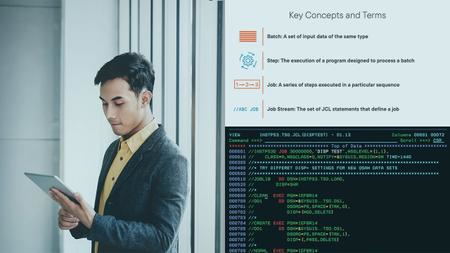
JCL Fundamentals on z/OS
.MP4, AVC, 1280x720, 30 fps | AAC, 2 Ch | 2h 51m | 412 MB
Genre: eLearning | Language: English​

JCL is one of a handful of core technologies fundamental to working with z/OS on an IBM Z system. It's the language that controls the execution of batch jobs. You must have a working knowledge of JCL in order to do any work on that system.
JCL is one of a few core technologies that are fundamental to working within an IBM Z mainframe system. In this course, JCL Fundamentals on z/OS, you will learn the foundation for using JCL to run batch jobs on the IBM Z. First, you will discover how to execute programs, define resources (datasets) used by those programs, and control the steps of a job based on the results of previous steps. Next, you will explore how to use catalogued procedures for common, repetitive sequences of JCL statements. Then, you will uncover how the Job Entry Subsystem (JES) processes JCL statements and how the system interprets the specifications you define in your JCL. Finally, you will know where to find IBM documentation about more-advanced JCL features, error codes, and other details. By the end of this course, you will be able to read and understand, write, modify, and submit JCL under z/OS. Note: There is no way to run JCL or the system utilities used in the exercises on systems other than IBM Z. To run your jobs, you will need access to a z/OS instance on a mainframe. If you are learning mainframe technology for your employer, they may provide you with access to a mainframe system where you can practice writing JCL and running jobs.
Screenshots


2e24fbf4-ea81-411e-a22c-fbe133374696.png

Balancing Work and Life
MP4 | Video: h264, 1280x720 | Audio: AAC, 44.1 KHz, 2 Ch
Skill Level: General | Genre: eLearning | Language: English + srt | Duration: 35m | Size: 298.1 MB
Learn how to have it all and enjoy it all by balancing your life and work. In this course, author and productivity expert Dave Crenshaw explores smart strategies to make work a focus at work and give yourself time to enjoy your time at home. And to help you clear roadblocks to a more balanced life, he answers tough questions like these: What are the warning signs that my life is out of balance? How do I keep balance when I travel so frequently? What if my career demands that I'm always available?
Homepage


Zurück
Oben Unten