Complete Google Workspace (G Suite), Beginner - Advanced

Complete Google Workspace (G Suite), Beginner - Advanced
MP4 | Video: h264, 1280x720 | Audio: AAC, 44.1 KHz
Language: English | Size: 5.71 GB | Duration: 16h 40m
Google Workspace (G Suite) Google Docs, Google Sheets, Google Slides, Google Calendar, Google Drive, Gmail, Google Forms
What you'll learn
How to use Google Workspace (G Suite)
The basics of how to set up, format and manage your data - information is more easily digestible in an organised presentation.
The essential formulas to manage and understand your data - add, subtract, sum, average.
How to best control team members contributions when working on a collaboration to ensure a successful outcome.
How to organise and present data professionally.
Short cuts that will improve your workflow.
Requirements
Google Account
Internet access
Willingness to learn
Description
Google Workspace Course Updated December 2021.
This is the bestselling Google Workspace course on Udemy, along with the highest rating. Over 1100 5 star reviews!
Welcome to the Complete Google Workspace (G Suite) Course, covering Google Docs, Google Sheets and Google Sheets Advanced topics, Google Slides, Google Calendar, Google Drive, Gmail, Google Forms, Google Meet etc
Loaded with tips and tricks, resources and helpful information ready to help you learn Google Workspace (Previously called G Suite and Google Apps for Business).
Work faster and smarter, do more with G Suite. Explore how to get more productive - make use of all the amazing features that GSuite has to offer.
G Suite is perfect for workplace collaboration, communications and productivity. You can also use your own personal Gmail account for free!
G Suite Apps work seamlessly together allowing uses to collaborate on files, create documents, build spreadsheets, and so much more. G Suite has the tools to boost your productivity.
Cover covers everything you need to know about using Google in your Workplace with Google Workspace (GSuite Apps or the Google Suite).
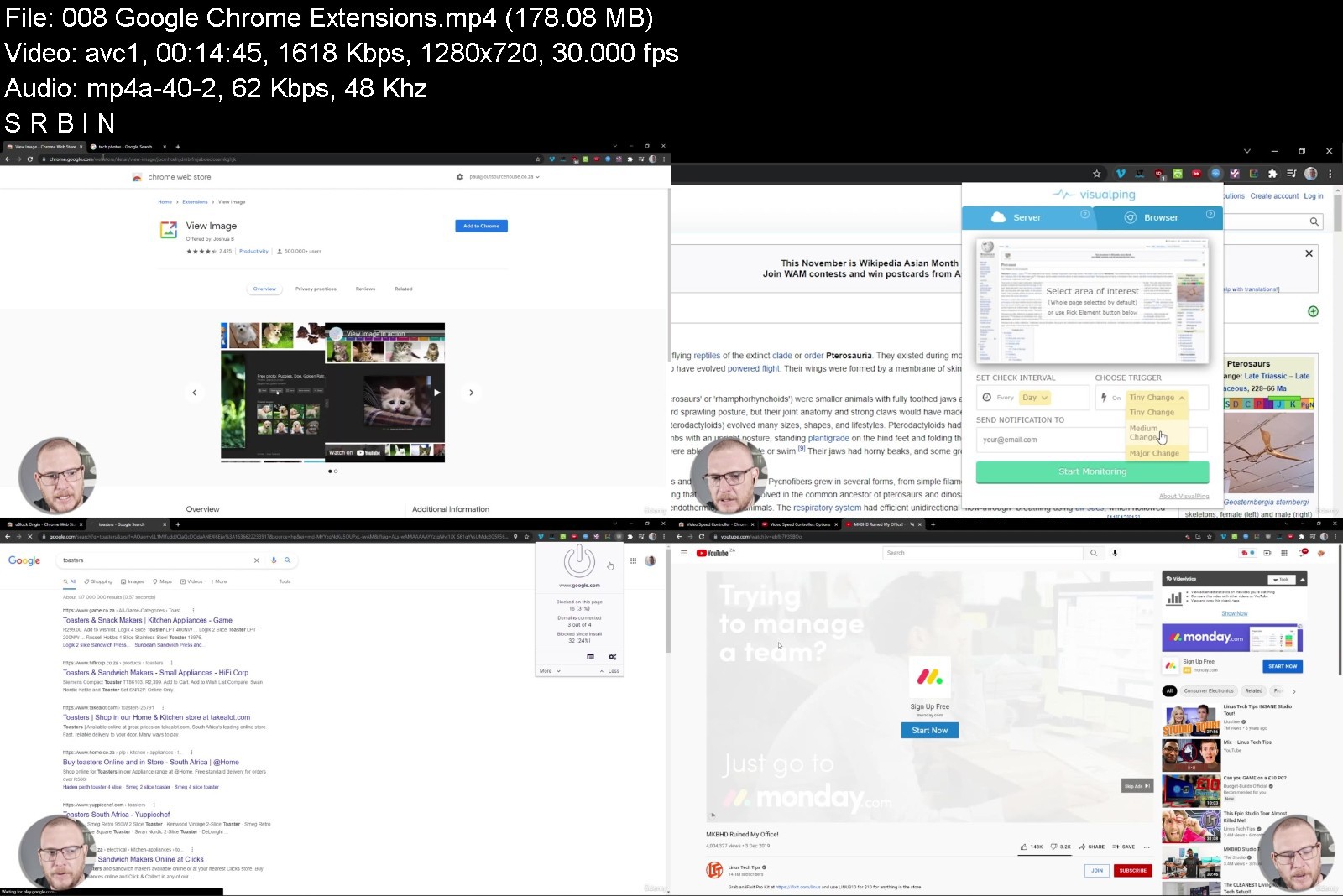
Find out more about Google Chrome - It is a fast web browser and easy to use. This course will cover tips and tricks of Google Chrome, useful plugins and advanced settings.
Discover Google Gmail - Rediscover what you can do with Gmail, setup and optimize your Email settings. Benefits of using Gmail with email tips and email productivity. Get quick tips and do more with Gmail.
Explore Google Calendar - Discover how to effectively use Google Calendar. Calendar lets you keep track of important events, share your schedule, and create multiple calendars.
Get to know Google Drive - At the core of the G Suite Apps is Google Drive. Store files and access from anywhere set permissions and share with others. There are many benefits to using Google Drive. Collaborate and share files, search and find with ease.
Get inspired with Google Docs - find out more about the amazing features that Google Docs has to help you brainstorm and work together to create documents. Create documents, add images, updates styling, edit and use the doc tools to get things done. Fast simple and easy to use with this guide to master Google Docs along with top hacks, tips and tricks.
Take charge of your data with Google Sheets in a sheet - The Google Spreadsheet called Google Sheets in this section is loaded with amazing tips, tricks and ways to format your data. Your data is organized and presented in the way you need it. This is just what you need to sort your data. Work with others - collaborate and share. Take
Create, edit and collaborate with Google Slides - present your ideas with ease to everyone. The cloud allows you to present anywhere, professional stunning presentations you can create with an easy to use interface.
Connect with others using Google Meet - Hold video meetings with people inside or outside of your organization. Video conference with international teams, hold remote interviews, conduct webinars, and more. Collaborate in video meetings, record meetings, learn productivity tips for Meet.
Build your own website with Google Sites. Drag and drop to create your website in minutes, add your Google Documents share to your team or to the world, it's up to you. Using a modern easy to use webpage builder allows anyone to jump right in and build web pages easily.
Discover Google Forms and see what you can do with Google Forms - Forms lets you manage event registrations, create quizzes, analyze responses, and more. It's easy to create your own quizzes, surveys, and gather user responses.
Google Keep and Tasks help you organize your content and ideas.
Google Gmail and Mail
Gmail lets you send and search for messages, organize your inbox, and build relationships with integrated chat and video meetings. Gmail is perfect for any organization. Get real-time messages and notifications with security in mind. Accessing and emailing made easy - the way it should be. Not taking away from your busy schedule and working that way you need it. Gmail is an effective way to stay in contact and manage your communications. Even without the internet, you can draft messages that can be made ready to send out when you're back online. This section is loaded with tips and helpful demos of how you can save time and be more effective with Gmail. Easily elevate communications to video, chat and connect to other G Suite products.
What can you do with Gmail?
Explore how to clean up your inbox
Automation with labels and filters
How to organize and keep your inbox and emails clean
Online anywhere access
Store chat messages and video conferencing
Security of Data
Hassle-free document sharing
Share to drive to avoid large file limits in emails
Easy to transfer and connect files from G Suite
Works well with other G Suite products
Gmail productivity and email management
Great uptime
Security and 2 step verification options.
Tips on resources and settings
Different screen view options
Filter emails to help find and organize
Easy to create templates and canned responses.
Email productivity tips to do more
This is a COMPLETE Gmail Course
By the end of this course, you will have learnt all the secrets of Gmail and save hours a week with the productivity shortcuts. We look at how to reply to mail faster with Canned Responses
Google Calendar
How to make new entries in your calendar - a step by step process.
How to open and operate new and multiple calendars - such as having a separate home calendar and work calendar.
How to share calendars with other G Suite users - on either a view-only or edit as well.
How to set up goals.
How to setup reminders - once-off or repeating reminders.
How to setup tasks - tracking, once-off tasks or tasks that repeat at specified intervals.
Google Drive
How to use drive - the basics and purpose fo Google Drive.
How to share folders and files with other G Suite users.
How to share folders and files with other non-G Suite users.
How to customize the look of your shared drives.
How to establish the various security settings on folders and files so that you're in control of what other users can see, do and edit.
Google Docs
The best thing about Google Docs is how people actually want to use it - easy to get started with and very flexible in how you use it. The Google Docs section is designed to help you learn more about Google Docs - sharing tips and tricks. Loaded with examples allowing you to decide how you want to use it.
Many students often ask how to improvise their workflow - how to save time and use docs more effectively - this section is designed to answer those questions as well as open the door to some amazing functionality that you might not have known about.
What can you do with Google Docs?
With Google Docs, you can create and edit text documents right in your web browser
Nothing to install - no special software is required.
Perfect for collaboration with others - you can even work on the same doc at the same time.
You can see others changes instantly
Access the content across computers - anytime you want anywhere with internet access. If you travel or use multiple devices this is the ideal way to go.
Works the way people work in the real world
Version control, don't worry about lost changes or edits - also great for major revisions. Trackback to old versions and changes - taking away the stress.
Add and remove collaborators with ease, comment, share ideas and work together.
Make changes in real-time that others can see and comment on.
Easy to learn with the familiarity of other similar applications.
Free to use
Import and export DOCs to multiple formats.
Security of locking your content and only allowing access to those who you provide access to.
Ready-made templates that you can open and update to customize for any occasion.
Easy editing options that simply make sense
All the styling options you would expect
Easy to insert footnotes
Images will wow you, so many options to quickly bring relevant images without having to leave your document.
Add headers and footers - with options
Create a one-click table of contents for your content - update as needed
Even an offline mode - in case no internet connection is available
Addons and shortcuts to do even more with ease.
Works seamlessly with other G Suite Apps
Easy Web Publishing and Sharing
Google Sheets
Google Sheets is a free, secure and powerful spreadsheet application that enables anyone to organise, extract, analyse and manage data in a collaborative or individual environment across devices. You will learn formulas, methods and logic that you will be able to use in either Google Sheets or Microsoft Excel.
Create beautiful spreadsheets with step by step guides.
Anyone looking to keep their figure work safe and secure in an environment that they can access anywhere without having to install any software.
Sheets is the perfect app for managing your personal budget, small business inventory or managing a global sales team because it scales.
This course is for you if you've never worked with Sheets or similar programs such as MS Excel. We start at the beginning, get you comfortable with the fundamentals and then build on that foundation as we guide you through the advanced features of this application.
Sheets is a free, no installation required app that is designed to capture, managed, analyse and interrogate numbers and data.
Because Google Sheets is cloud-based you don't need expensive storage options and you can access them from home or work or on vacation.
Sheets is ideal for individuals or people working in teams, across time zones and spread out geographically.
The basics of how to set up, format and manage your data - information is more easily digestible in an organised presentation.
Be able to create, edit, and collaborate on spreadsheets quickly, efficiently and securely.
The essential formulas to manage and understand your data - add, subtract, sum, average.
How to clean up incomplete or mismatched data - formulas that drive this process and streamline your workload.
Short cuts that will improve your workflow.
Learn formulas that you will be able to use in both Google sheets and Excel.
Understand how to work with and filter data
Simple functions you might have used in Excel, like SUM, COUNT, COUNTIF etc
We use the Advanced Sheets functions, like INDEX, MATCH, IMPORT RANGE etc
Learn how to create powerful calculations
Importing and exporting data sets and how to best direct the flow of data.
Learn to manipulate text, using arrays, split and other formulas.
How to best control team members contributions when working on a collaboration to ensure a successful outcome.
A full exploration of the depth of functionality of this application so that you can see what best suits your particular environment.
Lots of examples so that you can see how to best apply this application's functionality to your specific environment.
How to organise and present data professionally.
Learn Spreadsheets secrets and shortcuts
Connect multiple Google Sheets Spreadsheets together and reference data in another sheet.
We look at Pivot Tables in Sheets, they work similar to Excel but of course, Google makes them a lot easier.
Create forms and surveys using Google Forms and connect them to your Sheets.
This section of the Google G Suite course, could be a separate course. But we thought that we wanted to give you the most value for your money with this course. This course is structured to more helpful than any other course on Microsoft Excel or Google Sheets. We break down each lesson and concept with real life examples that you can follow along with to become and Sheets Power User.
Google Slides
Slides let you create pitch decks, project presentations, training modules, and more. Works well with other G Suite products. Advantages are to collaboration and the ability to access content from anywhere with an internet connection. Presentations are being created by multiple users, Slides makes it easy to share and work together. Message comment and brainstorm - build your presentations easily online. Create nice PDFs and more.
What can you do with Slides?
We go through an introduction to Google Slides and Google Slide's basic functionality
Work together with others on the same slide presentation
You control who has access
Security and permissions on content
Organize and find content within your Google Drive
Prebuilt templates to choose from
Create your own custom templates
Simplify your presentations as your Slides guides you on creating the presentations.
Option for offline access to Slides - works within your Chrome Browser
Backup and export presentations to multiple formats
Access Presentation from Any Device
Walk-through of the creation of an example slide
Easy Web Publishing and Sharing
Select the perfect theme
Add content and more with ease
Made for smooth presentations - with speaker notes and multiple screens built-in ready to present options.
Comment and edit with others
Rearrange and easy to move slides around
Apply transitions and more
Versatile Download save and print options.
You will be able to create stunning presentations in under 2 hours with Google Slides.
Google Sites
Create a website without coding - connect Google products easily. Collaborate and work together just like other G Suite Products. You select the other users who have access - share to the world or share to selected users it's up to you. Google Sites is a powerful tool for easy website creation, drag and drop launch of your site in minutes.
Easy website creation tool offered by Google
Anyone is able to create simple web sites
Collaboration with others to build the site and share content
Google Sites is a really easy-to-use website builder
No Coding create your site
Share your content to the world with a web URL
Create and add multiple pages in minutes
Similar to Google Slides and easy to work with
Drag and drop content as needed
Responsive in nature - defaults to amazing responsive site perfect for any size screen
Integrate other G Suite Services and products
Customize colors and look and feel
Prebuilt templates ready for many types of content
Search bar built-in
Navigation is added which naturally builds as you add site pages
Footer and header options
Publish and share as you do with Docs
Click of a button to publish and share your site
You can customize what others see
Perfect for an organization intranet
Easily bring in content from many sources to make your page come to life
Update layout and select customized feel
Add style and theme to your pages
So many options for components
Edit update and collaborate
Announcement banner for your site - to get the message out there.
Launch a site within minutes, share your content to the world or select who sees it.
Your site the way you want it made easy
Google Keep
A note-taking application developed by Google. Google Keep allows users to make different kinds of notes, including text, lists, images, and audio. Users can set reminders, which are integrated with Google. Keep can be used to create, manage, and share text-based memos, lists, images, and voice notes across multiple devices
Why use Keep
Keep can convert text notes into checklists.
Keep lets you share between the entire Google ecosystem
Share and Collaborate With Others
Remind and add notes to Keep
Get text from an image
Transcribe your ideas to keep to review later
Dictate a note into your device
Notes in Keep are searchable and editable
Create a pop-up reminder in Keep
Keep captures quickly with many options
Add Reminders in Keep
Help organize and prioritize tasks
Make notes and pin important ideas
Brainstorm and develop ideas that are captured in Keep
Power of your mind
Make a list
Saving a drawing
Label color and pin notes
Use Google products side by side
Google Chrome
We cover the basics of how to use Chrome.
Tips and tricks for Chrome.
Advanced settings for Chrome.
Useful plugins and extensions for Chrome.
Google Meet
How to use Google Meet to have video chats and online meetings with others.
How to use Google Meet to share information, documents and your screen during meetings.
And the full 30 day no-questions-asked Udemy instant guarantee is your assurance of the quality and potential of this course.
Get started today by clicking "Buy Now" and get full, lifetime access to this Complete G Suite Course with all future updates and all current and future course materials included!
We answer questions in this course like
Are there any G Suite marketplace apps that are free?
Can you host a website with G Suite?
Can G Suite work offline?
Can G Suite replace Microsoft Office programs like Word and Excel
How Does G Suite work?
How to do certain things under the G Suite Admin.
Is G Suite worth it?
How does Google Sheets compare with Microsoft Excel?
How does Google Docs compare with Microsoft Word?
Can Google Docs edit pdf files?
How Google Docs collaboration works.
How does Google Slides compare with Microsoft PowerPoint?
Can Google Sheets open xlsx files?
Can Google Sheets count colored cells?
Can Google Sheets do pivot tables?
How do you collect responses in Google Forms?
How are Google Forms opened or created?
Where are Google Forms saved?
Current Reviews are as follows
____
I am enjoying the easy explanations on how things are done and the pace of the course. Having worked with g-suite for some time now I am amazed at some of the little extra things that I am able to do but I had not clue existed. - Eddie Wille
____
This will make me so much more efficient. I love that! - Daryn Benton
____
I'm learning a ton of things I didn't know about Chrome that will be hugely beneficial to me and I'm very happy about it. - Bethanny Brooks
____
An excellent course ... Impressive! - Jan Roos
Who this course is for
Business Users
Home Users
Google Enthusiasts
Download from RapidGator
Download from NitroFlare
Download from UploadGig
Complete Google Workspace (G Suite), Beginner - Advanced
MP4 | Video: h264, 1280x720 | Audio: AAC, 44.1 KHz
Language: English | Size: 5.71 GB | Duration: 16h 40m
Google Workspace (G Suite) Google Docs, Google Sheets, Google Slides, Google Calendar, Google Drive, Gmail, Google Forms
What you'll learn
How to use Google Workspace (G Suite)
The basics of how to set up, format and manage your data - information is more easily digestible in an organised presentation.
The essential formulas to manage and understand your data - add, subtract, sum, average.
How to best control team members contributions when working on a collaboration to ensure a successful outcome.
How to organise and present data professionally.
Short cuts that will improve your workflow.
Requirements
Google Account
Internet access
Willingness to learn
Description
Google Workspace Course Updated December 2021.
This is the bestselling Google Workspace course on Udemy, along with the highest rating. Over 1100 5 star reviews!
Welcome to the Complete Google Workspace (G Suite) Course, covering Google Docs, Google Sheets and Google Sheets Advanced topics, Google Slides, Google Calendar, Google Drive, Gmail, Google Forms, Google Meet etc
Loaded with tips and tricks, resources and helpful information ready to help you learn Google Workspace (Previously called G Suite and Google Apps for Business).
Work faster and smarter, do more with G Suite. Explore how to get more productive - make use of all the amazing features that GSuite has to offer.
G Suite is perfect for workplace collaboration, communications and productivity. You can also use your own personal Gmail account for free!
G Suite Apps work seamlessly together allowing uses to collaborate on files, create documents, build spreadsheets, and so much more. G Suite has the tools to boost your productivity.
Cover covers everything you need to know about using Google in your Workplace with Google Workspace (GSuite Apps or the Google Suite).
Find out more about Google Chrome - It is a fast web browser and easy to use. This course will cover tips and tricks of Google Chrome, useful plugins and advanced settings.
Discover Google Gmail - Rediscover what you can do with Gmail, setup and optimize your Email settings. Benefits of using Gmail with email tips and email productivity. Get quick tips and do more with Gmail.
Explore Google Calendar - Discover how to effectively use Google Calendar. Calendar lets you keep track of important events, share your schedule, and create multiple calendars.
Get to know Google Drive - At the core of the G Suite Apps is Google Drive. Store files and access from anywhere set permissions and share with others. There are many benefits to using Google Drive. Collaborate and share files, search and find with ease.
Get inspired with Google Docs - find out more about the amazing features that Google Docs has to help you brainstorm and work together to create documents. Create documents, add images, updates styling, edit and use the doc tools to get things done. Fast simple and easy to use with this guide to master Google Docs along with top hacks, tips and tricks.
Take charge of your data with Google Sheets in a sheet - The Google Spreadsheet called Google Sheets in this section is loaded with amazing tips, tricks and ways to format your data. Your data is organized and presented in the way you need it. This is just what you need to sort your data. Work with others - collaborate and share. Take
Create, edit and collaborate with Google Slides - present your ideas with ease to everyone. The cloud allows you to present anywhere, professional stunning presentations you can create with an easy to use interface.
Connect with others using Google Meet - Hold video meetings with people inside or outside of your organization. Video conference with international teams, hold remote interviews, conduct webinars, and more. Collaborate in video meetings, record meetings, learn productivity tips for Meet.
Build your own website with Google Sites. Drag and drop to create your website in minutes, add your Google Documents share to your team or to the world, it's up to you. Using a modern easy to use webpage builder allows anyone to jump right in and build web pages easily.
Discover Google Forms and see what you can do with Google Forms - Forms lets you manage event registrations, create quizzes, analyze responses, and more. It's easy to create your own quizzes, surveys, and gather user responses.
Google Keep and Tasks help you organize your content and ideas.
Google Gmail and Mail
Gmail lets you send and search for messages, organize your inbox, and build relationships with integrated chat and video meetings. Gmail is perfect for any organization. Get real-time messages and notifications with security in mind. Accessing and emailing made easy - the way it should be. Not taking away from your busy schedule and working that way you need it. Gmail is an effective way to stay in contact and manage your communications. Even without the internet, you can draft messages that can be made ready to send out when you're back online. This section is loaded with tips and helpful demos of how you can save time and be more effective with Gmail. Easily elevate communications to video, chat and connect to other G Suite products.
What can you do with Gmail?
Explore how to clean up your inbox
Automation with labels and filters
How to organize and keep your inbox and emails clean
Online anywhere access
Store chat messages and video conferencing
Security of Data
Hassle-free document sharing
Share to drive to avoid large file limits in emails
Easy to transfer and connect files from G Suite
Works well with other G Suite products
Gmail productivity and email management
Great uptime
Security and 2 step verification options.
Tips on resources and settings
Different screen view options
Filter emails to help find and organize
Easy to create templates and canned responses.
Email productivity tips to do more
This is a COMPLETE Gmail Course
By the end of this course, you will have learnt all the secrets of Gmail and save hours a week with the productivity shortcuts. We look at how to reply to mail faster with Canned Responses
Google Calendar
How to make new entries in your calendar - a step by step process.
How to open and operate new and multiple calendars - such as having a separate home calendar and work calendar.
How to share calendars with other G Suite users - on either a view-only or edit as well.
How to set up goals.
How to setup reminders - once-off or repeating reminders.
How to setup tasks - tracking, once-off tasks or tasks that repeat at specified intervals.
Google Drive
How to use drive - the basics and purpose fo Google Drive.
How to share folders and files with other G Suite users.
How to share folders and files with other non-G Suite users.
How to customize the look of your shared drives.
How to establish the various security settings on folders and files so that you're in control of what other users can see, do and edit.
Google Docs
The best thing about Google Docs is how people actually want to use it - easy to get started with and very flexible in how you use it. The Google Docs section is designed to help you learn more about Google Docs - sharing tips and tricks. Loaded with examples allowing you to decide how you want to use it.
Many students often ask how to improvise their workflow - how to save time and use docs more effectively - this section is designed to answer those questions as well as open the door to some amazing functionality that you might not have known about.
What can you do with Google Docs?
With Google Docs, you can create and edit text documents right in your web browser
Nothing to install - no special software is required.
Perfect for collaboration with others - you can even work on the same doc at the same time.
You can see others changes instantly
Access the content across computers - anytime you want anywhere with internet access. If you travel or use multiple devices this is the ideal way to go.
Works the way people work in the real world
Version control, don't worry about lost changes or edits - also great for major revisions. Trackback to old versions and changes - taking away the stress.
Add and remove collaborators with ease, comment, share ideas and work together.
Make changes in real-time that others can see and comment on.
Easy to learn with the familiarity of other similar applications.
Free to use
Import and export DOCs to multiple formats.
Security of locking your content and only allowing access to those who you provide access to.
Ready-made templates that you can open and update to customize for any occasion.
Easy editing options that simply make sense
All the styling options you would expect
Easy to insert footnotes
Images will wow you, so many options to quickly bring relevant images without having to leave your document.
Add headers and footers - with options
Create a one-click table of contents for your content - update as needed
Even an offline mode - in case no internet connection is available
Addons and shortcuts to do even more with ease.
Works seamlessly with other G Suite Apps
Easy Web Publishing and Sharing
Google Sheets
Google Sheets is a free, secure and powerful spreadsheet application that enables anyone to organise, extract, analyse and manage data in a collaborative or individual environment across devices. You will learn formulas, methods and logic that you will be able to use in either Google Sheets or Microsoft Excel.
Create beautiful spreadsheets with step by step guides.
Anyone looking to keep their figure work safe and secure in an environment that they can access anywhere without having to install any software.
Sheets is the perfect app for managing your personal budget, small business inventory or managing a global sales team because it scales.
This course is for you if you've never worked with Sheets or similar programs such as MS Excel. We start at the beginning, get you comfortable with the fundamentals and then build on that foundation as we guide you through the advanced features of this application.
Sheets is a free, no installation required app that is designed to capture, managed, analyse and interrogate numbers and data.
Because Google Sheets is cloud-based you don't need expensive storage options and you can access them from home or work or on vacation.
Sheets is ideal for individuals or people working in teams, across time zones and spread out geographically.
The basics of how to set up, format and manage your data - information is more easily digestible in an organised presentation.
Be able to create, edit, and collaborate on spreadsheets quickly, efficiently and securely.
The essential formulas to manage and understand your data - add, subtract, sum, average.
How to clean up incomplete or mismatched data - formulas that drive this process and streamline your workload.
Short cuts that will improve your workflow.
Learn formulas that you will be able to use in both Google sheets and Excel.
Understand how to work with and filter data
Simple functions you might have used in Excel, like SUM, COUNT, COUNTIF etc
We use the Advanced Sheets functions, like INDEX, MATCH, IMPORT RANGE etc
Learn how to create powerful calculations
Importing and exporting data sets and how to best direct the flow of data.
Learn to manipulate text, using arrays, split and other formulas.
How to best control team members contributions when working on a collaboration to ensure a successful outcome.
A full exploration of the depth of functionality of this application so that you can see what best suits your particular environment.
Lots of examples so that you can see how to best apply this application's functionality to your specific environment.
How to organise and present data professionally.
Learn Spreadsheets secrets and shortcuts
Connect multiple Google Sheets Spreadsheets together and reference data in another sheet.
We look at Pivot Tables in Sheets, they work similar to Excel but of course, Google makes them a lot easier.
Create forms and surveys using Google Forms and connect them to your Sheets.
This section of the Google G Suite course, could be a separate course. But we thought that we wanted to give you the most value for your money with this course. This course is structured to more helpful than any other course on Microsoft Excel or Google Sheets. We break down each lesson and concept with real life examples that you can follow along with to become and Sheets Power User.
Google Slides
Slides let you create pitch decks, project presentations, training modules, and more. Works well with other G Suite products. Advantages are to collaboration and the ability to access content from anywhere with an internet connection. Presentations are being created by multiple users, Slides makes it easy to share and work together. Message comment and brainstorm - build your presentations easily online. Create nice PDFs and more.
What can you do with Slides?
We go through an introduction to Google Slides and Google Slide's basic functionality
Work together with others on the same slide presentation
You control who has access
Security and permissions on content
Organize and find content within your Google Drive
Prebuilt templates to choose from
Create your own custom templates
Simplify your presentations as your Slides guides you on creating the presentations.
Option for offline access to Slides - works within your Chrome Browser
Backup and export presentations to multiple formats
Access Presentation from Any Device
Walk-through of the creation of an example slide
Easy Web Publishing and Sharing
Select the perfect theme
Add content and more with ease
Made for smooth presentations - with speaker notes and multiple screens built-in ready to present options.
Comment and edit with others
Rearrange and easy to move slides around
Apply transitions and more
Versatile Download save and print options.
You will be able to create stunning presentations in under 2 hours with Google Slides.
Google Sites
Create a website without coding - connect Google products easily. Collaborate and work together just like other G Suite Products. You select the other users who have access - share to the world or share to selected users it's up to you. Google Sites is a powerful tool for easy website creation, drag and drop launch of your site in minutes.
Easy website creation tool offered by Google
Anyone is able to create simple web sites
Collaboration with others to build the site and share content
Google Sites is a really easy-to-use website builder
No Coding create your site
Share your content to the world with a web URL
Create and add multiple pages in minutes
Similar to Google Slides and easy to work with
Drag and drop content as needed
Responsive in nature - defaults to amazing responsive site perfect for any size screen
Integrate other G Suite Services and products
Customize colors and look and feel
Prebuilt templates ready for many types of content
Search bar built-in
Navigation is added which naturally builds as you add site pages
Footer and header options
Publish and share as you do with Docs
Click of a button to publish and share your site
You can customize what others see
Perfect for an organization intranet
Easily bring in content from many sources to make your page come to life
Update layout and select customized feel
Add style and theme to your pages
So many options for components
Edit update and collaborate
Announcement banner for your site - to get the message out there.
Launch a site within minutes, share your content to the world or select who sees it.
Your site the way you want it made easy
Google Keep
A note-taking application developed by Google. Google Keep allows users to make different kinds of notes, including text, lists, images, and audio. Users can set reminders, which are integrated with Google. Keep can be used to create, manage, and share text-based memos, lists, images, and voice notes across multiple devices
Why use Keep
Keep can convert text notes into checklists.
Keep lets you share between the entire Google ecosystem
Share and Collaborate With Others
Remind and add notes to Keep
Get text from an image
Transcribe your ideas to keep to review later
Dictate a note into your device
Notes in Keep are searchable and editable
Create a pop-up reminder in Keep
Keep captures quickly with many options
Add Reminders in Keep
Help organize and prioritize tasks
Make notes and pin important ideas
Brainstorm and develop ideas that are captured in Keep
Power of your mind
Make a list
Saving a drawing
Label color and pin notes
Use Google products side by side
Google Chrome
We cover the basics of how to use Chrome.
Tips and tricks for Chrome.
Advanced settings for Chrome.
Useful plugins and extensions for Chrome.
Google Meet
How to use Google Meet to have video chats and online meetings with others.
How to use Google Meet to share information, documents and your screen during meetings.
And the full 30 day no-questions-asked Udemy instant guarantee is your assurance of the quality and potential of this course.
Get started today by clicking "Buy Now" and get full, lifetime access to this Complete G Suite Course with all future updates and all current and future course materials included!
We answer questions in this course like
Are there any G Suite marketplace apps that are free?
Can you host a website with G Suite?
Can G Suite work offline?
Can G Suite replace Microsoft Office programs like Word and Excel
How Does G Suite work?
How to do certain things under the G Suite Admin.
Is G Suite worth it?
How does Google Sheets compare with Microsoft Excel?
How does Google Docs compare with Microsoft Word?
Can Google Docs edit pdf files?
How Google Docs collaboration works.
How does Google Slides compare with Microsoft PowerPoint?
Can Google Sheets open xlsx files?
Can Google Sheets count colored cells?
Can Google Sheets do pivot tables?
How do you collect responses in Google Forms?
How are Google Forms opened or created?
Where are Google Forms saved?
Current Reviews are as follows
____
I am enjoying the easy explanations on how things are done and the pace of the course. Having worked with g-suite for some time now I am amazed at some of the little extra things that I am able to do but I had not clue existed. - Eddie Wille
____
This will make me so much more efficient. I love that! - Daryn Benton
____
I'm learning a ton of things I didn't know about Chrome that will be hugely beneficial to me and I'm very happy about it. - Bethanny Brooks
____
An excellent course ... Impressive! - Jan Roos
Who this course is for
Business Users
Home Users
Google Enthusiasts
Download from RapidGator
Download from NitroFlare
Download from UploadGig