• Regeln für den Video-Bereich:

    In den Börsenbereich gehören nur Angebote die bereits den Allgemeinen Regeln entsprechen.

    Einteilung

    - Folgende Formate gehören in die angegeben Bereiche:
    - Filme: Encodierte Filme von BluRay, DVD, R5, TV, Screener sowie Telesyncs im Format DivX, XviD und x264.
    - DVD: Filme im Format DVD5, DVD9 und HD2DVD.
    - HD: Encodierte Filme mit der Auflösung 720p oder darüber von BluRay, DVD, R5, TV, Screener sowie Telesyncs im Format x264.
    - 3D: Encodierte Filme von BluRay, die in einem 3D Format vorliegen. Dies gilt auch für Dokus, Animation usw.
    - Serien: Cartoon/Zeichentrick, Anime, Tutorials, Dokumentationen, Konzerte/Musik, Sonstiges sind demnach in die entsprechenden Bereiche einzuordnen, auch wenn sie beispielsweise im High Definition-Format oder als DVD5/DVD9/HD2DVD vorliegen. Ausnahme 3D.
    - Bereich Englisch: Englische Releases gehören immer in diesen Bereich.
    - Bereich Talk: Der Bereich, in dem über die Releases diskutiert werden kann, darf, soll und erwünscht ist.


    Angebot/Beitrag erstellen

    - Ein Beitrag darf erst dann erstellt werden, wenn der Upload bei mindestens einem OCH komplett ist. Platzhalter sind untersagt.
    - Bei einem Scenerelease hat der Threadtitel ausschließlich aus dem originalen, unveränderten Releasenamen zu bestehen. Es dürfen keine Veränderungen wie z.B. Sterne, kleine Buchstaben o.ä. vorgenommen werden. Ausnahme Serienbörse:
    - Bei einem Sammelthread für eine Staffel entfällt aus dem Releasename natürlich der Name der Folge. Beispiel: Die Simpsons S21 German DVDRip XviD - ITG
    - Dementsprechend sind also u.a. verboten: Erweiterungen wie "Tipp", "empfehlenswert", "only", "reup", usw. / jegliche andere Zusatzinformation oder Ergänzung, welche nicht in obiger Beschreibung zu finden ist.

    Aufbau des Angebots und Threadtitel

    Der Titel nach folgendem Muster erstellt zu werden. <Name> [3D] [Staffel] [German] <Jahr> <Tonspur> [DL] [Auflösung] <Quelle> <Codec> - <Group>
    Beispiel: The Dark Knight German 2008 AC3 DVDRip XviD - iND
    Beispiel: The Dark Knight 2008 DTS DL BDRip x264 - iND
    Beispiel: The Dark Knight 2008 AC3 DL BDRip XviD - iND
    Beispiel: The Dark Knight German 2008 AC3 720p BluRay x264 iND
    Beispiel: The Dark Knight 2008 DTS DL 1080p BluRay x264 iND
    Beispiel: Die Simpsons S01 German AC3 DVDRip XviD iND
    Beispiel: Die Simpsons S20 German AC3 720p BluRay x264 iND
    Beispiel: Sword Art Online II Ger Sub 2014 AAC 1080p WEBRip x264 - peppermint
    Entsprechend sind also u.a. verboten: Sonderzeichen wie Klammern, Sterne, Ausrufezeichen, Unterstriche, Anführungszeichen / Erweiterungen wie "Tipp", "empfehlenswert", "only", "reup", usw. / jegliche andere Zusatzinformation oder Ergänzung, welche nicht in obiger Beschreibung zu finden ist
    Ausnahmen hiervon können in den Bereichen geregelt sein.

    Die Beiträge sollen wie folgt aufgebaut werden:
    Überschrift entspricht dem Threadtitel
    Cover
    kurze Inhaltsbeschreibung
    Format, Größe, Dauer sind gut lesbar für Downloader außerhalb des Spoilers zu vermerken
    Nfo sind immer Anzugeben und selbige immer im Spoiler in Textform.
    Sind keine Nfo vorhanden z.B. Eigenpublikationen, sind im Spoiler folgende Dateiinformationen zusätzlich anzugeben :
    Quelle
    Video (Auflösung und Bitrate)
    Ton (Sprache, Format und Bitrate der einzelnen Spuren)
    Untertitel (sofern vorhanden)
    Hosterangabe in Textform außerhalb eines Spoiler mit allen enthaltenen Hostern.
    Bei SD kann auf diese zusätzlichen Dateiinformationen verzichtet werden.

    Alle benötigten Passwörter sind, sofern vorhanden, in Textform im Angebot anzugeben.
    Spoiler im Spoiler mit Kommentaren :"Schon Bedankt?" sind unerwünscht.


    Releases

    - Sind Retail-Release verfügbar, sind alle anderen Variationen untersagt. Ausnahmen: Alle deutschen Retail-Release sind CUT, in diesem Fall sind dubbed UNCUT-Release zulässig.
    - Im Serien-Bereich gilt speziell: Wenn ein Retail vor Abschluss einer laufenden Staffel erscheint, darf diese Staffel noch zu Ende gebracht werden.62
    - Gleiche Releases sind unbedingt zusammenzufassen. Das bedeutet, es ist zwingend erforderlich, vor dem Erstellen eines Themas per Suchfunktion zu überprüfen, ob bereits ein Beitrag mit demselben Release besteht. Ist dies der Fall, ist der bereits vorhandene Beitrag zu verwenden.
    - P2P und Scene Releases dürfen nicht verändert oder gar unter einem iND Tag eingestellt werden.


    Support, Diskussionen und Suche

    - Supportanfragen sind entweder per PN oder im Bereich Talk zu stellen.
    - Diskussionen und Bewertungen sind im Talk Bereich zu führen. Fragen an die Uploader haben ausschließlich via PN zu erfolgen, und sind in den Angeboten untersagt.
    - Anfragen zu Upload-Wünschen sind nur im Bereich Suche Video erlaubt. Antworten dürfen nur auf Angebote von MyBoerse.bz verlinkt werden.


    Verbote

    - Untersagt sind mehrere Formate in einem einzigen Angebotsthread, wie beispielsweise das gleichzeitige Anbieten von DivX/XviD, 720p und 1080p in einem Thread. Pro Format, Release und Auflösung ist ein eigener Thread zu eröffnen.
    - Grundsätzlich ebenso verboten sind Dupes. Uploader haben sich an geeigneter Stelle darüber zu informieren, ob es sich bei einem Release um ein Dupe handelt.
    - Gefakte, nur teilweise lauffähige oder unvollständige Angebote sind untersagt. Dies gilt auch für eigene Publikationen, die augenscheinlich nicht selbst von z.B. einer DVD gerippt wurden. Laufende Serien, bei denen noch nicht alle Folgen verfügbar sind, dürfen erstellt und regelmäßig geupdatet werden.
    - Untersagt sind Angebote, welche nur und ausschließlich in einer anderen Sprache als deutsch oder englisch vorliegen. Ausnahmen sind VORHER mit den Moderatoren zu klären.


    Verstoß gegen die Regeln

    - Angebote oder Beiträge, die gegen die Forenregeln verstoßen, sind über den "Melden"-Button im Beitrag zu melden.
  • Bitte registriere dich zunächst um Beiträge zu verfassen und externe Links aufzurufen.

*** Bestes IPTV *** bester Preis *** gratis Test ***


Englische Tutorials

cf387ec0d715c72de2a3b1eeb2b0c85d.jpg

Cisco Meraki Wireless Course with Labs
MP4 | Video: h264, 1280x720 | Audio: AAC, 44.1 KHz
Language: English | Size: 1.51 GB | Duration: 3h 56m
Cisco Meraki Wireless Training With Step by Step Labs and Detailed Theory
What you'll learn​

You will learn about Cisco Meraki Wireless Solutions and how to configure each option.
Requirements
Basic Networking Knowledge
Basic Wireless Networks Fundamentals
Description
Hello and Welcome to Cisco Meraki Wireless Training. In this course, you will learn Cisco Meraki Wireless Solutions and how to configure each option step by step. Let's see what we will learn throughout this course
Chapter 1 Cisco Meraki Wireless Solutions
Cisco Meraki Wireless Solutions
Cisco Meraki Systems Manager
Cisco Meraki Access Point Models
Cisco Meraki Cloud-Managed Access Points Requirements
Meraki AP Initialization
Chapter 2 Cisco Meraki Wireless Terms and Best Practices
SU-MIMO and MU-MIMO with Beamforming
Roaming Technologies and 802.11r 11e 11v
Configuring 802.11w Management Frame Protection MFP
Client Balancing
Chapter 3 Cisco Meraki Radio Settings
RF Profiles and Default Templates
Creating Custom Profile in detail
Assigning RF Profiles to APs and Old Radio Settings
Channel Planning Overview with Map View and List View
Auto Channel and Channel Configurations
Real-Time Auto Channel and Channel Change Reasons
Auto TX and Its Process
Band Steering and Configuring It
Minimum Bitrate Control
VLAN Tagging
Chapter 4 SSID Modes, Encryption and Authentication
Bridge Mode
NAT Mode
Layer 3 Roaming With or Without A Concentrator
Encryption and Authentication Methods Part-1
Encryption and Authentication Methods Part-2
Configuring MAC Based Access Control for your SSID
Chapter 5 Firewall, Traffic Shaping and Group Policies
Firewall Rules Overview
Configuring Layer 3 Firewall Rules
Configuring Layer 7 Firewall Rules
Firewall Rules Processing Order
Configuring NAC Options
Configuring Bandwidth Shaping
Configuring Traffic Shaping
Wireless Client Isolation
Configuring Group Policies
Applying Group Policies
Cisco Meraki Wireless Course Has
Introduction
Cisco Meraki Wireless Course Introduction
About The Instructor
Chapter 1 Cisco Meraki Wireless Solutions
Cisco Meraki Wireless Solutions
Cisco Meraki Systems Manager
Cisco Meraki Access Point Models
Cisco Meraki Cloud-Managed Access Points Requirements
Meraki AP Initialization
Chapter 2 Cisco Meraki Wireless Terms and Best Practices
SU-MIMO and MU-MIMO with Beamforming
Roaming Technologies and 802.11r 11e 11v
Configuring 802.11w Management Frame Protection MFP
Client Balancing
Chapter 3 Cisco Meraki Radio Settings
RF Profiles and Default Templates
Creating Custom Profile in detail
Assigning RF Profiles to APs and Old Radio Settings
Channel Planning Overview with Map View and List View
Auto Channel and Channel Configurations
Real-Time Auto Channel and Channel Change Reasons
Auto TX and Its Process
Band Steering and Configuring It
Minimum Bitrate Control
VLAN Tagging
Chapter 4 SSID Modes, Encryption and Authentication
Bridge Mode
NAT Mode
Layer 3 Roaming With or Without A Concentrator
Encryption and Authentication Methods Part-1
Encryption and Authentication Methods Part-2
Configuring MAC Based Access Control for your SSID
Chapter 5 Firewall, Traffic Shaping and Group Policies
Firewall Rules Overview
Configuring Layer 3 Firewall Rules
Configuring Layer 7 Firewall Rules
Firewall Rules Processing Order
Configuring NAC Options
Configuring Bandwidth Shaping
Configuring Traffic Shaping
Wireless Client Isolation
Configuring Group Policies
Applying Group Policies
Thank You
Who this course is for
Anybody who wants to learn Cisco Meraki Wireless Solutions and how to configure them step by step.
Anybody who want s to get better at their job which has networks that consist Wireless and Meraki products.
Anybody who wants to start their Wireless journey with Meraki Solutions.
Screenshots


d812b9b6627b1b72d006506a87368731.jpg

JBOSS EAP 7.3, Basic TO Expert - Project Based & Real Time
MP4 | Video: h264, 1280x720 | Audio: AAC, 44.1 KHz
Language: English | Size: 7.76 GB | Duration: 19h 56m
BASIC TO ADVANCED || 100% UNIX O/S || NON ROOT USER || REAL TIME ISSUE + HAND'S ON + THEORY & ARCHITECTURE DIAGRAMS​

What you'll learn
JBOSS Application Server
JBOSS EAP
JBOSS Administration
JBOSS
Enterprise application platform
Requirements
There is no pre-requisites for this course
Description
Past & Future Road-Map with status
Feb 2021: Converted this training to Project based course Module added -> Added 20 New Videos
Feb 2021: Number 2, VMware Virtual Machine Creation video for Jboss Added -> Added 2 New Videos
March 2021: What is port number with example -> 1 New Video Added
March 2021: Authentication & Authorization Video to be added -> Added 6 New Videos + 4 Videos On Progress
April 2021: MOD_CLUSTER -> Added New Project
May 2021: JBOSS CLI Project Videos -> Added Multiple videos on June 2021
OCT 2021: Jboss Patch -> Coming soon
Dec 2021: Adding JMS -> Delayed
Dec 2021: Interview Questions to be added -> Delayed
Introduction
Guys, this is Venkat Raman V, welcome to my course on Jboss Enterprise Application Platform 7.3 version.
Important Information about this training
No reading from presentation, the architecture, the diagrams are self made all those words in your PDF too.
Only on Linux prod like environment using SSH terminal no GUI (only for browser, windows o/s will be used)
No Linux experience needed,
Commands and method of execution is given in the video & PDF is attached for the commands,
Just follow the video and execute the commands in the PDF.
You can learn basic Linux commands also in this training as I have covered all the basic commands while going though the training.
About The Course
This course introduces the student to Jboss EAP. Students will learn skills necessary to understand basic & advanced Jboss eap concepts and administrative tasks. At the end of this course the student will learn how to install jboss, understand JBOSS standalone and domain concepts, and administer jboss, configure ssl, horizontal cluster, working with jboss-cli mode, troubleshooting logs, setting JVM values and parameters, etc. in a very detailed manner.
This course is geared toward administrators, developers, or architects who are looking to understand fundamental to expert level on jboss concepts and how to administer a jboss environment quickly. My course is all done in linux ENV, only windows is used for browisng the application though an browser.
Relax and enjoy this course.
Who can take this course
Anyone, no experience needed to take up this course on JBOSS.
After finishing this course you will be
Expert level in JBOSS application server.
You can understand and resolve problems which is part of your JBOSS application server.
As I am covering overview of the other components of your application server you can also have some experience on those topics as well.
You can troubleshoot JBOSS and its related products.
You can fine tune JBOSS and its related products.
Who this course is for
jboss application server
Jboss EAP 7.3
Jboss Wildfly
Screenshots


3f0a629b-1372-4c9a-8ac2-8dd9164f5084.png

Laptop Repairing: Learn How to Track Signals & Voltage
MP4 | Video: h264, 1280x720 | Audio: AAC, 44.1 KHz, 2 Ch
Genre: eLearning | Language: English + srt | Duration: 7 lectures (45m) | Size: 983.7 MB


Computer repair, Basic Electronics, Laptop repair course, hardware Technicians, motherboard repair, schematics, PC, IT
What you'll learn
Learn how to track electronic signals in laptop motherboard step by step;
How to troubleshoot motherboard without schematics;
Tips and Tricks on how to track motherboard signals;
Motherboard buses;
Requirements
Motherboard Repairing Basics;
Description
Constant updates.
13 Reasons why you should choose this course
The course will teach you Everything about how to Track Signals & Voltage in detail.
The course is created with perfect care by a computer engineer;
One-On-One Support;
The course is not long, so you can complete it in a short time, and then enjoy your new experiences;
Your inquiries will be answered in a short time with a full explanation of any question;
Constant updates.
Simple and easy-to-understand explanation with examples;
A certificate will be provided upon completion of the course;
You going to understand how to follow and track signals in a laptop motherboard;
You will learn how to troubleshoot motherboard failures;
Yo going to learn how to draw schematics;
This course will transform you from a beginner to a Pro.
Topics that we will be discussing in this course are
Motherboard Signals and Voltage Tracking;
Buses and motherboard conductors;
Laptop Motherboard Test Point;
Types of motherboard buses;
Understanding connection between motherboard components.
You going also to learn many tips, tricks, and technics that will make you a professional and have a deep understanding on how to Track Signals & Voltage.
I will guide you step by step with an easy explanation along this course.
If you are interested in one of the points we talked about before, then this course is for you.
What are you waiting for?
Enroll now.
And let's get started.
Who this course is for
Anyone who want to master motherboard repairing;
Homepage


f3c1827cb9124f12651ef57cd88ce2ce.jpg

Prepare for the ITIL 4 Foundation certification in 3 hours
MP4 | Video: h264, 1280x720 | Audio: AAC, 44.1 KHz
Language: English | Size: 915 MB | Duration: 3h 24m
Official training and exam preparation oriented course for the ITIL 4 Foundation certification with quizzes and examples​

What you'll learn
IT Service Management
ITIL 4
Passing the ITIL® 4 Foundation exam
ITIL 4 practices
Understanding the ITIL framework
Requirements
No prerequisite is required to take the ITIL 4 Foundation Certification exam
Description
ITIL Foundation (ITIL 4 Foundation Edition) introduces candidates to ITSM, the Service Value System (SVS) which describes how all of the organization's components and activities work together, as a system, to facilitate value creation . ITIL SVS addresses many working approaches such as Agile, DevOps and Lean, in addition to the traditional process and project management through a flexible and value driven operating model.
ITIL 4 foundation complete course is rich, structured and exam-oriented training allowed several participants in the face-to-face training to have their certification from the first attempt, to prove their understanding and mastery of ITIL 4 and to open up career prospects in IT Service Management.
The exam success rate for this training during face-to-face sessions and via videoconference is 100%.
Training content
Master the key concepts and value of IT service management
Understand what the ITIL 4 framework is.
Understand the ITIL 4 objectives and vocabulary
Understand the 4 dimensions of ITSM
Understand how the ITIL guiding principles can help organizations adopt and adapt service management
Understand the purpose and key terms of the 18 ITIL practices and the 7 essential practices
Prepare and take the ITIL®4 Foundation exam
Test your understanding with quizzes at the end of each section
Example of real cases
Printable PDF training material for preparation
Please feel free to share this course with your network!
Who this course is for
Anyone wishing to master the fundamentals of ITIL 4 and pass the ITIL 4 Foundation certification
Screenshots


b4636b6daa6d1f52d2ecaa0df8790cec.jpg

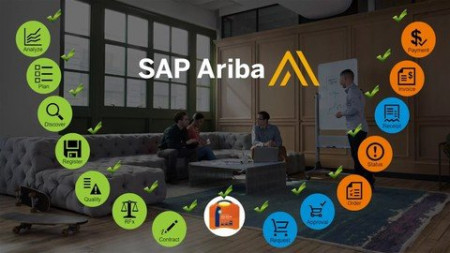
SAP Ariba Simplified - Procurement & Supply Chain Solutions
MP4 | Video: h264, 1280x720 | Audio: AAC, 44.1 KHz
Language: English | Size: 8.35 GB | Duration: 35h 11m
Learn End To End Implementation & Practical Training Of SAP Ariba 2022 - New!
What you'll learn​

To know the basic functionalities of SAP Ariba
To navigate with ease in SAP Ariba
To work with transactions in SAP
Easy Learning In SAP Ariba
Requirements
None
Description
Why choose SAP Ariba?
Influence what happens next for your organization. Digitalize and fully integrate your source-to-pay process with market-leading spend management solutions for sourcing and procurement. You'll get the data-drive intelligence and supply chain visibility you need to mitigate supplier risk and achieve long-term resiliency against supply chain disruption. And working within the connected community of the world's largest business network, engage in real-time supplier collaboration and dynamic partnerships to drive innovation and keep your business moving forward.
SAP Ariba
SAP Ariba is a cloud-based innovative solution that allows suppliers and buyers to connect and do business on a single platform. It improves overall vendor management system of an organization by providing less costly ways of procurement and making business simple. Ariba acts as a supply chain, procurement service to do business globally. SAP Ariba digitally transforms your supply chain, procurement, and contract management process.
In today's world, there is a need to control your supply chain and to collaborate with your suppliers in an efficient way. To enable a healthy supply chain, you need to have suppliers with visibility to every part of the procurement process so that they can maintain an efficient supply chain and help organizations to grow their own businesses.
The cloud-based innovative solution was first developed in 1996 by a company named Ariba and was later acquired by SAP. Thus, the name SAP Ariba. At the onset, Ariba was a B2B company to do procurement over the Internet and was the first one to introduce IPO in 1999.
Journey of SAP Ariba
Your journey into the SAP world will start from scratch. By and by you will be acquainted with the system in a very simplified way. The lectures always combine theory immediately with practice. Meaning that everything is also demonstrated in a live system directly.
You will see that it is not that difficult to navigate in SAP ERP. At its heart it is a question of understanding. This course offers lots of suitable explanations and demonstrations.
This Course will be helping clear the exam
C_ARCIG_2108 C_ARCON_2108 C_ARP2P_2108 C_ARSCC_2108 C_ARSOR_2108 C_ARSUM_2108
At the close of the course you will have a quite good understanding of SAP and thus be able to use the SAP system at work.
Who this course is for
SAP Ariba Consultants
SAP Ariba Developers
Who are all want to learn SAP Ariba
Screenshots


dbbfe0f04b8516a4e4241aac41f030b1.jpg

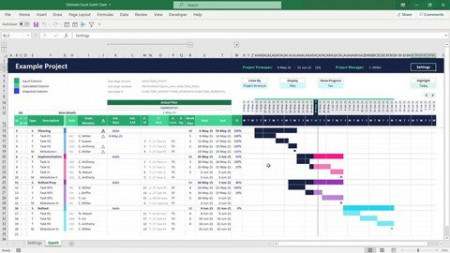
The Ultimate Excel Gantt Chart for Project Management
Genre: eLearning | MP4 | Video: h264, 1280x720 | Audio: AAC, 44.1 KHz
Language: English | Size: 1.57 GB | Duration: 3h 17m
How to create how to create ultimate excel gantt chart for project management

What you'll learn
Promote a clear and relevant vision
Give space for self-expression and involvement.
Recognize your mistakes and your responsibilities
systematically set up and design an extended professional Excel tool from scratch
how to create understandable, reusable, and scalable formula constructs based on named calculations
how to set up multi-level dropdown list constructs that with a dynamic list input
how to set up an efficient set of conditional formatting rules building on top of each other
how to smartly apply conditional formatting rules to improve the user experience when inserting data
Description
A Gantt Chart is arguably the most widely used project planning tool. And Excel allows you to quickly setup a simple Gantt Chart, but you can also build a really outstanding version with many advanced features that make this a professional project planning and management tool.
Bottom Line: This Excel tutorial teaches you how to create a professional Gantt Chart template in Excel for your project planning and management. It is designed using a fundamentally new approach that allows for a tremendous degree of automation, interactivity, and visualization of different project perspectives.
The final template contains a fully implemented Dependency Engine that let's you connect your items to each other using one of four different dependency connection types (FS, SS, SF, FF) via dropdown selections. That means you are able to do forward and backward scheduling and even combine both approaches in the same schedule. Furthermore, this Gantt Chart enables you to switch between four fully automated Color Modes with one single click and gives you access to a smart Project Role and Team Management System. And these are just one of many features of this amazing Excel Gantt Chart.
This video tutorial teaches every single step on how to create such an advanced and professional Gantt Chart in Microsoft Excel. Along the way you will learn a ton of high-level Excel skills such as how to
systematically set up and design an extended professional Excel tool from scratch
how to create understandable, reusable, and scalable formula constructs based on named calculations (which let you apply complex formula calculations by entering a single name)
how to set up multi-level dropdown list constructs that with a dynamic list input
how to set up an efficient set of conditional formatting rules building on top of each other
how to smartly apply conditional formatting rules to improve the user experience when inserting data
Who this course is for
Project manager officer
Screenshots


73e0c08fc79a8c7dc6bda3698666f7c5.jpg

The Ultimate Guide To 3D Environments in Blender 3.0
Genre: eLearning | MP4 | Video: h264, 1280x720 | Audio: AAC, 48.0 KHz
Language: English | Size: 5.79 GB | Duration: 6h 28m
Your guide to create the entire world in Blender.

What you'll learn
Learn the different techniques and tools to create epic large-scale Environments, all for free inside blender
Learn the basics of Node workflow from simple to complex
Unlock the secret for super realistic render from both Cycles and Eevee
Learn How to use and composite your renders professionally in Blender powerful Compositor
All scenes, assets, models, rocks, grass, tree, mountains, textures and more
Compositing your renders and how to make them look cinematic
All about nodes from simple shading to advanced procedural shading / Displacement workflows
All about rendering and how to optimize your scene to get the fastest renders possible
Creating stunning and unique environments all inside blender
Requirements
I Recommend Blender 3.0 (any older version from 2.9 and up will do the job also)
Computer
Description
THIS COURSE WILL TEACH YOU EVERYTHING YOU NEED TO KNOW ABOUT 3D ENVIRONMENTS IN BLENDER.
A lot of people when they try to make 3D environments end up with pretty amateur results. I DON'T WANT YOU TO GET SUCH RESULTS, AND MY MISSION IS TO HELP WITH THAT.
This course will teach you everything about how to make epic 3D environments in Blender, and I mean EVERYTHING.
What are the different approaches?
What is displacement?
How to make something looks realistic, and get results like professionals?
How to understand nodes and build complex materials easily like the one you see right now?
Lighting,
composting,
rendering layers,
cycles or Eevee?
and more
We will demystify all of those topics one and for all, in a way that you'll never have to struggle with them again. From creating hot deserts, deep oceans to huge snowy mountains we got them all.
Not only when you finish this course you will end up with a solid understanding of how to make your environment looks so epic and gorgeous, but you will learn along the way some really valuable information and tricks that you won't find anywhere else, and that will take your skills to next level.
So even though this course might sound like it is just about 3D environment, it is just a topic that will help me explain a lot of things.
I'm not going to give you fish, I'm going to teach you how to fish so that by the end of the course you'll be able to learn whatever you have in mind.
Level Required
The course is built from the ground up to suit whatever your level in Blender. we will explain everything in detail so that you understand exactly what we're doing, and most importantly why in the first place.
This course is not just about showing you the buttons to hit but most importantly why I'm doing whatever I'm doing and what is my thought process, which I think is the most valuable skill that you can develop.
so basically this course is a really tasty pasta for all the beginners out there, with some spicy sauce on top for the ones who're looking for some advanced stuff and want to take their 3D renders to the next level.
There's value in the course for everyone no matter your level.
Simply it will BLOW YOUR MIND.
Now if all of that excited you, believe me, this course will be a huge investment in your 3D skills, that you will not regret and I can't wait to see you inside the course.
Enough for me for this video, and it is time to talk inside the course, so talk to you all there.
GO NOW.
Who this course is for
This course is meant for artists who wants to take their skills to next level
Artists interested in creating realistic 3D environments
Environment / 3D / Concept / VFX Artists
Game level artists
Beginners
Screenshots


qiUi9tCiT52EHQlaNBXXt7JBvTY4Rp7c.jpg

Python from Basics till Advance for Data Science
MP4 | Video: h264, 1280x720 | Audio: AAC, 44.1 KHz, 2 Ch
Genre: eLearning | Language: English + srt | Duration: 50 lectures (26h 20m) | Size: 12 GB

What you'll learn
You are going to learn core concepts of Python
You are going to gain good insights of each and every functionality of Python scripting language
Lot of hands on will be provided
You will also learn how to solve problems step by step and make sure that all cases are passing in test
You are going to learn Advance Python concepts with lot of hands on
Requirements
To learn Python, no prerequisites. All you need is a working computer with 4GB RAM and good internet connection
No prior Programmming language experience is required.
Description
In this course you are going to learn every bits and pieces of Python from Basic till Advance. I am providing lot of hands on for each and every topic along with Jupyter notebooks as well as assignment for each topics. I am also providing step by step video guide to solve Hacker Rank Python quizzes.
In this course, I'll start by giving a brief introduction of python to a beginner, making it a complete python tutorial for beginners in English.
This Python Course is totally in English and is made for Learning Python. All the topics related to python programming will be covered in this tutorial series.
I will make this python course as a complete python course with examples for beginners which will be taken to the advanced python level.
I wish you all the very best in your python learning journey through these Code tutorials!
Source code of all videos are separately given in all video's description, you can grab all through via Jovian, GitHub or Google drive link.
It is relatively easy to learn when compared to pretty much any other programming language since most of the time, using Python to do something will take less lines of code than with another programming language.
I cover a wide variety of topics in this, including
Basic and Advance Python
Installing Python
Installing Anaconda
Strings
List
Tuple
Dictionaries
Functions
Built-in Functions
File I/O or File Handling
Error Handling
Filter, Map, Reduce
Modules
Local and Global Variables
args / kwargs
and much more!
Python modules for Data science
Numpy
Pandas
Matplotlib
Seaborn
NLTK (Natural Language Tool Kit) for NLP (Natural Language Processing) Library
Many more......
All the jupyter notebooks can be downloaded from Jovian, Git hub and Google drive, In each content i'll be providing those link details.
Who this course is for
This course is for those who wants to learn Python, Data Science and wants enter intto IT field
Those who are from Non-IT background
Homepage


3f0a629b-1372-4c9a-8ac2-8dd9164f5084.png

Learn Microsoft Word from the beginning
MP4 | Video: h264, 1280x720 | Audio: AAC, 44.1 KHz, 2 Ch
Genre: eLearning | Language: English + srt | Duration: 10 lectures (2h) | Size: 775.4 MB

Microsoft Word - Flyers, Business Letters, Resume, Cover Letter and more
What you'll learn
Learn the basics of MS Word including the ribbon, tabs and tools
Learn to create a new word document, save the document and print the document
Learn to create flyers, memos, invoices, research papers and resumes
Learn Hotkeys (shortcut keys) that work in almost any program
Requirements
No experience required at all.
Description
This course walks you through how to use Microsoft Word, from the very beginning. The vast majority of businesses in the world use MS Word or something similar. So learning to use it properly is essential. You can use word to create flyers, for a business. You can use it to create memos and business letters. You can also use it to create Resumes and Cover Letters to help you get jobs.
In this course, we start from the very beginning. I show you where you can download the program from (for free, in many cases) so you will have it on your computer. Then I show you how to create a new, blank document and how to save your document.
I walk you through the basics of typing text and then copy and pasting text. Then, we cover how to highlight text and how to use Bold, Italics and Underline and how to change the font type, size and so forth.
This course shows you how to use a template to create a flyer. A template is pre-made and allows you to simply make changes to the text and pictures in order to create something professional looking.
The next thing that you learn to make is a Business Letter. Business letters come in all shapes and sizes, but knowing the basics of how to create one, allows you to make them any way that you wish. This course teaches you how to create a proper header, how to address the business letter and how to sign it properly.
Next, you are taught the basics of how to create a Resume and cover letter using a template. You can select the one that you like and simply fill out your information for a professional looking resume and cover letter to impress potential employers.
Who this course is for
Anybody that wants t learn to use MS Word or wants to learn to use it better
Homepage


GgUq1xBdiaUlorOpgtrJKsWV5hIAkOik.jpg

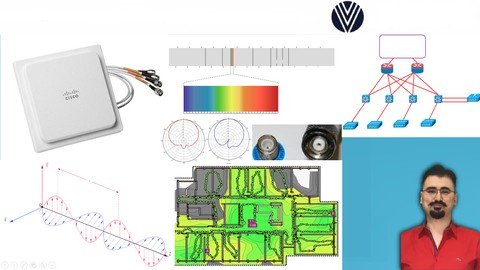
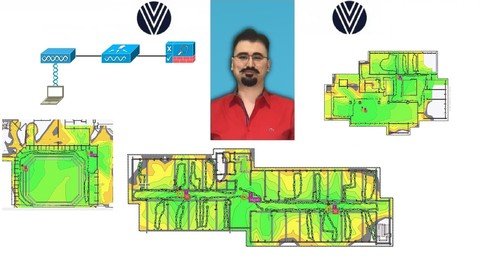
Site Survey With Ekahau Training ( Perform Site Surveys )
MP4 | Video: h264, 1280x720 | Audio: AAC, 44.1 KHz
Language: English | Size: 1.24 GB | Duration: 3h 11m
Site Survey With Ekahau Training How To Perform Site Surveys
What you'll learn​

You will learn how to perform Site Surveys.
You will understand how to analyse of Site Survey outputs
You will be very familiar with a great Site Survey Product which is Ekahau.
Requirements
Basic understanding of Wireless
Description
Welcome to The Course Site Survey With Ekahau Training ( Perform Site Surveys )
With the help of this course, you will be able to get all necessary information to learn how to perform Pre deployment Site Surveys
You will learn theory behind each topic and then see how they are implemented.
You will learn
Predictive Site Survey
Passive and Active Site Surveys
How To Create Design Documentation
How To Prepare Customer Questionnaire
Statement of Work Document
Site Survey Deliverables
Impact of Material Attenuation
Application Need For Voice
Requirements For Voice Traffic
Applications For Video
Coverage For Location
How To Start The Site Survey
Ekahau Site Survey Overview
Coverage Requirements
Starting a New Project on Ekahau
Auto-Planner
Using Scale Creating Walls and Alignment Feature on Ekahau
Pre-Site Survey Checklist
Pre-Deployment Site Survey
Site-Survey For Coverage
Site-Survey For Different Environments
Site-Survey For Roaming
Site Survey Devices
Ekahau Survey Mode
Survey Methods - Stop and Go
Survey Methods -Continuous Survey - Copy
Post-Deployment Site Survey Overview
Performing Post-Deployment Site Survey
Who this course is for
I designed this course for you, the one with Wireless knowledge and a great deal of curiosity for the Wireless world. You want to learn how to perform Site Surveys and understand one of the best site survey tools which is Ekahau
Screenshots


Wc0R8Q7qc9GTLToH3kzTTTBkJkXoO6VU.jpg

Programming For Network Engineers Training With Labs Devasc
MP4 | Video: h264, 1280x720 | Audio: AAC, 44.1 KHz
Language: English | Size: 1.97 GB | Duration: 5h 43m
Learn Python Network Programming with Labs and Real Devices For Your Job and Exams DevNet Associate With Python Devasc
What you'll learn​

You will learn how to program your network with Python.
You will differentiate yourself from other network engineers with your newly gained programming skills.
You will learn most used Python programs for your Network engineering career
You will be able to add Python Network Programming to your CV.
You will learn Python Fundamentals
You will learn Python Data Structures
You will learn Python Code Structures
You will learn Object-Oriented Programming
You will learn Functions, Classes, Attributes
Requirements
You will need a mid spec PC or Laptop to install Python and test the codes yourself.
No previous coding experience is needed.
No previous programming experience is needed.
Description
Hi there, I am Veyhurdam Dikmen. I am a double CCIE with 10 years of experience on Networking, Security and Programming Technologies.
Are you struggling to learn Python Network Programming? This course will let you to use Python for your Network Programming Projects. You will be able to add Python Network Programming to your CV and learn niche skills that will make you unique as a Network Engineer.
You will learn
-Zen of Python
-Python For Network Engineers
-How To Execute Python Code
-How to Run Your First Python Code
-Create A Python File and Execute It
-Numbers and Strings in Python
-Objects and Variables in Python
-Comments in Python
-Reading From and Writing To A File
-How To Read From A File Lab
-How To Write To A File Lab
-Device Connections via Telnet and SSH
-How to Connect via Telnet Lab
-How to Connect via SSH Lab
-Lists in Python
-How to Create a List Lab
-Dictionaries in Python
-How to Create a Dictionary Lab
-Tuples and Sets in Python
-How to Create a Tuple Lab
-How to Create a Set Lab
-Comparisons in Python
-Comparisons Lab
-Regular Expressions Lab
-Regular Expressions With Conditions Lab
-If and Elif Statements Lab
-Loops in Python Lab
-For Loops Lab
-While Loops Lab
-Break and Continue in Python
-Continue Statement Lab
-Break Statement Lab
-Connecting to a real device with While Loop and Continue and Break Statements
-Functions in Python
-Creating a Function Lab
-Creating A Function With Parameters Lab
-Create a function that connects to device and returns values
-Writing Functions With Return Values and Using Session Objects
-Classes in Python
-Creating Your First Class
-Creating A Class With An Initialization Method
-Creating A Base Class With Child Classes
-Creating A Base Class And Child Classes With Override
-Child Classes
-Modules and Packages in Python
-Create Modules From Existing Code
Who this course is for
Anyone who wants to learn Python Programming that is essential to your Network Engineering career.
This course is for beginners, newbies & amateurs who wants to start their Python Network Programming Journey.
This course is also a great helper for intermediate and advanced Networking Professionals who wants to enter Python Network Programming
Anyone who wants to add Python Network Programming to their CVs.
Screenshots


l4G0dnXNXZr5ToDuCpQg6S6Q0mTlPc3X.jpg

New! Cisco CCNA Wireless 200-355 WIFUND Wireless For 200-301
MP4 | Video: h264, 1280x720 | Audio: AAC, 44.1 KHz
Language: English | Size: 3.24 GB | Duration: 4h 22m
CCNA Wireless 200-355 Wifund Your Ultimate Guide To Become A Better Wireless Engineer WLC Site Survey Included 200-301
What you'll learn​

-You will be ready for your CCNA Wireless
-You will get better at your job which involves Cisco Wireless devices.
-You will be able to analyze and troubleshoot problems with your Cisco Wireless devices.
-You will have great understanding for your daily profession
Requirements
Some basic networking experience,
Description
Welcome to CCNA Wireless 200-355 WIRELESS FUNDAMENTALS Bootcamp. Also for 200-301
In this course you will learn ccna wireless exam topics and important and useful subjects for your profession.
Lets go over each chapter and go on more detail about what to come in this course,
First off, you will learn a great deal about rf fundamentals.
This is the starting point for your wireless journey and it will lay a good foundation for the following chapters
In the first chapter we will be describing the propagation of radio waves, we will learn about rf signals and the spectrum.
We will answer some questions like: What is frequency, what is wavelength, what is amplitude and what is phase difference.
We will also learn about different phenomenas related with rf signals such as absorption, reflection, diffraction, scattering, refraction, multipath and fading.
We will also learn free space path loss and also fresnel zone.
On the second part of this chapter, we will go deep into rf fundamentals, what is signal strength, what does RSSI mean, how to calculate transmit power.
We will go over some different interference types and the noise, what are different device requirements and capabilities.
We will also learn principles of rf mathematics, how to calculate dB, dBi, dBd, dBm and how we can measure different power levels.
We will also learn to calculate EIRP. We will see wifi antenna characteristics, how does the radiation pattern of an antenna occur, what is polarization,
how gain is measured, what is the beamwidth of an antenna and we will go over different types of antennas: Omnidirectional, yagi,patch and dish
We will explain different antenna connectors and why we need them and lastly, we will study amplifiers and attenuators
On our second chapter, we will learn about 802.11 Technology Fundamentals
In this chapter we will describe basic Wi-fi governance, what are the governing regulatory bodies, what is IEEE, why do we need to learn about ieee 802.11 and what is wifi-alliance.
On the second part of this chapter, we will also learn about usable channel and power combinations. We already learned about EIRP, we will also learn its limitations. We will be learning about ISM and UNII frequency bands. We will go over rrm fundamentals on the last part of this chapter
We will also learn about 802.11 fundamentals, what is modulation, what is channel width, how do we use them. We will learn about MIMO multiple input multiple output, we will go over wireless topologies and we will learn different wireless frame types such as management, control and data. So simply we will learn a lot about 802.11 fundamentals in this chapter
In Chapter 3 we will learn about various Cisco wireless architectures.
We will learn why we need autonomous, cloud architecures, why do we need split mac architecture and we will learn differences regarding centralized flex connect and converged deployment types, then we will go over physical connections for wired and wireless infrastructure. We will understand how to connect wlcs to switches how to connect different ap types to switches and why do we need etherchannel and also learn what do wcms on switches add us in terms of benefits.
Then we will examine wlc and ap management access connections, what are different management methods, what are wlc ports, what the different wlc interfaces do and we will also learn why we should disable management via wireless.
Capter four is about operating a wireless network.
In this chapter we will talk about how to execute initial setup procedures for various cisco wireless infrastructures, how to do initial setup for autonomous access points, how to setup cloud aps and manage them. We will learn how to setup centralized wlcs and wireless control modules. Next up, we will learn ap boot process and different capwap discovery methods, then we will understand what are different capwap join processes
and we will learn how access points choose to join a specific wlc. What is the master controller, why do we need primary secondary and tertiary controllers
W wil also compare different access point modes, such as monitoring mode flex connect mode and wips
O the second part of this chapter we will configure a simple wlan, what do we need to configure, what are the parameters that need to be configured
what do we need to configure for security, whether we should broadcast the ssid or not, different security levels for layer 2 and layer 3 security and how to choose a aaa server and some parameters for advanced topics.We will also go over different platforms for wireless management and configurations, how we can configure a wireless lan controller via gui and cli, how we can configure wireless lan controllers and autonomous access points via cisco prime infrastructure, how we can use ise identity services engine as a aaa server for wireless configurations.
Inthe last part we will talk about how to maintain a wireless network, how to get wireless lan controller backups, how to do code updates for wireless components such as autonomous access points, aireos based controllers and ios xe based controllers.
Chapter five is all about client connectivity configuration, In this chapter we will learn how to configure your clients and how to configure your wlans to prepare for client connectivity. In this chapter we will talk about authentication and encryption, what is authentication, what are different types of encryption some examples of it, tkip aes.
Then we will go over 802.1x and eap, we will understand the eap process and then we will compare most common methods, peap, eap-fast eap-tls and we will go over aaa server options and then we will talk about different client authentication methods, why do we use open authentication, what are benefits and what are disadvantages of open authentication. We will also talk about psk authentication and local eap, then we will learn how to configure them in your wlc. We will go over wireless authentication using ISE a radius server, we will also learn how to configure web authentication on your wlc and we will also talk about different wpa modes: wpa personal wpa enterprise wpa2 personal and wpa2 enterprise, all those different modes will be discussed in detail.
And on the second part of chapter five
we will learn how to provide client connectivity in different operating systems, we will go over how to configure windows ios macos and android devices
and then we will talk about roaming.
We will learn different components of mobility architecture such as mobility controller and mobility agent, we will go over different types of roaming, intracontroller roaming and intercontroller roaming. We will also talk about main deployment types centralized mobility and converged mobility
for both layer 2 and layer 3 roaming and then we will go over how to configure wireless guest networking with anchor controller and foreign controller
Then we will begin chapter six, in this chapter, we will learn how to troubleshoot wireless networks. We will go over different wlan configuration settings that we need to check. What can go wrong for access point settings, and also we will talk about which settings we need to check on client side. Then we will learn some Cisco tools to troubleshoot our controllers and also we will learn some of third party troubleshooting tools such as spectrum analyzers, wifi scanners and packet analyzers and we will go over a couple of examples for these tools.
As the last chapter we will learn about site survey.
In this chapter we will be talking about different site survey methods, one of them is offsite site survey which is also known as predictive site survey
The other method is onsite and on onsite site survey we have couple of options. One is predeployment site survey, we can use ap on a stick as an active predeployment onsite site survey. We will also learn the postdeployment site survey and in the post deployment we can have passive and active site survey options. We will also go over the reasons why we need site survey and how we can apply outcomes of those site surveys to get our wireless design better
and we will also talk about what we need for our client application requirements, what are real time applications what are non real time applications and
how we can implement those requirements properly.
Thank you for joining me on this journey
I hope you will love to learn with us
Who this course is for
I designed this course for you, the one with some CCNA knowledge and a great deal of curiosity for the wireless world. You may also be the one who operates wireless devices but you want to know more to get better at your job in configuring, installing, operating and troubleshooting Cisco Wireless devices.
Screenshots












 
Zurück
Oben Unten