• Regeln für den Video-Bereich:

    In den Börsenbereich gehören nur Angebote die bereits den Allgemeinen Regeln entsprechen.

    Einteilung

    - Folgende Formate gehören in die angegeben Bereiche:
    - Filme: Encodierte Filme von BluRay, DVD, R5, TV, Screener sowie Telesyncs im Format DivX, XviD und x264.
    - DVD: Filme im Format DVD5, DVD9 und HD2DVD.
    - HD: Encodierte Filme mit der Auflösung 720p oder darüber von BluRay, DVD, R5, TV, Screener sowie Telesyncs im Format x264.
    - 3D: Encodierte Filme von BluRay, die in einem 3D Format vorliegen. Dies gilt auch für Dokus, Animation usw.
    - Serien: Cartoon/Zeichentrick, Anime, Tutorials, Dokumentationen, Konzerte/Musik, Sonstiges sind demnach in die entsprechenden Bereiche einzuordnen, auch wenn sie beispielsweise im High Definition-Format oder als DVD5/DVD9/HD2DVD vorliegen. Ausnahme 3D.
    - Bereich Englisch: Englische Releases gehören immer in diesen Bereich.
    - Bereich Talk: Der Bereich, in dem über die Releases diskutiert werden kann, darf, soll und erwünscht ist.


    Angebot/Beitrag erstellen

    - Ein Beitrag darf erst dann erstellt werden, wenn der Upload bei mindestens einem OCH komplett ist. Platzhalter sind untersagt.
    - Bei einem Scenerelease hat der Threadtitel ausschließlich aus dem originalen, unveränderten Releasenamen zu bestehen. Es dürfen keine Veränderungen wie z.B. Sterne, kleine Buchstaben o.ä. vorgenommen werden. Ausnahme Serienbörse:
    - Bei einem Sammelthread für eine Staffel entfällt aus dem Releasename natürlich der Name der Folge. Beispiel: Die Simpsons S21 German DVDRip XviD - ITG
    - Dementsprechend sind also u.a. verboten: Erweiterungen wie "Tipp", "empfehlenswert", "only", "reup", usw. / jegliche andere Zusatzinformation oder Ergänzung, welche nicht in obiger Beschreibung zu finden ist.

    Aufbau des Angebots und Threadtitel

    Der Titel nach folgendem Muster erstellt zu werden. <Name> [3D] [Staffel] [German] <Jahr> <Tonspur> [DL] [Auflösung] <Quelle> <Codec> - <Group>
    Beispiel: The Dark Knight German 2008 AC3 DVDRip XviD - iND
    Beispiel: The Dark Knight 2008 DTS DL BDRip x264 - iND
    Beispiel: The Dark Knight 2008 AC3 DL BDRip XviD - iND
    Beispiel: The Dark Knight German 2008 AC3 720p BluRay x264 iND
    Beispiel: The Dark Knight 2008 DTS DL 1080p BluRay x264 iND
    Beispiel: Die Simpsons S01 German AC3 DVDRip XviD iND
    Beispiel: Die Simpsons S20 German AC3 720p BluRay x264 iND
    Beispiel: Sword Art Online II Ger Sub 2014 AAC 1080p WEBRip x264 - peppermint
    Entsprechend sind also u.a. verboten: Sonderzeichen wie Klammern, Sterne, Ausrufezeichen, Unterstriche, Anführungszeichen / Erweiterungen wie "Tipp", "empfehlenswert", "only", "reup", usw. / jegliche andere Zusatzinformation oder Ergänzung, welche nicht in obiger Beschreibung zu finden ist
    Ausnahmen hiervon können in den Bereichen geregelt sein.

    Die Beiträge sollen wie folgt aufgebaut werden:
    Überschrift entspricht dem Threadtitel
    Cover
    kurze Inhaltsbeschreibung
    Format, Größe, Dauer sind gut lesbar für Downloader außerhalb des Spoilers zu vermerken
    Nfo sind immer Anzugeben und selbige immer im Spoiler in Textform.
    Sind keine Nfo vorhanden z.B. Eigenpublikationen, sind im Spoiler folgende Dateiinformationen zusätzlich anzugeben :
    Quelle
    Video (Auflösung und Bitrate)
    Ton (Sprache, Format und Bitrate der einzelnen Spuren)
    Untertitel (sofern vorhanden)
    Hosterangabe in Textform außerhalb eines Spoiler mit allen enthaltenen Hostern.
    Bei SD kann auf diese zusätzlichen Dateiinformationen verzichtet werden.

    Alle benötigten Passwörter sind, sofern vorhanden, in Textform im Angebot anzugeben.
    Spoiler im Spoiler mit Kommentaren :"Schon Bedankt?" sind unerwünscht.


    Releases

    - Sind Retail-Release verfügbar, sind alle anderen Variationen untersagt. Ausnahmen: Alle deutschen Retail-Release sind CUT, in diesem Fall sind dubbed UNCUT-Release zulässig.
    - Im Serien-Bereich gilt speziell: Wenn ein Retail vor Abschluss einer laufenden Staffel erscheint, darf diese Staffel noch zu Ende gebracht werden.62
    - Gleiche Releases sind unbedingt zusammenzufassen. Das bedeutet, es ist zwingend erforderlich, vor dem Erstellen eines Themas per Suchfunktion zu überprüfen, ob bereits ein Beitrag mit demselben Release besteht. Ist dies der Fall, ist der bereits vorhandene Beitrag zu verwenden.
    - P2P und Scene Releases dürfen nicht verändert oder gar unter einem iND Tag eingestellt werden.


    Support, Diskussionen und Suche

    - Supportanfragen sind entweder per PN oder im Bereich Talk zu stellen.
    - Diskussionen und Bewertungen sind im Talk Bereich zu führen. Fragen an die Uploader haben ausschließlich via PN zu erfolgen, und sind in den Angeboten untersagt.
    - Anfragen zu Upload-Wünschen sind nur im Bereich Suche Video erlaubt. Antworten dürfen nur auf Angebote von MyBoerse.bz verlinkt werden.


    Verbote

    - Untersagt sind mehrere Formate in einem einzigen Angebotsthread, wie beispielsweise das gleichzeitige Anbieten von DivX/XviD, 720p und 1080p in einem Thread. Pro Format, Release und Auflösung ist ein eigener Thread zu eröffnen.
    - Grundsätzlich ebenso verboten sind Dupes. Uploader haben sich an geeigneter Stelle darüber zu informieren, ob es sich bei einem Release um ein Dupe handelt.
    - Gefakte, nur teilweise lauffähige oder unvollständige Angebote sind untersagt. Dies gilt auch für eigene Publikationen, die augenscheinlich nicht selbst von z.B. einer DVD gerippt wurden. Laufende Serien, bei denen noch nicht alle Folgen verfügbar sind, dürfen erstellt und regelmäßig geupdatet werden.
    - Untersagt sind Angebote, welche nur und ausschließlich in einer anderen Sprache als deutsch oder englisch vorliegen. Ausnahmen sind VORHER mit den Moderatoren zu klären.


    Verstoß gegen die Regeln

    - Angebote oder Beiträge, die gegen die Forenregeln verstoßen, sind über den "Melden"-Button im Beitrag zu melden.
  • Bitte registriere dich zunächst um Beiträge zu verfassen und externe Links aufzurufen.

*** Bestes IPTV *** bester Preis *** gratis Test ***


Englische Tutorials

bb22e7a25f308f4c8b52667918a6c84f.jpg

Singing Made Easy (Level 1): Complete Voice Training System
MP4 | Video: h264, 1280x720 | Audio: AAC, 44.1 KHz
Language: English | Size: 917 MB | Duration: 40m
Learn the secrets of the trade from EXPERT AWARD WINNING BROADWAY SINGING COACH
What you'll learn​

How to expand your singing range
How to prevent vocal damage and strain
How to utilize your breath efficiently
How to eliminate bad singing and performance habits
How to sing with much more emotion and feeling
How to sing much more dynamically
How to sing with control and power
Requirements
You do NOT need to know how to read music or play any instrument.
All you need is a normal, healthy speaking voice. If you can speak, you CAN sing
A Passion For Singing
Plenty Of Water ;)
Description
Study Singing With Award Winning Broadway & National Tour Credited Singing & Voice Instructor!
With 20 years of performing and voice training experience, and having studied with the best in the industry, including 2-time Academy Award winning composer A.R. Rahman and Sir Andrew Lloyd Webber, I will provide you with a wealth of information, and the tools you need, to bring your singing voice to the next level!
How to expand your vocal range, singing from the bottom all the way to the top SEAMLESSLY!
How to properly warm up your voiceHow to prevent vocal damage and strain
How to utilize your breath efficiently
How to eliminate bad vocal and performing habits
How to sing with much more emotion and feeling
How to sing much more dynamically
How to sing with control and power
LEARN FROM A TEACHER WHO'S BEEN THERE!
Who this course is for
Beginners to Advanced Singers
Screenshots


8c449984cc3fc943cb5b75efd727e159.jpg

The Complete NFT Course - Everything About NFTs 2022
Genre: eLearning | MP4 | Video: h264, 1280x720 | Audio: AAC, 48.0 KHz
Language: English | Size: 904 MB | Duration: 1h 29m
Learn everything about Non-Fungible Tokens including making your first NFT and how to buy, sell NFTs for business, fun,

What you'll learn
Learn everything about NFTs: Blockchain
Making your first own NFT Project
Step by step minting an NFT For Free
Knowing the market before selling your NFT
Listing your NFT for sell
Requirements
You will learn everything you need to start making money from NFT
Description
Learn everything about NFTs: Blockchain and start your first own NFT Project
- Are you looking for a quick, highly-effective, and easy way to understand Non-Fungible Tokens (NFTs), without wasting countless hours sifting through unnecessary filler information?
- Are you looking to create your own NFTs and make them available for sale on the top NFT marketplaces?
This effective video course will help you understand NFTs, and how to Buy, Create and Sell your own NFTs without wasting unnecessary time and money.
You'll learn everything about NFTs, including
- Making your first own NFT Project
- Step by step minting an NFT For Free
- Knowing the market before selling your NFT
- Listing your NFT for sell
Who this course is for
Blockchain enthusiasts
Digital artists
Anyone looking for buying, selling, or creating NFTs
NFT collectors
NFT
An NFT is a unit of data stored on a digital ledger, called a blockchain, which can be sold and traded. The NFT can be associated with a particular digital or physical asset (such as a file or a physical object) and a license to use the asset for a specified purpose. An NFT (and, if applicable, the associated license to use, copy or display the underlying asset) can be traded and sold on digital markets. The extralegal nature of NFT trading usually results in an informal exchange of ownership over the asset that has no legal basis for enforcement, often conferring little more than use as a status symbol.
NFTs function like cryptographic tokens, but, unlike cryptocurrencies such as Bitcoin or Ethereum, NFTs are not mutually interchangeable, hence not fungible. While all bitcoins are equal, each NFT may represent a different underlying asset and thus may have a different value. NFTs are created when blockchains string records of cryptographic hash, a set of characters identifying a set of data, onto previous records, therefore, creating a chain of identifiable data blocks. This cryptographic transaction process ensures the authentication of each digital file by providing a digital signature that is used to track NFT ownership. However, data links that point to details such as where the art is stored can be affected by link rot.
Ownership of an NFT does not inherently grant copyright or intellectual property rights to whatever digital asset the token represents. While someone may sell an NFT representing their work, the buyer will not necessarily receive copyright privileges when ownership of the NFT is changed and so the original owner is allowed to create more NFTs of the same work. In that sense, an NFT is merely proof of ownership that is separate from copyright. According to legal scholar Rebecca Tushnet, "In one sense, the purchaser acquires whatever the art world thinks they have acquired. They definitely do not own the copyright to the underlying work unless it is explicitly transferred."
Who this course is for
Everyone wants to change His/Her life and make some money "Actually a lot of money"
Screenshots


66f30099-b9da-473d-bbee-a2c90d8b5096.png

Number System
MP4 | Video: h264, 1280x720 | Audio: AAC, 44.1 KHz, 2 Ch
Genre: eLearning | Language: English + srt | Duration: 9 lectures (1h 42m) | Size: 992.3 MB

Expertise in Number system which helps you in numerous way.
What you'll learn
Learn Types of Number system in Digital Machine
why we need conversion
learn how to convert from decimal to other number system easily
learn Floating point conversion in uncomplicated way
Binary to octal and hexa conversion
8421 method
Requirements
Basic Maths
Description
When we type some letters or words, the computer translates them in numbers as computers can understand only numbers. A computer can understand the positional number system where there are only a few symbols called digits and these symbols represent different values depending on the position they occupy in the number.
The value of each digit in a number can be determined using −
· The digit
· The position of the digit in the number
· The base of the number system (where the base is defined as the total number of digits available in the number system)
Number system is defined as a system of writing to express numbers. Normally, to represent numbers or alphabets in digital, we are using various number system such as binary(base 2 that is 0 and 1), octal(base 8 that is 0 to 7), decimal(base 10 that is 0 to 9) and hexa decimal(base 16 that is 0 to 9,a-f or A-F). To learn and work in digital computer system, it is must to learn about the number system and how to convert from one number system to another system. Example Decimal to binary, Decimal to octal and decimal to hexa number and vice versa.
The benefits of Number system
In Computer number system are built around the core process.
Helpful for digital encoding and decoding process.
Security application is being developed.
Useful in the application of computer architecture designing and engineering.
And also in the place of cryptography.
You will learn the following concepts
Introduction and types of number system
Conversion from one number system to another system
8421 method
Fractional point conversion
Handson train sheet
So this course is helpful for all the computer streamline students and also all the academics.
Study and Enjoy learning!
Who this course is for
All the computer science students and academics.
Those who are interested in encoding, decoding, security application development.
Homepage


3f0a629b-1372-4c9a-8ac2-8dd9164f5084.png

Advanced ACL & NAT
MP4 | Video: h264, 1280x720 | Audio: AAC, 44.1 KHz, 2 Ch
Genre: eLearning | Language: English + srt | Duration: 18 lectures (2h 51m) | Size: 910.1 MB

Advanced Access control Lists and Network Address Translations
What you'll learn
Students will learn the advanced concepts of Access-Control lists e.g. Reflexive ACL's, Time-basic ACLs, Dynamic ACL's and Established ACL's.
You will learn the different advanced options that exist when implementing ACLs
Implementing Access-Control Lists
Understanding Network Address Translation (NAT)
Different types of NAT's that exists
Implementation of Network Address Translation
Best practice to be followed when implementing NAT
Requirements
Basic TCP/IP protocol suite knowledge
Mastering Access-Control lists course for basic information on ACL's
Description
Before you join
*This video series is a recorded class. Please view the sample videos to validate if this will work for you
*Verify audio quality from sample videos to validate if it works for you
*Verify the length of the videos to validate if it works for you
This course has two modules.
The first module will teach you Everything there is to know about Advanced Access control Lists: The first module will talk about concepts like Established ACL's, Reflexive ACL's, Dynamic ACL's and Time Based ACL's.
Established ACL's
Dynamic ACL's
Time Based ACL's
Reflexive ACL's
The first module will teach you Everything about the Network Address Translation. Why it exists, How it it works, What happens to packets as they get translated. This module will explain every type of translation: Static NAT, Static PAT, Dynamic PAT, and Dynamic NAT. You'll learn about each of these in a way that is completely vendor agnostic -- the concepts you learn here will apply to any vendor and any platform.
NAT Types
There are three different types of NATs. People use them for different reasons, but they all still work as a NAT.
1. Static NAT
When the local address is converted to a public one, this NAT chooses the same one. This means there will be a consistent public IP address associated with that router or NAT device.
2. Dynamic NAT
Instead of choosing the same IP address every time, this NAT goes through a pool of public IP addresses. This results in the router or NAT device getting a different address each time the router translates the local address to a public address.
3. PAT
PAT stands for port address translation. It's a type of dynamic NAT, but it bands several local IP addresses to a singular public one. Organizations that want all their employees' activity to use a singular IP address use a PAT, often under the supervision of a network administrator.
Who this course is for
Beginners who want to learn advanced concepts of ACL
Beginners who want to learn Network Address Translation (NAT)
Homepage


81530931c5299650efb5d79a77e2c630.jpg

Introduction to HelpDesk
MP4 | Video: h264, 1280x720 | Audio: AAC, 44.1 KHz, 2 Ch
Genre: eLearning | Language: English + srt | Duration: 16 lectures (1h 45m) | Size: 625.4 MB

Introduction to HelpDesk
What you'll learn
Real Time work of IT Helpdesk Analyst
Tools used in IT profile used worldwide
Points to be added in your CV if you are a beginner
Enhance their knowledge & skills in help desk with extra tips & hints
Requirements
Anyone who wants to start in IT Heldesk Profile as i myself started my career in IT Helpdesk so all explained in the video will be real time work
Description
This Course is for anyone who wants to Learn About IT Helpdesk.This course gives you a real time feel of Service Desk as i have shared my own experience and real time work of Service Desk.
This course is designed to help you understand some basic procedures, tools, applications, and duties as an IT Service Desk Analyst.
Are you looking to enter and pursue a career in the IT Help Desk industry? Are you searching for a resource that can assist you with learning the basics of what IT Help Desk technicians should know? Or are you someone who wants to enhance your knowledge about IT Help Desk responsibilities? If you have answered yes to any one of these questions, then this course, IT HELP DESK FOR BEGINNERS, is for you.
In this course we'll guide you through the technical fundamentals of the IT Help Desk's role. We'll inform you about various areas of technical support and even walk you through some foundational processes on resolving issues.
Our program of instruction is structured in an easy-to-follow way, where we'll cover several topics such as troubleshooting,Active Directory,scripts,ticketing tools
The IT industry is growing and the number of IT professionals continues to rise. If you're eager to venture into the field of technical support and looking to join this growing profession, or if you're seeking to strengthen your technical savvy and want to improve your technical skills set, then our course, IT HELP DESK FOR BEGINNERS, is the solution for you. So, join us in this valuable course, IT HELP DESK FOR BEGINNERS, and we'll see you on the inside.
Who this course is for
Fresh graduates in IT colleges who want to start their IT career
All IT people who wants to get into the help desk world
Homepage


471e8b14-e710-4f90-ae5e-245fe0712a09.png

A Beginner's Guide to Java, Data Science, Machine Learning
MP4 | Video: h264, 1280x720 | Audio: AAC, 44.1 KHz, 2 Ch
Genre: eLearning | Language: English + srt | Duration: 9 lectures (30m) | Size: 547.2 MB

A Beginner's Guide to Java Server Pages, Data Science, Machine Learning
What you'll learn
Learn Data Science
Learn Java
Learn Machine learning
Learn Java 2EE
Requirements
Learn everything you need to know
Description
What is JavaServer Pages?
JavaServer Pages (JSP) is a technology for developing Webpages that supports dynamic content. This helps developers insert java code in HTML pages by making use of special JSP tags, most of which start with <% and end with %>.
A JavaServer Pages component is a type of Java servlet that is designed to fulfill the role of a user interface for a Java web application. Web developers write JSPs as text files that combine HTML or XHTML code, XML elements, and embedded JSP actions and commands.
Using JSP, you can collect input from users through Webpage forms, present records from a database or another source, and create Webpages dynamically.
JSP tags can be used for a variety of purposes, such as retrieving information from a database or registering user preferences, accessing JavaBeans components, passing control between pages, and sharing information between requests, pages etc.
Why Use JSP?
JavaServer Pages often serve the same purpose as programs implemented using the Common Gateway Interface (CGI). But JSP offers several advantages in comparison with the CGI.
Performance is significantly better because JSP allows embedding Dynamic Elements in HTML Pages itself instead of having separate CGI files.
JSP are always compiled before they are processed by the server unlike CGI/Perl which requires the server to load an interpreter and the target script each time the page is requested.
JavaServer Pages are built on top of the Java Servlets API, so like Servlets, JSP also has access to all the powerful Enterprise Java APIs, including JDBC, JNDI, EJB, JAXP, etc.
JSP pages can be used in combination with servlets that handle the business logic, the model supported by Java servlet template engines.
Finally, JSP is an integral part of Java EE, a complete platform for enterprise class applications. This means that JSP can play a part in the simplest applications to the most complex and demanding.
Who this course is for
curious about Java, Data science
Homepage


814996b806c91ff9a037d9f603b729d9.jpg

Microsoft Excel - Excel from Beginner to Intermediate
MP4 | Video: h264, 1280x720 | Audio: AAC, 44.1 KHz, 2 Ch
Genre: eLearning | Language: English + srt | Duration: 23 lectures (2h 9m) | Size: 567.8 MB

Excel Formulas, Functions, Charts, Getting Started with Excel, Training, Microsoft
What you'll learn
Microsoft Excel - Excel from Beginner to Intermediate
Learn Excel functions most commonly used
Unleash some of the power of Excel with IF, VLOOKUP, INDEX and MATCH functions
Grasp a solid understanding of the Basics of Microsoft Excel
Automate common tasks through Macros and VBA
Requirements
No Prior Excel Knowledge Required
Description
Do you remember taking an algebra class and wished that the teacher would show you how to manipulate the equations so you could get the right answer?
Well, this course is similar in that it attempts to walk you through the most practical and useful functions of Excel without spending time going over things that are rarely, if ever, used.
Even if you're a newbie, we hope to get you confident and able to hold your own for most uses of Excel by the end of this course.
We go through some of the most common Excel functions, explore charts, illustrate how to use Data Validation, Goal Seek, and introduce Visual Basic for Applications (VBA) - coding that can automate Excel tasks. We look at Math functions such as adding and multiplying, Logical operators such as < (less than), >= (greater than or equal to), date functions, text in a function.
Gain a solid understanding of Excel.
When you know how to use Excel, it can make your boss and others think you're smart. And if they think you're smart, they may see you in a different light and perhaps think of you when it comes to promotion time. And that can lead to other things.
Who this course is for
This Microsoft Excel course will take you through 7 levels of Microsoft Excel topics (Beginner, Functions, Charts, Data Validation, Goal Seek, Array Formulas and Intro to Macros/VBA).
Take your Excel skills from beginner to advanced level and beyond with the help of this course.
Homepage


b7f81aa0184fcee19f0c297eb3d156b9.jpg

New Web development package (HTML5/CSS3/ BOOTSTRAP5/JS) 2022
MP4 | Video: h264, 1280x720 | Audio: AAC, 44.1 KHz, 2 Ch
Genre: eLearning | Language: English + srt | Duration: 27 lectures (2h 18m) | Size: 1 GB

You'll learn all the fundamental tag use in website. After enroll in this course build own website and get certificate
What you'll learn
We will build a project in this course
HTML5 Basics
CSS3 Basics
Bootstrap 5 Basics to advanced
JavaScript Basics
Understrand Fontawesome
Project based course
Build web development knowledge an get certificate
Build website same as introduction video page
How to make fontawesome icon
how to make mobile view website
Requirements
No, pre requirement you are start for today in zero level
Description
If you would like to get started as a front-end web developer, you are going to LOVE this course! Work on projects ranging from a simple HTML page to a complete JavaScript . We will cover the following technologies in this course
Web development basics with HTML5
Cascading Style Sheets (CSS3)
JavaScript programming
Fontawesome
Bootstrap5 framework
Hi and Welcome to Front End Web Development Ultimate Course 2022
Have you always wanted to learn how to code but don't know where to start?
Would you like to make amazing websites and bring your ideas to life?
Then Front End Web Development Ultimate Course 2022 is for you!
Programming is the most in-demand skill in 2022.
The course begins with the basics.
I'll take you through everything you need to know to start building websites like an expert.
We'll Cover Html5, CSS3, bootstraps5, and javascript with Fontawesome icon.
You'll learn all the fundamentals of Front-End Web Development and how you can
Use them to start creating you own websites.
The course is 2 hr with full available resource for lifetime
How would you like to Master Front Web Development by learning everything you need to know from A to Z. Then Front End Web Development Master Course for 2022 is for you!
Who this course is for
In this courses ,you are learn how to make website in easy way
Homepage


53f705aa-b65c-45d4-8f7b-c92aabdbfd4d.png

HTML5 From Scratch To Advance
MP4 | Video: h264, 1280x720 | Audio: AAC, 44.1 KHz, 2 Ch
Genre: eLearning | Language: English + srt | Duration: 124 lectures (8h 20m) | Size: 2.9 GB

Pure Html5
What you'll learn
How to analyze the structure of any website/Project
HTML5 techniques
Breaking code for understanding
you will be aqble to understand new hytml5 features
passion
pc /Laptop
text editors
Web Browser
Requirements
No Programming Experience
Description
*** The #1 bestselling HTML course on Udemy! ***
*** Completely learning from scratch in 2021 (8.5 hours video) ***
Html skills are the starting point of becoming that person you need to be, always be ready to learn. Learning to code its simple and easy to master. This course we start by basic to advance concepts. The course is best for everyone out there with passion in coding world. I have broken this course in smaller modules for easy understanding. Knowing these skills, it will give you an upper hand in landing a job and also saves your time in your path specialization. Enroll to begin your journey to be a web development pro. All the concepts in html5 well illustrated. We will code along with as you master everything from ground up to expert level. this an all-time course we cover from different book and documentation best way of writing codes in html5.we will go in depth and have the know-how of dealing with any web structures. I will take form basic introduction to code along sessions. I have created this course considering levels and steps from junior level to expert level. the code along sessions has the downloadable resources and lectures notes. Making you to have the solid foundation on this technology. Let's meet in the course to discover more.
Who this course is for
Beginners
those who are in web development and want to sharpen their skills
Students taking programming related studies
Any person who want to learn
Homepage


2acc1bfd2caa13be122b3d4516885253.jpg

A-Level Maths: Statistics (Year 1 / AS)
MP4 | Video: h264, 1280x720 | Audio: AAC, 44.1 KHz
Language: English | Size: 7.71 GB | Duration: 9h 25m
Master the statistics content from A-level maths (first year), and practice on real past paper exam questions.​

What you'll learn
A-Level statistics
Probability
Hypothesis tests
Binomial distribution
Measures of location and spread
Data analysis
Requirements
Good knowledge of GCSE maths or equivalent
A good scientific calculator (e.g. Casio classwiz fx-991EX or graphical calculator).
Description
A-Level Maths: Statistics (Year 1 / AS) is a course for anyone studying A-Level Maths
This course covers everything in the statistics component of maths A-Level AS content, usually covered in the first year of study (Year 12). The course is suitable for all major exam boards, including Edexcel, OCR, AQA and MEI. It is also a great introduction to statistics for anyone interested in getting started.
The main sections of the course are
Analysing Data - we will learn how to calculate means and medians, including from grouped data and using linear interpolation, as well as a range of different measures of spread, including interquartile range and standard deviation. We also how to merge data sets and how to code data.
Representing Data - we will learn a wide range of different ways to represent data, such as histograms, cumulative frequency curves and box plots. We also look at what outliers are, and how to represent these.
Bivariate Data - we will learn how to represent bivariate data in a scatter graph, how to interpret correlation, and look at regression lines.
Probability - we learn what independent and mutually exclusive events are, and how to represent these in Venn diagrams and tree diagrams.
Binomial Distribution - we learn what the binomial distribution is, how to calculate probabilities with it, including how to use a calculator to speed things up.
Hypothesis Tests - we learn how carry out a binomial hypothesis test, including one-tailed and two-tailed tests, as well as critical regions.
Sampling - we review all the major sampling techniques, both random and non-random, applying them to real data sets and discussing the strengths and weaknesses of each.
Large Data Sets - I have made introductions to the large data set for Edexcel, AQA, OCR and MEI.
There are four extra extended videos at the end where I go question-by-question through the statistics content in the specimen papers of Edexcel, OCR, AQA and MEI.
What you get in this course
Videos: Watch as I explain each topic, introducing all the key ideas, and then go through a range of different examples, covering all the important ideas in each. In these videos I also point out the most common misconceptions and errors so that you can avoid them.
Quizzes: Each sub-section is followed by a short quiz for you to test your understanding of the content just covered. Most of the questions in the quizzes are taken from real A-Level past papers. Feel free to ask for help if you get stuck on these!
Worksheets: At the end of each chapter I have made a collection of different questions taken from real A-Level past papers for you to put it all together and try for yourself. At the bottom of each worksheet is a full mark-scheme so you can see how you have done.
This course comes with
A 30 day money-back guarantee.
A printable Udemy certificate of completion.
Support in the Q&A section - ask me if you get stuck!
I really hope you enjoy this course!
Woody
Who this course is for
Students taking (or planning to take) A-level maths.
Anyone interested in working through an introductory course in statistics.
Screenshots


854f0074b3e0e6b3f0dfd4c8afa3abda.jpg

ASP.NET 6.0 - Build Hands-On Web Projects
MP4 | Video: h264, 1280x720 | Audio: AAC, 44.1 KHz
Language: English | Size: 4.83 GB | Duration: 11h 42m
Learn the Concepts and Create Real Life Razor Pages, Web API and MVC CRUD Applications Using ASP.NET Core 3.1​

What you'll learn
The students will learn everything that is critical in the ASPNET Core 3.1 framework. They will learn middleware, model-binding, session and state management
Practical hands-on application with Razor pages and MVC templates
The students will learn a critically demanding topic of creating their own web Api with a real SQL database to perform CRUD operations.
They will then learn to create the client MVC application within the same Visual Studio solution to consume the API created in the previous section.
The students will learn adodotnet technology and use of stored procedures in a database for CRUD operations.
Requirements
Visual Studio 2019 Community Version
.NET Core 3.1 SDK or later
MS-SQL Server (Developer or Express)
SQL Server Management Studio
Be able to understand and write C# code (or some other higher level Java /C++)
Students should at least have a basic level of understanding of SQL queries and database structure
Description
Hi there, I am Kaushik Roy Chowdhury. I am a Microsoft Certified Professional and hold a Master's Degree in Computer Science from Auckland University of Technology (AUT), New Zealand.
I have worked in the software development industry in New Zealand with some eminent companies on various permanent and contract assignments.
Are you are a passionate software developer or an eager student of software with a passion for learning new cutting edge technology products, desiring to find your way through this ever-evolving and new web framework? This course will allow you to use ASP.NET Core 3.1 professionally for creating web applications using all the three project templates: Razor pages, Web API, and MVC.
At the time of originally creating this course, ASP.NET Core 3.1 was the current and latest stable framework version that forms the foundation of this course. However, Microsoft has recently released the ASP.NET 6.0 at the .NET conference held in early November 2021. So keeping in line with this release, I have shown the migration of the major project in the course: Creating a Web API and Consuming it with an MVC Client from ASP.NET Core 3.1 to ASP.NET 6.0 Hence I have decided to rename the course to keep in sync with the latest version.
All the other projects can be migrated to ASP.NET 6.0 similarly. As the two videos on migration shows, the migration process is straightforward.
This course begins with the objective to walk through the learner with the building of a few important ASP.NET Core concepts through coding example projects in Visual Studio 2019.
The course then leads them to build a Razor app to-do list with an in-memory collection. The same application is then built with MVC concepts to perform a comparative study between the two technologies.
Thereafter, the highlight of this course appears with a real-life project spanning over two sections and multiple lectures. The first section shows the building of a web API with sequential stages and hands-on coding and explanation. The Web API uses ADOdotNET technology and SQL Server database with Stored Procedures. Entity framework has not been used because of two main reasons: There are plenty of courses and articles showing the use of Entity Framework Core (EF Core) in the market place. Secondly, ADO technology is what EF Core is built upon and proven to be at least as good performance-wise. The Web API has Serilog NuGet package integrated for structured error logging in text files. This project follows a repository pattern which is a best practice in Web development.
The second section (part) shows the consumption of the Web API by an ASP.NET Core 3.1 MVC application for CRUD operations (as the front end). This application saves and retrieves to/from the database used by the Web API thereby extending the idea for learners to consume public API's through an in-house MVC client.
The entire course has got a number of assignments, quizzes, and a practice test spread over the sections to self-assess learning.
Downloadable code samples and links to free external resources have been provided wherever felt necessary.
Finally, here are some of my earlier reviews from other courses on Udemy
"Kaushik's courses are my main reference for anything C# - I find his explanations full of detail which helps to solidify a full understanding of even the most complex aspects of C# programming." - Martin Catherall (Microsoft MVP) - Master Collection Classes in C# Using Visual Studio
"An elaborate and detailed description for a beginner. The author has put a lot of effort into structuring the content. Certainly proved useful to me as a starter." - Sudeep Ghatak (ASP.NET Core 3 with MVC and MongoDB)
"Great material. Learned a lot." - John Taylor (Master Collection Classes in C# Using Visual Studio)
"Well explained in detail." - Fred Handal (Build and Learn ASP.NET Core 3.1 Blazor Hands-On
"It's a nice introduction into Blazor server side where you got a good understanding of Blazor fundamentals" - Seb Lowe (Build and Learn ASP.NET Core 3.1 Blazor Hands-On)
Who this course is for
All level of developers : Beginner - Intermediate - Senior having some knowledge of C# (1 year or more) having experience of working on aspnet platform.
Any software engineering student willing to learn this new web framework from Microsoft.
Learners aiming to switch over from Java/C++ background for professional or personal development.
Screenshots












 
b086e5ee0638fe01cc744b12df09204f.jpg

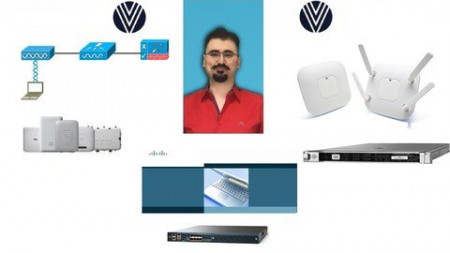
Cisco WLC Training ( Install , Configure , Maintain ) ENWLSI
MP4 | Video: h264, 1280x720 | Audio: AAC, 44.1 KHz
Language: English | Size: 2.08 GB | Duration: 7h 7m
Cisco WLC Training Course For CCNA CCNP CCIE Wireless Candidates and Wireless Network Engineers ENWLSI​

What you'll learn
-You will learn how to implement certain topics on Cisco Wireless Lan Controller.
-You will get better at your job which involves Cisco Wireless devices.
-You will be able to analyze and troubleshoot problems with your Cisco Wireless devices.
-You will have great understanding for your daily profession.
Requirements
Some basic networking and wireless experience.
Description
Welcome to The Course Cisco WLC Training ( How To Install , Configure , Maintain )
With the help of this course, you will be able to get all necessary information to be the best in Cisco WLC.
You will learn theory behind each topic and then see how they are configured on real devices.
Who this course is for
I designed this course for you, the one with some or none Cisco Wireless knowledge and a great deal of curiosity for the wireless world. You may also be the one who operates wireless devices but you want to know more to get better at your job in configuring, installing, operating, troubleshooting and maintaning Cisco Wireless LAN Controllers.
Screenshots


Zurück
Oben Unten