• Regeln für den Video-Bereich:

    In den Börsenbereich gehören nur Angebote die bereits den Allgemeinen Regeln entsprechen.

    Einteilung

    - Folgende Formate gehören in die angegeben Bereiche:
    - Filme: Encodierte Filme von BluRay, DVD, R5, TV, Screener sowie Telesyncs im Format DivX, XviD und x264.
    - DVD: Filme im Format DVD5, DVD9 und HD2DVD.
    - HD: Encodierte Filme mit der Auflösung 720p oder darüber von BluRay, DVD, R5, TV, Screener sowie Telesyncs im Format x264.
    - 3D: Encodierte Filme von BluRay, die in einem 3D Format vorliegen. Dies gilt auch für Dokus, Animation usw.
    - Serien: Cartoon/Zeichentrick, Anime, Tutorials, Dokumentationen, Konzerte/Musik, Sonstiges sind demnach in die entsprechenden Bereiche einzuordnen, auch wenn sie beispielsweise im High Definition-Format oder als DVD5/DVD9/HD2DVD vorliegen. Ausnahme 3D.
    - Bereich Englisch: Englische Releases gehören immer in diesen Bereich.
    - Bereich Talk: Der Bereich, in dem über die Releases diskutiert werden kann, darf, soll und erwünscht ist.


    Angebot/Beitrag erstellen

    - Ein Beitrag darf erst dann erstellt werden, wenn der Upload bei mindestens einem OCH komplett ist. Platzhalter sind untersagt.
    - Bei einem Scenerelease hat der Threadtitel ausschließlich aus dem originalen, unveränderten Releasenamen zu bestehen. Es dürfen keine Veränderungen wie z.B. Sterne, kleine Buchstaben o.ä. vorgenommen werden. Ausnahme Serienbörse:
    - Bei einem Sammelthread für eine Staffel entfällt aus dem Releasename natürlich der Name der Folge. Beispiel: Die Simpsons S21 German DVDRip XviD - ITG
    - Dementsprechend sind also u.a. verboten: Erweiterungen wie "Tipp", "empfehlenswert", "only", "reup", usw. / jegliche andere Zusatzinformation oder Ergänzung, welche nicht in obiger Beschreibung zu finden ist.

    Aufbau des Angebots und Threadtitel

    Der Titel nach folgendem Muster erstellt zu werden. <Name> [3D] [Staffel] [German] <Jahr> <Tonspur> [DL] [Auflösung] <Quelle> <Codec> - <Group>
    Beispiel: The Dark Knight German 2008 AC3 DVDRip XviD - iND
    Beispiel: The Dark Knight 2008 DTS DL BDRip x264 - iND
    Beispiel: The Dark Knight 2008 AC3 DL BDRip XviD - iND
    Beispiel: The Dark Knight German 2008 AC3 720p BluRay x264 iND
    Beispiel: The Dark Knight 2008 DTS DL 1080p BluRay x264 iND
    Beispiel: Die Simpsons S01 German AC3 DVDRip XviD iND
    Beispiel: Die Simpsons S20 German AC3 720p BluRay x264 iND
    Beispiel: Sword Art Online II Ger Sub 2014 AAC 1080p WEBRip x264 - peppermint
    Entsprechend sind also u.a. verboten: Sonderzeichen wie Klammern, Sterne, Ausrufezeichen, Unterstriche, Anführungszeichen / Erweiterungen wie "Tipp", "empfehlenswert", "only", "reup", usw. / jegliche andere Zusatzinformation oder Ergänzung, welche nicht in obiger Beschreibung zu finden ist
    Ausnahmen hiervon können in den Bereichen geregelt sein.

    Die Beiträge sollen wie folgt aufgebaut werden:
    Überschrift entspricht dem Threadtitel
    Cover
    kurze Inhaltsbeschreibung
    Format, Größe, Dauer sind gut lesbar für Downloader außerhalb des Spoilers zu vermerken
    Nfo sind immer Anzugeben und selbige immer im Spoiler in Textform.
    Sind keine Nfo vorhanden z.B. Eigenpublikationen, sind im Spoiler folgende Dateiinformationen zusätzlich anzugeben :
    Quelle
    Video (Auflösung und Bitrate)
    Ton (Sprache, Format und Bitrate der einzelnen Spuren)
    Untertitel (sofern vorhanden)
    Hosterangabe in Textform außerhalb eines Spoiler mit allen enthaltenen Hostern.
    Bei SD kann auf diese zusätzlichen Dateiinformationen verzichtet werden.

    Alle benötigten Passwörter sind, sofern vorhanden, in Textform im Angebot anzugeben.
    Spoiler im Spoiler mit Kommentaren :"Schon Bedankt?" sind unerwünscht.


    Releases

    - Sind Retail-Release verfügbar, sind alle anderen Variationen untersagt. Ausnahmen: Alle deutschen Retail-Release sind CUT, in diesem Fall sind dubbed UNCUT-Release zulässig.
    - Im Serien-Bereich gilt speziell: Wenn ein Retail vor Abschluss einer laufenden Staffel erscheint, darf diese Staffel noch zu Ende gebracht werden.62
    - Gleiche Releases sind unbedingt zusammenzufassen. Das bedeutet, es ist zwingend erforderlich, vor dem Erstellen eines Themas per Suchfunktion zu überprüfen, ob bereits ein Beitrag mit demselben Release besteht. Ist dies der Fall, ist der bereits vorhandene Beitrag zu verwenden.
    - P2P und Scene Releases dürfen nicht verändert oder gar unter einem iND Tag eingestellt werden.


    Support, Diskussionen und Suche

    - Supportanfragen sind entweder per PN oder im Bereich Talk zu stellen.
    - Diskussionen und Bewertungen sind im Talk Bereich zu führen. Fragen an die Uploader haben ausschließlich via PN zu erfolgen, und sind in den Angeboten untersagt.
    - Anfragen zu Upload-Wünschen sind nur im Bereich Suche Video erlaubt. Antworten dürfen nur auf Angebote von MyBoerse.bz verlinkt werden.


    Verbote

    - Untersagt sind mehrere Formate in einem einzigen Angebotsthread, wie beispielsweise das gleichzeitige Anbieten von DivX/XviD, 720p und 1080p in einem Thread. Pro Format, Release und Auflösung ist ein eigener Thread zu eröffnen.
    - Grundsätzlich ebenso verboten sind Dupes. Uploader haben sich an geeigneter Stelle darüber zu informieren, ob es sich bei einem Release um ein Dupe handelt.
    - Gefakte, nur teilweise lauffähige oder unvollständige Angebote sind untersagt. Dies gilt auch für eigene Publikationen, die augenscheinlich nicht selbst von z.B. einer DVD gerippt wurden. Laufende Serien, bei denen noch nicht alle Folgen verfügbar sind, dürfen erstellt und regelmäßig geupdatet werden.
    - Untersagt sind Angebote, welche nur und ausschließlich in einer anderen Sprache als deutsch oder englisch vorliegen. Ausnahmen sind VORHER mit den Moderatoren zu klären.


    Verstoß gegen die Regeln

    - Angebote oder Beiträge, die gegen die Forenregeln verstoßen, sind über den "Melden"-Button im Beitrag zu melden.
  • Bitte registriere dich zunächst um Beiträge zu verfassen und externe Links aufzurufen.

*** Bestes IPTV *** bester Preis *** gratis Test ***


Englische Tutorials

57ca11fcdfe09dd1ffa3ddab233d2a93.jpg

Animalist - zoology of animal 2
MP4 | Video: h264, 1280x720 | Audio: AAC, 44.1 KHz
Language: English | Size: 1.63 GB | Duration: 1h 58m
English​

What you'll learn
Zoology, You will study animal kingdom in natural world
Requirements
Read and listen english is required.
Description
This is second version.
This is the course to learn the zoology, will obtain the knowledge of how the animal behaviour act and animal structure, animal taxonomy and others,such as...
Anatomy taxonomy,physiology , ethology, history, mutation,bioluminescent, classification, evolutionary, symbiosis, migration, bioelectricity, and so on all about the animal !!! They are all discuss inside the course.
Invertebrate, vertebrate, reptiles,amphibian,bony fish,bird, mammals and so on?! They are all, also, discuss inside the course too.
To learning this course will be benefit you, to having a idea to startup a business,just like...
You know the behavior of mollusk, you know how to startup a business of Pearl and Clam food;
You know the behaviors of fish, you know how to startup a business of Fisheries!
The course will make you understand as well as enough all about the animal science in nature. The course is suitable to the researcher, teacher, student, like seeking knowledge the great Epistemophilia and those who is interest with the field of this animalist study.
So what are you waiting for? Join now!
In this course will be podcasting
Word, images and videos resources will be combine in video with no face revealance.
Note: This is 20th century information.
Who this course is for
Those Interest with fun science.
Those student study zoology.
Screenshots


295e2242-b5c2-4cb3-9f1d-c183afeaf1f0.png

Nagios XI Network Monitoring: Setup & Overview for Beginners
Last Update: 1/2022
Duration: 31m | Video: .MP4, 1280x720 30 fps | Audio: AAC, 48 kHz, 2ch | Size: 141 MB
Genre: eLearning | Language: English​

Learn how to setup and configure Nagios XI monitoring for core services on your organisation's network
What you'll learn:
An overview of Nagios XI*and the features it contains
Setting up different types of new user account, these being admin and user
Setting up new alerts for hosts and services on your organisation's network
Scheduling downtime so that alerts don't send emails out unnecessarily
Requirements
To be an IT professional with at least 1 year of experience within the IT industry
Description
Over this course, we'll be covering some of the basics surrounding Nagios XI. Some of the topics covered on this course are as follows
* An overview of Nagios XI*and the features it contains
* Setting up different types of new user account, these being admin and user
* Setting up new alerts for hosts and services on your organisation's network
* Viewing the status of configured hosts and services and acknowledging any alerts that appear on the console
* Scheduling downtime so that alerts don't send emails out unnecessarily
**Setting up alerts with the auto discovery feature contained within*Nagios XI
* An overview of the different data views that are available and what they are used fo
Also covered on this course is an overview of the Admin settings menu, which due to it's size is split into 3 lectures, all of which are located at the end of the course.
Please note that this course is aimed at beginners, meaning that you would be part of a larger IT*team where the server admins are taking care of any backups and patching, as tasks such as backing up virtual machines on hypervisors are beyond the scope of the course, but are vital to an organisation's network.
Who this course is for
IT professionals that wish to learn more about Nagios XI
Homepage
Screenshots


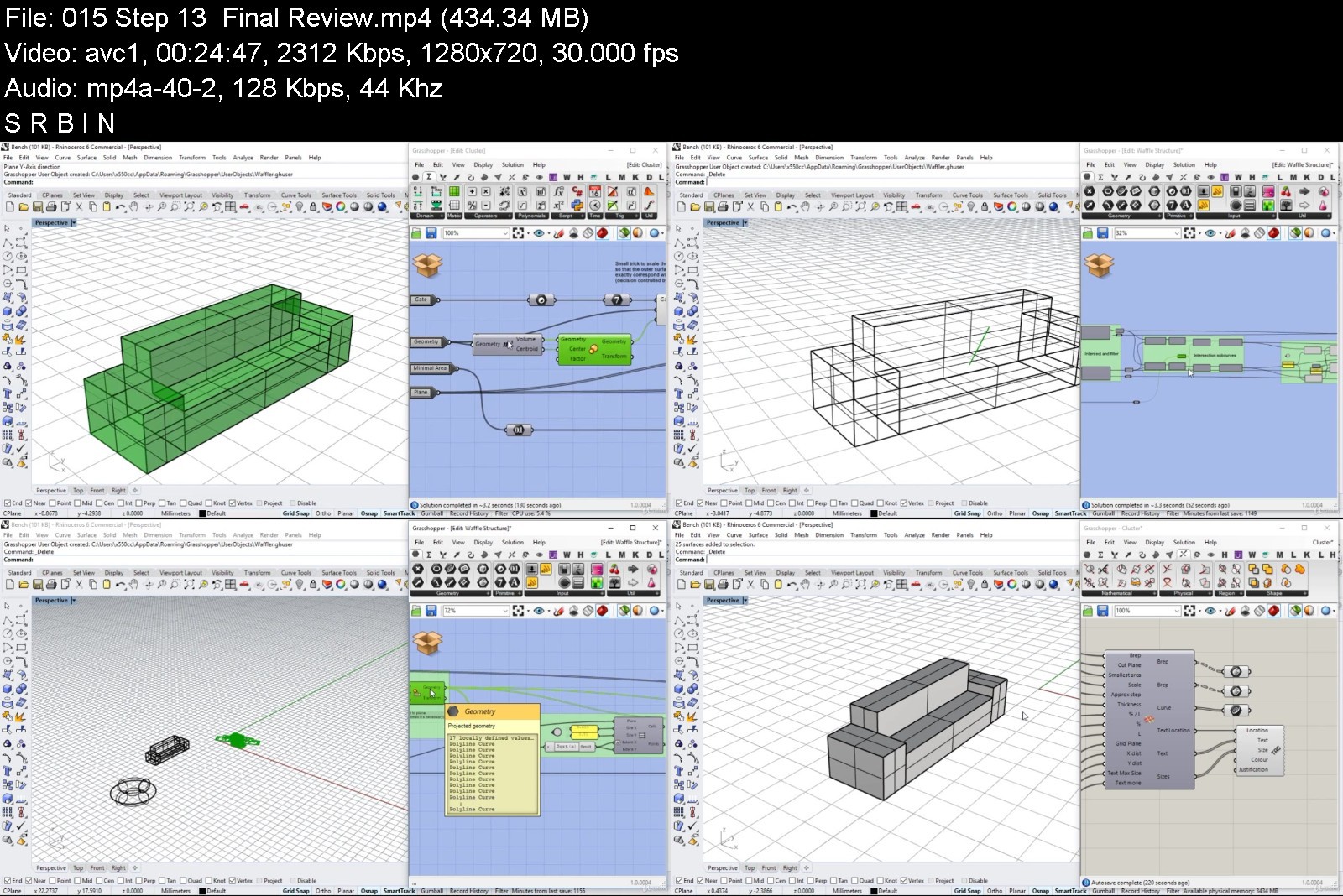
Grasshopper: Beginner to Advanced

mcmxio3ugb6i5bpaii69akok2a.jpg


Grasshopper: Beginner to Advanced
MP4 | Video: h264, 1280x720 | Audio: AAC, 44.1 KHz
Language: English | Size: 8.08 GB | Duration: 8h 20m

Enhance your toolbox with the powerful platform


What you'll learn
Create algorithmic solutions of complex forms
Develop automation for repetitive routine 3D modelling
Create fully parametric 3D models and more
Requirements
Basic knowledge in geometry (coordinate system, point, vector etc.)
Rhinoceros 5 or 6 installed
No Rhino skills are required

Description
Learn Grasshopper from scratch and develop your skills in algorithmic modelling through step-by-step detailed explanations of the logic and practice behind the powerful platform.
The structure of the course is not by components (one lecture per GH node or function) but instead it's a continuous flow where you will gradually gain knowledge about the interface, functions and best-practices.
This course is a consolidation of theory and practice that are both required for making strong and useful algorithms.
New interesting projects will be added to the course over time so stay tuned and welcome to the magnificent world of Grasshopper.
Music credits: Bensound
Image credits: Freepik

Who this course is for:
Architects
Interior Designers
Architecture/Design Students
Engineers


grasshopperbeginnerto8ljx9.jpg


Download from RapidGator


Download from Keep2Share



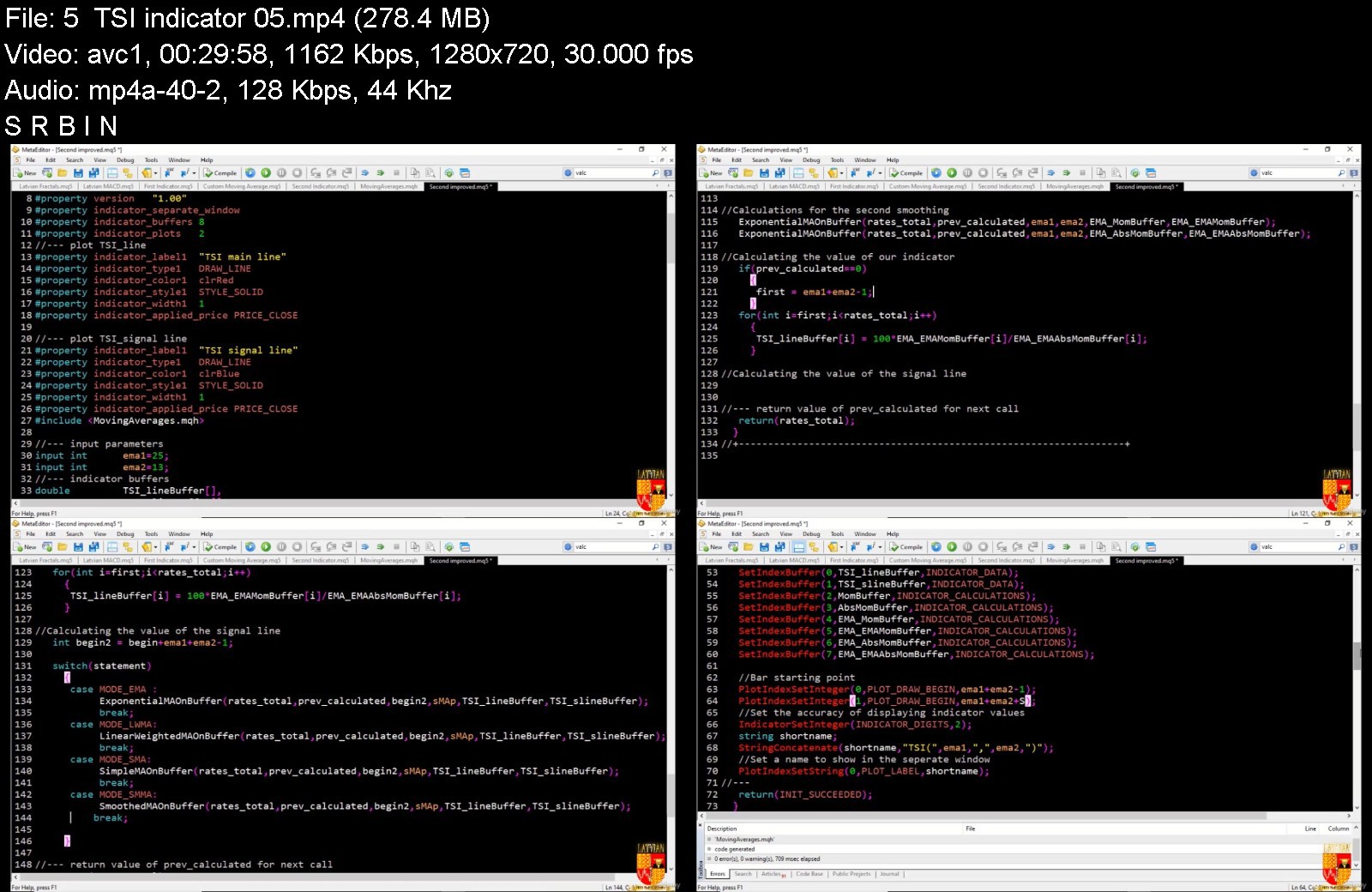
MQL5 Beginner: Algorithmic trading with MQL5 (New 2021)

4306737edea4jijc5.jpg


MQL5 Beginner: Algorithmic trading with MQL5 (New 2021)
MP4 | Video: h264, 1280x720 | Audio: AAC, 44.1 KHz, 2 Ch
Genre: eLearning | Language: English + srt | Duration: 72 lectures (16h 44m) | Size: 6.3 GB


What you'll learn
The basics of MQL5
How to read and understand MQL5 code
How to create and understand custom indicators
How to create and understand Expert advisors
Requirements
No programming experience needed, you will learn all the basics you need in this MQL5 course
Description
Algorithmic trading is the future and MQL5 is the best language to develop trading algorithms!!
Algorithmic trading is a trading method which uses automated pre-programmed trading instructions to execute trades and MQL5 is one of the programming languages used to set those trading instructions. It accounts for variables such as time, price, and volume. Algorithmic trading with MQL5 uses the speed, non-subjectivity and computational resources of computers relative to human traders.
In this century algorithmic trading with MQL5 has been gaining traction with both retail and institutional traders. It is widely used by investment banks, pension funds, mutual funds, and hedge funds that may need to spread out the execution of a larger order or perform trades too fast for human traders to react to.
A study in 2019 showed that around 92% of trading in the Forex market was performed by algorithmic trading rather than humans. This basically shows you the direction we are heading to as traders where automated traders appear to have an edge over manual traders in an evolve or die situation. I choose to evolve, shall you?
MQL5 is the most powerful of all trading languages that are used to make algorithmic trading softwares for retail traders. It's 100% free and comes with the best trading platform, MT5.
The main flagship of MQL5 is its facilitation of Object Oriented programming. This is very important in MQL5 algorithmic trading because it allows programmers to produce more efficient programs.
Indicators are powerful tools and with MQL5, you can develop any indicator you wish to develop. They are part of algorithmic trading in that they display statistical calculations in easily interpreted formats such that we can make decisions about the movement of price based on that statistical data.
In this MQL5 algorithmic trading course, I shall walk you comprehensively through the basics that you shall need to be competent in the language. We shall cover the following:
Storing data in MQL5 Variables
MQL5 Datatypes
Operators and Operations in MQL5
MQL5 conditional operators
MQL5 loops
Functions in MQL5
MQL5 Object Oriented Programing with classes
MQL5 Projects
In the MQL5 projects section, we shall create some indicators and Expert advisors or trading robots to assist us to implement Algorithmic trading.
So scroll back up, press that enroll button, an let's begin learning how to create our own algorithmic trading tools with MQL5.
Who this course is for
Anyone interested in learning the MQL5 Language


mql5beginneralgorithm04jc2.jpg


Download from RapidGator


Download from Keep2Share



CCNP and CCIE Enterprise Core ENCOR 350-401 Exam Prep LiveLessons

8tjvx.jpg


CCNP and CCIE Enterprise Core ENCOR 350-401 Exam Prep LiveLessons
MP4 | Video: h264, 1280x720 | Audio: AAC, 44.1 KHz, 2 Ch
Genre: eLearning | Language: English | Duration: 39 Lessons (7h 4m) | Size: 13.7 GB

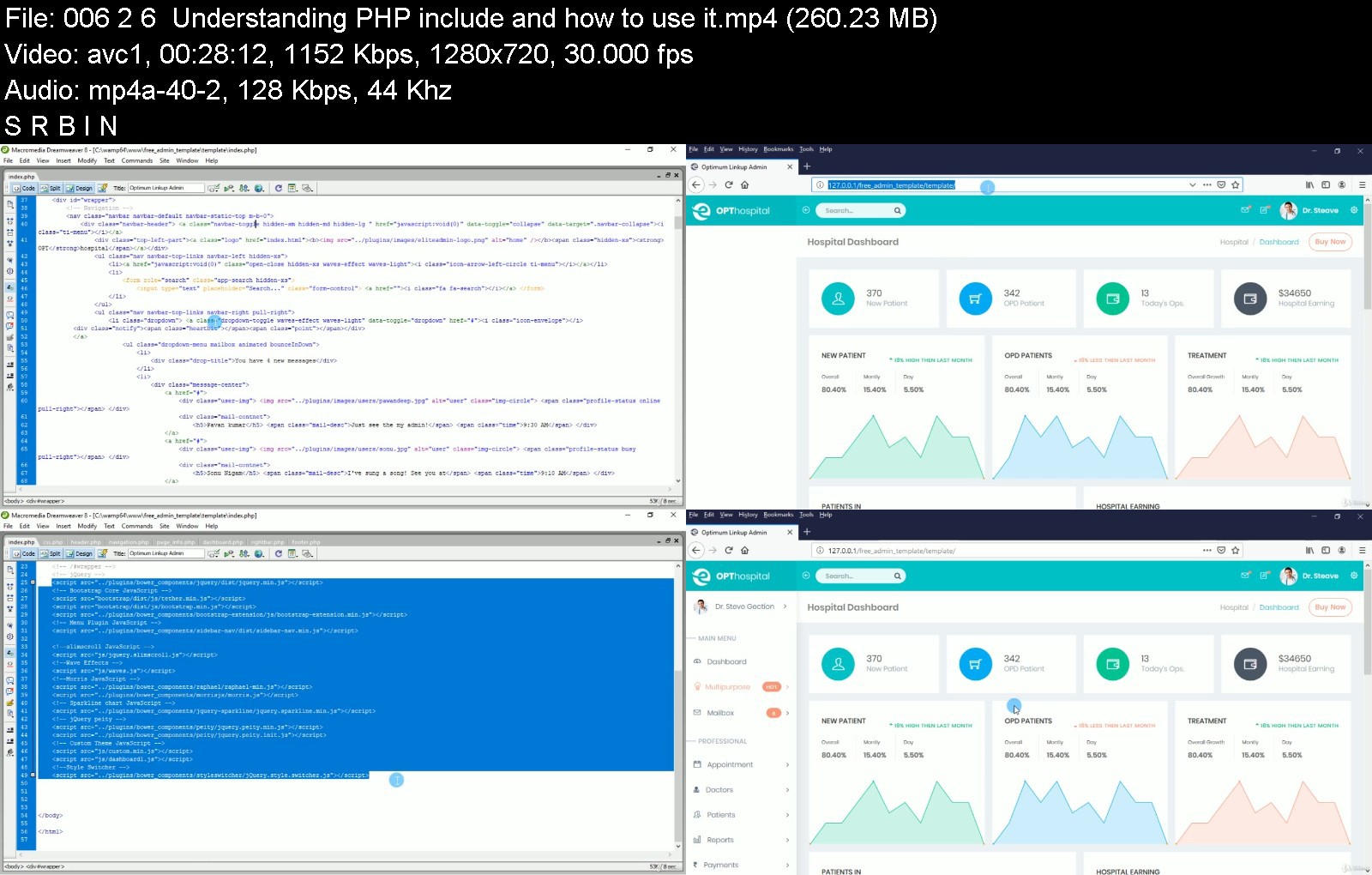
CCNP and CCIE Enterprise Core ENCOR 350-401 Exam Prep LiveLessons
Sneak Peek
The Sneak Peek program provides early access to Pearson video products and is exclusively available to Safari subscribers. Content for titles in this program is made available throughout the development cycle, so products may not be complete, edited, or finalized, including video post-production editing.

ccnpandccieenterprisesdj0t.jpg


Download from RapidGator


Download from Keep2Share



Build Result System, Certificate Generator and CBT Using PHP

wvheosxo86upncj2o1jtmn1k0y.jpg


Build Result System, Certificate Generator and CBT Using PHP
MP4 | Video: h264, 1280x720 | Audio: AAC, 44.1 KHz
Language: English | Size: 9.11 GB | Duration: 17h 8m

You will learn how to build complete result processing system with automated certificate system and cbt: 2020


What you'll learn
Work as a freelance codeigniter developer
Learn to use CodeIgniter
Have a new PHP Skill that would increase income
Be able to build any web app you want using codeigniter
Build fully-fledged web apps for your startup or business
Develop complete computer based test (CBT) in php
Build complete result processing system for schools
Build complete chat app
Requirements
PHP version 7+ is a must
Little knowledge of PHP, though not neccessary becase I'll teach you everything you need to know
Zeal to learn codeigniter framework
Computer system - windows/mac
I'll walk you through, step-by-step how to setup codeigniter
Little knowledge of CSS will be an advantage

Description
Building dynamic websites is not an easy challenge and requires time and effort dedicated to coding every bit and piece of the website, which is why anytime there is a new tool that promises to ease the woes of coding, developers always jump at the chance to try it.
CodeIgniter is a simple open-source framework that makes it the coding tasks easier by providing a faster way to set up a PHP website from the ground-up. This tool with a small framework ensures that developers can design websites that are light, fast and dynamic.
So, for any developer that wants to become a server-side master, this is a tool that they should definitely have in their toolkit. But, it's not always easy to find a course that is clear and concise and targets exactly what you are looking for!
This is why we have designed this course with an aim teach you everything you need know about CodeIgniter with real world project (Building Standard and Complete Computer Based Test Software) using a no-fluff and clear approach at the topic at hand, this tutorial will breakdown CodeIgniter into simple and easy to learn videos so as to be able to build any real world application on CodeIgniter.
At the end of this course, you will have not only learnt the CodeIgniter framework, but you will actually be able to start building your own projects from scratch. In addition to knowledge, this course will also give you the practical hands-on experience and the confidence to start coding your own websites by building computer based test system.
The course will start at the very beginning with a detailed introduction into the CodeIgniter framework, from there moving on to installing the framework. From there you will become familiar with the framework, and start building your own cbt software.
Join us today as we learn CodeIgniter together by building real world software and be free from some authors who claim to teach you a particular programming language but only teach you basis and some copy and paste projects which at the end cannot take you to anywhere.
Some of those things we will cover are as follows:
1. Complete chat Application
2. Compute Based Test the following features:
a. Filling the gap questions
b. Multiple choice questions
c. True or false questions
3. How to integrate html admin template in codeigniter
4. Build complete result processing management system
5. Build complete automated certificate management system
Sign up today, and look forwards to:
HD 1080p video content, everything you'll ever need to succeed as a CodeIgniter developer.
Building complete and standard computer based test software.
All the knowledge you need to start building any web app you want
Build computer based test software
Challenges and Solutions
Fast and helpful support if you need anything or have questions
My great sense of humor.
From Beginner to Expert CodeIgniter Developer
We know that you're here because you value your time. If you wanted to watch someone program for hours and hours without explaining what they're doing, you'd be on YouTube.
By getting this course, you can be rest assured that the course is carefully thought out and edited. There are beautiful animations that explain all the difficult concepts and we're always on hand to answer student questions.
So by the end of the course, you'll completely understand:
CodeIgniter framework to level of building your own software especially school system.
How to use Ajax, jQuery effectively
How to create secure Login for Code
Software Design: How to organise and format code for readability and how to implement the Model *View* Controller (MVC) design pattern.
Control Structures: Using If/*Else clauses, Switch statements and logic to control the flow of execution.
Concepts of Object Oriented Programming (OOP): The type system, variables, functions and methods, inheritance, classes and protocols.
Join us NOW as we build this awesome software together using one of the best frameworks - Codeigniter!!!

Who this course is for:
Beginner Codeigniter developers curious about how to build computer based test software
School Administrator that needs automated certificate generator processing system for their schools
School Administrator that needs computer based test for thier schools
Professional who want to add more to their knowledge
School Administrator that needs result processing system for their schools
Developers who want to be codeigniter expert.
If you have never programmed before, then take this course to learn CodeIgniter.
If you know how to code, but are new to CodeIgniter, then take this course to build web Apps.
If you are a CodeIgniter developer, then take this course to see how much time you can save building real world software.
If you've tried CodeIgniter before, then take this course to get a comprehensive curriculum that covers all the important aspects of CodeIgniter development.
Entrepreneurs Who Want to Build Web Apps with Single Codebase
Managers and Program Managers Who Want to Learn How to Build Complete Computer Based Test software.
Anyone wanting to learn to code in a practical way
Anyone who wants to kick start a career or hobby developing apps


buildresultsystemcertzskja.jpg


Download from RapidGator


Download from Keep2Share



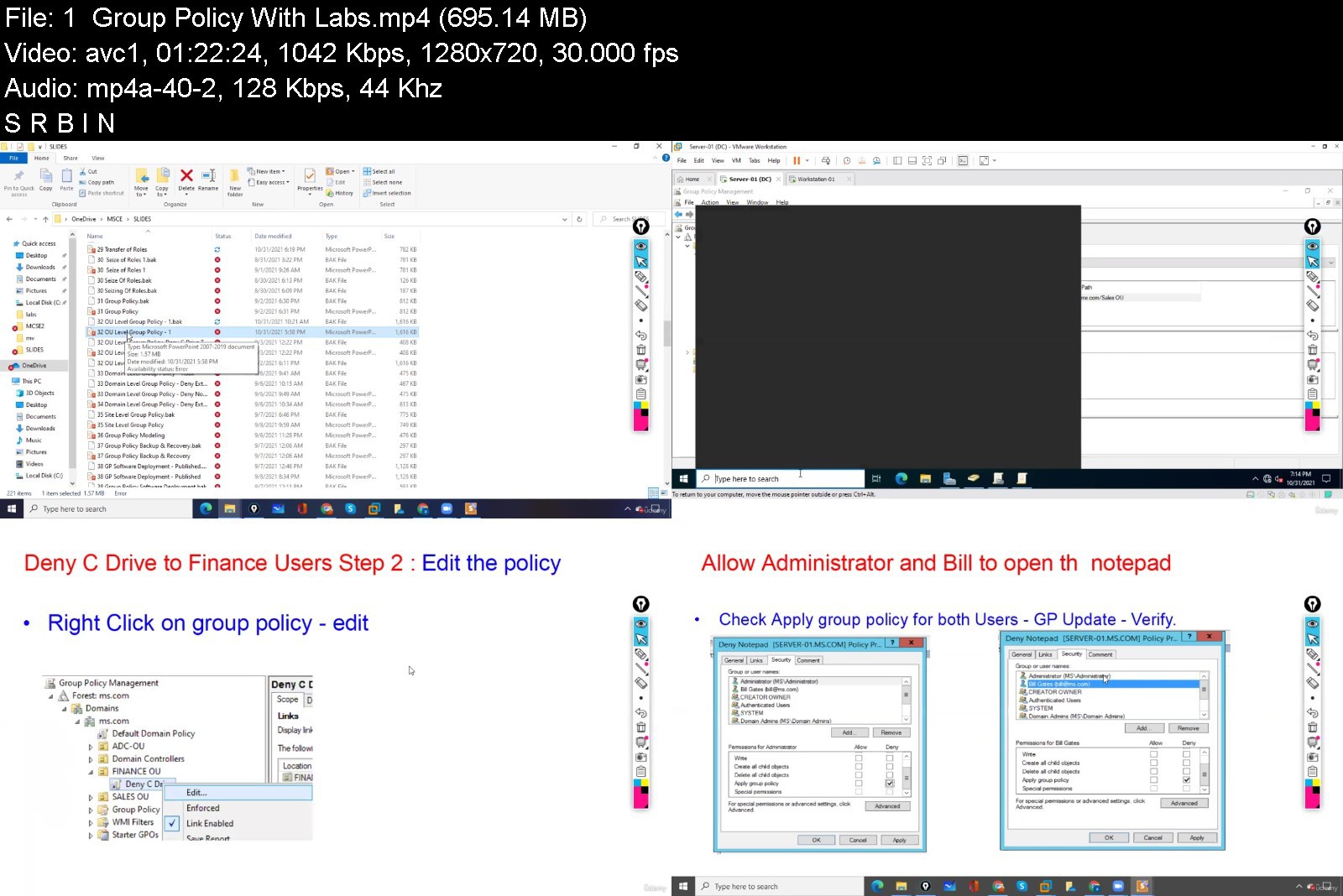
Learn Windows Server 2022 In an Easy Way : Basics To Advanced

4412242c00940vj1s.jpg


Learn Windows Server 2022 In an Easy Way : Basics To Advanced
MP4 | Video: h264, 1280x720 | Audio: AAC, 44.1 KHz, 2 Ch
Genre: eLearning | Language: English + srt | Duration: 65 lectures (22h 31m) | Size: 9.7 GB


What you'll learn
Networking Basics
Windows Server 2022 Operating System
Windows System administration
Active Directory
System Administrator
Requirements
Students should know how to use the Personal Computer (Desktop or Laptop)
Description
This course is about Windows Server 2022 Operating System, it is designed from basic to advanced level in an easy way.
After completing it you will be a System Administrator ( Level 2 Administrator) and you can manage Windows Server Operating Systems like Windows Server 2022, Windows Server 2019, Windows Server 2016 and Windows Server 2012.
This course is recommended for the students who want to do the advanced courses like
Routing and Switching
IP Telephony
Data-center
Service Provider
Network Security
Wireless
Virtualization
Cloud Computing etc.
From small to fortune 500 companies are using Microsoft Products which required Windows Operating System (OS)
Windows client Operating System (e.g Windows 10 OS) has captured the market around 76.56 %
Windows Server Operating System (e.g Windows Server 2022 OS) has captured the market around 30 - 50 %
So, jobs opportunities are huge but the skills are a must.
TOPICS:
What is Computer?
Computer Generations.
Computer Components.
What is Network and Networking?
Network Devices and their functionalities.
What is Operating System?
Windows Server 2022 Installation
Windows 10 Installation
IP Addressing
Physical and Logical topologies
Active Directory
Domain Controller
Joining clients to the domain
User Management
Editing Default Password Policy
Account Lockout Policy
Restricting Users
Groups
Giving Administrator Rights To Users
Partition
Security Level Permission
Share Level Permission
Local Profile
Roaming Profile
Home Folder
FSRM
Organization Unit
Delegation
Additional Domain Controller
Tree
Forest
Active Directory Roles
Transfer Of Roles
Seize Of Roles
Group Policy
OU Level Group Policy
Domain-Level Group Policy
Site Level Group Policy
Group Policy Modeling
Group Policy Backup and Recovery
Applying Scripts Using Group Policy
Trust and Its Types
Active Directory Partitions
Global Catalog
Sites
What is DHCP?
DHCP Installation.
DHCP Configuration.
DHCP Reservation.
DHCP Backup and Restore
What is DNS?
Internal DNS.
External DNS.
DNS ZONES
Root Server.
Zone Records
DNS installation.
DNS Records.
IIS
Remote Desktop Service
Remote Access Service
FTP etc.
Who this course is for
This course is designed for beginners who are interested in a career as a networking professional.
It is for the experienced professionals who want to learn Windows Server 2012


learnwindowsserver202q8jbo.jpg


Download from RapidGator


Download from Keep2Share



9a7d4b46d5262d5456c9af0ac372728f.jpg

Configuring and Operating MS Azure Virtual Desktop (AZ-140)
Genre: eLearning | MP4 | Video: h264, 1280x720 | Audio: AAC, 44.1 KHz
Language: English | Size: 1.0 GB | Duration: 2h 26m
Learn to plan, deliver, and monitor performant Azure Virtual Desktop architectures (and pass AZ-140)

What you'll learn
Plan an Azure virtual desktop architecture
Implement a successful Azure virtual desktop environment
Manage apps, security, and users in Azure virtual desktop architectures
Monitor Azure virtual desktops
Description
This course covers every objective required for both the successful designs and implementations of Azure Virtual Desktop environments, and for your success in the Microsoft Certification exam environment. While this course ensures you can pass this exam, note that the focus of this course is ensuring you can succeed with Microsoft Azure Virtual Desktop environments in real world deployments.
Students will enjoy detailed and enjoyable lectures, step-by-step hands on lab exercises, and consistent knowledge checks to ensure retention as one progresses through the course. For those interested in passing the certification exam on this topic, you can also enjoy a full practice exam for AZ-140 that is included in this course!
This course covers every detail of the major content domains outlined by Microsoft. These domains are
- Plan an Azure Virtual Desktop Architecture
- Implement an Azure Virtual Desktop Infrastructure
- Manage Access and Security
- Manage User Environments and Apps
- Monitor and Maintain an Azure Virtual Desktop Infrastructure
This course features coverage for the exam objectives as outlined by Microsoft for the latest release of the Aure Virtual Desktop solution as well as the AZ-140 exam.
This course is updated frequently and as needed to reflect changes in the exam and Azure solution, as well as to correct and improve upon any content as indicated by students or peer reviewers.
You can fully TRUST this top-rated instructor and course.
Who this course is for
This course is for anyone interested in planning, delivering, and maintaining Azure virtual desktop environments, including those that desire to pass the Microsoft AZ-140 certification exam
Screenshots


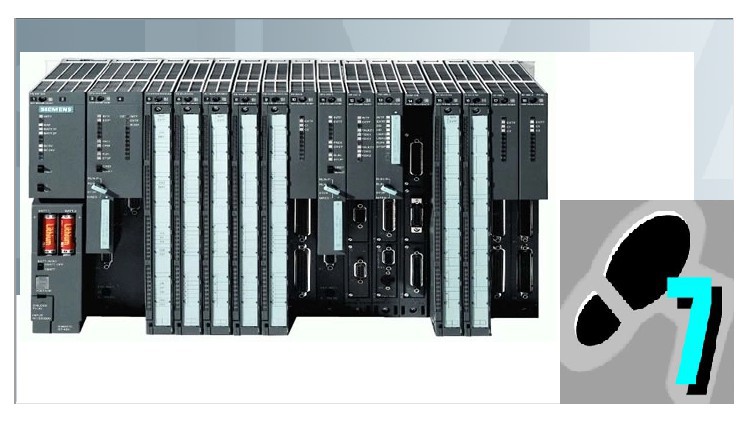
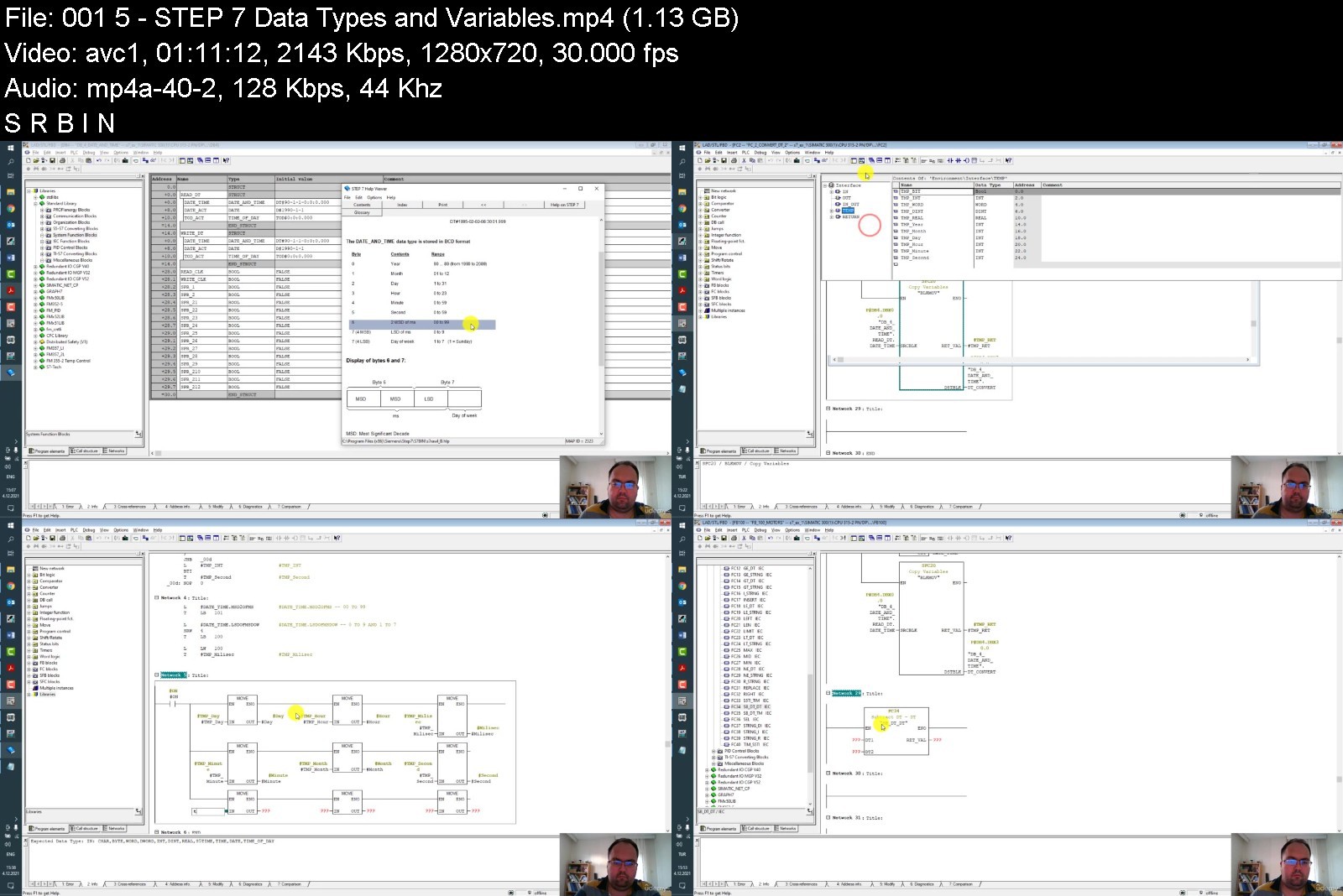
Siemens Simatic Manager S7 System and Programming 2

4430858052977j4y.jpg


Siemens Simatic Manager S7 System and Programming 2
MP4 | Video: h264, 1280x720 | Audio: AAC, 44.1 KHz, 2 Ch
Genre: eLearning | Language: English + srt | Duration: 18 lectures (8h 43m) | Size: 7.82 GB


What you'll learn
Status Bit-Dependent Instructions
Accumulator Functions
Instructions with REAL Numbers
Indirect Addressing and Address Register Instructions
STEP 7 Data Types and Variables
Block Calls and MultiInstance Model
Using Libraries
Synchronous and Asynchronous Error Handling
Program Generation Using Text Editor
Basic and Extended S7 Communication
S7-400 PLC System
Distributed I/O and Parameter Assignment
Engineering Tools for S7/M7
Solutions to the Exercises
Indirect Access to FC and FB Parameters
Exercises
Comments And Notes
Recommendation
Requirements
Basic Knowledge of Siemens Simatic Product Family
Required Siemens Programs to be Installed
Basic Knowledge of PLC
Description
Hello everyone,
With this course from one collegue to another about Siemens SIMATIC both Hardware And Software Side you will able to get information and for your future career, you will gain more experience during your business life. So from this point of view if you are interested with industrial automation sector, specially automation and control area, Simatic is one of the most commonly used product family in industry.
From beginning step by step this the second course offers you complete walktrough of a serie. And it will continiue with "Siemens Simatic Manager S7 System and Programming" as 1-2-3.
During this course you will become familiar with the fundemental principle of a logic controller, concept of modular SIMATIC system, basic operating procedures of Simatic Manager.
You will be familiar with Registers and Memory areas of S7-CPU, status word structure, instructions in STL, extended mathematical functions with real variables, direct and indirect adressing.
You will know how to work with adress registers for area-internal or area-crossing indirect adressing. And you will see any, pointer data types, elementary and complex data types, such as arrays, structures, user defined data types with datablocks.
You will get information related with structured programming, function and function blocks, object oriented programming with multi instance data blocks of function blocks.
During this training you will examine standart library, overview of SFC, SFB system functions, and other libraries such as S5 to S7 converting blocks, TI to S7 converting blocks, communication blocks, pid control blocks and so on.
After this training you can handle with system errors, asynchronous faults, use organisation blocks for programming error, access error.
You will be familiar with topics, for example, subnets in network configuration, S7 communication between PLCs, SFC and SFB blocks for put, get, receive and send data, configuring profibus network with slaves, diagnostics, reading and writing data.
You will better know S7-400 family with modules, rack system, process image partioning, multicomputing, startup characteristics, interrupts, special function modules, interface modules and communication processors.
You will get knowlegde about enginnering tools and option packages of Simatic Step 7 family, S7-Graph, Higraph, S7-SCL structured control language, S7-CFC continous function charts, S7-SFC sequental function charts and other features.
Before you start it would be wiser decision to look at the first training, if you are a beginner at Simatic world, this course will be really useful and helpful i guess. And I suggest you to spare at least couple of days for this training, and you are going to need some free time to do exercises at your own pc and if it's possible you can use real hardware or democase to make some practice.
I hope you will enjoy this course.
With sincerely.
Caner Sezer.
Who this course is for
Target students are electrical electronic engineering with bach. deg.
Computer Programmers
Beginner of PLC software developers
University students doing practice with project or lab


siemenssimaticmanagerh9jm1.jpg


Download from RapidGator


Download from Keep2Share



d19458cb1d5f5b0ca81d729385273e1c.jpg

Python3 : Learn Django by building real world web apps
Genre: eLearning | MP4 | Video: h264, 1280x720 | Audio: AAC, 44.1 KHz
Language: English | Size: 3.58 GB | Duration: 5h 29m
Learn Django Framework using Python3. Django Template Language, Views, Models, URL Mappings, Dynamic web applications

What you'll learn
Learn how to use Django the right way and don't waste time going through broken online tutorials
Learn everything you need about Django to start building dynamic web applications Setting up and configuring Django on your local machine
Setting up and configuring Django on your local machine
Learn about Django apps and how Django works
Learn about URL mappings and how you can create URL's which users can access in your web application
Learn how can you define views which users can see along with dynamic content
Master DTL (Django Template Language) using which you can create templates with dynamic content
Learn to maximize productivity with Django and Atom, I will be sharing some of my amazing tricks with Atom to work with Django
Learn about Django forms
Learn how can you setup PostgreSQL and PGAdmin on your machine to build full fledged apps that interact with database
Learn how can you create model yourself and save data in the database with the help of models
Learn about migrations and create yourself
Build a todo application which would run on your local machine. This would be a full fledged database application which would interact with a database.
Requirements
A computer with internet connection to install Python, Django, Postgresql and Pgadmin
Knowledge of Python Programming Language
Time to learn and finish this course
Description
This bootcamp is for complete Django beginners and teaches you everything you should know about Django. This is not a theoretical course, but instead I will teach you step by step, practically. Django is a Python based web development framework which is used for building highly scalable web applications. In the end of the course, we will build a full fledged project - A todo application
WHY SHOULD YOU TAKE THIS COURSE?
The goal of this course is to make sure you learn Django the right way and don't waste any time going through broken, incomplete online tutorials.
In this course, I have simplified topics and made it easy to understand with real-world examples. I will make sure you not only learn Django, the right way, but also have fun learning it.
This is not a theoretical course, but we will be doing practicals by writing code and building applications which will help us understand each and every topic even better.
This course is designed keeping beginners in mind, we have made sure that each and every concept is clearly explained in an easy to understand manner. So if you are a beginner, don't worry, I am 100% committed to help you succeed.
After completing this course, you will have a solid understanding of Django Framework. We will be doing some real world projects, which will not only help you write complex web applications confidently, but also crack job interviews.
WHY SHOULD YOU LEARN DJANGO?
Django is a Python based web development framework which is used for building highly scalable web applications. Django encourages rapid development and is very easy to use. It handles a lot of configuration automatically, so that developers can focus on writing business logic. This helps developers save time and focus on what's important.
Django is used by many large companies like Pinterest, Instagram, Udemy, Accenture, Doordash, Mozilla and more. So if you are serious about your career and becoming a good developer, learning Django can actually open doors to some of the best companies in the world.
GUARANTEE
This course is backed by Udemy's 30 day money back guarantee. If after taking this course you realize that this is not for you. Please request a refund, I only want satisfied students
WHAT ARE THE BENEFITS OF THIS COURSE?
Learn how to use Django the right way and don't waste time going through broken online tutorials
Learn everything you need about Django to start building dynamic web applications
Setting up and configuring Django on your local machine
Learn about Django apps and how Django works
Learn about URL mappings and how you can create URL's which users can access in your web application
Learn how can you define views which users can see along with dynamic content
Master DTL (Django Template Language) using which you can create templates with dynamic content
Learn to maximize productivity with Django and Atom, I will be sharing some of my amazing tricks with Atom to work with Django
Learn about Django forms
Learn how can you setup PostgreSQL and PGAdmin on your machine to build full fledged apps that interact with database
Learn how can you create model yourself and save data in the database with the help of models
Learn about migrations and create yourself
Build a todo application which would run on your local machine. This would be a full fledged database application which would interact with a database.
WHO IS THIS COURSE FOR?
A computer with internet connection to install Python, Django, Postgresql and Pgadmin
Time to learn and finish this course
SO ARE YOU READY TO GET STARTED?
What are you waiting for? Press the BUY NOW button and start the course. See you inside.
Who this course is for
Any developer who wants to build serious web applications using Python and Django
Any developer or engineer who wants to learn about Django
Any student who wants to learn Django and master it
Any developer who already knows Django and wants to have a refresher on various concepts.


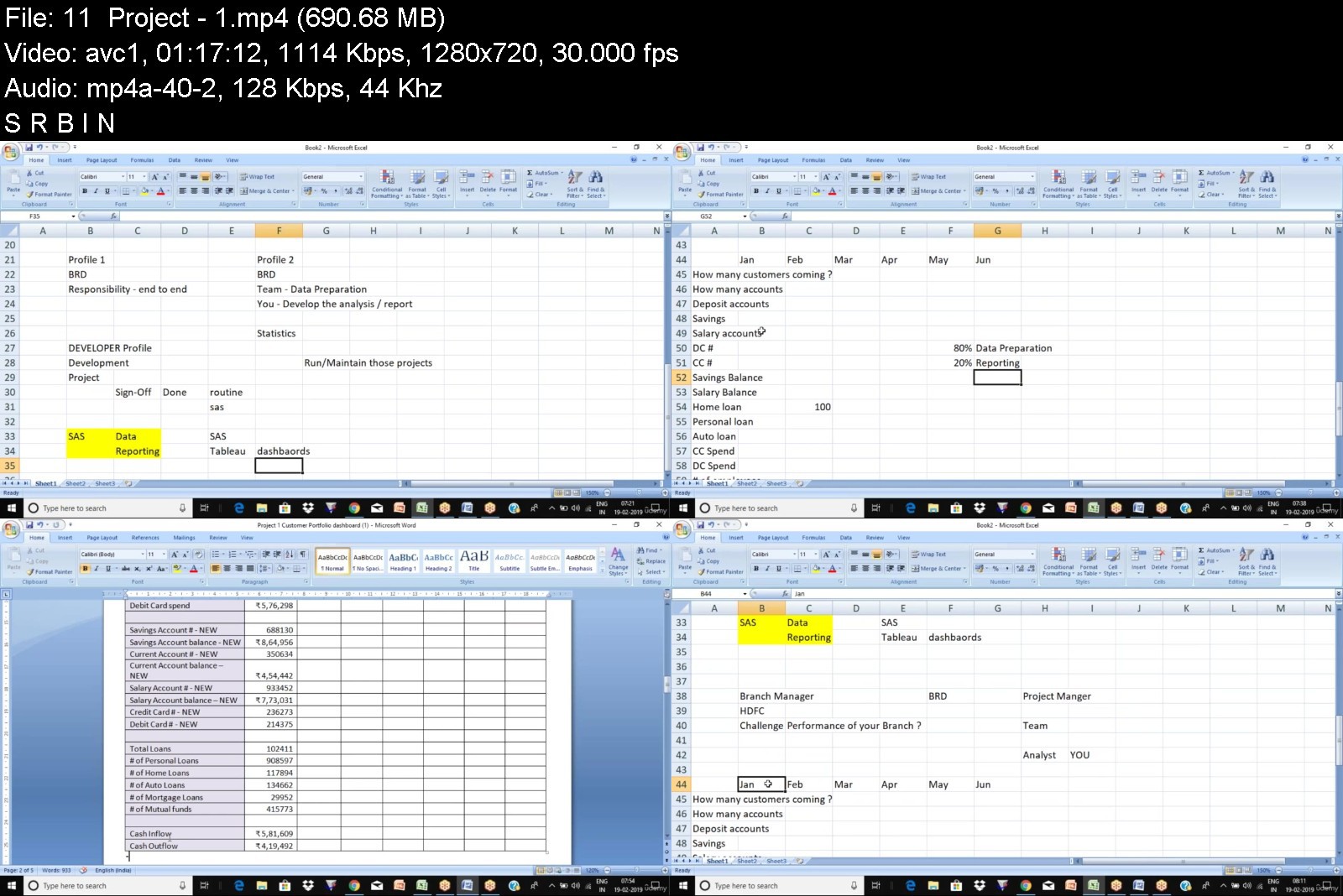
Tableau Complete Masterclass with Case Studies

4414398e7ecfnj4s.jpg


Tableau Complete Masterclass with Case Studies
MP4 | Video: h264, 1280x720 | Audio: AAC, 44.1 KHz, 2 Ch
Genre: eLearning | Language: English + srt | Duration: 21 lectures (20h 29m) | Size: 7.16 GB


What you'll learn
• Introduction to Tableau
• How does Tableau Work
• Tableau products
• Tableau Architecture
• Tableau Interface
• Importing Excel Data
• Dimension / Measures
• Data Types
• Chart Types
• Install Tableau Public
• Sample Dashboards
• How to make and Impact / Beautify
• Getting Started with Tableau
• Creating Sets and Calculations
• Top N Analysis & Sorting
• Creating Parameters
• Dynamic Calculations
• Histograms using Bins
• Heat Maps
• Tree Maps
• Waterfall Charts
• Bar graph
• Stacked bars
• Side-by-side bars
• Line Chart
• Pie Chart
• Word Cloud & Bubble Charts
• Reference Lines & Bands
• Working with Maps
• Plotting Shapes on Maps
• The Playback Functionality
• Project - Top 10 european banks by revenue - P2
• Project - Superstore Dashboard
• Creating visualizations in worksheets
• Creating a Dashboard using worksheets
• Formatting your Visualizations
• Create Dashboard Actions - Filter Highlight URL
• Create Stories
• Walk through of various options
• Dashboard Actions exercise
• Concept of Calculations
• LOD Calculations
• Table Calculations
• More on Calculations - Running Total
• Creating Joins
• Editing Metadata
Requirements
Tableau software available on the internet would be required. This course is for anyone who is interested to get into the field of data visualization or is working in the field of visualization. This course is from a basic to an advance level. How to use Tableau to connect to different data sources and create a variety of visualizations to analyze your data. This training will help you get started and become a master in using Tableau.
Description
Intended Audience:
This course is for anyone who is interested to get into the field of data visualization or is working in the field of visualization. This course is from a basic to an advance level. How to use Tableau to connect to different data sources and create a variety of visualizations to analyze your data. This training will help you get started and become a master in using Tableau.
Number of Projects: 3
Course Outline
· Introduction to Tableau
· How does Tableau Work
· Tableau products
· Tableau Architecture
· Tableau Interface
· Importing Excel Data
· Dimension / Measures
· Data Types
· Chart Types
· Install Tableau Public
· Sample Dashboards
· How to make and Impact / Beautify
· Getting Started with Tableau
· Creating Sets and Calculations
· Top N Analysis & Sorting
· Creating Parameters
· Dynamic Calculations
· Histograms using Bins
· Heat Maps
· Tree Maps
· Waterfall Charts
· Bar graph
· Stacked bars
· Side-by-side bars
· Line Chart
· Pie Chart
· Word Cloud & Bubble Charts
· Reference Lines & Bands
· Working with Maps
· Plotting Shapes on Maps
· The Playback Functionality
· Project - Top 10 european banks by revenue - P2
· Project - Superstore Dashboard
· Creating visualizations in worksheets
· Creating a Dashboard using worksheets
· Formatting your Visualizations
· Create Dashboard Actions
Filter
Highlight
URL
· Create Stories
· Walk through of various options
· Dashboard Actions exercise
· Concept of Calculations
· LOD Calculations
· Table Calculations
· More on Calculations - Running Total
· Creating Joins
· Editing Metadata
Project 1
"Customer Portfolio Dashboard"
Introduction:
Branch managers in the bank are always in need to get some insights on their portfolio. They want to understand more about their customers, Revenue, accounts, balances, Loans, various types of Investments along with their spending behaviour. This information will be used in various strategic decisions by the senior management.
To get all this information is a tedious task as it requires technical & domain expertise in understanding & pulling the data and coming up building the reports and automating it end to end. Creating the same in excel is a manual process, so we want to have a complete solution to be designed and deployed using SAS & Tableau.
Objective/Goal:
· To build a dashboard which will serve as a tool for branch managers to get a complete overview of their portfolio which in turn help them to make effective decisions.
· Dashboard will be able to accessed by various hierarchies in the organisation like Sales Officer , Branch Managers , Zonal Heads , Regional heads to top Senior management.
Project 2
"Product Pricing Strategy dashboard"
Introduction:
Bank offers various products & services to its customers & clients. For each of the services bank charges certain amount of fees to facilitate those transactions. For Example: Money transfer , Foreign Exchange, Check book issuing , Fax , Account maintenance , loan processing etc . Bank earns lot of revenue due to these fees. The fees charged is not consistent for all the customers , it varies customer to customer. For instance : Loan processing might be $ 10 for some customers and $15 for some others. It is due to the customer relationship's with the bank.
Bank now decides to analyse the current price/charges and to come up with some kind of strategy to increase the price of its current products & services. Strategy will help the bank to increase their revenues but we don't want to loose the customers as well due to this price change.
We cannot just increase the price by certain amount as if the customer is not happy with the change , we might end up in loosing them.
To get all this information is a tedious task as it requires technical & domain expertise in understanding & pulling the data and coming up building the reports and automating it end to end. Creating the same in excel is a manual process, so we want to have a complete solution to be designed and deployed using SAS & Tableau.
Objective/Goal:
· To analyze the current price for the services availed by clients and built a model to derive a new price using various statistical approaches.
· Goal is to revise the current price and also to perform Impact analysis post price change & to also look at competitor pricing for better decision making
· Build a dashboard which will help senior management to get insights on the current price & new price with Pre and Post price change effect to take some further decisions/actions.
Project 3
"ATM reporting dashboard"
Introduction:
An automated teller machine (ATM) is an electronic telecommunications device that enables customers of financial institutions to perform financial transactions, such as cash withdrawals, deposits, transfer funds, or obtaining account information, at any time and without the need for direct interaction with bank staff.
To facilitate its customers, Bank installs ATM Machines across PAN India. Senior management wants to look at the report consisting of various metrics to see the performance of ATMs which is very critical for any business or strategic decisions at the bank.
To get all this information is a tedious task as it requires technical & domain expertise in understanding & pulling the data and coming up building the reports and automating it end to end. Creating the same in excel is a manual process, so we want to have a complete solution to be designed and deployed using SAS & Tableau.
Objective/Goal:
· Goal is to create a dashboard which will help senior management to get insights on the functioning & performance of ATMs which then be utilised for any business or strategic decisions.
Who this course is for
This course is for anyone who is interested to get into the field of data visualization or is working in the field of visualization. This course is from a basic to an advance level. How to use Tableau to connect to different data sources and create a variety of visualizations to analyze your data. This training will help you get started and become a master in using Tableau.


tableaucompletemasterodker.jpg


Download from RapidGator


Download from Keep2Share



09ee4b2759bbaa0f825728997d1e6e55.jpg

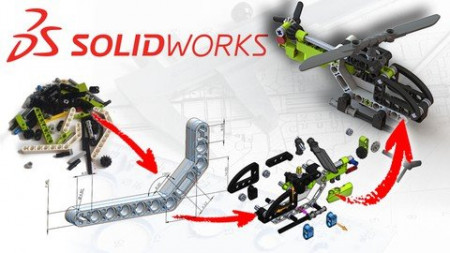
Build a Lego Helicopter in SolidWorks 3D CAD
Genre: eLearning | MP4 | Video: h264, 1280x720 | Audio: AAC, 48.0 KHz
Language: English | Size: 2.86 GB | Duration: 4h 54m
Practice your 3D CAD skills in a fun and unique way

What you'll learn
Practice the use of SolidWorks 3D CAD
Learn how to use Mechanical Mates
Create the Helicopter's Parts
Assemble the Parts into a working model
Requirements
You should be able to use a Windows PC at a basic level
A copy of Solidworks 2021. Other versions can also be used but some minor details may be different, and the example files may not open properly.
Some basic SolidWorks knowledge is expected, such as how to make Features and Sketches
Description
Practice your SolidWorks 3D CAD skills in a fun way!
Are you a beginner or intermediate SolidWorks user who would like hone your skills? If so then join this course and together we will build a working Lego Helicopter.
During the course we'll create 31 Unique Parts using a wide variety of SolidWorks modelling techniques. We'll then combine these into a complex Assembly and add Mechanical Mates, which will actually allow the Rotor Blades and Tail Rotor to function. Along the way you'll see how an long-term CAD user with over 15 years of SolidWorks experience creates 3D parts and builds assemblies.
About this course
This courses includes
Almost 5 hours of high-quality original video.
Downloadable Exercise Files to allow you check your understanding.
On-hand support. Have a question? We are always here to support any questions and take a look at your progress.
Note: This course is designed for existing SolidWorks users who may be a little rusty and want to get their skills up to speed.
Complete beginners are welcome to try the course by following the videos, but you will find it more helpful to take another course aimed specifically at new users.
The course is taught using Solidworks 2021 but the models provided used will work with any version newer than that. If you have a previous version (2015-2020, or earlier) then you can still take the course but minor details might be different and some of the Exercise File functionality may be limited. If you have any questions then please drop me a line!
So sign up today, and lets start creating our Helicopter model!
Who this course is for
Users of SolidWorks 3D CAD who want to practice their skills in a fun way
Fans of Lego who want to build virtual version of their real-life models
Screenshots


Zurück
Oben Unten