• Regeln für den Video-Bereich:

    In den Börsenbereich gehören nur Angebote die bereits den Allgemeinen Regeln entsprechen.

    Einteilung

    - Folgende Formate gehören in die angegeben Bereiche:
    - Filme: Encodierte Filme von BluRay, DVD, R5, TV, Screener sowie Telesyncs im Format DivX, XviD und x264.
    - DVD: Filme im Format DVD5, DVD9 und HD2DVD.
    - HD: Encodierte Filme mit der Auflösung 720p oder darüber von BluRay, DVD, R5, TV, Screener sowie Telesyncs im Format x264.
    - 3D: Encodierte Filme von BluRay, die in einem 3D Format vorliegen. Dies gilt auch für Dokus, Animation usw.
    - Serien: Cartoon/Zeichentrick, Anime, Tutorials, Dokumentationen, Konzerte/Musik, Sonstiges sind demnach in die entsprechenden Bereiche einzuordnen, auch wenn sie beispielsweise im High Definition-Format oder als DVD5/DVD9/HD2DVD vorliegen. Ausnahme 3D.
    - Bereich Englisch: Englische Releases gehören immer in diesen Bereich.
    - Bereich Talk: Der Bereich, in dem über die Releases diskutiert werden kann, darf, soll und erwünscht ist.


    Angebot/Beitrag erstellen

    - Ein Beitrag darf erst dann erstellt werden, wenn der Upload bei mindestens einem OCH komplett ist. Platzhalter sind untersagt.
    - Bei einem Scenerelease hat der Threadtitel ausschließlich aus dem originalen, unveränderten Releasenamen zu bestehen. Es dürfen keine Veränderungen wie z.B. Sterne, kleine Buchstaben o.ä. vorgenommen werden. Ausnahme Serienbörse:
    - Bei einem Sammelthread für eine Staffel entfällt aus dem Releasename natürlich der Name der Folge. Beispiel: Die Simpsons S21 German DVDRip XviD - ITG
    - Dementsprechend sind also u.a. verboten: Erweiterungen wie "Tipp", "empfehlenswert", "only", "reup", usw. / jegliche andere Zusatzinformation oder Ergänzung, welche nicht in obiger Beschreibung zu finden ist.

    Aufbau des Angebots und Threadtitel

    Der Titel nach folgendem Muster erstellt zu werden. <Name> [3D] [Staffel] [German] <Jahr> <Tonspur> [DL] [Auflösung] <Quelle> <Codec> - <Group>
    Beispiel: The Dark Knight German 2008 AC3 DVDRip XviD - iND
    Beispiel: The Dark Knight 2008 DTS DL BDRip x264 - iND
    Beispiel: The Dark Knight 2008 AC3 DL BDRip XviD - iND
    Beispiel: The Dark Knight German 2008 AC3 720p BluRay x264 iND
    Beispiel: The Dark Knight 2008 DTS DL 1080p BluRay x264 iND
    Beispiel: Die Simpsons S01 German AC3 DVDRip XviD iND
    Beispiel: Die Simpsons S20 German AC3 720p BluRay x264 iND
    Beispiel: Sword Art Online II Ger Sub 2014 AAC 1080p WEBRip x264 - peppermint
    Entsprechend sind also u.a. verboten: Sonderzeichen wie Klammern, Sterne, Ausrufezeichen, Unterstriche, Anführungszeichen / Erweiterungen wie "Tipp", "empfehlenswert", "only", "reup", usw. / jegliche andere Zusatzinformation oder Ergänzung, welche nicht in obiger Beschreibung zu finden ist
    Ausnahmen hiervon können in den Bereichen geregelt sein.

    Die Beiträge sollen wie folgt aufgebaut werden:
    Überschrift entspricht dem Threadtitel
    Cover
    kurze Inhaltsbeschreibung
    Format, Größe, Dauer sind gut lesbar für Downloader außerhalb des Spoilers zu vermerken
    Nfo sind immer Anzugeben und selbige immer im Spoiler in Textform.
    Sind keine Nfo vorhanden z.B. Eigenpublikationen, sind im Spoiler folgende Dateiinformationen zusätzlich anzugeben :
    Quelle
    Video (Auflösung und Bitrate)
    Ton (Sprache, Format und Bitrate der einzelnen Spuren)
    Untertitel (sofern vorhanden)
    Hosterangabe in Textform außerhalb eines Spoiler mit allen enthaltenen Hostern.
    Bei SD kann auf diese zusätzlichen Dateiinformationen verzichtet werden.

    Alle benötigten Passwörter sind, sofern vorhanden, in Textform im Angebot anzugeben.
    Spoiler im Spoiler mit Kommentaren :"Schon Bedankt?" sind unerwünscht.


    Releases

    - Sind Retail-Release verfügbar, sind alle anderen Variationen untersagt. Ausnahmen: Alle deutschen Retail-Release sind CUT, in diesem Fall sind dubbed UNCUT-Release zulässig.
    - Im Serien-Bereich gilt speziell: Wenn ein Retail vor Abschluss einer laufenden Staffel erscheint, darf diese Staffel noch zu Ende gebracht werden.62
    - Gleiche Releases sind unbedingt zusammenzufassen. Das bedeutet, es ist zwingend erforderlich, vor dem Erstellen eines Themas per Suchfunktion zu überprüfen, ob bereits ein Beitrag mit demselben Release besteht. Ist dies der Fall, ist der bereits vorhandene Beitrag zu verwenden.
    - P2P und Scene Releases dürfen nicht verändert oder gar unter einem iND Tag eingestellt werden.


    Support, Diskussionen und Suche

    - Supportanfragen sind entweder per PN oder im Bereich Talk zu stellen.
    - Diskussionen und Bewertungen sind im Talk Bereich zu führen. Fragen an die Uploader haben ausschließlich via PN zu erfolgen, und sind in den Angeboten untersagt.
    - Anfragen zu Upload-Wünschen sind nur im Bereich Suche Video erlaubt. Antworten dürfen nur auf Angebote von MyBoerse.bz verlinkt werden.


    Verbote

    - Untersagt sind mehrere Formate in einem einzigen Angebotsthread, wie beispielsweise das gleichzeitige Anbieten von DivX/XviD, 720p und 1080p in einem Thread. Pro Format, Release und Auflösung ist ein eigener Thread zu eröffnen.
    - Grundsätzlich ebenso verboten sind Dupes. Uploader haben sich an geeigneter Stelle darüber zu informieren, ob es sich bei einem Release um ein Dupe handelt.
    - Gefakte, nur teilweise lauffähige oder unvollständige Angebote sind untersagt. Dies gilt auch für eigene Publikationen, die augenscheinlich nicht selbst von z.B. einer DVD gerippt wurden. Laufende Serien, bei denen noch nicht alle Folgen verfügbar sind, dürfen erstellt und regelmäßig geupdatet werden.
    - Untersagt sind Angebote, welche nur und ausschließlich in einer anderen Sprache als deutsch oder englisch vorliegen. Ausnahmen sind VORHER mit den Moderatoren zu klären.


    Verstoß gegen die Regeln

    - Angebote oder Beiträge, die gegen die Forenregeln verstoßen, sind über den "Melden"-Button im Beitrag zu melden.
  • Bitte registriere dich zunächst um Beiträge zu verfassen und externe Links aufzurufen.

*** Bestes IPTV *** bester Preis *** gratis Test ***


Englische Tutorials

28ad65d6-74d9-4109-a9cf-d49ec1d8e3d3.png

Paint with thread: paint a beautiful bird with a natural-looking effect using hand embroidery
Duration: 2h 45m | Video: .MP4, 1280x720, 30 fps | Audio: AAC, 48 kHz, 2ch | Size: 3.91 GB
Genre: eLearning | Language: English​

Are you an embroidery and nature lover? with this course, I will teach you how to embroider a bird giving it a natural effect. This will be the first class of a set of three birds. The stitches are simple, we are only going to use two stitches on the first bird, you don't have to have any experience.
Our first Bird will be a European Robin!
You are going to get the bird pattern in three different sizes, you can decide, which size you are going to make, in this particular class we are going to work with the A5 size because we are going to create 3 birds in different sizes to decorate our wall.We are going to start by showing you how you can transfer your pattern without using complicated and expensive methods, then I will show you how to make each part of our bird and give you tips to help you get the natural effect we are looking for, as an extra class I will show you how to embroider letters and how to frame your project.You can decide to do it on a pillow or any other accessory, without further do, enjoy the class.


71d025040ae3767deb7d5bf1c90c2cb3.png

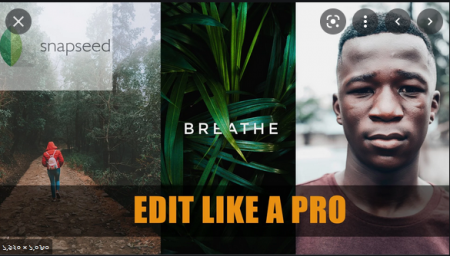
Mobile Photo Editing: Start Editing Like a Pro With Snapseed
Duration: 2h 5m | Video: .MP4, 1280x720, 30 fps | Audio: AAC, 48 kHz, 2ch | Size: 1.24 GB
Genre: eLearning | Language: English​

In this course, you will learn how to edit photos like a Pro just with your smartphone or tablet using an incredible app called Snapseed.
Snapseed is an app from Goggle that has everything you need to create amazing editings and it is completely free.
For this course you will only need a phone or a tablet and the Snapseed app that you can install it in IOS and Android devices.
Skills you will learn
Why it is important to learn how to edit with your mobile device
Understand the layout of Snapseed
How to use every single tool in the app
·Importance of using the tone curve and how to use it properly
Selective edits
Saving and exporting your pictures to have them ready to share
And more...
I want to remind you that this course is going to be updated all the time. If something new comes with the Snapseed app, I will be making new lessons and if you would like me to make specific lessons for you, just let me know to help you with that as well.
Now it is time for you to get your mobile device, install the app and I will see you in class.
Screenshots


bcaccc950bec43257e69cd3e86e54303.jpg

Learn How to create a 2D Platformer Game in GDevelop
Duration: 1h 16m | Video: .MP4, 1280x720, 30 fps | Audio: AAC, 48 kHz, 2ch | Size: 405 MB
Genre: eLearning | Language: English​

Learn How to Develop a Complete 2D Mobile Platformer Game in GDevelop From Scratch to Publishing in Google Play Store
Easily Learn To Make Amazing Games!
This course aims to teach students with no experience how to*create a mobile Game! This class*teaches students fundamentals and game design principles through hands-on tutorials. Using the free open-source 2D game engine GDevelop, students can learn how to make a fully functioning game and create levels from scratch to make a customized game that is playable and fun.
Screenshots


9cd4eba438590f33b34be1526f81e267.png

Fundamentals of Access Control
MP4 | Video: h264, 1280x720 | Audio: AAC, 44.1 KHz, 2 Ch
Genre: eLearning | Language: English + srt | Duration: 14 lectures (2h 4m) | Size: 2.8 GB

Perfect for Physical Security Technicians and Installers!
What you'll learn
Understand what is access control and how it's used
Understand the fundamentals of access control
Understand the codes and considerations for access control systems
Understand the hardware components that make up a complete access control solution
Requirements
No access control or physical security experience required
Description
Momentum Security Training's Fundamentals of Access Control course is designed to teach students the basics of access control. This class is for anyone who works within the access control industry and wants a better technical knowledge of access control. The course will cover what access control is and how it works. Students will learn industry-standard topology configurations, how to handle different door situations, different locking types, and cabling types and practices. The course will cover standard industry credentials, components, equipment for access control systems. Safety and code regulations are briefly covered.
While not a requirement, we recommend technicians take our basic electronics and construction courses before beginning this course for a better all-around technical understanding of this material.
Momentum Security Training is disrupting the status quo in the physical security industry by providing context-based education that empowers our students to deliver high-quality solutions.
Legacy training has been either manufacturer taught, or peer taught each of which has its own limitations. Today, security training consists of teaching someone how to do something, we are empowering our students to learn WHY it works so that no matter the situation or product there is a deeper understanding of the technology and the theory behind it.
Chris Wilson: A security professional with over 20 years experience in the US security market, from mid-market through enterprise. Experience ranges from senior technician, project manager, and system design engineer/solutions architect. I am an active CSPM (Certified Security Project Manager) and industry expert for system design and best practices/techniques.
Who this course is for
Security Technicians, installers, front office and back office for access control manufacturers.
Homepage


49ca3e8c-2645-409e-81c2-ee3f18fb559f.png

Intro To Data Oriented Tech Stack (DOTS) & ECS In Unity
MP4 | Video: h264, 1280x720 | Audio: AAC, 44.1 KHz, 2 Ch
Genre: eLearning | Language: English + srt | Duration: 21 lectures (2h 40m) | Size: 1.41 GB

Use Data Oriented Tech Stack (DOTS), Entity Component System (ECS) and Unity Jobs System To Build A Fun Unity Project
What you'll learn
Intro To Data Oriented Tech Stack (DOTS)
Introduction to Unity's Entity Component System (ECS).
An intricate look at Unity's Job System.
The ins and outs of the Burst Compiler.
Learn all about Live Link.
Requirements
This course is aimed at a beginner plus or intermediate level. You'll need a basic understanding of the Unity interface and C# (if you've taken any of our other Unity courses then you should be good to go).
Description
Heard Unity talking about the Entity Component System (ECS), Jobs System, or the Burst Compiler?
They're all terminology referring to a new way of programming within Unity, different to object orientated programming, which allow you to have a ton of stuff going on in your game in a really efficient manner.
In this short course you'll get an introduction to all these terminologies, explaining what they mean and showing you how to set up your own fun project so you can get familiar with them.
You'll build a simple tech demo with tens or hundreds of thousands of little people moving around a scene to their destinations by writing high performance, multithreaded code to make the most out of modern CPUs.
You'll also use the DOTS (Data Orientated Tech Stack) physics package to constantly check for collisions on all the Entities at once, which will then trigger your own custom logic to randomise their material's colour when they bump into each other. All whilst still achieving a smooth frame-rate with plenty of room to keep expanding!
This course is aimed at a beginner plus or intermediate level. You'll need a basic understanding of the Unity interface and C# (if you've taken any of our other Unity courses then you should be good to go).
All students have access to the Q&A forums where our Instructors, Teaching Assistants and Community are ready to help answer your questions and cheer on your success.
Get ahead of the game and check out the new technologies coming down the line from Unity now.
Who this course is for
Unity Developers wanting to learn more about the Entity Component System, Jobs, or the Burst Compiler


061a5079-112a-4a5e-8de2-f8b367c86299.png

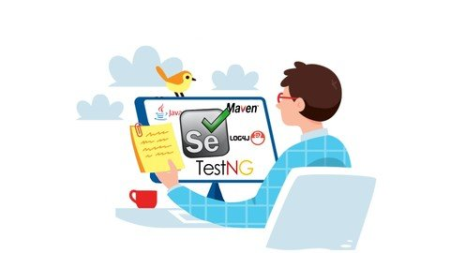
Golden test framework with Java/Selenium/TestNG/Maven/Log4j2
MP4 | Video: h264, 1280x720 | Audio: AAC, 44.1 KHz
Language: English | Size: 7.90 GB | Duration: 16h 4m
Create a robust, maintainable, reusable and friendly test framework according to the Page Object Model design pattern!​

What you'll learn
Able to build a test framework with the Intellij IDE using Java, Selenium WebDriver, TestNG, Maven and Apache Log4j2.
The skill to automate a web application according to the Page Object Model (POM) design pattern.
Enough knowledge of all the mentioned libraries to be a proficient test automation engineer!
HTML knowledge for boosting your automation skills
Some handy Java knowledge for improving your automation and implementing them in the test framework
See the description part for a complete overview!
Requirements
You dont necessarily need to have java knowledge to start this course, but its nice to have basic knowledge of programming or java. If not it will be a little harder for you but i will be explaining the basics so you will be able to follow the course.
Description
In this course i will teach you to build a test framework with IntelliJ using Java, Selenium WebDriver, TestNG, Maven and Apache Log4j2.
The course is divided in to two parts.
The first part is the lessons part. In this part I will teach you the basics of selenium, testNG and the foundations of building our framework.
Once the foundations are set we can carry on to the second part.
In the second part we will build a test framework based on automating a real website.
The framework will be built according to the Page Object Model (POM) design pattern. The POM is a concept that is used a lot to automate multiple page applications. Here we segregate the automation from our tests. This makes the framework more maintainable. Your tests will also be easier to read and will be more script based. Even a collegue with less programming experience can create some tests in this framwork.
After this course you will be able to create a whole framework for automated testing of webapplications with all its necessary components.
I will also keep updating the course with new subjects in the future.
Here is a more detailed overview of the subjects i will teach
- Enough Java knowledge to start automating
- Setting up the software needed
- Basic methods of Selenium WebDriver
- Some handy ChromeOptions
- HTML knowledge for automating web applications
- Finding elements with xpath and css
- Handle basic html elements such as dropdowns, inputfields, checkboxes,
frames, alerts, tables, lists, date pickers, switching windows, etc
- Creating handy tools with java such as a dynamic date formatter for your test cases
- Creating enums for static dropdowns and implementing them in the framework
- Integrating Maven after learning basics
- How to build a Page Object Model Designed framework
- Usage of different Assertions
- Difference between hard and soft assertions
- Implementing smart wait's
- Setup global properties file for usernames and passwords etc
- Take screenshots
- Using the JavaScript Executor
- Controlling test cases with the testNG xml
- TestNG Parameterization
- DataProvidor annotation
- Implement TestNG listeners
- Executing tests from the command line so we can link the project to a tool
for CI/CD (Continuous Integration / Continuous Delivery)
- Setting up log4j2 for logging with an xml and a properties file.
- Create new logging files after each test run
- Integrating all of above components in a working framework while teaching
Who this course is for
Everyone who wants to learn automating web applications
Test Engineers / Automation engineers
People who wants to change career















d6426a1b-a8fe-4258-8e12-d6d9abb1cb56.png

Introduction To 3D Sculpting In Blender - Model A Dragon
Genre: eLearning | MP4 | Video: h264, 1280x720 | Audio: AAC, 48.0 KHz
Language: English | Size: 7.17 GB | Duration: 6h 54m
Every step of creating your own Dragon in Blender; blocking, modelling, sculpting, rigging, painting, lighting.

What you'll learn
The fundamentals of sculpting creatures
The workflow behind making characters for games, animations or film
How to use sculpting brushes
How to quickly texture, rig and pose a creature
Description
Ready to make the mother of all Dragons? In this course, you'll create your own awesome dragon from start to finish.
The course is created at a "real time" pace, allowing you to follow along and create your dragon at the same time as the instructors without needing to stop and start the video. Nothing is skipped or speeded up, so you get to see the entire workflow.
You also get two, yes two, instructors! Working together, they discuss every step of the process and dig deep into why production artists make certain decisions. These valuable insights will be extremely useful for future projects you undertake.
The course covers blocking out, sculpting, brushes, automatic retopology, textures, painting, lighting and all the steps in between. You'll learn to rig and pose your dragon to create an impressive final render. And, you'll create a high poly model to make a great looking game-ready asset.
What you'll learn in the course...
Find and organise reference images
Insert background images
Block out the main shape
Join all the blocks into one mesh
Sculpt a basic shape with some structure
Learn the basics of Retopologizing a mesh
Add the Multi-resolution Modifier
Sculpt the fine details on object
Bake & Paint textures
Create a basic rig and pose the model
How to set up lighting and render the model
All students have access to the Q&A where our Instructors, Teaching Assistants and Community are ready to help answer your questions and cheer on your success.
So come and create your dragon now!
Who this course is for
Beginner and Intermediate Level
Game Model Designers
3D Artists
Anyone who's ever wanted to create their own dragon!
Screenshots


cfe7eb73-1e24-47c3-910b-a60462b469a4.png

Oracle Database Program with PL/SQL Exam Number: 1Z0-149 - Working with Packages
Duration: 1h 4m | Video: .MP4, 1280x720 30 fps | Audio: AAC, 48 kHz, 2ch | Size: 144 MB
Genre: eLearning | Language: English​

This course will help you acquire certification for the Oracle Database Program with PL/SQL exam number 1Z0-149. It will cover the exam objectives of working with packages in Oracle PL/SQL.
What you'll learn
This course will help you prepare for your PL/SQL certification by making you proficient with the exam objective of working with packages in PL/SQL. In this course, Oracle Database Program with PL/SQL Exam Number: 1Z0-149 - Working with Packages, you'll learn how to effectively use packages in your PL/SQL code. First, you'll look at how we can use package variables and constants in other programs and how we can use them to maintain the session state. Next, you'll see how we can use the package constants and functions in SQL. Finally, you'll explore the ACCESSIBLE BY clause which is used to restrict access to the package subprograms by other PL/SQL units. When you're finished with this course, you'll have a good knowledge of working with packages in Oracle PL/SQL, which should help you ace that section of the Oracle Database Program with PL/SQL exam number 1Z0-149.


c809bf90-d605-4e22-bc05-ce42e44c7631.png

Ubiquiti UniFi Network & Protect using Dream Machine Pro
Genre: eLearning | MP4 | Video: h264, 1280x720 | Audio: AAC, 44.1 KHz
Language: English | Size: 3.02 GB | Duration: 2h 44m
A complete setup for the UDM pro with UniFi Network and UniFi Protect

What you'll learn
Configure the UniFi Dream Machine Pro from scratch
Configure and manage UniFi Network
Configure and manage UniFi Protect
Be able to run a complete Ubiquiti UniFi network and cameras
Description
Most of network engineers work nowadays on Ubiquiti products. With UniFi Dream Machine Pro, our life has became much easier when it comes to configuring network devices. Additionally, the UDM Pro can give us possible to install to our customers cameras and manage them using UniFi Protect (in additional of UniFi Access and UniFi Talk)
For this reason, I have decided to build up a complete course to show you everything that you can do on the UDM Pro as per the UniFi Network and UniFi Protect.
That means we are going to work with Routing, Switching, VLAN, Firewall, Wireless, QOS as per the network part, then I will do a complete section speaking about how to install camera surveillance using UniFi Protect.
This course will be based on LABS - so if you wish to follow this course you should have a UDM Pro, a UniFi Switch, a UniFi AP and a UniFi camera.
Finally, if you wish to master the configuration on UDM Pro and to become a Ubiquiti expert, I highly advise you to enroll in this course so you will have a complete knowledge of configuring the UDM Pro device.
I look forward to see you in my course.
Who this course is for
Anyone interested to learn how to configure UDM Pro
Screenshots


a03411a558f90e26bb45221e4d24c66b.jpg

Sway Essential Training
LinkedIn Learning
Duration: 1h 13m | .MP4 1280x720, 30 fps(r) | AAC, 48000 Hz, 2ch | 694 MB
Genre: eLearning | Language: English​

Learn how to create and share interactive presentations, reports, and stories with Sway, the popular app included in Office 365. In this course, Gini von Courter shows how to get started using Sway, whether you're creating Sways from existing PDF or PowerPoint documents or from scratch. Gini covers how to modify the storyline, use cards, set image options, and determine navigation. She explains how to customize your style, remix your Sway, and embed rich content, including video, audio, and other content. Gini discusses ways to use the Accessibility Checker to make your Sway accessible. Plus, she goes over how to save a Sway as a template, export it, and share your Sway with colleagues and external users.
Homepage
Screenshots


5a4cbcf544aab478125f636cef280d6a.jpg

Google Cloud Platform Cloud Engineer - Associate: 3 Deploying and Implementing a Cloud Solution
LinkedIn Learning
Duration: 2h 42m | .MP4 1280x720, 30 fps(r) | AAC, 48000 Hz, 2ch | 1.88 GB
Genre: eLearning | Language: English​

If you need to learn how to deploy applications in the Google Cloud Platform (GCP), or if you're preparing for the Google Associate Cloud Engineer exam, this series of courses from ITProTV can help you. This course, the third in the series, shows you how to deploy and implement a cloud solution. Start off by learning how to create VM instances with Compute Engine. Learn how to use the Software Development Kit (SDK) to launch VMs and find out about load balancing and autoscaling. Discover how to deploy and implement the Kubernetes Engine, then deploy an application to it. Explore ways to perform detailed monitoring and logging for your Kubernetes Engine apps, and learn how to deploy and implement data solutions, network resources, solutions from the Google Cloud Marketplace, and solutions that use the Deployment Manager.
Note: This course was created by ITProTV. We are pleased to host this training in our library.
Homepage
Screenshots


b34bbcd5-9e6b-45f3-bc57-08aa85ba4056.png

Google Cloud Platform Cloud Engineer - Associate: 1 Setting Up a Cloud Solutions Environment
LinkedIn Learning
Duration: 1h 17m | .MP4 1280x720, 30 fps(r) | AAC, 48000 Hz, 2ch | 923 MB
Genre: eLearning | Language: English​

If you need to learn how to deploy applications in the Google Cloud Platform, or if you're preparing for the Google Associate Cloud Engineer exam, this series of courses from ITProTV can help you. This course, the first in the series, introduces you to the many advantages of cloud technologies and gives you an overview of the Google Cloud Platform (GCP) solution and its services. Learn about the structure of GCP customer solutions, including organizations, folders, and projects, as well as your options for user identity. Find out how to set up billing information, work with billing accounts, monitor your Google Cloud Platform spending, and manage budgets and alarms to make sure you stay on track. Then finish up with useful information on how to install and configure the powerful GCP command-line interface.
Note: This course was created by ITProTV. We are pleased to host this training in our library.
Homepage
Screenshots


Zurück
Oben Unten