• Regeln für den Video-Bereich:

    In den Börsenbereich gehören nur Angebote die bereits den Allgemeinen Regeln entsprechen.

    Einteilung

    - Folgende Formate gehören in die angegeben Bereiche:
    - Filme: Encodierte Filme von BluRay, DVD, R5, TV, Screener sowie Telesyncs im Format DivX, XviD und x264.
    - DVD: Filme im Format DVD5, DVD9 und HD2DVD.
    - HD: Encodierte Filme mit der Auflösung 720p oder darüber von BluRay, DVD, R5, TV, Screener sowie Telesyncs im Format x264.
    - 3D: Encodierte Filme von BluRay, die in einem 3D Format vorliegen. Dies gilt auch für Dokus, Animation usw.
    - Serien: Cartoon/Zeichentrick, Anime, Tutorials, Dokumentationen, Konzerte/Musik, Sonstiges sind demnach in die entsprechenden Bereiche einzuordnen, auch wenn sie beispielsweise im High Definition-Format oder als DVD5/DVD9/HD2DVD vorliegen. Ausnahme 3D.
    - Bereich Englisch: Englische Releases gehören immer in diesen Bereich.
    - Bereich Talk: Der Bereich, in dem über die Releases diskutiert werden kann, darf, soll und erwünscht ist.


    Angebot/Beitrag erstellen

    - Ein Beitrag darf erst dann erstellt werden, wenn der Upload bei mindestens einem OCH komplett ist. Platzhalter sind untersagt.
    - Bei einem Scenerelease hat der Threadtitel ausschließlich aus dem originalen, unveränderten Releasenamen zu bestehen. Es dürfen keine Veränderungen wie z.B. Sterne, kleine Buchstaben o.ä. vorgenommen werden. Ausnahme Serienbörse:
    - Bei einem Sammelthread für eine Staffel entfällt aus dem Releasename natürlich der Name der Folge. Beispiel: Die Simpsons S21 German DVDRip XviD - ITG
    - Dementsprechend sind also u.a. verboten: Erweiterungen wie "Tipp", "empfehlenswert", "only", "reup", usw. / jegliche andere Zusatzinformation oder Ergänzung, welche nicht in obiger Beschreibung zu finden ist.

    Aufbau des Angebots und Threadtitel

    Der Titel nach folgendem Muster erstellt zu werden. <Name> [3D] [Staffel] [German] <Jahr> <Tonspur> [DL] [Auflösung] <Quelle> <Codec> - <Group>
    Beispiel: The Dark Knight German 2008 AC3 DVDRip XviD - iND
    Beispiel: The Dark Knight 2008 DTS DL BDRip x264 - iND
    Beispiel: The Dark Knight 2008 AC3 DL BDRip XviD - iND
    Beispiel: The Dark Knight German 2008 AC3 720p BluRay x264 iND
    Beispiel: The Dark Knight 2008 DTS DL 1080p BluRay x264 iND
    Beispiel: Die Simpsons S01 German AC3 DVDRip XviD iND
    Beispiel: Die Simpsons S20 German AC3 720p BluRay x264 iND
    Beispiel: Sword Art Online II Ger Sub 2014 AAC 1080p WEBRip x264 - peppermint
    Entsprechend sind also u.a. verboten: Sonderzeichen wie Klammern, Sterne, Ausrufezeichen, Unterstriche, Anführungszeichen / Erweiterungen wie "Tipp", "empfehlenswert", "only", "reup", usw. / jegliche andere Zusatzinformation oder Ergänzung, welche nicht in obiger Beschreibung zu finden ist
    Ausnahmen hiervon können in den Bereichen geregelt sein.

    Die Beiträge sollen wie folgt aufgebaut werden:
    Überschrift entspricht dem Threadtitel
    Cover
    kurze Inhaltsbeschreibung
    Format, Größe, Dauer sind gut lesbar für Downloader außerhalb des Spoilers zu vermerken
    Nfo sind immer Anzugeben und selbige immer im Spoiler in Textform.
    Sind keine Nfo vorhanden z.B. Eigenpublikationen, sind im Spoiler folgende Dateiinformationen zusätzlich anzugeben :
    Quelle
    Video (Auflösung und Bitrate)
    Ton (Sprache, Format und Bitrate der einzelnen Spuren)
    Untertitel (sofern vorhanden)
    Hosterangabe in Textform außerhalb eines Spoiler mit allen enthaltenen Hostern.
    Bei SD kann auf diese zusätzlichen Dateiinformationen verzichtet werden.

    Alle benötigten Passwörter sind, sofern vorhanden, in Textform im Angebot anzugeben.
    Spoiler im Spoiler mit Kommentaren :"Schon Bedankt?" sind unerwünscht.


    Releases

    - Sind Retail-Release verfügbar, sind alle anderen Variationen untersagt. Ausnahmen: Alle deutschen Retail-Release sind CUT, in diesem Fall sind dubbed UNCUT-Release zulässig.
    - Im Serien-Bereich gilt speziell: Wenn ein Retail vor Abschluss einer laufenden Staffel erscheint, darf diese Staffel noch zu Ende gebracht werden.62
    - Gleiche Releases sind unbedingt zusammenzufassen. Das bedeutet, es ist zwingend erforderlich, vor dem Erstellen eines Themas per Suchfunktion zu überprüfen, ob bereits ein Beitrag mit demselben Release besteht. Ist dies der Fall, ist der bereits vorhandene Beitrag zu verwenden.
    - P2P und Scene Releases dürfen nicht verändert oder gar unter einem iND Tag eingestellt werden.


    Support, Diskussionen und Suche

    - Supportanfragen sind entweder per PN oder im Bereich Talk zu stellen.
    - Diskussionen und Bewertungen sind im Talk Bereich zu führen. Fragen an die Uploader haben ausschließlich via PN zu erfolgen, und sind in den Angeboten untersagt.
    - Anfragen zu Upload-Wünschen sind nur im Bereich Suche Video erlaubt. Antworten dürfen nur auf Angebote von MyBoerse.bz verlinkt werden.


    Verbote

    - Untersagt sind mehrere Formate in einem einzigen Angebotsthread, wie beispielsweise das gleichzeitige Anbieten von DivX/XviD, 720p und 1080p in einem Thread. Pro Format, Release und Auflösung ist ein eigener Thread zu eröffnen.
    - Grundsätzlich ebenso verboten sind Dupes. Uploader haben sich an geeigneter Stelle darüber zu informieren, ob es sich bei einem Release um ein Dupe handelt.
    - Gefakte, nur teilweise lauffähige oder unvollständige Angebote sind untersagt. Dies gilt auch für eigene Publikationen, die augenscheinlich nicht selbst von z.B. einer DVD gerippt wurden. Laufende Serien, bei denen noch nicht alle Folgen verfügbar sind, dürfen erstellt und regelmäßig geupdatet werden.
    - Untersagt sind Angebote, welche nur und ausschließlich in einer anderen Sprache als deutsch oder englisch vorliegen. Ausnahmen sind VORHER mit den Moderatoren zu klären.


    Verstoß gegen die Regeln

    - Angebote oder Beiträge, die gegen die Forenregeln verstoßen, sind über den "Melden"-Button im Beitrag zu melden.
  • Bitte registriere dich zunächst um Beiträge zu verfassen und externe Links aufzurufen.

*** Bestes IPTV *** bester Preis *** gratis Test ***


Englische Tutorials

148c8c070917531ff84288ae421e8b69.jpg

Basics of C# - Crash Course Tutorial
Genre: eLearning | MP4 | Video: h264, 1280x720 | Audio: AAC, 44.1 KHz
Language: English | Size: 637 MB | Duration: 1h 16m
Learning C sharp quickly

What you'll learn
This course will start from very basics of C#
We will practically demonstrate topics
Its a crash course to get started
This will let you practically implement concepts
Description
C# is pronounced "C-Sharp".
It is an object-oriented programming language created by Microsoft that runs on the .NET Framework.
C# has roots from the C family, and the language is close to other popular languages like C++ and Java.
The first version was released in year 2002. The latest version, C# 8, was released in September 2019.
I am a 10+ years of experienced Full stack developer and have huge experience on working all frameworks of Dot Net using C#. I am a Microsoft certified Developer and presenting you this crash course on c# if you wish to quick learn the concepts of C# in a much faster and quicker and quality way.
This tutorial will teach you the basics of C# in a much faster way and practically demonstrating the concepts as we go on through each topics one by one.
We will start with the very basic introduction and datatypes and will go to few advanced concepts too and in a much more quicker way of learning . We will also tell you the important topics behind loops and statements.
After the course you can start coding in C# assuming you already know CPP and basic of C Language
Screenshots


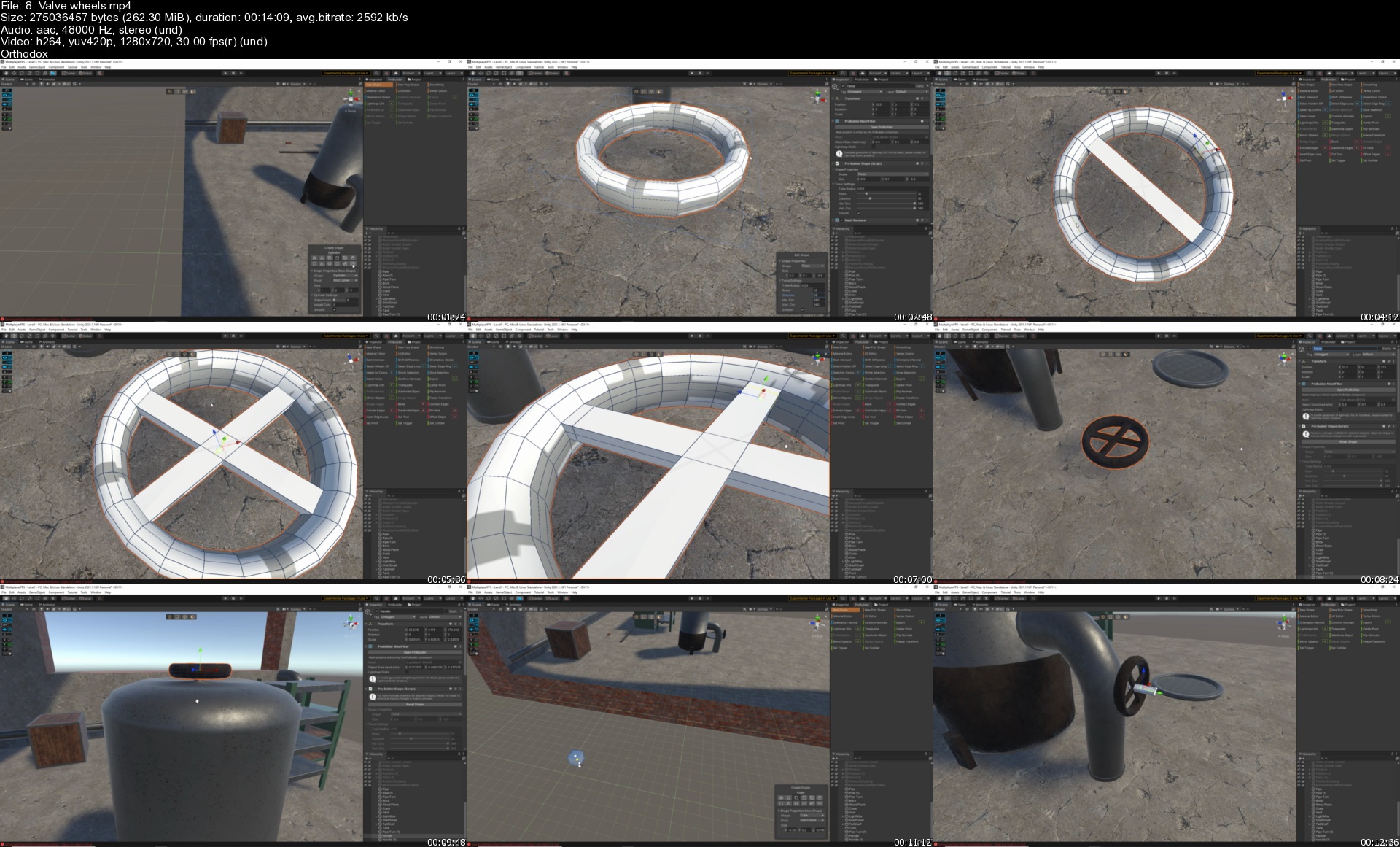
Unity Pro Builder Warehouse

44273826f4622gjez.jpg


Unity Pro Builder Warehouse
MP4 | Video: h264, 1280x720 | Audio: AAC, 44.1 KHz, 2 Ch
Genre: eLearning | Language: English + srt | Duration: 91 lectures (15h 34m) | Size: 16.4 GB

Professional 3D editing studio inside of Unity


What you'll learn
Learn 3D modelling directly inside of Unity
Professional approach to using Pro Builder
Create modular assets for your games
Learn to setup textures for your 3D models
Modular layouts of your 3D assets
Professional post production and light baking

Requirements
A computer capable of running Unity 2021


Description
In this course I am going to be showing you how to use Unity Pro builder to create a modular warehouse building.

Pro builder is a free 3D design package, much like Blender or Maya that you can use directly inside of Unity.

I will be taking you through the process of modelling and texturing individual modular items that can later be pieced together to build larger assets for your games.

I will be showing you a professional workflow for setting everything up from a blank scene through to a completed project.

Once we have built all of the modular objects I will then show you the process of snapping items together to build a final piece. Because the items are modular it means you can lay them out in any way you want. So you can build lots of different levels just using the same pieces.

We will then cover the process of baking light maps and adding post process effects to build a AAA quality scene.

By the end of this course you will be really confident using Pro builder and you will have developed the skills to go onto design your own 3D assets for your games directly in Unity.

So, why not enrol today and I look forward to seeing you in my course.

Homepage


8.valvewheelsszykip.jpg


6854033a516ac8b34143260b01c97de1.jpg

Essential Git & GitHub -Project Management & Version Control
Genre: eLearning | MP4 | Video: h264, 1280x720 | Audio: AAC, 48.0 KHz
Language: English | Size: 1.99 GB | Duration: 5h 26m
Learn the complete Git & GitHub environment & master managing your projects and your team like a professional developer!

What you'll learn
Learn everything you need to work with Git, from repositories, commits, branches, push and pull requests and much more
Understand the in & outs of Git and how it works behind the scenes from understanding local & remote as well as local-tracking & remote-tracking branches
Become a efficiently projects manager with Git & GitHub by managing your teams pull requests and comparing different branches of the project
Create and publish your own website on GitHub using GitHub Pages
Learn to collaborate with projects via Git & GitHub and contribute to open source repositories
Description
What is Version Control?
What is Git?
What is GitHub?
Why Should I learn Git and GitHub ?
All this questions are answered here.
Git and GitHub are essential tools that sooner or later each developer needs to learn.
Hi! My name is Norbert and this is my Git and GitHub for complete beginners course.
Eider you are a freelancer or work at a company the probabilities that you will collaborate with others on a project or multiple projects, are prate hi to most certain. Even if you go full lonely wolf you still need some sort of backup, redundancy, version control and remote repository system.
No matter if you're just getting started with (web) development, or applying for a developer job or if you just need to refresh your knowledge on Git and GitHub, version control and version management are a core skills and a must know for all developers.
The best toll on the market for version control are Git and GitHub, and they are the most popular version management and repository systems. Also the synergy between Git and GitHub makes them a reliable source for remote work. Also combining them with Microsoft Visual Studio Code will increase your development speed.
This course will guide you from a complete beginner with 0 knowledge of Git and GitHub, to be confident and efficient when working with version control and version management systems.
Prier Knowledge?
Absolutely No prier knowledge is required.
What will you learn ?
Essential Mac and Windows terminal commends for
Accessing files and directories using the Mac Terminal and Windows cmd
Creating and Deleting files and directories using the Mac Terminal and Windows cmd
Flagging files and directories using the Mac Terminal and Windows cmd
Copying, Renaming and Moving files and directories using the Mac Terminal and Windows cmd
What is Git and version management
How Git works and how to install git on Mac and PC
How to create a repository in git
How to add, commnit and log your commits to a git repository
What are branches, how to create, merge and delete branches
How .gitignore works
What is GitHub remote control
How git and GitHub work together
How to go from a local repository to a remote repository
How to create a GitHub Account, and your first Remote repository
How to connect and pushing to your repository, also log your pushing history and branches
What are Remote and local tracking branches
How to create a local tracking branch
From Local-Remote Workflow important commands
From Remote to local repositories with "Cloning"
What is the upstream, branches with and without
How to delete branches and public commits
How GitHub collaboration works
What the difference between Public and Privat Repositories is
How to change a Public to a private repository and back
How to Fork a repository
How to create a pull request, accepting and merging the pull request to the main branch
How to add and remove collaborators from a repository
How to contribute to open source projects and repositories
How you can host your websites on GitHub
What is GitHub Pages and how it works
How to create a website using GitHub pages
What is a static site generator and how to create a static website and host it on GitHub
How to add more content to a website by adding multiple pages
How to publish and unpublish your website using GitHub Pages.
Real World Projects
Create and contribute to a modern-landing-page repository
Contribute to the BarniCoin-Blockchain (NOT A REAL BLOCKCHAIN)
Who this course is for
Beginner or Web developers
Front End Web Developers
Back End Web developers
Full Stack Developers
Project managers
Screenshots











 
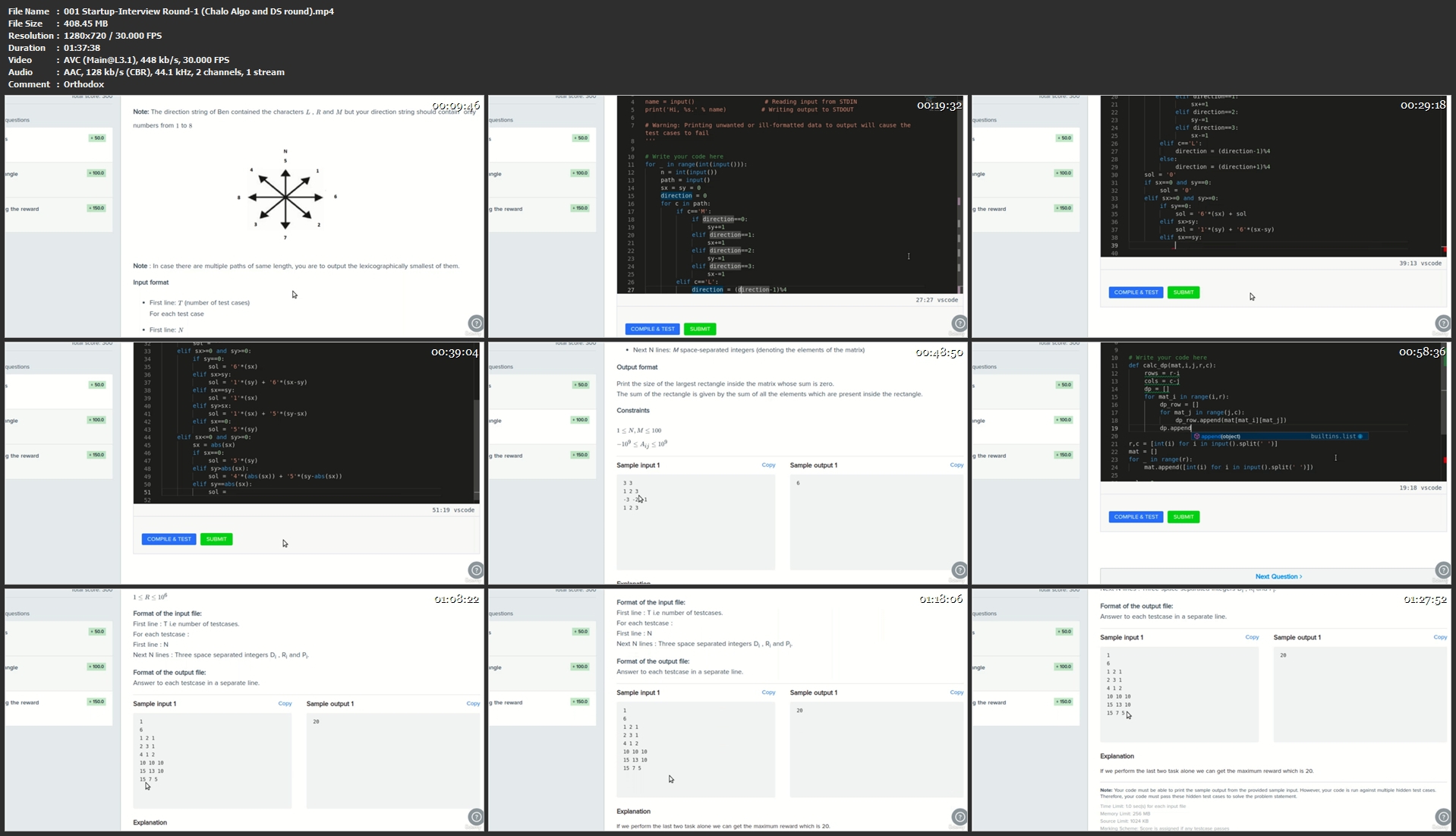
Live Interview Sessions from FAANG and Startups

8qweqzcxnf8zwoqlkjjzsewkkq.jpg


Live Interview Sessions from FAANG and Startups
MP4 | Video: h264, 1280x720 | Audio: AAC, 44.1 KHz
Language: English | Size: 17.8 GB | Duration: 41h 18m

Watch this course and join your dream Company


What you'll learn
Interview Preparation
Pressure handling in a live interview
Questions asked in a Technical Inteview
Ability to think and reach to a optimal solution
Requirements
Computer Science Basics

Description
I also provide 1:1 coaching for interview preparation, you can contact me via whatsapp, +919064050663. Charges are very reasonable and you will definitely learn a lot in the coaching in terms of problem solving.

This course includes live recorded sessions of virtual interviews (yes, it is live interviews) from various FAANG companies and Startups.

If you enroll, you will know, what type of questions are asked. How pressure is handled during the interview. How the interviewer escalates the level of difficulty of problems. How important is it to write optimized code.

The interviews taken in this course are location independent as you would find some interviews are taken by Zurich Google Engineer and some by a Senior Developer at Amazon Bangalore(India). It is a proper blend of content, which will definitely benefit any one from any geography, coming from a Software Engineering background.

The Course will also be regularly updated based on new content.

It is highly recommended for Final year Engineering Graduates and Job Seekers out there to enroll in this course.

It will definitely boost your confidence to appear for a Software Engineer interview, in any MNCs.

Several types of Questions like Algorithm and Data Structures, System Design, and various other Programming related problems are covered in this course.

This course will encourage you to do more of problem solving and become a good developer / engineer.

In my past experience of my career I have given a lot of interviews and solved a bunch of complex problems. Among all of them I have selected couple of them and put them into this course.

See you on the other side of this course...


Who this course is for:
Any Software Engineer or Developer looking to join a Company

Homepage


001startupinterviewro9skt1.jpg


06bbe6504f5f0c2ba61a038840b74772.jpg

Udemy - Excel for Data Science and Machine Learning
Genre: eLearning | MP4 | Video: h264, 1280x720 | Audio: AAC, 48.0 KHz
Language: English | Size: 1.44 GB | Duration: 3h 14m
Perform Machine Learning and Advanced Statistical Analysis On Your Own - Even If You Don't Code! 100% in Excel

What you'll learn
How to Perform Machine Learning Techniques on Your Own - No Coding Skills Required
How to Use Excel for Advanced Statistical Analysis
Linear regression
Multiple Linear Regression
Logistic Regression
Cluster Analysis
K-Means Clustering
Decision Trees
Fundamental Statistical Concepts
Description
Why learn machine learning and data science in Excel?
Do data scientists and data analysts need Excel at all?
The answer is a resounding "Yes, they do!"
Few people in an organization can read a Jupyter Notebook, but literally everyone is familiar with Excel. It provides direct, visual insight that allows even a beginner to understand the most common machine learning methods, and it is naturally suited to data preparation.
Moreover, the simplicity of Excel lowers barriers to entry and allows you to undertake your own data analysis right away.
Even if you are not a computer science graduate who is able to code in Python, this course will teach you how to perform machine learning and advanced statistical analysis on your own.
You will be able to understand the intuition behind ML algorithms without having to code at all. Excel is the perfect environment to grasp the logic of different machine learning techniques in an easy-to-understand way.
So, if you don't know how to code, but you want to learn data science, statistical analysis, and machine learning, and you aspire to become a data analyst or data scientist, this would be a great place to start.
Machine learning methods we will cover in the course
Linear regression
Multiple Linear Regression
Logistic Regression
Cluster Analysis
K-Means Clustering
Decision Trees
You will learn fundamental statistical and machine learning concepts such as
Regression coefficients
Variability
OLS assumptions
ROC curve
Underfitting
Overfitting
Difference between classification and clustering
How to choose the number of clusters
How to cluster categorical data
When to standardize data
Pros and Cons of clustering
Entropy (Loss function)
Information gain
As you can see, this course aims to teach you the foundations of machine learning and advanced statistical analysis. We will do that in a software that is easy to understand to ensure you have acquired the theoretical knowledge before leveraging the advanced frameworks available in Python.
So, if you are passionate about machine learning but you don't know how to code, then this course is the perfect opportunity for you. Click 'buy now', get excited, and begin your ML journey today!!
Who this course is for
You Should Take This Course If You Want to Understand Machine Learning Fundamentals
Don't Know How to Code but You Want to Perform Machine Learning On Your Own? This Is the Perfect Course for You
This Course Is Great If You Aspire to Become a Data Analyst or a Data Scientist
Screenshots


187517e45e1fc5ae8d4a76a0e79cc5a1.jpg

Mining and Analyzing LinkedIn Data
Genre: eLearning | MP4 | Video: h264, 1280x720 | Audio: AAC, 44.1 KHz
Language: English | Size: 2.29 GB | Duration: 6h 18m
Apply Data Science and Artificial Intelligence techniques to extract and analyze your LinkedIn network

What you'll learn
Extract data from your LinkedIn profile using the LinkedIn API and .csv files
Extract and analyze the connections between users, invitations, and text messages
Generate fake usernames to mask real information
Explore and view data related to your contacts' companies and job titles
Use edit Levenshtein distance, n-gram similarity and Jaccard distance to measure similarity between strings
Cluster contacts based on similarity between positions, as well as generate HTML views to improve data presentation
Use location APIs to extract latitude and longitude of contacts, in order to capture the city and country of lives
View the location of contacts dynamically with Google Earth and the Basemap library
Cluster contacts using the k-means algorithm
Apply natural language processing techniques to analyze your LinkedIn text messages
Generate word cloud to view the most frequent terms
Extract name entities from text messages
Create a sentiment classifier to extract the polarity of the LinkedIn text messages
Requirements
Programming logic
Basic Python programming
No LinkedIn knowledge is necessary
Description
LinkedIn is a social network focused on professional experience in order to generate connections and relationships between professionals from different areas. Professionals can provide profissional skills and search for jobs by connecting with people around the world. For example, if you would like to work with Data Science you can connect with companies and people who work in this field, increasing your chances of getting a job. On the other hand, companies are able to search for candidates according to the curriculum and skills provided by users. In 2017, LinkedIn established itself as the largest business platform and an important strategic tool for both professionals and companies.
It is important that professionals know how to use the data of this social network in their favor. LinkedIn provides some datasets related to your profile, in which it is possible to apply Data Science and Analysis techniques to extract important and interesting insights about our network of connections. We can answer questions like this: What are the main positions of the people who are connected to us? Which companies are sending invitations to our profile? What is the location of our contacts? Is our LinkedIn network made up of people and companies related to our job? Are the companies I want to work for sending invitations to my profile? These and other questions can be answered during this course, so you can analyze if your network is in line with what you want professionally. Below you can see the main topics that will be implemented step by step
Extract data from your LinkedIn profile using the LinkedIn API and .csv files. If you do not have LinkedIn, you will be able to follow the course using the data about my profile
Extract and analyze connections between users, invitations and text messages
Generate fake data to mask real information
Explore and visualize data related to your contacts' companies and job titles
Use Levenshtein distance, n-gram similarity and Jaccard distance to measure similarity between strings
Cluster contacts based on similarity between positions, as well as generate HTML views to improve data presentation
Use location APIs to extract latitude and longitude of contacts to capture the city and country they live
View the location of contacts dynamically with Google Earth and the Basemap library
Cluster contacts using k-means algorithm
Apply natural language processing techniques to analyze your LinkedIn text messages
Generate word cloud to view the most frequent terms
Extract named entities from your text messages
Create a sentiment classifier to extract the polarity from LinkedIn messages
During the course, we will use the Python programming language and Google Colab, so you do not need to spend time installing the stuff on your own machine. You will be able to follow the course with a browser and an Internet connection! This is the best course if this is your first contact with social media data analysis!
Who this course is for
Anyone interested in data analysis using social media data
People interested in applying Artificial Intelligence and Data Science techniques to data extracted from social networks
People interested in extracting data from social networks
Undergraduate students who are studying subjects related to Artificial Intelligence, Data Science or Data Analysis
People who want to get to know their LinkedIn contacts better


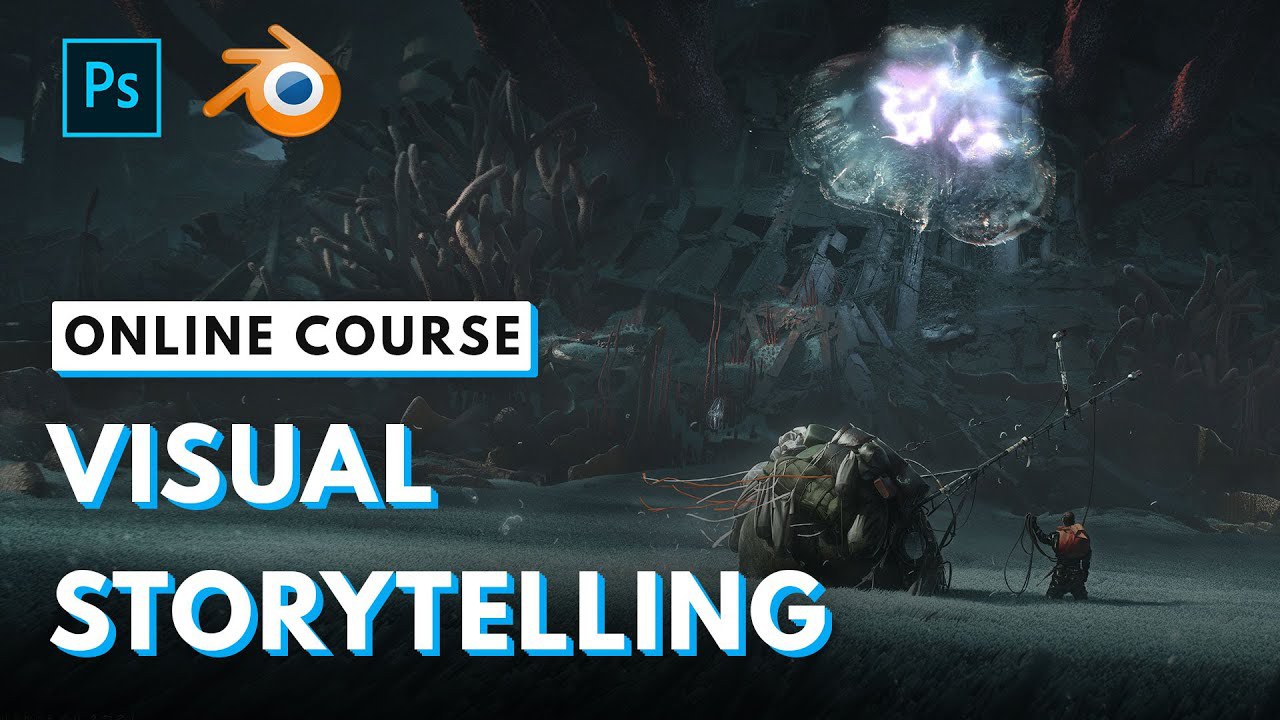
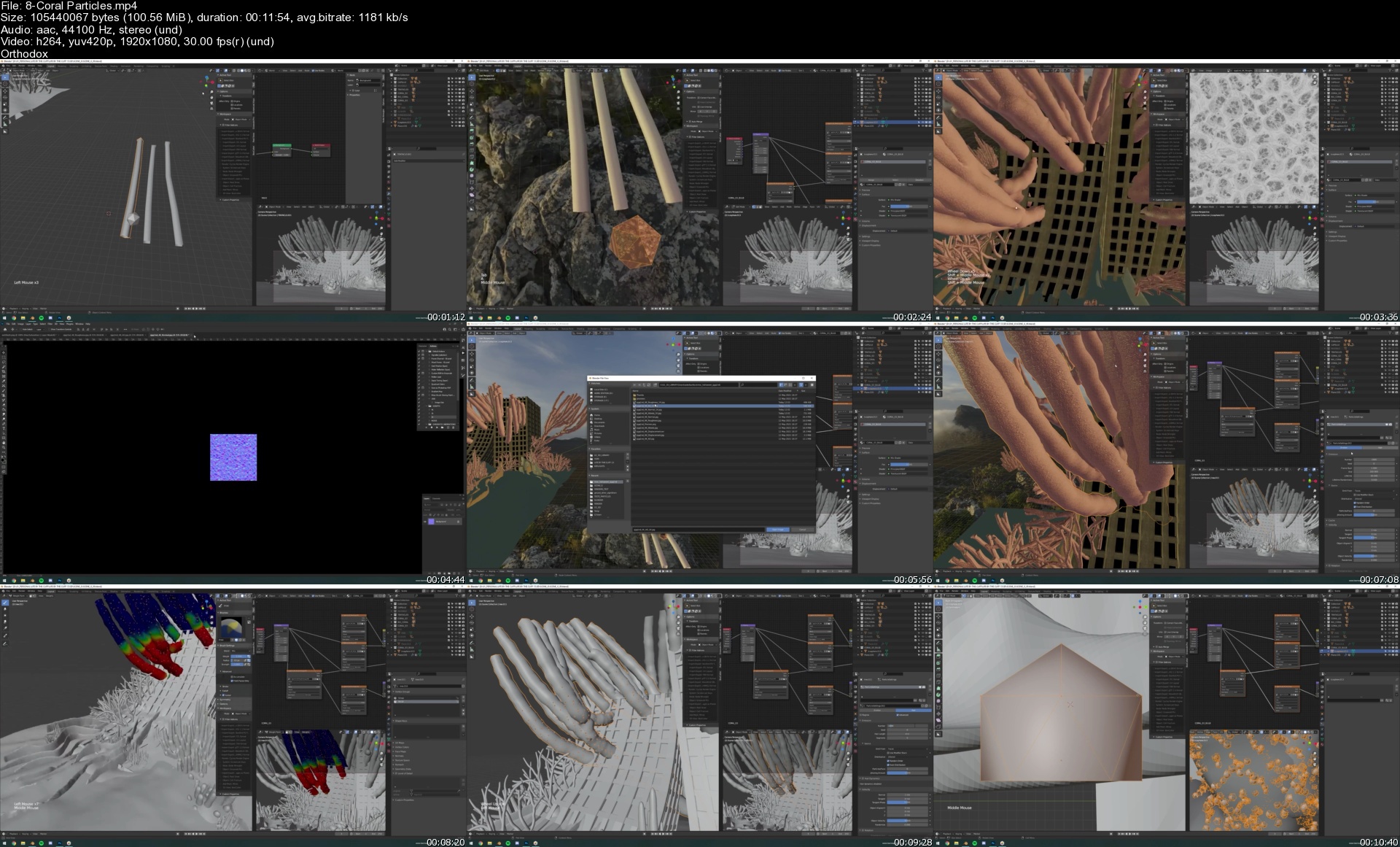
Visual Storytelling with Romain Jouandeau

maxresdefault6ljxy.jpg


Visual Storytelling with Romain Jouandeau
Learn Squared
Duration: 8 hrs & 29 mins | 74 Lectures | Video: 1920x1080, 48kHz | 13.31 GB
Genre: eLearning | Language: English

Turn your stories into concept art.
Learn modern concept art techniques from one of the industry's leading artists. AAA video game concept artist Romain Jouandeau will teach you everything you need to know to create a series of dynamic concept art keyframes using Blender and Photoshop in his unique style.

Our students are badasses.
After signing up for our courses, many of our students have broken into the industry, leveled up their skills, and got hired for their dream jobs. With over 15,000 students from around the world, you'll be in good company.

Start learning for free.
Not sure which course is for you? As a member of Learn Squared, you'll get free access to the first lesson of every course to try before you're ready to buy. Sign up now to get instant access and start learning today.

Lesson 1
Telling a Story
This lesson will take you through the initial ideation process, helping you to find the main concept for your story. You'll gather references, sketch out various ideas, and finally create a set of thumbnails which will guide your paintings as you continue forward.

59 mins
16 Lectures

Lesson 2
Building Props
In order to save time in the painting process, you'll create your scene's main props in 3D. Romain will show you various blocking and texturing techniques, as well as more advanced concepts like simulating cloth and complex shapes. After everything is complete, you will render images to bring into Photoshop.

2 hrs & 4 mins

Lesson 3
Painting
Now it's time to bring everything into Photoshop. You'll integrate your 3D model with various photobashing, texturing, lighting and painting techniques to give it a much higher level of detail. The rest of your scene will be constructed using these same methods to bring everything to the same quality standard. By the end of this lesson, all your images without 3D backgrounds will be complete.

1 hr & 44 mins

Lesson 4
3D Scenery
Now you will focus on any paintings which require a 3D background. In this lesson, you'll model your entire scene and prepare it for the painting stage. Romain will demonstrate several time-saving and image-enhancing concepts which will help you to create beautiful work in a fraction of the time.

1 hr & 26 mins

Lesson 5
Balancing the Scene
In this lesson, you will finish your final paintings. Using the 3D environment you've built, you will now photobash and paint your most complex scenes. Romain will also go through post-processing concepts, and show you how to balance all your scenes together from a bird's-eye view. At the end of this lesson, all of your paintings will be complete.

2 hrs & 13 mins

8coralparticless6vkwq.jpg


e47f8fae41c7984ce6686e0e303e8c62.jpg

Mainframe DFSORT/SYNCSORT
Genre: eLearning | MP4 | Video: h264, 1280x720 | Audio: AAC, 48.0 KHz
Language: English | Size: 597 MB | Duration: 2h 24m
Want to get started with Mainframe SORT utility to enhance your ability with data and file processing? Do this course!

What you'll learn
How to use Mainframe SORT utility (DFSORT/SYNCSORT)
Understand data handling and manipulation using SORT
Reformatting data in Mainframe using SORT
Filtering data using SORT utility
Report creation using SORT utility
Description
What Will I Learn?
You will be learning basics of SORT utility and understanding it's usage. We will be giving you full details on all highly used SORT keywords that will help you to process file/data with ease. The course covers basics of SORT along with real data examples for each keyword. Along with this some frequently required data processing requirements are covered with examples.
How and where SORT knowledge will come in handy?
SORT knowledge does help in reducing efforts required with file/data manipulation. A number of data related actions such as sorting, filtering, manipulation, formatting, reformatting etc can be completed using SORT utility with minimal efforts.
As the SORT utility is fully developed, scope of it is very large. For a number of file/data requirement can be achieved with few lines of SORT statement instead of writing 1000 lines of COBOL code. Having knowledge of SORT will help you performing your daily tasks more efficiently.
By taking this course you will feel confident to use SORT utility and perform different data handling actions.
Course content is as follows
Overview of SORT Utility
SORT Basics
SORT Syntax
SORT Keywords
SORT FIELDS Keyword
MERGE FIELDS Keyword
Skipping Records (SKIPREC/STOPAFT)
INCLUDE Keyword
OMIT Keyword
INREC - BUILD/FIELDS
INREC - OVERLAY
INREC - FINDREP
INREC - IFTHEN
OUTREC - BUILD/FIELDS
OUTREC - OVERLAY
OUTREC - FINDREP
OUTREC - IFTHEN
JOIN KEYS
Arithmetic Operations using SORT
HEADER/TRAILER Keyword
Report creation using SORT
Transforming Data
VB/FB file conversion and VB File handling
Prerequisites?
Basic Mainframe knowledge
Basic JCL knowledge
Who this course is for
Mainframe Developers
Mainframe Tech Leads
Mainframe Architect
Screenshots


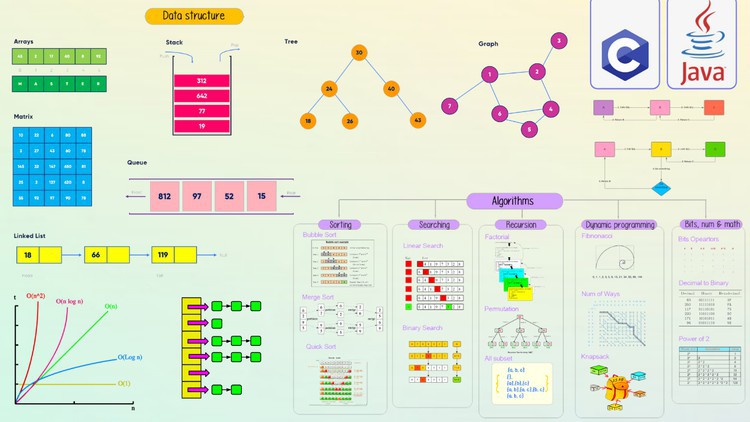
The Complete Data Structures & Algorithms Course in C & Java

4427544914e4xgkg4.jpg


The Complete Data Structures & Algorithms Course in C & Java
MP4 | Video: h264, 1280x720 | Audio: AAC, 44.1 KHz, 2 Ch
Genre: eLearning | Language: English + srt | Duration: 250 lectures (31h 17m) | Size: 6.2 GB

Master the Coding Interview: Data Structures + Algorithms with fully animated videos and over 108 real life problems


What you'll learn
Master coding interviews given by some of the top tech companies
Learn, implement, and use different Data Structures
Become a better developer by mastering tricky Data Structures and Algorithms
Learn, implement and use different Algorithms
Become more confident and prepared for your next coding interview
Professionally handle offers and negotiate raises

Requirements
No experience with data structures or algorithms needed
Your notebook and your brain


Description
Want to land a job at a great tech company like Google, Microsoft, Facebook, Netflix, Amazon, or other companies but you are intimidated by the interview process and the coding questions? Do you find yourself feeling like you get "stuck" every time you get asked a coding question? This course is your answer. Using the strategies, lessons, and exercises in this course, you will learn how to land offers from all sorts of companies.

Many developers who are "self taught", feel that one of the main disadvantages they face compared to college educated graduates in computer science is the fact that they don't have knowledge about algorithms, data structures and the notorious Big-O Notation. Get on the same level as someone with computer science degree by learning the fundamental building blocks of computer science which will give you a big boost during interviews. You will also get access to our private online chat community with thousands of developers online to help you get through the course.

Here is what you will learn in this course:

1. Big O notation
2. Data structures:
* Arrays
* Hash Tables
* Singly Linked Lists
* Doubly Linked Lists
* Queues
* Stacks
* Trees (BST, AVL Trees, Binary Heaps)
* Tries
* Graphs

3. Algorithms:

* Recursion
* Sorting
* Searching
* Tree Traversal
* Breadth First Search
* Depth First Search
* Dynamic Programming

Unlike most instructors, I am not a marketer or a salesperson. I am a senior developer and programmer who has worked and managed teams of engineers and have been in these interviews both as an interviewee as well as the interviewer.

My job as an instructor will be successful if I am able to help you become better at interviewing and land more jobs. This one skill can really change the course of your career and I hope you sign up today to see what it can do for your career!

Taught by:

Abbass Masri is the instructor of the highest rated Android App Development course on Udemy as well as one of the fastest growing. His graduates have moved on to work for some of the biggest tech companies around the world like Apple, Google, JP Morgan, IBM, etc...

Also, he is running a successful app on playstore that teaches around 1,000,000 users coding in many languages like: Android, Java, C++, Python, Arduino, and more.. Please check it here on playstore: "Master Coding App"

Abbass promises you that there are no other courses out there as comprehensive and as well explained. He believes that in order to learn anything of value, you need to start with the foundation and develop the roots of the tree. Only from there will you be able to learn concepts and specific skills(leaves) that connect to the foundation. Learning becomes exponential when structured in this way.

Who this course is for
Self-taught programmers
Computer science student
anyone preparing for coding interviews

Homepage


7.exercise74stackimplnmkpw.jpg


AfhLHeHSiElngis2cQ1VR2w9yGQlyZx4.jpg

Oracle Database and ELK Stack - Data Visualization
Genre: eLearning | MP4 | Video: h264, 1280x720 | Audio: AAC, 44.1 KHz
Language: English | Size: 509 MB | Duration: 1h 13m
Visualize Oracle Database using Elasticsearch, Kibana and Logstash. Hands-On Training

What you'll learn
Configuring ELK Stack from the beginning
AWS RDS for Oracle
GCP Compute Engine Service
Logstash Configuration File
Oracle DB connectivity using Logstash
Data Visualization using Kibana
Oracle HR schema data Visualization
Description
To take advantage of the powerful search capabilities offered by Elasticsearch, many businesses will deploy Elasticsearch alongside existing relational databases. It will likely be necessary to keep Elasticsearch synchronized with the stored data in the associated relational database in such a scenario. (Source: Official Elastic Documentation)
This course will see how we can visualize RDBMS data using elk stack, and we will use Kibana to create beautiful visualizations and dashboards. We are going to do everything from scratch.
After completing this course, you'll get an idea that ELK is not only used for logging purposes but can be used for visualizing RDBMS data. Additionally, I will use AWS RDS, GCP Compute Engine, AWS S3 in the course. I'm sure you'll have fun learning these sessions.
"ELK" is the acronym for three open source projects: Elasticsearch, Logstash, and Kibana. Elasticsearch is a search and analytics engine. Logstash is a server‑side data processing pipeline that ingests data from multiple sources simultaneously, transforms it, and then sends it to a "stash" like Elasticsearch. Kibana lets users visualize data with charts and graphs in Elasticsearch.
The Elastic Stack is the next evolution of the ELK Stack. Oracle database products offer customers cost-optimized and high-performance versions of Oracle Database, the world's leading converged, multi-model database management system, as well as in-memory, NoSQL and MySQL databases.
Who this course is for
Software Developers
Data analyst
Managers
Screenshots



4ab6215c651ae40630a62355c1cc6f4b.jpg

The Complete SQL Course with MySQL Database - Learn by Doing 2022
Genre: eLearning | MP4 | Video: h264, 1280x720 | Audio: AAC, 44.1 KHz
Language: English | Size: 3.0 GB | Duration: 10h 5m
Master SQL and Database Design - Learn SQL for Advanced Data Analysis, Data Analytics, Business Intelligence, and more

What you'll learn
How to write MySQL queries for Data Analysis
How to query multiple tables using different types of joins
How to use MySQL Workbench
Actually practice writing SQL by solving challenges throughout the course
Write subqueries and use window functions
Aggregate data using GROUP BY
Learn the different set operators
Obtain a knowledge of SQL, and MySQL, allowing you to apply for jobs in the IT sector.
create and update database objects such as tables
Master unique tips and case studies that you won't find anywhere else
Requirements
No prior experience is required. We will start from the very basics
Description
Learn how to write accurate and efficient SQL like a professional!
In this course, you will learn how to both read and write complex SQL queries in a relational database (MySQL). The skills you will learn are also largely applicable to any other major database system, such as PostgreSQL, Oracle Database, SQL Server, and much more.
Knowing how to write SQL is one of the fastest ways to reach your career goals. This is because SQL is consistently one of the most in-demand skill in the tech and business sectors. This is because people who can work with data and manipulate it efficiently will be in high demand for many years to come. SQL allows you to be independent at work. It gives you the freedom to immediately get the answers to the questions you want to ask.
SQL can seem simple at first but it can quickly become complicated. It is common for people to a write SQL query without realizing they are getting an incorrect result returned. This course is designed with a focus on accuracy and understanding.
You will learn how to avoid the common mistakes people make when writing SQL. Not only that.. but you will get a visual guide to the SQL language by seeing how queries work step-by-step. This is a complete course which covers all the core skills you need to master the SQL language.
I believe that the best way to learn SQL is by writing lots of SQL. For that reason, this course includes over 80 coding challenges where you get to write SQL queries and create database objects such as tables and stored procedures. These challenges are based on real-world scenarios and are designed for optimal understanding.
In this course you will learn everything you need to master SQL! Including
· Get started with MySQL Database and MySQL workbench, two of the world's most popular SQL tools
· Learn how to do data analysis and data analytics using SQL. Including advanced query techniques
· Start by learning the fundamentals of the relational model and the SQL language
· Analyzing data using aggregate functions with the GROUP BY command
· Writing advanced queries with string and date functions
· Learn to use logical operators to add logic flow to your SQL queries
· Learn how to write both self-contained and correlated sub queries.
· Learn how to do calculations across partitioned rows using window functions.
· Learn how to join data by using the different types of JOIN commands
· Learn how to do more advanced joins such as joining more than two tables and joining on multiple columns
· Learn to create tables and integrity constraints
· How to update, insert and delete data
· Learn about transactions in MySQL
· Learn to write advanced SQL such as stored procedures, window functions, and common table expressions
· Understand and Apply Database Design - Learn how to structure your data correctly in a relational database. This section includes data normalization up to and including Boyce-Codd Normal Form
· and much, much more!
This course is one that puts you in control, where you get to write SQL throughout the course, instead of watching someone else code. Build your skill level with fresh challenges, modeled after real-world tasks and situations.
Other Course Benefits
- The SQL code in the course is written beforehand. This is in contrast to code-along courses where a lot of time is spent watching someone else type code. In other words, this course values your time!
- Business-centered content: I teach you how SQL is being used for business intelligence and data analytics.
- Exclusive topics: This course covers topics that are difficult to find elsewhere. This allows you get to gain all the skills of a SQL professional.
Who this course is for
Anyone interested in becoming a SQL Developer, Database Administrator, Business Analyst, or Business Intelligence specialist
Beginners to programming
People who have written SQL in the past but want a refresher or want to learn more
Screenshots


59f3b1f0052fb9df0e534094bdd8f227.jpg

Bug Bounty - An Advanced Guide to Finding Good Bugs
Genre: eLearning | MP4 | Video: h264, 1280x720 | Audio: AAC, 48.0 KHz
Language: English | Size: 6.46 GB | Duration: 10h 0m
Real World Bug Bounty Techniques

What you'll learn
Identify interesting behaviours in web applications to find great bugs
Think outisde the box to approach a target
Chain lower bugs to get an impactful one
Write a comprehensive and detailed report
Description
Bug bounties are evolving year after year and thousands of infosec enthuasiasts are looking to join the boat. Having a great place on that boat requires dedication and investing a great amount of time of work. In fact, there are multiple types of vulnerabilities and mastering the most important of these can be a game changer. In this class, attendees will learn the "how" and "why" of vulnerabilities they are already aware of instead of sticking to what the vulnerability is in general. This class will be based on real-life scenarios to show how to think out of the box in different scenarios to bring in the maximum impact.
During the session, students will have hands on excercises with
SQL Injection
XXE
SSRF
RECON out of the box
RCE
SSTI
Directory Traversal
Access Control Vulns
Authentication Issues
Cache Poisoning
Info Disclosure
More subjects to be treated
Who Should Attend This Course
This course is intended for students with an interest in bug bounties, web vulnerability discovering and exploitation, or general infosec enthusiast who whish to know more about the side of bug bounties. Students should be comfortable with the type of vulnerabilities mentionned because we are not going to cover from a totaly beginner's side.
Key Takeaways
Students will learn in-depth about a vulnerability exploitation
Students will be able to approach a target effectively
Students will learn thinking out of the box in different scenarios
Who this course is for
Bug bounty hunters and anyone interested into web application security
Screenshots


Zurück
Oben Unten