• Regeln für den Video-Bereich:

    In den Börsenbereich gehören nur Angebote die bereits den Allgemeinen Regeln entsprechen.

    Einteilung

    - Folgende Formate gehören in die angegeben Bereiche:
    - Filme: Encodierte Filme von BluRay, DVD, R5, TV, Screener sowie Telesyncs im Format DivX, XviD und x264.
    - DVD: Filme im Format DVD5, DVD9 und HD2DVD.
    - HD: Encodierte Filme mit der Auflösung 720p oder darüber von BluRay, DVD, R5, TV, Screener sowie Telesyncs im Format x264.
    - 3D: Encodierte Filme von BluRay, die in einem 3D Format vorliegen. Dies gilt auch für Dokus, Animation usw.
    - Serien: Cartoon/Zeichentrick, Anime, Tutorials, Dokumentationen, Konzerte/Musik, Sonstiges sind demnach in die entsprechenden Bereiche einzuordnen, auch wenn sie beispielsweise im High Definition-Format oder als DVD5/DVD9/HD2DVD vorliegen. Ausnahme 3D.
    - Bereich Englisch: Englische Releases gehören immer in diesen Bereich.
    - Bereich Talk: Der Bereich, in dem über die Releases diskutiert werden kann, darf, soll und erwünscht ist.


    Angebot/Beitrag erstellen

    - Ein Beitrag darf erst dann erstellt werden, wenn der Upload bei mindestens einem OCH komplett ist. Platzhalter sind untersagt.
    - Bei einem Scenerelease hat der Threadtitel ausschließlich aus dem originalen, unveränderten Releasenamen zu bestehen. Es dürfen keine Veränderungen wie z.B. Sterne, kleine Buchstaben o.ä. vorgenommen werden. Ausnahme Serienbörse:
    - Bei einem Sammelthread für eine Staffel entfällt aus dem Releasename natürlich der Name der Folge. Beispiel: Die Simpsons S21 German DVDRip XviD - ITG
    - Dementsprechend sind also u.a. verboten: Erweiterungen wie "Tipp", "empfehlenswert", "only", "reup", usw. / jegliche andere Zusatzinformation oder Ergänzung, welche nicht in obiger Beschreibung zu finden ist.

    Aufbau des Angebots und Threadtitel

    Der Titel nach folgendem Muster erstellt zu werden. <Name> [3D] [Staffel] [German] <Jahr> <Tonspur> [DL] [Auflösung] <Quelle> <Codec> - <Group>
    Beispiel: The Dark Knight German 2008 AC3 DVDRip XviD - iND
    Beispiel: The Dark Knight 2008 DTS DL BDRip x264 - iND
    Beispiel: The Dark Knight 2008 AC3 DL BDRip XviD - iND
    Beispiel: The Dark Knight German 2008 AC3 720p BluRay x264 iND
    Beispiel: The Dark Knight 2008 DTS DL 1080p BluRay x264 iND
    Beispiel: Die Simpsons S01 German AC3 DVDRip XviD iND
    Beispiel: Die Simpsons S20 German AC3 720p BluRay x264 iND
    Beispiel: Sword Art Online II Ger Sub 2014 AAC 1080p WEBRip x264 - peppermint
    Entsprechend sind also u.a. verboten: Sonderzeichen wie Klammern, Sterne, Ausrufezeichen, Unterstriche, Anführungszeichen / Erweiterungen wie "Tipp", "empfehlenswert", "only", "reup", usw. / jegliche andere Zusatzinformation oder Ergänzung, welche nicht in obiger Beschreibung zu finden ist
    Ausnahmen hiervon können in den Bereichen geregelt sein.

    Die Beiträge sollen wie folgt aufgebaut werden:
    Überschrift entspricht dem Threadtitel
    Cover
    kurze Inhaltsbeschreibung
    Format, Größe, Dauer sind gut lesbar für Downloader außerhalb des Spoilers zu vermerken
    Nfo sind immer Anzugeben und selbige immer im Spoiler in Textform.
    Sind keine Nfo vorhanden z.B. Eigenpublikationen, sind im Spoiler folgende Dateiinformationen zusätzlich anzugeben :
    Quelle
    Video (Auflösung und Bitrate)
    Ton (Sprache, Format und Bitrate der einzelnen Spuren)
    Untertitel (sofern vorhanden)
    Hosterangabe in Textform außerhalb eines Spoiler mit allen enthaltenen Hostern.
    Bei SD kann auf diese zusätzlichen Dateiinformationen verzichtet werden.

    Alle benötigten Passwörter sind, sofern vorhanden, in Textform im Angebot anzugeben.
    Spoiler im Spoiler mit Kommentaren :"Schon Bedankt?" sind unerwünscht.


    Releases

    - Sind Retail-Release verfügbar, sind alle anderen Variationen untersagt. Ausnahmen: Alle deutschen Retail-Release sind CUT, in diesem Fall sind dubbed UNCUT-Release zulässig.
    - Im Serien-Bereich gilt speziell: Wenn ein Retail vor Abschluss einer laufenden Staffel erscheint, darf diese Staffel noch zu Ende gebracht werden.62
    - Gleiche Releases sind unbedingt zusammenzufassen. Das bedeutet, es ist zwingend erforderlich, vor dem Erstellen eines Themas per Suchfunktion zu überprüfen, ob bereits ein Beitrag mit demselben Release besteht. Ist dies der Fall, ist der bereits vorhandene Beitrag zu verwenden.
    - P2P und Scene Releases dürfen nicht verändert oder gar unter einem iND Tag eingestellt werden.


    Support, Diskussionen und Suche

    - Supportanfragen sind entweder per PN oder im Bereich Talk zu stellen.
    - Diskussionen und Bewertungen sind im Talk Bereich zu führen. Fragen an die Uploader haben ausschließlich via PN zu erfolgen, und sind in den Angeboten untersagt.
    - Anfragen zu Upload-Wünschen sind nur im Bereich Suche Video erlaubt. Antworten dürfen nur auf Angebote von MyBoerse.bz verlinkt werden.


    Verbote

    - Untersagt sind mehrere Formate in einem einzigen Angebotsthread, wie beispielsweise das gleichzeitige Anbieten von DivX/XviD, 720p und 1080p in einem Thread. Pro Format, Release und Auflösung ist ein eigener Thread zu eröffnen.
    - Grundsätzlich ebenso verboten sind Dupes. Uploader haben sich an geeigneter Stelle darüber zu informieren, ob es sich bei einem Release um ein Dupe handelt.
    - Gefakte, nur teilweise lauffähige oder unvollständige Angebote sind untersagt. Dies gilt auch für eigene Publikationen, die augenscheinlich nicht selbst von z.B. einer DVD gerippt wurden. Laufende Serien, bei denen noch nicht alle Folgen verfügbar sind, dürfen erstellt und regelmäßig geupdatet werden.
    - Untersagt sind Angebote, welche nur und ausschließlich in einer anderen Sprache als deutsch oder englisch vorliegen. Ausnahmen sind VORHER mit den Moderatoren zu klären.


    Verstoß gegen die Regeln

    - Angebote oder Beiträge, die gegen die Forenregeln verstoßen, sind über den "Melden"-Button im Beitrag zu melden.
  • Bitte registriere dich zunächst um Beiträge zu verfassen und externe Links aufzurufen.

*** Bestes IPTV *** bester Preis *** gratis Test ***


Englische Tutorials

Learning Adobe XD (2021)

learningadobexd202110cpkq2.jpg


Learning Adobe XD (2021)
Duration: 7h 53m | .MP4 1280x720, 30 fps(r) | AAC, 48000 Hz, 2ch | 5.06 GB
Genre: eLearning | Language: English

One of the biggest challenges for user experience designers is the ever-increasing kinds of experiences. Seemingly everywhere we look-from phones, tablets, and watches to cars and refrigerators-we see a screen. Large screen or small, high-res or low, as user experiences become more specialized, designers and developers have a lot more to consider. Luckily, Adobe XD was designed exactly for this purpose, and in this course, Tom Green gets you up and running quickly with this vector-based UX tool. He starts with an overview of the basic workspace, toolbars, and panels, then shows how to create and manage projects. He explains how to integrate XD with Photoshop, Illustrator, and Sketch, along with a host of plugins that extend XD's functionality. Tom also covers how to create a design system and document it, new methods for sharing your prototypes with your stakeholders and team members, and many more ways Adobe XD can help you meet the challenges of modern UX design and development.

Homepage

learningadobexd144589srjza.jpg


Download from RapidGator


Download from Keep2Share


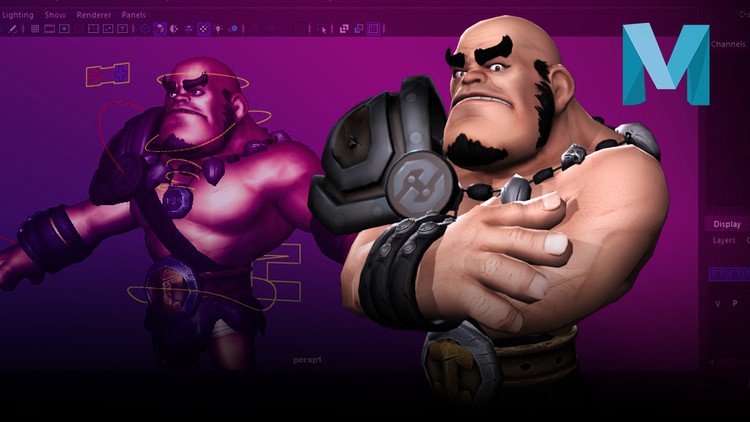
Game Character Rigging for Beginners in Maya

44291306e8e2xfj4z.jpg


Game Character Rigging for Beginners in Maya
MP4 | Video: h264, 1280x720 | Audio: AAC, 44.1 KHz, 2 Ch
Genre: eLearning | Language: English + srt | Duration: 78 lectures (13h 11m) | Size: 11.3 GB

Ready to start making your Own Chacarcter Animations for Games?


What you'll learn
Learn about maya's interface
Optimize and prepare your model to be riggred for games
Learn about joints an how to use them to Build a robust character's skeleton ready to be animated in any game engine
Understand the difference between IK and FK systems
Organizing our 3d scene for best performance
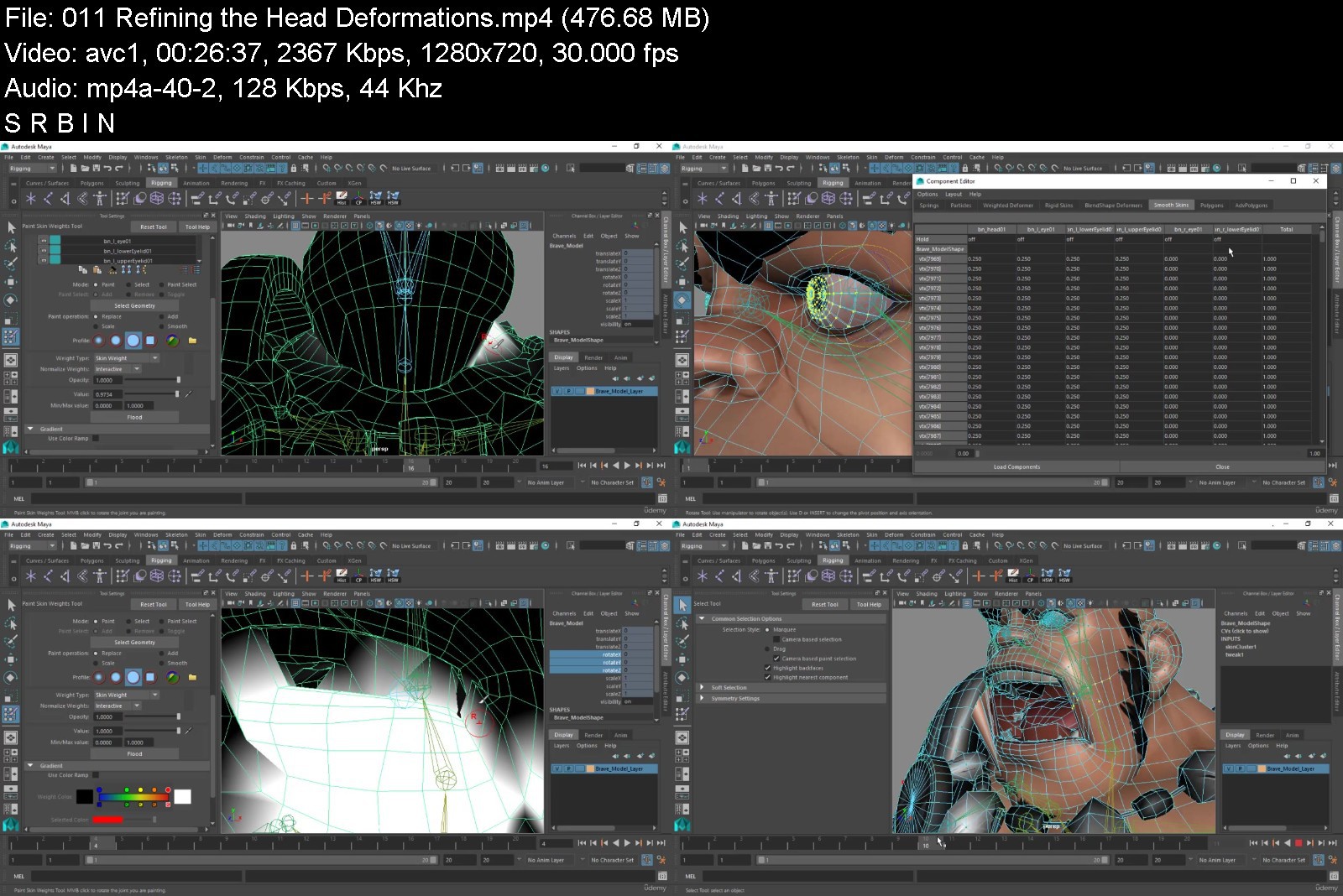
Skinning our 3d character and each tool that will help in improving skin deformations
How to deform our game character using skinning
Learn all the tools and techniques that will improve skin deformations
How animation controls work
Establishing animation controls that will allow the character to be animated
Setup proper hierarchies for animation controls
Working with custom attributes
Adding more flexibility and features to a facial rig
Optimizing our Game character rig for game production
And so much more...
Requirements
No 3d animation or rigging skills required. You'll learn everything from A to Z
Motivation to learn ;)
Description
This course is your track to building amazing attractive game character rigs that will stand up as professional work. Whether for your own games or for other peoples projects.
Learning 3D rigging can be very confusing and time-consuming when doing it by yourself, add to that optimizing your characeter rigs to be used inside game engines. For this reason I've dedicated all my time and effort to build this thourough course about game character rigging in maya. I want to make the learning process easy for you, going through all the tools and concepts of rigging in very detailed videos.
Throughout this course we will be exploring all the basic principles of rigging from A to Z while learning the proper techniques to create efficient and flexible rigs ready to be animated inside any game engine of your choice with the most popular and powerful 3D art program, "Autodesk Maya"
As the industry standard 3D animation software, learning Autodesk Maya is a great skill to help you land a job in the film, music and gaming industry. In this course, you'll learn how to create your entire characted rig optimized for game engines from scratch.
Beginner to the world of 3D Rigging and Game industry?
We start super simple so you need no prior experience of Autodesk Maya! With our online tutorials, you'll be amazed at what you can achieve. We believe project-based learning is the best way to learn 3D Rigging for games inside Autodesk Maya.
Learn by doing real world projects!
This course is project-based, so you will applying your new skills immediately to real 3D models.
In this course, we will create a full character rig where you will learn the industry-standard methods for creating character rig for games that I have refined throughout my years of experience in the games industry.
The information is taught in a "big picture" way so that you can follow along with your own biped character models and learn as you create your own products. However, if you don't have your own model we provide the model shown in the tutorial.
We want to make the learning process easy to understand for you, covering all tools and concepts of rigging. All the project files will be included, as well as additional references and resources - you'll never get stuck!
The Best Part?
By the end of the course, you'll truly be inspired by your own skills, and confident in using Autodesk Maya.
On top of that, we're going to have fun and end each video in a positive way that will leave us ready for whatever maya or life throws at us!
All at your fingers tips instantly. This is what's also included in the package
Up-to-date HD-quality videos, that are easy to search and reference
13+ hours of easy-to-follow tutorials
Additional animation and rigging lessons.
You will get full lifetime access for a single one-off fee
Downloadable project files for every step of the course (solutions included)
Premium support (Q&A) to help you as you take the course
Premium Support
I will be available for you throughout the whole course, so feel free to send me a message if you encounter any issues. I will help you solve it as soon as possible over Udemy.
Additionaly, you can benefit from our world-class support from both other students, and the instructors who are on the forums regularly.
This course is for you if...
... You want to gain a true and deep understanding of 3D RIgging and Animation as it relates to games.
... You have been trying to learn Rigging in maya but: 1) still don't really understand Maya, or 2) still don't feel confident to rig you own characters
... You already know 3d rigging basics but looking for more advanced topics. This course includes additional awesome and very useful techniques for opitimizing your rigs for game engines!
... You want to get started with 3d rigging and creating animations for games using maya: Autodesk Maya is a great and very powerful software for 3D Rigging and Animation!
Our 30-day 100% money-back guarantee!
Don't believe me? I offer you a full money back guarantee within the first 30 days of purchasing the course.
I want you to be happy. If there's any reason you aren't enjoying the course, and getting what you expected, I'll refund your money.
So it's a complete no-brainer, sign up today with ZERO risk and EVERYTHING to gain.
Ready to have fun?
If so, then start this adventure today, and join me and 10000+ other animators in the only 3D rigging course that you will ever need!
I am looking forward to seeing you on the course! Remember 3D Rigging and animation is all about having fun too. The learning curve may be steep but it's just a curve and we can all get over it. Have fun along the way!!
Who this course is for
Anyone interested in 3D Animation and Character Rigging.
Anyone interested specifically in Game Character Rigging in Maya
This course is for anyone who wants to learn 3D Rigging but don't know where to start.
It's perfect for complete beginners with zero experience in Rigging.
Anyone interested in Developing Awesome Chracter Rigs for any Game Engine
Anyone interested in Creating Awesome 3D Animations For Games


gamecharacterriggingfxnkv9.jpg


Download from RapidGator


Download from Keep2Share



Complete PHP Course from Novice to Advance

4460066362f10s9jm9.jpg


Complete PHP Course from Novice to Advance
MP4 | Video: h264, 1280x720 | Audio: AAC, 44.1 KHz, 2 Ch
Genre: eLearning | Language: English + srt | Duration: 58 lectures (16h 50m) | Size: 11.2 GB

Become Master of PHP and Mysql


What you'll learn
PHP Fundamentals and Building Blocks
Implementation of CRUD Application in PHP From Scartch
PHP Sessions in a more sophisticated way and pass information easily on different modules of Project
Forms validation
Securing the form from hacker by using mysqli injections funtions
Securing the admin/welcome guest pages and dashboard
How to implement pagination
How to Insert, Select, Update and Delete items from database tables
How to concatenate two or more tables in the database
How to expert and import Mysqli database
How to create an administrator and subscriber
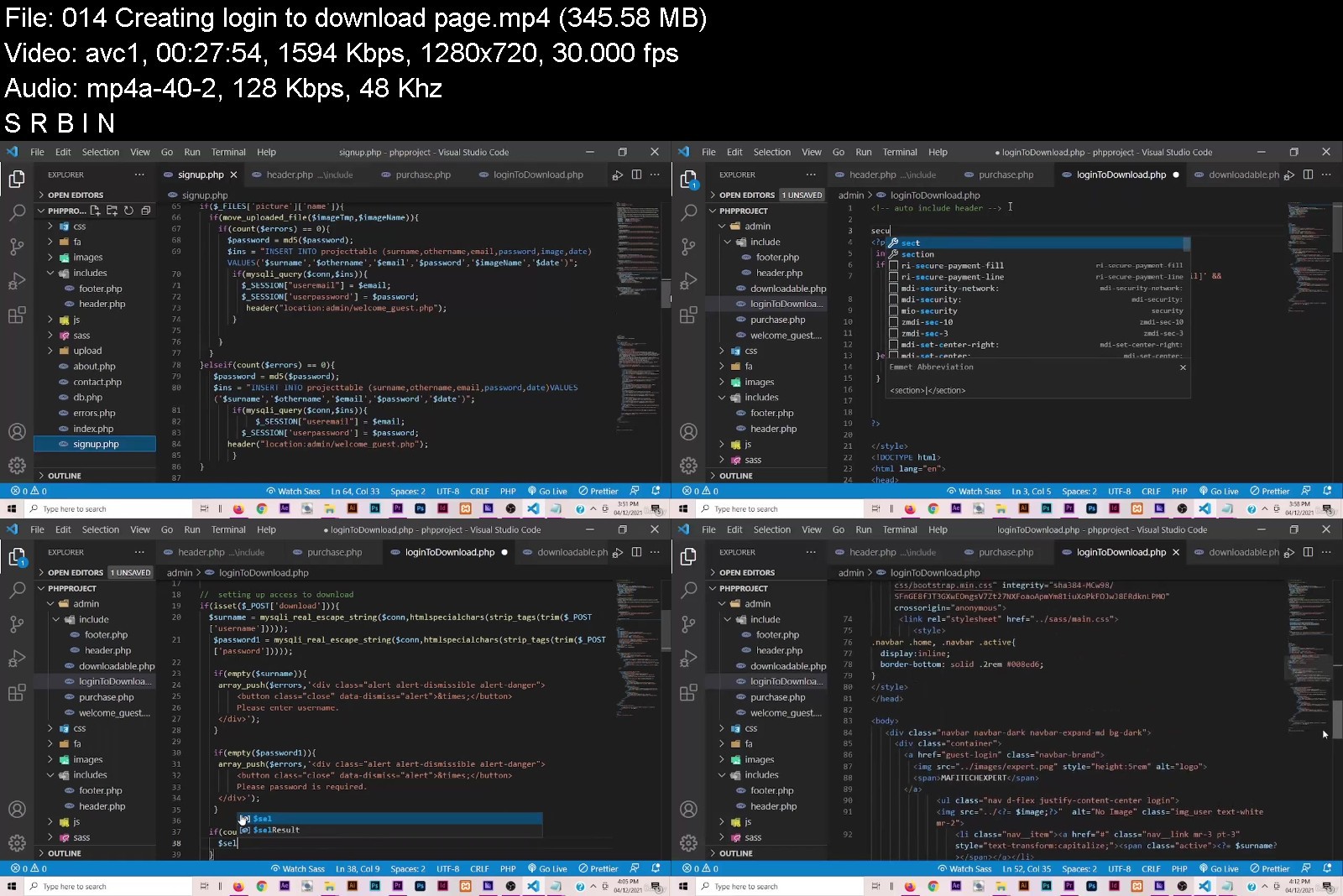
Login and Logout Admin System
Requirements
No prior knowledge required of PHP. This course will teach students everything about PHP from Scratch
Student should have prior knowledge of HTML, CSS, Bootstrap and little about Javascript
Atleast Computer worth of 4GB RAM
Students should have access to internet for required softwares
Description

Description
Do you wish to transform your skills?
Are you sick of unemployment rate ravaging our entire world?. If so, signup now and join the train as I lead you in discovering your potentials in PHP and MySQL in order to single you out of unemployed race.
Why PHP?
PHP is the most popular website programming language in the world. The combination of PHP and MySQL is used extensively to create web applications, and developers with these key skills are in high demand. This course is going to teach you how to create web applications in PHP using the MySQL database.
What will you learn in this course?
You will learn how to create a dynamic website using the most popular website programming language in the world, PHP.
Mafimisebi T Adeyemi, your instructor will teach you the PHP programming language, and take you through the steps to build a working videos content products in PHP and MYSQL from scratch.
The sooner you sign up for this course, the sooner you will have the skills and knowledge you need to increase your job or consulting opportunities. PHP developers are in high demand!
Your new job or consulting opportunity awaits!
Why not get started today?
Click the Signup button to sign up for the course!
Who this course is for
Complete Novice
PHP likeminds
Backend Programmer
College Student
Adult Generally


completephpcoursefromwckfj.jpg


Download from RapidGator


Download from Keep2Share



9edf1583-532d-4c2f-a4ab-06a44aa30fde.png

The Complete Guide to Service Portal in ServiceNow
MP4 | Video: h264, 1280x720 | Audio: AAC, 44.1 KHz
Language: English | Size: 1.57 GB | Duration: 7h 1m
Learn how to configure, customize, and build Service Portals in ServiceNow!
What you'll learn​

An advanced understanding of service portal in ServiceNow
How to create widgets and leverage instance options
How to implement providers, dependencies, and templates
Service portal best practices
Requirements
An intermediate understanding of ServiceNow
An intermediate understanding of JavaScript
A basic understanding of AngularJS
A basic understanding of HTML & CSS
Description
Description
Service Portal can be a challenging application to master. There are many undocumented components and following a linear progression can be tricky. It's one of the largest applications on the platform with many different components that must all work together in harmony in order to deliver a successful customer-facing portal.
In this course, we'll examine how everything works together. We'll explore the service portal tools, widget development, Service Portal APIs like record watch, widget dependencies and providers, as well as Service Portal best practices and so much more!
We'll end this course by creating our very own service portal called HelpNow, which leverages custom and out-of-box widgets.
Prerequisites
A strong understanding of ServiceNow
JavaScript
AngularJS
Course Outline
The Complete Guide to Service Portal in ServiceNow will cover the following topics
The history of Service Portal
Exploring the out-of-box Service Portal
The anatomy of a portal
Service Portal tools such as the Widget Editor
Widgets and their components
Widget instance options and the option schema
The page and widget lifecycle
Client and server-side development
AngularJS directives
Templates, providers, and dependencies
Leveraging script includes within Service Portal
Embedding widgets
Communicating between widgets
The record watch API
How to theme a portal
SCSS variables
Page route maps
Search and search sources
Announcements
Building a new portal
And much more!
Who this course is for
ServiceNow Administrators
ServiceNow Developers
Screenshots


7541b212-658c-4dd1-9e7e-2ab95be97a5e.png

Mastering IntelliJ IDEA for Java Devs
MP4 | Video: h264, 1280x720 | Audio: AAC, 44.1 KHz, 2 Ch
Genre: eLearning | Language: English + srt | Duration: 48 lectures (2h 10m) | Size: 857.3 MB


IntelliJ IDEA Tips and Tricks
What you'll learn
How to use IntelliJ IDEA to its maximum capacity
How to Configure IntelliJ IDEA to Keep Us in the Flow State
Hands-On examples for Smart Code Completion, Complete Current Statement, CamelCase Completion, Postfix Completion, etc.
How to create everything from within the code editor with the least friction
Hands-On examples with File Templates and Live Templates for boilerplate code
Extended example of how to refactor a Java application using IntelliJ IDEA
How to make use of the IntelliJ tools for Database support
How to make use of the IntelliJ tools for Maven support
Requirements
Knowledge of the Java language is required
Basics of IntelliJ IDEA
The course was designed for Mac/Linux users but Windows commands are also shown
Description
IntelliJ IDEA is built on the principle that every minute a developer spends in the flow state is a good minute, and things that break developers out of that flow are bad and should be avoided.
This course is built with ergonomic ideas in mind, to help you make the most out of an IDE.
We're going to explore what are the features that actually make us more productive.
Curriculum
How to Configure IntelliJ IDEA to Keep You in the Flow State
How to Configure IntelliJ with ergonomics in mind
How to Setup IntelliJ in order to navigate faster
How to use all IntelliJ many tools without breaking our focus.
How to make IntelliJ move fast to not disturb your creative flow
Find useful features that you actually never used
Making Use of Code Completion
Real-life use cases for Complete Current Statement
Real-life use cases for Smart Completion
Real-life use cases for CamelCase Completion
Real-life use cases for Postfix Completion
How to Avoid Common Interruptions in Daily Coding
How to avoid going back to fix already-typed expression
How to create everything from within the code editor with the least friction
IntelliJ IDEA Templates for Spring Boot Application
How to generate boilerplate code for common SpringBoot application
How to use and create Live and File Templates
Refactoring in IntelliJ IDEA
How IntelliJ facilitates the process of refactoring
Explore automatic refactoring capabilities of IntelliJ
Hands-on refactoring examples and how IntelliJ helps to reduce mistakes while changing the code
Database Tools
How we can use IntelliJ IDEA to connect to a PostgreSQL database
How to make use of the IntelliJ support for Spring Data
Generate diagrams of the database schema
Manage code entities
Run queries from the codebase
Maven Tools
Why do we need Maven for development?
How IntelliJ IDEA makes the interaction with maven effortless and intuitive, but also more effective?
Getting started with a Maven project in IntelliJ Idea.
Explore IntelliJ features for the POM file.
Understanding the Maven Build Lifecycle.
How to create and save custom run configurations?
Why download sources and documentation?
How to use the visual representation of all dependencies?
Debugging Features
How to use Conditional Breakpoints?
Explore different types of breakpoints.
How to use the Stream Debugger?
Modify Code Behaviour while debugging.
Who this course is for
Developers who want to improve their productivity by taking the most out of IntelliJ IDEA
Developers who want to discover ergonomics aspects of an IDE
Developers who want to maximise their time spent in a flow state
Developers who want to use IntelliJ IDEA like a pro users
Homepage


0c064e20-6b55-4431-8df1-cf513516488f.png

Machine Learning Linear Regression Case Study
Instructors: Goeduhub Technologies
3 sections • 6 lectures • 1h 7m total length
Video: MP4 1280x720 44 KHz | English + Sub
Updated 1/2021 | Size: 395 MB​

Predicting Boston house price with Linear Regression using scikit-learn !!
What you'll learn
Introduction to Machine Learning and linear regression from scratch
Predicting Boston house price with Regression !!
Requirements
Yes, A basic knowledge in Python 3 is preferred.
Description
We have covered-
What is Machine Learning and how does it works?
Machine Learning concept such as Train Test Split, Machine Learning Models, Model Evaluation are also covered.
Linear Regression Concept with simple regression model using Scikit Learn Library.
What are the types of Regressions?
Case Study-Boston house price prediction-predicts the price of houses in Boston using a machine learning algorithm called Linear Regression. To train our machine learning model ,we will be using scikit-learn's boston dataset.
Analyse and visualize data using Linear Regression.
Plot the graph of results of Linear Regression to visually analyze the results.
Linear regression is starting point for a data science this course focus is on making your foundation strong for deep learning and machine learning algorithms.
End of the course you will be able to code your own regression algorithm from scratch.
After completing this course you will be able to
Interpret and Explain machine learning models which are treated as a black-box
Create an accurate Linear Regression model in python and visually analyze it
Select the best features for a business problem
Remove outliers and variable transformations for better performance
Confidently solve and explain regression problems
This course will give you a very solid foundation in machine learning. You will be able to use the concepts of this course in other machine learning models.
Who this course is for
Python developers curious about Machine Learning.
Data Science and Machine leaning engineers.
Screenshots


6c076672-521c-4155-aa13-4d408cb31b3c.png

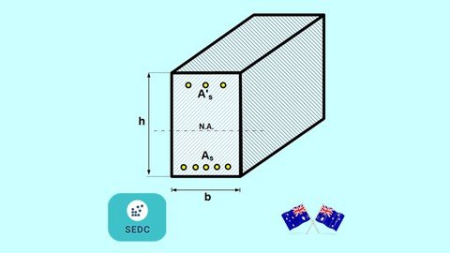
Reinforced Concrete Beam Design as per AS3600
MP4 | Video: h264, 1280x720 | Audio: AAC, 44.1 KHz
Language: English | Size: 301 MB | Duration: 1h 6m
Design of rectangular reinforced concrete beam sections for bending as per AS3600 (ultimate strength design method)​

What you'll learn
Different design conditions of concrete beam design and assumptions as per Ultimate Strength Theory
Concrete beam design as per ultimate strength method for a balanced beam
How to check if tensile reinforcement in a concrete beam is at yield
How to check if compressive reinforcement in a concrete beam is at yield
AS3600 requirements for the maximum neutral axis ratio , ku and minimum reinforcement capacity reduction factor for concrete beams , Flexural strength (modulus of rupture) and minimum strength requirement for a concrete beam
Concrete beams design as per ultimate strength method for a ductile concrete section (under-reinforced beam)
Concept of the minimum height of the concrete beam
Reinforced Concrete beam design step by step
Requirements
Strength of materials course in university
Basic mathematics
Our two other courses "Reinforced Concrete Beam Analysis Part I" and "Reinforced Concrete Beam Analysis Part II" are very beneficial to understand the basics of ultimate strength design.
Description
In this course, I will explain the full and detailed process of designing a reinforced concrete rectangular section for bending as per ultimate strength design method with step by step approach and requirements of AS3600 which is the Australian standard for concrete design.
I will start with a summary of different ultimate design conditions of concrete beam and assumptions as per ultimate strength design theory and them will explain concrete beams design for a balanced beam, also I will explain how we can check if tensile reinforcement and compressive reinforcement in a concrete beam section is at yield or not.
Also, we will go through the important requirements of AS3600 such as maximum neutral axis depth ratio, minimum reinforcement, and capacity reduction factor for concrete beams.
In the next step, we will look at the concrete beam design as per the ultimate strength method for a ductile concrete section or under-reinforced beam followed by some important code requirements
· Concept of the minimum height of the concrete beam
· Flexural strength (modulus of rupture)
· Minimum strength requirement for a concrete beam
Finally, I will explain the step by step design of a reinforced concrete beam as per the ultimate strength design method and to understand the full process we will have three examples of a beam design to cover different levels of loading to design the beam and how to calculate the tensile and compressive reinforcement
Working example 1: Design of a reinforced concrete beam with minimum reinforcement as per ultimate strength design method
Working example 2: Design of a reinforced concrete beam as per ultimate strength design method with reinforcement larger than minimum reinforcement and no compressive reinforcement and calculating the minimum height of the beam
Working example 3: Design of a reinforced concrete beam with compressive reinforcement as per ultimate strength design method and calculating the minimum height of the concrete beam which does not require any compressive reinforcement.
By the end of this course, you will learn the full and detailed process of designing a reinforced concrete rectangular section for bending as per the ultimate strength design method and requirements of AS3600 which is Australian standard.
My goal is to add value to my students by conveying my knowledge and explaining the theoretical concept behind the design, so please do not hesitate to ask if you ask any questions through the message box here or any other social media links which are provided in our page.
Who this course is for
Graduate engineers
Structural engineering students
Civil engineering students
Structural engineers ranging from beginners to intermediate level who would like to refresh their knowledge on the fundamentals of Reinforced concrete beam design
Screenshots


2258352a-8fe0-45fe-889d-2ec1ee93f9cf.png

Adobe XD Master Soft UI Design and Auto-Animate
Instructors: Soli Art
2 sections • 16 lectures • 2h 6m total length
Video: MP4 1280x720 44 KHz | English + Sub
Updated 1/2022 | Size: 727 MB​


Designing Smart Home Mobile Application with Washing Machine Prototyping Animation
What you'll learn
How to Create Soft UI or Neumorphism Dark Mode and Light Mode
All different types of soft ui
Add Color to Soft Ui shadows and inner shadows
Creative way of Designing an Application
Creative Sign in fingerprint design and prototyping animation
Create Component
Adding Sound Effects
Creating Countdown Timer Animation
Design and Animating A Washing machine
Lots of tips and tricks to design and Animate faster in Adobe XD
Description
In this course You will learn how to create the different soft Ui for light mode Application with all kind of shadows , tips and tricks for best soft ui design for dark mode and also animationg the washing maching with sound effects
What You will learn Step by Steps
How to Create Soft UI or Neumorphism in Adobe XD
All different types of soft ui
Add Color to Soft Ui shadows and inner shadows
Creative way of Designing an Application
Creative Sign in fingerprint design and prototyping animation
Create Component
Component Animation
Adding Sound Effects
Creating Countdown Timer Animation
Design and Animating A Washing machine
Lots of tips and tricks to design and Animate faster in Adobe XD
Can you believe that with the help of just these small shapes we are going to create the entire application just by using the these 2 squares we start by designing the sign in page, then will learn the best way of animating your design .
Then we design the home page and start animating the icons, u will learn how to create componets for better animation , how to add sound effects and a lot of cool tricks, finally we start designing our washing machine page, createing water and bubbles for belivable animation, adding timer, final prototyping, and adding the sign in and sign up bottons.
even if you are a total beginner you can still follow along because I start from the basic to make sure you really understand the design and process I have also provided a project for you guys. so make sure finish your project and send it back to me for more feedback .
by the way if you have no idea where to start or what is the path to become a professional user experience designer watch my 13 hours User Experience interface design case study for beginners. Alright I Am so excited to show you this beautiful smart home application design and prototyping animations, alright lets get started.
If you are a beginner Do not worry I will start from Scratch so everyone can follow the steps.
Who this course is for
For Mobile Application Design and Animation lovers
For People who wants to learn how to be creative in Desig
To create a good Mobile App Design Portfolio
Screenshots


cf831c8f-4cab-4d5f-ba26-57663ca99fe9.png

Animation on an iPad
Instructors: Wayne Sables
1 section • 8 lectures • 30m total length
Video: MP4 1280x720 44 KHz | English + Sub
Updated 9/2020 | Size: 383 MB​

Using TagTool
What you'll learn
animation
TagTool
Projection mapping
2d animation
live animation
Requirements
Have Tagtool
Have a tablet
Description
Use TagTool to bring your animations to life, collaborate with your friends and projection map them onto any surface you choose. To get the most out of TagTool you will need a friend or two, a WiFi connection (mobile is fine), a projectors and a kick ass space. Let your creativity go wild and create amazing interactive live artworks. Please note this is not a how to draw tutorial.
Who this course is for
Students wanting to explore digital animation
Screenshots


0e5cfead-47f3-4b94-b5b1-3da241544637.png

Master Text Animation with After Effects
Instructors: Harshit Srivastava
8 sections • 16 lectures • 1h 27m total length
Video: MP4 1280x720 44 KHz | English + Sub
Updated 2/2021 | Size: 737 MB​

Present your ideas with Animated Storytelling
What you'll learn
You will be learning various text transformation techniques
Various advanced techniques such as Trim Path
You will learn to create 3D Isometric and Block Text
Moreover you will learn to create Text Presets and more
Description
Welcome to this practical based tutorial on creating text animation and animated storytelling with After Effects. This is a project based short tutorial that is curated into sequence of practical exercises and tutorials that are simple, short and to the point. You will learn something new with each video lecture, that will allow you to develop your animation skills to create amazing motion graphics and visual effects.
The objective of this tutorial is to teach you various out of the box techniques for creating attractive text animations and kinetic typography. In the starting lectures, you will be introduced to various text transformation techniques, followed by various advanced techniques such as Trim Path, 3D Isometric, Block Text, Text Presets and more. During the pace of tutorial, we will be creating various components of the project with each practical exercise. At the end of the course you will learn how to combine these compositions together and export the final animated presentation.
Along with text animations, you will also learn, how to embed various images, and vectors in your animated project to do a better storytelling. You will also learn how to do storytelling in a better way, along with some design concepts such as choosing a nice color scheme, and more. So, stay assured about the course content, as you wont be learning any bogus theory or long and lazy lectures. Our main focus is to be realistic with pragmatic approach, proving you to develop some useful skills that could be a leverage in your career or hobby.
All the bests, Keep Learning.
Who this course is for
Anyone who is interested to present their ideas with beautiful text animations and kinetic typography.
Designers, Motion Graphics Artists, Youtubers, Animators, or anyone who is interested to learn After Effects and Storytelling.
Screenshots


d0b7df33-1b21-4a50-b9a6-f4ca28ac5b3c.png

Scratch 3.0 with 11 Quick Projects
Instructors: Mike Merkur
1 section • 12 lectures • 1h 32m total length
Video: MP4 1280x720 44 KHz | English + Sub
Updated 10/2020 | Size: 1.1 GB​

A Fast and Fun Course in Scratch Programming
What you'll learn
Scratch Programming
Basic Game Development
Basic Coding Concepts
Requirements
About 20 - 30 hours of practicing with CODE BLOCKS
Basic Knowledge Scratch 3.0
Description
This course has 11 fun projects. I skip all the beginner stuff and move at a good pace in all the videos. So this course is really meant for students already familiar with SCRATCH PROGRAMMING with about 10 or 20 hours of practice.
Each project has really fancy awesome videos neatly put together showing every step of the way. The videos are made fun and fast so that you can watch them again and again.
Like all my courses.... please feel free to code along with me on all the projects. That's the best way to learn coding. And I would like to suggest for each video (when copying my code on your own computer) to slow down the speed to 0.5x (which is half as fast). I think that will be a perfect pace to follow along.
Enjoy this Fast and Fun Course.
Who this course is for
Intermediate and Advanced Scratchers Looking to Make More Fun Projects
**** who like to build small games and animations
Learning Computer Code Patterns for Building Games
Screenshots


cf831c8f-4cab-4d5f-ba26-57663ca99fe9.png

Microsoft ACCESS Beginners Hands-on Training with Exercises
Instructors: Mazhar Hussain
13 sections • 18 lectures • 1h 29m total length
Video: MP4 1280x720 44 KHz | English + Sub
Updated 12/2021 | Size: 579 MB​

Quick Learn MS ACCESS for beginners from scratch to design and develop real-world Database applications.
What you'll learn
At the end of this Course, you will be able to create real-world DATABASE Applications in MS Access from scratch.
You will learn how to import data from Excel to Access.
You will learn how to define Tables, Attributes and Datatypes.
You will learn the use of Lookup wizard, Validation rule and Input mask.
You will Learn how to establish Relationships between tables.
You will learn how to create customized Forms for data entry into tables.
You will learn how to write Queries to retrieve data as you want from tables.
You will learn how to generate Reports from tables and queries to present the data in attractive and informative layout.
You will learn how to export data from Access to PDF, Excel, Word etc.
Requirements
You are required to install Microsoft Access on your computer.
You do not need prior knowledge of Microsoft Access.
Description
Microsoft ACCESS is an information management tool, or relational database, that helps you store data that can easily be accessed, managed, modified, updated, controlled, and analyzed.
ACCESS can also overcome the limitations found when trying to manage large amounts of information in Excel or other spreadsheet applications.
ACCESS Components: You will be able to learn Microsoft ACCESS Components: Tables, Forms, Queries, and Reports. Each has its own special function to allow the user to manage information in MS ACCESS.
A Table allows the user to store a collection of data about a specific topic like Customers or Orders. Relationships can be established among the tables to access and manage the data easily.
A Form allows a user to enter/change/update data to tables.
A Query allows the user to view, change, manipulate, and analyze data in different ways like combining data from two different tables (Customers and Orders) to create a user's own custom view (London Orders for April).
A Report is an effective way to output your data in a printed format in the way you want it .
This Course is specifically designed for beginners with
Hands-on training
Real-world applications
Exercises
Final project
At the end of this Course, you will be able to create a real-world DATABASE Applications in MS ACCESS from scratch.
Who this course is for
This Course is specifically designed for beginners who are passionate to learn Microsoft Access with
• Hands-on Training
• Exercises
• Real-world Applications
Screenshots


Zurück
Oben Unten