
• Regeln für den Video-Bereich:

    In den Börsenbereich gehören nur Angebote die bereits den Allgemeinen Regeln entsprechen.

    Einteilung

    - Folgende Formate gehören in die angegeben Bereiche:
    - Filme: Encodierte Filme von BluRay, DVD, R5, TV, Screener sowie Telesyncs im Format DivX, XviD und x264.
    - DVD: Filme im Format DVD5, DVD9 und HD2DVD.
    - HD: Encodierte Filme mit der Auflösung 720p oder darüber von BluRay, DVD, R5, TV, Screener sowie Telesyncs im Format x264.
    - 3D: Encodierte Filme von BluRay, die in einem 3D Format vorliegen. Dies gilt auch für Dokus, Animation usw.
    - Serien: Cartoon/Zeichentrick, Anime, Tutorials, Dokumentationen, Konzerte/Musik, Sonstiges sind demnach in die entsprechenden Bereiche einzuordnen, auch wenn sie beispielsweise im High Definition-Format oder als DVD5/DVD9/HD2DVD vorliegen. Ausnahme 3D.
    - Bereich Englisch: Englische Releases gehören immer in diesen Bereich.
    - Bereich Talk: Der Bereich, in dem über die Releases diskutiert werden kann, darf, soll und erwünscht ist.


    Angebot/Beitrag erstellen

    - Ein Beitrag darf erst dann erstellt werden, wenn der Upload bei mindestens einem OCH komplett ist. Platzhalter sind untersagt.
    - Bei einem Scenerelease hat der Threadtitel ausschließlich aus dem originalen, unveränderten Releasenamen zu bestehen. Es dürfen keine Veränderungen wie z.B. Sterne, kleine Buchstaben o.ä. vorgenommen werden. Ausnahme Serienbörse:
    - Bei einem Sammelthread für eine Staffel entfällt aus dem Releasename natürlich der Name der Folge. Beispiel: Die Simpsons S21 German DVDRip XviD - ITG
    - Dementsprechend sind also u.a. verboten: Erweiterungen wie "Tipp", "empfehlenswert", "only", "reup", usw. / jegliche andere Zusatzinformation oder Ergänzung, welche nicht in obiger Beschreibung zu finden ist.

    Aufbau des Angebots und Threadtitel

    Der Titel nach folgendem Muster erstellt zu werden. <Name> [3D] [Staffel] [German] <Jahr> <Tonspur> [DL] [Auflösung] <Quelle> <Codec> - <Group>
    Beispiel: The Dark Knight German 2008 AC3 DVDRip XviD - iND
    Beispiel: The Dark Knight 2008 DTS DL BDRip x264 - iND
    Beispiel: The Dark Knight 2008 AC3 DL BDRip XviD - iND
    Beispiel: The Dark Knight German 2008 AC3 720p BluRay x264 iND
    Beispiel: The Dark Knight 2008 DTS DL 1080p BluRay x264 iND
    Beispiel: Die Simpsons S01 German AC3 DVDRip XviD iND
    Beispiel: Die Simpsons S20 German AC3 720p BluRay x264 iND
    Beispiel: Sword Art Online II Ger Sub 2014 AAC 1080p WEBRip x264 - peppermint
    Entsprechend sind also u.a. verboten: Sonderzeichen wie Klammern, Sterne, Ausrufezeichen, Unterstriche, Anführungszeichen / Erweiterungen wie "Tipp", "empfehlenswert", "only", "reup", usw. / jegliche andere Zusatzinformation oder Ergänzung, welche nicht in obiger Beschreibung zu finden ist
    Ausnahmen hiervon können in den Bereichen geregelt sein.

    Die Beiträge sollen wie folgt aufgebaut werden:
    Überschrift entspricht dem Threadtitel
    Cover
    kurze Inhaltsbeschreibung
    Format, Größe, Dauer sind gut lesbar für Downloader außerhalb des Spoilers zu vermerken
    Nfo sind immer Anzugeben und selbige immer im Spoiler in Textform.
    Sind keine Nfo vorhanden z.B. Eigenpublikationen, sind im Spoiler folgende Dateiinformationen zusätzlich anzugeben :
    Quelle
    Video (Auflösung und Bitrate)
    Ton (Sprache, Format und Bitrate der einzelnen Spuren)
    Untertitel (sofern vorhanden)
    Hosterangabe in Textform außerhalb eines Spoiler mit allen enthaltenen Hostern.
    Bei SD kann auf diese zusätzlichen Dateiinformationen verzichtet werden.

    Alle benötigten Passwörter sind, sofern vorhanden, in Textform im Angebot anzugeben.
    Spoiler im Spoiler mit Kommentaren :"Schon Bedankt?" sind unerwünscht.


    Releases

    - Sind Retail-Release verfügbar, sind alle anderen Variationen untersagt. Ausnahmen: Alle deutschen Retail-Release sind CUT, in diesem Fall sind dubbed UNCUT-Release zulässig.
    - Im Serien-Bereich gilt speziell: Wenn ein Retail vor Abschluss einer laufenden Staffel erscheint, darf diese Staffel noch zu Ende gebracht werden.62
    - Gleiche Releases sind unbedingt zusammenzufassen. Das bedeutet, es ist zwingend erforderlich, vor dem Erstellen eines Themas per Suchfunktion zu überprüfen, ob bereits ein Beitrag mit demselben Release besteht. Ist dies der Fall, ist der bereits vorhandene Beitrag zu verwenden.
    - P2P und Scene Releases dürfen nicht verändert oder gar unter einem iND Tag eingestellt werden.


    Support, Diskussionen und Suche

    - Supportanfragen sind entweder per PN oder im Bereich Talk zu stellen.
    - Diskussionen und Bewertungen sind im Talk Bereich zu führen. Fragen an die Uploader haben ausschließlich via PN zu erfolgen, und sind in den Angeboten untersagt.
    - Anfragen zu Upload-Wünschen sind nur im Bereich Suche Video erlaubt. Antworten dürfen nur auf Angebote von MyBoerse.bz verlinkt werden.


    Verbote

    - Untersagt sind mehrere Formate in einem einzigen Angebotsthread, wie beispielsweise das gleichzeitige Anbieten von DivX/XviD, 720p und 1080p in einem Thread. Pro Format, Release und Auflösung ist ein eigener Thread zu eröffnen.
    - Grundsätzlich ebenso verboten sind Dupes. Uploader haben sich an geeigneter Stelle darüber zu informieren, ob es sich bei einem Release um ein Dupe handelt.
    - Gefakte, nur teilweise lauffähige oder unvollständige Angebote sind untersagt. Dies gilt auch für eigene Publikationen, die augenscheinlich nicht selbst von z.B. einer DVD gerippt wurden. Laufende Serien, bei denen noch nicht alle Folgen verfügbar sind, dürfen erstellt und regelmäßig geupdatet werden.
    - Untersagt sind Angebote, welche nur und ausschließlich in einer anderen Sprache als deutsch oder englisch vorliegen. Ausnahmen sind VORHER mit den Moderatoren zu klären.


    Verstoß gegen die Regeln

    - Angebote oder Beiträge, die gegen die Forenregeln verstoßen, sind über den "Melden"-Button im Beitrag zu melden.
  • Bitte registriere dich zunächst um Beiträge zu verfassen und externe Links aufzurufen.

*** Bestes IPTV *** bester Preis *** gratis Test ***


Englische Tutorials

cc003650-07f3-4e16-81bc-221a8982a8b1.png

CreativeLive - Lightroom Desktop for the Photo Enthusiast
MP4 | Video: h264, 1280x720 | Audio: AAC, 44.1 KHz, 2 Ch
Genre: eLearning | Language: English + srt | Duration: 20 Lessons (4h 3m) | Size: 2.22 GB


Take Charge Of Your Photographic Life With Lightroom Desktop
AFTER THIS CLASS YOU'LL BE ABLE TO
Import, backup and organize your photos with ease.
Create stunning images with powerful editing tools.
Create brilliant HDR and PANORAMIC images.
Find, enjoy and share your images instantly.
Do all of these things anywhere, anytime, on any device.
ABOUT JARED'S CLASS
Photo enthusiasts and professionals alike spend a lot of time taking photos, but even more time organizing, editing and sharing those photos. Adobe Lightroom makes it possible to keep track of all of your images, edit them with powerful tools and share them with the world lightning fast. And all of this happens in the same application on any device you have!
Jared Platt, Adobe's Lightroom Guru is going to walk you through Lightroom and the the Lightroom Ecosystem and teach you how to make this powerful software work for you to organize, edit and share your images.
You will learn how to adjust and retouch photographs, how to merge HDR and PANO images, how to select and adjust the sky in seconds, and how to find and share your images at the drop of a hat. Jared will teach you how to take control of your digital photo life!
WHO THIS CLASS IS FOR
Everyone who uses or wants to use Lightroom Desktop.
Professional and Photo Enthusiasts.
Photographers from every genre.
SOFTWARE USED
Lightroom (Desktop) 2022 LR5
ABOUT YOUR INSTRUCTOR
Jared Platt is an international wedding, lifestyle, and portrait photographer, and photographic lecturer. Jared began his studies in photography in documentary and landscapes, but today you will find his images are a perfect blend of the three genres. You can catch him teaching photography, lighting, and photo editing at the B&H Event Space, on CreativeLive, on Profoto's YouTube light shaping series "What's the Difference", at the Canon Live Learning Center, and at international photo conferences around the globe. Jared has been teaching photography for 20 years and has been a working photographer for the last quarter-century. Jared will change your understanding of photography and put you on the path to your very best work. Don't miss the opportunity to learn from him whenever you get the chance.
Homepage









 
3c37d465-9e34-4991-b088-f5c3613e395d.png

Unlimited Real Estate Deals - Driving For Dollars EXPOSED
Instructors: Chris Oparanozie
3 sections • 5 lectures • 40m total length
Video: MP4 1280x720 44 KHz | English + Sub
Updated 3/2021 | Size: 868 MB​

How to find Real Estate Deals FAST and for FREE
What you'll learn
Wholesaling is an important part of the Real Estate industry. The most basic and inexpensive way to find deals ASAP is to go Driving For Dollars. In this course students will take a deep dive into what it means to successfully find a deal through this method.
Requirements
Real Estate Interests
Description
Wholesaling is an important part of the Real Estate industry. The most basic and inexpensive way to find deals ASAP is to go Driving For Dollars. In this course students will take a deep dive into what it means to successfully find a deal through this method.
Wholesalers can make anywhere from $5000 to $50,000 on just ONE deal. Most wholesalers spend a majority of their time trying to find these profitable deals so they buy lists online and hang sign in the neighborhood.
It has been said by many that the absolute best way to find deals is to go Driving For Dollars. This option allows you to find real estate deals for free!
Students who complete this course will learn exactly what is needed to start and what to look for when Driving For Dollars. Students will also join the instructor on a live Driving For Dollars session as he drives through the Northside of Pittsburgh Pa looking to deals and showing students what they can expect when using this method.
There is also a bonus section in the course that is dedicated to taking action. This is a great opportunity to learn how to find quality Real Estate deals.
Who this course is for
Anyone looking to find a Real Estate deal ASAP
Screenshots


35c99148-7253-430a-8a7f-177045a4034e.png

How to Buy & Invest in Crypto for Beginners in 2021
MP4 | Video: h264, 1280x720 | Audio: AAC, 44.1 KHz
Language: English | Size: 374 MB | Duration: 40m
Learn the Crypto Trading Basics to Invest in Crypto for the First Time
What you'll learn​

Buying Crypto With Crypto Wallets
Investing in Crypto with Trading Apps
Introduction to Trading Charts and Indicators
Introduction to Decentralized Finance
Requirements
No previous Crypto or Trading experience required.
Description
No Previous Crypto or Trading Knowledge is required to start investing in Crypto in 2021.
In this course I'd like to teach you the basics of crypto trading so you get the tools and strategy to buy and invest in crypto for the first time. I'll be explaining the tools that I use and the apps you need to be able to buy crypto for the first time.
You will learn how to read the trading charts and how to use simple indicators to know when is the right time to sell and when is the right time to buy crypto currencies, at the end of the course you will be able to research crypto coins and buy your coins in trading platforms, exchanges and decentralized finance platforms like pancakeswap.
The course shouldn't take you longer than 40 minutes to complete, I encourage you to ask all the questions you need when you encounter any issue with the process. I'll be sharing downloadable documents with useful links and instructions for you to get personalized support with me in case you have questions.
Following this methodology you can trade coins like Ethereum, Solana, Cardano, Binance BNB, Zilliqa, Tron,, Ripple, Tether USDT, Dogecoin, Zcash, Verge, Monero, Dash, Matic and tokens like Shiba Inu, Dogelonmars, Safemoon, CAKE, Decentraland MANA.
This course doesn't offer financial advise, the content of the course is for educational purposes.
Who this course is for
Crypto Enthusiasts
Beginners Interested in Trading
People interested in Buying Crypto
Screenshots


8f513eb3-3f02-400a-a636-b7383510c7b6.png

Master Shape builder tool in Illustrator
Instructors: Harshit Srivastava
2 sections • 11 lectures • 45m total length
Video: MP4 1280x720 44 KHz | English + Sub
Updated 3/2021 | Size: 251 MB​

Learn to draw complex shapes in Adobe Illustrator
What you'll learn
You will learn to draw some complex shapes such as clouds, flowers, trees
You will learn how to use shape builder tool in Adobe Illustrator used to draw sophisticated shapes.
You will also learn to draw sea waves, fishes, mechanical tools
And other shapes in simple and efficient way very quickly
Requirements
You must have Adobe Illustrator installed on your computer.
Basic knowledge on Illustrator would be helpful.
Description
Have you ever wondered, how to draw some complex shapes that are not available by default in a designing software? Most designing software allows you to draw simple shapes with Circle, Square, Rectangle, Polygon, Stars, etc. When you have to draw some clouds, flowers, trees, sea waves, fishes, mechanical tools and other shapes in simple and efficient way very quickly, you can Draw your very own shapes by combining multiples shapes together with Shape builder tool in Adobe Illustrator. In this course, you will be learning how to use Shape builder tool to draw some sophisticated shapes quickly and efficiently.
Various complex logos are drawn with Shape builder tool. Its been used to draw vectors used in Motion Graphics projects and Animations. Shape builder is one of the key component of Adobe Illustrator, that makes it the market leader in Graphics design software. So, if you are someone curious about Illustrator, or planning to build a career around Design, then you must learn and harness the power of Shape builder. This course is designed in a way to help you develop this skill of creating complex shapes very easily, with a pragmatic approach where you will learn everything with practical examples and tutorials. A designers focus should not be to learn each and every tool in a software, but to optimally use minimal tools to draw maximum design. So don't rush to learn each and every tool, because it may take long time to learn every tool, and you may get exhausted in the process. Try to learn a few tools first, and then try to practice as much as possible by drawing various shapes and art. This course will not teach you complete Illustrator, but will teach you effectively use shape builder tool to draw some amazing shapes.
All the bests! Keep Learning.
Who this course is for
Anyone who is curious to learn Adobe Illustrator and draw some complex shapes.
Graphics designers and artists who want to efficiently draw sophisticated shapes with shape builder.
Screenshots


85dce00d-6229-4170-ad63-cbe24820d830.png

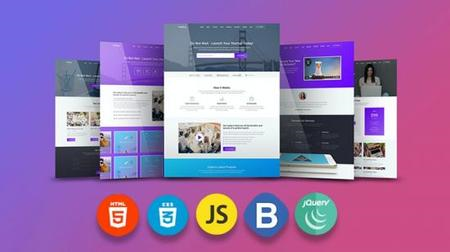
jQuery Image Slider Project JavaScript HTML CSS Carousel
Instructors: Laurence Svekis
1 section • 10 lectures • 1h 14m total length
Video: MP4 1280x720 44 KHz | English + Sub
Updated 1/2021 | Size: 530 MB​

Explore how to create an image slider for your web pages with jQuery Image Carousel component rotate images on intervals
What you'll learn
apply jquery to create an interactive dynamic project
Use of HTML CSS JS and jQuery to create an image slider
Creating a common web component rotating image Carousel
jQuery coding how to select and update elements
jQuery how to add event listeners for interactive elements on web pages
Requirements
HTML CSS JavaScript and jQuery
Prior coding experience
Description
Explore how to create a dynamic image carousel component from scratch using HTML CSS JS and jQuery.
Challenges and tasks for project at the end of each lesson - code alongside the lessons to develop your own Image Slider. Source Code included - Downloadable PDF resource Guide Included.
Section setup details and info for starting the project - resource and websites.
Create an array of Image Paths used to output images to the Page. Explore how to setup a testing array of placeholder images, customize the images and generate a useful array of content for your page.
Random Image Colors function adding colorful images to the web page. Using JavaScript String methods create random hex color value generator.
How to Add CSS Styling to jQuery Image Slider Project Make it look nice - setup the images to stack and position images to prepare for jQuery Coding. Create visible images output to page and setup CSS.
Adding and removing element classes with jQuery. Setting Interval moving slides Using selection of active elements - to update and remove classes adding new active class to the new sibling element using jQuery Code. Setting Interval moving slides.
Add Control Button Options for user event listeners and controls of slider. Adding buttons for user interaction so that the user can control movement of slides to next and previous images. User interaction and event listeners with jQuery. Move to next slide on click.
Update Intervals reset timer of interval on user interaction. Debug the jQuery project update and reset the interval timer to restart with counters once a user interacts with the slider controls.
jQuery slider Image Carousel Project Review code updates and debugging. Final code review and updates to clean the code and update styling.
Source Code is included
Taught by an instructor with over 20 years of web development experience ready to help you learn more about JavaScript
Who this course is for
Web developers
Web designers
Anyone who uses jQuery
JavaScript Coders
Anyone who wants to practice jQuery and Frontend coding
Screenshots


2f043f0f-8728-4e14-a204-74989a5b8da0.png

Learn To Code by Making Video Games - No Experience Needed!
MP4 | Video: h264, 1280x720 | Audio: AAC, 44.1 KHz, 2 Ch
Genre: eLearning | Language: English + srt | Duration: 58 lectures (7h 12m) | Size: 2.12 GB

Start coding today by making games, learning in a fun and engaging way using GameMaker Studio 2
What you'll learn
Code your own video games
Think like a programmer
Use GameMaker Studio 2 like a pro
Animate sprites
Add music and sound FX
Transition between different game levels
Create a menu
Finish a complete video game
Requirements
You want to learn to make video games!
You don't need to know how to code.
No game design experience necessary.
No experience in GameMaker Studio 2 or other software required.
A computer capable of running GameMaker Studio 2
Description
If you've ever wanted to make a game, or start programming, but have been intimidated by the process, this is the course for you! We're going to make a game from scratch using GameMaker Studio 2 Trial - $0, and 0 experience required.
This course will walk you through the basics of game development, game design, programming fundamentals, and more. GameMaker Studio 2 is an awesome engine for creating 2D and 3D games with ease. Throughout this course, you'll learn to use Sprites, create Objects, change Rooms, and create your own Scripts. We'll go step by step, explaining everything along the way.
The best part is that, by the end, you'll be ready to create your own games, or branch into software development in general. You'll learn real coding, terminology, logic, and more that will help you be a great programmer and game designer.
Who this course is for
Anyone who wants to create video games.
Those who want to learn to code, but are scared to start.
Anyone who wants to learn software development.
Homepage


3e31042b-b70c-4e17-a307-0a1aa64dd457.png

The Ultimate Microsoft SQL Server Course: All In One
MP4 | Video: h264, 1280x720 | Audio: AAC, 44.1 KHz, 2 Ch
Genre: eLearning | Language: English + srt | Duration: 12 lectures (1h 36m) | Size: 842.7 MB

Get the most out of rich development capabilities of SQL Server to build efficient database apps for your organizations.
What you'll learn
Microsoft SQL Server Management Studio
SQL Server Authentication and Database
SQL Server Database User Account Types
SQL Server Cross Server Authorization
Dark Side of Encryption
SQL Server Index Management Basics
Requirements
Internet Access
A PC with Microsoft SQL Server Management Studio Installed
Description
Welcome to this SQL Server course. If you want to gain knowledge of Microsoft SQL Server to understand how it stores and retrieves huge amounts of data, this course is right for you. Microsoft SQL Server offers developers a unique opportunity to leverage the advanced features and build applications that are robust, scalable, and easy to administer. This course will help you learn about Microsoft SQL Server, including the features and functionalities that are needed to design and develop reliable database systems.
You will learn how to set up your SQL Server and configure new (and existing) environments for optimal use. This course starts with an introduction to SQL Server and databases and takes you through the installation of SQL Server Express. Once you are ready with the set-up, you will learn to connect to a database instance and create a database and tables inside the database. After covering the designing aspect, the course delves into performance-tuning aspects by teaching you how to effectively use indexes. The course will also teach you about certain choices that need to be made about backups and how to implement a rock-solid security policy and keep your environment healthy.
It prepares you for the more advanced topics by starting with a quick introduction to SQL Server's new features and a recapitulation of the possibilities you may have already explored with previous versions of SQL Server. The next part introduces you to small delights in the Transact-SQL language and then switches to a completely new technology inside SQL Server - JSON support. We also take a look at the Stretch database, security enhancements, and temporal tables.
As you advance, you will learn to run queries against tables to manipulate tables and data and create relationships in the SQL Server with foreign keys and normalization. Finally, you will learn about the techniques you should use when things go wrong, and other important topics - such as migration, upgrading, and consolidation - are covered in detail. Integration with Azure is also covered in depth.
Whether you are an administrator or thinking about entering the field, this course will provide you with all the skills you need to successfully create, design, and deploy databases using Microsoft SQL Server.
Who this course is for
Web Developers
Software Developers
Programmers
Homepage


d6011f57-fd0e-4194-bf8e-9daf508c9f2b.png

Mastering Azure Virtual Desktop (WVD - Advanced Training)
Last Update: 11/2021
Duration: 5h 37m | Video: .MP4, 1280x720 30 fps | Audio: AAC, 48 kHz, 2ch | Size: 2.13 GB
Genre: eLearning | Language: English​

Deliver a full AVD remote working solution including designing, scoping, planning, optimizing, sizing, and costing, more
What you'll learn:
Design a remote work environment solution using AVD
Demonstrate and provide Windows Virtual Desktop POCs for your customers
Understand Azure Virtual Desktop Pricing and Estimate the Cost using Azure calculator
Create a full desktop virtualization environment in your Azure subscription
Deliver Azure Virtual Desktop Projects from A to Z
Golden Image Preparation and Install FSLogix components
Set up a multi-session Windows 10 deployments
Virtualize LOB and Microsoft 365 Apps then optimize it to run in multi-session
Applying FSLogix Best Practice as profile delivery solution
Use conditional access to manage AVD Access risks and Apply MFA
Reduce costs with multi-session pooled resources and automation
Optimize AVD Session Host to boost VM Speed and minimize unused services
Securely store all employee and company data in Azure
Create an Azure Shared Image Gallery (SIG) for Master Image Versioning
Customize the Azure Virtual Desktop Workspace
Enable and Configure Azure Network security and Azure Security
Enable and Configuration log Analytic and Reporting
Requirements
Requirements are optional for Hands-on lab
An Azure subscription (Trial Version would be OK)
Microsoft 365 Business Premium or higher (Trial Version would be OK)
Custom domain name registered with any domain service provider (Optional)
Basic Knowledge of Windows AD and GPOs, Azure AD, and PowerShell.
Knowledge of Azure networking and IaaS servers
Description
Here's what you will learn in this AZ-140 Azure Virtual Desktop (AVD) Course
Introduction and Quick Start
What is Microsoft Azure Virtual Desktop (Introduction)
Highlight business needs and use case scenarios
Explore Microsoft Azure Virtual Desktop formerly (Windows Virtual Desktop) benefits
Understand Azure Virtual Desktop Pricing and Estimate the Cost using Azure Pricing Calculator
Understanding Azure Virtual Desktop Licenses requirement and covered by Microsoft 365 License
Infrastructure Preparation and AVD Prerequisites.
Deploy and Configure Azure Infra (Subscription, vNETs, sNETs, and NSGs)
Implement Virtual Network Peering and routing between vNETS
Implement and Configure Azure Storage for AVD
Deploy new Azure VM for Active Directory in Azure
Configure a Custom Domain for Azure AD
Azure Virtual Desktop Creation with different Authentication Methods
Option 1: Create a host pool with Active Directory Domain Services
Option 2: Create a host pool with Azure AD Joined-VM
Azure Virtual Desktop Golden image Customization
Create a Virtual Machine for Master Image
Install Microsoft Teams on AVD
Customize windows Configurations and settings
Configure Windows Defender extension exclusions
Install Line-of-business Applications - Sample
Azure Virtual Desktop Provisioning and Deployment
Provision File Share for Profile Storage
Create an Azure Compute Galleries
Applying FSLogix Best Practice as a profile delivery solution
Perform a Windows Virtual Desktop Deployment
Provision Azure Virtual Desktop Host pool
Provision Azure Virtual Desktop Application Group
Provision Virtual desktops for Windows 10 and 11
Customize Desktop and remote Apps properties
Configure redirection from Custom DNS Name
Assign relevant permissions to users.
Azure Virtual Desktop - Pricing and Cost Estimation
AVD Cost Estimation - Customer Use Case Overview
Deep dive into AVD Cost Estimation - Multi-session vs. Single-session
How to Use Azure Calculator to Estimate Cost for Azure Virtual Desktop
Soon - Azure Virtual Desktop Optimization
Optimize your images with the Virtual Desktop Optimization tool
Create and Configure AVD Auto-scaling using Azure Automation
Soon - Azure Infrastructure tuning and additional services configuration.
Enable and Configure Azure Network security and Azure Security
Enable and Configuration log Analytic and Reporting
Enable and Configure Azure Backup
Set up service alerts
Extra and More Cool Stuff...
WARNING: You may have to go back and watch several of the videos 2, 3, 4, or 5 even times over again. Why? because some of the concepts are quite advanced.
Who this course is for
Students who are interested in learning how to deploy and configure Virtual Desktop and remote working solutions in Microsoft Azure
Complete beginners, This course contains a unique combination of basic level insights, meshed with very advanced tactics.
People that are looking to modernize their infrastructure following the Digital transformation for higher security and a cost-effective approach
Homepage
Screenshots


a056c39d-01fa-42a8-87d2-10adabcec5bd.png

Structural Steel Member Design with a Practical Example
MP4 | Video: h264, 1280x720 | Audio: AAC, 44.1 KHz
Language: English | Size: 262 MB | Duration: 46m
Structural Steel Member Design Course with a Practical Example as per Australian Standard ( AS4100)​

What you'll learn
Structural steel member design due to any type of load applied to the member such as compression loads, tension loads, uni-axial and bi-axial bending moments, shear forces as well as combined actions such as bending + axial load and bending + shear force
Learn about key points of steel member design which you need to know if you are seeking to work in industry
Good understanding of Australian Steel Structures Standard, AS4100
Practical example of a full steel member design
Requirements
Being familiar with the basics of structural steel design and structural analysis
Description
Working in industry can be very challenging due to the gap between academic education and industry. You need to be quick and efficient and at the same, you need to have a good understanding of the theory behind the so many formulas you are trying to solve. For this reason, I have created this course to give you the ability to connect the theory to the final solution.
In this course I will start with an overview of code and design method in Australian Steel Structures standard, AS4100.
Then we will look at the most important parts of the theory of different actions that can be applied on a steel member which are compression loads, tension loads, uniaxial and biaxial bending moments, shear forces as well as combined actions such as bending + axial load, and bending + Shear force for a full steel member design
we will also look at the theory and the practical aspects of every formula and will give you the key points to consider which I have learnt during my work in the industry.
Finally, we will go through a real-life example together to give you the skills required for a full practical steel member design.
By the end of this course, you will be able to do a full steel member design similar to what a professional engineer does in the Australian industry.
Who this course is for
This course has been designed for any engineers who are starting their career in structural engineering in Australia and want to get a practical knowledge to be able to use in the work place or anyone who is looking to refresh their knowledge in steel as well as structural engineering students who want to learn more about how we use these formulas in real world.
Screenshots


270ef858-6cf4-48ef-a403-8315f452e269.png

How to Create Videos and Edit Videos From Mobil Phone
Instructors: Sajid Hussain
1 section • 14 lectures • 33m total length
Video: MP4 1280x720 44 KHz | English + Sub
Updated 11/2020 | Size: 455 MB​

How to Edit Videos from Mobil phone .
What you'll learn
The Students will Learn How to Create Videos and Edit Videos From Mobil Phone
Make Videos From Mobil and Edit
Requirements
As Such Basics of Creating Videos and How to Use Mobil Phone
Description
In This Course Students will Learn
How to Create Videos
For Ticktock
for YouTube
for Facebook
for Instagram
and How to Edit Videos
for All Social media accounts.
I M A Online IT Teacher
Online IT Teaching Only
Teach My Students where They Stuck
Make Courses On Different Projects
How to Edit Videos from Mobil phone .
How to Create Videos from Mobile phone and,
How to Ad your Own Voice In Your Videos.
and Lot Of Things.
Who this course is for
Students Have Knowledge about Making Videos and Editing
Screenshots


d983129c-f29d-4ec5-95d4-0b837d3a93d7.png

Project Management Skills for Leaders
LinkedIn Learning
Duration: 36 m | .MP4 1280x720, 30 fps(r) | AAC, 48000 Hz, 2ch | 438 MB
Genre: eLearning | Language: English​

It's easy to think of project management as some specialized magic that only certified project managers possess, but the truth is, we all manage projects at one time or another. If you've ever coordinated an event or activity with a defined start and end date, then you, too, have managed a project, even if you didn't realize it at the time. In this course, instructor Dana Brownlee shows how project management skills can help you to become a better, more effective leader and make a measurable impact in the new world of work.
Learn specific tactics and techniques based on project management principles and strategies. Get the skills you need to develop a schedule with realistic estimates, analyze risk, design a kickoff meeting, delegate tasks, elicit effective status updates, and build a strong team culture. Dana helps you understand more about how to leverage your new skills in an increasingly challenging virtual or hybrid workplace.
Homepage
Screenshots


1300cd88-d1c6-41cd-ac39-88663346351f.png

SSCP Cert Prep: 5 Cryptography (2022)
LinkedIn Learning
Duration: 2h 17m | .MP4 1280x720, 30 fps(r) | AAC, 48000 Hz, 2ch | 1.16 GB
Genre: eLearning | Language: English​

The Systems Security Certified Practitioner (SSCP) certification is an excellent entry point to a career in IT security. To help you prepare for the SSCP exam, instructor Mike Chapple has designed a series of courses covering each domain. In this installment, Mike covers the objectives of Cryptography, the fifth domain, which comprises 9% of the questions on the exam. Topics include encryption, symmetric cryptography, and asymmetric cryptography. Learn about key management, working with digital certificates, and secure transport protocols. Plus, learn how to recognize and defend your organization against the most common types of cryptanalytic attacks: brute force and knowledge-based attacks.
To join one of Mike's free study groups for access to bonus tips and practice questions, visit certmike.com.
Homepage
Screenshots


Zurück
Oben Unten