• Regeln für den Video-Bereich:

    In den Börsenbereich gehören nur Angebote die bereits den Allgemeinen Regeln entsprechen.

    Einteilung

    - Folgende Formate gehören in die angegeben Bereiche:
    - Filme: Encodierte Filme von BluRay, DVD, R5, TV, Screener sowie Telesyncs im Format DivX, XviD und x264.
    - DVD: Filme im Format DVD5, DVD9 und HD2DVD.
    - HD: Encodierte Filme mit der Auflösung 720p oder darüber von BluRay, DVD, R5, TV, Screener sowie Telesyncs im Format x264.
    - 3D: Encodierte Filme von BluRay, die in einem 3D Format vorliegen. Dies gilt auch für Dokus, Animation usw.
    - Serien: Cartoon/Zeichentrick, Anime, Tutorials, Dokumentationen, Konzerte/Musik, Sonstiges sind demnach in die entsprechenden Bereiche einzuordnen, auch wenn sie beispielsweise im High Definition-Format oder als DVD5/DVD9/HD2DVD vorliegen. Ausnahme 3D.
    - Bereich Englisch: Englische Releases gehören immer in diesen Bereich.
    - Bereich Talk: Der Bereich, in dem über die Releases diskutiert werden kann, darf, soll und erwünscht ist.


    Angebot/Beitrag erstellen

    - Ein Beitrag darf erst dann erstellt werden, wenn der Upload bei mindestens einem OCH komplett ist. Platzhalter sind untersagt.
    - Bei einem Scenerelease hat der Threadtitel ausschließlich aus dem originalen, unveränderten Releasenamen zu bestehen. Es dürfen keine Veränderungen wie z.B. Sterne, kleine Buchstaben o.ä. vorgenommen werden. Ausnahme Serienbörse:
    - Bei einem Sammelthread für eine Staffel entfällt aus dem Releasename natürlich der Name der Folge. Beispiel: Die Simpsons S21 German DVDRip XviD - ITG
    - Dementsprechend sind also u.a. verboten: Erweiterungen wie "Tipp", "empfehlenswert", "only", "reup", usw. / jegliche andere Zusatzinformation oder Ergänzung, welche nicht in obiger Beschreibung zu finden ist.

    Aufbau des Angebots und Threadtitel

    Der Titel nach folgendem Muster erstellt zu werden. <Name> [3D] [Staffel] [German] <Jahr> <Tonspur> [DL] [Auflösung] <Quelle> <Codec> - <Group>
    Beispiel: The Dark Knight German 2008 AC3 DVDRip XviD - iND
    Beispiel: The Dark Knight 2008 DTS DL BDRip x264 - iND
    Beispiel: The Dark Knight 2008 AC3 DL BDRip XviD - iND
    Beispiel: The Dark Knight German 2008 AC3 720p BluRay x264 iND
    Beispiel: The Dark Knight 2008 DTS DL 1080p BluRay x264 iND
    Beispiel: Die Simpsons S01 German AC3 DVDRip XviD iND
    Beispiel: Die Simpsons S20 German AC3 720p BluRay x264 iND
    Beispiel: Sword Art Online II Ger Sub 2014 AAC 1080p WEBRip x264 - peppermint
    Entsprechend sind also u.a. verboten: Sonderzeichen wie Klammern, Sterne, Ausrufezeichen, Unterstriche, Anführungszeichen / Erweiterungen wie "Tipp", "empfehlenswert", "only", "reup", usw. / jegliche andere Zusatzinformation oder Ergänzung, welche nicht in obiger Beschreibung zu finden ist
    Ausnahmen hiervon können in den Bereichen geregelt sein.

    Die Beiträge sollen wie folgt aufgebaut werden:
    Überschrift entspricht dem Threadtitel
    Cover
    kurze Inhaltsbeschreibung
    Format, Größe, Dauer sind gut lesbar für Downloader außerhalb des Spoilers zu vermerken
    Nfo sind immer Anzugeben und selbige immer im Spoiler in Textform.
    Sind keine Nfo vorhanden z.B. Eigenpublikationen, sind im Spoiler folgende Dateiinformationen zusätzlich anzugeben :
    Quelle
    Video (Auflösung und Bitrate)
    Ton (Sprache, Format und Bitrate der einzelnen Spuren)
    Untertitel (sofern vorhanden)
    Hosterangabe in Textform außerhalb eines Spoiler mit allen enthaltenen Hostern.
    Bei SD kann auf diese zusätzlichen Dateiinformationen verzichtet werden.

    Alle benötigten Passwörter sind, sofern vorhanden, in Textform im Angebot anzugeben.
    Spoiler im Spoiler mit Kommentaren :"Schon Bedankt?" sind unerwünscht.


    Releases

    - Sind Retail-Release verfügbar, sind alle anderen Variationen untersagt. Ausnahmen: Alle deutschen Retail-Release sind CUT, in diesem Fall sind dubbed UNCUT-Release zulässig.
    - Im Serien-Bereich gilt speziell: Wenn ein Retail vor Abschluss einer laufenden Staffel erscheint, darf diese Staffel noch zu Ende gebracht werden.62
    - Gleiche Releases sind unbedingt zusammenzufassen. Das bedeutet, es ist zwingend erforderlich, vor dem Erstellen eines Themas per Suchfunktion zu überprüfen, ob bereits ein Beitrag mit demselben Release besteht. Ist dies der Fall, ist der bereits vorhandene Beitrag zu verwenden.
    - P2P und Scene Releases dürfen nicht verändert oder gar unter einem iND Tag eingestellt werden.


    Support, Diskussionen und Suche

    - Supportanfragen sind entweder per PN oder im Bereich Talk zu stellen.
    - Diskussionen und Bewertungen sind im Talk Bereich zu führen. Fragen an die Uploader haben ausschließlich via PN zu erfolgen, und sind in den Angeboten untersagt.
    - Anfragen zu Upload-Wünschen sind nur im Bereich Suche Video erlaubt. Antworten dürfen nur auf Angebote von MyBoerse.bz verlinkt werden.


    Verbote

    - Untersagt sind mehrere Formate in einem einzigen Angebotsthread, wie beispielsweise das gleichzeitige Anbieten von DivX/XviD, 720p und 1080p in einem Thread. Pro Format, Release und Auflösung ist ein eigener Thread zu eröffnen.
    - Grundsätzlich ebenso verboten sind Dupes. Uploader haben sich an geeigneter Stelle darüber zu informieren, ob es sich bei einem Release um ein Dupe handelt.
    - Gefakte, nur teilweise lauffähige oder unvollständige Angebote sind untersagt. Dies gilt auch für eigene Publikationen, die augenscheinlich nicht selbst von z.B. einer DVD gerippt wurden. Laufende Serien, bei denen noch nicht alle Folgen verfügbar sind, dürfen erstellt und regelmäßig geupdatet werden.
    - Untersagt sind Angebote, welche nur und ausschließlich in einer anderen Sprache als deutsch oder englisch vorliegen. Ausnahmen sind VORHER mit den Moderatoren zu klären.


    Verstoß gegen die Regeln

    - Angebote oder Beiträge, die gegen die Forenregeln verstoßen, sind über den "Melden"-Button im Beitrag zu melden.
  • Bitte registriere dich zunächst um Beiträge zu verfassen und externe Links aufzurufen.

*** Bestes IPTV *** bester Preis *** gratis Test ***


Englische Tutorials

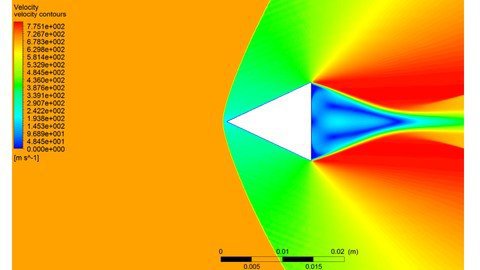
Simulation using ANSYS - Fluent English version
me4dapceri6lyfy3wjpatcdkl3.jpg


Simulation using ANSYS - Fluent English version
MP4 | Video: h264, 1280x720 | Audio: AAC, 44.1 KHz
Language: English | Size: 18.2 GB | Duration: 35h 19m

CFD ANSYS Fluent


What you'll learn
1- draw any 2D/3D Model using Spaceclaim.
2- Successfully create the correct mesh for any Model and measure its quality.
3- Understand the physical setup of both CFX-Pre and Fluent.
4- Deal with different models ( heat transfer, supersonic flow, combustion, solar load,...etc).
5- Professionally view the results you want in both CFD-Post and Fluent
Requirements
Fluid dynamics basic knowledge
ANSYS 18.1 or later installed on your PCs

Description
Since there are two different interfaces(GUIs) for ANSYS workbench ,each video is uploaded in the two GUIs
('R181' for Workbench versions earlier than R19.3, 'R193' for Workbench versions after than R19.2)
-the course requires you to have very basic knowledge on fluid dynamics
the course is split into 3 parts:
1. learn how to work professionally on ANSYS CAD software 'space claim' (we start from the beginning till we can make assembly, and import parts from other CAD software ).
2. learn how to work professionally on ANSYS meshing tool, and measure the mesh quality.
3. learn how to work professionally on CFX and Fluent , and view the results on CFD-post
in every program, we understand its GUI, all the options they have, and the physics behind every value or option we use
the course contains 34 projects (10 projects in space claim , 6 in meshing tool , 3 in CFX , and 15 in Fluent)
in every project, we learn new tools and get more familiar with the programs
the instructor will be available with you through the entire course, and ready for any technical questions you have
this is the course content:
Session 1:
-intro to FEA
-intro to Space Claim (1-D, 2-D, and 3-D drawings )
Session 2:
-more on Space Claim:
Importing drawings from other CAD software
Drawing flow domain for a 3D wing
importing .txt file to spaceclaim
Using pattern tool in drawing blades
Working on Assembly (assembling parts drawn on space claim,
and parts drawn on Solidworks)
Session 3:
-intro to Meshing
-GUI of ANSYS meshing tool
-Meshing three main parts (Global settings, Meshing methods,
and Local settings)
-Pipe model mesh (structured mesh)
-Car flow domain mesh
-Aerofoil flow domain mesh
-Aerofoil structured mesh
-2 rectangle blocks domain structured mesh (2D)
-2 rectangle blocks domain structured mesh (3D)
-Mesh quality
Session 4:
-intro to CFD
-GUI of CFX
-Turbulence models, and Boundary conditions
-Solving flow in pipe (comparing different cases) (CFX)
-Solving flow over a car model (CFX)
-Solving flow in a Convergent Divergent nozzle (CFX) (supersonic flow)
Session 5:
-GUI of Fluent
-Solving flow in pipe (comparing CFX and Fluent results)
-Solving flow over aerofoil (Fluent)
-Solving supersonic flow over a wedge (Fluent)
-Solving a combustion chamber case (Fluent)
-Solving a convergent divergent nozzle case(Fluent)
Session 6:
-GUI of CFD-post
-Using CFD-post to view results with all Fluent and CFX projects
-Solving a water filling in a tank case (Fluent)
-heat exchanger- heat transfer (Fluent)
-Solving Rotating Cylinder case (Fluent)
-Simple FSI Fluid Solid interaction case (Fluent)
-Boiling water in a tank case (Fluent)
-Solar load and radiation case (Fluent)
Session 7:
-VAWT (vertical axial wind turbine) (Fluent)
-Pipe in a wall heat transfer (Fluent)
-Car in a garage case (Fluent)
-Gate in a pipe (UDF + dynamic mesh) (Fluent)
-Centrifugal Compressor (Fluent)
-bullets race Advanced FSI case (Fluent)

Who this course is for:
Mechanical engineers
Aerospace engineers
Mechanical students
Aerospace students
CFD Analysts
numerical analysis researches
numerical analysis students


simulationusingansysfpfkok.jpg


Download from RapidGator


Download from Keep2Share



Wordpress Le Cours Complet 20 Cours en 1 |version 2021 (35h)

k5dtnzz13bvhilyxxvhfovpjmz.jpg


Wordpress Le Cours Complet 20 Cours en 1 |version 2021 (35h)
MP4 | Video: h264, 1280x720 | Audio: AAC, 44.1 KHz
Language: French | Size: 20.9 GB | Duration: 34h 26m

+35 heures de vidéos pour créer un site réussi ! BONUS: SEO, Photoshop, Mailchimp, Facebook, Instagram, Google, LinkedIn


What you'll learn
Apprendre à créer un site de A à Z avec Wordpress
Auditez vos sites WordPress pour en corriger tous les défauts
Installation et paramétrage de WordPress
Gestion d'un site mono- ou multi-utilisateur avec WordPress,
Optimisez les réglages de base, ainsi que les extensions et les thèmes de WordPress
Allez vers le multilingue, la mobilité, l'Ajax, le multisite et l'e-commerce sans perte de visibilité sur les moteurs
Maintenance et sécurisation d'un site avec WordPress,
WordPress et le monde mobile (Iphone, Android, Windows Phone)
Apprendre à référencer son site WordPress
Révisez et perfectionnez vos bases en référencement naturel : popularité, indexation, structure...
Décryptez vos statistiques de trafic (web analytics) et soignez les temps de chargement
Suivre en direct ma Stratégie de Facebook et instagram Ads appliquée à un vrai site Wordpress
Créer votre audience (étape par étape) grâce à ma stratégie de recherche
Maîtriser "Facebook Business Manager" pour lancer vos campagnes
Comment augmenter son taux de conversion facilement avec vos campagnes sur Wordpress ?

Description
Maitrisez et familiarisez-vous avec l'un des CMS les plus populaires avec le cours le plus complet et élu « meilleure vente » sur Udemy 2 ans de suite !!
Que vous soyez utilisateur débutant ou confirmé, cette formation WordPress s'adapte à tous vos besoins, qu'ils soient personnels ou professionnels. Vous disposerez de cours régulièrement mis à jour (dernière mise à jour le 05/10/2021) avec un accès à vie sans oublier que c'est satisfait ou remboursé durant 30 jours.

Grâce à ces cours, vous allez découvrir les toutes premières prémices de ce CMS à la fois simple, facile et puissant qui par la suite vous donneront la capacité de mettre en place votre site web du début à la fin sans compter que vous apprendrez à développer parallèlement de nouvelles fonctionnalités pour faire de votre site une plateforme unique et performante et tout cela abstraction faite du marketing digital.

En combinant le marketing digital et WordPress, il serait aisé pour vous d'améliorer la visibilité et le trafic de votre site et de votre présence sur les réseaux sociaux dans le but de développer et de fidéliser votre clientèle. Au fil des sessions, je vais vous parler de comment créer le site de votre entreprise, identifier les outils sur lesquels baser votre stratégie, appliquer les méthodes permettant que l'on vous trouve, créer une dynamique autour de votre identité de marque, faire en sorte que votre client devienne un ambassadeur de votre marque et, enfin, analyser, réajuster et optimiser vos actions.

Dans ce cours vous apprendrez à :

1⃣ Installation et configuration de WordPress

Liste des meilleurs outils

Serveur local et installation

Nom de domaine, serveurs et bases de données

Utilisation et configuration des outils

2⃣ Programmation avec WordPress

Choix et installation de templates

Styles CSS et personnalisation d'un template

Gestion des catégories, des articles, des commentaires...

Création thèmes graphiques

Création de plugins et d'extensions

3⃣ Plugin avec WordPress

Choix et installation de plugin

Configuration de plugins et d'extensions

4⃣ WooCommerce avec WordPress

Installation de WooCommerce

Création de produit

Configuration des prix

Installation des plugin spécifique pour WooCommerce

5⃣ Lancer le référencement naturel

Bases de référencement naturel

Extensions et plugins propres au SEO

Réalisez un réel audit sémantique pour définir la structure idéale de votre site

Optimisez les réglages de base, ainsi que les extensions et les thèmes de WordPress

Acquérir une expérience professionnelle de l'utilisation de Google Analytics

6⃣ Lancer la publicité Facebook et instagram Ads

Installation du Pixel Facebook

Maîtriser "Facebook Business Manager" pour lancer vos campagnes

Créer votre audience (étape par étape) grâce à ma stratégie de recherche

Lancer une compagne sur Instagram Business Manager

7⃣ Créer des stories Instagram de niveau professionnel

Application de design graphique friendly-mobile

Maîtrisez l'outil After Effect pour créer des stories Instagram comme un PRO

8⃣ Formation photoshop - initiation

Apprendre à utiliser Photoshop pour les retouches d'images

Enfin, afin de vous proposer la formation la plus complète possible sur Udemy je m'engage à :

Ajouter des chapitres pour chacune des nouvelles mises à jour importantes (1 ou 2 par Mois)

Ajouter régulièrement du contenu à la formation (essentiellement des cas pratiques)

Ajouter des cas pratiques à la demande (Merci de m'envoyer un émail si vous avez une proposition)

Accompagner les participants avec des cas pratiques et autres sources utiles à leur réalisation.

Ces ajouts de vidéos seront, bien entendu, gratuits si vous avez acquis la formation.

Je reste disponible dans la rubrique Question/Réponses d'Udemy pour répondre à vos questions.

À la fin de ce cours, si vous le suivez en entier et réussissez l'ensemble des quizz : Obtenez votre certification électronique à insérer dans votre CV et profil LinkedIn.
Il ne me reste que plus qu'à vous souhaiter une bonne formation !

NOTE (31/10/2021) : J'ai ajouté un atelier pour la création d'un site web avec un thème gratuit + le plugin Elementor

NOTE (04/09/2021) : Techniques pour améliorer la vitesse de chargement de votre site

NOTE (06/08/2021) : Masquer l'en-tête sur les mobiles et les tablettes

NOTE (06/08/2021) : Personnaliser le Header Layout - Layout screen et éditer le Global Header

NOTE (05/08/2021) : Créer et importer une audience avec la nouvelle interface de Audience insight

NOTE (24/05/2021): Comment installer Pixel LinkedIn et Pixel Facebook sur Wordpress

NOTE (16/05/2021): Comment fixer les erreurs de PHP Time Limit/PHP Memory/PHP Max Input Vars

NOTE (17/02/2021): J'ai mis à jours la formation avec plusieurs méthodes pour l'hébergement sur un serveur web

NOTE (29/01/2021): J'ai mis à jours la formation avec la dernière version de MAILCHIMP

NOTE (22/11/2020): J'ai mis à jours la formation avec la dernière version de WordPress 5.5.1

NOTE (17/10/2020): J'ai mis à jours la formation avec la publicité professionnelle sur Instagram (INSTAGRAM BUSINESS MANAGER)

NOTE (14/09/2020): J'ai mis à jours la formation avec l'installation de CMS en mode local

Dr. Firas


Who this course is for:
Toute personne voulant travailler sous WordPress
Toutes les personnes souhaitant obtenir de nouveaux clients avec les leads
Toute personne utilisant la publicité Facebook, Instagram dans son Business en ligne
Vendeurs indépendants, Entrepreneurs, Les dirigeants de TPE-PME
Responsable marketing, commerciale
Webmaster, Freelanceur
Boite de communication digitale


005installationdesexts3jgx.jpg


Speed Reading & Memory - SuperHuman Brain - 22 Courses in 1

2740590751135cjga.jpg


Speed Reading & Memory - SuperHuman Brain - 22 Courses in 1
Last Update: 5/2021
Duration: 33h 25m | Video: .MP4, 1280x720 30 fps | Audio: AAC, 44.1 kHz, 2ch | Size: 15.6 GB
Genre: eLearning | Language: English

Speed Reading Secrets, Memory Improvement Formulas And Much More To Become A Superhuman Learning Machine


What you'll learn:
Become A Learning Machine Through Effective Speed Reading And Learning Concepts That You Will Learn And Apply
Become A Master In Productivity And Time Management Through The 20+ Productivity Formulas Included In The Course
Access A Deep Level Of Intelligence And Creativity Through Proper Brainstorming Tactics, Mind Mapping Training, And 15+ Applicable Formulas You Can Use
Explore The True Power And Potential Of Your Brain Through The Concepts Of Neuroplasticity And Neuro-Linguistic Programming
Gain The Ability To Rewire Your Brain And Take Control Of Your Thoughts, Habits, Feelings And Emotions
You Will Dive Deep Into The World Of Well-Being And Emotional Intelligence Where You Will Learn 26+ Formulas For Stability, Control And Emotional Intelligence
Become A Master Of Your Habits By Understanding, Controlling And Changing Habits The Way You Want To
In A Nutshell, You Will Learn Everything You Need To Learn In The Area Of Personal Development And Transformation To Take Yourself To A Whole New Level!

Requirements:
Understand Basic English

Description:
After a year and a half of work, research, and studies, I am happy to introduce my newest course:
"Become A SuperHuman Learning Machine ®"
After seeing that people tend to solve some problems only to encounter other problems, I decided to create a course that can help people cover a variety of problems that they might be encountering. The goal is to help each and every one of you in achieving their breakthrough and personal transformation.
We will be covering different topics such as:
1) Become A Learning Machine Through Effective Speed Reading And Learning Concepts That You Will Learn And Apply
2) Become A Master In Productivity And Time Management Through The 20+ Productivity Formulas Included In The Course
3) Access A Deep Level Of Intelligence And Creativity Through Proper Brainstorming Tactics, Mind Mapping Training, And 15+ Applicable Formulas You Can Use
4) Explore The True Power And Potential Of Your Brain Through The Concepts Of Neuroplasticity And Neuro-Linguistic Programming
5) Gain The Ability To Rewire Your Brain And Take Control Of Your Thoughts, Habits, Feelings And Emotions
6) You Will Dive Deep Into The World Of Well-Being And Emotional Intelligence Where You Will Learn 26+ Formulas For Stability, Control And Emotional Intelligence
7) Become A Master Of Your Habits By Understanding, Controlling And Changing Habits The Way You Want To
In A Nutshell, You Will Learn Everything You Need To Learn In The Area Of Personal Development And Transformation To Take Yourself To A Whole New Level!


Who this course is for:
People who want to transform their lives through personal development and transformation

Homepage

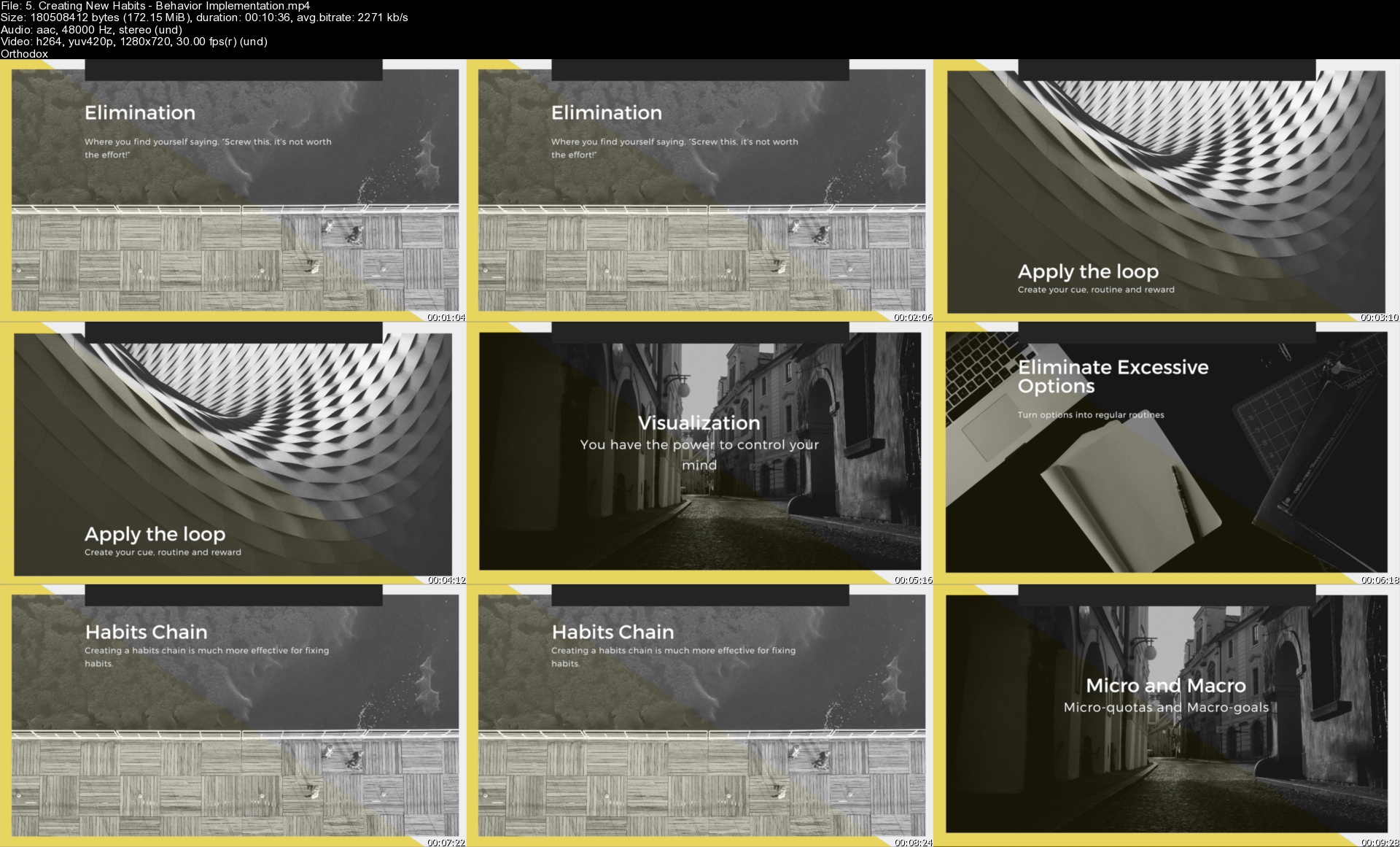
5.creatingnewhabitsbelxkpu.jpg


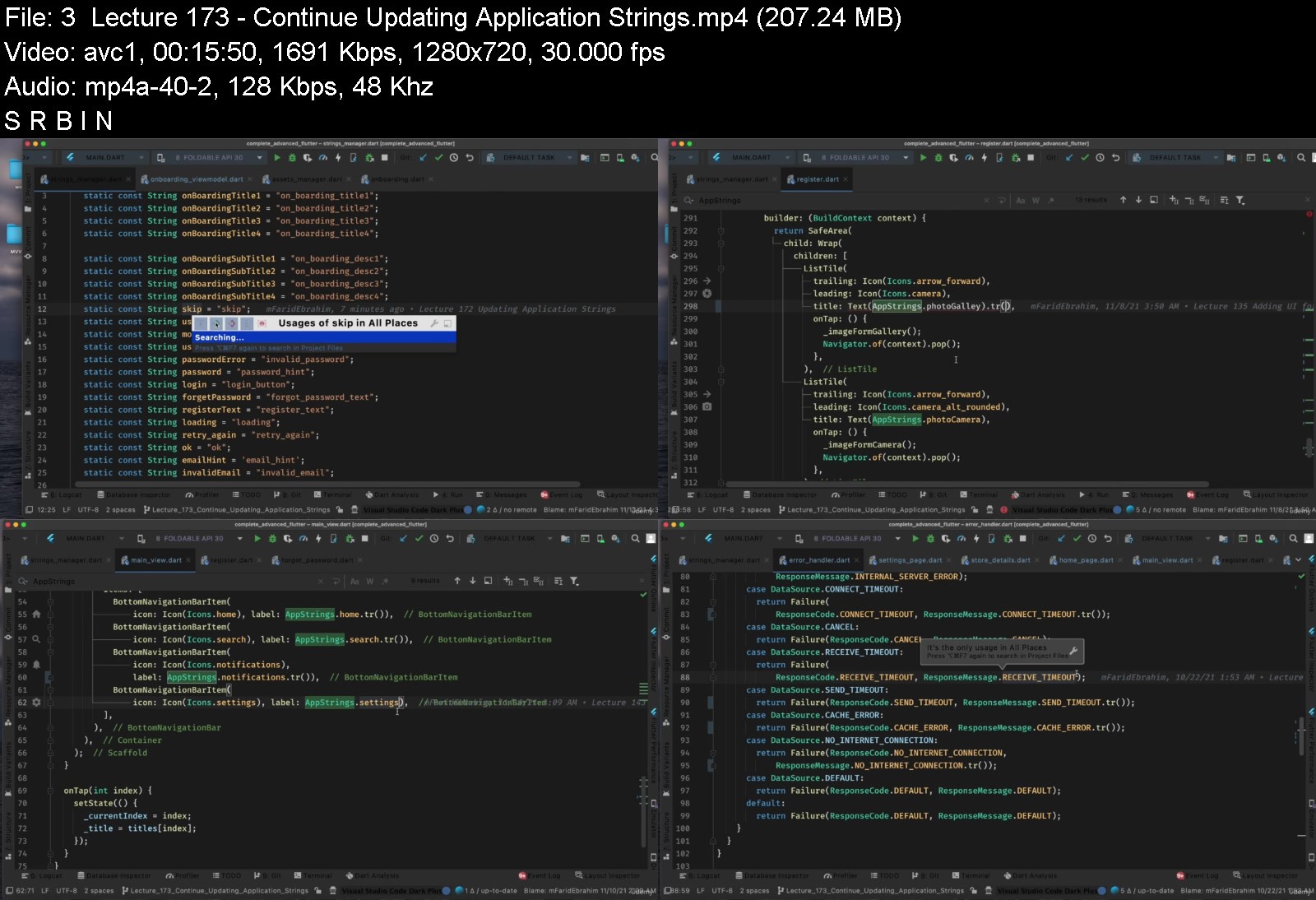
Flutter Advanced Course - Clean Architecture With MVVM

flutteradvancedcourseyskfu.jpg


Flutter Advanced Course - Clean Architecture With MVVM
MP4 | Video: h264, 1280x720 | Audio: AAC, 48 KHz, 2 Ch
Genre: eLearning | Language: English | Duration: 179 lectures (20 hour, 14 mins) | Size: 10.5 GB


Become a job ready flutter developer.


What you'll learn
Clean Architecture Design Pattern
MVVM - Model - View - View Model Pattern
ViewModel Inputs and Outputs
Base ViewModel and Base UseCase
Application Layer - Dependency Injection, Routes Manager and Application class
Application Layer - Extensions and Shared Functions
Data Layer - Data Sources (Remote Data Source/ Local Data Source)
Data Layer - API Service Client (Same as Retorfit in Android)
Data Layer - Calling APIs (Remote Data Source)
Data Layer - Adding Logger Interceptor
Data Layer - Caching APIs responses (Local Data Source)
Data Layer - Json Serialization and Annotations
Data Layer - Repository Implementation
Data Layer - Mapper (Converting responses into Models)
Data Layer - Mapper (Using toDomain Concept)
Data Layer - Applying Null Safety
Data Layer - Creating Mock APIs (Stub APIs)
Domain Layer - Models
Domain Layer - Repository Interfaces
Domain Layer - UseCases
Domain Layer - Either Concepts (Left - Failure) / (Right - Success)
Domain Layer - Data Classes
Presentation Layer - UI (Splash - Onboarding - Login - Register - Forgot Password - Main - Details - Settings - Notification - Search))
Presentation Layer - State Renderer (Full Screen States - Popup States)
Presentation Layer - State Management (Stream Controller - RX Dart - Stream Builder)
Presentation Layer - Localisations (English - Arabic), (RTL - LTR)
Presentation Layer - Assets Manager (Android and Ios Icons and Images sizes)
Presentation Layer - (Fonts - Styles - Themes - Strings - Values - Colors) Managers
Presentation Layer - Using Json Animations
Presentation Layer - Using SVG images
Using 18 Flutter Packages
Getting Device Info (Android - Ios)
Using Abstract classes
Course content
24 sections • 179 lectures • 20h 14m total length
Requirements
Dart and Flutter Knowlege is a MUST
Install Android Studio or Visual Studio and have Flutter SDK ready

Description
Flutter is defined as the Google's UI toolkit for building beautiful, natively compiled applications for mobile (Android, iOS ) desktop (Linux, Mac, Windows, Google Fuchsia) and the web from a single codebase. Since Flutter is cross-platform, you can use the same code base for your iOS and Android app. This can definitely save you both time and resources. This course will help you to move from junior developer to experienced developer. You will have the knowledge of "How to implement a structured project?". Your code will be easily readable, maintainable and sustainable. You will get a real experience from a real project so that you will start coding from scratch to build clean architecture project with MVVM. You will build presentation layer, data layer, domain layer and application layer step by step. This architecture is designed to make it easier to create stable apps even when outer elements such as UI, databases, or external APIs are always changing. It's essentially a collection of best practice design principles that help you keep business logic, or domain logic, together and minimize the dependencies within the system. After completing this course you can reuse the source code of this course and customize on it to build your clean architecture with MVVM project in a professional way.

Who this course is for:
Developer who already has a knowledge in dart and flutter
Beginner and Junior developer who wants to master flutter
Developer who is searching for advanced topics in flutter
Developer who needs to create a structured project with clean architecture and MVVM
Developer who took beginner courses and still needs more
Developer who needs a course to become a job ready flutter developer

flutteradvancedcourserwkec.jpg


Download from RapidGator


Download from Keep2Share



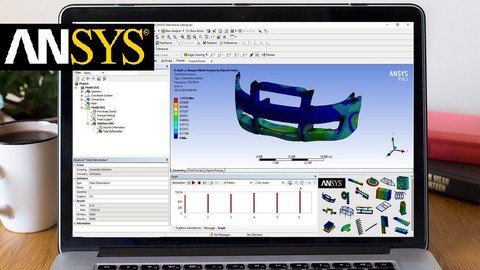
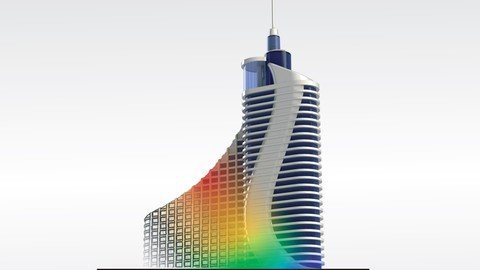
Ansys Training: a Easy Introduction With Applications

dhrieifus9incgmp6ayxeg7j13.jpg


Ansys Training: a Easy Introduction With Applications
MP4 | Video: h264, 1280x720 | Audio: AAC, 44.1 KHz
Language: English | Size: 5.37 GB | Duration: 10h 40m

Essential training on solving Engineering Problems from start by using Ansys workbench with examples.


What you'll learn
Will be able to demonstrate the knowledge on applying the industry leading FEA software ( Ansys Workbench) for solving and understand the behavior of the real world engineering problems.
Will Learn how to Effectively perform static structural Analysis in 3-D, 2-D & 1-D using Ansys Workbench.
Will Learn how to Effectively perform Modal Analysis (Type of Dynamic Analysis) using Ansys Workbench.
Will Learn how to Effectively perform Thermal Analysis using Ansys Workbench.
Will Learn how to Effectively perform Thermo-structural Analysis using Ansys Workbench.
Will Learn how to generate good meshes for the Finite Element Analysis.
Will learn about the basics of Finite Element Analysis along with basics of Static Structural, Thermal, Modal and Coupled field analysis.
Will learn to apply this Ansys Workbench software to their academic and research Projects.
Requirements
No need to have prior knowledge about Ansys Workbench. The Course teaches the Ansys workbench software from the beginning.
A basic Knowledge on Finite Element Method and Strength of Materials is Good
Accesses to Ansys Workbench Software from version 14.0 upto the Latest version.
The most important factor is the enthusiasm to learn .

Description
Ansys Workbench is a general-purpose Finite Element Analysis (FEA) software that is widely used in the Industry and Academia to solve many different engineering problems through a virtual simulation of the Engineering Designs under consideration.
Ansys Workbench is applied to virtual simulate the product operating conditions and helps us to understand its behavior and helps us achieve very good design through simulation and optimization even before the product has been manufactured.
Using Ansys Workbench software we can Simulate problems from Different fields such as Structural, Vibrations, Heat transfer, Fluid Flows, and many more types.
This course is all about learning and completing the Essential training required for effective usage of the Ansys Workbench Software so that by the end of the course you will be able confidently to perform Meshing of geometries, Static Structural, Modal, Thermal, Thermo-structural, buckling analysis using this Ansys Workbench software. you will also get acquaintance with the Design Modeler, Ansys Mechanical, Ansys Engineering Data, and other important modules in Ansys Workbench Software.
This course is divided into Theoretical and Practical Sessions.
In the Theoretical session, you will be introduced to the basic theoretical concepts regarding the topics of FEA, Meshing, Static Structural, Modal, Thermal, Thermo-structural, and buckling analysis.
In the Practical sessions, you will be using industrial and academic examples for learning how to apply Ansys Workbench software for efficiently performing different kinds of Simulations such as:
- Static Structural Analysis
- 3-D Static Structural Analysis
- 2-D Static Structural Analysis
- 1-D Static Structural Analysis
- Modal Analysis
- Free Vibration Analysis
- Forced Vibration Analysis (Pre-Stressed)
- Thermal Analysis
- Conduction Mode
- Convection Mode
- Radiation Mode
- Mixed Mode Heat Transfer
- Thermo-Structural Analysis
- Buckling Analysis
- Structural Buckling
- Thermal Buckling
In addition to all of these analyses, you will learn about meshing and how to generate good mesh, use of Design Modeler Module, other important modules in Ansys Workbench software.
I hope you will join me in this course for learning more information about FEA analysis and Ansys Workbench software.

Who this course is for:
People who are willing to learn Ansys software.
Engineering Students who want equip themselves with industry demanding Finite Element Analysis software skills.
Designers and Engineers who want to upgrade their Skill Set.
Hobbyists who work on Mechanical design and construction projects.


ansystrainingaeasyintthjg9.jpg


Download from RapidGator


Download from Keep2Share



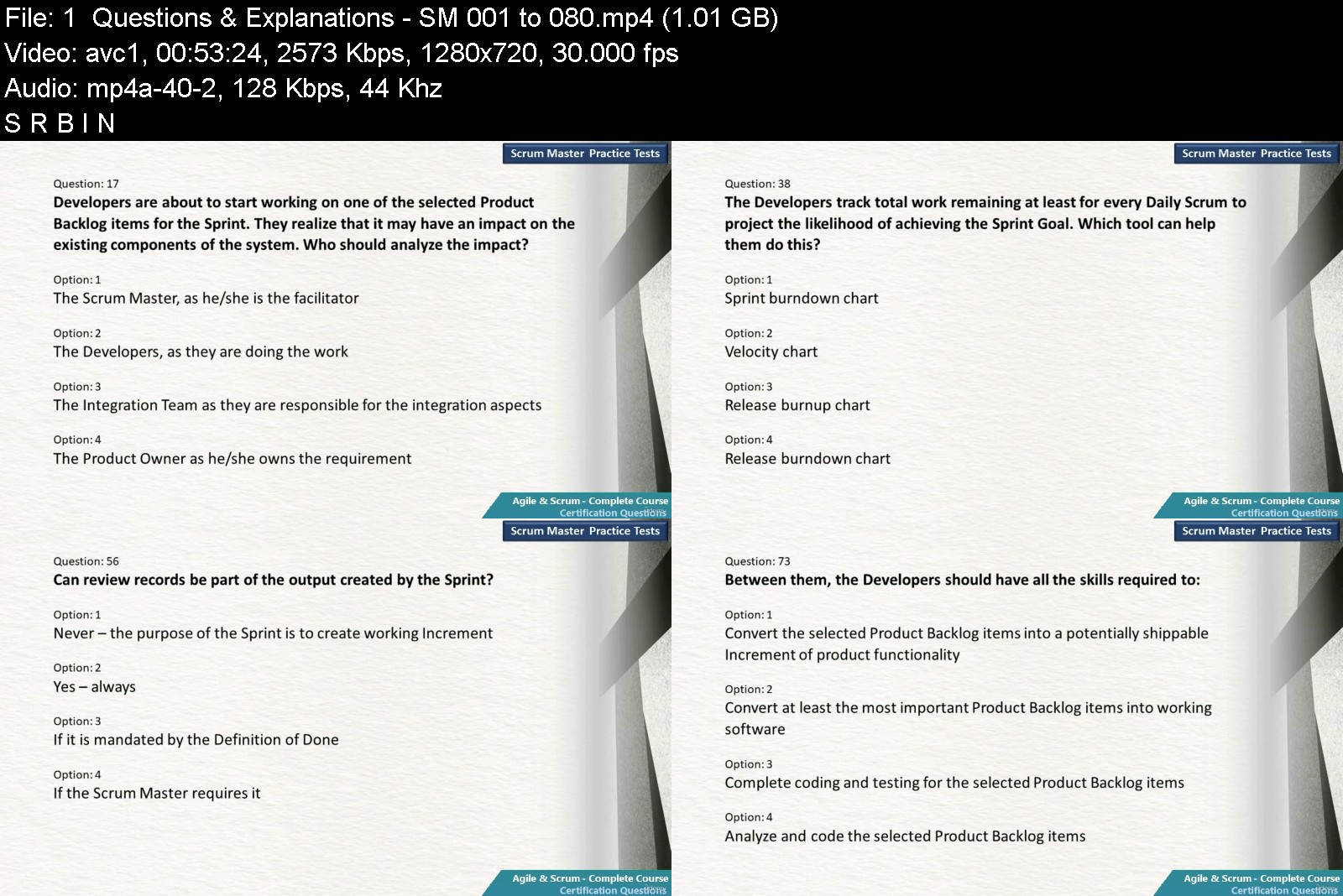
Agile & Scrum - Complete Course + Certification Prep + Tests

agilescrumcompletecouodjcg.jpg


Agile & Scrum - Complete Course + Certification Prep + Tests
MP4 | Video: h264, 1280x720 | Audio: AAC, 44.1 KHz, 2 Ch
Genre: eLearning | Language: English | Duration: 46 lectures (15 hour, 8 mins) | Size: 6.68 GB


Agile-Scrum training + Prep for Scrum Certifications + Building Agile Teams + Scrum Scenarios + 1000 Questions + Tests


What you'll learn
Agile Software Development & detailed Scrum training
How requirements are managed in Scrum Framework
Preparation for Scrum Certifications
A step by step approach for building Agile teams
Six real-life scenarios from Scrum teams and discussion on them
More than 1000 questions for Scrum certification assessments with answers & detailed explanations
Two full-length Practice Tests based on questions discussed
Requirements
A basic knowledge of Software Development is desirable.
Nothing else, But this course starts from the basics of Agile and goes all the way to the advanced topics like building agile teams.

Description
This is one course that covers all topics related to Agile and Scrum. This course goes beyond an agile, scrum training and covers topics like, a detailed discussion on handling requirements, Certification preparation- discussing how should we approach questions on each topic, Agile Transformation - an agile approach for implementing Agile, Scrum Tales- Real-life stories and discussion based on them and a collection of more than 1000 questions with answers and explanations for scrum certifications.
Let's quickly review the topics, this is a high-level view. There are many sub-topics discussed during this course, which make it a complete solution.
We will start with basics of agile software development, Manifesto, principles and an overview of different agile approaches like Scrum, Kanban, Extreme programming etc.
Then we will have a detailed discussion on scrum framework. This includes a discussion on Agile requirements, from requirement collection and user story mapping to topics like breaking down stories, ordering, estimation and so on.
We will discuss different levels of planning and events defined in scrum. There are videos on scrum roles and different monitoring and tracking methods used by scrum teams.
After these initial set of topics, we will move on to the certification preparation. There are separate videos discussing, how to approach questions from each topic like, Roles, Events, Artifacts and Scrum Basics.
We are not done. There are more topics. We will discuss an agile approach in implementing agile. Each step in this "Agile Transformation" are discussed. There are many simple, ready to use templates attached to these steps.
Next topic is "Scrum Tales". We will discuss six real world stories, incidents from scrum teams. We will analyze each scenario and discuss on it.
Towards the end of this course, we have more than 1000 questions in video format. These questions and explanations are based on the latest version of the scrum guide. This will prepare the student to face any questions on scrum certifications of leading organizations. We have prepared these questions keeping professional scrum master and scrum product owner certification assessments in mind.
At the end we have two full length practices tests based on these questions.
Please see the curriculum for this course for more details.
*****************************
Statutory Acknowledgement
This course is neither endorsed by nor affiliated with Scrum org. This course uses content from the Scrum Guide. All the content related to Scrum Guide is taken from scrumguides org and is under the Attribution ShareAlike license of Creative Commons. Further information is accessible at creativecommons site.

Who this course is for:
Those who want to master the Agile software development with Scrum Framework
Those who are appearing for professional Scrum certifications of leading organisations
Those who are with the task of building successful Agile teams
Those who are preparing for interviews on Agile roles
Course content
11 sections • 48 lectures • 15h 8m total length

agilescrumcompletecouyjjoq.jpg


Download from RapidGator


Download from Keep2Share


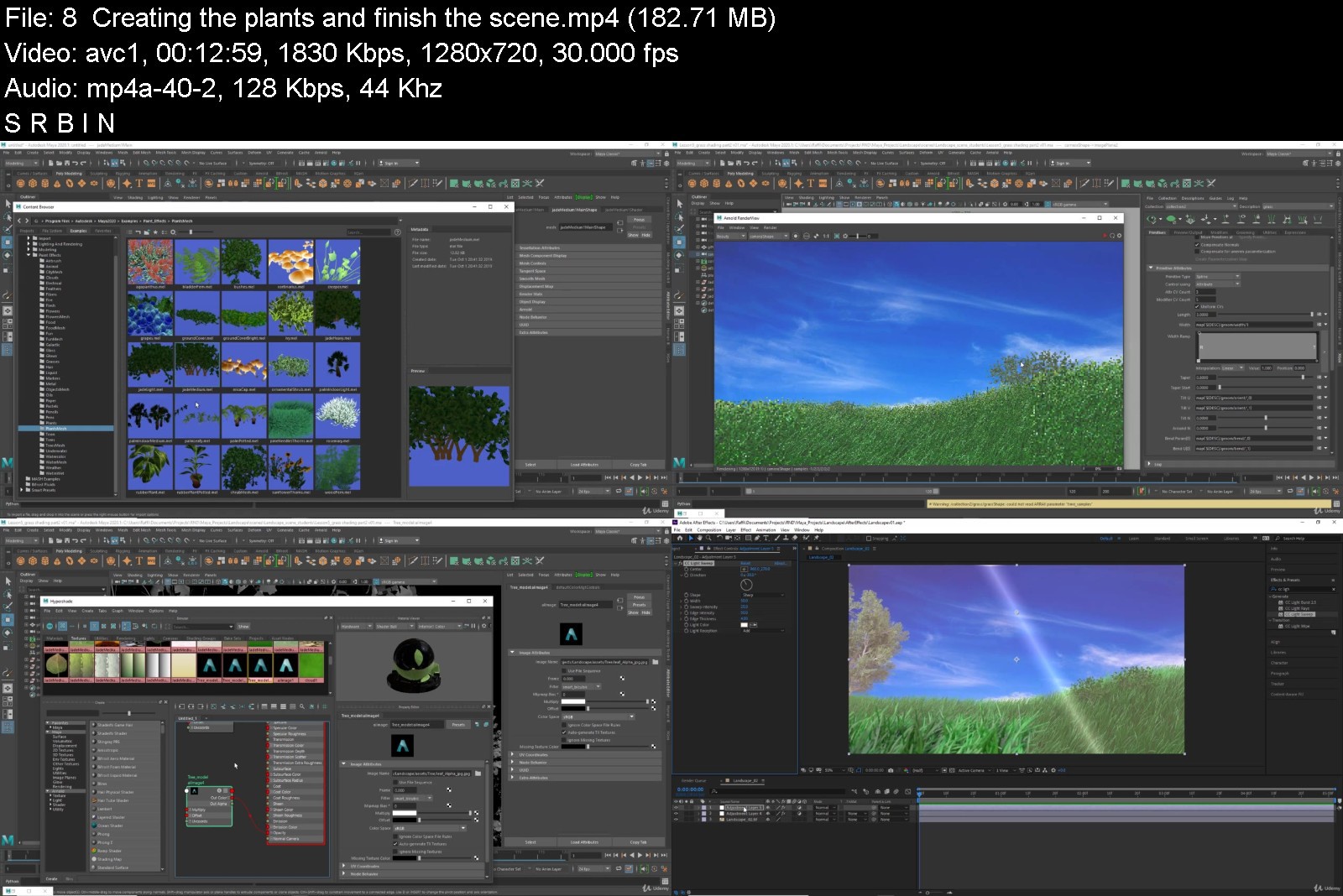
Maya Bootcamp - Projects Based Course

szdlxmuy6av6od3qatnkkdljcj.jpg


Maya Bootcamp - Projects Based Course
Genre: eLearning | MP4 | Video: h264, 1280x720 | Audio: AAC, 44.1 KHz
Language: English | Size: 6.60 GB | Duration: 8h 53m


What you'll learn
You will learn Maya from scratch
You will have solid knowledge in Maya FX.
You will learn Maya Bifrost.
You will learn Maya Fluids.
You will learn nCloth.
You will learn how to create wheel burnout.
You will learn how to use Maya FX to create Variety of effects.
You will learn rigid bodies Dynamics.
You will Learn Maya nParticles.
And much more...

Description
This is a comprehensive Maya course.
No time wasting, Straight to the point, direct and objective.
You will learn Maya by creating short and sweet projects.
NO previous knowledge required.
In the first section we are going to dive quickly into Maya's most important features to help you start using Maya
without wasting much of your time, then we are going to learn how to create short projects and effects in Maya.
Instead of creating one big project, this course contains variety of professional and high quality short projects,this is more fun,more interesting and more engaging for beginners.
Last Updates:
Creating Landscape using xGen
Bifrost
Skirt and Tanktop simulation (nCloth Section).
Simulating a cloth on animated character (nCloth Section).
nCloth (New Section)
collision Self Component Id (Expression Section).
Killing the particles when they Exit the volume field (Expression Section).
Collision Layers.
Coloring the particles based on the geometry index (Expression Section).
Dry sand using nParticles.
Water Effect
Particle Expressions (New section)
Newton and Radial Fields (Fields and solvers Section).
Drag Field (Fields and solvers Section).
Air field (Fields and solvers Section).
Student Review: Terence Kent
"Excellent course about the different fluids and rigid body dynamics in Maya.
Really helped me to understand the basics, I'm now really comfortable using these in my projects."
Maya is a standard 3D Application tool used widely in Visual Effects studios to create 3D models,game assets, smoke,fire and dust etc...
Learning Maya is challenging for beginners,that's why I created this course to cover all the techniques,we are going to start supper simple and gradually we're going to create more advanced effects.
What you will Learn:
Quick dive into Autodesk Maya.
3D modeling fundamentals.
You will Understand how the 2D and 3D containers work.
Complete nParticles section.
Expressions.
How to use Maya fields.
Creating Helicopter Landing dust effect.
Creating Torch Fire.
Creating rain effect.
Rigid Bodies.
Creating Wheel burnout.
Water effect.
Dust effect.
Rocket smoke.
Bifrost
and much more...
So enroll now and I promise you won't be disappointed.

Who this course is for:
Anyone wants to learn Maya from scratch.
Maya artists curious about learning Maya FX and Dynamics.
Anyone wants to learn how to create visual effects inside Maya
Anyone wants to learn how to create some effects like smoke and fire etc..


mayabootcampprojectsbvbkww.jpg


Download from RapidGator


Download from Keep2Share



Introduction to Database Engineering (updated 11/2021)

stus8lmibpowpdu6lejmj22jzd.jpg


Introduction to Database Engineering (updated 11/2021)
MP4 | Video: h264, 1280x720 | Audio: AAC, 44.1 KHz
Language: English | Size: 8.12 GB | Duration: 18h 41m

Learn ACID, Indexing, Partitioning, Sharding, Concurrency control, Replication, DB Engines, Best Practices and More!


What you'll learn
Learn and understand ACID Properties
Database Indexing
Database Partitioning
Database Replication
Database Sharding
Database Cursors
Concurrency Control (Optimistic, Pessimistic)
B-Trees in Production Database Systems
Database System Designs
Difference between Database Management System, Database Engine and Embedded database
Database Engines such as MyISAM, InnoDB, RocksDB, LevelDB and More
Benefits of Using one database engine over the other
Switching Database Engines with MySQL
Database Security
Homomorphic Encryption


introductiontodatabaseqkwo.jpg


Download from RapidGator


Download from Keep2Share


Ansys From Drawing to Results Visualization - Cfd and Fea

bce7az3fr5auaxmev467kq6jgr.jpg


Ansys From Drawing to Results Visualization - Cfd and Fea
MP4 | Video: h264, 1280x720 | Audio: AAC, 44.1 KHz
Language: English | Size: 7.65 GB | Duration: 15h 58m

Top Notch ANSYS Workbench Training with the Application of Verified Real World Problems


What you'll learn
In-detailed explanation of DesignModeler & ANSYS Meshing
In-detailed five examples of real-life applications using ANSYS Mechanical & ANSYS FLUENT
ANSYS Workbench
Parametric Analysis
Basic simulation and CFD fundamentals
Basics of schematic diagrams infographic designing and representation for scientific targets using Adobe Illustrator and PowerPoint.
Exporting results files in a high quality and proper formats as recommended by the scientific research journals.
How to save ANSYS project with different formats
Requirements
Basic background in heat transfer, fluid mechanics, and strength of materials

Description
Welcome to our ANSYS professional course!
We are glad to present this comprehensive course that contains at the beginning number of crucial fundamentals and basics related to the big idea of simulation and CFD in a simple and interesting way.
After that, a detailed explanation of DesignModeler is presented with a high quality and organized content and examples with a step by step illustration.
The next section is the ANSYS Meshing that has been divided into several videos with a well-organized flow of ideas in order to simplify the meshing process and generate high-quality structured hexa mesh. Also, the theory related to meshing is summarized in animated presentations. In addition, 3 special tools have been programmed for the purpose of meshing optimization.
After meshing, 5 real-world application examples, with a special experimentally validated example that simulates the solar load, are solved using ANSYS Mechanical Thermal, ANSYS Mechanical Structural, and ANSYS FLUENT. Also, the parametric analysis has been used in one of the examples. Through those examples, you can see the powerful tools of ANSYS Workbench and the different results we can get. The results of the first four examples have been verified by comparing them to analytical calculations and empirical correlations. The last example is validated with the experimentally measured data for a box solar cooker using both solar load methods (i.e. experimental inputs and solar calculator).
Throughout the course, multiple practice activities are continuously added to help the student mastering the key ideas of each section of the course.

Who this course is for:
Engineering and science students who are interested in modeling of physical phenomena using ANSYS


ansysfromdrawingtoresqmjjp.jpg


Download from RapidGator


Download from Keep2Share


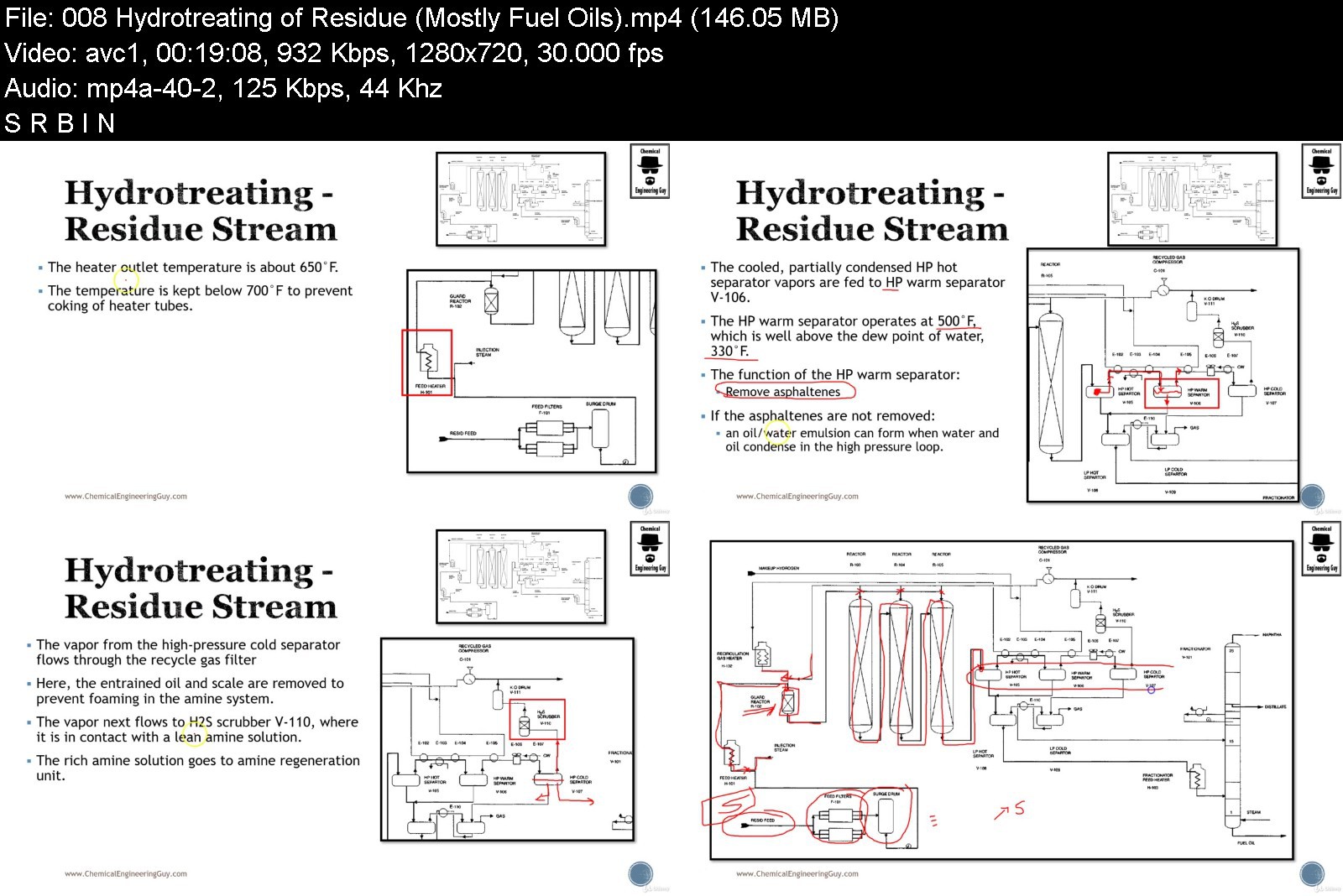
Petroleum Refining - Complete Guide to Products & Processes

rim19guanbxspbpxxq8mwmhjk3.jpg


Petroleum Refining - Complete Guide to Products & Processes
MP4 | Video: h264, 1280x720 | Audio: AAC, 44.1 KHz
Language: English | Size: 7.65 GB | Duration: 14h 24m

Learn the most relevant Petroleum Refining Operations such as Crackers, Reformers, Alkylation for Oil & Gas


What you'll learn
Strong Foundations in the Petroleum Refining Industry, products and its processes
Oil& Gas Industry
Market insight (supply/demand) as well as (production/consumption)
Processes such as: Refining, Fractionation, Atmospheric Distillation, Vacuum Distillation
Further Processes such as: Hydrotreating (Hydrogenation), Blending, Reforming, Isomerization, Alkylation, etc...
Several Cracking Processes: Steam Cracking, Fluid Catalytic Cracking
Treatment of other materials such as Sour Gases via Gas Sweetening and Coking
Requirements
Basic Chemistry Knowledge
Unit Operation Knowledge is a Plus

Description
The main scope of the course is to create strong basis and fundamentals regarding the processes in the Petroleum Refining. We take a look to the Oil&Gas Industry briefly and continue directly with the Refining Process. We then make a focus in each individual unit operation in the refinery.
Learn about:
Oil& Gas Industry
Difference between Petroleum Refining vs. Petrochemical Industry
Overview of the most important operations and products
Market insight (supply/demand) as well as (production/consumption)
Several Petroleum Refineries around the World
Unit Operations & Processes
Refining and Fractionation
Atmospheric Distillation Column
Vacuum Distillation
Hydrotreating (Hydrogenation)
Blending
Reforming
Isomerization
Alkylation
Steam Cracking
Fluid Catalytic Cracking
Gas Sweetening (Hydrodesulfurization)
Coking
Components:
Fuel Gas / Natural Gas
Liquified Petroleum Gases (LPG)
Propane, Butane
Sulfur / Hydrogen Sulfide
Gasoline / Automotive Gas Oil
Naphtha Cuts (Light/Heavy)
Kerosene
Diesel
Gasoil
Lubricants
Vacuum Residues
Asphalt
Coke
NOTE: This course is focused for Process Simulation
At the end of the course you will feel confident in the Petroleum Refining Industry. You will know the most common Process & Unit Operations as well as their distribution, production and importance in daily life.

Who this course is for:
Students in chemical engineering, refining, petrochemicals and related fields
Engineers in Petrochemical Industry and/or Petroleum Refinery
Chemical, Process, Energy, Petroleum Engineers


petroleumrefiningcompyrj1o.jpg


Download from RapidGator


Download from Keep2Share


bed8710f-7643-45bd-88fa-a2f7c0f7b205.png

LinkedIn - Advanced Django
LinkedIn Learning
Duration: 1h 52m | .MP4 1280x720, 30 fps(r) | AAC, 48000 Hz, 2ch | 341 MB
Genre: eLearning | Language: English​

In this project-based course, software engineer Ryan Mitchell takes a deep dive into Django, the framework that is the back end of high-traffic websites like Instagram and Pinterest. Designed for advanced Django users, Ryan presents a social media website project as a framework for how to tackle any web engineering situation and translate it into Django code. She shows how to build custom validators, filters, and managers; how to extend and augment the default Django settings and models; and how to eliminate code redundancy and implement clean error handling, authentication, caching, and other tools. If you're looking for some hands-on work to learn how to apply Django to develop anything from a retail store to a personal portfolio to a company website and more, join Ryan in this course.
Homepage
Screenshots


041369d7-1486-49f2-86c9-a6ca35135613.png

Amazon WorkSpaces: Deploy Virtual Desktops
LinkedIn Learning
Duration: 1h 45m | .MP4 1280x720, 30 fps(r) | AAC, 48000 Hz, 2ch | 274 MB
Genre: eLearning | Language: English​

Learn about the capabilities of Amazon WorkSpaces as a remote desktop solution. In this course, instructor Lynn Langit helps to acquaint you with this fully-managed desktop as a service (DaaS) solution, as well as other Amazon services that support virtualization. Lynn shows how to use default images and shares best practices for creating custom images. She also discusses WorkSpaces authentication and deployment, shares monitoring tips and techniques, explains how to use WorkDocs with WorkSpaces, and more.
Homepage
Screenshots


Zurück
Oben Unten