• Regeln für den Video-Bereich:

    In den Börsenbereich gehören nur Angebote die bereits den Allgemeinen Regeln entsprechen.

    Einteilung

    - Folgende Formate gehören in die angegeben Bereiche:
    - Filme: Encodierte Filme von BluRay, DVD, R5, TV, Screener sowie Telesyncs im Format DivX, XviD und x264.
    - DVD: Filme im Format DVD5, DVD9 und HD2DVD.
    - HD: Encodierte Filme mit der Auflösung 720p oder darüber von BluRay, DVD, R5, TV, Screener sowie Telesyncs im Format x264.
    - 3D: Encodierte Filme von BluRay, die in einem 3D Format vorliegen. Dies gilt auch für Dokus, Animation usw.
    - Serien: Cartoon/Zeichentrick, Anime, Tutorials, Dokumentationen, Konzerte/Musik, Sonstiges sind demnach in die entsprechenden Bereiche einzuordnen, auch wenn sie beispielsweise im High Definition-Format oder als DVD5/DVD9/HD2DVD vorliegen. Ausnahme 3D.
    - Bereich Englisch: Englische Releases gehören immer in diesen Bereich.
    - Bereich Talk: Der Bereich, in dem über die Releases diskutiert werden kann, darf, soll und erwünscht ist.


    Angebot/Beitrag erstellen

    - Ein Beitrag darf erst dann erstellt werden, wenn der Upload bei mindestens einem OCH komplett ist. Platzhalter sind untersagt.
    - Bei einem Scenerelease hat der Threadtitel ausschließlich aus dem originalen, unveränderten Releasenamen zu bestehen. Es dürfen keine Veränderungen wie z.B. Sterne, kleine Buchstaben o.ä. vorgenommen werden. Ausnahme Serienbörse:
    - Bei einem Sammelthread für eine Staffel entfällt aus dem Releasename natürlich der Name der Folge. Beispiel: Die Simpsons S21 German DVDRip XviD - ITG
    - Dementsprechend sind also u.a. verboten: Erweiterungen wie "Tipp", "empfehlenswert", "only", "reup", usw. / jegliche andere Zusatzinformation oder Ergänzung, welche nicht in obiger Beschreibung zu finden ist.

    Aufbau des Angebots und Threadtitel

    Der Titel nach folgendem Muster erstellt zu werden. <Name> [3D] [Staffel] [German] <Jahr> <Tonspur> [DL] [Auflösung] <Quelle> <Codec> - <Group>
    Beispiel: The Dark Knight German 2008 AC3 DVDRip XviD - iND
    Beispiel: The Dark Knight 2008 DTS DL BDRip x264 - iND
    Beispiel: The Dark Knight 2008 AC3 DL BDRip XviD - iND
    Beispiel: The Dark Knight German 2008 AC3 720p BluRay x264 iND
    Beispiel: The Dark Knight 2008 DTS DL 1080p BluRay x264 iND
    Beispiel: Die Simpsons S01 German AC3 DVDRip XviD iND
    Beispiel: Die Simpsons S20 German AC3 720p BluRay x264 iND
    Beispiel: Sword Art Online II Ger Sub 2014 AAC 1080p WEBRip x264 - peppermint
    Entsprechend sind also u.a. verboten: Sonderzeichen wie Klammern, Sterne, Ausrufezeichen, Unterstriche, Anführungszeichen / Erweiterungen wie "Tipp", "empfehlenswert", "only", "reup", usw. / jegliche andere Zusatzinformation oder Ergänzung, welche nicht in obiger Beschreibung zu finden ist
    Ausnahmen hiervon können in den Bereichen geregelt sein.

    Die Beiträge sollen wie folgt aufgebaut werden:
    Überschrift entspricht dem Threadtitel
    Cover
    kurze Inhaltsbeschreibung
    Format, Größe, Dauer sind gut lesbar für Downloader außerhalb des Spoilers zu vermerken
    Nfo sind immer Anzugeben und selbige immer im Spoiler in Textform.
    Sind keine Nfo vorhanden z.B. Eigenpublikationen, sind im Spoiler folgende Dateiinformationen zusätzlich anzugeben :
    Quelle
    Video (Auflösung und Bitrate)
    Ton (Sprache, Format und Bitrate der einzelnen Spuren)
    Untertitel (sofern vorhanden)
    Hosterangabe in Textform außerhalb eines Spoiler mit allen enthaltenen Hostern.
    Bei SD kann auf diese zusätzlichen Dateiinformationen verzichtet werden.

    Alle benötigten Passwörter sind, sofern vorhanden, in Textform im Angebot anzugeben.
    Spoiler im Spoiler mit Kommentaren :"Schon Bedankt?" sind unerwünscht.


    Releases

    - Sind Retail-Release verfügbar, sind alle anderen Variationen untersagt. Ausnahmen: Alle deutschen Retail-Release sind CUT, in diesem Fall sind dubbed UNCUT-Release zulässig.
    - Im Serien-Bereich gilt speziell: Wenn ein Retail vor Abschluss einer laufenden Staffel erscheint, darf diese Staffel noch zu Ende gebracht werden.62
    - Gleiche Releases sind unbedingt zusammenzufassen. Das bedeutet, es ist zwingend erforderlich, vor dem Erstellen eines Themas per Suchfunktion zu überprüfen, ob bereits ein Beitrag mit demselben Release besteht. Ist dies der Fall, ist der bereits vorhandene Beitrag zu verwenden.
    - P2P und Scene Releases dürfen nicht verändert oder gar unter einem iND Tag eingestellt werden.


    Support, Diskussionen und Suche

    - Supportanfragen sind entweder per PN oder im Bereich Talk zu stellen.
    - Diskussionen und Bewertungen sind im Talk Bereich zu führen. Fragen an die Uploader haben ausschließlich via PN zu erfolgen, und sind in den Angeboten untersagt.
    - Anfragen zu Upload-Wünschen sind nur im Bereich Suche Video erlaubt. Antworten dürfen nur auf Angebote von MyBoerse.bz verlinkt werden.


    Verbote

    - Untersagt sind mehrere Formate in einem einzigen Angebotsthread, wie beispielsweise das gleichzeitige Anbieten von DivX/XviD, 720p und 1080p in einem Thread. Pro Format, Release und Auflösung ist ein eigener Thread zu eröffnen.
    - Grundsätzlich ebenso verboten sind Dupes. Uploader haben sich an geeigneter Stelle darüber zu informieren, ob es sich bei einem Release um ein Dupe handelt.
    - Gefakte, nur teilweise lauffähige oder unvollständige Angebote sind untersagt. Dies gilt auch für eigene Publikationen, die augenscheinlich nicht selbst von z.B. einer DVD gerippt wurden. Laufende Serien, bei denen noch nicht alle Folgen verfügbar sind, dürfen erstellt und regelmäßig geupdatet werden.
    - Untersagt sind Angebote, welche nur und ausschließlich in einer anderen Sprache als deutsch oder englisch vorliegen. Ausnahmen sind VORHER mit den Moderatoren zu klären.


    Verstoß gegen die Regeln

    - Angebote oder Beiträge, die gegen die Forenregeln verstoßen, sind über den "Melden"-Button im Beitrag zu melden.
  • Bitte registriere dich zunächst um Beiträge zu verfassen und externe Links aufzurufen.

*** Bestes IPTV *** bester Preis *** gratis Test ***


Englische Tutorials

Learn SAP ABAP from Scratch (Real Time Scenarios)

4340210889740vjg3.jpg


Learn SAP ABAP from Scratch (Real Time Scenarios)
MP4 | Video: h264, 1280x720 | Audio: AAC, 44.1 KHz, 2 Ch
Genre: eLearning | Language: English + srt | Duration: 38 lectures (13h 36m) | Size: 6.6 GB

Learn SAP ABAP completely and Have hands on experience in ABAP.


What you'll learn
How to install SAP GUI?
What is SAP and SAP ABAP?
Complete content of SAP ABAP from scratch
Coding skills and Debugging Skills
How to debug code in SAP?
How to create ALV Report?
How to create Module pool programming?
Requirements
No Programming knowledge needed to learn SAP ABAP, Only interest to learn something new
Description
Learn SAP ABAP from Scratch (Real Time Scenarios)
Topics : DDIC (Data Dictionary) , Reports (ALV), Module pool programming, Smartform, BDC, BAPI, BADI, User exit, Customer exit, Implicit Enhancement, Debugging Skills, Class, Method, FM , Tips for Real Time Project etc.
Section 1: Introduction to SAP | Installation of SAP GUI 7.70 | What are RICEF Objects ?
Section 2: Real Time Scenarios : DDIC (Data Dictionary) T-code - SE11
Section 3: Real Time Scenarios : ABAP Editor T-code - SE38
Section 4: Real Time Scenarios : Module Pool Programming T-code - SE38 & SE80
Section 5: Most important Topic in SAP ABAP - SMARTFORM. What is Smartform ? T-code?
Section 6: Real Time Scenario : BDC (Batch Data Communication ) | Upload Excel File in SAP
Learn how to install SAP GUI Latest version 7.70
Learn how to change SAP GUI color.
Suppose you are working in some real time projects then use different colors for Development server, Quality Server and Production Server that will help you for the identification.
Development Server --- SAP Red
Quality Server ----- SAP Green
PRD Server ---- SAP Gold
Learn about Transport Request (TR), Format of TR, Use of TR and Different types of TR.
This course will help you to learn about SAP.
RICEF objects in SAP ABAP?
What is Package in SAP? What is the use of Package? Different types of packages?
What is TR (Transport Request)? Different types of TR ?
T-code for package ?
Different T-codes that are used in SAP ABAP?
This course will help you to create custom table in SAP. What is TMG (Table Maintenance Generator)?
Learn how to maintain data (multiple entries) in the custom table.
Learn how to create custom t-code of table.
Learn how to create Custom T-code of Custom Table?
Learn how to change field name in Maintenance screen or SM30 Screen?
Learn some important points for custom table.
Learn how to resolve run time errors in Custom Table
Learn how to create check table and what is check table?
Learn how to make any standard table or custom table editable in debugging mode.
Learn how to regenerate TMG ? How to add Quantity and Currency field in Custom Table?
Learn SQVI T-code Quick Viewer?
What is view? What are different types of View?
What is Structure in SAP ABAP?
Learn what is Structure ?
Different types of Structure? Local and Global Structure?
Difference between Table and Structure?
Learn how to create custom program in SAP?
What is Selection screen?
Use of T-code SE38
Radio Button in Selection screen?
What is Local Structure ?
How to declare local structure in program?
List of some Important T-codes in ABAP:
Data Dictionary --SE11
Package ----------SE21 and SE80
ABAP Editor ------SE38 and SE80
Smartform -------SMARTFORMS
Adobeform -- ----SFP (SAP Form process)
Class Builder -----SE24
Menu Painter ----SE41
Message Class ---SE91
Transaction Code ---SE93
Learn SAP ABAP Online At Your Own Pace. Start Today and Become an Expert in Days. This course will teach you Basic to Advanced ABAP programming. This is Real Time Training in SAP ABAP from scratch based on real time scenarios only.
Who this course is for
Beginner/ Fresher and SAP Functional Consultant


learnsapabapfromscrattkj5r.jpg


Download from RapidGator


Download from Keep2Share



Udemy - Unreal Engine : Architectural Visualization

0rkatrh4xudl4dbtodicv8ikep.jpg


Udemy - Unreal Engine : Architectural Visualization
Genre: eLearning | MP4 | Video: h264, 1280x720 | Audio: AAC, 44.1 KHz
Language: English | Size: 6.81 GB | Duration: 6h 18m


What you'll learn
Preparing your Revit model for export
Using Unreal Datasmith Product Viewer Tools
Creating Unreal materials
Swapping out materials
Lighting your models
Adding interactions
Packaging content for distribution on VR and mobile devices
Migrating material packages
Batch replacing of materials
Static vs. dynamic lighting
Lightmap analysis, correction, and padding
Shader analysis and correction
Draw call optimization
Improving reflections
Creating a substance graph
Stone, gold, and copper material
Combining materials using an ID mask
Exposing parameters and preparing resolution
Exporting Substance materials
Building a scene
Substance with displacement
Geometry detail vs. texture detail
Advantages of bitmaps in Unreal
Building materials inside Unreal
How and when to use the Material Editor
Building flexibility into materials
Using Substance Source and Share
Using B2M inside Unreal Engine
Benefits of procedural texturing

Description
NOTICE:
When you enrol to this course, you are guaranteed to get one of our other premium courses for a discounted price of 10$. If you are ready notify us through the email provided in the Bonus Lecture at the end of the course!
1- Revit to Unreal for Architecture, Visualization and VR
Intermediate
Section 1 - 7
Revit, 3ds Max, and Unreal are major players in the architecture, visualization, and virtual reality worlds. These technologies allow you to immerse yourself in designs-before you ever build them. Find out how to make these tools play well together to bring your own models to life. Instructor Simon Manning shows how to prepare your Revit projects for export, import them in Unreal, and use the Datasmith Product Viewer template to leverage prebuilt interactive elements such as furniture and lights. Then find out how to create and apply custom materials and adjust the lighting of your model. Simon also shows how to add interactions with Blueprint scripting and package your visualizations for display on VR headsets or mobile devices. Using these tutorials, you can polish your Revit models into interactive presentations that you can't wait to share with clients.
2- Unreal Engine: ArchViz Design Techniques
Intermediate
Section 8 - 11
Want to work faster and smarter in Unreal Engine? In this course, pick up practical architectural visualization techniques that can help you build compelling experiences with Unreal Engine. Instructor Simon Manning shares tips for working with materials, including how to get realistic mirrors in your scene and give your glass materials reflectivity. He also explores how to regenerate improved lightmaps from within Unreal, as well as how to reduce draw calls and poly counts, measure project performance, and more.
3- Unreal: Substance Designer Workflow
Intermediate
Section 12 - 16
Explore the integration of Substance Designer-a powerful tool for creating textures for 3D art, visualization projects, and games-with Unreal Engine. This course provides a solid foundation of the principles of texture creation in Substance Designer for use in Unreal Engine. Instructor Scott Pagano explains how to import a model into Substance Designer and bake AO, curvature, and ID maps. He discusses the advantages of system-based procedural texture creation, and shows how to create both image file output and substances which can be used and modified directly in the Unreal editor.
4- Unreal Engine: Materials for Architectural Visualization
Intermediate
Section 17 - 23
Learn how to create and optimize materials for architectural visualization in Unreal Engine. In this course, join instructor Joel Bradley as he explores the benefits and drawbacks of some of the most popular visualization workflows, sharing techniques that can help you make your projects look their best. Learn all about the Unreal Material Editor, including how and when to use it. See how to build a base material with the Material Editor that you can reuse on your projects when needed. Plus, discover how to save time by leveraging resources in Substance Source and Substance Share; how to put the Bitmap2Material (B2M) application to good use; and how to create textures procedurally.

Who this course is for:
Intermediate Unreal Engine Users


unrealenginearchitectlnj1t.jpg


Download from RapidGator


Download from Keep2Share



Facebook Marketing Business Coach Certification8 Coaching

iblbbpxaqh8kuozai9bza7hksr.jpg


Facebook Marketing Business Coach Certification8 Coaching
MP4 | Video: h264, 1280x720 | Audio: AAC, 44.1 KHz
Language: English | Size: 6.47 GB | Duration: 12h 32m

Facebook Marketing Coaching Course to Become a Fearless Entrepreneur Facebook Marketing Digital Marketing Business Coach


What you'll learn
✅November 2021 Updated + Level 2 Certification Bonus $1791 We Cover (Read Description) Work as a Business Coach while Training in Level 2 Coaching Practicums.
✅Facebook Marketing Interactive Activities, Resources and Done-For-You Sessions + Training to Confidently Lead Facebook Marketing Online Coaching Sessions.
✅Facebook Marketing Business Training in 2 Proprietary Fearless Business Coaching Systems Empowers You to Coach Anyone Online or In-Person Starting Today.
✅Business Coaching Training in Facebook Marketing Digital Marketing Fundamentals to Excel in Your Business Coaching Practice Using Practical Free Solutions.
Requirements
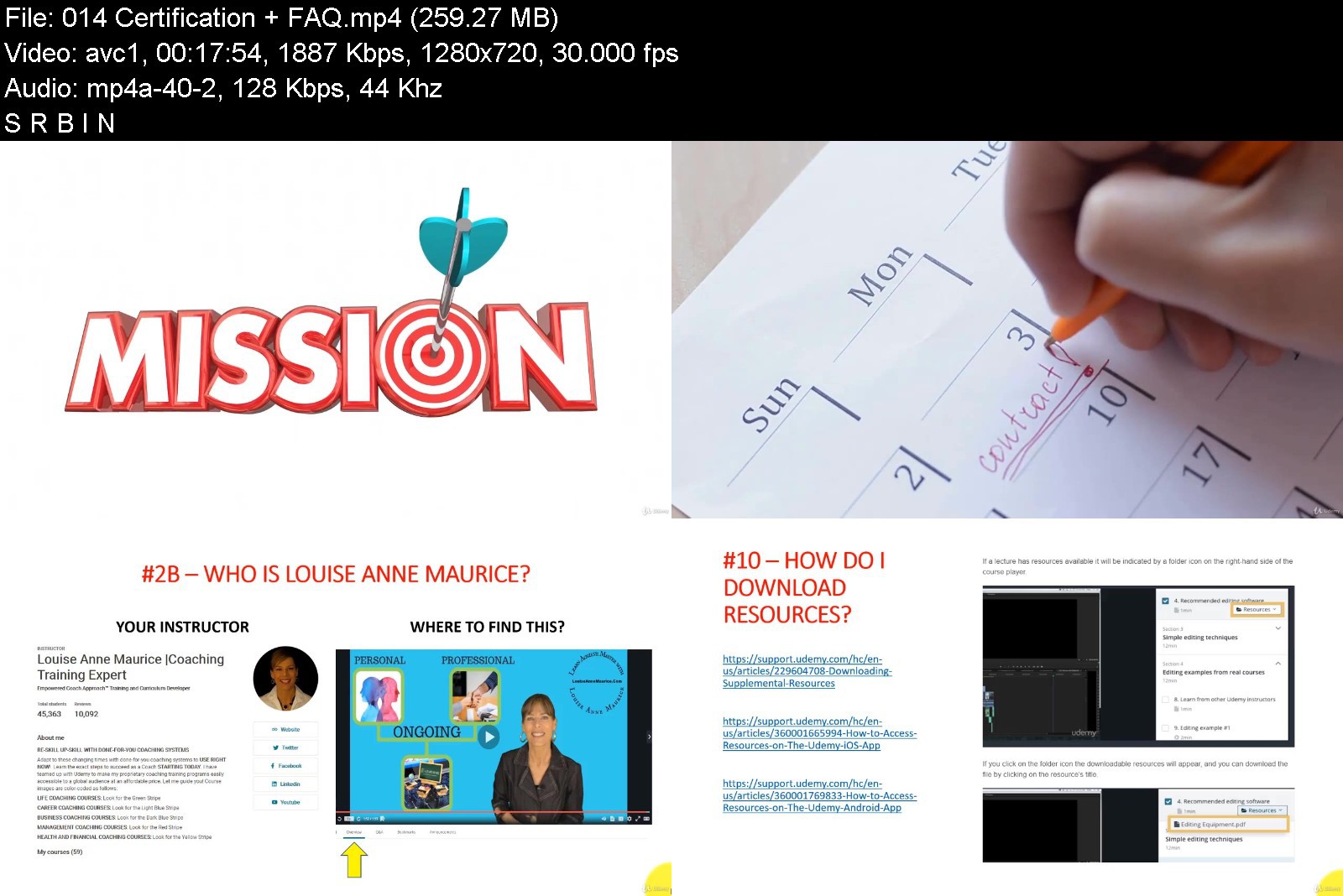
Before buying, click on PREVIEW THIS COURSE found on this page. Watch the Certification + FAQ video to discover our world-class approach to training and certifying Facebook Marketing Coaching Professionals plus the cost-saving bonuses Fearless Entrepreneur Academy gives you.
Facebook Marketing Coaching Certification Training offers its own verifiable certificate of completion plus it is Certification #8 in the 10 Course Master Marketing Business Coaching Certification Program offered by Fearless Entrepreneur Academy on Udemy. Read the Udemy Instructor Profile to learn more.
You can access your Facebook Marketing Business Coach Certification8 Coaching Course on Udemy from any device with an internet connection. Although not a requirement, students with high-speed internet have a much more ENJOYABLE EXPERIENCE while moving through the video training.

Description
Facebook Marketing can feel overwhelming! Imagine that you're asked to coach a group of new entrepreneurs to navigate the new Digital Marketing normal using Facebook. This is the opportunity you have been waiting for! The problem is, you start coaching tomorrow.
Are you prepared? Do you have the technology know-how to conduct online coaching sessions? Do you have a proven Facebook Marketing group coaching program with the exact questions and interactive online resources that will MOVE new business people in the right direction?
What if they want one-to-one Facebook Marketing business coaching? Are you ready for this request? Do you have step-by-step session guides with the right coaching questions, interactive Digital Marketing activities and coaching techniques to develop FEARLESS Entrepreneurs?
Facebook Marketing Business Coaching the Fearless Entrepreneur Way
Opportunities like this can change your life! As Curriculum Developer and Lead Instructor for Fearless Entrepreneur Academy, I designed Facebook Marketing Coaching Certification Training to give you everything you need to confidently coach people to become fearless entrepreneurs starting today.
Whether you want to coach yourself, coach other people face-to-face or use technology to coach individuals, groups of people or corporate teams, you are guided step-by-step to master it all.
Build your confidence, even if you have never coached before, through Level 1 Facebook Marketing Coaching video training, hands-on coaching practicums and my step-by-step guidance.
Increase your aptitude in using the latest technology for delivering engaging online group coaching sessions and managing ongoing Facebook Marketing Coaching communication.
Maximize your impact using my done-for-you Facebook Marketing Coaching Model to deliver sessions to groups or individuals online and in-person.
Advance your Facebook Marketing Coaching skills using my tried-and-true frameworks that take the guesswork out of understanding your clients' challenges.
Learn simple techniques and receive Facebook Marketing Coaching + Digital Marketing, online marketing, blogging, viral marketing and live stream video resources that I developed to use for yourself or with your clients.
Accelerate your Facebook Marketing and Digital Marketing Coaching Career, Practice or Business with free but optional Level 2 coaching practicums and Certified Facebook Marketing and Digital Marketing Coaching Directory.
Facebook Marketing Coaching Certification Content Overview
With over 12 hours of video tutorials, 127+ downloadable ready-to-use resources, hands-on practice assignments, interactive learning and Q & A, this continually updated 2-Level Facebook Marketing Coaching Certification Course keeps you relevant and indispensable. Let's break it down for you:
FIRST 4 SECTIONS: The first 4 sections of your training are dedicated to teaching you the Facebook Marketing Coaching 4 session interactive online Group Program. You are given step-by-step instruction designed to improve your proficiency using the latest technology as well as the how-to insight for delivering the professional Facebook Marketing Coaching Program. You receive coach-the-business-coach guidance that mentors and supports you on your journey. Plus, you walk away with done-for-you PDF documents as well as links to interactive online resources that you use during the session saving you time and money.
NEXT 3 SECTIONS: After you finish learning about the group coaching, the next 3 sections of your training focus on the essentials of Facebook Marketing Coaching psychology and understanding people. I created frameworks for you to use that increase your competency during a coaching session. You learn about the first FEARLESS session called the discovery session and receive a priceless business assessment. By the time you finish these sections, you will understand at a deeper level exactly what people struggle with and how this specifically stops them from achieving Facebook Marketing success. You watch a prospective client re-enactment to assess your own approach and with what you discover, adjust as needed before connecting with and coaching real clients.
NEXT 8 SECTIONS: Now you are ready to coach people individually! The next 8 sections of your Coaching Training focus on the remaining individual coaching sessions which give you the Digital Marketing foundations of online marketing, blogging, viral marketing and live stream video that work with Facebook Marketing. The sessions are mapped-out, timed-out, done-for-you FEARLESS ENTREPRENEUR sessions complete with coaching questions, resources, activities, exercises, and insight. You have time to practice and implement what you learn.
FINAL SECTIONS: The final sections are dedicated to your Facebook Marketing Coaching Career, Practice or Business. You receive insight on the 2 Levels of Certification. As a bonus, you receive ongoing personal and professional development.
2 LEVELS OF CERTIFICATION: Students and Graduates of Fearless Entrepreneur Academy on Udemy benefit from the G.R.C.A 2 Levels of Certification at no extra cost. Here are the details of the 2 Levels + the benefits of joining.
✅LEVEL 1 CERTIFICATION
Included with your one-time low-cost enrollment fee on Udemy is life-time access to the course content and features on Udemy; including a verifiable Udemy generated certificate of completion.
WE COVER THE $995 U.S.D. RIGHT OF USE FEE: When you join this course on Udemy and stay enrolled (no refund), you have permission to use our Proprietary Accredited Business Coaching Session Guides with your work team or to coach clients.
PLEASE NOTE: A "right-of-use fee" is not a licensing fee. We own the copyright to the accredited session guides including the processes and material. You do not have permission to re-sell it or develop training, workshops, speaking or books based on our proprietary program.
1) Watch 100% of the coursework lectures as fast or as slow as you want.
2) Download all of the accredited resources including the session guides.
3) Download your Udemy generated certificate of completion when you have completed 100% of the coursework.
✅LEVEL 2 CERTIFICATION
In addition to the cost-saving benefits and features of Level One, when you remain enrolled in the program past 35 days, you have access to LEVEL 2 benefits; a total of $1791 U.S.D in fees that we cover when you join this one course on Udemy and graduate Level 2.
WE COVER THE $995 U.S.D. RIGHT OF USE FEE: When you join this course on Udemy and stay enrolled (no refund), you have permission to use our Proprietary Accredited Business Coaching Session Guides with your work team or to coach clients.
WE COVER THE $199 U.S.D. ACCREDITATION FEE: Level 2 requires that you complete a mandatory Business Coaching Practicum which assesses your competency using our accredited proprietary session guides with real work teams or clients. We call this hands-on coaching fieldwork. We make this step-by-step easy to complete but submission is mandatory for Level 2 Graduation. This is what differentiates our program and sets our Graduates above the rest. While a quickie diploma or certification from having just simply watched videos is appealing and what some coaching courses on Udemy use as a marketing tool to get you to buy, this is not the solution to long-term success. If that is your goal and expectation, this professional coaching program is not for you.
WE COVER THE $99 U.S.D. CERTIFICATION FEE: This is a one-time fee to create one individualized certificate of completion from Fearless Entrepreneur Academy that displays your certification designation verifying your completion of accreditation.
WE COVER THE $199 U.S.D. COACH DIRECTORY LISTING FEE: This is a one-time listing one-time fee to add your first and last name to this niche specific business coaching directory on Fearless Entrepreneur Academy.
WE COVER THE $299 U.S.D ASSOCIATION FEE: This is a one-time membership fee to keep your certification current and valid.
✅WE COVER $1791 U.S.D IN FEES WHEN YOU JOIN US ON UDEMY AND GRADUATE LEVEL 2
Now you might be thinking "this sounds too good to be true; what's the catch?" or you might be saying "Business Coaching Training like this should cost 5 thousand or more; why would such a valuable program be available on Udemy for such a low price?" There is no catch just a vision, a purpose and a mission inspired by our Founder and your Instructor.
Excel as a Facebook Marketing Business Coach
Let me show you how to become a Facebook Marketing Business Coach who succeeds in the new normal and guides others to do the same! If you have never met me before my name is Louise Anne Maurice. The thousands and thousands of people I have either coached, trained, consulted or taught over the past 30+ years have benefited from my Empowered Coaching Approach™.
I teamed up with the Udemy E-Learning Platform to make my proprietary Facebook Marketing Coaching Certification Training Course easily accessible to a global audience at an affordable price. This comprehensive and streamlined curriculum shortens the learning curve for you to become a Professional World-Class Facebook Marketing Business Coach.
I invite you to join starting today! Simply click on the "Buy now" button to enroll in this course or click on the "Add to cart" button to enroll in all 10 courses of the Master Marketing Business Coaching Certification Training Program.
I will see you in the first lecture.
Louise
Your Coaching Instructor Louise Anne Maurice
© Intellectual Property of Facebook Marketing Coaching Certification Training Course Content and Description are copyright and owned by Louise Anne Maurice of Fearless Entrepreneur Academy

Who this course is for:
If you are a current business coach or consultant but don't have an interactive online group coaching program, then the Facebook Marketing Coaching Course will give you the tools, techniques and resources to fearlessly coach.
If you have lost your job and want to start a new career, then Facebook Marketing Coaching Certification Course is your solution.
If you want to start a new business or private practice as a Business or Marketing Coach in a highly sought-after niche area, then Facebook Marketing Coaching Training will give you a head start.
If you are fresh out of school, enrol in Facebook Marketing Coaching Training and participate in the hands-on coaching practicum so that your resume stands-out.


facebookmarketingbusiy8jfb.jpg


Download from RapidGator


Download from Keep2Share



SSRS Reporting & T-SQL Combo with Real World Tricks 15+ Hrs

sqj6wn4eydexuyi71meotdjjiv.jpg


SSRS Reporting & T-SQL Combo with Real World Tricks 15+ Hrs
MP4 | Video: h264, 1280x720 | Audio: AAC, 44.1 KHz
Language: English | Size: 5.61 GB | Duration: 15h 13m

Microsoft SQL Server Reporting Services Practical via Visual Studio SSDT & Programming Development Querying Transact SQL


What you'll learn
Creating Database , Tables and Performing DML Operations
Basic T-SQL - SELECT , WHERE , GROUP BY ,HAVING, BETWEEN , LIKE etc
Joins - Inner Left Right Full & Cross , Joining more than two tables
Schema, SubQueries , DataTypes , CASE Statements , InBuilt Functions, Implicit and Explicit Conversion
SSRS Reporting using Visual Studio 2017 (SSDT)
DataSource,Dataset,Tablix, Matrix, List,Parameters,Expressions,Charts,Image,SubReporting,Advanced Reporting and Many More
Requirements
No prior Knowledge Required

Description
This course starts from the beginning , no prior knowledge is needed and it is step By step Practical Training on Programming Transact SQL Query from basics on Microsoft SQL Server Database Engine and Microsoft SQL Server Reporting Services Online Tutorial using Visual Studio 2017 or SQL Server Data Tools.
This course is must for all the Aspirants who want to become Microsoft SQL Server Database Developers , Microsoft Database Administrator, Web Developers such as .NET Developers,Database ANALYSTS , Report Developers such as SSRS or ETL Developers such as SSIS etc
The following topics are covered in this SSRS Reporting Video Training Course. After learning this course you will be able to handle real world reporting scnarios.
Following are the course contents which are covered in T-SQL Online SQL Server Video Step By Step Training
Introduction
What is a Relational Database
What is Relational Database Management System
SSMS and SQL Server Database Engine
SQL Server and SSMS Installation
Basic T-SQL
Creating DB Tables & Inserting Data into the tables
Primary Key and Foreign Key
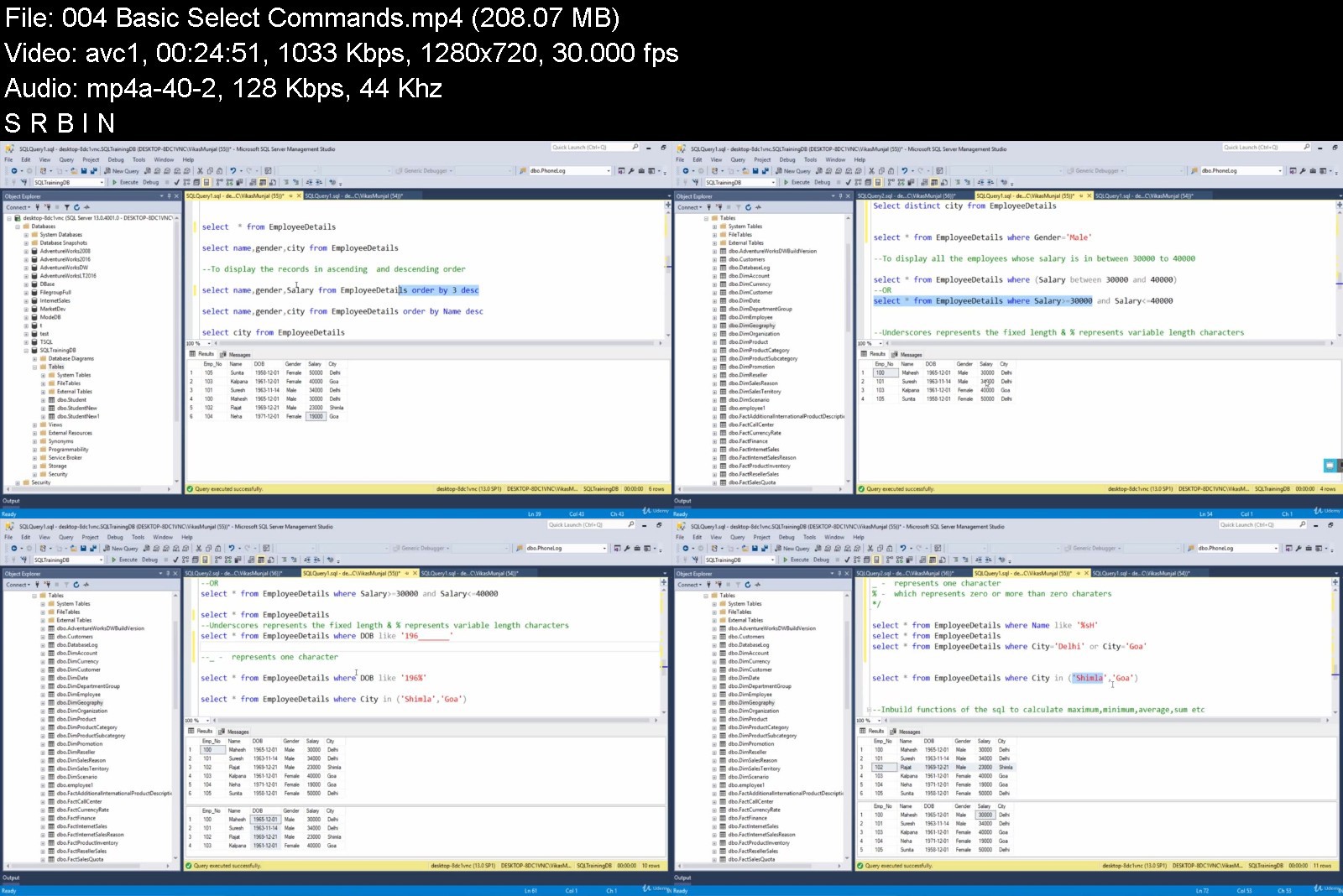
Basic Select Commands
Aggregate Functions with SELECT Command
Group By Clause using Single and Multiple Columns
Difference Between WHERE and HAVING Clause
Syntax of SELECT Command
T-SQL Joins to query SQL Server
Inner Join
T-SQL with Inner Join and Group By Together
Left Join
Right Join
Full Join
Cross Join
Self-Join
Union Operation
Union All Operation
Intersect Operation
Except Operation
Working with Schema
What is Schema and its Importance
Schema Creation & Transfer and Viewing the objects inside Schema using T-SQL
Subqueries
Getting Started with first Subquery Example
Common Interview Question on Subquery
Joins Group by Derived table Subquery combined TSQL
Subquery as a Column
Subquery using NOT Exists
ALL ANY SOME Keywords in Subquery
Correlated Subquery
Not Exists Keyword Scenario of Correlated Subquery to speed up query performance
Datatypes
Datatype Conversion
Implicit & Explicit Conversion (Type Casting)
DML Operations and Constraints
Many Different Options while performing insert update and delete operations
Primary Key, Foreign Key, Unique, Not NULL, Default, Check Constraints
Joining more than two tables
Joining three tables
Joining four Tables
One more example in joining four tables
Working with CASE Statements and Inbuilt Functions
Performing Select and Update operation using case statement
WHILE Loop
Inbuilt Functions - EOMONTH, IIF, CHOOSE, DatePart, String Functions etc.
Following are the course contents which are covered in SSRS Reporting Online Video Recording Step By Step Training
SSRS Reporting Process
Shared and Embedded DataSource and DataSet
Report Generation using Report Wizard
SSDT Components Explained
DataSet used in SSRS Reporting Explained
Tablix Report
SSRS Grouping
Why to create Black and White Report
DrillDown Option
Page Break in SSRS
Merge and Sort a column based on another column
Add Calculated Field
How to display loss in Red Color
Advantage of Creating Calculated Field
Report Header , Report Footer , Page Header and Page Footer
How to Reset Page Number on the basis of a Group
How to create Document Map
How to display first 3 characters of every month for the consistent report
How to Repeat Column Header on each Page of a Report in SSRS
How to Freeze the Headers of a Table in the SSRS Report
How to hide the Advanced Mode
How to Display Different Currency Symbols in SSRS
Parameterized Reports
How to Add Parameters in the Report
How to use DropdownParameters in SSRS Report
How to implement Multi-Select Parameters Option for SSRS Reports
How to add All option to SSRS dropdown
Fixing the No Record issue in the Report
How to Manually Add the Options in SSRS Dropdown
How to setup the Default Value in the Dropdown
How to Generate Cascading Parameters in the SSRS Report
How to deal with Multiple Values in the Cascading Parameters
Display No Data Available for Empty Dataset and Dynamically play with Parameters
How to use a Column which has Date Datatype as a Parameter
Chart Reports
Creating Charts
How to make Lower Values Visible in SSRS charts using Scale Breaks Option
Tooltip DataLabels and Changing Chart Types
Mixture of Columns and Lines in a Single Chart
Dynamically changing the Chart Title based on the Dropdownlist Selected Options
How to display a Table Report after clicking on a Chart using Drillthrough Option
Changing Vertical Axis values in the Chart
Major Ticks, Minor Ticks, Major Gridlines & Minor GridLines
Pie Chart
Legends in the Pie Chart
Advanced Reporting
Matrix Report
How to convert Detailed Data into Summary
List in SSRS
Table inside a List
Sum Function with different Scopes in an expression
Indicators
Databars
Creating trends using Sparklines
How to Name Worksheets with the Group Name Values when Exporting Report to Excel
Using Stored Procedures as Dataset
Subreport in SSRS

Who this course is for:
Beginner to Intermediate level students who are interested in Report Development using SSDT and Transact SQL


ssrsreportingtsqlcombk0j2d.jpg


Download from RapidGator


Download from Keep2Share


Computer Literacy & Basic Computer Skills for Productivity

ihrh8hlk25mbra7an6eupv3kew.jpg


Computer Literacy & Basic Computer Skills for Productivity
MP4 | Video: h264, 1280x720 | Audio: AAC, 44.1 KHz
Language: English | Size: 11.2 GB | Duration: 10h 23m

Enhance productivity with this basic computer course: an introduction to computers, Microsoft Windows, & the Apple Mac


What you'll learn
Increase your productivity and professionalism
Acquire solid computer skills
Taught by a university professor
From beginning to advanced concepts
Release your fears of using computers
Hands-on exercises with solutions
This course is tried, tested, and proven
Over 2.65 Million students taught
Lifetime course access
Learn at your own pace
100% satisfaction guaranteed
Never expires - lifetime access - forever!
Mobile friendly
Requirements
No prerequisite knowledge is required to take this course. This course starts at the very beginning and will teach you everything you need to know.

Description
Being skilled at using computers increases your productivity and professionalism.
This course will give you the basic computer skills you need to increase your productivity. This course is very practical and applicable. It focuses on teaching you skills you can use.
You will gain skills in this course which you will use for the rest of your life and which will make your life easier. Knowing how to use computers well is essential in our day-and-age. This course will give you the skills you need to use computers well.
Presented with high-quality video lectures, this course will visually show you how to easily do everything with computers. This is just some of what you will learn in this course:
Learn how to succeed as a student and realize your goals in life
Acquire an understanding of the principles of using computers well
Release all of your fear of using computers and messing them up
Understand the fundamentals of how computers work
Gain knowledge about the power symbol
Learn how to protect your computer
Learn how to protect yourself
Acquire fundamental skills in using Microsoft Windows
Acquire fundamental skills in using the Apple Mac
Master the art of file management
Acquire the ability to quickly use short-cut keys
Enhance your skills with hands-on exercises
Acquire the ability to work well with files
Gain solid skills in using the web
Learn to search better
Learn to make better choices
Learn to easily keep your passwords safe
Acquire the ability to use email more effectively
Learn how to safely uninstall software
Acquire the ability to troubleshoot computer problems
Gain the knowledge you need to keep yourself safe online
Acquire the ability to understand your computer's properties
Gain the skills you need to keep your computer running well
Learn how to work with Bluetooth devices
Attain the ability to install new and fun fonts
Gain insight into Google's productivity apps including
Google docs
Google calendar
Google presentations
Google hangouts
Google sheets
Google forms
Gain insight into Google's personal "life" productivity apps including
Google photos
Google maps
Google flights
Google define
Google translate
Google express
Google shopping
Google news
This is an amazing course! This course will change your life. Knowing how to use computers well is essential today. This course will increase your proficiency, productivity, and professionalism. I have taught this course for over two decades and have refined it to be amazing. You are going to love this course and it will forever change your life.
This course is tried, tested, and proven. Your satisfaction is guaranteed.
Join me and enroll now.

Who this course is for:
This course is ideal for individuals wanting to use computers more productively.
This course is perfect for beginners. No prior knowledge is needed to begin.
Individuals with computer experience will also benefit from this course by gaining additional insights and skills.
This course is perfect for anyone wanting to use computers more proficiently and productively.


computerliteracybasiczljk8.jpg


Download from RapidGator


Download from Keep2Share



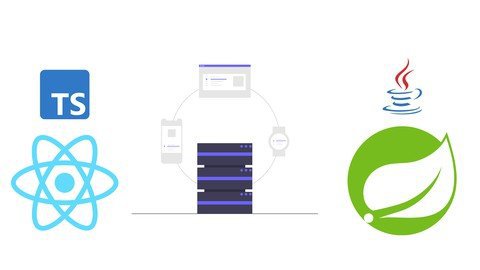
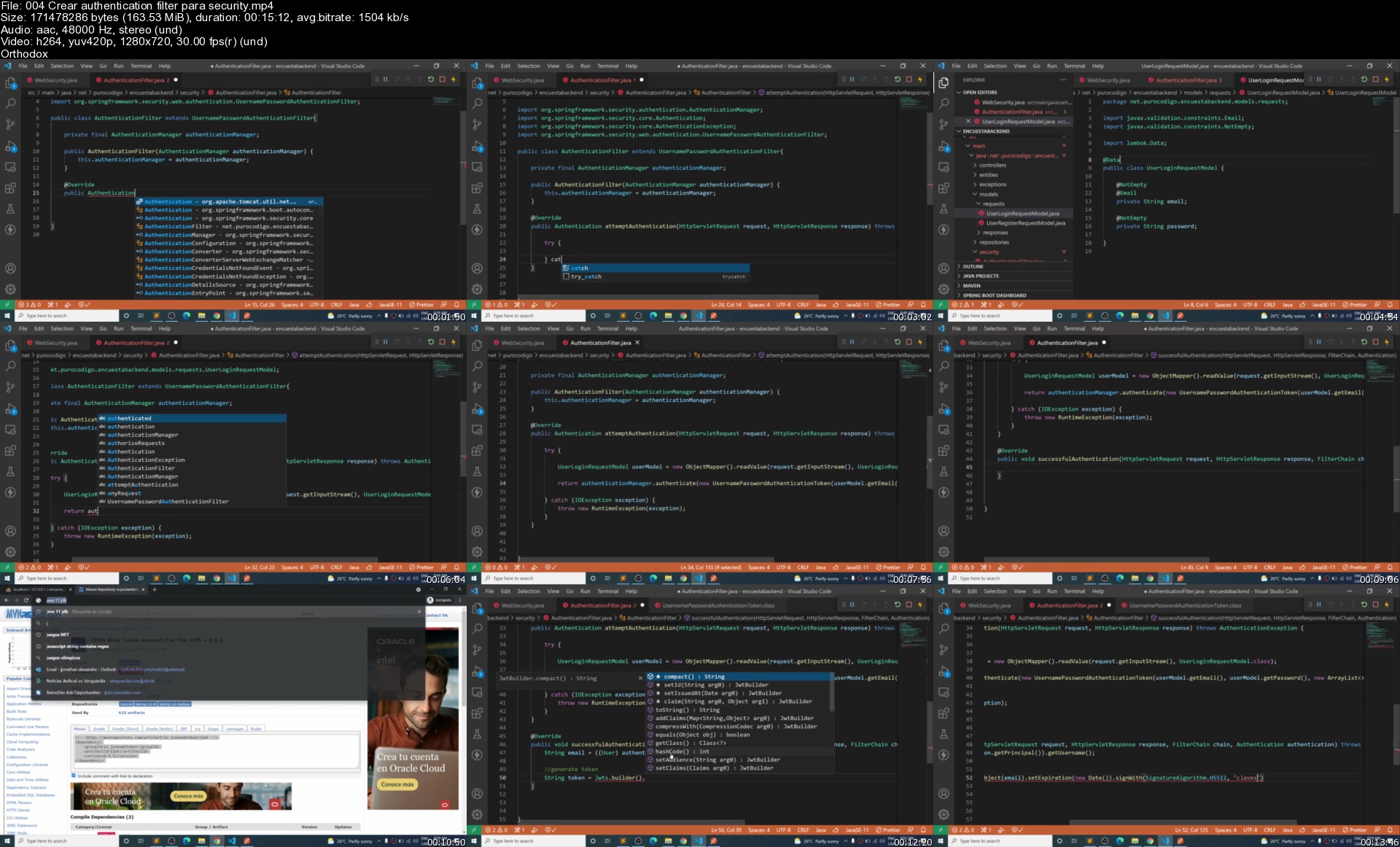
Curso de desarrollo web full stack Java y React (TS) - 2022

qn9l0grvnz3wekw6tr5yj15jgg.jpg


Curso de desarrollo web full stack Java y React (TS) - 2022
MP4 | Video: h264, 1280x720 | Audio: AAC, 44.1 KHz
Language: Spanish | Size: 11.6 GB | Duration: 19h 16m

Aprende uno de los stacks mas demandados por la industria y conviértete en un desarrollador de Software web full stack


What you'll learn
Desarrollar aplicaciones web full stack
Desarrollar aplicaciones web de Java con Spring boot
Desarrollar aplicaciones web de React con Typescript
Utilizar el debugger de Java
Testear aplicaciones de Spring boot
Escribir rest API
Desarrollar aplicaciones complejas
Utilizar Typescript

Requirements
Java
JavaScript

Description
Java-React es uno de los stacks más utilizados por las grandes empresas de desarrollo de software web en el mundo, si aprendes este stack te puedo garantizar que vas a dar un gran salto en tu carrera profesional como desarrollador web, y se te van a abrir muchas oportunidades en las empresas de desarrollo de software más prestigiosas del mundo.

En este curso aprenderán a crear una aplicación completamente funcional desde 0 utilizando Java con Spring boot en el backend y React en el frontend. Comenzaremos desde lo más básico donde instalaremos todas las herramientas necesarias para desarrollar nuestra aplicación, después comenzaremos a desarrollar el backend donde aprenderemos los conceptos básicos del framework Spring. Más adelante comenzaremos a incrementar la dificultad y revisaremos conceptos más avanzados. Durante el desarrollo del backend aprenderán a utilizar el debugger y escribir tests, dos habilidades que cualquier desarrollador profesional debe saber.

Por el lado del frontend también comenzaremos con cosas básicas y después aumentaremos la dificultad para comenzar a trabajar con conceptos más avanzados que nos permitirán construir cosas increíbles utilizando React. Si estas dispuest@ a aceptar el reto de aprender uno de los mejores stacks de la industria del desarrollo web, no dudes en inscribirte! Nos vemos en clase.


Who this course is for:
Desarrolladores que quieren aprender a desarrollar aplicaciones full stack utilizando Spring boot y React
Desarrolladores Java que quieren aprender Spring boot
Desarrolladores que quieren mejorar sus habilidades
Desarrolladores que quieren aprender a utilizar el debugger y escribir tests

Homepage


004crearauthenticatioutksh.jpg


Linkedin Learning Learning Azure Management Tools-XQZT

256239840_03-01-understand_the_azure_cli_c.jpg


Linkedin Learning Learning Azure Management Tools-XQZT | MKV | 258.14 MiB

723 kb/s 1280x720 | AAC 160 kb/s 2 CH eng


NFO:
File List:

File: 01.01-get_started_with_azure_tools.mkv
Size: 4644472 bytes (4.43 MiB), duration: 00:00:51, avg.bitrate: 729 kb/s
Audio: aac, 48000 Hz, stereo (eng)
Video: h264, yuv420p, 1280x720, 30.00 fps(r) (eng)
Subtitles: eng


Download ( Size: 258.14 MiB ):
Filehosts: Nitroflare, Rapidgator


oHeopzn.png

1 Link/s
983BED2FDC.png


5hSo1Ay.png

1 Link/s
B8BD134225.png


Linkedin Learning Test Automation Foundations UPDATE 20220107-XQZT

256239848_03-04-development_processes_c.jpg


Linkedin Learning Test Automation Foundations UPDATE 20220107-XQZT | MKV | 237.42 MiB

2 483 kb/s 1280x720 | AAC 160 kb/s 2 CH eng


NFO:
File List:

File: 01.01-build_a_foundation_of_test_automation.mkv
Size: 12671671 bytes (12.08 MiB), duration: 00:00:40, avg.bitrate: 2534 kb/s
Audio: aac, 48000 Hz, stereo (eng)
Video: h264, yuv420p, 1280x720, 29.97 fps(r) (eng)
Subtitles: eng


Download ( Size: 237.42 MiB ):
Filehosts: Nitroflare, Rapidgator


oHeopzn.png

1 Link/s
3949A209FA.png


5hSo1Ay.png

1 Link/s
ABF2D24D7B.png


49d74d14d6816ec39add07d95da7e0bb.jpeg

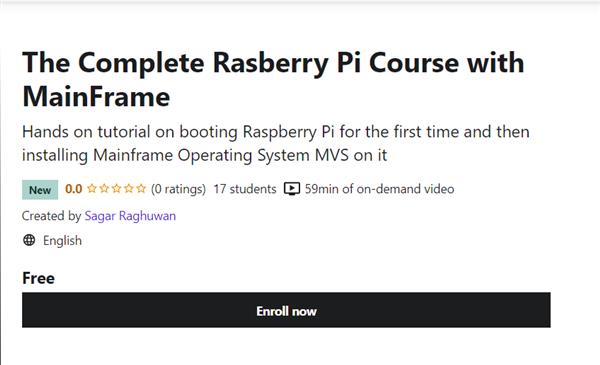
The Complete Rasberry Pi Course with MainFrame
MP4 | Video: h264, 1280x720 | Audio: AAC, 44.1 KHz
Language: English | Size: 695 MB | Duration: 59m
Hands on tutorial on booting Raspberry Pi for the first time and then installing Mainframe Operating System MVS on it​

What you'll learn
You will be able to boot up your Raspberry Pi from scratch
You will be able to install Mainframe Operating system MVS on your Raspberry Pi
Setting up Rasberry Pi
Start directly with the Best Practices
Become familiar with Raspberry Pi
Learn how to easily prepare SD cards for any Raspberry Pi Operating System
Requirements
You need to be familiar about Mainframes to take this course. If you do not know about Mainframes then this course is not for you.
No previous programming or electronics knowledge required
Raspberry Pi
USB mouse
USB keyboard
HDMI cable
Power Adapter for Raspberry Pi
Micro SD card
Description
Welcome to The Complete Rasberry Pi with MainFrame. In this course, i will first teach how to boot up your Raspberry Pi for the first time and then install MVS Turnkey operating system on it.
This can be used to practice JCL and COBOL programs. MVS turnkey system runs on the Hercules Emulator which has the OS/VS2 installed on it.
This is an updated and improved remake of the original Raspberry Pi Full Stack. In this new course, I have updated all of the technologies involved in the current state of the Art, and have also added new content.
This course will expose you to the full process of developing a web application.
You will integrate LEDs, buttons and sensors with Javascript, HTML, web servers, database servers, routers and schedulers.
You will understand why the Raspberry Pi is such a versatile tinkering platform by experiencing first hand how well it combine
This course will focus on the why and make you become much more autonomous with your Raspberry Pi so you will be able to start your own
projects without having to desperately search for code to copy/paste on the Internet. My personal goal is to make you understand enough to get
started in a short period of time, and make you think as a problem solver, with engineer-level thinking skills.
Who this course is for
Anyone interested in learning about Raspberry Pi
Mainframe Enthusiasts
Raspberry Pi users who feel stuck in their projects and want to get more autonomous
If you want to boot up your own Raspberry Pi for the first time, then this course will help you
Anyone wanting to learn how to get started with Raspberry Pi and build amazing projects
People who want to start robotics projects, home automation, web servers, IoT projects, etc., with their Raspberry Pi
Students also boug
Screenshots


1501707c03c25d248671cd566845dc8f.png

Advanced Copywriting
MP4 | Video: h264, 1280x720 | Audio: AAC, 44.1 KHz, 2 Ch
Genre: eLearning | Language: English + srt | Duration: 37 lectures (3h 19m) | Size: 430.3 MB

Creative Word Use
What you'll learn
Understand how to use words creatively to attract and persuade customers
Know 25 different word crafting techniques to attract attention, explain and trigger sales
Get plenty of practice recognizing and assessing attempted creative word uses
Have a library of 200+ vivid, real-world business examples to refer to in the future
Requirements
No prerequisites. Best for anyone who truly wants to succeed as a copywriter.
Description
Lead the reader on an imaginative journey to your "Order Now" button.
Once you've mastered copywriting fundamentals, such as creating a tempting offer, sprinkling in proof elements and always ending with a call to action, learn to cast a spell with words. Through unexpected metaphors, sensory detail, strategic teasing and 22 other often overlooked techniques, ignite readers' curiosity, earn their trust and get them thinking, "Hmm, I want that." (I used at least three advanced creative wording techniques in this paragraph. Can you name them?)
The Advanced Copywriting online course teaches you how to captivate with language so you confidently create distinctive, memorable promotions. Whether in headlines, on a home page, in tweets, in client newsletters or throughout long sales pages, your words can sparkle with originality, charm readers and tickle their desires.
Just as importantly, the course describes where creative energy goes awry, so you avoid misdirecting, baffling or overtaxing your readers. You learn both principles and pitfalls with a whopping 239 examples from actual marketing copy. Through comments on these snippets from high-tech, small-business and consumer brands, you come to understand key do's and don'ts. You experience the never-ending delight of choosing and arranging words.
How This Course is Different
My name is Marcia Yudkin, and using my decades of experience as a copywriter, author and marketing coach, I serve as your guide to the pizzazz of creative language. Compared with blogs and books on this topic, the Advanced Copywriting course has four points of distinction.
Plain English explanations. Although many of the techniques discussed have roots in the rhetoric of ancient Greece, you won't need to struggle with terms like "anaphora," "catachresis" or "isocolon."
Thorough coverage. You don't learn only three or four methods to jazz up marketing writing. No less than 25 techniques take the stage in turns, each carefully explained and related to one another where appropriate. In addition, near the end of the course you have the opportunity to test your new understanding by rating 20 examples on your own and then comparing your assessments with my comments.
Examples from marketing copy, not novels or poems. I spent two years collecting both excellent and awful examples for the course from marketers all over the Internet. In contrast, other teachers rely on s from the likes of John Steinbeck and Jane Austen, who don't serve as realistic models for promoting phone apps, vacation rentals or sweaters. One widely admired expert told me she couldn't possibly take the time to find marketing-related instances of the rhetorical tactics she often wrote about. But I did.
Hundreds of examples. Just a few examples aren't enough for you to get the hang of applying the principles described. Instead, well over 200 short passages illustrate vividly what to do and not to do.
To my knowledge, no other copywriting expert offers such a broad range of advanced wordsmithing savvy in one course, book or website. No one!
What You Learn
Expect a discussion of well-known techniques like metaphors, comparisons, parallel structure, and rhymes. Yet Advanced Copywriting delves into much, much more, including
When exaggeration pleases and where it becomes hype that exploits and cheats the reader
A technique from classic comedy you can use to delight readers and keep their attention
How to use the musical characteristics of language to imply softness or harshness, movement or indolence
Do questions engage readers? Some do and some don't - and how to know the difference
Instances where rich, evocative description does wonders for sales, and less well-known ways to stimulate readers' imaginations
Exactly how to determine whether a metaphor is mixed up or helpful
Why knowing your audience matters as much as vivid expression
Putting the power of curiosity to work for you - not just in bullet points, as here, but also in headlines, product names and blog posts
The "dimensionalizing difference" that brings complex ideas into clearer focus
A surprisingly underused ingredient that boosts credibility and makes your overall pitch stronger
How predictable old phrases can be resurrected with loads of new life
Why twos are perfect for some techniques while others call for threes
And did you notice the prevalence of contrast in these bullet points? How you can harness the power of that element
Criteria to use when tweaking and improving your next-to-final draft
Not to mention examples, examples and more examples of it all
Click on the preview videos to experience whether or not the material revs up your mental engines. After signing up, you go through the course whenever learning is convenient for you, and the course can serve as a reference indefinitely after that.
Why not dig in right now?
Who this course is for
Aspiring copywriters ready to go beyond the basics
Business owners or marketers who supervise copywriters
Consumers who want to understand techniques in the marketing they consume
Homepage


9776d81e8559a3baeef52241dc53365c.png

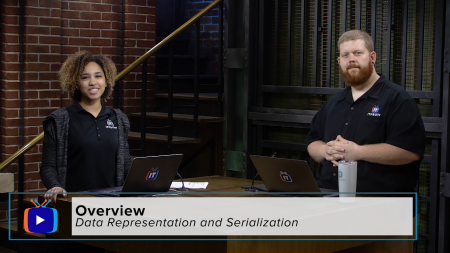
ITProTV - Data Representation and Serialization
MP4 | Video: h264, 1280x720 | Audio: AAC, 44.1 KHz, 2 Ch
Genre: eLearning | Language: English | Duration: 25 Lessons (11h 1m) | Size: 2.74 GB

What does that data look like?
In this series, we take a look at common formats for saving, reading, and shuffling data around such as Comma Separated Values (CSV), JavaScript Object Notation (JSON), YAML Ain't Markup Language (YAML), and eXtensible Markup Language (XML). If you want to know more about these data formats as well as how to interact with these different data representation using Python, then we will see you there!
Homepage


1501707c03c25d248671cd566845dc8f.png

Microsoft Word, Excel & PowerPoint for Beginners (2022)
MP4 | Video: h264, 1280x720 | Audio: AAC, 44.1 KHz, 2 Ch
Genre: eLearning | Language: English + srt | Duration: 20 lectures (4h 17m) | Size: 3.6 GB

Efficient and effective hands-on approach to learn Microsoft Word, Excel and PowerPoint easily
What you'll learn
Microsoft Office comprises of Microsoft Word, Excel and PowerPoint. Possessing the skills to navigate around these MS Office software brings advantage.
This course combines Microsoft Word, Excel and PowerPoint - all in one!! Specially designed for those who have no prior knowledge or skills.
This course is suitable for learners who have no basic or little basic in Microsoft Word, Excel and PowerPoint.
Upon the completion of this course, learners will be able to work on tasks independently using Microsoft Word, Excel and PowerPoint.
This course applies hands-on approach. Learners are highly encouraged to do-it-together to pick up the skills in shorter time!
Medium of language: English
Requirements
No prior knowledge are needed! This course covers from the very basic of Microsoft Office software (i.e. Microsoft Word, Excel and PowerPoint). Through this hands-on course, you will be equipped with the necessary skills and knowledge to allow you to work on tasks independently using Microsoft Word, Excel and PowerPoint.
Description
This course is about Microsoft Office 365, which comprises of Microsoft Word, Excel and PowerPoint. The teaching approach uses efficient and effective hands-on manner to allow learners to pick up the knowledge and skills easily.
Learners are not required to have any pre-requisite knowledge as this course is specially designed for beginners with no basic knowledge. Upon the completion of this course, learners will be able to perform tasks on their own (independently) using Microsoft Word, Excel and PowerPoint.
Learners are highly encouraged to perform the exercises together. This is because hands-on approach has demonstrated the learners are able to remember and apply what they have learned after completing the course.
Instead of merely running through functions, hands-on exercises using easy to understand work-related tasks are used. Downloadable and printable handout are also provided to assist the hands-on learning to be carried out smoothly.
The whole course has 20 lectures, which stood up of 6 lectures on Microsoft Word, 6 lectures on Microsoft PowerPoint and 8 lectures on Microsoft Excel. The coverage of the course in Microsoft Word section, include tasks such as header, footer, auto page numbering, insert table, page break, section break and many more. In the Microsoft Excel section, on the other hand, covers format cells, setting formula, perform conditional formatting, vlookup, print setting, charts and many more. Lastly, Microsoft PowerPoint equip learners with the ability to prepare slides with transition and animation effects, on top of adding photos, videos and shapes with words
Who this course is for
This course is specially designed for learners who wish to equip themselves with Microsoft Office skills. This course combines Microsoft Word, Excel and PowerPoint - all in one!! Specially designed for those who have no prior knowledge or skills.
Homepage


Zurück
Oben Unten