



• Regeln für den Video-Bereich:

    In den Börsenbereich gehören nur Angebote die bereits den Allgemeinen Regeln entsprechen.

    Einteilung

    - Folgende Formate gehören in die angegeben Bereiche:
    - Filme: Encodierte Filme von BluRay, DVD, R5, TV, Screener sowie Telesyncs im Format DivX, XviD und x264.
    - DVD: Filme im Format DVD5, DVD9 und HD2DVD.
    - HD: Encodierte Filme mit der Auflösung 720p oder darüber von BluRay, DVD, R5, TV, Screener sowie Telesyncs im Format x264.
    - 3D: Encodierte Filme von BluRay, die in einem 3D Format vorliegen. Dies gilt auch für Dokus, Animation usw.
    - Serien: Cartoon/Zeichentrick, Anime, Tutorials, Dokumentationen, Konzerte/Musik, Sonstiges sind demnach in die entsprechenden Bereiche einzuordnen, auch wenn sie beispielsweise im High Definition-Format oder als DVD5/DVD9/HD2DVD vorliegen. Ausnahme 3D.
    - Bereich Englisch: Englische Releases gehören immer in diesen Bereich.
    - Bereich Talk: Der Bereich, in dem über die Releases diskutiert werden kann, darf, soll und erwünscht ist.


    Angebot/Beitrag erstellen

    - Ein Beitrag darf erst dann erstellt werden, wenn der Upload bei mindestens einem OCH komplett ist. Platzhalter sind untersagt.
    - Bei einem Scenerelease hat der Threadtitel ausschließlich aus dem originalen, unveränderten Releasenamen zu bestehen. Es dürfen keine Veränderungen wie z.B. Sterne, kleine Buchstaben o.ä. vorgenommen werden. Ausnahme Serienbörse:
    - Bei einem Sammelthread für eine Staffel entfällt aus dem Releasename natürlich der Name der Folge. Beispiel: Die Simpsons S21 German DVDRip XviD - ITG
    - Dementsprechend sind also u.a. verboten: Erweiterungen wie "Tipp", "empfehlenswert", "only", "reup", usw. / jegliche andere Zusatzinformation oder Ergänzung, welche nicht in obiger Beschreibung zu finden ist.

    Aufbau des Angebots und Threadtitel

    Der Titel nach folgendem Muster erstellt zu werden. <Name> [3D] [Staffel] [German] <Jahr> <Tonspur> [DL] [Auflösung] <Quelle> <Codec> - <Group>
    Beispiel: The Dark Knight German 2008 AC3 DVDRip XviD - iND
    Beispiel: The Dark Knight 2008 DTS DL BDRip x264 - iND
    Beispiel: The Dark Knight 2008 AC3 DL BDRip XviD - iND
    Beispiel: The Dark Knight German 2008 AC3 720p BluRay x264 iND
    Beispiel: The Dark Knight 2008 DTS DL 1080p BluRay x264 iND
    Beispiel: Die Simpsons S01 German AC3 DVDRip XviD iND
    Beispiel: Die Simpsons S20 German AC3 720p BluRay x264 iND
    Beispiel: Sword Art Online II Ger Sub 2014 AAC 1080p WEBRip x264 - peppermint
    Entsprechend sind also u.a. verboten: Sonderzeichen wie Klammern, Sterne, Ausrufezeichen, Unterstriche, Anführungszeichen / Erweiterungen wie "Tipp", "empfehlenswert", "only", "reup", usw. / jegliche andere Zusatzinformation oder Ergänzung, welche nicht in obiger Beschreibung zu finden ist
    Ausnahmen hiervon können in den Bereichen geregelt sein.

    Die Beiträge sollen wie folgt aufgebaut werden:
    Überschrift entspricht dem Threadtitel
    Cover
    kurze Inhaltsbeschreibung
    Format, Größe, Dauer sind gut lesbar für Downloader außerhalb des Spoilers zu vermerken
    Nfo sind immer Anzugeben und selbige immer im Spoiler in Textform.
    Sind keine Nfo vorhanden z.B. Eigenpublikationen, sind im Spoiler folgende Dateiinformationen zusätzlich anzugeben :
    Quelle
    Video (Auflösung und Bitrate)
    Ton (Sprache, Format und Bitrate der einzelnen Spuren)
    Untertitel (sofern vorhanden)
    Hosterangabe in Textform außerhalb eines Spoiler mit allen enthaltenen Hostern.
    Bei SD kann auf diese zusätzlichen Dateiinformationen verzichtet werden.

    Alle benötigten Passwörter sind, sofern vorhanden, in Textform im Angebot anzugeben.
    Spoiler im Spoiler mit Kommentaren :"Schon Bedankt?" sind unerwünscht.


    Releases

    - Sind Retail-Release verfügbar, sind alle anderen Variationen untersagt. Ausnahmen: Alle deutschen Retail-Release sind CUT, in diesem Fall sind dubbed UNCUT-Release zulässig.
    - Im Serien-Bereich gilt speziell: Wenn ein Retail vor Abschluss einer laufenden Staffel erscheint, darf diese Staffel noch zu Ende gebracht werden.62
    - Gleiche Releases sind unbedingt zusammenzufassen. Das bedeutet, es ist zwingend erforderlich, vor dem Erstellen eines Themas per Suchfunktion zu überprüfen, ob bereits ein Beitrag mit demselben Release besteht. Ist dies der Fall, ist der bereits vorhandene Beitrag zu verwenden.
    - P2P und Scene Releases dürfen nicht verändert oder gar unter einem iND Tag eingestellt werden.


    Support, Diskussionen und Suche

    - Supportanfragen sind entweder per PN oder im Bereich Talk zu stellen.
    - Diskussionen und Bewertungen sind im Talk Bereich zu führen. Fragen an die Uploader haben ausschließlich via PN zu erfolgen, und sind in den Angeboten untersagt.
    - Anfragen zu Upload-Wünschen sind nur im Bereich Suche Video erlaubt. Antworten dürfen nur auf Angebote von MyBoerse.bz verlinkt werden.


    Verbote

    - Untersagt sind mehrere Formate in einem einzigen Angebotsthread, wie beispielsweise das gleichzeitige Anbieten von DivX/XviD, 720p und 1080p in einem Thread. Pro Format, Release und Auflösung ist ein eigener Thread zu eröffnen.
    - Grundsätzlich ebenso verboten sind Dupes. Uploader haben sich an geeigneter Stelle darüber zu informieren, ob es sich bei einem Release um ein Dupe handelt.
    - Gefakte, nur teilweise lauffähige oder unvollständige Angebote sind untersagt. Dies gilt auch für eigene Publikationen, die augenscheinlich nicht selbst von z.B. einer DVD gerippt wurden. Laufende Serien, bei denen noch nicht alle Folgen verfügbar sind, dürfen erstellt und regelmäßig geupdatet werden.
    - Untersagt sind Angebote, welche nur und ausschließlich in einer anderen Sprache als deutsch oder englisch vorliegen. Ausnahmen sind VORHER mit den Moderatoren zu klären.


    Verstoß gegen die Regeln

    - Angebote oder Beiträge, die gegen die Forenregeln verstoßen, sind über den "Melden"-Button im Beitrag zu melden.
  • Bitte registriere dich zunächst um Beiträge zu verfassen und externe Links aufzurufen.

*** Bestes IPTV *** bester Preis *** gratis Test ***


Englische Tutorials

92b8cde372eb3f2e0234ae0bb46dc2d6.jpg

Siemens Tia Portal Level 4
MP4 | Video: h264, 1280x720 | Audio: AAC, 44.1 KHz
Language: English | Size: 1.14 GB | Duration: 1h 57m
Siemens Tia Portal Level 4 with English and Other Subtitles
What you'll learn​

At the end of this course, you will be able to program a TIA Portal PLC application from the ground up
You will learn how to create function blocks and add ladder logic efficiently using TIA best practices
You will be able to download, monitor and troubleshoot a real life TIA application using S7-PLCSIM
Build a proper structure for your PLC application in TIA Portal using TIA specific tools
Build global data blocks using user-defined data types and use them for optimal data exchange between function blocks
At the end of this course, you will know all tools and best practices allowing you to drastically improve your programming speed and efficiency in TIA Portal
Requirements
Coming into this course, you should already have a basic understanding of PLC / HMI terminologies and basic computer literacy.
Description
By now, you already know the basics. You know what digital and analog signals are. You know what "PLC" and "HMI" mean. You know what an INT and a BOOL and a FLOAT are. As long as you're at LEAST that far, you'll be able to handle this course. If you aren't quite there yet, I strongly recommend you check out my first PLC programming course which teaches from the most elementary fundamentals all the way up to creating complete solutions with best practices.
For those of you who are still here and think you're ready, you're about to learn Siemens PLC and HMI programming end-to-end and top-to-bottom .There will be some familiar info covered such as alarm programming and HOAs, but we aren't going remedial here. Most of the focus will be on creating a complete program for a theoretical system and doing so with LAD, FBD, SCL, STL and GRAPH programming paradigms.
But no PLC is complete without an HMI, right? No worries! We're getting into all of that as well and best of all - you'll be able to follow along in your own (fully-functional 21-day trial version) copy of the software. So you'll be creating PLC programs, creating HMI projects, simulating both and making them talk to each other. It's everything you need and want to develop a HIGH comfort level with Siemens technology!
For those of you who might not think you're ready, you can always take a look at my other PLC programming courses.
PLC Fundamentals (Level 1,2,3) teaches you how to program with the focus on ladder logic, which is the most popular PLC programming language. The goal is to teach you everything you need to know to make a PLC do what you want it to do. You are also given all the software necessary to both CREATE and RUN your own programs live - right on your own computer.
Applied Logic (Level 4,5,6) forces you to take what you've learned and solve problem after progressively harder problem unassisted. You get a spec and are told simply: "Make it work, and don't progress until you have." After, you get to watch me solve each one as well. By the end, you don't just know how to program - you are a PROGRAMMER.
Process Visualization (Level 7,8,9) gives you both knowledge and experience in FIVE different HMI / SCADA development environments. By the end, you've created several COMPLETE visualization (screen) projects that you can actually run on your own computer (and SHOW PEOPLE in an interview) with no additional hardware.
IEC Paradigms (Level 10,11,12) is only for the heavyweights. This course teaches you how to program using all five IEC programming languages (plus one more) in multiple environments. There are projects as well, so by the end, you have seen it all and DONE it all as well. There won't be anything anybody can show you that you won't already be familiar with.
TIA Portal Master Project (Level 13,14,15,16) is the culmination of everything. In that course, you'll program an entire power plant using all five PLC programming languages (in PARALLEL!) with a full HMI. It's a massive and complex project that really showcases your talents in an interview!
Who this course is for
Software programmers or field engineers who would like to program TIA Portal using TIA specific skills and best practices
Anyone with basic PLC and ladder knowledge who is eager to get started with TIA Portal
A Simatic Manager Step 7 or a Rockwell programmer, starting off with their first TIA PLC application
Anyone who would like to add "TIA Portal PLC programmer" to their portfolio
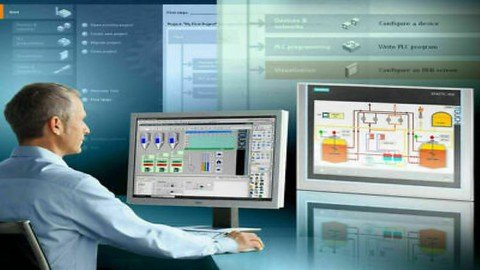
Screenshots



 
0cb5fecbd6ca6058c02354bede1ac848.jpg

Siemens Tia Portal Level 5
MP4 | Video: h264, 1280x720 | Audio: AAC, 44.1 KHz
Language: English | Size: 1.04 GB | Duration: 1h 59m
Siemens Tia Portal Level 5 with English and Other Subtitles
What you'll learn​


At the end of this course, you will be able to program a TIA Portal PLC application from the ground up
You will learn how to create function blocks and add ladder logic efficiently using TIA best practices
You will be able to download, monitor and troubleshoot a real life TIA application using S7-PLCSIM
Build a proper structure for your PLC application in TIA Portal using TIA specific tools
Build global data blocks using user-defined data types and use them for optimal data exchange between function blocks
At the end of this course, you will know all tools and best practices allowing you to drastically improve your programming speed and efficiency in TIA Portal
Requirements
Coming into this course, you should already have a basic understanding of PLC / HMI terminologies and basic computer literacy.
Description
By now, you already know the basics. You know what digital and analog signals are. You know what "PLC" and "HMI" mean. You know what an INT and a BOOL and a FLOAT are. As long as you're at LEAST that far, you'll be able to handle this course. If you aren't quite there yet, I strongly recommend you check out my first PLC programming course which teaches from the most elementary fundamentals all the way up to creating complete solutions with best practices.
For those of you who are still here and think you're ready, you're about to learn Siemens PLC and HMI programming end-to-end and top-to-bottom .There will be some familiar info covered such as alarm programming and HOAs, but we aren't going remedial here. Most of the focus will be on creating a complete program for a theoretical system and doing so with LAD, FBD, SCL, STL and GRAPH programming paradigms.
But no PLC is complete without an HMI, right? No worries! We're getting into all of that as well and best of all - you'll be able to follow along in your own (fully-functional 21-day trial version) copy of the software. So you'll be creating PLC programs, creating HMI projects, simulating both and making them talk to each other. It's everything you need and want to develop a HIGH comfort level with Siemens technology!
For those of you who might not think you're ready, you can always take a look at my other PLC programming courses.
PLC Fundamentals (Level 1,2,3) teaches you how to program with the focus on ladder logic, which is the most popular PLC programming language. The goal is to teach you everything you need to know to make a PLC do what you want it to do. You are also given all the software necessary to both CREATE and RUN your own programs live - right on your own computer.
Applied Logic (Level 4,5,6) forces you to take what you've learned and solve problem after progressively harder problem unassisted. You get a spec and are told simply: "Make it work, and don't progress until you have." After, you get to watch me solve each one as well. By the end, you don't just know how to program - you are a PROGRAMMER.
Process Visualization (Level 7,8,9) gives you both knowledge and experience in FIVE different HMI / SCADA development environments. By the end, you've created several COMPLETE visualization (screen) projects that you can actually run on your own computer (and SHOW PEOPLE in an interview) with no additional hardware.
IEC Paradigms (Level 10,11,12) is only for the heavyweights. This course teaches you how to program using all five IEC programming languages (plus one more) in multiple environments. There are projects as well, so by the end, you have seen it all and DONE it all as well. There won't be anything anybody can show you that you won't already be familiar with.
TIA Portal Master Project (Level 13,14,15,16) is the culmination of everything. In that course, you'll program an entire power plant using all five PLC programming languages (in PARALLEL!) with a full HMI. It's a massive and complex project that really showcases your talents in an interview!
Who this course is for
Software programmers or field engineers who would like to program TIA Portal using TIA specific skills and best practices
Anyone with basic PLC and ladder knowledge who is eager to get started with TIA Portal
A Simatic Manager Step 7 or a Rockwell programmer, starting off with their first TIA PLC application
Anyone who would like to add "TIA Portal PLC programmer" to their portfolio
Screenshots


c229c66ec98cbba2fa7a0aeb87823b92.jpg

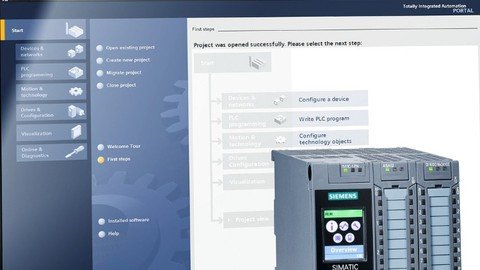
Siemens Tia Portal Level 6
MP4 | Video: h264, 1280x720 | Audio: AAC, 44.1 KHz
Language: English | Size: 917 MB | Duration: 1h 46m
Siemens Tia Portal Level 6 with English and Other Subtitles
What you'll learn​

At the end of this course, you will be able to program a TIA Portal PLC application from the ground up
You will learn how to create function blocks and add ladder logic efficiently using TIA best practices
You will be able to download, monitor and troubleshoot a real life TIA application using S7-PLCSIM
Build a proper structure for your PLC application in TIA Portal using TIA specific tools
Build global data blocks using user-defined data types and use them for optimal data exchange between function blocks
At the end of this course, you will know all tools and best practices allowing you to drastically improve your programming speed and efficiency in TIA Portal
Requirements
Coming into this course, you should already have a basic understanding of PLC / HMI terminologies and basic computer literacy.
Description
By now, you already know the basics. You know what digital and analog signals are. You know what "PLC" and "HMI" mean. You know what an INT and a BOOL and a FLOAT are. As long as you're at LEAST that far, you'll be able to handle this course. If you aren't quite there yet, I strongly recommend you check out my first PLC programming course which teaches from the most elementary fundamentals all the way up to creating complete solutions with best practices.
For those of you who are still here and think you're ready, you're about to learn Siemens PLC and HMI programming end-to-end and top-to-bottom .There will be some familiar info covered such as alarm programming and HOAs, but we aren't going remedial here. Most of the focus will be on creating a complete program for a theoretical system and doing so with LAD, FBD, SCL, STL and GRAPH programming paradigms.
But no PLC is complete without an HMI, right? No worries! We're getting into all of that as well and best of all - you'll be able to follow along in your own (fully-functional 21-day trial version) copy of the software. So you'll be creating PLC programs, creating HMI projects, simulating both and making them talk to each other. It's everything you need and want to develop a HIGH comfort level with Siemens technology!
For those of you who might not think you're ready, you can always take a look at my other PLC programming courses.
PLC Fundamentals (Level 1,2,3) teaches you how to program with the focus on ladder logic, which is the most popular PLC programming language. The goal is to teach you everything you need to know to make a PLC do what you want it to do. You are also given all the software necessary to both CREATE and RUN your own programs live - right on your own computer.
Applied Logic (Level 4,5,6) forces you to take what you've learned and solve problem after progressively harder problem unassisted. You get a spec and are told simply: "Make it work, and don't progress until you have." After, you get to watch me solve each one as well. By the end, you don't just know how to program - you are a PROGRAMMER.
Process Visualization (Level 7,8,9) gives you both knowledge and experience in FIVE different HMI / SCADA development environments. By the end, you've created several COMPLETE visualization (screen) projects that you can actually run on your own computer (and SHOW PEOPLE in an interview) with no additional hardware.
IEC Paradigms (Level 10,11,12) is only for the heavyweights. This course teaches you how to program using all five IEC programming languages (plus one more) in multiple environments. There are projects as well, so by the end, you have seen it all and DONE it all as well. There won't be anything anybody can show you that you won't already be familiar with.
TIA Portal Master Project (Level 13,14,15,16) is the culmination of everything. In that course, you'll program an entire power plant using all five PLC programming languages (in PARALLEL!) with a full HMI. It's a massive and complex project that really showcases your talents in an interview!
Who this course is for
Software programmers or field engineers who would like to program TIA Portal using TIA specific skills and best practices
Anyone with basic PLC and ladder knowledge who is eager to get started with TIA Portal
A Simatic Manager Step 7 or a Rockwell programmer, starting off with their first TIA PLC application
Anyone who would like to add "TIA Portal PLC programmer" to their portfolio
Screenshots


db0d16fe20a277222a978ba6e3578f92.jpg

Siemens Tia Portal Level 7
MP4 | Video: h264, 1280x720 | Audio: AAC, 44.1 KHz
Language: English | Size: 813 MB | Duration: 1h 52m
Siemens Tia Portal Level 7 with English and Other Subtitles
What you'll learn​

At the end of this course, you will be able to program a TIA Portal PLC application from the ground up
You will learn how to create function blocks and add ladder logic efficiently using TIA best practices
You will be able to download, monitor and troubleshoot a real life TIA application using S7-PLCSIM
Build a proper structure for your PLC application in TIA Portal using TIA specific tools
Build global data blocks using user-defined data types and use them for optimal data exchange between function blocks
At the end of this course, you will know all tools and best practices allowing you to drastically improve your programming speed and efficiency in TIA Portal
Requirements
Coming into this course, you should already have a basic understanding of PLC / HMI terminologies and basic computer literacy.
Description
By now, you already know the basics. You know what digital and analog signals are. You know what "PLC" and "HMI" mean. You know what an INT and a BOOL and a FLOAT are. As long as you're at LEAST that far, you'll be able to handle this course. If you aren't quite there yet, I strongly recommend you check out my first PLC programming course which teaches from the most elementary fundamentals all the way up to creating complete solutions with best practices.
For those of you who are still here and think you're ready, you're about to learn Siemens PLC and HMI programming end-to-end and top-to-bottom .There will be some familiar info covered such as alarm programming and HOAs, but we aren't going remedial here. Most of the focus will be on creating a complete program for a theoretical system and doing so with LAD, FBD, SCL, STL and GRAPH programming paradigms.
But no PLC is complete without an HMI, right? No worries! We're getting into all of that as well and best of all - you'll be able to follow along in your own (fully-functional 21-day trial version) copy of the software. So you'll be creating PLC programs, creating HMI projects, simulating both and making them talk to each other. It's everything you need and want to develop a HIGH comfort level with Siemens technology!
For those of you who might not think you're ready, you can always take a look at my other PLC programming courses.
PLC Fundamentals (Level 1,2,3) teaches you how to program with the focus on ladder logic, which is the most popular PLC programming language. The goal is to teach you everything you need to know to make a PLC do what you want it to do. You are also given all the software necessary to both CREATE and RUN your own programs live - right on your own computer.
Applied Logic (Level 4,5,6) forces you to take what you've learned and solve problem after progressively harder problem unassisted. You get a spec and are told simply: "Make it work, and don't progress until you have." After, you get to watch me solve each one as well. By the end, you don't just know how to program - you are a PROGRAMMER.
Process Visualization (Level 7,8,9) gives you both knowledge and experience in FIVE different HMI / SCADA development environments. By the end, you've created several COMPLETE visualization (screen) projects that you can actually run on your own computer (and SHOW PEOPLE in an interview) with no additional hardware.
IEC Paradigms (Level 10,11,12) is only for the heavyweights. This course teaches you how to program using all five IEC programming languages (plus one more) in multiple environments. There are projects as well, so by the end, you have seen it all and DONE it all as well. There won't be anything anybody can show you that you won't already be familiar with.
TIA Portal Master Project (Level 13,14,15,16) is the culmination of everything. In that course, you'll program an entire power plant using all five PLC programming languages (in PARALLEL!) with a full HMI. It's a massive and complex project that really showcases your talents in an interview!
Who this course is for
Software programmers or field engineers who would like to program TIA Portal using TIA specific skills and best practices
Anyone with basic PLC and ladder knowledge who is eager to get started with TIA Portal
A Simatic Manager Step 7 or a Rockwell programmer, starting off with their first TIA PLC application
Anyone who would like to add "TIA Portal PLC programmer" to their portfolio
Screenshots


57a1beb92cfbc464ee290e693deaf50f.jpg

Siemens Tia Portal Level 8
MP4 | Video: h264, 1280x720 | Audio: AAC, 44.1 KHz
Language: English | Size: 942 MB | Duration: 1h 56m
Siemens Tia Portal Level 8 with English and Other Subtitles
What you'll learn​

At the end of this course, you will be able to program a TIA Portal PLC application from the ground up
You will learn how to create function blocks and add ladder logic efficiently using TIA best practices
You will be able to download, monitor and troubleshoot a real life TIA application using S7-PLCSIM
Build a proper structure for your PLC application in TIA Portal using TIA specific tools
Build global data blocks using user-defined data types and use them for optimal data exchange between function blocks
Requirements
Coming into this course, you should already have a basic understanding of PLC / HMI terminologies and basic computer literacy.
Description
By now, you already know the basics. You know what digital and analog signals are. You know what "PLC" and "HMI" mean. You know what an INT and a BOOL and a FLOAT are. As long as you're at LEAST that far, you'll be able to handle this course. If you aren't quite there yet, I strongly recommend you check out my first PLC programming course which teaches from the most elementary fundamentals all the way up to creating complete solutions with best practices.
For those of you who are still here and think you're ready, you're about to learn Siemens PLC and HMI programming end-to-end and top-to-bottom .There will be some familiar info covered such as alarm programming and HOAs, but we aren't going remedial here. Most of the focus will be on creating a complete program for a theoretical system and doing so with LAD, FBD, SCL, STL and GRAPH programming paradigms.
But no PLC is complete without an HMI, right? No worries! We're getting into all of that as well and best of all - you'll be able to follow along in your own (fully-functional 21-day trial version) copy of the software. So you'll be creating PLC programs, creating HMI projects, simulating both and making them talk to each other. It's everything you need and want to develop a HIGH comfort level with Siemens technology!
For those of you who might not think you're ready, you can always take a look at my other PLC programming courses.
PLC Fundamentals (Level 1,2,3) teaches you how to program with the focus on ladder logic, which is the most popular PLC programming language. The goal is to teach you everything you need to know to make a PLC do what you want it to do. You are also given all the software necessary to both CREATE and RUN your own programs live - right on your own computer.
Applied Logic (Level 4,5,6) forces you to take what you've learned and solve problem after progressively harder problem unassisted. You get a spec and are told simply: "Make it work, and don't progress until you have." After, you get to watch me solve each one as well. By the end, you don't just know how to program - you are a PROGRAMMER.
Process Visualization (Level 7,8,9) gives you both knowledge and experience in FIVE different HMI / SCADA development environments. By the end, you've created several COMPLETE visualization (screen) projects that you can actually run on your own computer (and SHOW PEOPLE in an interview) with no additional hardware.
IEC Paradigms (Level 10,11,12) is only for the heavyweights. This course teaches you how to program using all five IEC programming languages (plus one more) in multiple environments. There are projects as well, so by the end, you have seen it all and DONE it all as well. There won't be anything anybody can show you that you won't already be familiar with.
TIA Portal Master Project (Level 13,14,15,16) is the culmination of everything. In that course, you'll program an entire power plant using all five PLC programming languages (in PARALLEL!) with a full HMI. It's a massive and complex project that really showcases your talents in an interview!
Who this course is for
Software programmers or field engineers who would like to program TIA Portal using TIA specific skills and best practices
Anyone with basic PLC and ladder knowledge who is eager to get started with TIA Portal
A Simatic Manager Step 7 or a Rockwell programmer, starting off with their first TIA PLC application
Anyone who would like to add "TIA Portal PLC programmer" to their portfolio
Screenshots


57a1beb92cfbc464ee290e693deaf50f.jpg

Siemens Tia Portal Level 16
MP4 | Video: h264, 1280x720 | Audio: AAC, 44.1 KHz, 2 Ch
Genre: eLearning | Language: English + srt | Duration: 6 lectures (1h 33m) | Size: 709 MB

Siemens Tia Portal Level 16 with English and Other Subtitles
What you'll learn
At the end of this course, you will be able to program a TIA Portal PLC application from the ground up
You will learn how to create function blocks and add ladder logic efficiently using TIA best practices
You will be able to download, monitor and troubleshoot a real life TIA application using S7-PLCSIM
Build a proper structure for your PLC application in TIA Portal using TIA specific tools
Build global data blocks using user-defined data types and use them for optimal data exchange between function blocks
At the end of this course, you will know all tools and best practices allowing you to drastically improve your programming speed and efficiency in TIA Portal
Requirements
Coming into this course, you should already have a basic understanding of PLC / HMI terminologies and basic computer literacy.
Description
By now, you already know the basics. You know what digital and analog signals are. You know what "PLC" and "HMI" mean. You know what an INT and a BOOL and a FLOAT are. As long as you're at LEAST that far, you'll be able to handle this course. If you aren't quite there yet, I strongly recommend you check out my first PLC programming course which teaches from the most elementary fundamentals all the way up to creating complete solutions with best practices.
For those of you who are still here and think you're ready, you're about to learn Siemens PLC and HMI programming end-to-end and top-to-bottom .There will be some familiar info covered such as alarm programming and HOAs, but we aren't going remedial here. Most of the focus will be on creating a complete program for a theoretical system and doing so with LAD, FBD, SCL, STL and GRAPH programming paradigms.
But no PLC is complete without an HMI, right? No worries! We're getting into all of that as well and best of all - you'll be able to follow along in your own (fully-functional 21-day trial version) copy of the software. So you'll be creating PLC programs, creating HMI projects, simulating both and making them talk to each other. It's everything you need and want to develop a HIGH comfort level with Siemens technology!
For those of you who might not think you're ready, you can always take a look at my other PLC programming courses.
PLC Fundamentals (Level 1,2,3) teaches you how to program with the focus on ladder logic, which is the most popular PLC programming language. The goal is to teach you everything you need to know to make a PLC do what you want it to do. You are also given all the software necessary to both CREATE and RUN your own programs live - right on your own computer.
Applied Logic (Level 4,5,6) forces you to take what you've learned and solve problem after progressively harder problem unassisted. You get a spec and are told simply: "Make it work, and don't progress until you have." After, you get to watch me solve each one as well. By the end, you don't just know how to program - you are a PROGRAMMER.
Process Visualization (Level 7,8,9) gives you both knowledge and experience in FIVE different HMI / SCADA development environments. By the end, you've created several COMPLETE visualization (screen) projects that you can actually run on your own computer (and SHOW PEOPLE in an interview) with no additional hardware.
IEC Paradigms (Level 10,11,12) is only for the heavyweights. This course teaches you how to program using all five IEC programming languages (plus one more) in multiple environments. There are projects as well, so by the end, you have seen it all and DONE it all as well. There won't be anything anybody can show you that you won't already be familiar with.
TIA Portal Master Project (Level 13,14,15,16) is the culmination of everything. In that course, you'll program an entire power plant using all five PLC programming languages (in PARALLEL!) with a full HMI. It's a massive and complex project that really showcases your talents in an interview!
Who this course is for
Software programmers or field engineers who would like to program TIA Portal using TIA specific skills and best practices
Anyone with basic PLC and ladder knowledge who is eager to get started with TIA Portal
A Simatic Manager Step 7 or a Rockwell programmer, starting off with their first TIA PLC application
Anyone who would like to add "TIA Portal PLC programmer" to their portfolio
Homepage


db219a3b-178c-42b3-91a3-25c468350a83.png

The Complete Rasberry Pi Course with MainFrame
MP4 | Video: h264, 1280x720 | Audio: AAC, 44.1 KHz, 2 Ch
Genre: eLearning | Language: English | Duration: 14 lectures (46m) | Size: 542.1 MB

Hands on tutorial on booting Raspberry Pi for the first time and then installing Mainframe Operating System MVS on it
What you'll learn
You will be able to boot up your Raspberry Pi from scratch
You will be able to install Mainframe Operating system MVS on your Raspberry Pi
Setting up Rasberry Pi
Start directly with the Best Practices
Become familiar with Raspberry Pi
Learn how to easily prepare SD cards for any Raspberry Pi Operating System
Requirements
You need to be familiar about Mainframes to take this course. If you do not know about Mainframes then this course is not for you.
No previous programming or electronics knowledge required
Raspberry Pi
USB mouse
USB keyboard
HDMI cable
Power Adapter for Raspberry Pi
Micro SD card
Description
Welcome to The Complete Rasberry Pi with MainFrame. In this course, i will first teach how to boot up your Raspberry Pi for the first time and then install MVS Turnkey operating system on it.
This can be used to practice JCL and COBOL programs. MVS turnkey system runs on the Hercules Emulator which has the OS/VS2 installed on it.
This is an updated and improved remake of the original Raspberry Pi Full Stack. In this new course, I have updated all of the technologies involved in the current state of the Art, and have also added new content.
This course will expose you to the full process of developing a web application.
You will integrate LEDs, buttons and sensors with Javascript, HTML, web servers, database servers, routers and schedulers.
You will understand why the Raspberry Pi is such a versatile tinkering platform by experiencing first hand how well it combine
This course will focus on the why and make you become much more autonomous with your Raspberry Pi so you will be able to start your own
projects without having to desperately search for code to copy/paste on the Internet. My personal goal is to make you understand enough to get
started in a short period of time, and make you think as a problem solver, with engineer-level thinking skills.
Who this course is for
Anyone interested in learning about Raspberry Pi
Mainframe Enthusiasts
Raspberry Pi users who feel stuck in their projects and want to get more autonomous
If you want to boot up your own Raspberry Pi for the first time, then this course will help you
Anyone wanting to learn how to get started with Raspberry Pi and build amazing projects
People who want to start robotics projects, home automation, web servers, IoT projects, etc., with their Raspberry Pi
Homepage


0e7877167a99c52ffbc10ec3ee83ebe3.jpg

Vhdl Circuit Design and Fpgas With Vivado and Modelsim
MP4 | Video: h264, 1280x720 | Audio: AAC, 44.1 KHz
Language: English | Size: 9.76 GB | Duration: 18h 37m
Circuit Design Using VHDL for FPGA Devices​

What you'll learn
Synthesizable VHDL Circuit Design and FPGA programming using VHDL
VHDL Language for Digital Circuit Design
Simulation and Synthesis Using VIVADO
Simulation of VHDL Implementations Using MODELSIM
FPGA Programming
Requirements
Digital logic design
Description
In this course, we will teach VHDL circuit design. The fundamental concepts about VHDL circuit design will be provided. In addition, practical examples using FPGA development boards will be provided. Combinational and clocked logic circuit design will be explained by examples. We will use either VIVADO or MODELSIM platform for the simulation and development of VHDL designs. Some of the written codes will be loaded into FPGA cards for demonstration purposes.
We use MODELSIM for simulation of the VHDL codes. In VHDL circuit design, good knowledge of signal and variable objects is necessary, and the engineer should know the differences between signal and variable objects very well. The most confusing part between the signal and variable objects is that variable objects are updated immediately whereas update of the signal objects is not immediate. Clock division operation and behavior of the signal and variable objects are explained in details using MODELSIM simulations. The behaviors of the combinational and sequential circuits are clarified using MODELSIM simulations.
We use VIVADO platform for simulation and circuit synthesis of the VHDL codes. In fact, it is better to use the MODELSIM platform for simulations and VIVADO platform for circuit synthesis and FPGA programming. We indicate that a VHDL code which can be simulated may not be synthesizable, and we explain this concept providing examples on VIVADO platform. Through the course, we provide many videos explaining VHDL language for circuit design and use of MODELSIM and VIVADO platforms for simulation and circuit synthesis.
Who this course is for
Digital design engineers
Screenshots


4af5bb6127d48dd78b8abb5e4b048f24.jpg

Siemens Tia Portal Level 14
MP4 | Video: h264, 1280x720 | Audio: AAC, 44.1 KHz
Language: English | Size: 1.04 GB | Duration: 1h 58m
Siemens Tia Portal Level 14 with English and Other Subtitles
What you'll learn​

At the end of this course, you will be able to program a TIA Portal PLC application from the ground up
You will learn how to create function blocks and add ladder logic efficiently using TIA best practices
You will be able to download, monitor and troubleshoot a real life TIA application using S7-PLCSIM
Build a proper structure for your PLC application in TIA Portal using TIA specific tools
Build global data blocks using user-defined data types and use them for optimal data exchange between function blocks
At the end of this course, you will know all tools and best practices allowing you to drastically improve your programming speed and efficiency in TIA Portal
Requirements
Coming into this course, you should already have a basic understanding of PLC / HMI terminologies and basic computer literacy.
Description
By now, you already know the basics. You know what digital and analog signals are. You know what "PLC" and "HMI" mean. You know what an INT and a BOOL and a FLOAT are. As long as you're at LEAST that far, you'll be able to handle this course. If you aren't quite there yet, I strongly recommend you check out my first PLC programming course which teaches from the most elementary fundamentals all the way up to creating complete solutions with best practices.
For those of you who are still here and think you're ready, you're about to learn Siemens PLC and HMI programming end-to-end and top-to-bottom .There will be some familiar info covered such as alarm programming and HOAs, but we aren't going remedial here. Most of the focus will be on creating a complete program for a theoretical system and doing so with LAD, FBD, SCL, STL and GRAPH programming paradigms.
But no PLC is complete without an HMI, right? No worries! We're getting into all of that as well and best of all - you'll be able to follow along in your own (fully-functional 21-day trial version) copy of the software. So you'll be creating PLC programs, creating HMI projects, simulating both and making them talk to each other. It's everything you need and want to develop a HIGH comfort level with Siemens technology!
For those of you who might not think you're ready, you can always take a look at my other PLC programming courses.
PLC Fundamentals (Level 1,2,3) teaches you how to program with the focus on ladder logic, which is the most popular PLC programming language. The goal is to teach you everything you need to know to make a PLC do what you want it to do. You are also given all the software necessary to both CREATE and RUN your own programs live - right on your own computer.
Applied Logic (Level 4,5,6) forces you to take what you've learned and solve problem after progressively harder problem unassisted. You get a spec and are told simply: "Make it work, and don't progress until you have." After, you get to watch me solve each one as well. By the end, you don't just know how to program - you are a PROGRAMMER.
Process Visualization (Level 7,8,9) gives you both knowledge and experience in FIVE different HMI / SCADA development environments. By the end, you've created several COMPLETE visualization (screen) projects that you can actually run on your own computer (and SHOW PEOPLE in an interview) with no additional hardware.
IEC Paradigms (Level 10,11,12) is only for the heavyweights. This course teaches you how to program using all five IEC programming languages (plus one more) in multiple environments. There are projects as well, so by the end, you have seen it all and DONE it all as well. There won't be anything anybody can show you that you won't already be familiar with.
TIA Portal Master Project (Level 13,14,15,16) is the culmination of everything. In that course, you'll program an entire power plant using all five PLC programming languages (in PARALLEL!) with a full HMI. It's a massive and complex project that really showcases your talents in an interview!
Who this course is for
Software programmers or field engineers who would like to program TIA Portal using TIA specific skills and best practices
Anyone with basic PLC and ladder knowledge who is eager to get started with TIA Portal
A Simatic Manager Step 7 or a Rockwell programmer, starting off with their first TIA PLC application
Anyone who would like to add "TIA Portal PLC programmer" to their portfolio
Screenshots


a849febbf8785ac188efde4d9d0a1ee1.jpg

Siemens Tia Portal Level 13
MP4 | Video: h264, 1280x720 | Audio: AAC, 44.1 KHz
Language: English | Size: 791 MB | Duration: 1h 35m
Siemens Tia Portal Level 13 with English and Other Subtitles​

What you'll learn
At the end of this course, you will be able to program a TIA Portal PLC application from the ground up
You will learn how to create function blocks and add ladder logic efficiently using TIA best practices
You will be able to download, monitor and troubleshoot a real life TIA application using S7-PLCSIM
Build a proper structure for your PLC application in TIA Portal using TIA specific tools
Build global data blocks using user-defined data types and use them for optimal data exchange between function blocks
At the end of this course, you will know all tools and best practices allowing you to drastically improve your programming speed and efficiency in TIA Portal
Requirements
Coming into this course, you should already have a basic understanding of PLC / HMI terminologies and basic computer literacy.
Description
By now, you already know the basics. You know what digital and analog signals are. You know what "PLC" and "HMI" mean. You know what an INT and a BOOL and a FLOAT are. As long as you're at LEAST that far, you'll be able to handle this course. If you aren't quite there yet, I strongly recommend you check out my first PLC programming course which teaches from the most elementary fundamentals all the way up to creating complete solutions with best practices.
For those of you who are still here and think you're ready, you're about to learn Siemens PLC and HMI programming end-to-end and top-to-bottom .There will be some familiar info covered such as alarm programming and HOAs, but we aren't going remedial here. Most of the focus will be on creating a complete program for a theoretical system and doing so with LAD, FBD, SCL, STL and GRAPH programming paradigms.
But no PLC is complete without an HMI, right? No worries! We're getting into all of that as well and best of all - you'll be able to follow along in your own (fully-functional 21-day trial version) copy of the software. So you'll be creating PLC programs, creating HMI projects, simulating both and making them talk to each other. It's everything you need and want to develop a HIGH comfort level with Siemens technology!
For those of you who might not think you're ready, you can always take a look at my other PLC programming courses.
PLC Fundamentals (Level 1,2,3) teaches you how to program with the focus on ladder logic, which is the most popular PLC programming language. The goal is to teach you everything you need to know to make a PLC do what you want it to do. You are also given all the software necessary to both CREATE and RUN your own programs live - right on your own computer.
Applied Logic (Level 4,5,6) forces you to take what you've learned and solve problem after progressively harder problem unassisted. You get a spec and are told simply: "Make it work, and don't progress until you have." After, you get to watch me solve each one as well. By the end, you don't just know how to program - you are a PROGRAMMER.
Process Visualization (Level 7,8,9) gives you both knowledge and experience in FIVE different HMI / SCADA development environments. By the end, you've created several COMPLETE visualization (screen) projects that you can actually run on your own computer (and SHOW PEOPLE in an interview) with no additional hardware.
IEC Paradigms (Level 10,11,12) is only for the heavyweights. This course teaches you how to program using all five IEC programming languages (plus one more) in multiple environments. There are projects as well, so by the end, you have seen it all and DONE it all as well. There won't be anything anybody can show you that you won't already be familiar with.
TIA Portal Master Project (Level 13,14,15,16) is the culmination of everything. In that course, you'll program an entire power plant using all five PLC programming languages (in PARALLEL!) with a full HMI. It's a massive and complex project that really showcases your talents in an interview!
Who this course is for
Software programmers or field engineers who would like to program TIA Portal using TIA specific skills and best practices
Anyone with basic PLC and ladder knowledge who is eager to get started with TIA Portal
A Simatic Manager Step 7 or a Rockwell programmer, starting off with their first TIA PLC application
Anyone who would like to add "TIA Portal PLC programmer" to their portfolio
Screenshots


86430af3389e3900b077052b4aef1223.jpg

Siemens Tia Portal Level 9
MP4 | Video: h264, 1280x720 | Audio: AAC, 44.1 KHz
Language: English | Size: 823 MB | Duration: 1h 56m
Siemens Tia Portal Level 9 with English and Other Subtitles
What you'll learn​

At the end of this course, you will be able to program a TIA Portal PLC application from the ground up
You will learn how to create function blocks and add ladder logic efficiently using TIA best practices
You will be able to download, monitor and troubleshoot a real life TIA application using S7-PLCSIM
Build a proper structure for your PLC application in TIA Portal using TIA specific tools
Build global data blocks using user-defined data types and use them for optimal data exchange between function blocks
At the end of this course, you will know all tools and best practices allowing you to drastically improve your programming speed and efficiency in TIA Portal
Requirements
Coming into this course, you should already have a basic understanding of PLC / HMI terminologies and basic computer literacy.
Description
By now, you already know the basics. You know what digital and analog signals are. You know what "PLC" and "HMI" mean. You know what an INT and a BOOL and a FLOAT are. As long as you're at LEAST that far, you'll be able to handle this course. If you aren't quite there yet, I strongly recommend you check out my first PLC programming course which teaches from the most elementary fundamentals all the way up to creating complete solutions with best practices.
For those of you who are still here and think you're ready, you're about to learn Siemens PLC and HMI programming end-to-end and top-to-bottom .There will be some familiar info covered such as alarm programming and HOAs, but we aren't going remedial here. Most of the focus will be on creating a complete program for a theoretical system and doing so with LAD, FBD, SCL, STL and GRAPH programming paradigms.
But no PLC is complete without an HMI, right? No worries! We're getting into all of that as well and best of all - you'll be able to follow along in your own (fully-functional 21-day trial version) copy of the software. So you'll be creating PLC programs, creating HMI projects, simulating both and making them talk to each other. It's everything you need and want to develop a HIGH comfort level with Siemens technology!
For those of you who might not think you're ready, you can always take a look at my other PLC programming courses.
PLC Fundamentals (Level 1,2,3) teaches you how to program with the focus on ladder logic, which is the most popular PLC programming language. The goal is to teach you everything you need to know to make a PLC do what you want it to do. You are also given all the software necessary to both CREATE and RUN your own programs live - right on your own computer.
Applied Logic (Level 4,5,6) forces you to take what you've learned and solve problem after progressively harder problem unassisted. You get a spec and are told simply: "Make it work, and don't progress until you have." After, you get to watch me solve each one as well. By the end, you don't just know how to program - you are a PROGRAMMER.
Process Visualization (Level 7,8,9) gives you both knowledge and experience in FIVE different HMI / SCADA development environments. By the end, you've created several COMPLETE visualization (screen) projects that you can actually run on your own computer (and SHOW PEOPLE in an interview) with no additional hardware.
IEC Paradigms (Level 10,11,12) is only for the heavyweights. This course teaches you how to program using all five IEC programming languages (plus one more) in multiple environments. There are projects as well, so by the end, you have seen it all and DONE it all as well. There won't be anything anybody can show you that you won't already be familiar with.
TIA Portal Master Project (Level 13,14,15,16) is the culmination of everything. In that course, you'll program an entire power plant using all five PLC programming languages (in PARALLEL!) with a full HMI. It's a massive and complex project that really showcases your talents in an interview!
Who this course is for
Software programmers or field engineers who would like to program TIA Portal using TIA specific skills and best practices
Anyone with basic PLC and ladder knowledge who is eager to get started with TIA Portal
A Simatic Manager Step 7 or a Rockwell programmer, starting off with their first TIA PLC application
Anyone who would like to add "TIA Portal PLC programmer" to their portfolio
Screenshots


935fbe44445285bf5f3f06d67ab2945b.jpg

Siemens Tia Portal Level 15
MP4 | Video: h264, 1280x720 | Audio: AAC, 44.1 KHz
Language: English | Size: 966 MB | Duration: 1h 51m
Siemens Tia Portal Level 15 with English and Other Subtitles​

What you'll learn
At the end of this course, you will be able to program a TIA Portal PLC application from the ground up
You will learn how to create function blocks and add ladder logic efficiently using TIA best practices
You will be able to download, monitor and troubleshoot a real life TIA application using S7-PLCSIM
Build a proper structure for your PLC application in TIA Portal using TIA specific tools
Build global data blocks using user-defined data types and use them for optimal data exchange between function blocks
At the end of this course, you will know all tools and best practices allowing you to drastically improve your programming speed and efficiency in TIA Portal
Requirements
Coming into this course, you should already have a basic understanding of PLC / HMI terminologies and basic computer literacy.
Description
By now, you already know the basics. You know what digital and analog signals are. You know what "PLC" and "HMI" mean. You know what an INT and a BOOL and a FLOAT are. As long as you're at LEAST that far, you'll be able to handle this course. If you aren't quite there yet, I strongly recommend you check out my first PLC programming course which teaches from the most elementary fundamentals all the way up to creating complete solutions with best practices.
For those of you who are still here and think you're ready, you're about to learn Siemens PLC and HMI programming end-to-end and top-to-bottom .There will be some familiar info covered such as alarm programming and HOAs, but we aren't going remedial here. Most of the focus will be on creating a complete program for a theoretical system and doing so with LAD, FBD, SCL, STL and GRAPH programming paradigms.
But no PLC is complete without an HMI, right? No worries! We're getting into all of that as well and best of all - you'll be able to follow along in your own (fully-functional 21-day trial version) copy of the software. So you'll be creating PLC programs, creating HMI projects, simulating both and making them talk to each other. It's everything you need and want to develop a HIGH comfort level with Siemens technology!
For those of you who might not think you're ready, you can always take a look at my other PLC programming courses.
PLC Fundamentals (Level 1,2,3) teaches you how to program with the focus on ladder logic, which is the most popular PLC programming language. The goal is to teach you everything you need to know to make a PLC do what you want it to do. You are also given all the software necessary to both CREATE and RUN your own programs live - right on your own computer.
Applied Logic (Level 4,5,6) forces you to take what you've learned and solve problem after progressively harder problem unassisted. You get a spec and are told simply: "Make it work, and don't progress until you have." After, you get to watch me solve each one as well. By the end, you don't just know how to program - you are a PROGRAMMER.
Process Visualization (Level 7,8,9) gives you both knowledge and experience in FIVE different HMI / SCADA development environments. By the end, you've created several COMPLETE visualization (screen) projects that you can actually run on your own computer (and SHOW PEOPLE in an interview) with no additional hardware.
IEC Paradigms (Level 10,11,12) is only for the heavyweights. This course teaches you how to program using all five IEC programming languages (plus one more) in multiple environments. There are projects as well, so by the end, you have seen it all and DONE it all as well. There won't be anything anybody can show you that you won't already be familiar with.
TIA Portal Master Project (Level 13,14,15,16) is the culmination of everything. In that course, you'll program an entire power plant using all five PLC programming languages (in PARALLEL!) with a full HMI. It's a massive and complex project that really showcases your talents in an interview!
Who this course is for
Software programmers or field engineers who would like to program TIA Portal using TIA specific skills and best practices
Anyone with basic PLC and ladder knowledge who is eager to get started with TIA Portal
A Simatic Manager Step 7 or a Rockwell programmer, starting off with their first TIA PLC application
Anyone who would like to add "TIA Portal PLC programmer" to their portfolio
Screenshots


Zurück
Oben Unten