



• Regeln für den Video-Bereich:

    In den Börsenbereich gehören nur Angebote die bereits den Allgemeinen Regeln entsprechen.

    Einteilung

    - Folgende Formate gehören in die angegeben Bereiche:
    - Filme: Encodierte Filme von BluRay, DVD, R5, TV, Screener sowie Telesyncs im Format DivX, XviD und x264.
    - DVD: Filme im Format DVD5, DVD9 und HD2DVD.
    - HD: Encodierte Filme mit der Auflösung 720p oder darüber von BluRay, DVD, R5, TV, Screener sowie Telesyncs im Format x264.
    - 3D: Encodierte Filme von BluRay, die in einem 3D Format vorliegen. Dies gilt auch für Dokus, Animation usw.
    - Serien: Cartoon/Zeichentrick, Anime, Tutorials, Dokumentationen, Konzerte/Musik, Sonstiges sind demnach in die entsprechenden Bereiche einzuordnen, auch wenn sie beispielsweise im High Definition-Format oder als DVD5/DVD9/HD2DVD vorliegen. Ausnahme 3D.
    - Bereich Englisch: Englische Releases gehören immer in diesen Bereich.
    - Bereich Talk: Der Bereich, in dem über die Releases diskutiert werden kann, darf, soll und erwünscht ist.


    Angebot/Beitrag erstellen

    - Ein Beitrag darf erst dann erstellt werden, wenn der Upload bei mindestens einem OCH komplett ist. Platzhalter sind untersagt.
    - Bei einem Scenerelease hat der Threadtitel ausschließlich aus dem originalen, unveränderten Releasenamen zu bestehen. Es dürfen keine Veränderungen wie z.B. Sterne, kleine Buchstaben o.ä. vorgenommen werden. Ausnahme Serienbörse:
    - Bei einem Sammelthread für eine Staffel entfällt aus dem Releasename natürlich der Name der Folge. Beispiel: Die Simpsons S21 German DVDRip XviD - ITG
    - Dementsprechend sind also u.a. verboten: Erweiterungen wie "Tipp", "empfehlenswert", "only", "reup", usw. / jegliche andere Zusatzinformation oder Ergänzung, welche nicht in obiger Beschreibung zu finden ist.

    Aufbau des Angebots und Threadtitel

    Der Titel nach folgendem Muster erstellt zu werden. <Name> [3D] [Staffel] [German] <Jahr> <Tonspur> [DL] [Auflösung] <Quelle> <Codec> - <Group>
    Beispiel: The Dark Knight German 2008 AC3 DVDRip XviD - iND
    Beispiel: The Dark Knight 2008 DTS DL BDRip x264 - iND
    Beispiel: The Dark Knight 2008 AC3 DL BDRip XviD - iND
    Beispiel: The Dark Knight German 2008 AC3 720p BluRay x264 iND
    Beispiel: The Dark Knight 2008 DTS DL 1080p BluRay x264 iND
    Beispiel: Die Simpsons S01 German AC3 DVDRip XviD iND
    Beispiel: Die Simpsons S20 German AC3 720p BluRay x264 iND
    Beispiel: Sword Art Online II Ger Sub 2014 AAC 1080p WEBRip x264 - peppermint
    Entsprechend sind also u.a. verboten: Sonderzeichen wie Klammern, Sterne, Ausrufezeichen, Unterstriche, Anführungszeichen / Erweiterungen wie "Tipp", "empfehlenswert", "only", "reup", usw. / jegliche andere Zusatzinformation oder Ergänzung, welche nicht in obiger Beschreibung zu finden ist
    Ausnahmen hiervon können in den Bereichen geregelt sein.

    Die Beiträge sollen wie folgt aufgebaut werden:
    Überschrift entspricht dem Threadtitel
    Cover
    kurze Inhaltsbeschreibung
    Format, Größe, Dauer sind gut lesbar für Downloader außerhalb des Spoilers zu vermerken
    Nfo sind immer Anzugeben und selbige immer im Spoiler in Textform.
    Sind keine Nfo vorhanden z.B. Eigenpublikationen, sind im Spoiler folgende Dateiinformationen zusätzlich anzugeben :
    Quelle
    Video (Auflösung und Bitrate)
    Ton (Sprache, Format und Bitrate der einzelnen Spuren)
    Untertitel (sofern vorhanden)
    Hosterangabe in Textform außerhalb eines Spoiler mit allen enthaltenen Hostern.
    Bei SD kann auf diese zusätzlichen Dateiinformationen verzichtet werden.

    Alle benötigten Passwörter sind, sofern vorhanden, in Textform im Angebot anzugeben.
    Spoiler im Spoiler mit Kommentaren :"Schon Bedankt?" sind unerwünscht.


    Releases

    - Sind Retail-Release verfügbar, sind alle anderen Variationen untersagt. Ausnahmen: Alle deutschen Retail-Release sind CUT, in diesem Fall sind dubbed UNCUT-Release zulässig.
    - Im Serien-Bereich gilt speziell: Wenn ein Retail vor Abschluss einer laufenden Staffel erscheint, darf diese Staffel noch zu Ende gebracht werden.62
    - Gleiche Releases sind unbedingt zusammenzufassen. Das bedeutet, es ist zwingend erforderlich, vor dem Erstellen eines Themas per Suchfunktion zu überprüfen, ob bereits ein Beitrag mit demselben Release besteht. Ist dies der Fall, ist der bereits vorhandene Beitrag zu verwenden.
    - P2P und Scene Releases dürfen nicht verändert oder gar unter einem iND Tag eingestellt werden.


    Support, Diskussionen und Suche

    - Supportanfragen sind entweder per PN oder im Bereich Talk zu stellen.
    - Diskussionen und Bewertungen sind im Talk Bereich zu führen. Fragen an die Uploader haben ausschließlich via PN zu erfolgen, und sind in den Angeboten untersagt.
    - Anfragen zu Upload-Wünschen sind nur im Bereich Suche Video erlaubt. Antworten dürfen nur auf Angebote von MyBoerse.bz verlinkt werden.


    Verbote

    - Untersagt sind mehrere Formate in einem einzigen Angebotsthread, wie beispielsweise das gleichzeitige Anbieten von DivX/XviD, 720p und 1080p in einem Thread. Pro Format, Release und Auflösung ist ein eigener Thread zu eröffnen.
    - Grundsätzlich ebenso verboten sind Dupes. Uploader haben sich an geeigneter Stelle darüber zu informieren, ob es sich bei einem Release um ein Dupe handelt.
    - Gefakte, nur teilweise lauffähige oder unvollständige Angebote sind untersagt. Dies gilt auch für eigene Publikationen, die augenscheinlich nicht selbst von z.B. einer DVD gerippt wurden. Laufende Serien, bei denen noch nicht alle Folgen verfügbar sind, dürfen erstellt und regelmäßig geupdatet werden.
    - Untersagt sind Angebote, welche nur und ausschließlich in einer anderen Sprache als deutsch oder englisch vorliegen. Ausnahmen sind VORHER mit den Moderatoren zu klären.


    Verstoß gegen die Regeln

    - Angebote oder Beiträge, die gegen die Forenregeln verstoßen, sind über den "Melden"-Button im Beitrag zu melden.
  • Bitte registriere dich zunächst um Beiträge zu verfassen und externe Links aufzurufen.

*** Bestes IPTV *** bester Preis *** gratis Test ***


Englische Tutorials

b59d83dc593d30d3d236b6db50a1a81e.jpg

Excel Accounting 3 - Enter First Month of Transactions
MP4 | Video: h264, 1280x720 | Audio: AAC, 44.1 KHz, 2 Ch
Genre: eLearning | Language: English + srt | Duration: 16 lectures (5h 16m) | Size: 3.61 GB

Learn how to enter transactions, & their impact on general ledger, subsidiary ledgers, trial balance, & financial stmts
What you'll learn
How to record financial transactions into an accounting system using an Excel worksheet
How to record the impact of each financial transaction on the general ledger, subsidiary ledgers, trial balance, & financial statements
How to enter financial transactions related to the owner investing in the company and the business taking out a loan
How to enter transactions related to the purchase of inventory and investing in short term investments
How to enter transactions related to the selling of inventory
How to enter transactions related to the receipt of payments from costumers
How and why to use the undeposited funds accounts often seen in accounting software like QuickBooks
How to enter transactions related to writing checks for common expenses like utilities and phone
How to enter transactions related to paying employees including withholdings and employer taxes
How to create month end financial statements
Requirements
None-If you do not have access to Excel you may use Google Sheets
Description
In this course we will enter common financial transactions for the first month of operations into an accounting system set up using an Excel worksheet.
Learners will learn how to navigate Microsoft Excel as well as how to use a well-designed accounting worksheet, complete with a general journal, trial balance, general ledger, subsidiary ledgers for accounts receivable, accounts payable, & inventory, financial statements and much more.
Excel is a very good tool to learn accounting because it is much more transparent than a database program, like accounting software, QuickBooks being a common example of accounting software.
For most new steps in the process, you will have access to a downloadable Excel Workbook, containing at least two tabs, one with the answer, the new steps being completed, the other starting out where the prior presentation left off.
As we enter financial transactions, we will discuss common data input forms used to enter the transactions by accounting software like QuickBooks. We post and analyze the impact of each financial transaction on the general journal, the general ledger, subsidiary ledgers, trial balance, and financial statements.
New businesses often need to generate capital, cash, they can then use to invest in property plant and equipment, inventory, and start up costs. The first few transactions we will enter will be related to the owner putting personal funding into the business and the business taking out a loan from a financial institution.
We will then consider financial transactions related to the purchase of inventory and the purchase of short-term investments like stocks and bonds.
Learners will know how to enter transactions related to selling inventory items, tracking inventory using a perpetual inventory method, adjusting the inventory subledger with each sale and purchase of inventory.
The course will discuss the financial transactions related to receiving payments from a customer, decreasing the accounts receivable, and tracking the accounts receivable subledger, recording accounts receivable by customer.
We will also discuss the use of undeposited funds as a tool to group our deposits in the same way we expect them to show on the bank statement, making the bank reconciliation process, a very important internal control, easy.
The course will demonstrate entering transactions related to writing checks for expenses like utilities and the telephone, and prepaid expenses like insurance.
Learners will also enter transactions related to payroll, requiring us to withhold employee payroll taxes, and enter employer payroll taxes.
After entering a months' worth of data input will create and adjust our financial statements, the balance sheet and the income statement.
Who this course is for
Anybody that wants to learn accounting
Anybody that wants to learn Excel
Accounting and business students
Homepage








 
008aaa4f_medium.jpg

Excel Accounting 4-Enter Data & Track Current Month & YTD
MP4 | Video: h264, 1280x720 | Audio: AAC, 44.1 KHz, 2 Ch
Genre: eLearning | Language: English + srt | Duration: 23 lectures (6h 38m) | Size: 4.62 GB

Learn how to enter accounting data into an accounting system using Excel, generating reports for multiple months
What you'll learn
How to enter transactions into an accounting system using Excel
How to create reports for the current month and for the year to date
How to enter transactions into a general journal
How to post transactions to a general ledger
How to create a trial balance for the current month and the year to date
How to create subsidiary ledgers for accounts receivable, accounts payable, and inventory
How to create financial statements for one month and for the year to date
Requirements
None
Description
This course will enter a month's worth of data input into an accounting system using Excel, which has already been set up and includes one month of data input.
Learners will learn how to navigate Microsoft Excel and use a well-designed accounting worksheet, complete with a general journal, trial balance, general ledger, subsidiary ledgers for accounts receivable, accounts payable, & inventory, financial statements, and much more.
Excel is an excellent tool to learn accounting because it is much more transparent than a database program, like accounting software. QuickBooks is a typical example of accounting software.
For most new steps in our accounting practice problem, you will have access to a downloadable Excel Workbook containing at least two tabs, one with the answer, the new tasks completed, the other starting where the prior presentation left off.
As we enter the second month of data input, we will analyze the current month's data and the year-to-date data. We will use Excel to understand how accounting software like QuickBooks generates reports for different periods, including reports for one month, multiple months, and comparative reports.
The course will demonstrate transactions for each accounting cycle, the revenue cycle, the purchases cycle, and the payroll cycle.
We will enter transactions into the general journal, the general ledger, subsidiary ledgers, the trial balance, and the financial statements.
Learners will create financial statements for the current month and the year-to-date data.
Who this course is for
Anybody how wants to learn accounting
Accounting and business professionals
Anybody who wants to learn Excel
Accounting and business students
Homepage


008aaa4f_medium.jpg

Excel Accounting 5-Bank Reconciliations-Month 1 & 2
MP4 | Video: h264, 1280x720 | Audio: AAC, 44.1 KHz, 2 Ch
Genre: eLearning | Language: English + srt | Duration: 6 lectures (1h 51m) | Size: 1.24 GB

Learn how to put together a bank reconciliation using Excel from a Certified Public Accountant (CPA)
What you'll learn
Explain why the bank reconciliation process is important
Describe the bank reconciliation process
Complete a bank reconciliation process after the first month of operations, explaining the problems often faced during the first bank reconciliation
Complete a bank reconciliation after the second month of operations, explaining how the outstanding items in the first month will be included
Define outstanding checks and how they are shown on the bank reconciliation
Define outstanding deposits and how the are shown on the bank reconciliation
Requirements
None
Description
This course will focus on creating bank reconciliations after two months of financial data was entered into an accounting system using Excel.
For most new steps in the process, you will have access to a downloadable Excel Workbook containing at least two tabs, one with the answer, the new steps completed, the other starting where the prior presentation left off.
We will create a bank reconciliation for the first and second months.
The bank reconciliation process is one of the most important internal controls over the accounting system and also one of the most misunderstood and poorly taught procedures.
Most people think a bank reconciliation's purpose is to double-check the ending balance of cash, and it is, in part. However, we are also verifying all the transactions that have involved cash, both increases, and decreases.
Because cash is the lifeblood of the business and because every transaction will impact at least two accounts, due to the double entry accounting system, verifying cash transactions also provides a huge internal control over the rest of the accounting system, including the revenue cycle, the expenses cycle, and the employee cycle.
Most textbook problems will teach the bank reconciliation process without providing a bank statement, which can be confusing. We will give an example bank statement we will use to perform our bank reconciliation process.
As we construct our bank reconciliation, we will discuss how accounting software, like QuickBooks, lays out the bank reconciliation process.
We will also discuss some of the problems often faced when entering the first bank reconciliation.
Who this course is for
Anybody who wants to learn accounting
Anybody who wants to learn Excel
Accounting and business professionals
Accounting and business students
Homepage


9a0a82c6-4149-4773-ba29-05ffd89deca9.png

Learn JavaScript & NodeJS (and Build a Cryptocurrency Bot)
MP4 | Video: h264, 1280x720 | Audio: AAC, 44.1 KHz, 2 Ch
Genre: eLearning | Language: English + srt | Duration: 47 lectures (1h 28m) | Size: 1.48 GB

Concise & practical for beginners. Learn to code by building a bot that sends crypto price alerts to your phone!
What you'll learn
Practical project-based learning: Learn to code from scratch while building a program that can send cryptocurrency price alerts to your phone
Concise and dynamic starter course to build your initial confidence and conceptual understanding before you consider investing in longer courses
Learn practical skills to become a self-sufficient developer who can independently learn new things, fix code and build projects (with third party services)
JavaScript Fundamentals: console, variables, arithmetic, functions, if/else, arrays, objects, loops, strings, asynchronous programming, promises, etcetc
NodeJS Fundamentals: setting up, node package manage, installing and importing dependencies
Web scraping (including overview of HTML and CSS, and Document Object Model (DOM))
How to effectively research code issues and solutions to solve your code problems
How to leverage off third party services and APIs to build sophisticated projects (e.g. integrating Twilio API to send text messages)
Coding concepts taught through simple and clean animations
Requirements
NO programming experience required - learn from scratch!
Very basic maths ability (only addition and subtraction)
Computer (with internet) (any operating system is fine)
Description
Short, concise and fully hands-on, this course will teach you how to code in both JavaScript and NodeJS, while building a cool crypto-based project that may potentially lead you to make money.
Highly suitable for any absolute beginners or cryptocurrency enthusiasts.
How is this course different from the other online courses?
Strong focus on helping you become a self-sufficient developer. In this course, you won't just learn to code for the sake of coding. You will learn effective research tips and how to integrate third party services so that you can independently learn and build your own projects.
Unique cryptocurrency perspective - build coding skills that are relevant to a hot emerging technology.
Actually build a useful project (not just a basic flash game or calculator) that can potentially add value to your life.
Double overview of JavaScript and NodeJS (many courses only just cover one of them).
Simple and clean animations to explain concepts. Not just a plain bulletpoint lecture.
Low time investment. Max 90 minutes. This course can help you consider whether to invest further in other courses.
Course structure
This course has three parts
Part One
Why learn JavaScript?
How to get things set up (consoles and code editors)
How to use the console in your browser
Fundamentals: variables, comments and functions
Part Two
Web scraping (i.e. a technique to extract data from a website so that you can use the website data in your programs)
Website structure (HTML, CSS and Document Object Model (DOM))
Scraping crypto prices from the CoinMarketCap website
Debugging and research techniques
Fundamentals: conditional logic (if/else), asynchronous programming, objects, arrays and loops.
End outcome: Your first program (runs in the browser) that can automatically retrieve cryptocurrency prices without you have to manually search them up!
Part Three
Upgrading and cleaning up the program from Part Two
NodeJS (installation and how to use it)
Fundamentals: dependencies/libraries and APIs
Setting up and connecting to Twilio API (with free trial account) to automatically send text messages to your phone
End outcome: A NodeJS program that can automatically retrieve cryptocurrency prices and notify you via SMS text whenever one of the prices hits a certain threshold!
Who this course is for
Beginners who have no or only little JavaScript (or any coding) experience
Beginners who want to try out a short, practical and productive coding course before considering to invest further in their coding education
Beginners who want to learn coding through a useful project (not just a simple game or calculator etc) rather than learning abstract concepts/theory without practical context
Beginners who want to learn to BUILD projects rather than just coding for the sake of coding
Cryptocurrency enthusiasts who want to build an automated crypto price alert system from scratch
Intermediate or Advanced JavaScript/NodeJS developers who want to learn how to integrate Twilio services
Everyone interested in learning JavaScript and all about how it works
Everyone interested in cryptocurrency
Homepage


008aaa4f_medium.jpg

Learning Excel 365 - Advanced (TOSA)
MP4 | Video: h264, 1280x720 | Audio: AAC, 44.1 KHz, 2 Ch
Genre: eLearning | Language: English + srt | Duration: 55 lectures (5h 35m) | Size: 4 GB

There are two kinds of people: Those who are masters at Excel 2019 or Excel 365, and those who wish they were
What you'll learn
Create and use named ranges
Insert functions into spreadsheets including: Date and Time functions, Conditional functions, Database functions, Lookup functions, and Subtotals
Perform custom and advanced filtering
Apply advanced charting tools and create a chart template
Create a Pivot Table and apply advanced Pivot Table features, as well as filter data using Slicers and Timelines
Use multiple worksheets and workbooks to track, retrieve, consolidate and report on data using features like cell links and Consolidate
Collaborate with others using Co-Authoring and Compare and Merge
Prepare a document for sharing by adding a digital signature, as well as use multiple ways to protect your worksheets and workbooks from changes
Keep your data consistent and accurate with Data Validation and automate tasks with Macros
Provide quick and easy access to navigate, modify, and enter data using Forms and Form Controls
Requirements
People working toward their TOSA certification, who have a working knowledge of Excel 2019 or Excel 365, but want to use more complex functions and features to analyze data
Description
Objectives. You will be able to
• Create and use named ranges
• Perform custom and advanced filtering
• Apply advanced charting tools and create a chart template
• Create a Pivot Table and apply advanced Pivot Table features, as well as filter data using Slicers and Timelines
• Use multiple worksheets and workbooks to track, retrieve, consolidate and report on data using features like cell links and Consolidate
• Collaborate with others using Co-Authoring and Compare and Merge
• Keep your data consistent and accurate with Data Validation and automate tasks with Macros
• Provide quick and easy access to navigate, modify, and enter data using Forms and Form Controls
There are two kinds of people: Those who are masters at Excel 2019 or Excel 365, and those who wish they were
When you master Excel 2019 or Excel 365, you have one of the most practical and valuable skillsets in modern business. A spreadsheet guru can work wonders-from organizing lists; to creating multi-layered, interactive reports; to answering critical business questions like ROI, budget allocations, expense tracking, and more.
This course will get you one step closer to becoming an expert at using Excel 2019. The material is aligned with the Level 4 Advanced TOSA Certification.
Topics covered include
• Using Named Ranges
• Inserting advanced functions (Date, Time, Conditional, Database, Lookup)
• Applying advanced filtering
• Using advanced chart features
• Inserting and modifying graphics
• Creating PivotTables and using advanced PivotTable features
• Creating internal and external links
• Using Paste Special
• Consolidating data
• Co-authoring and using Compare and Merge
• Adding Digital Signatures
• Protecting workbooks and worksheets
• Using Data Validation
• Using Goal Seek
• Inserting symbols and characters
• Working with Forms
Over five hours of high-quality HD content in the "Uniquely Engaging"TM Bigger Brains Teacher-Learner style!
Who this course is for
There are two kinds of people: Those who are masters at Excel 2019 or Excel 365, and those who wish they were
Homepage


0a206c866e8807439366cf253aa14b30.jpg

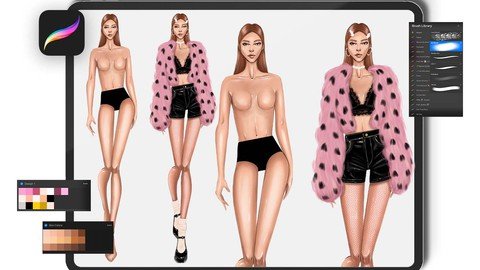
Digital Fashion Design Illustration Course with Procreate
MP4 | Video: h264, 1280x720 | Audio: AAC, 44.1 KHz
Language: English | Size: 2.64 GB | Duration: 2h 32m​

Digital Fashion Illustration with Procreate
What you'll learn
How to use the Procreate program?
How to make fashion illustration in Procreate?
How to draw a fashion figure in Procreate?
How to create a brush in Procreate?
How to draw fur, leather, lace fabrics in Procreate?
How to create a palette in Procreate?
How to draw hair in Procreate?
How to create new document in Procreate?
Requirements
Procreate Program
IOS Tablet and Drawing Pen Compatible with Tablet
Description
With Start Not Fashion Procreate, you will start your Digital Fashion Design Illustration training by learning the Procreate program. You can learn how to create new documents, tools, menus, shortcuts and all the other tricks about the program. In this way, even if you have never used the program, you can start drawing very easily. You can discover new tricks if you have used them before.
In other parts of the training, we will make applications for fashion design. First, we will make a fashion figure drawing application on the ready template. In this section, you can learn to process the coloring stages and details.
Then we will draw a second fashion figure. We will start this drawing from the sketch stage. The drawing will be more artistic. You can download the palette and brush set to be used for drawing from the download link.
We will draw a combination of lace bustier, leather shorts, fur coat, polka dot pantyhose and Mary Jane style shoes and accessories to copy the figure we drew in the fourth part of the training. Before we start drawing, we will create a lace brush. You can download the palette and brush set to be used for drawing from the download link.
You need Procreate for education. The Procreate program can be downloaded to compatible tablets with iOS operating system. However, in order to draw, you must have a pen compatible with your tablet.
If you don't have an education in fashion design and want to learn the basics, you can take a look at our Basic to Advanced Fashion Design course.
We will continue to develop our Digital Fashion Design Illustration Training set with Procreate. New episodes will be added soon. You can start designing with Star Not Fashion now.
Who this course is for
Fashion designer
Fashion design students
Those who want to make digital illustrations
Those who want to do digital fashion design illustration
Screenshots


8079f1a2-7ad4-4094-ace3-7bf98b441b1d.png

Learn C++ by Solving 75 Coding Challenges (Updating)
MP4 | Video: h264, 1280x720 | Audio: AAC, 44.1 KHz, 2 Ch
Genre: eLearning | Language: English + srt | Duration: 120 lectures (2h 11m) | Size: 303.8 MB


Solve 75 coding exercises from beginner to expert levels and learn C++ Programming the Easy Way !
What you'll learn
Solve 75 coding challenges from easy to expert levels
Implement your algorithms to identify problems
Build logical and mathematical skills
Improve your syntax errors
Requirements
Basic knowledge of C++ is required
Basic math knowledge is helpful
Description
What is this course all about?
This course is designed to clear all your concepts of C++ with the help of Coding Exercises.
You will solve 75 C++ Challenges which will cover all concepts of C++ from A to Z.
How we will start?
We will start our journey from easy levels and at the end of the course, you will master the technique to solve any kind of C++ challenge.
This course will not only help you in learning C++ but will also build your logical and mathematical skills.
Best part?
You don't need any kind of software to start coding. We have designed this course so that you can practice right here on Udemy's inbuilt IDE. We will test your solution with our test cases which are written back-end of each coding exercise.
New to C++?
Practice and solving coding challenges is the best way to learn C++. Self-learning is the most important part for Engineers, programmers, data scientists, and web developers.
We will also provide 24/7 help and technical support from the instructor.
Why should you join?
You may have a lot of theoretical knowledge of C++ but you can only correct your syntax and build your logic by solving challenges with an output of your program right at the moment. It will not only build up your confidence but will also help you with a lot of interview questions.
Who this course is for
Students who want to learn C++ with hands-on practice questions
Homepage


C5jpMS1.png

MERN Stack Course - MongoDB, Express, React and NodeJS
MP4 | Video: h264, 1280x720 | Audio: AAC, 44.1 KHz, 2 Ch
Genre: eLearning | Language: English + srt | Duration: 153 lectures (14h 26m) | Size: 4.8 GB

Build Full Stack Application from Scratch with MongoDB, Express, React and NodeJS
What you'll learn
Learn how to build big full stack app from scratch
Learn how to connect Front-End application (React) with Backend application (Express, MongoDB, NodeJS)
Learn how to implement JWT for authentication and authorization
Learn how to implement React Hooks, Async/Await, React Router 6, Axios
Learn how to implement ES6 in Node
Learn how to deploy MERN app on Heroku
Learn best practices of Front-End and Server applications
Requirements
Good Grasp of Javascript
Solid Understanding of ES6
React Basics
Node and Express Basics
Description
What's up everybody, this is John from Coding Addict and welcome to "MERN Stack Course" . During the course we will build full stack application (Jobify) from scratch, using MongoDB, Express, React and Node.js
During the course we will
Create a front-end application from scratch (React)
Add normalize.css and global styles to React Application
Build bunch of nice looking pages (Landing, Error, Register, Dashboard, etc)
Setup nice looking images
Setup routing using React Router 6
Create a global context using createContext and utilize useContext hook
Setup a global state using useReducer hook
Create global Alert component
Create server application from scratch
Use ES6 Modules on the back-end
Implement "nodemon" package
Setup MongoDB database in the cloud (Atlas)
Create routes and controllers
Extensively test in POSTMAN
Validate Email
Utilize "express-async-errors" package
Setup error handling in Express
Hash passwords
Implement JWT for authentication and authorization
Connect front-end application with our server
Utilize "concurrently" package
Setup "proxy" in create-react-app
Programmatically navigate using React Router 6
Persist data in local storage
Compare passwords
Setup nested pages and protected route using React Router 6
Setup create layout using React Router 6
Implement logout functionality
Set JWT token in Postman programmatically
Implement various Axios configurations
Setup moment.js on the front-end and back-end
Complete CRUD functionality
Setup permissions on the server
Create mock data (Mockaroo) and populate the database.
Setup nice charts and cards
Implement search/filter functionality on the server and front-end
Implement pagination on the server and front-end
Deploy MERN application to Heroku
Who this course is for
Developers who are familiar with React and Express Fundamentals and now want to learn how to build and deploy MERN application from scratch
Homepage


1134ab7a-8fce-4f5d-9b73-7f2219bf1e96.png

Microsoft Power BI for Dummies
MP4 | Video: h264, 1280x720 | Audio: AAC, 44.1 KHz, 2 Ch
Genre: eLearning | Language: English + srt | Duration: 10 lectures (3h 14m) | Size: 1.18 GB

Gain practical knowledge on how to prepare, analyze and visualize data sets with Microsoft Power BI
What you'll learn
Distinguish between data science and data analytics
Learn how to prepare unstructured data for import
Learn Microsoft PowerBi as a tool for data analytics and visualization
Build your own Management Dashboards and achieve a reduction in data management time by 30%
How to transform data and model using Power BI
Requirements
Some Microsoft Excel Experience will help but not required.
Microsoft Power BI desktop application installed
Description
In this course we will be covering how to prepare and analyze bulk data and derive meaningful decisions from them. Chathuranga Abeysinghe is a leading data science expert in the country and has more than a decade of experience in working with data over various financial and manufacturing companies across Sri Lanka. He has been conducting data science and data visualization training sessions for hundreds of students and corporate audiences.
This is your opportunity to learn data analysis and visualization from ground up, using the simple methods Chathuranga demonstrates throughout this course. The same material has been tested with many students on physical and live online classrooms with guaranteed success on the learning outcomes. Everywhere we have conducted this course before, we have been getting 4.9-5 stars (out of 5 stars) from our students who are now greatly contributing to increase the productivity of their respective departments and SBUs.
The course will cover;
Introduction to Power BI, What is Data Science & Why Data Analytics?, Power BI Interface, Import & Display Data, Unstructured Data, Power Query, Creating Measurements, How to Get Data from the Web?, Multiple Tables & Power BI Service.
Perfect for everyone from university students, financial analysts, accountants, management, HR and procurement professionals, sales and marketing or any other professional who works with a lot of data everyday. This course will reduce data processing, presentation and convincing of the higher management time by 30%. Watch the preview lessons and decide for yourself.
Who this course is for
Professionals working in Finance, Sales, Marketing, Medical, Manufacturing and any other industry that generate lots of data.
University students who are interested in data analytics, data science and data visualization
Managers to understand how they can leverage data to make better decisions
Homepage


1079a14aae73fa3f32648192f618e39f.jpg

Siemens Tia Portal Level 1
MP4 | Video: h264, 1280x720 | Audio: AAC, 44.1 KHz
Language: English | Size: 1.16 GB | Duration: 1h 54m
Siemens Tia Portal Level 1 with English and Other Subtitles
What you'll learn​

At the end of this course, you will be able to program a TIA Portal PLC application from the ground up
You will learn how to create function blocks and add ladder logic efficiently using TIA best practices
You will be able to download, monitor and troubleshoot a real life TIA application using S7-PLCSIM
Build a proper structure for your PLC application in TIA Portal using TIA specific tools
Build global data blocks using user-defined data types and use them for optimal data exchange between function blocks
At the end of this course, you will know all tools and best practices allowing you to drastically improve your programming speed and efficiency in TIA Portal
Requirements
Coming into this course, you should already have a basic understanding of PLC / HMI terminologies and basic computer literacy.
Description
By now, you already know the basics. You know what digital and analog signals are. You know what "PLC" and "HMI" mean. You know what an INT and a BOOL and a FLOAT are. As long as you're at LEAST that far, you'll be able to handle this course. If you aren't quite there yet, I strongly recommend you check out my first PLC programming course which teaches from the most elementary fundamentals all the way up to creating complete solutions with best practices.
For those of you who are still here and think you're ready, you're about to learn Siemens PLC and HMI programming end-to-end and top-to-bottom .There will be some familiar info covered such as alarm programming and HOAs, but we aren't going remedial here. Most of the focus will be on creating a complete program for a theoretical system and doing so with LAD, FBD, SCL, STL and GRAPH programming paradigms.
But no PLC is complete without an HMI, right? No worries! We're getting into all of that as well and best of all - you'll be able to follow along in your own (fully-functional 21-day trial version) copy of the software. So you'll be creating PLC programs, creating HMI projects, simulating both and making them talk to each other. It's everything you need and want to develop a HIGH comfort level with Siemens technology!
For those of you who might not think you're ready, you can always take a look at my other PLC programming courses.
PLC Fundamentals (Level 1,2,3) teaches you how to program with the focus on ladder logic, which is the most popular PLC programming language. The goal is to teach you everything you need to know to make a PLC do what you want it to do. You are also given all the software necessary to both CREATE and RUN your own programs live - right on your own computer.
Applied Logic (Level 4,5,6) forces you to take what you've learned and solve problem after progressively harder problem unassisted. You get a spec and are told simply: "Make it work, and don't progress until you have." After, you get to watch me solve each one as well. By the end, you don't just know how to program - you are a PROGRAMMER.
Process Visualization (Level 7,8,9) gives you both knowledge and experience in FIVE different HMI / SCADA development environments. By the end, you've created several COMPLETE visualization (screen) projects that you can actually run on your own computer (and SHOW PEOPLE in an interview) with no additional hardware.
IEC Paradigms (Level 10,11,12) is only for the heavyweights. This course teaches you how to program using all five IEC programming languages (plus one more) in multiple environments. There are projects as well, so by the end, you have seen it all and DONE it all as well. There won't be anything anybody can show you that you won't already be familiar with.
TIA Portal Master Project (Level 13,14,15,16) is the culmination of everything. In that course, you'll program an entire power plant using all five PLC programming languages (in PARALLEL!) with a full HMI. It's a massive and complex project that really showcases your talents in an interview!
Who this course is for
Software programmers or field engineers who would like to program TIA Portal using TIA specific skills and best practices
Anyone with basic PLC and ladder knowledge who is eager to get started with TIA Portal
A Simatic Manager Step 7 or a Rockwell programmer, starting off with their first TIA PLC application
Anyone who would like to add "TIA Portal PLC programmer" to their portfolio
Screenshots


a4e4b1edeef341f7886b7bb0e9d658d0.jpg

Siemens Tia Portal Level 2 - Udemy
MP4 | Video: h264, 1280x720 | Audio: AAC, 44.1 KHz
Language: English | Size: 987 MB | Duration: 1h 57m
Siemens Tia Portal Level 2 with English and Other Subtitles​

What you'll learn
At the end of this course, you will be able to program a TIA Portal PLC application from the ground up
You will learn how to create function blocks and add ladder logic efficiently using TIA best practices
You will be able to download, monitor and troubleshoot a real life TIA application using S7-PLCSIM
Build a proper structure for your PLC application in TIA Portal using TIA specific tools
Build global data blocks using user-defined data types and use them for optimal data exchange between function blocks
At the end of this course, you will know all tools and best practices allowing you to drastically improve your programming speed and efficiency in TIA Portal
Requirements
Coming into this course, you should already have a basic understanding of PLC / HMI terminologies and basic computer literacy.
Description
By now, you already know the basics. You know what digital and analog signals are. You know what "PLC" and "HMI" mean. You know what an INT and a BOOL and a FLOAT are. As long as you're at LEAST that far, you'll be able to handle this course. If you aren't quite there yet, I strongly recommend you check out my first PLC programming course which teaches from the most elementary fundamentals all the way up to creating complete solutions with best practices.
For those of you who are still here and think you're ready, you're about to learn Siemens PLC and HMI programming end-to-end and top-to-bottom .There will be some familiar info covered such as alarm programming and HOAs, but we aren't going remedial here. Most of the focus will be on creating a complete program for a theoretical system and doing so with LAD, FBD, SCL, STL and GRAPH programming paradigms.
But no PLC is complete without an HMI, right? No worries! We're getting into all of that as well and best of all - you'll be able to follow along in your own (fully-functional 21-day trial version) copy of the software. So you'll be creating PLC programs, creating HMI projects, simulating both and making them talk to each other. It's everything you need and want to develop a HIGH comfort level with Siemens technology!
For those of you who might not think you're ready, you can always take a look at my other PLC programming courses.
PLC Fundamentals (Level 1,2,3) teaches you how to program with the focus on ladder logic, which is the most popular PLC programming language. The goal is to teach you everything you need to know to make a PLC do what you want it to do. You are also given all the software necessary to both CREATE and RUN your own programs live - right on your own computer.
Applied Logic (Level 4,5,6) forces you to take what you've learned and solve problem after progressively harder problem unassisted. You get a spec and are told simply: "Make it work, and don't progress until you have." After, you get to watch me solve each one as well. By the end, you don't just know how to program - you are a PROGRAMMER.
Process Visualization (Level 7,8,9) gives you both knowledge and experience in FIVE different HMI / SCADA development environments. By the end, you've created several COMPLETE visualization (screen) projects that you can actually run on your own computer (and SHOW PEOPLE in an interview) with no additional hardware.
IEC Paradigms (Level 10,11,12) is only for the heavyweights. This course teaches you how to program using all five IEC programming languages (plus one more) in multiple environments. There are projects as well, so by the end, you have seen it all and DONE it all as well. There won't be anything anybody can show you that you won't already be familiar with.
TIA Portal Master Project (Level 13,14,15,16) is the culmination of everything. In that course, you'll program an entire power plant using all five PLC programming languages (in PARALLEL!) with a full HMI. It's a massive and complex project that really showcases your talents in an interview!
Who this course is for
Software programmers or field engineers who would like to program TIA Portal using TIA specific skills and best practices
Anyone with basic PLC and ladder knowledge who is eager to get started with TIA Portal
A Simatic Manager Step 7 or a Rockwell programmer, starting off with their first TIA PLC application
Anyone who would like to add "TIA Portal PLC programmer" to their portfolio
Screenshots


2ad7ff10e0948eb5bc97380ce952b269.jpg

Siemens Tia Portal Level 3
MP4 | Video: h264, 1280x720 | Audio: AAC, 44.1 KHz
Language: English | Size: 976 MB | Duration: 1h 52m
Siemens Tia Portal Level 3 with English and Other Subtitles
What you'll learn​

At the end of this course, you will be able to program a TIA Portal PLC application from the ground up
You will learn how to create function blocks and add ladder logic efficiently using TIA best practices
You will be able to download, monitor and troubleshoot a real life TIA application using S7-PLCSIM
Build a proper structure for your PLC application in TIA Portal using TIA specific tools
Build global data blocks using user-defined data types and use them for optimal data exchange between function blocks
At the end of this course, you will know all tools and best practices allowing you to drastically improve your programming speed and efficiency in TIA Portal
Requirements
Coming into this course, you should already have a basic understanding of PLC / HMI terminologies and basic computer literacy.
Description
By now, you already know the basics. You know what digital and analog signals are. You know what "PLC" and "HMI" mean. You know what an INT and a BOOL and a FLOAT are. As long as you're at LEAST that far, you'll be able to handle this course. If you aren't quite there yet, I strongly recommend you check out my first PLC programming course which teaches from the most elementary fundamentals all the way up to creating complete solutions with best practices.
For those of you who are still here and think you're ready, you're about to learn Siemens PLC and HMI programming end-to-end and top-to-bottom .There will be some familiar info covered such as alarm programming and HOAs, but we aren't going remedial here. Most of the focus will be on creating a complete program for a theoretical system and doing so with LAD, FBD, SCL, STL and GRAPH programming paradigms.
But no PLC is complete without an HMI, right? No worries! We're getting into all of that as well and best of all - you'll be able to follow along in your own (fully-functional 21-day trial version) copy of the software. So you'll be creating PLC programs, creating HMI projects, simulating both and making them talk to each other. It's everything you need and want to develop a HIGH comfort level with Siemens technology!
For those of you who might not think you're ready, you can always take a look at my other PLC programming courses.
PLC Fundamentals (Level 1,2,3) teaches you how to program with the focus on ladder logic, which is the most popular PLC programming language. The goal is to teach you everything you need to know to make a PLC do what you want it to do. You are also given all the software necessary to both CREATE and RUN your own programs live - right on your own computer.
Applied Logic (Level 4,5,6) forces you to take what you've learned and solve problem after progressively harder problem unassisted. You get a spec and are told simply: "Make it work, and don't progress until you have." After, you get to watch me solve each one as well. By the end, you don't just know how to program - you are a PROGRAMMER.
Process Visualization (Level 7,8,9) gives you both knowledge and experience in FIVE different HMI / SCADA development environments. By the end, you've created several COMPLETE visualization (screen) projects that you can actually run on your own computer (and SHOW PEOPLE in an interview) with no additional hardware.
IEC Paradigms (Level 10,11,12) is only for the heavyweights. This course teaches you how to program using all five IEC programming languages (plus one more) in multiple environments. There are projects as well, so by the end, you have seen it all and DONE it all as well. There won't be anything anybody can show you that you won't already be familiar with.
TIA Portal Master Project (Level 13,14,15,16) is the culmination of everything. In that course, you'll program an entire power plant using all five PLC programming languages (in PARALLEL!) with a full HMI. It's a massive and complex project that really showcases your talents in an interview!
Who this course is for
Software programmers or field engineers who would like to program TIA Portal using TIA specific skills and best practices
Anyone with basic PLC and ladder knowledge who is eager to get started with TIA Portal
A Simatic Manager Step 7 or a Rockwell programmer, starting off with their first TIA PLC application
Anyone who would like to add "TIA Portal PLC programmer" to their portfolio
Screenshots


Zurück
Oben Unten