• Regeln für den Video-Bereich:

    In den Börsenbereich gehören nur Angebote die bereits den Allgemeinen Regeln entsprechen.

    Einteilung

    - Folgende Formate gehören in die angegeben Bereiche:
    - Filme: Encodierte Filme von BluRay, DVD, R5, TV, Screener sowie Telesyncs im Format DivX, XviD und x264.
    - DVD: Filme im Format DVD5, DVD9 und HD2DVD.
    - HD: Encodierte Filme mit der Auflösung 720p oder darüber von BluRay, DVD, R5, TV, Screener sowie Telesyncs im Format x264.
    - 3D: Encodierte Filme von BluRay, die in einem 3D Format vorliegen. Dies gilt auch für Dokus, Animation usw.
    - Serien: Cartoon/Zeichentrick, Anime, Tutorials, Dokumentationen, Konzerte/Musik, Sonstiges sind demnach in die entsprechenden Bereiche einzuordnen, auch wenn sie beispielsweise im High Definition-Format oder als DVD5/DVD9/HD2DVD vorliegen. Ausnahme 3D.
    - Bereich Englisch: Englische Releases gehören immer in diesen Bereich.
    - Bereich Talk: Der Bereich, in dem über die Releases diskutiert werden kann, darf, soll und erwünscht ist.


    Angebot/Beitrag erstellen

    - Ein Beitrag darf erst dann erstellt werden, wenn der Upload bei mindestens einem OCH komplett ist. Platzhalter sind untersagt.
    - Bei einem Scenerelease hat der Threadtitel ausschließlich aus dem originalen, unveränderten Releasenamen zu bestehen. Es dürfen keine Veränderungen wie z.B. Sterne, kleine Buchstaben o.ä. vorgenommen werden. Ausnahme Serienbörse:
    - Bei einem Sammelthread für eine Staffel entfällt aus dem Releasename natürlich der Name der Folge. Beispiel: Die Simpsons S21 German DVDRip XviD - ITG
    - Dementsprechend sind also u.a. verboten: Erweiterungen wie "Tipp", "empfehlenswert", "only", "reup", usw. / jegliche andere Zusatzinformation oder Ergänzung, welche nicht in obiger Beschreibung zu finden ist.

    Aufbau des Angebots und Threadtitel

    Der Titel nach folgendem Muster erstellt zu werden. <Name> [3D] [Staffel] [German] <Jahr> <Tonspur> [DL] [Auflösung] <Quelle> <Codec> - <Group>
    Beispiel: The Dark Knight German 2008 AC3 DVDRip XviD - iND
    Beispiel: The Dark Knight 2008 DTS DL BDRip x264 - iND
    Beispiel: The Dark Knight 2008 AC3 DL BDRip XviD - iND
    Beispiel: The Dark Knight German 2008 AC3 720p BluRay x264 iND
    Beispiel: The Dark Knight 2008 DTS DL 1080p BluRay x264 iND
    Beispiel: Die Simpsons S01 German AC3 DVDRip XviD iND
    Beispiel: Die Simpsons S20 German AC3 720p BluRay x264 iND
    Beispiel: Sword Art Online II Ger Sub 2014 AAC 1080p WEBRip x264 - peppermint
    Entsprechend sind also u.a. verboten: Sonderzeichen wie Klammern, Sterne, Ausrufezeichen, Unterstriche, Anführungszeichen / Erweiterungen wie "Tipp", "empfehlenswert", "only", "reup", usw. / jegliche andere Zusatzinformation oder Ergänzung, welche nicht in obiger Beschreibung zu finden ist
    Ausnahmen hiervon können in den Bereichen geregelt sein.

    Die Beiträge sollen wie folgt aufgebaut werden:
    Überschrift entspricht dem Threadtitel
    Cover
    kurze Inhaltsbeschreibung
    Format, Größe, Dauer sind gut lesbar für Downloader außerhalb des Spoilers zu vermerken
    Nfo sind immer Anzugeben und selbige immer im Spoiler in Textform.
    Sind keine Nfo vorhanden z.B. Eigenpublikationen, sind im Spoiler folgende Dateiinformationen zusätzlich anzugeben :
    Quelle
    Video (Auflösung und Bitrate)
    Ton (Sprache, Format und Bitrate der einzelnen Spuren)
    Untertitel (sofern vorhanden)
    Hosterangabe in Textform außerhalb eines Spoiler mit allen enthaltenen Hostern.
    Bei SD kann auf diese zusätzlichen Dateiinformationen verzichtet werden.

    Alle benötigten Passwörter sind, sofern vorhanden, in Textform im Angebot anzugeben.
    Spoiler im Spoiler mit Kommentaren :"Schon Bedankt?" sind unerwünscht.


    Releases

    - Sind Retail-Release verfügbar, sind alle anderen Variationen untersagt. Ausnahmen: Alle deutschen Retail-Release sind CUT, in diesem Fall sind dubbed UNCUT-Release zulässig.
    - Im Serien-Bereich gilt speziell: Wenn ein Retail vor Abschluss einer laufenden Staffel erscheint, darf diese Staffel noch zu Ende gebracht werden.62
    - Gleiche Releases sind unbedingt zusammenzufassen. Das bedeutet, es ist zwingend erforderlich, vor dem Erstellen eines Themas per Suchfunktion zu überprüfen, ob bereits ein Beitrag mit demselben Release besteht. Ist dies der Fall, ist der bereits vorhandene Beitrag zu verwenden.
    - P2P und Scene Releases dürfen nicht verändert oder gar unter einem iND Tag eingestellt werden.


    Support, Diskussionen und Suche

    - Supportanfragen sind entweder per PN oder im Bereich Talk zu stellen.
    - Diskussionen und Bewertungen sind im Talk Bereich zu führen. Fragen an die Uploader haben ausschließlich via PN zu erfolgen, und sind in den Angeboten untersagt.
    - Anfragen zu Upload-Wünschen sind nur im Bereich Suche Video erlaubt. Antworten dürfen nur auf Angebote von MyBoerse.bz verlinkt werden.


    Verbote

    - Untersagt sind mehrere Formate in einem einzigen Angebotsthread, wie beispielsweise das gleichzeitige Anbieten von DivX/XviD, 720p und 1080p in einem Thread. Pro Format, Release und Auflösung ist ein eigener Thread zu eröffnen.
    - Grundsätzlich ebenso verboten sind Dupes. Uploader haben sich an geeigneter Stelle darüber zu informieren, ob es sich bei einem Release um ein Dupe handelt.
    - Gefakte, nur teilweise lauffähige oder unvollständige Angebote sind untersagt. Dies gilt auch für eigene Publikationen, die augenscheinlich nicht selbst von z.B. einer DVD gerippt wurden. Laufende Serien, bei denen noch nicht alle Folgen verfügbar sind, dürfen erstellt und regelmäßig geupdatet werden.
    - Untersagt sind Angebote, welche nur und ausschließlich in einer anderen Sprache als deutsch oder englisch vorliegen. Ausnahmen sind VORHER mit den Moderatoren zu klären.


    Verstoß gegen die Regeln

    - Angebote oder Beiträge, die gegen die Forenregeln verstoßen, sind über den "Melden"-Button im Beitrag zu melden.
  • Bitte registriere dich zunächst um Beiträge zu verfassen und externe Links aufzurufen.

*** Bestes IPTV *** bester Preis *** gratis Test ***


Englische Tutorials

Linkedin Learning Microsoft 365 Fundamentals MS-900 1 Describe Cloud Concepts-XQZT

255498027_01-02-cloud_service_models_c.jpg


Linkedin Learning Microsoft 365 Fundamentals MS-900 1 Describe Cloud Concepts-XQZT | MKV | 1.03 GiB

2 565 kb/s 1280x720 | AAC 2 CH eng


NFO:
File List:

File: linkedin.learning.microsoft.365.fundamentals.ms-900.1.describe.cloud.concepts-xqzt-sample.mkv
Size: 22453180 bytes (21.41 MiB), duration: 00:01:10, avg.bitrate: 2566 kb/s
Audio: aac, 48000 Hz, stereo (eng)
Video: h264, yuv420p, 1280x720, 30.00 fps(r) (eng)
Subtitles: eng


Download ( Size: 1.03 GiB ):
Filehosts: Nitroflare, Rapidgator


oHeopzn.png

2 Link/s
31EA37794F.png


5hSo1Ay.png

2 Link/s
1ECB2F7F0C.png


Linkedin Learning Building Monorepos on GitHub-XQZT

255500457_02-05-installing_shared_components_c.jpg


Linkedin Learning Building Monorepos on GitHub-XQZT | MKV | 170.75 MiB

406 kb/s 1280x720 | AAC 2 CH eng


NFO:
File List:

File: linkedin.learning.building.monorepos.on.github-xqzt-sample.mkv
Size: 3507219 bytes (3.34 MiB), duration: 00:01:09, avg.bitrate: 407 kb/s
Audio: aac, 48000 Hz, stereo (eng)
Video: h264, yuv420p, 1280x720, 30.00 fps(r) (eng)
Subtitles: eng


Download ( Size: 170.75 MiB ):
Filehosts: Nitroflare, Rapidgator


oHeopzn.png

1 Link/s
DEC2DBDBA9.png


5hSo1Ay.png

1 Link/s
5F06021618.png


Linkedin Learning CompTIA Data DA0-001 Cert Prep Data Analysis-XQZT

255500573_04-02-exploratory_data_analysis_c.jpg


Linkedin Learning CompTIA Data DA0-001 Cert Prep Data Analysis-XQZT | MKV | 163.16 MiB

459 kb/s 1280x720 | AAC 2 CH eng


NFO:
File List:

File: linkedin.learning.comptia.data.da0-001.cert.prep.data.analysis-xqzt-sample.mkv
Size: 4250786 bytes (4.05 MiB), duration: 00:01:14, avg.bitrate: 460 kb/s
Audio: aac, 48000 Hz, stereo (eng)
Video: h264, yuv420p, 1280x720, 30.00 fps(r) (eng)
Subtitles: eng


Download ( Size: 163.16 MiB ):
Filehosts: Nitroflare, Rapidgator


oHeopzn.png

1 Link/s
016035636F.png


5hSo1Ay.png

1 Link/s
B2BCA67A65.png


Linkedin Learning Security in Fintech Essential Training-XQZT

255500503_04-02-identify_application_integrity_issues_with_error_monitoring_c.jpg


Linkedin Learning Security in Fintech Essential Training-XQZT | MKV | 377.36 MiB

652 kb/s 1280x720 | AAC 160 kb/s 2 CH eng


NFO:
File List:

File: 01.01-securing_fintech_solutions.mkv
Size: 5879450 bytes (5.61 MiB), duration: 00:01:12, avg.bitrate: 653 kb/s
Audio: aac, 48000 Hz, stereo (eng)
Video: h264, yuv420p, 1280x720, 30.00 fps(r) (eng)
Subtitles: eng


Download ( Size: 377.36 MiB ):
Filehosts: Nitroflare, Rapidgator


oHeopzn.png

1 Link/s
83CCB0C6DE.png


5hSo1Ay.png

1 Link/s
B385ECE0E3.png


Linkedin Learning DevOps Foundations Continuous Delivery Continuous Integration-XQZT

255500633_02-03-build_pipelines_in_practice_c.jpg


Linkedin Learning DevOps Foundations Continuous Delivery Continuous Integration-XQZT | MKV | 1.01 GiB

594 kb/s 1280x720 | AAC 2 CH eng


NFO:
File List:

File: linkedin.learning.devops.foundations.continuous.delivery.continuous.integration-xqzt-sample.mkv
Size: 5128163 bytes (4.89 MiB), duration: 00:01:09, avg.bitrate: 595 kb/s
Audio: aac, 48000 Hz, stereo (eng)
Video: h264, yuv420p, 1280x720, 29.97 fps(r) (eng)
Subtitles: eng


Download ( Size: 1.01 GiB ):
Filehosts: Nitroflare, Rapidgator


oHeopzn.png

2 Link/s
774956359F.png


5hSo1Ay.png

2 Link/s
C2F09748FA.png


b7a49286e6c7b61e73b764a5a6cfe829.jpg

Building a Voice AI Chatbot in Python
MP4 | Video: h264, 1280x720 | Audio: AAC, 44.1 KHz
Language: English | Size: 123 MB | Duration: 25m
In this class, you will learn how you can make an AI voice assistant in Python using several libraries such as Transformers, PyTorch, SpeechRecognition, and more.​

Requirements
A basic level of Python programming language is required. You should also be familiar with installing Python packages using pip.
What you will Learn
You will learn the following
Using SpeechRecognition library to convert speech to text in Python.
Performing Speech Synthesis (converting text to speech) in Python using two methods: gTTS (online) and pyttsx3 (offline) libraries.
Loading pre-trained models on the transformers library and performing inference on them. Specifically, we will load the DialoGPT model to generate AI conversational responses without the need for training from scratch or fine-tuning.
Screenshots


e29488892c94295daab4cba49ade1cef.jpg

Use iPhone Like a Pro
MP4 | Video: h264, 1280x720 | Audio: AAC, 44.1 KHz
Language: English | Size: 285 MB | Duration: 19m
Hi! Welcome to Use iPhone Like a Pro Class.​

Phone is our most used device, And using your phone should be fun and easy and not something that tires you
This short class include a list of tips that are most used, I didn't want to create a long list of tips but rather focus on things that I do personally everyday and I want them to be easy and fun
For example using your phone with a single hand can be difficult in a lot of situations, in those cases I can use iPhone feature called reachability, which makes using your phone with single hand painless
This class includes the tips that I use everyday, and after learning and using these tips my days got a lot easier
And this class is beginners friendly so if you've recently switched from an Android device or this is your first time using an iPhone, don't worry I'll be walking you through all the basics first
Then we'll learn the tips and tricks, also the class is broken down into 2 videos, if you're new to an iPhone, you can watch the iPhone basics video or if you just want to learn the tips then you can skip over the first video
List of the Tips and Tricks
Reachability
Passwords or Numbers Easy Method
Switch Multiple Apps
Edit Multiple Icon on the Home Screen
Hide or Rearrange Entire iPhone Page
Decline/Silent Incoming Call when iPhone is Locked
Quickly and Easily Select Multiple Photos
Scroll to the Top Anywhere
Erase Single Digit from Calculator
Move Text Cursor effortlessly
Screenshots


ad9ed8859c3e7e012d9b679c465264a5.jpg

Google Analytics reports in Google spreadsheets
MP4 | Video: h264, 1280x720 | Audio: AAC, 44.1 KHz
Language: English | Size: 1.16 GB | Duration: 2h 36m​

This course aims to show you how easy it is to extract the data from Google Analytics into Google spreadsheets and automate the reporting. We'll start from the very basics and go through 7 practical dashboards, which will show you the possibilities of how to work with Google Analytics data in spreadsheets.
You'll learn how to create monthly and hourly website monitoring, how to see the checkout steps flow in time, how to match data from internal search engine and bidding keywords, etc. We'll start from the very basics to complex dashboards. Let's learn :).
Screenshots


5e6b685a5c2a4db56bf92e7224d33c2d.jpg

Zero to Hero in Microsoft Excel - Learn Excel Charts, Spreadsheets, Formulas, Shortcuts and More.
MP4 | Video: h264, 1280x720 | Audio: AAC, 44.1 KHz
Language: English | Size: 333 MB | Duration: 43m​

Either you're new to Microsoft Excel, or you've played around with Excel since long but want to get more comfortable with Excel's features, or maybe you want to enhance your data analysis skills using Microsoft Excel. Either way, this Excel course will be great for you.
You'll start at the very beginning by opening and saving your first Excel document. Then you'll move on to
Create a basic Remodel Costs worksheet.
Learn to use the 5 most popular functions in Excel.
Create professional looking pie charts, bar charts, column charts and more.
Create a table and a range and sort your data.
Create pivot charts and tables to do lightening fast analysis of your data.
Tricks and shortcuts.
And more...
This Complete Excel Course is for two types of people
Excel beginners and anyone looking to learn Excel from scratch.
Excel intermediate and Excel advanced users who want to make sure their skills cover all the essentials. This includes many Excel tricks and hidden features few data analysts know of.
This Course covers ALL the fundamentals an Excel beginner needs to know. BUT it also fills in the gaps for Excel Intermediate and Advanced users. It's for corporate professionals who feel comfortable with Excel but not 100% confident.
So, don't lose another moment performing Excel tasks manually. Enroll now and learn how you can get Microsoft Excel to your work for you.
Screenshots


be1d6ed88d1291682faa97aa30dd71b4.jpg

How To Build a Sales Funnel For Your Subscription Business
MP4 | Video: h264, 1280x720 | Audio: AAC, 44.1 KHz
Language: English | Size: 789 MB | Duration: 3h 2m
Do you want more traffic, leads, customers and revenue?​

Do you want to build a sales funnel for your subscription business? Or maybe you want to optimise your existing funnel?
In this course I'll teach you exactly that - step by step. I'll cover everything you need to know to build and optimise your sales funnel through 10 sections.
After taking this course you will know
What funnels are and how to work with them
How to find your ideal customer profile and why it's critical to get this step right before sending traffic into your funnel
Top of the funnel (TOFU): How to drive traffic to your funnel
Middle of the funnel (MOFU) - How to convert traffic into leads
Bottom of the funnel (BOFU) - How to close the deal and get paying customers
Post funnel: How to retain customers and how to make more money from existing customers
Then I'll teach you how to continuously work with your funnel
I'll even help you put together the right tech stack which supports the needs of your funnel
Lastly, I'll provide you with a few inspirational cases you can use to build your own funnel
I'll teach you all the most in-demand skills for any marketeer working within one of the following industries
SAAS: Software-as-a-service
Communities
Insurance-brokers
Content subscriptions
Streaming services
Subscription boxes
Basically any subscription business!
The course is for you who consider starting or already owns a subscription business, like a software-as-a-service (SAAS). However, the course covers a lot of valuable insights into sales funnels in general, which you can apply to any business.
If you want to succeed with your business, you need to understand funnels and this course will provide you with the right structure to build a profitable sales funnel.
Enjoy the course!
Screenshots


2945a86addb790c6de8154e8739daecf.jpg

Linux for Beginners: Linux Basics 2022
MP4 | Video: h264, 1280x720 | Audio: AAC, 44.1 KHz
Language: English | Size: 0.98 GB | Duration: 2h 30m​

Linux For Beginners covers Linux basics. You will learn Linux fundamental skills; Command line, Linux Administration
What you'll learn
Linux has a somewhat inaccurate reputation as being a much more technical and complex alternative to mainstay operating systems like Windows and MacOS.
Linux is available in a range of different distributions that are tailored to the needs and skill of their users.
Linux is an operating system (OS), which is the primary software that a computer uses to execute tasks and communicate directions to its hardware.
Both ethical (white hat) hackers and malicious (black hat) hackers often prefer to use the Linux operating system (OS) over Windows OS.
For beginners learning Linux to pursue a career in IT or software administration.
You may only need a basic understanding of how to navigate and execute functions using Linux and how applications built on Linux behave.
Software-focused career paths that frequently use Linux include developer and software engineering roles for Python, Java, and Linux systems.
The name "Linux" can refer to both the kernel itself (the Linux kernel) and an operating system built around that kernel.
The core component of any operating system is called the kernel. Linux's core is simply referred to as the Linux kernel.
For beginners, a few of the most highly recommended Linux distributions include Elementary OS, Ubuntu Linux, and Ubuntu Budgie.
Other distributions that are considered easy to learn and master are Linux Mint, Zorin OS, Nitrux, Kodachi, Rescatux, and Parrot Security.
Learn Linux from scratch
What is Linux
Setting Up the Laboratory
Distributions
Pieces of Linux
Shells
Linux Signs $,#,%
Desktop Environments
Linux GUI
Command Parameters
List Files - "ls" Command
Print Working Directory - "pwd" Command
Show Manuel - "man" Command
Change Directory - "cd" Command
Concatenate Files - "cat" Command
Display Output - "echo" Command
View the File with "more" Command
View the File with "less" Command
Print First Lines with "head" Command
Print Last Lines with "tail" Command
Global Regular Expression Print - "grep" Command
Output Redirection
Output Redirection : Pipe "|"
Linux File Systems
Linux File Hierarchy
File Permissions
Make Directory - "mkdir" Command
Create File & Modify Date - "touch" Command
Remove Files or Directories - "rm" Command
Copy and Move Files or Directories - "cp" & "mv" Command
Find Files and Directories - "find" Command
Cut Parts of Lines - "cut" Command
Change Ownership of a Given File - "chown" Command
Network Settings
Display Network Status - "ifconfig" Command
Leasing New IP from DHCP Server
Services
Location of Services
User Management in Linux
Important Files - "passwd" and "shadow"
Adding a New User
Change the Group and Delete a User
Process Management
Monitoring Running Processes - "ps" and "top" Commands
Killing Processes
Package Management
Package Management Concepts
Foremost Linux Package Managers
Repository
APT Package Manager
Install From Source Code
System Monitoring
Monitoring - "df", "top", "vmstat", "netstat" Commands
linux ubuntu linux for beginners ubuntu linux linux basics for beginners linux ubuntu linux for beginers libre office linux beginner linux basics for beginners
Description
Hi there,
Welcome to my Linux for Beginners: Linux Basics Course!
Linux For Beginners covers Linux basics. You will learn Linux fundamental skills; Command line, Linux Administration
In this course, you will learn Kali Linux fundamentals, how to use basic commands, how Linux File hierarchy is, how to set the network of Linux, how to install packages from package managers and source code, how to manage services, processes and monitoring.
Linux is available in a range of different distributions that are tailored to the needs and skills of its users. Simple distributions, like openSUSE, are great for personal computing, while Linux Ubuntu is ideal for network admins and computer scientists.
Linux has a somewhat inaccurate reputation as being a much more technical and complex alternative to mainstay operating systems like Windows and MacOS. In reality, Linux is an approachable, open-source, and customizable OS that's designed to address huge deficiencies in commercial operating systems.
Our student says that: I loved this course and it taught me so many things, that now I am very competent in a terminal that has a UNIX background. Almost all of what is taught was transferable to the Mac terminal, and thanks to this course, I can even make my own scripting programs to make my life easier.
What is Linux and why should I use it?
Linux is an operating system (OS), which is the primary software that a computer uses to execute tasks and communicate directions to its hardware. The operating system that competes the most with Linux is Windows. Linux is a popular and widely-used OS because it is open-source, meaning that it is free to the public, and anyone can modify and customize Linux software as they wish. The reasons to use Linux can vary from developing an app or building a video game to learning how to hack computer systems. As Linux is one of the most popular operating systems, many developers use it to develop their web applications and software programs. This means knowledge of Linux is important for anyone working with computers and software in general. Learning how to work with Linux is a necessary skill for anyone pursuing a career in ethical hacking or penetration testing
Why do hackers use Linux?
Both ethical (white hat) hackers and malicious (black hat) hackers often prefer to use the Linux operating system (OS) over Windows OS. The biggest reason hackers turn to Linux is because it is far more accessible to a wider range of people than Windows OS offers. Linux is free, open-source, and provides a well-integrated command-line interface for users to customize the OS. This means anyone can modify Linux to create their own programs and software. Malicious hackers often opt for Linux because it gives them more control when using Linux, and ethical hackers need to be well-versed in Linux because it's so popular among black hat hackers. Ethical hackers also often prefer using Linux as it has better existing security measures than Windows and doesn't usually require third-party antivirus software.
How long will it take to learn Linux and how can I teach it to myself?
The time it takes to learn Linux can vary, depending on whether you have existing background knowledge of other operating systems and how deep of an understanding you want to gain. For beginners learning Linux to pursue a career in IT or software administration, you may only need a basic understanding of how to navigate and execute functions using Linux and how applications built on Linux behave. If you plan to become an ethical hacker, or pentester, you may need a more in-depth knowledge of Linux security procedures and a skill in manipulating Linux programs. You can learn Linux on your own time by seeking out video tutorials and online courses. There are plenty of courses available on Udemy that teach the fundamentals of Linux and more advanced Linux skills.
What careers use Linux?
Many jobs in IT, software development, and cybersecurity rely on Linux skills and expertise. A career in app development generally requires a deep understanding of Linux, as many app developers use Linux as a basis for their applications. Software-focused career paths that frequently use Linux include developer and software engineering roles for Python, Java, and Linux systems. Nearly any role in cybersecurity, such as a penetration tester or ethical hacker, requires a strong knowledge of Linux. With Linux expertise and skills, you could work as a system administrator, IT professional, system architect, or database administrator. You may even work in website development, maintenance, or security, as people in those roles build a majority of their web applications on Linux.
What is the core of the Linux operating system?
The core component of any operating system is called the kernel. Linux's core is simply referred to as the Linux kernel. The Linux kernel is a single program that manages crucial tasks such as allocating memory, communicating software functions to the computer's CPU, and comprehending all of the input and output from the computer's hardware. The kernel is the most important part of an OS and often runs in a separate area from the rest of a computer's software. The kernel is just one part of a full operating system, which includes a combination of components such as the bootloader, init system, graphical server, desktop environment, and more. The name "Linux" can refer to both the kernel itself (the Linux kernel) and an operating system built around that kernel. For example, the Android OS and the Ubuntu distribution are both made using the Linux kernel.
What are the best Linux distributions for beginners?
There is a wide range of Linux distributions to choose from when learning and working with Linux. When you are first learning Linux, the distribution you choose to learn may depend on how you plan to apply your Linux skills. If you are pursuing a career in cybersecurity, you may select a different Linux distribution to start with than someone pursuing a career in game development, for instance. Online courses are some of the best resources for beginners to Linux, as they will give guidance on which Linux distribution is a good fit for the intended application of Linux. For beginners, a few of the most highly recommended Linux distributions include Elementary OS, Ubuntu Linux, and Ubuntu Budgie. Other distributions that are considered easy to learn and master are Linux Mint, Zorin OS, Nitrux, Kodachi, Rescatux, and Parrot Security.
This course is for beginner level. You will learn step-by-step with hands-on demonstrations.
At the end of the course you will learn;
What is Linux
Distributions
Pieces of Linux
Shells
Linux Signs $,#,%
Desktop Environments
Linux GUI
Command Parameters
List Files - "ls" Command
Print Working Directory - "pwd" Command
Show Manuel - "man" Command
Change Directory - "cd" Command
Concatenate Files - "cat" Command
Display Output - "echo" Command
View the File with "more" Command
View the File with "less" Command
Print First Lines with "head" Command
Print Last Lines with "tail" Command
Global Regular Expression Print - "grep" Command
Output Redirections
Linux File Hierarchy
File Permissions
Make Directory - "mkdir" Command
Create File & Modify Date - "touch" Command
Remove Files or Directories - "rm" Command
Copy and Move Files or Directories - "cp" & "mv" Command
Find Files and Directories - "find" Command
Cut Parts of Lines - "cut" Command
Change Ownership of a Given File - "chown" Command
Network Settings
Display Network Status - "ifconfig" Command
Leasing New IP from DHCP Server
Services
User Management in Linux
Important Files - "passwd" and "shadow"
Adding a New User
Change the Group and Delete a User
Process Management
Monitoring Running Processes - "ps" and "top" Commands
Killing Processes
Package Management
Foremost Linux Package Managers
Repository
APT Package Manager
Install From Source Code
System Monitoring
Monitoring - "df", "top", "vmstat", "netstat" CommandsUsing Linux
Using linux, kali linux, linux administration, linux command line, kali
Using Linux, Linux Certification, Linux Administration, Linux Security, Linux Kernel, Linux Command Line, Kali Linux, Embedded Linux, Comand Line, Bash Shell
Using colt steele, rhcsa, ubuntu, red hat, shell script, redhat
Using linux system administration, linux server administration, linux server, ubuntu
Using Unix, bash, bash script, emacs
Using kali linux, oscp, kali, linux, ceh, everything about kali linux os, kali linux tutorial, penetration testing, ethical hacking.
ubuntu linux server, ubuntu server, ubuntu linux, server, linux server, linux administration, linux basics, nagios
linux ubuntu linux for beginners ubuntu linux linux basics for beginners linux ubuntu linux for beginers libre office linux beginner linux basics for beginners linux basics ubuntu desktop linux for begineers linux 2021 intro to linux linux basic for beginners libreoffice linux beginners linux academy oak academy linux basics for beginers beginner linux learn linux linux full course linux begineer linux for beginners linux beginer linux basics for beginners ubuntu 20.04 ubuntu for beginners ubuntu course learn ubuntu libre linux course linux linux administration linux administration free linux beginers
No prior knowledge is needed!
It doesn't need any prior knowledge to learn Linux!
This course starts with very basics. First, you will learn how to install Linux, some terminology. Then the show will start and you will learn everything with hands-on practices. I'll also teach you the best practices and shortcuts.
Step-by-Step Way, Simple and Easy With Exercises
By the end of the course, you'll have a firm understanding of the Linux system and you'll also be very confident in using Linux commands and managing Linux system services and processes and hungry to learn more.
You'll also get
Lifetime Access to The Course
Fast & Friendly Support in the Q&A section
Udemy Certificate of Completion Ready for Download
Dive in now to my "Linux for Beginners: Linux Basics" Course.
Who this course is for
Anyone who want to learn Linux
Anyone who want deep dive into Linux world
Those looking for alternatives to Microsoft operating systems.
Anyone who wants to learn how new operating systems work by improving their existing computer knowledge and skills
Employees of organizations planning to change Microsoft operating systems.
Anyone who want to learn Linux
Anyone who want deep dive into Linux world
Screenshots






 
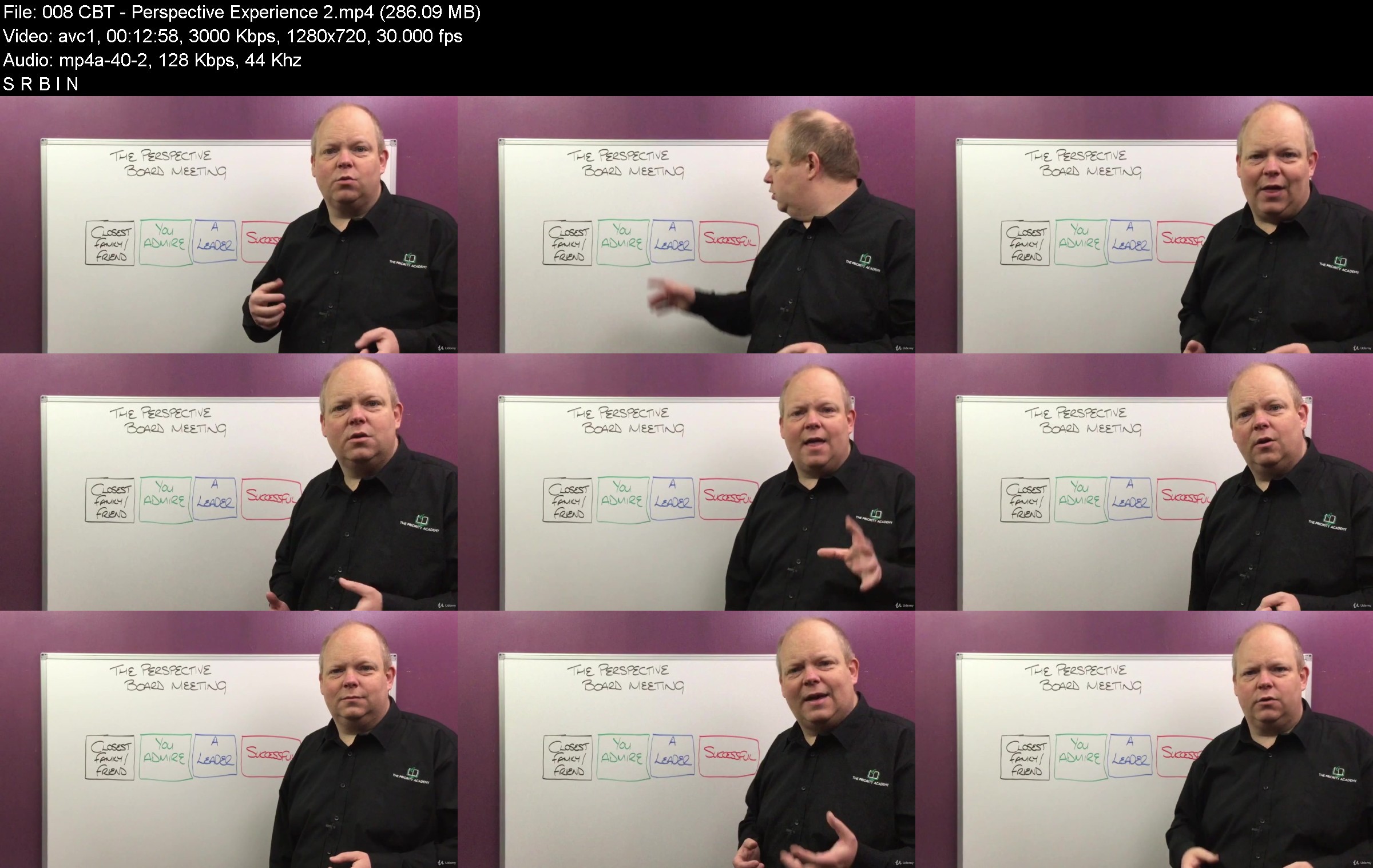
CBT Coach Practitioner Certification (ACCREDITED)

niujjr6jyvjv1idkvhjumngkmv.jpg


CBT Coach Practitioner Certification (ACCREDITED)
MP4 | Video: h264, 1280x720 | Audio: AAC, 44.1 KHz
Language: English | Size: 12.4 GB | Duration: 8h 57m

A fully comprehensive CBT (Cognitive Behavioural Therapy) Coach Practitioner Certification Course - The Priority Academy

What you'll learn
Discover the powerful tools and strategies of CBT (Cognitive Behavioural Therapy)
Uncover how a CBT Coach Practitioner can truly help create change in their clients lives
Learn how to use the CBT Framework to help others and yourself
Discover just how simple the CBT framework is and yet how powerful the tools that fit around it can be.
PLUS: Get all of the CBT worksheets you need in downloadable form so that you can use them straight away
PLUS: Get a fully downloadable audio version of this CBT course so that you can learn on the go
Requirements
There are no requirements as all aspects of this CBT Coach Practitioner Certification Course are explained in full

Description
CBT Coach Practitioner Certification

This is your personal invite, from me to you, to come and join me in this CBT Coach Practitioner Program

This CBT (Cognitive Behavioural Therapy) Coach Practitioner Certification Course is a fully comprehensive and accredited course that takes you from beginner to expert level in the world of CBT and a CBT Coach Practitioner.

Within this CBT Course you'll discover everything from the basics of CBT and the CBT framework, to a CBT Coaching framework and through to the tools, worksheets and strategies that will help you to become proficient in the world of a CBT Coach Practitioner.

Over the last 20 years, CBT has become one the best known and widely used Psychotherapy sectors due to its simple to use framework and its powerful processes. Whether it be to help with emotional issues such as depression, anxiety, stress, overwhelm, anger and frustration, or to overcome unwanted behavioural issues, CBT is an effective method of helping people to create real change in their lives. To be honest, if you are not using these CBT tools in your practice and with your clients then both and your clients are missing out!

Are you ready to take on these easy to use and very effective CBT tools?

** Please Note: This CBT Coach Practitioner Course is FULYY ACCREDITED with the Complimentary Therapists Accredited Association (CTAA) and The Priority Academy is Fully Accredited as a Quality Distance Learning Provider, also with the CTAA - Membership Number: 10662322. On completion of this course you will be able to claim your CBT Coach Certificate of Accreditation from The Priority Academy and a Practitioner Accreditation Membership from the CTAA (details contained within the course).

That's right......... you will become an Accredited CBT Coach Practitioner!

"There are a variety of techniques to help people change...... these techniques are called Cognitive Behavioural Therapy or CBT" - Irving Kirsch

Whether you want to learn and use CBT to help other people, or you want to help yourself with the tools that CBT has to offer..... or maybe a bit of both, this course contains everything you need to know to do exactly that. Not only will you learn all of the tools, strategies and techniques that CBT has to offer, you will also be able to work alongside me within the videos as I incorporate "experience videos" in to all of my courses. This allows you to take the learning deeper in and retain more of the knowledge so that you can be effective with it right from the outset.

Once you have followed the course through to it's conclusion you will be able to:

Follow the simple to use CBT framework for helping others and yourself

Use all of the tools and worksheets provided within the course to help create change in peoples lives (and I've added a whole section of additional tools / worksheets at the end of the course)

Understand how emotions and behaviours are formed and how to help people change them to improve their life.

Be an effective part of the ever growing helping industry and be a conduit of change for your clients.

"The happiness of your life depends on the quality of your thoughts" - Marcus Aurelius

What are others saying about this course?

RJ - 5 Stars - "I really enjoyed the course. It was clear, very well explained, and easy to put to work. Thank you, Graham!"

MC - 5 Stars - "one of the best courses I've taken in my career as a therapist."

GB - 5 Stars - "I found Graham to be a wonderful, clear and precise coach on a course that was filled with a large amount of information and tools to work with. I thank Graham very much for the time he has given to ensure the subject is well learned for everyone to benefit from"

DR - 4.5 Stars - "It's quite interesting and personally very engaging makes me want to look forward to the next lesson"

AM - 5 Stars - "Very detailed. I like that I will be able to use the skills I have learned as soon as I have finished the course."

There's a good chance that you are interested in learning more about CBT, otherwise you wouldn't be looking at and reading this right now. You've maybe heard about CBT, read about it or even done some work on it in the past and you've probably looked at a few other CBT based courses. You are looking to take your learning on the subject of CBT to the next level so let me assure you that you have found the right course for you. It's time to say yes and get involved, it's time to say yes and get started on this journey towards being a Certified CBT Coach Practitioner. You are ready to use these CBT tools aren't you?

I would like to extend to you my personal invitation to join me in this course and I would be hugely grateful if you would allow me to be your instructor, your guide, your coach on this exciting journey into the world of CBT. You'll join me, won't you!

All you have to do is say yes to my invitation and hit the "Buy Now" or "Enrol Now" button and we can start our journey together...... the fascinating journey into the world of the CBT Coach Practitioner...... come one, say yes now!

"It is in your moments of decision that your destiny is formed" - Tony Robbins

Of course, you are completely covered by Udemy's 30 day money back guarantee and if you have any questions you can get hold of me via the private messaging function, I'm only to happy to say yes and help!

I'm looking forward to sharing all of this information with you, CBT and helping others to improve their lives are passions of mine and I can't wait to share that passion with you. So hit the Buy Now or Enrol Now button and let's get started.

I look forward to seeing you inside the course.

My Best Regards

Graham

CBT | Cognitive Behavioural Therapy | Psychotherapy | Practitioner | Certification


Who this course is for:
Do you want to discover how CBT can help your clients?
Do you want to uncover how you can use the CBT framework to help yourself?
Have you been interested in CBT for a while and want to learn more or take your learning to the next level?
Are you ready to learn and use these effective and simple to work with CBT tools?

cbtcoachpractitionercaykgx.jpg


Download from RapidGator


Download from Keep2Share


Zurück
Oben Unten