• Regeln für den Video-Bereich:

    In den Börsenbereich gehören nur Angebote die bereits den Allgemeinen Regeln entsprechen.

    Einteilung

    - Folgende Formate gehören in die angegeben Bereiche:
    - Filme: Encodierte Filme von BluRay, DVD, R5, TV, Screener sowie Telesyncs im Format DivX, XviD und x264.
    - DVD: Filme im Format DVD5, DVD9 und HD2DVD.
    - HD: Encodierte Filme mit der Auflösung 720p oder darüber von BluRay, DVD, R5, TV, Screener sowie Telesyncs im Format x264.
    - 3D: Encodierte Filme von BluRay, die in einem 3D Format vorliegen. Dies gilt auch für Dokus, Animation usw.
    - Serien: Cartoon/Zeichentrick, Anime, Tutorials, Dokumentationen, Konzerte/Musik, Sonstiges sind demnach in die entsprechenden Bereiche einzuordnen, auch wenn sie beispielsweise im High Definition-Format oder als DVD5/DVD9/HD2DVD vorliegen. Ausnahme 3D.
    - Bereich Englisch: Englische Releases gehören immer in diesen Bereich.
    - Bereich Talk: Der Bereich, in dem über die Releases diskutiert werden kann, darf, soll und erwünscht ist.


    Angebot/Beitrag erstellen

    - Ein Beitrag darf erst dann erstellt werden, wenn der Upload bei mindestens einem OCH komplett ist. Platzhalter sind untersagt.
    - Bei einem Scenerelease hat der Threadtitel ausschließlich aus dem originalen, unveränderten Releasenamen zu bestehen. Es dürfen keine Veränderungen wie z.B. Sterne, kleine Buchstaben o.ä. vorgenommen werden. Ausnahme Serienbörse:
    - Bei einem Sammelthread für eine Staffel entfällt aus dem Releasename natürlich der Name der Folge. Beispiel: Die Simpsons S21 German DVDRip XviD - ITG
    - Dementsprechend sind also u.a. verboten: Erweiterungen wie "Tipp", "empfehlenswert", "only", "reup", usw. / jegliche andere Zusatzinformation oder Ergänzung, welche nicht in obiger Beschreibung zu finden ist.

    Aufbau des Angebots und Threadtitel

    Der Titel nach folgendem Muster erstellt zu werden. <Name> [3D] [Staffel] [German] <Jahr> <Tonspur> [DL] [Auflösung] <Quelle> <Codec> - <Group>
    Beispiel: The Dark Knight German 2008 AC3 DVDRip XviD - iND
    Beispiel: The Dark Knight 2008 DTS DL BDRip x264 - iND
    Beispiel: The Dark Knight 2008 AC3 DL BDRip XviD - iND
    Beispiel: The Dark Knight German 2008 AC3 720p BluRay x264 iND
    Beispiel: The Dark Knight 2008 DTS DL 1080p BluRay x264 iND
    Beispiel: Die Simpsons S01 German AC3 DVDRip XviD iND
    Beispiel: Die Simpsons S20 German AC3 720p BluRay x264 iND
    Beispiel: Sword Art Online II Ger Sub 2014 AAC 1080p WEBRip x264 - peppermint
    Entsprechend sind also u.a. verboten: Sonderzeichen wie Klammern, Sterne, Ausrufezeichen, Unterstriche, Anführungszeichen / Erweiterungen wie "Tipp", "empfehlenswert", "only", "reup", usw. / jegliche andere Zusatzinformation oder Ergänzung, welche nicht in obiger Beschreibung zu finden ist
    Ausnahmen hiervon können in den Bereichen geregelt sein.

    Die Beiträge sollen wie folgt aufgebaut werden:
    Überschrift entspricht dem Threadtitel
    Cover
    kurze Inhaltsbeschreibung
    Format, Größe, Dauer sind gut lesbar für Downloader außerhalb des Spoilers zu vermerken
    Nfo sind immer Anzugeben und selbige immer im Spoiler in Textform.
    Sind keine Nfo vorhanden z.B. Eigenpublikationen, sind im Spoiler folgende Dateiinformationen zusätzlich anzugeben :
    Quelle
    Video (Auflösung und Bitrate)
    Ton (Sprache, Format und Bitrate der einzelnen Spuren)
    Untertitel (sofern vorhanden)
    Hosterangabe in Textform außerhalb eines Spoiler mit allen enthaltenen Hostern.
    Bei SD kann auf diese zusätzlichen Dateiinformationen verzichtet werden.

    Alle benötigten Passwörter sind, sofern vorhanden, in Textform im Angebot anzugeben.
    Spoiler im Spoiler mit Kommentaren :"Schon Bedankt?" sind unerwünscht.


    Releases

    - Sind Retail-Release verfügbar, sind alle anderen Variationen untersagt. Ausnahmen: Alle deutschen Retail-Release sind CUT, in diesem Fall sind dubbed UNCUT-Release zulässig.
    - Im Serien-Bereich gilt speziell: Wenn ein Retail vor Abschluss einer laufenden Staffel erscheint, darf diese Staffel noch zu Ende gebracht werden.62
    - Gleiche Releases sind unbedingt zusammenzufassen. Das bedeutet, es ist zwingend erforderlich, vor dem Erstellen eines Themas per Suchfunktion zu überprüfen, ob bereits ein Beitrag mit demselben Release besteht. Ist dies der Fall, ist der bereits vorhandene Beitrag zu verwenden.
    - P2P und Scene Releases dürfen nicht verändert oder gar unter einem iND Tag eingestellt werden.


    Support, Diskussionen und Suche

    - Supportanfragen sind entweder per PN oder im Bereich Talk zu stellen.
    - Diskussionen und Bewertungen sind im Talk Bereich zu führen. Fragen an die Uploader haben ausschließlich via PN zu erfolgen, und sind in den Angeboten untersagt.
    - Anfragen zu Upload-Wünschen sind nur im Bereich Suche Video erlaubt. Antworten dürfen nur auf Angebote von MyBoerse.bz verlinkt werden.


    Verbote

    - Untersagt sind mehrere Formate in einem einzigen Angebotsthread, wie beispielsweise das gleichzeitige Anbieten von DivX/XviD, 720p und 1080p in einem Thread. Pro Format, Release und Auflösung ist ein eigener Thread zu eröffnen.
    - Grundsätzlich ebenso verboten sind Dupes. Uploader haben sich an geeigneter Stelle darüber zu informieren, ob es sich bei einem Release um ein Dupe handelt.
    - Gefakte, nur teilweise lauffähige oder unvollständige Angebote sind untersagt. Dies gilt auch für eigene Publikationen, die augenscheinlich nicht selbst von z.B. einer DVD gerippt wurden. Laufende Serien, bei denen noch nicht alle Folgen verfügbar sind, dürfen erstellt und regelmäßig geupdatet werden.
    - Untersagt sind Angebote, welche nur und ausschließlich in einer anderen Sprache als deutsch oder englisch vorliegen. Ausnahmen sind VORHER mit den Moderatoren zu klären.


    Verstoß gegen die Regeln

    - Angebote oder Beiträge, die gegen die Forenregeln verstoßen, sind über den "Melden"-Button im Beitrag zu melden.
  • Bitte registriere dich zunächst um Beiträge zu verfassen und externe Links aufzurufen.


Englische Tutorials

C++ Fundamentals: Game Programming For Beginners
zkebbwntibqaxaq74ygg6okknj.jpg


C++ Fundamentals: Game Programming For Beginners
MP4 | Video: h264, 1280x720 | Audio: AAC, 44.1 KHz, 2 Ch
Genre: eLearning | Language: English + srt | Duration: 84 lectures (11h 2m) | Size: 7 GB

Learn to make games using industry standard C++ and Raylib

What you'll learn:
How to write games in C++ from scratch
The basics of Object Oriented Programming (OOP)
Programming fundamentals (inc variables, loops and if-statements)
Clean coding practices and principles
How to compile and run your C++ games and apps
Problem solving and debugging basics with C++
How to use the Raylib simple games library
How to animate 2D characters

Requirements
Comfortable installing new software
Excited to learn programming


Description
Learning to program can be dull, and learning C++ is hard enough without having to learn a game engine as well.

In this course we teach you coding the fun way, by making games! And we'll be using a library so you can focus on learning pure C++ and good programming practice.

You'll start by compiling your first program in C++, using Visual Studio Code as your text editor.

Then create your first axe dodging game using the Raylib library. This project introduces the basic concepts of programming: variables, loops and if-statements.

You expand on this in Dapper Dasher, by building a side-scrolling running game. In addition to covering essential programming concepts such as structs and functions, you'll learn to animate 2D characters and make your game pretty.

In Classy Clash we introduce Object Oriented Programming. You'll learn how this simplifies programming for games and how inheritance can avoid code duplication.

Whether you're a total beginner to programming and want to learn pure C++, or an intermediate Unreal student who wants to explore making games in pure C++, this is the course for you!

There are no course prerequisites, though it'll help if you're comfortable installing new software and excited to learn programming ?

All students have access to the Q&A forums where our Instructors, Teaching Assistants and Community are ready to help answer your questions and cheer on your success. ?

Who this course is for
Anyone looking to learn C++ in a fun way
Total beginners to programming who want to learn pure C++
Intermediate students of Unreal who want to explore making games in pure C++

Homepage
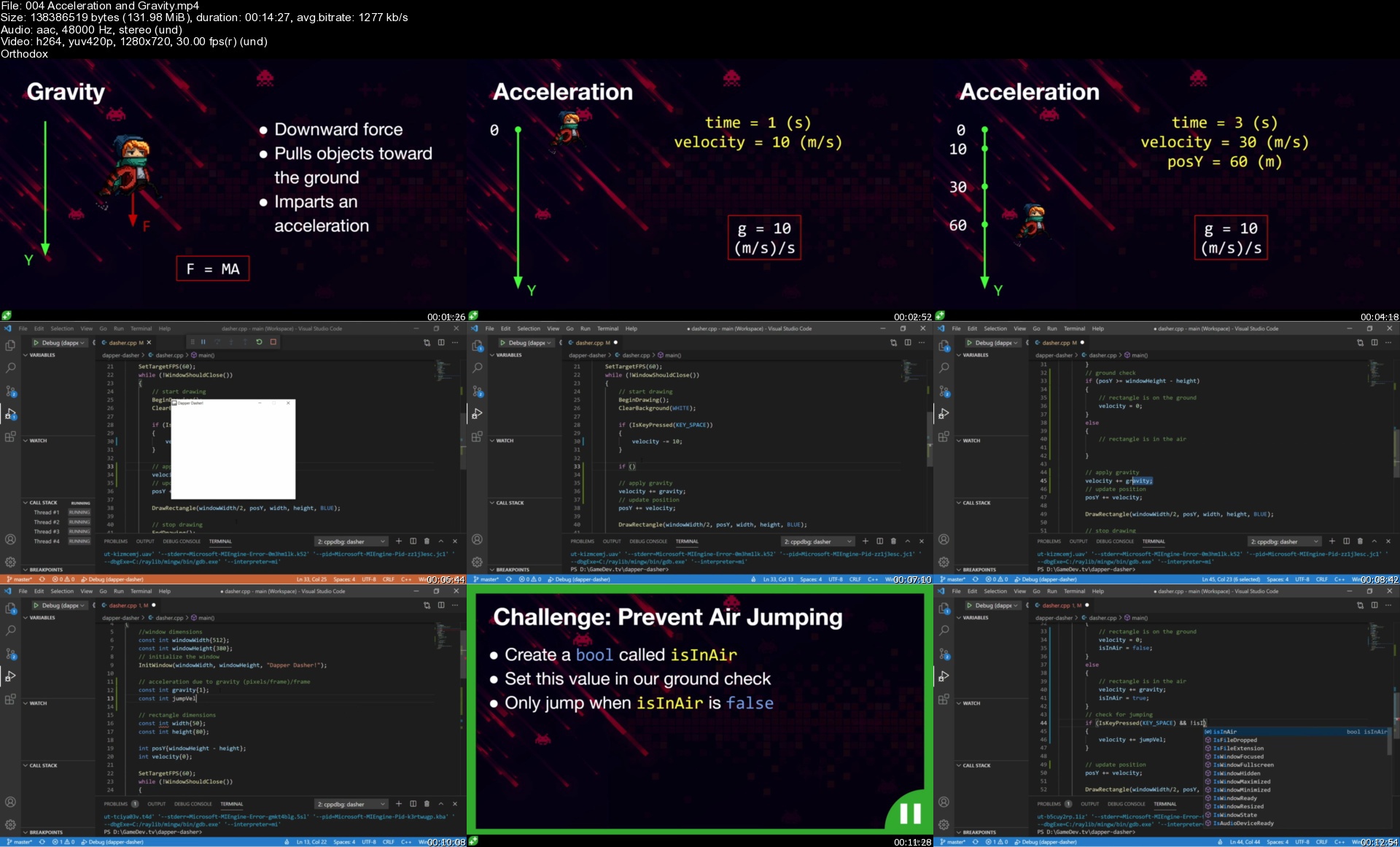
004accelerationandgratfjwp.jpg


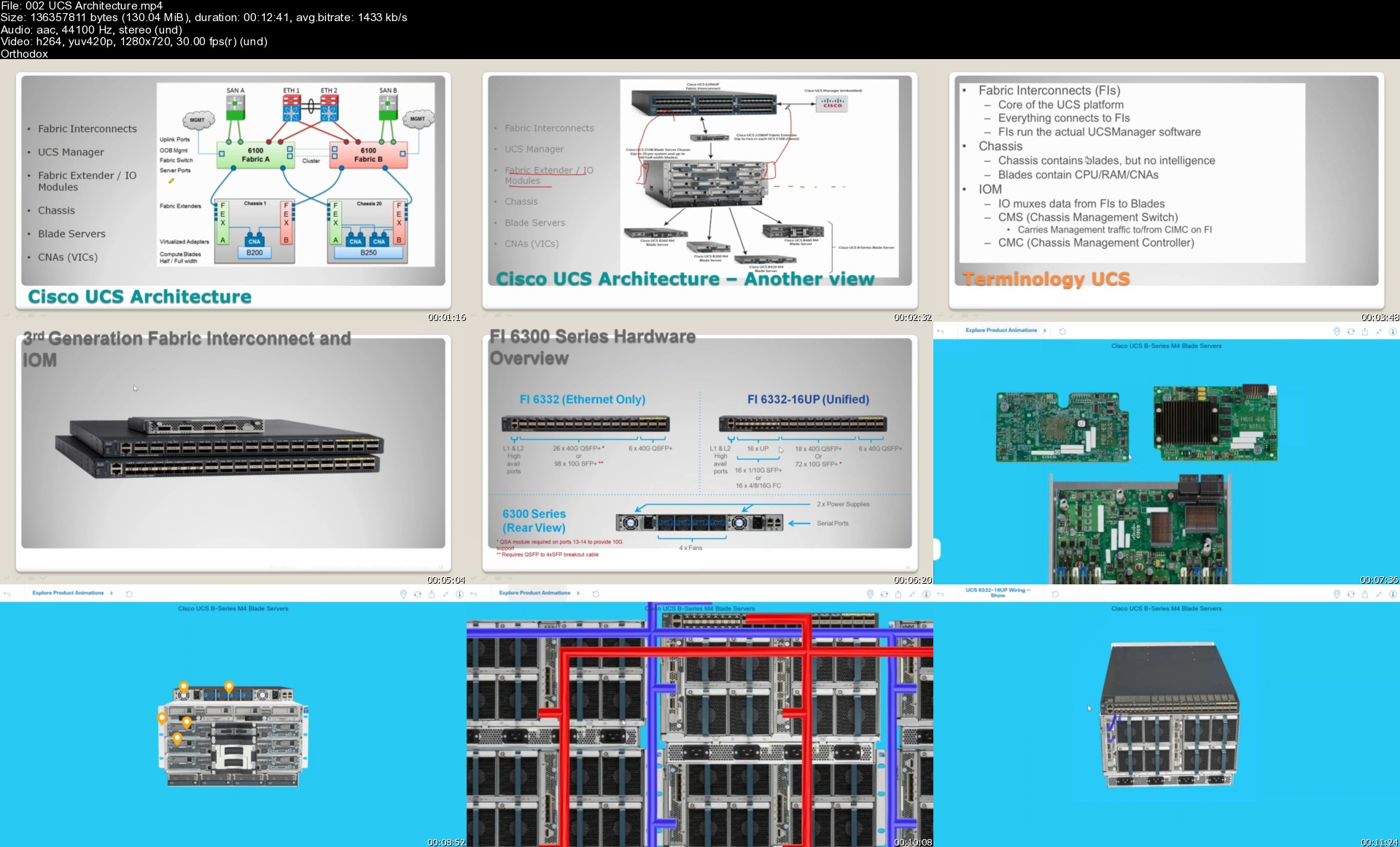
CCIE Data Center (v3.0) - Technical Classes

3h8x5e0pcc4kz3l0qxauke9kt6.jpg


CCIE Data Center (v3.0) - Technical Classes
Genre: eLearning | MP4 | Video: h264, 1280x720 | Audio: AAC, 44.1 KHz
Language: English | Size: 11.1 GB | Duration: 23h 55m

With Ratnesh K 2xCCIE #61380 (Data Center | Security )


What you'll learn
Implement routing and switching protocols in Data Center environment
Implement overlay networks in data center
Introduce high-level Cisco Application Centric Infrastructure (Cisco ACI™) concepts and Cisco Virtual Machine manager (VMM) domain integration
Describe Cisco Cloud Service and deployment models
Implement Fibre Channel fabric
Implement Fibre Channel over Ethernet (FCoE) unified fabric
Implement software management and infrastructure monitoring
Implement Cisco UCS Fabric Interconnect and Server abstraction
Implement SAN connectivity for Cisco Unified Computing System™ (Cisco UCS®)
Describe Cisco HyperFlex™ infrastDescribe Cisco HyperFlex™ infrastructure concepts and benefitsructure concepts and benefits
Describe Cisco HyperFlex™ infrastructure concepts and benefits
Implement Cisco automation and scripting tools in data center


Description
Exam Description: The Cisco CCIE Data Center (v3.0) Practical

Exam is an eight-hour, hands-on exam that requires a candidate

to plan, design, deploy, operate, and optimize complex Data

Center networks.

Candidates are expected to program and automate the network

within their exam, as per exam topics below.

The following topics are general guidelines for the content likely

to be included on the exam. Your knowledge, skills and abilities on

these topics will be tested throughout the entire network lifecycle,

unless explicitly specified otherwise within this document.

The exam is closed book and no outside reference materials are allowed.

1. Data Center L2/L3 Connectivity (20%)

1.1 Layer 2 technologies

1.1.a Link Aggregation

1.1.a i vPC

1.1.a ii PortChannel

1.1.b Tagging/Trunking

1.1.c Static Path binding

1.1.d Spanning Tree Protocol

1.1.d i PVST

1.1.d ii MST

1.2 Routing Protocols and features

1.2.a OSPF (v2 and v3)

1.2.a i Authentication

1.2.a ii Adjacencies

1.2.a iii Network types and Area Types

1.2.a iv LSA Types

1.2.a v Route Aggregation/Summarization

1.2.a vi Route Redistribution

1.2.b ISIS

1.2.b i Adjacencies

1.2.b.i.1. Single area, single topology

1.2.b ii Network types, Levels and Router types

1.2.b.ii.1. NSAP addressing

1.2.b.ii.2. Point-to-point, broadcast

1.2.c BGP

1.2.c i Path Selection

1.2.c ii External and Internal Peering

1.2.c iii Route reflectors and Route Server

1.2.c iv Peer Templates

1.2.c v Multi-Hop EBGP

1.2.c vi Route Aggregation/Summarization

1.2.c vii Route Redistribution

1.2.d BFD

1.2.e FHRP

1.3 Multicast protocols

1.3.a PIM

1.3.a i Sparse Mode

1.3.a ii BiDir

1.3.a iii Static RP, BSR, AutoRP, PhantomRP

1.3.a iv IPv4 PIM Anycast

1.3.a v IPv4 Anycast RP using MSDP

1.3.b IGMP

1.3.b i IGMPv2, IGMPv3

1.3.b ii IGMP Snooping

1.3.b iii IGMP Querier

2. Data Center Fabric Infrastructure (15%)

2.1 Physical fabric components

2.1.a Fabric Discovery

2.1.b Controllers/Network Managers

2.1.c Switches

2.2 Fabric policies

2.2.a Access Policies

2.2.b Multi Tenancy

2.2.c Monitoring Policies

2.3 Tenant Policies

2.3.a Application profiles and EPGs

2.3.b Networking

2.3.c Security

2.4 Fabric Monitoring

2.4.a Faults

2.4.b Events

2.4.c Health indicators

2.4.d Audit Logs

2.5 Virtual Networking

2.5.a vSphere VDS

3. Data Center Fabric Connectivity (15%)

3.1 VRF lite

3.2 L3Out

3.2.a OSPF

3.2.a i Authentication

3.2.a ii Adjacencies

3.2.a iii Network types and Area Types

3.2.a iv Route Redistribution

3.2.b BGP

3.2.b i AS manipulation

3.2.b ii External and Internal Peering

3.2.b iii Route reflectors

3.2.b iv Route Redistribution

3.2.c Transit Routing

3.3 Inter Fabric connectivity

3.3.a Multi-Pod

3.3.b Multi-Site

3.3.c Virtual POD

3.3.d remote Leaf

3.4 Overlays

3.4.a VXLAN EVPN

4. Data Center Compute (15%)

4.1 Compute Resources

4.1.a UCSM Policies, Profiles and Templates

4.1.b Hyperflex

4.2 Compute Connectivity

4.2.a SAN/LAN uplinks

4.2.b Rack server integration

4.2.c Port Modes

5. Data Center Storage Protocols and Features (10%)

5.1 FC and FCoE

5.1.a Zoning

5.1.b NPV/NPIV

5.1.c Trunking

5.1.d Portchannel

5.1.e Load Balancing

5.2 iSCSI

5.2.a Authentication

5.2.b Multipathing

5.3 RoCE v2 over IP Networks

6. Data Center Security and Network Services (10%)

6.1 Security features

6.1.a ACL's

6.1.b First Hop Security

6.1.c Port security

6.1.d Private VLANs

6.1.e Contracts

6.2 RBAC

6.2.a Radius

6.2.b TACACS+

6.2.c LDAP

6.2.d AAA

6.3 Network Services Insertion and Redirection

6.3.a Policy Based Routing

6.3.b Policy Based Redirection

6.3.c Inter VRF communication

6.3.d Route Targets

6.3.e Prefix Lists

6.4 Services

6.4.a Flow/Telemetry Export

6.4.b SPAN

6.4.c SNMP

6.4.d Syslog

6.4.e DHCP

6.4.f NTP/PTP

6.5 Traffic management

6.5.a Queueing

6.5.b Policing

6.5.c Classification/Marking

6.5.d Scheduling

6.5.e CoPP

7. Data Center Automation and Orchestration (15%)

7.1 Data center tasks using scripts (Python and Ansible)

7.1.a Create, Read, Update, Delete using RESTful APIs

7.1.b Deploy and modify configurations

7.1.c Statistics, Data Collection

7.2 Data Center Automation and Orchestration using tools

7.2.a DCNM

7.2.b UCSD

7.2.b i Tasks


Who this course is for:
Network designers
Network administrators
Network engineers
Systems engineers
Data center engineers
Consulting systems engineers
Technical solutions architects
Field engineers
Cisco integrators and partners
Server administrator
Network manager


Homepage

002ucsarchitecturesuvknp.jpg


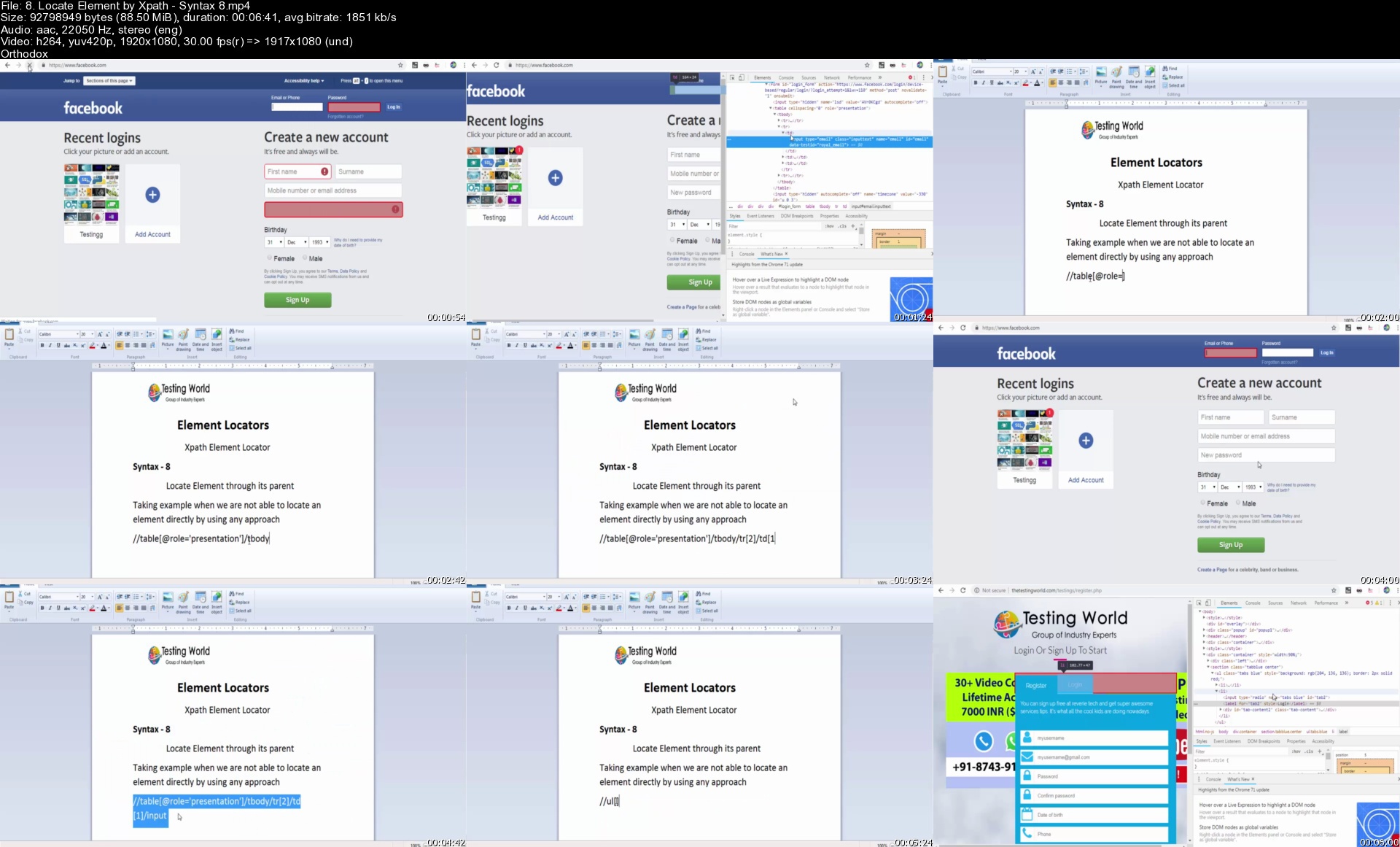
Selenium WebDriver with Java | Project Implement + Framework

48uu3nlfgfnrhxfd8knbhsuku0.jpg


Selenium WebDriver with Java | Project Implement + Framework
Genre: eLearning | MP4 | Video: h264, 1280x720 | Audio: AAC, 44.1 KHz
Language: English | Size: 20.2 GB | Duration: 41h 7m

Selenium Webdriver Automation Testing, BDD/ Cucumber framework, End to End integration with Jenkins, Katalon Studio


What you'll learn
Complete understanding of basic to expert Java concepts with practical implementation
Expertise on Selenium WebDriver basics + advance concepts
Automate tests using Selenium WebDriver and Java
Can automation any realtime application and also can design framework from scratch


Description
This course includes Selenium WebDriver Basics and Advanced, Java Concepts, TestNG Framework, Automation Framework Design (Page Objects, Page Factory, Data Driven, Reading Excel Files)

Best reporting tool - Advanced Reporting using ReportNG and XSLT

Parallel execution with Selenium Grid | Maven Build Management, Continuous Integration with Jenkins, Code management with Git integration

This course will take you from basic to expert level step by step, we are covering all java concepts which are required for daily selenium activities and also for preparing selenium interview

Java Basics: Variables, If-Then-Else, For loop, While loop, Arrays, Classes, Inheritance, Objects, Constructors, Methods, Working with Excel file and database

Collection API, OOPS, Properties file etc

Selenium WebDriver Basics: Commonly used methods and locator types, Id, Name, Class Name, Link Text, Partial Link Text, Xpath, Css Selector

Ajax Handling, Multi window handling, Actions class, Implicit wait, Explicit wait.
After completing the the course you will be able to write automated tests using selenium and java

#Selenium #Selenium webdriver with Java #selenium webdriver #selenium java #selenium testing


Who this course is for:
Software QA and Testers who want to start career in automation
Anyone who is interested in learning software test automation


Homepage

8.locateelementbyxpat41kit.jpg


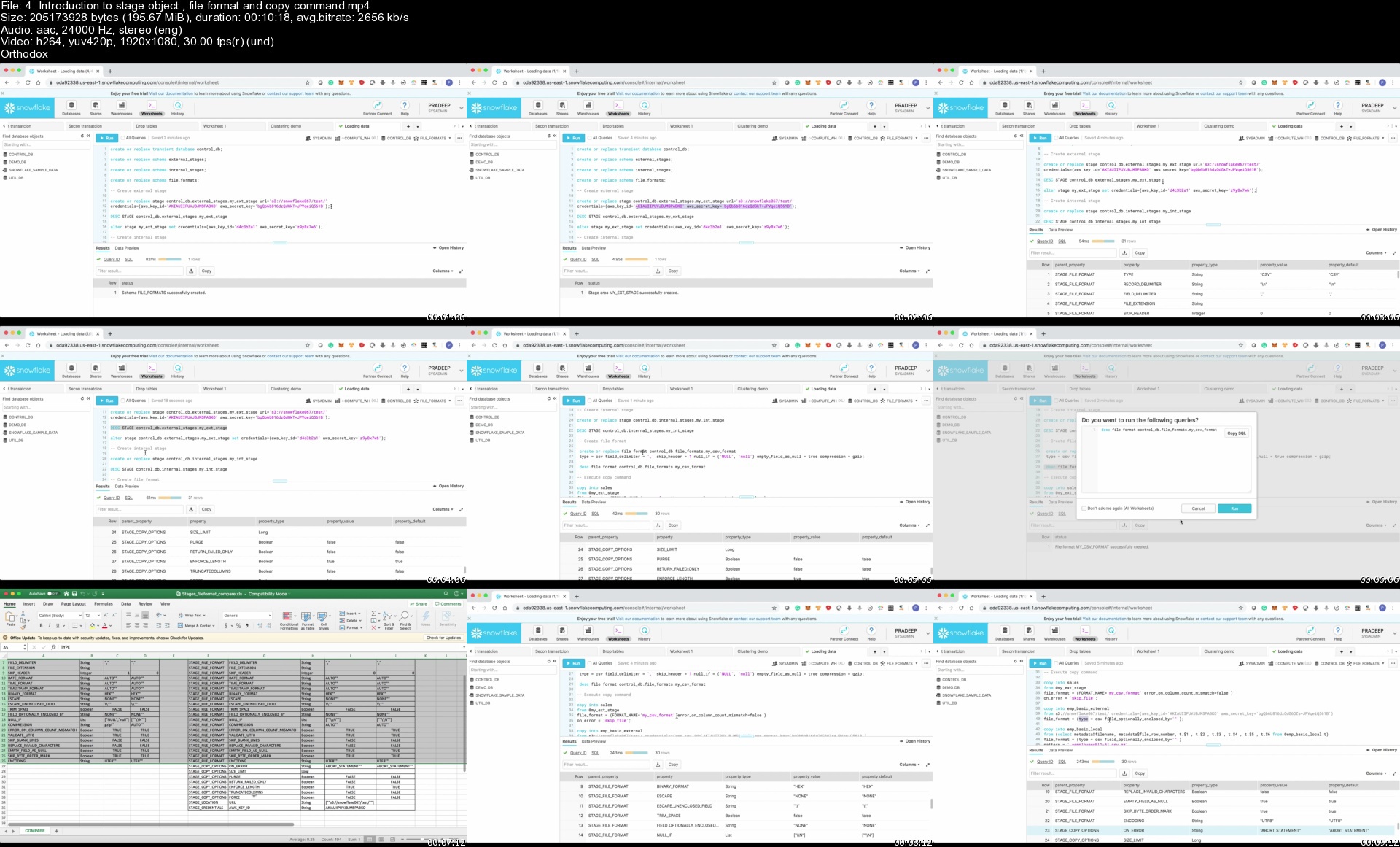
Snowflake Masterclass [Real time demos+Best practices+Labs]

hh7rj5chwrkyw4fmwlyum54kk6.jpg


Snowflake Masterclass [Real time demos+Best practices+Labs]
Genre: eLearning | MP4 | Video: h264, 1280x720 | Audio: AAC, 48.0 KHz
Language: English | Size: 6.35 GB | Duration: 13h 8m

Master snowflake cloud data-warehouse with hands on exercises from real time expert.


What you'll learn
Snowflake architecture in detail.
How data processing happens in snowflake.
Secure data sharing in snowflake.
Understand different caching layers in snowflake.
Continues data load using snowpipe.
Clustering tables in snowflake and how it works under the hood.
Load data and unload data from AWS , GOOGLE and AZURE cloud
Loading unstructured data.
Snowflake internal stage and external stages.
Snowflake data sampling and its importance.
Detail overview about, snowflake clone , failsafe and data retention.
Unique features of Snowfalke ( time travel , undrop , table swap)
Scheduling using Tasks
Streams in snowflake
Materialized views
Best practices in snowflake
Snowpro certification compatible.


Description
This course is result of my over 4 years of experience working with snowflake. Snowflake is a fantastic tool to handle huge volumes of data. You can load , query and export and run transactional queries on TB's and PB's of data easily.

You don't have to worry about infrastructure setup, security , performance , tuning , Garbage collection , node failures etc etc...

if you have already worked with Spark with EMR or with Data bricks you will be amazed by snowflake performance and simplicity.

But there is a catch, if you are not fully aware of how things works in snowflake, you will easily loose control and end up writing costly queries and end up using many of snowflake features wrongly.

I mentioned costly queries because snowflake is build for performance.

Costly queries and wrong design decisions in snowflake will sky rocket your snowflake bill. I have made lot of such mistakes and learned from those mistakes.

This course is an effort to walk you through such experiences so that you don't end up doing same mistakes which i did!!!

Few things can only be learned by experience you can't find them in documentations this course will expose such details to you.

Hope you join me in this journey...................

The course is broadly divided into 3 modules,

Module#1

Lectures ------------>: 38

Real time Demos----->: 11

Assignments--------->: 10

Quiz------------------>: 6

This module will concretize snowflake fundamental concepts and architecture.

By the end of this module you will be having very strong foundation about snowflake.

Module#2

Lectures ------------>: 46

Real time Demos----->: 31

Assignments--------->: 14

Quiz------------------>: 2

In this module i will walk you through, different techniques and options to load and unload data

in snowflake.

By the end of this module, you will be having great confidence in using COPY command and

different data processing objects in snowflake.

Module#3

Lectures ------------>: 45

Real time Demos----->: 35

Quiz------------------>: 3

In this module, we closely evaluate important features of snowflake.

This module helps you to understand, how each feature works under the hood.

Through this knowledge you will be in a better position to decide, when to use the feature and when not to use the snowflake features.

High level overview of all modules with sections details is given below,

In module#1,

> Snowflake environment setup.

> Snowflake architecture.

> Snowflake caching , micro-partitions, clusters.

> Snowflake clustering deep dive.

> Snowflake virtual warehouse layer.

> Performance tuning and DB characteristics.

In module#2,

> Loading data in snowflake.

> Loading data using internal stage.

> Load data from aws s3.

> Load data from google gcs.

> Load data from Azure.

> Copy command options.

> Working with copy command.

> Assignments.

> Loading unstructured data

In module#3,

> Snowpipe in snowflake.

> Data sharing in snowflake.

> Time travel.

> Fail safe.

> Clone feature.

> Data sampling.

> Tasks in snowflake.

> Streaming in snowflake.

> Continuous data load.

> Materialized views.


Who this course is for:
Developers planning to learn snowflake database.
Architects who want to understand best practices followed while using snowflake database.


Homepage

4.introductiontostage8dkcn.jpg


Full Stack Web Development Bootcamp with React and Python (Updated 06/2021)

s3ohavhy8ycjf0ehri25jxejoo.jpg


Full Stack Web Development Bootcamp with React and Python (Updated 06/2021)
MP4 | Video: h264, 1280x720 | Audio: AAC, 44.1 KHz, 2 Ch
Genre: eLearning | Language: English + srt | Duration: 150 lectures (20h 26m) | Size: 8 GB

Practical full stack web development bootcamp: JavaScript, React, Python, Flask, API, Git and VS Code

What you'll learn:
What is API and how API works
How to build Single Page Application using React
Connect frontend application written in React with backend application written in Python
How to build backend API service
Use Python Flask for building backend API service
Use React Components, props and state

Requirements
Basic software development knowledge
Basic programming skills


Description
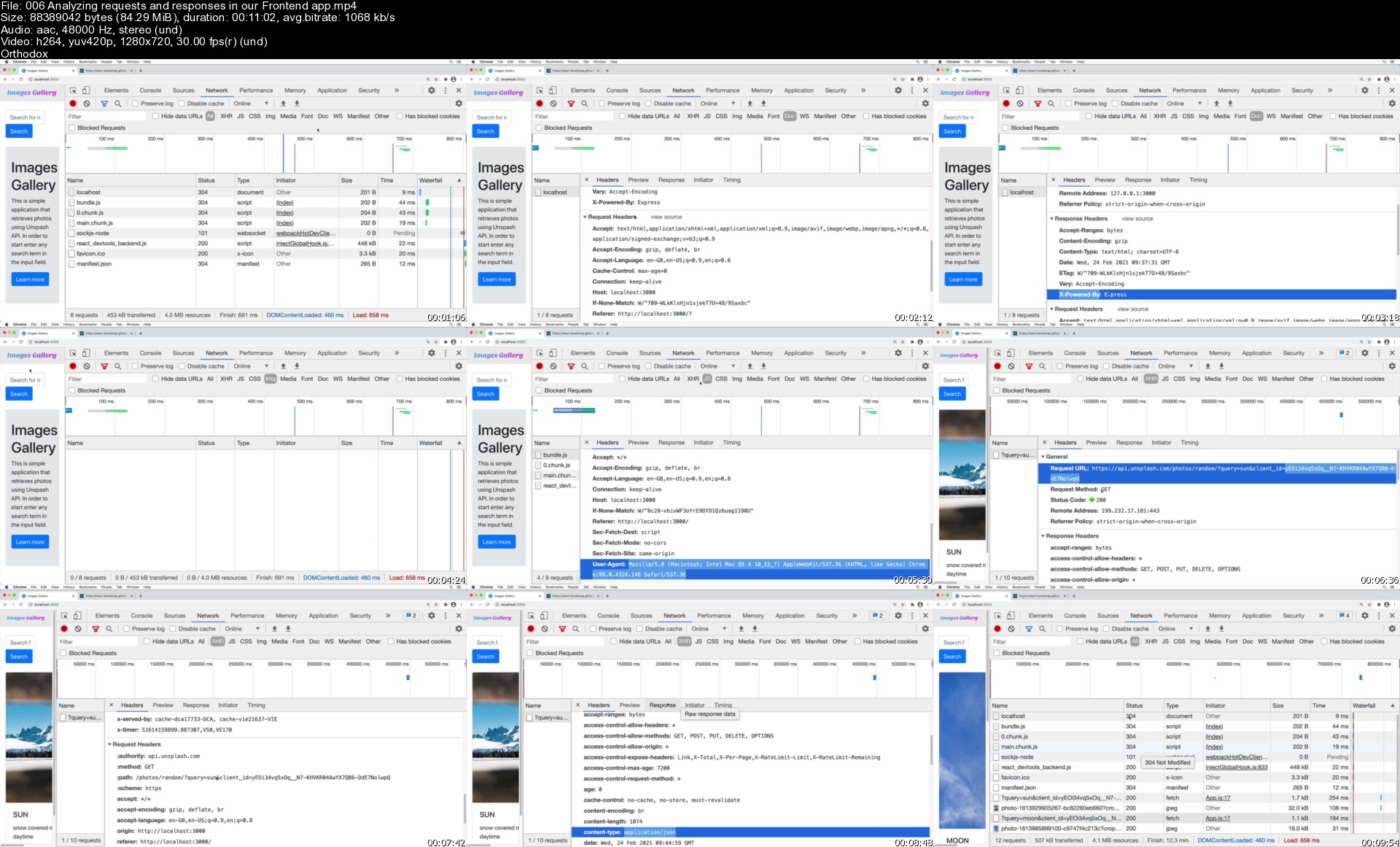
This is the React and Python Flask Full Stack Web Development Bootcamp. It is a practical course where you will start building real application from the first lecture. Application will consist of the frontend and backend parts. The frontend will be built using JavaScript React. The backend API will be built using Python Flask.

The practical full stack web development bootcamp includes: JavaScript, React, Python, Flask, API, Git and VS Code

During the creation of the frontend app you will perform the following practical tasks:

Initialize a React app using create-react-app

Create different React Components

Use useEffect and useState React hooks

Adjust favicon.ico in the frontend app

Create and insert an svg logo

Making API request to the Unsplash API

Using React props and state

While making an API app you will perform the following practical tasks:

Create a Python virtual environment using pipenv

Install and use Python packages such as Flask, dotenv and Requests

Creating Flask routes

Making external API calls from the Flask app

Accepting requests from the clients

You will also learn how to use following applications:

Visual Studio Code

Git and GitHub

Postman

With this course you will get lifetime-long access to more than 100 lectures and tens of practical exercises. After the course you will become a full stack web developer with practical knowledge about JavaScript React and Python Flask.

Who this course is for
Web developers
Frontend developers
Backend developers
Full stack developers

Homepage

006analyzingrequestsafpkd1.jpg


Java Programming for Complete Beginner - Skillshare

mq7cn7h2gxhil9llahwywpqjce.jpg


Java Programming for Complete Beginner - Skillshare
MP4 | Video: h264, 1280x720 | Audio: AAC, 44.1 KHz
Language: English | Size: 6.86 GB | Duration: 9h 58m

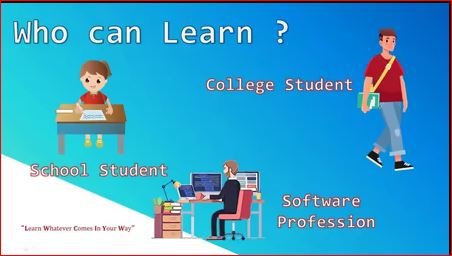
This course is for complete beginners , you don't need any prior knowledge. We are going to cover the following concepts.

Obtain Core Java skills

Essential Java basics

What Java is and how it works

Programming fundamentals with Java

JDK - Java Development Kit

JRE - Java Runtime Environment

JVM - Java Virtual Machine

First Java Program

Variable and Data Types

Operators in Java

Control Statements

Looping

All concepts of Object-Oriented Programming

Object

Class

Constructor

Encapsulation

Abstraction

Inheritance

Polymorphism

Interface in Java

Interface in Java8

Interface in Java9

Super and this keyword

Boxing Unboxing

Java Recursion

Call by Value

Strings

Wrapper Classes


Homepage

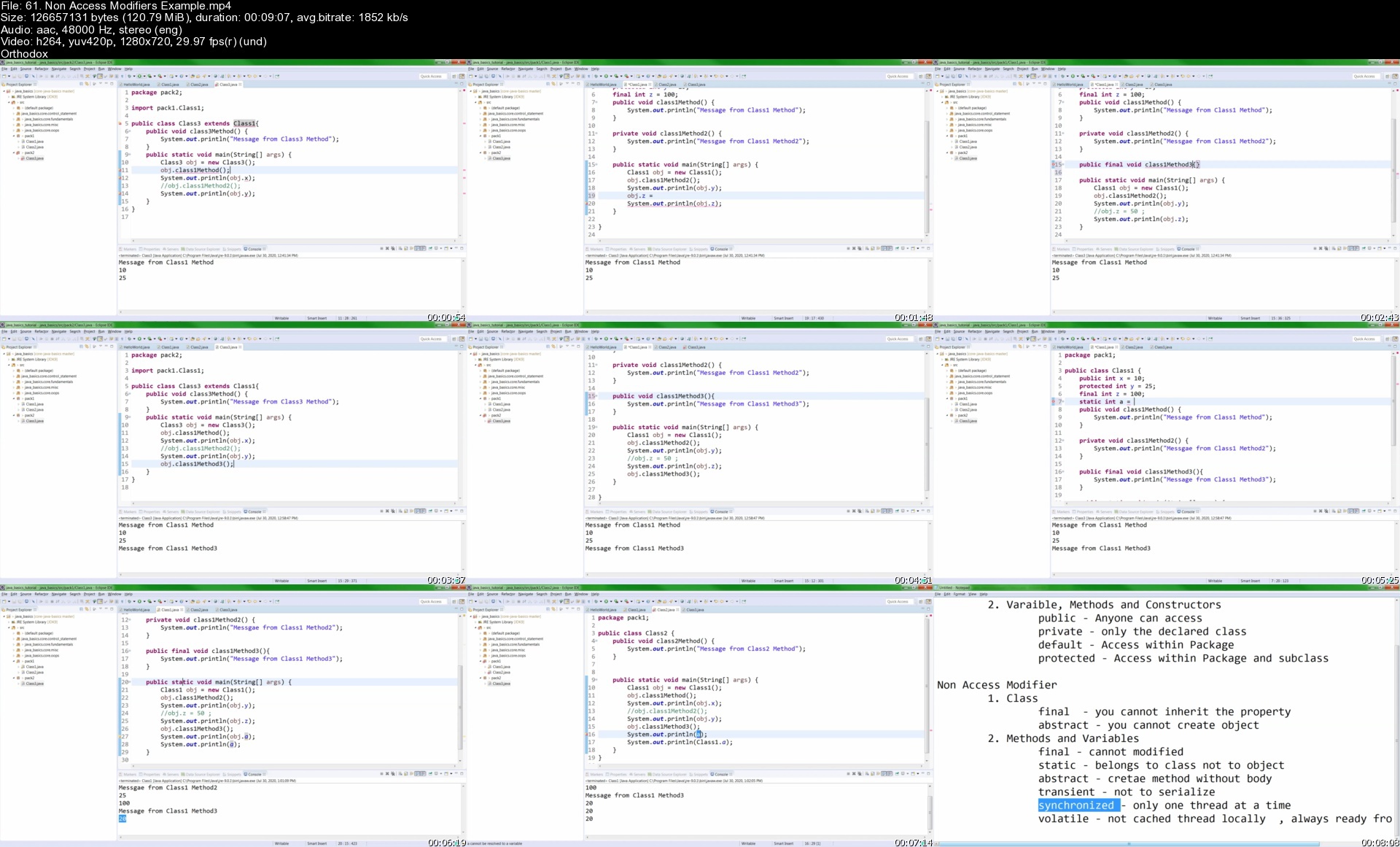
61.nonaccessmodifiersx0k97.jpg


Ocean Rendering Using Redshift - Rebelway

bf9292b207d374d2c61ea2dd2aab5cc8.jpg

Rebelway - Ocean Rendering Using Redshift | 2.3 GB​
Inspiring VFX Courses for Modern FX Artists.
Real-world VFX courses and coaching.

Learn, share and grow together.
- Learn the FX techniques and pipelines used at the world's most successful studios.
- Explore the latest VFX trends and techniques with up-to-date courses covering the latest software releases.
- Accelerate your FX career with courses designed to help artists learn FX techniques as quickly as possible.
- Land your dream job by gaining the skills you need to stand out from the crowd.
- Learn at your own pace. No Zoom links or live sessions.

This is your opportunity to grow your skills and achieve your VFX goals.
WHAT YOU WILL LEARN
TUTORIAL OUTLINE
TIME COMMITMENT
This course will take the student about 15 hours total to watch and practice.
PREREQUISITES
CHAPTER 1 - OCEAN SETUP
CHAPTER 2 - REDSHIFT SETUP
CHAPTER 3 - ADV SHADING
CHAPTER 4 - ENV SETUP & LIGHTING
CHAPTER 5 - NUKE COMPOSITING
Credit

Homepage:

Link Download
​
Extract files with WinRar 5 or Latest !
 
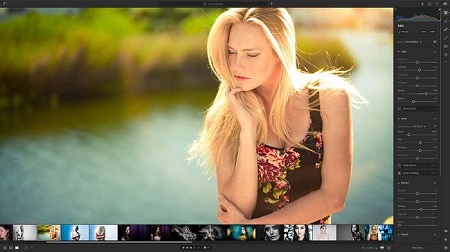
Creative Live - Lightroom CC: Essential Training with Mark Wallace

c4c725fb25823f504e5018c49d819b96.jpg

Creative Live - Lightroom CC: Essential Training with Mark Wallace | 3.4 GB​
Class Description
Organize, Edit, And Share Your Photography With The World

AFTER THIS CLASS YOU'LL BE ABLE TO:
- Use Lightroom to its fullest potential using the Adobe Creative Cloud.
- Edit photos quickly and creatively.
- Share your images in custom websites and on social media.
- Grow your editing skills for years to come.
- Share editing techniques with thousands of others.
- Create prints and albums using Lightroom Connections.

ABOUT MARK'S CLASS:
This class is a step-by-step walkthrough of Lightroom CC. This class will give you an overview of Lightroom and how it fits within the Adobe Creative Cloud universe. You'll learn how to maximize Lightroom's potential by learning now to organize and edit your images. You'll also learn how to share your work with the world using online galleries, portfolios, and more.

Topics Covered in this class:
- Adding photos to Lightroom, backing them up and keeping them organized.
- Editing your images quickly using Presets and Enhance.
- Using the advanced photo editing features in Lightroom; the global and local adjustments.
- Adding titles and captions to your images.
- The many ways to share images from Lightroom; exporting, building online galleries, using Adobe Portfolio and Behance, and more.
- How to share your images quickly on social media by exporting by using Adobe Spark.
- Expanding your editing skills with the Discover and Share Edit features in Lightroom.
- Lightroom and Lightroom Classic syncing.
- Lightroom and Photoshop integration.

WHO THIS CLASS IS FOR:
- Beginner and Intermediate Photographers
- Professional Photographers looking to streamline their workflow
- Lightroom Classic users wanting to make the transition to Lightroom CC
- Social Media Influencers who need to post frequent updates
- Professional Photographers looking for ways to reach more clients
- Photographers looking to learn new ways of editing their photos

SOFTWARE USED:
Adobe Lightroom 2021
Adobe Photoshop 2021
Adobe Lightroom Classic 2021
Adobe Portfolio (web)
Adobe Behance (web)
Adobe Spark (iOS, web)


Link Download
​
Extract files with WinRar 5 or Latest !
 
Deep Research Videos - Kyle The Writer

411c07ee3c736c11139e626f1a0f5755.jpg

Kyle The Writer - Deep Research Videos | 1.25 GB​
Deep Research Videos
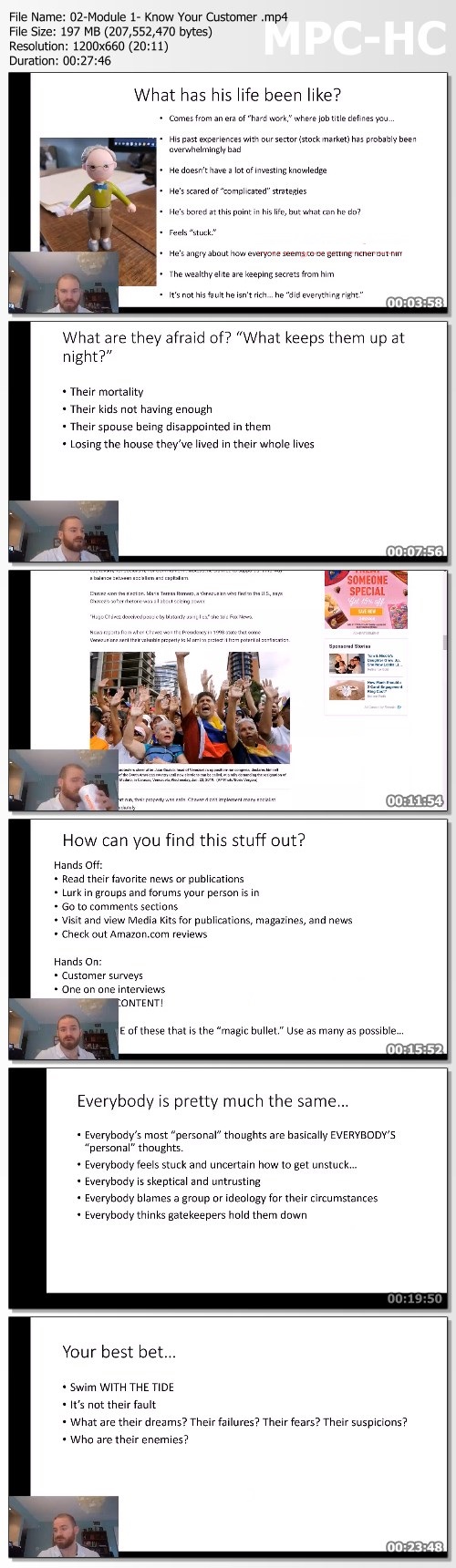
Order now to receive the very same "deep-research" tricks I use to tap into the psyche of my customers so I can frame my products and services as the answer to all their prayers! With more than 2.5 hours of video demonstration, this material would cost well over $725 on a private call. Just check the box and you can grab this bonus for a mere $87. Feel free to read below for more info...

What You Get:
Get the very same "deep-research" tricks I use to tap into the psyche of my customers so I can frame my products and services as the answer to all their prayers! With more than 2.5 hours of video demonstration, this material would cost well over $725 on a private call.

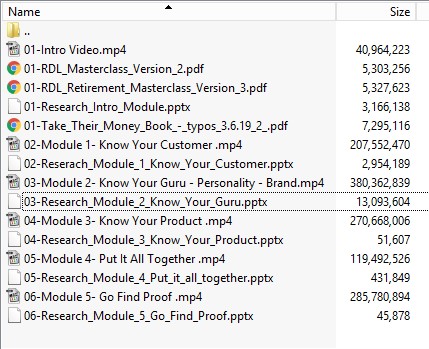
I've put together a 5-module video walk-through where I show you step-by-step how I personally perform market research for a sales letter at Agora Financial!
- Learn how to hack your customer's brain and stir their deepest desires.
- And then perfectly match those desires with your guru, brand and product!
- PLUS. I'll also outline an easy and direct, 4-step process to finding your BIG IDEA!

Homepage:

Screenshots
3e8ad8743a9703a00766928a76c2a01e.jpg

21f7704b1c566be580b17e628e79da18.jpg


Link Download
​
Extract files with WinRar 5 or Latest !
 
eCommerce SEO Mastery: 10 Huge SEO Wins for Any Online Store

20ecacd7eeb32eb05154ae2956b61575.jpg

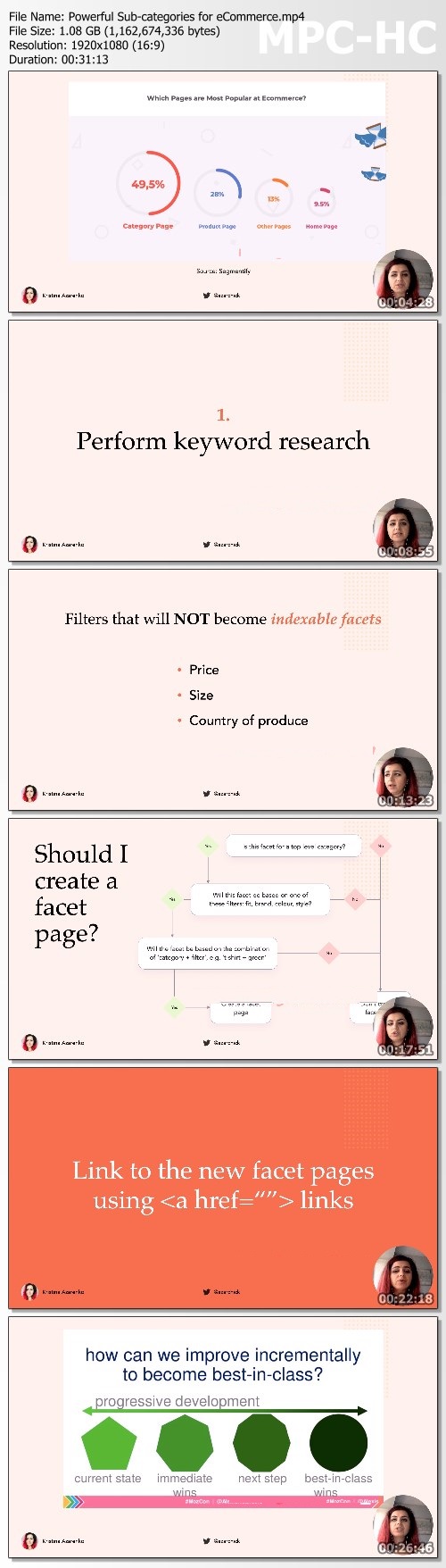
Kristina Azarenko - eCommerce SEO Mastery: 10 Huge SEO Wins for Any Online Store - Gumroad| 2.3 GB​
eCommerce SEO (Finally) Explained? Yes, Please!
Search Engine Optimization for eCommerce is not easy. But it will be after you finish the eCommerce SEO Mastery eBook. Save your time and get exactly what you need in just one place.

Tried, Tested, And Proven Methods You Can Use to Improve Online Store SEO
Even if you:
- Have never tried to do SEO for online stores before
- Tried SEO but failed and didn't see any ROI
- Currently doing eCommerce SEO and want to make sure you're doing it properly.

The eCommerce SEO tips you will find in this eBook have helped me do the following things for my clients:
- Achieve a 5400% increase in sales year over year
- Achieve a 657% increase in traffic year over year
- Turn a product that didn't sell into a bestseller without changing the product itself
- Decrease ad spent by 42% by bringing in more people organically using SEO

Who Is This eBook For?
Great question!
- SEOs, Who Want to Learn The Most Important Secrets of eCommerce SEO. It will especially work for junior SEOs or for seasoned B2B SEOs who are starting in eCommerce or want to bring the pieces of the puzzle together.
- Marketers, Willing to Be Efficient with the Marketing Budget
- Store Owners, Looking to Get More Traffic and Sales

What You Get:
- Find the ultimate list of the Title tag pointers that will work for any store
- Get the whole process for optimizing category and product pages so that you never feel stuck or confused about it again
- Learn how to find new category ideas using the TOP framework and other actionable techniques
- Find the answer to the most common question about product variations: should they have separate URLs? (+ an easy scheme that you can use any time)
- Become a pro in handling discontinued products to maximize SEO and sales
- Understnd how to use user intent to create the right content that users want to see
- Learn how to properly identify the user intent using SERP features and other techniques
- Everything you need to know about faceted navigation and how to use it to benefit SEO and increase traffic that converts
- Learn how to use a web technology information profiler tool to improve page speed
- Find eCommerce pagination techniques: is it good or evil and whether it should be kept out of Google's sight?
- Learn about the 2 main reasons why most SEO issues happen and the exact steps to fix them
- And so much more!

Homepage:

Screenshots
4100f657abe3f2b262b4e78be2005af7.jpg


Link Download
​
Extract files with WinRar 5 or Latest !
 
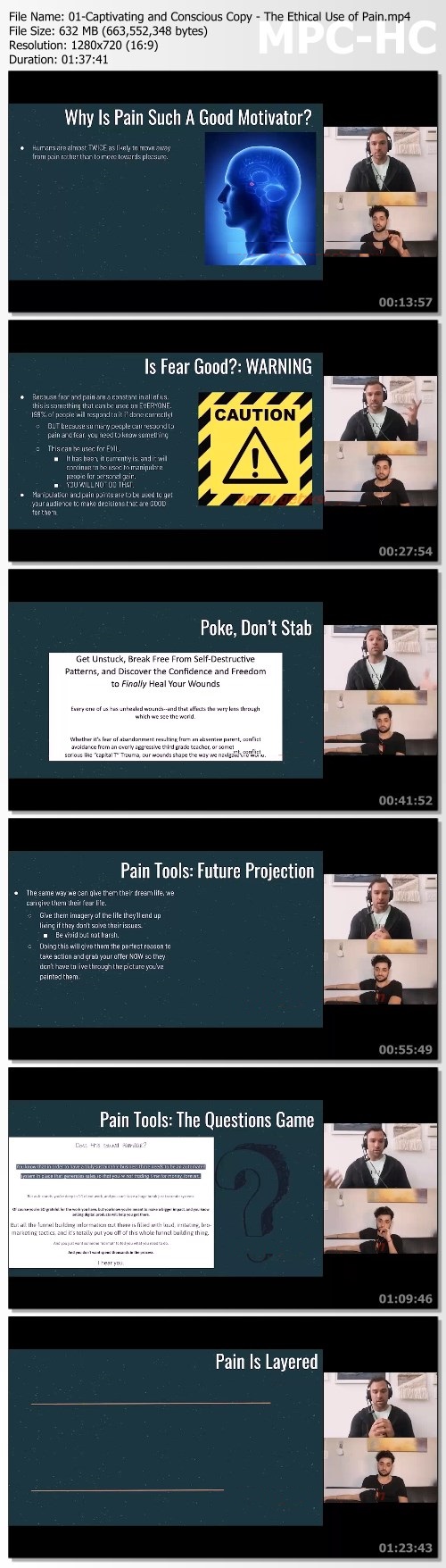
Captivating Copywriting by John Romaniello

10395a3fddb62a1fb6bcfb742234b445.jpg

John Romaniello - Captivating Copywriting | 7.88 Gb​
An unmatched copywriting course designed specifically for coaches, consultants, and online business owners who want to write high-converting, brand-enriching, personality-driven copy.

Here's What You're Gonna Get:
The Rapid Start Copywriting Crash Course: In a hurry to get started? We've got you covered with our copy bootcamp to help you master the basics and start writing compelling copy, today. (Value: $1997)

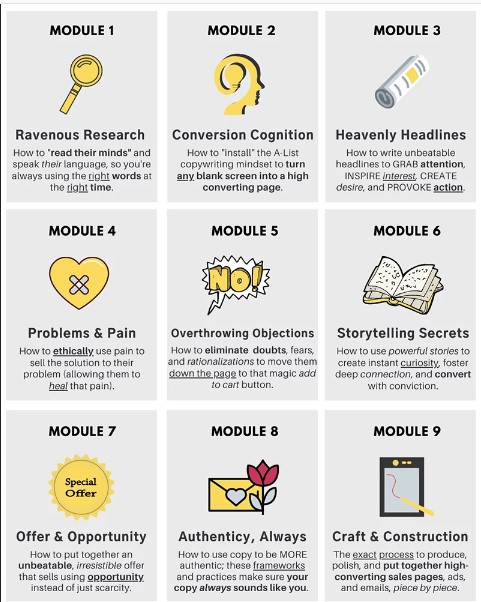
The Captivating Copywriting Core Curriculum:
Over 12 trainings across 8 modules, this is the core of your copywriting education.Whether you're a veteran or just starting out, these trainings will have you writing captivating copy by the end of the course. (Value: $2997)

Conversion Companion Guide: Exercises to breakdown, synthesize, and apply everything you've learned, along with tested strategies you can use to practice your craft. Each training comes with its own workbook to bring you from concept to execution every step of the way. (Value: $597)

Unbeatable Access To My Never-ending Resources Vault: To make sure this is one of the most in-depth copy courses anywhere, we've stacked it with resources to keep you growing. From tools to reading lists and downloadable resources, you'll have anything you need all in one place. (Value: $397)

BONUS 1: The Copywriting "Workout": Science backed and story-driven, this training is dedicated to teaching, step-by-step, what you need to do to build that copywriter muscle. (Value: $197)

BONUS 2: Templates Are Shit, Frameworks Are Lit: The next time you see a template instead of a framework, RUN. This in-depth training lays out the benefits of learning from foundational frameworks versus using "plug and play" templates that have no real guarantees of working. (Value: $247)

Homepage:

Screenshots
5f3bdaa2e3cd9c33fffd62549b2d7c51.jpg

d8d1dee852ba064b2be044e749d278a7.jpg


Link Download
​
Extract files with WinRar 5 or Latest !
 
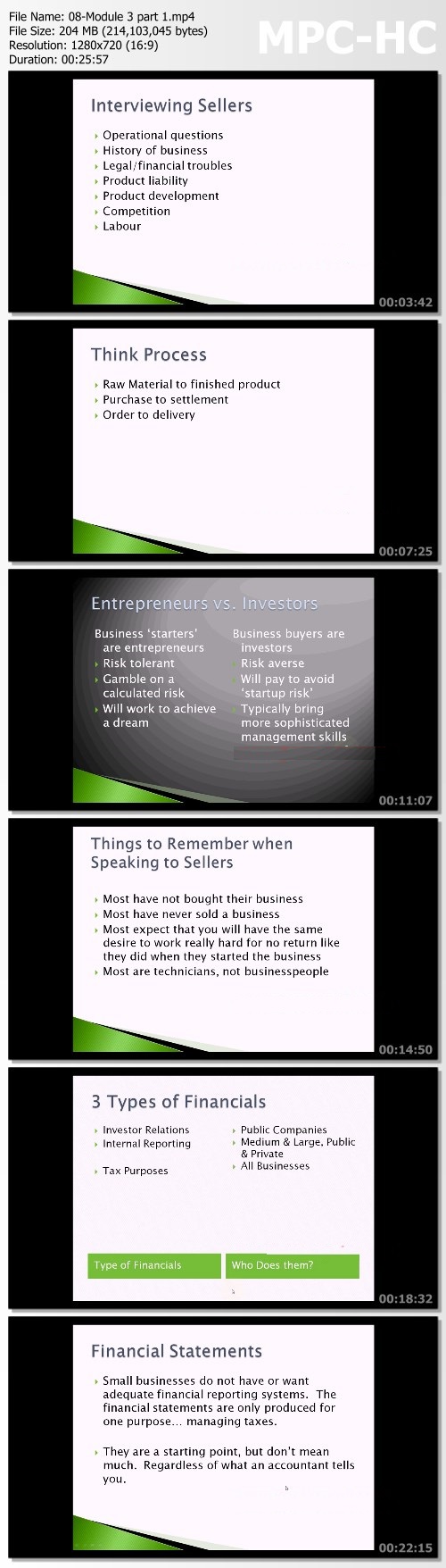
Business Buyer Advantage by David Barnett

48bceabc70ef7d8ae603a3896af4137d.jpg

David Barnett - Business Buyer Advantage | 7.29 GB
How to find, analyze, make offers and finance your small business dream.​
You want to be in business.
Somewhere in the back of your mind you hear a voice saying, 'This is risky, what if it doesn't work?'

That's why millions of prudent entrepreneurs get into business each year by buying a successfully operating business rather than starting one.
But where do you start? How do you know which business is right for you? How do you know what the process is?
Business Buyer Advantage is a full day workshop that follows one example company through the entire process. Discovery, examination, offers, financing, due diligence, closing and deal structure.
This is the online version of the Full Day seminar that I've been delivering to classes since 2009. Almost 100 classes over 10 years and I've gotten superior feedback from students after each one.
This course has been recommended time and again from one student to another. It has always featured a money-back guarantee and only a handful of people have ever asked me for a refund. This is how certain I am of the quality of this material.
If you've ever dreamed of owning a business but are afraid to start one because of the risk, this class can help open the door to buying a successful, established business that already produces a profit.

What You Learn:
- Why would you want to own a business
- Buying vs. Starting a business
- How to start looking for a business
- Understanding buyer and seller motivations
- Negotiation fundamentals and BATNA
- The steps in the buying process
- Finding GOOD businesses for sale
- Using Intermediaries
- The initial contact with the seller
- Understanding business processes in the interview
- The seller's mindset
- Examining the business
- Businesses vs. Companies what are you buying?
- What is a business?
- Normalizing financial statements (recasting)
- SDE vs. EBITDA cash flows
- Identifying problems
- SWOT analysis and small businesses
- Simple forecasting
- Determining the value of the business
- Methods of business valuation
- A sample case study
- Financing methods
- Proper deal structure
- Qualities of vendor vs. Institutional debt
- Making offers
- Actual deal examples from my business brokerage practice
- Understanding asset vs. share purchases
- Building your team
- Due diligence
- Franchises
- Understanding risks
- Buying a business in a recessionary economy

HOmepage:

Screenshots
984beb79a1c1c1dbff80a6f38c5b4e2a.jpg


Link Download
​
Extract files with WinRar 5 or Latest !
 
Zurück
Oben Unten