• Regeln für den Video-Bereich:

    In den Börsenbereich gehören nur Angebote die bereits den Allgemeinen Regeln entsprechen.

    Einteilung

    - Folgende Formate gehören in die angegeben Bereiche:
    - Filme: Encodierte Filme von BluRay, DVD, R5, TV, Screener sowie Telesyncs im Format DivX, XviD und x264.
    - DVD: Filme im Format DVD5, DVD9 und HD2DVD.
    - HD: Encodierte Filme mit der Auflösung 720p oder darüber von BluRay, DVD, R5, TV, Screener sowie Telesyncs im Format x264.
    - 3D: Encodierte Filme von BluRay, die in einem 3D Format vorliegen. Dies gilt auch für Dokus, Animation usw.
    - Serien: Cartoon/Zeichentrick, Anime, Tutorials, Dokumentationen, Konzerte/Musik, Sonstiges sind demnach in die entsprechenden Bereiche einzuordnen, auch wenn sie beispielsweise im High Definition-Format oder als DVD5/DVD9/HD2DVD vorliegen. Ausnahme 3D.
    - Bereich Englisch: Englische Releases gehören immer in diesen Bereich.
    - Bereich Talk: Der Bereich, in dem über die Releases diskutiert werden kann, darf, soll und erwünscht ist.


    Angebot/Beitrag erstellen

    - Ein Beitrag darf erst dann erstellt werden, wenn der Upload bei mindestens einem OCH komplett ist. Platzhalter sind untersagt.
    - Bei einem Scenerelease hat der Threadtitel ausschließlich aus dem originalen, unveränderten Releasenamen zu bestehen. Es dürfen keine Veränderungen wie z.B. Sterne, kleine Buchstaben o.ä. vorgenommen werden. Ausnahme Serienbörse:
    - Bei einem Sammelthread für eine Staffel entfällt aus dem Releasename natürlich der Name der Folge. Beispiel: Die Simpsons S21 German DVDRip XviD - ITG
    - Dementsprechend sind also u.a. verboten: Erweiterungen wie "Tipp", "empfehlenswert", "only", "reup", usw. / jegliche andere Zusatzinformation oder Ergänzung, welche nicht in obiger Beschreibung zu finden ist.

    Aufbau des Angebots und Threadtitel

    Der Titel nach folgendem Muster erstellt zu werden. <Name> [3D] [Staffel] [German] <Jahr> <Tonspur> [DL] [Auflösung] <Quelle> <Codec> - <Group>
    Beispiel: The Dark Knight German 2008 AC3 DVDRip XviD - iND
    Beispiel: The Dark Knight 2008 DTS DL BDRip x264 - iND
    Beispiel: The Dark Knight 2008 AC3 DL BDRip XviD - iND
    Beispiel: The Dark Knight German 2008 AC3 720p BluRay x264 iND
    Beispiel: The Dark Knight 2008 DTS DL 1080p BluRay x264 iND
    Beispiel: Die Simpsons S01 German AC3 DVDRip XviD iND
    Beispiel: Die Simpsons S20 German AC3 720p BluRay x264 iND
    Beispiel: Sword Art Online II Ger Sub 2014 AAC 1080p WEBRip x264 - peppermint
    Entsprechend sind also u.a. verboten: Sonderzeichen wie Klammern, Sterne, Ausrufezeichen, Unterstriche, Anführungszeichen / Erweiterungen wie "Tipp", "empfehlenswert", "only", "reup", usw. / jegliche andere Zusatzinformation oder Ergänzung, welche nicht in obiger Beschreibung zu finden ist
    Ausnahmen hiervon können in den Bereichen geregelt sein.

    Die Beiträge sollen wie folgt aufgebaut werden:
    Überschrift entspricht dem Threadtitel
    Cover
    kurze Inhaltsbeschreibung
    Format, Größe, Dauer sind gut lesbar für Downloader außerhalb des Spoilers zu vermerken
    Nfo sind immer Anzugeben und selbige immer im Spoiler in Textform.
    Sind keine Nfo vorhanden z.B. Eigenpublikationen, sind im Spoiler folgende Dateiinformationen zusätzlich anzugeben :
    Quelle
    Video (Auflösung und Bitrate)
    Ton (Sprache, Format und Bitrate der einzelnen Spuren)
    Untertitel (sofern vorhanden)
    Hosterangabe in Textform außerhalb eines Spoiler mit allen enthaltenen Hostern.
    Bei SD kann auf diese zusätzlichen Dateiinformationen verzichtet werden.

    Alle benötigten Passwörter sind, sofern vorhanden, in Textform im Angebot anzugeben.
    Spoiler im Spoiler mit Kommentaren :"Schon Bedankt?" sind unerwünscht.


    Releases

    - Sind Retail-Release verfügbar, sind alle anderen Variationen untersagt. Ausnahmen: Alle deutschen Retail-Release sind CUT, in diesem Fall sind dubbed UNCUT-Release zulässig.
    - Im Serien-Bereich gilt speziell: Wenn ein Retail vor Abschluss einer laufenden Staffel erscheint, darf diese Staffel noch zu Ende gebracht werden.62
    - Gleiche Releases sind unbedingt zusammenzufassen. Das bedeutet, es ist zwingend erforderlich, vor dem Erstellen eines Themas per Suchfunktion zu überprüfen, ob bereits ein Beitrag mit demselben Release besteht. Ist dies der Fall, ist der bereits vorhandene Beitrag zu verwenden.
    - P2P und Scene Releases dürfen nicht verändert oder gar unter einem iND Tag eingestellt werden.


    Support, Diskussionen und Suche

    - Supportanfragen sind entweder per PN oder im Bereich Talk zu stellen.
    - Diskussionen und Bewertungen sind im Talk Bereich zu führen. Fragen an die Uploader haben ausschließlich via PN zu erfolgen, und sind in den Angeboten untersagt.
    - Anfragen zu Upload-Wünschen sind nur im Bereich Suche Video erlaubt. Antworten dürfen nur auf Angebote von MyBoerse.bz verlinkt werden.


    Verbote

    - Untersagt sind mehrere Formate in einem einzigen Angebotsthread, wie beispielsweise das gleichzeitige Anbieten von DivX/XviD, 720p und 1080p in einem Thread. Pro Format, Release und Auflösung ist ein eigener Thread zu eröffnen.
    - Grundsätzlich ebenso verboten sind Dupes. Uploader haben sich an geeigneter Stelle darüber zu informieren, ob es sich bei einem Release um ein Dupe handelt.
    - Gefakte, nur teilweise lauffähige oder unvollständige Angebote sind untersagt. Dies gilt auch für eigene Publikationen, die augenscheinlich nicht selbst von z.B. einer DVD gerippt wurden. Laufende Serien, bei denen noch nicht alle Folgen verfügbar sind, dürfen erstellt und regelmäßig geupdatet werden.
    - Untersagt sind Angebote, welche nur und ausschließlich in einer anderen Sprache als deutsch oder englisch vorliegen. Ausnahmen sind VORHER mit den Moderatoren zu klären.


    Verstoß gegen die Regeln

    - Angebote oder Beiträge, die gegen die Forenregeln verstoßen, sind über den "Melden"-Button im Beitrag zu melden.
  • Bitte registriere dich zunächst um Beiträge zu verfassen und externe Links aufzurufen.


Englische Tutorials

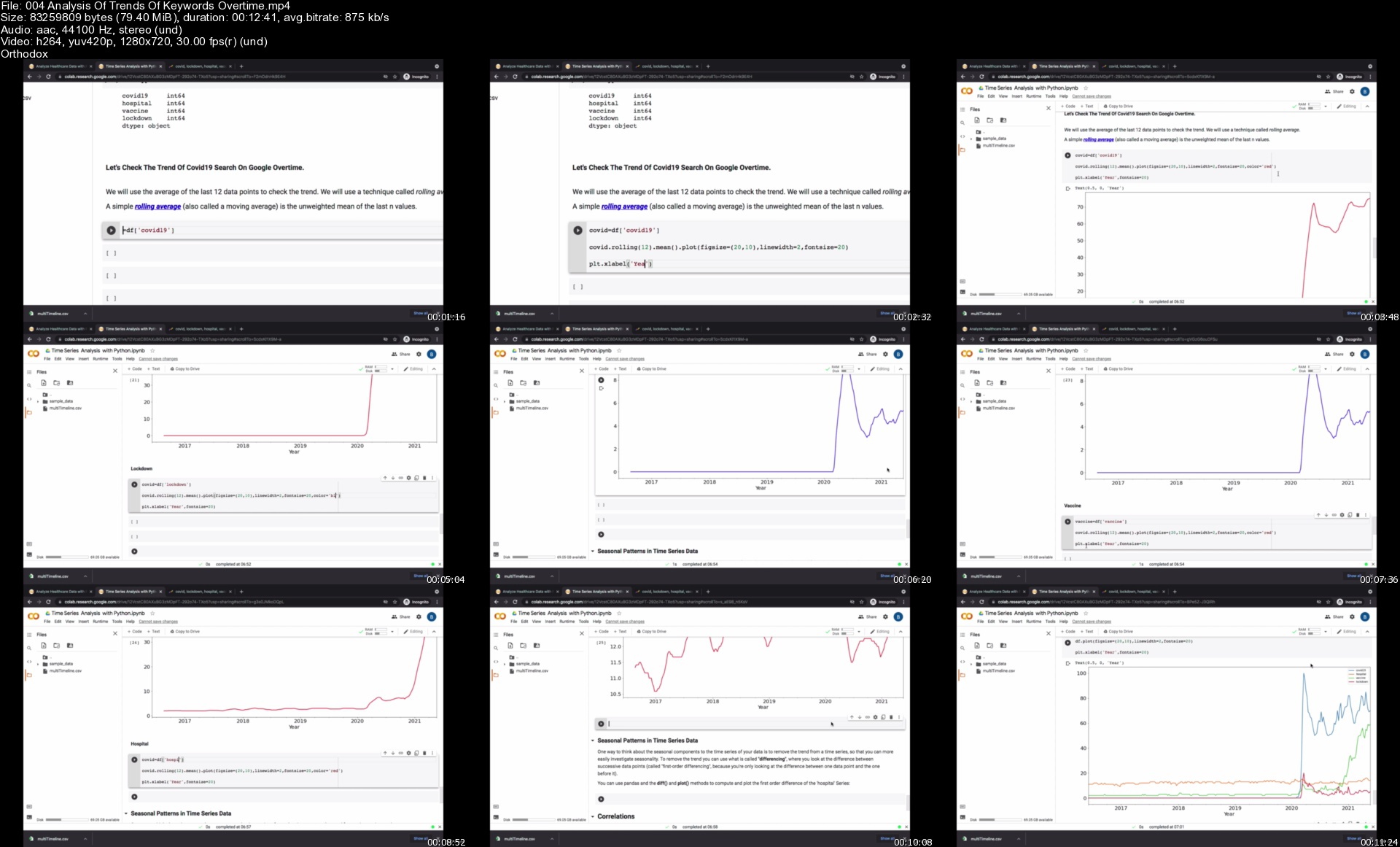
Data Analysis Hands-On Projects With Python | 15+ Projects

6roimbiwvb8x7hg93vkyuljktt.jpg


Data Analysis Hands-On Projects With Python | 15+ Projects
MP4 | Video: h264, 1280x720 | Audio: AAC, 44.1 KHz, 2 Ch
Genre: eLearning | Language: English + srt | Duration: 128 lectures (15h 26m) | Size: 7.33 GB

Work On 15+ Data Analysis PROJECTS To Help You Master The Concept Of Data Analysis With Python

What you'll learn:
Build PROJECTS And PORTFOLIO With Python
Master Data Analysis With Python
Have A Solid Python Background For Your Career.
Learn To Use Robust Python Libraries And Frameworks Like: NumPy, Pandas, Scikit-Learn, etc.
Be Able To Use Python For Data Analysis
Be Able To Use Python For Business Analysis
Be Able To Use Python For Data Science And Machine Learning
Learn Modern Web Scraping Frameworks like Selenium, Scrapy, Beautiful Soup, Request, Web drivers, etc
Become an Industry-Level Ready Data Analyst!!
Crack Python And Data Analysis Interview Questions With Hands-On Experience.

Requirements
Anyone With Little Basics Of Python Can Easily Learn
This Is A Beginner To Advance Course
A Windows Laptop, Mac, PC or Linux computer with access to the internet
I'll walk you through, step-by-step how to get all the software installed and set up
A Windows Laptop, Mac, PC or Linux computer with access to the internet
Your enthusiasm to learn !!


Description
Interested in the field of Data Analysis or Data Science and Machine Learning?

Interested in Building Data Analysis Projects and showcase in your portfolio?

Interested in learning it the practical way?

Do you want to learn how to build a Data Analyst portfolio from scratch and from templates?

Do you want to be confident in using python to clean, process and manipulate data?

Then this course is for you!!

Welcome to the Data Analysis projects mastery.

In this project mastery, we have only one objective. That is to really understand the concept of data analysis using python by practicing through real world projects.

These projects arre carefully curated to make sure that you master each and every aspect of Data Analysis using Python.

So if you are interested in mastering Python to become a data analyst, data scientist, business analyst, machine learning engineer Ai engineer, Big data professional etc, then you are at the right place.

The projects in this mastery are real world projects that we work on with our clients and we have included them in this course so that you have a hands-on experience with working with real world data.

Throughout this project mastery, I will walk you through step by step each and every line of code for you to understand what am doing and why am doing that.

I will first do it for you to see how it is done then you will also have assignments, exercises and projects to practice on your own.

There is also going to be a final capstone project that you can include in your portfolio.

There is also going to be a bonus session for you where you learn how to create a stunning portfolio that will showcase your experience working with real world projects and how you can easily catch the eyes of recruiters to get hired.

This is a beginner to advance projects mastery and you can easily get started with little basics of python.

There is going to be a lot of exercises, assignments and projects and there is a lot of fun as well.

If you really want to understand the concept of Data Analysis and using Python to work with real world data, then there is no better way than to gain a hands-on experience and that is what we are going to do in this course so let's get started.

This course has been practically and carefully designed by industry experts to offer the best way of learning Data Analysis the practical way with hands-on projects and Assignments throughout the course.

This course will help you learn complex Data Cleaning, Data Munching and Exploratory Data Analysis concepts the practical way for easier understanding.

We will walk you through step-by-step on each topic explaining each line of code for your understanding.

There is going to be a lot of fun, excited, and robust projects to better understand each concept under each topic.

This course aims to help beginners, as well as intermediate data analysis, business analysis and data science enthusiasts, learn both the concepts while practicing on the projects to gain a better understanding of the course.

Who this course is for
Anyone who wants to master the concept of data analysis.
Beginners who have little basics of Python programming.
People Interested In Learning Python For Data Science, Data Analysis, Business Analysis, Machine Learning, Artificial Intelligence, Web Development etc.
If you are interested in learning to code in Python from scratch through building fun and useful projects, then this course is for you!.
Anyone interested in gaining practical hands-on experience

Homepage
004analysisoftrendsof78kk9.jpg


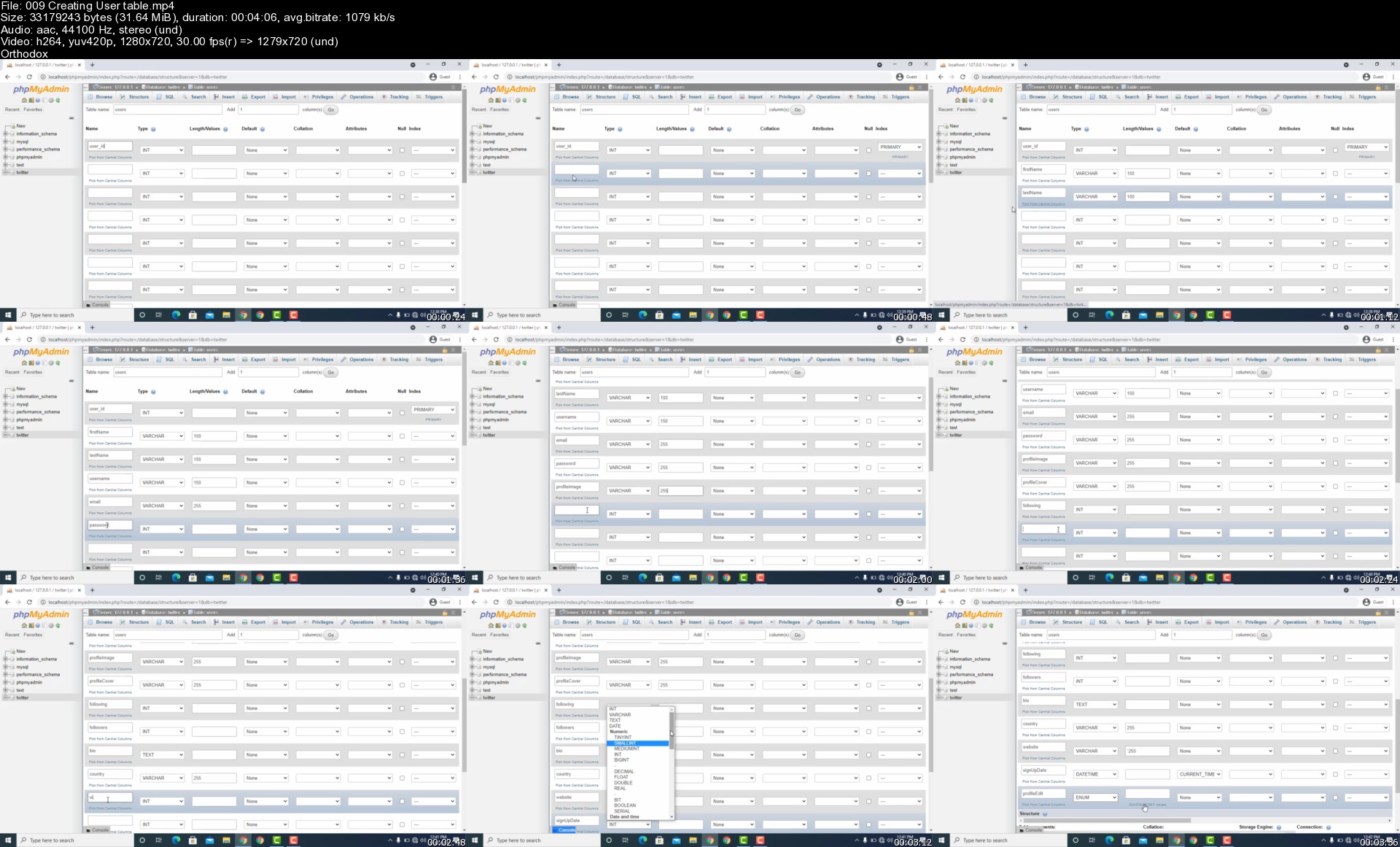
Create a Twitter Clone with PHP, MYSQL and Js From Scratch

d1tdzaxauw9rn7gezpytw7qkz8.jpg


Create a Twitter Clone with PHP, MYSQL and Js From Scratch
MP4 | Video: h264, 1280x720 | Audio: AAC, 44.1 KHz, 2 Ch
Genre: eLearning | Language: English | Duration: 186 lectures (27h 15m) | Size: 13.1 GB

Learn PHP, MYSQL and more by making the ultimate Twitter clone website completely from scratch!

What you'll learn:
How to create a social network just like Twitter
Learn good quality of object oriented programming (OOP)
Learn to rewrite clean URLs like Twitter
Learn to setup SMTP ('Simple Mail Transfer Protocol') account to send Emails
Learn to generate verification link
Learn to create secure password hash
Know how to easily use PDO with MySQL databases
Learn to create MySQL Database Relationships
HTML
CSS

Requirements
Need to have a basic knowledge on HTML, CSS, PHP and JAVASCRIPT


Description
Do you want to be pro web developer or want to create social network engine just like twitter?

Do you want level up your coding skill in php, mysql and javascript?

If so, you're in the right place! This course will guide you step by step in creating your own Twitter clone COMPLETELY from scratch.

We're talking the kind of website that will amaze anybody that sees it. The kind of website that will get you hired in no time!

Okay so what's the course about?

I will personally guide you, step by step, in creating your own social network site just like Twitter complete with:

Tweets

Likes, comments and retweets

Profile pages

Following and followers support

Notification System

Clean Friendly URLs

Profile pictures

Cover photos

Hashtags & Mention Users

and much more!

Whether you are a beginner* or an experienced programmer, this course will be massively beneficial to you.

Why should I take the course?

In the programming world, the "big 4" often consists of Google, Microsoft, Facebook and Amazon. To get a job at any of these companies, you absolutely MUST know the essentials: HTML, CSS, PHP, JQuery, JavaScript and MySQL.

If you take this course, you will have nothing to worry about because we use all of these skills extensively!

Support:

By enrolling in this course, you will have the COMPLETE support from Christopher Glikpo. I'm always ready to answer any question you may have. Programming issues, errors, feature requests, general programming advice - it doesn't matter, I'm always happy to help! I always aim to respond to questions within a few hours and it's also worth noting that I've answered EVERY SINGLE question asked so far.

Project portfolio:

The site you create in this course will be the highlight of your project portfolio! Any potential employer who see's this project on your resume will want to hear all about it. The reason? They know that a project like this means you're familiar with the wide range of technical skills they need their employees to know.

Fun!

Finally, this project is a lot of fun and I know you'll have a great time implementing your own unique ideas as well as the ones we implement together. What are you waiting for?

* Although this course is suitable for beginners, it is not an introduction to development course. I won't go into much detail when explaining the basic programming concepts but I'm here to help if you want more of an explanation - just let me know!

Who this course is for
Beginner or Intermediate level Web developer who wants to level up his skill on full stack web development and the enthusiastic who wants to create a social site engine just like twitter

Homepage

009creatingusertablesgxk6r.jpg


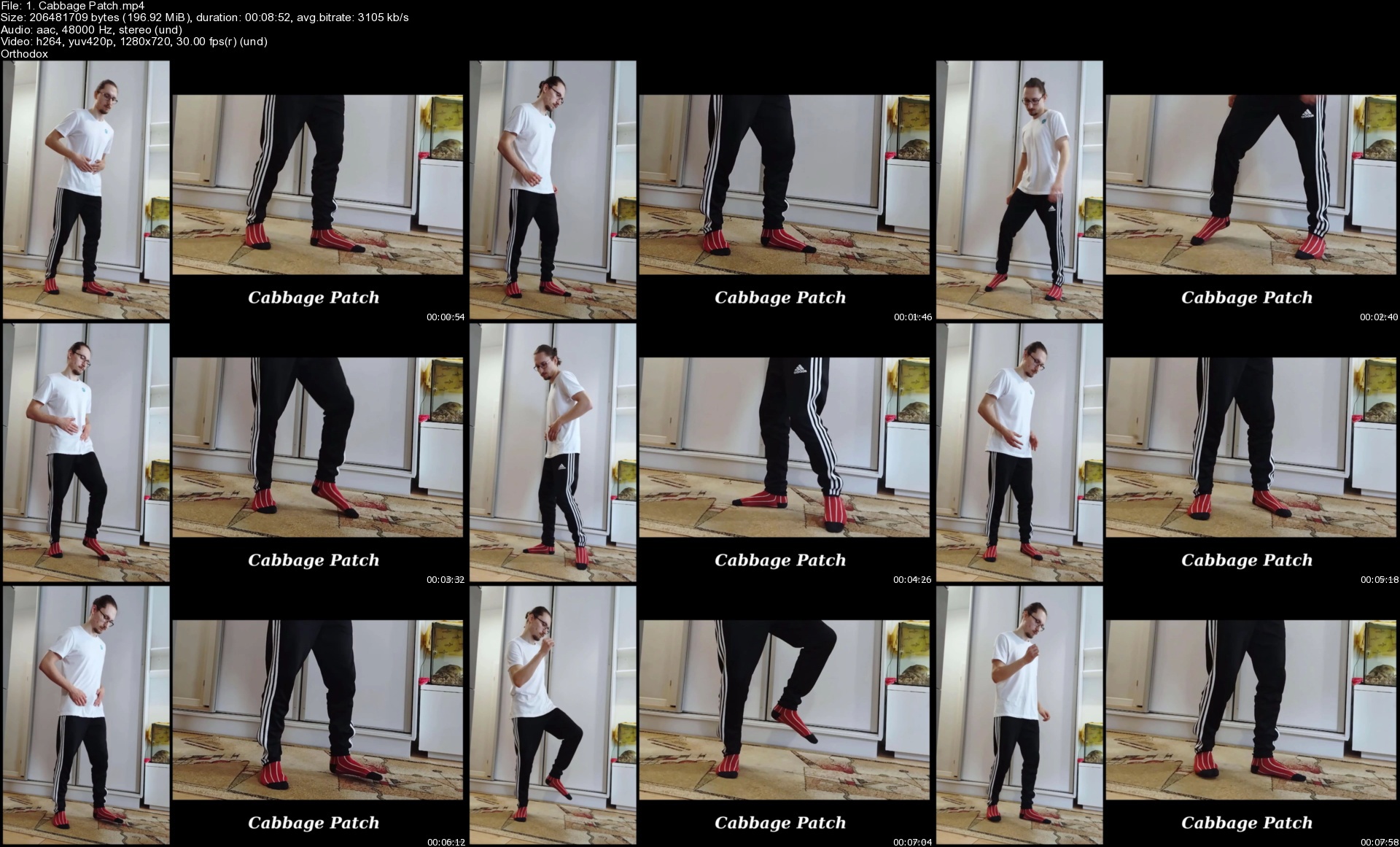
Complete Hip Hop Dance Masterclass For Beginners

0085a7ad15kpq.jpg


Complete Hip Hop Dance Masterclass For Beginners
Created by Bartosz Maryjka | Last updated 7/2021
Duration: 4h 37m | 10 sections | 74 lectures | Video: 1280x720, 44 KHz | 6 GB
Genre: eLearning | Language: English + Sub

Hip hop dance for beginners - over 30 hip hop dance moves and routines that you will learn at home!


What you'll learn
Hip hop dance moves
How to dance hip hop
Hip hop routines and choregraphies
Hip hop old school moves
How to freestyle in hip hop
Names of hip hop dance moves

Requirements
You don't need any dance experienceYou need some space - a small room at your house will be more than enough!

Description
Learn hip hop dance moves at home! Beginners guide to hip hop dance.
\n
Complete Hip Hop Dance Masterclass includes materials for Hip Hop Dance Masterclass vol.1 and Hip Hop Dance Masterclass vol.2! Don't waste the opportunity and start your hip hop dance career with Complete Hip Hop Dance Masterclass right now!
---------------------
No experience is needed - I will explain to you everything that you have to know to become a great hip hop dancer. You don't have to spend 20$ for a regular class every week, you can learn hip hop dance successfully from the comfort of your own home. Enrol on the course and get access to all of the videos immediately and start your exciting journey as a hip hop dancer. Practise whenever you want, and surprise everyone around with your new and amazing dancing skills!
_ _ _ _ _ _ _ _ _ _ _ _ _
How the course is created:
In this course, I will teach you over 30 hip hop moves and 8 simple routines (but I'm going to update the course soon adding some more videos so follow my profile to stay tuned!).
For each move I prepared 2 videos:
1. In the first video I explain every move very deeply and analyse it to let you understand it better. In those videos, you will be able to follow my instructions very easily since there will always be two views at the same time - one of my whole posture, and the second of my legs.
2. The second video is created for practice with music. We start together following a simple counting pattern that I provide for you, and after that, I give you some time to explore the move yourself and at your own ideal pace.
After every 4 moves, I also teach you a simple routine created on the basis of the moves that you have learnt so that you could practice them even more! Right now there are 8 routines, but as I said earlier, the course will be updated and I will add more routines to give you more opportunities to practice the moves from the course, and therefore to become a great hip hop dancer.
_ _ _ _ _ _ _ _ _ _ _ _ _
Don't wait and enrol on the course right now. Start your beautiful journey of hip hop dancing and enjoy new moves that you will learn throughout the course. Then complete the class project and enjoy your new skills even more <3
See you in the course!
Your instructor, Bartosz Maryjka

Who this course is for:People who want to learn how to dance hip hop danceHip hop dancers who want to practice and develop their skillsDancers who want to learn hip hop dancePeople who want to learn hip hop dance at homePeople who want to save money on regular classes and get high quality hip hop dance course onlinePeople who want to become great hip hop dancers

1.cabbagepatchsk5jvf.jpg


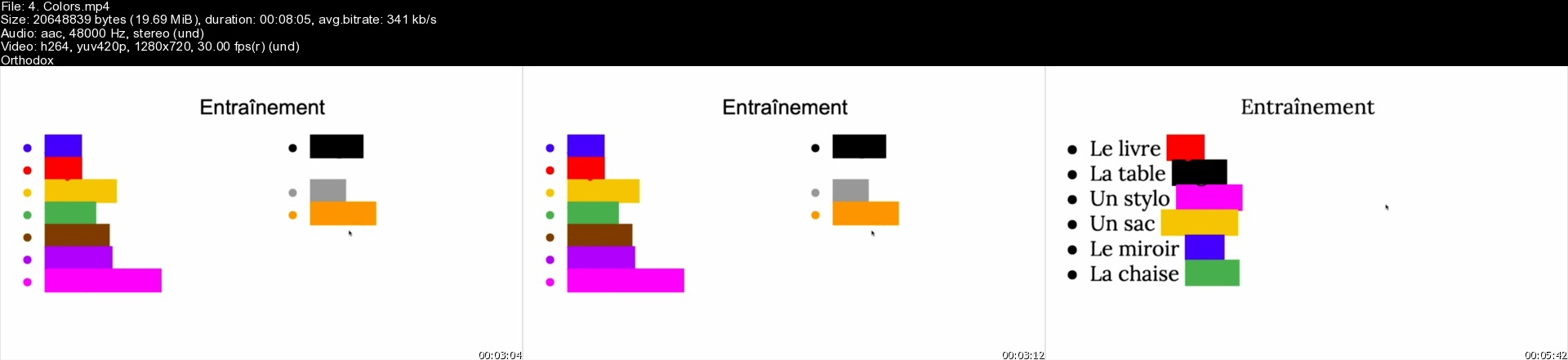
Complete French Course: Learn French for Beginners (Updated 6/2021)

0085b221euk9p.jpg


Complete French Course: Learn French for Beginners (Updated 6/2021)
Created by Linguae Learning, Linguae Teaching Assistant | Last updated 6/2021
Duration: 15h 31m | 3 sections | 83 lectures | Video: 1280x720, 44 KHz | 5.6 GB
Genre: eLearning | Language: English + Sub

Learn French FAST with this non-stop French speaking course for BEGINNERS: learning French will be easy and fun!


What you'll learn
250+ vocabulary words
How to read and write in French
Top most useful phrases you can use in everyday situations
Easily order foods and drinks
How to put basic sentences together
Greet people and introduce yourself both formally and casually
Proper French pronunciation
The building blocks of French grammar

Requirements
No previous knowledge of French is required. You can start from scratch!A desire to learn a new languageA positive attitude!

Description
The ultimate French beginner course that will teach you French faster than you thought possible! Perhaps you've dreamed of moving or travelling to France and holding your own in real-life situations, being independent and able to communicate with the locals. Perhaps you want to experience the rich culture and sample the delicious local cuisine or do business with local companies. Whatever your reason, this French course for beginners is right for you!
During our 40 lessons you will learn:
Lots and lots of vocabulary
Useful everyday phrases
Basic sentence structures
Basic grammar rules most beginner courses don't teach

4.colorss47kxf.jpg


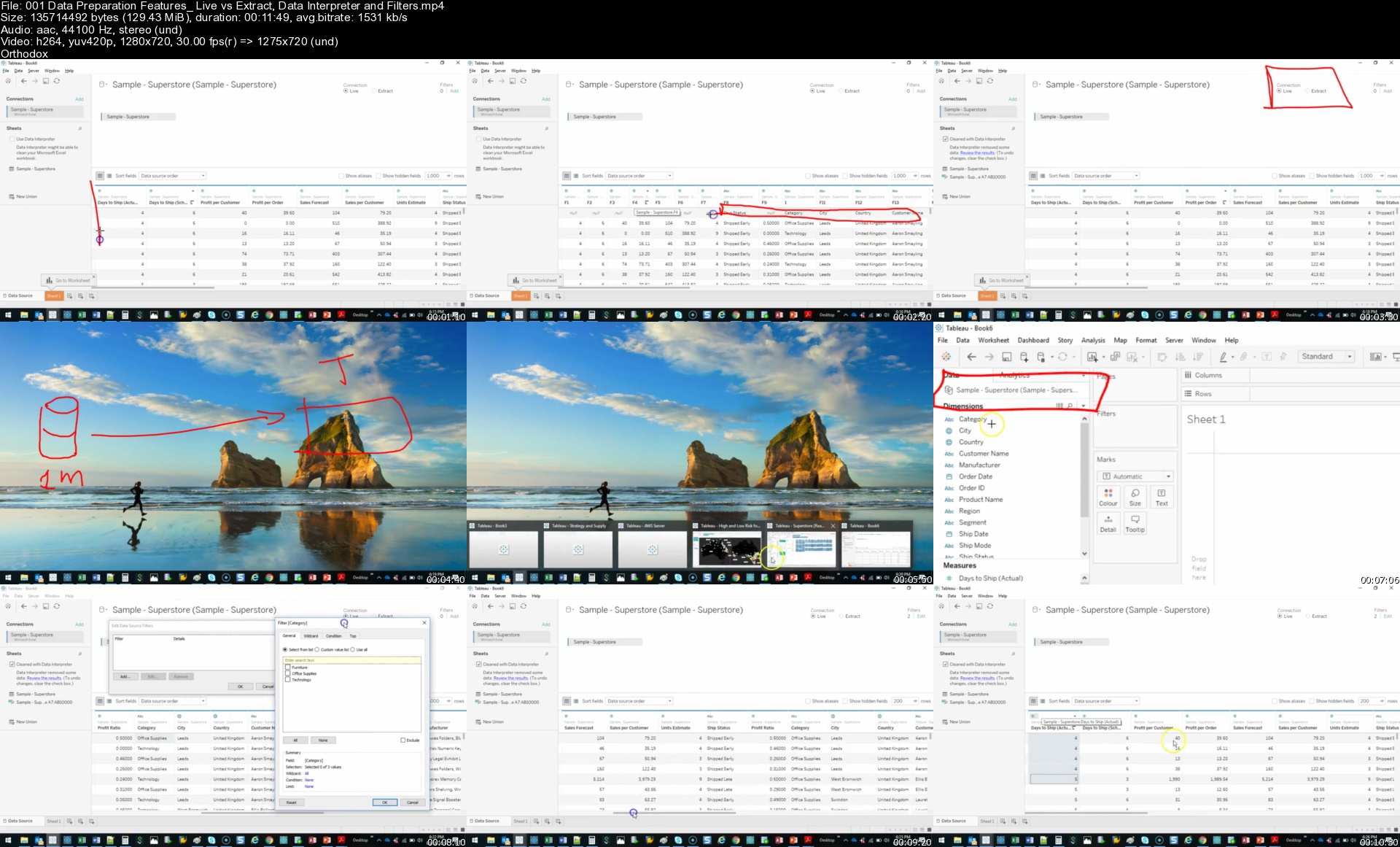
Complete Tableau 2021 Training for Absolute Beginners

slegin96zchof3a290t7sjnk6k.jpg


Complete Tableau 2021 Training for Absolute Beginners
MP4 | Video: h264, 1280x720 | Audio: AAC, 44.1 KHz, 2 Ch
Genre: eLearning | Language: English + srt | Duration: 226 lectures (24h 52m) | Size: 12.9 GB

The only Tableau course that teaches the entire Tableau Platform - Public, Desktop, Prep, Online, Server and Bridge

What you'll learn:
Fundamentals to Advanced Data Visualization techniques and methods
Automation methods to streamline/eliminate traditional reporting
Cloud sharing technology
Choosing the right Visualization for the right problem

Requirements
No previous programming knowledge required
You do not need to know Excel
Tableau Desktop Edition 2020


Description
The only course on Udemy that teaches the complete Tableau Platform; Desktop, Online, Prep, Bridge and Conductor!

WHO'S THIS FOR? - This course is designed specifically for those who do not have a data background or experience and want to be more efficient in the way they clean, prepare and share data.

Problems you've probably Experienced with Microsoft Excel

Excel becomes slow or crashes when you have lots of rows of information or too many charts

It's difficult to remember or write formulas

You can't remember which file is the latest version and end up working on the wrong one

It's annoying having to email multiple Excel files to the same people everyday

It takes hours create a usable and robust dashboard

Takes hours to investigate data and find patterns/trends

What is Tableau?

Tableau solves all the above issues!

The beauty of Tableau is its intuitive nature and makes it easy for anyone to learn it. When getting started its mainly drag-and-drop visualizations. What would usually take me hours/days in Excel I can do in a few minutes in Tableau.

Another advantage is that don't need to have any programming/data experience like I did a few years ago! In fact, there is no programming to be done which is what makes this tool so desirable for beginners like you!!!

Course Structure

1. Tableau Desktop: 1 Hour Accelerator Program!

Connect to your Excel data using Drag-and-Drop

Basic Bar, Column, Line and Pie Charts

Colour Coding and Text Labels

One Click Calculations: Running Total, Moving Average and More

Building your first dashboard in seconds

Basic Formatting and Print to PDF/Image

FREE eBOOK!!!

2. Tableau Desktop: Beginner

Simple Charts: Pie, Bars, Area and Lines

How to Filter your data with a few clicks

Basic Arithmetic: Learn to add number fields together

Aggregates: Calculating Totals, Average, Maximum, Minimum, etc.

Another FREE eBOOK!!

3. Tableau Desktop: Intermediate

How to connect to data using Live and Extract methods

Cleaning Data: Splitting combined data into multiple columns

Create IF calculations, Rounding Numbers, Absolute Formula

How to extract letters/numbers from left and right side of text

Trimming extra spaces

Quick Table Calculations: Running Total, Percent of Total, Rank

Build maps in seconds using the double-click method

Create forecasts using drag-and-drop

Create interactive dashboards

4. Tableau Desktop: Expert

Add data to another table easily UNIONS

JOINS: Combine two tables together using a common field

Create a Reference and/or Trend line anywhere on your visualization

Use parameters to change values on the fly

Create sets to group your data for further analysis

Learn new visualizations such as Histograms, Funnels, Donuts, Dot Time, Jitter and more

Add additional views for Mobile and Tablet

6. Tableau Online - Cloud Platform for Data Sharing and Collaboration

Design an entire online site (Cloud) from scratch

Publish your dashboards to the Cloud

Learn collaboration filters such as subscriptions which send your dashboards to people on schedule everyday

Learn Alerts which send you an email when your charts reach a specific number

Manage an entire cloud platform and all it's users

7. Tableau Prep - Data Cleansing that works 10 times faster than Excel

Combine similar terms together under one heading using "Group and Replace"

Convert all text to upper case or lower case in one click

Remove extra white spaces from the beginning or end of data

Join data together simply by dragging and dropping one on top of the other

Add data together by dropping one data underneath the other in one click

Create a flow that remembers how to clean so you can just press PLAY tomorrow and it will clean it for you just the way you told it to

Sign up today! It's no risk to you with Udemy's 30-day Money Back Guarantee, No Questions Asked!

DISCLAIMER: Course price will increase over time.

Who this course is for
Basic to no Excel skills
Business Professionals needing to visualize their company data
Individuals with little to no background experience in data analytics/visualizations
Pre-Excel users needing to up-skill and find better ways to handle/process their data
Individuals where English is not their first language
Passionate individuals with an interest in data analytics/visualizations
Business Professionals looking to obtain a career as a data analyst, scientist, etc.

Homepage

001datapreparationfeaijkcf.jpg


Open Guard: BJJ Fundamentals - Go Further Faster

veodmtndpt00n7mzljmpxcgj68.jpg


Open Guard: BJJ Fundamentals - Go Further Faster
John Danaher | Duration: 11h 16m | Video: H264 1920x1080 | Audio: AAC 48 kHz 2ch | 15,7 GB | Language: English

John Danaher's simple principles make the most complicated position in jiu-jitsu devastating for your opponents

• Master the Open Guard with perhaps the best coach in all of Brazilian Jiu-Jitsu, the legendary John Danaher.
• Professor Danaher expertly shows the single biggest determinant of success, the gripping secrets to maximum leverage, and then explores the fundamentals of kuzushi and how this ancient concept is his focus in all attacks.
• As one of the world's most sought after grappling coaches, Professor Danaher explains the fundamental techniques and concepts that make open guard so important.
• Systematically approach the Open Guard with these special insights and studies from Professor John Danaher.

Homepage

zwdydc6a3yljvmixmkzclw1kx1.jpg


Realistic Prop Tutorial Series by Joe Seabuhr

cover15846850473ijz7.jpg


Realistic Prop Tutorial Series by Joe Seabuhr
Duration: 5h 55m | Video: 1920x1080, 48kHz | 6.969 GB
Genre: eLearning | Language: English | Skill Level: Intermediate

This course is focused on making a realistic prop with the same quality that you would see in most AAA games. Joe will be walking you through each step in the process of creating a prop so that you can get an understanding of his thoughts and ideas as he progresses towards the end product.

PART 1
Block-out
by Joe Seabuhr • Intermediate • 30m • 4 Videos
The course begins with idea generation and how to go from an idea to a fully developed reference board and block-out to aid in the rest of the process.

PART 2
High Poly
by Joe Seabuhr • Intermediate • 1h 17m • 6 Videos
Joe gives a brief overview of the benefits of Sub-D with valuable examples. He also begins creating the TV high poly from the block-out created in the previous installment.

PART 3
Low Poly
by Joe Seabuhr • Intermediate • 56m • 5 Videos
In this section, Joe walks you through the making of the low poly from the high polys at this stage of the prop workflow.

PART 4
UVs and Bakes
by Joe Seabuhr • Intermediate • 1h • 7 Videos
This section focuses on getting respectable UVs and Bakes. Joe starts with showing some UV examples that vary in difficulty and then gradually moves on to packing the UVs, organizing the UV packs, organizing bake groups, and finally, baking.

PART 5
Texturing
by Joe Seabuhr • Intermediate • 1h 27m • 9 Videos
This section is focused on texturing. Joe breaks down texturing into 4 main stages and tackles each one as it's own separate beast in order to get a solid final product.

PART 6
Presentation
by Joe Seabuhr • Intermediate • 42m • 7 Videos
For the final installment, Joe focuses on setting up a Marmoset scene with lights and textures to create the best renders possible for your prop presentation and ArtStation post.

Software:
Substance Painter
Photoshop
3ds Max
Marmoset Toolbag

09vhsstuffsubdmodellis1kw6.jpg


Adobe Premiere Pro CC 2017 - The Complete Guide

elngsncar8zqdvhwwby6ls9jon.jpg


Adobe Premiere Pro CC 2017 - The Complete Guide
MP4 | Video: h264, 1280x720 | Audio: AAC, 44100 Hz
Language: English | Size: 7.68 GB | Duration: 12h 2m


What you'll learn
Adobe Premiere Pro CC 2017
Video Editing
Requirements
NO Prior Knowledge Required

Description
Why Learn Premiere Pro?

Premiere Pro is one of the leading video editing software applications. It is an important application to know how to use for anyone wanting to work in television, video or film industries. Learning Premiere Pro is also useful for those editing video as a hobby or for personal use, as it can be used to create videos ranging from highly professional using high-definition footage to more basic videos captured with a camera phone. Once videos are edited using Premier Pro, it can export to virtually any screen or format.

Premiere Pro can be used on either Mac or Windows platforms and supports a wide range of file formats. This allows it to import videos and still images captured using most any device. Premiere Pro also can be used to add sound, adjust colors, and insert titles and captions.

How Premiere Pro Classes Can Help You

Adobe Premiere Pro classes provide a foundation that lest you become productive with the software right away. Class participants learn from instructors who are video editing professionals. They provide a clear path for learning essential digital video skills and progress into editing, assembling, and exporting completed videos. Learning Premiere Pro in a classroom also provides the benefit of meeting other professionals who are learning Premiere, and gaining an understanding of ways that others are using the application. The instructors at American Graphics Institute who teach Premiere pro classes are invested in your success as you learn new video editing skills.

Live training provides opportunities for one-on-one support, which reinforces key concepts with an instructor. Teachers can provide personalized instruction as class sizes are small, which helps to get questions answered and also assists with comprehension. This is true with both in-person courses in Boston, as well as NYC and Philadelphia as well as online Premiere Pro classes. Because Premiere Pro training classes provide projects, labs, and exercises, participants practice what they'll be doing in real life. When editing their own work, they'll feel comfortable and confident, having completed similar exercises in class.


Who this course is for:
Any one who wants to learn video editing


Homepage

15.adobepremiereprocc0ijr7.jpg


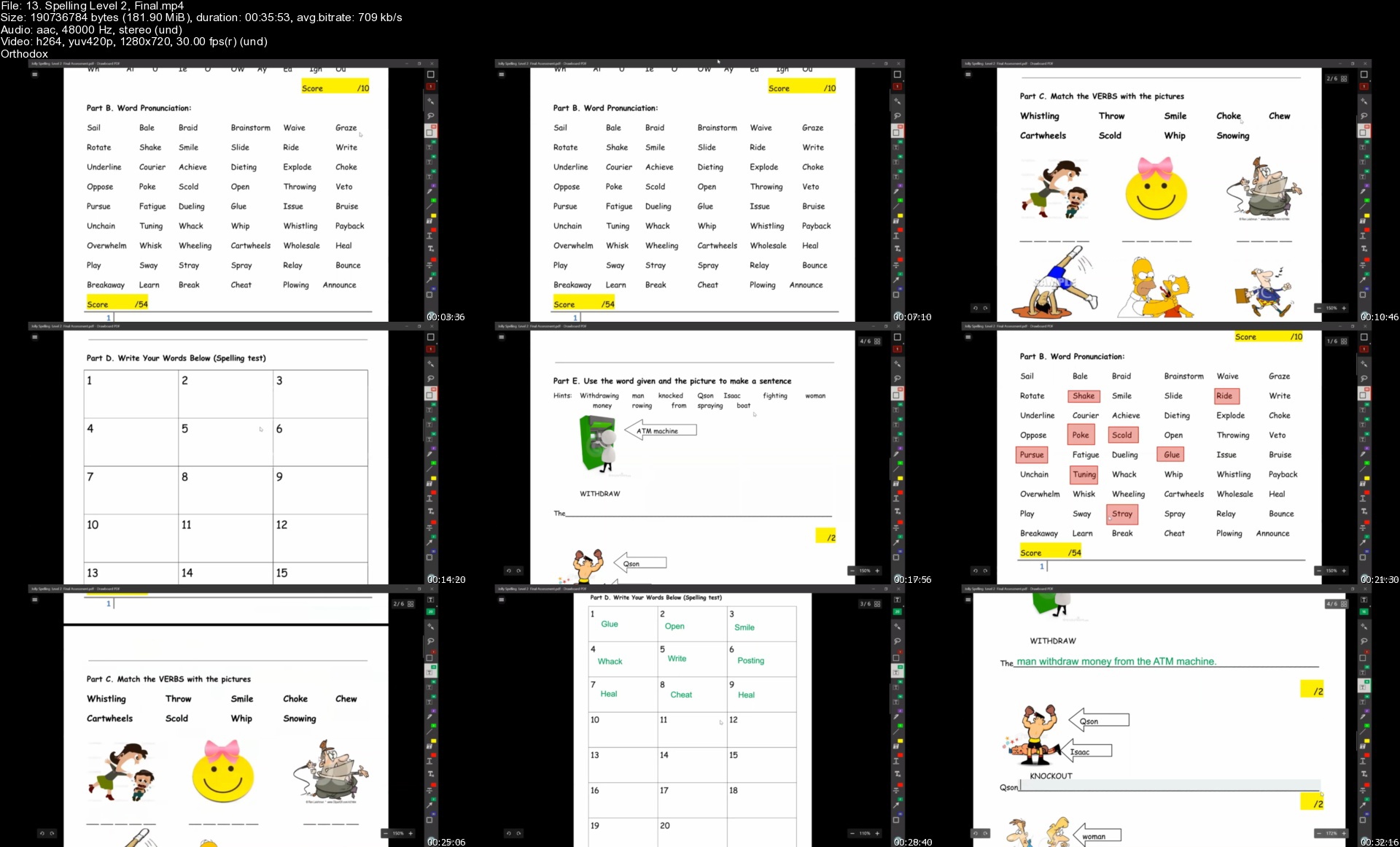
Spelling Level 1-2

c0xtdn6opyuye3gz06evs6jjaw.jpg


Spelling Level 1-2
MP4 | Video: h264, 1280x720 | Audio: AAC, 44100 Hz
Language: English | Size: 5.38 GB | Duration: 13h 47m


What you'll learn
Teachers will learn how to teach students the 31 double consonants, long vowel, and short vowel sounds as well as blending the 31 sounds to make words and much more.
Requirements
No course requirements.

Description
Our whole package for Spelling includes 2 levels. In each level, there are 10 lessons, 1 midterm and 1 final. Upon finishing the first 5 lessons, a midterm is taken to determine whether the person can move ahead to the next few lessons. After all 10 lessons have been finished, students need to take a final which includes all the material learnt in the past 10 lessons. Lastly, once all Phonics levels have been finished, the person, i.e. student or teacher, may move onto the next course, Spelling, which has 2 levels.

Content

Learn the 31 double consonants, long vowel, and short vowel sounds

Learn to blend the 31 sounds to make words

Learn to spell words through pictorials

Learn to spell the blended sounds through weekly revision

Will be nurtured to lead the class in group activities such as spelling and reading

Will be prepared to write short sentences using words learned in class

Grammar structures in Spelling Level 2 to get ready for the Grammar Course


Description

Teachers will be able to build their foundational structure on all phonetic sounds academically. Not only that, our courses are tailor-made by our chairman, Tommy Tam. In the Spelling course, you will be able to learn how to teach students on blended sounds sample sentence writings and more. Interested instructors may start the course after completing all the course, you may receive a certificate as well as a chance to work for TAEASLA as an Academic English Instructor.


Who this course is for:
Targets are teachers or instructors.


Homepage

13.spellinglevel2fina10jeb.jpg


Python Hands-On Exercises and Projects For Practice | 100+

lwlozqcshsvzzpzdsampim2kay.jpg


Python Hands-On Exercises and Projects For Practice | 100+
MP4 | Video: h264, 1280x720 | Audio: AAC, 44100 Hz
Language: English | Size: 7.75 GB | Duration: 15h 52m


What you'll learn
Build PROJECTS And PORTFOLIO With Python
Want To Gain A Hands-on Experience With Python?
Learn Through More Than 100+ PROJECTS and ASSIGNMENTS
Want To Know How To Process Data Using Python?
Want To Become A python Developer?
Want To Become A Good Data Analyst/Business Analyst/Data Scientist/Machine Learning Engineering etc?
Learn Modern Web Scraping Frameworks like Selenium, Scrapy, Beautiful Soup, Request, Web drivers, etc
Become an Industry-Level Ready Python Programmer!!
Have The Skills And Understanding Of Python To Confidently Apply For Jobs.
Crack Python Interview Questions With Hands-On Experience.
Learn To Use Robust Python Libraries And Frameworks Like: NumPy, Pandas, Scikit-Learn, etc.

Requirements
Anyone With Little Basics Of Python Can Easily Learn
This Is A Beginner To Advance Course
I'll walk you through, step-by-step how to get all the software installed and set up
A Windows Laptop, Mac, PC or Linux computer with access to the internet
Your enthusiasm to learn !!

Description
Master the concept of Python by practicing through over 30+ hands-on exercises and projects.

This course aims to help you master your concepts of Python by doing carefully created exercises, assignments and projects.

Learn by doing.

--Are you Interested In gaining a practical hands-on experience with Python?

--Are you interested in becoming Python programmer?

--Are you interested in using Python to perform Data Analysis?

--Are you interested in using Python to perform Data Science?

--Are you interested in using Python for Machine Learning?

--Are you interested in becoming a Business Analyst?

--Are you interested in using Python for Business Intelligence?

--Are you interested in using Python to perform Artificial Intelligence?

--Are you interested in building an awesome Portfolio to get hired?

--Are you interested in learning how to create your own Portfolio to get hired?

If your answer is YES to any of the above, then you are at the right place. This course is for you.

A step-by-step project walkthrough by an industry-level Python programmer.

==> BEGINNER LEVEL

==> INTERMEDIATE LEVEL

==> ADVANCED LEVEL

The Instructor will take you right from the basics to advanced projects, explain step-by-step each line of code for better understanding.

You will have a lot of hands-on exercises and assignments that you can practice alone to reinforce your understanding.

Enrol Now To Learn The Most In-Demand Skill Today!!!!!!


Who this course is for:
Beginners who have little basics of Python programming.
People Interested In Learning Python For Data Science, Data Analysis, Business Analysis, Machine Learning, Artificial Intelligence, Web Development etc.
Programmers switching languages to Python.
If you are interested in learning to code in Python from scratch through building fun and useful projects, then this course is for you!.
Anyone interested in gaining hands-on experience with Python.
Intermediate Python programmers who want to level up their skills!


Homepage

2.uberloadingdatasetaokky1.jpg


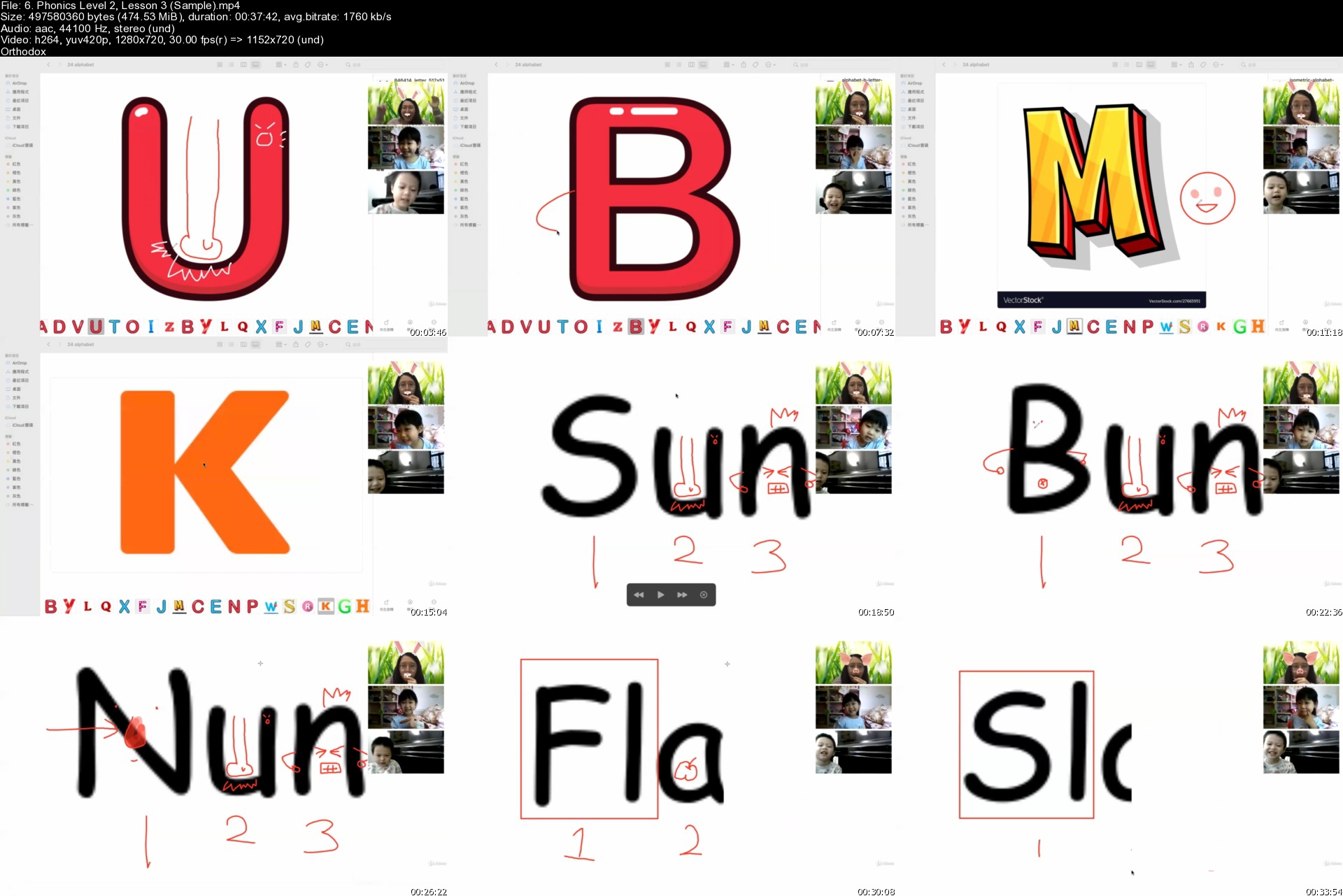
Phonics Level 1-3 (Full)

t2s760tat7hj0orp3tbeb4mk4b.jpg


Phonics Level 1-3 (Full)
MP4 | Video: h264, 1280x720 | Audio: AAC, 44100 Hz
Language: English | Size: 9.06 GB | Duration: 14h 57m


What you'll learn
Learn the 42 common sounds. Learn to blend the 42 sounds to make words. Learn to recognize the 42 sounds through dictation. Learn to spell the blended sounds. Will be nurtured to lead the class in group activities such as spelling and reading. Learn to teach in a class room setting or online setting. Learn to teach others. TESOL certification given after training.
Requirements
English should be his/her Native language or 2nd language. Other than being a Native speaker or 2nd language user, no courses or prerequisites required.

Description
Our whole package for Phonics includes 3 levels. In each level, there are 10 lessons, 1 midterm and 1 final. Upon finishing the first 5 lessons, a midterm is taken to determine whether the person can move ahead to the next few lessons. After all 10 lessons have been finished, the person needs to take a final, including all the material learnt in the past 10 lessons. Lastly, once all Phonics levels have been finished, the person, i.e. student or teacher, may move onto the next course, Spelling, which has 2 levels.

Content

Learn the 42 common sounds

Learn to blend the 42 sounds to make words

Learn to recognize the 42 sounds through dictation

Learn to spell the blended sounds through weekly revision


Description

Teachers will be able to build their foundational structure on all phonetic sounds academically. Not only that, our courses are tailor made by our chairman, Tommy Tam, in which Phonics is taught in a completely different way. Normally educational institutions teach from the left to the right. However, we teach Phonetic sounds from the right to the left to help create a more structural base for students. Instructors who are interested may start the course after completing all the course, you may receive a certificate as well as a chance to work to work for TAEASLA as an Academic English Instructor.


Who this course is for:
Instructors or students looking to expand their skills as well as teach.


Homepage

6.phonicslevel2lessoniqkve.jpg


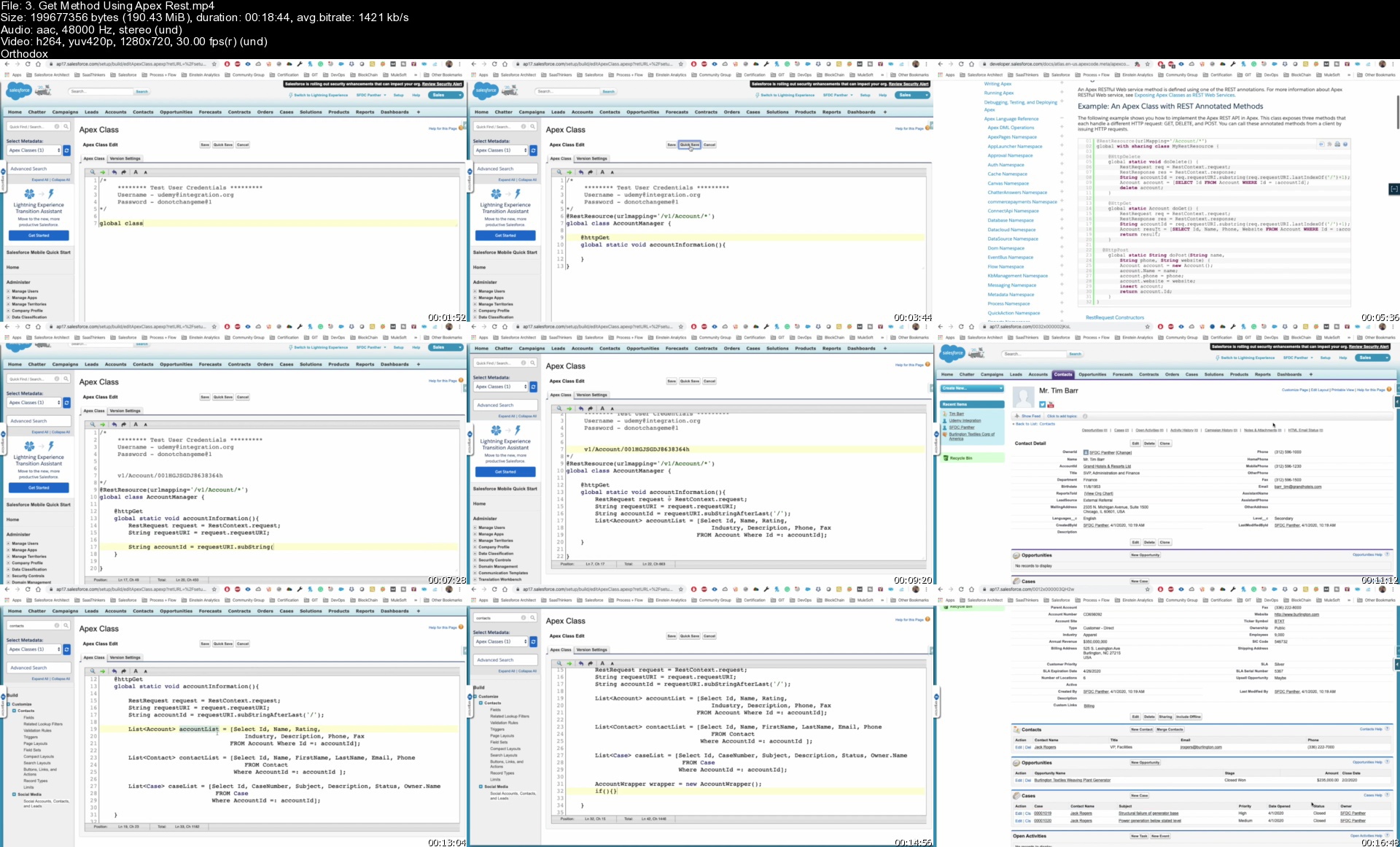
Mastering Salesforce Integration: Novice to Professional

4t4ptmfqwxfi74zldxble7njqz.jpg


Mastering Salesforce Integration: Novice to Professional
MP4 | Video: h264, 1280x720 | Audio: AAC, 44100 Hz
Language: English | Size: 11.9 GB | Duration: 22h 17m


What you'll learn
What Integration & When to use Integration
Why we need to use integration
Types of Authentication used in various integration API
Salesforce Integration from basic to advance a step by step implementation
Integrate Different third party with Salesforce
REST & SOAP WebServices
Streaming, Metadata, Chatter, Analytics API's
Platform Event, Outbound Message, Heroku
Integration Best Practices
Integration Design Pattern

Requirements
Basic Understanding of Apex Development
Basic Understanding of Lightning Development


Description
As we are living in a world where everything is related to each other and collaboration is a key thing to succeed.

This course is designed to learn Salesforce Integration from the very beginning and then advanced to Advance Salesforce Integration. In this course, you will be able to learn every basic information about Salesforce Integration.

By integrating Salesforce with other applications, organizations can now tap to vast unknown resources and provide them with much greater operational visibility.

This course leverage all types of Authentication that can be used while integration with any third-party system including API Key, Basic, OAuth 2.0, OAuth 1.0, JWT &, etc.

In this course, you will also learn how to use different API REST & SOAP, which is best in which case.

At the end of the course, you will be able to write any kind of integration for sure.

Note: - The course contains a Major project to Integrate Salesforce with the Pipedrive system.

Bonus:-

You will get the PPT of each lecture

Code related to each lecture

New Videos will be added in the coming future related to other integration topics

Plenty no of Assignments for you to practice the integration

List of 20+ API to integrate with Salesforce

Live Project implementation along with me

Course Completion Certification

Multiple Assignments are there for most of the sections.


Who this course is for:
All Salesforce Developer
All Salesforce Admin
Personnels eager to learn Salesforce Integration


Homepage

3.getmethodusingapexrw5kiw.jpg


Zurück
Oben Unten