• Regeln für den Video-Bereich:

    In den Börsenbereich gehören nur Angebote die bereits den Allgemeinen Regeln entsprechen.

    Einteilung

    - Folgende Formate gehören in die angegeben Bereiche:
    - Filme: Encodierte Filme von BluRay, DVD, R5, TV, Screener sowie Telesyncs im Format DivX, XviD und x264.
    - DVD: Filme im Format DVD5, DVD9 und HD2DVD.
    - HD: Encodierte Filme mit der Auflösung 720p oder darüber von BluRay, DVD, R5, TV, Screener sowie Telesyncs im Format x264.
    - 3D: Encodierte Filme von BluRay, die in einem 3D Format vorliegen. Dies gilt auch für Dokus, Animation usw.
    - Serien: Cartoon/Zeichentrick, Anime, Tutorials, Dokumentationen, Konzerte/Musik, Sonstiges sind demnach in die entsprechenden Bereiche einzuordnen, auch wenn sie beispielsweise im High Definition-Format oder als DVD5/DVD9/HD2DVD vorliegen. Ausnahme 3D.
    - Bereich Englisch: Englische Releases gehören immer in diesen Bereich.
    - Bereich Talk: Der Bereich, in dem über die Releases diskutiert werden kann, darf, soll und erwünscht ist.


    Angebot/Beitrag erstellen

    - Ein Beitrag darf erst dann erstellt werden, wenn der Upload bei mindestens einem OCH komplett ist. Platzhalter sind untersagt.
    - Bei einem Scenerelease hat der Threadtitel ausschließlich aus dem originalen, unveränderten Releasenamen zu bestehen. Es dürfen keine Veränderungen wie z.B. Sterne, kleine Buchstaben o.ä. vorgenommen werden. Ausnahme Serienbörse:
    - Bei einem Sammelthread für eine Staffel entfällt aus dem Releasename natürlich der Name der Folge. Beispiel: Die Simpsons S21 German DVDRip XviD - ITG
    - Dementsprechend sind also u.a. verboten: Erweiterungen wie "Tipp", "empfehlenswert", "only", "reup", usw. / jegliche andere Zusatzinformation oder Ergänzung, welche nicht in obiger Beschreibung zu finden ist.

    Aufbau des Angebots und Threadtitel

    Der Titel nach folgendem Muster erstellt zu werden. <Name> [3D] [Staffel] [German] <Jahr> <Tonspur> [DL] [Auflösung] <Quelle> <Codec> - <Group>
    Beispiel: The Dark Knight German 2008 AC3 DVDRip XviD - iND
    Beispiel: The Dark Knight 2008 DTS DL BDRip x264 - iND
    Beispiel: The Dark Knight 2008 AC3 DL BDRip XviD - iND
    Beispiel: The Dark Knight German 2008 AC3 720p BluRay x264 iND
    Beispiel: The Dark Knight 2008 DTS DL 1080p BluRay x264 iND
    Beispiel: Die Simpsons S01 German AC3 DVDRip XviD iND
    Beispiel: Die Simpsons S20 German AC3 720p BluRay x264 iND
    Beispiel: Sword Art Online II Ger Sub 2014 AAC 1080p WEBRip x264 - peppermint
    Entsprechend sind also u.a. verboten: Sonderzeichen wie Klammern, Sterne, Ausrufezeichen, Unterstriche, Anführungszeichen / Erweiterungen wie "Tipp", "empfehlenswert", "only", "reup", usw. / jegliche andere Zusatzinformation oder Ergänzung, welche nicht in obiger Beschreibung zu finden ist
    Ausnahmen hiervon können in den Bereichen geregelt sein.

    Die Beiträge sollen wie folgt aufgebaut werden:
    Überschrift entspricht dem Threadtitel
    Cover
    kurze Inhaltsbeschreibung
    Format, Größe, Dauer sind gut lesbar für Downloader außerhalb des Spoilers zu vermerken
    Nfo sind immer Anzugeben und selbige immer im Spoiler in Textform.
    Sind keine Nfo vorhanden z.B. Eigenpublikationen, sind im Spoiler folgende Dateiinformationen zusätzlich anzugeben :
    Quelle
    Video (Auflösung und Bitrate)
    Ton (Sprache, Format und Bitrate der einzelnen Spuren)
    Untertitel (sofern vorhanden)
    Hosterangabe in Textform außerhalb eines Spoiler mit allen enthaltenen Hostern.
    Bei SD kann auf diese zusätzlichen Dateiinformationen verzichtet werden.

    Alle benötigten Passwörter sind, sofern vorhanden, in Textform im Angebot anzugeben.
    Spoiler im Spoiler mit Kommentaren :"Schon Bedankt?" sind unerwünscht.


    Releases

    - Sind Retail-Release verfügbar, sind alle anderen Variationen untersagt. Ausnahmen: Alle deutschen Retail-Release sind CUT, in diesem Fall sind dubbed UNCUT-Release zulässig.
    - Im Serien-Bereich gilt speziell: Wenn ein Retail vor Abschluss einer laufenden Staffel erscheint, darf diese Staffel noch zu Ende gebracht werden.62
    - Gleiche Releases sind unbedingt zusammenzufassen. Das bedeutet, es ist zwingend erforderlich, vor dem Erstellen eines Themas per Suchfunktion zu überprüfen, ob bereits ein Beitrag mit demselben Release besteht. Ist dies der Fall, ist der bereits vorhandene Beitrag zu verwenden.
    - P2P und Scene Releases dürfen nicht verändert oder gar unter einem iND Tag eingestellt werden.


    Support, Diskussionen und Suche

    - Supportanfragen sind entweder per PN oder im Bereich Talk zu stellen.
    - Diskussionen und Bewertungen sind im Talk Bereich zu führen. Fragen an die Uploader haben ausschließlich via PN zu erfolgen, und sind in den Angeboten untersagt.
    - Anfragen zu Upload-Wünschen sind nur im Bereich Suche Video erlaubt. Antworten dürfen nur auf Angebote von MyBoerse.bz verlinkt werden.


    Verbote

    - Untersagt sind mehrere Formate in einem einzigen Angebotsthread, wie beispielsweise das gleichzeitige Anbieten von DivX/XviD, 720p und 1080p in einem Thread. Pro Format, Release und Auflösung ist ein eigener Thread zu eröffnen.
    - Grundsätzlich ebenso verboten sind Dupes. Uploader haben sich an geeigneter Stelle darüber zu informieren, ob es sich bei einem Release um ein Dupe handelt.
    - Gefakte, nur teilweise lauffähige oder unvollständige Angebote sind untersagt. Dies gilt auch für eigene Publikationen, die augenscheinlich nicht selbst von z.B. einer DVD gerippt wurden. Laufende Serien, bei denen noch nicht alle Folgen verfügbar sind, dürfen erstellt und regelmäßig geupdatet werden.
    - Untersagt sind Angebote, welche nur und ausschließlich in einer anderen Sprache als deutsch oder englisch vorliegen. Ausnahmen sind VORHER mit den Moderatoren zu klären.


    Verstoß gegen die Regeln

    - Angebote oder Beiträge, die gegen die Forenregeln verstoßen, sind über den "Melden"-Button im Beitrag zu melden.
  • Bitte registriere dich zunächst um Beiträge zu verfassen und externe Links aufzurufen.

++ Premium IPTV ++ 7000 Live Sender ++ UHD Qualität ++ Mediathek mit 18.000 Inhalten ++


VenneTV


Englische Tutorials

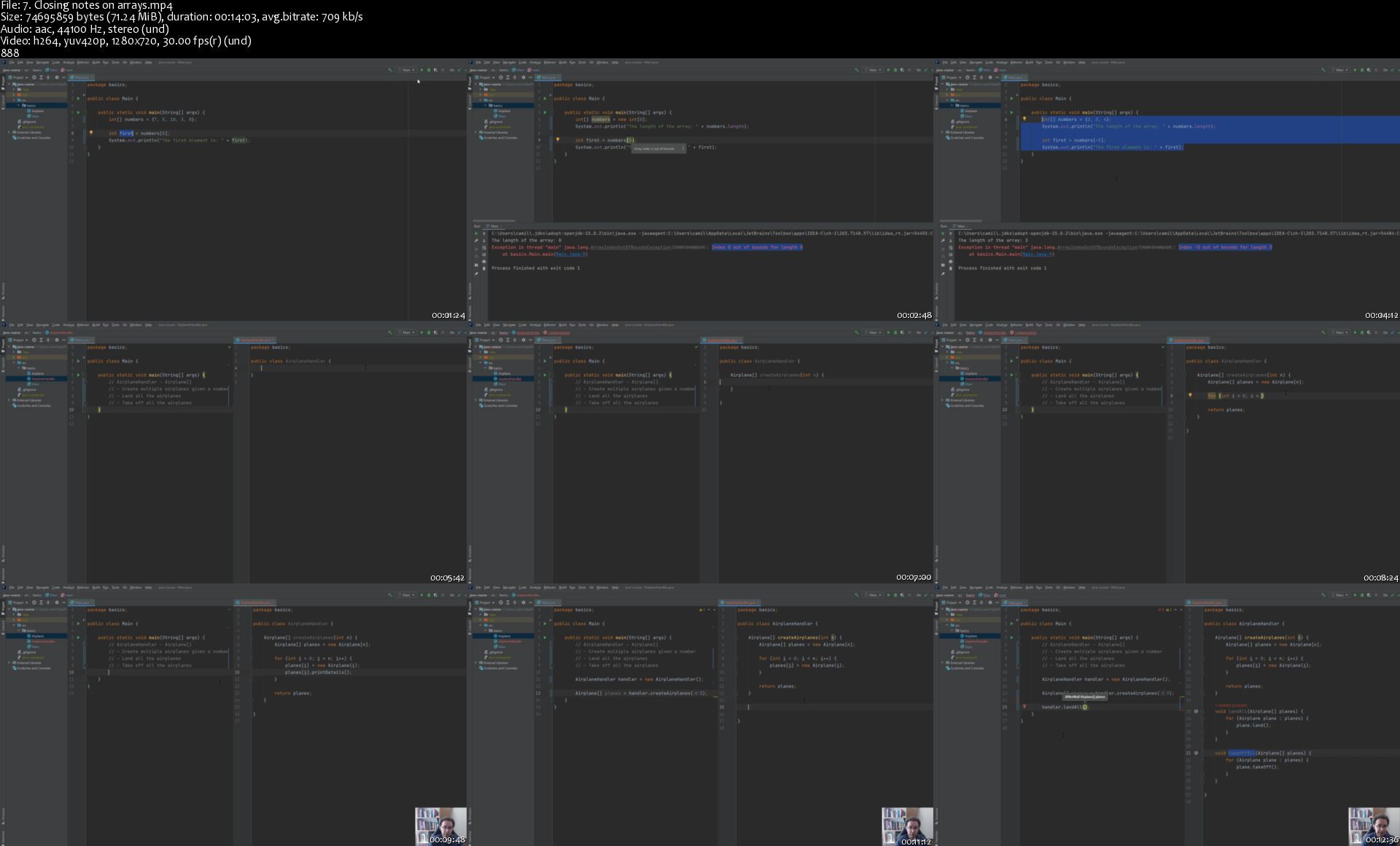
Java Programming - The language and tools for beginners

pxllmmv1g2ilyptipo35d34j0b.jpg


Java Programming - The language and tools for beginners
MP4 | Video: h264, 1280x720 | Audio: AAC, 44.1 KHz, 2 Ch
Genre: eLearning | Language: English + srt | Duration: 94 lectures (16h 2m) | Size: 5 GB

Learn Java Programming and start building Java Applications with tools used in the industry

What you'll learn:
You'll learn the core Java language features and skills required to start developing in Java.
You'll also learn programming fundamentals that can be applied in Java and in other programming languages.
Understand how to write Java Applications
Learn how to use some of the most common data structures in the Java Collections package.
Fundamentals of Object Oriented Programming (OOP) - including inheritance, polymorphism and others.
Understand what different options are available in Java for solving different problems, and learning how to decide what options to use depending on the requirements.

Requirements
A desire to learn and practice (we'll have several practice exercises during the course!)
A computer where you can install Java and an IDE (we'll provide instructions on how to install these as required)


Description
Everything we do, we do it to help people develop their skills and start/advance in their careers so that we can all move forward one step at a time. One of the ways we are working on to fulfill that purpose is via this Java course.

In this course, you'll learn how to program in Java. This course starts from scratch, so no previous knowledge of Java or programming is required.

Join us in this course, where we'll cover everything you'll need to start building Java applications. We hope the course helps you develop your skills and advance in your career.

From installing the tools, introducing the programming fundamentals that you'll require to more advanced Java and OOP (Object-Oriented Programming) topics, we aim to provide you with all the foundations needed to become a Java developer.

Our promise to you:

Provide you with quality content tailored for this course.

Provide support if you get stuck. You can reach the student community and us via the communication channels we've set up for this course.

Keep the content updated and keep adding new content to cover more topics related to the course.

Offer a deep understanding of the different programming, OOP, and Java topics that we'll cover.


What you'll learn:

Programming fundamentals that are transferrable to other programming languages.

What are control flow statements and how to use them.

Understand classes and objects in Java and their relationship to OOP.

Understand the basics of Java, how to define fields, methods, constructors, and more.

What data encapsulation is and how to ensure we're hiding/preventing access to the data correctly.

Additional fundamental OOP Concepts like inheritance and polymorphism and how they are used/implemented in Java.

What are immutable objects, and how to design classes for immutable objects.

Introduction to Data Structures in Java (e.g., Arrays and ArrayList).

What are Generic classes/types and type parameters.

... and more!

Who this course is for
From Students with no previous coding experience to Java developers that want to improve their Java skills.
Java Developers that want to learn about some of the tools used in the industry.
Developers that have already studied a different programming language and want to learn Java.

Homepage
7.closingnotesonarrayvbkdb.jpg


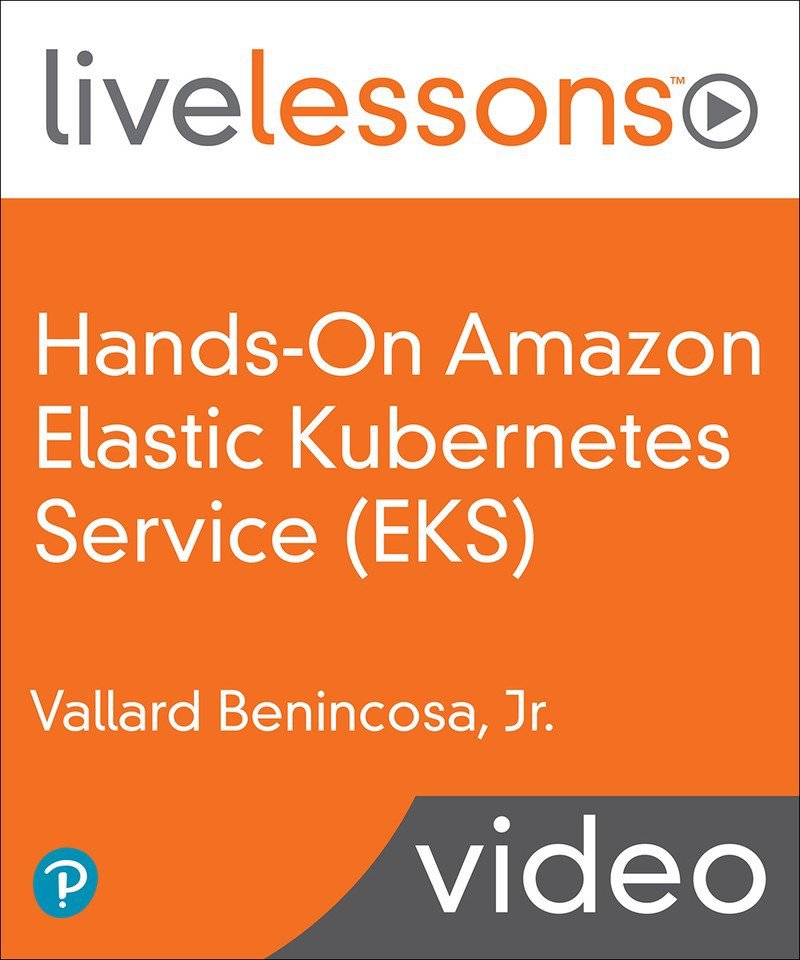
Hands-On Amazon Elastic Kubernetes Service (EKS) LiveLessons: Running Microservices

bpguo9uyzluzhu4231ikpkqj30.jpg


Hands-On Amazon Elastic Kubernetes Service (EKS) LiveLessons: Running Microservices
MP4 | Video: AVC 1280 x 720 | Audio: AAC 48 Khz 2ch | Duration: 02:57:15 | 5.28 GB
Genre: eLearning | Language: English

Three hours of hands-on demonstrations explaining the details of Amazon EKS that shows the power and ease of running and integrating applications on Kubernetes in AWS.

Overview

Hands-On Amazon Elastic Kubernetes Service (EKS): Running Microservices LiveLessons gives a demo-driven overview of running Amazon Elastic Kubernetes Services. The course covers not only the basics of Kubernetes, but also gets into the creation of EKS clusters and running real workflows on the cluster. The course shows common administrative tasks and wraps up with demos that help integrate an EKS cluster with a Serverless project as well as an application that uses DynamoDB from within the cluster.

About the Instructor

Vallard Benincosa is a senior engineer at a company called WeaveGrid, which focuses on climate change by efficiently coordinating between electric vehicles and utility companies. He has worked for a variety of small and large companies working on Kubernetes. He helped develop a Kubernetes certification for the Linux foundation and has been using Kubernetes since 2015. In his day job, he is a lead platform engineer ensuring production applications run reliably in Kubernetes and AWS.

Skill Level
Beginner/Intermediate
What You Will Learn
Learn what problems Kubernetes solves and how it simplifies the management of microservices.
Learn how to install EKS and do administrative tasks with EKS such as upgrading, scaling the cluster, adding users, and viewing the dashboard.
Learn how to securely run applications on EKS and integrate with other AWS services such as: S3, Route53, Load Balancers, and Elastic Block Storage
Learn how to integrate container applications into the AWS ecosystem with Serverless functions performing actions on the Kubernetes cluster or how an application would interface with DynamoDB.
Who Should Take This Course
People who want to learn how to best run Kubernetes on Amazon Web Services
Developers looking to understand how their applications can use EKS and existing AWS services such as DynamoDB, S3, and others in production.
Platform Engineers who want to know how to best run Kubernetes on AWS and understand how applications can benefit from the system.
Course Requirements
Basic understanding of Linux containers
Basic Shell commands for CLI work
Basic hands-on experience with AWS
Table of Contents

Lesson 1: Introduction to EKS
Lesson 2: EKS IAM Resources
Lesson 3: Creating EKS Clusters
Lesson 4: Kubernetes on EKS
Lesson 5: Running Applications
Lesson 6: Administrative Tasks
Lesson 7: Integration with Other AWS Services

Lesson Descriptions

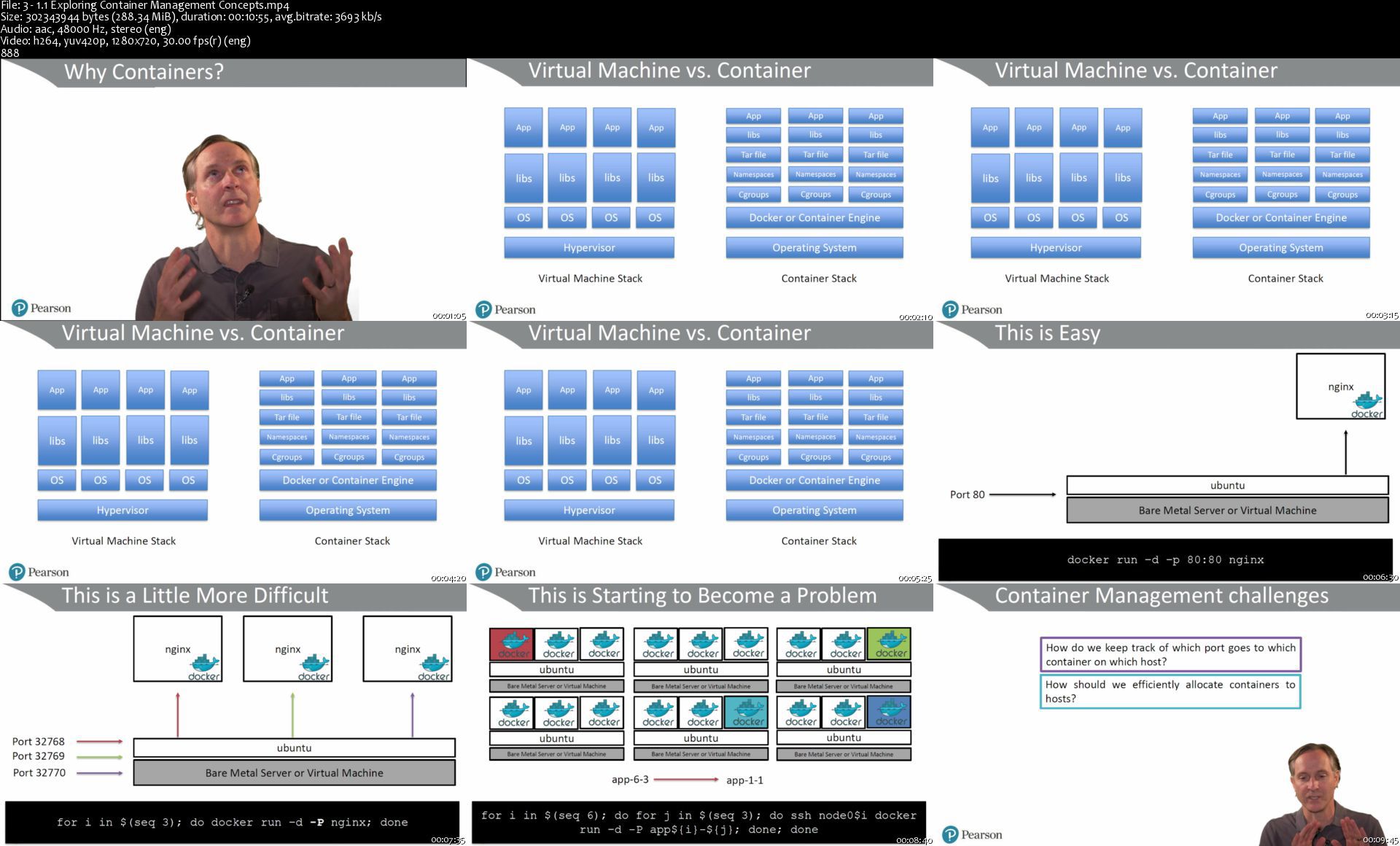
Lesson 1, "Introduction to EKS," lays the groundwork by defining the problems we are looking to solve. Next, it evaluates different solutions to managing container workloads and explores some tradeoffs. Last, it defines a few Kubernetes constructs and shows the value EKS provides.

Lesson 2, "EKS IAM Resources," shows how to set up users for different levels of permission access as well as how to create roles for the EKS services themselves to take on.

Lesson 3, "Creating EKS Clusters," shows two different ways of creating EKS clusters; the first by using the eksctl command line tool, and the second by going through the console. Knowing how to do this part manually will help you understand how to do it with code if you choose to do it with Terraform in your own infrastructure.

Lesson 4, "Kubernetes on EKS," delves more into the details of what EKS really is. It explores Namespaces, Pods, daemonsets, replicasets, and testing Kube-DNS.

Lesson 5, "Running Applications," shows how to expose an application to the world with load balancers and ingress controllers. It also shows how to securely associate real domain names with TLS and wrap up with adding persistent storage.

Lesson 6, "Administrative Tasks," walks through the various upkeep needed to optimize the cluster, including autoscaling, authentication, and upgrades.

Lesson 7, "Integration with Other AWS Services," introduces some of the architectures that are running in the real world where we integrate with serverless frameworks. This lesson also shows how applications interact with other AWS services and how to give permission for this to happen. Last, the lesson wraps with one final application that lists users out of a DynamoDB table.

31.1exploringcontainea7k60.jpg


Gatsby JS Developer's Guide - Important Parts & Blog App

ahbqm43rkpa3hdi0xebofynk36.jpg


Gatsby JS Developer's Guide - Important Parts & Blog App
MP4 | Video: h264, 1280x720 | Audio: AAC, 44.1 KHz, 2 Ch
Genre: eLearning | Language: English + srt | Duration: 99 lectures (12h) | Size: 5.2 GB

Learn popular Gatsby JS(Gatsby v3) framework. Use React/GraphQL to build your own blog page with JAMStack architecture

What you'll learn:
Build Gatsby JS apps on your own
Build static page apps with modern technologies
Understand meaning and benefits of JAMStack
Use GraphQL to your advantage

Requirements
Minimal Javascript or other programming language knowledge
React JS Basics


Description
What is Gatsby JS?

GatsbyJS is a React-based, GraphQL powered static site generator. It uses powerful preconfiguration to build a website that uses only static files for incredibly fast page loads, service workers, code splitting, server-side rendering, intelligent image loading, asset optimization, and data prefetching.

Are there any requirements?

Basic React JS knowledge.

What this course cover?

This course is covering all you need to start working on your own Gatsby JS projects. Students of this course will be learning everything by working on real features building their own Blogging application.

Gatsby JS has a rich ecosystem and requires an initial time investment. That's why I created this guide where you can find everything in one place.

Short Curriculum

Basics of Gatsby JS and initialization of the project. Explanation of folder structure and instruction on how to create new pages.

Templating system, Different types of stylings, and ways how to pass data to the pages.

Basics of GraphQL, construction of custom queries, resolvers, arguments, and custom types.

Node architecture and creation of new nodes.

Plugin system. Explanation of source and transformer plugins. Sourcing data from a local filesystem and rendering markdown files into actual HTML pages.

Filesystem route API

Pagination feature. Construction of queries to get pagination data to render static pagination pages.

Search feature. Explanation on why do you need a search index and what is a search engine?

SEO search engine optimization improvements. Use of different meta tags and data to get the best search results. Usage of Open graph tags.

RSS feature. Explanation of really simple syndication and creation of XML file. Subscribing to the blog page through RSS aggregators.

Deployment to Gatsby cloud. Pushing the code to Github repo. Previewing the application on the internet.

PWA features. Explanation of progressive web application, offline support, and installation of the app like a native one.

Context theme provider. How to use context providers and what is the best spot to implement them.

Who this course is for
People looking for the practical Gatsby development guide
Beginner developers eager to start working on web apps
Experienced developers discovering new development opportunities

Homepage

5.bloglistings5ajnn.jpg


Cisco CCNA 200-301 Complete Course With Real Labs

vbozsl9nrp4habzkjodzs5ijs6.jpg


Cisco CCNA 200-301 Complete Course With Real Labs
MP4 | Video: h264, 1280x720 | Audio: AAC, 44.1 KHz, 2 Ch
Genre: eLearning | Language: English + srt | Duration: 59 lectures (14h 2m) | Size: 5.5 GB

The top rated CISCO CCNA 200-301 course online and only one where all questions get a response. Learn with real time lab

What you'll learn:
Once you complete this course, you will be prepared and ready to pass the new Cisco CCNA 200-301 certification exam
Get what you need to pass the up-to-date Cisco CCNA 200-301 exam
Gain hands-on Cisco CCNA configuration and troubleshooting experience through practice labs
Explore how routing and switching technologies work in real world environments
Develop skills to work on enterprise production networks
Learn how to configure Cisco Routers and Switches
You will have basic knowledge on cloud computing and learn how to do use Microsoft Azure

Requirements
There are no specific prerequisites as the course covers all the topics in detail.
You'll need basic knowledge of how to operate a computer and browse the Internet; that's it!
Absolute beginners to networking are welcome. I start with beginner level networking and explain every single concept you need to pass the exam.


Description
Welcome to the New CISCO CCNA 200-301 Complete course.

In this course, you will learn everything from the beginning. I know many people don't know anything about networking, If you are too one of them, then do not worry, this course covers both the fundamentals of networking as well as all the topics in the new Cisco CCNA 200-301 exam and even more than that.

This course helps you prepare for the newest CCNA 200-301 exam. This is your first step towards attaining your Cisco certifications.

This course is unlike other CISCO CCNA courses as it contains:

A large amount of practical video content with detailed explanations.

You will get access to all the labs, notes, and commands that we are going create in this course. So that you can practice offline at your home.

Software - Networking Plus, where you can easily practice CCNA 200-301 Quiz, Interview questions, etc that will help you to prepare for the exam.

Ask yourself these questions:

Are you ready and prepared for the labs in the new Cisco CCNA 200-301 lab exam?

Are you able to troubleshoot Cisco networks?

Are you confident with your ability to configure networks as required by Cisco to pass the CCNA?

Answer:

This course helps you prepare for the exam and gain the confidence to pass the exam!

There are many topologies and many labs in this course

Feel free to take a look at the course description and some of the sample free videos.

You will get many videos in future that will help you to up-to-date with the industry.

I look forward to seeing you on the inside!

#CCNA_200_301 #CISCO_CCNA #CCNA

Who this course is for
Anyone who wants to learn CCNA from basics
If you are interested in a Networking career, then this course is for you!
Anyone who wants to pass the Cisco CCNA 200-301 exam and start or improve a career in networking.
This course will prepare the student for the CCNA 200-301 certification exam.

Homepage

1.classcsubnettingsq6j23.jpg


AloMoves - Alo in the Wild- Baja

2jnhebwh17yoqram61ecac7kpl.jpg


AloMoves - Alo in the Wild- Baja
MP4 | Video: h264, 1280x720 | Audio: AAC, 44.1 KHz, 2 Ch
Difficulty: Moderate | Genre: eLearning | Language: English | Duration: 20 Videos (4h 35m) | Size: 10.1 GB

Instructor : Tawny Janae & Kupah James ¡Hola! Reunamos en Baja para Alo in the Wild. We're taking the movement to Mexico with stackable 5-, 10-, 15-, and 20-minute power yoga flows, fitness blasts, HIIT cycles, plus stretching and chill flows. Work all areas of your body with these two energetic and inspiring instructors.

In this series, you will:
- Create a perfect workout with stackable, repeatable classes
- Choose between power yoga, fitness, or stretch sessions
- Train and flow with upbeat, high-energy instructors out in the wild

Homepage

5minuteexpansivebreat3ako5.jpg


Ivan Mana - Affiliate Marketing Mastery

atjpiok1rpjt9vi3t8cjxp7krs.png


Ivan Mana - Affiliate Marketing Mastery
5.79 GiB | 11h 23mn | Video: .MP4 1920x1080 | Audio: AAC, 44100 Hz, 2 channels, 128 Kbps
Genre: eLearning | Language: English

Learn the exact strategies I use to generate $2,500+ on ClickBank weekly.
This complete 9-hour Affiliate Marketing Mastery course will take you from beginner to advanced in making money online with affiliate offers.

It's a simple "3-step ladder" process where we go from beginner to advanced in learning the fundamentals of making money online with ANY offer, ANY affiliate network, and ANY paid ad network.

With no fluff, no BS, and no hour-long motivational talks.

My name is Ivan and I have generated a full-time 6-figure income working from home promoting affiliate products on Facebook Ads, Google Ads, and Microsoft Ads.

Everything I will teach you in this course is on point and relevant to the topic at hand - mastering affiliate marketing.

We will be taking one step at a time, going over the very basics and ending with the advanced.

Whether you are a complete beginner or are already promoting affiliate products, this course is perfect for you.

So let's get started and by the end of the course, you can expect to to be a master affiliate marketer knowing all the fundamentals that you MUST KNOW to make money online.

What You Will Learn In This Course
Take a look at the course content below if you want to learn more about what exactly I'll be covering in this course.

But in short, you will learn the 3-step process to making money with any affiliate product online.

You will learn the main fundamentals of making money online that you can apply ANYWHERE.

Ivan Mana:

Welcome online entrepreneur!

My name is Ivan and I have generated a full-time 6-figure income working from home over the past few years. I started online marketing in January 1st, 2017 (yes, this exact date is when I first type in "what is affiliate marketing" into YouTube) and made my first sale a few months in. Since then, I have been working from home and running ads on a variety of ad networks as well as growing my brand.

Coupled with the fact that I love to teach, I wanted to share everything I went through in my journey, especially some things that took me hours to learn or hours of back-and-forth with support reps for any given network/software product/etc.

Therefore I decided to create a YouTube channel and blog where I could share my content with the rest of the world. I went through a lot of hoops and learning experiences these past 4 years, and want to leave nothing out and share it all with you.

When I first started, naturally I purchased a lot of online marketing training courses. What bothered me the most and still bothers me to this day is that some of the instructors spend 95% of their time talking about completely irrelevant and useless things that have absolutely no relevance to their topic or course, and yet charge so much for it. So their 5 hour course for instance is filled with 4 hours and 45 minutes of absolute nonsense that is completely off-topic.

I have therefore decided to make it my mission to provide you with only the most relevant information on any topic I'm discussing and any course I'm teaching. That means that if my course is 4 hours long, you can expect to see 4 hours of real content that you came here to see and learn about - no fluff and no BS.

That being said, I am really excited to have you here and am really looking forward to helping you improve your online marketing via the content I offer.

unldvjf2gemmpkwjrovd06khh.jpeg


Learn to Play Piano or Keyboard from Zero to Hero

00839a25zdk61.jpg


Learn to Play Piano or Keyboard from Zero to Hero
Created by Nzubahimana Birali Faustin | Published 4/2021
Duration: 9h 1m | 48 sections | 123 lectures | Video: 1280x720, 44 KHz | 11.5 GB
Genre: eLearning | Language: English + Sub

From Beginning, Intermediate to Professional Learn All Keys: A , A# , B, C, C#, D, D#, E, F, F# , G, G# from scratch


What you'll learn
You will learn to play anything on the Piano or Keyboard. You will learn all the chords which will help you to play any kind of song. You will learn how to play Piano or Keyboard using all 12 keys, Understand with examples the usage of Major Chords, Minor Chords , Quarter Chords , Diminished Chords, Augmented Chords, 7th Chords, Major 7th Chords, Minor 7th Chords, Dominant 7th Chord and play using different movements and so on. You will be able to Identify Notes on the Keyboard, Octaves The White Keys and The Black Keys.

Requirements
A piano or keyboard is required for practice. Having it at home would be very important to practice what you are learning. No prior musical knowledge is necessary. If you are familiar with it already is better but we will start from the basics. Practice Five (5) minutes or more every day may help you to progress very fast.

Description
This Course is huge, but is divided into different section and less than 10 minutes videos.
Every lesson is accompanying with a PDF eBook that you can print and show you everything learned in the video
After completing this course, you will be able to play any kind of music in any kind of style, in any key. This course will give you a step by step guide to fully learning the Piano or Keyboard
This Course is for everyone willing to learn Piano or Keyboard and play as a professional.
After completing this course, you will be able to play any kind of music in any kind of style in any kind of key
We will start this Course from the Basics which is for students who are just starting to learn the piano, then move to Intermediate lessons which are for the Students who completed the basics section or who already have experience with the piano. Advanced is for players who have completed the Basics and Intermediate level.
\n
If not yet, Don't wait! Take this Course for fully lessons of the piano and become an amazing musician
In this Course we will cover :
· 2. Scale Construction
· 3. Major Scale
· 4. Cycle of fourths, Cycle of fifths
· 5. Play 1-4-5 with all 12 Keys
· Minor Chords Movements
· Augmented Chords
· Diminished Chords
· Quartal Chords
· Combined movements

Who this course is for:This Course is for everyone willing to learn Piano or Keyboard and play as a professional

6.play145inthekeyofdmzekwr.jpg


Cinema 4D Ascent Weeks 1 - 8

fnrixe0u8sfsjxxxcqmti5mk7o.jpg


Cinema 4D Ascent Weeks 1 - 8
MP4 | ENG | Video: h264, yuv420p, 1920x1080 | Audio: aac, 48000 Hz | Duration: 30h:19m | Size File: 35.7 GB
Genre: eLearning

WEEK 1

WHAT YOU'LL LEARN
Basic sculpting tools in Cinema 4D.
How to use Collision and Displace deformers.
How to utilize Generator Objects like Lathe, Atom Array, and Cloth Objects to generate geometry.

WEEK 2

WHAT YOU'LL LEARN
Universal render concepts like global illumination, ambient occlusion, samples, & more.
The importance of 3rd party renderers, and the difference between biased & unbiased rendering.
Redshift and Octane Render and how Physical Render concepts translate.

WEEK 3
WHAT YOU'LL LEARN
How Node Materials work and essential Redshift nodes.
How to use image textures to add imperfections.
How to create stylized 2D looking materials using Sketch and Toon and Redshift.

WEEK 4

WHAT YOU'LL LEARN
An overview of Octane materials such as subsurface scattering, blurs, bumps, & more.
How the material systems work.
Nodes and how they work in Octane.

WEEK 5

WHAT YOU'LL LEARN
How to utilize various Fields to enhance your animation workflow.
Vertex Maps and Freeze Layers, and how they can be used to create a variety of effects.
A deeper understanding of Mograph features like Cloners, Fields, Vertex Maps, and Effectors.

WEEK 6

WHAT YOU'LL LEARN
Rigid and Soft Body Dynamics, what they are, and how to use them.
Spline and Hair Dynamics.
Using Dynamics with Vertex Maps and other tools.

WEEK 7

WHAT YOU'LL LEARN
What X-Particles is and how/when/why to use it.
Using X-Particles for Dynamics.
Some cool, current work from motion designers using X-Particles.

WEEK 8
WHAT YOU'LL LEARN
IK/FK under the lens of mechanical rigging & practical mograph applications.
Rigging up a scene and animating it using mechanical IK.
How to rig a simple character that has an object attached.

Cinema 4D Ascent will teach you the fundamentals of some of the most important and marketable 3D concepts. Over the course of 12 weeks, you'll go from beginner to intermediate level 3D artist that's fluent in Cinema 4D and familiar with other 3D tools.

Master 3D concepts in Cinema 4D.
You know Cinema 4D. You understand the foundations, have a good grasp on the tools and basic 3D concepts. But when you look at work from top studios and artists, you know you're just not there yet. How do you breach the gap? This class will teach you the important, fundamental 3D concepts you need to know to create beautiful renders and tackle any task a studio or client might throw at you.

Homepage

materialswalkthroughw8lk7d.jpg


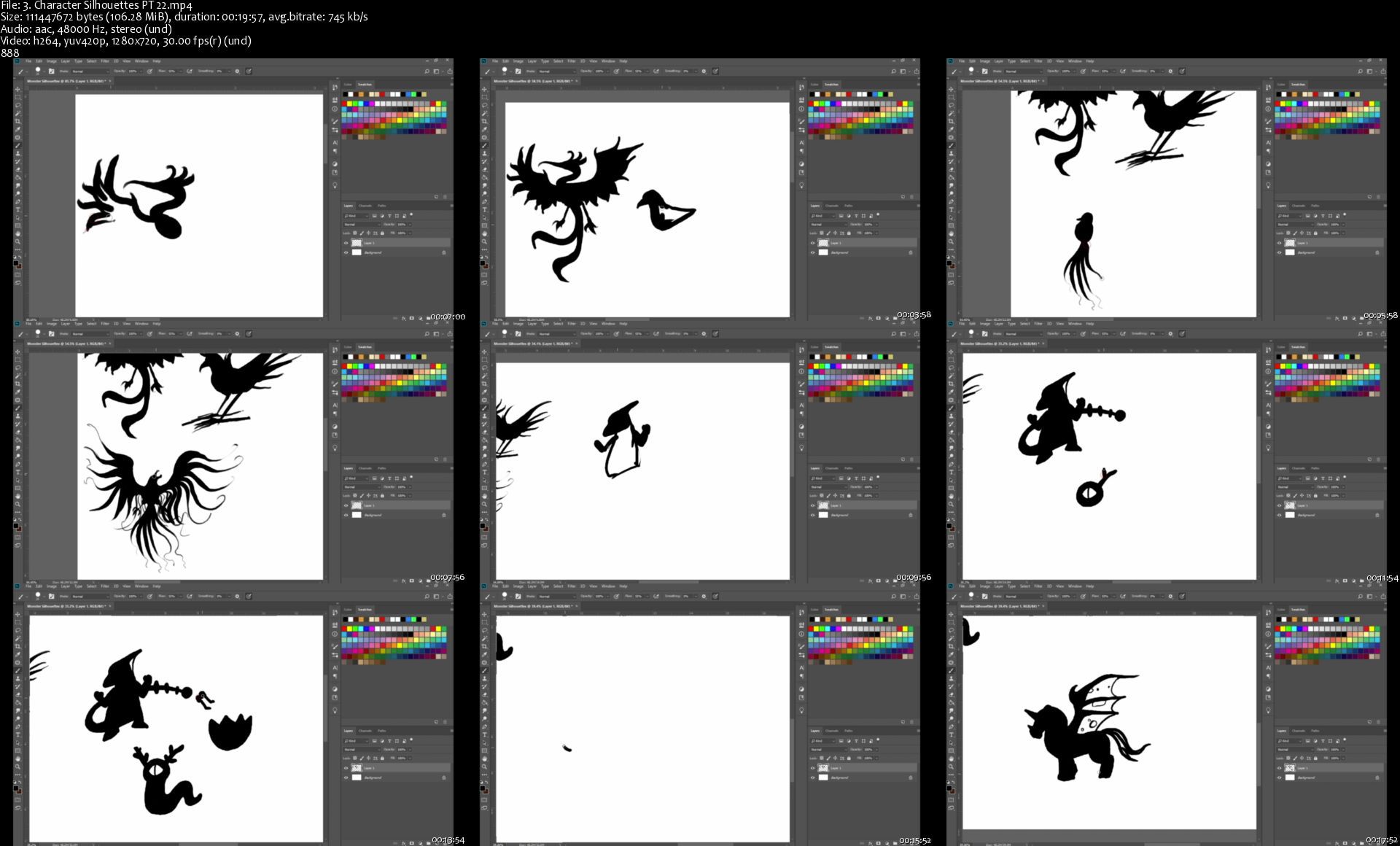
Character Design: A Complete Guide to Drawing 2D Characters

zb2qhnpbfg3hxnkcs1obvoyj4l.jpg


Character Design: A Complete Guide to Drawing 2D Characters
MP4 | Video: h264, 1280x720 | Audio: AAC, 44100 Hz
Language: English | Size: 16.8 GB | Duration: 18h 25m


What you'll learn
Download a 100-page PDF with Skill-Testing Worksheets!
Use a 2-Step Character Design Workflow
How to Create Amazing Characters From Scratch
How to Draw Better Muscle Anatomy
How to Give Your Character a Dynamic Pose
How to Understand Fabric Folds for Clothes
How to Produce Lineart, Add Color, and Cel Shade Digitally
How to Draw the Human Face Accurately
Requirements
A pencil and paper!
Optional: Digital drawing tablet and Photoshop

Description
Do you want to be able to draw characters from your imagination?

Perhaps you want to draw characters for video games or movies? Or start your own comic series?

If you said yes, this is the perfect course to learn character design.

You'll learn the entire process from understanding shapes and shape language, to drawing the human head & figure. You'll learn how to draw several poses for your characters; understand how lighting can effect the mood and style of your character; and transform your hand-drawn character into digital art.

Enroll now and get instant access to:

18.5+ hours of video lessons

100 page workbook PDF

Student drawing community

Premium Instructor support

Lifetime updates to the class

How does the course work?

Jump right in with drawing warm up exercises. Then, learn our recommended tools and jump right into drawing character silhouettes. From there, you'll learn how simple shapes can give off different feelings - friendly vs. mean, good vs. evil, etc. You'll then learn how to draw the human head and figure.

Once you've learned all of these basics, you'll put it all together with some full character designs. After drawing your first full characters, you'll learn different poses to draw your character in.

The rest of the course covers some advanced drawing techniques, lighting styles, Photoshop skills, as well as deeper dives into character elements like hair, cloth, armor and more.

This is a very practical course! You'll be drawing and sketching your own characters throughout the entire class! And by the end of class, you should have several characters drawn, and the skills to draw any character from your imagination!

Why take this course from us?

Being able to create characters from your imagination is a sought after skill that is required by most major media companies in some aspect of their creative process. Whether it is to create films, games, or comic books, there is always a spot for someone who can draft up new, innovative, and magical ideas to bring the project to life. Even in the 21st century where much of the world's entertainment is in 3D, a skilled 2D illustrator is a vital asset in providing the initial designs that later become sculpted and rigged assets in 3D software.

The purpose of this course is to provide the student with theoretical and practical knowledge that will be immediately useful when trying to get better at character drawing. This course is targeted towards hobbyists as well as beginners who seek to be professionals. Each topic will be taught at a comfortable pace and reiterated multiple times throughout the course. Students who enroll in this course will learn to think like an artist and adapt to a workflow that will allow them to produce designs that can be used by a 3D modeler in the studio pipeline.

Who is your course instructor?

This course is led by Kevin Gardin, the founder of Drawcademy, in partnership with Video School, creators of several top-rated courses in the fields of art, design, photography and video creation. Kevin has been drawing his own characters for years, both professionally and as a hobbyist. He is excited to share his knowledge and passion with you.

Are you ready to start your own character design journey?

We're so excited that you're here reading this course description, and know that once you enroll you won't regret it.

Click that enroll button and start drawing today!


Who this course is for:
Anyone new to drawing who wants to learn how to draw better characters
Anyone who wants to learn character design for movies, video games, comics, or cartoons


Homepage

3.charactersilhouetteu4kkz.jpg


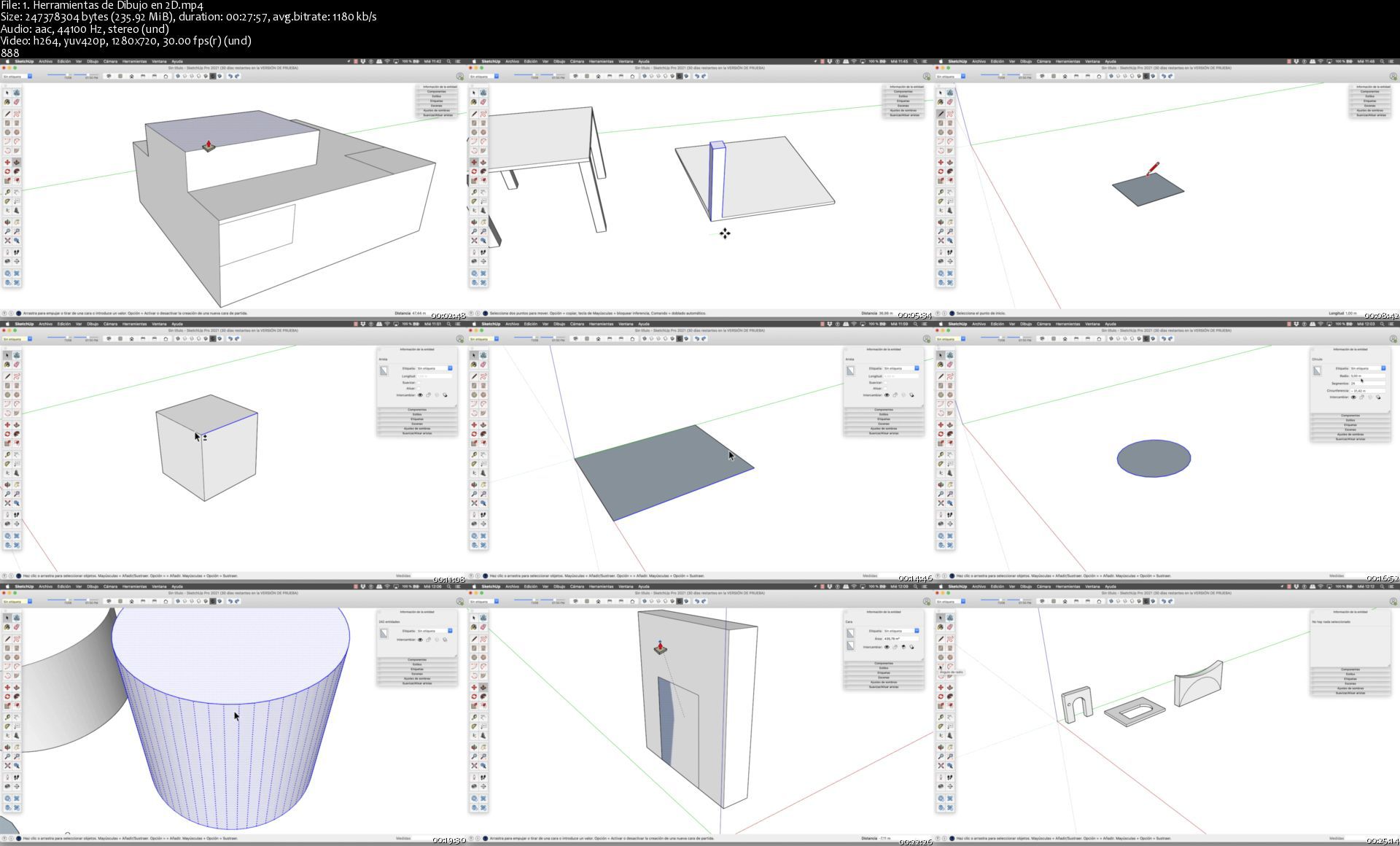
SketchUp 2021 para Mac OS

65efuyencfdqsnzjz5l853gk60.jpg


SketchUp 2021 para Mac OS
MP4 | Video: h264, 1280x720 | Audio: AAC, 44100 Hz
Language: Spanish | Size: 5.86 GB | Duration: 4h 20m


What you'll learn
SketchUp para Mac OS
Realizaremos múltiples prácticas para que puedas usar este fantástico software de forma totalmente profesional.
Conocerás en detalle mi flujo de trabajo a la hora de afrontar un proyecto realizado con este imprescindible programa.
Aprenderás a tu ritmo (curso 24/7 sin caducidad), reforzará tu portfolio y te certificarás profesionalmente.
Al acceder a este curso formarás parte de una comunidad educativa especializada en la materia, que te dará soporte, recursos y asesoramiento de por vida.
Requirements
Para la realización de este curso no ser requieren grandes conocimientos previos, ya que la formación se acomete desde un nivel de usuario 0.
Durante el curso trabajaremos con la última versión del programa, pero no te preocupes si tienes una versión anterior, ya que las distintas versiones difieren muy poco entre sí. Si existe algún cambio importante entre las distintas versiones hablaremos de ello durante la formación.
Para la realización de este curso no vas a necesitar el equipo informático más potente del mercado, ya que el software empleado en la formación se encuentra perfectamente optimizado y su uso es muy fluido en todo tipo de equipos, tanto en PC como en Mac.
Este curso es totalmente audiovisual y práctico, por lo que su entendimiento es fácil, rápido e intuitivo.
Cuando compres el curso vas a poder acceder a las clases cuando y donde quieras. El curso se queda en tu cuenta de Udemy para siempre. :)
El más importante requisito para realizar este curso es el entusiasmo y la motivación por aprender nuevas habilidades que aumenten tus competencias profesionales.

Description
Modela en 3D con SketchUp para Mac OS. Impartido por Arquitecto

SketchUp es sin duda el programa más rápido y sencillo para poder modelar en 3D cualquier tipo de diseño que imagines.

Instructor: Arquitecto Álvaro García. Contenido Actualizado: Mayo 2021

Descripción del Curso:

Tras más de doce años impartiendo formaciones presenciales de SketchUp para Mac OS, la petición de mis alumnos de crear un curso en formato On Line con mis clases y los satisfactorios resultados obtenidos en mi profesión como Arquitecto especializado en visualizaciones arquitectónicas con el programa, he decido publicar el curso completo de SketchUp para Mac OS para la comunidad Udemy.

En el curso de SkethcUp Pro aprenderás un programa de modelado 3D pensado para realizar entornos de arquitectura, interiores, paisajismo, retail, urbanismo, mueble, ingeniería civil, diseño industrial, diseño escénico, videojuegos, visual merchandising.

Muy recomendable para aquellas personas que quieran iniciarse en el modelado en tres dimensiones, ya que SketchUp para Mac OS es conocido por su facilidad de aprendizaje y sus buenos resultados en cuanto a la relación de calidad/tiempo. Diseñado con el objetivo de ofrecer una forma intuitiva y flexible de trabajar a diferencia de sus competidores, más complejos a la hora de aprender.

Dirigido a los que cuentan con poco tiempo y necesitan modelar cualquier tipo de elemento. Pudiendo sacar con este programa el máximo partido a tus proyectos. El curso se estructura en un total de seis bloques temáticos: 01) Introducción a SketchUp, 02) Dibujo 2D, 03) Modelado 3D, 04) Herramientas Auxiliares, 05) Casos Prácticos y 06) Introducción a los Plugins para SketchUp.

Itinerario Formativo:

Introducción a Udemy y Bienvenida al Curso de SketchUp para Mac OS

Dibujo 2D con SkechUp para Mac OS.

Modelado 3D con SketchUp para Mac OS

Herramientas Auxiliares en SketchUp para Mac OS

Casos Prácticos con SketchUp para Mac OS

Introducción a los Plugins para SketchUP para Mac OS

Introducción a LayOut para SketchUp para Mac OS

Recursos para Usuarios de SketchUp para Mac OS

Emisión del Certificado de Finalización del Curso "SketchUp para Mac OS"

Metodología de Aprendizaje:

Recuerda que este curso incluye lecciones en vídeo fullHD con audio de estudio (compatible con TV, PC, Mac, tablet y smartphone), artículos didácticos, actividades, animaciones, ilustraciones, proyectos paso a paso, recursos descargables, links de interés, acceso de por vida, certificado de finalización, tutorización online, y una exclusiva comunidad de aprendizaje privada que nos ayudamos aportando nuestras experiencias en el foro de comunicación del curso.

La modalidad de este curso te permite que empieces y acabes cuando tú quieras, marcando el ritmo de la clase según tu disponibilidad. Puedes volver a visualizar lo que te interese, saltar el contenido que ya domines, hacer preguntas, resolver dudas, compartir tus proyectos... Puedes elegir ver todas las lecciones de forma secuencial (lineal) y aprovecharlas al máximo la formación, pero también puedes decidir ver este curso como una guía de referencia.

Las clases están claramente organizadas en secciones y lecciones, puedes decidir visualizar solo las clases que te resulten más importantes según tus necesidades formativas. La mayoría de las lecciones son independientes para que puedas comprender los conceptos de cada lección sin tener que ver las lecciones anteriores del curso.

Para seguir el programa formativo propuesto no ser requieren conocimientos previos, ya que la formación se acomete desde un nivel de usuario 0. El curso está orientado a aquellos creativos que quieran ampliar sus skills (habilidades) y conocer múltiples trucos, consejos, recursos y recomendaciones, de la mano del instructor Álvaro García. Además la formación disponen de acceso automático al contenido, sin limitación de tiempo, disponibilidad 24/7 (24 horas al día los 7 días de la semana), sin caducidad y con garantía de devolución.

¿A qué esperas?, este curso es ideal para ti, atrévete a convertirte en un experto y expresa tus ideas de la forma que siempre has deseado. Adelante, nos vemos dentro de la formación ;)


Who this course is for:
Orientado a todas aquellas personas que quieran dirigir su carrera profesional a sectores relacionados con el mundo de la construcción, arquitectura y delineación, así como a aquellos estudiantes y/o profesionales que quieran ampliar sus conocimientos en este sector.
Aquellos usuarios del programa que quieran ampliar el dominio de mismo y conocer múltiples trucos, consejos y recursos para esta herramienta.
Curso creado tanto para usuarios principiantes como para aquellos que ya conocen el programa pero quieren profundizar en aprender útiles trucos y flujos de trabajo.
Sectores de la Arquitectura, Ingeniería, Interiorismo, Construcción, Paisajismo, Escenografía, Técnicos, Aparejadores, Topógrafos, Delineantes, etc.
Usuarios que tienen conocimiento cero en el uso del programa y que desean acceder a este mercado para convertirse en un profesional en el área, también aquellos que quieren aprender además de lo básico y especializarse en las funciones más avanzadas de AutoCAD.
Creativos en general con deseo de aprender y crecer profesionalmente.
Estudiantes que quieran acceder a una formación innovadora orientada a la metodología de trabajo del mundo laboral, en un formato de e-learining para aprender donde quieran y a su propio ritmo.
Sobre todo aquellas personas en crecer profesionalmente, aumentar sus habilidades y formar parte de nuestra comunidad educativa.
Principalmente aquellos que quieran aumentar sus posibilidades de empleabilidad, contratación y/o promocionar dentro de su sector.

Homepage

1.herramientasdedibujc4kk8.jpg


Reversing Hero

jkgxl2eharkibfbpvjuzyx9k0z.jpg


Reversing Hero
MP4 | Video: h264, 1920x1080 | Audio: AAC, 48000 Hz, 2 Ch
Language: English | Size: 7.10 GB | Duration: 14h 08m

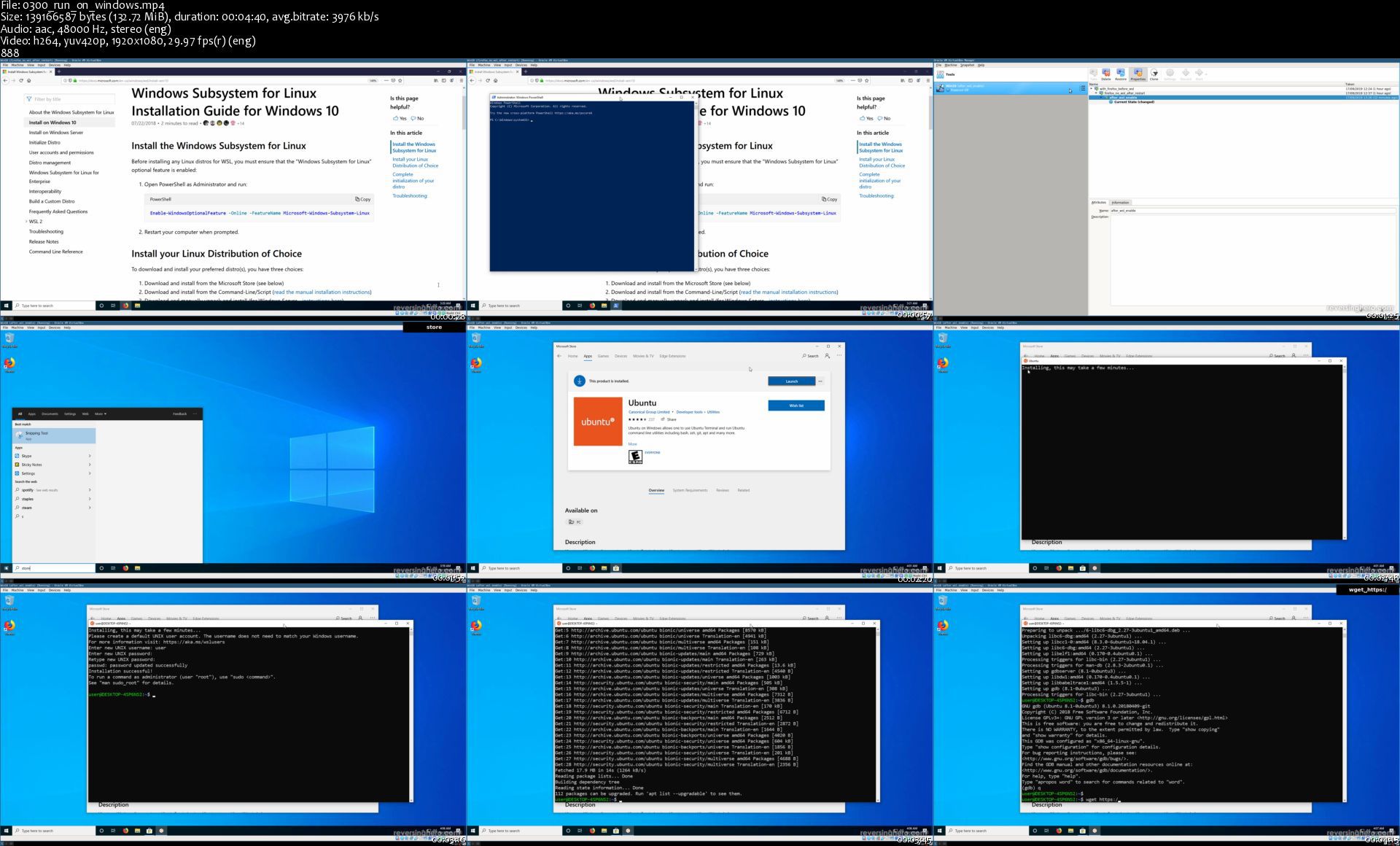
ReversingHero is a Reverse Engineering self learning kit (x86_64 on linux) wrapped inside one binary file. It is made of 15 levels, with difficulty gradually increasing.

This course contains step by step hints and solution videos for solving ReversingHero. To get the most of this course, you should try solving each level yourself, and watch the corresponding video only if you are stuck.

Homepage

0300runonwindowsswxjnd.jpg


Python for Business Analysis and Excel

tnahvyfkl7bojjpnnvlsjukjzc.jpg


Python for Business Analysis and Excel
MP4 | Video: h264, 1280x720 | Audio: AAC, 44.1 KHz, 2 Ch
Genre: eLearning | Language: English + srt | Duration: 119 lectures (20h 50m) | Size: 5.77 GB

Supercharge your business analysis skills by using Python to analyze Excel data!

What you'll learn:
Python fundamentals
Import data from Excel and CSV files into Python
Clean and structure data in Python
Analyze data in Python
Export finalized data analysis back to Excel
Debug code
Build compelling business analysis models using real world examples
Develop customer segmentation analysis
Conduct in-depth process and bottleneck analysis
Analyze seasonality and demand fluctuations
Structure a marketing promotion and analyze the return on investment

Requirements
Basic understanding of Python
Basic understanding of Excel
A computer (PC or Mac)


Description
In this course we'll use Python to:

Read data from Excel and CSV files into Python

Clean and analyze the data in Python going way beyond the functionality that Excel is capable of

Create reusable Python code which can make analyzing data in Python quick and easy

Write data back to Excel for final touches and creating charts

This course uses real world business cases to demonstrate practical applications of Python. By the end of the course you will have a portfolio of business analysis examples that will prove your mastery over Python. This includes:

Customer segmentation analysis - we'll look at a large set of customer data and tease out different customer segments which are more profitable. This will allow the marketing department to determine which groups to target. We'll focus on parents with babies and analyze how much money they spend and what their demographic characteristics look like.

Production bottleneck analysis - we'll look at the production line of a car factory to understand which machines are causing delays in completing the final cars. Using this analysis, we'll make recommendations on which new machines to invest in. Additionally, we'll look at how often machines break down and how this contributes to delays.

Seasonality - we'll analyze daily, monthly, and quarterly trends in a clothing manufacturers sales to understand which times of year produce the best results. We'll also look at how profit margins change over time.

Marketing promotion - we'll create a return on investment (ROI) analysis for a proposed marketing campaign and then analyze the actual results to determine whether our ROI analysis was accurate.

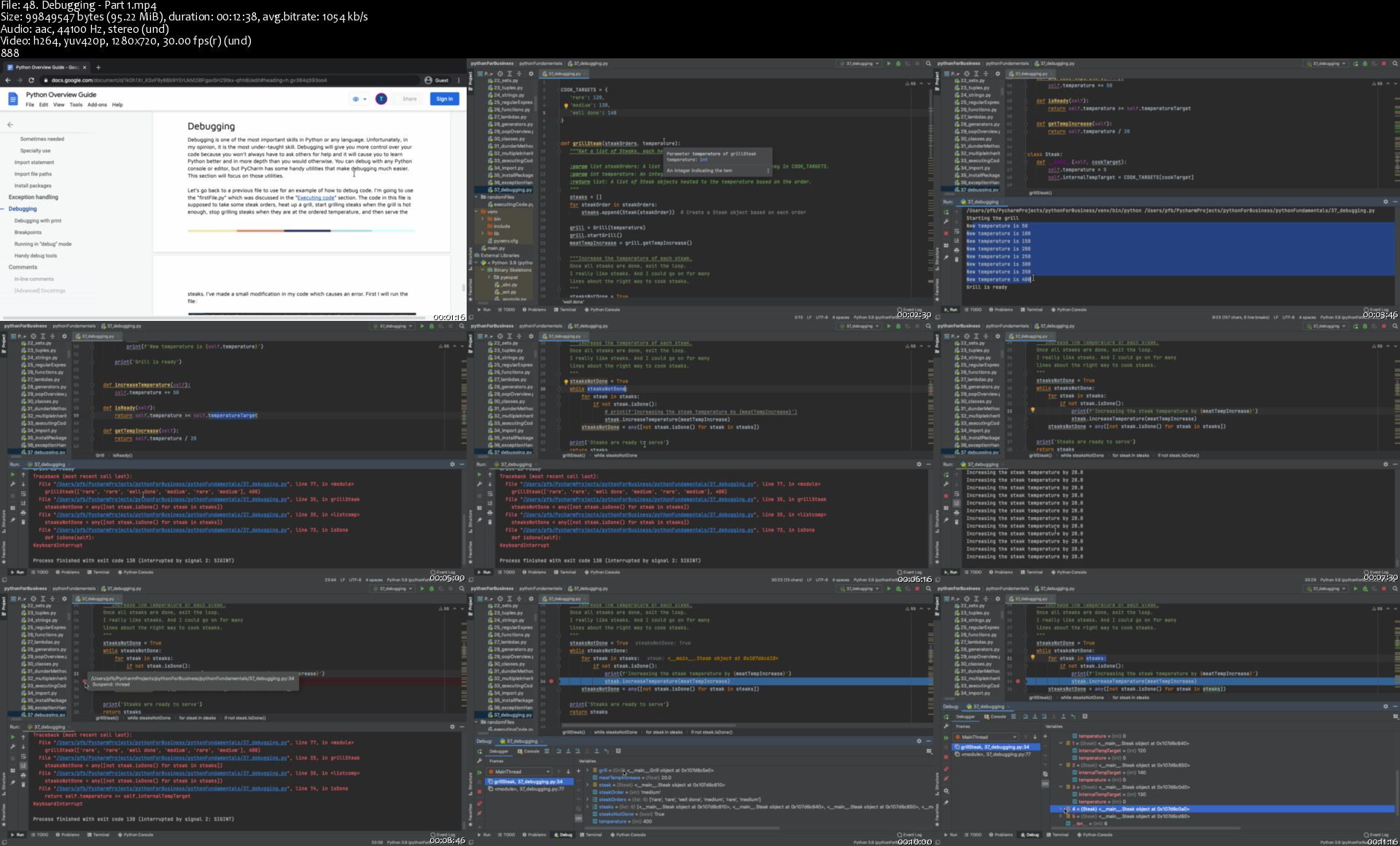
Along the way you will reinforce key Python concepts and learn how to debug and refactor your code. This course provides more guidance on debugging than any other. Debugging is a crucial skill which will help you solve problems more effectively and be more independent when writing your own code.

Who this course is for
Business professionals that want to supercharge their data analysis skills with Python
Anyone that has been introduced to Python and wants real world, practical examples

Homepage

48.debuggingpart1sj3joq.jpg


Zurück
Oben Unten