• Regeln für den Video-Bereich:

    In den Börsenbereich gehören nur Angebote die bereits den Allgemeinen Regeln entsprechen.

    Einteilung

    - Folgende Formate gehören in die angegeben Bereiche:
    - Filme: Encodierte Filme von BluRay, DVD, R5, TV, Screener sowie Telesyncs im Format DivX, XviD und x264.
    - DVD: Filme im Format DVD5, DVD9 und HD2DVD.
    - HD: Encodierte Filme mit der Auflösung 720p oder darüber von BluRay, DVD, R5, TV, Screener sowie Telesyncs im Format x264.
    - 3D: Encodierte Filme von BluRay, die in einem 3D Format vorliegen. Dies gilt auch für Dokus, Animation usw.
    - Serien: Cartoon/Zeichentrick, Anime, Tutorials, Dokumentationen, Konzerte/Musik, Sonstiges sind demnach in die entsprechenden Bereiche einzuordnen, auch wenn sie beispielsweise im High Definition-Format oder als DVD5/DVD9/HD2DVD vorliegen. Ausnahme 3D.
    - Bereich Englisch: Englische Releases gehören immer in diesen Bereich.
    - Bereich Talk: Der Bereich, in dem über die Releases diskutiert werden kann, darf, soll und erwünscht ist.


    Angebot/Beitrag erstellen

    - Ein Beitrag darf erst dann erstellt werden, wenn der Upload bei mindestens einem OCH komplett ist. Platzhalter sind untersagt.
    - Bei einem Scenerelease hat der Threadtitel ausschließlich aus dem originalen, unveränderten Releasenamen zu bestehen. Es dürfen keine Veränderungen wie z.B. Sterne, kleine Buchstaben o.ä. vorgenommen werden. Ausnahme Serienbörse:
    - Bei einem Sammelthread für eine Staffel entfällt aus dem Releasename natürlich der Name der Folge. Beispiel: Die Simpsons S21 German DVDRip XviD - ITG
    - Dementsprechend sind also u.a. verboten: Erweiterungen wie "Tipp", "empfehlenswert", "only", "reup", usw. / jegliche andere Zusatzinformation oder Ergänzung, welche nicht in obiger Beschreibung zu finden ist.

    Aufbau des Angebots und Threadtitel

    Der Titel nach folgendem Muster erstellt zu werden. <Name> [3D] [Staffel] [German] <Jahr> <Tonspur> [DL] [Auflösung] <Quelle> <Codec> - <Group>
    Beispiel: The Dark Knight German 2008 AC3 DVDRip XviD - iND
    Beispiel: The Dark Knight 2008 DTS DL BDRip x264 - iND
    Beispiel: The Dark Knight 2008 AC3 DL BDRip XviD - iND
    Beispiel: The Dark Knight German 2008 AC3 720p BluRay x264 iND
    Beispiel: The Dark Knight 2008 DTS DL 1080p BluRay x264 iND
    Beispiel: Die Simpsons S01 German AC3 DVDRip XviD iND
    Beispiel: Die Simpsons S20 German AC3 720p BluRay x264 iND
    Beispiel: Sword Art Online II Ger Sub 2014 AAC 1080p WEBRip x264 - peppermint
    Entsprechend sind also u.a. verboten: Sonderzeichen wie Klammern, Sterne, Ausrufezeichen, Unterstriche, Anführungszeichen / Erweiterungen wie "Tipp", "empfehlenswert", "only", "reup", usw. / jegliche andere Zusatzinformation oder Ergänzung, welche nicht in obiger Beschreibung zu finden ist
    Ausnahmen hiervon können in den Bereichen geregelt sein.

    Die Beiträge sollen wie folgt aufgebaut werden:
    Überschrift entspricht dem Threadtitel
    Cover
    kurze Inhaltsbeschreibung
    Format, Größe, Dauer sind gut lesbar für Downloader außerhalb des Spoilers zu vermerken
    Nfo sind immer Anzugeben und selbige immer im Spoiler in Textform.
    Sind keine Nfo vorhanden z.B. Eigenpublikationen, sind im Spoiler folgende Dateiinformationen zusätzlich anzugeben :
    Quelle
    Video (Auflösung und Bitrate)
    Ton (Sprache, Format und Bitrate der einzelnen Spuren)
    Untertitel (sofern vorhanden)
    Hosterangabe in Textform außerhalb eines Spoiler mit allen enthaltenen Hostern.
    Bei SD kann auf diese zusätzlichen Dateiinformationen verzichtet werden.

    Alle benötigten Passwörter sind, sofern vorhanden, in Textform im Angebot anzugeben.
    Spoiler im Spoiler mit Kommentaren :"Schon Bedankt?" sind unerwünscht.


    Releases

    - Sind Retail-Release verfügbar, sind alle anderen Variationen untersagt. Ausnahmen: Alle deutschen Retail-Release sind CUT, in diesem Fall sind dubbed UNCUT-Release zulässig.
    - Im Serien-Bereich gilt speziell: Wenn ein Retail vor Abschluss einer laufenden Staffel erscheint, darf diese Staffel noch zu Ende gebracht werden.62
    - Gleiche Releases sind unbedingt zusammenzufassen. Das bedeutet, es ist zwingend erforderlich, vor dem Erstellen eines Themas per Suchfunktion zu überprüfen, ob bereits ein Beitrag mit demselben Release besteht. Ist dies der Fall, ist der bereits vorhandene Beitrag zu verwenden.
    - P2P und Scene Releases dürfen nicht verändert oder gar unter einem iND Tag eingestellt werden.


    Support, Diskussionen und Suche

    - Supportanfragen sind entweder per PN oder im Bereich Talk zu stellen.
    - Diskussionen und Bewertungen sind im Talk Bereich zu führen. Fragen an die Uploader haben ausschließlich via PN zu erfolgen, und sind in den Angeboten untersagt.
    - Anfragen zu Upload-Wünschen sind nur im Bereich Suche Video erlaubt. Antworten dürfen nur auf Angebote von MyBoerse.bz verlinkt werden.


    Verbote

    - Untersagt sind mehrere Formate in einem einzigen Angebotsthread, wie beispielsweise das gleichzeitige Anbieten von DivX/XviD, 720p und 1080p in einem Thread. Pro Format, Release und Auflösung ist ein eigener Thread zu eröffnen.
    - Grundsätzlich ebenso verboten sind Dupes. Uploader haben sich an geeigneter Stelle darüber zu informieren, ob es sich bei einem Release um ein Dupe handelt.
    - Gefakte, nur teilweise lauffähige oder unvollständige Angebote sind untersagt. Dies gilt auch für eigene Publikationen, die augenscheinlich nicht selbst von z.B. einer DVD gerippt wurden. Laufende Serien, bei denen noch nicht alle Folgen verfügbar sind, dürfen erstellt und regelmäßig geupdatet werden.
    - Untersagt sind Angebote, welche nur und ausschließlich in einer anderen Sprache als deutsch oder englisch vorliegen. Ausnahmen sind VORHER mit den Moderatoren zu klären.


    Verstoß gegen die Regeln

    - Angebote oder Beiträge, die gegen die Forenregeln verstoßen, sind über den "Melden"-Button im Beitrag zu melden.
  • Bitte registriere dich zunächst um Beiträge zu verfassen und externe Links aufzurufen.

++ Premium IPTV ++ 7000 Live Sender ++ UHD Qualität ++ Mediathek mit 18.000 Inhalten ++


VenneTV


Englische Tutorials

Ivan Mana - Affiliate Marketing Mastery - The "3-Step Ladder" to Success

c2b6308a131494c41c6a82645dbe365b.jpg

Ivan Mana - Affiliate Marketing Mastery (The "3-Step Ladder" to Success) | 18.9 GB​
Learn the exact strategies I use to generate $2,500+ on ClickBank weekly.

This complete 9-hour Affiliate Marketing Mastery course will take you from beginner to advanced in making money online with affiliate offers.
It's a simple "3-step ladder" process where we go from beginner to advanced in learning the fundamentals of making money online with ANY offer, ANY affiliate network, and ANY paid ad network.
With no fluff, no BS, and no hour-long motivational talks.

My name is Ivan and I have generated a full-time 6-figure income working from home promoting affiliate products on Facebook Ads, Google Ads, and Microsoft Ads.
Everything I will teach you in this course is on point and relevant to the topic at hand - mastering affiliate marketing.
We will be taking one step at a time, going over the very basics and ending with the advanced.
Whether you are a complete beginner or are already promoting affiliate products, this course is perfect for you.
So let's get started and by the end of the course, you can expect to to be a master affiliate marketer knowing all the fundamentals that you MUST KNOW to make money online.

HOmepage:

Screenshots
ff30dae1cb8e814118295224c8fe98b0.jpg


Link Download
​
Extract files with WinRar 5 or Latest !
 
Zero to Hero in Lightning Web Components

ampgkihhrwrtfxrerjnk8qnj5r.jpg


Zero to Hero in Lightning Web Components
MP4 | Video: h264, 1280x720 | Audio: AAC, 44.1 KHz, 2 Ch
Genre: eLearning | Language: English + srt | Duration: 181 lectures (35h 27m) | Size: 14 GB

Complete Guide to learn Salesforce Lightning Web Components from Basics to Advance with real-time problems and projects

What you'll learn:
HTML and CSS required for LWC
JavaScript required for LWC
What are Lightning Web Components?
Benefits of Lightning Web Components over Aura
Fundamentals of LWC with real time examples
How to Build reusable Lightning Web Components
Integration of LWC with APEX
Navigation Service
Lightning Messaging Service
Reusability of Components
Charts and Maps in LWC
CSV and PDF Generation in LWC
Memory Game in LWC
Styling technique in LWC
Many Real time features and Projects
LWC OSS with HEROKU

Requirements
A PC with Windows or Linux or Mac
Basic knowledge of Salesforce platform
Willingness to learn


Description
Lightning Web Component framework is a new programming model to develop Salesforce Lightning Components.

The easiest way to learn modern web design, HTML5 and CSS3 step-by-step from scratch. Design AND code a huge project.

In this course we will learn about the following topics:

Fundamentals of HTML and CSS

Tools for Lightning Web Component Development

JavaScript Required to mastery the LWC

Setup of Vscode, Salesforce DX, Dev HUB, Scratch Org

What are Lightning Web Components?

Benefits of Lightning Web Components

Data Binding and Properties

Getter and setter

Components Communication

Lifecycle hooks

PubSub module

Lightning Messaging Service

Rendering components conditionally

Template looping

Lightning Data Services and Base components to get Salesforce data in Lightning web Components

Navigation Service

Apex connection

Wire service

Reusability of Components

Styling technique in LWC

PDF Generation in LWC

Charts in LWC

Maps in LWC

CSV generation in LWC

Memory Game in LWC

Many Real time features and Projects

The course will mainly focus on Lightning Web Component development. We will take real-time problem statement and example to learn about each and every topic.

If you are new to any web development framework, please do not worry as the course will start from very basic (ground 0) to help you understand how can you start coding web components.

If you are already an expert in Web Development frameworks, then this course will definitely be a major plus to your skills as it primarily focuses on learning modern web standard, building ECMAScript modules and developing UI components.

Who this course is for
Salesforce Professionals
UI and UX developers
Looking for a job change in Salesforce
Salesforce Admin who wants to get into Salesforce Development

Homepage

010templateloopingse1k4s.jpg


SAP BPC 11.1 - BW4HANA - BPC Planning & Consolidation

jtwwmyqwbdotow52ib8iy2jjd5.jpg


SAP BPC 11.1 - BW4HANA - BPC Planning & Consolidation
MP4 | Video: h264, 1280x720 | Audio: AAC, 44.1 KHz, 2 Ch
Genre: eLearning | Language: English | Duration: 40 lectures (60h 9m) | Size: 17.1 GB

** #1 Best Selling SAP BPC Course! ** Job Oriented Latest Version of BPC Training

What you'll learn:
Complete Design ,Configure and Implement SAP BPC 11.1 on BW4HANA
Help them to start a career in SAP BPC

Requirements
Basic Idea , but not mandatory of SAP BW4HANA ,HANA , Finance


Description
I am the first one to launch Course on BPC 11.1 on BW/4HANA .

It is very expensive to take the SAP Training .Objective of the course is to provide best training for Affordable value.

In this course I will be training latest version of SAP BPC 11.1 on BW4 HANA.

The SAP Business Planning and Consolidation (SAP BPC) application delivers planning, budgeting, forecasting, and financial consolidation capabilities, so you can easily adjust plans and forecasts, speed up budget and closing cycles, and ensure compliance with financial reporting standards.

Advantages of SAP BPC

Make better decisions -Base decisions on what-if analyses and scenario planning for better outcomes.

Improve collaboration -Use collaboration tools to improve accountability and planning accuracy.

Increase efficiency -Shrink cycle times, close the books faster, and align your plans with strategic goals.

Who this course is for
To start career in SAP , Financial Analytics

Homepage

001sapbpc11.1dataflow68knt.jpg


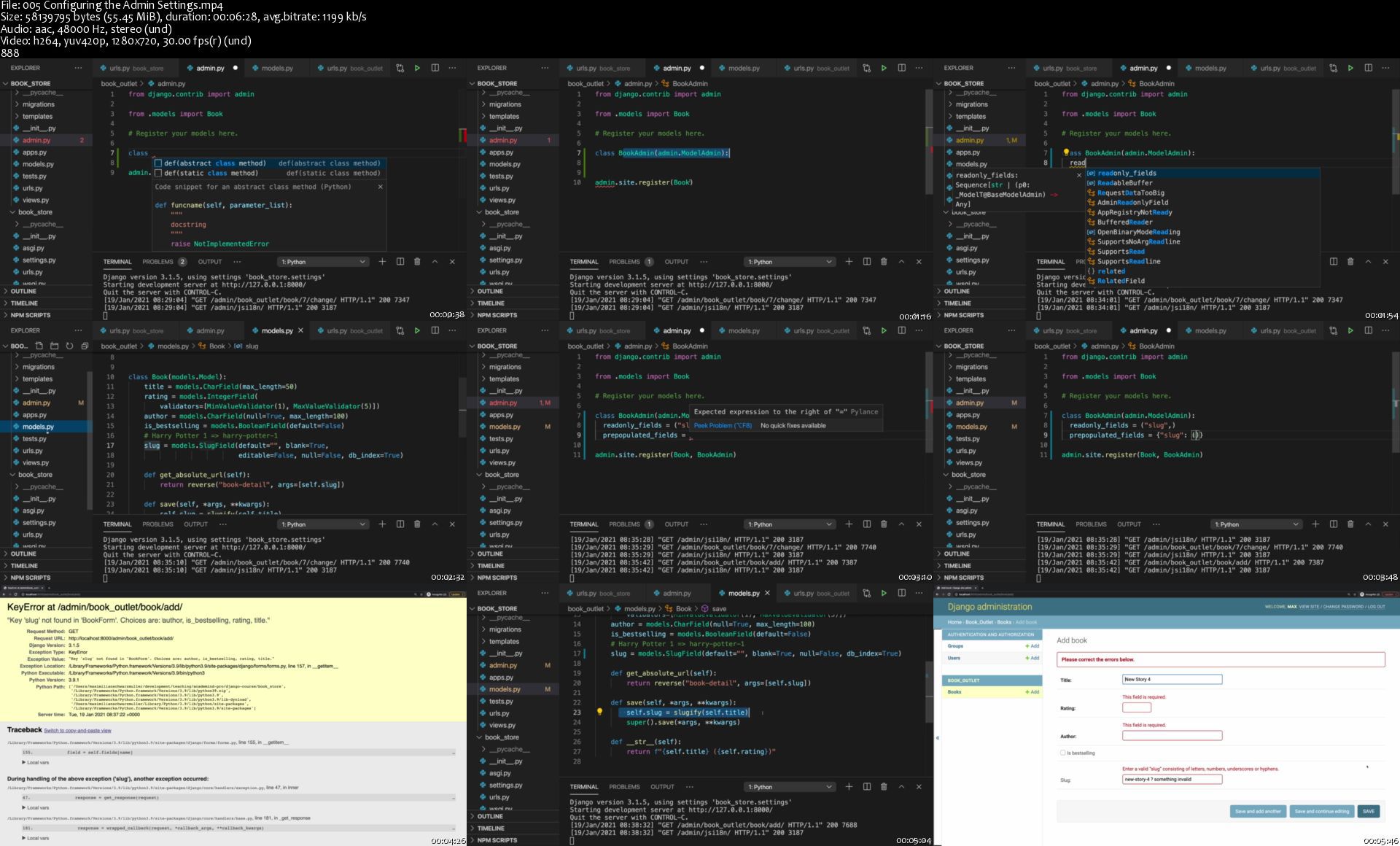
Python Django - The Practical Guide (Updated 05/2021)

otpck9uyjjerhbn6erhfcf2j2g.jpg


Python Django - The Practical Guide (Updated 05/2021)
MP4 | Video: h264, 1280x720 | Audio: AAC, 44.1 KHz, 2 Ch
Genre: eLearning | Language: English + srt | Duration: 255 lectures (23h 4m) | Size: 11 GB

Learn how to build web applications and websites with Python and the Django framework

What you'll learn:
Learn how to use Python for web development with Django
Build real projects and apply what you learned in a full blog website created in the course
Choose between the full course or the included course summary to get you started quickly

Requirements
Basic Python and web development knowledge (HTML/ CSS) is required
NO prior Django experience is required at all


Description
Python is the most popular programming language of the world - it's versatile, easy to learn and very powerful!

We already got a Python course which you can take if you want to learn Python.

But one of the primary things you can build with Python is a website! You can use Python for web development.

And to make that easier, you would typically use a framework like Django - simply because that allows you to focus on your core business logic and you don't need to re-invent the wheel and implement all the nitty-gritty technical details from scratch.

And this course is about Django - the most popular Python web development framework out there!

Django covers all aspects of web development - from handling requests and responses, over rendering dynamic HTML pages with templates, all the way up to making database access and data management easy. It's all baked in and it's all covered in great detail in this course!

This course teaches Django from the ground up - you don't need to know anything about it to get started. Basic Python and web development knowledge is all you need.

We'll start at the absolute basics and understand how to create Django project, how to run them and how to add features - step by step.

In detail, this course covers:

Installing Django

Creating and understanding Django projects

Understanding URLs, views, requests and responses

Working with templates and static files like CSS and images

Working with data and models

Connecting data with relationships (one-to-many, one-to-one, many-to-many)

Querying data with Django's powerful model solution

Adding administration panels to your projects

Handling user input with forms - manually and with Django's built-in form support

Advanced features like class-based views (and when to use them)

Dealing with file uploads and how to serve uploaded files

Working with sessions

In-depth deployment instructions and examples

Different ways of deploying and serving static files and user uploads

And much more!

All those concepts are taught in great depth and backed up by a complete example course project where we build a "Blog website" from the ground up.

Therefore, you'll learn all the important concepts and the theory and you're also going to be able to see it applied to a real project.

Hence, once you completed the course, you'll have a very solid understanding of Django and you'll be able to dive into your own Django projects!

Who this course is for
Python developers who want to take the next step and dive into web development with Python
JavaScript developers who want to explore Python for web development
Everyone interested in learning how to build websites with Python

Homepage

005configuringtheadmivxjsm.jpg


Programming: for REALLY beginners!

bmwtziuoqh3yoc1drvyyjufj3s.jpg


Programming: for REALLY beginners!
MP4 | Video: h264, 1280x720 | Audio: AAC, 44.1 KHz, 2 Ch
Genre: eLearning | Language: English + srt | Duration: 98 lectures (10h 57m) | Size: 11.8 GB

Programming should be fun, but can become frustrating when learning without a method. This course has the best method!

What you'll learn:
Basic programming concepts
Basic Data Structures and Algorithms
Basic Object Oriented Programming
Fundamentals of programming
Flowcharts
Pseudocode
PHP
JavaScript
Python

Requirements
Windows PC


Description
Dear very beginners,

This is a course dedicated to you.

There are no prerequisites necessary. You just need a little bit of time for practice, and a windows PC if you want to run all the examples along with me.

Maybe you want to know why am I teaching this course?

As a team leader I have had the chance to work with and mentor many interns and juniors. Many of them were self-taught or had little formal education in the field of Computer Science. Do you know what their common trait was? They all felt that learning the tools of the trade is hard.

So, why should you take this course?

Programming (and learning how to program) should be fun! Take this course and see it for yourself. We will cover a lot of ground and learn all the important concepts, but we will start working visually and abstract those concepts later on, making the learning process as intuitive as possible. We will study how information flows through the program and how time "behaves" when the code runs.

Peek at the curriculum, watch the sample videos! We might have great chemistry and your decision to learn computer programming will be a life changing journey.

Here for you,

Radu

Who this course is for
People looking for career change
Anyone who wants to learn programming
Undergrad students
Highschool students
Beginner developers
Developers wanting to learn basic algorithms and data structures

Homepage

002arraysusingaforlooigk4x.jpg


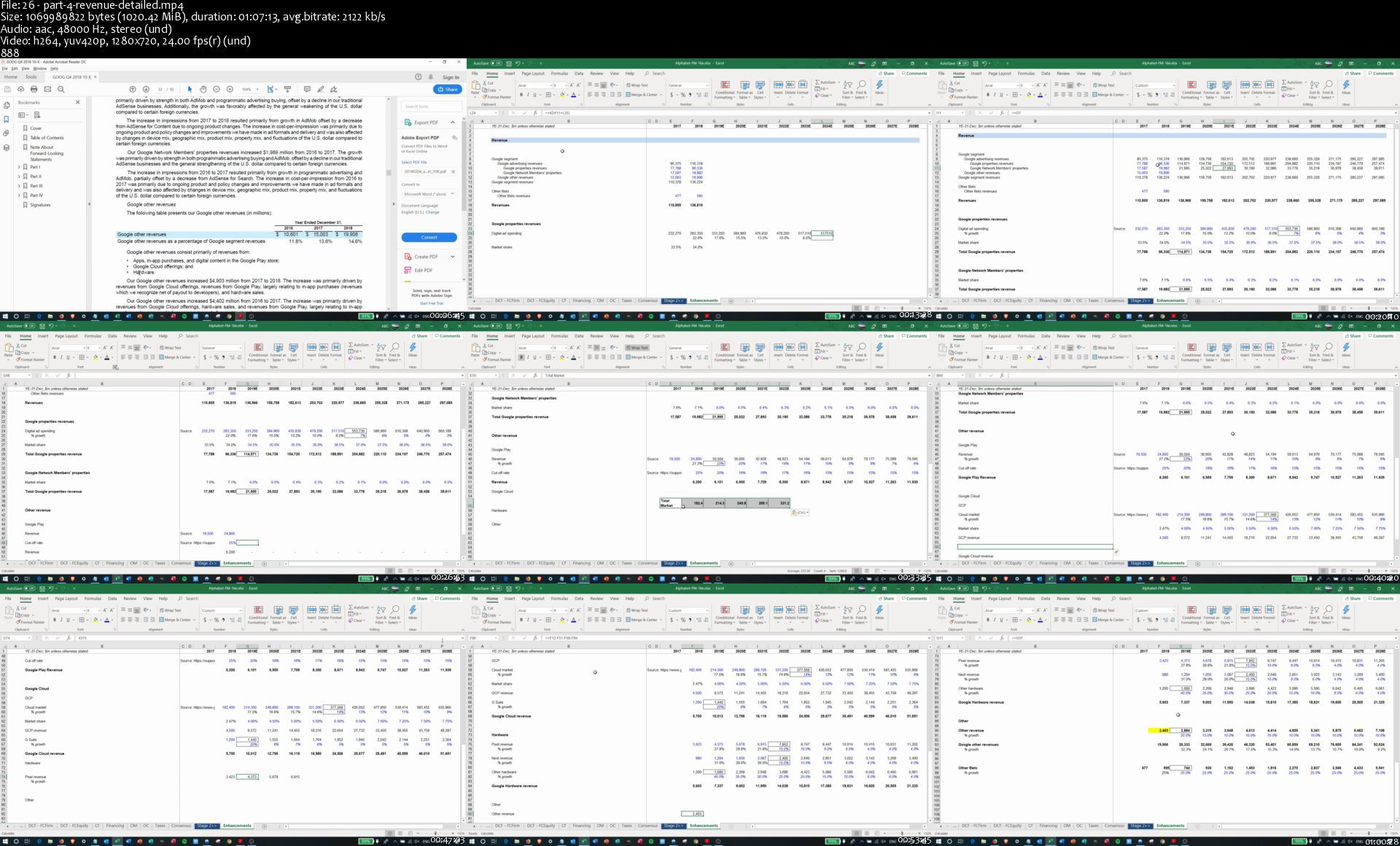
Practical Financial Modeling Bootcamp - building a model of Google

wpndd5jdetzjbuxcy1rx5hljay.jpg


Practical Financial Modeling Bootcamp - building a model of Google
MP4 | Video: h264, 1280x720 | Audio: AAC, 44.1 KHz, 2 Ch
Genre: eLearning | Language: English + srt | Duration: 34 Lessons (12h 3m) | Size: 9.3 GB

Course description

We believe that practice is the best way to learn. That is why we have created a practical course to help you to learn financial modelling from scratch (or improve your skills).

In this course, we are going to build a financial model of Alphabet, a parent company of Google. We aim to show how financial models are created at the leading financial institutions. That is why we have decided to pick up a real company and prepare a proper financial model, i.e. not the simplified version as most of the other courses do.

We understand the challenges of building full-blown models from scratch for people who have little experience in the field. That is why we have decided to split the course into three substantial parts:

In the first stage, we are going to prepare a three statement model. We'll start by downloading the financials of Alphabet. Then step-by-step, we'll show how forecasts are built for every line in each financial statement. We'll use the format in which Alphabet reports, not a simplified version. In order not to confuse you at this stage, for some metrics (e.g. revenue), we are going to use broker consensus forecasts. We'll come back to such metrics later in the course
In the second stage, we are going to build a DCF valuation using both FCFF and FCFE approaches. We'll base our DCF valuation on the three-statement model we have developed on the first stage
After we finish DCF valuation, we'll enhance our forecasts. We are going to replace the metrics for which we used broker consensus with our estimates. This way, the course participants will be able to focus first on the three-statement model and then on building forecasts. We think that such streamlining will make the process much more efficient.
Along the way, we'll describe some corporate finance concepts as well as common practices used in the industry.

Files used in the course

You can find files used in the process (excel files and a file with links to download financials) in the project section.

IMPORTANT: Iterative calculations should be turned on. Instruction is available on the official Microsoft Office Help page Go to the "Learn about iterative calculation" section and follow the steps outlined there.

Prior knowledge required

We expect you to have:

Knowledge of Microsoft Excel
Basic understanding of corporate finance
You can still take the course without the skills above. We'll try to explain things on the go. However, in this case, be prepared to spend additional time educating yourself too.

Applications required for financial modelling

You can use any spreadsheet application you would like to. We highly recommend Microsoft Excel (2007 version onwards) on a Windows machine since it is the most common set-up used for financial modelling. However, the model should work the same way on most other applications. It even works on Google Sheets (which do not require you to install an app locally on your machine, you can use a browser instead). But please beware that (i) some of the functionality of Microsoft Excel could be unavailable on Google Sheets, Apple Numbers, LibreOffice Calc and other packages, and (ii) the files created in the packages might not be fully cross-compatible. Thus, we recommend using Microsoft Excel when building a model for external use or review.

We will be using Microsoft Excel on a Windows machine, and all shortcuts and tips will be relevant for this set-up only.

Who is this course for

A wide range of people might be interested in gaining financial modelling skills. Below are some possible scenarios:

To make investment decisions for example whether to buy or sell stocks of a particular company
To support your assumptions on a project or justify a business case
While starting a new business to estimate the financial results of a venture
In your existing startup - for fundraising objectives. Most investors will require a financial model as a part of your fundraising pack to better understand how you plan to make money, etc.
Knowledge of financial modelling is instrumental:

When pursuing a degree in business or finance
For your job interviews especially in the financial industry
"Disclaimers"

IMPORTANT: Please note that this course is not optimized/designed to be watched on small screens (e.g. mobile phones)

While this course covers all main financial modelling topics, it is not a comprehensive guide. We are going to cover most topics in detail. However, there are some things which will be modelled only high-level. The reason for this is that you need a lot of information (which is usually not available) to model such items. All such topics are in the vast majority of cases modelled high-level as we do in this course. We'll demonstrate that brokers are also using the same approach later in the course. These topics are taxes, stock-based compensation, goodwill, minority interest, associates, and some other. In some instances, people model these advanced topics in greater detail. Still, usually, such calculations are possible when you have access to non-public company information, e.g. you are working on a deal.

Like every human, we make mistakes when we speak or type. However, these are not critical things, they do not change the messages, and most people won't even notice them.

We followed the 80/20 rule when we were preparing this course (this is an excellent way to fight the natural desire to improve things continuously). We have not polished every single thing (e.g. change wording, take out every parasite words, clear sound like "aaa", "mmm"). Instead, we have left most of the course in the way we have recorded it the first time with some minor edits (e.g. taking out pauses). Polishing would take so much time that developing this course would become unreasonable for us. Moreover, it would not add any real value. Also, we think for most people, it would be easier to understand the content of the course in the shape and form we have recorded it initially. Usually, it is easier to digest unpolished (natural) content.

When you watch the videos, the screen might change rapidly since we move between the pages. If you are lost, it might make sense to have a look at the bottom of the workbook - the active worksheet is always highlighted. Please also note that you can change the speed of the video. We tried to speak slowly to make it easier to digest the information for some readers, but many people prefer more dynamic videos, in such cases, you can increase the playback speed to 1.25x or 1.5x. At higher speeds (1.75x+), the videos might sound a bit "robotic".

Homepage

26part4revenuedetaileovj0x.jpg


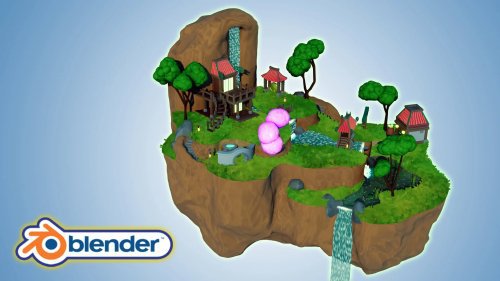
Blender 3D Modelling & Animating A Stylized Oriental Scene

hmc5otgb9atlfw6ctfu0gsjj67.jpg


Blender 3D Modelling & Animating A Stylized Oriental Scene
Duration: 23h 40m | Video: .MP4 1280x720, 30 fps(r) | Audio: AAC, 48000 Hz, 2ch | Size: 16.4 GB
Genre: eLearning | Language: English

'Blender 3D Modelling & Animating A Stylized Oriental Scene' will see you creating 16 assets that complete an exciting scene full of life through 3D animation.

'Blender 3D Modelling & Animating A Stylized Oriental Scene' will give you access to 24 full hours of 3D art.

Learn how to build 4 levels of a flying island in 128 lessons.

This course will see you learn all the techniques pros use and how they use them.

Through reading this course description you will find out:

- What you want to learn about 3D modelling;

- What you are going to get through 'Blender 3D Model a Stylized Oriental Scene', and;

- What are you going to lose if you don't join in this course.

'Blender 3D Model a Stylized Oriental Scene' will see you take a deep dive into the power of curves and great techniques for using them.

Learn how to use multiple modifiers to create amazing 3D models. This will include Blender's simple deform, skin, displace and decimation modifier.

A lot of my students have fed back that they would like to learn to sculpt in Blender. We will be doing exactly that!

Following the success of my latest courses, we will be modelling, texturing, and finalising every individual asset before moving onto the next. Students have said that this has helped them in staying excited throughout the creation process, being able to see how their scene comes closer to the course preview step-by-step.

Of course, you could set yourself a challenge and diversify aspects of the scene, such as including different buildings, changing their architectural design or colours, or modelling and animating more animals.

Be creative! Make your islands bigger and lusher. Add different types of flowers and trees and build up the stylized character of the scene with new assets you have thought of.

Texturing and Materials

'Blender 3D Model a Stylized Oriental Island' will teach you all about advanced Blender node techniques and the course will act as an in-depth guide to the entire process.

This course will also teach you the basics of shaders and how to create your own water shader which you will be able to use in any other builds. But that is not the only unique feature of this course.

'Blender 3D Model a Stylized Oriental Island' will help you make your own procedural materials and shaders which we will take full advantage of in the course. The procedural materials we will be making include the rocks, the earth material, the paths, the water, the koi fish, the gong, and the foliage.

Particle Systems

Take your 3D modelling skills to a new level by creating stylized trees using the Blender particle system.

We will be using a technique that is meant for hair strands to create the grass through procedural systems.

Through completing 'Blender 3D Model a Stylized Oriental Island', you will learn how to use particle systems to create grass in the influential style of Ghibli art. As part of that, you will find out how useful a Blender emission shader is to help you resonate that art style.

Animation

Join 'Blender 3D Model a Stylized Oriental Scene' to learn how to bring your scene alive with procedural rocks, foliage, and wildlife.

We will not just model them. We will also animate them!

Learn how to create stylized animated water, including waterfalls, rapids, and turbulence.

You will also be going through a fully comprehensive guide about animating fish and butterflies that move realistically, following a set path.

Lighting

By joining in 'Blender 3D Model a Stylized Oriental Scene', you will also learn how to take control of your scene's lighting as we take a close look at HDRI stylized lighting, more so than in any of my other courses.

For a full introduction into lighting 3D scenes, we will also cover all in-built Blender lighting functionalities.

Rendering

'Blender 3D Model a Stylized Oriental Island' is a complete guide into using Eevee for lighting, rendering, shadows, exposure, and colour management.

You will also how to create great rendered animations of the scene using various camera techniques.

Course Resources & Freebies

The course resource pack will include 16 course references for all the individual stylized oriental island scene assets we will be creating. It also includes 5 colour maps.

The best course navigation tool for 'Blender 3D Model a Stylized Oriental Island' will be available, yet again. The course handbook will give the control back to you and you will be able to fully streamline your learning process to your needs and wants seamlessly.

Something like this is essential to courses as long as this one, and 3D Tudor is the first to consistently include this with all the newest courses.

Join in this course and come be part of a 3D modeling journey of over 24 hours of learning.

Check out the free introduction and I am sure you won't be able to put this course down!

Still unsure? Then, let me tell you what's unique about this course:

animating water and creating massive waterfalls;
animating rapids and turbulence in stylized water;
animating koi fish;
seeing butterflies move realistically along a set path;
creating grass using the Japanese Ghibli art style;
learning how to use HDRI stylized lighting;
animations & key commands throughout the learning process;
- accessing 3 courses within a course, including full lessons on (a) Blender basics, (b) materials and textures, and © seams, sharps, and UVs.

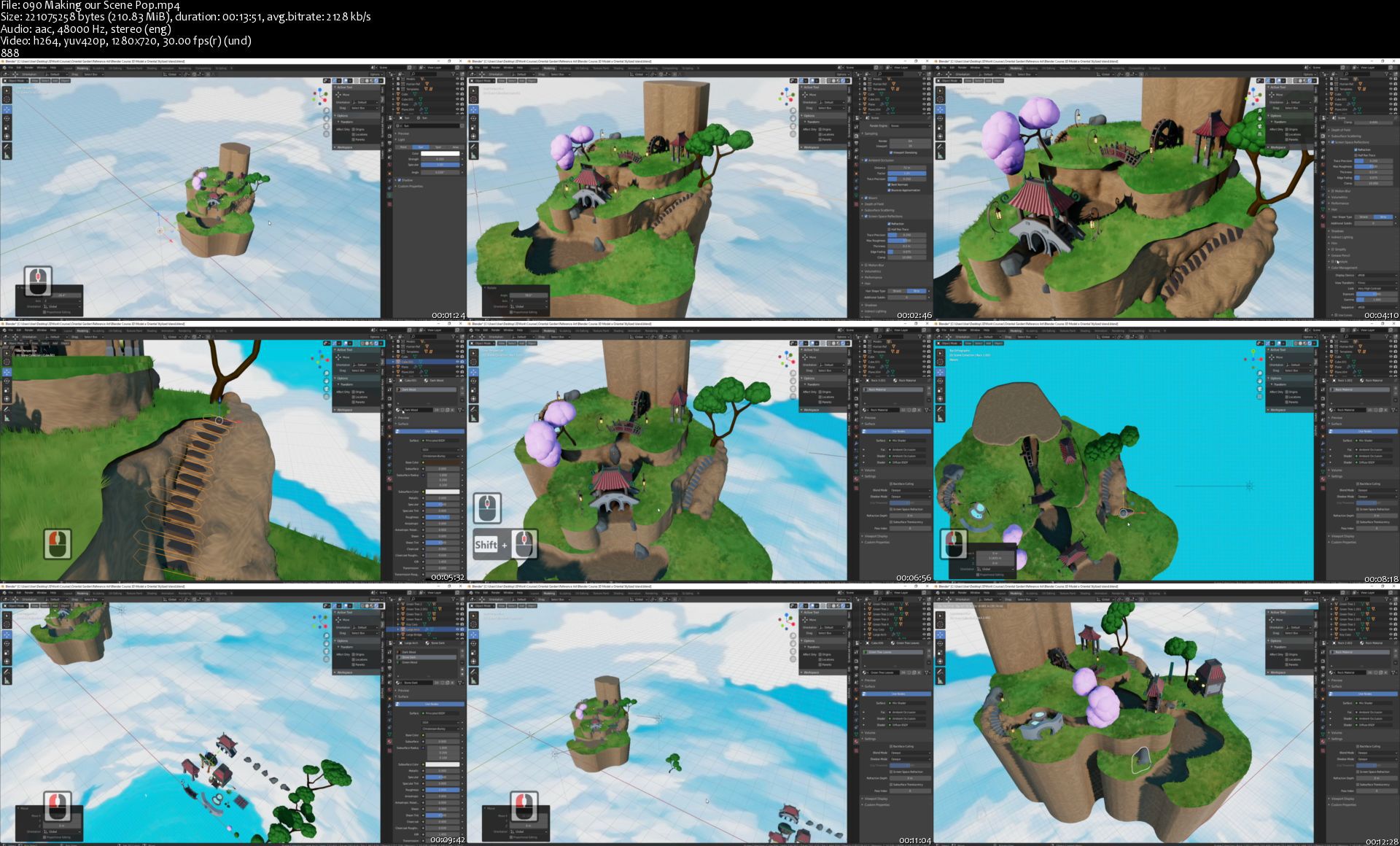
Homepage

090makingourscenepopsrqkyz.jpg


Linkedin Learning Security Tips Protecting Sensitive Information-XQZT

209401956_02-03-obscuring_information_in_files_c.jpg


Linkedin Learning Security Tips Protecting Sensitive Information-XQZT | MKV | 291.64 MiB

263 kb/s 1280x720 | AAC 2 CH eng


NFO:
File List:

File: linkedin.learning.security.tips.protecting.sensitive.information-xqzt-sample.mkv
Size: 2338383 bytes (2.23 MiB), duration: 00:01:11, avg.bitrate: 263 kb/s
Audio: aac, 48000 Hz, stereo (eng)
Video: h264, yuv420p, 1280x720, 30.00 fps(r) (eng)
Subtitles: eng


Download ( Size: 291.64 MiB ):
Filehosts: Nitroflare, Rapidgator, ddownload.com


oHeopzn.png

1 Link/s
9956E6B98B.png


5hSo1Ay.png

1 Link/s
86D775165A.png


Download from ddownload:
1 Link/s
14FB030CA0.png


Linkedin Learning Microsoft Power Apps Using the Dataverse Formerly the Common Data Service-XQZT

209409427_03-02-create_a_custom_table_using_power_apps_c.jpg


Linkedin Learning Microsoft Power Apps Using the Dataverse Formerly the Common Data Service-XQZT | MKV | 163.05 MiB

484 kb/s 1280x720 | AAC 2 CH eng


NFO:
File List:

File: linkedin.learning.microsoft.power.apps.using.the.dataverse.formerly.the.common.data.service-xqzt-sample.mkv
Size: 4298959 bytes (4.10 MiB), duration: 00:01:11, avg.bitrate: 484 kb/s
Audio: aac, 48000 Hz, stereo (eng)
Video: h264, yuv420p, 1280x720, 30.00 fps(r) (eng)
Subtitles: eng


Download ( Size: 163.05 MiB ):
Filehosts: Nitroflare, Rapidgator, ddownload.com


oHeopzn.png

1 Link/s
1A86E87F2E.png


5hSo1Ay.png

1 Link/s
8BBAFCB996.png


Download from ddownload:
1 Link/s
72BBE80030.png


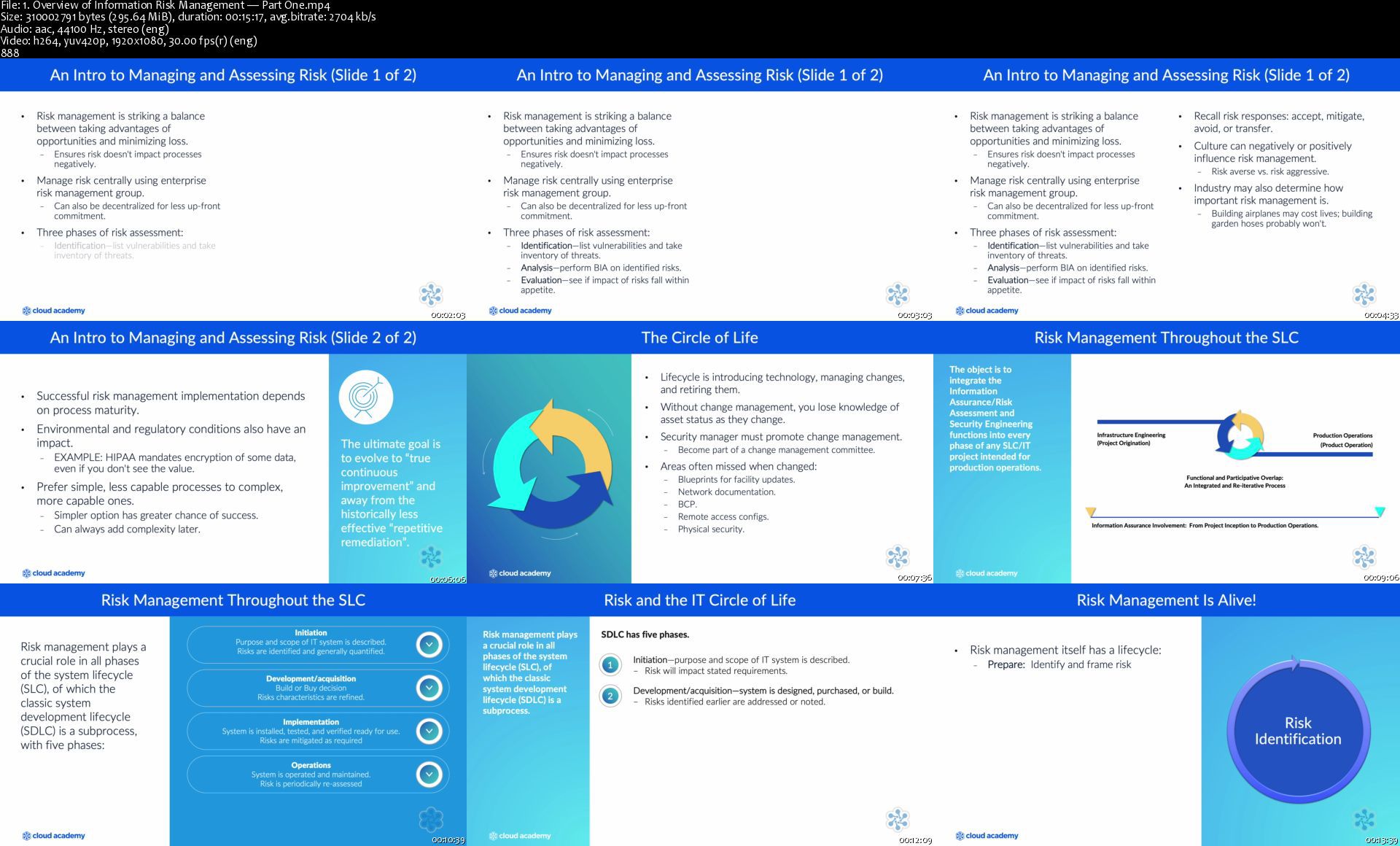
Certified Information Security Manager (CISM): Part 2 - Domains

aknpmghac0lkxvsoasubp2lj26.png


Certified Information Security Manager (CISM): Part 2 - Domains
MP4 | Video: h264, 1920x1080 | Audio: AAC, 44.1 KHz, 2 Ch
Difficulty: Intermediate | Genre: eLearning | Language: English + srt | Duration: 7h | Size: 5.34 GB


Description
This learning path provides a deep dive into information security and prepares you for the Certified Information Security Manager (CISM) exam.

By the time you reach the end of this learning path, you will have a comprehensive understanding of information security and will be well equipped to take the CISM exam.

Learning Objectives
Obtain a comprehensive understanding of information security and risk management including roles, functions, resources, goals, strategies, metrics, controls
Understand how an organization can identify and analyze risk and learn the constraints to risk management
Get a solid understanding of how to build risk management action plan, how people and process are essential for risk management
Learn about the training, the technical aspects, and standards for risk management
Understanding how to monitor and measure risk, and also mitigate risk through controls
Understand how to set goals and strategies for managing information security and learn about the metrics used to measure security performance
Obtain a solid understanding of security incident management, set goals for responding to incidents, and understand the additional resources that help for managing incidents

Intended Audience
This learning path is intended for anyone studying for the Certified Information Security Manager (CISM) exam or who simply wants to learn about information security in general.

Prerequisites
This is a beginner-level learning path so you don't need to have existing knowledge of information security. We do, however, strongly recommend that you take the CISM: Part 1 - Foundations learning path before embarking on this one.

1.overviewofinformati1ikr7.jpg


TGC - Visual Literacy Skills: How to See

hn2osarjxtpi2x5usmvwiv9kcy.jpg


TGC - Visual Literacy Skills: How to See
Duration: 9h 51m | Video: .MP4 1280x720, 30 fps(r) | Audio: AAC, 48000 Hz, 2ch | Size: 8.29 GB
Genre: eLearning | Language: English

For many of us, seeing really is believing. Your sense of sight is by far the most central and influential sensory apparatus you have. Science tells us that the eyes contain 70 percent of all the sensory receptors in our bodies, and that a full 90 percent of the information our brains process on a daily basis is visual.

This means that, to an astonishing degree, we know and navigate the world with our eyes. Visual perception plays a dominant role in how we experience life-from how we receive knowledge and information and how we perceive nature, art, and the world to the daily visual choices we make about how we present ourselves and how we live.

Unlike reading and writing, our educational system gives us little or no training for our all-important visual capacities, and we don't usually cultivate the skills of visual literacy. Yet, to do that-to consciously develop your understanding of visual perception, and your ability to deeply observe, interpret what you see, and communicate visually-opens an extraordinary world of experience, deepening your perceptions on all levels, and your capacity to appreciate the richness of the world around you.

But visual literacy has an even greater urgency: The world is becoming increasingly visual. More and more, we purchase things of all kinds based on what we see, and most of the information we receive and make decisions with is visual. Within the huge amounts of visual input we receive, the boundaries between what is representation and what is illusion are increasingly blurred, and the ability of visual input to manipulate us is a fact of contemporary life.

In Visual Literacy Skills: How to See, taught by award-winning Professor Carrie Patterson of St. Mary's College of Maryland, you'll take a deep and detailed look at the principles and skills of visual literacy, and how these visual skills directly inform our experience. These 24 compelling lessons teach you the vocabulary of art-line, shape, space, texture, color, and more-and how to see and evaluate them, as well as how to understand and employ the principles of visual design. Further, this course grounds you in how visual perception and visual language operate in art, design, and media, knowledge which increases your powers of communication, deepens your insight into visual persuasion and manipulation, and refines your skill and pleasure in the multi-dimensional world of visual experience.

Whether you're engaged in art or design, interested in building a personal brand, creating or re-doing a living space, or simply interested in enriching your skill in making visual decisions, this course trains you to see as artists, designers, and architects do, and helps you develop a life skill that has far-reaching consequences in the digital age.

Seeing through the Eyes of Artists and Designers

These lessons train you in a sophisticated level of visual literacy, not just in principle but in practice. The course opens with a deep dive into the physiology of vision, where you'll explore the mechanics of your eyes, the sensorial experience of sight, and how the brain organizes sensation into coherent visual experience.

Then you'll move into a deeper level of visual literacy. Here, you'll uncover how artists and designers perceive and understand the visual world with the intention of creating visual objects and environments. You'll observe how artists, designers, and architects communicatevisually, creating the visual messages that surround us and influence how we think and live. In the process, you'll study the tricks of the trade for designing objects that combine function and visual appeal, art that explores the reaches of space and time, and architectural spaces that reflect cultures and shared values.

The final section of the course explores what it means to make your visual skills an integral part of your life. Here, you'll discover how to develop habits that you, as a visually informed person, can cultivate to create an environment and lifestyle that reflects your unique view of the world, as well as your own style and perspective. By examining the methods and habits of creative people across various disciplines, you'll build a foundation for any creative work you may undertake.

Visual Language and Visual Communication

Professor Patterson illustrates the course material with hundreds of vivid images, photos, and diagrams, as well as video footage and studio demonstrations. In learning and practicing the skills of visual literacy, you'll delve into core subject matter such as:

The Phenomenon of Visual Perception. Building on the anatomy and physiology of sight, follow the complex processes through which the brain creates meaning from visual experience. Note how the way we interpret visual perception through our bodies lays the groundwork for how we interpret our own lives.
Representation vs. Illusion. Observe how we value both representation and illusion in art; how artists, designers, and photographers create illusion in their work; and how photography and screens alter our experience of the world. Grasp how media and visual communication can blur the line between fact and fiction.
Visual Foundations. Study visual syntax-the underlying structure of visual communication-across five lessons; delve deeply into the formal elements of art, beginning with line, shape, and value; also learn the principles of three-dimensional art and design, and investigate visual storytelling.
Visual Time. In a fascinating ramification of visual experience, observe how the element of time manifests in the perception of art; witness how artists evoke both fixed moments in time and the passage of time, and learn to express time visually.
Principles of Design. Investigate the core principles of visual design that are at work in the creation of any object or artwork, such as emphasis, balance, proportion, and scale. See how these elements work together in visual composition and communication, and learn to compose visually like an artist.
Build Habits of Creativity

In the final section of the course, Professor Patterson offers you a rigorous and penetrating look at the parameters of creativity. An engaging and informal speaker, her teaching reveals an amazingly detailed knowledge of the principles of art, design, and visual communication, together with far-reaching insight into the creative process, innovative thinking, and what it is to embody creativity in daily living.

Here, she offers you a rich range of methods for developing your own creative habits and practices. Among these, you'll explore:

The Art of Observation: Study techniques for suspending ordinary visual perception, cultivating powers of detailed observation and alternative ways of seeing, and making active observation a valuable life skill.

Pushing the Limits of Thinking: Take a provocative look at how innovative thinkers intentionally seek out new ways of thinking about and seeing the world. Learn practical methods for becoming a visual explorer in your daily travels, and for generating original thought.

The Creative Act: Learn detailed guidelines for becoming a creator of your own art, design, or visual communication. Apply the skills you've built in exploring the inspiration, the joy, and the satisfaction of creative work.

Visual Literacy Skills: How to See takes you on a remarkable perceptual journey, revealing and unpacking visual experience to a depth that most of us rarely engage with. In looking deeply at how we experience reality through visual perception, and the extraordinary ways we benefit from refined visual knowledge as consumers, communicators, and creators, you'll learn to turn your visual skills into a visually literate and enriched life.

Homepage

10visualfoundationsteeekt0.jpg


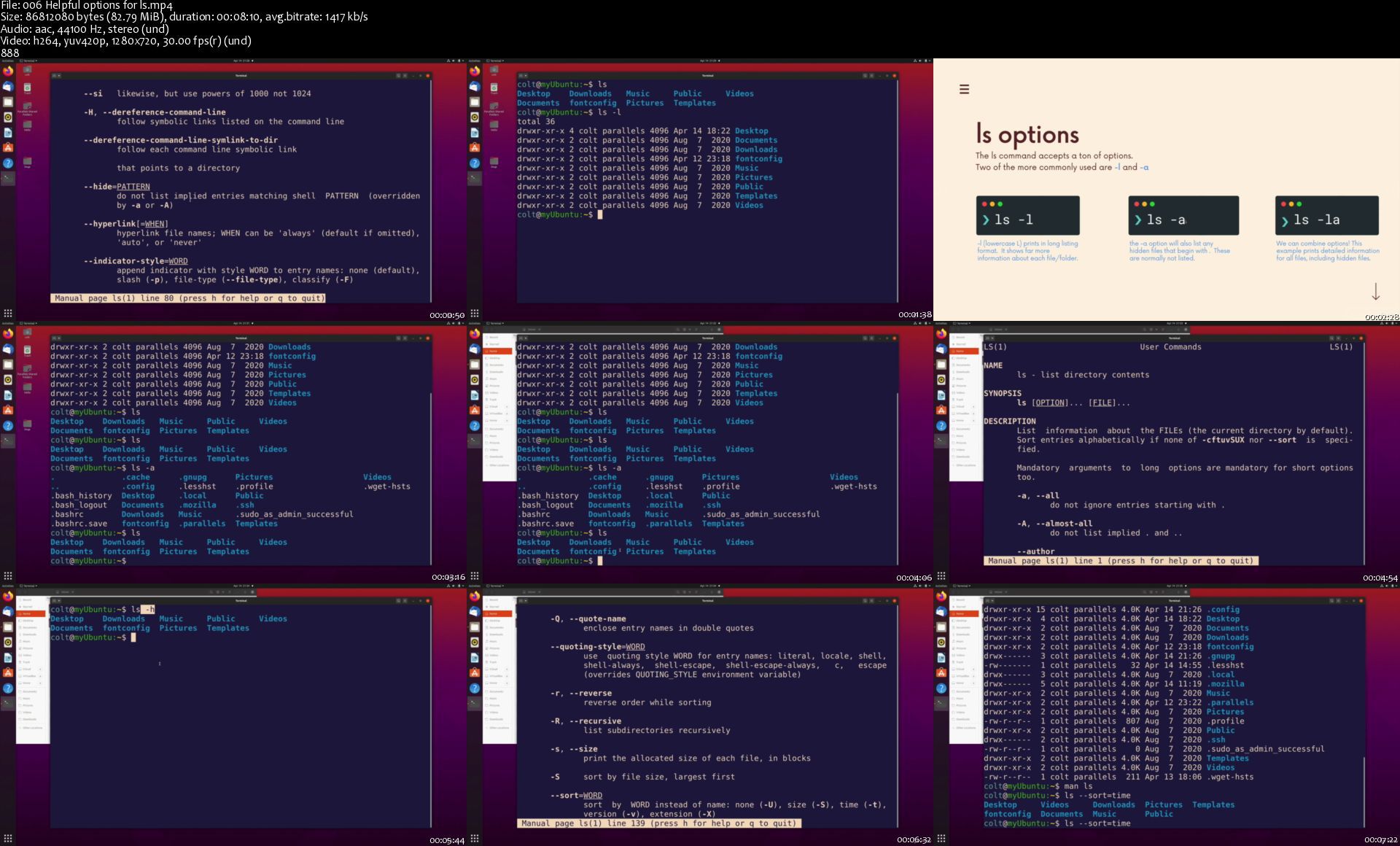
The Command Line Bootcamp: Beginner To Power User

9vbnz86pcsjt7iqre3bfyqqjgu.jpg


The Command Line Bootcamp: Beginner To Power User
MP4 | Video: h264, 1280x720 | Audio: AAC, 44.1 KHz, 2 Ch
Genre: eLearning | Language: English + srt | Duration: 165 lectures (15h 44m) | Size: 7.11 GB

Level Up Your Skills And Take Control Of Your Machine, w/ Dozens of Commands, Projects, and Challenges!

What you'll learn:
Master the Command Line and Dozens of Commands!
Stop Relying On The Limited Graphical User Interface
Write Your Own Commands From Scratch
Automate Tasks and Schedule Jobs Using Cron
Control Your Computer Completely From The Command Line!
Master The Quirks Of File Permissions
Learn Powerful Keyboard Shortcuts To Improve Your Efficiency
Construct Powerful Command Pipelines

Requirements
No Prior Experience Required
All You Need is a Windows, Linux, or Mac Computer


Description
Welcome to The Linux Command Line Bootcamp, a brand new course that aims to turn you into a command line power user! This course will teach you dozens and dozens of powerful commands (see the long list at the bottom), but more importantly it gives you the tools the continue to learn new commands and take full control of your machine. The skills you learn in this course will make you a stronger web developer, data scientist, machine learning engineer, game dev, or plain old computer user! You will feel POWERFUL!!

Hi there, my name is Colt Steele. I've spent years leading in-person software engineering bootcamps and have helped thousands of students change careers. Online I've taught over a million students and have hundreds of thousands of 5 star ratings and reviews.

This is an interactive course full of exercises and fun challenges that force you to practice the skills you are learning. You'll encounter some of the same assignments and projects that my in-person bootcamp students experience. Learning command after command can be a dreadfully boring experience, but I've tried my best to make this course as exciting and interesting as possible :) You may roll your eyes at my jokes, but you won't be bored!

==Curriculum: The Short Version==

This course covers a TON. Here's a short summary of the key points. Scroll down for a more in-depth explanation.

Learn dozens and dozens of powerful commands (see the long list below)

Understand the big picture: how ALL commands fit together

Build complex data pipelines by stringing multiple commands together

Master command-line navigation and Linux folder structure

Create, delete, move, copy, and rename files and folders

Decipher and manipulate Unix file permissions

Use powerful searching commands like find, locate, and grep

Master redirection of standard input, standard output, and standard error

Write your own custom commands from scratch!

Customize the shell: write your own helpful aliases, tweak the prompt, etc.

Master Bash expansions and substitutions

Automate tedious tasks using cron and cronjobs

Edit files directly from the command-line using nano

Master keyboard shortcuts to increase your command-line efficiency

==Curriculum: The Long Version==

The course starts with a deep dive into confusing technical terms like terminal, shell, kernel, Unix, Unix-Like, GNU, Linux, and Bash. It's important to understand the context and the WHY's around the command line and its history that still impacts our machines today.

Then we shift our focus to the general patterns and structure that all commands follow including options and arguments. This blueprint we define will inform every single other topic we cover throughout the rest of the course. You'll also learn HOW to learn more about specific commands using the man, help, which, and type commands.

Next, we cover the super-important Linux folder structure and learn essential commands for navigating our machines including ls, pwd, and cd. You'll be an expert navigator in no time!

From there we learn to create new files and folders right from the command line using the commands touch, mkdir, and file. Next, we dive deep into a special text-editor built right into the command line called Nano. You'll learn to open and edit files using Nano, master various Nano shortcuts, and even learn how to configure nano's global settings.

The next section covers the powerful commands rm, mv, and cp. You'll learn how to remove individual files and entire directories, move and rename files, and copy files and folders right from the command line. These are some of the most useful commands you can know!

Then we take a quick break to focus on useful keyboard shortcuts you can use to improve your terminal efficiency, before diving into the history command and history expansion.

The next section covers tons of commands that have to do with manipulating file contents, including less, cat, tac, rev, head, tail, wc, and sort. Then we cover the three standard streams: standard input, standard output, and standard error. You'll learn to redirect all three streams and take full control over your data.

Next we move to my favorite topic: piping! In this section you'll learn how to construct complex and powerful pipelines by stringing together multiple individual commands. You'll also learn about the tr command and the tee command along the way.

From there we learn to "speak" the language of the shell using Expansion and Substitution. You'll learn the ins and outs of pathname expansion using wildcard characters, tilde expansion, and the super powerful curly brace expansion. We also cover arithmetic expansion, command substitution, and single and double quoting.

Next up we learn about two commands that help us find files on our machine: locate and find. We pay special attention to the find command and its many fancy options and use-cases. You'll learn how to find files by name, size, timestamps, and more. You'll also learn how to bulk-edit files using find's exec option and the xargs command.

We then shift our focus to the grep command. You'll learn how to use grep to recursively search the contents of files and match complex files using regular expressions.

Next, we spend some time discussing the details of file permissions. You'll learn how to read file attributes and understand read, write, and execute permissions. In the next section, we learn how to alter permissions using commands including chmod, chown, sudo, and su.

In the next section, we learn how to customize our shell experience. You'll learn to write your own custom aliases, work with shell variables, and even create your own fancy prompt. Then we learn how to create our own complex commands from scratch and the basics of bash scripting! By the end you'll be writing and running your own programs.

Finally, we learn about the mysterious cron daemon. You'll learn the odd-looking cron syntax to set up your own automated and scheduled cronjobs.

==THE END==

Whether you have some experience with basic commands or you're a complete beginner, this course will help take your skills to the next level. Learning the command-line is one of the rare skills that transcends the typical divisions between web development, data science, machine learning, or any other tech disciplines. If you work with a computer daily, you will benefit from mastering the command-line. The commands you learn in the course will change the way you interact with your machine, giving you all new workflows and strategies and POWER over your computer! More importantly, you'll leave this course prepared to conquer ALL the commands that are waiting for you out in the real world and on the job.

=

Here's an incomplete list of the commands covered in the course:

date

cal

ncal

echo

man

help

which

type

ls

cd

pwd

touch

mkdir

nano

rm

rmdir

mv

cp

cat

less

tac

rev

head tail

wc

sort

tr

tee

locate

du

find

grep

xargs

chmod

sudo

su

chown

addgroup

adduser

export

source

crontab

tar

Who this course is for
Anyone interested in becoming a command line power user!
Computer users who want complete control over their machine
Anyone interested in web development, data science, or a career that involves code!
Students with some prior command line experience who want to gain complete mastery

Homepage

006helpfuloptionsforlckjnr.jpg


Zurück
Oben Unten