• Regeln für den Video-Bereich:

    In den Börsenbereich gehören nur Angebote die bereits den Allgemeinen Regeln entsprechen.

    Einteilung

    - Folgende Formate gehören in die angegeben Bereiche:
    - Filme: Encodierte Filme von BluRay, DVD, R5, TV, Screener sowie Telesyncs im Format DivX, XviD und x264.
    - DVD: Filme im Format DVD5, DVD9 und HD2DVD.
    - HD: Encodierte Filme mit der Auflösung 720p oder darüber von BluRay, DVD, R5, TV, Screener sowie Telesyncs im Format x264.
    - 3D: Encodierte Filme von BluRay, die in einem 3D Format vorliegen. Dies gilt auch für Dokus, Animation usw.
    - Serien: Cartoon/Zeichentrick, Anime, Tutorials, Dokumentationen, Konzerte/Musik, Sonstiges sind demnach in die entsprechenden Bereiche einzuordnen, auch wenn sie beispielsweise im High Definition-Format oder als DVD5/DVD9/HD2DVD vorliegen. Ausnahme 3D.
    - Bereich Englisch: Englische Releases gehören immer in diesen Bereich.
    - Bereich Talk: Der Bereich, in dem über die Releases diskutiert werden kann, darf, soll und erwünscht ist.


    Angebot/Beitrag erstellen

    - Ein Beitrag darf erst dann erstellt werden, wenn der Upload bei mindestens einem OCH komplett ist. Platzhalter sind untersagt.
    - Bei einem Scenerelease hat der Threadtitel ausschließlich aus dem originalen, unveränderten Releasenamen zu bestehen. Es dürfen keine Veränderungen wie z.B. Sterne, kleine Buchstaben o.ä. vorgenommen werden. Ausnahme Serienbörse:
    - Bei einem Sammelthread für eine Staffel entfällt aus dem Releasename natürlich der Name der Folge. Beispiel: Die Simpsons S21 German DVDRip XviD - ITG
    - Dementsprechend sind also u.a. verboten: Erweiterungen wie "Tipp", "empfehlenswert", "only", "reup", usw. / jegliche andere Zusatzinformation oder Ergänzung, welche nicht in obiger Beschreibung zu finden ist.

    Aufbau des Angebots und Threadtitel

    Der Titel nach folgendem Muster erstellt zu werden. <Name> [3D] [Staffel] [German] <Jahr> <Tonspur> [DL] [Auflösung] <Quelle> <Codec> - <Group>
    Beispiel: The Dark Knight German 2008 AC3 DVDRip XviD - iND
    Beispiel: The Dark Knight 2008 DTS DL BDRip x264 - iND
    Beispiel: The Dark Knight 2008 AC3 DL BDRip XviD - iND
    Beispiel: The Dark Knight German 2008 AC3 720p BluRay x264 iND
    Beispiel: The Dark Knight 2008 DTS DL 1080p BluRay x264 iND
    Beispiel: Die Simpsons S01 German AC3 DVDRip XviD iND
    Beispiel: Die Simpsons S20 German AC3 720p BluRay x264 iND
    Beispiel: Sword Art Online II Ger Sub 2014 AAC 1080p WEBRip x264 - peppermint
    Entsprechend sind also u.a. verboten: Sonderzeichen wie Klammern, Sterne, Ausrufezeichen, Unterstriche, Anführungszeichen / Erweiterungen wie "Tipp", "empfehlenswert", "only", "reup", usw. / jegliche andere Zusatzinformation oder Ergänzung, welche nicht in obiger Beschreibung zu finden ist
    Ausnahmen hiervon können in den Bereichen geregelt sein.

    Die Beiträge sollen wie folgt aufgebaut werden:
    Überschrift entspricht dem Threadtitel
    Cover
    kurze Inhaltsbeschreibung
    Format, Größe, Dauer sind gut lesbar für Downloader außerhalb des Spoilers zu vermerken
    Nfo sind immer Anzugeben und selbige immer im Spoiler in Textform.
    Sind keine Nfo vorhanden z.B. Eigenpublikationen, sind im Spoiler folgende Dateiinformationen zusätzlich anzugeben :
    Quelle
    Video (Auflösung und Bitrate)
    Ton (Sprache, Format und Bitrate der einzelnen Spuren)
    Untertitel (sofern vorhanden)
    Hosterangabe in Textform außerhalb eines Spoiler mit allen enthaltenen Hostern.
    Bei SD kann auf diese zusätzlichen Dateiinformationen verzichtet werden.

    Alle benötigten Passwörter sind, sofern vorhanden, in Textform im Angebot anzugeben.
    Spoiler im Spoiler mit Kommentaren :"Schon Bedankt?" sind unerwünscht.


    Releases

    - Sind Retail-Release verfügbar, sind alle anderen Variationen untersagt. Ausnahmen: Alle deutschen Retail-Release sind CUT, in diesem Fall sind dubbed UNCUT-Release zulässig.
    - Im Serien-Bereich gilt speziell: Wenn ein Retail vor Abschluss einer laufenden Staffel erscheint, darf diese Staffel noch zu Ende gebracht werden.62
    - Gleiche Releases sind unbedingt zusammenzufassen. Das bedeutet, es ist zwingend erforderlich, vor dem Erstellen eines Themas per Suchfunktion zu überprüfen, ob bereits ein Beitrag mit demselben Release besteht. Ist dies der Fall, ist der bereits vorhandene Beitrag zu verwenden.
    - P2P und Scene Releases dürfen nicht verändert oder gar unter einem iND Tag eingestellt werden.


    Support, Diskussionen und Suche

    - Supportanfragen sind entweder per PN oder im Bereich Talk zu stellen.
    - Diskussionen und Bewertungen sind im Talk Bereich zu führen. Fragen an die Uploader haben ausschließlich via PN zu erfolgen, und sind in den Angeboten untersagt.
    - Anfragen zu Upload-Wünschen sind nur im Bereich Suche Video erlaubt. Antworten dürfen nur auf Angebote von MyBoerse.bz verlinkt werden.


    Verbote

    - Untersagt sind mehrere Formate in einem einzigen Angebotsthread, wie beispielsweise das gleichzeitige Anbieten von DivX/XviD, 720p und 1080p in einem Thread. Pro Format, Release und Auflösung ist ein eigener Thread zu eröffnen.
    - Grundsätzlich ebenso verboten sind Dupes. Uploader haben sich an geeigneter Stelle darüber zu informieren, ob es sich bei einem Release um ein Dupe handelt.
    - Gefakte, nur teilweise lauffähige oder unvollständige Angebote sind untersagt. Dies gilt auch für eigene Publikationen, die augenscheinlich nicht selbst von z.B. einer DVD gerippt wurden. Laufende Serien, bei denen noch nicht alle Folgen verfügbar sind, dürfen erstellt und regelmäßig geupdatet werden.
    - Untersagt sind Angebote, welche nur und ausschließlich in einer anderen Sprache als deutsch oder englisch vorliegen. Ausnahmen sind VORHER mit den Moderatoren zu klären.


    Verstoß gegen die Regeln

    - Angebote oder Beiträge, die gegen die Forenregeln verstoßen, sind über den "Melden"-Button im Beitrag zu melden.
  • Bitte registriere dich zunächst um Beiträge zu verfassen und externe Links aufzurufen.

++ Premium IPTV ++ 7000 Live Sender ++ UHD Qualität ++ Mediathek mit 18.000 Inhalten ++


VenneTV


Englische Tutorials

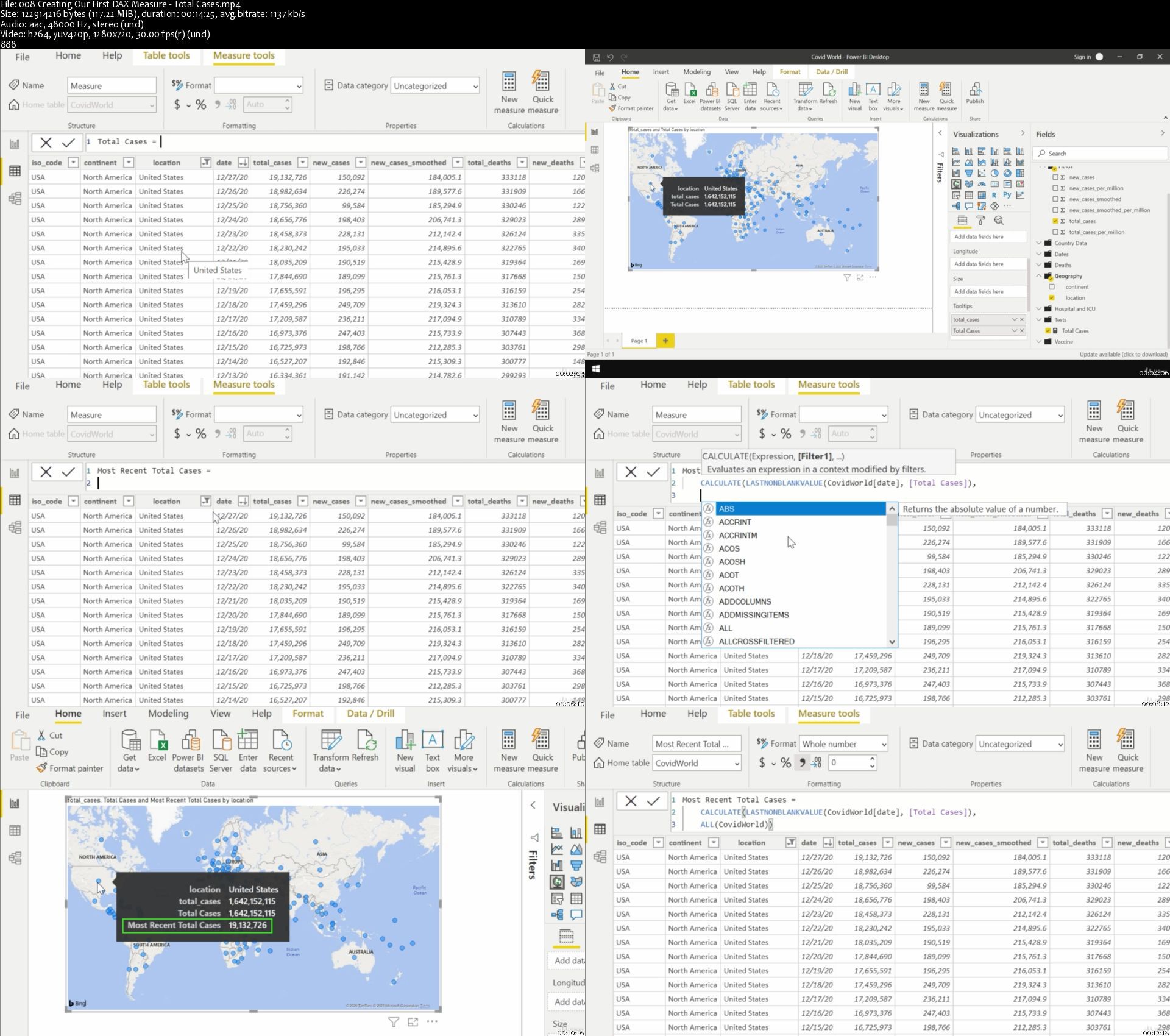
Learn Power BI with Real World COVID-19 Dataset

007fe9efcojh3.jpg


Learn Power BI with Real World COVID-19 Dataset
Genre: eLearning | MP4 | Video: h264, 1280x720 | Audio: aac, 48000 Hz
Language: English | VTT | Size: 1.61 GB | Duration: 3h 50m


What you'll learn
You will learn how to use Power BI with real world data. A start-to-finish project using Covid-19 data.
Requirements
No major prerequisites

Description
Watch videos showing you every step of the process of creating awesome interactive reports in Power BI Desktop. Follow along with a free dataset that shows COVID-19 Cases around the world. We start with the basics of Power BI and move on to using DAX formulas and other more advanced features. At the end of the class you will have a Power BI project that you can use.

Some of the topics included in this class:

Installing Power BI

Importing data into Power BI

Using a World Map visual

Charts and Trendlines

Displaying data on Cards

Creating robust DAX formulas

Create a Calendar table

Relationships between tables

Cosmetic formatting of visuals

You will learn how to use DAX measures to:

Get the most recent value from a dataset

Calculate values on a "per million" basis based on the country's population so countries of different population sizes can be compared

Create 7-day moving averages

And much more.

This class gives you all the tools and knowledge you need to have a strong foundation with Power BI. No prior business intelligence experience required. Power BI Desktop is a free tool that can be downloaded from Microsoft (instructions in video) so no need to spend any additional money on software.

Power BI is becoming more important as a Business Intelligence tool every day. Learn it now with this engaging course!


Who this course is for:
Anyone looking to increase their Power BI capability to create great interactive reports and work with data


Homepage
008creatingourfirstda1zjoj.jpg


How to Stay Sane During the Coronavirus Pandemic Lockdown

yu5c5cuj6mkltitd02ji4rjk28.jpg


How to Stay Sane During the Coronavirus Pandemic Lockdown
Genre: eLearning | MP4 | Video: h264, 1280x720 | Audio: aac, 48000 Hz
Language: English | VTT | Size: 875 MB | Duration: 1h 23m


What you'll learn
How to manage your negative emotions during the pandemic
How to deal with anxiety related to the pandemic
How to manage your time while working from home
How to keep fit during the pandemic without leaving your house
How to deal with traumas caused by covid-19 without psych meds
How to eat healthy during lockdown without leaving your house
How to deal with uncertainty during the pandemic
How to use the pandemic to deepen your spiritual practice
How to have a social life during complete lockdown
How to make friends and find a support network during the pandemic
Requirements
There are no pre-requisites for this course, you only need the willingness to practice these techniques regularly

Description
In this course, you'll learn how to keep sane during the pandemic, specifically you'll learn:

An evidence-based technique called the ABCD technique that will help you overcome irrational beliefs that make you panic during the pandemic.

How to ease anxiety during the pandemic and stop yourself from panicking.

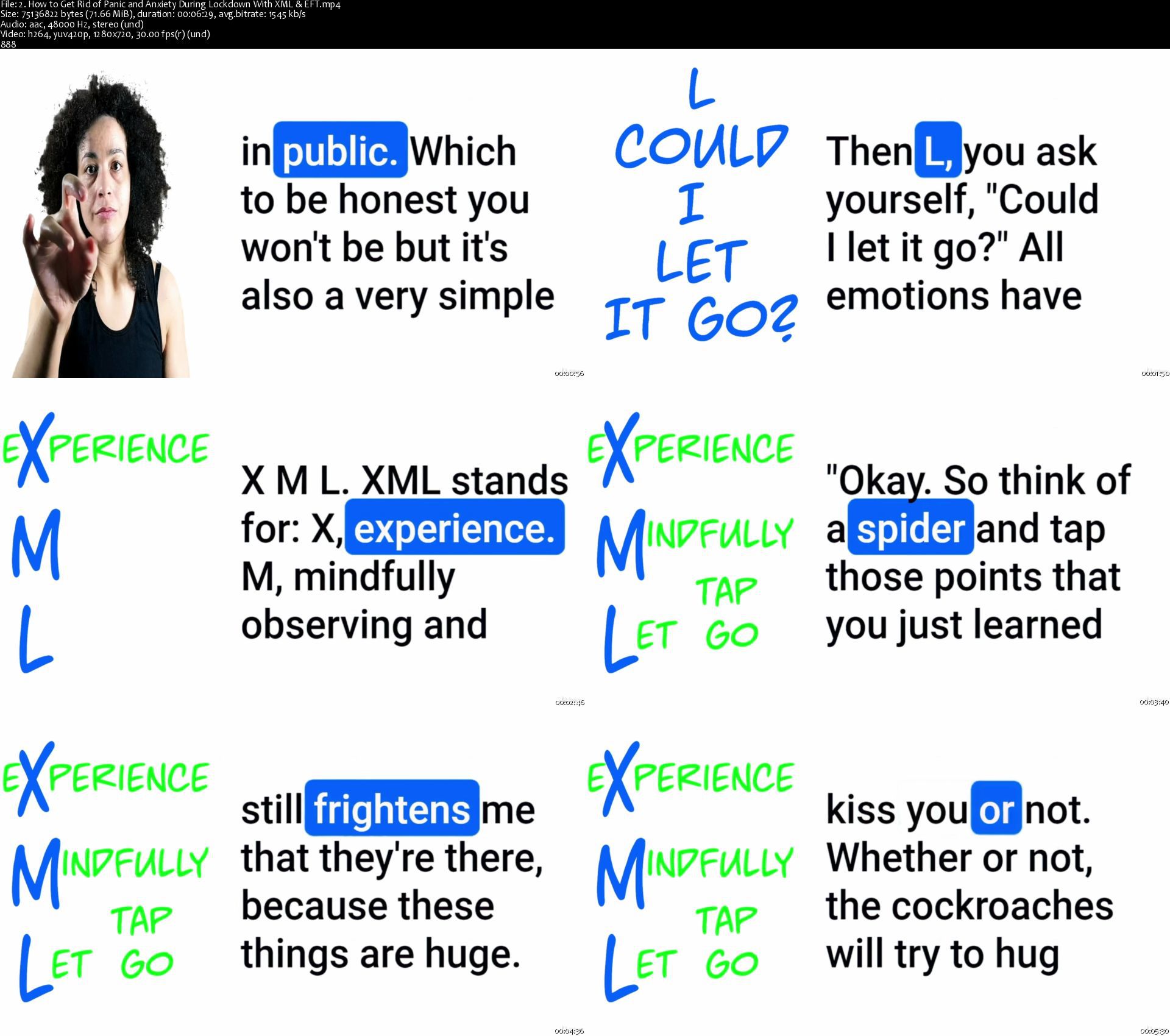
How to be peaceful and content during the pandemic through the XML technique.

How to eat cheaply and healthy during the pandemic.

How to manage your time while working from home and how to keep up with exercise, even if you work from home all the time.

How to not only have healthy relationships during the pandemic, but how to deepen the love between you and your spouse/family.

How to have a support network during the pandemic and meet new online friends.


Who this course is for:
People who want to learn psychological strategies for emotional management that will help them thrive during the pandemic
People who work from home
People who feel anxious and stressed out about the covid-19 pandemic


Homepage

2.howtogetridofpanicahcjyw.jpg


Data Science:Hands-on Covid19 Face Mask Detection-CNN&OpenCV

007def0corkgo.jpg


Data Science:Hands-on Covid19 Face Mask Detection-CNN&OpenCV
Video: .mp4 (1280x720, 30 fps(r)) | Audio: aac, 48000 Hz, 2ch | Size: 931 MB
Genre: eLearning Video | Duration: 10 lectures (1 hour, 45 mins) | Language: English

A Practical Hands-on Data Science Guided Project on Covid-19 Face Mask Detection using Deep Learning & OpenCV


What you'll learn

Get Hands-On Practice to classify whether a person is wearing a Face Mask or not using Deep Learning & OpenCV
Make Predictive Analysis on the static images as well as in the videos to detect face masks
Learn to Build and Train Convolutional Neural Network Model
Learn to Test CNN models and analyze their performances


Requirements

Basics knowledge of Python, OpenCV and Neural Networks is recommended


Description

Would you like to learn how to detect if someone is wearing a Face Mask or not using Artificial Intelligence that can be deployed in bus stations, airports, or other public places?


Would you like to build a Convolutional Neural Network model using Deep learning to detect Covid-19 Face Mask?


If the answer to any of the above questions is "YES", then this course is for you.


Enroll Now in this course and learn how to detect Face Mask on the static images as well as in the video streams using Tensorflow and OpenCV.


As we know, COVID-19 has affected the whole world very badly. It has a huge impact on our everyday life, and this crisis is increasing day by day. In the near future, it seems difficult to eradicate this virus completely.

To counter this virus, Face Masks have become an integral part of our lives. These Masks are capable of stopping the spread of this deadly virus, which will help to control the spread. As we have started moving forward in this 'new normal' world, the necessity of the face mask has increased. So here, we are going to build a model that will be able to classify whether the person is wearing a mask or not. This model can be used in crowded areas like Malls, Bus stands, and other public places.


This is a hands-on Data Science guided project on Covid-19 Face Mask Detection using Deep Learning and Computer Vision concepts. We will build a Convolutional Neural Network classifier to classify people based on whether they are wearing masks or not and we will make use of OpenCV to detect human faces on the video streams. No unnecessary lectures. As our students like to say :

"Short, sweet, to the point course"


The same techniques can be used in :


Skin cancer detection

Normal pneumonia detection

Brain defect analysis

Retinal Image Analysis


Enroll now and You will receive a CERTIFICATE OF COMPLETION and we encourage you to add this project to your resume. At a time when the entire world is troubled by Coronavirus, this project can catapult your career to another level.


So bring your laptop and start building, training and testing the Data Science Covid 19 Convolutional Neural Network model right now.


You will learn:


How to detect Face masks on the static images as well as in the video streams.

Classify people who are wearing masks or not using deep learning

Learn to Build and train a Convolutional neural network

Make a prediction on new data using the trained CNN Model


We will be completing the following tasks:


Task 1: Getting Introduced to Google Colab Environment & importing necessary libraries


Task 2: Downloading the dataset directly from the Kagge to the Colab environment.


Task :3 Data visualization (Image Visualization)


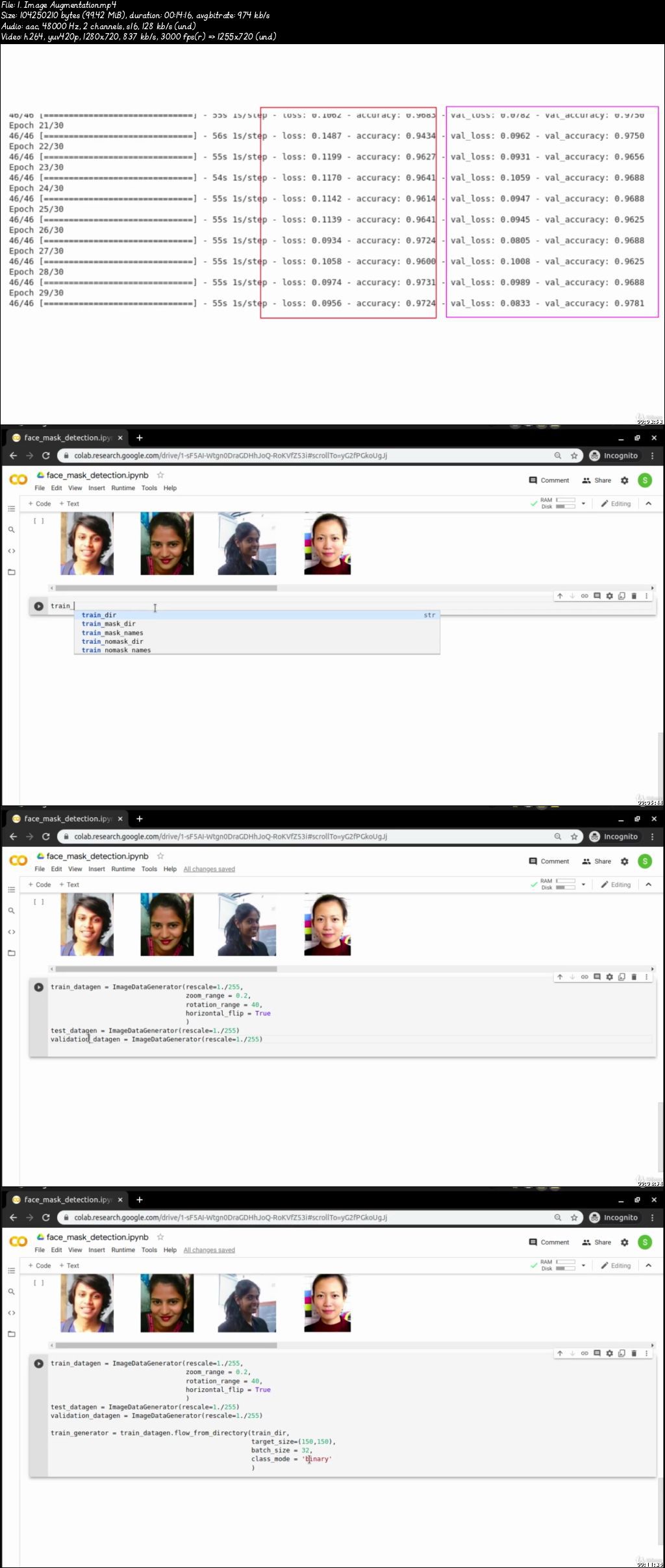
Task 4: Data augmentation & Normalization


Task 5: Building Convolutional neural network model


Task 6: Compiling & Training CNN Model


Task 7: Performance evaluation & Testing the model & saving the model for future use


Task 8: Make use of the trained model to detect face masks on the static image uploaded from the local system


Task 9: Make use of the trained model to detect face masks on the video streams


So, grab a coffee, turn on your laptop, click on the ENROLL NOW button, and start learning right now.


Who this course is for:

Anyone interested in Deep Learning
Someone who wants to learn to build Convolutional Neural Network for Image Classification
Someone who wants to use AI to detect face masks on the images as well as in the video streams
Anyone who wants to learn to Build, Train & Test Convolutional Neural Network Models

007def0bs5kx5.jpeg


COVID-19 control and prevention

007f570dimklx.jpg


COVID-19 control and prevention
Duration: 52m | .MP4 1280x720, 30 fps(r) | AAC, 44100 Hz, 2ch | 824 MB
Genre: eLearning | Language: English

Containing Covid-19 at your workplace and home


What you'll learn
How to control and prevent the spread of infectious disease
Understanding how infectious germs spread
Understanding and identifying possible sources of infectious germs
Different types of disease transmission
Who or what is a host
Preferred measures to control the spread of infectious disease such as COVID-19
Additional practices
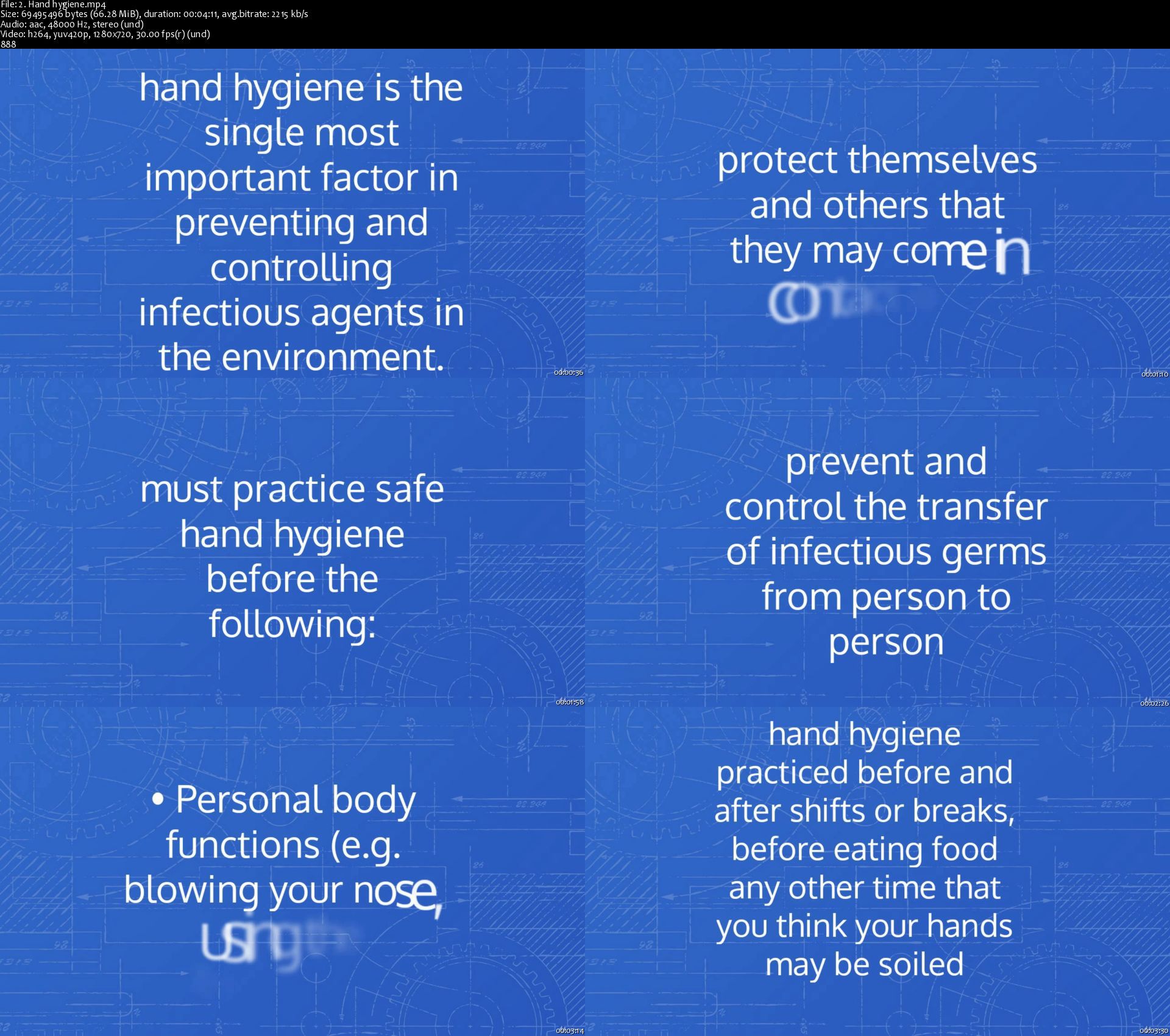
Proper hand hygiene
Proper use of PPE
Tips to remain healthy
Environmental controls
Employee education

Requirements
An open mind and the willingness to learn


Description

In the beginning of this year, we were hit by an unprecedented event that may have changed the way we live our lives, the way we work, and even the way we interact with others. After approximately 10-months into this way of life and not much has changed except that people have started to take this disease for granted.

COVID-19 has given us an opportunity to reflect on ourselves and our behavior so that we may grow as people and as communities, and so we may grow stronger together. The bone of contention for most people is the uncertainty that is due to ever changing safety measures. Now that we are in the second-wave a lot of information has become certain, and with the arrival of the vaccine in the near future, all we have to do is make sure we continue to implement the safety precautions taught in this course.

The primary focus of this course is keeping individuals, families, and workplaces safe from outbreaks of infectious diseases such as COVID-19. This course covers the proper hand hygiene techniques, use of PPE, difference between different types of disease transmission. This course is designed to give you tools to combat and prevent the spread of infectious diseases, and to make sure that you, your family, your employees, and your workplace remain safe.

-Shah


Who this course is for:

· Anybody who wants to know how to deal with potential infectious disease outbreaks at their homes or places of work.

· Entrepreneurs and business owners who want to know how to protect their employees, families, and workplaces.

· Parents who wish to protect their children and loved ones from potential infectious disease outbreaks.


Who this course is for:
Anybody who wants to know how to deal with potential infectious disease outbreaks at their homes or places of work.
Entrepreneurs and business owners who want to know how to protect their employees, families, and workplaces.
Parents who wish to protect their children and loved ones from potential infectious disease outbreaks.

More Info

2.handhygienesh1kym.jpg


California COVID-19 Laws at Work

3771066e99f2zpkik.jpg


California COVID-19 Laws at Work
Created by Adam Juratovac | Published 1/2021
Duration: 1 hour | 4 sections | 35 lectures | Video: 1280x720, 44 KHz | 1.5 GB
Genre: eLearning | Language: English + Sub

California workers rights after potentially being exposed to COVID-19 in the workplace


What you'll learn
California COVID-19 Laws at Work

Requirements
You are a California worker looking for general legal (not individualized) information regarding COVID-19 Rights at Work.

Description
Please allow me to introduce myself, my name is Adam Juratovac, and I'm an attorney in the San Francisco Bay Area. For the past three years, I've been focusing my legal practice on California Employment Law.
Today, I'm excited to share with you the findings from my legal research and analysis regarding:
(1) the new COVID-19 notice requirements for employers;
(2) the Federal Families First Coronavirus Response Act; and
(3) the California's COVID-19 Supplemental Sick Leave.
After completing this course, you will learn about the rights California workers are entitled after potentially being exposed to COVID-19 in the workplace.
After completing this course, you will understand:
1. Who California employers must notify after potential exposure to COVID-19?
2. What do the employers have to tell the employees or workers?
3. How long should it take for the employer to notify me?
4. What happens if my employer doesn't notify me?
Note:This course is filled with general legal information. Purchasing this course does not create an attorney/client relationship. This course does not provide specific legal advice for any individual. If you need individualized legal advice, please speak with an employment attorney.
ENJOYTAKINGTHISCOURSE. IFYOUHAVEANYQUESTIONSREGARDINGTHISCOURSE, PLEASEFEELFREETOCHECKOUTMYYOUTUBECHANNEL. My Youtube Channel has over 500 Employment Law related videos.
\n

Who this course is for:California Workers and Employees

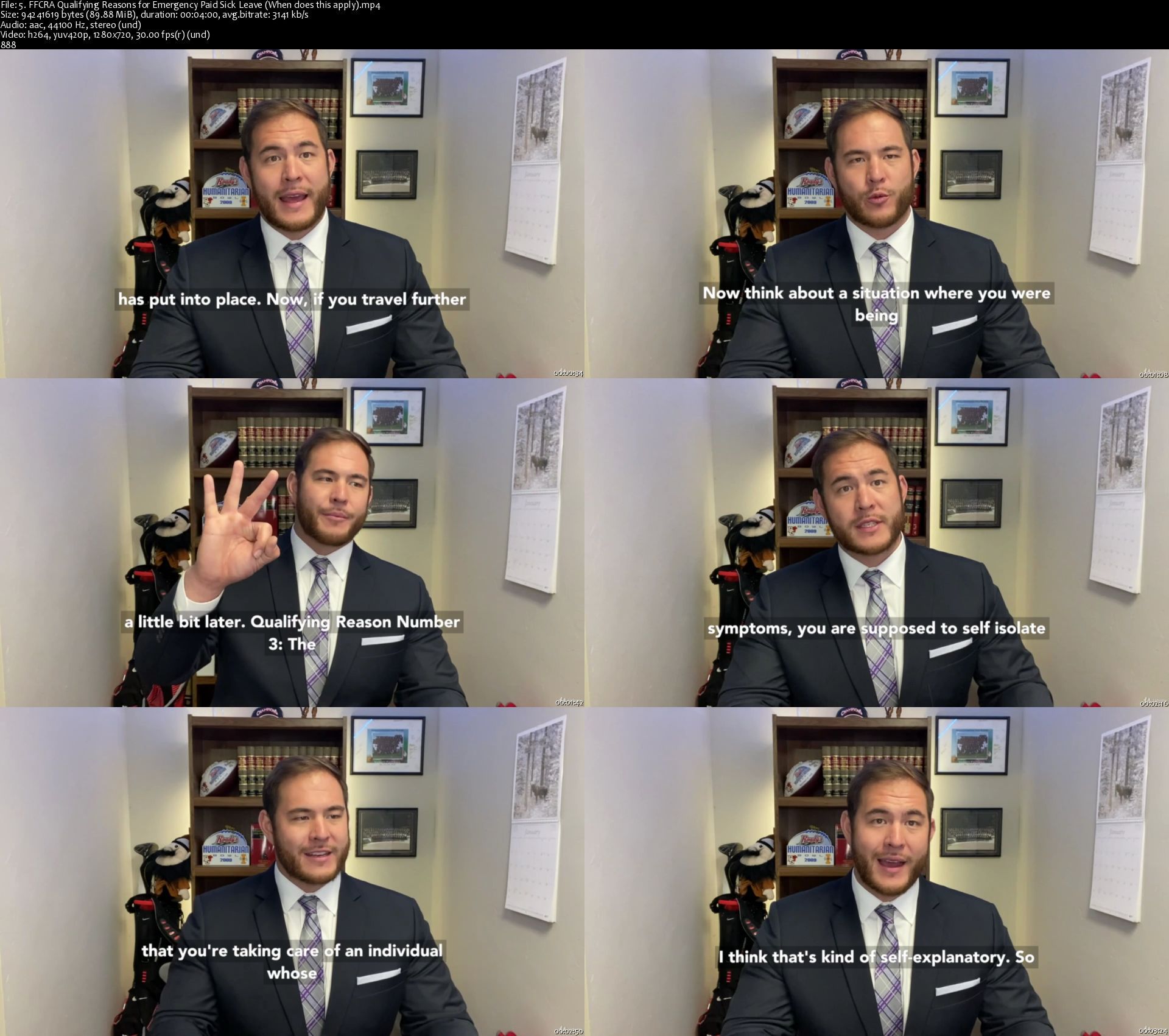
5.ffcraqualifyingreasi1jp5.jpg


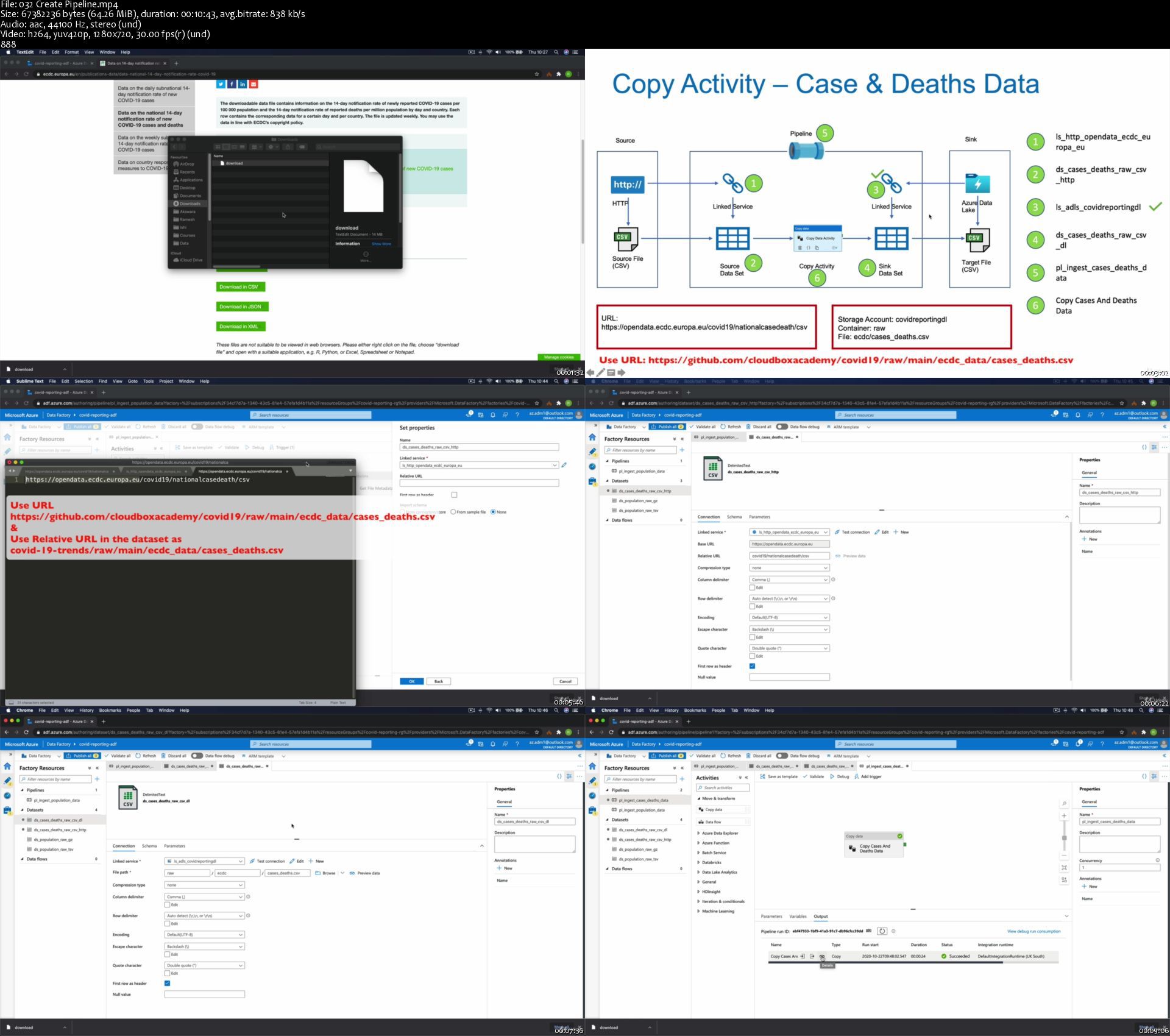
Azure Data Factory For Data Engineers - Project on Covid19

eokhubx9gldyawqdqtm76djkts.jpg


Azure Data Factory For Data Engineers - Project on Covid19
Genre: eLearning | MP4 | Video: h264, 1280x720 | Audio: aac, 44100 Hz
Language: English | Size: 3.04 GB | Duration: 9h 23m


What you'll learn
You will learn how to build a real-world data pipeline in Azure Data Factory (ADF). This course has been taught using real world data used to report Covid-19 trends.
You will acquire good Data Engineering skills in Azure using Azure Data Factory (ADF), Azure Data Lake Storage Gen2, Azure SQL Database, Azure Blob Storage and Azure Monitor
You will learn how to ingest data from sources such as HTTP and Azure Blob Storage into Azure Data Lake Gen2 using Azure Data Factory (ADF)
You will learn how to transform data using Data Flows in Azure Data Factory (ADF) and load into Azure Data Lake Storage Gen2
You will learn how to transform data using Databricks Notebook Activity in Azure Data Factory (ADF) and load into Azure Data Lake Storage Gen2
You will learn how to transform data using Azure HDInsight Activity in Azure Data Factory (ADF) and load into Azure Data Lake Storage Gen2
You will learn how to load transformed data from Azure Data Lake Storage Gen2 to Azure SQL Database using Azure Data Factory (ADF)
You will learn extensively about Triggers in Azure Data Factory (ADF) and how to use them to schedule the data pipelines.
You will learn how to monitor pipelines using Azure Data Factory (ADF), Azure Monitor and Log Analytics with a real-world project.
You will learn how to build production ready pipelines and good practices and naming standards
You will gain most of the skills required to pass the Azure Data Engineer Associate certification exams DP200 and DP200, but the primary objective of the course is not to teach you to pass the exams.
Requirements
Basic understanding about cloud computing will be useful, but not necessary.
Experience in Azure is not required, I will take you through everything necessary to learn this course and build the project
An Azure Account is required, If you don't have one we will create a free account in the course

Description
Welcome!

I am looking forward to helping you with learning one of the in-demand data engineering tools in the cloud, Azure Data Factory (ADF)! This course has been taught with implementing a data engineering solution using Azure Data Factory (ADF) for a real world problem of reporting Covid-19 trends and prediction of the spread of this virus.

This is like no other course in Udemy for Azure Data Factory or Data Engineering Technologies. Once you have completed the course including all the assignments, I strongly believe that you will be in a position to start a real world data engineering project on your own and also proficient on Azure Data Factory (ADF).

I have also included lessons on the storage solutions such as Azure Data Lake Storage, Azure Blob Storage, Azure SQL Database etc. Also, there are lessons on Azure HDInsight and Azure Databricks. I have even included lessons on building reports using Power BI on the data processed by the Azure Data Factory data pipelines. I have considered the machine learning models to be out of scope. You can use this data to build your own models and predict the spread.

The course follows a logical progression of real world project implementation with technical concepts being explained and the data pipelines in Azure Data Factory (ADF) being built at the same time. Even-though this course is not specifically designed to teach you the skills required for passing the Azure Data Engineer Associate Certification exams DP200 & DP201, it can greatly help you get most of the necessary skills required for the exam.

I value your time as much as I do mine. So, I have designed this course to be fast-paced and to the point. Also, the course has been taught with simple English and no jargons. I start the course from basis and by the end of the course you will be proficient in the technologies used.

Currently the course teaches you the following

Azure Data Factory

Building a solution architecture for a data engineering solution using Azure Data Engineering technologies such as Azure Data Factory (ADF), Azure Data Lake Gen2, Azure Blob Storage, Azure SQL Database, Azure Databricks, Azure HDInsight and Microsoft PowerBI.

Integrating data from HTTP clients, Azure Blob Storage and Azure Data Lake Gen2 using Azure Data Factory.

Branching and Chaining activities in Azure Data Factory (ADF) Pipelines using control flow activities such as Get Metadata. If Condition, ForEach, Delete, Validation etc.

Using Parameters and Variables in Pipelines, Datasets and LinkedServices to create a metadata driven pipelines in Azure Data Factory (ADF)

Debugging the data pipelines and resolving issues.

Scheduling pipelines using triggers such as Event Trigger, Schedule Trigger and Tumbling Window Trigger in Azure Data Factory (ADF)

Creating Mapping Data Flows to create transformation logic. The course covers all of the transformation steps such as Source, Filter, Select, Pivot, Lookup, Conditional Split, Derived Column, Aggregate, Join and Sink transformation.

Debugging data flows, investigating issues, fixing failures etc

Implementing Azure Data Factory pipelines to invoke Mapping Data Flows and executing them.

Creating ADF pipelines to execute HDInsight activities and carry out data transformations.

Creating ADF pipelines to execute Databricks Notebook activities to carry out transformations.

Creating dependency between pipelines to orchestrate the data flow

Creating dependency between triggers to orchestrate the data flow

Monitoring data pipelines, creating alerts, reporting of metrics from the Azure Data Factory Monitor.

Monitoring of Data Factory pipelines using Azure Monitor and setting diagnostic setting to be forwarded to Azure Storage Account or Log Analytics Workspace.

Creating Log Analytics workspace, creating workbooks and charts from log analytics on the Azure Data Factory pipelines

Implementing the Azure Data Factory Analytics monitoring tool and how to extend the capability further.

Azure Storage Solutions

Creating Azure Storage Account, Creating containers, Uploading data, Access Control (IAM), Using Azure Storage explorer to interact with the storage account

Creating Azure Data Lake Gen2, Creating containers, Uploading data, Access Control (IAM), Using Azure Storage explorer to interact with the storage account

Creating Azure SQL Database, Pricing Tiers, Creating Admin User, Creating Tables, Loading Data and Querying the database.

Azure HDInsight & Databricks

Creating HDInsight Clusters, Interacting with the UI, Using Ambari, Creating Hive tables, Invoking HDInsight activities from Azure Data Factory

Creating Azure Databricks Workspace, Creating Databricks clusters, Mounting storage accounts, Creating Databricks notebooks, performing transformations using Databricks notebooks, Invoking Databricks notebooks from Azure Data Factory.


Who this course is for:
University students looking for a career in Data Engineering
IT developers working on other disciplines trying to move to Data Engineering
Data Engineers/ Data Warehouse Developers currently working on on-premises technologies, or other cloud platforms such as AWS or GCP who want to learn Azure Technologies
Data Architects looking to gain an understanding about Azure Data Engineering stack
Data Scientists who want extend their knowledge into data engineering


Homepage

032createpipelinesedja7.jpg


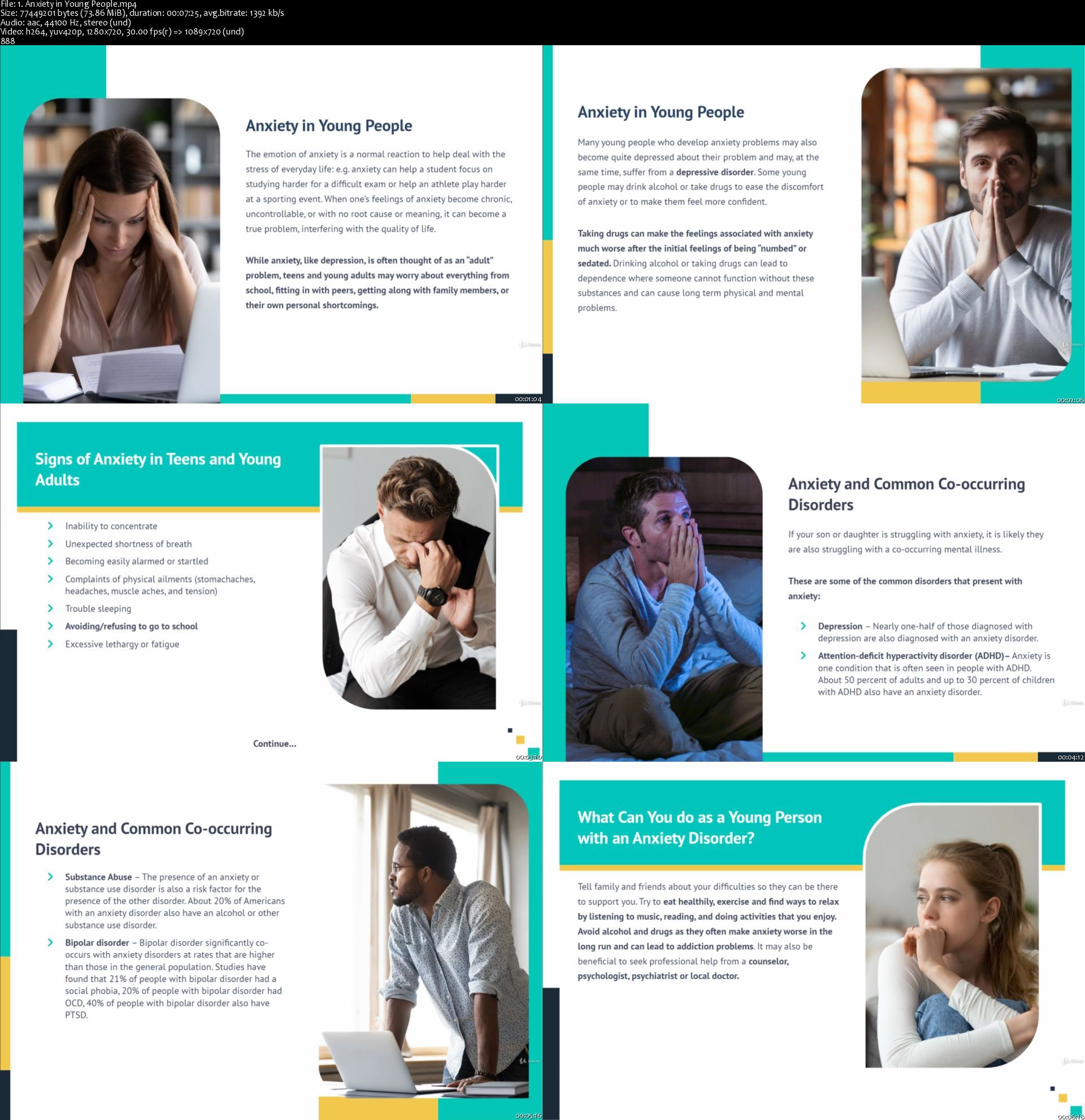
Anxiety in Children and Young People during COVID-19

3833462a6aao3jac.jpg


Anxiety in Children and Young People during COVID-19
Created by Alpha Academy | Last updated 2/2021
Duration: 1h 50m | 10 sections | 10 lectures | Video: 1280x720, 44 KHz | 1.12 GB
Genre: eLearning | Language: English + Sub

Gain an Understanding of How to Deal with Anxiety in Children and Young People During COVID-19


What you'll learn
Know how to recognise the symptoms of anxiety and understand the risk factors for anxiety disorder
Understand the difference between stress and anxiety and gain in-depth knowledge of anxiety disorders
Learn about the impact of COVID-19 on children, young people and women
Ease anxiety in children and young people by learning effective counselling techniques
Gain the skills to support children through the transition out of lockdown and protect their wellbeing
Develop your knowledge of the rules regarding social distancing
Deepen your understanding of homeschooling and how to teach children effectively at home
Practice mindfulness and learn a range of coping strategies for dealing with COVID-related stress

Requirements
There are no specific entry requirements for this course, which can be studied on a part-time or full-time basis.

Description
It's never been easier, more affordable, or more important to make choices about your education online and you trust Alpha Academy with your future.
Learn to stand out in the crowd and show your true potential to employers and customers by taking this Anxiety in Children and Young People during COVID-19 course.
Choose to learn about anxiety in children and young people with us, and you'll gain the confidence, knowledge, and talent to take your career to a whole new level of possibilities.
There are plenty of opportunities to learn about Anxiety in Children and Young People during COVID-19 online, but with us, you can rest assured that you will be learning from experts and using material that has been compiled by industry professionals with a passion for teaching.
Alpha Academy tutors and technicians will be with you every step of the way to guarantee your understanding of anxiety in children and young people and that you pass the final assessment with flying colors.
You won't be given dull facts and figures. This Anxiety in Children and Young People during COVID-19 course is full of audio and visual exercises and interaction that will surround you with the knowledge you need and update your skillset permanently,
After completing this course you will learn how to apply anxiety in children and young people instantly in your workplace or home. You will also gain the recognized certification that can be used to get that dream job or even start your own business. Become confident of your abilities in anxiety in children and young people and use them to develop your profile online and in the marketplace.

Who this course is for:Teaching professionalsChildmindersPsychologistsSocial workersParents and anyone who works with children and young people.

1.anxietyinyoungpeopl5ij71.jpg


Linkedin Learning Demystifying Audio Synthesis Beyond The Basics-QUASAR

196435859_0001-synth-programming-deep-dive_c.jpg


Linkedin Learning Demystifying Audio Synthesis Beyond The Basics-QUASAR | MP4 | 336.91 MiB

1 280 kb/s 1280x720 | AAC 160 kb/s 2 CH


NFO:
File List:

File: 0001 Synth programming deep dive.mp4
Size: 17041906 bytes (16.25 MiB), duration: 00:01:46, avg.bitrate: 1286 kb/s
Audio: aac, 48000 Hz, stereo (und)
Video: h264, yuv420p, 1280x720, 30.00 fps(r) (eng)


Download ( Size: 336.91 MiB ):
Filehosts: Nitroflare, Rapidgator


oHeopzn.png

1 Link/s
09B8BCACF4.png


5hSo1Ay.png

1 Link/s
307DAF5460.png


MasterClass - Questlove Teaches Music Curation and DJing

f1f4ed626197bd16810a4f6137663de5.jpg

MasterClass Questlove Teaches Music Curation and DJing TUTORiAL-SYNTHiC4TE
SYNTHiC4TE | March 09 2021 | 8.65 GB​
Ahmir Thompson-better known as Questlove-is an iconic DJ, the drummer for the Roots, and the "coolest man on late-night," but his first love is collecting and mixing music. Now the Grammy winner is sharing his passion with you. Explore DJ techniques, expand your musical vocabulary, and learn how to glide from genre to genre-including hip-hop, neo-soul, jazz, R&B, and more-to curate your own perfect playlist.

13 video lessons (3h 23m)
Browse Lesson Plan
1. Meet Your Instructor: Questlove
Meet Questlove, the four-time Grammy Award-winning musician, DJ, drummer for the Roots, and late-night TV star. He shares what he'll be teaching you in his class.
2. A Questlove Setup: Equipment
Find out about Questlove's DJ setup and his equipment preferences.
3. Gathering Music: Organizing and Pruning
Deepen your music appreciation by learning how Questlove listens to and absorbs music.
4. A Questlove Flow: Technology
Learn how to increase your artistry with Questlove's favorite technology.
5. Hey Mr. DJ: DJ 101
Questlove teaches you the fundamental skills of DJing.
6. DJing at the White House: Surviving Failure
Questlove explains the value of failure and encourages you to take chances as a DJ.
7. Planning Your Set: Sequencing and Vibe Checking
Explore Questlove's approach to curating a playlist and building a musical experience for an audience.
8. Training Your Ears to Listen
Questlove shows you how to listen to and search for music to find remarkable moments.
9. Advanced DJ Techniques
Learn Questlove's more advanced techniques for DJing.
10. Knowing Your Roots: The Art of Crate Digging
Expand your catalog and explore different music with tips from Questlove.
11. Finding Inspiration in Other DJs
Questlove pays tribute to pioneer DJs and highlights their unique techniques.
12. Musicology: Questlove's Playlist
Watch as Questlove breaks down the music in his playlist and explains the intricacy of his transitions.
13. Questlove's MasterClass Mix (Bonus)
Wat

HOmepage:

Screenshots
edd2399af7b581cda4397b2a94d48823.jpg


Link Download
​
Extract files with WinRar 5 or Latest !
 
MasterClass - Niki Nakayama Teaches Modern Japanese Cooking

4a93d5bb3e04145556991fa9348b3e21.jpg

MasterClass - Niki Nakayama Teaches Modern Japanese Cooking | 10.7 GB​
The chef and owner of two-Michelin-starred restaurant n/naka in Los Angeles, Niki Nakayama is celebrated for her modern interpretation of kaiseki, a traditional Japanese cuisine. With her partner and sous chef, Carole, Niki will teach you techniques for preparing sashimi, tempura, perfect rice, and more. Learn how to make dishes that honor fresh ingredients as Niki shows you how to cook with care and gratitude.

18 video lessons (4h 7m)
Browse Lesson Plan
1. Meet Your Instructor: Niki Nakayama
Chef Niki Nakayama fuses Japanese tradition with Californian ingredients to redefine kaiseki cuisine. In her first lesson, Niki will share the challenges and victories she encountered on the road to earning two Michelin stars.
2. Kaiseki Cooking
Kaiseki originated from the multicourse style of dining practiced by Zen monks in medieval Japan. Similar to a tea ceremony, this elaborate meal is designed to slow the mind and attune the senses. Niki shares her modern spin on kaiseki.
3. Japanese Pantry Essentials
In order to prepare great Japanese food, you will need authentic ingredients. Niki shares tips for sourcing and selecting traditional Japanese ingredients.
4. Ichiban Dashi: Kombu and Bonito Stock
Learn how to make dashi, the deceptively simple broth that is a staple of Japanese cooking and the base for many dishes in this class.
5. Japanese Culinary Tools
For many of the techniques you'll learn in this class, you'll need some specialized tools. Niki gives you an overview of the essentials and shares some of her favorites.
6. Rockfish: Whole Fish Preparation
Learn to handle a whole fish with confidence as Niki shares a few professional tricks and demonstrates key knife skills.
7. Balance in Kaiseki
The order and composition of your dishes are key elements of the dining experience. Niki explains how to create balance in your meals.
8. Zukuri: Modern Rockfish Sashimi
Niki introduces Western ingredients to Japanese technique as she demonstrates how to prepare, cure, and slice rockfish for this sashimi dish.
9. Owan: Soup With Bone Broth
Learn how to create a delicious soup with no-waste cooking techniques. Niki shares her secrets for a perfect broth, as well as how to plate a bowl of soup.
10. Tuna: Portions for Otsukuri and Yakimono
In Japan, tuna is prized for its bright red color and eaten at celebratory occasions. Learn how to identify parts of the tuna, how to section the meat, and where to find ethically sourced fish.
11. Otsukuri: Traditional Tuna Sashimi
Improve your knife skills as Niki demonstrates professional techniques for slicing fish and making beautiful vegetable garnishes.
12. Yakimono: Grilled Tuna
When grilling, your choice of fuel will impact the final flavor. Learn the slow, subtle method of grilling over binchotan, a special charcoal used in Japanese cooking.
13. Mushimono: Steamed Rockfish
A light, steamed dish offers a heartwarming lift in the middle of a meal. Niki prepares steamed rockfish with potato purée and ankake sauce.
14. Agemono: Rockfish and Vegetable Tempura
Master the art of tempura frying, from selecting the right flour to keeping your batter cold. Niki offers suggestions for which vegetables and mushrooms are best for tempura.
15. Agemono: Tuna Karaage
Niki prepares a simple marinade for tuna in this dry-fried preparation. Learn when to fry fish and when to save it for sashimi.
16. Donabe: Japanese Rice Traditions
Niki introduces the donabe, a traditional clay pot, and demonstrates how to use it as she shares the significance of rice to Japanese culture.
17. Shokuji: Rice and Pickles
In kaiseki, the last course is often a simple bowl of rice with pickles. Learn how to prepare the perfect bowl of rice and how to reuse dashi for a pickle brine.
18. Ichigo Ichie

Homepage:

Screenshots
3be97dc332c4a440f5fd8222908d7ff1.jpg


Link Download
​
Extract files with WinRar 5 or Latest !
 
The German Alphabet - a complete guide to pronunciation

p4rstwmxdilyf4mws72choajgq.png


The German Alphabet - a complete guide to pronunciation
h264, yuv420p, 1920x1080 | ENGLISH, aac, 44100 Hz, 2 channels, s16 | 3h 01 mn | 853.79 MB
Instructor: Angelika Davey

Learn how to spell and pronounce words in German and practise listening to the letters of the German alphabet

What you'll learn

Say the German alphabet
Understand when people spell words in German
Be able to spell words in German
Be able to spell email addresses in German
Be able to read German words, whether known or unknown
Be able to read vowels or diphthongs within a German word correctly
Be able to read consonants and their combinations within German words correctly

Requirements

All you need is a pen and paper for the listening exercises.
You may also want to sit in a quiet room without too much background noise.


Description

This updated course is the complete guide to the German alphabet.

You will learn

how to pronounce the letters of the alphabet in German, including the extra letters ä, ö, ü and ß

how to spell email addresses and other words in German

how to spell words using the German spelling alphabet

You will also learn

how the letters sound within a word, all the vowels, consonants and letter combinations

how German words sound so that you can pronounce them, even if you don't know them

Listening exercises will reinforce what you have learned. And there is an option to practise some tongue twisters.

Anybody who has started learning German or has an interest in the German language will benefit from this course.

Intermediate or advanced German learners probably won't need this course but may still have fun practising their listening skills.

Who this course is for:

This course is for anybody who has started learning German or wants to revise the alphabet again.
Advanced learners, though, may find it too easy (but sometimes that's not a bad idea).


Homepage

4.activitytestyourlis74ja7.jpg


The complete guide to German punctuation

007e9ac1o3k61.jpg


The complete guide to German punctuation
Duration: 1h 47m | .MP4 1280x720, 30 fps(r) | AAC, 44100 Hz, 2ch | 1.44 GB
Genre: eLearning | Language: English

Everything - and possibly more - you ever wanted to know and learn about using punctuation in German!


What you'll learn
When or when not to use a comma in German
When or when not to use a full stop/ period
How to confidently use hyphens, dashs, ellipsis dots, colons and semicolons in German
When - or more importantly, when not - to use an apostrophe in German
When and how to write quotation marks in German
When to use exclamation and question marks in German
How to confidently decide when to use capital letters in German and when not

Requirements
You should have some knowledge of the German language and grammar.
You should have a desire to complete your own German work with the correct punctuation


Description
Would you like to complement your German writing with accurate punctuation?

Would you like a one-stop place where to find all German punctuation information?

This course will show you how, when and when not to use

Commas

Full stops/ periods

Hyphens or a dash

Ellipsis dots

Colons and semicolons

Round and square brackets

Apostrophes

Question & exclamation marks

Quotation marks

Capital letters

How is this course different from other courses?

Most German courses or textbooks cover many topics, but not always in great detail. Normally, there is a tutor to explain more. That can be a problem for those who are teaching themselves as they might not have anybody to explain further.

My courses are in depth, easy to understand and come with worksheets, quizzes, assignments to help you practice what you have learned.

So, if you want to know about German punctuation but don't want to search courses, textbooks, blogs or YouTube, this course is for you!


Who this course is for:
This course is for German learners of all levels.
This complete guide is for every German learner who doesn't want to waste time finding information about punctuation in textbooks or online.
Beginners can enroll in this course and use it alongside their own German learning.
Intermediate German learners who have some knowledge of German grammar.
Advanced German learners who want to complete their written work with correct punctuation.

More Info

014numbersandfullstop0ejke.jpg


Zurück
Oben Unten