• Regeln für den Video-Bereich:

    In den Börsenbereich gehören nur Angebote die bereits den Allgemeinen Regeln entsprechen.

    Einteilung

    - Folgende Formate gehören in die angegeben Bereiche:
    - Filme: Encodierte Filme von BluRay, DVD, R5, TV, Screener sowie Telesyncs im Format DivX, XviD und x264.
    - DVD: Filme im Format DVD5, DVD9 und HD2DVD.
    - HD: Encodierte Filme mit der Auflösung 720p oder darüber von BluRay, DVD, R5, TV, Screener sowie Telesyncs im Format x264.
    - 3D: Encodierte Filme von BluRay, die in einem 3D Format vorliegen. Dies gilt auch für Dokus, Animation usw.
    - Serien: Cartoon/Zeichentrick, Anime, Tutorials, Dokumentationen, Konzerte/Musik, Sonstiges sind demnach in die entsprechenden Bereiche einzuordnen, auch wenn sie beispielsweise im High Definition-Format oder als DVD5/DVD9/HD2DVD vorliegen. Ausnahme 3D.
    - Bereich Englisch: Englische Releases gehören immer in diesen Bereich.
    - Bereich Talk: Der Bereich, in dem über die Releases diskutiert werden kann, darf, soll und erwünscht ist.


    Angebot/Beitrag erstellen

    - Ein Beitrag darf erst dann erstellt werden, wenn der Upload bei mindestens einem OCH komplett ist. Platzhalter sind untersagt.
    - Bei einem Scenerelease hat der Threadtitel ausschließlich aus dem originalen, unveränderten Releasenamen zu bestehen. Es dürfen keine Veränderungen wie z.B. Sterne, kleine Buchstaben o.ä. vorgenommen werden. Ausnahme Serienbörse:
    - Bei einem Sammelthread für eine Staffel entfällt aus dem Releasename natürlich der Name der Folge. Beispiel: Die Simpsons S21 German DVDRip XviD - ITG
    - Dementsprechend sind also u.a. verboten: Erweiterungen wie "Tipp", "empfehlenswert", "only", "reup", usw. / jegliche andere Zusatzinformation oder Ergänzung, welche nicht in obiger Beschreibung zu finden ist.

    Aufbau des Angebots und Threadtitel

    Der Titel nach folgendem Muster erstellt zu werden. <Name> [3D] [Staffel] [German] <Jahr> <Tonspur> [DL] [Auflösung] <Quelle> <Codec> - <Group>
    Beispiel: The Dark Knight German 2008 AC3 DVDRip XviD - iND
    Beispiel: The Dark Knight 2008 DTS DL BDRip x264 - iND
    Beispiel: The Dark Knight 2008 AC3 DL BDRip XviD - iND
    Beispiel: The Dark Knight German 2008 AC3 720p BluRay x264 iND
    Beispiel: The Dark Knight 2008 DTS DL 1080p BluRay x264 iND
    Beispiel: Die Simpsons S01 German AC3 DVDRip XviD iND
    Beispiel: Die Simpsons S20 German AC3 720p BluRay x264 iND
    Beispiel: Sword Art Online II Ger Sub 2014 AAC 1080p WEBRip x264 - peppermint
    Entsprechend sind also u.a. verboten: Sonderzeichen wie Klammern, Sterne, Ausrufezeichen, Unterstriche, Anführungszeichen / Erweiterungen wie "Tipp", "empfehlenswert", "only", "reup", usw. / jegliche andere Zusatzinformation oder Ergänzung, welche nicht in obiger Beschreibung zu finden ist
    Ausnahmen hiervon können in den Bereichen geregelt sein.

    Die Beiträge sollen wie folgt aufgebaut werden:
    Überschrift entspricht dem Threadtitel
    Cover
    kurze Inhaltsbeschreibung
    Format, Größe, Dauer sind gut lesbar für Downloader außerhalb des Spoilers zu vermerken
    Nfo sind immer Anzugeben und selbige immer im Spoiler in Textform.
    Sind keine Nfo vorhanden z.B. Eigenpublikationen, sind im Spoiler folgende Dateiinformationen zusätzlich anzugeben :
    Quelle
    Video (Auflösung und Bitrate)
    Ton (Sprache, Format und Bitrate der einzelnen Spuren)
    Untertitel (sofern vorhanden)
    Hosterangabe in Textform außerhalb eines Spoiler mit allen enthaltenen Hostern.
    Bei SD kann auf diese zusätzlichen Dateiinformationen verzichtet werden.

    Alle benötigten Passwörter sind, sofern vorhanden, in Textform im Angebot anzugeben.
    Spoiler im Spoiler mit Kommentaren :"Schon Bedankt?" sind unerwünscht.


    Releases

    - Sind Retail-Release verfügbar, sind alle anderen Variationen untersagt. Ausnahmen: Alle deutschen Retail-Release sind CUT, in diesem Fall sind dubbed UNCUT-Release zulässig.
    - Im Serien-Bereich gilt speziell: Wenn ein Retail vor Abschluss einer laufenden Staffel erscheint, darf diese Staffel noch zu Ende gebracht werden.62
    - Gleiche Releases sind unbedingt zusammenzufassen. Das bedeutet, es ist zwingend erforderlich, vor dem Erstellen eines Themas per Suchfunktion zu überprüfen, ob bereits ein Beitrag mit demselben Release besteht. Ist dies der Fall, ist der bereits vorhandene Beitrag zu verwenden.
    - P2P und Scene Releases dürfen nicht verändert oder gar unter einem iND Tag eingestellt werden.


    Support, Diskussionen und Suche

    - Supportanfragen sind entweder per PN oder im Bereich Talk zu stellen.
    - Diskussionen und Bewertungen sind im Talk Bereich zu führen. Fragen an die Uploader haben ausschließlich via PN zu erfolgen, und sind in den Angeboten untersagt.
    - Anfragen zu Upload-Wünschen sind nur im Bereich Suche Video erlaubt. Antworten dürfen nur auf Angebote von MyBoerse.bz verlinkt werden.


    Verbote

    - Untersagt sind mehrere Formate in einem einzigen Angebotsthread, wie beispielsweise das gleichzeitige Anbieten von DivX/XviD, 720p und 1080p in einem Thread. Pro Format, Release und Auflösung ist ein eigener Thread zu eröffnen.
    - Grundsätzlich ebenso verboten sind Dupes. Uploader haben sich an geeigneter Stelle darüber zu informieren, ob es sich bei einem Release um ein Dupe handelt.
    - Gefakte, nur teilweise lauffähige oder unvollständige Angebote sind untersagt. Dies gilt auch für eigene Publikationen, die augenscheinlich nicht selbst von z.B. einer DVD gerippt wurden. Laufende Serien, bei denen noch nicht alle Folgen verfügbar sind, dürfen erstellt und regelmäßig geupdatet werden.
    - Untersagt sind Angebote, welche nur und ausschließlich in einer anderen Sprache als deutsch oder englisch vorliegen. Ausnahmen sind VORHER mit den Moderatoren zu klären.


    Verstoß gegen die Regeln

    - Angebote oder Beiträge, die gegen die Forenregeln verstoßen, sind über den "Melden"-Button im Beitrag zu melden.
  • Bitte registriere dich zunächst um Beiträge zu verfassen und externe Links aufzurufen.

++ Premium IPTV ++ 7000 Live Sender ++ UHD Qualität ++ Mediathek mit 18.000 Inhalten ++


VenneTV


Englische Tutorials

AWS Certified Cloud Practitioner 2021 Ultimate Exam Training

00818cd48hj3a.jpg


AWS Certified Cloud Practitioner 2021 Ultimate Exam Training
Duration: 14h 42m | .MP4 1280x720, 30 fps(r) | AAC, 44100 Hz, 2ch | 5.81 GB
Genre: eLearning | Language: English

Pass the AWS Certified Cloud Practitioner Exam | Premium On-Demand Training | Hands-On Labs | Quizzes | Practice Exams


What you'll learn
Become an AWS Certified Cloud Practitioner and Fast Track your IT Career by taking this fully comprehensive course, with hands-on labs, demos, real world practice exams and free instructor support.
Learn about the fundamentals of cloud computing and the AWS Cloud ecosystem. By the end of this course, you will be able to confidently work on the AWS Cloud platform and start building cloud solutions.
In addition, for non-IT professionals, this course will enable you to grasp and prove your understanding how cloud computing and AWS can help you build highly available, fault tolerant and cost effective IT solutions, giving your business the agility to compete effectively in the market.

Requirements
There are no pre-requisites for this course as this course and certification is designed for both IT professionals and non-IT professionals.

Description
Pass AWS Certified Cloud Practitioner Exam, and demonstrate a detailed understanding of cloud concepts, AWS services, security and compliance, architectural concepts, cloud pricing concepts, and support models.

The AWS Certified Cloud Practitioner (CLF-C01) examination is for anyone looking to learn and understand the core offerings of the Amazon AWS Cloud. It is intended for individuals who have no prior knowledge on Amazon AWS and who wish to progress their career by effectively demonstrating an overall understanding of the AWS Cloud, its services and how it can help deliver cost-effective IT solutions to meet the demands of the business.

February 2021 - Updates

At the IaaS Academy, we update our courses on a regular basis. Listed below are the updates for February 2021:

AWS has added a number of additional questions in the exam that covered topics in more detail. We have now updated our question bank to reflect this.

Updated Content:

Section 3-5 - Amazon Simple Storage Service (Amazon S3) Bucket Versioning

Section 16 - AWS Certified Cloud Practitioner - Practice Exams [Updated]

Why Take This Course?

This is a comprehensive course designed to help you pass the AWS Certified Cloud Practitioner Certification as well as give you a full understanding of cloud computing and the various services offerings on AWS.

Unlike the official AWS training course (which only covers the core concepts in 6 hours), this AWS Certified Cloud Practitioner Ultimate Training is a fully comprehensive course. This course comes with tons of hands-on labs and demos which means that in addition to passing the exam, you will be able to start building real-world cloud solutions for your clients.

We have closely aligned this course with the official AWS Certified Cloud Practitioner Exam Guide. This course is structured so that you can study at a pace that suits you best. We start with some basic cloud concepts and then move on to core AWS Services. Our approach is to build your knowledge from the ground up covering all core concepts and then moving onto the more advanced topics.

Even if you are a beginner, our AWS Certified Cloud Practitioner training program introduction sections will ensure that you are brought up to speed and be able to take this course successfully. Each module builds on the previous one and you get an opportunity to fully appreciate and understand architectural concepts and design strategies for build cloud solutions.

Our Training Offering to Maximize Your Exam Success!

Bite-Size Videos: We know that you have other commitments including work and family. That's why our courses are split into modules with bite-size videos. Each concept is built upon the previous one and you can learn at your own pace.

Theoretical Concepts: You can quickly study our theory lectures that are 100% conform with the CLF-C01 exam blueprint - everything you need to know to pass your exam first attempt

Guided Hands-On Labs & Demos: To gain more practical experience with AWS services, we encourage you to carry out all our labs in your own AWS Free Tier Account. We also offer free instructor support if you get stuck, simply connect with us via the Udemy Q&A

High-Quality Diagrams and Illustrations: We've spared no effort to create a highly visual training course with lots of diagrams, illustrations, animations to help you better understand the concepts.

14 Section Quizzes: At the end of each section you get to review your knowledge short quizzes

2 Real-World Practice Exams: Simulate the real exam with our 2 real-world Practice Exams. The 130 unique practice questions are timed and scored mimicking the real exam environment so you get familiar with the AWS exam format, style, and difficulty.

Detailed Explanations and Reference: Every question includes deep-dive reference links and detailed explanations that explain why each answer is correct or incorrect. Most questions also link to short You-Tube videos that explain the concepts further.

Access to Course Lectures (PDF): All diagrams and slides presented throughout the course are available for download in PDF format. Use the Exam Cram document for last-minute exam preparation

Always Updated: Our teachings reflect the latest CLF-C01 exam blueprint. All students have lifetime access to all future updates

Free Instructor Support: Our team of AWS experts comprehensively respond to all of your questions, concerns or feedback

Active Udemy Q&A Board: Join the discussion on AWS related topics in our discussion forum where our students share their recent exam experience offering feedback on which topics were covered

What Do Other Students Say?

Check out the excellent course reviews from our many students who passed their AWS exam with an average passing score of over 850!

⭐⭐⭐⭐⭐

This is a great course to prepare for the AWS-CCP exam. I just cleared my exam yesterday with 949 score out of 1000. I would suggest getting the additional set of 3 practice exams that Rajesh has it to prepare well for the actual exam. Do go through the AWS Services and How Pricing Works white papers too.

⭐⭐⭐⭐⭐

Complete and detailed course. With more practice tests, I feel ready for the exam. Thank you! If I may, at the end of each section, it would be good to have a short summary of the most important items to remember for the exam. NB: I took and passed the exam last week. I scored 949. Thanks again!

⭐⭐⭐⭐⭐

Brilliant course! I am required by my company to get this certification and started on the AWS videos, which I found utterly dreadful. Then I found Rajesh's course and he's managed to get me very interested in all of these Cloud services. I've learned a LOT. Definitely recommend this course if you are looking for a comprehensive introduction into Cloud services and general IT architecture/services.

Course Design

At the IaaS Academy, we deliver courses that cover all theoretical concepts as well as hands-on demonstrations via labs and assignments to help you build your understanding of the technology stack. This course covers all the core AWS services in great detail and well as offers several lab demonstrations that you can then carry out in your AWS Free Tier account to build up that hands-on experience most employees demand.

Course Outline

Section 1 - Introduction to AWS Certified Cloud Practitioner CLF-C01 and Cloud Computing

Section 2 - AWS Identity and Access Management (IAM)

Section 3 - Amazon Simple Storage Service (S3), Storage Gateway, and Snowball

Section 4 - AWS Networking and Content Delivery

Section 5 - AWS Compute Services

Section 6 - AWS Database Services

Section 7 - Amazon Route53

Section 8 - Application Integration Services

Section 9 - Analytics

Section 10 - Machine Learning

Section 11 - Management & Governance

Section 12 - Security

Section 13 - The Well-Architected Framework

Section 14 - Billing & Pricing

Section 15 - Book Your AWS Exam

Section 16 - 2x Complete Real World Practice Exams

How to take this course?

Review the course videos and ensure you follow the training program through the sections

Create a Free AWS Tier Account

Review all our hands-on labs and ensure you practice the labs in your own Free Tier account

Review the recommended whitepapers

Take our Practice Exams to gain the confidence you need to pass the official AWS Exam the first time.

Reach out to us on the Udemy Q&A support if you are unsure of any concept being discussed in the training. Our AWS Instructors will respond to all AWS course-related topics within 8 Hours!

YOUR INSTRUCTOR

Hi, my name is Rajesh Daswani - I'll be your instructor for the AWS Certified Cloud Practitioner Ultimate Exam Training. Cloud Computing and training are Passion - which is why I co-founded the IaaS Academy - where we offer both AWS & Microsoft 365 certification training resources that represent a higher quality standard than is otherwise available in the market. I created this comprehensive training course because many courses on the market seemed to only cover the core concepts. The actual exam expects you to know of all the AWS services, albeit at a very high level. I want you to ace your AWS exam and achieve your career goals. As my student, I want to ensure that you have everything you need not only to pass the exam but also have the hands-on experience of working on the AWS platform and be in a position to start building cloud solutions.

You can always reach me via the Udemy Q&A, send me a message on the Udemy Messaging service, or connect with me on LinkedIn.

Best of Luck


Who this course is for:
IT Professionals looking to embark on a cloud computing career or those who work on other cloud platforms and wish to build solutions on AWS
Non-IT Professionals including Sales, Finance and Senior Executives (CEOs, CFOs, CTO etc) who are looking to build solutions in the cloud with fast turnaround times, while ensuring high available, fault tolerant and cost effective solutions.
Senior Executives will benefit from this course by understanding how the cloud can help cut IT costs and help their business move away from a CAPEX mode to an OPEX mode of investment in IT

More Info

1.section61introductidajei.jpg


Skin 101: Lighting, Retouching and Understanding Skin

d8n6xmzpqoh76nwuhc94w81j44.jpg


Skin 101: Lighting, Retouching and Understanding Skin
Duration: 15h18m| Video: .MP4 1280x720, 30 fps(r) | Audio: AAC, 48000 Hz, 2ch | Size: 9.7 GB
Genre: eLearning | Language: English + subtitles
Get An In-Depth Education Shooting A Variety Of Skin Textures And Tones.

Capturing beautiful skin tones is essential to the success of any portrait, yet skin is notoriously difficult to photograph and retouch. Skin comes in all colors, tones, and textures - each requiring different treatment.

Learn how to handle your subject's skin and add polish to all of your portraits. In this course, Lindsay Adler will take you through the essentials of understanding, lighting, photographing and retouching skin in all its variations.

Lay a strong foundation for a great shoot by learning easy make-up tips. Get an in-depth look at how light modifiers, reflectors, and direction of light impact the appearance of skin for both natural light and studio lighting. Learn advanced color calibration and color correction. Master setting up your camera to capture accurate color and when to modifying in post-production to get ideal skin representation.

Lindsay will teach you how to work with a variety of skin textures and tones - whether the skin is very pale, extremely dark, very oily, has extreme blemishes and much more. You'll learn everything from how to photograph each type of skin to how to retouch these varieties in skin.

Software Used: Adobe Photoshop CC 14.2

Homepage

10100437retouchingbea3hkj2.jpg


Qt 6 Core Beginners with C++

b3zuof5b4n9ce2bbuepoj23k1y.jpg


Qt 6 Core Beginners with C++
MP4 | h264, 1280x720 | Lang: English | Audio: aac, 48000 Hz | 15h 42m | 5.53 GB


What you'll learn
C++ for beginners
C++ programming
Qt
Qt 6 Core
Variables
Scope
Pointers
QObject
Command line programs
Input and output
Flow control
Functions
Signals and slots
Casting
Error handling
Templates
QString class
QList class
QVariant class
QMap class
QVector Class
QTimer Class
qDebug, qInfo, qWarning, qCritical, qFatal
Qt property system
Getters and setters
Requirements
Internet connection and a desire to learn
Some experience helpful, but we start at the beginning

Description
Learn cross platform programming with Qt and C++, write once, build anywhere - Qt runs on virtually anything. You probably have applications built with Qt running on your computer, smart phone, television, and other electronics.

No experience necessary, this is a beginners course that will teach you the foundations of both Qt 6 and C++. This course is meant as a direct replacement for an introduction to C++ class. This course starts off with simple topics such as "what is a variable" and ends with some basic Qt classes and how to work with them. The main focus of this course is to get the student a solid foundation to move forward from. At the end of this course you will be able to create basic applications using C++ and Qt 6. This course is a complete re-record of my award winning Qt 5 for beginners course, covering new material along with using CMAKE instead of QMAKE.

We will start with basic foundational concepts such as variables and each section moves into more complex topics such as templates, classes, error handling and how to use some of the Qt 6 classes includes in the core library. This course uses C++ and Qt Creator which is the best IDE for developing cross platform applications using Qt that can run on Windows, Mac, Linux, embedded devices such as a raspberry pi, iPhone and Android.

This is the starting point for all other Qt 6 courses on that are coming soon to Udemy as I re-record them with the newest technology.

Qt 6 Core Intermediate

Qt 6 Core Advanced

Qt 6 Widgets

Qt 6 QML

Qt 6 Design Patterns


Who this course is for:
Anyone wanting to learn the basics of C++ and Qt 6


Homepage

6.inheritancesgsjuo.jpg


Project Management With MS Project - Scheduling Master Class

cip7wnymyupxcforzvlnv59jp9.jpg


Project Management With MS Project - Scheduling Master Class
MP4 | h264, 1280x720 | Lang: English | Audio: aac, 48000 Hz | 6h 30m | 5.96 GB


What you'll learn
Earn 8 PDUs towards your PMI certification.
Learn how to use Microsoft Project.
Learn Microsoft Project best practices.
Gain Project Management knowledge.
Improve Project Management skills.
Develop skills in project scheduling.
Learn the art and science of managing projects with Microsoft Project

Requirements
Open mind
A copy of Microsoft Project installed


Description
I am super-excited to welcome you to "Managing Projects With Microsoft Project Scheduling Masterclass".

Question: Are you new to this software?

If yes, do yourself a favor and grab this course right now. I mean, seriously - come on. Just click on the "Take this course" button. It's no brainer with the risk-free, mega-generous 30-day money-back guarantee. Just do it! Enroll now and start to learn. You are gonna love it!

In case you are still here.

I want to tell you my story.

I discovered "Project" twenty years ago when a colleague whispered in my ear about this "awesome software package" and revealed a shiny, glossy shrink-wrap box from his desk drawer.

After a quick look at the list of benefits that it could provide to you, I almost jumped with excitement and danced around the office.

It was a project manager's dream come true.

Think about it.

Automatic task scheduling
Dynamic task durations
Keep track of resource assignments
Specify task dependencies
Reschedule the whole project instantly
Create Gantt charts
As you can imagine, all of that was like music to my ears. I wanted to install and learn it immediately.

So, I grab a copy, put it in and power it up. My whole body shakes with anticipation. And.

It looks mighty-similar to Excel.

I go, "Sweet! I already know Excel, this will be a breeze - easy-peasy to learn instantly".

By that time, I had already earned a reputation of a computer wiz who does not need to take a course to learn software. (It was even before my training career.)

And I begin to learn MS Project with unbridled, white-hot enthusiasm.

And then.

Like a bucket of ice-cold water the reality hits. It turns out that MS Project is different from other software packages that I had used before.

It does things behind the scenes that surprise you. Nothing works the way you think - "logically".

All of my assumptions get flushed down the toilet. I squander so much time on it that there is hardly any left for project management.

My eyes were hurting from staring at lines and lines of project data. My mind was ready to explode. My whole body would start itching the instant I saw another Gantt chart.

And the worst part.

My computer-genius reputation was being murdered. It almost made me sick to my stomach as the paralyzing fear started to creep under my skin.

That's when I told myself, "Slow down! There is a better way. You feel like a blind kitten. Stop this intuitive-learning nonsense and take a training course right now."

And I did.

As a matter of fact, I perused every single piece of instruction that I could get my hands on including great books and video courses. Plus, I met some more experienced users (there were not too many back then) who gave me their insights and shared their "secret" world-class techniques.

Which I promptly translated to my own situation and instantly improved my scheduling workflow.

As a result, I did manage to conquer MS Project. It was not easy, but I can't describe the energizing sense of accomplishment it provides.

On my MS Project learning journey over the years, I was painstakingly collecting ideas, thoughts, tips and techniques fundamental to scheduling and problem-solving success with this powerful app.

Which is great news for you.

Because in this easy-to-follow tutorial I am just about to gently lead you step-by-step through your own MS-Project learning experience.

As you work through the course, you'll quickly learn the exact strategies that helped me and will help you harness Project and get back in control of your scheduling.

My learning curve was steep as Mount Everest.

Yours will be smooth and intellectually pleasant, so you can enhance your Microsoft Project game immediately.

I have accumulated a treasure chest of shrewd tactics, processes, tips and tricks which I'll reveal to you in this course.

As soon as you begin the course, you'll quickly grasp and become comfortable with the user interface and various important considerations when working in Project.

As you go through the course, You'll learn that MS Project success is not simply about your ability to learn software.

It's about your level of comfort with the essential practical project-management concepts. Like critical path, work breakdown structure, resource types and resource leveling, etc.

As you learn in this course, you'll accumulate your own collection of favorite tactics and techniques and get multiple benefits.

Some of the benefits are:

Benefit 1: Become efficient in managing lists of tasks in Project.

Benefit 2: Fine-tune your project plans with custom project calendars.

Benefit 3: Speed up your scheduling by using task relationships and dependencies.

Benefit 4: Get to understand recurring tasks in MS Project

Benefit 5: Control your schedule by task constraints and task deadlines.

Benefit 6: Use Work Breakdown Structure (WBS) to bring sanity to multi-project environment.

Benefit 7: Simplify your scheduling and communication with custom views and tables.

Benefit 8: Become adept at task types (Fixed Duration, Fixed Work, Fixed Units)

Benefit 9: Understand the behavior of the effort-driven scheduling.

Benefit 10: Learn how to understand and profit from the Critical Path Method.

Since my early days of teaching, I earned a reputation as a great teacher and a problem solver. Folks like to learn from me because I can explain complex things in such an easy and clear way so even a child can comprehend them.

That's exactly why, when you enroll in this course, you should expect crystal-clear, easy-to-understand explanations and instructions.

Frankly, I am a bit envious. I wish I had this tremendous learning opportunity when I was just getting started.

I am confident that you'll experience instant results delivered by this course.

That's why I invite you to click on the "Take this course" button, secure your lifetime access now and begin to learn.

You are going to love it.

Enjoy!

Igor Ovchinnikov


Who this course is for:
Project Managers
Project Assistants
Project Schedulers
Program Managers
Project Portfolio Managers
Anyone who wants to succeed with Microsoft Project
Anyone who wants to be good at scheduling


Homepage

2.customtextfieldinmsb0j31.jpg


Megan DiPiero - Poses That Sell - Online Workshop

0081802e0ikic.jpg


Megan DiPiero - Poses That Sell - Online Workshop
Duration: 4h 3m | .MP4 1920x1080, 30 fps(r) | AAC, 44100Hz, 2ch | 5.38 GB
Genre: eLearning | Language: English

Photographers get stage fright when shooting individuals because all eyes are on them to direct the perfect pose and coax the perfect expression. It's an intimidating task to shape a nervous and insecure client into the self-assured vision they secretly hope to see. Starting with an unforgettably simple "Toes to Nose" posing strategy and graduating to body analysis and flow-posing techniques, Megan gives photographers the confidence they need to OWN their future sessions resulting in sky-high sales and enthusiastic referrals.

More Info

7.mensittingse2ko1.jpg


Newborn Photography Bootcamp

0h2g7939rzb4x9dcpu1qaoqj5p.jpg


Newborn Photography Bootcamp
Duration: 22h33m| Video: .MP4 1280x720, 30 fps(r) | Audio: AAC, 48000 Hz, 2ch | Size: 13.5 GB
Genre: eLearning | Language: English + subtitles

Turn Your Amateur Baby Pictures Into A Newborn Photography Business
AFTER THIS CLASS YOU'LL BE ABLE TO:

Pose newborns in basic as well as advanced poses, including with siblings and parents.
Set up a home studio in a short time frame, from the studio space to the prop essentials.
Expertly (and safely) use props for baby photography -- or make your own.
Run a business, without being so terrified of things like setting prices, marketing, and building contracts.
Handle infants safely, including using easy techniques to get those babies sleeping.
Tackle creative newborn photography, like outdoor sessions and Photoshop composites.
Shoot and edit newborn photos with confidence.
ABOUT KELLY'S CLASS:

Documenting the first months and days of a baby's life is a powerful art form - but it's also a demanding one. In this Newborn Photography Bootcamp, Kelly Brown covers every aspect of the exciting field of newborn photography, from shooting and editing to running a photography business.

Develop the skills to photograph -- and handle -- an infant with confidence. Learn the flow posing technique for getting a variety of images without waking that sleeping baby. Create beautiful soft lighting. Capture infants and siblings together. Create seamless newborn photography composites.

Start building the foundation for a successful newborn photography business with advice from a veteran photographer that's led workshops in 20 countries. Discover how to design your own props. Learn how to perfect baby photos with easy, realistic Photoshop adjustments. Deliver high-quality prints to your clients -- then book some more with marketing essentials. Find answers to the most frequent FAQs among newborn photographers.

The Newborn Photography boot camp is an ideal class for any photographer that has questions about photographing the tiniest portrait subjects -- and making money at the same time.

WHO THIS CLASS IS FOR:

New photographers: Learn the basics of setting up a business and working safely with infants.
Intermediate photographers: Discover what essentials your young business is missing and learn how to grow your craft in classics.
Experienced photographers: Uncover new poses, props, and ideas to expand your business without having to fast forward through basics like exposure.
ABOUT YOUR INSTRUCTOR:
Kelly is a highly-celebrated family photographer and the owner of the Australian studio, Little Pieces Photography. She's known not just for her heartwarming baby photos, but her easy-to-follow teaching style. The winner of multiple photography awards, she'll also share a behind-the-scenes look at one of her latest award-winning shots in this class. Along with continuing to run her photography studio, she now leads newborn posing workshops across the globe, heads up the instructional website Newbornposing.com, and serves as a judge for international photography competitions.

Homepage

10133412advancedposintcjjy.jpg


Meditation for Everyday Life

008195f39wkt5.jpg


Meditation for Everyday Life
Duration: 15h33m| Video: .MP4 1280x720, 30 fps(r) | Audio: AAC, 48000 Hz, 2ch | Size: 12 GB
Genre: eLearning | Language: English + subtitles

In today's hectic world, our busy lives often crowd out any chance to sit still. Who has time to focus on mindfulness when there are 40 emails to write? Join Buddhist teacher David Nichtern for an introduction to meditation. David will show you how meditating for just 15-30 minutes a day will clarify your mind and decrease your stress levels.

David will teach you the basics of meditation, unpacking the centuries-old spiritual tradition into a practical playbook for living a balanced life. You will learn simple posture, breathing, and directed contemplation techniques that will help you unclutter your mind and increase your energy.

Stillness is a powerful way to be kind to yourself. At the end of this workshop, you will be more present, aware, and connected to the world around you.

Homepage

10047027howtogoforwar3mkri.jpg


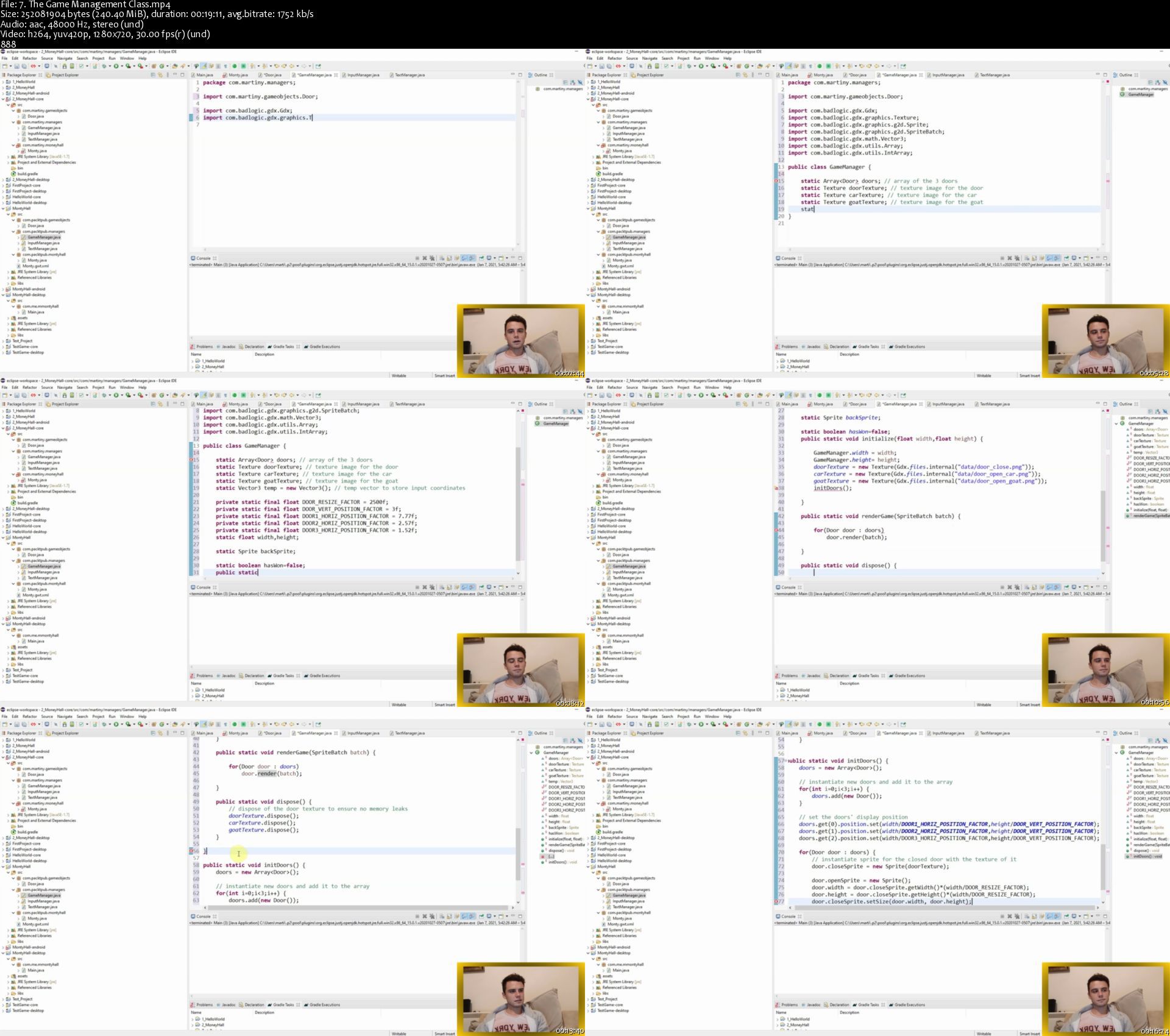
Java Games Development With libGDX | Create 5 Games

008193efrskg1.jpg


Java Games Development With libGDX | Create 5 Games
Duration: 11h 18m | Video: .MP4, 1280x720 30 fps | Audio: AAC, 44.1 kHz, 2ch | Size: 8.39 GB
Genre: eLearning | Language: English

Learn libGDX from Scratch and Develop Amazing Games | From Zero to Hero

What you'll learn
Learn the Java basics and apply them to real world projects.
Learn the libGDXbasics and apply them to real world projects.
Master the libGDX packages for 2D game development.
Learn how the Object Oriented Programming is used in practice.
Create playable games, for your own sense of achievement.
Take user inputs to change the game state
Animating game characters and the displayed text
Playing music and import pictures inside a game
Develop multi screen games and menu screens

Requirements
Having MacOS, Windows or Linux operating system.
Willingness to explore the concepts for Developing Games with libGDX.
No previous programming experience needed.

Description
This comprehensive course will take you all the way through libGDX game development framework in Java. LibGDX provides an environment for rapid prototyping and fast iterations. Instead of deploying to Android/iOS/Javascript after each code change, you can run and debug your game on the desktop, natively.

This course is for everyone who has desire to learn libGDX. The game complexity increases with every section and you will be able to rise your knowledge throughout the course.

You will develop amazing games and you learn how to use libGDX to animate the came characters and design the gameplay graphics. You will also create and import pictures used in the games and get familiar with creating random patterns, menu screens and playing music while playing the game.

This course covers the following libGDX topics:

Game cameras and viewpoints positioning

Animating game objects

Animating game text using custom fonts

Development of multiple screens and levels

Development of menu screens and buttons

Taking input from the mouse/touch/keyboard

Stopping and pausing the game

Randomizing game events

Resizing game objects

Set expanding game maps

The course includes two introductory sections: Introduction to Java and Introduction to libGDX. This means regardless on your experience with this products you can first learn the basics and then continue to develop the actual games.


Who this course is for:
Beginner Java and libGDX developers.
Beginner Game developers
Students with little programming experience.
Employees in programming companies
Computer Science students
Experienced programmers who wish to learn game development libraries such as libGDX

Homepage

7.thegamemanagementcl43jpj.jpg


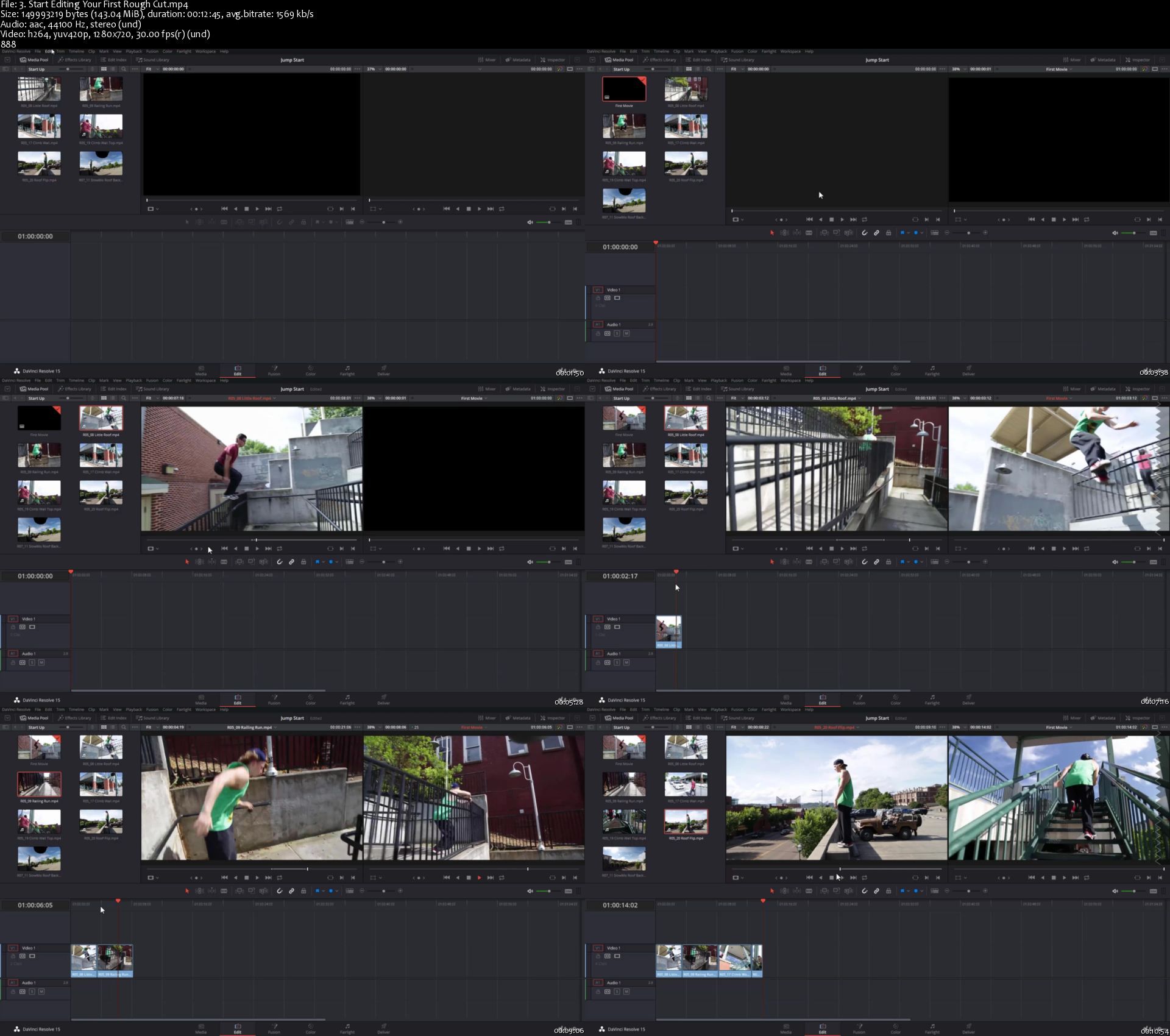
Video Editing in DaVinci Resolve 16/17: Beginner to Advanced

00819173wujuv.jpg


Video Editing in DaVinci Resolve 16/17: Beginner to Advanced
Duration: 10h 25m | Video: .MP4 1280x720, 30 fps(r) | Audio: AAC, 44100 Hz, 2ch | Size: 7.7 GB
Genre: eLearning | Language: English

Learn Video Editing in DaVinci Resolve with Color Correction & Color Grading & Visual Effects in DaVinci Resolve 16/17

What you'll learn
How to use DaVinci Resolve for Video Editing from beginner to advanced
Cut Page Quick & Easy Video Editing
How to add effects (OpenFX) to your Videos
How to add Motion Graphics to your Videos
How to Correctly Color Correct using DaVinci Resolve
How to work with all kind of Nodes from Serial to Layer, Parallel. and even the Combiner/Spliter Nodes
How to do Color Grading using multiple tools in DaVinci Resolve
How to correctly use Curves, Color Wheels, Qualifiers, Power windows, Scopes and all the rest.
You will complete a full project from Importing Media, Video Editing, Color Correction and Color Grading with Motion and ResolveFX

Requirements
DaVinci Resolve as a Free fully functional version. I'll show you how to download and Install your copy.
DaVinci Resolve will require Windows 10
No Prior knowledge in DaVinci Resolve required
No prior knowledge in Video Editing, Color Correction and Grading, Visual Effects or Motion is required. It's all covered in the Course.
A 1080p (at least) Screen Resolution is highly recommended to work in DaVinci Resolve and to preview the course.
I will provide you, free of charge, professionally shot videos to create your own project (from video editing to color correction and Grading)


Description
Hi, my name is Louay, I am the author of top rated and bestselling courses in Premiere Pro, After Effects, Video Editing and Motion Graphics.

Video Editing in DaVinci Resolve - Beginner to Advanced

DaVinci Resolve is a free professional video editing application used by professionals and amateurs. It's easy and simple to use. It provides you with simple to use yet powerful tools to edit your videos and achieve high quality production.

This course is for beginners. You do not need any previous knowledge in DaVinci Resolve or video editing experience.

You will dive straightaway into creating your first video and add music, graphics, text and couple of transitions. No time is wasted with unnecessary concepts. You will be up and running in DaVinci Resolve in less than an half hour.

I'll teach you everything you need to know about video editing, visual effects, motion graphics, color correction & grading and audio editing to create professionally looking videos.

We will make a video together from start to finish, step by step. You will start right at the beginning from how to import your video clips all the way through to Color Correction and Grading.

I know you want to practice, play with video shots, assemble short and long videos. You want to create and apply the skills you've learned right away. That is why I provided you with a complete Set of 100+ video footage of a Sports/Action theme for you to work and practice.

You can even come up with your own awesome and original video using the same footage. It's open to your imagination and what you want to create.

What will you learn in this DaVinci Resolve Course?

Start by understanding the workflow in DaVinci Resolve.

Quick & Easy Editing in the latest Cut Page in Davinci Resolve

Efficiently import and organize your media from Bins to Power Bins

All you need to efficiently video edit in the Edit Page.

Dive in and create your first short video - Just to get started.

Discover multiple ways to assemble your video - from inserts to swaps

Fine edit your clips a frame at a time

Lots fun re-timing your clips with speed graphs - Slow Motion and Fast Motion

You will Master Transitions and create your own transitions

Add Graphics, Lower Thirds and Titles, we will even create an Intro and Outro

Work in the more advanced Fusion Text

Apply and customize Effects from ResolveFX

Achieve Perfect Color Correction - including Log footage

Use Power Windows, Cloud and Point Trackers to bring up features in your clips.

Understand (in detail) and work with advanced tools such as Curves, Qualifiers, Keys.

Start Color Grading like a colourist (at least a beginner one) and produce awesome videos.

You will alos learn advanced editing techniques like the tree point edit, J cuts and L Cuts and much more.

So, if you're looking to:

Edit your Videos for your YouTube channel with a free professional and extensive application or Create exciting and well edited videos for your family album, Edit a marketing video for your website, Create a Music Video, Edit Documentaries, Start your Career as a Video Editor, Create your first Demo-Reel Then you will find this course ideal for your needs, as you work with an instructor who really cares about your success as individual.


Who this course is for:
Beginners in DaVinci Resolve.
Beginners in Video Editing and Color Grading - You will learn how to Video Edit and Color Grade and more.
Intermediate and Advanced Video editor who want to learn how to work in DaVinci Resolve if it is for Video Editing or Color Grading.
If your focus is only on color grading then you'll learn all about color correction/grading in DaVinci Resolve.
If your focus is on Video Editing then you will learn all about Video Editing in DaVinci Resolve.

Homepage

3.starteditingyourfir80jka.jpg


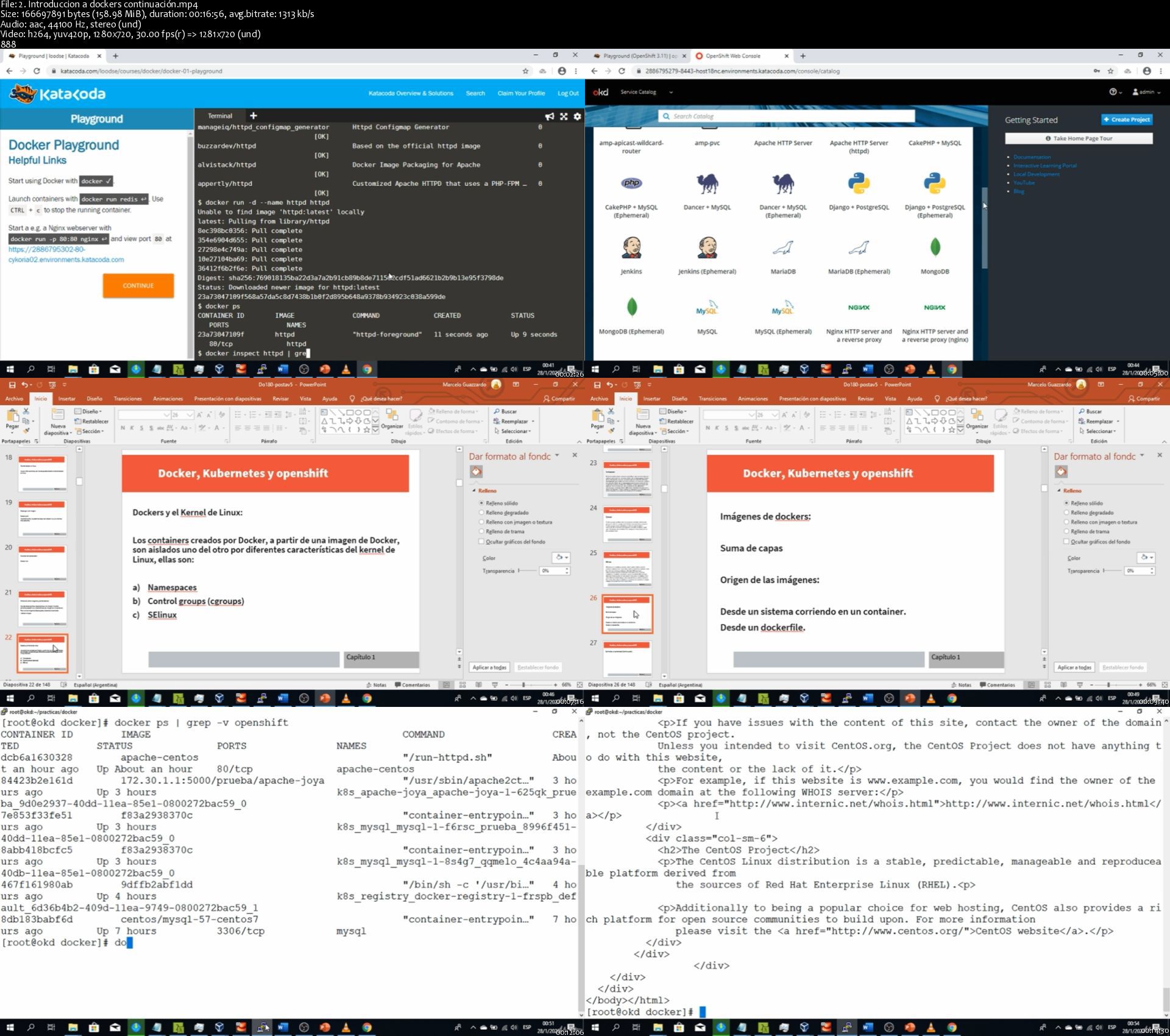
Docker, kubernetes y openshift

ehooeopyjyceip7emy5g2kljbh.jpg


Docker, kubernetes y openshift
MP4 | h264, 1280x720 | Lang: Spanish | Audio: aac, 44100 Hz | 13h 5m | 6.94 GB


What you'll learn
Comprender infraestructura de openshift
Aprender de docker en profundidad
Aprender kubernetes
Aprender la instalación de openshift 4 via crc
Aprender despliegues en openshift
Requirements
Manejo de Linux, 8 gb de ram para poder correr las instancias en forma fluída

Description
Este curso nos introducirá en el apasionante mundo de dockers, kubernetes y la introducción a openshift.

Este es el único curso que veremos con la actualización a versión 4 de openshift, utilizando local, crc, y katacoda!

basados en los objetivos del curso do180 de redhat, haremos un recorrido teórico pero con mucha práctica acerca del mundo de openshift.

No se preocupe si jamás escuchó sobre esta arquitectura, este curso es para quienes recién se inician con openshift.

se les entregará una virtual machina lista para ser usada, un script para que uds la puedan usar según sus necesidades, y por último, se verá como utilizar los recursos en linea ( Katakoda ). Dado que openshift está en continuo desarrollo, ire sumando contenidos a medida que vea que haya novedades.

Cada clase teórica va acompañada con su correspondiente práctica, con recursos descargables y éxamenes.

Subanse a este apasionante viaje que haremos juntos!


Who this course is for:
Devops, desarroladores, sysadmines


Homepage

2.introduccionadocker7ak2k.jpg


Ultimate SEO, Social Media & Digital Marketing Course 2021

008194183akim.jpg


Ultimate SEO, Social Media & Digital Marketing Course 2021
Duration: 83h 46m | .MP4 1280x720, 30 fps(r) | AAC, 44100 Hz, 2ch | 42.6 GB
Genre: eLearning | Language: English

Facebook, YouTube, SEO, Mobile SEO, Voice SEO, Video SEO, Visual SEO, Copywriting, Website & Video Creation, WordPress


What you'll learn
MASTER Facebook Ads, Instagram Ads, LinkedIn Ads, Google Ads & Retargeting
Step by step SEO guidance to GET 10k to 100k FREE Visitors monthly
Blueprint to MASTER 210 SEO factors using our tried and tested "How to - learning by doing" approach
Tap into a STREAM OF NEW CLIENTS & BOOST YOUR PROFITS using PROVEN Social Media Strategies
Learn how to easily create a professional looking, responsive website on WordPress (No coding required!)
MASSIVELY EXPAND CUSTOMER REACH with Facebook Marketing & Facebook Ads insider knowledge
This course will make you a No1 Digital Marketing Expert - choose to work freelance or land that highly paid job
Become a Facebook, Instagram, and Messenger Retargeting & Remarketing MASTER
Make Local Search Engine Optimisation & Google my Business (Google Maps) work for YOUR business
Understand SEO WordPress Yoast and the Google Search Console configuration
MASTER Proceed on-page, content & image SEO, Implement Rich Snippets, etc.
Become an EXPERT copywriter with the power to CONVERT browsers into buyers
Get fluent in User experience & Reputation management
MODERN STRATEGIES to get you numerous High-Quality backlinks (Including Wikipedia)
LEARN powerful SEO & Social Media strategies that pro marketers use
Optimise your Facebook page for SEO & SMO
Optimise your YouTube channel for SEO & SMO
Optimise SEO & SMO for your LinkedIn profile
Optimise your Pinterest account for SEO & SMO
MASTER Video SEO & learn YouTube SEO tricks of the trade
MASTER Mobile SEO & UX Signals
INCREASE C-T-R and Use Featured Snippets
MASTER the art of VIRAL VIDEO CREATION with professional input by a creator with experience producing content for household names
UPSKILL YOURSELF by becoming proficient in the creation of engaging video content - the MOST IN-DEMAND skill required by recruiters today!
GET POWERFUL VIDEO EDITING GUIDES & BONUS VIDEO EDITING SUPER-HACKS to create professional looking, highly shareable videos
HANDY WALKTHROUGHS to Adobe Premier Pro, DJI OSMO, and Rode microphone to help you produce Video content that gets thousands of likes, clicks and shares using ONLY YOUR SMARTPHONE!

Requirements
An internet connection. No previous knowledge of marketing is required at all.
Determination and a hunger to learn. We will teach you the rest.
You DON'T need ANY knowledge of social media marketing, web coding, copywriting, SEO or design at all.
We walk you through EVERYTHING YOU NEED TO KNOW TO BECOME A DIGITAL MARKETING MASTER.
We'll teach you how CREATE your 1st effective Facebook Business Page
DISCOVER how to CREATE your 1st professional looking WordPress website (no coding needed!)
Find out how to correctly SET UP your 1st Facebook Ads & Custom audiences
LEARN how to construct dynamic ads & conduct successful catalogue sales
After completing this course you'll have INSIDE KNOWLEDGE of 200 INFLUENTIAL SEO factors
You'll learn POWERFUL strategies that will turn you into a highly effective Social Media Marketing MASTER and will be an EXPERT at Local SEO upon course completion
With this course you'll MASTER VIDEO MARKETING, YouTube SEO, and Video SEO, and you'll understand the huge recent change in SEO using Video Featured Snippets and FAQ Featured Snippets
YOUR SMARTPHONE, LAPTOP OR DESKTOP is all you need to MASTER the art of pro Video Creation. ZERO PRIOR KNOWLEDGE REQUIRED
NO KNOWLEDGE of video editing, creation, SEO, or marketing NEEDED - my course will teach you EVERYTHING you need to know from scratch


Who this course is for:
B2B, B2C, entrepreneurs, start-ups, marketers, influencers, Facebook admins, Facebook editors, content creators, creatives, advertisers, real estate agents, job seekers, local businesses, website owners, website admins, SEO help seekers, bloggers, etc.

More Info

1.stepbystepseomaster2zkuc.jpg


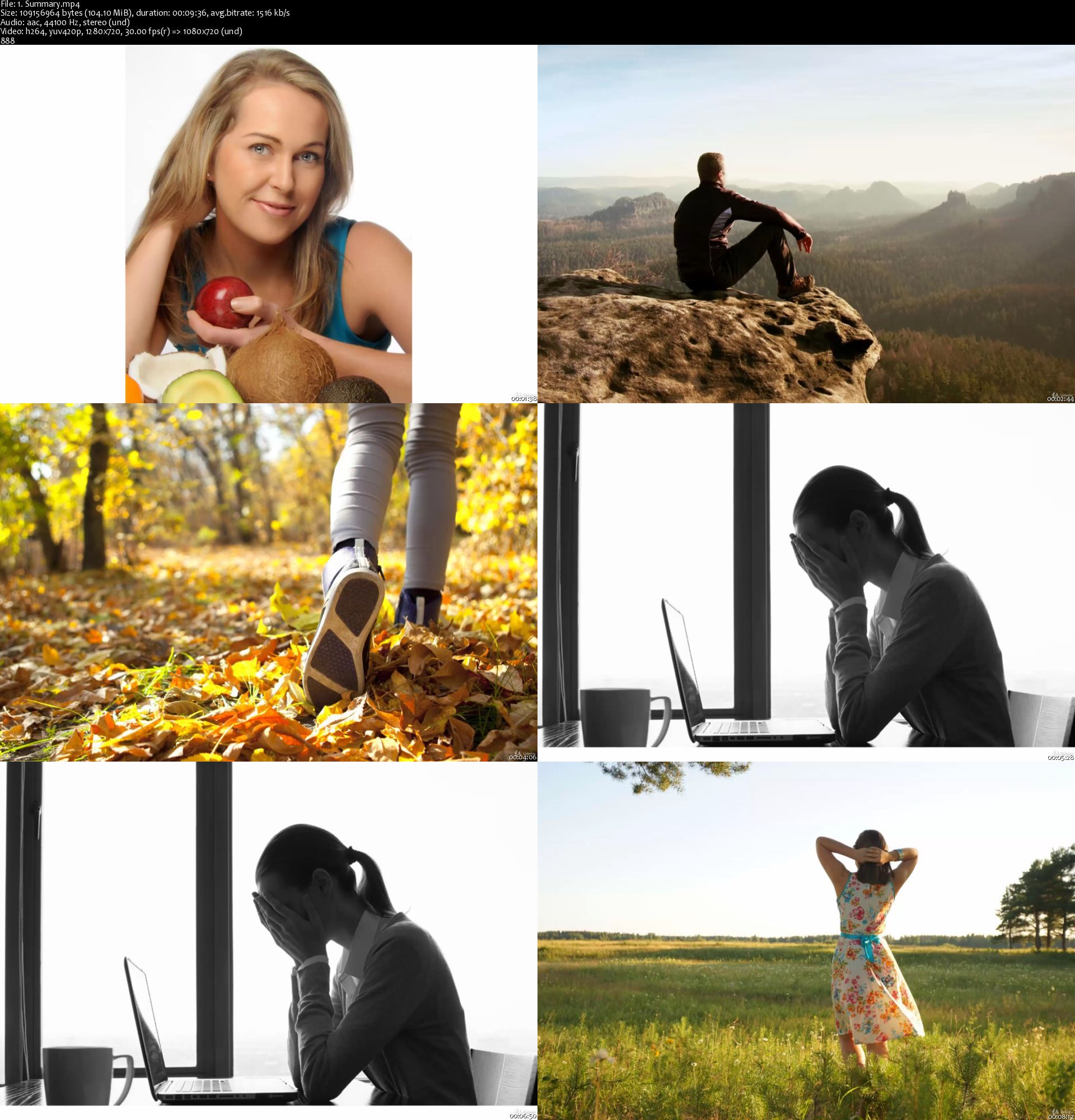
LONG COVID 19 - Banish Fatigue and Brain Fog Naturally

6givtgtp2lmkspipq1cfx5bk82.jpg


LONG COVID 19 - Banish Fatigue and Brain Fog Naturally
Genre: eLearning | MP4 | Video: h264, 1280x720 | Audio: aac, 44100 Hz
Language: English | VTT | Size: 339 MB | Duration: 50m


What you'll learn
Get back your energy, brain power, and fix other problems after suffering COVID 19 infection with this simple to follow plan by an experienced medical doctor
What supplements to take, what foods to eat, how to exercise during recovery from a post-viral syndrome
Requirements
None

Description
This simple and easy to follow plan shows you how you can take control and get back to health after COVID19 infection. Professor Dr Shirley MD show you how to eat the right foods, take the right supplements and in what order to accelerate your recovery.

Right now you're probably feeling dog-tired, can't seem to muster up the energy or enthusiasm for much work or exercise. Your brain feels foggy and gets tired really easily. Focusing on a task is difficult and that's scary. You wonder if you'll ever get better and reports on the news don't give you much confidence.

Well help is at hand! Post-viral syndrome, which is what you are suffering, is quite common and well known. Doctors who have specialized in chronic fatigue have been treating this for years. Its just not well publisized as the average doctor is not well informed about what can be done. Well now you have access to all the knowledge of a doctor with 30 years experience treating fatigue and post-viral crises in many patients including elite athletes.

You'll discover:

What LONG COVID19 or Longhaulers syndrome is?

Why it happens in simple terms and why the virus is still active?

What you can do about it?

What foods to eat and what foods to avoid?

Follow Dr Shirley MD's supplement plan for recovery, including which order to start the supplements and how much to take.

Each protocol is backed up with research and studies.

Professor Dr Shirley MD brings her considerable experience in treating chronic fatigue and post-viral syndromes to give all of you the opportunity to take back control of your health and feel full of energy, vitality and strength.


Who this course is for:
Anyone who has had COVID 19 infection


Homepage

1.summarys7tkrh.jpg


Zurück
Oben Unten