• Regeln für den Video-Bereich:

    In den Börsenbereich gehören nur Angebote die bereits den Allgemeinen Regeln entsprechen.

    Einteilung

    - Folgende Formate gehören in die angegeben Bereiche:
    - Filme: Encodierte Filme von BluRay, DVD, R5, TV, Screener sowie Telesyncs im Format DivX, XviD und x264.
    - DVD: Filme im Format DVD5, DVD9 und HD2DVD.
    - HD: Encodierte Filme mit der Auflösung 720p oder darüber von BluRay, DVD, R5, TV, Screener sowie Telesyncs im Format x264.
    - 3D: Encodierte Filme von BluRay, die in einem 3D Format vorliegen. Dies gilt auch für Dokus, Animation usw.
    - Serien: Cartoon/Zeichentrick, Anime, Tutorials, Dokumentationen, Konzerte/Musik, Sonstiges sind demnach in die entsprechenden Bereiche einzuordnen, auch wenn sie beispielsweise im High Definition-Format oder als DVD5/DVD9/HD2DVD vorliegen. Ausnahme 3D.
    - Bereich Englisch: Englische Releases gehören immer in diesen Bereich.
    - Bereich Talk: Der Bereich, in dem über die Releases diskutiert werden kann, darf, soll und erwünscht ist.


    Angebot/Beitrag erstellen

    - Ein Beitrag darf erst dann erstellt werden, wenn der Upload bei mindestens einem OCH komplett ist. Platzhalter sind untersagt.
    - Bei einem Scenerelease hat der Threadtitel ausschließlich aus dem originalen, unveränderten Releasenamen zu bestehen. Es dürfen keine Veränderungen wie z.B. Sterne, kleine Buchstaben o.ä. vorgenommen werden. Ausnahme Serienbörse:
    - Bei einem Sammelthread für eine Staffel entfällt aus dem Releasename natürlich der Name der Folge. Beispiel: Die Simpsons S21 German DVDRip XviD - ITG
    - Dementsprechend sind also u.a. verboten: Erweiterungen wie "Tipp", "empfehlenswert", "only", "reup", usw. / jegliche andere Zusatzinformation oder Ergänzung, welche nicht in obiger Beschreibung zu finden ist.

    Aufbau des Angebots und Threadtitel

    Der Titel nach folgendem Muster erstellt zu werden. <Name> [3D] [Staffel] [German] <Jahr> <Tonspur> [DL] [Auflösung] <Quelle> <Codec> - <Group>
    Beispiel: The Dark Knight German 2008 AC3 DVDRip XviD - iND
    Beispiel: The Dark Knight 2008 DTS DL BDRip x264 - iND
    Beispiel: The Dark Knight 2008 AC3 DL BDRip XviD - iND
    Beispiel: The Dark Knight German 2008 AC3 720p BluRay x264 iND
    Beispiel: The Dark Knight 2008 DTS DL 1080p BluRay x264 iND
    Beispiel: Die Simpsons S01 German AC3 DVDRip XviD iND
    Beispiel: Die Simpsons S20 German AC3 720p BluRay x264 iND
    Beispiel: Sword Art Online II Ger Sub 2014 AAC 1080p WEBRip x264 - peppermint
    Entsprechend sind also u.a. verboten: Sonderzeichen wie Klammern, Sterne, Ausrufezeichen, Unterstriche, Anführungszeichen / Erweiterungen wie "Tipp", "empfehlenswert", "only", "reup", usw. / jegliche andere Zusatzinformation oder Ergänzung, welche nicht in obiger Beschreibung zu finden ist
    Ausnahmen hiervon können in den Bereichen geregelt sein.

    Die Beiträge sollen wie folgt aufgebaut werden:
    Überschrift entspricht dem Threadtitel
    Cover
    kurze Inhaltsbeschreibung
    Format, Größe, Dauer sind gut lesbar für Downloader außerhalb des Spoilers zu vermerken
    Nfo sind immer Anzugeben und selbige immer im Spoiler in Textform.
    Sind keine Nfo vorhanden z.B. Eigenpublikationen, sind im Spoiler folgende Dateiinformationen zusätzlich anzugeben :
    Quelle
    Video (Auflösung und Bitrate)
    Ton (Sprache, Format und Bitrate der einzelnen Spuren)
    Untertitel (sofern vorhanden)
    Hosterangabe in Textform außerhalb eines Spoiler mit allen enthaltenen Hostern.
    Bei SD kann auf diese zusätzlichen Dateiinformationen verzichtet werden.

    Alle benötigten Passwörter sind, sofern vorhanden, in Textform im Angebot anzugeben.
    Spoiler im Spoiler mit Kommentaren :"Schon Bedankt?" sind unerwünscht.


    Releases

    - Sind Retail-Release verfügbar, sind alle anderen Variationen untersagt. Ausnahmen: Alle deutschen Retail-Release sind CUT, in diesem Fall sind dubbed UNCUT-Release zulässig.
    - Im Serien-Bereich gilt speziell: Wenn ein Retail vor Abschluss einer laufenden Staffel erscheint, darf diese Staffel noch zu Ende gebracht werden.62
    - Gleiche Releases sind unbedingt zusammenzufassen. Das bedeutet, es ist zwingend erforderlich, vor dem Erstellen eines Themas per Suchfunktion zu überprüfen, ob bereits ein Beitrag mit demselben Release besteht. Ist dies der Fall, ist der bereits vorhandene Beitrag zu verwenden.
    - P2P und Scene Releases dürfen nicht verändert oder gar unter einem iND Tag eingestellt werden.


    Support, Diskussionen und Suche

    - Supportanfragen sind entweder per PN oder im Bereich Talk zu stellen.
    - Diskussionen und Bewertungen sind im Talk Bereich zu führen. Fragen an die Uploader haben ausschließlich via PN zu erfolgen, und sind in den Angeboten untersagt.
    - Anfragen zu Upload-Wünschen sind nur im Bereich Suche Video erlaubt. Antworten dürfen nur auf Angebote von MyBoerse.bz verlinkt werden.


    Verbote

    - Untersagt sind mehrere Formate in einem einzigen Angebotsthread, wie beispielsweise das gleichzeitige Anbieten von DivX/XviD, 720p und 1080p in einem Thread. Pro Format, Release und Auflösung ist ein eigener Thread zu eröffnen.
    - Grundsätzlich ebenso verboten sind Dupes. Uploader haben sich an geeigneter Stelle darüber zu informieren, ob es sich bei einem Release um ein Dupe handelt.
    - Gefakte, nur teilweise lauffähige oder unvollständige Angebote sind untersagt. Dies gilt auch für eigene Publikationen, die augenscheinlich nicht selbst von z.B. einer DVD gerippt wurden. Laufende Serien, bei denen noch nicht alle Folgen verfügbar sind, dürfen erstellt und regelmäßig geupdatet werden.
    - Untersagt sind Angebote, welche nur und ausschließlich in einer anderen Sprache als deutsch oder englisch vorliegen. Ausnahmen sind VORHER mit den Moderatoren zu klären.


    Verstoß gegen die Regeln

    - Angebote oder Beiträge, die gegen die Forenregeln verstoßen, sind über den "Melden"-Button im Beitrag zu melden.
  • Bitte registriere dich zunächst um Beiträge zu verfassen und externe Links aufzurufen.

++ Premium IPTV ++ 7000 Live Sender ++ UHD Qualität ++ Mediathek mit 18.000 Inhalten ++


VenneTV


Englische Tutorials

PowerApps Master Class: Build 9 PowerApps from scratch

jkcgujjgw7f7md8klo3iso2jh5.jpg


PowerApps Master Class: Build 9 PowerApps from scratch
MP4 | Video: h264, 1280x720 | Audio: AAC, 44.1 KHz, 2 Ch
Genre: eLearning | Language: English + srt | Duration: 55 lectures (23h 34m) | Size: 9.94 GB

Complete & Practical PowerApps course: Create 9 Production ready PowerApps & Learn how to Integrate Power Apps & Flow

What you'll learn:
Master Microsoft PowerApps by building 9 real word & Production ready Microsoft PowerApps (no prior knowledge is assumed)
Master Error handling in Microsoft PowerApps - The Ultimate Expert level PowerApps developer Skill used for Professional PowerApps
Master how to make Phone calls & send Emails from Power Apps (without using Microsoft Flow)
Overcoming Microsoft documented Limitations in Power Apps using practical solutions in Power Apps & not workarounds
Master UI/UX design in Microsoft Power Apps by building 9 beautiful & Production ready Microsoft Power Apps
Learn how to include additional security features in your Microsoft PowerApps (a must know for every Advanced PowerApps developer)
Quick, Simple & Efficient Method in PowerApps for sending any image & information to any data source including OneDrive, SharePoint & any Email address with the click of a button in PowerApps.
Learn Microsoft Power Automate (Microsoft Flow) from scratch and how to properly integrate it with Microsoft PowerApps - Pass information from PowerApps to Power Automate and from Power Automate to PowerApps
Learn a Ton of Microsoft Power Apps tips & secrets from a real world Power Apps expert developer
Master how to meet your Client's PowerApps requirements by building PowerApps that solve real world problems & testing your PowerApps design
Learn how to properly submit data from PowerApps to your preferred data source & Other PowerApps methods
Learn how to embed PowerApps in Microsoft Teams - and how to overcome a common error message seen when doing this in Power Apps.
Learn about the Azor variable in Power Apps and how to properly use it and many more custom tips from a real world PowerApps developer
Master how to use the Camera & the Add an image control in Power Apps by using the easiest & most effective method in Power Apps
Build a complete & awesome Game in Microsoft PowerApps

Requirements
All you need is a laptop & an internet connection to learn Microsoft PowerApps & Flow
No prior knowledge is assumed in this course - I'll teach you everything you need to know
I'll walk you though the entire Complete & Practical Microsoft PowerApps course
No programming experience is needed - I'll teach you everything you need to know
No additional fees - I would guide you on how to create a free test tenant & getting free trial licenses.


Description
Welcome to the Microsoft PowerApps Master Class: Build 9 PowerApps from scratch . This a Complete Online PowerApps Bootcamp Course with 9 Complete & Practical Production ready Microsoft PowerApps that we would build from scratch (no prior knowledge is assumed).

With never before taught Solutions (not workarounds) in PowerApps, Creating amazing UI/UX PowerApps, Secrets on overcoming the By-design limitations of PowerApps as seen in the Microsoft PowerApps documentation & real world error handling in Microsoft PowerApps, this is a comprehensive & Ultimate Online Microsoft PowerApps development Bootcamp/course.

The PowerApps Master course is based on real world solutions and the experience of an active PowerApps (Power Platform) developer.

This Ultimate Microsoft PowerApps course includes several Master Classes that can only be taught from real world experience with Microsoft PowerApps & the Power Platform.

You would be taught PowerApps and Microsoft Power Automate from scratch and you would get exposed to everything you need to be an Expert Level PowerApps Developer.

This PowerApps course would save your time, money & teach you PowerApps like never before - so you can create PowerApps & meet the client's PowerApps requirements even when it is a By-design limitation - because we would learn how to overcome these Microsoft documented PowerApps limitations & improve the quality of our PowerApps.

This is the perfect PowerApps course for both beginners and advanced level PowerApps developers and no prior knowledge is assumed.

This PowerApps course consists of over 17 Super Course created as one Complete & Ultimate Mega-Super-Course to give you a complete Online PowerApps course & you get to build 9 Complete & Practical Production ready Microsoft PowerApps.

Who this course is for
Anyone interested in learning from a Complete & Practical Microsoft PowerApps course (Beginners & Professionals)

Homepage

3.usersearchpowerappsmgjnf.jpg


Electronic Devices and Special Diodes

00817224jqjwi.jpg


Electronic Devices and Special Diodes
MP4 | h264, 1280x720 | Lang: English | Audio: aac, 44100 Hz | 4h 43m | 6.02 GB

Use this for discount C15DD24E486EF4255FF2


What you'll learn
students will learn Electronic Devices - Special Diodes in detail
Requirements
Basic of Physics

Description
Electronic Devices - Special Diodes : Learners who are fond of learning physics and students who are pursuing engineering. this particular course will be very helpful. This course mainly suitable for first year of electronic, electrical, electronics and instrumentation and also for biomedical students. Basics of electronic devices, special diodes and power devices are covered. Assume a piece of wire, current flows from one end to the other end. instead of wire if we have an electronic devices, how current flows from one of the device to the other end of the device. These types of characteristic are addressed in detail. The course starts with PN Junction diodes and goes through all special diodes to till some power devices. In between bang gap theory is also carefully addressed for better understanding of the course. The curriculum overs almost fifty to sixty percentage of any electronic devices engineering course. I strongly recommend this course for first year engineering students.

The course curriculum consists of

PN Junction Diode and Zener Diode & Its Characteristics

UJT - Uni junction Transistor and its Characteristics

SCR - Silicon Controlled Rectifier & SCR characteristic

SCR Applications - Switch & Pulse

Application of SCR - over Voltage Protection

TRIAC and its Characteristics

PN junctions in terms of Band Gap Theory

Zener junctions Band diagram & Tunneling Concept

Junction Capacitance or Depletion capacitance

Diffusion Capacitance

Tunnel Diode & Tunnel Diode characteristics

Varactor diode and its applications

Reverse Recover Time PN junction diode

Schottky Diode and its applications

Light Emitting Diode


Who this course is for:
Physics and Engineering students


007triacanditscharactiajx9.jpg


Creating Creature Hair & Fur Grooms in Houdini

maxresdefaultztk63.jpg


Creating Creature Hair & Fur Grooms in Houdini
Duration: 7h 56m | SOFTWARE: Houdini | Video: 1920x1080, 48kHz | 9 GB
Genre: eLearning | Language: English

Learn to efficiently groom characters and creatures in Houdini using advanced techniques by ILM Grooming Artist, Kristin Farrensteiner. In this in-depth guide for Houdini, Kristin focuses on a photorealistic cat model to share her collection of grooming techniques for various short, medium, and long hair/fur styles. The workflows demonstrated can be applied to any character or creature and are optimized for an interactive workflow, keeping high-paced professional production environments and tight deadlines in mind.

This 19-chapter workshop begins by tackling the basics of a non-destructive and procedural grooming workflow in Houdini 18. Kristin focuses on setting up a mesh from scratch and how to separate specific fur regions based on different artistic compositions. With the foundations covered, she then dives deeper into the technical aspects of Houdini and provides detailed insights into how to troubleshoot potential issues such as memory lines, clump patterns, and mesh transfers. She reveals how to harness the power of Houdini to create a convincing groom package, shares her look-dev techniques, and reveals her approach to setting up grooms in Houdini's rendering engine, Mantra.

Throughout the workshop, Kristin discusses various workflows for creating guides to empower you with knowledge for your future grooming projects and how to approach them. By completing the workshop, you will be confident grooming characters and creatures using various advanced techniques in Houdini.

02settingupthemeshandv5jr8.jpg


Creating a Realistic Chimpanzee in Zbrush 2020

008172b9u5jbi.jpg


Creating a Realistic Chimpanzee in Zbrush 2020
Duration: 7h 22m | .MKV 1280x720, 30 fps(r) | AAC, 44100 Hz, 2ch | 6.35 GB
Genre: eLearning | Language: English

Sculpting, Poly Painting, Rendering & Composition in Photoshop


What you'll learn
Sculpting Fundamentals in ZBrush
Chimpanzee Skull Sculpting
Chimpanzee Head Sculpting
Sculpting high-poly skin details
Painting texture on model by Poly Paint
Rendering Basics
Creating Hairs with Fibermesh
Compositing in Photoshop
A Complete Process to Create a Realistic Chimpanzee

Requirements
Should have a graphic pen tablet
Some knowledge of ZBrush is good but not necessary

Description
Sculpting a creature in ZBrush is easy but, when it comes to creating a creature that looks good and realistic you need to consider many things that can go wrong. Whether it's initial blocking or adding skin details, each step is important and you need to have a clear understanding of the whole process. This is the main objective of this course, to help you so that you can create anything in ZBrush with confidence and clarity.

Why you should take this course?

If you are a beginner and want to improve your skills, this course is for you.

Do you want to enhance your portfolio? By taking this course you will have a realistic creature for your portfolio.

You can attract more clients by expanding your skillset in this direction.

What you will learn in this course?

Initial ZBrush Basics Introduction

Blocking of form, shape, etc.

You will learn various sculpting techniques

Sculpting Skull

Using z re-mesh tool to get clean topology.

Sculpting wrinkles, skin pores

Texturing by poly painting

Creating hairs by using fiber mesh

What you will achieve?

A complete understanding of the whole process of creature creation.

You will be confident enough to create any creature

You can use this knowledge to create more projects to gain more clients or build your portfolio

What do you think? Investing in building this skill may get you an edge in this competition. Plus, I am active in responding to your queries and solving your problems to make sure you make progress.

I will see you in my class.


Who this course is for:
Beginners who wants to learn the creature production methods
Anyone who want to upgrade their skills
Anyone who want to enhance their portfolio to get a job in this industry

More Info

02downloadingsoftwarep7jax.jpg


Circuit Theory and Analysis for Beginners

0081726ea6ktq.jpg


Circuit Theory and Analysis for Beginners
MP4 | h264, 1280x720 | Lang: English | Audio: aac, 44100 Hz | 4h 20m | 5.65 GB

Discount coupon code 75C00EAA4607E267F08C


What you'll learn
Engineering Circuit theory fundamentals - Basic Circuit Analysis, Ohms law, KVL, KCL, Voltage & Current, Division Nodal Analysis, Star to Delta conversion, Source Transformation, Network Theorems
Requirements
Nope

Description
Circuit Analysis is a part of electric and electronics. Circuit Analysis is used to find current and voltages in any part of the circuits. this course contains complete DC analysis methods to find required voltage and current in the circuits. it is done by various laws and theorems to facilitate the analysis part. As a part of this course some of the gate questions also solved here an there. There are quiz sections available in this course. Learners can take up the quiz to test the level of understanding.

This course is mainly intended to provide a sound foundation to engineering students who are begin to learn circuit analysis. i strongly recommend this course to all first year engineering students and specifically would be helpful for electronics and communication students, Electrical engineering department students, Instrumentation engineering department students.

course content

Introduction to Circuit Theory

Ohms Law

Ohm's Law - Problem Solving

Kirchhoff Law - KVL & KCL

QUIZ - 1

Voltage Division Rule

Current Division Rule

Finding Equivalent Resistance

Problem Solving Session on Lectures 1- 7

Review of Series and Parallel Circuit

QUIZ - 2

Nodal analysis and its Problem Solving

Source Transformation

Star to Delta conversion (Y to Delta Conversion)

Thevenin's Theorem

Thevenins GATE Problem Solving

Theveninss Theorem with Bridge circuit

Norton's Theorem

Superposition Theorem

Maximum Power Transfer Theorem

Quiz 3


Who this course is for:
Begginers/a little knowledgeable in circuit theory


007findingequivalentry9jqp.jpg


Automation on Mainframe using Rexx

00817126hfk29.jpg


Automation on Mainframe using Rexx
MP4 | h264, 1280x720 | Lang: English | Audio: aac, 48000 Hz | 13h 2m | 5.16 GB

Rexx Programming [Full Course to create customized tools like SAVE, Change, Find and etc..]


What you'll learn
How to Create Tools/Routines that Simplify Your daily Work or save time
Creating automation tools
Requirements
Mainframe basics.
Minimum any programming language basics

Description
The below are the topics are covered as part of this course:

Introduction to Rexx

Writing and Running a REXX Exec

Rexx Basics/Components of Rexx

Using Variables and Expressions

Control Instructions:

IF

SELECT

Looping Instructions:

DO

DO FOREVER

LEAVE

DO WHILE

DO UNTIL

Parse

User-defined functions

System supplied functions

Trace i.e Debugging Rexx program

Introduction to Compound Variables

Introduction to Stack and Queue

File Handling in Rexx:

Different ways of creating files,

Rename the file name

Delete the file

Copy the data from one file to another file

Read the data from a sequential file

Read the data from Member of PDS

Demos on Automation tools creations

Macros

Demo on tools creation using Macros

All the Rexx programs also added in the resources section.

The course is designed in such a way that you can able to create tools/automate your tasks once you are done with this course.

About REXX:

The REXX language is a versatile general-purpose programming language that can be used by new and experienced programmers. This course for programmers who want to learn the REXX language.

That Rexx is easy to learn and use does not mean that it has limited features or is some sort of "beginner's language." Rexx competes, feature for feature, with any of the other major scripting languages. If it didn't, it certainly would not be the primary scripting language for mainframes, nor would it have attained the widespread use it enjoys today on so many other platforms. Nor would there be many hundreds of thousands of Rexx users distributed around the world.*

Ease of use and power traditionally force language trade-offs. It is easy to get one without the other, but difficult to achieve both. Rexx is specifically designed to combine the two. It achieves this goal through these principles:

Simple syntax

Small command set, with functions providing the power

Free-form language

Consistent, reliable behavior

Modularity and structured programming

Fewer rules

Standardization


Who this course is for:
Who are interested to learn automation on Mainframe.
Who are interested to know about Rexx language.


1.macrospart1excluded4fja7.jpg


Advanced Ansys Fluent = Let's focus Advanced Topic

00817116cqkzw.jpg


Advanced Ansys Fluent = Let's focus Advanced Topic
MP4 | h264, 1280x720 | Lang: English | Audio: aac, 48000 Hz | 9h 5m | 6.09 GB

Turbulance, Heat Transfer, Transient, Moving Zones & Non Conformal Interfaces, Best Practice Guideline


What you'll learn
They will learn how to analyze and simulate the engineering models, advanced level
Requirements
Basic Engineering Knowledge with powerful computer

Description
This is an advanced level courses and focus specific main topic,listed below. Also This course is a perfect fusion of CFD theory and software exposure. This course explicitly focuses on solver and post-processing part od typical CFD process using simulation tools Ansys Fluent. Each chapter has specific workshop model,showing how to use the tools(step by step), for doing more practice.

Following topic will be covered in this course;

Chapter 1= To learn how to set up and solve turbulent flows using different turbulence models and near wall treatments, learn how to use the post process y+ and also Turbulence Flow Characteristic, Learn Turbulence Model such as Spalart Allmaras Model, K-E Models such as Standart K-E , Realizable K-E models, K-W models, Calculating Y+, Boundary Layer Profiles,Wall Modelling Strategies such as Using Wall Functions, Resolving the Viscous Sublayers,Enhanced Wall Treatments , Inlet Boundary Conditions. Doing more practice with Workshop model section.

Chapter 2 = Heat Transfer type such as Convection, Conduction, Radiation, Modeling Heat Transfer in Walls such as Mesh the wall, Specified Wall Thickness and Specified Shell Conduction, Conjugate Heat Transfer, Post Processing Heat Transfer and Natural convection of the heated air and modelling thermal radiation. Doing more practice with Workshop model section.

Chapter 3=Focus specifically for Transient(Unsteady CFD Analysis), learn how to Select the suitable Transient Time Step Size, Converge Behavior, Solution Method, Using the Non-Iterative Time Advancement(NITA), Animations-Unsteady Flow Modeling, Post-Processing, Transient Charts, Fourier Transform, Auto saving results during the simulation and generating animations of the solutions. Doing more practice with Workshop model section.

Chapter 4=Inserting Non Conformal Interfaces, Periodic Boundary Conditions, Moving Zones such as Moving Reference Frames, Moving /Deforming Domains and Different Approaches such as Single Reference Frame(SRF) , Multiple Reference Frame(MRF), Mixing Plane(MPM), Sliding Mesh(SMM). Doing more practice with Workshop model section.

Chapter 5= Different Source of Error such as Round off Errors, Iteration Errors, Solution Errors, Model Errors and Meshing Best Practice Guidelines comparison with experimental data. Doing more practice with Workshop model section.


Who this course is for:
Engineers,Designers,Engineering Students,Consultants
Engineer who has engineering background took my Ansys Fluent courses already.


1.tipandtricksszikm0.jpg


Udemy - Tableau - Basics to Advanced

jofmapzga4u7dkg6mvthskljqq.jpg


Udemy - Tableau - Basics to Advanced
MP4 | Video: h264, 1280x720 | Audio: AAC, 44.1 KHz, 2 Ch
Genre: eLearning | Language: English + srt | Duration: 35 lectures (18h 51m) | Size: 7.66 GB

Learn Tableau Desktop, Tableau Prep and Tableau Online with real time case studies. Get Tableau certified with ease

What you'll learn:
How to install Tableau Desktop and Prep
Create various different basic charts
Create advanced dashboards
Detailed understanding of Level of details and 15 practical examples
Detailed understanding of Table calculations with 10 practical examples
Usage of sets and parameters
Advanced data preparation
Detailed understanding of time series
Aggregation and Granularity
Tableau online in detail
Various amazing dashboard features
How to connect to database
Detailed understanding of data blending, cross database joins and data joining
Get ready for Tableau certifications

Requirements
Basic knowledge of computers


Description
Learn data visualization through Tableau 2020 and create opportunities for you or key decision-makers to discover data patterns such as customer purchase behavior, sales trends, or production bottlenecks, comparative sales, and many more.

You'll learn all of the features in Tableau that allow you to explore, experiment with, fix, prepare, and present data easily, quickly, and beautifully.

Use Tableau to Analyze and Visualize Data So You Can Respond Accordingly

Connect Tableau to a Variety of Datasets and data sources.

Analyze, Blend, Join, and Calculate Data, Cross-database joins

Visualize Data in the Form of Various Charts, Plots, and Maps

Convert Raw Data Into Compelling Data Visualisations Using Tableau 2020

Detailed understanding of Level of details (LOD) with 15 practical examples

Detailed understanding of Table calculations with 10 business examples

Each section provides a new data set and exercises that will challenge you so you can learn by immediately applying what you're learning.

Content is updated as new versions of Tableau are released. You can always return to the course to further hone your skills, while you stay ahead of the competition.

Contents and Overview

This course begins with Tableau basics. You will navigate the software, connect it to a data file, and export a worksheet, so even beginners will feel completely at ease.

To be able to find trends in your data and make accurate forecasts, you'll learn how to work with data extracts and time series.

Also, to make data easier to digest, you'll tackle how to use aggregations to summarize information. You will also use granularity to ensure accurate calculations.

In order to begin visualizing data, you'll cover how to create various charts, maps, scatterplots, and interactive dashboards for each of your projects.

You'll even learn when it's best to join or blend data in order to work with and present information from multiple sources.

By the time you complete this course, you'll be a highly proficient Tableau user. You will be using your skills as a data scientist to extract knowledge from data so you can analyze and visualize complex questions with ease.

You'll be fully prepared to collect, examine, and present data for any purpose, whether you're working with scientific data or you want to make forecasts about buying trends to increase profits.

Last but not the least, you will able to clear Tableau Specialist and Tableau Certified Associate certifications as well.

Who this course is for
You should take this course if want to learn Tableau completely from scratch
You should take this course if you know some Tableau skills but want to get better
You should take this course if you are good with Tableau and want to take your skills to the next level and truly leverage the full potential of Tableau

Homepage

1.tableaulevelofdetai0nkok.jpg


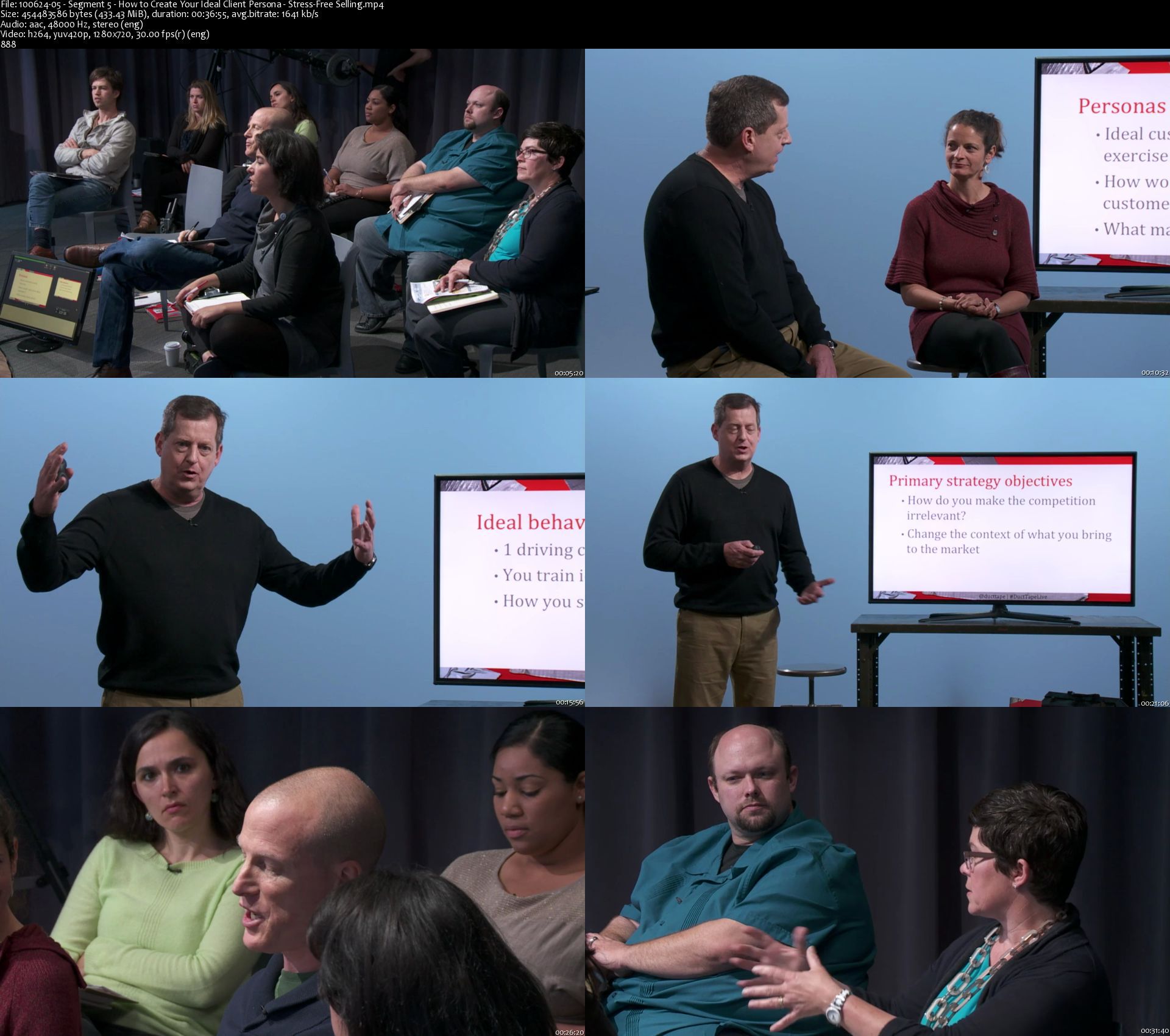
Stress-Free Selling

cngat949ksk72oskiknpetekkx.jpg


Stress-Free Selling
Duration: 10h26m| Video: .MP4 1280x720, 30 fps(r) | Audio: AAC, 48000 Hz, 2ch | Size: 6.87 GB
Genre: eLearning | Language: English + subtitles

Sell More And Sell Better.

In a constantly evolving economy, strong, dynamic marketing and sales skills are equally essential. John Jantsch, author of Duct Tape Marketing and the upcoming Duct Tape Selling, is ready to equip you with the tools you need to think like a marketer and sell like a superstar.

During this workshop, you'll learn how to shift your thinking about the relationship between sales and marketing. John will cover ways to leverage customers' dependence on word-of-mouth, personal recommendations, and internet research when making purchasing decisions. You'll also learn how to build a competitive edge by positioning yourself and your company as an expert provider of a niche service. John will introduce you to the Sales Hourglass, a tried-and-true sales process that allows you to educate customers more clearly and effectively about your company's unique offering.

This course will energize and equip salespeople, marketing professionals, and small business owners to sell more and sell better.

Homepage

10062405segment5howtoeaj2x.jpg


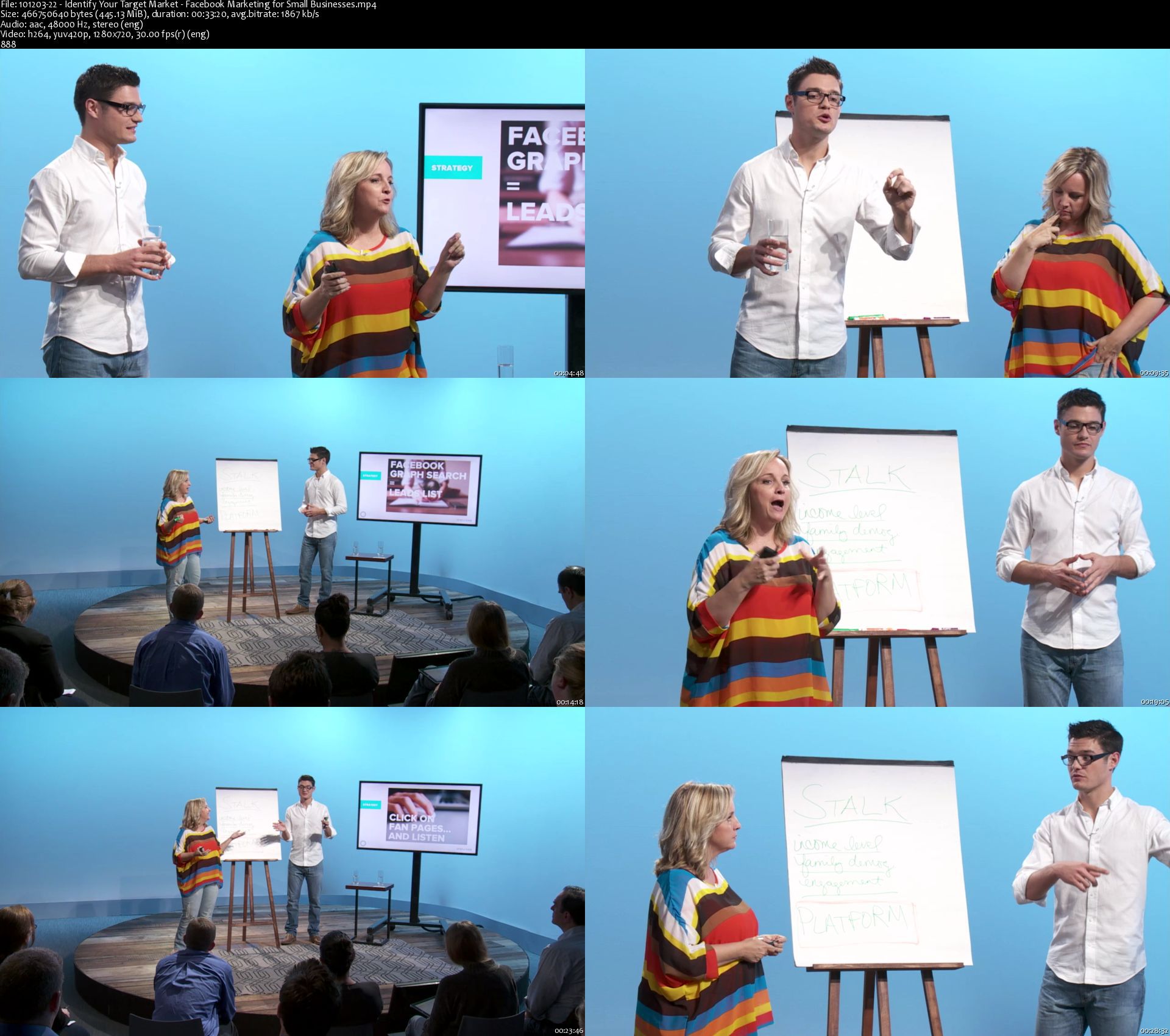
Facebook Marketing for Small Businesses

dtaxa9pya3k2viqwafe5cntkye.jpg


Facebook Marketing for Small Businesses
Duration: 10h20m| Video: .MP4 1280x720, 30 fps(r) | Audio: AAC, 48000 Hz, 2ch | Size: 7 GB
Genre: eLearning | Language: English + subtitles

Take Full Advantage Of Facebook
If you're a small business owner or creative freelancer, everyone you know has declared that you "should" be using Facebook® to promote your work. (After all, with over a billion active users, at least a few should be interested in what you do.) But making a page for yourself and getting a few likes from friends won't do your business any good.

Learning how to take full advantage of the remarkable marketing power of Facebook can feel overwhelming, but it doesn't have to be. Facebook marketing pro Nathan Latka will show you how to use this powerful social media hub to attract customers, turn them into fans, and drive sales. Focusing on the concrete, practical skills you need to harness the full power of Facebook, this course will guide you through setting up, optimizing, and monetizing your company's Facebook page. You'll learn Facebook marketing tips about:

building your email list via Facebook
using Facebook to pitch, sell, and close
getting likes, shares, and comments
managing your Facebook page efficiently and effortlessly
and more!
Whether you're looking for your first 100 likes or your first 10,000, this course will make Facebook your most powerful marketing tool.

Homepage

10120322identifyyourt4pjb5.jpg


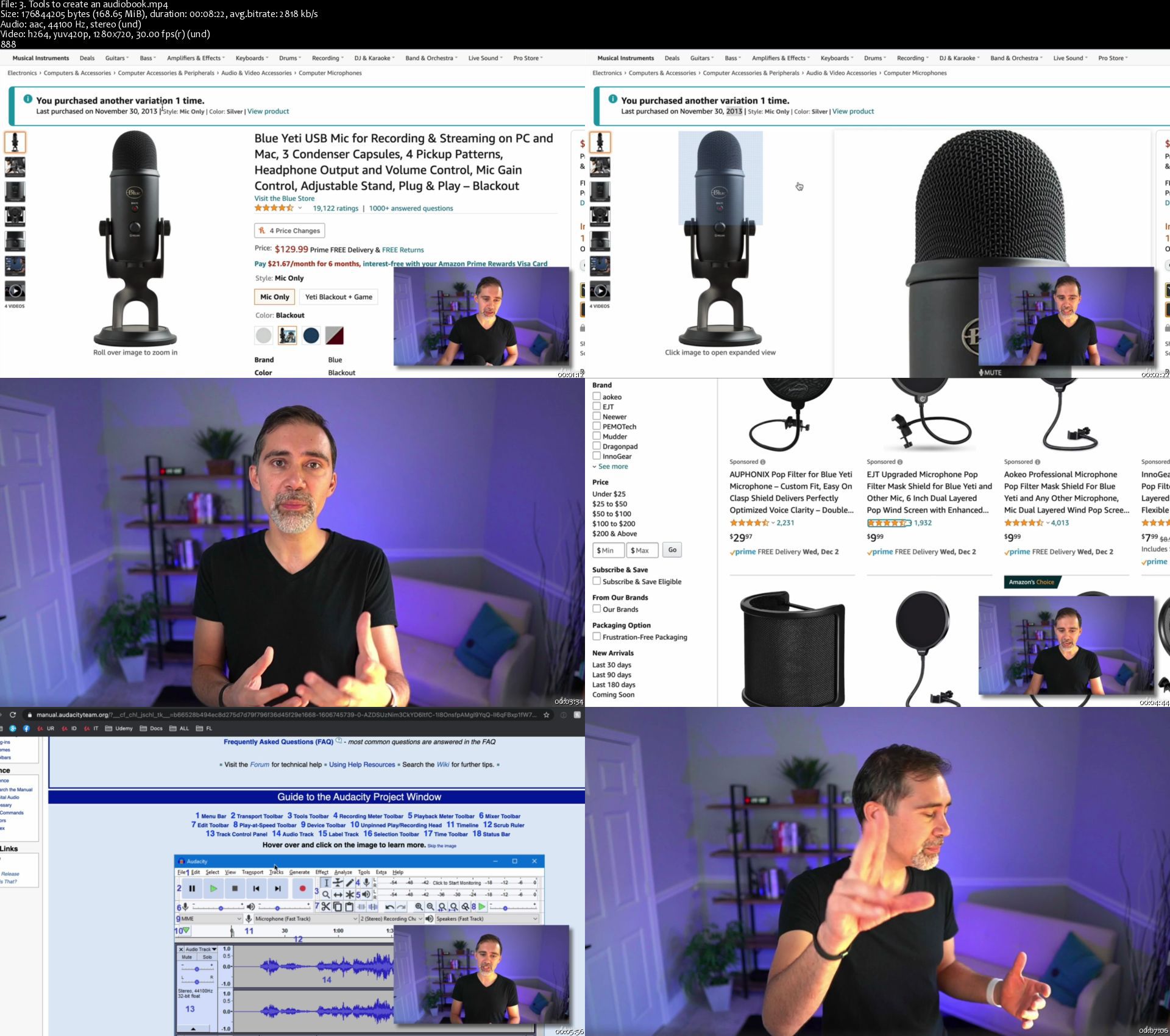
Digital Products Masterclass: Start Your Own Online Business

0081430525kz5.jpg


Digital Products Masterclass: Start Your Own Online Business
MP4 | Video: h264, 1280x720 | Audio: AAC, 44.1 KHz, 2 Ch
Genre: eLearning | Language: English + srt | Duration: 201 lectures (20h 28m) | Size: 21.6 GB

Create, Launch & Market Your Own Online Business w/ Digital Products such as Online Courses, Coaching, eBooks, Webinars+


What you'll learn:
Start your own online business by selling digital products
Know the right digital product for your audience
Convert your traditional business or service into an online business
Find and validate your digital product idea
Create 12 different types of digital products
Market and sell your digital products
Use organic and paid traffic to sell your digital products
Use Facebook Pages, Facebook Groups, Instagram and YouTube to grow your online business
Use Facebook Ads, Instagram Ads, and YouTube Ads to grow your online business
Create an online course
Create a coaching program
Create ebooks and audiobooks
Create a podcast
Create a webinar
Create a membership site
Create a subscription program
Create a mastermind group
Create stock and template products
Create printables
Create software and app-based digital products

Requirements
You don't need any experience creating an online business or digital product.
You don't need an online presence, website, or following - but it will help kickstart your online business if you do.


Description
Have you ever dreamed of starting your own online business?

Or perhaps you have an existing business that you want to convert to an online one - a business that can reach more people around the world, and be an additional stream of passive income?

This is the only course you need to learn how to:

Come up with and validate a great digital product idea

Create digital products your customers will love

Sell that digital product with a simple marketing strategy that actually works

Enroll today and get instant access to:

20+ hours of premium video content

Downloadable 233-page workbook

Assignments that make this course fun and actionable

Access to an exclusive student community

Premium instructor support

Lifetime access to course updates

This masterclass contains crash courses on all of the most popular digital products out there:

Online courses

eBooks

Audiobooks

Podcasts

Webinars

Membership sites

Subscription programs

Mastermind groups

Coaching programs

Stock and template products

Printables

Software and apps

Beyond creating the digital product, you'll learn how to market it - whether you have an existing audience and brand or are starting from scratch.

You will learn many types of digital marketing:

Free organic traffic

Paid advertising

Email marketing

Social media marketing including Facebook Pages, Facebook Groups, Instagram

Content marketing such as a blog and YouTube channel

Facebook ads

Instagram ads

Youtube ads

Everything we teach in this course is based on our real-world experience, creating and selling digital products to millions of customers around the world. We'll only teach you things we know to be successful, and that you can implement yourself!

Get ready to take action!

Throughout the entire course, you'll be participating in a 60-day challenge, which will help get your online business up and running in the next two months.

Who are the instructors?

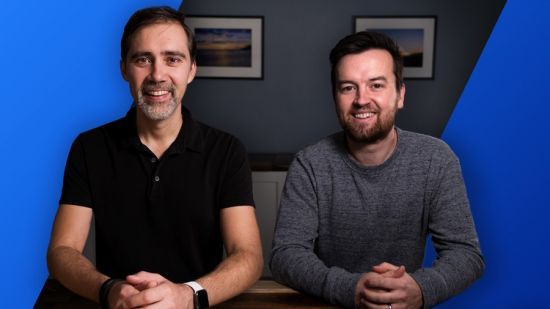
Over 3 million people have purchased digital products from Phil Ebiner and Diego Davila over the past decade. We've mastered many of the steps to growing a successful online business, and are so excited to share what we've learned with you. Both of us started our online businesses on our own, bootstrapping our brands, and know you can do the same.

More about this course, and why we created it:

Digital marketing, social media marketing, online business, digital product, passive income, content marketing, social media advertising, email marketing. all of these terms are important for running a successful online business. But where does one start?

That's the question we asked ourselves recently realizing how fortunate we are to have businesses that at this point could run mostly on their own through automations bringing in passive income, and provide a fantastic life for us and our families. How lucky were we?!? And how could we help more people achieve this success.

At a time when having an online business could be necessary (or at the very least beneficial) for many people and existing businesses, getting started is the hardest part. What if there was a course that taught everything in one place? Wouldn't that be beneficial for thousands (or perhaps millions) of people?!

YES!

So we got to work. We brainstormed all of our favorite digital products - from online courses and ebooks to podcasts and webinars; from coaching programs and webinars to audiobooks and printables. We developed a course that dives right in with helping students like you understand what a successful digital products online business looks like with proper (yet easy-to-implement) digital marketing funnels.

Then the course takes a step back, helping students come up with the right online business idea, complete with validating your digital product to make sure it will be. a success.

It then contains crash courses into each digital product where you'll learn why it might be the right digital product for your online business; the tools we recommend to create that product; best practices and tips for creating that digital product; and case studies into our very own digital products.

This course isn't just about creating your passive income online business and hoping people find it. We teach you digital marketing, which includes free organic marketing and paid advertisements. You'll learn how to set up proper email marketing campaigns, drive traffic to your digital products with social media marketing and content marketing. This includes sections on using Facebook Pages, Facebook Groups, Instagram, and YouTube. You'll also learn about paid advertising, using Facebook Ads, Instagram Ads, and Youtube Ads to drive even more traffic to your online business.

In short, we wanted to create a course that covered it all. And we hope you agree that we succeeded in that goal. At the end of the day, we are only successful if you are as well. And your success will only come by taking action, even small ones. Let's get you on your way to having your own online business!

Start your online business today

There's absolutely no reason to hesitate. If you've ever wanted to start an online business. THIS is the course for you.

Click that enroll button and we'll see you inside!

Cheers,

Phil + Diego

Who this course is for
Anyone wanting to start an online business
Anyone with a business wanting to convert their products or services into an online business


3.toolstocreateanaudijsjjv.jpg


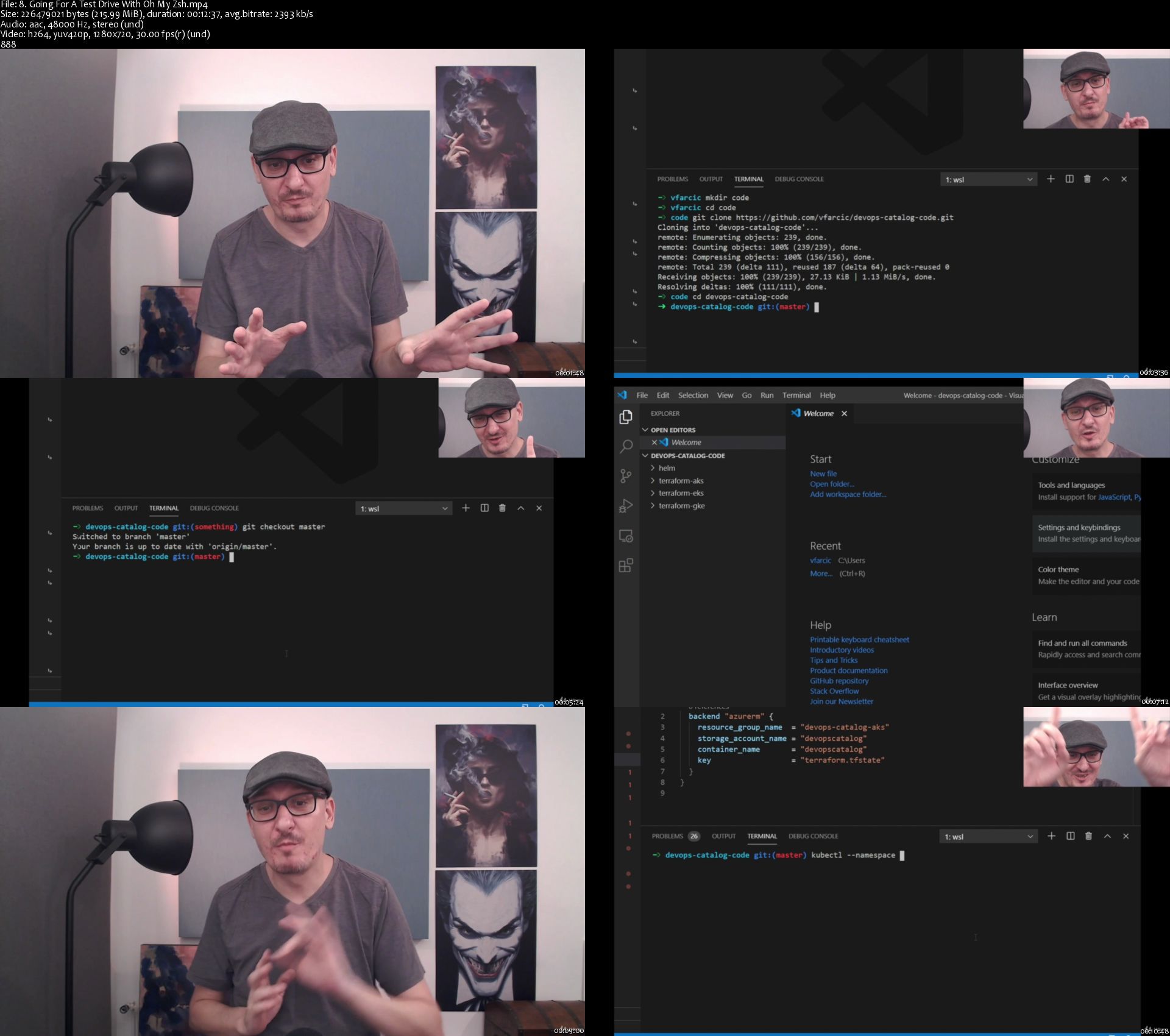
DevOps Catalog, Patterns, And Blueprints

tdnwoigin1oebfmjvjfmk3ejm0.jpg


DevOps Catalog, Patterns, And Blueprints
MP4 | Video: h264, 1280x720 | Audio: AAC, 44.1 KHz, 2 Ch
Genre: eLearning | Language: English + srt | Duration: 120 lectures (12h 53m) | Size: 13.9 GB

The DevOps Toolkit Series

What you'll learn:
How the use the most commonly used DevOps tools
The benefits of infrastructure-as-code (IaC)
How to use Terraform in production environments
How to create a Kubernetes cluster with Terraform in AWS, Azure, and GCP
How to package, deploy, and manage applications in Kubernetes
How to use Helm
How to set up a local development environment
What are the common flavours of Serverless deployments
How to deploy managed Functions as a Service (FaaS), including Google Cloud Functions, Azure Functions, and AWS Lambda
How to deploy managed Containers as a Service (CaaS), including Google Cloud Run, Azure Container Instances, and AWS ECS with Fargate
How to deploy self-managed Containers as a Service (CaaS) with Knative
How to centralize logging with the Loki stack
What Is GitOps
How to use Argo CD for GitOps deployments
What is progressive delivery?
How to use Argo Rollouts for canary deployments

Requirements
Requirements differ from one section to another


Description
Unlike my other courses and books where I typically dive into a single tool or a single process, this time, I chose a different approach. Instead of going to great lengths trying to help someone become proficient in one thing, this time, I am trying to give you a quick introduction into many different tools and processes. We will skip the potentially lengthy discussions and in-depth exercises. What I want, this time, is to help you make decisions. Which tool works the best for a given task? What should we explore in more depth, and what is a waste of time? The goal is not to learn everything about a tool in detail but rather to dive into many concepts and a plethora of tools right away. The aim is to get you up-to-speed fast while producing useful "real world" results. Think of each chapter as a crash-course into something with the outcome that you can use right away.

I will assume that you don't have time to read hundreds of pages to learn something that you are not even sure is useful. Instead, I will guess that you got up to one hour to read a summary, and then decide if a tool is worthwhile a more significant investment.

This is a catalog of the tools, and the processes I believe are useful in this day and age. I will try to transfer what I think works well and what might have been the right choice in the past but is not optimal anymore.

Nevertheless, even if the scope of this course is different than others, some things are still the same. This is not a book with lots of theory. Sure, there will be some text you might need to read, but most of the content consists of hands-on exercises. I always believed that the best way to learn something is through practice, and I am not giving up on that. This is a book full of real-world hands-on examples, and each chapter will let you dive into a different tool or a process. At the end of each, you will be able to say, "now I know what this is about, and now I can make a decision whether it is a worthwhile investment."

Think of this course as a catalog, combined with patterns and blueprints.

Who this course is for
Anyone interested in broad knowledge about DevOps tools and practices

Homepage

8.goingforatestdrivewwfkws.jpg


Zurück
Oben Unten