• Regeln für den Video-Bereich:

    In den Börsenbereich gehören nur Angebote die bereits den Allgemeinen Regeln entsprechen.

    Einteilung

    - Folgende Formate gehören in die angegeben Bereiche:
    - Filme: Encodierte Filme von BluRay, DVD, R5, TV, Screener sowie Telesyncs im Format DivX, XviD und x264.
    - DVD: Filme im Format DVD5, DVD9 und HD2DVD.
    - HD: Encodierte Filme mit der Auflösung 720p oder darüber von BluRay, DVD, R5, TV, Screener sowie Telesyncs im Format x264.
    - 3D: Encodierte Filme von BluRay, die in einem 3D Format vorliegen. Dies gilt auch für Dokus, Animation usw.
    - Serien: Cartoon/Zeichentrick, Anime, Tutorials, Dokumentationen, Konzerte/Musik, Sonstiges sind demnach in die entsprechenden Bereiche einzuordnen, auch wenn sie beispielsweise im High Definition-Format oder als DVD5/DVD9/HD2DVD vorliegen. Ausnahme 3D.
    - Bereich Englisch: Englische Releases gehören immer in diesen Bereich.
    - Bereich Talk: Der Bereich, in dem über die Releases diskutiert werden kann, darf, soll und erwünscht ist.


    Angebot/Beitrag erstellen

    - Ein Beitrag darf erst dann erstellt werden, wenn der Upload bei mindestens einem OCH komplett ist. Platzhalter sind untersagt.
    - Bei einem Scenerelease hat der Threadtitel ausschließlich aus dem originalen, unveränderten Releasenamen zu bestehen. Es dürfen keine Veränderungen wie z.B. Sterne, kleine Buchstaben o.ä. vorgenommen werden. Ausnahme Serienbörse:
    - Bei einem Sammelthread für eine Staffel entfällt aus dem Releasename natürlich der Name der Folge. Beispiel: Die Simpsons S21 German DVDRip XviD - ITG
    - Dementsprechend sind also u.a. verboten: Erweiterungen wie "Tipp", "empfehlenswert", "only", "reup", usw. / jegliche andere Zusatzinformation oder Ergänzung, welche nicht in obiger Beschreibung zu finden ist.

    Aufbau des Angebots und Threadtitel

    Der Titel nach folgendem Muster erstellt zu werden. <Name> [3D] [Staffel] [German] <Jahr> <Tonspur> [DL] [Auflösung] <Quelle> <Codec> - <Group>
    Beispiel: The Dark Knight German 2008 AC3 DVDRip XviD - iND
    Beispiel: The Dark Knight 2008 DTS DL BDRip x264 - iND
    Beispiel: The Dark Knight 2008 AC3 DL BDRip XviD - iND
    Beispiel: The Dark Knight German 2008 AC3 720p BluRay x264 iND
    Beispiel: The Dark Knight 2008 DTS DL 1080p BluRay x264 iND
    Beispiel: Die Simpsons S01 German AC3 DVDRip XviD iND
    Beispiel: Die Simpsons S20 German AC3 720p BluRay x264 iND
    Beispiel: Sword Art Online II Ger Sub 2014 AAC 1080p WEBRip x264 - peppermint
    Entsprechend sind also u.a. verboten: Sonderzeichen wie Klammern, Sterne, Ausrufezeichen, Unterstriche, Anführungszeichen / Erweiterungen wie "Tipp", "empfehlenswert", "only", "reup", usw. / jegliche andere Zusatzinformation oder Ergänzung, welche nicht in obiger Beschreibung zu finden ist
    Ausnahmen hiervon können in den Bereichen geregelt sein.

    Die Beiträge sollen wie folgt aufgebaut werden:
    Überschrift entspricht dem Threadtitel
    Cover
    kurze Inhaltsbeschreibung
    Format, Größe, Dauer sind gut lesbar für Downloader außerhalb des Spoilers zu vermerken
    Nfo sind immer Anzugeben und selbige immer im Spoiler in Textform.
    Sind keine Nfo vorhanden z.B. Eigenpublikationen, sind im Spoiler folgende Dateiinformationen zusätzlich anzugeben :
    Quelle
    Video (Auflösung und Bitrate)
    Ton (Sprache, Format und Bitrate der einzelnen Spuren)
    Untertitel (sofern vorhanden)
    Hosterangabe in Textform außerhalb eines Spoiler mit allen enthaltenen Hostern.
    Bei SD kann auf diese zusätzlichen Dateiinformationen verzichtet werden.

    Alle benötigten Passwörter sind, sofern vorhanden, in Textform im Angebot anzugeben.
    Spoiler im Spoiler mit Kommentaren :"Schon Bedankt?" sind unerwünscht.


    Releases

    - Sind Retail-Release verfügbar, sind alle anderen Variationen untersagt. Ausnahmen: Alle deutschen Retail-Release sind CUT, in diesem Fall sind dubbed UNCUT-Release zulässig.
    - Im Serien-Bereich gilt speziell: Wenn ein Retail vor Abschluss einer laufenden Staffel erscheint, darf diese Staffel noch zu Ende gebracht werden.62
    - Gleiche Releases sind unbedingt zusammenzufassen. Das bedeutet, es ist zwingend erforderlich, vor dem Erstellen eines Themas per Suchfunktion zu überprüfen, ob bereits ein Beitrag mit demselben Release besteht. Ist dies der Fall, ist der bereits vorhandene Beitrag zu verwenden.
    - P2P und Scene Releases dürfen nicht verändert oder gar unter einem iND Tag eingestellt werden.


    Support, Diskussionen und Suche

    - Supportanfragen sind entweder per PN oder im Bereich Talk zu stellen.
    - Diskussionen und Bewertungen sind im Talk Bereich zu führen. Fragen an die Uploader haben ausschließlich via PN zu erfolgen, und sind in den Angeboten untersagt.
    - Anfragen zu Upload-Wünschen sind nur im Bereich Suche Video erlaubt. Antworten dürfen nur auf Angebote von MyBoerse.bz verlinkt werden.


    Verbote

    - Untersagt sind mehrere Formate in einem einzigen Angebotsthread, wie beispielsweise das gleichzeitige Anbieten von DivX/XviD, 720p und 1080p in einem Thread. Pro Format, Release und Auflösung ist ein eigener Thread zu eröffnen.
    - Grundsätzlich ebenso verboten sind Dupes. Uploader haben sich an geeigneter Stelle darüber zu informieren, ob es sich bei einem Release um ein Dupe handelt.
    - Gefakte, nur teilweise lauffähige oder unvollständige Angebote sind untersagt. Dies gilt auch für eigene Publikationen, die augenscheinlich nicht selbst von z.B. einer DVD gerippt wurden. Laufende Serien, bei denen noch nicht alle Folgen verfügbar sind, dürfen erstellt und regelmäßig geupdatet werden.
    - Untersagt sind Angebote, welche nur und ausschließlich in einer anderen Sprache als deutsch oder englisch vorliegen. Ausnahmen sind VORHER mit den Moderatoren zu klären.


    Verstoß gegen die Regeln

    - Angebote oder Beiträge, die gegen die Forenregeln verstoßen, sind über den "Melden"-Button im Beitrag zu melden.
  • Bitte registriere dich zunächst um Beiträge zu verfassen und externe Links aufzurufen.

++ Premium IPTV ++ 7000 Live Sender ++ UHD Qualität ++ Mediathek mit 18.000 Inhalten ++


VenneTV


Englische Tutorials

Artstation CGT 1 Two Hour Speed Portrait Painting BOOKWARE-SOFTiMAGE

188030305_1-cgt-introduction_c.jpg


Artstation CGT 1 Two Hour Speed Portrait Painting BOOKWARE-SOFTiMAGE | MP4,PSD | 4.48 GiB

20.9 Mb/s 1920x1080 | AAC 192 kb/s 2 CH eng


NFO:
File List:

File: 1 CGT Introduction.mp4
Size: 469203794 bytes (447.47 MiB), duration: 00:02:59, avg.bitrate: 20970 kb/s
Audio: aac, 48000 Hz, stereo (eng)
Video: h264, yuv420p, 1920x1080, 29.97 fps(r) (eng)


Download ( Size: 4.48 GiB ):
Filehosts: Nitroflare, Rapidgator


oHeopzn.png

5 Link/s
EF372EDF1A.png


5hSo1Ay.png

5 Link/s
4DCF10289C.png


ArtStation CGT 7 Basics of Painting the Anime Style Skin Tone BOOKWARE-SOFTiMAGE

188069075_3-cgt-7-process_c.jpg


ArtStation CGT 7 Basics of Painting the Anime Style Skin Tone BOOKWARE-SOFTiMAGE | FLV,MP4,PSD | 3.56 GiB

27.6 Mb/s 1920x1080 | AAC 192 kb/s 2 CH eng


NFO:
File List:

File: 1 CGT #7 Briefing.mp4
Size: 341259424 bytes (325.45 MiB), duration: 00:01:39, avg.bitrate: 27577 kb/s
Audio: aac, 48000 Hz, stereo (eng)
Video: h264, yuv420p, 1920x1080, 29.97 fps(r) (eng)


Download ( Size: 3.56 GiB ):
Filehosts: Nitroflare, Rapidgator


oHeopzn.png

4 Link/s
38999FD303.png


5hSo1Ay.png

4 Link/s
8562994A6B.png


Artstation Creating a Tie Fighter with Substance Designer BOOKWARE-SOFTiMAGE

188070561_tiefighter-05-engine_yu-muxed_c.jpg


Artstation Creating a Tie Fighter with Substance Designer BOOKWARE-SOFTiMAGE | FBX,MP4,PSD,PUR | 3.25 GiB

1 389 kb/s 2560x1440 | AAC 112 kb/s 2 CH rus


NFO:
File List:


Download ( Size: 3.25 GiB ):
Filehosts: Nitroflare, Rapidgator


oHeopzn.png

4 Link/s
1B4EC3A888.png


5hSo1Ay.png

4 Link/s
47E74C4C2E.png


Tool Building with Windows PowerShell - Advanced

0080749f7fj74.jpg


Tool Building with Windows PowerShell - Advanced
MP4 | h264, 1280x720 | Lang: English | Audio: aac, 44100 Hz | 9h 14m | 7.86 GB

Learn core scripting skills and many more features of too building in Windows Powershell


What you'll learn:
Tool building to automate administrative tasks
Core scripting skills
Building advanced functions
Creating script modules
Writing controller scripts
Error handling
Debugging

Requirements
Experience with Windows client administration, maintenance, and troubleshooting. Experience with Windows networking technologies and implementation. Foundational knowledge of Windows PowerShell, including one-liners, scripting security, and PowerShell scripting constructs.


Description
This Intellezy course, taught by Shawn Stugart, builds on existing PowerShell 5.1 skills and course and focuses on tool building to automate administrative tasks. Students will learn core scripting skills such as building advanced functions, creating script modules, writing controller scripts, and error handling and debugging. Working beyond native PowerShell commands, students will be introduced to technologies and concepts to support custom tool building such as .NET Framework, ReST API, XML and JSON, Desired State Configuration (DSC), Just Enough Administration (JEA), and parallelization.

With nearly 10,000 training videos available for desktop applications, technical concepts, and business skills that comprise hundreds of courses, Intellezy has many of the videos and courses you and your workforce needs to stay relevent and take your skills to the next level. Our video content is engaging and offers assessments that can be used to test knowledge levels pre and/or post course. Our training content is also frequently refreshed to keep current with changes in the software. This ensures you and your employees get the most up-to-date information and techniques for success. And, because our video development is in-house, we can adapt quickly and create custom content for a more exclusive approach to software and computer system roll-outs.

Like most of our courses, closed caption subtitles are available for this course in: Arabic, English, Simplified Chinese, German, Russian, Portuguese (Brazil), Japanese, Spanish (Latin America), Hindi, and French.

Who this course is for
Anyone who wishes to learn how to build tools within Windows PowerShell

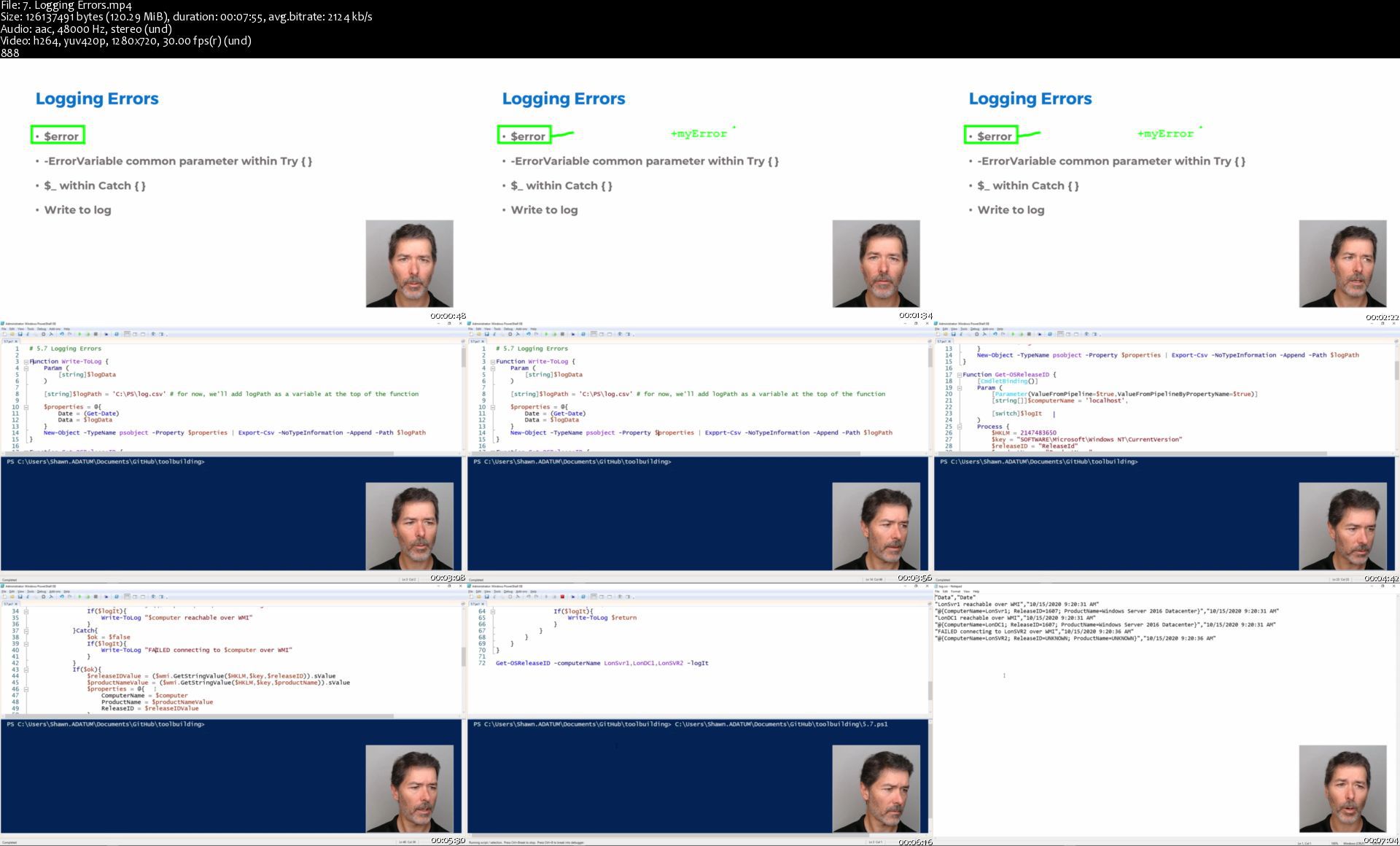
7.loggingerrorsstgj5l.jpg


The Complete Python Bootcamp for Beginners: 2021

zybprsp7y1exr4389coyjiskr8.jpg


The Complete Python Bootcamp for Beginners: 2021
MP4 | h264, 1280x720 | Lang: English | Audio: aac, 4410 Hz | 24h 28m | 6.55 GB


What you'll learn

Learn to use Python professionally, learning both Python 2 and Python 3!
Make stronger your knowledge with +30 specific applications
Write Python programs that can be used on Linux, Mac, and Unix operating systems.
Understand how to create your own Python programs.
Add the Python Object-Oriented Programming (OOP) skills to your résumé.
Acquire the pre-requisite Python skills to move into specific branches - Machine Learning, Data Science, etc..
Understand how to use both the Jupyter Notebook and create .py files
Build a complete understanding of Python from the ground up!
Strengthen your skills with bonus +20 practice activities throughout the course

Requirements
There are no requirements for this bootcamp

Description
Become a Python Programmer and learn one of employer's most requested skills of 2021!

With over 100 lectures and more than 21 hours of video this comprehensive course leaves no stone unturned! This course includes quizzes, tests, coding exercises and homework assignments

When to use Python 2 and when to use Python 3.

How to install Python on Windows, Mac, and Linux.

How to prepare your computer for programming in Python.

The various ways to run a Python program on Windows, Mac, and Linux.

Suggested text editors and integrated development environments to use when coding in Python.

How to work with various data types including strings, lists, tuples, dictionaries, booleans, and more.

What variables are and when to use them.

How to perform mathematical operations using Python.

How to capture input from a user.

Ways to control the flow of your programs.

The importance of white space in Python.

How to organize your Python programs -- Learn what goes where.

What modules are, when you should use them, and how to create your own.

How to define and use functions.

Important built-in Python functions that you'll use often.

How to read from and write to files.

Various ways of getting help and find Python documentation.

Practice exercises with solutions so you can start using what you learn right away.

A download that contains the scripts used in the presentations and lessons. You'll be able to look at and experiment with everything you're learning.

Quizzes after each section just to make sure you're learning the most important aspects of Python programming

Unconditional Udemy 30 day money-back guarantee - that's my personal promise of your success!

************************************Straight Python Topics*****************

Strings

Lists

Dictionaries

Tuples

Sets

Number Data Types

Print Formatting

Functions

Scope

args/kwargs

Built-in Functions

Debugging and Error Handling

Modules

External Modules

Object Oriented Programming

Inheritance

Polymorphism

File I/O

So... what can do with all this Python knowledge?

Python is HOT right now. The demand in the IT job market for Python skills keeps growing and growing. If you're looking to get into programming as a career, level-up your existing career or open up new doors in the IT field, you really need to learn Python!

Perfect for Windows, Linux, Unix, Mac, the Web and More!

Once you've completed this course you'll know how to write programs that will run on the Linux, Mac, and Windows operating systems. You can even take what you've learned and apply it web applications.

You will get lifetime access to over 100 lectures plus corresponding Notebooks for the lectures!

This course comes with a 30 day money back guarantee! If you are not satisfied in any way, you'll get your money back. Plus you will keep access to the Notebooks as a thank you for trying out the course!

So what are you waiting for? Learn Python in a way that will advance your career and increase your knowledge, all in a fun and practical way!


Who this course is for:
Beginners who have never programmed before.
Programmers switching languages to Python.
Intermediate Python programmers who want to level up their skills!
Anyone interested in Python programming, Python scripting, or computer programming in general.
Those who want to become a highly paid Python developer.


Homepage

6.collectionkeywordarnek9k.jpg


Salesforce Administrator Training: Latest Edition 2021

00807440ntkuy.jpg


Salesforce Administrator Training: Latest Edition 2021
Duration: 15h 13m | .MP4 1280x720, 30 fps(r) | AAC, 44100 Hz, 2ch | 5.96 GB
Genre: eLearning | Language: English

Prepare for Salesforce Certified Administrator Exam. Command Salesforce Administration tasks and become top CRM Analyst.


What you'll learn
Become a successful Salesforce Administrator
Learn end-to-end Salesforce Administration tasks
Prepare for Salesforce Certified Administrator and Salesforce Certified Advanced Administrator Exams
Introduction and Signup Process of Salesforce
Salesforce Administrator Data Model
Salesforce Administrator Reports and Dashboard
Salesforce Administrator Data Management
Salesforce Admin Fundamentals
Salesforce Process Automation
Tools, Workflow Rule, Approval Process
Flow Builder, Process Builder, Validation Rules, WTC and WTL
Salesforce Security Model
Object Level Security (Profile), Object Level Security (Permission Set)
Record Level Security (OWD, Role Hierarchy, Sharing Rules and Manual Sharing)
Field Level Security

Requirements
Enthusiasm and determination to make your mark on the world!

Description
Salesforce is one of world's leading CRM software and enterprise cloud ecosystems, helping businesses streamline their sales, service, marketing and other activities. Salesforce being a top CRM (Customer Relationship Management) solutions provider, such a vast and robust platform needs qualified Administrators to help customers utilize Salesforce in the best possible ways.

Uplatz provides this extensive end-to-end Salesforce Administrator course. This Salesforce Administrator course covers the essentials to start you off on the right path of your Salesforce Admin journey. The Salesforce Admin course is designed for new system administrators responsible for the setup, configuration, and maintenance of their organizations' Salesforce applications. Gain hands-on experience with this Salesforce Admin training while learning how to manage and develop apps for one of the most popular CRM platforms worldwide. Salesforce Admin Training will help you to pass the Salesforce Administrator Certification Exam (ADM-201) and completely transform your career.

Course Objectives

Customize your application, including page layouts, fields, tabs, and business processes

Create a secure Salesforce environment

Maintain and import clean data

Create high-value reports and dashboards

Setup workflow automation

Salesforce Administrator - Course Syllabus

Introduction and Signup Process of Salesforce

Salesforce Administrator Data Model

Salesforce Administrator Reports and Dashboard

Salesforce Administrator Data Management

Salesforce Admin Fundamentals

Salesforce Process Automation

Tools

Workflow Rule

Approval Process

Flow Builder

Process Builder

Validation Rules

WTC and WTL

Salesforce Security Model

Salesforce Security Model Overview

Object Level Security (Profile)

Object Level Security (Permission Set)

Record Level Security (OWD, Role Hierarchy, Sharing Rules and Manual Sharing)

Field Level Security


Salesforce Administrator Certification (ADM-201) exam

A Salesforce Admin Certification is the highest form of recognition a Salesforce Administrator can achieve; it demonstrates expertise in the field as well as a commitment to the platform.

Certification is becoming increasingly popular amongst Salesforce professionals. At the very least it can help to enhance a professional's knowledge of the platform, but research shows it can also improve employability and open administrators up to a higher caliber of salary.

This Salesforce Administrator course will help you prepare for most of these topics.


Organizational Setup

Describe the information found in the company settings (for example, fiscal year, business hours, currency management, default settings).

Distinguish between the various UI features that an administrator controls, including the implications (for example, UI settings, search settings, list views, homepage layouts).

User Setup

Identify the steps to set up and/or maintain a user (for example, assign licenses, reset passwords, and resolve locked user accounts).

Understand the implications of activating, deactivating, or freezing a user

Security and Access

Explain the various organization security controls (for example, passwords, IP restrictions, identity confirmation, network settings).

Given a user request scenario, apply the appropriate security controls based on the features and capabilities of the Salesforce sharing model (for example, organization-wide defaults, roles and the role hierarchy, manual sharing, sharing rules, and public groups).

Given a scenario, determine the appropriate use of a custom profile or permission set using the various profile settings and permissions.

Describe how folders can be used to organize and secure communication templates, dashboards, and reports.

Standard and Custom Objects

Describe the standard object architecture and relationship model.

Explain how to create, delete, and customize fields and page layouts on standard and custom objects, and understand the implications of deleting fields.

Given a scenario, determine how to create and assign page layouts, record types, and business processes for custom and standard objects.

Sales and Marketing Applications

Given a scenario, identify the capabilities and implications of the sales process.

Given a scenario, identify the appropriate sales productivity features using opportunity tools, and know when products and Price Books should be used.

Describe the capabilities of lead automation tools and campaign management.

Describe the capability of Salesforce Content.

Service and Support Applications

Describe the capabilities of case management (for example, case processes, case settings, and case comments).

Given a scenario, identify how to automate case management (for example, case assignment, auto-response, escalation, web-to-case, email-to-case, case teams).

Describe the capabilities of Salesforce Knowledge.

Describe the capabilities of the Community application (for example, Ideas and Answers).

Activity Management and Collaboration

Describe the capabilities of activity management (for example, manage tasks, events, public calendars, multi-day events.

Describe the features of Chatter (for example, feed, groups, following, security).

Data Management

Describe the considerations when importing, updating, transferring, and mass deleting data (for example, CSV files, data quality, field mapping, record IDs, external IDs, duplicate records).

Given a scenario, identify tools and use cases for managing data (for example, dataloader, data import wizard).

Describe the capabilities and implications of data validation tools.

Describe the different ways to backup data (for example, data export service, exports, dataloader).

Analytics - Reports and Dashboards

Describe the options available when creating or customizing a report (for example, report type, report format, fields, summarizing data, filtering data, charting, scheduling, and conditional highlighting).

Describe the impact of the sharing model on reports.

Describe the options available when creating and modifying dashboards (for example, dashboard components, data sources, chart types, scheduling, and running user).

Describe the capabilities of custom report types.

Workflow/Process Automation

Given a scenario, identify the appropriate automation solution based on the capabilities of workflow/process.

Describe capabilities and use cases for the approval process.

Desktop and Mobile Administration

Describe the capabilities of the Salesforce Mobile App.

Describe the installation and synchronization options of Salesforce Lightning for Outlook.

AppExchange

Identify use cases for AppExchange applications.


Who this course is for:
Salesforce System Administrators
Salesforce Administrators and Senior Salesforce Admins
Salesforce Developers
CRM Analysts
Anyone aspiring for a career in Salesforce and CRM
Salesforce Leads / Technical Managers
Solution Architects
Aspirants for Salesforce Certified Administrator exam
Beginners and newbies wishing to learn Salesforce
Senior Salesforce Developers - Financial Services
Sales and Marketing Professionals
Customer Relationship Officers
Salesforce Commerce Cloud Developers
Salesforce Developers Lightning
Salesforce Architects
Product Managers & Project Managers
Salesforce Developers - Lightning, Apex, VisualForce
Marketing Managers
Salesforce Consultants & Analysts

More Info

4.recordlevelsecuritydxj0p.jpg


Alomoves - Play

gqdfeqbksw7gczp7prnha20jj1.jpg


Alomoves - Play
MP4 | Video: h264, 1280x720 | Audio: AAC, 48 KHz, 2 Ch
Difficulty: Moderate | Genre: eLearning | Language: English | Duration: 5 Videos (2h 34m) | Size: 5.5 GB

Exploration and experimentation are two key elements of a vibrant and balanced yoga practice. When our practice is filled with rigidity and seriousness, we miss out on the lighthearted elements of yoga, which is often where we discover and grow the most.

This series pulls you out of the repetitive and rigid world of yoga and invites you to play on the edges of your comfort zone. We use playful drills, unexpected sequences, and non-traditional movements to turn your perspective upside down, spark creativity, and encourage individuality.

The five classes range from 25 to 40 minutes. Each takes a lighthearted and creative approach to being upside down with new shapes and intuitive movements. Classes begin with thorough wrist prep and upper body opening and conclude with a calming savasana. All inverted movements use a wall, which allows students of diverse backgrounds to experience the delicious benefits regardless of their handstand abilities.

This series is ideal for students looking to break out of their routine and let go. Students wary of going upside down will experiment with wall work in an approachable and no-pressure format that makes trying something new an adventure instead of a worry.

Coming to your mat should be fun, not always so serious and intentional. This series is an opportunity to feel free in your body and embrace the beautiful ways it wants to move.

BODY PARTS
Arms
Hamstrings
Chest
Shoulders
Wrists
Core

EQUIPMENT
Wall
Yoga Blocks

Homepage

playclass1amusebouchel9jlf.jpg


Learn PHP from Scratch with two practice projects

0080770a1vjum.jpg


Learn PHP from Scratch with two practice projects
Duration: 15h 47m | .MP4 1280x720, 30 fps(r) | AAC, 44100 Hz, 2ch | 8.76 GB
Genre: eLearning | Language: English

Web Development


What you'll learn
PHP Basic concept
PHP Advance
Project on PHP like address book, live chat boot system with ajax
PHP Ajax
Object oriented PHP
MYSQL

Requirements
Should know about basic HTML, CSS, BOOTSTRAP

Description
Hello,

Thank you for coming to us.

We are here with amazing content for you about development. We are a team of developers of different domains, have knowledge of different programming languages i: e :

Asp .Net (core + MVC)

Node.Js

PHP Laravel

React.Js (Front-end Framework)

Vue.Js (Front-end Framework)

Flutter (Hybrid Mobile Application)

And Everyone is specialized and experienced it their domain. So we are offering the best courses on this platform. We can guarantee you that you will not regret by being enrolled in our courses and will become a best enough developer to land a full-time job, or become a freelancer or can be an virtual assistant. we are keeping the cost of our courses very basic and low so that anyone can enroll and can give life to their extra-ordinary and precious idea.

We are not only providing you the best ever courses but also the Real-life scenario based Projects completion from scratch so that you won't find any issue in future developing any app or etc.

We are providing project-based courses in which we will not teach you theory but build real-life projects, so that you will face and deal with real-life problems in developing app and solve them. There will also be practice exercises at the end of every part of course, which you will do on your own to make yourself a best developer.

So, see you soon in courses.


Who this course is for:
Beginners, Advance

More Info

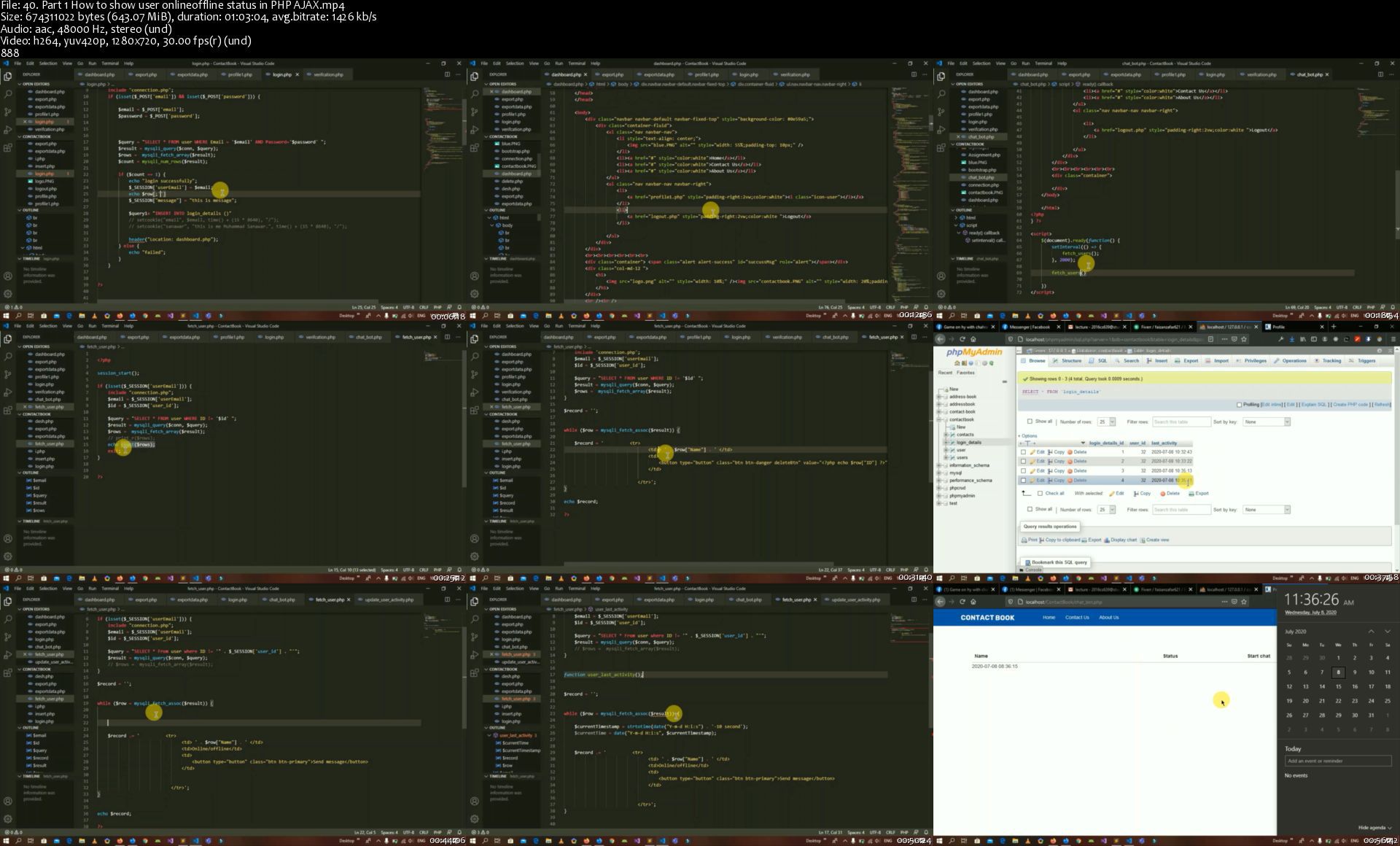
40.part1howtoshowuserg2k9s.jpg


Java 2021:Complete Java Masterclass:Zero to Hero Programming

008071e9dejcr.jpg


Java 2021:Complete Java Masterclass:Zero to Hero Programming
MP4 | h264, 1280x720 | Lang: English | Audio: aac, 44100 Hz | 22h 4m | 6.81 GB

Java, Java SE, OOP Concepts, Algorithms, +30 Applications,3 Real World Projects


What you'll learn
-Java SE( Standard Edition)
-Core Java
3 Real World Application
+30 Java Examples and mini Applications
-Algorithms
-Writing short and exact code
-OOP(Object Oriented Programming)
Learn the core Java skills needed to apply for Java developer position
Be able to sit for and pass the Oracle Java Certificate exam if you choose.
Be able to demonstrate your understanding of Java to future employers.
Obtain proficiency in Java 8 and Java 11
-SOLID Priciples
A wide variety of Java Collections - List, Map, Set and Queue Interfaces
The BEST PRACTICES in Writing High Quality Java Code
Gain enough experience to pass a core Java Programming interview and perform well on the job

Requirements
Computer with Min 4Gb Ram
Except these there is no requirement

Description

3: Real World Application and Projects

+30 Mini Applications or Examples for each Topis

Basics of Java Programming - Expressions, Variables, and Printing Output

Java Operators - Java Assignment Operator, Relational and Logical Operators, Short Circuit Operators

Java Conditionals and If Statement

Methods - Parameters, Arguments, and Return Values

Object-Oriented Programming - Class, Object, State, and Behavior

Basics of OOPS - Encapsulation, Abstraction, Inheritance, and Polymorphism

Basics about Java Data Types - Casting, Operators and More

Java Built-in Classes - String, Java Wrapper Classes

Conditionals with Java - If Else Statement, Nested If Else, Java Switch Statement, Java Ternary Operator

Loops - For Loop, While Loop in Java, Do While Loop, Break and Continue

Java Wrapper Classes, String

Java Array and ArrayList - Java String Arrays, Arrays of Objects, Primitive Data Types, toString and Exceptions

Introduction to Variable Arguments

Understanding Object Composition and Inheritance

Java Abstract Class and Interfaces. Introduction to Polymorphism.

Java Collections - List Interface(ArrayList, LinkedList and Vector), Set Interface (HashSet, LinkedHashSet)

Map Interface (HashMap, HashTable, LinkedHashMap and TreeMap() - Compare, Contrast and Choose

Generics - Why do we need Generics? Restrictions with extends and Generic Methods, WildCards - Upper Bound and Lower Bound.

Method References - static and instance methods

Introduction to Threads and MultiThreading - Need for Threads

Implementing Threads - Extending Thread Class and Implementing Runnable Interface

States of a Thread and Communication between Threads

Introduction to Executor Service - Customizing the number of Active Threads. Returning a Future, invokeAll, and invokeAny

Introduction to Exception Handling - Your Thought Process during Exception Handling. try, catch, and finally. Exception Hierarchy - Checked Exceptions vs Unchecked Exceptions. Throwing an Exception.. Try with Resources - New Feature in Java 8.

List files and folders in Directory with Files list method, File walk method and find methods. Read and write from a File.

This course comes with a full 30-day money-back guarantee. Meaning if you are not completely satisfied with the course or your progress, simply let me know and I'll refund you 100%, every last penny no questions asked.

You either end up with Java skills, go on to develop great programs and potentially make an awesome career for yourself, or you try the course and simply get all your money back if you don't like it.

You literally can't lose.


Who this course is for:
The one who wants to be Software Developer

2.scannerclassgetting7gks6.jpg


Alomoves - Honey

flkkx2bjk5ffafwcsynto5kk1u.jpg


Alomoves - Honey
MP4 | Video: h264, 1280x720 | Audio: AAC, 48 KHz, 2 Ch
Difficulty: Moderate | Genre: eLearning | Language: English | Duration: 5 Videos (4h13m) | Size: 9 GB

The purpose of this series is to lose yourself and just flow without a peak pose in mind. In each of the five full-length sequences, you'll move as if you're wading through something thick, sweet, and delicious, like honey.

To flow in this way allows you to savor every sensation that our body sends and you will appreciate a heightened sense of awareness. As you complete the classes, you will feel sweetness everywhere and leave with your bones, tissues, and fibers humming.

Classes are intended for all levels. There are very few advanced poses, as this is not the intention of these sequences. Meghan provides less instruction and cueing, allowing you to tune into your body and dive deeper into the moment. As these slow-motion flows challenge your control and balance, you'll unmask new levels of grace, awareness, and strength

EQUIPMENT
Yoga Blocks (Optional)

Homepage

honeyflowerblossomalod2kth.jpg


Explosion Simulation Abaqus Tutorial

p7ecdansdqi2ltd7kjknnmej8z.jpg


Explosion Simulation Abaqus Tutorial
MP4 | Video: h264, 1280x720 | Audio: AAC, 44.1 KHz, 2 Ch
Genre: eLearning | Language: English + srt | Duration: 30 lectures (9h 10m) | Size: 5.6 GB

Explosion Simulation in Abaqus using Air blast, Acoustic, Coupled Eulerian-Lagrangian, and SPH

What you'll learn:
Simulating Explosion in Abaqus
Air blast explosion
Smoothed particle hydrodynamics (SPH) explosion method
Coupled Eulerian-Lagrangian (CEL) explosion explosion method
UNDEX charge
Various damage model such: Concrete damage plasticity (CDP), Johnson-cook, Johnson-Holmquist, Hasin damage model, ductile and shear damage model

Requirements
Abaqus Software (Version 6.14.1 were used for this course)
Basic knowledge of the software
Engineering background


Description
Welcome to the Explosion Simulation Abaqus Tutorial, the only course you need to learn how to simulate various explosion condition on different applications. This course is specially designed for mechanical, civil engineering students or engineers who want to expand their finite element knowledge. This course will teach you the theory behind input parameters as well as modelling and analysing the results.

What you will get in this course:

**This Course is the divided into the 4 sections and in order to get the most advantage of it, we highly recommend you to follow the course in order as the basic terms have been only explained in the initial sections.

Section 1: Air-blast

This section aims to teach you how to use the CONWEP model for air-blast loading on solid and structural elements, without the need to model the fluid medium. Four real-life examples plus four theory videos have been used for this section to teach you how to model explosion on the concrete structure using concrete damaged plasticity (CDP) and Johnson-Holmquist model. Moreover, you can familiarize yourself with Hasin and Johnson-cook damage model in the explosion on the car door and the composite beam examples.

**Please do not miss the section 1 as all material theories have been explained only here.

Section 2: Smoothed particle hydrodynamics (SPH) explosion method

This section aims to teach you how to use the Smoothed particle hydrodynamics (SPH). This numerical method is part of the larger family of meshless (or mesh-free) methods where we are using only a collection of points to represent a given body rather than the usual method. Here, you will make yourself familiarize with SPH explosion method on the concrete beam and water-tank. Moreover, two examples of bird-strike on the fuselage and jet engine can help you to understand the other usage of this useful method. Finally, the bullet examples will teach you how to model gunpowder explosion in the bullet shell.

Section 3: Coupled Eulerian-Lagrangian (CEL) method

This section aims to teach you how to combines two mesh approaches-Lagrangian and Eulerian-in the same analysis. The purpose of this technique is to avoid mesh problems when performing simulations that involve high/extreme deformations. This section contains four examples which the first three examples help you to simulate various explosion condition on different structures (Such as concrete beam, under-ground pipeline and only soil) and the fourth examples help you find the other usage of this method by simulating the bird strike on the aeroplane wing.

Section 4: Underwater explosion (UNDEX)

This section aims to teach you how to simulate the underwater explosion. Here, waves produced by an explosion or sound source propagate from the source, impinging on and passing over the structure, producing a temporally and spatially varying load on the structural surface. This section helps you to understand UNDEX charge method and also how to use ductile and shear damage model in Abaqus by simulating under water explosion on submarine and ship structure.

I hope you all enjoy these tutorials. Please send me a message if you think anything can improve the quality of this course as I am updating the course regularly.

Many thanks

Armin

Who this course is for
Engineering students or Engineers who wants to learn how to simulate explosion in the abaqus

Homepage

7.example3cardoors8ike5.jpg


Experto en Creación de Imágenes de Arquitectura e Interior

ame1ndnwpndy8nwfsifhzzfjjj.jpg


Experto en Creación de Imágenes de Arquitectura e Interior
MP4 | h264, 1280x720 | Lang: Spanish | Audio: aac, 44100 Hz | 25h 39m | 19.0 GB


What you'll learn
Tendrás una visión integral dentro del mundo del diseño 3D para sacar el máximo partido a nuestros proyectos y diseños.
Verás diferentes programas de visualización arquitectónica y de interiorismo para hacer presentaciones profesionales de tus diseños y llevarlos al éxito con tus clientes o concursos.
Aprenderás paso a paso a realizar planos de tus diseños en 2D y planos en 3D, además aprender a realizar imágenes y su tratamiento para una presentaciones profesionales
Al acceder a este curso formarás parte de una comunidad educativa especializada en la materia, que te dará soporte, recursos y asesoramiento de por vida.
Requirements
La curva de aprendizaje que ofrece el curso es exponencial. El alumno, sin necesidad de partir de conocimientos previos, podrá acceder a este formato y salir con un alto grado de especialización.
Para la realización de este curso no ser requieren grandes conocimientos previos, ya que la formación se acomete desde un nivel de usuario 0.
Cuando compres el curso vas a poder acceder a las clases cuando y donde quieras. El curso se queda en tu cuenta de Udemy para siempre. :)
Tener un abierta, ser creativo, apasionado del diseño y entusiasta del buen estilo, serán tus mejores herramientas para triunfar en este apasionante sector.
El más importante requisito para realizar este curso es el entusiasmo y la motivación por aprender nuevas habilidades que aumenten tus competencias profesionales.

Description
Convierte en un Experto con Visión Integral en el Mundo de las Imágenes y la Visualización Arquitectónico.

Instructores: Álvaro García y Lucía Fernández. Contenido Actualizado: Enero 2021

Descripción del Curso:

¿Te imaginas que los autores de la Sagrada Familia, el Partenón o las pirámides de Giza hubiesen mostrado a sus clientes sus proyectos en 3D? Los tiempos han cambiado y la visualización arquitectónica como arte gráfico ha pasado de ser un complemento para diseñadores, arquitectos e interioristas a convertirse en una herramienta clave que diferencia y posiciona a los profesionales del sector.

Sin duda la visualización arquitectónica sirve para contar un proyecto y en el Experto en creación de imágenes de Arquitectura e Interiores da un paso más: la visualización arquitectónica te ayudará a pensar, diseñar y convencer a tus clientes con tus proyectos y presentaciones.

De esta manera, te permitirá no solo contar una idea de manera atractiva a un cliente , sino que te servirá como profesional para: ensayar formas, materiales, acabados o recorridos. de manera virtual, sentirás la realidad de un proyecto antes de su construcción y conseguirás mostrar a tus clientes tus ideas de forma realista y convincente. Con este Máster desarrollarás habilidades que te permitirán tener una concepción mucho más certera y exacta de como va a ser tu proyecto antes de ejecutarlo.

Desarrollarás las metodologías de organización, con las cuales tu trabajo como alumno se volverá más eficiente y te serán útiles para el desarrollo de posteriores proyectos. Estudiarás diversos métodos para la creación, transformación y modificación de elementos tridimensionales dentro del programa, veremos los procedimientos comunes y los diferentes atajos que nos facilitan el trabajo en tres dimensiones.

La formación te permitirá convertirte en un experto en la materia, y todo ello desde una formación principalmente práctica. A través de variadas actividades y proyectos completos podrás adquirir los conocimientos suficientes para ejercer profesionalmente de forma solvente. Además conocerás en detalle mi flujo de trabajo a la hora de afrontar un proyecto profesional. Para la realización de este curso no vas a necesitar el equipo informático más potente del mercado, ya que el software empleado durante formación online se encuentra perfectamente optimizado y su uso es muy fluido en todo tipo de equipos, tanto en PC como en Mac.

Itinerario Formativo:

Introducción y Experto en creación de imágenes de Arquitectura e Interiores

AutoCAD 2D Aprenderás a hacer tus planos en dos dimensiones para las presentaciones más técnicas

SketchUp 3D Un programa de fácil modelado y renderizado para ser ágil en tus presentaciones a tus clientes

3DS Max 3D El mejor programa para las imágenes hiperealistas. Necesita dedicación y sacarás unas imágenes increíbles para tus concursos

VRay Render El renderizado perfecto! Conseguirás un efecto realista

Enscape Render 360º Si quieres unas imágenes realistas en poco tiempo, este es tu programa.

Twinmotion Render y Vídeo Recorridos

PhotoShop Post-Producción Una vez tengas tus rendes o fotos aprenderás a realizar ajustes para sacar el máximo partido a tus diseños

Croquis Arquitectónicos.

Representación Arquitectónica con Illustrator . El programa perfecto de edición para sacar el máximo partido a nuestros diseños

Recursos para el Alumno del curso Experto en creación de imágenes de Arquitectura e Interiores

Emisión del Certificado de Finalización "Experto en creación de imágenes de Arquitectura e Interiores "

Metodología de Aprendizaje:

Recuerda que este curso incluye lecciones en vídeo fullHD con audio de estudio (compatible con TV, PC, Mac, tablet y smartphone), artículos didácticos, actividades, animaciones, ilustraciones, proyectos paso a paso, recursos descargables, links de interés, acceso de por vida, certificado de finalización, tutorización online, y una exclusiva comunidad de aprendizaje privada que nos ayudamos aportando nuestras experiencias en el foro de comunicación del curso.

La modalidad de este curso te permite que empieces y acabes cuando tú quieras, marcando el ritmo de la clase según tu disponibilidad. Puedes volver a visualizar lo que te interese, saltar el contenido que ya domines, hacer preguntas, resolver dudas, compartir tus proyectos... Puedes elegir ver todas las lecciones de forma secuencial (lineal) y aprovecharlas al máximo la formación, pero también puedes decidir ver este curso como una guía de referencia.

Las clases están claramente organizadas en secciones y lecciones, puedes decidir visualizar solo las clases que te resulten más importantes según tus necesidades formativas. La mayoría de las lecciones son independientes para que puedas comprender los conceptos de cada lección sin tener que ver las lecciones anteriores del curso.

Para seguir el programa formativo propuesto no ser requieren conocimientos previos, ya que la formación se acomete desde un nivel de usuario 0. El curso está orientado a aquellos creativos que quieran ampliar sus skills (habilidades) y conocer múltiples trucos, consejos, recursos y recomendaciones, de la mano de los instructores Álvaro García y Lucía Fernández. Además la formación disponen de acceso automático al contenido, sin limitación de tiempo, disponibilidad 24/7 (24 horas al día los 7 días de la semana), sin caducidad y con garantía de devolución.

¿A qué esperas?, este curso es ideal para ti, atrévete a convertirte en un experto y expresa tus ideas de la forma que siempre has deseado. Adelante, nos vemos dentro de la formación ;)


Who this course is for:
Dirigido a profesionales del diseño como: Emprendedores, Independientes, Freelancers, Dueños de negocios, Arquitectos, Infografistas, Delineantes,, Licenciados en Bellas Artes, Diseñadores Industriales, Expertos en Mobiliario y Decoración, Interioristas, Graduados Superiores en Diseño...
Emprendedor que desee fundar un estudio de diseño, o incorporar a su empresa un departamento de diseño.
Dirigido a toda clase de personas que quieran aprender todo lo necesario para incorporarse al sector del Diseño y la ambientación


Homepage

6.requerimientosdeharo7jke.jpg


Zurück
Oben Unten