




• Regeln für den Video-Bereich:

    In den Börsenbereich gehören nur Angebote die bereits den Allgemeinen Regeln entsprechen.

    Einteilung

    - Folgende Formate gehören in die angegeben Bereiche:
    - Filme: Encodierte Filme von BluRay, DVD, R5, TV, Screener sowie Telesyncs im Format DivX, XviD und x264.
    - DVD: Filme im Format DVD5, DVD9 und HD2DVD.
    - HD: Encodierte Filme mit der Auflösung 720p oder darüber von BluRay, DVD, R5, TV, Screener sowie Telesyncs im Format x264.
    - 3D: Encodierte Filme von BluRay, die in einem 3D Format vorliegen. Dies gilt auch für Dokus, Animation usw.
    - Serien: Cartoon/Zeichentrick, Anime, Tutorials, Dokumentationen, Konzerte/Musik, Sonstiges sind demnach in die entsprechenden Bereiche einzuordnen, auch wenn sie beispielsweise im High Definition-Format oder als DVD5/DVD9/HD2DVD vorliegen. Ausnahme 3D.
    - Bereich Englisch: Englische Releases gehören immer in diesen Bereich.
    - Bereich Talk: Der Bereich, in dem über die Releases diskutiert werden kann, darf, soll und erwünscht ist.


    Angebot/Beitrag erstellen

    - Ein Beitrag darf erst dann erstellt werden, wenn der Upload bei mindestens einem OCH komplett ist. Platzhalter sind untersagt.
    - Bei einem Scenerelease hat der Threadtitel ausschließlich aus dem originalen, unveränderten Releasenamen zu bestehen. Es dürfen keine Veränderungen wie z.B. Sterne, kleine Buchstaben o.ä. vorgenommen werden. Ausnahme Serienbörse:
    - Bei einem Sammelthread für eine Staffel entfällt aus dem Releasename natürlich der Name der Folge. Beispiel: Die Simpsons S21 German DVDRip XviD - ITG
    - Dementsprechend sind also u.a. verboten: Erweiterungen wie "Tipp", "empfehlenswert", "only", "reup", usw. / jegliche andere Zusatzinformation oder Ergänzung, welche nicht in obiger Beschreibung zu finden ist.

    Aufbau des Angebots und Threadtitel

    Der Titel nach folgendem Muster erstellt zu werden. <Name> [3D] [Staffel] [German] <Jahr> <Tonspur> [DL] [Auflösung] <Quelle> <Codec> - <Group>
    Beispiel: The Dark Knight German 2008 AC3 DVDRip XviD - iND
    Beispiel: The Dark Knight 2008 DTS DL BDRip x264 - iND
    Beispiel: The Dark Knight 2008 AC3 DL BDRip XviD - iND
    Beispiel: The Dark Knight German 2008 AC3 720p BluRay x264 iND
    Beispiel: The Dark Knight 2008 DTS DL 1080p BluRay x264 iND
    Beispiel: Die Simpsons S01 German AC3 DVDRip XviD iND
    Beispiel: Die Simpsons S20 German AC3 720p BluRay x264 iND
    Beispiel: Sword Art Online II Ger Sub 2014 AAC 1080p WEBRip x264 - peppermint
    Entsprechend sind also u.a. verboten: Sonderzeichen wie Klammern, Sterne, Ausrufezeichen, Unterstriche, Anführungszeichen / Erweiterungen wie "Tipp", "empfehlenswert", "only", "reup", usw. / jegliche andere Zusatzinformation oder Ergänzung, welche nicht in obiger Beschreibung zu finden ist
    Ausnahmen hiervon können in den Bereichen geregelt sein.

    Die Beiträge sollen wie folgt aufgebaut werden:
    Überschrift entspricht dem Threadtitel
    Cover
    kurze Inhaltsbeschreibung
    Format, Größe, Dauer sind gut lesbar für Downloader außerhalb des Spoilers zu vermerken
    Nfo sind immer Anzugeben und selbige immer im Spoiler in Textform.
    Sind keine Nfo vorhanden z.B. Eigenpublikationen, sind im Spoiler folgende Dateiinformationen zusätzlich anzugeben :
    Quelle
    Video (Auflösung und Bitrate)
    Ton (Sprache, Format und Bitrate der einzelnen Spuren)
    Untertitel (sofern vorhanden)
    Hosterangabe in Textform außerhalb eines Spoiler mit allen enthaltenen Hostern.
    Bei SD kann auf diese zusätzlichen Dateiinformationen verzichtet werden.

    Alle benötigten Passwörter sind, sofern vorhanden, in Textform im Angebot anzugeben.
    Spoiler im Spoiler mit Kommentaren :"Schon Bedankt?" sind unerwünscht.


    Releases

    - Sind Retail-Release verfügbar, sind alle anderen Variationen untersagt. Ausnahmen: Alle deutschen Retail-Release sind CUT, in diesem Fall sind dubbed UNCUT-Release zulässig.
    - Im Serien-Bereich gilt speziell: Wenn ein Retail vor Abschluss einer laufenden Staffel erscheint, darf diese Staffel noch zu Ende gebracht werden.62
    - Gleiche Releases sind unbedingt zusammenzufassen. Das bedeutet, es ist zwingend erforderlich, vor dem Erstellen eines Themas per Suchfunktion zu überprüfen, ob bereits ein Beitrag mit demselben Release besteht. Ist dies der Fall, ist der bereits vorhandene Beitrag zu verwenden.
    - P2P und Scene Releases dürfen nicht verändert oder gar unter einem iND Tag eingestellt werden.


    Support, Diskussionen und Suche

    - Supportanfragen sind entweder per PN oder im Bereich Talk zu stellen.
    - Diskussionen und Bewertungen sind im Talk Bereich zu führen. Fragen an die Uploader haben ausschließlich via PN zu erfolgen, und sind in den Angeboten untersagt.
    - Anfragen zu Upload-Wünschen sind nur im Bereich Suche Video erlaubt. Antworten dürfen nur auf Angebote von MyBoerse.bz verlinkt werden.


    Verbote

    - Untersagt sind mehrere Formate in einem einzigen Angebotsthread, wie beispielsweise das gleichzeitige Anbieten von DivX/XviD, 720p und 1080p in einem Thread. Pro Format, Release und Auflösung ist ein eigener Thread zu eröffnen.
    - Grundsätzlich ebenso verboten sind Dupes. Uploader haben sich an geeigneter Stelle darüber zu informieren, ob es sich bei einem Release um ein Dupe handelt.
    - Gefakte, nur teilweise lauffähige oder unvollständige Angebote sind untersagt. Dies gilt auch für eigene Publikationen, die augenscheinlich nicht selbst von z.B. einer DVD gerippt wurden. Laufende Serien, bei denen noch nicht alle Folgen verfügbar sind, dürfen erstellt und regelmäßig geupdatet werden.
    - Untersagt sind Angebote, welche nur und ausschließlich in einer anderen Sprache als deutsch oder englisch vorliegen. Ausnahmen sind VORHER mit den Moderatoren zu klären.


    Verstoß gegen die Regeln

    - Angebote oder Beiträge, die gegen die Forenregeln verstoßen, sind über den "Melden"-Button im Beitrag zu melden.
  • Bitte registriere dich zunächst um Beiträge zu verfassen und externe Links aufzurufen.

++ Premium IPTV ++ 7000 Live Sender ++ UHD Qualität ++ Mediathek mit 18.000 Inhalten ++


VenneTV


Englische Tutorials

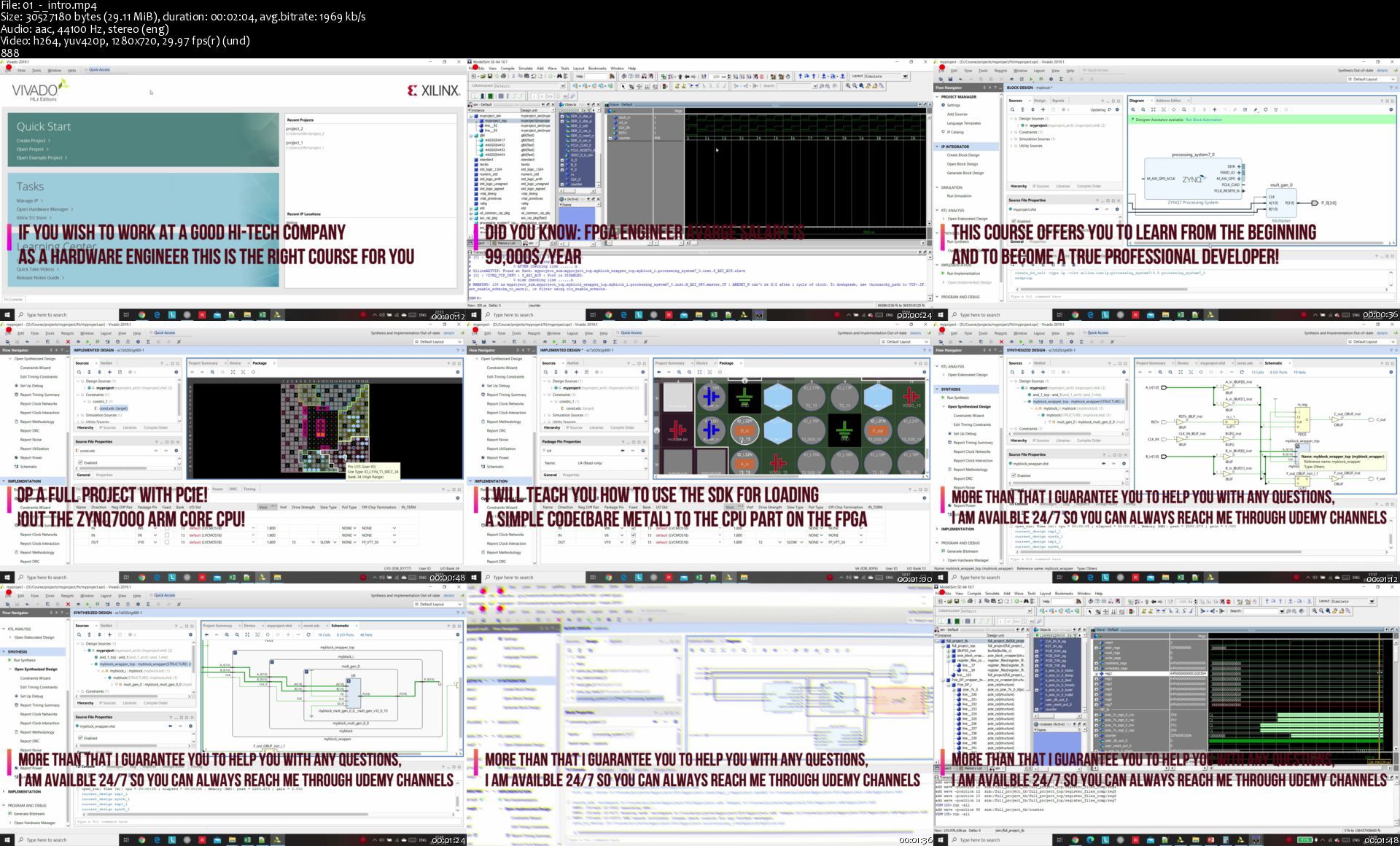
FPGAs Development with Xilinx Vivado tool & Pcie full project

007eea0bv9jqr.jpg


FPGAs Development with Xilinx Vivado tool & Pcie full project
Duration: 7h 55m | 34 Lessons | Video: 1280x720, 48kHz | 5.2 GB
Genre: eLearning | Language: English | Level: All levels

In this course you will learn to develop FPGAs with VHDL language, FPGA is an integrated circuit - a chip that is making complex calculations in parallel and can be program by the developer. today can be found in every smart phone, cars, plans, most of your electronics have FPGA.
Today, working as a FPGA developer is the most profitable job in Hardware development. And is a profession in great demand in every big company: apple, microsoft, intel, amazon, google and so many others!
If you want to work as a FPGA developer or just to know how to design an FPGA this is the course for you!
This Course was made for all levels by a professional electronic and computer engineer with a huge experience with FPGAs of all of the companies in the market. In this Course we will learn how to use Xilinx FPGAs tool - Vivado design suite. I will use VIVADO 2019.1 but the course is valid for any version of VIVADO including 2020.

In this course you will learn everything you need to know for using Vivado design suite. Vivado design suite is a tool that was crated by Xilinx and is used to design Xilinx FPGAs, simulating them and real-time debugging them and of course to program them.

This course was created for beginners who never used Vivado before, and also for students who wants more experience with the Vivado design suite, also this course can help even advanced users for knowing and understanding how to use and design more complex parts in this tool - like Pcie, Axi interface, Simulations with 3rd party tool(Modelsim,Questasim.), Zynq7000 processor and much more.

This course will help the Students understand everything they needs to know for working in big companies with Vivado design suite as a professional designers/engineers.

In this course the students will learn how to simulate their project with Vivado and also with 3rd party tool - Modelsim. Students with no experience at Modelsim will learn briefly about Modelsim but i can guarantee that after the Full Project part in the course you will control the Modelsim which is a really easy tool to learn.

At the end of the course it includes a Full Project of 2.5 hours, with PCIE communication and simulating the PCIE Cores. This way after you have learned all of the parts of how to start your own project, you can also go and build a big project by using all of the aspects learned on this course.

I am willing to add more full projects with different complicated IP's, so you will be able to use them as reference for your projects. my main goal is to make it easier for the students to be able to create any project they want.

The main topics this course will cover are:

How to download and install Vivado design suite 2019.1
How to download and install Modelsim
Create new project
Adding block design
Adding Xilinx IP cores
Xilinx Primitive Cores
Xilinx language templates
synthesize a project
Implementing the design
Creating Constraints
Generate Bitstream , Binstream and MCS files
Simulating the design through Vivado or Modelsim
Zynq 7000
Axi interfaces
Open SDK project
Real Time Integration with ILA - logic analyser
PCIE FULL Project with PCIE and Simulating the PCIE.

01introswakkd.jpg


tyFlow & Phoenix Destruction FX Course

redefinefxtyflowphoen69kp8.jpg


tyFlow & Phoenix Destruction FX Course
RedefineFX
Duration: 4h 10m | Project Files Included | Video: 1920x1080, 44kHz | 6.4 GB
Genre: eLearning | Language: English

This is a the only complete tyFlow & Phoenix FD Destruction FX Course available today. Introducing you to all the main ways of destroying just about anything in 3Ds Max, covering everything from fragmenting, metal bending, interaction with Phoenix FD & so much more. Just a few lessons in, you'll feel comfortable in navigating tyFlow and using it to create a TON of cool FX that were previously impossible to do in 3Ds Max without this powerful plugin.

02destroyingthebarnsp5ky0.jpg


PHP from Beginner to Professional + Tasker Project + MSQL

3mk07dl5cszyzr3gkamusakk7z.jpg


PHP from Beginner to Professional + Tasker Project + MSQL
MP4 | Video: h264, 1280x720 | Audio: AAC, 44.1 KHz, 2 Ch
Genre: eLearning | Language: English + .srt | Duration: 83 lectures (13h 56m) | Size: 5.42 GB

Learn how to create complicated Web applications just from knowing basics

What you'll learn:
How to manipulate website with PHP
Learn how to structure files for website
What is Data Types
Learn how to debug your code
How to use functions
How to build any application just knowing basics

Requirements
Skill level: All Levels


Description
WHY THIS COURSE ?
Are you wanting to get into Web development, but are not sure where to start?

So maybe you tried out some PHP and MySQL tutorials on YouTube, but found them too hard or outdated, and feel that you need a more comprehensive introduction.

Maybe you want to learn how to write PHP the right way. Secure code, and maximising re-usability as well as finding out about PHP programming standards to adopt and adhere too?

Perhaps your boss or client threw you in the deep end with a PHP and MySQL project, and you need to get up to speed with PHP, fast.

Whatever the reason, this course is for you.

This course is going to teach you how to create web applications using PHP and MySQL. Specifically, you will learn PHP and then create you own freelance platform .

WHY PHP ?

PHP is the most popular website programming language in the world. The combination of PHP and MySQL is used extensively to create web applications, and developers with these key skills are in high demand. This course is going to teach you how to create web applications in PHP using the MySQL database.

Who this course is for
Beginner PHP developers

Homepage

4.previewhowtoworkwitikje6.jpg


MikroTik Hotspot with User Manager

87tpfnnp0pm2t7uji9tym80jck.jpg


MikroTik Hotspot with User Manager
Genre: eLearning | MP4 | Video: h264, 1280x720 | Audio: aac, 44100 Hz
Language: English | SRT | Size: 5.12 GB | Duration: 4h 54m


What you'll learn
Be able to configure MikroTik Hotspot from A to Z
Be able to understand what are the different options available on MikroTik hotspot and know when and where to use them
Understand how to create profiles and account for users to get connected to the internet with the hotspot
Understand what Walled Garden is and where to use it
Understand what IP Binding is and where to use it
Limit the bandwidth for the hotspot users using the bandwidth profiles
Install a new captive portal theme to the MikroTik Hotspot
Know how to generate automatic vouchers for users to be able to connect to the internet via the hotspot
Be able to connect the User Manager to the MikroTik hotspot router
Know how to backup the User Manager database
Be able to retrieve the password of the User Manager in case lost
Configuring QOS for users who are connected to the internet via the hotspot

Requirements
You are familiar with TCP/IP protocol
You have basic knowledge in networking
You have basic knowledge in wireless technology


Description
Have you ever been in a cafe, restaurant or a park where they offer internet on wireless? You normally get connected to their Wi-Fi and it is mostly asking you to enter a username and a password to be able to get access to the internet - This is what a hotspot is.

You, as a MikroTik network engineer, may be asked to install and configure a Wireless hotspot in your company or at your customer place and things look too complicated to you to do this task. This course will help to go step by step using a lot of LABs to understand how to install a wireless hotspot and what are the best tips needed to be used to have the hotspot working well.

In this course, I will start installing the hotspot from scratch and I will go through all the options available in the hotspot. Things like user management, profiles, bandwidth limitation, Walled garden, hotspot advertisement, IP binding, connecting the hotspot to the user Manager, generating vouchers for users and many other topics will be covered in this course so you have the full knowledge of how to configure the wireless hotspot when being asked.

The course will be based on LABs to make things very easy to you when you want to deploy this in your real network. The LABs are designed on step-by-step methodology which is always used in all my courses.

If you are interested to learn how to configure wireless hotspot on MikroTik, then join me in this course and let's get started.


Who this course is for:
Anyone interested to build a Wireless hotspot from scratch
Network engineers who wants to develop their knowledge in MikroTik hotspot
Network engineers who are already managing Mikrotik hotspot(s) in combination with MikroTik User Manager


Homepage

002howmikrotikhotspoto2jsd.jpg


Make Your Own Wirework Findings

007f8970mlj3d.jpg


Make Your Own Wirework Findings
Duration: 3h 52m | .TS 1920x1080, 30 fps(r) | AAC, 48000 Hz, 2ch | 6.24 GB
Genre: eLearning | Language: English

Take your passion for making jewelry to the next level by learning to create your own beautiful, custom findings for wirework bracelets, necklaces and earrings. Award-winning artist Lisa Niven Kelly will entertain and encourage as she walks you through forming a wide variety of findings from ear wires to head pins and more! You'll learn to perfect the basic loop and then build on that to create hooks, clasps and toggles that can serve as a stunning focal point for a piece. She will show you how to make coils, spirals and flowers to add interest and intricacy to the functional elements of your jewelry designs. You will learn to work in a variety of gauges and metals. Lisa shares her passion for design and will give you the confidence to create and construct your own metal masterpieces.

More Info

007f8971dgkqs.jpg


Learn French With Hema (Comprehensive)

728dbooxmotcrsgdxozbbidjc1.jpg


Learn French With Hema (Comprehensive)
Genre: eLearning | MP4 | Video: h264, 1280x720 | Audio: aac, 48000 Hz
Language: English | VTT | Size: 7.93 GB | Duration: 13h 56m


What you'll learn
Four essential language skills: Listening, Reading, Speaking, and Writing
Complete French grammar with practice exercises
Audio lessons with exercises
Vocabulary development and conversations
Comprehension exercises
Writing emails and short messages
Study of French culture
Practice of mock tests for DELF A1 certification
Requirements
A passion to learn this language
Basic knowledge of English

Description
This 8-week long course offers a comprehensive knowledge of the French language starting from French script to making French conversations. It is intended to build a strong foundation for this language by focusing on Reading, Writing, Listening and Speaking. The proficiency in the language is attained through the following features offered by the course:

BUILD VOCABULARY which will help to interpret and express your views in a better way.

PERFECT PRONUNCIATIONS to help you interact with French language natives.

ERROR-FREE GRAMMAR through deeper insight into rules with practice exercises.

KNOWLEDGE BASE with all the downloadable lessons and audio tracks just a click away.

CULTURAL AWARENESS to understand the context in which language is important.


Who this course is for:
Individuals passionate about learning a foreign language
Students going for higher education in Francophonie countries
Businessmen willing to do business with French people
People willing to chose careers in French like a French Professor, a French translator or a French guide
Students willing to appear for DELF French language proficiency exam A1 level


Homepage

5.daysmonthsseasonsvejajh9.jpg


Residential Architecture with Revit: Volume II

tnkvty6wk3zq2l07cdxykihjo0.jpg


Residential Architecture with Revit: Volume II
MP4 | ENG | Video: h264, yuv420p, 1920x1080 | Audio: aac, 44100 Hz | Duration: 5h:25m | Size File: 5.61 GB
Genre: eLearning

This is the second installment of my professional Revit training series focused on using Revit for residential architecture.

Volume I covered all the basics to get you started and working efficiently. Volume II will bring you to the next level by helping you with the Revit tasks you do every day...existing conditions, schematic design, demo plans, construction documents and more! See below for the full course outline.

COURSE COMPLETE!
50 videos totaling 5.5 hours of lessons and the project template are available now!

You Get:

50 video tutorials covering basic through advanced skills and best practices you need to model a project from existing conditions through construction documents.
Direct email access with instructor. I'll answer your questions about the course content.

You'll Learn:

How to model property line data and orient your project to true north
How to model topography from a survey and from your own field measurements
Best practices for modeling a house based on sketches from another architect and from your own field measure notes
How to create your own project template from scratch or from an existing project
How to set up phases and create existing, demo and new construction plans
How to create a custom keynote family and schedules to automatically display the keynotes
How to set up and use worksets and a central model
Best practices for using Revit during Schematic Design
How to use Design Options
How to use Revit keynotes or create your own custom keynote family with a corresponding schedule
tons more, see the course outline below

Is This for Beginners?

No! You need to already know Revit fundamentals to take this course. I'm not saying you need to sign up for Volume I, just that you need to be able to do everything I teach there That means you need to understand how to: create and organize views and sheets, model walls, doors, windows, roofs, etc. create dimensions, text styles, basic schedules and drafting views. You need to understand levels and how to create plans, sections and elevations. Basically, if you have done one project in Revit, you will be ok to take this course.

Homepage

701welcomesfsk8x.jpg


Esl Business English Course-Become A Business English Pro

0vc6egnrwherrjssxio4szyjeg.jpg


Esl Business English Course-Become A Business English Pro
Genre: eLearning | MP4 | Video: h264, 1280x720 | Audio: aac, 48000 Hz
Language: English | VTT | Size: 8.15 GB | Duration: 8h 22m


What you'll learn
Learn essential Business English vocabulary and grammar for your job or career.
Learn how to read and write professional and effective emails in English.
Learn how to plan and organize professional presentations in English.
Learn how to plan, organize, and participate in business meetings in English.
Requirements
Be able to read and understand English at the Pre-Intermediate level (minimum) and have access to a printer.

Description
Do you need to improve your English for your career? Are you nervous or shy when you have to use English at work? This course is designed to help working professionals learn the Business English skills they need to be more successful. Learn everything you need to know for Business Meetings, Business Presentations, Business Emails and more!


Who this course is for:
Business professionals working for multinational companies.
University students studying international business.
Anyone that needs to improve their English skills for their job or career.


Homepage

1.smalltalkbeforeameepukjj.jpg


ASL | First 120 Basic Signs | American Sign Language

rnfgutmjdvt8a1dwazaz7bejlx.jpg


ASL | First 120 Basic Signs | American Sign Language
Genre: eLearning | MP4 | Video: h264, 1280x720 | Audio: aac, 44100 Hz
Language: English | VTT | Size: 8.45 GB | Duration: 6h 35m


What you'll learn
Students will learn to sign and understand 120 essential signs in American Sign Language (ASL).
Students will learn signs individually to ensure comprehension, correct hand shape, and hand position.
Students will be tested on their ability to sign and understand ALL material taught in the course.
Requirements
A desire to learn, improve, and be more confident signing in ASL
A desire to enrich ASL vocabulary and communication skills
A computer, tablet, or smartphone to access the study material

Description
IN THIS COURSE, you're going to learn to sign and understand one hundred and twenty (120) basic signs in American Sign Language (ASL). The signs are divided into twelve groups of ten words. Each sign has its own video where students can learn and practice. Each section has its own review and testing where students can demonstrate their signing and recognition skills. As the course progresses, the review becomes more advanced and includes testing for three (3) groups at once. At the end, students are tested on ALL one hundred and twenty (120) signs learned throughout the course.

*** This course is designed to INCLUDE complete beginners without any prior knowledge of ASL. Previous ASL skills are welcome but NOT required.

IN THIS COURSE:

Students will learn to sign and understand one hundred and twenty (120) basic signs in American Sign Language (ASL)

Group 1 signs: # 0-5, # 6-10, ABOUT, AFTER, AGAIN, ALL, ALWAYS, AND, ARRIVE, ASL

Group 2 signs: BAD, BEAUTIFUL, BEFORE, BEST, BIG, BOY, CAN, CAN'T, CLASS, CLOSE

Group 3 signs: COLD, DAD, DAY, DEAF, DIFFERENT, DONE, DRINK, EAT, EVERYDAY, EXCUSE ME

Group 4 signs: FAMILY, FINE, FINGERSPELL, FOOD, FOR, FRIEND, FROM, GIRL, GIVE, GO TO

Group 5 signs: GOOD, HANDSOME, HAPPEN, HAPPY, HAVE, HE/SHE/IT, HEARING, HELLO, HELP, HER/HIS

Group 6 signs: HOME, HOT, HOW, HUNGRY, I ~ YOU, IF, LEARN, LIKE, LITTLE, LOVE

Group 7 signs: MAN, MAYBE, MEET, MOM, MORE, MORNING, MOST, MY ~ YOUR, NAME, NEED

Group 8 signs: NICE, NIGHT, NO, NOT, NOW, OKAY, OPEN, OUR, PAPER, PEOPLE

Group 9 signs: PICTURE, PLAY, PLEASE, PROBLEM, READ, SAD, SAME, SCHOOL, SEE, SENTENCE

Group 10 signs: SHARE, SIT, SLEEP, SOMETIMES, SOON, SORRY, STOP, STUDENT, TAKE, TALK

Group 11 signs: TEACHER, THANK YOU, THAT, THEIR, THEY, THINK, TIME, UNDERSTAND, WAIT, WE

Group 12 signs: WHAT, WHEN, WHERE, WHICH, WHO, WHY, WITH, WOMAN, WORD, YES

Students will learn signs individually to ensure comprehension, correct hand shape, and hand position

Students will be tested on their ability to sign and understand ALL material taught in the course

AFTER TAKING THIS COURSE:

Students will be able to correctly sign one hundred and twenty (120) basic ASL signs.

Students will be able to understand and recognize all of the one hundred and twenty (120) signs.

Students will have a large vocabulary of signs to use when interacting with the Deaf community.

Students will feel more confident as they continue improving their ASL skills.

QUESTIONS:

What is the main focus of this course?

This course focuses on learning a large group of fundamental and basic signs in American Sign Language. Students will learn one hundred and twenty (120) of the most common signs used in ASL.

Do I need to have prior knowledge or experience with ASL before taking this class?

No. This course is designed to include complete beginners without any prior knowledge of ASL. All necessary signs are taught step by step in the course.

Will this course test me on what is taught?

Yes. This course contains multiple review and testing sections where students have the opportunity to demonstrate their ASL signing and recognition skills.

ABOUT THE INSTRUCTOR:

Hello! My name is Michael. When I was three years old, my younger brother became sick with spinal meningitis. In the process, my brother became deaf with an almost complete hearing loss. This difficult situation provided a unique opportunity for my family and I to become fluent in American Sign Language (ASL). My brother was not sent away to a deaf or hard of hearing school. He grew up with us, his hearing family, and we were active in the deaf community.

As a police officer and federal investigator, I often used ASL to communicate with and interpret for witnesses, victims, and perpetrators. I decided to create ASL courses because it's a useful and practical skill to have. Like learning any language, it opens your mind and creates the ability to communicate with a whole new group of people.


Who this course is for:
Beginner ASL students who wish to learn and start signing immediately
Improving ASL students who wish to practice, test, and boost their signing ability


Homepage

12.signgroup5signs4ssf4k8l.jpg


Advanced Oracle ADF 12c Course

ckcyinbug0ej0j75hrluem3k0h.jpg


Advanced Oracle ADF 12c Course
Genre: eLearning | MP4 | Video: h264, 1280x720 | Audio: aac, 44100 Hz
Language: English | SRT | Size: 12.5 GB | Duration: 18h 33m


What you'll learn
You will learn a lot of advanced topics in Model layer, View layer and JDeveloper
You will learn the re-usability in ADF by creating shared Application Module, Shared LOVs, Shared template and css and shared code library
Cascaded LOV and LOV switcher
Create and work with programmatic View Object
Expose Application Module as a SOAP web service and add security to the web service and how you can call this secure SOAP web service from other ADF application
Expose Application Module as a REST web service and add security to the web service and how you can call this secure REST web service from other ADF application
Create Real-time data refresh page
Create a responsive template that can fit any device screen (laptop, tablet and mobile)
Apply localization in to your ADF application for multi language support
Add multi skins in your ADF application
Use Cookie in your ADF application
Use groovy language in the model layer
Deploy ADF application using side by side deployment (deploy ADF application in versions to prevent downtime when you redeploy ADF application)
Use code quality tool to test your code quality
Create a declarative component (create your own component and use it in ADF application)
Create ADF components at run-time (Create dynamic ADF components at run-time)
Use javascript in ADF application
Download, install, configure and use Subversion to work as a team
JDeveloper tuning and how to use JDeveloper debugger to debug your code
I will talk about activation and passivation in ADF application and how to avoid your ADF application to be in passivation mode
Configure Application Module Pooling, Application session and data source in the Production Environment depending on number of the concurrent users which they will use your ADF application
How to use Oracle Map in ADF Application
And more and more, just have a look to the course Lecture 2 to know all topics which you will learn during this course

Requirements
You should know ADF and know how it works


Description
This course will target ADF developer who is familiar with ADF but he wants to go more deeply inside ADF and want to learn advanced things in ADF. This course will make you expert in ADF and this course will be a good reference for you for any advanced feature you want to implement in your ADF application because this course has a lot and a lot of the advanced features. You can have a look at Lecture 2 which I explain what you will learn during this course.


Who this course is for:
Any ADF developer want to go more deeply inside ADF and want to extend his/her experience in ADF by learning advanced topics in ADF


Homepage

012implementlistofval87j7k.jpg


Aprende a crear una plataforma de cursos con Laravel

vmcuxktjfes0zv3ewenxd59jvq.jpg


Aprende a crear una plataforma de cursos con Laravel
Genre: eLearning | MP4 | Video: h264, 1280x720 | Audio: aac, 44100 Hz
Language: Spanish | SRT | Size: 8.38 GB | Duration: 17h 21m


What you'll learn
Aprenderás a maquetar una bbdd
Aprenderás a trabajar con seeders y factorys
Aprenderás a trabajar con roles y permisos
Aprenderás a trabajar con relaciones avanzadas en Laravel
Aprenderás a crear un sitio web autoadministrable
Aprenderás a diseñar paginas dinámicas con Livewire
Aprenderás a crear diseños estéticos con Tailwind CSS
Aprenderás a agregar interacciones con Alpine
Aprenderás a trabajar con Laravel Mix
Aprenderás a crear páginas responsivas
Aprenderás a trabajar con la plantilla AdminLTE
Aprenderás a gestionar pagos
Aprenderás las mejores practicas a la hora de crear un proyecto grande
Aprenderás a subir imágenes a un servidor
Aprenderás a descargar archivos
Aprenderás a trabajar con Policies
Aprenderás a generar notificaciones

Requirements
Deben saber como funciona las migraciones
Deben saber como crear un CRUD
Deben conocer como funciona los componentes de blade
De preferencia tener conocimientos básicos de livewire
De preferencia tener conocimientos básicos de Tailwind

Description
En este curso aprenderás a diseñar una plataforma de cursos similar a la plataforma de Coders Free y para lo cual vamos a ver las últimas tecnologías que nos trae Laravel 8, como es el uso de Livewire, Alpine y Tailwind.

Así mismo tocaremos temas avanzados de Laravel, que te ayudarán a mejorar tus conocimientos de Laravel.

El curso no incluye el código fuente.


Who this course is for:
Desarrolladores web con conocimiento de Laravel


Homepage

030crearuncrudpararol4ykmr.jpg


The Complete Guide to Rails Performance

2xgycrndrnaowwkijuuwn1fj24.jpg


The Complete Guide to Rails Performance
MP4 | Video: h264, 1280x720 | Audio: AAC, 44.1 KHz, 2 Ch
Genre: eLearning | Language: English | Duration: 22h 39m | Size: 10.5 GB

Learn how to transform your snail-paced Rails app into a sub-100 millisecond powerhouse. The Complete Guide to Rails Performance is a full-stack course that gives you the tools to make your Ruby on Rails applications faster and more delightful for users, scale better and for less money, and take less effort to maintain.
10 MORE THINGS YOU'LL LEARN IN THIS COURSE:
Will JRuby (or Opal or Rubinius) make my application faster?

Which application server (Unicorn, Puma, Passenger, etc.) is best for my application?

How can I make sure I'm not over-scaled and running on too many servers?

How can I debug a slow ActiveRecord query?

What special areas do I need to look for as my application scales?

What cache backend should I choose?

How can I track down and fix a memory leak?

How can I use Turbolinks without breaking Google Analytics or any of my other JavaScript?

How do I make my Rails application as fast as a Sinatra app?

What's the optimal order of elements in the head tag?

Homepage

interviewdhhperformanz6k4m.jpg


Zurück
Oben Unten
