• Regeln für den Video-Bereich:

    In den Börsenbereich gehören nur Angebote die bereits den Allgemeinen Regeln entsprechen.

    Einteilung

    - Folgende Formate gehören in die angegeben Bereiche:
    - Filme: Encodierte Filme von BluRay, DVD, R5, TV, Screener sowie Telesyncs im Format DivX, XviD und x264.
    - DVD: Filme im Format DVD5, DVD9 und HD2DVD.
    - HD: Encodierte Filme mit der Auflösung 720p oder darüber von BluRay, DVD, R5, TV, Screener sowie Telesyncs im Format x264.
    - 3D: Encodierte Filme von BluRay, die in einem 3D Format vorliegen. Dies gilt auch für Dokus, Animation usw.
    - Serien: Cartoon/Zeichentrick, Anime, Tutorials, Dokumentationen, Konzerte/Musik, Sonstiges sind demnach in die entsprechenden Bereiche einzuordnen, auch wenn sie beispielsweise im High Definition-Format oder als DVD5/DVD9/HD2DVD vorliegen. Ausnahme 3D.
    - Bereich Englisch: Englische Releases gehören immer in diesen Bereich.
    - Bereich Talk: Der Bereich, in dem über die Releases diskutiert werden kann, darf, soll und erwünscht ist.


    Angebot/Beitrag erstellen

    - Ein Beitrag darf erst dann erstellt werden, wenn der Upload bei mindestens einem OCH komplett ist. Platzhalter sind untersagt.
    - Bei einem Scenerelease hat der Threadtitel ausschließlich aus dem originalen, unveränderten Releasenamen zu bestehen. Es dürfen keine Veränderungen wie z.B. Sterne, kleine Buchstaben o.ä. vorgenommen werden. Ausnahme Serienbörse:
    - Bei einem Sammelthread für eine Staffel entfällt aus dem Releasename natürlich der Name der Folge. Beispiel: Die Simpsons S21 German DVDRip XviD - ITG
    - Dementsprechend sind also u.a. verboten: Erweiterungen wie "Tipp", "empfehlenswert", "only", "reup", usw. / jegliche andere Zusatzinformation oder Ergänzung, welche nicht in obiger Beschreibung zu finden ist.

    Aufbau des Angebots und Threadtitel

    Der Titel nach folgendem Muster erstellt zu werden. <Name> [3D] [Staffel] [German] <Jahr> <Tonspur> [DL] [Auflösung] <Quelle> <Codec> - <Group>
    Beispiel: The Dark Knight German 2008 AC3 DVDRip XviD - iND
    Beispiel: The Dark Knight 2008 DTS DL BDRip x264 - iND
    Beispiel: The Dark Knight 2008 AC3 DL BDRip XviD - iND
    Beispiel: The Dark Knight German 2008 AC3 720p BluRay x264 iND
    Beispiel: The Dark Knight 2008 DTS DL 1080p BluRay x264 iND
    Beispiel: Die Simpsons S01 German AC3 DVDRip XviD iND
    Beispiel: Die Simpsons S20 German AC3 720p BluRay x264 iND
    Beispiel: Sword Art Online II Ger Sub 2014 AAC 1080p WEBRip x264 - peppermint
    Entsprechend sind also u.a. verboten: Sonderzeichen wie Klammern, Sterne, Ausrufezeichen, Unterstriche, Anführungszeichen / Erweiterungen wie "Tipp", "empfehlenswert", "only", "reup", usw. / jegliche andere Zusatzinformation oder Ergänzung, welche nicht in obiger Beschreibung zu finden ist
    Ausnahmen hiervon können in den Bereichen geregelt sein.

    Die Beiträge sollen wie folgt aufgebaut werden:
    Überschrift entspricht dem Threadtitel
    Cover
    kurze Inhaltsbeschreibung
    Format, Größe, Dauer sind gut lesbar für Downloader außerhalb des Spoilers zu vermerken
    Nfo sind immer Anzugeben und selbige immer im Spoiler in Textform.
    Sind keine Nfo vorhanden z.B. Eigenpublikationen, sind im Spoiler folgende Dateiinformationen zusätzlich anzugeben :
    Quelle
    Video (Auflösung und Bitrate)
    Ton (Sprache, Format und Bitrate der einzelnen Spuren)
    Untertitel (sofern vorhanden)
    Hosterangabe in Textform außerhalb eines Spoiler mit allen enthaltenen Hostern.
    Bei SD kann auf diese zusätzlichen Dateiinformationen verzichtet werden.

    Alle benötigten Passwörter sind, sofern vorhanden, in Textform im Angebot anzugeben.
    Spoiler im Spoiler mit Kommentaren :"Schon Bedankt?" sind unerwünscht.


    Releases

    - Sind Retail-Release verfügbar, sind alle anderen Variationen untersagt. Ausnahmen: Alle deutschen Retail-Release sind CUT, in diesem Fall sind dubbed UNCUT-Release zulässig.
    - Im Serien-Bereich gilt speziell: Wenn ein Retail vor Abschluss einer laufenden Staffel erscheint, darf diese Staffel noch zu Ende gebracht werden.62
    - Gleiche Releases sind unbedingt zusammenzufassen. Das bedeutet, es ist zwingend erforderlich, vor dem Erstellen eines Themas per Suchfunktion zu überprüfen, ob bereits ein Beitrag mit demselben Release besteht. Ist dies der Fall, ist der bereits vorhandene Beitrag zu verwenden.
    - P2P und Scene Releases dürfen nicht verändert oder gar unter einem iND Tag eingestellt werden.


    Support, Diskussionen und Suche

    - Supportanfragen sind entweder per PN oder im Bereich Talk zu stellen.
    - Diskussionen und Bewertungen sind im Talk Bereich zu führen. Fragen an die Uploader haben ausschließlich via PN zu erfolgen, und sind in den Angeboten untersagt.
    - Anfragen zu Upload-Wünschen sind nur im Bereich Suche Video erlaubt. Antworten dürfen nur auf Angebote von MyBoerse.bz verlinkt werden.


    Verbote

    - Untersagt sind mehrere Formate in einem einzigen Angebotsthread, wie beispielsweise das gleichzeitige Anbieten von DivX/XviD, 720p und 1080p in einem Thread. Pro Format, Release und Auflösung ist ein eigener Thread zu eröffnen.
    - Grundsätzlich ebenso verboten sind Dupes. Uploader haben sich an geeigneter Stelle darüber zu informieren, ob es sich bei einem Release um ein Dupe handelt.
    - Gefakte, nur teilweise lauffähige oder unvollständige Angebote sind untersagt. Dies gilt auch für eigene Publikationen, die augenscheinlich nicht selbst von z.B. einer DVD gerippt wurden. Laufende Serien, bei denen noch nicht alle Folgen verfügbar sind, dürfen erstellt und regelmäßig geupdatet werden.
    - Untersagt sind Angebote, welche nur und ausschließlich in einer anderen Sprache als deutsch oder englisch vorliegen. Ausnahmen sind VORHER mit den Moderatoren zu klären.


    Verstoß gegen die Regeln

    - Angebote oder Beiträge, die gegen die Forenregeln verstoßen, sind über den "Melden"-Button im Beitrag zu melden.
  • Bitte registriere dich zunächst um Beiträge zu verfassen und externe Links aufzurufen.

++ Premium IPTV ++ 7000 Live Sender ++ UHD Qualität ++ Mediathek mit 18.000 Inhalten ++


VenneTV


Englische Tutorials

The Accessibility How-To Guide for UX Designers

lxyhrafxcouscrfqiev78l2kcc.jpg


The Accessibility How-To Guide for UX Designers
Genre: eLearning | MP4 | Video: h264, 1280x720 | Audio: aac, 44100 Hz
Language: English | VTT | Size: 6.13 GB | Duration: 8h 43m


What you'll learn
How to *specifically* design for accessibility (the essentials for designers).
The top 51 best practices for designing for accessibility.
Accessibility Fundamentals: The who, what, when, where, and why of accessibility, and the overlaps with usability.
Color contrast - Input fields, icons, checkboxes, buttons, dropdowns, text, images of text, disabled elements, decorative elements, logos, and more.
Color independence - Styling error messages, selected menu items, in-copy links & standalone links, progress trackers, charts, graphs, maps, and other data visualizations, and how to combine tactics.
Wording interactive elements - Verb or noun? Short or medium labels? Is "read more" ok? Plus, practices for better accessibility, usability, and SEO.
Styling interactive elements - Shape, border radius, fill & color, shadow & elevation, visual competition, proximity, label capitalization, consistency vs. similarity vs. distinctness, and designing amazing signifiers/perceived affordances, plus more.
Designing interactive states - The 10 fundamental states to design, mistakes to avoid, what to show in your style guide/design system, animation/motion, how to stress test your states, and more.
And loads more!
Requirements
None

Description
Do you want to easily design accessible interfaces for digital products?

But maybe you've been overwhelmed by the amount of information out there about accessibility, or don't know where to start for just the design side of things?

Well, as a seasoned User Experience (UX) designer, experienced with Accessibility, I am here to solve these issues for you!

One of the big problems we have is that... if we want to design accessible digital products, we have to dig through a HUGE conglomerate of guidelines, and they tell us things like:

"A mechanism is available to allow the purpose of each link to be identified from link text alone, except where the purpose of the link would be ambiguous to users in general."

Or "Color is not used as the only visual means of conveying information, indicating an action, prompting a response, or distinguishing a visual element."

Does that give you clarity on how to specifically design an accessible interface and still look aesthetic? Not so much!

The solution, taught in this course, is a set of 51 essential best practices for designing accessible interfaces. And they are just the aspects of accessibility that apply to a designer's job, that as a designer you are responsible for and have control over, we won't get into the code.

This course is based on the latest WCAG 2.1 and latest working 2.2 Guidelines, so you're getting the freshest information. Whenever new guidelines are released this course is promptly updated. Fresh, fresh, fresh!
(The latest news: The 2.2 Guidelines were scheduled to officially release in Nov 2020, but are now expected in summer 2021. However, the 2.2 working draft is available now and expected to be adopted without significant change.)

What you will get out of this course:

Whether you design digital products yourself, or you oversee their design, with these best practices added to your repertoire.

You will have a superior design process that enables you to design more accessible interfaces from the start.

You will be able to identify accessibility violations, just by looking at an interface design!

You will stand out as an impressive, top-tier designer to your boss and clients, since few designers are well-versed in accessible design.

You will be loved by your developers for sending them mockups they don't have to make accessibility changes to.

Your team will save time, and your client will save money, because there will be fewer changes that need to be made at the end to meet accessibility compliance.

And finally, your team and the client will be more safeguarded from lawsuits if and when your team has made a fully accessible digital product (because some groups can be sued for discrimination if their digital products are not accessible).

This course is great for beginners. You don't need any foreknowledge of accessibility before starting.

By the end of this course you will know:

The 51 best practices that fall within the TOP 3 areas of accessibility.

The first area is about color contrast, where you will learn 4 powerful best practices, including things like:

Do disabled elements need to have a certain level of color contrast (for accessibility compliance)?

How about button borders, or logos, or UI controls (like toggle switches, checkboxes, pagination)?

The second area is color independence which holds 10 best practices. Like:

How you should be designing the display of error messages.

How to make color-coded data visualizations, like charts and graphs, accessible for people who can't see color or tell the difference between certain colors.

And the third area is ALL about interactive elements. You'll learn 37 awesome best practices, along with things like:

Why using links that say "read more" or "details" are a big mistake for accessibility, usability, and SEO; and what wording to use instead.

What's the best shape for buttons, the optimal corner radius, and whether or not you should use shadows.

How the word "affordances" refers to the visual cues that indicate how to use physical objects, not digital ones. I'll teach you the term you should be using instead.

There will be activities, quizzes for you to test your own knowledge, downloadable resources, AND you will have me, to answer any questions you have along the way.

What's different about this course:

This course, unlike any other, is a compilation of concrete how-tos that you simply will not find in other online accessibility courses. I have made the course I wish I had when I was first learning about how to design for accessibility.

What's different about this course, is that it's highly practical. Not a bunch of theory, or high-level generalizations like "To achieve accessible designs make them: poignant, precise, and simple. Now go forth and good luck!" None of that. I'm going to SHOW you EXACTLY how to design for accessibility. With specific UI designs, that come from real-world situations.

The use cases are from my many years doing UX design in the world of corporations, government, small businesses, and nonprofits.

The best practices are backed by expert sources. And the design advice has been heavily-researched for accuracy and peer-reviewed by seasoned accessibility specialists.

A lot of work has gone into this course, it was over 10 months in the making, and it's all because I want you to get the maximum out of it. You'll be paying hard-earned money for this course so I want to give you more not less. After completing this course, I want you to feel like you really got a bargain.


Who this course is for:

This course is for people who are responsible for the design of digital interfaces who want to make them more accessible and user-friendly (and still aesthetic) but struggle with knowing exactly what to do to make their UI design accessible.

Money-Back Guarantee:

This course comes with a 30-day money-back guarantee. If you are unsatisfied for any reason, you can get your money back, no questions asked.

I invite you to watch some of the free preview videos.

And if you are ready, I'm going to teach you THE 51 essential best practices you need to know to design accessible interfaces!


Who this course is for:
UX Designers, UI Designers, or Aspiring Designers


Homepage

9.exampleuielementssy8ksd.jpg


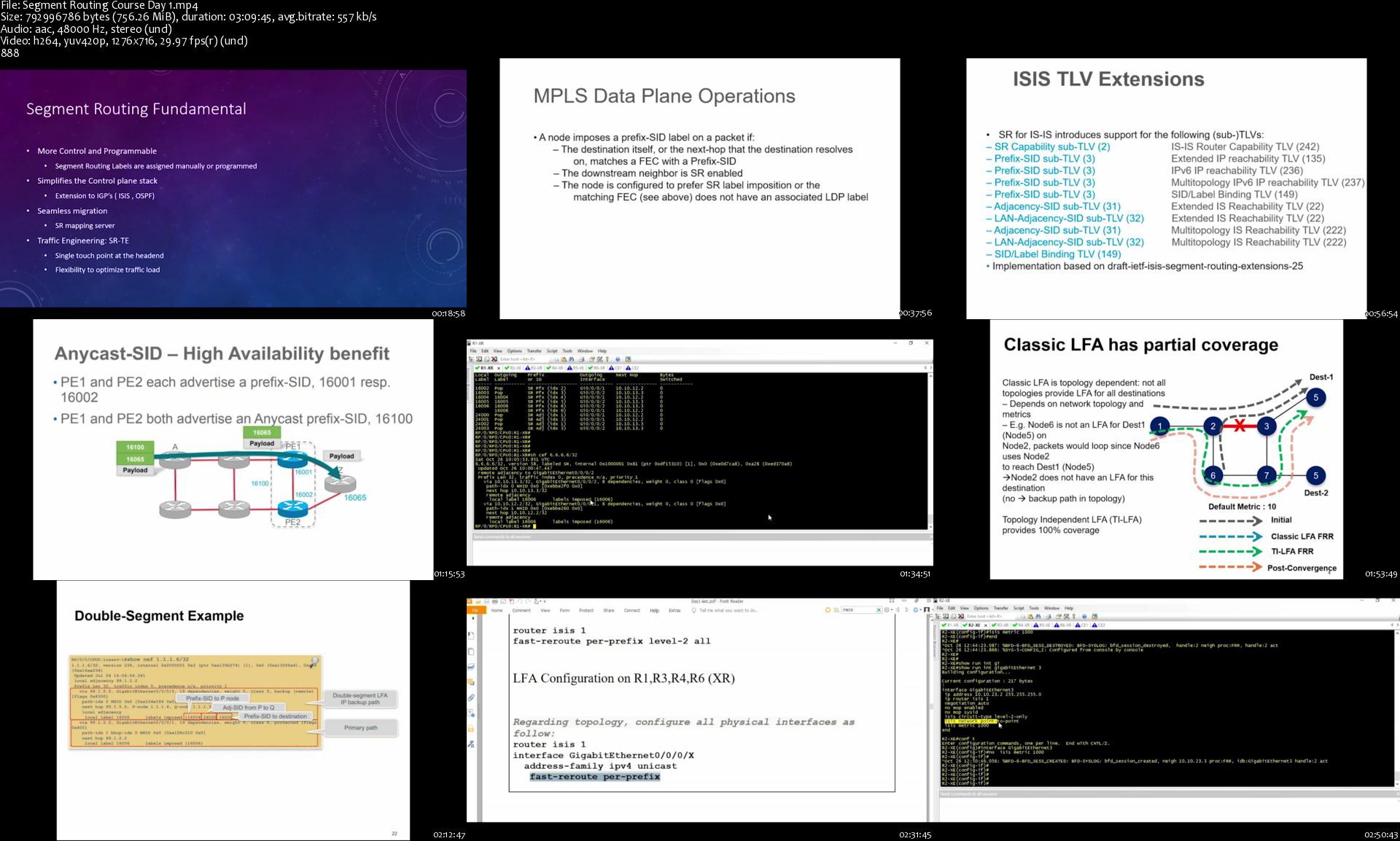
Self Paced Segment Routing Training

pgw6wguikwuhijjc4eyzvuukap.jpg


Self Paced Segment Routing Training
MP4 | ENG | Video: h264, yuv420p, 1276x716 | Audio: aac, 48000 Hz | Duration: 14.05 GB
Genre: eLearning

It includes:
14+ hours video trainings
Segment Routing Workbook

About this course:
This course covers Segment Routing (SR) concepts from basic to advance level in IOS XR and XE platform. Students can learn how to configure and verify SR within IGP, BGP in single domain and multi domain scenarios.

Many Labs inside with this course. This is unique course, no other institutes in the world has this course. Also, it comes with the Orhan Ergun's Segment Routing Workbook!

This course is designed for network engineers and service providers who want to take advantage of features and flexibilities that SR offers and make their infrastructure ready for SDN.

Please contact with [email protected] for group discounts, corporate trainings and any other non-technical topics.

Prerequisite Knowledge:
Familiarity with OSPF and IS-IS
Familiarity with MPLS , LDP , RSVP

Course Outline
Day 1

Segment routing fundamental and concepts
Segment routing introductions
SR and MPLS data plane
Segment routing global block
Segment routing in IGP
SR Control Plane overview
SR in OSPF
SR in ISIS
IP FRR (LFA/TI-LFA)
Configuration lab and troubleshooting tips

Day 2

Segment Routing and LDP
SR and LDP coexistence
SR Mapping Server
SR and LDP internetworking
Migration strategies
Configuration lab and troubleshooting tips
Segment routing and BGP
BGP prefix-SID
BGP based Datacenters
Configuration lab and troubleshooting tips

Day 3

Single domain SR Traffic Engineering
Introduction
Anycast and binding SID overview
SR Policy (Dynamic and explicit path)
Traffic Steering
On-demand Next hop (ODN)
IGP Flexible algorithm
Configuration lab and troubleshooting tips

Day 4

Multi domain SR Traffic Engineering
PCE Protocol overview and architecture
BGP Label Unicast
BGP link state
Egress peer engineering (EPE)
Multi domain scenarios
Configuration lab and troubleshooting tips

Day 5

IPv6
Segment routing with IPv6 configuration (MPLS data plane)
SRv6
SRv6 Introduction
Service changing with SRv6
Configuration lab and troubleshooting tips
Design Tips
SR in Single domain design
SR in Multi domain design
Trouble shouting tips
EVPN overview

Homepage

segmentroutingcourseddmj1m.jpg


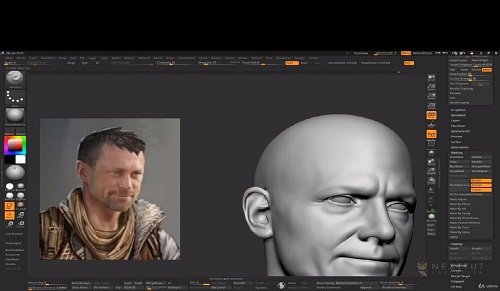
Master Character Modeling with Victor Yamakado

clkkj1ocmztltcjyqj6au5cjvg.jpg


Master Character Modeling with Victor Yamakado
MP4 | ENG | Video: h264, yuv420p, 1920x1080 | Audio: mp3, 44100 Hz | Duration: 79h:31m | Size File: 23 GB
Genre: eLearning

Note : In this course you will learn to model high quality 3d character model using Zbrush, Marvelous Designer. We will also use Photoshop for the final render pass composition and a small but great software called PureRef for reference image browsing.

This course is not for complete beginners. This course is for intermediate students and artists who has Zbrush experience before and now wants to improve and make better character models. This course only covers high poly modelling and it doesn't cover retopology.

Have you ever felt lost in the process of modelling a 3d character in zbrush?

As if you don't know what you're doing, if it's in the right order or even how to model something in the program?

Have you ever felt lost in which workflow to follow in creating a realistic model?

Then I welcome you to Nexttut Education's "Master Character Modeling with Victor Yamakado" course.

INSTRUCTOR :

My name is Victor Yamakado and I am a character artist for about 10 years now.

GOAL OF THE COURSE :

By the end of this course, you'll be able to model high quality characters for game and film using Zbrush and Marvelous Designer.

WHAT YOU WILL LEARN :

Realistic Anatomy of the body and head

sculpting Proxy Hair

Hair and Fur with Fibermesh

Realistic Cloth Creation in Marvelous Designer,

Detailing accessories and props using ZModeler and sculpting tools within Zbrush

Texturing with polypaint and rendering Zbrush Passes, to obtain a composition entirely illuminated and composed in Photoshop.

IDEAL STUDENTS :

This course is for intermediate students and artists who has Zbrush experience before and now wants to improve and make better character models. This course only covers high poly modelling and it doesn't cover retopology.

WHO IS NOT THE IDEAL STUDENT :

This course is not designed for absolute Zbrush beginners, I expect you to have some sort of zbrush experience. But intermediate Zbrush users, and even professionals could learn a lot from the techniques and workflow I show in this course.

I am excited to share my knowledge with you. So what are you waiting for ENROL NOW and I will see you in first lecture.

Homepage

blockingthehead01sr1k1d.jpg


Kiln-Fired Silver Metal Clay

007f8924ioj5p.jpg


Kiln-Fired Silver Metal Clay
Duration: 7h 2m | .TS 1920x1080, 30 fps(r) | AAC, 48000 Hz, 2ch | 11.3 GB
Genre: eLearning | Language: English

Get fired up with certified silver clay master Cindy Pankopf, author of The Absolute Beginners Guide: Making Metal Clay Jewelry. Learn to shape, fire and finish silver metal clay into ornate, one-of-a-kind jewelry pieces, including earrings, pendants and beads made using advanced techniques like stone setting and glass application. Once Cindy teaches you to sculpt cork clay bases and carve polymer texture stamps, your jewelry design will be limited only by your imagination.

More Info

007f8927sskzg.jpg


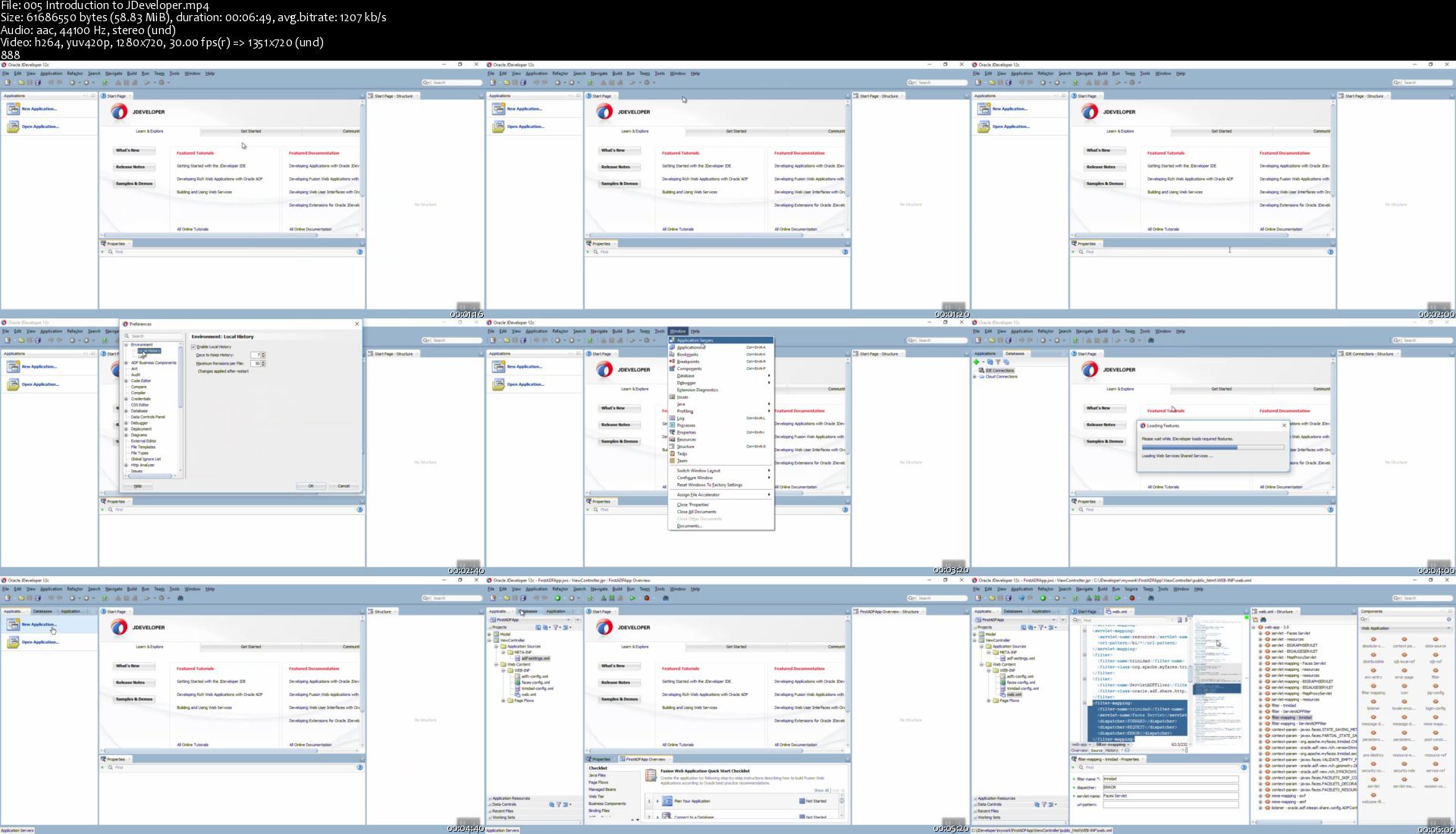
Complete Oracle ADF 12c Course for Beginners (step-by-step)

y80udekeqm5efard5mxpmkfktg.jpg


Complete Oracle ADF 12c Course for Beginners (step-by-step)
Genre: eLearning | MP4 | Video: h264, 1280x720 | Audio: aac, 44100 Hz
Language: English | SRT | Size: 9.64 GB | Duration: 14h 18m


What you'll learn
By end of this course you will be able to develop a complete web application using Oracle ADF 12c by yourself
Secure your application using ADF security and Custom Security
Use ADF Visualization Components
Styling your ADF application using CSS
Working in jsf pages and ADF Taskflows
Learn how to create and configure Entity Objects, View Objects and Application Module
Learn how to create Associations, ViewLinks, View Criteria and List of Values (LOV)
Learn how to write java code for customization in Entity Object, View Object, Application Module and Backbeans
Working with ADF faces UI components
Creating data source in weblogic and deploying ADF application to the weblogic

Requirements
You should have a basic knowledge of java programming language


Description
This course will target a beginner developer who likes to learn ADF 12c to build a complete web application. This course will cover all ADF components from the Model and View layer. By end of this course we will develop a complete ADF application together (step by step) and during this application I will show you how you can secure your ADF Application using custom security and I will give you an idea about data visualization (Graphs) and I will show you how you can deploy ADF application. By the end of this course, you should be able to develop a complete ADF application by yourself.


Who this course is for:
Anyone would like to be a developer and looking for a tool to develop web applications


Homepage

005introductiontojdevjdkrq.jpg


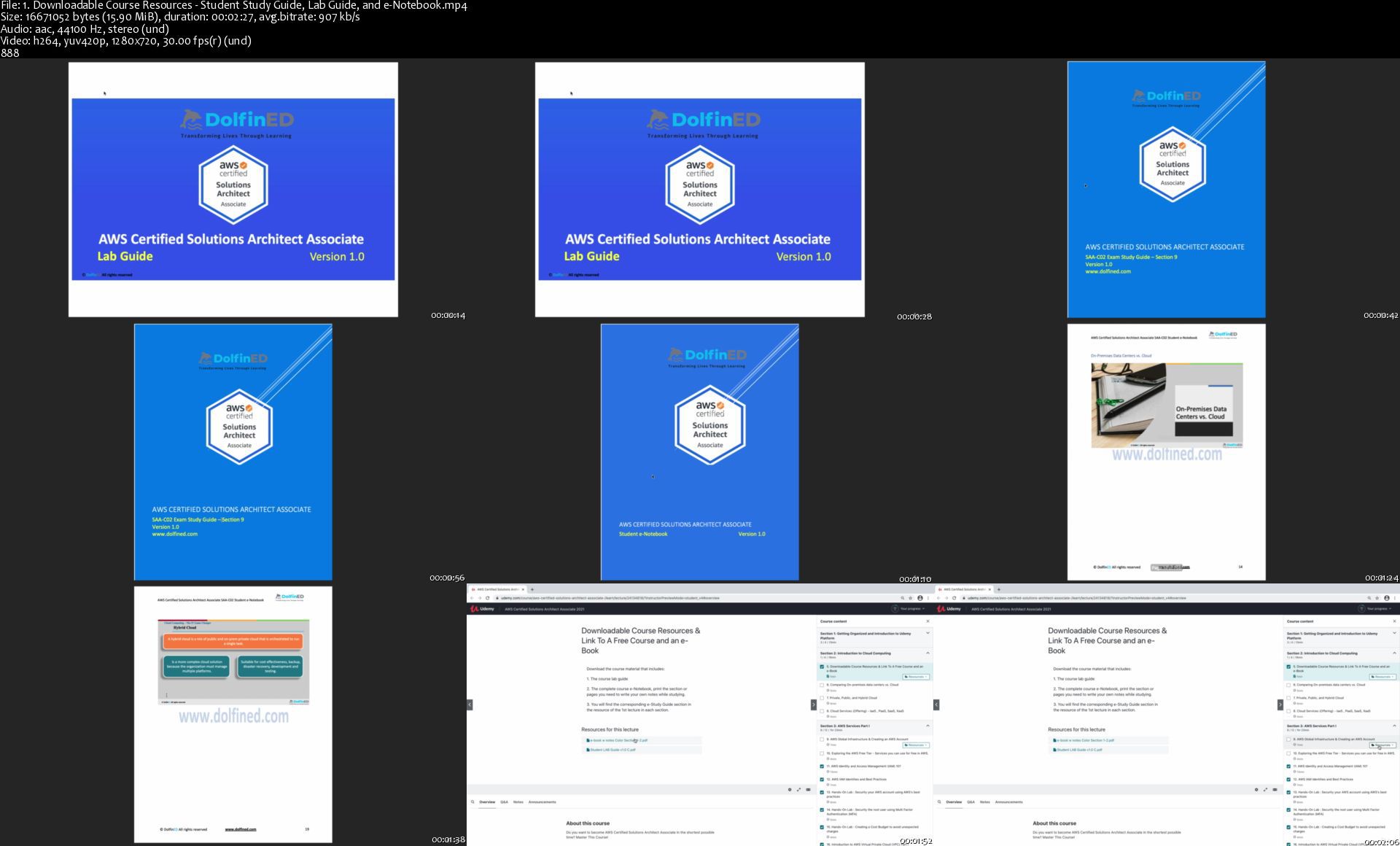
AWS Certified Solutions Architect Associate 2021

nw5va9sxhubwhc5jnoh8b9tjeu.jpg


AWS Certified Solutions Architect Associate 2021
MP4 | ENG | Video: h264, yuv420p, 1280x720 | Audio: aac, 44100 Hz | Duration: 21h:38m | Size File: 8.37 GB
Genre: eLearning

Do you want to become an AWS Certified Solutions Architect Associate? Do you want to achieve this in the fastest time? You are absolutely in the right place.

Hello and welcome to the world's best AWS Certified Solutions Architect Associate Course; The latest and most updated course on the planet. This course is fully compatible with the current exam and the most recent AWS console user interface.

This course is designed to enable you to fast-track your results, ACE the exam, and become certified in the shortest possible time with the least effort.

The course assumes absolutely no prior AWS knowledge; We will teach you everything you need to know about AWS for this exam's scope.

If you are in a hurry, here is a summary of the course differentiators in few bullets.

· Course developed in December 2020. The Latest and Most updated course.

· Zero prerequisite Cloud knowledge, we will ensure you are taught everything you need to know to ACE this exam.

· 100% Compatible with the "latest" AWS Management Console User Interface (UI)

· The instructor taught 100,000+ AWS students online and in-person from 170 countries.

· An average passing score on the first attempt of 85%+

· 100% Exam compatible, no content that is not required for the exam. Fast track your results.

· This course is version 2 of the highest rated version 1 on Udemy too.

· RISK-FREE enrollment - 30 days money-back guarantee, no questions asked.

· Absolutely no prior AWS knowledge required.

We are here to prepare you to not only pass but ace the AWS Certified Solutions Architect Associate Exam. With this course's help, you will pass the exam on your first attempt and become AWS Certified.

The course is designed and instructed by the popular instructor Eissa Abou Sherif, founder of DolfinED and renowned on Udemy for his amazing AWS content. In fact, Abou Sherif has the highest rated AWS content for four years now, with more than 100,000 AWS students from more than 170 countries. You are in the absolute best hands!

This is version 2 of the highest-rated AWS Certified Solutions Architect Associate on Udemy! Building success on top of another.

That's right, this course from DolfinED has consistently and continuously received the highest rating in its field on Udemy, with a rating of no less than 4.7 out of 5 based on thousands of students' reviews.

In few bullets, here is DolfinED's history with AWS Certified Solutions Architect Associate exam content:

· Average students' passing score of 85%+ in their AWS Certified Solutions Architect Associate exam and on the first attempt - please check reviews and follow us on LinkedIn to see for yourself.

· Highest exam passing rate based on our suggested study plan.

· Highest satisfaction rate from students, with more than 33%+ of students rating the course after they finished it (the average instructor gets 20-25% reviews from their students).

· Our students have advanced to the AWS Certified Solutions Architect Professional exam with absolute confidence.

· Most of our students are now leading extremely successful Cloud careers everywhere around the globe. That is the ultimate endorsement, isn't it? And very satisfying for us personally. There's nothing better for us than seeing you move ahead to a brighter future.

Homepage

1.downloadablecoursert7kql.jpg


Art Therapy and Mental Health at the Workplace (Updated 12/2020)

007f8c7bfajyw.jpg


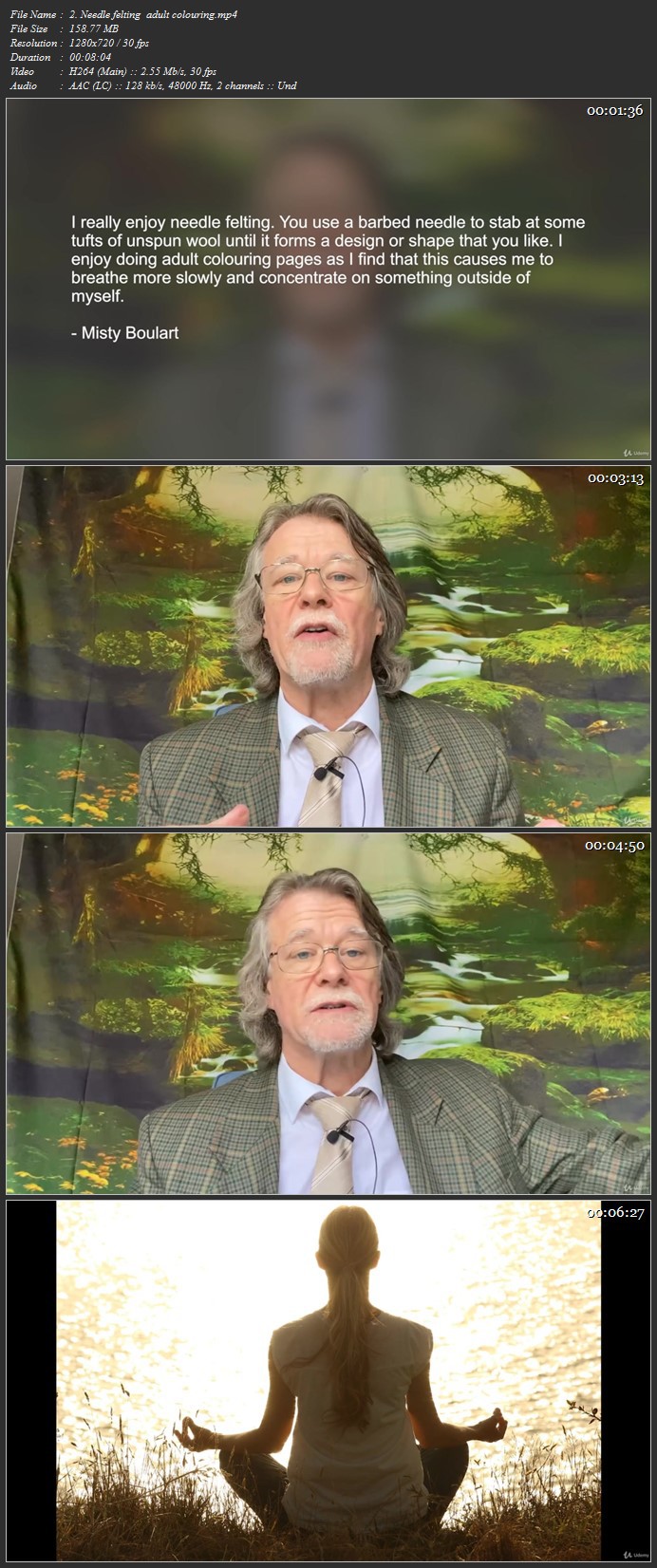
Art Therapy and Mental Health at the Workplace
Duration: 10h 15m | .MP4 1280x720, 30 fps(r) | AAC, 44100 Hz, 2ch | 11.3 GB
Genre: eLearning | Language: English

Workplace based art therapy exercises to improve Mental Health


What you'll learn
Art therapy exercises that can be done at work to reduce stress
How Art Therapy can be used by anyone, anywhere
How to create a Stress Manual for work!
As knowledge of Art Therapy techniques grows, so the workplace becomes less stressful

Requirements
no


Description
This is a detailed, practical course - with built-in tests to allow you to share your own knowledge. A series of art therapy exercises are discussed to complement other stress reduction methods. You are asked to apply them to your workplace - and even create an (Overcoming) Stress Manual.

The emphasis throughout this course is to make it USEFUL for improving the workplace.


Who this course is for:
Anyone working either from home or in an office
Anyone stressed in their life

More Info

007f8c7ax3kh3.jpg


The Complete Modern JavaScript Masterclass 2021

007f91b99zkwz.jpg


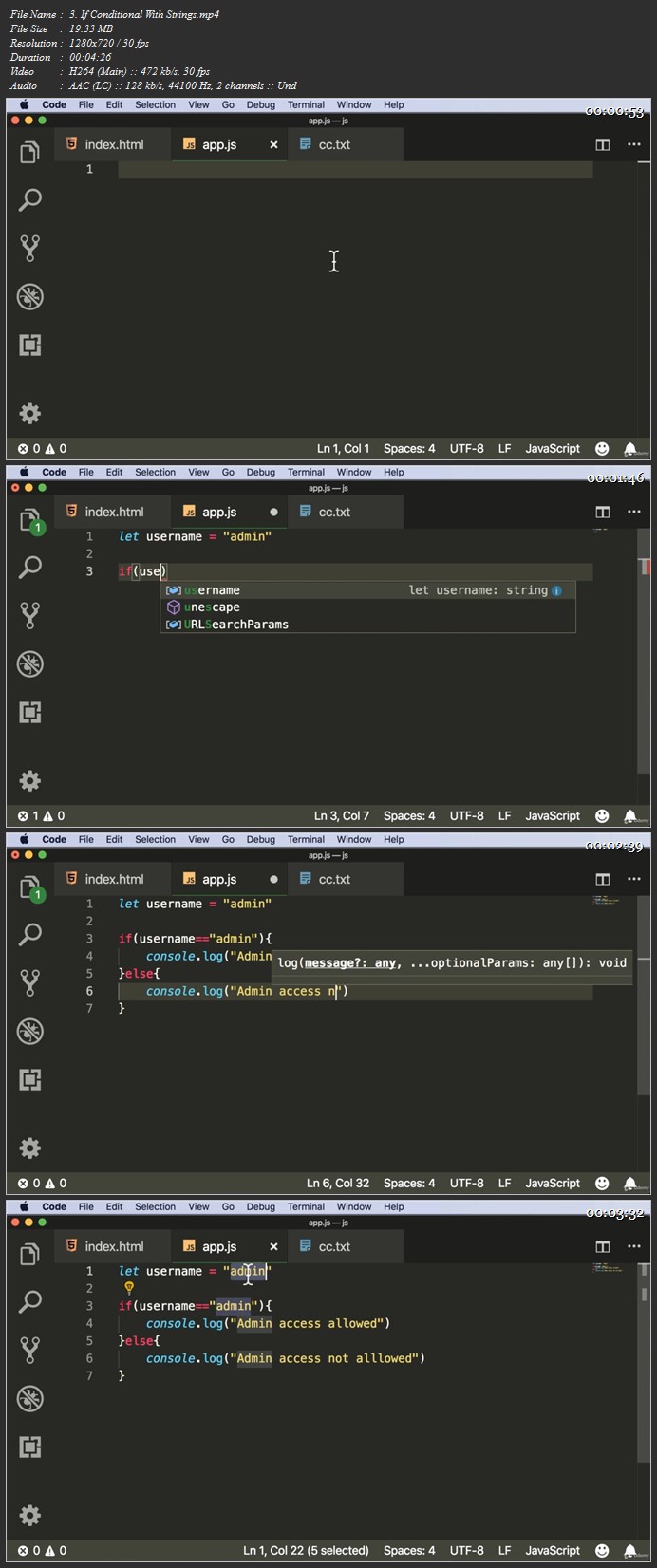
The Complete Modern JavaScript Masterclass 2021
Duration: 25h 51m | .MP4 1280x720, 30 fps(r) | AAC, 44100 Hz, 2ch | 8.19 GB
Genre: eLearning | Language: English

Learn JavaScript from scratch, build front-end & back-end applications with JavaScript, Vue, Node, Express & MySQL


What you'll learn
Learn JavaScript basics right from scratch
Learn about conditionals, operations & loops
Learn about arrays & objects
Learn how to write modular and well maintained code using functions
Learn how to use DOM to manipulate elements on our webpage
Lear how to write JavaScript code the Object Oriented Programming way
Learn the latest version of Vue i.e Vue 3
Learn how to build a fully functional Todo app with Vue 3
Learn how to build a fully functional web based calculator app with Vue 3
Learn how to program the back-end using Node & Express
Learn how to integrate MySQL database along with your Node & Express web applications
Learn how to build a multi-client real-time chat application with JavaScript & Node

Requirements
No coding or technical knowledge required.
A computer with internet connection.
No paid tools are required as the tools required for this course are free.
Passion and curiosity to learn something new.


Description
The Complete Modern JavaScript Masterclass 2021.

Here Is What You Get By Enrolling In This Course:

Word-By-Word Explanation: In the entire course, I explain each line of code, without skipping a single line of code.

Awesome Quality Content: Over 25+ hours of HD Videos.

Well Structured & Easy To Learn: Course has been specially designed to make it easy for the students to learn JavaScript, VueJS, NodeJS & Express.

24 X 7 Support: I will always be there to guide you in your journey to become JavaScript expert.

Here Is Everything You Will Learn In This Complete Course:

In this hands-on course, you will learn JavaScript right starting from scratch to the level where you can build almost anything with it, be it a fully functional database oriented web application or a real-time chat app.

This course will teach you JavaScript right from scratch from a very basic level and will gradually move you towards more advanced topics.

We not just cover all the JavaScript basics but also the most popular JavaScript libraries such as Vue, Node, & Express.

The Complete Course is divided into 13 Major sections.

Here is a brief description of what you will learn in each section.

Section 1: Introduction & Installing Required Tools.

In this section we will have a brief introduction about JavaScript & install tools required for development.

Section 2: JavaScript Basics, Variables & Data Types.

In this section we will learn the basic syntax of the JavaScript programming language, we will learn about concepts such as data types present in JavaScript, variable declaration & assignment, the 'const' keyword to declare variables, math object and its methods, string & string methods, comparison & equality operator to perform comparison & type conversion from one data type to another.

Section 3: Conditionals, Logical Operators & Loops.

After learning all the basics, in this section we will learn how to use conditionals like if, else if, nested if & switch case statements to make decisions in our code. We also learn about the Boolean operators such as the logical AND & OR. Finally we will learn how to loop through a given set of instructions using the for, while & the do-while loop.

Section 4: Arrays & Objects.

In this section we will what are arrays and how the array data structures could be created in JavaScript. We will learn the different ways of creating an array, and along with it, we will also learn different array methods which can be used to manipulate data inside of an array. After arrays, we now move on to learn what are objects and how data and methods can be contained inside an object. We will learn how to create, access, manipulate & delete properties inside of a JavaScript object.

Section 5: Functional Programming In JavaScript.

Once we know enough JavaScript to write basic programs, its now time to learn how to write code in a proper way by creating functions. In this section we will learn how to write modular and well maintained code using functions. We will learn how to define and call functions in JavaScript and the different ways to creating or declaring a function like the modern arrow notation. Along with it we will also learn how to make a function accept arguments and return values. We will also learn about functional scope and lexical scope and learn how it affects the variables defined inside a function.

Section 6: JavaScript Document Object Model: DOM & DOM Events.

This section covers how to use JavaScript to control the document object model which helps us to manipulate elements on our webpage. We learn how to get access to every element on our webpage by using different methods. Once we have access to these elements we could easily manipulate, create and delete them using different methods provided. After completing this section, we could now manipulate almost any element on our webpage.

Section 7: Object Oriented Programming In JavaScript.

Object oriented programming is another way of writing code just as functional programming is. In this section we will learn how to write JavaScript code the OOP way. We will first understand what object oriented programming actually means, the advantages of using OOP over functional programming and then jump into learning different terminologies and implement them by writing code. We will learn what are classes, how to create them. How to create or derive objects from classes, how to access data and methods form objects etc. Along with it we also learn how to perform inheritance between multiple classes and also cover concepts such as prototypes.

Section 8: Front-End Web Development With Vue.

In this section we learn the VueJS library right form scratch. We will learn all the basics of the Vue library and learn how these concepts can be put to practice to build interactive interfaces for our websites & web applications. We will learn how different elements on our webpages can be made reactive by attaching them to the data such that they change with changes in data. We will also learn how to use Vue components to modularize the front end of our application.

Section 9: Building A Todo App With Vue & JavaScript .

Now that we know how to use Vue to power our applications, its now time to put our knowledge into practice. In this section we will build a fully functional Todo List application entirely in Vue which is capable of performing create, read, update & delete operations on data also known as CRUD.

Section 10: Building A Calculator App With Vue & JavaScript .

Vue is best suited for SPAs or single page applications. Hence in this section we build a fully functional browser based calculator app that performs operations such as addition, subtraction, multiplication, division, finding percentage etc.

Section 11: Back End Programming With Node & JavaScript.

The best part about JavaScript is that you can use it both at the front as well as the back end. As we have already learned how to use JavaScript in the front-end now its time to use it in the back-end. In this section we will learn how to use JavaScript to program servers using NodeJS which is a JavaScript runtime. We will learn what NodeJS is and how it allows us to run JavaScript in the backend. We will lean NodeJS right from the basics such as accessing the file system, reading from and writing to files, creating directories etc. We will also learn how to create our very own server which is capable of handling incoming client request and render dynamic HTML pages as a response. We will also learn Express, which is a NodeJS framework that makes things such as rendering webpages and routing for our web applications easier. We will also cover different templating engines such as EJS & Mustache to create and render HTML templates.

Section 12: Integrating MySQL Database With JavaScript Web Apps:

While building web applications, we want the data to persist so that it can later be retrieved. To do so we need our data to be saved in our database. Hence in this section we will learn how to setup database for our Node & Express applications so that the data for our applications persist. We will learn how to connect databases with our JavaScript apps and how to make our app query and manipulate data from the database.

Section 13: Building A Chat Application With Socket io & NodeJS.

In this section we will learn how multiple clients can be connected to a single server via using sockets. We will learn this by building a chat application which consists of one server and multiple clients. We program the server using NodeJS and a library called as socket io. Using which we build a server that can broadcast messages received from one client to multiple other.

So let's begin the journey of becoming an expert in JavaScript.

In addition to the Udemy 30-day money back guarantee, you have my personal guarantee that you will love what you learn in this course. If you ever have any questions please feel free to message me directly and I will do my best to get back to you as soon as possible!

Make sure to enroll in the course before the price changes.

Take yourself one step closer towards becoming a full-stack JavaScript developer by clicking the "take this course button" now!

Join the journey.

Sincerely,

Ashutosh Pawar


Who this course is for:
Beginners who want to learn JavaScript
Beginners who want to become a full-stack JavaScript developer
Beginners who want to learn VueJS
Beginners who want to learn NodeJS
Beginners who want to learn ExpressJS
Web developers who want to switch to JavaScript as their language to build full stack web applications

More Info

007f91b8uzjm1.jpg


The Complete Guide to Chess Tactics

whhxrvtgsplblrssjvpxbxmkgz.jpg


The Complete Guide to Chess Tactics
MP4 | Video: h264, 1280x720 | Audio: AAC, 44.1 KHz, 2 Ch
Genre: eLearning | Language: English + .srt | Duration: 277 lectures (21h 31m) | Size: 25.6 GB

Chess Tactics, Calculation and Pattern recognition skills that will enable you create beautiful winning combinations

What you'll learn:
Be able to use a fundamental understanding of chess tactics and combinations to sky-rocket your results and rating
Be able to make sure opportunities are not missed in Calculation using Weakness of last move, Common squares, and "In-Effect"
Be able to make use of the important tactical motifs like Fork, Deflection, Decoy, Pins, Discovered Checks, and many more etc
Be able to get a feel for downsides of opponents position which could imply a combination exists
Be able to use chess combinations to often win by force from positions where no issues visually seem present
Be able to know the philosophies of great tactical examples explained in depth and re-use them in your own games
Be able to use inspirational calculation aids such as "The power of the pinned piece is illusionary" and "Combine and win"
Be able to understand the importance of the prioritisation of forcing moves when calculating to limit the opponent's replies
Be able to appreciate the examples of combinations from the World chess champions
Be able to exploit the default downside often of the Weak Back Rank
Be able to exploit your passed pawn potential through tactical means
Be able to exploit loose piece liabilities of the opponent
Be able to exploit King safety issues of the opponent
Be able to detect tactical issues and "celebrate" them using the concept word of "down-sides" throughout the examples
Be able to understand the Fundamentals of Chess Tactics - Forcing moves, checks, captures, threats of mate and limiting opponent options in general
Be able to match appropriate combinations with the downsides of the opponents position
Be able to maximise the differential imposed between strengths of your position and opponent weaknesses
Be able to play brilliant and beautiful chess combinations - but be warned you may lose sleep over them
Be able to detect if combinations exist using various approaches of detection and examples
Be able to finish off opponents quickly and get a new game in the all-you-can eat online tournaments
Be able to play with very high accuracy sharp combinations
Be able to recognise all the key mating patterns that have been established through Chess History
Be able to practice with multiple examples all key tactical instruments which are part of combinations

Requirements
Knows the basics of playing Chess


Description
FIDE CM Kingscrusher has one goal of the course. And that is to make you a much stronger tactician than ever before in your life. You should be in a much better position by training with this course to create beautiful chess combinations on the chessboard which feature a wide range of patterns and demonstrate amazing calculation ability. In short, the goal of the course is to make you a very strong chess tactician and help you enjoy your chess to the absolute maximum.

This course has a structure which is essentially is "process" and "patterns".

PROCESS: The Art of Chess Calculation

The "process" aspect is the art of chess calculation. Even if you didn't know a single tactical pattern by name, you could still play amazing tactics just with great calculation which the course gives you a solid foundation in. Yes, even if you didn't know your forks from your pins, the "Process" part of the course as in the art of calculation would still enable you to play great chess combinations using an entire orchestra of tactical patterns without even knowing their names.

But training yourself on patterns will enhance your art of calculation and you will be able to name the key tactical patterns which are important for searching them out to practice and discuss with others as well as prompt during your calculations.

"Process" is like the software of your chess mind. "Patterns" are like the Content for that software. You need both the software and the content to be really effective as a tactician!.


PROCESS -><-PATTERNS

YOUR STRENGTHS OF POSITION (PLUSSES +'s) ====> MATCH WITH <=== (MINUSES -'s)

DOWNSIDES OF OPPONENTS POSITION (FOR MAXIMUM DIFFERENTIAL between the PLUS AND MINUS)

BOTTOM UP APPROACHES >----< TOP DOWN APPROACHES


Patterns help feed the process of calculation. Your goal often is to create a maximum differential between the strengths of your position which can be realised from very strong calculation skills and the downsides of the opponent's position which often requires a trained intuition and eye for potential downsides to ensure you are even aware combinational solutions might exist.


PATTERNS: Tactical Patterns, Mating Patterns, Weakness of Position patterns.

The "patterns" aspect is divided into three key "pattern" areas:

Bold ones below represent really key and frequent visitors to most people's games

Tactical Patterns (alphabetically)

These tactical patterns are very useful to practice and help internalise.

Absolute Pin

Advanced Pawn

Annihilation of Defence

Alekhine's Gun

Attraction

Battery

Blockading defensive resources

Capture

Capture the Defender

Checks - gaining key tempo e.g. winning material via checks

Clearance

Combine and Win tactics

Connected passed pawns

Counterplay management move

Counter Threat

Cross-check

Cross-pin

Decoy

Deflection

Demolition of Pawns around opponent's king

Demolition of Pawn Structure

Desperado

Discovered Attack

Domination

Double Attack

Double Check

Draw Tactics

Endgame Tactics

Exchange sacrifice

f2 (or f7) weakness

Forcing Moves

Fork

Goal Hanging Tactics e.g. N on f5 (also see Thorn pawn)

Greek Gift Sacrifice

Indirect Defense

Interference

Intermediate move (synonym: Zuichenzug)

King Aggression in Endgames

King Chase

Liberational tactics

Opposition

Overload the defender

Weakness of last move

Passed pawn creation

Pawn-Fork

Pawn Tactics

Pawn Breakthrough

Perpetual Attack

Perpetual Check

Pins - Absolute

Pins - Relative

Pins - Celebration

Positional Tactic

Prophylaxis move

Removing King Escape Squares

Rook lift

Sacrifice (Positional)

Sacrifice (calculated)

Simplification

Queen and Bishop Battery

Quiet but killer move (greatly used in Alekhine combinations)

Relative Pin

Remove the Defender

Sacrifice

Simplification

Situational Pin

Soft spot sacrifice

Strategic Crush tactic - e.g. locking in bishop, good knight

Skewer

Stalemate Tactics

Tempo Tactics

Thorn Pawns

Threat making

Trapped Piece

Triangulation

Two Rooks Battery

Two Rooks on 7th Rank

Under-promotion

Weak Back-Rank

Weakness of last move

Windmill

X-Ray

X-Ray Attack

X-Ray Defense

Zugzwang

Zwischenzug

Mating Patterns (alphabetically)

These mating patterns are useful to practice and help internalise.

Anastasia's mate

Anderssen's mate

Arabian mate

Back-rank mate

Bishop and knight mate

Blackburne's mate

Blind swine mate

Boden's mate

Box mate (Rook mate)

Combine and Win Mate

Corner mate

Cozio's mate

Damiano's bishop mate

Damiano's mate

David and Goliath mate

Double bishop mate

Dovetail mate

Epaulette mate

Fool's mate

Greco's mate

Hook mate

Kill Box mate

King and two bishops mate

King and two knights mate

Ladder checkmate

Légal mate

Lolli's mate

Max Lange's mate

Mayet's mate

Morphy's mate

Opera mate

Pillsbury's mate

Queen mate

Réti's mate

Smothered mate

Support mate

Suffocation mate

Swallow's tail mate

"Opponent Downsides" aka "Tactical Issues" aka "Tactical Liabilities" aka "Weakness of Position" Patterns

These help you intuitively identify if a combination may exist in the position.

Awkward Pieces (trappable)

King Safety Issues e.g. Back rank

Loose pieces (unprotected)

Overworked pieces

Pieces away from King

Tactical Liabilities in general

Weaknesses in general

Who this course is for
Chess beginner and intermediate players will get massive results improvement from this course
Even more experienced players who want to sharpen their tactics. Every chess player can improve their tactical skills.

Homepage

18.zwischenzuginbetwep5j2l.jpg


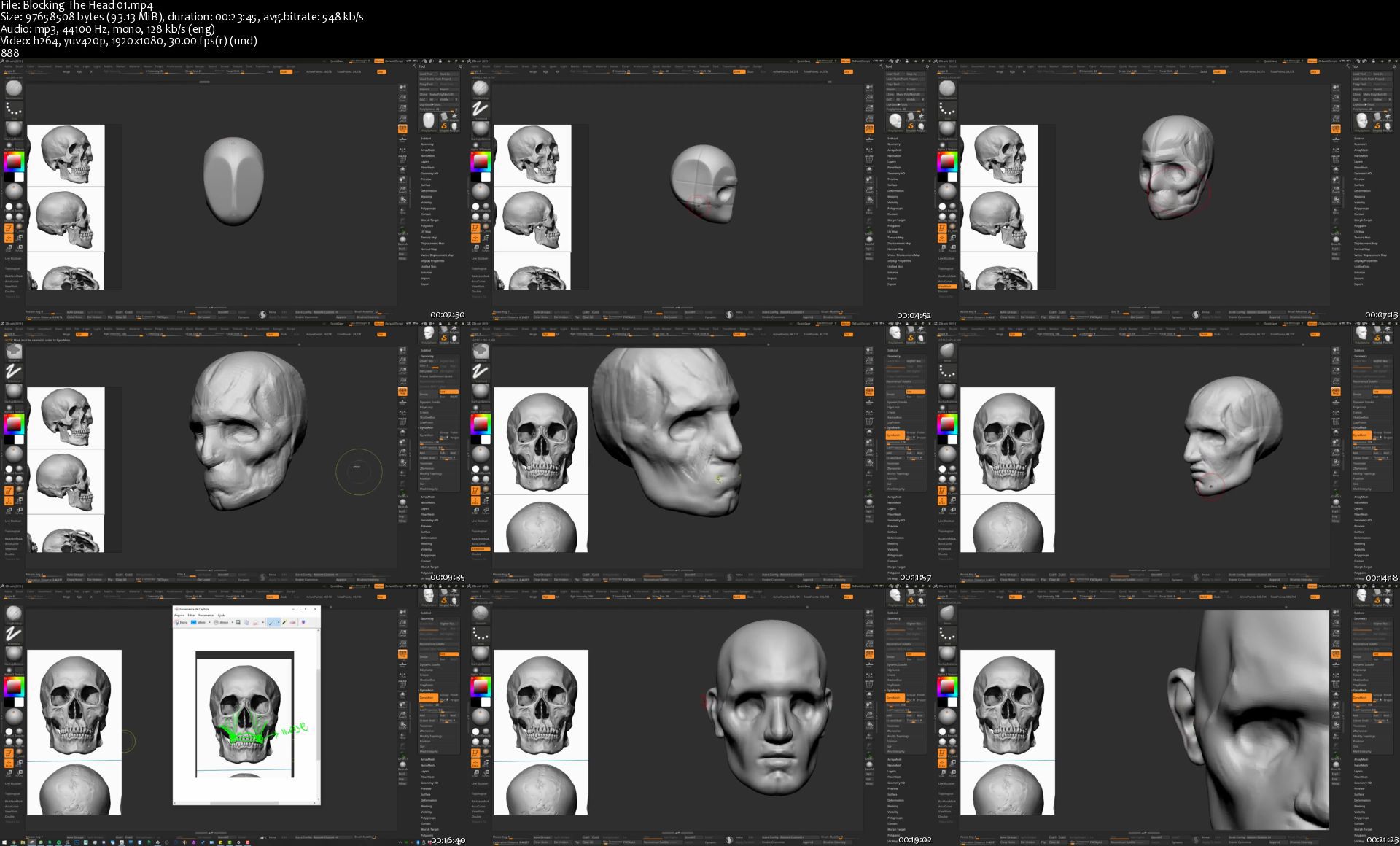
Learning Zbrush from Scratch

mnmmevqh2v0tejlxvz6wnqtjnu.jpg


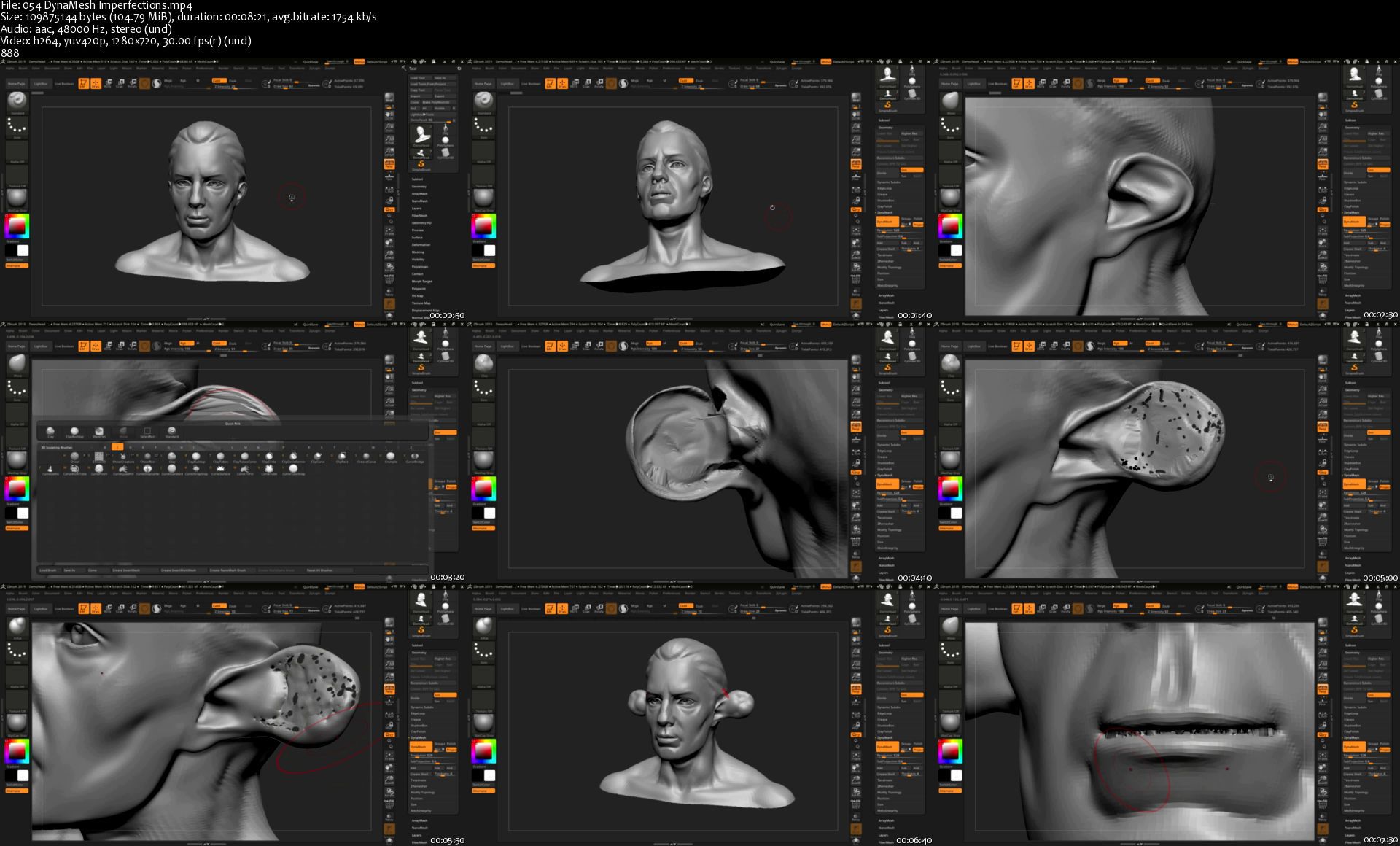
Learning Zbrush from Scratch
Genre: eLearning | MP4 | Video: h264, 1280x720 | Audio: aac, 48000 Hz
Language: English | SRT | Size: 5.92 GB | Duration: 7h 57m


What you'll learn
Importing into Zbrush
Working with Primitives
Subdivision Levels
Sculpting in Zbrush
Using Materials
Zbrush Painting
Working with Polygroups
Understanding Subtools
Using Meshes
Learning Dynamesh
ZModeler and ZRemesher
Move, Scale and Rotate
Applying Textures
Brushes and Custom Brushes
Exporting and Rendering
Requirements
No prerequisites.

Description
Zbrush is the all in one solution for your 3D modeling needs. You can texture and paint and sculpt to your hearts content. The features in Zbrush almost seem limitless. Mastering each one could be viewed as an impossible task by some. However, even if you're a beginner I promise you that this course is one of the best ways you can learn all about Zbrush and what it can do. In this course, I will teach you all the methods and ways of Zbrush in a simple way that is easy to understand. As I show you the techniques I will experiment and work with the features I am explaining. Most importantly I will show you the way the professionals work and how to use Zbrush to make any 3D model you could possibly want to create.


Who this course is for:
Total beginners to Zbrush.


Homepage

054dynameshimperfecti78kfp.jpg


Learning Blender from Scratch

mmhql1vwksvexf3k8piy1u7ksj.jpg


Learning Blender from Scratch
Genre: eLearning | MP4 | Video: h264, 1280x720 | Audio: aac, 48000 Hz
Language: English | SRT | Size: 5.41 GB | Duration: 7h 28m


What you'll learn
Blender
Requirements
No Prerequisites

Description
Welcome to Blender the software that is free and is one of the best for 2D and 3D editing. You can do modeling, animation, compositing, and post-production. This course is for the beginner and it provides an overview of what Blender is all about. In this course, topics like modeling, sculpting, texturing and shading, 2D and 3D animation, rendering, fire and water effects, and even video effects will be covered. So what are you waiting for? Learn how to make games, movies, and animations like a pro!

Overview of Blender

Dealing with Objects

Editing Objects

Sculpting with Blender

Remeshing

Unwrapping Model's Textures

Painting Textures

3D Animation Basics

Character Rigging

Particles and Effects

Rendering Engines

Animation with 2D

Video Editor


Who this course is for:
Beginners to Blender


Homepage

036makearigsibjdy.jpg


Informatica Beginner to Advanced

o3h8jnvufo3xqkrvgizn290khq.jpg


Informatica Beginner to Advanced
Genre: eLearning | MP4 | Video: h264, 1280x720 | Audio: aac, 44100 Hz
Language: English | SRT | Size: 8.98 GB | Duration: 18h 2m


What you'll learn
Informatica ETL Development
Requirements
Basics of SQL & Unix Knowledge required but in this course steps have been designed from basic so that everyone can pick it

Description
This course will help you to understand ETL concepts in detail with Informatica tool & guide you step by step to learn & become expert in Informatica Development.

Informatica has been spread widely in all industries and this course will enable you to be industry standard ready with step by step implementation.


Who this course is for:
Beginner in Informatica Development or Interview Scenarios related to ETL


Homepage

005expressiontransforg7jo7.jpg


Zurück
Oben Unten