• Regeln für den Video-Bereich:

    In den Börsenbereich gehören nur Angebote die bereits den Allgemeinen Regeln entsprechen.

    Einteilung

    - Folgende Formate gehören in die angegeben Bereiche:
    - Filme: Encodierte Filme von BluRay, DVD, R5, TV, Screener sowie Telesyncs im Format DivX, XviD und x264.
    - DVD: Filme im Format DVD5, DVD9 und HD2DVD.
    - HD: Encodierte Filme mit der Auflösung 720p oder darüber von BluRay, DVD, R5, TV, Screener sowie Telesyncs im Format x264.
    - 3D: Encodierte Filme von BluRay, die in einem 3D Format vorliegen. Dies gilt auch für Dokus, Animation usw.
    - Serien: Cartoon/Zeichentrick, Anime, Tutorials, Dokumentationen, Konzerte/Musik, Sonstiges sind demnach in die entsprechenden Bereiche einzuordnen, auch wenn sie beispielsweise im High Definition-Format oder als DVD5/DVD9/HD2DVD vorliegen. Ausnahme 3D.
    - Bereich Englisch: Englische Releases gehören immer in diesen Bereich.
    - Bereich Talk: Der Bereich, in dem über die Releases diskutiert werden kann, darf, soll und erwünscht ist.


    Angebot/Beitrag erstellen

    - Ein Beitrag darf erst dann erstellt werden, wenn der Upload bei mindestens einem OCH komplett ist. Platzhalter sind untersagt.
    - Bei einem Scenerelease hat der Threadtitel ausschließlich aus dem originalen, unveränderten Releasenamen zu bestehen. Es dürfen keine Veränderungen wie z.B. Sterne, kleine Buchstaben o.ä. vorgenommen werden. Ausnahme Serienbörse:
    - Bei einem Sammelthread für eine Staffel entfällt aus dem Releasename natürlich der Name der Folge. Beispiel: Die Simpsons S21 German DVDRip XviD - ITG
    - Dementsprechend sind also u.a. verboten: Erweiterungen wie "Tipp", "empfehlenswert", "only", "reup", usw. / jegliche andere Zusatzinformation oder Ergänzung, welche nicht in obiger Beschreibung zu finden ist.

    Aufbau des Angebots und Threadtitel

    Der Titel nach folgendem Muster erstellt zu werden. <Name> [3D] [Staffel] [German] <Jahr> <Tonspur> [DL] [Auflösung] <Quelle> <Codec> - <Group>
    Beispiel: The Dark Knight German 2008 AC3 DVDRip XviD - iND
    Beispiel: The Dark Knight 2008 DTS DL BDRip x264 - iND
    Beispiel: The Dark Knight 2008 AC3 DL BDRip XviD - iND
    Beispiel: The Dark Knight German 2008 AC3 720p BluRay x264 iND
    Beispiel: The Dark Knight 2008 DTS DL 1080p BluRay x264 iND
    Beispiel: Die Simpsons S01 German AC3 DVDRip XviD iND
    Beispiel: Die Simpsons S20 German AC3 720p BluRay x264 iND
    Beispiel: Sword Art Online II Ger Sub 2014 AAC 1080p WEBRip x264 - peppermint
    Entsprechend sind also u.a. verboten: Sonderzeichen wie Klammern, Sterne, Ausrufezeichen, Unterstriche, Anführungszeichen / Erweiterungen wie "Tipp", "empfehlenswert", "only", "reup", usw. / jegliche andere Zusatzinformation oder Ergänzung, welche nicht in obiger Beschreibung zu finden ist
    Ausnahmen hiervon können in den Bereichen geregelt sein.

    Die Beiträge sollen wie folgt aufgebaut werden:
    Überschrift entspricht dem Threadtitel
    Cover
    kurze Inhaltsbeschreibung
    Format, Größe, Dauer sind gut lesbar für Downloader außerhalb des Spoilers zu vermerken
    Nfo sind immer Anzugeben und selbige immer im Spoiler in Textform.
    Sind keine Nfo vorhanden z.B. Eigenpublikationen, sind im Spoiler folgende Dateiinformationen zusätzlich anzugeben :
    Quelle
    Video (Auflösung und Bitrate)
    Ton (Sprache, Format und Bitrate der einzelnen Spuren)
    Untertitel (sofern vorhanden)
    Hosterangabe in Textform außerhalb eines Spoiler mit allen enthaltenen Hostern.
    Bei SD kann auf diese zusätzlichen Dateiinformationen verzichtet werden.

    Alle benötigten Passwörter sind, sofern vorhanden, in Textform im Angebot anzugeben.
    Spoiler im Spoiler mit Kommentaren :"Schon Bedankt?" sind unerwünscht.


    Releases

    - Sind Retail-Release verfügbar, sind alle anderen Variationen untersagt. Ausnahmen: Alle deutschen Retail-Release sind CUT, in diesem Fall sind dubbed UNCUT-Release zulässig.
    - Im Serien-Bereich gilt speziell: Wenn ein Retail vor Abschluss einer laufenden Staffel erscheint, darf diese Staffel noch zu Ende gebracht werden.62
    - Gleiche Releases sind unbedingt zusammenzufassen. Das bedeutet, es ist zwingend erforderlich, vor dem Erstellen eines Themas per Suchfunktion zu überprüfen, ob bereits ein Beitrag mit demselben Release besteht. Ist dies der Fall, ist der bereits vorhandene Beitrag zu verwenden.
    - P2P und Scene Releases dürfen nicht verändert oder gar unter einem iND Tag eingestellt werden.


    Support, Diskussionen und Suche

    - Supportanfragen sind entweder per PN oder im Bereich Talk zu stellen.
    - Diskussionen und Bewertungen sind im Talk Bereich zu führen. Fragen an die Uploader haben ausschließlich via PN zu erfolgen, und sind in den Angeboten untersagt.
    - Anfragen zu Upload-Wünschen sind nur im Bereich Suche Video erlaubt. Antworten dürfen nur auf Angebote von MyBoerse.bz verlinkt werden.


    Verbote

    - Untersagt sind mehrere Formate in einem einzigen Angebotsthread, wie beispielsweise das gleichzeitige Anbieten von DivX/XviD, 720p und 1080p in einem Thread. Pro Format, Release und Auflösung ist ein eigener Thread zu eröffnen.
    - Grundsätzlich ebenso verboten sind Dupes. Uploader haben sich an geeigneter Stelle darüber zu informieren, ob es sich bei einem Release um ein Dupe handelt.
    - Gefakte, nur teilweise lauffähige oder unvollständige Angebote sind untersagt. Dies gilt auch für eigene Publikationen, die augenscheinlich nicht selbst von z.B. einer DVD gerippt wurden. Laufende Serien, bei denen noch nicht alle Folgen verfügbar sind, dürfen erstellt und regelmäßig geupdatet werden.
    - Untersagt sind Angebote, welche nur und ausschließlich in einer anderen Sprache als deutsch oder englisch vorliegen. Ausnahmen sind VORHER mit den Moderatoren zu klären.


    Verstoß gegen die Regeln

    - Angebote oder Beiträge, die gegen die Forenregeln verstoßen, sind über den "Melden"-Button im Beitrag zu melden.
  • Bitte registriere dich zunächst um Beiträge zu verfassen und externe Links aufzurufen.

++ Premium IPTV ++ 7000 Live Sender ++ UHD Qualität ++ Mediathek mit 18.000 Inhalten ++


VenneTV


Englische Tutorials

Mitch Gonsalves - Executive Advantage

d2dba6118e332acdffdda8e0472db9f7.jpg

Mitch Gonsalves - Executive Advantage | 10.94 GB ​
The Executive Advantage System:
"The Power To Put Plans, Actions And Processes Into Effect That Put One In A
More Favourable & Superior Position Over The Competition."

Growing A Successful Business Is Hard, Costly And Unpredictable.
Executive Advantage equips businesses with the tools, skills, and resources needed to grow a wildly successful business.
We Help Paid-Ad Addicts, Cold Marketers, and Chronic Funnel Builders

99% of coaches, consultants, agency owners & service-businesses think they need to spend massive amounts of money on Paid Advertising to acquire clients.
Those that aren't in a position to spend money to acquire clients, think they need to spend countless hours "pounding the pavement", writing cold emails and making cold calls to get clients.
Or they waste time doing "content marketing" and building out complex sales funnels hoping and praying that new clients come to them.
Become Laser-Focused With An Automated Organic Client Generating Machine

Our clients use the Executive Advantage System to master the process of Client Attraction and Acquistion through LinkedIn Automation and various channels to generate more high-quality sales appointments and convert them into high-ticket clients with a simple, 2-Step Sales Process.
You won't find our clients blowing thousands of dollars on Paid Ads without a significant ROI, cold marketing, or chasing the newest, flashiest marketing gimmick out there.
Our clients are laser-focused on achieving MORE by doing LESS.
Become Supernatural.
Transcend To A New Dimension.

Automate your entire marketing & prospecting. Leverage systems. Plug-in to an Organic Client Generating Machine. Full-scale retargeting PPC campaigns with analytics & metrics.
What You Get:
- Reprogram Your Mind For Success
- Become The #1 Expert Authority
- Deeply Clarify Your Ideal Client
- Craft A Magnetic Marketing Message
- Automate Your Marketing & Prospecting
- Generate Highly-Qualified Sales Appointments
- Convert Sales Appointments Into Clients
- Scale to 7-Figures and Beyond.

HOmepage:

Screenshots
9c8a91fc461bd6fdbaef0a99655f5a12.jpg


Link Download
​
Extract files with WinRar 5 or Latest !
 
Rachel WIllis - The Public Speaking Masterclass

a1be37f903e3f394f181ada026ebe535.jpg

Rachel WIllis - The Public Speaking Masterclass | 702 MB​
How You Can Quickly Become a Confident Public Speaker AND Boost Your Career, Without Ever Feeling Nervous Again!

What You'll Learn In My Exclusive Web Class:
Secret #1
How To Turn Your Nerves Into "Presentation Energy"
And instantly make you a more successful public speaker than 99% of your colleagues even if you currently hate the way you look, sound and feel.

Secret #2
My Exclusive "Think, Feel & Do" Method
That will make you appeal to any audience WITHOUT you having to spend hours on PowerPoint slides or memorising exactly what to say.

Secret #3
My "Stage To Success" Formula
Shows how you can use public speaking skills to get promoted AND earn more money WITHOUT having to work harder, faster or longer.

Homepage:

Screenshots
a01d2924bee4832fd2014fb438b9821e.jpg


Link Download
​
Extract files with WinRar 5 or Latest !
 
Savage Seller - Amazon Product Research

2c71594d420056cf182508261cc8080b.jpg

Savage Seller - Amazon Product Research | 8.91 GB​
Don't just compete, Dominate!

What You Get:
Fundamentals of Finding Products
- Welcome! (2:48)
- What Tools Do I Need? (16:50)
- The Fundamentals of Determining Sales (10:28)
- How to Use Jungle Scout (13:25)
- How to Read Sales and Price History Graphs (8:25)
- Criteria Checklist (14:21)
- Go Against The Masses (7:27)
- How to Calculate Profit Margin (12:56)

Research Methods
- My Favorite Product Research Method (14:19)
- Hunting Down Products in Categories (12:11)
- How to Find Related Products (9:11)
- Unique Ways to Use The Web App (19:06)
- Using Amazons Own Data to Find Products (9:15)
- Finding Product Ideas on The New Releases List (6:52)
- Finding Products Using Niche Hunter (9:24)
- How to Capitalize on Other Countries Trends (8:59)
- Finding Products Using Trend Sites (8:39)
- Finding Products in Everyday Life (4:58)
- Finding Products by Typing on Amazon (6:27)
- Using Amazon Basics to Find Products (10:10)
- Finding Products Editing Amazons URL (14:29)
- Include Keyword Method (3:29)
- Using Keyword Scout to Find Products (4:51)

Analyzing Your Market
- Checking Patents (5:33)
- Avoiding Seasonality (6:04)
- How to Check Search Demand (5:45)
- How to Innovate Using Competitors Bad Reviews (7:39)
- How to Analyze a Product Market (18:15)
- How to Track Competitors Sales (3:43)
- How to Figure Out Fulfillment Fees for a Potential Product (5:34)
- How to Bundle Products (4:44)
- How to Find Bundling Ideas (4:50)
- Examples of Bad Products (8:21)
- Example of a Good Product (9:14)
- How to Crush it, My Exact Workflow. (8:17)

HOmepage:

Screenshots
15c4d6251d121080ecc8d4351afc01bd.jpg


Link Download
​
Extract files with WinRar 5 or Latest !
 
Twitter iOS Clone | Swift 5/Firebase | No Storyboards | MVVM

ysqtggf2rkwiob94q2krz1lkpk.jpg


Twitter iOS Clone | Swift 5/Firebase | No Storyboards | MVVM
MP4 | Video: h264, 1280x720 | Audio: AAC, 44.1 KHz, 2 Ch
Genre: eLearning | Language: English | Duration: 110 lectures (20h 2m) | Size: 22.33 GB

Build a fully programmatic Twitter Clone for iOS 13 using Swift 5, Firebase and MVVM Architecture

What you'll learn:
Build a Twitter clone with iOS 13, Swift 5 & Firebase without the use of storyboards
Use MVVM (Model-View-ViewModel) Framework
Build a fully functioning social network
Advanced backend development and architecture skills using Firebase
Advanced auto-layout and programmatic UI skills with Swift
Register and authenticate users using Firebase
Advanced UI/UX development to build a clean and visually appearing user interface
Build a custom slide up menu with custom actions
Advanced UITableView and UICollectionView skills
Advanced Swift techniques and architecture patterns
Implement Hashtags & Mentions

Requirements
You should have a Mac computer


Description
What are we building?

In this course, you will learn how to build a complete version of Twitter ready to be published on the App Store. Throughout the process, you will develop high level programming, app design and app development skills. We will be building this without the use of storyboards, fully programmatically.

Prior Experience?

Some programming and basic Xcode experience is preferred. The course will move a little fast if you're a complete beginner, but you will pick things up along the way.

Why take this course?

Learning advanced development skills should be taught using real world examples. This course will teach you how to build a fully functional social network, from complete scratch. You will be learning advanced front and backend development skills, from a real life professional developer. You will learn how to code like a pro, and everything will be explained in detail along the way. This will teach you to build production ready applications, that are easily scalable and maintainable. This also makes for a great project to add to your portfolio, which you can use to show off to potential employers if you're trying to become a pro.

What will you learn?

Comprehensive knowledge and understanding of Swift 5 & Xcode 11

Implement Model View ViewModel (MVVM) architecture

Advanced level programming and app development skills

Advanced level User Interface Design

Advanced level back end engineering

How to authenticate and register users with Firebase

How to communicate with a database (read/write)

How to monitor events in a database

How to upload images to Firebase

How to structure data for optimum performance

How to build a fully functioning social network

How to programmatically construct views and controllers

How to parse incoming JSON data from database

How to use CocoaTouch classes, UIKit, UserNotifications and more

How to use CocoaPods and custom third party APIs

How to implement/use protocols

How to implement custom subclasses for clean and reusable code

How to dynamically size collection view cells

How to create extensions and functions for clean and reusable code

Who this course is for
Beginners with some programming & Xcode experience

Homepage

1configureprojectsetuogkib.jpg


The 2020 Blender Primer: 3D Modeling, Animation & Rendering

efable05qw98eo2ehgdsp67ky5.jpg


The 2020 Blender Primer: 3D Modeling, Animation & Rendering
Genre: eLearning | MP4 | Video: h264, 1280x720 | Audio: aac, 44100 Hz
Language: English | VTT | Size: 15.8 GB | Duration: 18.5 hours


What you'll learn
Understand The Blender Tool in it's entirety, and work with it fast and efficiently. Even if you have zero knowledge.
Get a deep Understanding of the Math behind the Scenes of Blender with the Concept Videos.
Understand the Whole 3D Pipeline: Modeling, Animation and Rendering.
Understand 3D Modeling Techniques so that students can make their own creations.
Modele their own 3D Model without the help of the Teacher.
Generate 3D Animations based on the 12 Principles of Animation.
Generate their own 3D Animation Project from Scratch.
Utilize all the Simulation and Particle systems of Blender in a comprehensive way.
Understand Rendering Concepts Such as Lights & Positioning of Lights
Utilize BOTH Blender render Engines (CYCLES & EEVEE) to their fullest potential.
Properly Generate UV maps on top of geometry to apply textures.
Understand the use of materials in both render engines and how to create them using nodes.
Tackle Challenging Lighting situations and how to solve rendering problems.
Understand all the different types of 3D Textures in the industry and their application. (Focused on the PBR workflow).
Generate your own Textures either in Blender or Outside
Learn how to quickly edit Videos using Davinci Resolve.
Understand how the addons created for Blender work and use some of them to our advantage.
Work with the Industry standard: Quixel, and generate a entire scene with it.
Understand the Rigging Process and have a rough overview on how it works.
Understand how to do a 3D Projection of a Photograph.
Understand how to add a 3D object to a Photograph and compose it.
Understand simple tracking methods and Blender's tool for tracking video.

Requirements
Brief experience with geometry is recommended but not at all necessary .
As for the rest, don't worry. We truly go from Beginner to Advanced! Promised!

Description
This course is the absolute brand new English version of Udemy's most successful Blender 3D Course in Spanish. The instructor has over 4000 happy students and great reviews. Refer to the teacher's rating to confirm his 3 year course creation history. We invite you to dive right into this incredible course!

Do you wish to Start Learning Blender 3D? Do you wish to learn about 3D Modeling, Animation, & Rendering, All in One? You've come to the right place! Look no Further! And you don't need to have any previous experience, not even a little bit, and you'll learn all the ins and outs of 3D Design. It's my promise to you!

We aim to also make this one of the cheapest courses on the platform. We want you to learn as much as possible. This is about you, not us.

Why should you choose us?

We are porting our already very successful Udemy Blender 3D Course from Spanish to English. It has been featured extensively in the platform for a few years, and it was my wish to bring this knowledge to more of you guys.

And Even Better, we added tons of new content and exercises for you to enjoy! We also made it more compact and most classes go straight to the point.

My Spanish Blender course enjoyed more than 3000 happy students and favorable reviews. I'm sure you will enjoy this one! We have our arms wide open now to reach a whole new audience!

What will we learn here?

Guys, we are going very in depth on this one. Very. I make sure you understand precisely and completely what every button does, where everything is, how to use each tool and why it should be used. We don't just gloss over things.

To put it simply: I don't just give you the recipe so you can follow blindly, I teach you how to cook and make sure you can cook on your own. I insist guys, expect a very in depth course of all the features.

The best Primer out there.

You'll learn how Blender works behind the scenes with our "Concepts" videos

I have a background in Engineering and Computer Graphics. Most 3D Courses focus on the tool and how to use it, but we understand that in order to have a robust understanding in graphics, it's not enough just using the software. Understanding what goes behind the scenes to make all happen is key. As every new section starts, we introduce a couple of videos of technical concepts first, so you get a clear picture of what makes Blender tick. Don't worry, they are easily understandable and you'll be surprised on what you can learn.

You are being taught by a Blender Certified Professional

I have a been Certified on the Blender Network as an Academic Professional for a few years now. I've used this to teach Blender and 3D Design all over Latin America. Now I bring this knowledge to you.

What are you waiting for? Here you are more than welcome. Always.


Who this course is for:
Anyone who wishes to learn Blender From Scratch.
Anyone who wishes to add to their knowledge of 3D Graphics and Blender 3D.
Anyone who comes from Maya, 3D Max, Cinema 4D, etc., and wishes to learn Blender.
Anyone who wishes to learn the computer graphics theory that goes behind the scenes of a 3D Software.


Homepage

15.allthemodelingtooluejld.jpg


Python - Learn all about Functions, Loops and Iteration

s9yaz3cxjzvwzxowvptd7qsjla.jpg


Python - Learn all about Functions, Loops and Iteration
Genre: eLearning | MP4 | Video: h264, 1280x720 | Audio: aac, 44100 Hz
Language: English | VTT | Size: 8.30 GB | Duration: 13.5 hours


What you'll learn
For all who want to learn Python

Requirements
Interested in programming languages

Description
This Python 3 tutorial course aims to teach everyone the basics of programming computers using Python. The course has no pre-requisites and avoids all but the simplest mathematics.

Course Contents

(0:00:00) Why Program?
(0:12:21) Why Program? - Hardware Architecture
(0:24:24) Python 3 Windows Installation
(0:32:34) Python 3 Mac Installation
(0:36:41) Why Program? - Python as a Language
(0:44:17) Why Program? - What do we say?

(0:56:55) Variables, Expressions, and Statements
(1:06:20) Variables, Expressions, and Statements - Expressions

(1:26:00) Conditional Execution
(1:39:13) Conditional Execution - More Conditional Structures

(1:52:48) Functions
(2:03:02) Functions - Functions of our own

(2:15:21) Loops and Iteration
(2:25:04) Loops and Iteration - Definite Loops
(2:31:40) Loops and Iteration - Loop Idioms
(2:40:07) Loops and Iteration - More Loop Patterns

(2:58:39) Strings
(3:09:06) Strings - More String Operations

(3:27:33) Reading Files
(3:35:12) Reading Files - Reading Files in Python

(3:48:42) Python Lists
(3:59:27) Python Lists - Loop Operations
(4:08:52) Python Lists - Strings vs. Lists
(4:16:42) Python Lists - Strings, Files, Lists & the Guardian Pattern

(4:28:44) Dictionaries
(4:36:32) Dictionaries - Counting
(4:45:43) Dictionaries - Counting Words in Text
(4:58:21) Dictionaries - Counting Word Frequency Using a Dictionary

(5:22:46) Tuples
(5:32:18) Tuples - Sorting
(5:44:26) Tuples - Sorting a Dictionary Using Tuples

(5:54:56) Regular Expressions
(6:05:21) Regular Expressions - From Matching to Extracting
(6:13:47) Regular Expressions - String Parsing

(6:22:17) Networked Programs
(6:29:45) Networked Programs - Application Protocols
(6:38:56) Networked Programs - Write a Web Browser
(6:43:10) Networked Programs - Code Example: socket1 .py
(6:48:58) Networked Programs - Characters and Strings
(6:59:57) Networked Programs - urllib
(7:05:10) Networked Programs - Code Example: urllib1 .py, urlwords .py
(7:08:25) Networked Programs - Parsing HTML
(7:14:48) Networked Programs - Code Example: urllinks .py

(7:23:43) Using Web Services
(7:26:35) Using Web Services - XML
(7:32:02) Using Web Services - Code Example: xml1 .py, xml2 .py
(7:37:40) Using Web Services - XML Schema
(7:51:32) Using Web Services - JavaScipt Notation
(7:57:45) Using Web Services - Code Example: json1 .py, json2 .py
(8:03:08) Using Web Services - Service Oriented Approach
(8:04:44) Using Web Services - Web Services
(8:11:33) Using Web Services - Code Example: geojson .py
(8:18:49) Using Web Services - API Security & Rate Limiting
(8:28:45) Using Web Services - Code Example: twitter1 .py, twitter2 .py

(8:48:01) Python Objects
(8:58:28) Python Objects - Sample Code
(9:06:50) Python Objects - Object Lifecycle
(9:13:19) Python Objects - Inheritance

(9:20:44) Databases
(9:35:55) Databases - SQLite Browser
(9:45:40) Databases - Code Sample: emaildb .py
(9:58:55) Databases - Code Sample: twspider .py
(10:08:06) Databases - Database Design
(10:16:29) Databases - Representing Relationships
(10:20:37) Databases - Relationship Building
(10:33:05) Databases - Join Operation
(10:43:13) Databases - Code Sample: tracks .py
(10:57:45) Databases - Many-to-Many Relationships
(11:09:37) Databases - Code Sample: roster .py
(11:20:40) Databases - Code Sample: twspider .py

(11:20:40) Data Visualization
(11:48:18) Data Visualization - Code Sample: Geodata
(12:01:05) Data Visualization - Page Rank
(12:12:14) Data Visualization - Code Sample: Pagerank Spidering
(12:29:12) Data Visualization - Code Sample: Pagerank Computation
(12:44:17) Data Visualization - Code Sample: Pagerank Visualization
(12:44:17) Data Visualization - Mailing List Crawl
(12:57:08) Data Visualization - Code Sample: Gmane Data Retrieval
(13:13:42) Data Visualization - Code Sample: Gmane Data Modeling
(13:26:04) Data Visualization - Code Sample: Gmane Data Visualization


Who this course is for:
For Beginner and experts. For young and old.


Homepage

1.pythonobjectssu4jvb.jpg


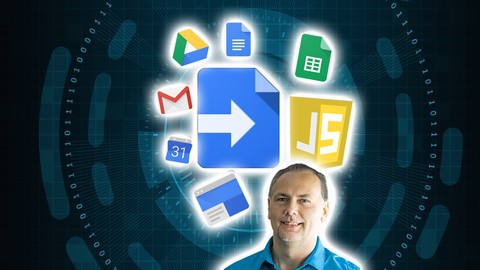
Google Apps Script Complete Course - Beginner to Advanced (Updated 6/2020)

007b56e65gjwx.jpg


Google Apps Script Complete Course - Beginner to Advanced (Updated 6/2020)
Duration: 20h 50m | .MP4 1280x720, 30 fps(r) | AAC, 44100 Hz, 2ch | 8.74 GB
Genre: eLearning | Language: English

Learn to power up your Google Suite of products using Apps Script to connect - automate - add advanced functionality


What you'll learn
Create Google Script to power Google Apps
Use Google Script to to add functionality automation and more to Google Docs Sheets plus

Requirements
JavaScript and basic HTML and CSS knowledge
Internet Access
Google Account
Basic Web development understanding
JavaScript knowledge is REQUIRED


Description
Increase the power of your favorite Google apps - like Calendar, Docs, Drive, Gmail, Sheets, and Slides. Apps Script lets you do more with Google. All on a JavaScript platform in the cloud.G Suite Services.
Course content covers every step to get started with Google Scripts including an overview of the editor and what it does and how to use it. Followed by more detailed syntax and code examples of applying Google Script in real world projects. Perfect for students of all levels, with a step by step approach for anyone who has not used Google Script Before.
Apps Script allow you to power up your favorite Google apps and do more with them, way more.
Automate, add functionality, use spreadsheet data, create documents, interact with emails, generate reports, use data the list is endless on all the amazing things you can do with Google Apps Script.
Warning once you start using Google Apps Script you may want to use it for everything!!!
Just like JavaScript apps script is easy to write, uses the same structure as JavaScript and core fundamental functionality. If you know JavaScript you can get started with apps script in minutes. Functions, variables, loops, and more the same syntax as JavaScript. With the added power of Google Classes you can connect data from your Google Apps and build on it. Its the easy way to power up your applications.
Course will cover
Standalone script
IDE editor
Quick demo to setup and get started with.
Document - DocumentApp
Get document
Document body
Get elements within body
Create docs on the fly
Document UI for alerts and responses. Interact with users.
Selection of data and construction of content
Styling your doc content
Spreadsheet - SpreadsheetApp
How to Get spreadsheet data
Create spreadsheets and update, create and use the data
Get ranges - select sheets and get content
Get Sheet data and iterate through it to output it
Write to spreadsheet using script
Spreadsheet UI for added interactions with users
Update sheet with new data
Sidebar menu update sheet show sheet data and more
Google Sites - Standalone scripts
Sites class and how to use them
Sites dashboard navigation and use
Design sites interface with options to create pages and more
Add scripts to sites to create data driven and interactive pages
Output and setup sites content quickly and easily
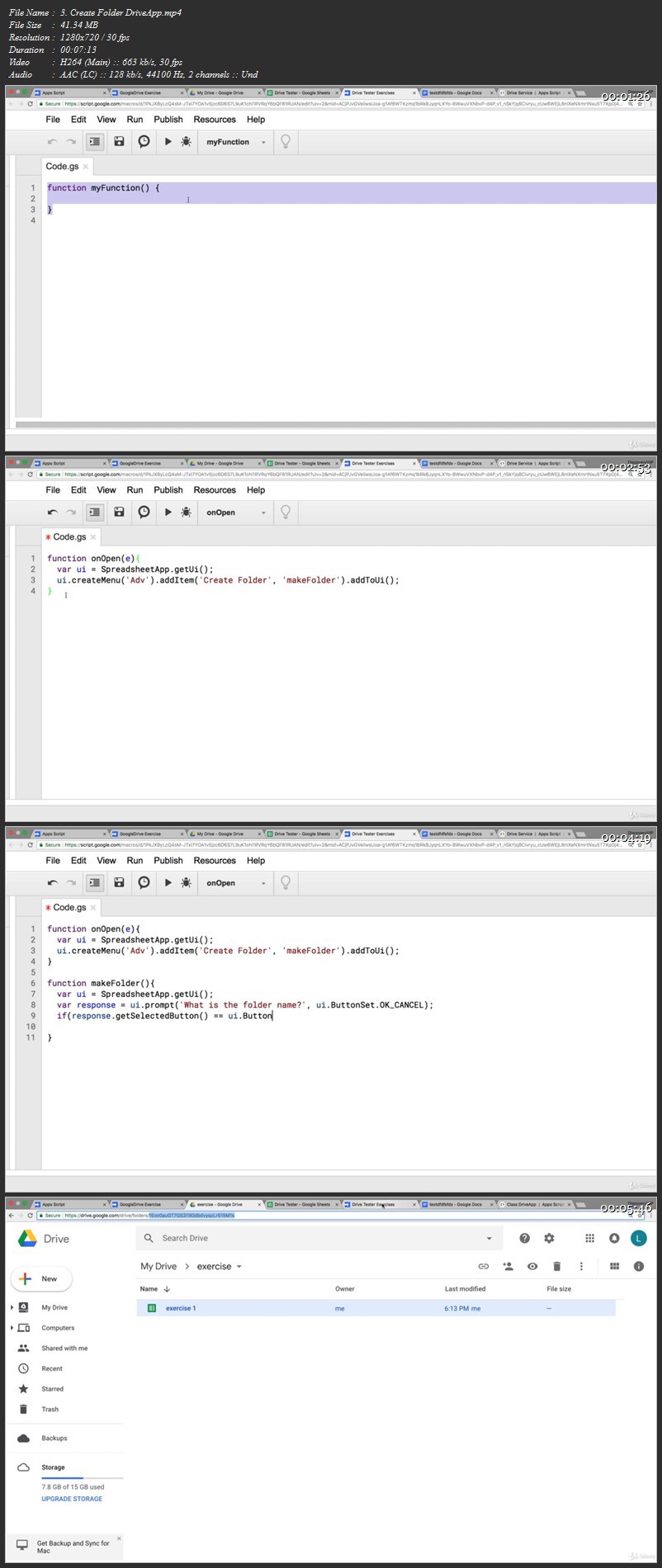
Google Drive - DriveApp Class
Get drive data and use it
Setup files create new files
Move files from one folder to another
Get folder contents and list it
Create files copy files and update files
Search drive files and folders
Get permissions and set permissions
List files from folders in Google Sheet show permissions update permissions
Calendar Calendar - CalendarApp Class
Create events
Get event details
Update color style
Output events to Google Sheet
Using Calendar events checking availability and more
Gmail - GmailApp Class
Send message
Get inbox contents from folder
Create labels and move files
Get counts of emails and content
Mark Emails as read
Track emails and use the content
Search emails
Star Messages
Step by step training lessons
This course covers everything you need to learn about Google Apps Script, including practice exercises, loads of examples, source code and step by step training. Along with friendly support in the Q&A to help you learn and answer any questions you may have.
Try it now you have nothing to lose, comes with a 30 day money back guarantee.
Taught by a knowledge instructor with many years of web development experience, ready to help you learn.
Join now and create your own Google Scripts Apps see what is possible.


Who this course is for:
Anyone who wants to create amazing things using Google Scripts
JavaScript developers who want to empower Google suite of products
Web developers who want to incorporate Google Script functionality
Application developers who want to access the power of Google G Suite
App Script Google Script developers

007b56e7ufjly.jpg


Complete React Native bootcamp - Build 18 iOS & Android app

6su3r86mrbv1p7z8t7ribw8kco.jpg


Complete React Native bootcamp - Build 18 iOS & Android app
MP4 | Video: h264, 1280x720 | Audio: AAC, 44.1 KHz, 2 Ch
Genre: eLearning | Language: English + vtt | Duration: 137 lectures (21h 33m) | Size: 16.4 GB

Includes Redux, firebase and lots of projects

What you'll learn:
Complete React Native app development
Learn to build 20 project from basic to advance
Learn Redux state management in react native app
Learn about API, CAMERA, SOUND and other mobile features
Learn about local storage in mobile apps
Learn about Firebase - An online real time database

Requirements
Basics of Javascript is required like loops, function, arrays, arrow function etc.
This course is NOT dependent on reactjs
A decent laptop/desktop that can open code editor like VSCode
No high end system is required as you can run all apps in your real mobile phone


Description
Let's start the discussion with some most obvious questions:

What is prerequisite for this course?

Before starting this course, we assume that you are comfortable with javascript. Things like loops, functions, array and arrow functions are clear to you.

Is react native related to reactJS?

This course was designed in a way that student can start directly with this course. There is no need for reactJS for this course. But if you do have reactjs knowledge, that's great.

Do I need high end laptop/desktop for this course?

This is one great thing with react native. Throughout this course, we will be working with VSCode and you can run apps in mobile phone (real device). Don't worry, process is covered in the course.

Is redux included?

Yes, of course. and includes firebase, Camera API, sound etc too.

What apps we will be creating in this course?

So many apps.

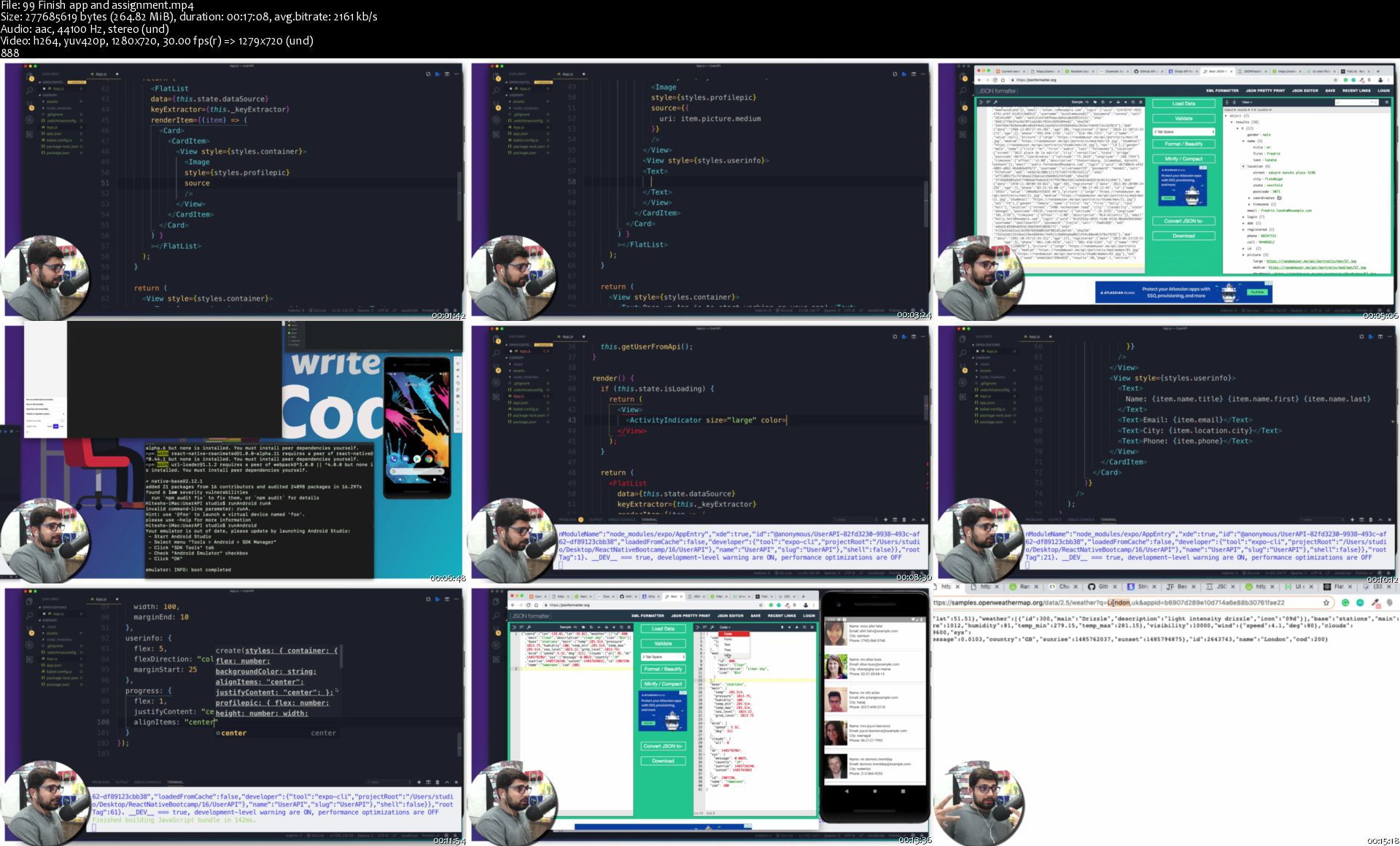
DiceRoller, CurrencyConverter, TicToeToe, Scratch and win, Photo clicker, Employee App, User API, Authentication, Message Board, Chat app, Contact App etc.

What is react native?

React native is a project by Facebook (open source), used to design Android and iOS apps with single code apps. One more amazing thing about react native is hot reloading which makes app development time faster.

Working with react native is super fun. This course is 1 stop solution to learn react native.

Here are some kind words by our students:

i really loved the approach in which the instructor taught i,e to go with the documentation. He actually teaches you how to learn new things. i just loved the course.

- Surabhi Nirgudwar

This course is one of the best course have ever done. The tutor is also the best tutor have ever encounter. I love how he was able to carry everybody along, i understood everything in this course and i look forward in doing more course from you.

- Deborah

very straight forward, covers everything (including minor details), easy to follow and understand

- Cara

Catch you inside the course!

Who this course is for
Beginners in mobile app development
Beginner in Android development
Beginners in iOS development
Students who are looking for a 1 stop solution for mobile development using react native

Homepage

99finishappandassignm2jkb7.jpg


Adobe Lightroom CC + Classic // Learn Photo Editing by Pro

icujik15lhjrtn8alpjzvs3jk9.jpg


Adobe Lightroom CC + Classic // Learn Photo Editing by Pro
Genre: eLearning | MP4 | Video: h264, 1280x720 | Audio: aac, 48000 Hz
Language: English | VTT | Size: 11.8 GB | Duration: 12 hours


What you'll learn
Learn how to edit your photos properly, like a pro. In both Lightroom Classic and Lightroom CC.
Learn my editing pro tips for awesome photos. In both Lightroom Classic and Lightroom CC.
Learn where your editing starts. It's not where you think.
Learn hidden secrets within the Develop Module - for editing precisely. In both Lightroom Classic and Lightroom CC.
How to use Lightroom productively
You will learn how to use all the editing tools, in both Lightroom Classic and Lightroom CC, to edit your photos based on your creative vision.
How to use Collections & Smart Collections (my favorite)
How to create Develop presets
How to edit properly and productivley
Know exactly where to start your editing process
How to organize your photos
How to create a book in Lightroom
How to create a slideshow in Lightroom
Export your photos with presets
Use the Print Module to create files for your professional lab
Add keywords to your images
Find any photo, among thousands, within seconds
Tips for increasing your chances of getting your images displayed on the first page of search engines
Use keyboard shortcuts to increase productivity
Use smart previews - for when you're traveling and you want to take your catalog with you.
How to edit in the Library Module!
Learn how many Lightroom catalogues you should have
How to create copyright presets
Free photos resources included to follow along
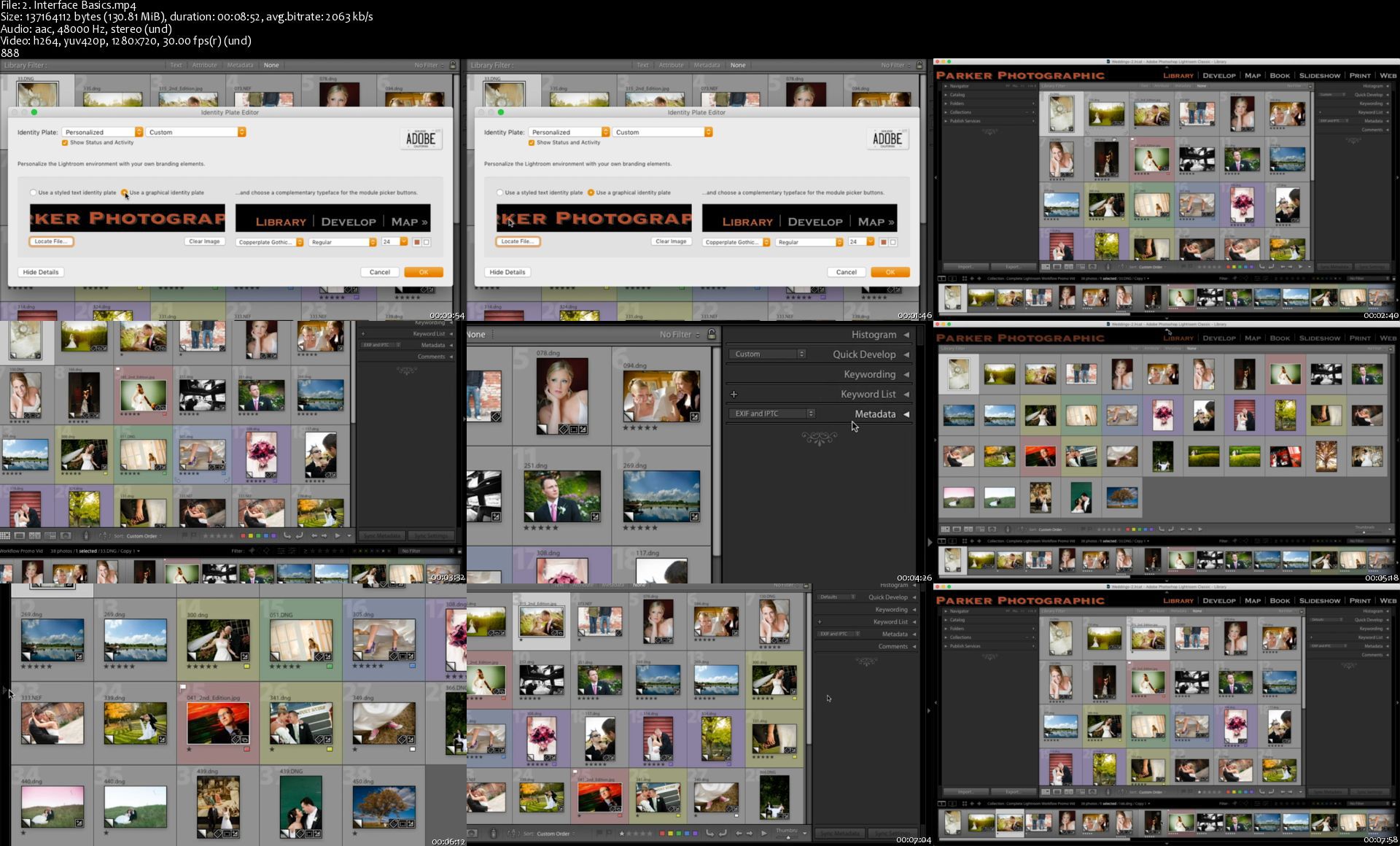
How to adjust the Lightroom identity plate to add your logo or name
Learn the difference between Lightroom CC and Lightroom Classic CC
Learn how to use all of the features and tools in Lightroom CC (mobile version).
I could go on and on. But, I think you get the picture. :)

Requirements
Lightroom CC or Lightroom Classic

Description
Adobe Lightroom CC + Classic... learn photo editing taught by a pro.

130+ Adobe Lightroom Made Easy Tutorials! Whether you're using the new Lightroom CC or the old Lightroom Classic CC, you'll learn everything you need to know to master the software for retouching, photo-editing, image editing, getting organized and more. Guaranteed.

**** Just updated the Lightroom CC & Lightroom Classic section with an additional 2 hours of new content! ****

Hello, my name is Chris Parker, and I've been a professional photographer for 30 years. I've been teaching Lightroom for over 8 years. Plus, I have 10 courses (just on Lightroom) published on Udemy! Over the last 12+ years, I've used Lightroom to process hundreds of weddings and thousands of portraits.

_____________________

A Few Student Testimonials.

*****

"This course is awesome, I learned tons of new tricks. Every single tool inside Lightroom is perfectly explained. I definitely recommend this course."

~ Cristobal Ascencio

*****

"I am new to Adobe and was interested in learning how to edit my pictures. I went through the LR classic portion (not interested in the cloud version at present) of the class and have learned a great deal. Since the course is so well laid out, it will be easy, as I practice editing, to refer back to any area I need to revisit.

Mr. Parker's shares, through his teaching style, both his in-depth knowledge of the program and his practical experience with it, which will save you years of trial and errors."

~ Alina Larin

*****

"Great course and instructor. Everything is very well organized and explained nice and clear. I am happy I bought it. Thank you so much, Chris, Great job."

~ Petr Sejkora

*****

"After completing this course my understanding of Lightroom and my organizational skills within the program have been improved a lot.

Now I am able to take full advantage of Lightroom features and tools."

~ Alexandru Daniel

*****

"This course is just amazingly complete and precise! The teacher explains clearly each part of the software. It's just perfect!"

~ Guilhem Matarin

******

I liked the way the instructor broke the classes into small easy to understand learning experiences. It was very easy to follow along and work side by side with Chris.

~ Albert Dauphinais

_____________________

In this Lightroom Classic + Lightroom CC mastery course I share all my secrets, tips & techniques.

This is a complete guide to Lightroom Classic + Lightroom CC. Everything you need to know to use and master this software. From organizing and editing your images to sharing via printing, slideshows and more.

You'll learn how to use all 7 modules; Library, Develop, Map, Book, Slideshow, Print and Web.

Includes photos you can use to follow along and additional free resources (presets and templates).

I'll share my personal insight, techniques and recommendations for properly using Lightroom. Join me, with over 6,854 other students, in the Udemy discussion area for additional questions and assistance on Lightroom Classic + Lightroom CC . It's like having your own personal Lightroom coach.

Adobe Photoshop Lightroom Classic + Lightroom CC . is designed for photographers. It provides you the ability to organize, edit and manage your photos like no other software.

The Lightroom tutorials start off explaining what Lightroom is, what catalogs are and how many you should consider having. Then we'll dissect the interface and learn how to customize for our own personal preference.

From there, you can follow along as we import photos, organize and do advanced searches. Once you're organized, we'll explore all the options for creating works of art by editing in the Develop module.

Use the provided photos, to follow along as we create basic and advanced edits. Once you've completed your edits, we'll move onto sharing your photos with the world.

Learn how to create slideshows and web galleries. Plus, we'll learn how to properly take your photos out of Lightroom and export for prints!

Once you've completed the Lightroom video tutorials you'll have a full understanding of how to use Lightroom properly and productively.


Who this course is for:
Digital photographers of all levels
Photographers who want to know how to use the Develop Module
Photographers who want to know how to use the Library Module to organize their photos
Photographers that want to learn how to properly edit their photos in Lightroom Classic and/or Lightroom CC
Photographers that want to learn all aspects of Lightroom Classic and/or Lightroom CC
Photographers that want to learn how to edit their photos faster
Photographers that want to learn how to edit their photos automatically, during import
Photographers that want to learn how to add copyright info during import
Photographers that want to learn pro tips, from a 30 year pro, on how to edit photos


Homepage

2.interfacebasicssluj6j.jpg


James Friel - Hiring-Managing Like a Boss

3ece8fe0423c55b46987b84c782195ce.jpg

James Friel - Hiring-Managing Like a Boss | 2 GB​
Knowing How To Hire Great People is only half the battle Managing for Maximum Performance Is The other Half.
As an ambitious entrepreneur whos committed to growing and scaling your business, you already know that you wont get there on your own.
The success of your business over the long term hinges on you having a winning team.

Introducing Managing Like A Boss
Module 1: CREATE A WINNING CULTURE
In many entrepreneurial circles, culture is a buzzword that is often talked about but not well understood. Yet, creating a winning culture is one of the surest ways to guarantee the success of your business.
Come away with:
- Knowing how to choose among the 4 types of cultures that map back to your management style.
- Understanding how to get your team to get fully bought into your Vision, Values, and Standards.

Module 2: dEVELOP YOUR LEADERSHIP ABILITY
Not only does life suck when you have to do everything yourself, but your business doesnt grow as fast as its capable of either. Running your business without being confident when you delegate is like trying to try to run a marathon while breathing through a drinking straw; exhausting and unnecessary.
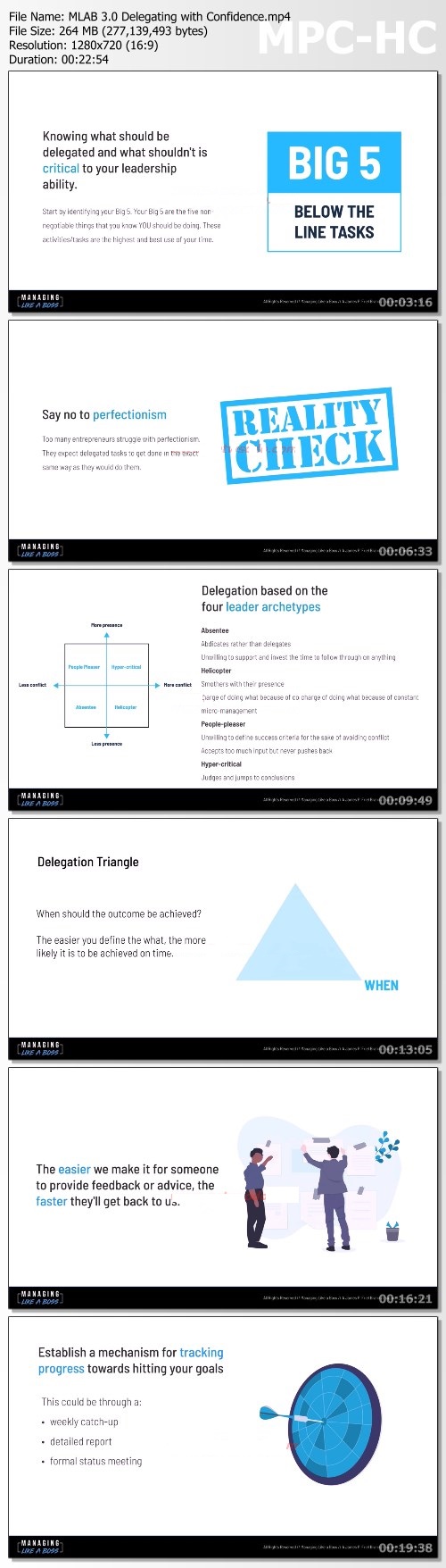
- A clear understanding of the Delegation Triangle which makes sure that your team always has clear expectations and can deliver exactly what youre looking for.
- Ultra-simple, yet powerful tools that will make sure your team has done ALL of the heavy lifting before things get to you.
- A framework for reporting and measuring that will keep you in control EVEN when youre not the one doing the work.

Module 3: RUNNING PRODUCTIVE MEETINGS
Lets face it. As an entrepreneur, the last thing in the world you want to spend your time doing is sitting in meetings when you can be getting things done. Meetings can be incredibly powerful, but only when they drive forward outcomes that are important for your goals.
Come away with:
- Understanding the different types of meetings you and your team actually need and which ones can easily be left behind.
- Templates, examples and best practices for each type of meeting so that your entire team is clear on the purpose of each and every interaction.
- Knowing how to get the best contributions from your entire team regardless of whether they are loud and talkative, quiet and reserved or anywhere in between.

Module 4: PERFORMANCE MANAGEMENT
According to a recent Gallup poll, a staggering 85 of employees report being disengaged at work. That means for the average business owner or entrepreneur, of every dollar you spend on labor, 0.85 is going to waste. Your team, whether employees or contractors, local or virtual, part-time or full-time need to be managed to achieve their best performance.
- Knowing how to identify and help the people on your team play to their strengths.
- Simple strategies that work for evaluating compensation, promotions and performance reviews.
- The 3 key things you need to know about everyone who works for you.

Module 5: NAVIGATING TOUGH CONVERSATIONS
Its time to dig into and learn about the other people in your business. Teammates, contractors, partners and even investors. Learn and understand how to read people immediately and change your approach as the situation dictates.
- Action steps on how to navigate critical conversations with ease.
- A clear understanding of what causes workplace drama and how to put it to an end once and for all.
- How to get your people more engaged in their work, more consistently.
- Influence other people in an effective way for THEM.

Heres What You Will Receive With:
MANAGING LIKE A BOSS
The no-Hype, Zero Fluff System Designed to get Maximum performance from your biggest asset - your people
- How to get your team to act as a collective unit, play to their superpower strengths, know their kryptonite, leverage the two and work harmoniously.
- How to define clear roles and responsibilities so that employees know where they fit and what theyre responsible for.
- How to create effective, clear and open lines of communication to keep the flywheel of your business moving and reducing friction between you and the employees.
- The ONE tool used to identify if your employees need a role change, additional training or dismissal.
- Assess the number of team meetings you truly need, how to get clarity on goals, objectives, objective ownership and measurable results required to keep everyone moving toward the company vision.
- Use the 4-step perfect delegation framework before you execute a single task on your launch calendar - save hours and work on tasks that fall into your zone of genius using this framework.

HOmepage:

Screenshots
e19b80b0e3c7625809118c5016bcb6b4.jpg


Link Download
​
Extract files with WinRar 5 or Latest !
 
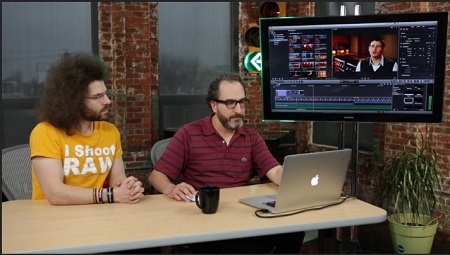
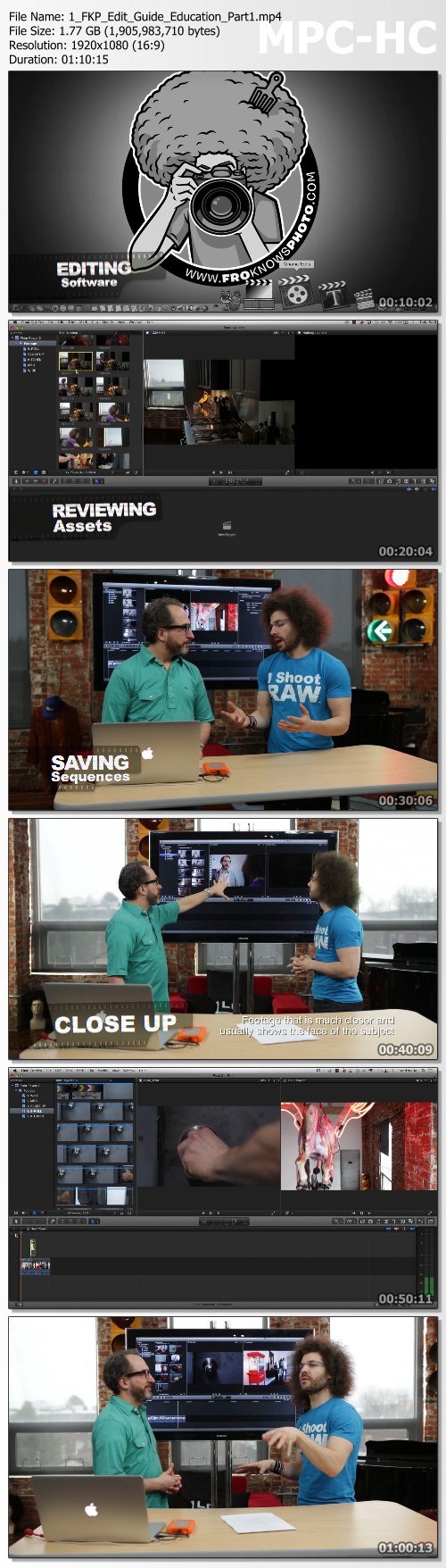
Jared Polin & Todd Wolfe - FroKnowsPhoto Guide To Video Editing

8cf6c9cfb06a88e8aefd9615da6b6214.jpg

Jared Polin & Todd Wolfe - FroKnowsPhoto Guide To Video Editing | 14.79 GB​
Here's a Step-by-Step System That Will Teach You a Veteran Filmmaker's ENTIRE Video Editing Process!
And, this works even if you're a complete newbie, don't have any footage, or only have access to "basic" video editing software and equipment.

What You Get:
COMPONENT #1:Foundation of Video Editing Fundamentals
In this section you're going to get 2.5 hours of comprehensive editing instruction, where Todd will teach us the foundation of editing fundamentals and the techniques that haven't changed since film was introduced over 100 years ago.

COMPONENT #2:FOUR SUPPLEMENTARY "HANDS ON" SECTIONS
Even just the educational portion alone is worth the price, but we're giving you four supplementary "hands on" tutorials that will take you even further. Each of these 1.5 hour long tutorials will cement your understanding of what you learned in the first section so you can start editing your own videos the same day you watch the guide. We're not "playing in the classroom." Todd is showing us how editing works in the real world. There's no fluff or theory here.

HANDS ON TUTORIAL #1: Short Film/Narrative
Narratives like short films or feature films rely heavily on the storyline. We show you the powerful editing actions you can take to drive the story and captivate your audience.

HANDS ON TUTORIAL #2:Music Video
We're going to walk you through performance footage of me rapping along with B-Roll footage, so you can see how a music video comes together. You're going to get valuable insights into what goes on in the cutting room specifically for a music video.

HANDS ON TUTORIAL #3: Corporate Electronic Press Kit
There's endless work and money to be made from producing corporate videos. We'll show how to make the best editing decisions so you can deliver a final product that will keep your clients coming back over and over.

HANDS ON TUTORIAL #4: YouTube Video
YouTube is the second largest search engine in the world, right behind Google. There is over 300 HOURS of YouTube videos uploaded every single minute. So, what is the trick to creating a popular video that gets more than 5 views? Hint: the answer is in the editing and production value.

COMPONENT #3:ACCESS TO ALL RAW FOOTAGE FROM THE "SUPPLEMENTARY" TUTORIALS
Not only are we going to show you how to edit everything, we're going to give you the same RAW footage we use during each of the "hands on" tutorials mentioned above.
That means you're going to be able to edit side-by-side with Todd and implement everything he shows you right away. Not only will this get you editing while you learn, you're going to retain more of the information because you'll be able to implement everything as soon as you see Todd do it.

COMPONENT #4:TODD'S PRODUCER NOTES
These notes are similar to what you would get from a director or producer when they deliver footage for you to edit. Notes like these will inform you of what you have at your disposal and any issues you may need to be aware of before you start editing.
In addition to that, you'll also be given exclusive access to the actual shooting scripts for each of the short films. Having access to producer notes and project scripts are essential in any real life editing situation.

BONUS #1:Video Editing Worksheets
There are a lot of things to keep track of when you're editing.including footage, music, sound effects, story, and dialogue. These worksheets will help you keep track of those things as well as highlight which takes you or the director think are the best.

BONUS #2:Video Editing Checklist
You're going to learn a lot in this 9-hour guide. To help you recall everything and stay on task, Todd has created a step-by-step Video Editing Checklist to make sure you don't forget any of the critical steps or miss an opportunity to use one of the amazing techniques he shows you.

BONUS #3:Todd's Editing Quick Tips
After finishing the guide we wanted to add even more value, so we're giving you a bonus section with useful "quick tips" on all aspects of video editing. Todd has been editing for over two decades and couldn't fit everything into the guide, so he created this special bonus to give you even more of his wisdom to help elevate your videos even further. These bonus videos are full of information you won't find anywhere else.

MEGA-BONUS #4: Our EXCLUSIVE Short Film: Flour Power (Plus All of the Assets!)
We're still not done stacking the value for you. We also produced an exclusive short film called "Flour Power" just for this guide with never before seen footage.
Flour Power is a fun story that features Todd and I and was specially designed to highlight many of the concepts and techniques that you'll be learning throughout this guide. And once again, we're giving you all of this footage AND assets to create your own masterpiece.
This bonus will take everything Todd is going to teach us inside of the guide and wrap it all up into one project, to show you how to put all of the pieces together. Consider this your "final project."

MEGA-BONUS #5:
Our VideoBlocks & AudioBlocks Offer
We know as an editor, you'll need additional footage, additional music and additional sound effects to supplement your edits and we personally use and recommend VideoBlocks and AudioBlocks. Which is exactly why we've partnered with them to offer owners of this guide an exclusive deal that gets you access to BOTH sites for one year at a significant discount.

HOmepage:

Screenshots
51a0023f2e71fa77f45cd686c61f5810.jpg


Link Download
​
Extract files with WinRar 5 or Latest !
 
Zurück
Oben Unten